
14-day gratuit probă
PR
Servere
Recenzie wpX Speed: teste de viteză, avantaje și dezavantaje, plus comparații cu alte găzduiri
Publicat: 2025.04.18
Actualizat: 2025.04.18
Evaluare: 4.0
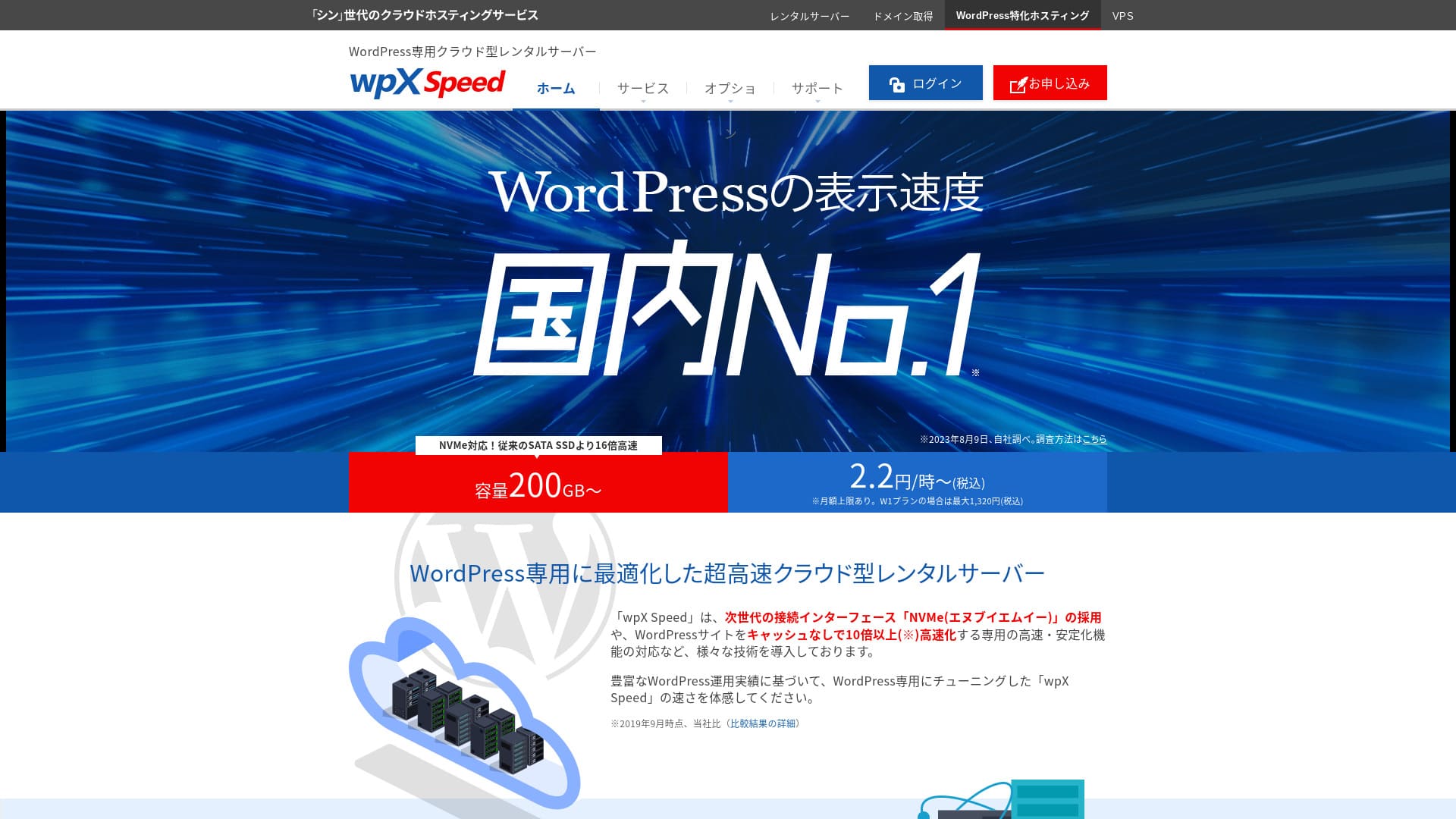
wpX Speedeste un server cloud ultra-rapid operat de ShinCloud Co., Ltd. și construit pentru a gestiona traficul viral brusc. Chiar dacă traficul înregistrează vârfuri abrupte, funcția de scalare automată împiedică oprirea site-ului.

I recomand wpX Speed to individuals, companies, and sole proprietors using WordPress for the first time because:
- it is the second-fastest server in our measurements
- poate rezista traficului viral datorită scalării automate și resurselor rezervate
- it has a reassuring pay-only-for-what-you-use prețuri system
That is why. I believe you will be satisfied. You can try it gratuit for 14 days.
A competing server is ConoHa WING. De asemenea, poate fi utilizat cu tarifare orară, iar prețul său mai mic reprezintă un punct forte în comparație cu wpX Speed in that respect. Consider it as well.
| Server type | Shared server |
| Display viteză (TTFB) | 40ms |
| Plan recomandat și termen de facturare | W1, 12 months |
| Probă / money-back guarantee | 14 days |
| Lunar fee (12-month plan) | 2.2 yen per oră*, up to 1,320 yen* |
| Initial configurare fee | Gratuit |
| Gratuit domeniu | None |
| Suport | Telefon și e-mail (în zilele lucrătoare 10:00-18:00) |
| Uptime | Not disclosed |
| Server stocare | 200GB* |
| Number of databases | Unlimited |
| Securitate measures | WAF, access restrictions from overseas IP addresses, login attempt limits, mass comment and trackback restrictions, restrictions on comments and trackbacks from overseas IP addresses |
| SSL | Gratuit custom SSL, custom SSL |
| Backup / restore | 7 days of Backup-uri automate gratuit of charge, restore gratuit of charge |
| Number of e-mail accounts | Unlimited |
| E-mail Securitate caracteristici | SMTP-AUTH, IMAP |
| Server / site web migrare service | None |
| WordPress pre-installation | None |
| CDN | None |

Hikaru Ono
wpX Speed a fost un server care mi-a permis să trec fără probleme de la procesul de aplicare până la instalarea WordPress. Deoarece oferă un mediu de server rapid, îl recomand pentru companii și uz comercial.
Deoarece puteți face upgrade pe parcursul a opt planuri tarifare, este un serviciu pe care îl puteți folosi pe termen lung.
wpX Speed în comparație cu alte servere
- Overall Evaluare★★★★☆
- Server viteză ★★★★★
- Prețuri ★★★☆☆
- Stabilitate ★★★★☆
- Ease of getting started with WordPress* ★★★★☆
- Operațiuni precum gestionarea domeniului și configurarea SSL* ★★★★★
* Based on my actual experience using it.

Compararea a 21 de servicii de găzduire WordPress recomandate pentru persoane fizice și cum să alegeți
Compararea a 21 de servicii de găzduire WordPress recomandate pentru persoane fizice și cum să alegeți
serverfield.org
- November 4, 2025 market research data, arranged by viteză
- Tarifele lunare reprezintă costul din primul an al celui mai ieftin plan care poate rula WordPress
- Viteza reprezintă valoarea Time to First Byte a site-urilor demo, măsurată în aceleași condiții
“wpX Speed” este un serviciu de găzduire bazat pe cloud de la ShinCloud Co., Ltd. Cu prețuri care încep de la 2,2 yeni pe oră, este ușor să începeți. Caracteristicile cu specific clar de cloud, cum ar fi resursele rezervate și scalarea automată (scale-up), îl mențin confortabil în utilizare.
6 Key Caracteristici Behind wpX Speed's Reputation

No. 2 in Display Viteză in Our Independent Testing
In our independent testing on this site, wpX Speed la egalitate cu XServer Business pe locul doi în ceea ce privește viteza de afișare.
Google recommends keeping server response time (TTFB) under 200ms. wpX Speed measured 40ms. It can be evaluated as an ultra-rapid server.
Server response times need to be kept under 200 milliseconds.
https://developers.google.com/server/speed/docs/insights/Server?hl=ja
Dacă viteza serverului este mare, paginile se încarcă rapid, iar vizitatorii nu sunt lăsați să aștepte. De asemenea, facilitează obținerea unor performanțe SEO puternice și atragerea vizitatorilor către achiziția de produse.
★ Is It Really Rapid? We Compared 11 Găzduire Services in a Viteză Ranking
Auto-Scale Caracteristică That Automatically Boosts Performanță
wpX Speed este rezistent la vârfurile bruște de trafic datorită funcției sale de scalare automată (auto-scaling). Dacă planul utilizat în prezent nu poate procesa o creștere bruscă a traficului, planul este actualizat automat și capacitatea de procesare este mărită prin adăugarea de CPU și nuclee suplimentare.
Pentru că poate răspunde flexibil, chiar și o eroare 503 cauzată de un val brusc de trafic nu este ceva de care să te temi.
★ What Is a 503 Error? Web Congestion, How to Avoid It, and Emergency Responses
Desigur, upgrade-urile automate ale abonamentului pot pune presiune pe bugetul tău. Funcția de scalare automată poate fi activată sau dezactivată, iar tu poți decide liber condițiile și bugetul pentru schimbarea abonamentului, astfel încât să fie utilizată într-o limită rezonabilă.
Reserved Resources That Deliver Consistent Stabilitate
wpX Speed keeps resources reserved, so your site display remains stable.
În general, atunci când rulați un site pe o găzduire partajată, o creștere bruscă a traficului către un alt site de pe același server poate îngreuna accesul la propriul site. Acest lucru se întâmplă deoarece resursele disponibile pentru site-ul dvs., cum ar fi CPU-ul și nucleele, sunt reduse.
But because wpX Speed keeps resources reserved, it is not affected by other sites. In other words, reserved resources eliminate a major weakness of shared găzduire.
Tarife orare fără risipă
wpX Speed uses hourly prețuri. You pay only for what you use. There is no waste.
- W1 plan: 2.2 yen/oră (lunar cap: 1,320 yen)
- W2 plan: 4.4 yen/oră (lunar cap: 2,640 yen)
- W3 plan: 8.8 yen/oră (lunar cap: 5,280 yen)
Deși prețul este pe oră, este stabilit și un plafon lunar, astfel încât costul dumneavoastră lunar nu se modifică indiferent dacă luna are mai multe sau mai puține zile.
Deoarece tarifele sunt pe oră, îl puteți testa simplu și ieftin chiar și fără o perioadă oficială de probă.
Puteți utiliza funcția de securitate WAF
wpX Speed pot utiliza un WAF. Un WAF este o măsură modernă de securitate. Împreună cu firewall-urile și alte tipuri de protecție, ajută la blocarea atacurilor pe care măsurile de securitate mai vechi nu le puteau preveni.
Pe serviciile de găzduire ieftine, un WAF este adesea o opțiune cu plată. Însă cu wpX Speed, you can enable it gratuit of charge.
Liniște sufletească datorită copiilor de rezervă din ultimele 7 zile
wpX Speed vine cu o funcție de copie de rezervă pe șapte zile.
Copiile de rezervă (backups) sunt extrem de importante. Chiar dacă aveți măsuri de securitate, cum ar fi un WAF, datele pot fi în continuare modificate în mod neautorizat în urma unui atac sau puteți șterge accidental date chiar dvs. Dacă dețineți o copie de rezervă a datelor, puteți restaura site-ul exact la starea în care se afla înainte de apariția problemei.
La unele servicii de găzduire, copiile de rezervă sunt o opțiune cu plată. Însă cu wpX Speed, they are gratuit. It is a good deal.
wpX Speed's Weak Funcții de e-mail Are a Drawback

wpX Speed has weak e-mail functionality.
Nu poate utiliza autentificarea DKIM. Autentificarea DKIM este o tehnologie care verifică dacă un e-mail a fost trimis de un expeditor legitim și nu a fost modificat pe parcurs.
Dacă firma ta vrea să folosească e-mailul în scop de afaceri, recomand să iei în considerare un serviciu separat de e-mail.
Compararea vitezei wpX Speed cu două servere similare
ConoHa WING
ConoHa WING is also a server that can use hourly prețuri. It starts at 2.2 yen per oră. Unlike wpX Speed, it also offers discounts through long-term contracts called WING Packs. You can start more cheaply than with wpX Speed.
Cu toate acestea, dacă alegeți planul său de afaceri cu scalare automată și resurse rezervate, prețul crește la 3,1 yeni pe oră (limită lunară: 1.815 yeni).
Dacă doriți un server orientat către mediul de afaceri, wpX Speed este recomandarea mai accesibilă.

Recenzie ConoHa WING: De ce o aleg 750.000 de utilizatori, testată prin viteză, avantaje și dezavantaje
Recenzie ConoHa WING: De ce o aleg 750.000 de utilizatori, testată prin viteză, avantaje și dezavantaje
serverfield.org
XServer
Xserver is also a rapid server that uses NVMe SSD, just like wpX Speed. Este administrat de aceeași companie. XServer este mai ieftin de utilizat. Like wpX Speed, it also has reserved resources, so it is not affected by other sites.
However, it does not have an auto-scaling caracteristică like wpX Speed. For that reason, wpX Speed gestionează mai bine vârfurile bruște de trafic. Dacă organizați în mod regulat evenimente sau campanii și aveți șanse mari de creșteri bruște ale traficului, vă recomand wpX Speed.

Recenzie XServer [Ultima din 2025]: Detalii complete despre viteză, prețuri, avantaje și dezavantaje
Recenzie XServer [Ultima din 2025]: Detalii complete despre viteză, prețuri, avantaje și dezavantaje
serverfield.org
Lansați-vă site-ul web cu wpX Speed în 7 pași
Să începem un site web cu wpX Speed!
- STEP.1Accesați site-ul oficial wpX Speed
On the official site’s top page, click “Apply” at the very bottom. If you do not have a Shin Account ID, click “New Application.”
- STEP.2Enter customer information
This is the contract information. For the server ID, enter any string you like.
Recomand planul W1. Dacă traficul crește și specificațiile devin insuficiente, faceți upgrade la plan.
În continuare, introdu datele de înregistrare, cum ar fi adresa de e-mail și numele.
Următorul pas este metoda de plată. Îți recomand să plătești cu cardul de credit. Acest lucru îți permite să începi construirea site-ului tău web imediat.
În cele din urmă, consultați Termenii de utilizare și prelucrarea informațiilor cu caracter personal. Bifați caseta pentru a fi de acord cu „Termenii de utilizare” și „Prelucrarea informațiilor cu caracter personal”, apoi faceți clic pe „Continuați pentru a confirma detaliile cererii dumneavoastră”.
Dacă totul arată în regulă după ce revizuiți detaliile cererii, finalizați verificarea identității.
După ce primești e-mailul care confirmă finalizarea configurării serverului, solicitarea ta pentru server este finalizată.
- STEP.3Solicitați un domeniu și adăugați domeniul
Log in to the admin screen.
Under “Contract Management,” click “Additional Applications” in the “Contract-related” section. Read the Terms of Use and the handling of personal information, then click “Agree.”
Faceți clic pe „Solicită obținerea unui domeniu nou” și introduceți domeniul dorit. Dacă este disponibil, va apărea un buton pentru a solicita acel domeniu, așa că faceți clic pe el.
Faceți clic pe „Confirmă detaliile solicitării” și treceți la plata domeniului. Odată finalizată plata, achiziția domeniului este încheiată.
Din „Server Management” din ecranul de administrare, accesați „Domain Management” și apoi „Add Domain Settings”. Introduceți domeniul pe care l-ați obținut adineauri, faceți clic pe „Add Domain (Confirm)” și apoi faceți clic pe „Add Domain (Finalize)”.
Acest lucru finalizează adăugarea domeniului.
- STEP.4Instala WordPress
Conectați-vă la panoul de control. La secțiunea „Server Management”, accesați „WordPress-related”, apoi „New Installation”. Configurați următoarele elemente.
- Adresă site: Selectați domeniul pe care l-ați adăugat anterior
- WordPress ID: Anything is fine.
- Blog title: Anything is fine. You can easily change it later.
- E-mail address: Use an e-mail address you normally use. If you are a Companie, a Companie e-mail address is recomandat.
- Custom SSL: Check “Use custom SSL.” Check “Enable redirect settings to https://”.
După ce ați introdus toate datele, faceți clic pe „Next”. Revizuiți din nou detaliile, apoi faceți clic pe „Confirm (Install WordPress)”.
- STEP.5Initial WordPress settings
Log in to WordPress.
Dacă vedeți un avertisment care spune „Acest site nu poate fi accesat”, înseamnă că setările DNS nu s-au propagat încă. În acest caz, nu vă rămâne decât să așteptați, așa că încercați să vă conectați din nou la fiecare oră.
★ Ce sunt DNS și serverele de nume?
Let’s configure the permalink settings. From the WordPress admin screen, go to “Settings” and then “Permalinks.” Select “Post name.” After selecting it, click “Save Changes.”
Când alegeți „Nume postare”, puteți introduce orice șir doriți în URL la publicarea unui articol. Cel mai bine este să folosiți un șir scurt care să ajute cititorii să își imagineze conținutul articolului. Dacă este prea lung, unii utilizatori s-ar putea simți neliniștiți și ar putea crede că site-ul pare suspect.
- STEP.6Instala plugins
Reveniți la ecranul de administrare WordPress, deschideți „Plugins”, mergeți la „Add New” și instalați pluginurile de care aveți nevoie.
După ce găsești modulul dorit prin căutare, dă clic pe “Install Now” și apoi pe “Activate”. După aceea, urmează instrucțiunile pentru fiecare modul în parte.
Asigură-te că instalezi pluginuri de securitate și backup.
- 5 module de extensie (plugins) de securitate WordPress care consolidează protecția și cum să le alegeți
- 5 Powerful WordPress Backup Plugins That Help You Recover Your Data
Odată ce modulele sunt instalate, site-ul tău WordPress este complet pregătit!
Rezumat
“wpX Speed” este un serviciu de găzduire bazat pe cloud de la ShinCloud Co., Ltd. Cu prețuri care încep de la 2,2 yeni pe oră, este ușor să începeți. Caracteristicile cu specific clar de cloud, cum ar fi resursele rezervate și scalarea automată (scale-up), îl mențin confortabil în utilizare.
14-day gratuit probă
wpX Speed excelează prin stabilitate datorită funcției sale de scalare automată și resurselor rezervate. Deoarece tariful său orar facilitează începerea utilizării, dacă vă interesează, vă recomand să îl încercați pur și simplu timp de 14 zile.
Comparație completă a 32 de furnizori de găzduire WordPress: recomandări pentru persoane fizice, companii și site-uri internaționale

Când decideți să începeți cu WordPress și căutați „cea mai bună găzduire WordPress”, găsiți tot felul de articole, de la opțiuni personale și de afaceri până la servere din străinătate și ieftine. Sincer,
- Which site should I trust?
- I want to alege a server in a simple, easy-to-understand way.
- Please show me how to start WordPress right away.
Don't you feel that way? In this article, Am selectat cu atenție recomandări de la 32 de furnizori de găzduire pentru uz personal, de afaceri, precum și pentru utilizare internă și internațională. Explicația vine de la specialistul SEO al unei companii de dezvoltare de aplicații care folosește servere de găzduire în fiecare zi.