Prima lună gratuită și 2 domenii gratuite permanent cu WING Pack
PR
Servere
Recenzie ConoHa WING: de ce îl aleg 750.000 de utilizatori și o analiză practică a vitezei, avantajelor și dezavantajelor
Publicat: 2025.06.27
Actualizat: 2025.06.27
Evaluare: 5.0
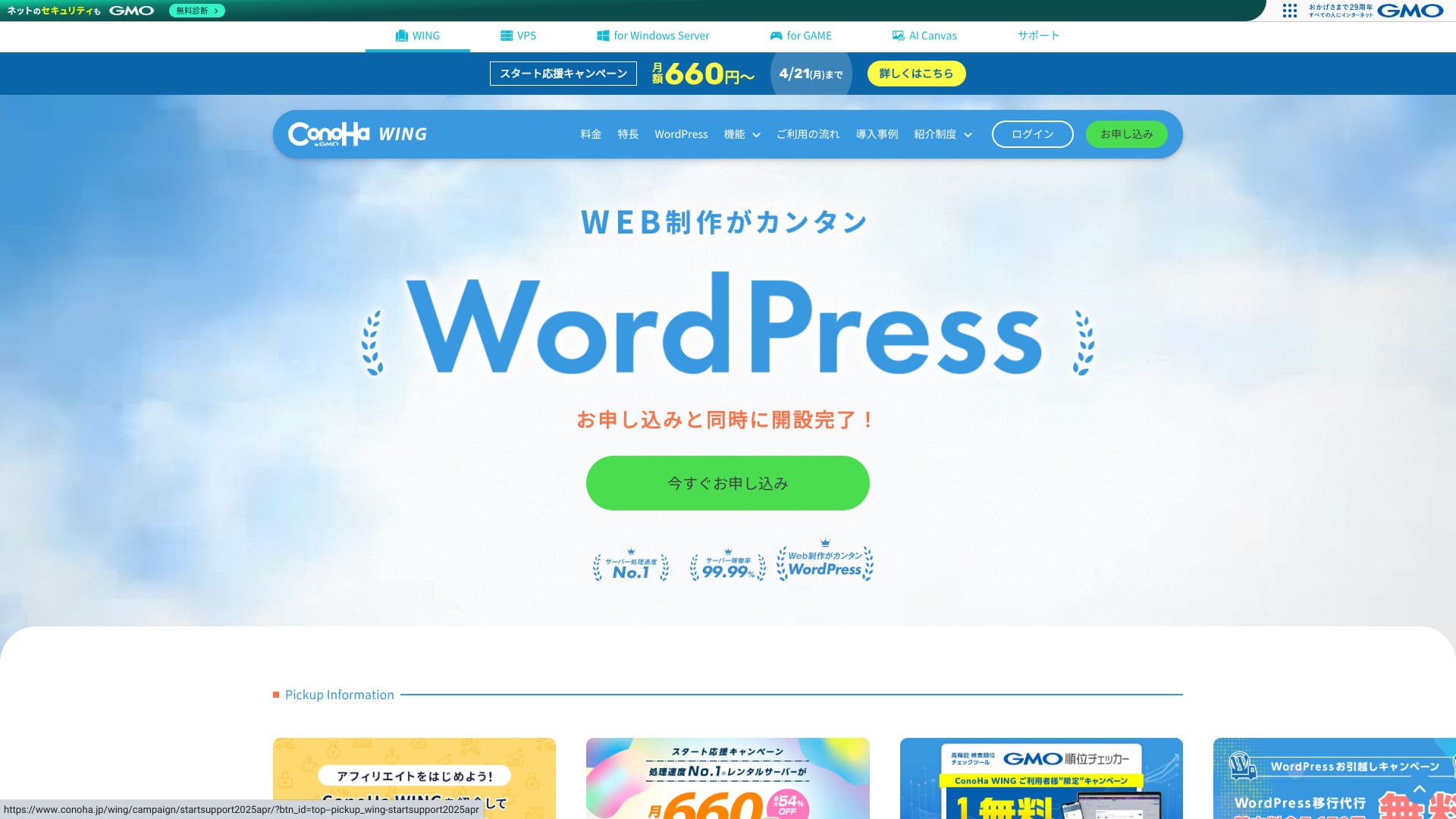
ConoHa WING is a well-regarded hosting service offered by the GMO Internet Group. It is especially popular with bloggers and affiliate marketers who want to run WordPress sites.
| Tip de server | Găzduire partajată |
| Viteză (TTFB) | 160ms |
| Plan și perioadă recomandate | Basic, 12 months |
| Perioadă de probă gratuită / politică de rambursare | First month free |
| Preț lunar (contract pe 12 luni) | 971 yen |
| Taxă inițială de configurare | Gratuit |
| Domenii gratuite | 2 domains free forever |
| Suport | Telefon, e-mail și chat (în zilele lucrătoare 10:00-18:00) |
| Timp de funcționare | 99.99% guarantee |
| Stocare | 300GB |
| Număr de baze de date | Nelimitat |
| Securitate | WAF / directory access restrictions / IP access restrictions / vulnerability scanning / spam comment and trackback restrictions / overseas comment and trackback restrictions / overseas access restrictions |
| SSL | Gratuit SSL / Alpha SSL / Quick Authentication SSL / Organization Validation SSL / EV SSL |
| Copii de rezervă / restore | Copii de rezervă automate pe 14 zile / restaurări gratuite |
| Conturi de e-mail | Nelimitat |
| Securitate e-mail | Virus scanning / spam filtering |
| Serviciu de migrare server / site | Serviciu de migrare WordPress de la 7.678 yeni Instrument de migrare gratuit disponibil |
| WordPress preinstalat | Da |
| CDN | Nimic |

Hikaru Ono
With ConoHa WING, I was able to start WordPress at the same time I signed up for the server. The AI tool Blog Creator, now called ConoHa Pencil, is better than you might expect. It lets anyone create high-quality content.
We also use it on this site.
- Date bazate pe cercetarea de piață din November 4, 2025, ordonate în ordinea vitezei
- Prețurile lunare reprezintă costul din primul an al celui mai ieftin plan care suportă WordPress
- Viteza este timpul până la primul byte măsurat pe site-uri demo în aceleași condiții
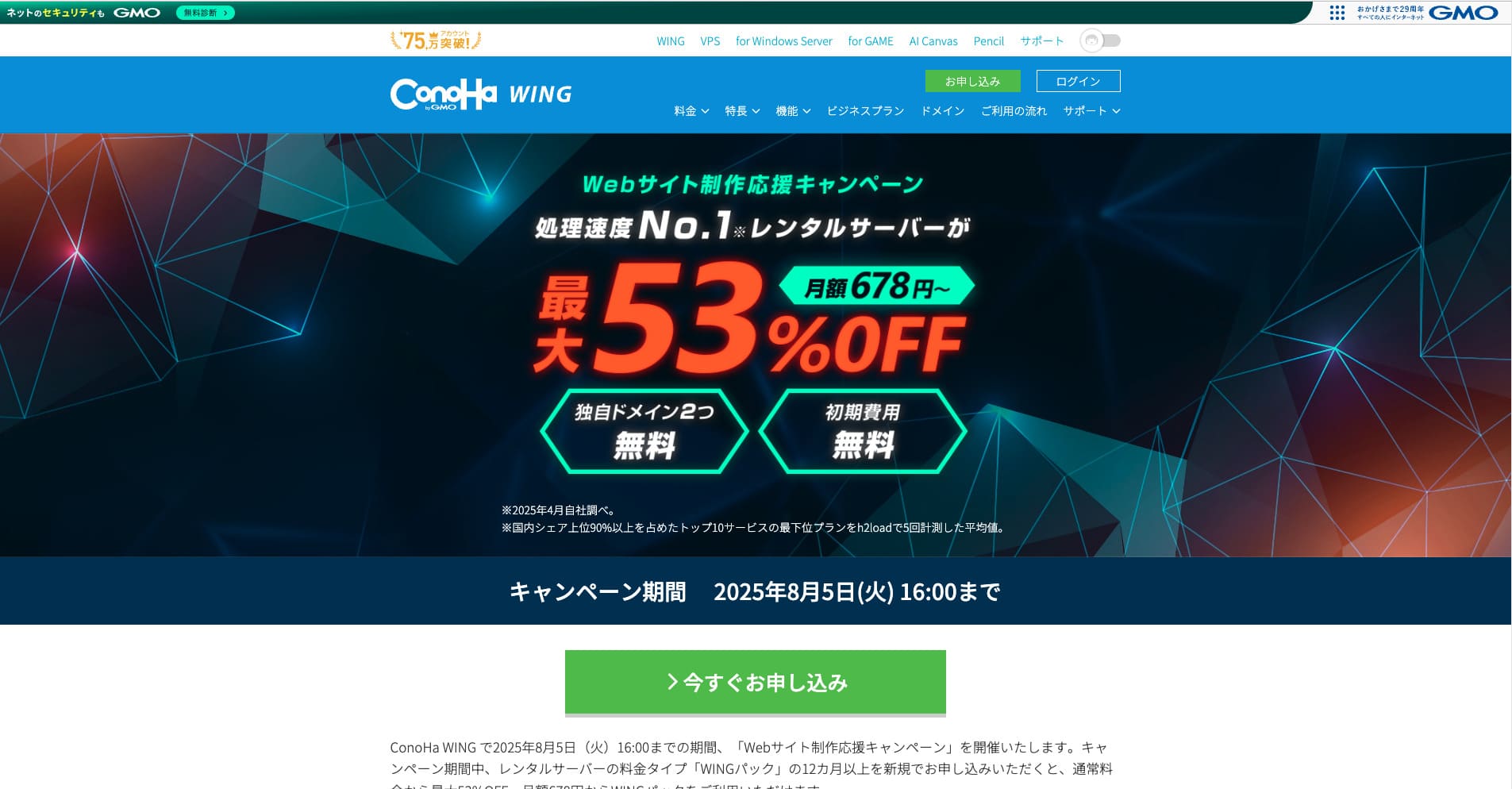
ConoHa WING este un serviciu de găzduire rapid de la GMO Internet Group pe care îl folosim și în compania noastră. Suportă Easy WordPress Setup, așa că și începătorii absoluți pot deveni activi rapid.

Recenzii legate de WordPress
Configurare WordPress ușoară
ConoHa WING poate obține și configura chiar el WordPress, un domeniu personalizat, SSL gratuit și chiar o temă populară precum Cocoon într-un singur flux în timpul înscrierii. Pentru că te poate pune online în doar cinci minute, poți începe în siguranță chiar dacă nu ai cunoștințe de FTP sau DNS.
Easy Setup reduce dramatic numărul de pași necesari, iar faptul că poate instala automat chiar și o temă WordPress îl face mai bun decât mulți concurenți. Chiar dacă nu ai mai administrat niciodată WordPress sau un blog, poți lansa WordPress cu încredere. Nu trebuie să îți faci griji că vei pierde timp pentru că te-ai înscris, dar tot nu ai reușit să pornești WordPress.
Easy Setup include și o funcție de test pre-migrare. Aceasta face mai ușoară mutarea de la un alt furnizor de găzduire la ConoHa WING și reduce considerabil riscul de probleme în timpul migrării.
Hikaru Ono
Funcțiile prietenoase pentru începători și practice, precum Easy Setup, nu sunt disponibile pe orice gazdă. În realitate, le vezi în principal doar la furnizorii mari. Chiar și dintre aceștia, ConoHa WING mi s-a părut deosebit de ușor de folosit.
Cum să pornești un site web cu ConoHa WING
- Step 1: Vizitează site-ul oficial ConoHa WING și apasă „Create an account now.”
- Step 2: Creează-ți contul ConoHa setând o adresă de e-mail și o parolă.
- Step 3: Alege un plan. Selectează WING Pack în locul tarifării standard pay-as-you-go dacă vrei cel mai bun raport calitate-preț și domenii gratuite.
- Step 4: Introdu numele serverului, perioada contractului și detaliile WordPress Easy Setup, inclusiv domeniul, titlul site-ului, numele de utilizator și parola.
- Step 5: Finalizează plata și pașii de verificare a identității, apoi așteaptă să se termine configurarea.
- Step 6: Autentifică-te în WordPress și începe să publici.
Rularea mai multor site-uri (domenii și baze de date nelimitate)
Cu un singur contract ConoHa WING, poți adăuga câte domenii, subdomenii și baze de date MySQL (MariaDB) dorești. Asta înseamnă că poți administra împreună mai multe bloguri și site-uri de afaceri. De exemplu, poți rula un site corporativ și un blog sub același contract.
Domeniile și bazele de date nelimitate sunt un avantaj major. Serviciile de găzduire mai ieftine și planurile mai accesibile impun adesea limite privind numărul de domenii sau baze de date pe care le poți folosi.
Deoarece limita de inode, cu alte cuvinte limita numărului de fișiere, nu este dezvăluită public, este înțelept să testezi dinainte dacă un site va ajunge la zeci de mii de pagini.
Hikaru Ono
Dacă lansezi primul tău site web sau blog, s-ar putea să crezi că un domeniu și o bază de date sunt suficiente. Dar dacă există orice șansă să vrei mai multe site-uri mai târziu sau dacă firma ta ar putea decide să ruleze mai multe site-uri, recomand un server cu domenii și baze de date nelimitate.
Recenzie privind performanța și specificațiile
Măsurătorile noastre: recenzie a vitezei și tehnologia din spatele ei
We measured ConoHa WING using PageSpeed Insights. This is one of the best-known tools provided by Google for measuring speed and user experience.
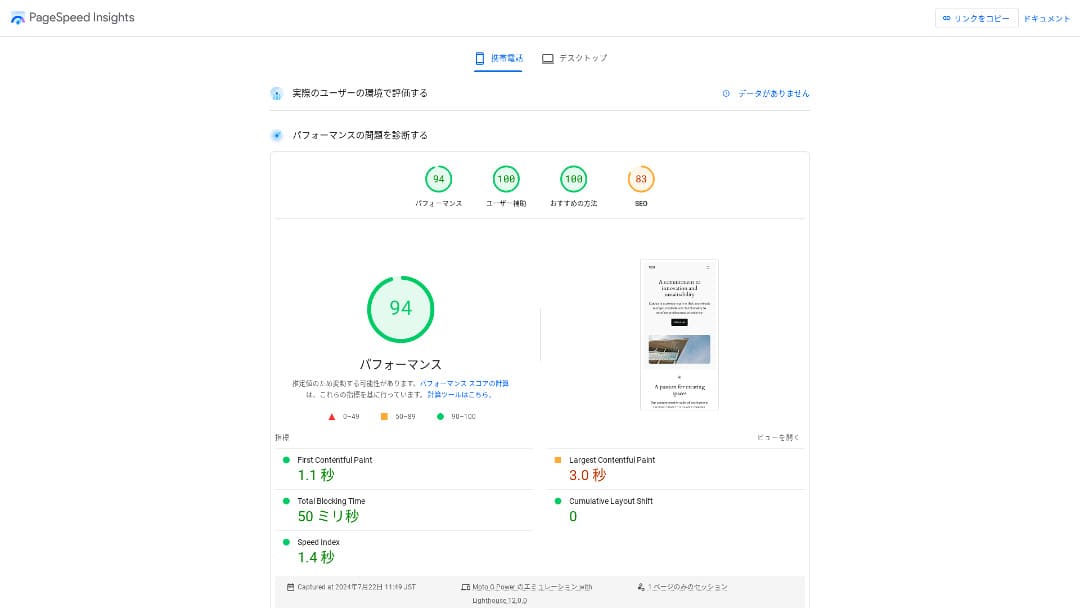
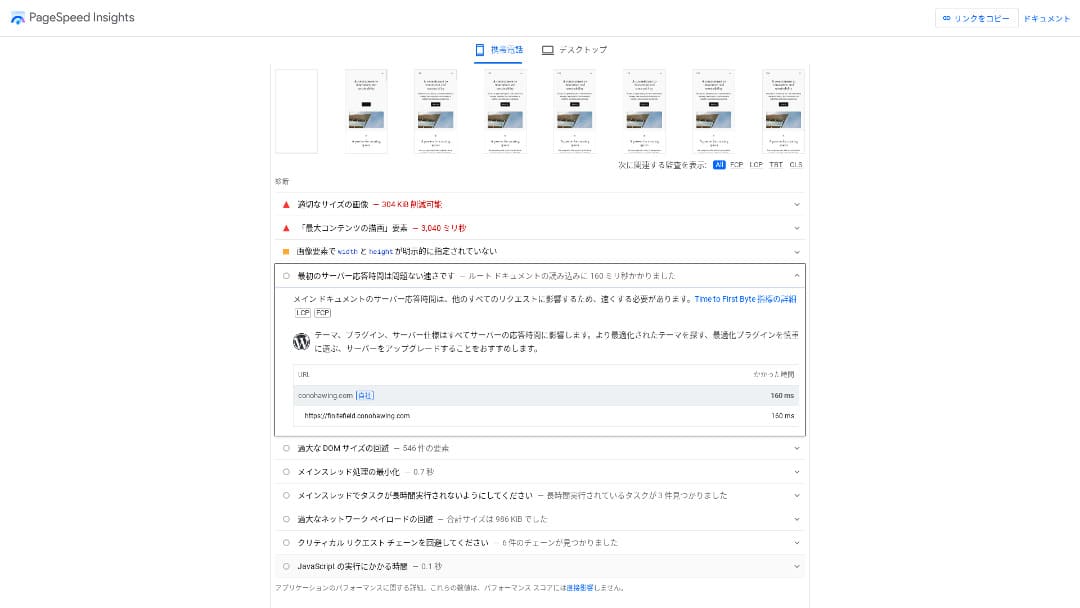
TTFB, which is one of the core indicators of server response speed, was 160ms. That comfortably meets Google's recommendation of keeping TTFB under 200ms, so it can be rated as a fast server. The overall score of 94 was also very high.
You should reduce your server response time under 200ms.Improve Server Response Time
Hikaru Ono
ConoHa WING is a fast server, but there are some ultra-fast providers that deliver even better numbers.
Related article: Rental Server Viteză Comparison: Which One Is Really Fastest?
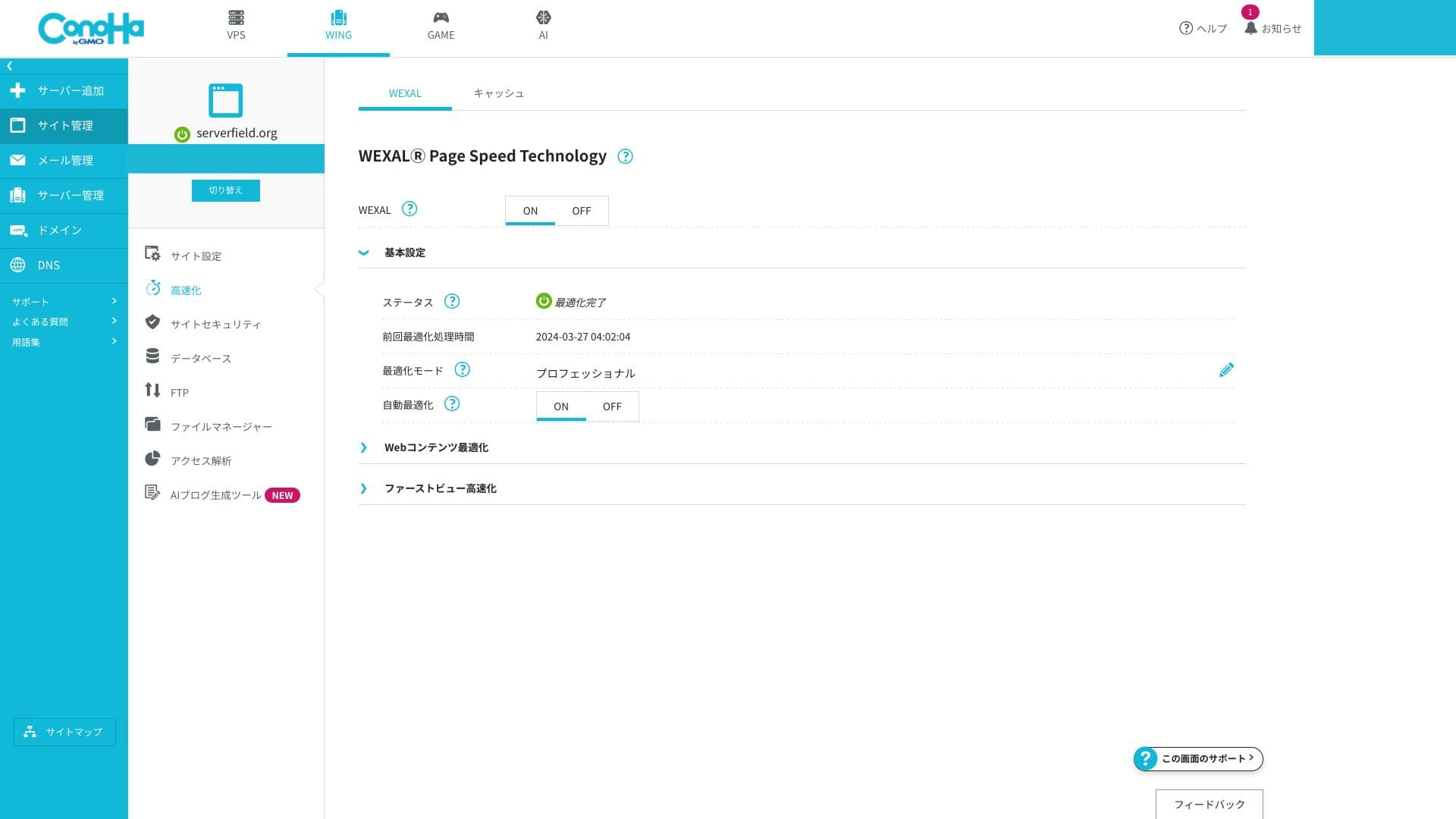
Tehnologia WEXAL Page Viteză
WEXAL lets you optimize your site with a single click. It uses AI-based acceleration technology, and subscribers can use it at no additional cost.
LiteSpeed LSAPI
This is the execution engine that processes PHP. It is often described as being around 20% faster than traditional FastCGI. That speeds up the response of dynamic pages such as WordPress. It is still uncommon for Japanese rental hosts to include LSAPI as a standard feature, and benchmark results also place ConoHa WING among the faster domestic options.
HTTP/2
HTTP/2 is a communication standard that can process multiple requests in parallel over a single TCP connection. It improves perceived speed even on image-heavy pages. Because it is enabled without extra setup, even beginners benefit from it automatically.
Hikaru Ono
As of 2025, major Japanese hosting providers generally support HTTP/2 by default. In that respect, ConoHa WING is not unique, but it is fully in line with the market standard.
SSD RAID10
This configuration writes data across multiple SSDs while also duplicating it, balancing read and write speed with fault tolerance. Because every plan uses it, pages are less likely to feel sluggish because of I/O delays.
Limite de resurse
| Plan | SSD | Memory | vCPU | Typical scale |
|---|---|---|---|---|
| Basic | 300GB | 8GB | 6 cores | Personal to mid-sized blogs |
| Standard | 400GB | 12GB | 8 cores | Multiple sites and small e-commerce stores |
| Premium | 500GB | 16GB | 10 cores | High-traffic media and larger sites |
The resource caps are more than sufficient even on the Basic plan. If you look at our own server usage, including this site, we are only using 1.55GB. If you are just starting a blog, the Basic plan is entirely sufficient.
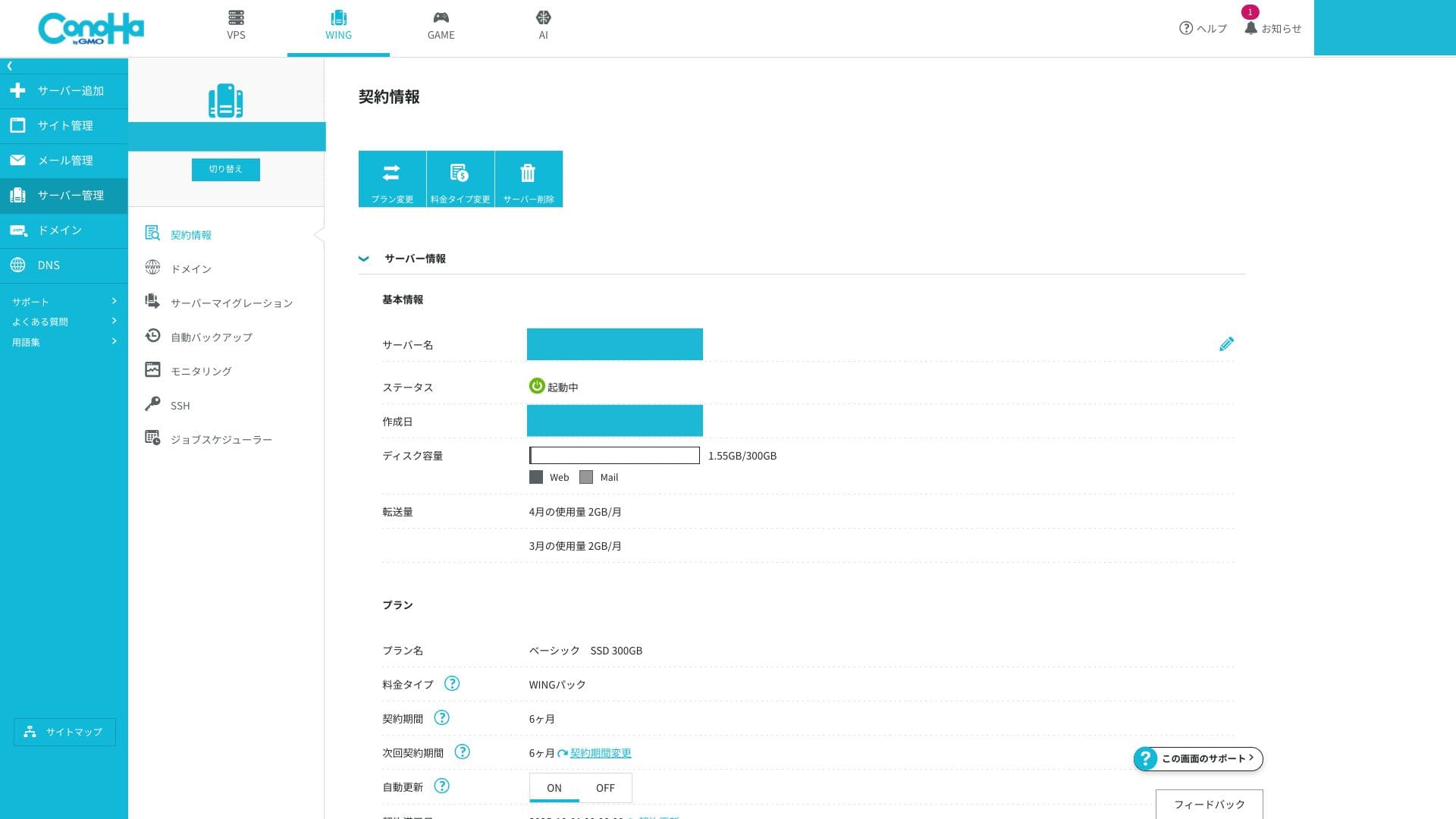
The memory and vCPU limits affect both processing speed and resistance to traffic spikes. If traffic is still low, they are rarely a problem. When access grows and you begin to see issues, that is the time to move up to a higher-spec plan.
You can check whether you are actually running into problems from the ConoHa WING control panel.
How to check server monitoring
- Step 1: Log in to the control panel.
- Step 2: Open "Server Management" and click "Server Monitoring."
- Step 3: Review the monitoring settings and current charts to see whether your resources are under strain.
Transfer de date nelimitat
ConoHa WING does not publish a monthly transfer cap. Even if your site suddenly goes viral, you do not need to worry about extra data-transfer charges. Of course, because it is shared hosting, control measures may be applied if you monopolize bandwidth to an extreme degree.
Related article: What Traffic and Data Transfer Mean: Managing and Optimizing Web Traffic
Timp de funcționare SLA 99.99%
ConoHa WING includes an SLA of 99.99%. This is a quality-guarantee program that refunds you if monthly downtime exceeds the allowed 4.32 minutes. It is unusual for a shared hosting service to state an SLA this clearly, and that gives it real credibility for business use.
Hikaru Ono
To be honest, quite a few servers do not clearly list their uptime or SLA even if you search their official sites carefully. In that respect, ConoHa WING stands out. It clearly prioritizes stability and achieves a high uptime rate through proper maintenance and solid security.
Related article: Cum să înțelegeți disponibilitatea serverului (uptime) și acordul privind nivelul de servicii (SLA)
Timp de funcționare drops when an actual server outage occurs. Information about those outages is visible only to subscribers.
How to check outage information
- Step 1: Log in to the control panel.
- Step 2: Open the notifications area in the upper-right corner.
- Step 3: Click the outage information tab to review current incident reports.
Recenzie privind prețurile și costurile
Taxă inițială și prețuri lunare
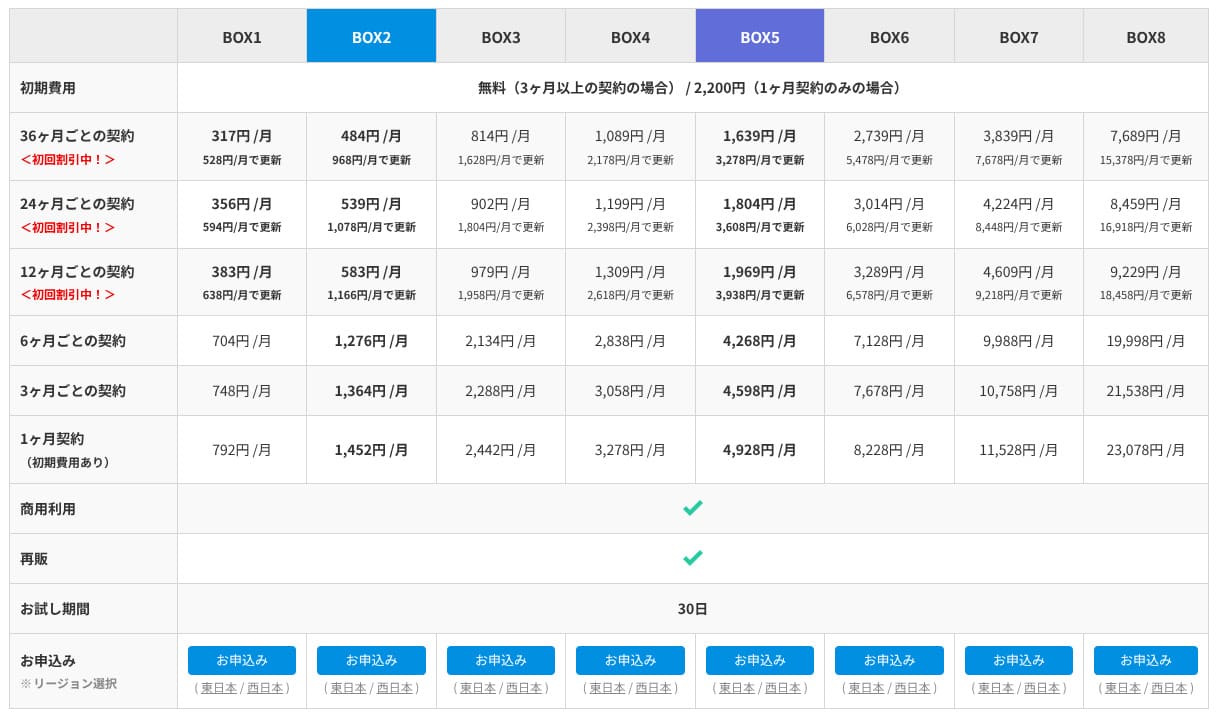
ConoHa WING offers both normal pay-as-you-go pricing and the longer-term WING Pack. Normal pricing is easier to start with casually, but WING Pack is what I recommend. It is cheaper, it includes two free domains, and if you use Easy WordPress Setup at sign-up, it also completes your WordPress installation and domain connection in one go.
That said, because WING Pack is a long-term contract of three months or more, you should remember that payments are not refunded after you sign up. I recommend the 12-month term, where the price drops noticeably.
- ConoHa
- Kinsta
- XServerビジネス
- wpx
- LOLIPOP
- スターレンタルサーバー
- ラッコサーバー
- XServer
- Colorful Box
- シンレンタルサーバー
- リトルサーバー
- CORESERVER
- DreamHost
- Bluehost
- Sakura
- Namecheap
- シンフリー
- XREA
- バリューサーバー
- HOSTINGER
- KAGOYA
- SiteGround
- Hostgator
- IONOS
- Onamae.com
- ABLENET
- mixhost
- GoDaddy
- iCLUSTA+
- ムームーサーバー
- WADAX
- WebARENA
- ヘテムル
- CPIレンタルサーバー

































Domeniu
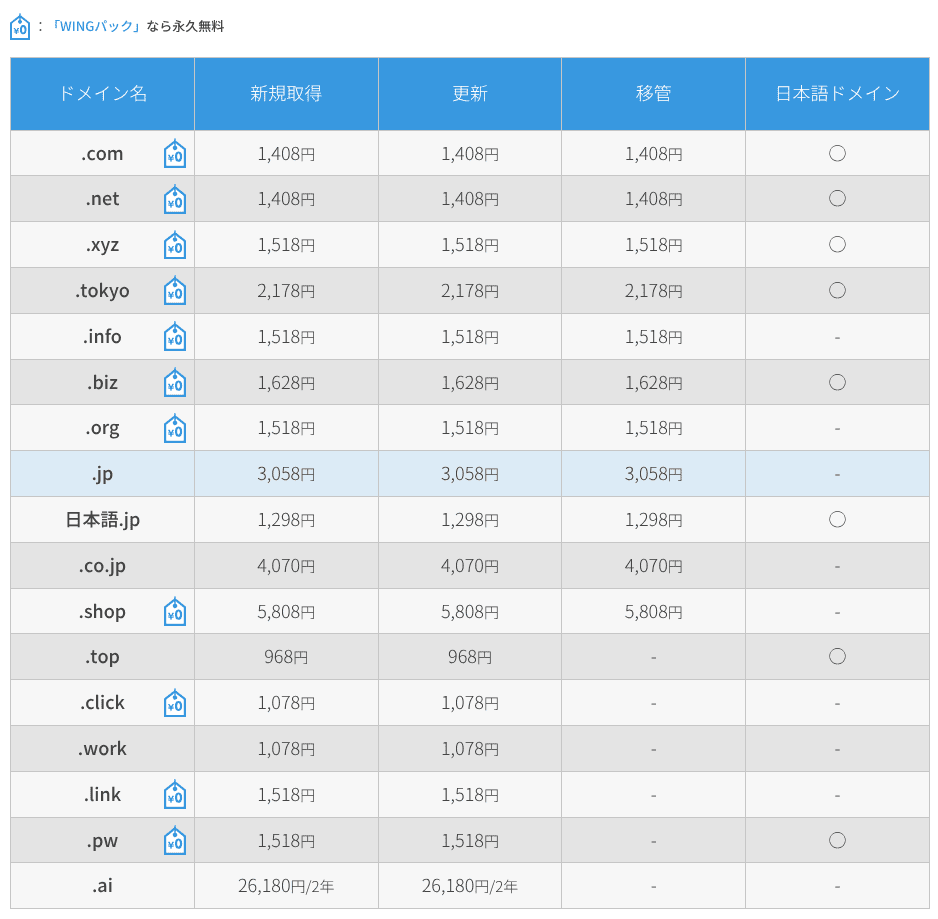
ConoHa WING lets you register and renew custom domains directly, and it also supports transfers from other domain registrars. Major TLDs such as .com, .net, and .xyz are included. If you sign up with WING Pack, two custom domains remain free for as long as your server contract is active.
Hikaru Ono
Depending on the domain itself, this can save you several thousand yen per year. That is another reason I recommend WING Pack at the time of sign-up.
- ConoHa WING
- Onamae.com
- Xserverドメイン
- ムームードメイン
- バリュードメイン
- シンドメイン
- スタードメイン






Related article: Ce este un domeniu și cum să obțineți unul ca adresă pe internet
How to register or transfer a domain
- Step 1: Log in to the control panel.
- Step 2: Deschideți secțiunea Domain și faceți clic pe „+ Domain”.
- Step 3: From there, you can register a new domain, manage renewals, or start a transfer. Clicking each domain lets you review its detailed status.
SSL
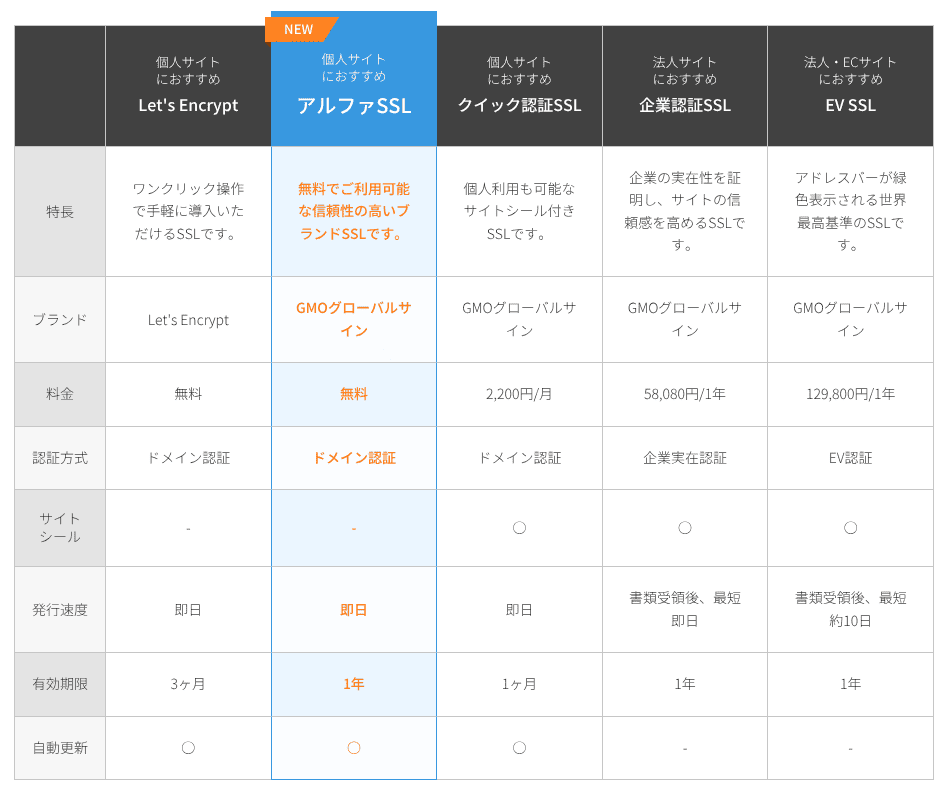
Using SSL affects not only security but also trust. ConoHa WING supports Let's Encrypt as a free SSL option, and while your server contract is active, the paid Alpha SSL certificate from GMO GlobalSign can also be used at no extra charge.
Metode de plată
You can pay by credit card, bank transfer, online payment services such as Amazon Pay and PayPal, Pay-easy, and convenience-store payment.
For bank transfer, online payment, Pay-easy, and convenience-store payment, ConoHa uses the prepaid system called ConoHa Charge. That gives flexibility to companies and individuals who do not use credit cards, but you do need to watch your balance carefully so the service does not stop. Auto-charge is a good idea.
Hikaru Ono
Compared with many other hosts, ConoHa WING offers a wide range of payment methods, which makes it easy to use not only for individuals but also for companies and sole proprietors.
- ConoHa
- Kinsta
- XServerビジネス
- wpx
- LOLIPOP
- スターレンタルサーバー
- ラッコサーバー
- XServer
- Colorful Box
- シンレンタルサーバー
- リトルサーバー
- CORESERVER
- DreamHost
- Bluehost
- Sakura
- Namecheap
- シンフリー
- XREA
- バリューサーバー
- HOSTINGER
- KAGOYA
- SiteGround
- Hostgator
- IONOS
- Onamae.com
- ABLENET
- mixhost
- GoDaddy
- iCLUSTA+
- ムームーサーバー
- WADAX
- WebARENA
- ヘテムル
- CPIレンタルサーバー


































There is no built-in function for issuing quotations or invoices. However, if you buy a ConoHa card by bank transfer through the ConoHa Shop, invoices can be issued there.
Ușurință în utilizare și suport
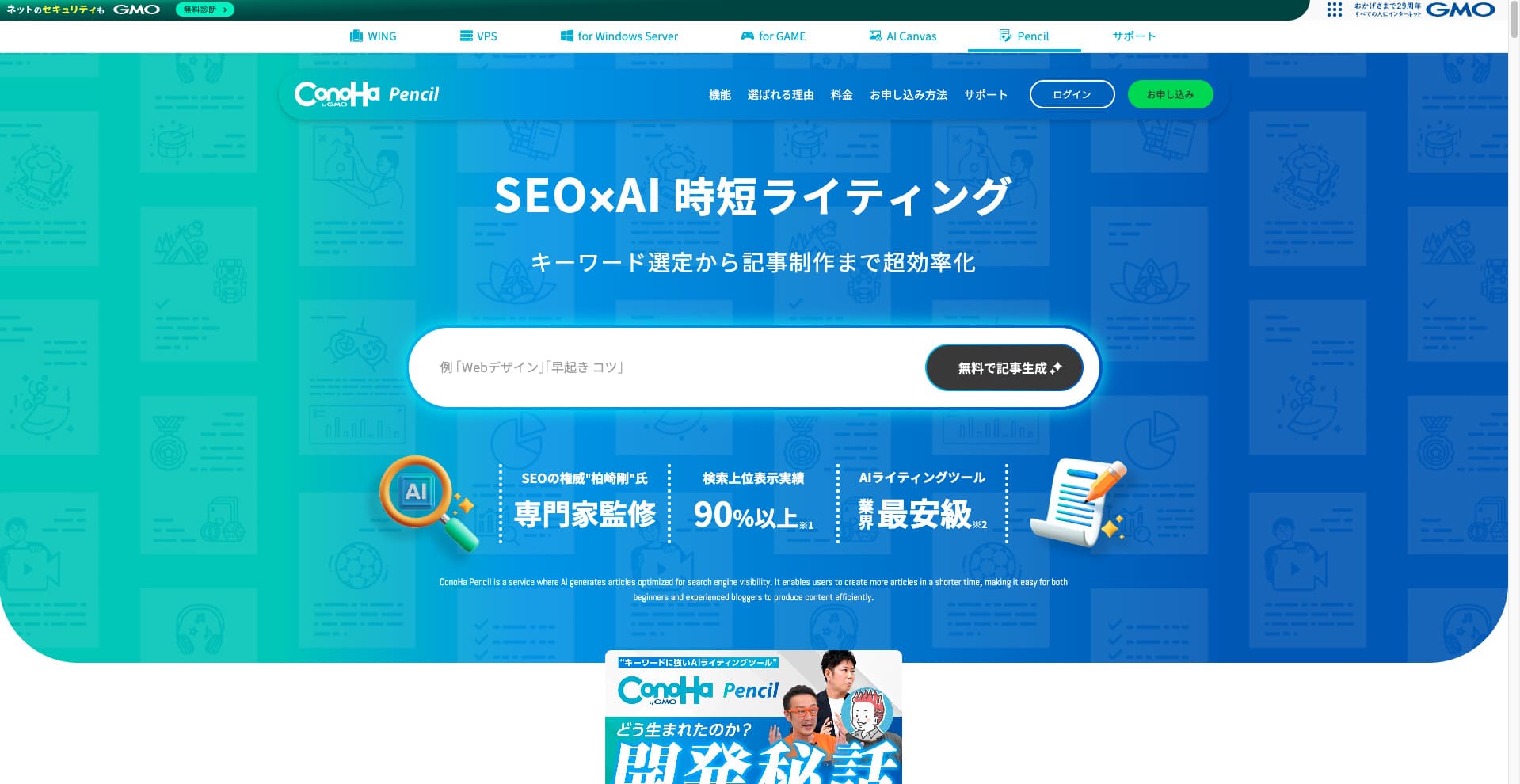
Blog Creator, acum ConoHa Pencil
ConoHa WING previously offered the AI writing tool called Blog Creator. That product has now been updated and renamed ConoHa Pencil. The basic way you use it is the same.
It is a paid tool that can generate or rewrite article titles, headings, and body text with AI. Using it means that even if you have never written articles for a blog or website before, you can still create articles that are strong in SEO and easy for readers to follow.
Hikaru Ono
When you use Blog Creator, your article is more likely to rank than if you just write straight into a generic AI such as ChatGPT. I expect ConoHa Pencil to have the same effect, and if anything, the accuracy should be better now.
Related article: ConoHa Pencil Review: Can This AI Writing Tool Really Produce Blog Posts?
Panoul de control
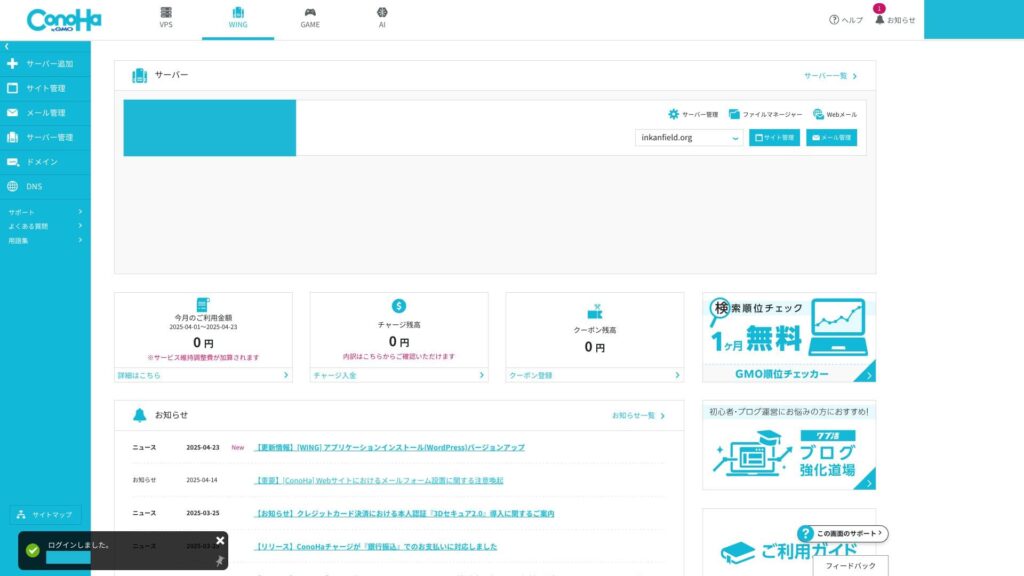
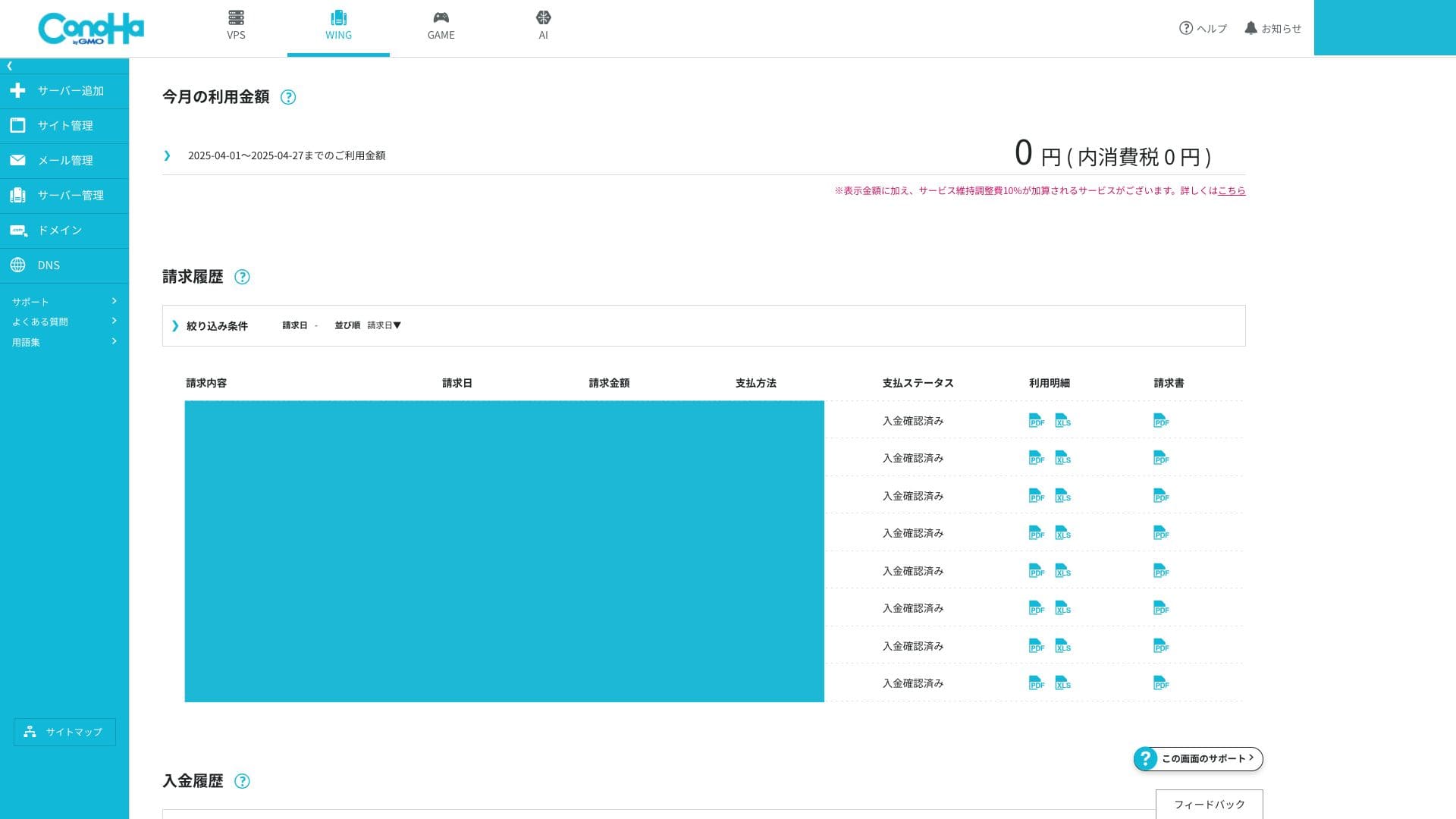
The ConoHa WING control panel is a proprietary management interface that lets you operate server settings, email, domains, SSL, and WAF from one screen. It is visually clear and easy to navigate even for first-time users.
- Top screen
- Contract and payment
- WordPress
- ドメイン
- バックアップ
- DB
- FTP
- ファイルマネージャー
- Access analytics
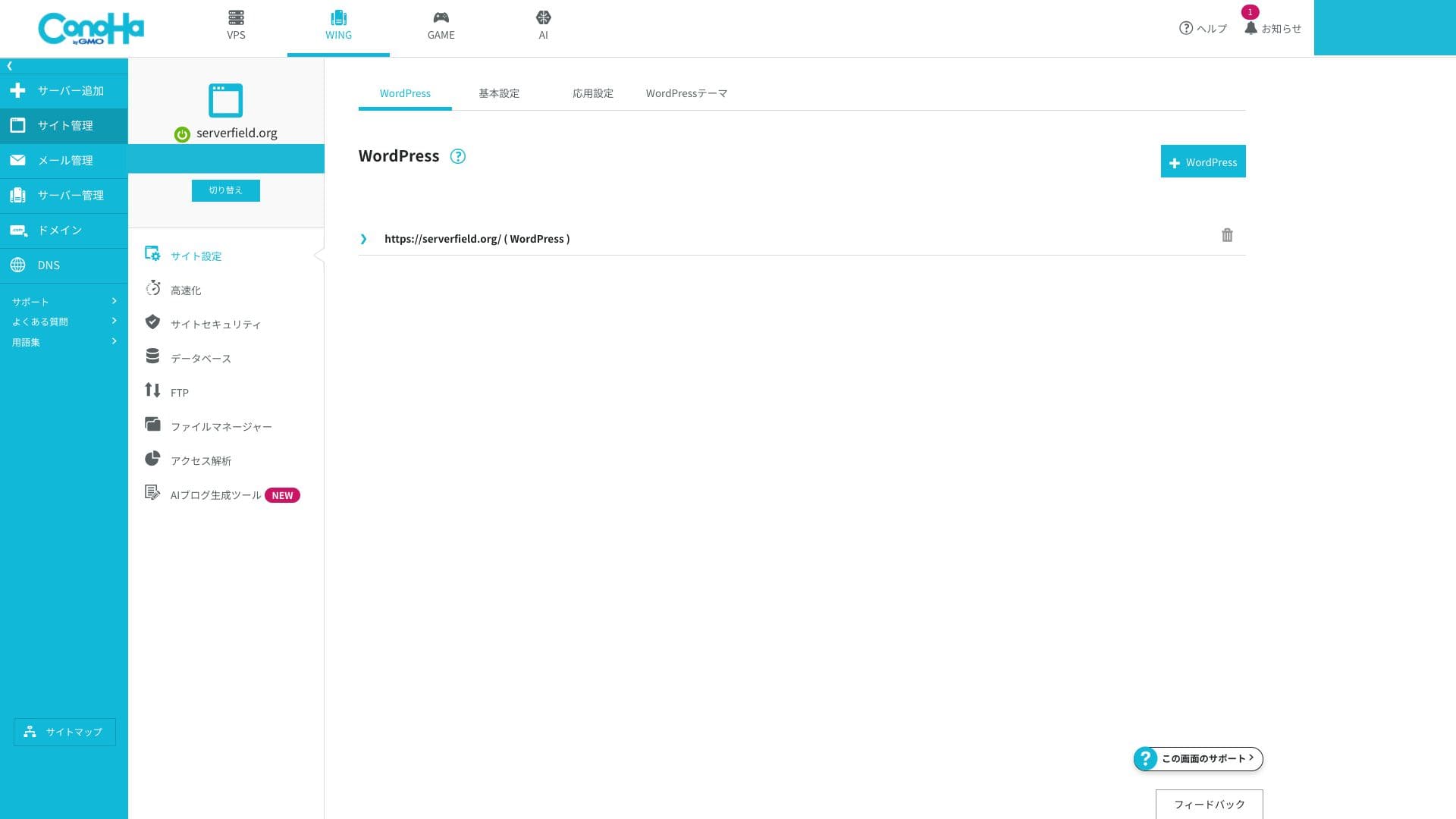
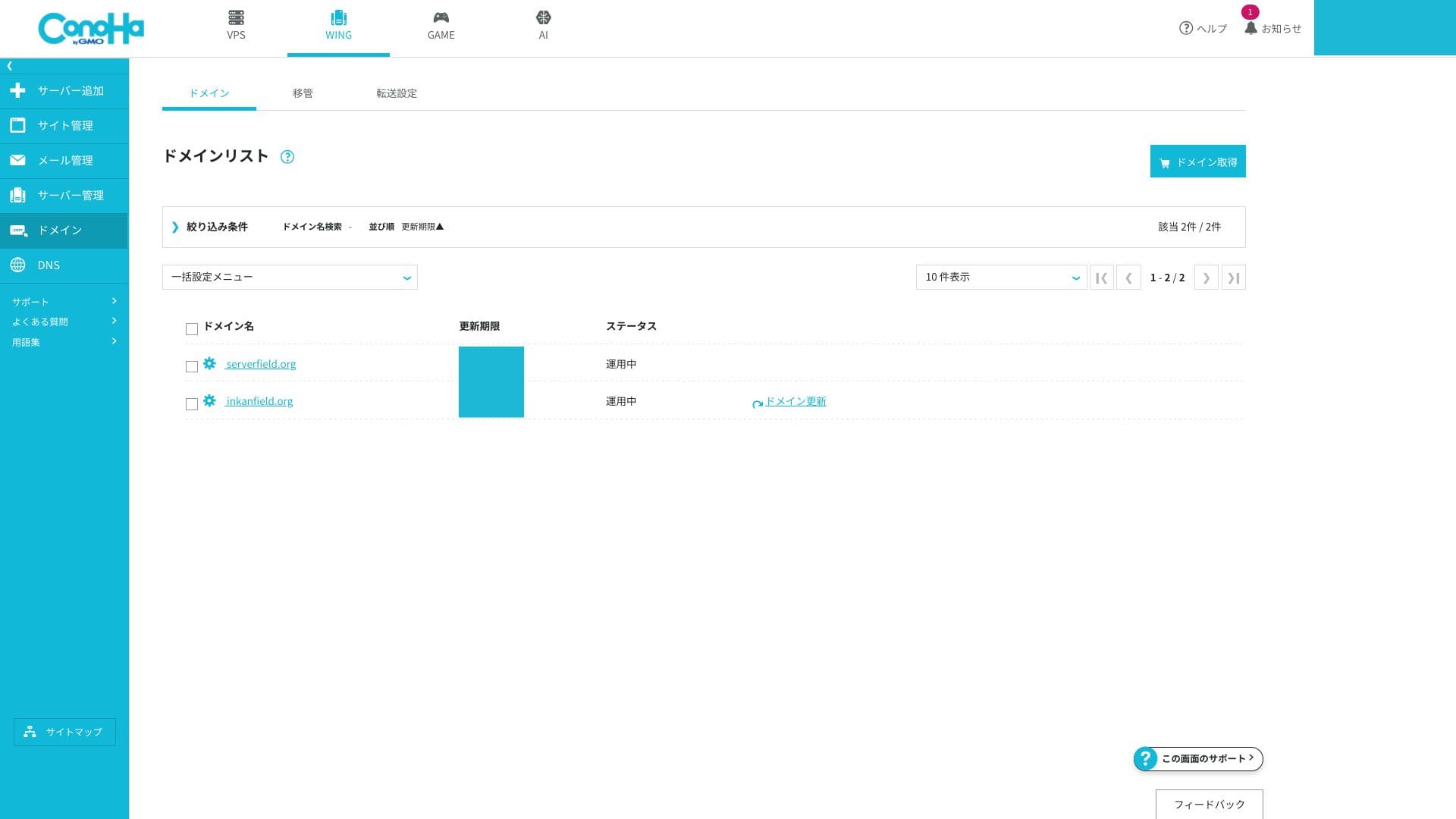
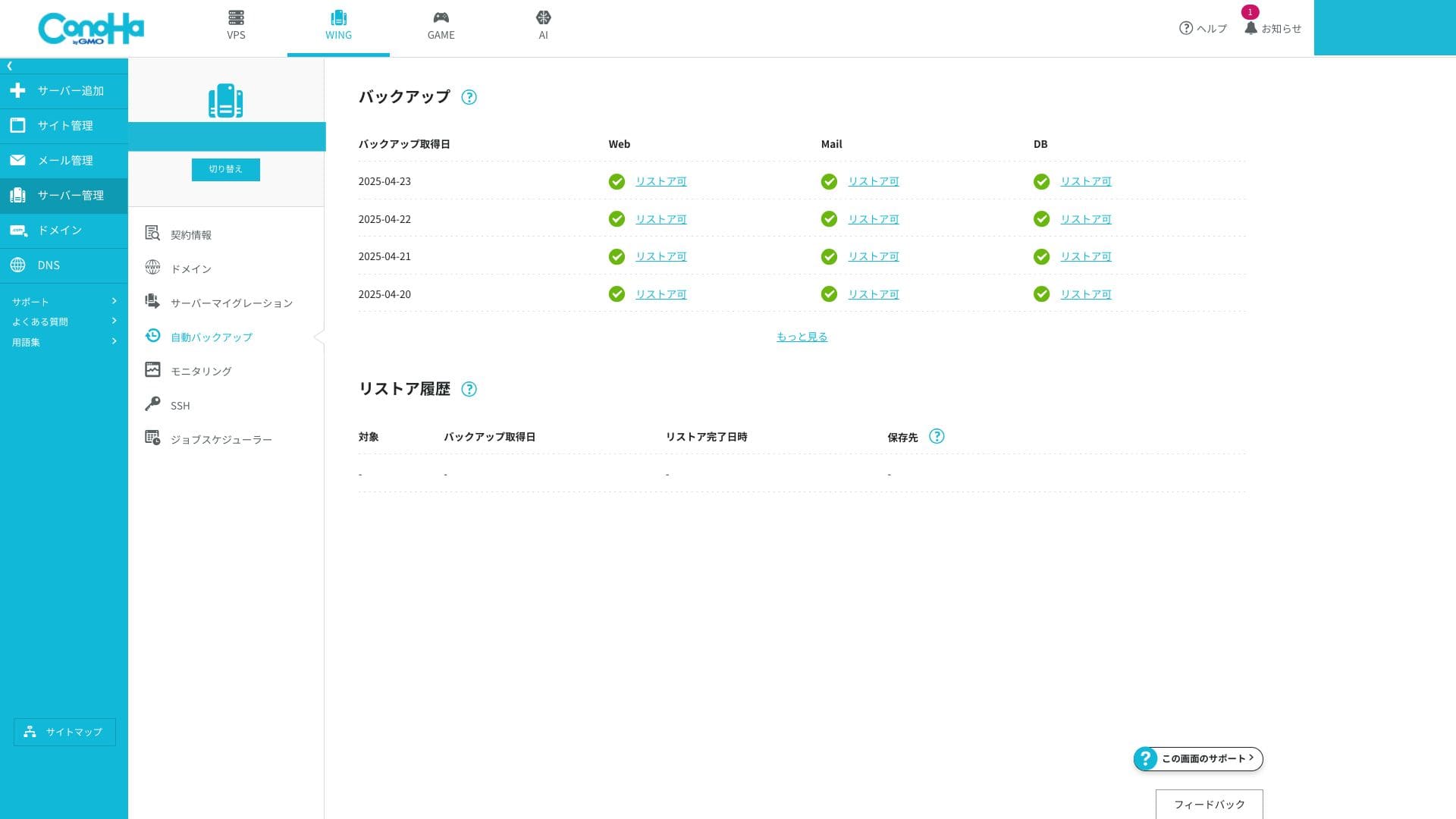
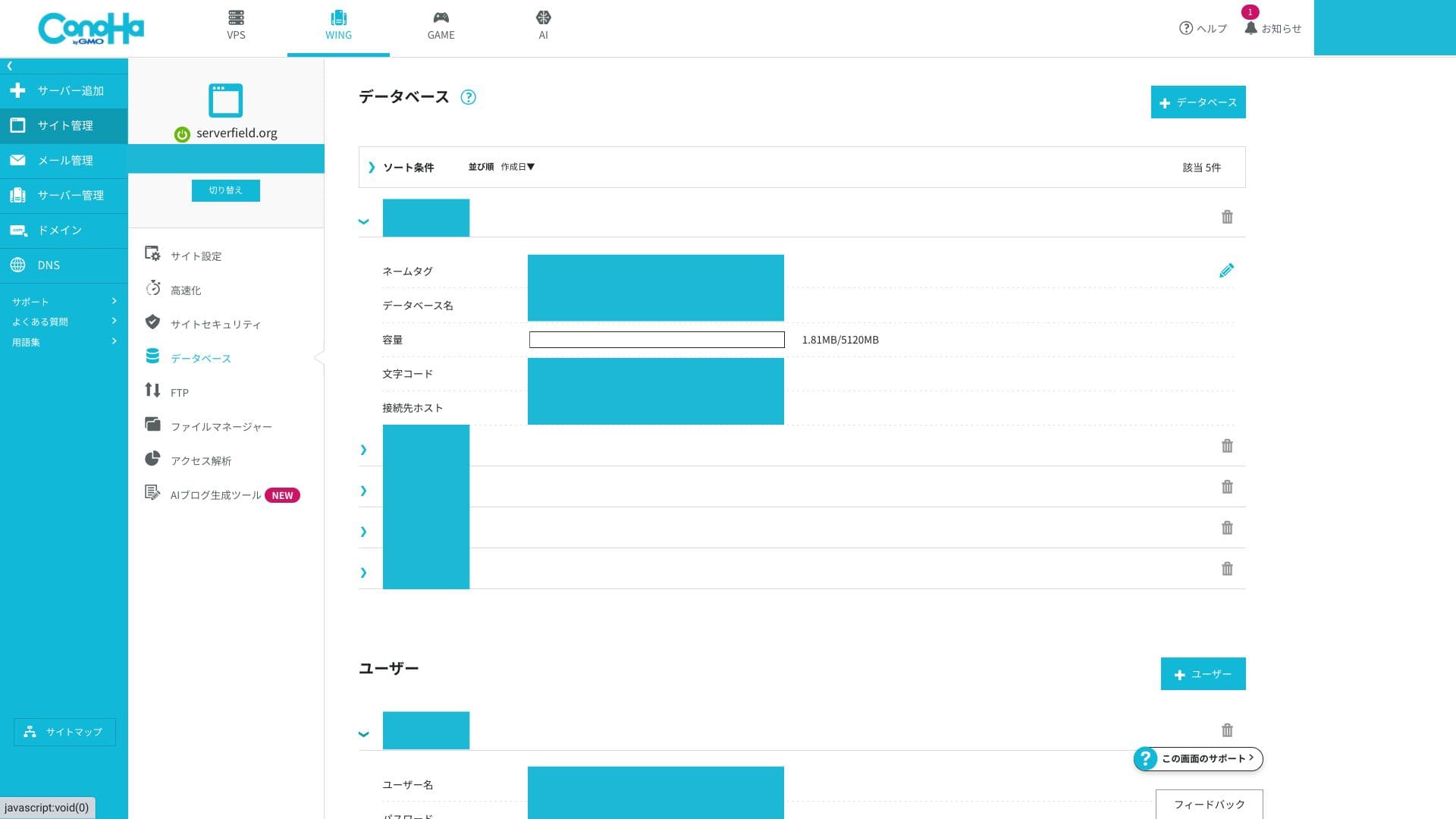
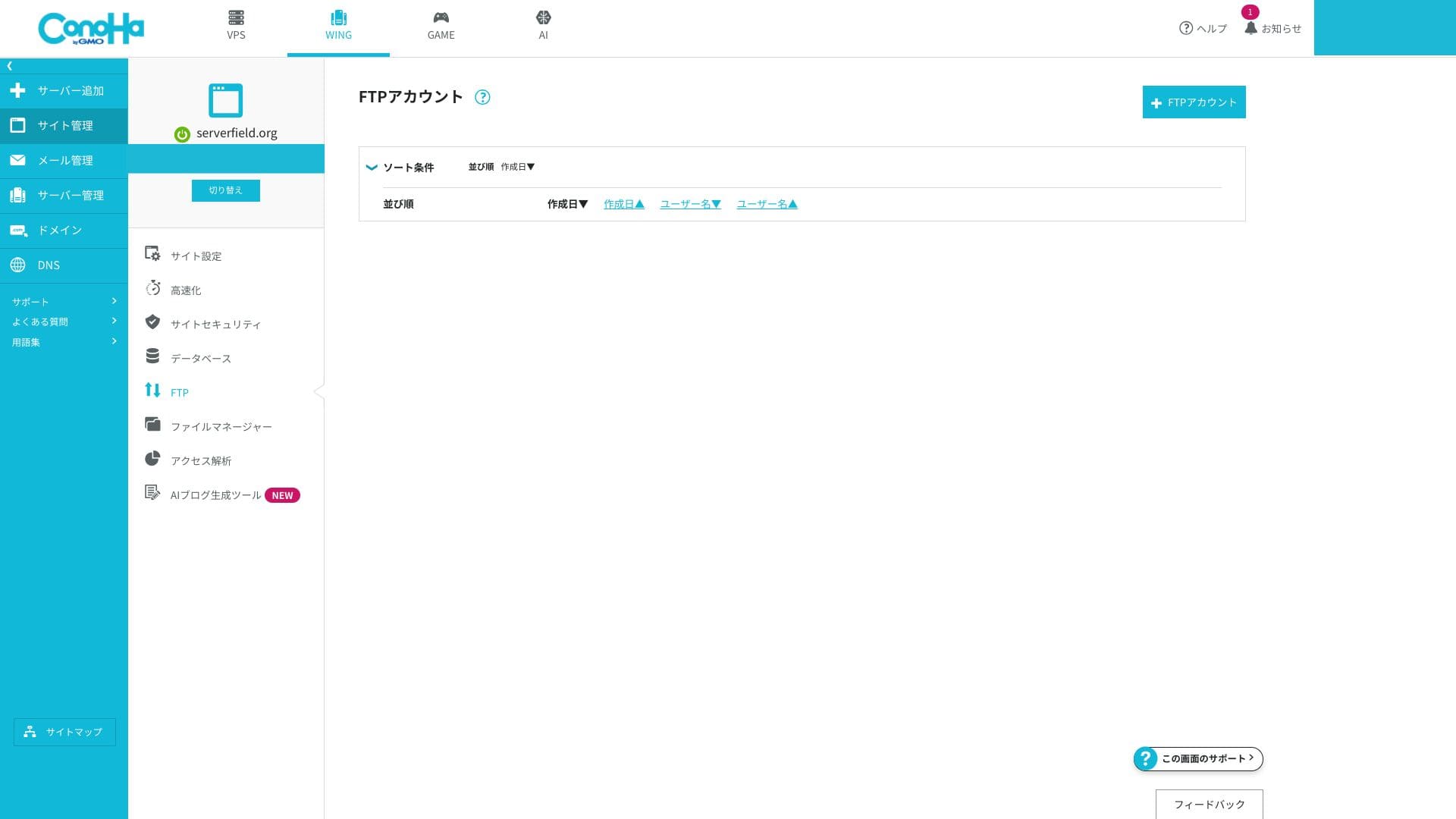
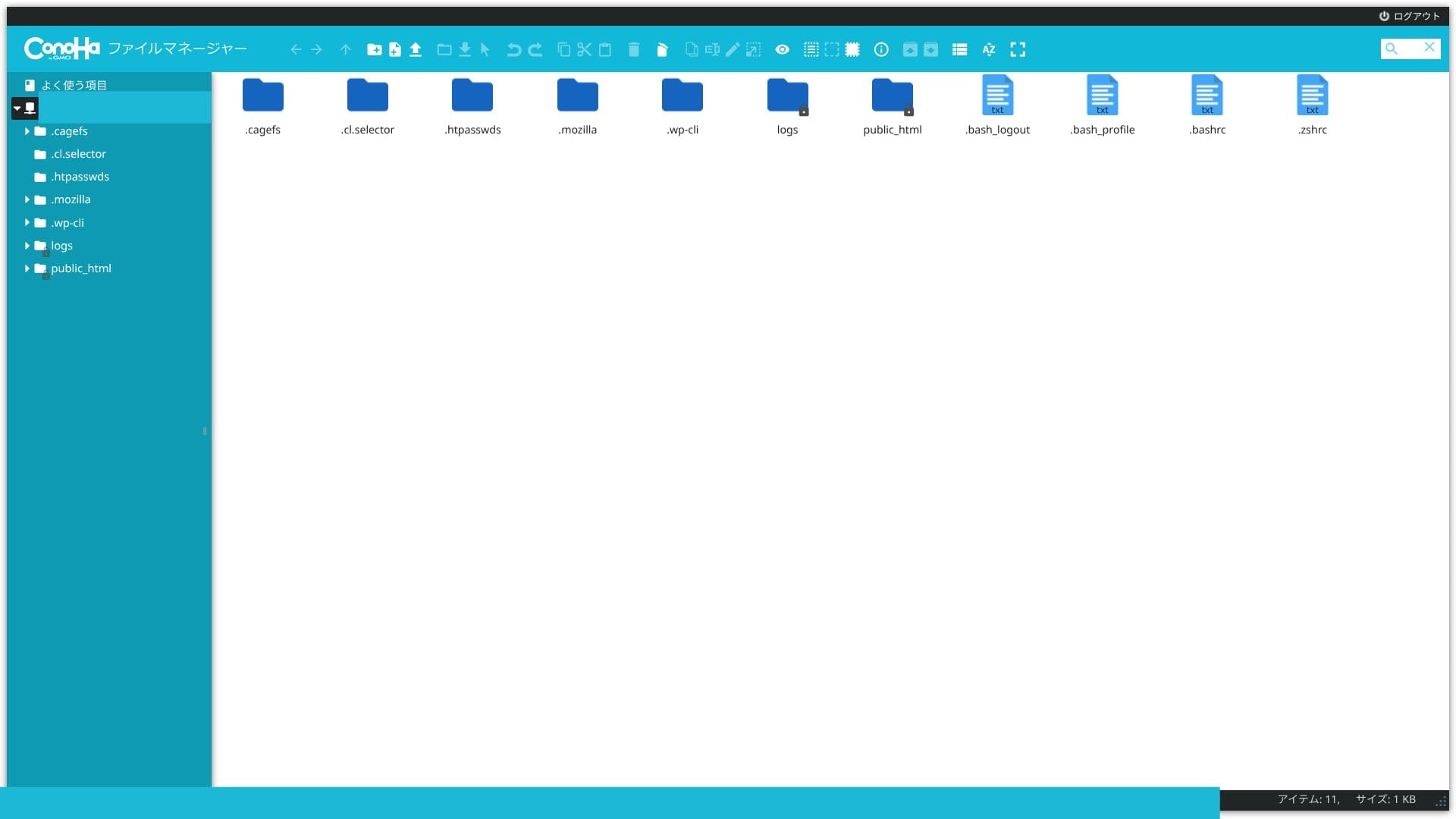
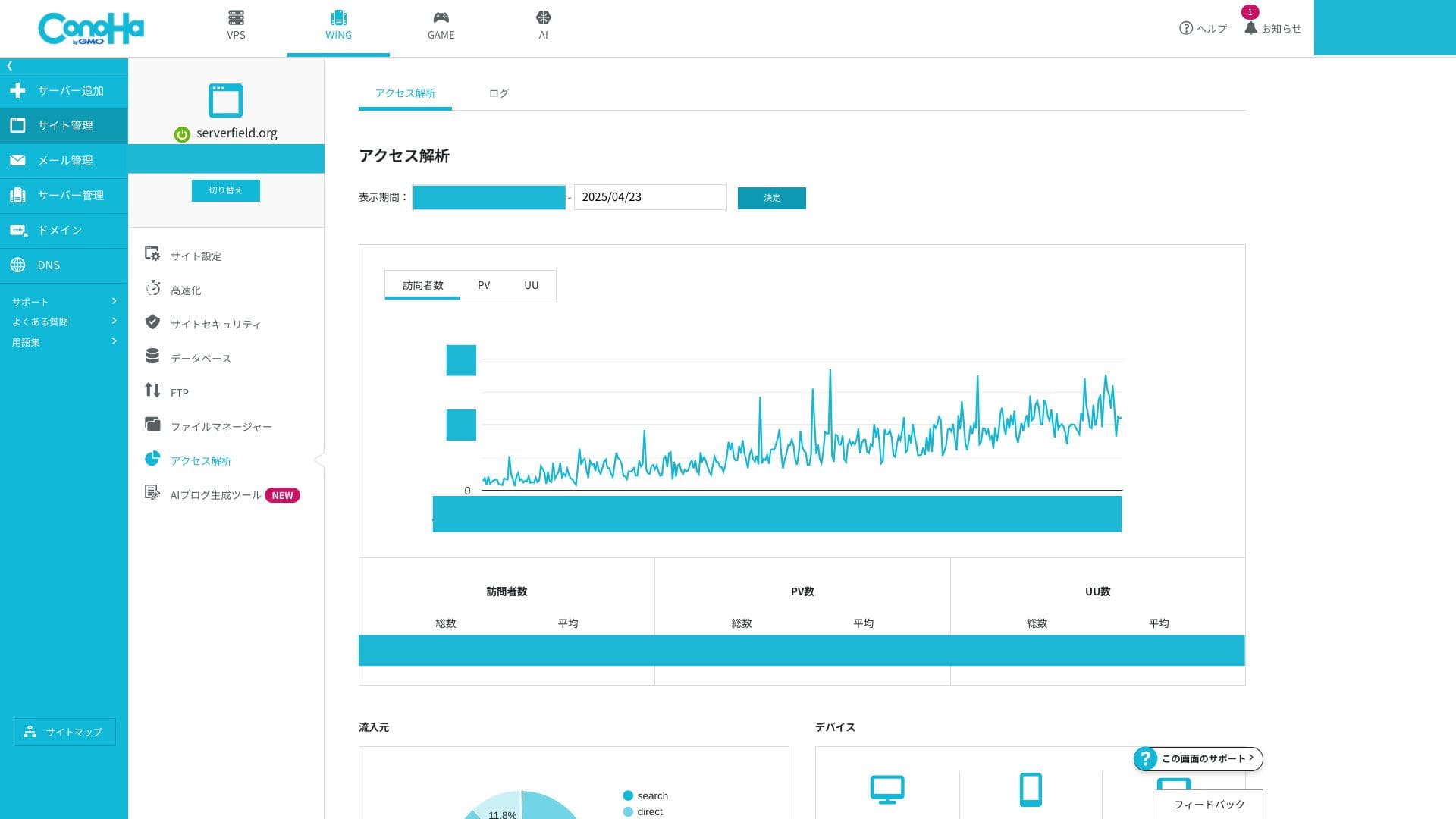
If you are used to cPanel, the terminology may feel unfamiliar at first. But anyone who can handle the many functions inside cPanel should be able to get comfortable with the ConoHa WING control panel very quickly.
Suport system
Asistența prin telefon și chat este disponibilă în timp real în zilele lucrătoare, de la 10:00 la 18:00. Asistența prin e-mail primește solicitări 24 de ore din 24, dar răspunsurile sunt procesate doar în zilele lucrătoare, de la 10:00 la 18:00. Dacă site-ul tău necesită asistență permanentă pe timp de noapte sau în zilele de sărbătoare, trebuie să știi că problemele din weekend și cele nocturne ar putea necesita rezolvare pe cont propriu.
Hikaru Ono
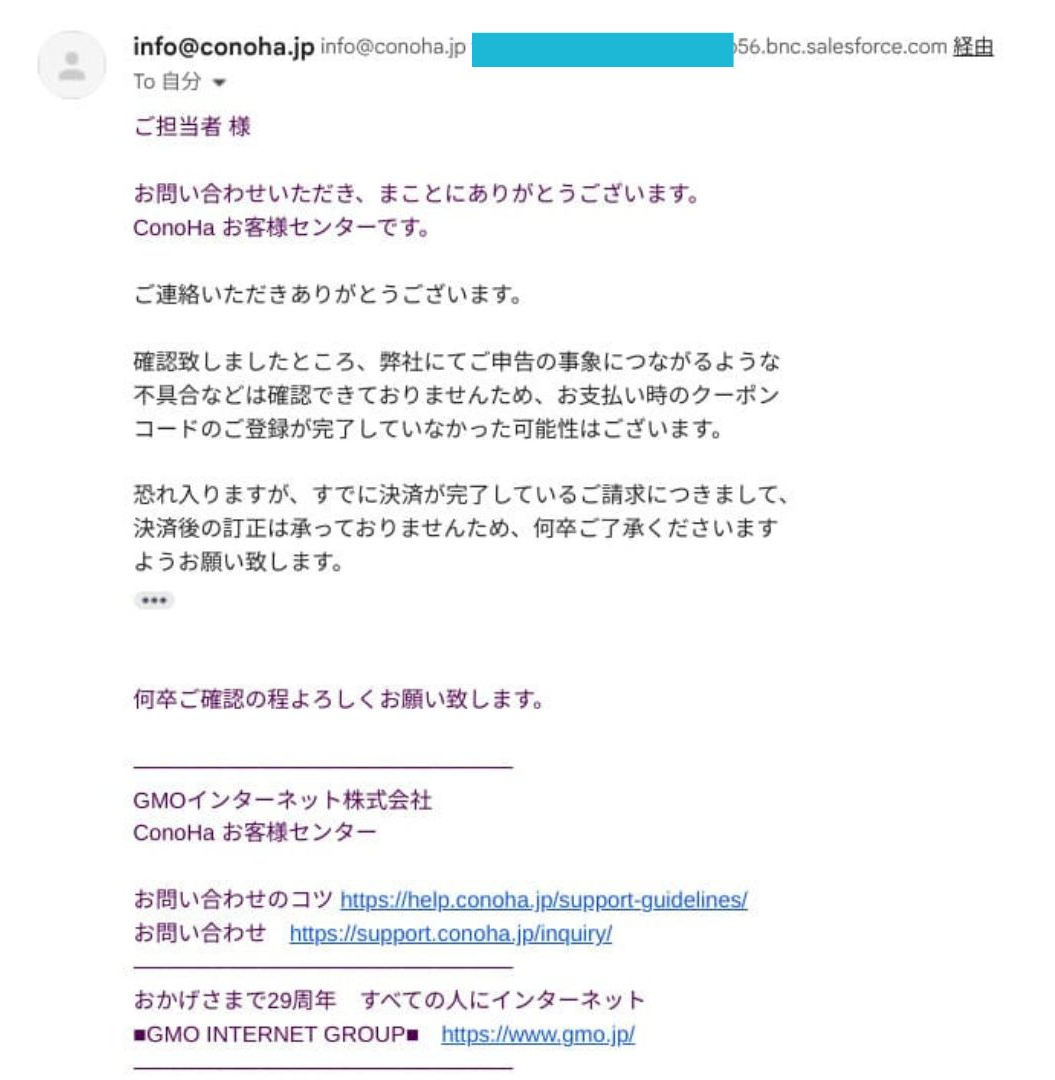
This is from real experience. When I entered a discount coupon during renewal, it was not reflected correctly and the renewal completed anyway. When I requested support, I was told that they could not correct payments after settlement.
Manuale și întrebări frecvente
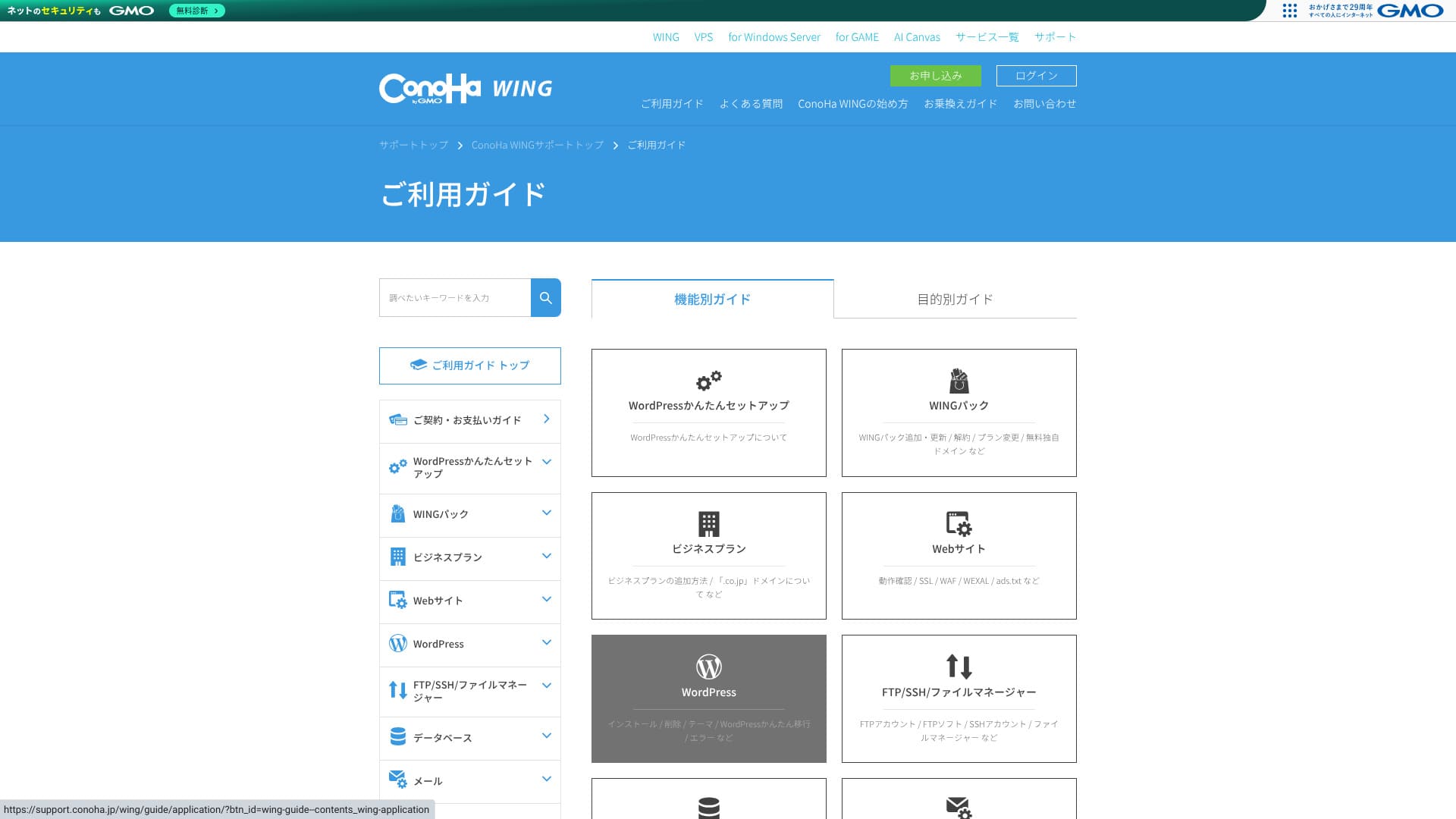
The official knowledge base is extremely comprehensive. It includes illustrations, and keyword search makes it easy to find the exact article you need. That makes it a big help for beginners and intermediate users who want to solve issues on their own.
Funcții de e-mail
ConoHa WING can handle not only your website but also your business email operations in one package.
Adrese de e-mail nelimitate și operare multi-domeniu
You can create email addresses for each custom domain with no extra charge and no numerical limit. They can be issued from the control panel in just a few clicks, so you do not need to deal with complicated mail-server configuration.
Because you can add as many addresses as you need for departments or individual staff members, it is also safe for companies in a growth phase.
You can centrally manage email for multiple domains under one contract. That makes it a strong fit for e-commerce operators or production companies that separate domains by brand.
Capacitatea căsuței poștale
You can freely allocate anywhere from 10MB to roughly 20GB to each address, and you can change those settings at any time. That gives you fine-grained control by use case and helps prevent any single user from consuming too much capacity.
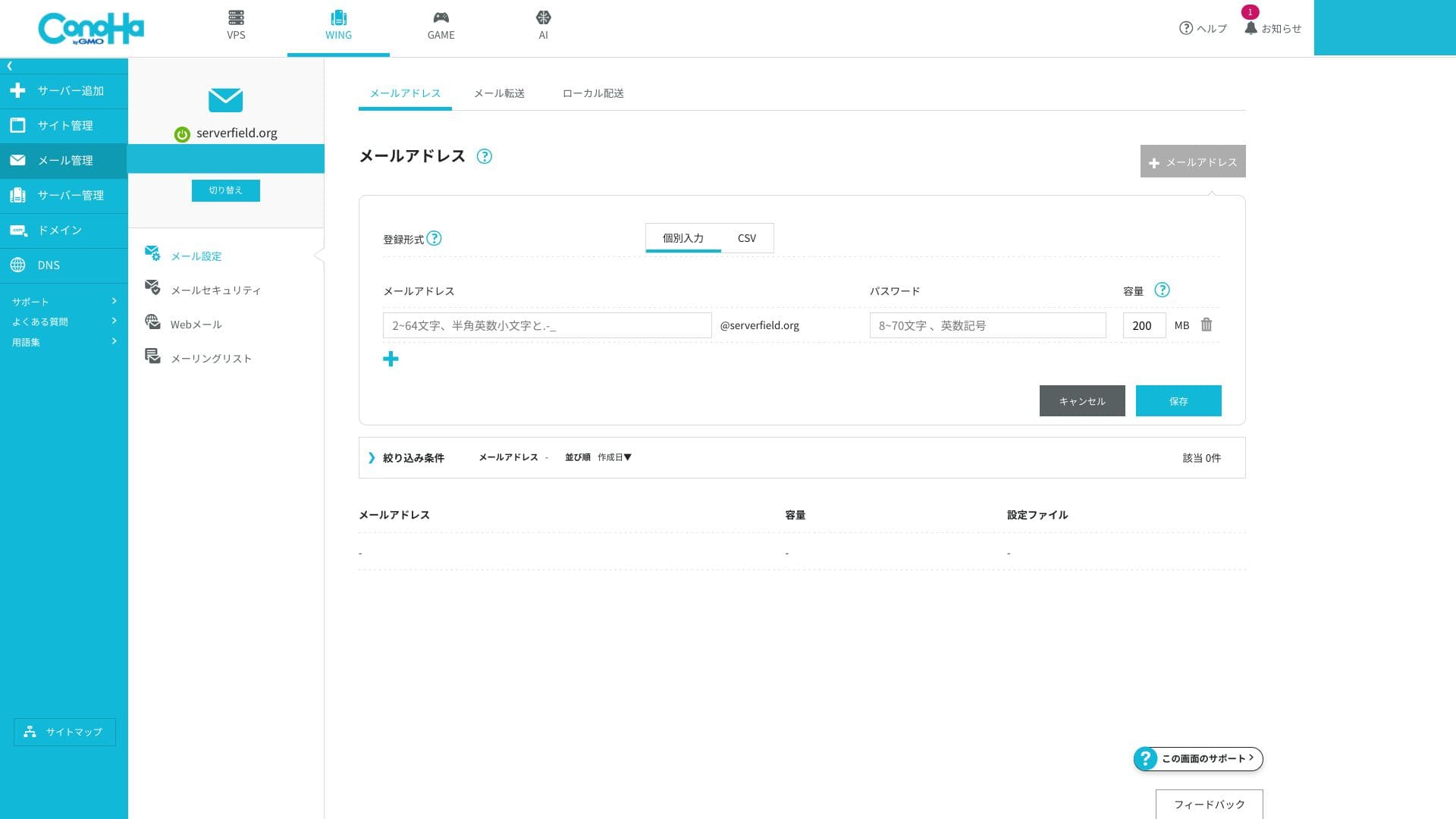
Because email storage is shared with the overall SSD capacity of the server, you do need to watch the remaining storage if you plan to keep large volumes of mail. If your email usage is heavy, move up to a higher plan.
Webmail și conexiuni din client
ConoHa WING provides a browser-based interface for checking and sending email, and its UI is easy to use even on smartphones.
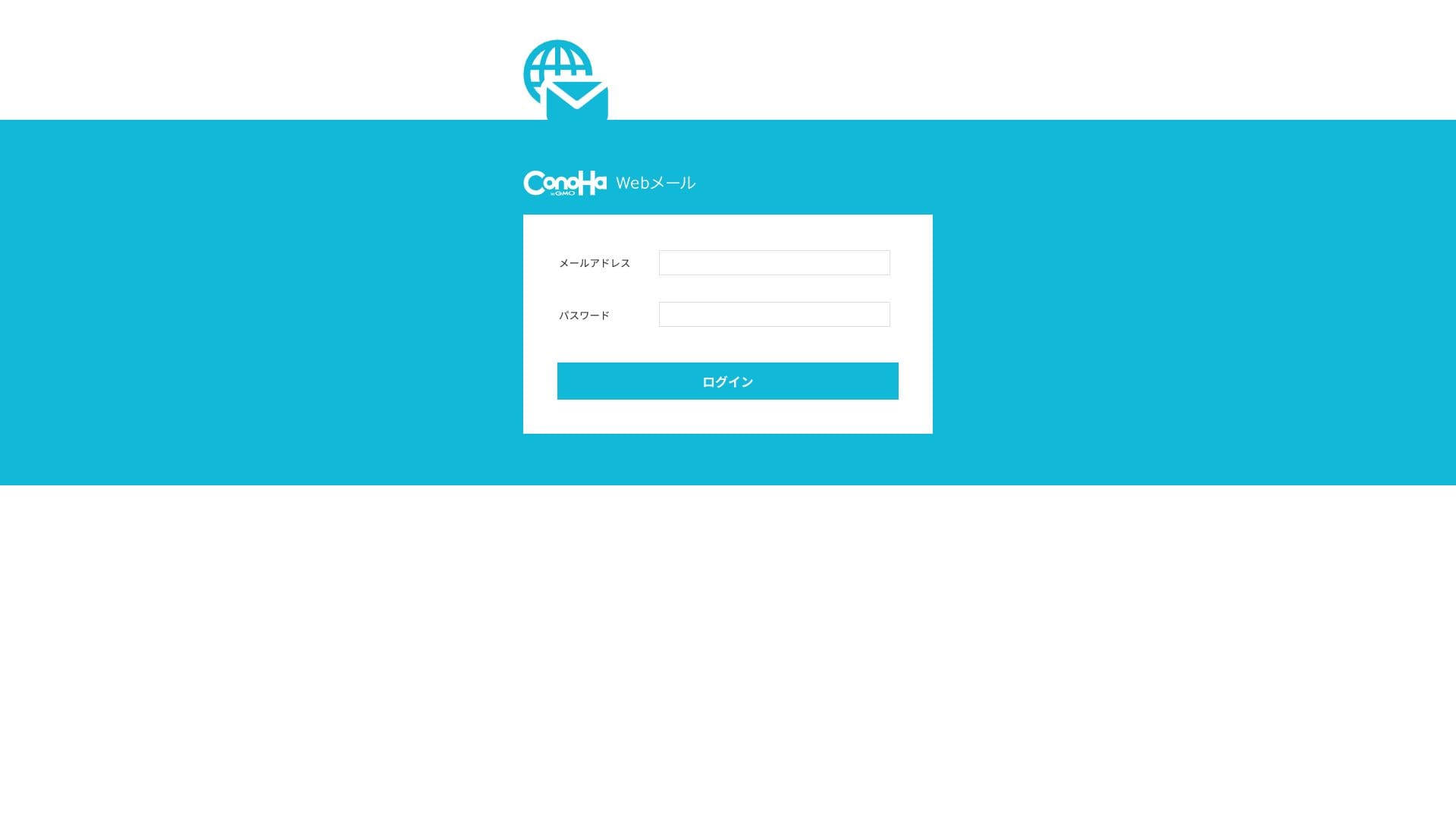
It also supports the standard communication protocols used for sending and receiving email, so you can connect from external clients such as Outlook and Gmail. IMAP and TLS are supported, and encrypted communication is standard, which makes it safe to handle email even while you are away from the office.
Măsuri de securitate (SPF, DKIM, DMARC, spam și viruși)
These are sender-domain authentication technologies that prevent spoofed mail and help you avoid landing in spam folders on services such as Gmail. SPF and DKIM are configured as standard, and DMARC can also be applied from the GUI with a single click. ConoHa WING explicitly states that it complies with Gmail's guidelines.
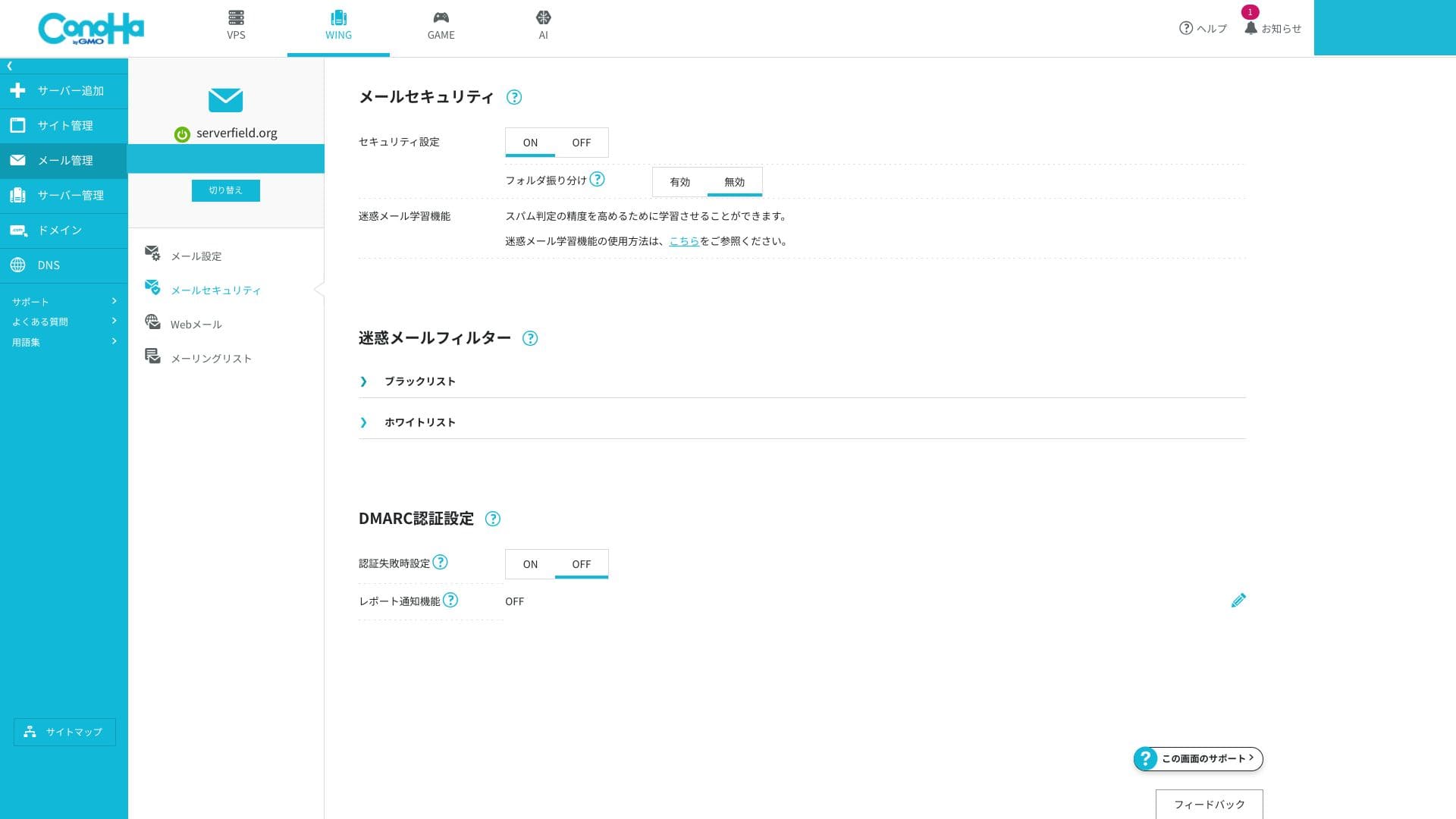
The server side blocks spam and malware and automatically sorts suspicious messages into a dedicated junk folder. Because this can be enabled for free and virus-detected messages are discarded automatically, the overall level of safety is high.
The ability to create very detailed custom filtering rules is limited, so if you have serious email-marketing requirements, it is worth considering an external specialized service alongside it.
Funcții utile (redirecționare, răspunsuri automate, restricții IP din străinătate, liste de corespondență și altele)
You can forward incoming mail to another address and send automatic replies when you are away. There is also a setting that blocks email sending and receiving from overseas IP addresses, which helps reduce the risk of account compromise.
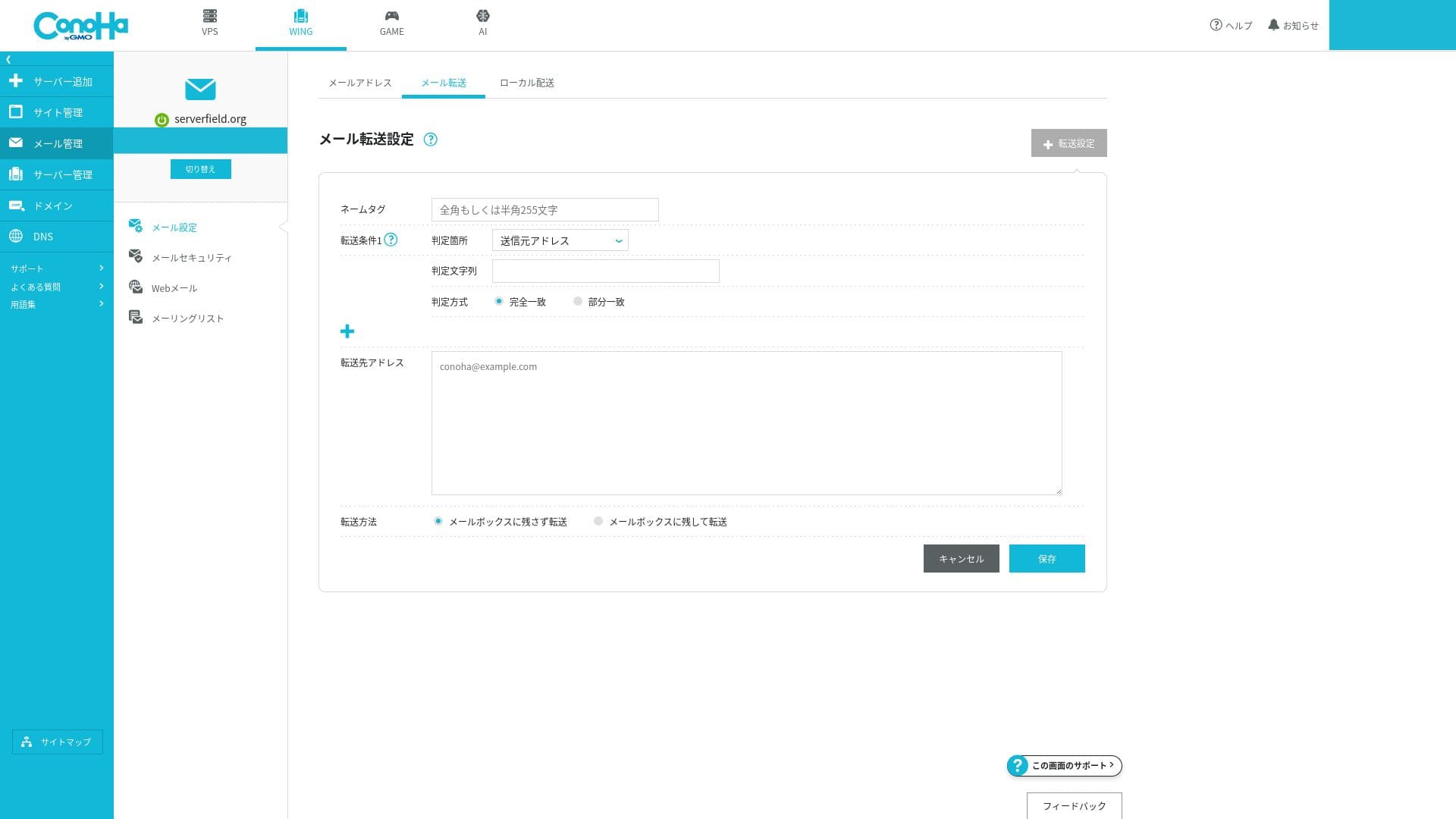
Because all of these can be turned on or off easily from the GUI, even beginners can operate mail securely.
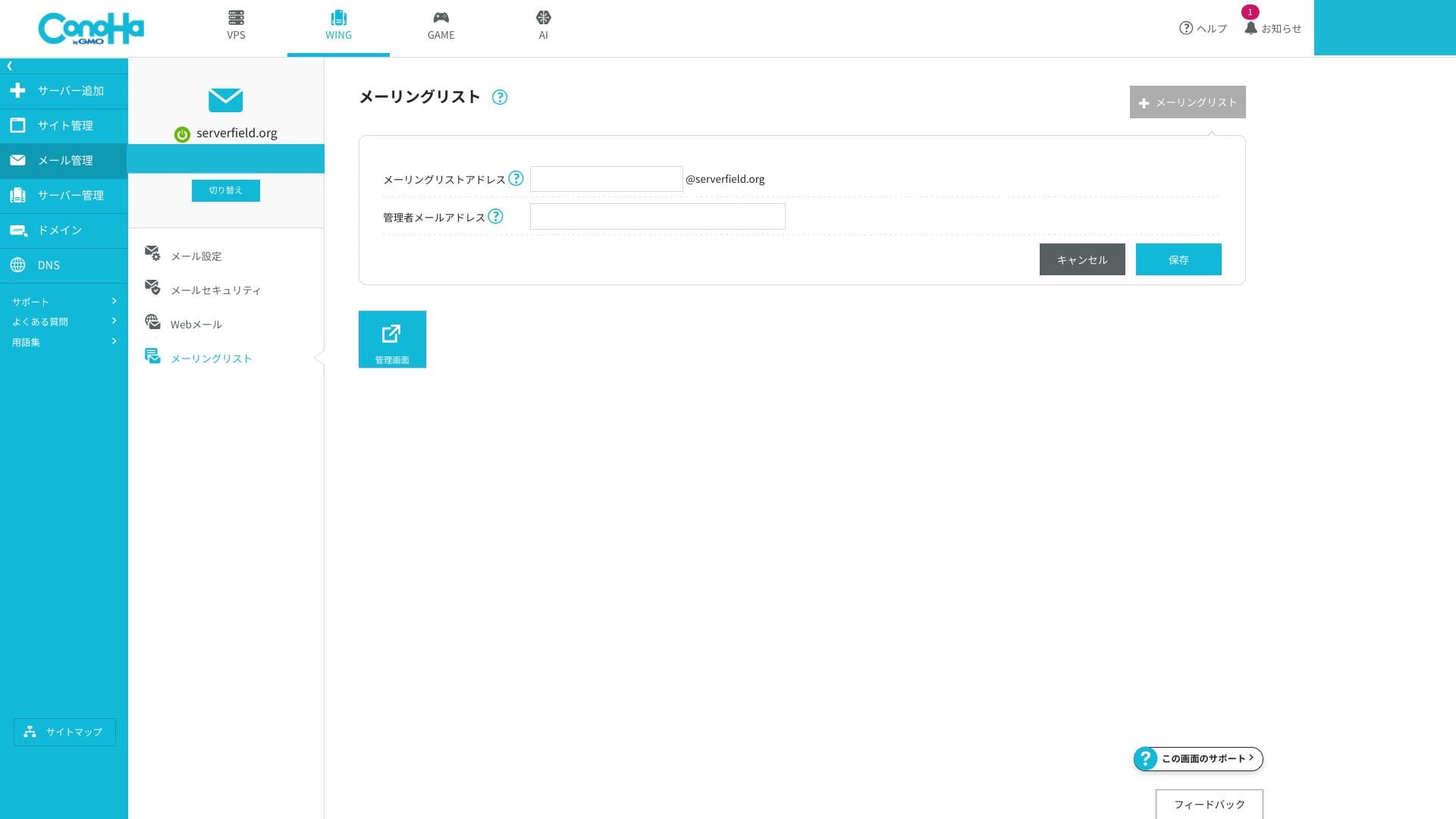
You can also create mailing lists easily.
Evaluarea generală a e-mailului
ConoHa WING's email features are an excellent match for cases where you want to manage business email for a small company or sole proprietorship cost-effectively. The ability to secure the credibility of a custom domain and sender-domain authentication without extra work is a major advantage. On the other hand, if you need enterprise-class spam control or mail governance, a specialized email service may be a better fit.
| Evaluation item | Strength | Concern / issue |
|---|---|---|
| Number of addresses | Nelimitat și ușor de emis | — |
| Capacity management | Flexible setting from 10MB to 20GB | Shared with total server SSD capacity |
| Authentication technology | SPF and DKIM as standard, DMARC supported through the GUI | Nu enterprise-oriented S/MIME certificate management |
| Threat protection | Spam filtering and virus blocking included | Advanced rule customization is limited |
Hikaru Ono
If you need to run hundreds of mailboxes or require enterprise-class spam controls, it will be safer to combine ConoHa WING with a specialized mail SaaS.
Securitate și copii de rezervă
WAF și securitate WordPress
ConoHa WING provides a WAF, a web application firewall. It can block more than ten kinds of attacks, including SQL injection and XSS, through a GUI. It is free to use, and you can view logs and configure exclusions from the control panel.
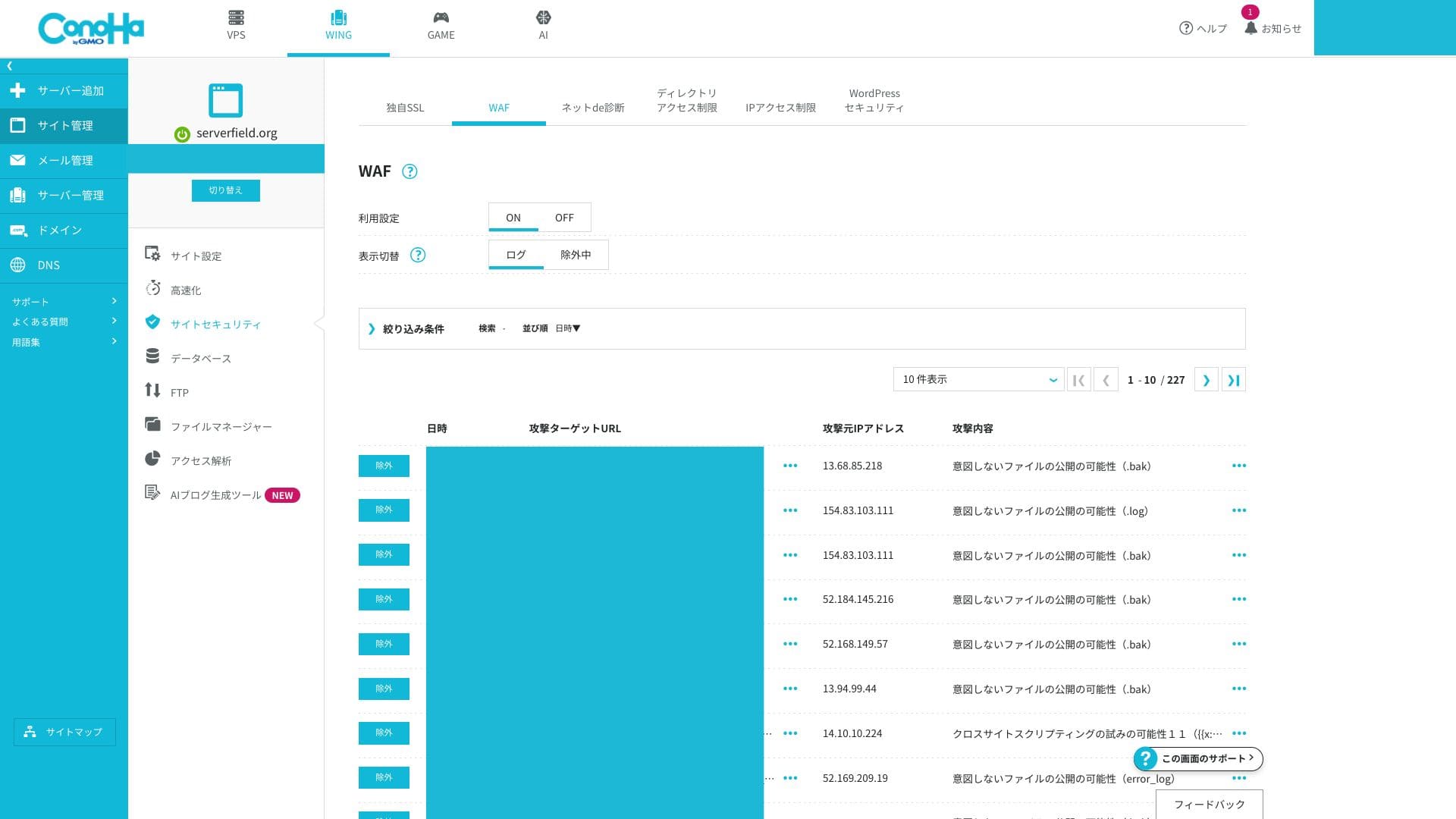
Advanced users who want to build very fine-grained custom rules may find it a little limited.
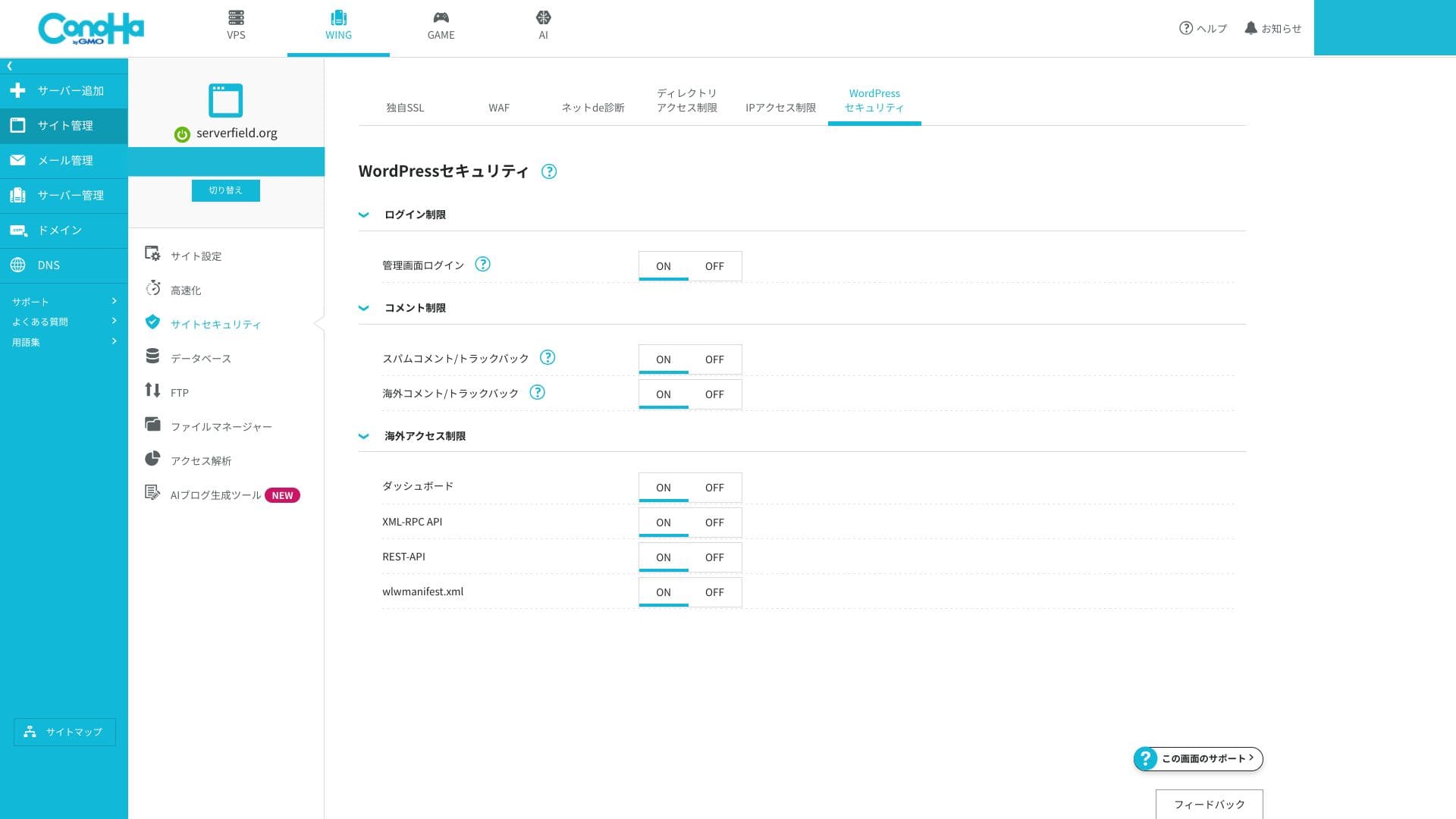
You can also configure WordPress security settings in detail. Login-attempt limits and XML-RPC disabling can be enabled from the screen without adding extra plugins, which lets you strengthen the basics while keeping your site lighter.
Copii de rezervă automate
ConoHa WING include backupuri automate pentru 14 zile. Salvează automat datele web, bazele de date și e-mailurile în fiecare zi, iar acestea pot fi restaurate cu un singur clic din panoul de control. Restaurările gratuite sunt încă relativ rare.
Because retention lasts 14 days, you should combine it with an external backup if you need monthly snapshots. WordPress also gives you plenty of plugin choices for that purpose.
How to restore a backup file
- Step 1: Log in to the control panel.
- Step 2: Deschideți „Server Management” și alegeți „Automatic Backup”.
- Step 3: Select the backup you want to restore and run the restore action.
Related article: Five Powerful WordPress Copie de rezervă Plugins for Recovering Your Data
Recenzii ale altor funcții
GMO Rank Checker
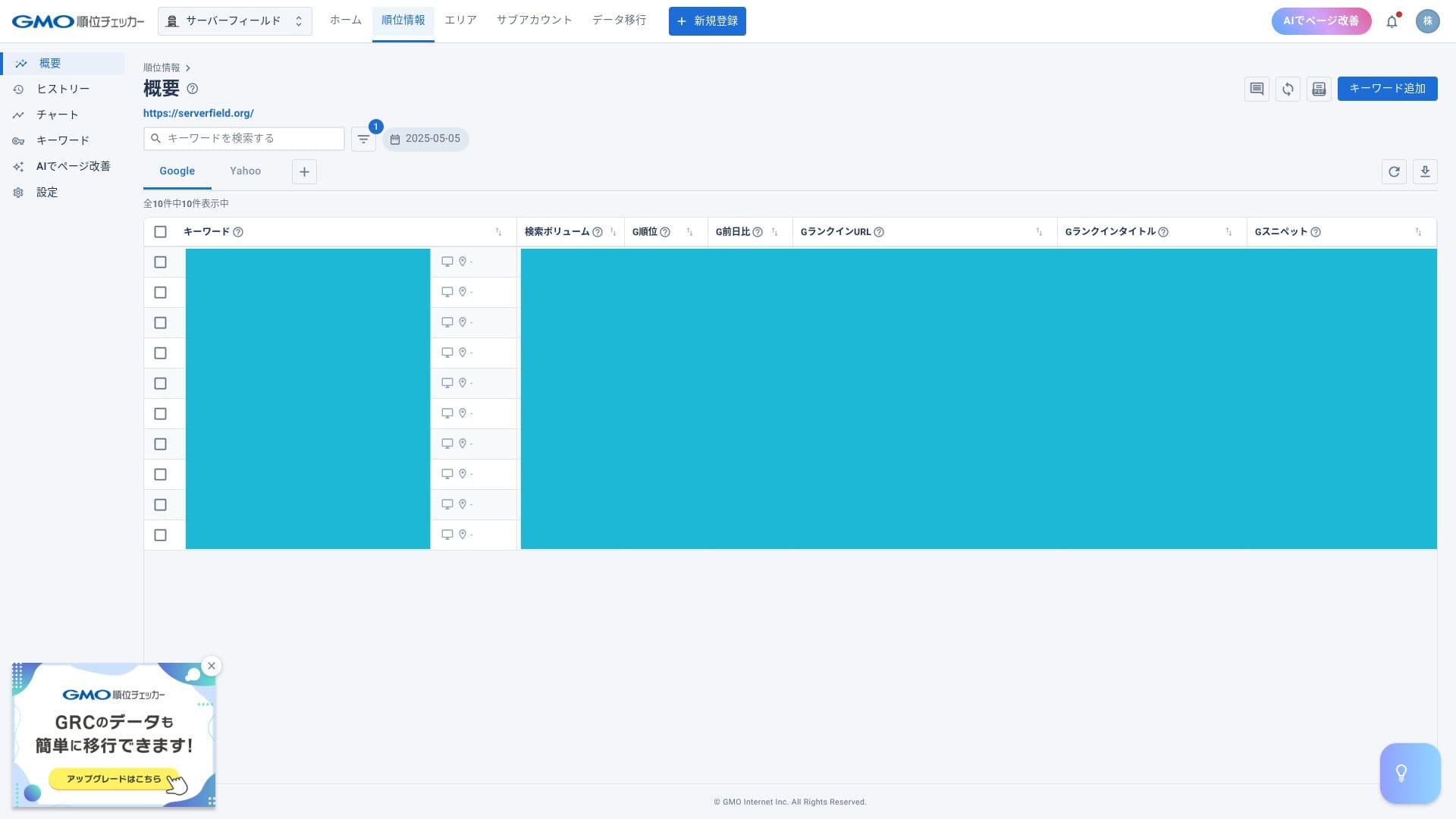
ConoHa WING lets you use GMO Rank Checker for one month free and then at a discounted price. GMO Rank Checker automatically measures the daily ranking of specific keywords. It gathers more information, and does so faster, than checking keywords manually. It also lets you review ranking changes visually through graphs and similar displays.
Hikaru Ono
The discounted price is available only to subscribers. You can apply from the control panel after you sign up for the server.
How to access GMO Rank Checker
- Step 1: Log in to the control panel.
- Step 2: Open the notifications area.
- Step 3: Look for the release notice about GMO Rank Checker for ConoHa WING subscribers and proceed from there.
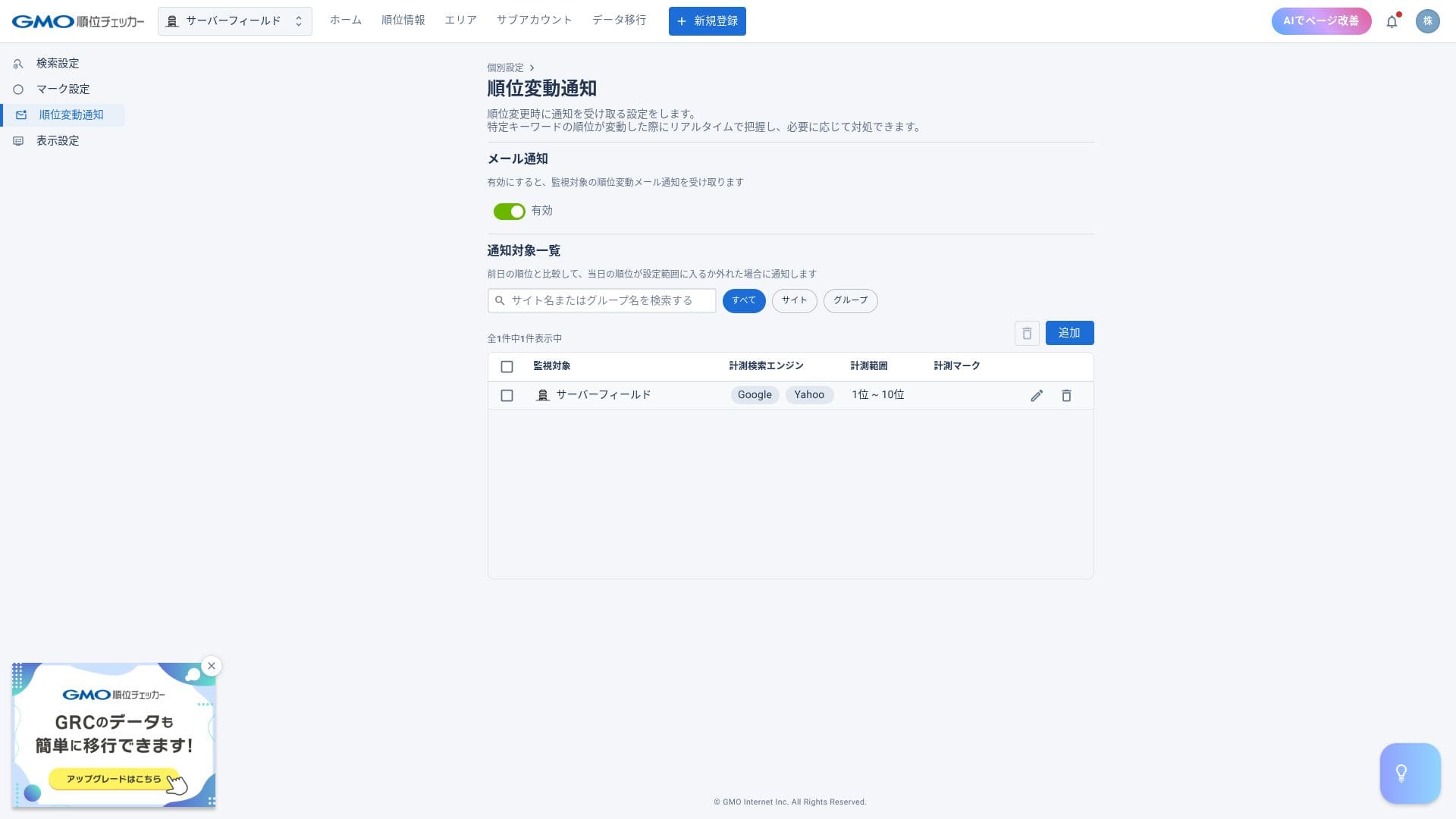
With a rank tracker, you can check positions for specific keywords and receive email alerts when rankings change.
Migrare server
Once the number of sites hosted on a given server increases, ConoHa WING can perform server migration, in other words, it can move you to another server. As more users accumulate on one server, the likelihood of high load and slower page delivery increases.
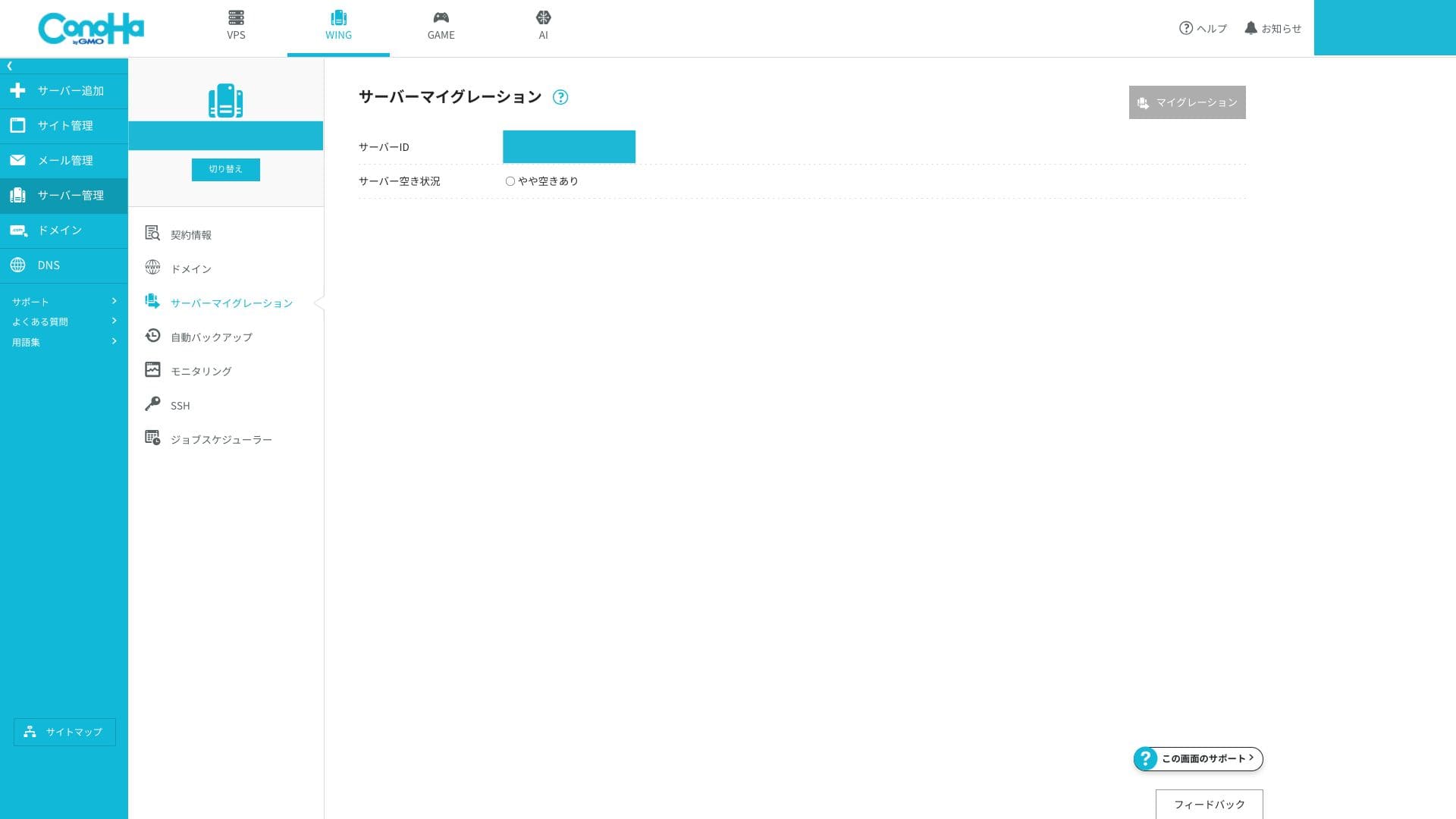
If you can move to a server with fewer accounts on it, you can solve that problem. The fact that this migration can be done for free is genuinely appreciated.
Rezumat
ConoHa WING is a well-reviewed hosting service with a large domestic user base. The key points are below.
- Fast: LSAPI, HTTP/2, and SSD RAID10 combine to deliver top-class perceived speed in Japan.
- Affordable: Two domains, SSL, and backups are all included, and 678 yen per month on a 36-month contract is exceptionally competitive.
- Easy: Easy WordPress Setup and the one-panel UI let you go live in around five minutes.
- Safe: WAF gratuit, copii de rezervă pe 14 zile și un SLA de 99,99% oferă siguranță chiar și pentru utilizarea în scopuri comerciale.
- Cautions: WING Pack cannot be canceled partway through the contract, phone support is available only during weekday business hours, and the inode limit is not publicly disclosed.