30-day money-back guarantee
PR
Servere
Kinsta Review: Pros and Cons of the Ultra-Fast Server Recommended by Google, Plus a WordPress Setup Guide
Publicat: 2025.07.13
Actualizat: 2025.07.13
Evaluare: 4.0
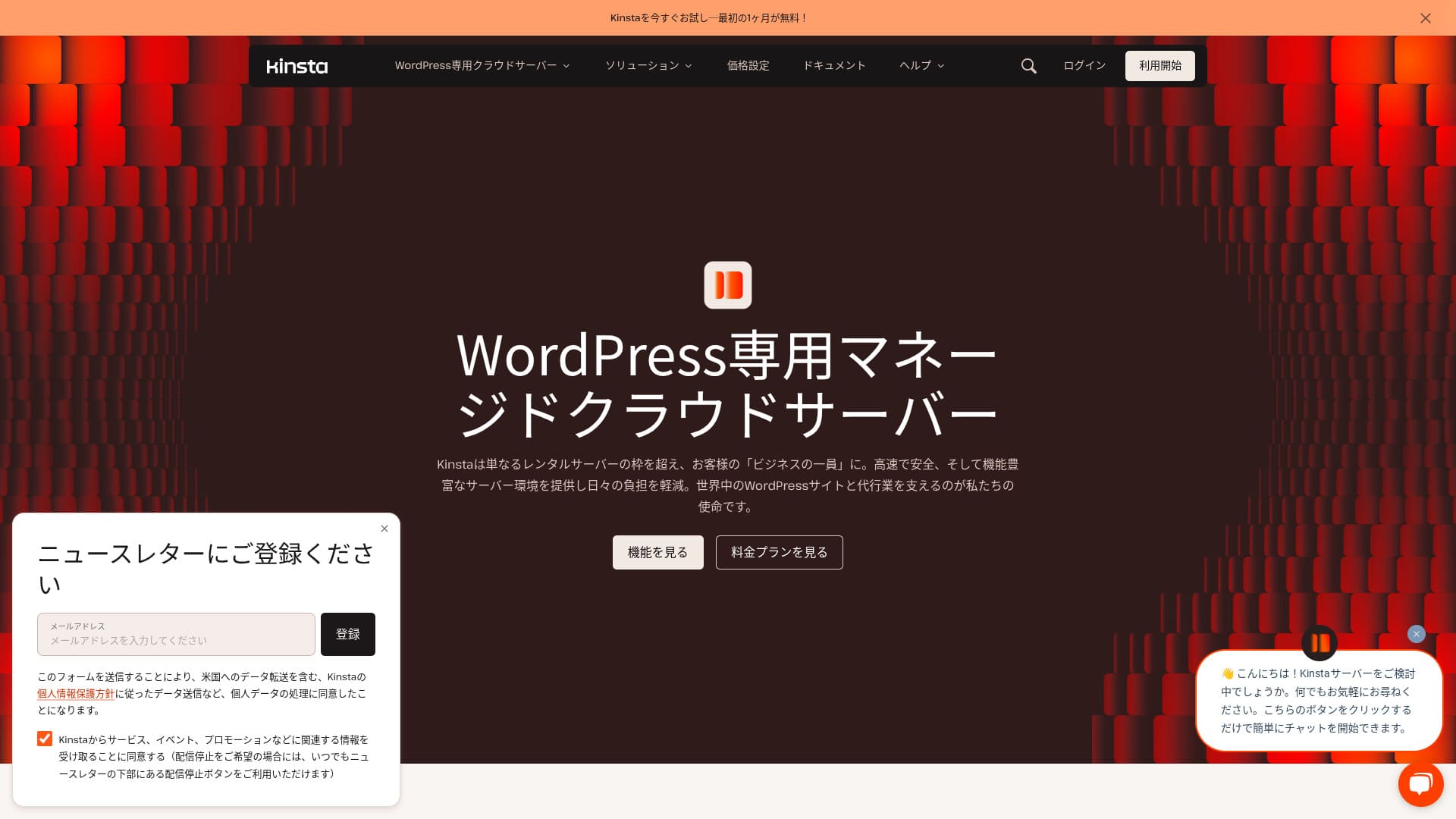
Kinstaeste un serviciu de găzduire în străinătate ultrarapid, operat de Kinsta Inc.Este bine cunoscut ca un server recomandat de Google.Este construit cu un accent puternic pe viteza de afișare a paginilor.
| Tip server | Server administrat dedicat |
| Viteză de afișare (TTFB) | 30ms |
| Plan recomandat și termen de facturare | Single35k |
| Probă / garanție de rambursare | 30-day money-back guarantee |
| Taxă lunară (plan pe 12 luni) | 4,407 yen |
| Taxă inițială de configurare | Free |
| Free domain | None |
| Asistență | asistență prin chat 24/7 (disponibilă în japoneză) and email |
| Uptime | 99.9% |
| Spațiu de stocare al serverului | 10GB |
| Număr de baze de date | 1 |
| Securitate | Malware scanning, WAF, firewall, DDoS protection, Google Cloud firewall |
| SSL | Free custom SSL |
| Backupuri | 14 days of automatic backups |
| Number of email accounts | None |
| Funcții de securitate pentru e-mail | None |
| Serviciu de migrare server/site | Free |
| WordPress preinstalat | Yes |
| CDN | Free (125GB) |
| Centre de date | Johannesburg, South Africa; Changhua County, Taiwan; Hong Kong; Tokyo; Osaka; Seoul, South Korea; Mumbai, India; Delhi, India; Jurong West, Singapore; Jakarta, Indonesia; Sydney, Australia; Melbourne, Australia; Warsaw, Poland; Hamina, Finland; Madrid, Spain; Saint-Ghislain, Belgium; London, United Kingdom; Frankfurt, Germany; Eemshaven, Netherlands; Zurich, Switzerland; Milan, Italy; Paris, France; Dammam, Saudi Arabia; Tel Aviv, Israel; Montreal, Canada; Toronto, Canada; Sao Paulo, Brazil; Santiago, Chile; Council Bluffs, Iowa, USA; Moncks Corner, South Carolina, USA; Ashburn, Virginia, USA; Columbus, Ohio, USA; Dallas, Texas, USA; The Dalles, Oregon, USA; Los Angeles, California, USA; Salt Lake City, Utah, USA; Las Vegas, Nevada, USA |

Hikaru Ono
Kinsta este adesea descris ca un server de top și, după ce l-am folosit efectiv, am simțit că această descriere este exactă. Nu doar că este rapid, dar panoul de control este ușor de utilizat, iar lansarea cu WordPress este de asemenea foarte simplă.
It is a server packed with appeal that fully justifies its price.
- Nuvember 4, 2025 market research data, arranged by speed
- Monthly fees are the first-year cost of the cheapest plan that can run WordPress
- Viteza reprezintă valoarea Time to First Byte a site-urilor demo, măsurată în aceleași condiții
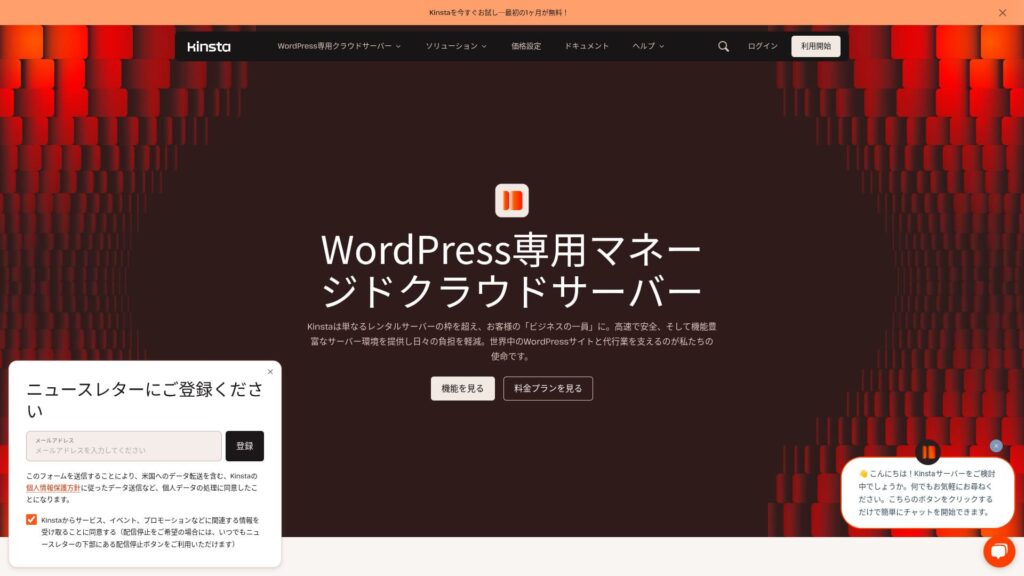
“Kinsta” este un serviciu de găzduire de top, cel mai rapid din clasa sa, cu centre de date în 37 de locații din întreaga lume. S-a clasat pe locul 1 în propriile noastre măsurători. Nu se poate nega faptul că este scump, dar dacă doriți un server care prioritizează pe deplin confortul și performanța, îl pot recomanda fără ezitare. Asistența sa prin chat este disponibilă și în limba japoneză.
Kinsta's Dashboard: Simple, Stylish, and Easy to Read
Panoul Kinsta: simplu, elegant și ușor de cititextremely simple, stylish, and easy to read.
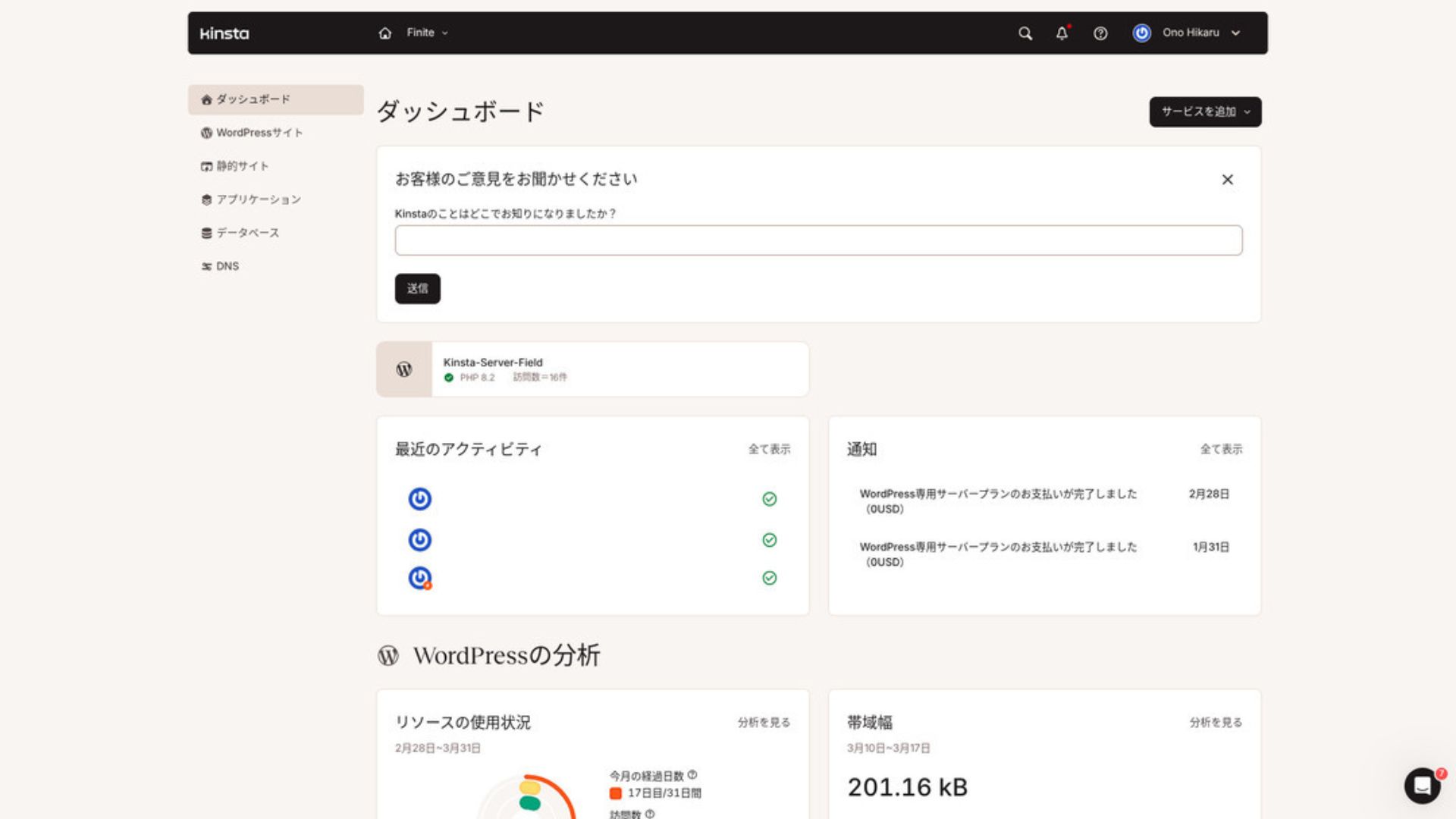
To manage WordPress, click “WordPress Sites” in the menu.
Pentru a administra WordPress, dă clic pe „WordPress Sites” în meniu.
Kinstamakes it easy to create a new site and handle migrations as well. There is no need to worry that it will be difficult just because it is an overseas server.
îți face ușor să creezi un site nou și să gestionezi și migrările. Nu trebuie să îți faci griji că va fi dificil doar pentru că este un server din străinătate.
- Create a new site
- Request a site migration
Creează un site nou | Solicită migrarea unui site
Creating a New WordPress Site
- STEP.1Select “WordPress Sites” in MyKinsta
Buștean in to MyKinsta. Then select “WordPress Sites” from the menu.
- STEP.2Create a new site
Click “Add Site.” Then choose “Create new site.”
- STEP.3Continuați cu setările WordPress
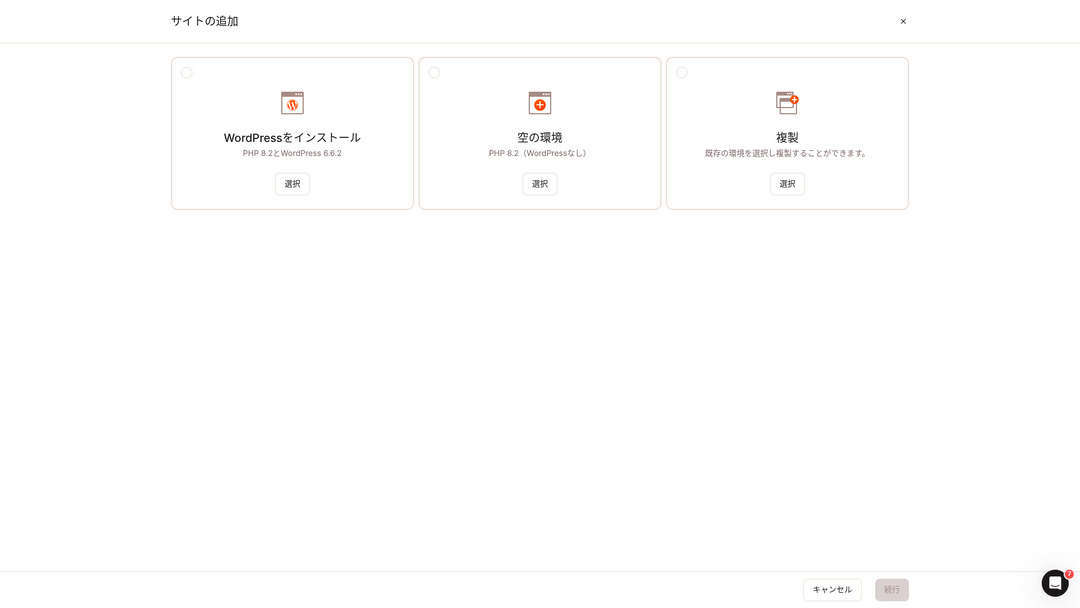
Select “Install WordPress.”
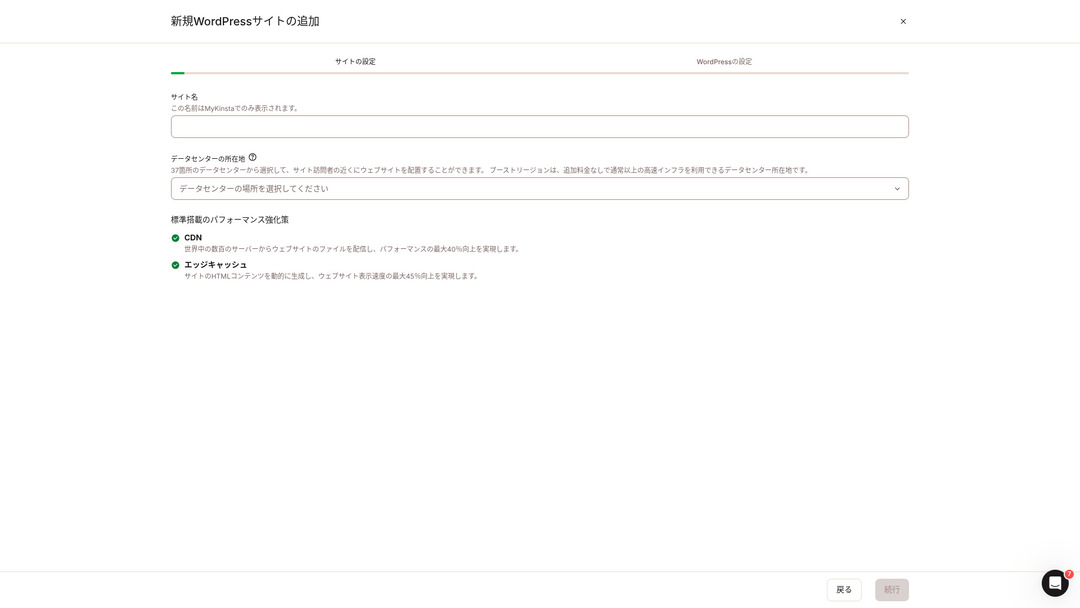
Choose your site name and select a data center location. You can choose from 37 data centers around the world. If most of your visitors are in Japan, choosing Tokyo or Osaka is the safest option.
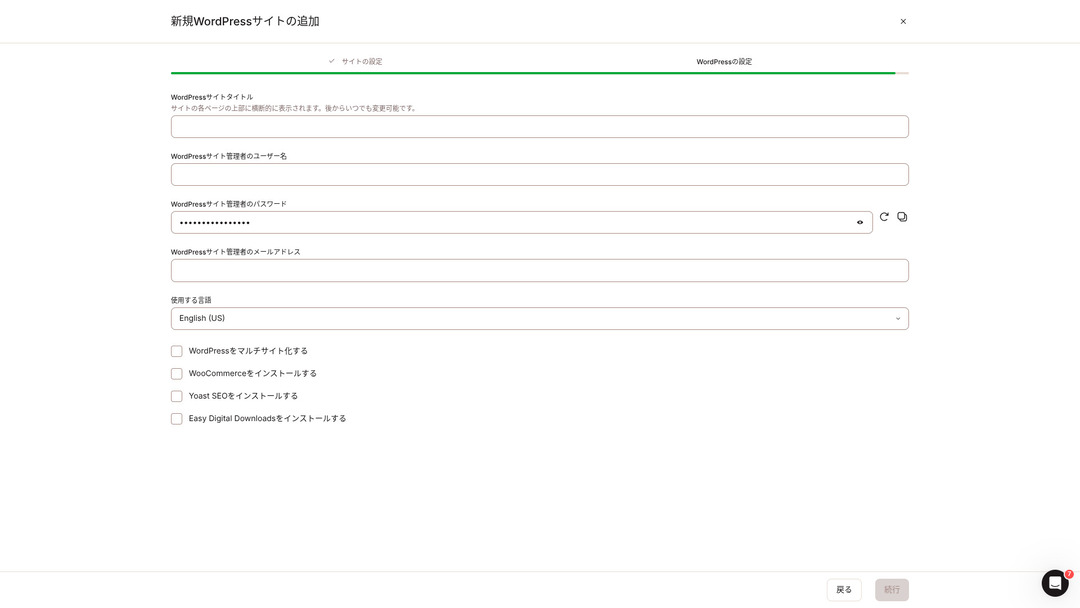
- WordPress site title
- WordPress admin username
- WordPress admin password
- WordPress admin email address
- Limbă to use
Decide those setări. Activatce you click “Continue,” your WordPress site setup is complete.
Crearea unui nou site WordPress | PASUL 1 | Selectează „WordPress Sites” în MyKinsta | Autentifică-te în MyKinsta. Apoi selectează „WordPress Sites” din meniu. | PASUL 2 | Dă clic pe „Add Site.” Apoi alege „Create new site.” | PASUL 3 | Continuă cu setările WordPress ...
Kinstaare trei planuri tarifare, fiecare putând fi plătit lunar sau anual. Unul dintre ele este un program de agenție destinat agențiilor de producție. Pentru persoane fizice și companii, opțiunile de utilizat sunt
- Single-site plan
- Multi-site plan
one of those two.
| Comparison item | Single-site plan | Multi-site plan |
|---|---|---|
| Monthly fee | 4,459 yen (annual billing) 5,202 yen (monthly billing) | 8,769 yen (annual billing) 10,404 yen (monthly billing) |
| WordPress sites | 1 | 2 |
| Visits | 35,000 | 70,000 |
| Storage | 10GB | 20GB |
| CDN | 125GB | 250GB |
If you are saying, “I’m about to start a blog,” I recommend the single-site plan.
Dacă spui „abia urmează să pornesc un blog”, recomand planul pentru un singur site.

WordPress Is Fast: Nu. 1 in Display Speed
Kinstaranked Nu. 1 in display speed in our own măsurări. It truly is a fast server.
Kinsta a ieșit pe locul 1 la viteza de afișare în propriile noastre măsurători. Este într-adevăr un server rapid.Kinsta without hesitation.
Este disponibil un CDN
Kinstauses 37 data centers as server bases around the world while also operating 260 CDN locations. By using a CDN, people viewing your website receive data from the nearest CDN server, which helps pages încarcă faster.
Kinsta folosește 37 de centre de date ca baze de servere în toată lumea și operează și 260 de locații CDN. Prin utilizarea unui CDN, vizitatorii site-ului primesc date de la cel mai apropiat server CDN, ceea ce ajută paginile să se încarce mai repede.What Is a CDN? Improve Speed and Performance with Distributed Servers
Kinsta ’s cheapest WordPress hosting option, the Starter plan, still includes 100GB of CDN.That provides more than enough transfer capacity.
Kinsta, cea mai ieftină opțiune de găzduire WordPress, planul Starter, include totuși 100 GB de CDN. Asta oferă suficientă capacitate de transfer.What Are Traffic and Data Transfer? Managing and Optimizing Web Traffic
★
Kinstacomes with 14 days of automatic backup functionality.
Kinsta vine cu funcția de backup automat pe 14 zile.
KinstaWith you can restore everything from up to 14 days of backup data even if something goes wrong, which gives real peace of mind.
24/7 Support from Engineers
Kinstahas a 24/7 support system staffed by engineers.
Kinsta are un sistem de asistență 24/7 format din ingineri.
Kinstagives peace of mind because engineers are always there to support you.Especially if you do not have engineers inside your company, Kinstasiguranța de a putea contacta inginerii în orice moment, așa cum se întâmplă în cazul Kinsta, este extrem de valoroasă.
Free Hack-Fix Guarantee
Free Hack-Fix GuaranteeKinsta comes with a free hack-fix guarantee.
Oricât efort ai depune în securitate, nimic nu este garantat 100%. Totuși, Kinsta vine cu o garanție gratuită de remediere a hack-ului.Kinsta will work together with you to repair the damage.
- Free site inspecție
- Detailed file scans to identify malware
- Repair of miez files using a fresh WordPress installation
- Identificarea și eliminarea pluginurilor și temelor infectate
Because the response is so thorough, you do not have to worry that the same hacking damage will happen again.
Dezavantajul Kinsta este prețul său ridicat

Even though it is a top-tier server, Kinsta is expensive.
Chiar dacă este un server de top,
- Initial setup fee
- 12-month server contract
- Activate year of domain cost
- Plan that supports WordPress
KinstaExistă servere care costă mai mult decât Kinsta, dar toate celelalte sunt servere cu sediul în Japonia. Acestea oferă, de asemenea, asistență în limba japoneză și un număr mare de funcții orientate spre afaceri.
So although it is truly top-tier in server speed, there is no denying that it still feels expensive.
So although it is truly top-tier in server speed, there is no denying that it still feels expensive.
L-am comparat cu principalele servicii de găzduire japoneze care, la fel ca Kinsta, pun un accent deosebit pe viteză.
Am comparat-o cu servicii de găzduire japoneze importante care, la fel ca Kinsta, pun un accent puternic pe viteză.
ConoHa WINGastfel încât setările necesare pentru lansarea unui site web WordPress sunt finalizate în momentul contractării serverului.
ConoHa WING este un server construit cu un accent puternic pe viteza de afișare WordPress. Principala sa caracteristică este cât de ușor este să începi cu WordPress. Sarcini precum obținerea și configurarea unui domeniu, crearea unei baze de date și instalarea WordPress sunt deja finalizate când te înscrii la server, așa că setările necesare pentru lansarea unui site WordPress sunt deja gata în momentul contractării serverului.

Recenzie ConoHa WING: De ce o aleg 750.000 de utilizatori, plus un test al vitezei, avantajelor și dezavantajelor sale
Recenzie ConoHa WING: De ce o aleg 750.000 de utilizatori, plus un test al vitezei, avantajelor și dezavantajelor sale
serverfield.org
XServer
XServer
XServer este de mult timp un server de mare viteză popular în Japonia. Se mândrește cu cea mai mare cotă de utilizatori de pe piața internă. Popularitatea sa vine nu doar din viteza serverului, ci și din stabilitatea sa cu uptime de 99,99% și din asistența atentă.

Recenzie XServer [cea mai recentă din 2025]: testare amănunțită a vitezei, prețurilor și funcțiilor
Recenzie XServer [cea mai recentă din 2025]: testare amănunțită a vitezei, prețurilor și funcțiilor
serverfield.org
Start a WordPress Website with Kinsta in 7 Steps
Aici vom lansa un site web WordPress folosind Kinsta și MuuMuu Domain.
Let’s Start a Website with Kinsta!
- STEP.1Get a custom domain with MuuMuu Domain
Sign up for or buștean in to MuuMuu Domain.
Dacă nu aveți încă un cont, creați unul nou pe site-ul web MuuMuu Domain. Dacă aveți deja un cont, trebuie doar să vă conectați.
Search for and purchase your custom domain.
Introduceți numele de domeniu dorit în bara de căutare MuuMuu Domain și verificați dacă este disponibil. Dacă este disponibil, achiziționați acel domeniu.
- STEP.2Set up a new site on Kinsta
First, sign up for Kinsta. Then add a new site.
Access the Kinsta dashboard and click “Add Site.”
Select the site name and the data center location. Choose “Install WordPress,” then enter the required information such as the site title, admin username, password, and email address.
If necessary, install plugins such as WooCommerce or Yoast SEO.
- STEP.3Actualizați setările DNS în MuuMuu Domain
Accesați panoul de control MuuMuu Domain, selectați domeniul achiziționat din secțiunea „Domain Management” și faceți clic pe „DNS Settings”.
Din panoul de control Kinsta, verificați informațiile DNS pentru site-ul dumneavoastră, inclusiv serverele de nume. Introduceți acele informații pe pagina „DNS Settings” din MuuMuu Domain și salvați-le.
- STEP.4Set your custom domain in the Kinsta dashboard
Mergi la pagina de setări pentru site-ul WordPress pe care tocmai l-ai folosit.
Go to the “Domains” section and click “Add Domain.” Enter the custom domain name you acquired through MuuMuu Domain and add it.
În continuare, mergi la secțiunea “Tools” și fă clic pe “Install a free Let’s Encrypt SSL certificate” pentru a instala certificatul SSL.
- STEP.5Personalizatize your WordPress site
Conectați-vă la zona de administrare WordPress din tabloul de bord Kinsta. Apoi instalați temele și modulele necesare și personalizați-vă site-ul.
Frequently Asked Questions About Kinsta
Frequently Asked Questions About Kinsta
Nu, nu poți înregistra un domeniu prin Kinsta. Te rugăm să înregistrezi domeniul tău printr-un serviciu de înregistrare de domenii precum MuuMuu Domain. După aceea, înregistrează domeniul obținut în MyKinsta.
Nu, nu poți înregistra un domeniu prin Kinsta. Te rugăm să îți înregistrezi domeniul printr-un serviciu de înregistrare de domenii precum MuuMuu Domain. După aceea, înregistrează domeniul obținut în MyKinsta.
Is 10GB of storage on Kinsta too little?
Dacă administrezi un site WordPress, 10 GB nu sunt deloc o problemă. În martie 2025, acest site cu peste 90 de articole folosește doar 1,5 GB de stocare. Dacă nu construiești ceva precum un site de portofoliu cu un număr extrem de mare de imagini, nu ai de ce să-ți faci griji.
How do you pronounce “Kinsta”?
„Kinsta” se pronunță „Kin-sta”.
“Kinsta” este cel mai rapid server de găzduire de top, cu centre de date în 37 de locații din întreaga lume. S-a clasat pe locul 1 în propriile noastre măsurători. Nu se poate nega prețul ridicat, dar dacă doriți un server care urmărește pe deplin confortul și performanța, este o alegere excelentă, fără îndoială. Asistența prin chat în limba japoneză este de asemenea disponibilă.
30-day money-back guarantee
Kinsta is a top-tier server. If you want to improve your site’s display speed with confidence, please give it a try.
Kinsta este un server de top. Dacă vrei să îmbunătățești viteza de afișare a site-ului tău cu încredere, încearcă-l.
Comparison of 10 Overseas Hosting Services

În cazul serviciilor de găzduire din străinătate, mulți oameni întâmpină dificultăți în alegerea serverului din cauza barierelor lingvistice și a diferențelor culturale.
În acest articol, comparăm în detaliu 10 servicii de găzduire internaționale selectate cu atenție din întreaga lume și explicăm caracteristicile fiecăruia, planurile de tarifare și actual user experience in detail.
You will find information that covers a wide range of needs, from selection criteria beginners can rely on to advanced features that engineers look for.