Jest tańszy, jeśli zapiszesz się do Xserver, Shin Rental Server albo Star Rental Server
PR
WordPress
Dla stron firmowych i afiliacyjnych warto wybrać ceniony motyw WordPress XWRITE
Opublikowano: 2025.02.04
Zaktualizowano: 2026.03.12
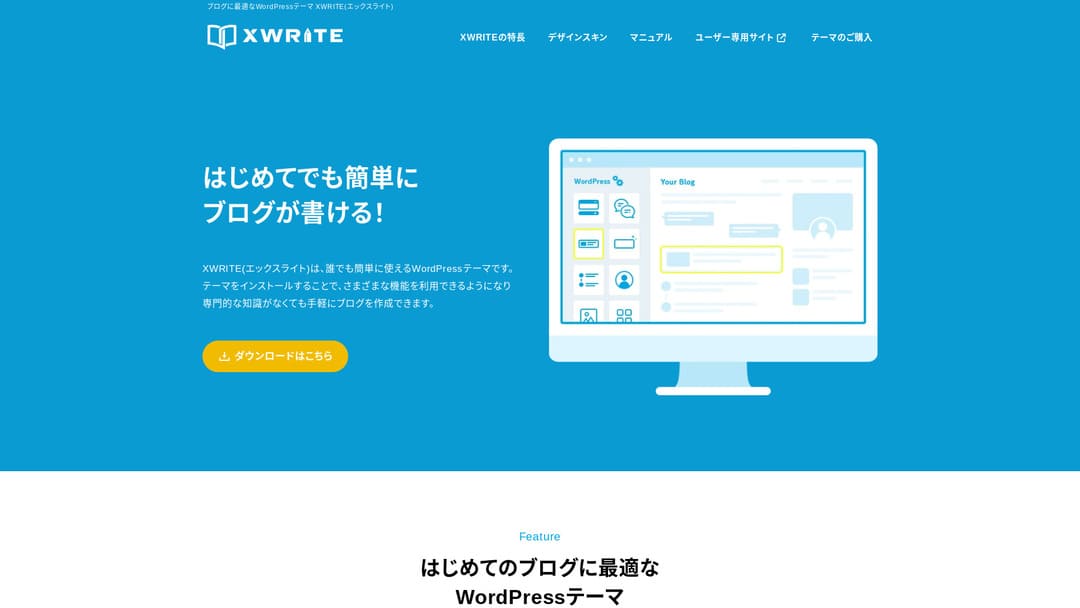
Jeśli Twoja strona jest witryną firmową lub serwisem afiliacyjnym, warto ją rozważyć.
XWRITEXWRITE to motyw WordPress nastawiony na blogi, opracowany przez Xserver Inc. Tak, jest przeznaczony dla blogów. Szczerze mówiąc, rynek blogowych motywów WordPress jest jednak zatłoczony, a poza XWRITE istnieje wiele świetnych motywów, takich jak Cocoon i SWELL. (Prawdopodobnie dlatego Xserver współpracuje także z tymi dwoma motywami).
SWELL wygląda stylowo, a Cocoon jest darmowy.
Mimo to XWRITE ma oryginalne funkcje, których nie mają Cocoon ani SWELL, i jeśli możesz z nich skorzystać na swojej stronie głównej lub witrynie, uważam, że XWRITE będzie lepszym wyborem.
„XWRITE” to motyw WordPress udostępniany przez Xserver Inc. Ma opinię prostego, szybkiego, łatwego i dostępnego dla każdego. Szczególnie poleca się go dla stron firmowych i serwisów afiliacyjnych.

Dla stron firmowych i serwisów afiliacyjnych to właśnie te dwie kategorie, w których XWRITE naprawdę błyszczy. We wszystkich innych przypadkach, mówiąc wprost, wybieraj po prostu według preferowanego projektu. Jeśli jednak jest to strona firmowa albo afiliacyjna, warto przyjrzeć się XWRITE bardzo uważnie.
Pełne porównanie 32 usług hostingu WordPress dla osób prywatnych, firm i zastosowań zagranicznych

Gdy myślisz „chcę zacząć z WordPress” i szukasz „rekomendacji WordPress”, znajdziesz różne artykuły o hostingu osobistym, opcjach dla firm i małych przedsiębiorstw, hostingu zagranicznym oraz tanich serwerach. Szczerze mówiąc,
- której stronie warto zaufać?
- możesz po prostu chcieć prostej i zrozumiałej odpowiedzi.
- możesz chcieć od razu zacząć korzystać z WordPress.
Dlatego ten artykuł starannie wybiera rekomendowane opcje spośród 32 dostawców hostingu dla osób prywatnych, firm, zastosowań krajowych i zagranicznych. Wyjaśnia je osoba odpowiedzialna za SEO w firmie tworzącej aplikacje, która korzysta z hostingu każdego dnia.
Dlaczego polecam XWRITE dla stron firmowych
Zobacz demonstracyjną stronę w stylu sklepu i stronę firmową stworzone przez Xserver. Sprawiają, że myślisz: „Aha, więc taką stronę mogę zbudować.”

DEMO CORPORATION
DEMO CORPORATION
demo.xwrite.jp

DEMO Cafe & Lounge
DEMO Cafe & Lounge
demo.xwrite.jp
Blok Google Maps pozwala łatwo stylizować Mapy Google
Strony firmowe i strony sklepów zwykle pokazują lokalizację biura lub sklepu w Mapach Google.
Dzięki XWRITE możesz bardzo łatwo dostosować wygląd Map Google za pomocą bloku Google Maps.
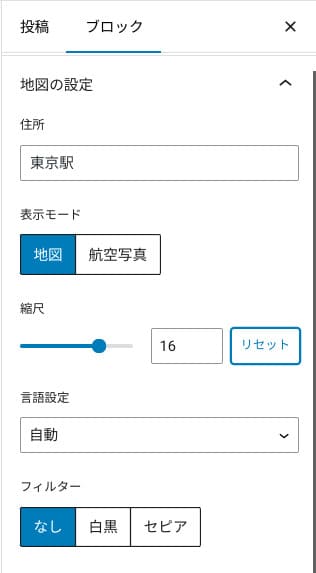
Możesz przełączyć widok na mapę albo zdjęcie lotnicze, a także zmienić go na monochromatyczny lub sepię. Cocoon i SWELL nie mają tej funkcji. Szczerze mówiąc, bez doświadczenia projektanta albo programisty takie zmiany w CSS są trudne.
W XWRITE nie stanowi to jednak problemu nawet bez specjalistycznej wiedzy. Każdy może łatwo dostosować Mapy Google tak, aby pasowały do atmosfery strony firmowej lub sklepowej.
Jak utworzyć mapę Google
Jak utworzyć mapę Google
xwrite.jp
Blok Sekcja sprawia, że nawet puste przestrzenie wyglądają pięknie
Projekt ma znaczenie w przypadku stron firmowych i sklepów internetowych. Przekazuje atmosferę, której niełatwo wyrazić słowami, na przykład: „Ten sklep wygląda stylowo” albo „Wydaje się, że wszystko robią starannie i porządnie.”
Na tę atmosferę wpływa, co może zaskakiwać, także pusta przestrzeń. Dobrze uporządkowany, wygodny oddech w układzie może stworzyć poczucie piękna i elegancji, a nawet żywej energii.
Jeśli użyjesz bloku Sekcja w XWRITE, możesz estetycznie zaprojektować nawet tę pustą przestrzeń, która dokładnie kształtuje wybraną atmosferę.
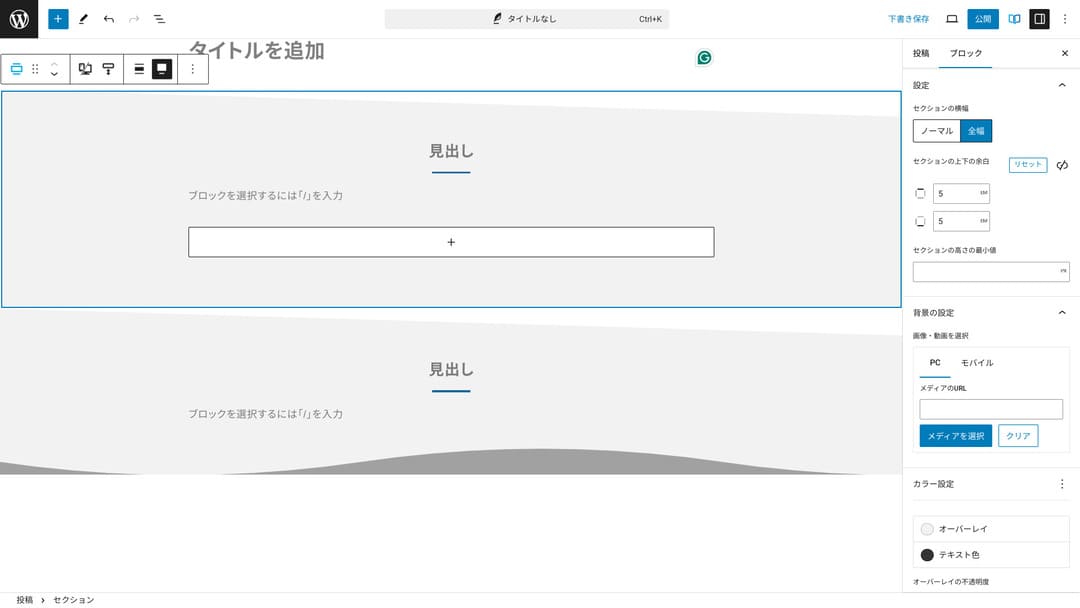
Możesz tworzyć pustą przestrzeń przyciętą po skosie albo dodawać faliste kształty. Gdy projekt obejmuje nawet taki poziom szczegółu, łącznie z pustą przestrzenią, może wyraźnie poprawić wizerunek firmy lub sklepu.
Jak utworzyć sekcję
Jak utworzyć sekcję
xwrite.jp
Dlaczego polecam XWRITE dla serwisów afiliacyjnych
Spójrz na demonstracyjną stronę w stylu afiliacyjnym stworzoną przez Xserver. Widnieje tam słowo „blog”, ale układ treści, który można tam zobaczyć, jest w praktyce typowy dla serwisu afiliacyjnego.

STUDY DEMO BLOG
STUDY DEMO BLOG
demo.xwrite.jp
Blok recenzji produktu sprawia, że zalety i wady są widoczne od razu
Jeśli użyjesz bloku Recenzja produktu w XWRITE, możesz estetycznie pokazać zalety i wady produktu. Użytkownicy od razu widzą, co jest w nim dobre, a co nie. Ocena i objaśnienie są również łatwe do przeczytania.
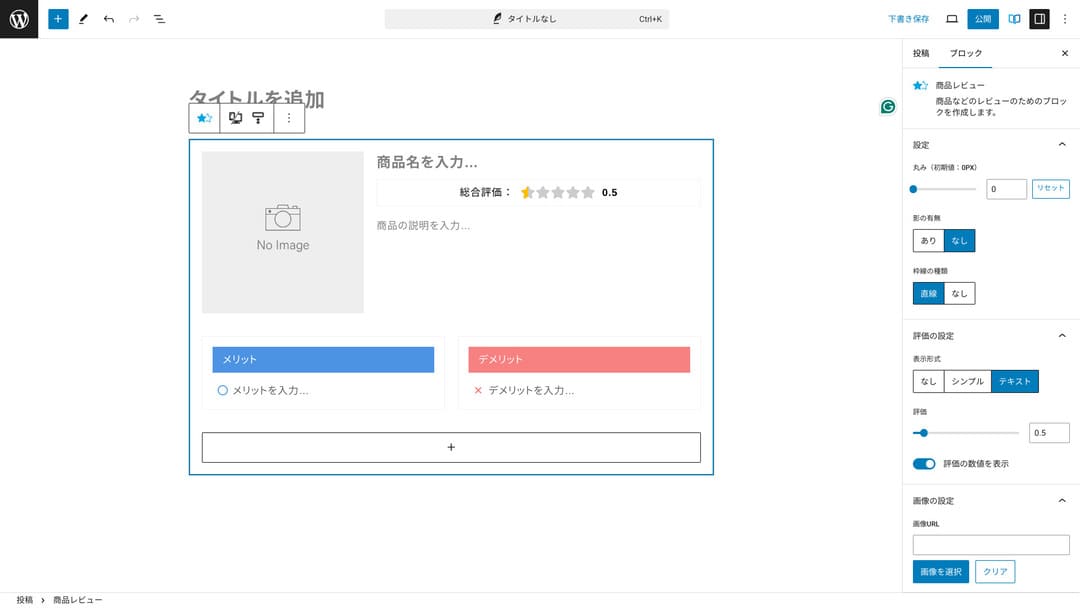
Dzięki temu odwiedzający stronę od razu rozumieją cechy produktu, który przedstawiasz. Jeśli mogą szybko je zrozumieć, łatwiej im zdecydować, czy kupić produkt. Innymi słowy, łatwiej go sprzedać.
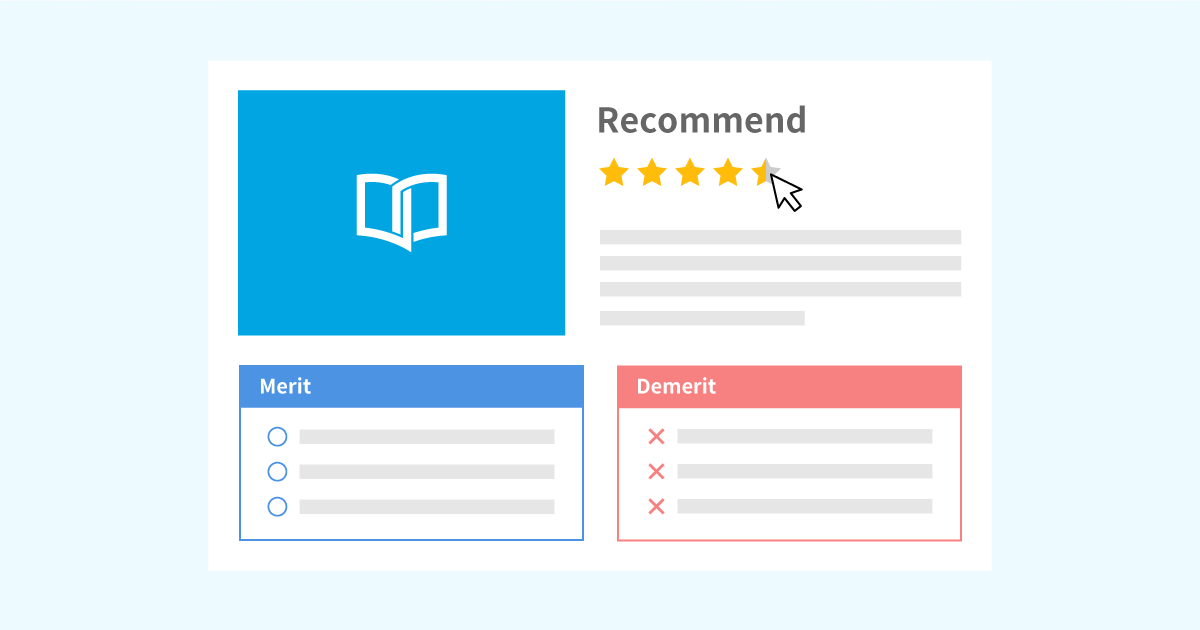
Przykład bloku recenzji produktu do opisu i ocen
Przykład bloku recenzji produktu do opisu i ocen
xwrite.jp
Blok kroków jasno pokazuje procedury i przebieg działań
Blok Krok w XWRITE sprawia, że procedury i przepływy działań są łatwe do zrozumienia. Wyjaśnienia typu „po wykonaniu tego przygotuj ten dokument, a następnie kliknij tutaj” stają się znacznie czytelniejsze.
Możesz użyć bloku Krok, aby pokazać sposób zakupu produktu albo kolejność etapów w procesie zawierania umowy.
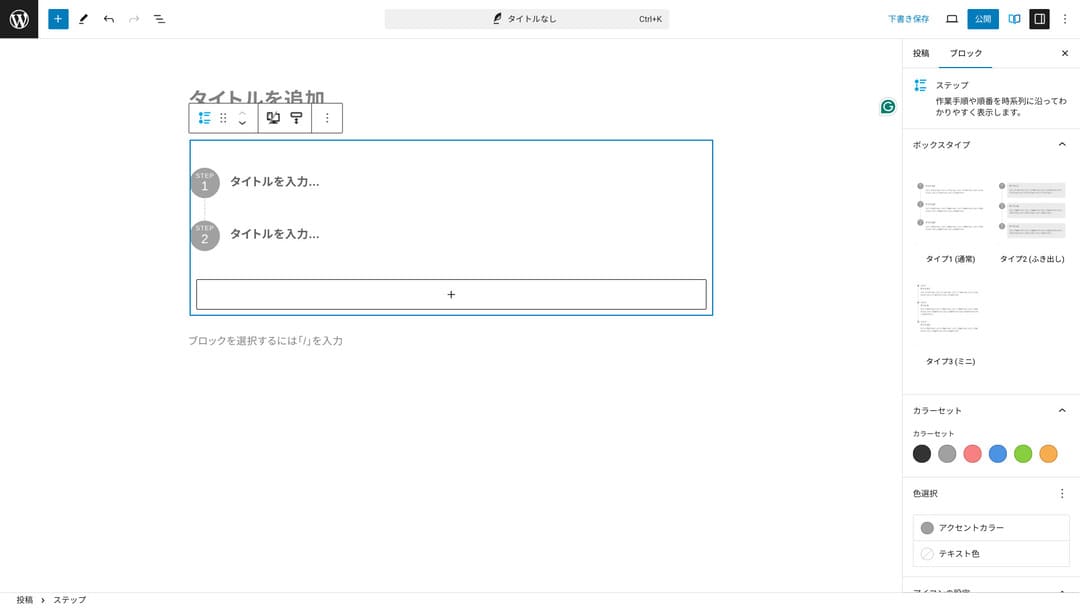
Procedury można też opisywać nagłówkami i zwykłym tekstem, ale wtedy całość nie wygląda tak schludnie i zwykle tworzy niepotrzebne odstępy.
Ponadto używanie nagłówków do objaśniania procedur może sprawić, że spis treści strony stanie się zbyt szczegółowy i pogorszy doświadczenie użytkownika. Blok Krok pozwala zachować prostotę.
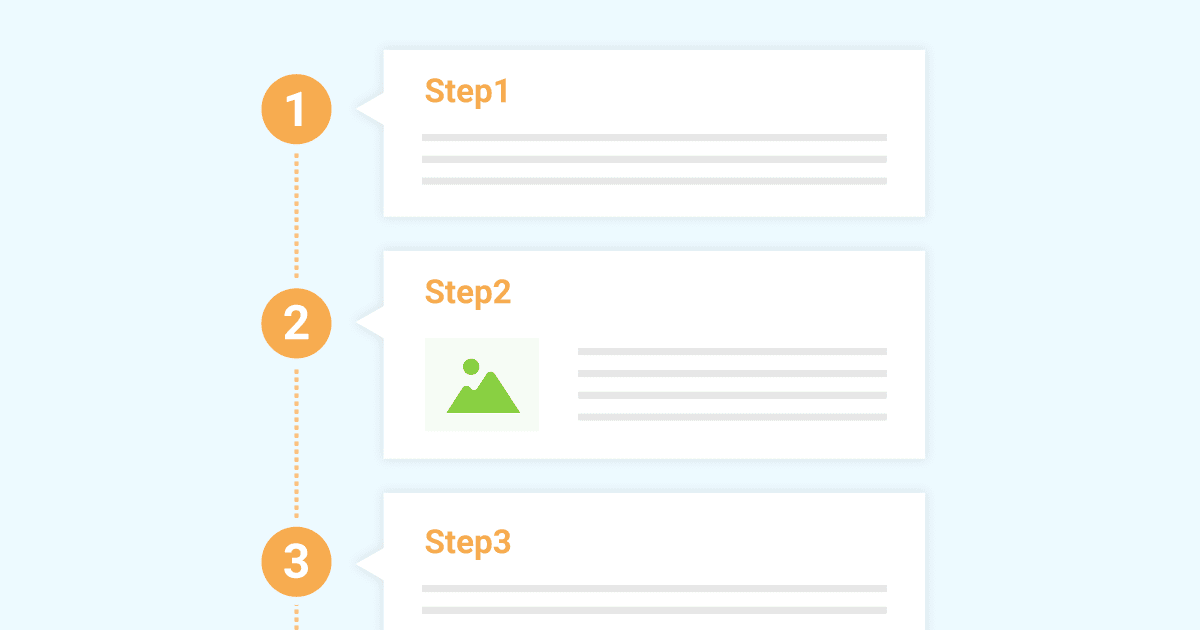
Przykład bloku kroków do prezentacji procedur pracy
Przykład bloku kroków do prezentacji procedur pracy
xwrite.jp
Blok przycisku może poprawić CTR
Jeśli użyjesz bloku Przycisk w XWRITE, prawdopodobnie możesz poprawić CTR, czyli współczynnik klikalności. Do przycisków można zastosować wiele różnych ozdobników, tworząc przyciski, przy których użytkownicy nie zastanawiają się: „Gdzie mam złożyć wniosek?”.
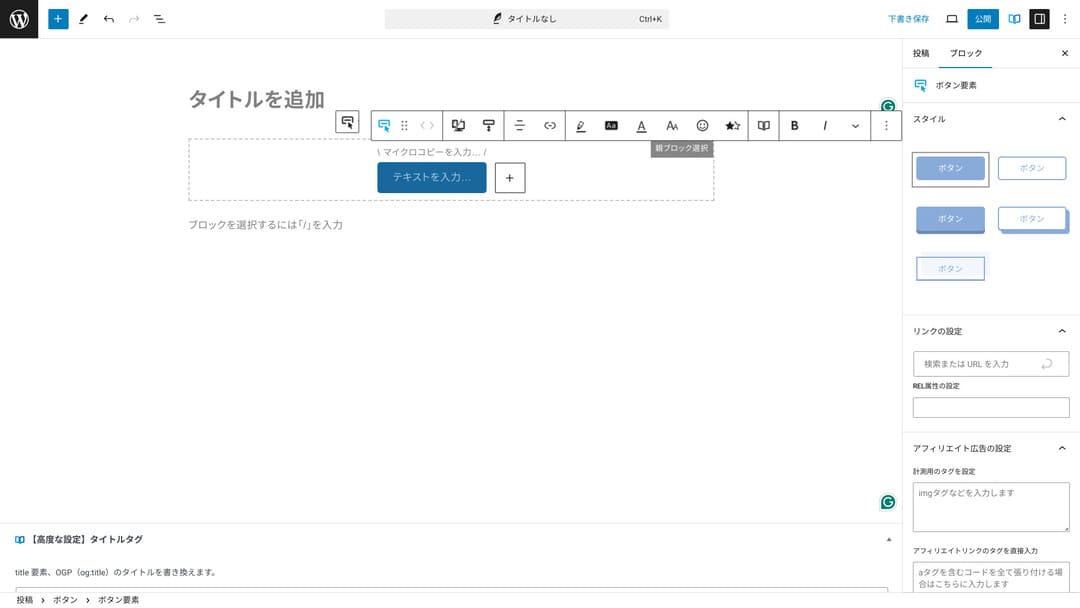
Ponieważ można zmieniać kolor i projekt, da się go także dopasować do atmosfery strony.
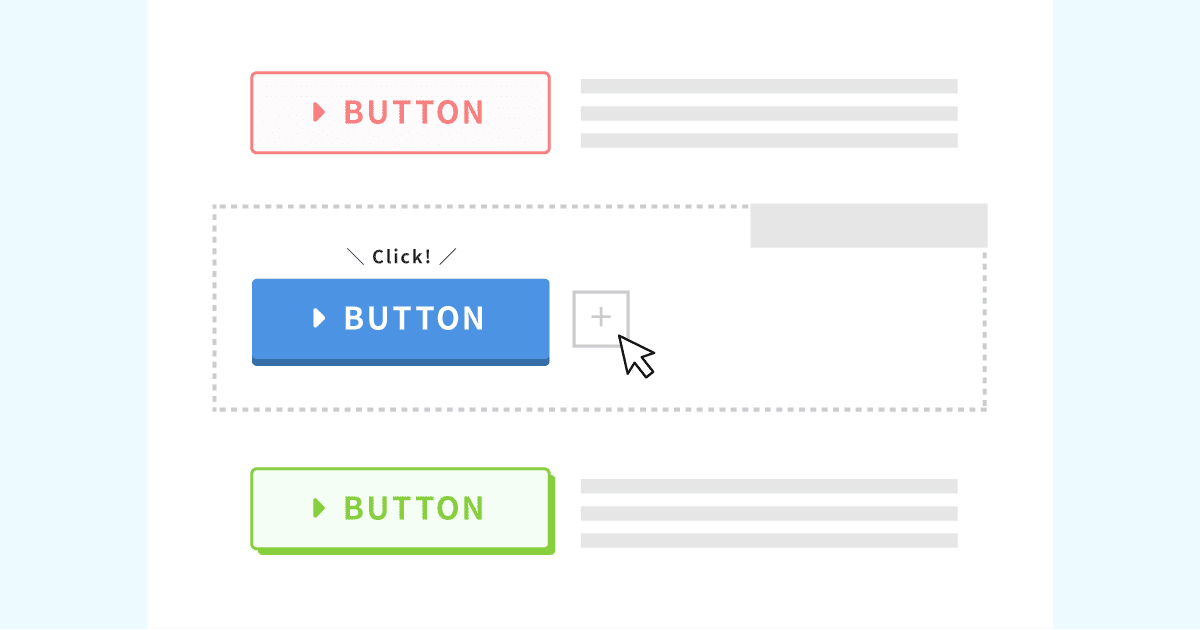
Lista oryginalnych projektów przycisków
Lista oryginalnych projektów przycisków
xwrite.jp
Cennik XWRITE: subskrypcja i jednorazowy zakup
W XWRITE możesz wybrać plan subskrypcyjny albo jednorazowy zakup.
- Subskrypcja (miesięczna): 990 jenów miesięcznie
- Subskrypcja (roczna): 9 900 jenów rocznie
- Plan jednorazowego zakupu: 19 800 jenów
Użytkownicy Xserver i Shin Rental Server mogą kupić plan jednorazowego zakupu za 15 840 jenów. Ponieważ oznacza to około 4 000 jenów mniej niż zwykle, polecam złożyć wniosek przy rejestracji serwera, jeśli rozważasz jednocześnie XWRITE i nową umowę serwerową.
Zarówno Xserver, jak i Shin Rental Server to świetne serwery. Szczegółowo wyjaśniłem je w poniższych artykułach.

Opinie i recenzja Xserver [najnowsze w 2025]: szczegółowe omówienie szybkości, cen, zalet i wad
Opinie i recenzja Xserver [najnowsze w 2025]: szczegółowe omówienie szybkości, cen, zalet i wad
serverfield.org
Recenzja Shin Rental Server [najnowsze w 2025]: szczegółowe omówienie szybkości i cen z rzeczywistego użycia
Recenzja Shin Rental Server [najnowsze w 2025]: szczegółowe omówienie szybkości i cen z rzeczywistego użycia
serverfield.org
Szczerze mówiąc, nie jest tani w porównaniu z innymi motywami WordPress
Całkiem szczerze, w porównaniu z innymi motywami WordPress cena nie jest niska. Jest mniej więcej na podobnym poziomie albo trochę wyższa.
| XWRITE | One-time purchase plan: 19,800 yen |
| Cocoon | Free |
| SWELL | 17,600 yen |
| SANGO | 14,800 yen |
| JIN:R | 19,800 yen |
Dlatego, powtarzając: najlepszym rozwiązaniem jest złożenie wniosku w cenie 15 840 jenów przez umowę serwerową z Xserver albo Shin Rental Server.
Jeśli jednak masz już umowę serwerową, wybierz plan subskrypcyjny. Prawdopodobnie miałeś ważny powód, aby wybrać obecnie używany motyw, a zmiana motywu może przez różnice w projekcie wpłynąć na PV strony, czyli liczbę odsłon, oraz CTR, czyli współczynnik klikalności.
W planie subskrypcyjnym, jeśli przejdziesz na XWRITE i okaże się, że...
- projekt bardzo odbiega od Twojego gustu
- wpływ poprzedniego motywu powoduje rozsypanie układu i utrudnia poprawki
...nadal możesz wrócić do pierwotnego motywu przy minimalnym koszcie.
Na tej stronie także rozważano zapisanie się do planu subskrypcyjnego i wdrożenie XWRITE, ale tym razem zrezygnowałem z powodu drugiego punktu powyżej. Nie jestem w stanie zapewnić czasu potrzebnego na poprawki.
Jak złożyć wniosek o XWRITE
Jak złożyć wniosek o XWRITE
- STEP.1Zaloguj się do strony użytkownika
- STEP.2Kup motyw na stronie licencji
Kup motyw w sekcji „License Authentication” na stronie użytkownika.
- STEP.3Pobierz motyw
Pobierz motyw.
Weź pobrany plik ZIP i zainstaluj go przez WordPress Wygląd → Motywy → Dodaj nowy motyw, a następnie aktywuj.
- STEP.4Uwierzytelnij licencję
Uwierzytelnij licencję przez XWRITE Settings → Activation. (oficjalna instrukcja)
XWRITE ma motyw potomny
XWRITE początkowo nie miał motywu potomnego, ale po aktualizacji z 22 stycznia 2025 roku motywy potomne stały się dostępne. Jeśli to możliwe, utwórz motyw potomny. Gdy utworzysz motyw potomny dla motywu WordPress, możesz zapobiec poważnemu uszkodzeniu projektu przy przechodzeniu na inny motyw.
Ogólna procedura tworzenia motywu potomnego WordPress
- STEP.1Utwórz folder motywu potomnego
Najpierw otwórz folder instalacji WordPress i utwórz folder motywu potomnego wewnątrz
wp-content/themes/.- Uzyskaj dostęp przez FTP albo używając panelu administracyjnego WordPress > Wygląd > Edytor motywów.
- Utwórz nowy folder wewnątrz
wp-content/themes/i nazwij go na przykładtheme-child. Nazwa folderu zależy od Ciebie, ale lepiej użyć nazwy łatwej do zrozumienia.
- STEP.2Utwórz arkusz stylów motywu potomnego (style.css)
Następnie utwórz plik style.css w tym folderze. Ten plik zarządza informacjami o stylach motywu potomnego.
- Ustaw zawartość theme-child/style.css tak, jak pokazano poniżej.
Skopiuj kod CSS/* Theme Name: Theme Child Template: Theme Version: 1.0*/@import url("../Theme/style.css");/* Write customization CSS here */Theme Name: nazwa motywu potomnego (możesz ją dowolnie zmienić)Template: nazwa katalogu motywu nadrzędnego- Plik CSS motywu nadrzędnego jest ładowany przez
@import.
- STEP.3Utwórz plik functions.php motywu potomnego
Następnie utwórz plik functions.php, aby poprawnie załadować style motywu nadrzędnego.
- Utwórz plik theme-child/functions.php i dodaj następującą zawartość.
Skopiuj kod PHP<?php// Załaduj arkusz stylów motywu nadrzędnegofunction theme_child_enqueue_styles() { wp_enqueue_style('parent-style', get_template_directory_uri() . '/style.css');}add_action('wp_enqueue_scripts', 'theme_child_enqueue_styles'); - STEP.4Aktywuj motyw potomny
Wróć do panelu administracyjnego WordPress i przejdź do Wygląd > Motywy. Pojawi się tam motyw o nazwie „Theme Child”, więc go aktywuj.
- STEP.5Rozpocznij dostosowywanie
Po aktywacji motywu potomnego dostosuj style.css, functions.php, a w razie potrzeby także inne pliki szablonu, takie jak
header.phpifooter.php. Zamiast edytować bezpośrednio pliki motywu nadrzędnego, wprowadzaj dostosowania przez nadpisywanie ich w motywie potomnym.
Najczęściej zadawane pytania o XWRITE
Ile kosztuje XWRITE?
- Subskrypcja (miesięczna): 990 jenów miesięcznie
- Subskrypcja (roczna): 9 900 jenów rocznie
- Plan jednorazowego zakupu: 19 800 jenów
Dla użytkowników Xserver i Shin Rental Server plan jednorazowego zakupu XWRITE kosztuje 15 840 jenów.
Co się stanie, jeśli nie odnowię subskrypcji?
Nawet jeśli nie odnowisz subskrypcji, motyw nie przestanie działać. Nie będziesz jednak już mógł aktualizować motywu. Stracisz także możliwość zadawania pytań na forum.
Jeśli wybierzesz subskrypcję, odnawiaj ją co miesiąc. Jeśli chcesz oszczędzić, zalecany jest plan jednorazowego zakupu.
Podsumowanie
XWRITE to motyw przeznaczony dla blogów. Jeśli zamierzasz prowadzić bloga, z pewnością mogę go polecić. Jednocześnie polecam go także dla stron firmowych i serwisów afiliacyjnych.
Jeśli wybierzesz plan subskrypcyjny, możesz go wypróbować przez miesiąc za 990 jenów. Polecam zacząć od subskrypcji. Jeśli spodoba Ci się wygląd i design, możesz później przejść na plan jednorazowego zakupu.
„XWRITE” to motyw WordPress udostępniany przez Xserver Inc. Ma opinię prostego, szybkiego, łatwego i dostępnego dla każdego. Szczególnie poleca się go dla stron firmowych i serwisów afiliacyjnych.
Jest tańszy, jeśli zapiszesz się do Xserver, Shin Rental Server albo Star Rental Server
Jeśli jednocześnie szukasz serwera, polecam Xserver.
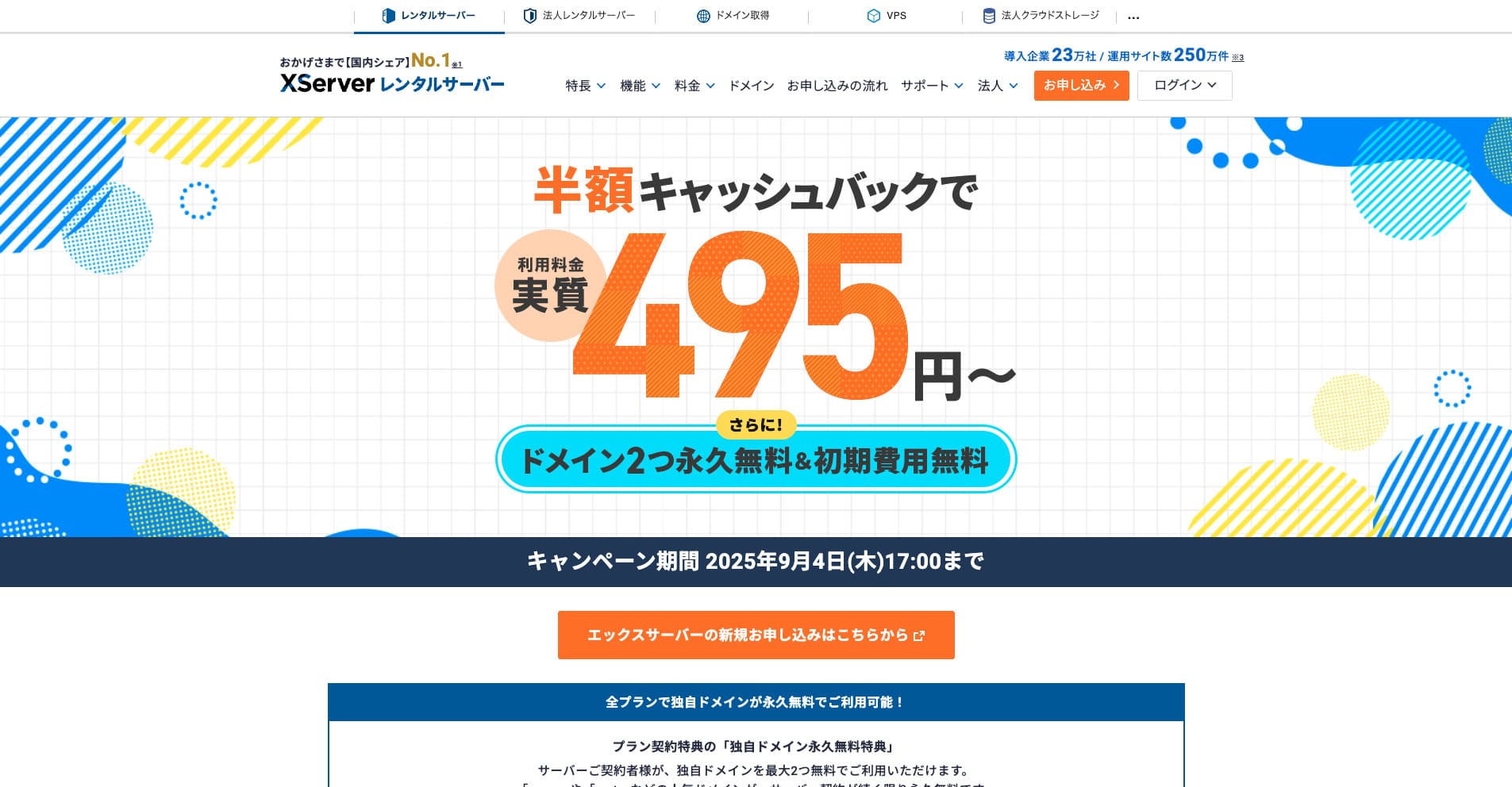
“Xserver” to znany od lat szybki serwer wynajmowany z największym udziałem w rynku krajowym. Jest popularny zarówno wśród osób prywatnych, jak i firm. Szczerze mówiąc, nie ma realnych wad, a jego stabilność, funkcje i wsparcie są znakomite. Dzięki cashbackowi można korzystać z niego od efektywnych 495 jenów.
Do 34 września 2025 roku oferuje cashback w wysokości połowy ceny i 10-dniowy bezpłatny okres próbny
