Obecnie zamknięty na nowe zgłoszenia inne niż migracje
PR
Serwery
Recenzja Shin Free Server i jego wady [najnowsze 2025]: uruchom WordPressa na darmowym serwerze
Opublikowano: 2025.04.18
Zaktualizowano: 2025.04.18
Ocena: 3.0
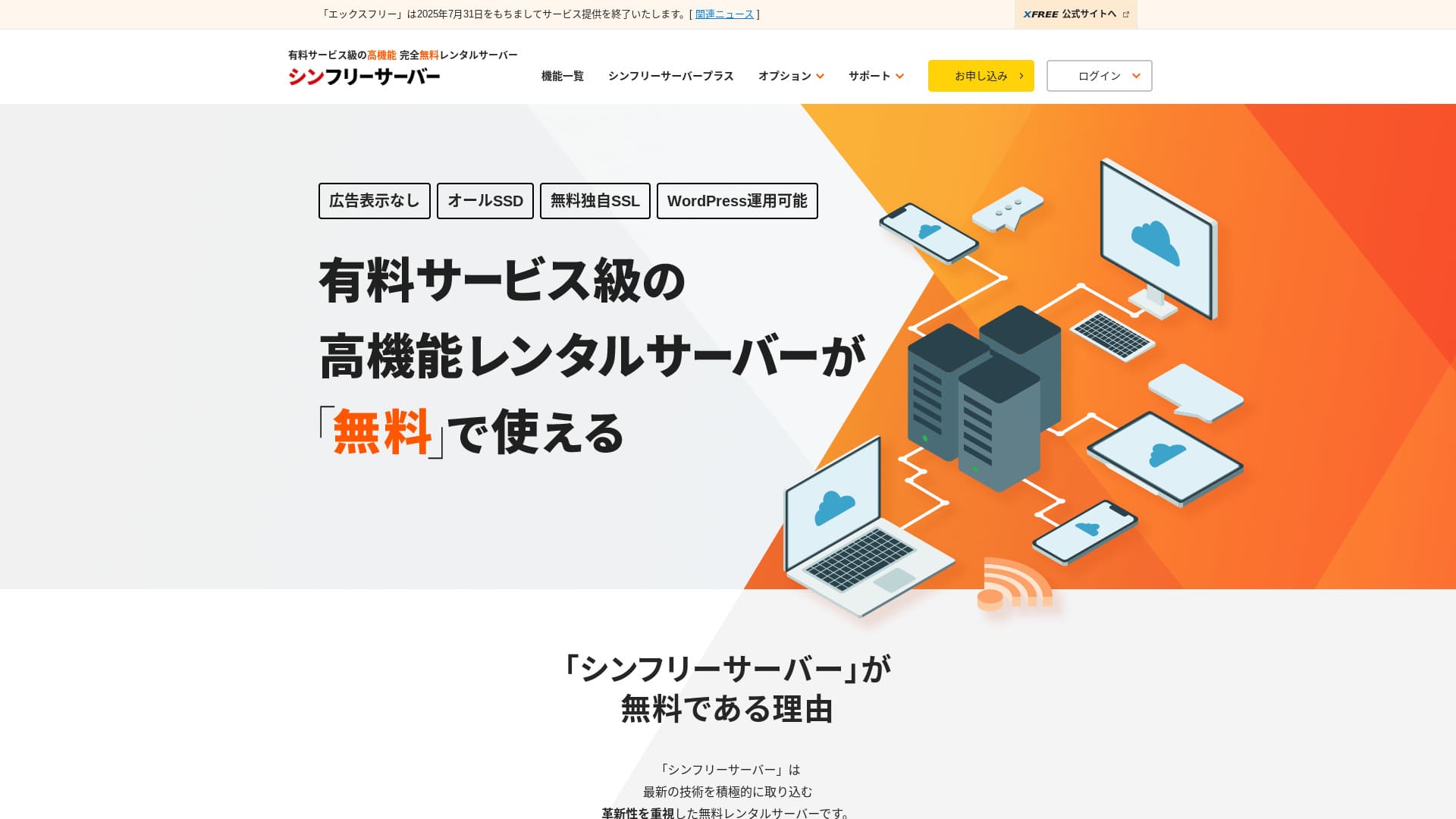
Shin Free Server to darmowy serwer od ShinCloud Co., Ltd. W przeciwieństwie do wielu darmowych serwerów nie wyświetla reklam.

Shin Free Server jest polecany osobom szukającym darmowego serwera, ponieważ:
- Brak reklam mimo darmowego serwera
- Możesz utworzyć pięć witryn WordPress
- Dostępny jest WAF o wysokim poziomie bezpieczeństwa
Właśnie dlatego prawdopodobnie będziesz zadowolony.
Konkurencyjnym serwerem jest Star Rental Server. Po rozwoju witryny oferuje mocniejsze plany niż Shin Free Server. Warto rozważyć również tę opcję.
| Typ serwera | Serwer współdzielony |
| Szybkość wyświetlania (TTFB) | Nie zmierzono |
| Polecany plan i okres umowy | — |
| Okres próbny / gwarancja zwrotu pieniędzy | — |
| Opłata miesięczna (umowa 12-miesięczna) | Za darmo |
| Opłata startowa | Za darmo |
| Darmowa domena | Brak |
| Wsparcie | Brak |
| Dostępność | Nie ujawniono |
| Przestrzeń dyskowa | 10GB |
| Liczba baz danych | 5 |
| Środki bezpieczeństwa | WAF |
| SSL | Darmowy własny SSL |
| Kopia zapasowa / przywracanie | 14-dniowe automatyczne kopie zapasowe za darmo, przywracanie za darmo |
| Liczba kont e-mail | Brak |
| Środki bezpieczeństwa poczty | Brak |
| Wstępna instalacja WordPressa | Brak |
| Usługa migracji serwera / witryny | Brak |
| CDN | Brak |

Hikaru Ono
Shin Free Server można obecnie używać tylko podczas migracji z innego serwera.
Jeśli szukasz darmowego serwera, Star Rental Server jest polecany.
Shin Free Server w porównaniu z innymi serwerami
- OgólnaOcena★★★☆☆
- Szybkość serweraNie zmierzono
- Ceny★★★★★
- Stabilność★★★☆☆
- Łatwość uruchomienia WordPressa★★★★☆
- Operacje takie jak zarządzanie domeną i konfiguracja SSL★★★☆☆

Jak wybrać spośród 21 polecanych usług hostingowych WordPress dla osób prywatnych
Jak wybrać spośród 21 polecanych usług hostingowych WordPress dla osób prywatnych
serverfield.org
- 4 listopada 2025 dane z badania rynku,według szybkości posortowane
- Opłaty miesięczne oznaczają koszt pierwszego roku najtańszego planu, który może uruchomić WordPressa
- Szybkość to Time to First Byte zmierzony na witrynach demonstracyjnych w tych samych warunkach
„Shin Free Server” to darmowy serwer hostingowy od ShinCloud Co., Ltd. Mimo że jest darmowy, nie wyświetla reklam operatora. Pod względem funkcji i wsparcia nie dorównuje płatnym serwerom, ale nadal jest wygodny w użyciu.
Opinie użytkowników o Shin Free Server i cztery kluczowe cechy

Brak reklam
Choć reklamy są częste na darmowych serwerach, Shin Free Server ich nie wyświetla.
Oznacza to, że reklamy nie zepsują atmosfery firmowej witryny ani nie obniżą twoich własnych przychodów z reklam.
Możesz utworzyć pięć witryn WordPress
Shin Free Server pozwala utworzyć do pięciu baz danych, więc możesz utworzyć pięć witryn WordPress.
Uwaga: Czym jest baza danych? Dlaczego WordPress zależy od niej w zarządzaniu i obsłudze
Oprócz witryny firmowej możesz utworzyć blog lub witryny z różnych kategorii.
Dostępny jest darmowy SSL
Shin Free Server obsługuje darmowy SSL.SSL jest obecnie standardowym środkiem bezpieczeństwa. Jeśli nie zostanie skonfigurowany, użytkownicy mogą uznać twoją witrynę za podejrzaną, dlatego jest niezbędny przy budowie strony.
Uwaga: Czym są SSL i TLS? Jak chronią informacje dzięki szyfrowaniu i jakie dają korzyści
Dostępny jest WAF o wysokim poziomie bezpieczeństwa
Shin Free Server pozwala korzystać z WAF. To zaawansowane zabezpieczenie.Jest na tyle zaawansowane, że niektóre płatne serwery oferują je tylko jako płatną opcję.
Tutaj również jest dostępne za darmo.
Oczywiście nawet na serwerach, które nie zapewniają WAF, można go skonfigurować, instalując wtyczki zabezpieczające WordPressa. Mimo to proces jest kłopotliwy, a większe poczucie bezpieczeństwa daje sytuacja, gdy obsługuje to serwer.
Uwaga: Czym są wtyczki WordPress? Ich rodzaje i ważne środki ostrożności
Wady Shin Free Server przedstawione szczerze

Shin Free Server ma wiele zalet, ale niestety ma też wady.
Brak wsparcia
Po pierwsze, Shin Free Server nie oferuje wsparcia.Niezależnie od tego, jak trudny jest problem, musisz rozwiązać go samodzielnie.
XREA, inny darmowy serwer, oferuje wsparcie przez czat. W porównaniu z tym jest to rozczarowujące.
Brak funkcji kopii zapasowej
Nie ma też funkcji kopii zapasowej.Musisz zbudować własny system kopii zapasowych, na przykład używając wtyczek WordPress.
Jeśli pominiesz kopie zapasowe, bo są kłopotliwe, a potem przez pomyłkę usuniesz dane albo ktoś je zmodyfikuje, cały dotychczasowy wysiłek pójdzie na marne.
Jeśli mimo to wybierzesz Shin Free Server, koniecznie zainstaluj wtyczkę WordPress do kopii zapasowych.
Uwaga: 5 skutecznych wtyczek WordPress do kopii zapasowych, które pomagają odzyskać dane
Dostępność nie została ujawniona
Shin Free Server nie ujawnia swojej dostępności.Oznacza to, że stabilność serwera jest nieznana, a użytkownicy nie mogą jej dokładnie ocenić.
Stabilność serwera bezpośrednio wpływa na to, czy twoja witryna pozostaje niezawodnie dostępna. Jeśli powtarzające się problemy wielokrotnie uniemożliwiają dostęp do witryny, mija się to z celem. W przypadku witryny firmowej może to zaszkodzić wizerunkowi, a nawet doprowadzić do utraty spotkań lub okazji biznesowych.
Uwaga: Przewodnik dla początkujących po dostępności hostingu i SLA
Porównanie Shin Free Server z dwoma podobnymi serwerami
Porównaliśmy krajowe darmowe serwery podobne do Shin Free Server. Każdy ma własne mocne strony, więc porównaj je uważnie.
XREA
XREA to darmowy serwer obejmujący 15 generacji automatycznych kopii zapasowych.Oferuje też wsparcie przez czat. Nawet jeśli nie masz doświadczenia z WordPressem ani witrynami, możesz zacząć prowadzić stronę z poczuciem bezpieczeństwa.
Nie ma jednak kosztownych środków bezpieczeństwa, takich jak WAF, i wyświetla reklamy.
W porównaniu z Shin Free Server trudno powiedzieć, że któryś z nich jest wyraźnie lepszy.

Recenzja XREA [najnowsze 2025]: zalety i wady korzystania z WordPressa w darmowym planie oraz porównania z innymi darmowymi serwerami
Recenzja XREA [najnowsze 2025]: zalety i wady korzystania z WordPressa w darmowym planie oraz porównania z innymi darmowymi serwerami
serverfield.org
Star Server Free
Star Server Free jest również znanym darmowym serwerem w Japonii.Shin Free Server oferuje więcej przestrzeni dyskowej niż Star Server Free, więc jest bardziej opłacalny.
| Element porównania | Shin Free Server | Star Server Free |
|---|---|---|
| Główna cecha | Za darmo | Za darmo |
| Okres próbny / gwarancja zwrotu pieniędzy | Brak | Brak |
| Dostępność | Nie ujawniono | Nie ujawniono |
| Przestrzeń dyskowa | 10GB | 2GB |
| Koszt serwera w pierwszym roku | 0 jenów | 0 jenów |

Recenzja Star Rental Server [wydany 19 grudnia 2024]: zalety i wady opłacalnego serwera dostępnego od darmowych planów
Recenzja Star Rental Server [wydany 19 grudnia 2024]: zalety i wady opłacalnego serwera dostępnego od darmowych planów
serverfield.org
Uruchom witrynę z Shin Free Server w 7 krokach
Według stanu na grudzień 2024 Shin Free Server nie przyjmuje zgłoszeń poza migracjami serwerów.
Uruchommy witrynę z Shin Free Server!
- STEP.1Odwiedź oficjalną witrynę
Przewiń stronę główną w dół i kliknij „Utwórz konto darmowego serwera” mniej więcej w połowie strony.
- STEP.2Zarejestruj konto Shin
Kliknij „Rozpocznij teraz! Nowa rejestracja”, a następnie wpisz dane członkowskie, takie jak imię i nazwisko oraz adres. Jeśli wszystko się zgadza, zaznacz zgodę na warunki korzystania i przetwarzanie danych osobowych. Następnie kliknij „Dalej”.
Po zakończeniu weryfikacji e-mail i sprawdzeniu szczegółów zgłoszenia kliknij „Zarejestruj z tymi danymi i przejdź do zgłoszenia serwera”.
Sprawdź identyfikator serwera, zaznacz pola dotyczące warunków korzystania i przetwarzania danych osobowych, a następnie kliknij „Sprawdź szczegóły zgłoszenia”.
Ponownie sprawdź szczegóły zgłoszenia i kliknij „Złóż wniosek”, aby zarejestrować konto Shin. Otrzymasz e-mail z potwierdzeniem.
Po wybraniu domeny zaznacz „Zainstaluj WordPress jednocześnie”.
Kliknij „Dalej”.
- STEP.3Uzyskaj domenę przez Shin Domain
Zaloguj się na swoje konto Shin i kliknij „Uzyskaj domenę”.
Uzyskaj wybraną domenę. Polecam dobrze znane domeny, takie jak „.com” i „.net”. Ich opłaty za odnowienie są także rozsądne, poniżej 2000 jenów.
Uwaga: Czym jest domena? Jej rola jako adresu w internecie i jak ją uzyskać
Wpisz wybraną domenę w polu „Wpisz nazwę domeny, którą chcesz uzyskać”, wyszukaj ją, zaznacz pole wyboru przy wybranej domenie i kliknij „Przejdź do uzyskania”.
Wybierz informacje o płatności i kliknij „Sprawdź szczegóły zgłoszenia”. Następnie wpisz dane karty kredytowej i pozostałe informacje.
Sprawdź szczegóły zgłoszenia, zaakceptuj warunki korzystania z Shin Domain i przetwarzanie danych osobowych, a następnie kliknij „Złóż wniosek”. Otrzymasz e-mail ze szczegółami zgłoszenia. Gdy dotrze, wszystko jest gotowe.
- STEP.4Zarejestruj domenę
Zaloguj się do panelu serwera Shin Cloud for Free.
Wybierz „Ustawienia domeny”, kliknij „Dodaj domenę”, wpisz uzyskaną domenę i kliknij „Dodaj”.
- STEP.5Zainstaluj WordPressa
W panelu serwera Shin Cloud for Free przejdź do „WordPress” > „Łatwa instalacja WordPressa” i kliknij „Nowa instalacja”.
Skonfiguruj WordPressa.
- Domena docelowa:Domena zarejestrowana wcześniej
- URL witryny:Taki sam jak domena docelowa
- Nazwa bloga:Dowolna. Możesz ją później łatwo zmienić
- Nazwa użytkownika:Dowolna, ale późniejsza zmiana jest kłopotliwa
- Hasło:Dowolne, ale ustaw je tak złożone, jak to możliwe
- Adres e-mail:Twój codziennie używany adres e-mail
- Automatyczne usuwanie pamięci podręcznej:Zalecane jest ON
- Baza danych:Ustaw automatyczne generowanie
- Motyw:Polecany jest Cocoon. Ta witryna również używa Cocoon.
- Opcja motywu:Zaznacz „Zainstaluj motyw potomny”
Po wypełnieniu wszystkiego kliknij „Zainstaluj”.
Nazwa użytkownika i hasło są używane podczas logowania do WordPressa. Koniecznie je zapisz.
Po zakończeniu instalacji kliknij „Zaloguj się”.
- STEP.6Ustawienia SSL
W panelu serwera otwórz „Ustawienia SSL” z sekcji „Domena”.
Otwórz domenę skonfigurowaną dla WordPressa i przełącz suwak stanu ustawienia SSL na „ON”. Zmiana zostanie odzwierciedlona po około godzinie.
- STEP.7Zainstaluj wtyczki
Wróć do ekranu administracyjnego WordPressa, otwórz „Wtyczki”, a następnie przejdź do „Dodaj nową”, aby zainstalować potrzebne wtyczki.
Wyszukaj wybrane wtyczki, kliknij „Zainstaluj teraz”, a potem „Aktywuj”. Następnie postępuj zgodnie z instrukcjami każdej wtyczki.
Koniecznie zainstaluj wtyczki bezpieczeństwa i kopii zapasowych.
- Jak wybrać 5 wtyczek WordPress wzmacniających bezpieczeństwo
- 5 skutecznych wtyczek WordPress do kopii zapasowych, które pomagają odzyskać dane
Po zainstalowaniu wtyczek konfiguracja twojej witryny WordPress jest zakończona.
Podsumowanie
„Shin Free Server” to darmowy serwer hostingowy od ShinCloud Co., Ltd. Mimo że jest darmowy, nie wyświetla reklam operatora. Pod względem funkcji i wsparcia nie dorównuje płatnym serwerom, ale nadal jest wygodny w użyciu.
Obecnie zamknięty na nowe zgłoszenia inne niż migracje
Shin Free Server to darmowy serwer bez reklam. Jest wygodny w użyciu. Można go wykorzystać na wiele sposobów, od witryn firmowych po blogi hobbystyczne.Ponieważ jednak nie ma wsparcia, w razie problemów należy uważnie czytać instrukcję i rozwiązywać je samodzielnie.
Pełne porównanie 32 usług hostingowych WordPress: rekomendacje dla osób prywatnych, firm i zastosowań zagranicznych

Gdy chcesz uruchomić WordPressa i szukasz „polecanego hostingu WordPress”, pojawiają się różne artykuły: od opcji dla osób prywatnych, firm i małych przedsiębiorstw po serwery zagraniczne i tanie serwery. Szczerze mówiąc,
- którą witrynę mam przeczytać?
- Chcę wybrać serwer w prosty, łatwy do zrozumienia sposób!
- Powiedz mi, jak od razu uruchomić WordPressa.
Czy też tak czujesz? Dlatego ten artykułstarannie wybiera rekomendacje spośród 32 usług hostingowych dla osób prywatnych, firm oraz zastosowań krajowych i zagranicznychi je przedstawia. Wyjaśnia je osoba odpowiedzialna za SEO w firmie tworzącej aplikacje, która codziennie korzysta z serwerów hostingowych.