30-day naudas atmaksas garantija
PR
Serveri
IONOS apskats: stabila, zemu izmaksu mitināšana Eiropā, kas atbalsta arī WordPress
Publicēts: 2025.07.13
Atjaunināts: 2025.07.13
Vērtējums: 4.0
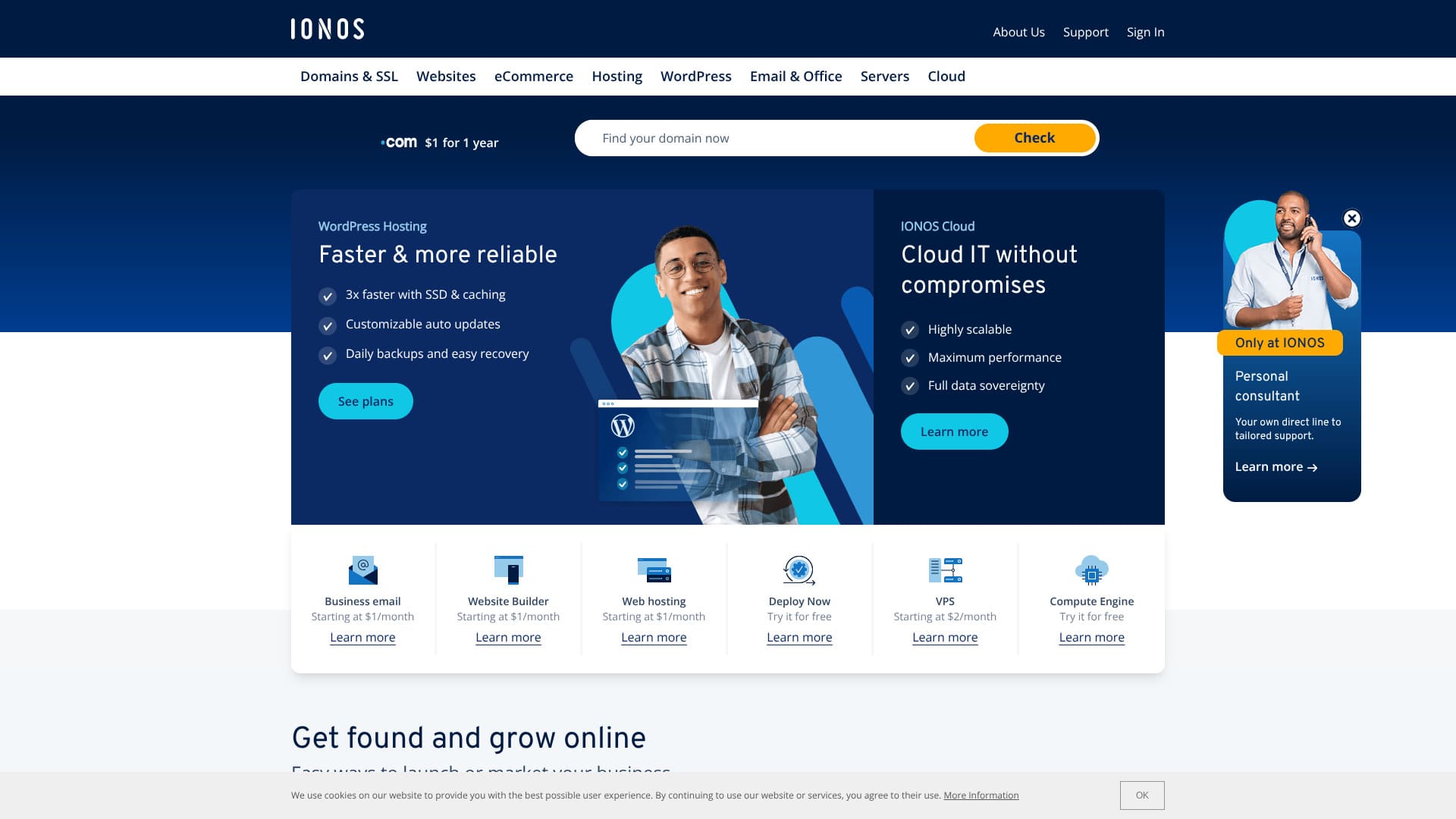
Hostings ar izcilu stabilitāti un īpaši labu piemērotību Eiropai.
IONOS ir interneta pakalpojumu sniedzējs, kas bāzēts Montabaurā, Vācijā. Tam ir datu centri Eiropā un Ziemeļamerikā, tostarp Vācijā. Ja vēlaties veidot vietni cilvēkiem, kas dzīvo Eiropā, tas ir labs variants.
Tas ir arī salīdzinoši lēts ārvalstu hostings. Raksta tapšanas brīdī bija spēkā kampaņa, kas to padarīja par 90% lētāku nekā parastā cena.
Šajā rakstā IONOS skaidrots no reputācijas un īpašībām līdz tam, kā sākt WordPress un kā atcelt pakalpojumu.
Ārvalstu hostinga salīdzinājuma raksts

Because of language barriers and cultural differences, many people are unsure which overseas hosting company to choose.
Šis raksts rūpīgi salīdzina 10 rūpīgi atlasītus ārvalstu hostinga uzņēmumus no visas pasaules un izskaidro katra funkcijas, cenu plānus unactual hands-on feelin detail.
Tas sniedz informāciju plašam vajadzību lokam, sākot no lēmumu pieņemšanas kritērijiem, ko iesācēji var droši izmantot, līdz pat uzlabotām funkcijām, kuras meklē pieredzējuši lietotāji.
IONOS apskats: hostings ar izcilu stabilitāti
“IONOS” ir Vācijas hostinga uzņēmums. Lai gan tas piedāvā izcilu stabilitāti ar 99,98% darbības laiku, varat to izmantot par zemu cenu. Papildus septiņu dienu automātiskajām dublējumkopijām tam ir arī stingri drošības pasākumi, piemēram, aizsardzība pret DDoS uzbrukumiem.
| Server type | Shared hosting |
| Server response ātrums (TTFB) | Not measured |
| Ieteicamais plāns un termiņš | WordPress Hosting Grow, 1 year |
| Trial / naudas atmaksas garantija | 30-day naudas atmaksas garantija |
| Monthly fee (12-month plan) | $5 (734 yen) |
| Initial setup fee | Free |
| Free domain | 1 domain free for the first year |
| Support | 24/7 chat, email, and phone |
| Uptime | 99.98% |
| Storage | 50GB |
| Number of databases | 1 |
| Security | Malware scanning, vulnerability scanning, DDoS protection, and anti-phishing / anti-spam filters |
| SSL | Free SSL |
| Backups | Seven days of automatic dublējumi |
| Email accounts | 5 |
| Email drošības pasākumi | None |
| Server / webvietne migration service | None |
| WordPress iepriekšinstalēts | None |
| CDN | None |
| Data center locations | Frankfurt, Germany; Berlin, Germany; London, UK; Logrono, Spain; Las Vegas, Nevada, USA; Newark, New Jersey, USA; Lenexa, Kansas, USA |
Sešas IONOS īpašības

Right now, WordPress mitināšana is inexpensive at $1 per month
IONOS is an inexpensive host. At the time this article was written, its WordPress Hosting Grow plan was available for $1 per month on a 12-month contract.
The Grow plan renews at $10, but even then it is still relatively inexpensive among overseas hosts. The even cheaper Start plan renews at $6, which is among the lowest prices available from major overseas hosts.
I compared its pricing with major Japanese hosts.
| Hosting company | Total cost for the first year |
|---|---|
| IONOS | $12 (1,798 yen) |
| ConoHa WING | 11,292 yen |
| Xserver | 10,560 yen |
| heteml | 24,420 yen |
| mixhost | 8,712 yen |
Salīdzinot tikai pirmā gada izmaksas, tā ir ārkārtīgi zema cena salīdzinājumā ar Japānas hostinga pakalpojumu sniedzējiem.
Jūs saņemat bezmaksas domēnu uz 12 mēnešiem ar 12 mēnešu līgumu
If you sign up with IONOS for 12 months, you get a bezmaksas domēns for 12 months.
A domain usually costs around 2,000 to 5,000 yen, so getting that for free is a good deal.
★ Kas ir domēns? Tā loma kā adresei internetā un kā to iegūt
That said, many major Japanese hosts include a domain free for as long as the server contract continues when you sign up for 12 months. In terms of domain cost, many Japanese hosts are better.
Izcila stabilitāte ar 99,98% darbības laiku
IONOS has 99.98% uptime. Tā kā serveri ir ārkārtīgi stabili, arī vietnes attēlošana saglabājas stabila. Tas ir reti, kad vietne netiek ielādēta vai kļūst ārkārtīgi lēna.
Vietnes attēlošanas stabilitāte ietekmē uzticēšanos uzņēmuma vietnei un ieņēmumus filiāļu vietnēs un emuāros. Tas ir ļoti svarīgs servera rādītājs.
IONOS is easy to use with confidence.
★ Iesācēju ceļvedis hostinga darbības laikam un SLA
Varat izveidot vietni ar mākslīgo intelektu
IONOS ļauj izveidot vietni ar mākslīgo intelektu. Ja ievadīsiet vairākas detalizētas ziņas par savu uzņēmumu, mākslīgais intelekts izveidos vietni ar attēliem un tekstu.
Pēc tam, kad vietne ir ģenerēta, varat to vēl vairāk pielāgot.
Pat ja jums ir teikts: “Lūdzu, izveidojiet uzņēmuma iekšējo vietni,” bet jums nav pieredzes, ļoti palīdz tas, ka mākslīgais intelekts var izveidot vietni jūsu vietā.
Tam ir septiņu dienu automātiskās dublējumkopijas
IONOS includes seven days of automatic dublējumi. Ja jums ir dublējumkopijas, varat atjaunot vietni pat tad, ja kaut kas noiet greizi.
If I were to criticize it strictly, though, a seven-day dublējumkopija period is honestly a little short. If you do not check jūsu vietne at least once a week to confirm that nothing is wrong, you may not be able to restore it even if a problem occurs.
Even so, it is far better than having no dublējumkopija feature at all.
Security measures such as a DDoS shield are also thorough
IONOS also has strong drošības pasākumi, including a DDoS shield. If a server or webvietne has weak drošība, it may end up suffering problems such as information leaks or vietne tampering.
Ar IONOS jūs saņemat pietiekamus drošības pasākumus, tostarp DDoS aizsardzību, ļaunprogrammatūras skenēšanu un labošanu, kā arī ievainojamību skenēšanu, tāpēc tas rada drošības sajūtu.
IONOS trūkums ir tas, ka pirms reģistrācijas atbalsts ir pieejams tikai pa tālruni

The drawback of IONOS is that before you sign up, atbalsts is available only by phone.
I have almost never heard of another host like that. Usually, before a contract is signed, hosts limit atbalsts to chat or email instead.
In other words, if you do not speak English, it is hard to get atbalsts before you sign up. Having to actually subscribe before chat or email atbalsts becomes available is a little inconvenient because you cannot ask questions casually.
Salīdziniet IONOS ar diviem konkurējošiem hostiem
Ir daudz ārvalstu hostinga pakalpojumu sniedzēju, taču es salīdzināju IONOS ar diviem konkurentiem, kas tāpat kā IONOS galvenokārt konkurē ar cenu.
DreamHost
DreamHost ir WordPress oficiāli ieteiktais hostings. Attiecībā uz 100% darbības laiku un augstāko stabilitātes līmeni tas ir augstas kvalitātes hostings, kas pārspēj IONOS. Tā kā tam ir 97 dienu naudas atgriešanas garantija, varat to rūpīgi pārbaudīt.
That said, IONOS is cheaper. If price matters most to you, I recommend IONOS.
DreamHost datu centri atrodas tikai Amerikas Savienotajās Valstīs, un tam nav CDN. Tāpēc, ja vēlaties izveidot vietni lietotājiem Eiropā, IONOS, kuram ir datu centri visā Eiropā, joprojām ir labāka izvēle.
| Item | IONOS | DreamHost |
|---|---|---|
| Biggest strength | Excellent value for money | Ultra-long naudas atmaksas garantija |
| Trial / naudas atmaksas garantija | 30-day naudas atmaksas garantija | 97-day naudas atmaksas garantija |
| Uptime | 99.9% | 100% |
| Storage | 50GB | 50GB |
| First-year hosting cost | 1,798 yen | 5,303 yen |
With the Grow plan, IONOS is cheaper than DreamHost's lowest-priced plan.

DreamHost apskats: ieteicams, ja vēlaties sākt WordPress par saprātīgu cenu, ar 97 dienu naudas atgriešanas garantiju
DreamHost apskats: ieteicams, ja vēlaties sākt WordPress par saprātīgu cenu, ar 97 dienu naudas atgriešanas garantiju
serverfield.org
Namecheap
Namecheap ir viens no lētākajiem pieejamajiem hostinga pakalpojumu sniedzējiem. Kad es to izmantoju, mani pārsteidza tas, cik laipns un pieklājīgs bija atbalsts. Tas ir klajā pretstatā IONOS, kas pirms reģistrēšanās nodrošina tikai tālruņa atbalstu. Ja atbalsts jums ir svarīgs, Namecheap ir spēcīga izvēle.
That said, IONOS offers more storage and lower pricing. It also includes a domain free for 12 months. If you want to prioritize price, IONOS is the better choice.
| Salīdzinājums point | IONOS | Namecheap |
|---|---|---|
| Biggest strength | Excellent value for money | Excellent value for money |
| Trial / naudas atmaksas garantija | 30-day naudas atmaksas garantija | 30-day naudas atmaksas garantija |
| Uptime | 99.9% | 99.9% |
| Storage | 50GB | 10GB |
| First-year hosting cost | 1,798 yen | 2,229 yen |

Namecheap apskats un uzstādīšanas rokasgrāmata: cenas, ātrums, atbalsts un saderība ar WordPress
Namecheap apskats un uzstādīšanas rokasgrāmata: cenas, ātrums, atbalsts un saderība ar WordPress
serverfield.org
7 soļi, kā tūlīt sākt WordPress vietni ar IONOS
Kā sākt WordPress ar IONOS
- STEP.1Create an account with IONOS
Vispirms dodieties uz IONOS vietni un izveidojiet kontu. Jums būs jāievada vārds, e-pasta adrese un maksājuma informācija.
- STEP.2Choose the WordPress Hosting Start plan
Pēc konta izveides dodieties uz IONOS hostinga plānu lapu un izvēlieties “WordPress Hosting”. Start plāns ir sākuma līmeņa plāns, kas labi darbojas personīgajiem emuāriem un nelielām tīmekļa vietnēm.
- STEP.3Choose or obtain a domain
Pēc plāna izvēles izvēlieties domēnu, ko izmantosiet vietnei. Varat izmantot domēnu, kas jums jau pieder, vai, ja jums tāda vēl nav, varat iegādāties jaunu domēnu ar IONOS.
- STEP.4Install WordPress
After choosing the domain, install WordPress. From the IONOS control panel, choose “WordPress” and click “Install.” This process is handled automatically, so no manual setup is required.
- STEP.5Initial WordPress setup
Once the installation is complete, you can access the WordPress dashboard. First, configure the following settings:
- Site title and tagline: Iestatiet vietnes nosaukumu un īsu aprakstu.
- Permalink settings: Choose a URL format that is good for SEO, such as post-name permalinks.
- Choose a theme: WordPress offers many free themes, so choose a design that fits jūsu vietne.
- STEP.6Install plugins
Ja nepieciešams, instalējiet spraudņus, kas nodrošina papildu funkcionalitāti. Bieži piemēri ir “Yoast SEO” meklētājprogrammu optimizācijai un “Wordfence Security” spēcīgākai drošībai.
- STEP.7Publicēt vietni un sākt tās darbību
Visbeidzot, noklikšķinot uz “Publish” (Publicēt) pie izveidotā satura, jūsu WordPress vietne kļūst pieejama internetā. Šajā brīdī sākas WordPress vietnes darbība.
Kā atcelt IONOS
Kā atcelt IONOS
- STEP.1Log in to your IONOS account
Vispirms dodieties uz oficiālo IONOS vietni un piesakieties savā kontā. Jums būs nepieciešama reģistrētā e-pasta adrese un parole.
- STEP.2Apskats your contract
Pēc pieteikšanās dodieties uz paneli “My IONOS”. Izvēlnē izvēlieties “Contracts” (Līgumi) un pārskatiet pašlaik izmantoto pakalpojumu un plānu sarakstu.
- STEP.3Choose the contract you want to cancel
Identify the service or plan you want to cancel and open its details page. At this stage, carefully confirm that it is the contract you want to cancel.
- STEP.4Start the cancellation procedure
On the details page for that contract, you will see a button such as “Cancel” or “Termination.” Click it to begin the cancellation procedure.
- STEP.5Choose the reason for cancellation
During the procedure, you may be asked why you want to cancel. Choose the appropriate reason from the options. In many cases, the reason is a required item.
- STEP.6Final confirmation and completion
A confirmation screen will appear. After checking that everything is correct, complete the final cancellation procedure. Once it is finished, a confirmation email will be sent to your registered email address.
Biežāk uzdotie jautājumi par IONOS
Kādus serveru plānus piedāvā IONOS?
Shared hosting, VPS, dedicated servers, and cloud servers are available.
Vai ar IONOS var izmantot pielāgotu domēnu?
Varat izmantot pielāgotu domēnu IONOS serverī. Varat arī iegādāties vai pārsūtīt domēnu ar IONOS.
Kopsavilkums
IONOS is an overseas host you can use at a low price. It is a good choice for people who prioritize price. Because it has data centers in Europe, it is especially well suited if you want to build a vietne for people who live in Europe.
Tam ir arī 30 dienu naudas atgriešanas garantija, tāpēc, lūdzu, izmēģiniet to.
Ārvalstu hostinga salīdzinājuma raksts
Because of language barriers and cultural differences, many people are unsure which overseas hosting company to choose.
Šis raksts rūpīgi salīdzina 10 rūpīgi atlasītus ārvalstu hostinga uzņēmumus no visas pasaules un izskaidro katra funkcijas, cenu plānus unactual hands-on feelin detail.
Tas sniedz informāciju plašam vajadzību lokam, sākot no lēmumu pieņemšanas kritērijiem, ko iesācēji var droši izmantot, līdz pat uzlabotām funkcijām, kuras meklē pieredzējuši lietotāji.