
10-day тегін trial
PR
Серверлер
Heteml шолуы және бағасы: Пайдаланушы пікірлері негізіндегі артықшылықтар мен кемшіліктерге арналған 2025 жылғы толық нұсқаулық
Жарияланды: 2025.04.18
Жаңартылды: 2025.04.18
Рейтинг: 4.0
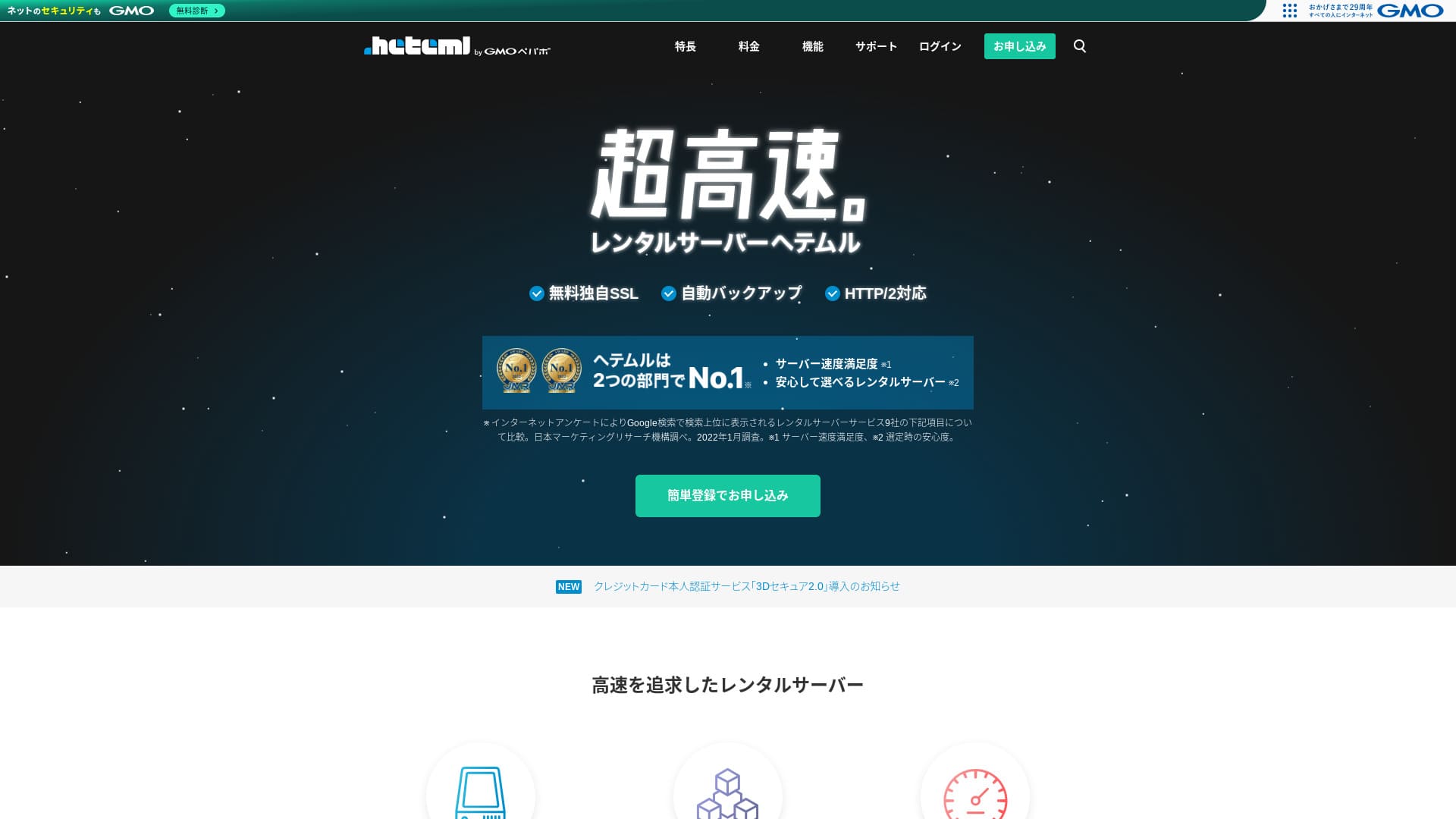
heteml — бұл GMO Pepabo, Inc. компаниясының сервері, ол 99,99% жұмыс уақыты көрсеткішімен тұрақтылығымен танымал.

I recommend heteml тұрақтылықты бағалайтын компанияларға, жеке кәсіпкерлерге және басқаларға ұсынамыз, өйткені:
- 99.99% жұмыс тұрақтылығы тұрақтылық
- A separated сервер architecture helps avoid trouble when трафик surges
- Clear трафик-volume limits provide peace of mind
That is why I recommend it. I think you will be satisfied.
A competing сервер is MuuMuu Server. It is better than heteml домендік төлемдер мен доменді басқарудың қарапайымдылығы тұрғысынан. Оны heteml-мен қатар қарастырып көріңіз.
| Сервер type | Shared сервер / managed сервер |
| Display жылдамдық (TTFB) | Not measured |
| Recommended plan and contract term | 12-month contract |
| Trial / ақшаны қайтару кепілдігі | None |
| Monthly fee (12-month contract) | 2,035 yen |
| Initial баптау fee | Тегін |
| Тегін домен | None |
| Қолдау | Телефон, электрондық пошта және чат (жұмыс күндері сағат 10:00-18:00) |
| Uptime | Actual 99.99% |
| Storage | 600GB |
| Number of дерекқорлар | Unlimited |
| Security measures | WAF / Overseas Attack Guard / Device Security |
| SSL | Тегін SSL / GlobalSign Quick SSL / GlobalSign Organization Authentication / GlobalSign EV Authentication |
| Backup / қалпына келтіру | 14-day automatic резервтік көшіру / қалпына келтіру 5,000 yen |
| Number of электрондық пошта тіркелгілер | Unlimited |
| Email қауіпсіздік measures | Spam filter / virus check |
| Сервер / веб-сайт migration service | WordPress migration service 33,000 yen No migration tool |
| Easy WordPress орнатуation | Yes |
| CDN | None |

Hikaru Ono
Heteml жоғары жылдамдығымен де, тұрақтылығымен де ерекшеленеді. Ол ауқымды веб-сайттарға және бірнеше сайтты қатар жүргізуге өте қолайлы.
Қымбатырақ қызметтен күткеніңіздей, бұл сіз сенімді түрде пайдалана алатын жоғары сапалы сервер болып табылады.
Heteml-ді басқа серверлермен салыстыру
- OverallRating★★★★☆
- Сервер жылдамдық Not measured
- Pricing ★★☆☆☆
- Stability ★★★★★
- Ease of starting WordPress ★★★★☆
- Доменді басқару және SSL баптау сияқты әрекеттер ★★★★☆

Жеке тұлғаларға арналған 21 ұсынылатын WordPress хостинг қызметін салыстыру және оларды таңдау жолы
Жеке тұлғаларға арналған 21 ұсынылатын WordPress хостинг қызметін салыстыру және оларды таңдау жолы
serverfield.org
- Data based on market research conducted on November 4, 2025, sorted by жылдамдық
- Айлық төлем — WordPress-ті іске қоса алатын ең арзан тарифтің бірінші жылдағы құны
- Жылдамдық — бірдей жағдайларда демо сайттарда өлшенген алғашқы байтты алу уақыты (Time to First Byte)
“heteml” — бұл GMO Pepabo, Inc. компаниясының жоғары сапалы жалға берілетін сервері. Ол қолжетімді. Соған қарамастан, ол нақты 99,99% жұмыс уақытын қамтамасыз етеді, алайда веб-сервер мен пошта серверін бөлек жүргізу арқылы трафик кенеттен көбейген кезде электрондық пошта жұмысында үзілістерді болдырмауға көмектеседі.

User Шолуs of Heteml
Heteml қолдау көрсету қызметінің сапасы мен жылдамдығы үшін оң пікірлер алды.
Дегенмен, мен сервер жұмысындағы үзілістер туралы пікірлерді де таптым. Ешбір сервер үзілістерді толықтай болдырмай алмайды, бірақ сервердің бірінен соң бірі тоқтап қала беруі — бұл сөзсіз мәселе.
Four Features of Heteml

Reliable Thanks to Risk-Distributed Сервер Operations
heteml operates by separating its серверs.
- Web сервер
- Mail сервер
- Database сервер
Осылайша бөлу арқылы, тіпті бір серверге үлкен жүктеме түссе де, басқа серверлердің жауап беру жылдамдығы баяуламайды.
Мысалы, веб-сайтыңызды көрсететін веб-серверге кенеттен трафик көп түсті делік. Веб-серверге жүктеме түсіп, ол сәл баяулайды. Дегенмен, пошта серверіне жүктеме түспейтіндіктен, ол қалыпты жұмыс істей береді. Бұл клиенттерден сұрау хаттарын дер кезінде ала алмай қалу сияқты қиындықтардан алаңдауға болатынын білдіреді.
Трафик көлемі де, жад сыйымдылығы да мол
heteml деректерді тасымалдаудың үлкен көлемі мен сақтау сыйымдылығын ұсынады. It can easily handle корпоративтік сайтs that tend to кемшіліктерume a lot of both.
★ What Are Traffic and Data Transfer? Managing and Optimizing Web Traffic
Оның рұқсат етілген тасымалдау көлемі айына 40 ТБ құрайды. Соңғы кездері көптеген серверлер шектеусіз тасымалдау көлемін ұсынатынын айтады. Олармен салыстырғанда бұл аз көрінуі мүмкін, бірақ heteml сияқты нақты көрсетілген сан оны сенімді түрде пайдалануды жеңілдетеді.
In fact, even if one page view кемшіліктерumes 3 MB, 40 TB per month is enough to handle about 400,000 accesses per day. Running out of трафик көлемі is extremely unlikely.
99,99% жұмыс уақыты кепілдігі бар тұрақты сервер
heteml has a 99.99% жұмыс тұрақтылығы rate. It is extremely тұрақты.
Веб-сайттың көрсетілмеуі немесе электрондық поштаның жіберілмеуі мен қабылданбауы сияқты серверлік ақаулардан туындайтын мәселелер сирек кездеседі. That kind of тұрақтылық is exactly what matters for бизнес use, isn’t it?
★ Жаңадан бастаушыларға арналған сервердің жұмыс уақыты мен SLA туралы нұсқаулық
99,99% жұмыс уақыты көрсеткіші бір жылдық келісімшарт бойынша сервердің жалпы тоқтап қалу уақытының бір сағаттан аз болатынын білдіреді. Қалған уақытта ол ешқандай ақаусыз жұмыс істейді.
Тегін Phone Қолдау
heteml offers тегін phone қолдау.
Бұл сұраныс мәліметтерін тексергеннен кейін көмек қажет болса, бірақ тек электрондық пошта арқылы қолдау көрсету қызметімен ғана мәселені толық түсіне алмаған жағдайда өте пайдалы.
Higher Monthly and Optional Fees Are a Drawback

heteml бизнес-кластағы жылдамдық пен тұрақтылықты қамтамасыз етеді, бірақ оның жалпы бағасы кемшілік болып табылады. Шыны керек, бұл жеке тұлға таңдауы тиіс бірінші сервер емес. Ол бизнеске және бірнеше веб-сайтты басқаратын адамдарға көбірек қолайлы.
The monthly fee falls to the equivalent of 1,210 yen on a 36-month contract, but on a 12-month contract it is 2,035 yen. Once it goes far beyond 1,000 yen, it starts to feel tough for жеке тұлғалар.
Сондай-ақ резервтік көшірмеден қалпына келтіру әр уақытта 5 500 иена тұрады. Көптеген серверлер резервтік көшіру мен қалпына келтіруді тегін ұсынады, сондықтан бұл баға өте қымбат.
In any case, because it provides high-quality service, its overall баға ends up higher, which is why it is fair to say it is aimed at бизнестер.
Heteml-ді екі ұқсас сервермен салыстыру
Heteml-ді екі ұқсас жоғары сапалы сервермен салыстырып көрейік.
ConoHa WING
ConoHa WING is, like heteml, a high-жылдамдық сервер. It can be used at a lower баға.
ConoHa WING — WordPress веб-сайтын оңай бастауға мүмкіндік беретін сервер. Егер сіз WordPress-ті оңай орнату (WordPress Easy Setup) мүмкіндігін пайдалансаңыз, WordPress веб-сайтыңыз тіркелу кезінде-ақ дайын болады. Бұл heteml-де жоқ мүмкіндік.

ConoHa WING шолуы және өнімділігін сынау: Неліктен оны 750 000 пайдаланушы таңдайды
ConoHa WING шолуы және өнімділігін сынау: Неліктен оны 750 000 пайдаланушы таңдайды
serverfield.org
Xсервер
Xserver жиі heteml-мен салыстырылады. Шыны керек, Xserver өзінің жылдамдығымен және тұрақтылығымен танымал, оның іс жүзінде ешқандай кемшілігі жоқ және Жапониядағы нарық үлесі бойынша №1 орынды иеленеді.
Heteml-мен салыстырғанда Xserver-дің артықшылығы — оның қауіп-қатерді бөлетін серверлік архитектураны пайдалануында.

Xserver шолуы: Жылдамдыққа, бағаға, артықшылықтар мен кемшіліктерге арналған 2025 жылғы соңғы нұсқаулық
Xserver шолуы: Жылдамдыққа, бағаға, артықшылықтар мен кемшіліктерге арналған 2025 жылғы соңғы нұсқаулық
serverfield.org
Heteml-мен WordPress веб-сайтын 7 қадамда іске қосу
Heteml арқылы веб-сайтыңызды бастаңыз!
- STEP.1Heteml-дің ресми веб-сайтына өтіңіз
Click “Apply with Easy Registration.”
- STEP.2Enter your клиент information
Heteml идентификаторын (ID), құпиясөзді және электрондық пошта мекенжайын орнатыңыз. Оларды енгізгеннен кейін «Шарттармен келісу және тұлғаны растауға өту» тармағына өтіңіз.
Complete SMS verification. When the verification screen appears, enter the code you received and click “Verify and apply.”
Бұл кезеңде сіз әлі де тегін сынақ мерзіміндесіз. Аты-жөніңіз бен телефон нөміріңіз сияқты келісімшарт мәліметтерін енгізіңіз. Барлығы дұрыс болса, жалғастыру үшін «Тіркелу» түймесін басыңыз.
- STEP.3Серверге тіркелу
Тегін сынақ мерзімінде басқару панеліндегі «Серверге тіркелу» түймесін басыңыз. Келісімшарт мерзімі мен опцияларды таңдаңыз.
Серверге тіркелгеннен кейін опцияларға өтінім беруге болады, сондықтан қазірше ештеңе таңдамай қалдыра беруге болады.
The payment amount will be displayed, so proceed to “Choose a payment method.”
Төлем әдісін таңдаңыз. Несие картасымен төлеу ұсынылады, өйткені бұл келесі қадамға dereу өтуге мүмкіндік береді. Ол сондай-ақ автоматты түрде ұзартуды қосады, бұл ұзартуды ұмытып кету салдарынан веб-сайт деректерінің жоғалуын болдырмауға көмектеседі.
- STEP.4MuuMuu Domain арқылы пайдаланушы доменін алу және оны heteml жүйесінде тіркеу
MuuMuu Domain ресми веб-сайтын ашып, «Қалаған доменіңізді енгізіңіз» деген жерге веб-сайтыңыздың домені ретінде пайдаланғыңыз келетін мәтінді енгізіп, «Іздеу» түймесін басыңыз.
★ What Is a Domain? Its Role as an Address on the Internet and How to Get One
Сіз «.com» немесе «.co.jp» сияқты жоғары деңгейлі доменді таңдай аласыз. Доменді алу және ұзарту ақысы жоғары деңгейлі доменге байланысты өзгереді. Егер сенімсіз болсаңыз, кәсіпорындар мүмкіндігінше «.co.jp» доменін таңдағаны жөн. Жеке тұлғаларға «.com» немесе «.net» домендері қолайлы болады. Бұлар — күдікті болып көрінбейтін және келушілердің сеніміне оңай кіретін танымал домендер.
Бұл сіз қалаған домен екеніне тағы бір рет көз жеткізіңіз. Егер бәрі дұрыс болса, «Өтінімге өту» тармағына өтіңіз.
Жаңа MuuMuu идентификаторын (MuuMuu ID) жасаңыз. Идентификаторыңызды (электрондық пошта мекенжайы) және құпиясөзді енгізіп, «Шарттармен келісу және тұлғаны растауға өту» түймесін басыңыз.
Complete SMS verification to confirm your identity.
Келесі кезекте домен баптаулары мен басқа да қосымша өтінімдер келеді. Домен опцияларын келесідей орнатыңыз.
- Public WHOIS information: Businesses should publish their information. Individuals should generally choose “Have the provider publish its information on my behalf.”
- Name сервер (DNS): heteml
Егер сіз WHOIS ақпаратын жарияласаңыз, доменді алған адамның, яғни әкімшінің аты-жөні мен мекенжайы көпшілікке қолжетімді болады. Because that opens personal information to the public, people other than corporations or sole proprietors may prefer proxy publication.
Сілтемеленген қызметтерге, қосымша қызметтерге немесе MuuMuu Mail-ге өтінім берудің қажеті жоқ. Егер кәсіпорын электрондық поштаны пайдаланғысы келсе, жаңа ғана тіркелген heteml серверінде қолжетімді пошта қызметін пайдалана алады.
Pay by credit card or another method. Click “Next step,” ignore the ads, and enter your user information. Once your name, address, and other details are correct, proceed to “Next step.”
Өтінім мәліметтерін қарап шығып, «Пайдалану шарттарымен келісемін» дегенді белгілеңіз және «Алу» түймесін басыңыз. Енді сіз доменді алдыңыз.
Heteml басқару панеліне оралыңыз. MuuMuu Domain сайтынан алған доменіңізді heteml серверінде пайдалануға болатындай етіп тіркеңіз.
«Пайдаланушы доменін орнату» түймесін басыңыз. Содан кейін көрсетілген «Жаңа домен баптаулары» астындағы «Пайдаланушы доменін орнату» түймесін басыңыз.
MuuMuu Domain сайтынан алған пайдаланушы доменін енгізіп, «Пайдаланушы доменін тексеру» түймесін басыңыз. Егер «Енгізілген доменді heteml жүйесінде конфигурациялауға болады» деген хабарламаны көрсеңіз, «Пайдаланушы доменін тіркеу» түймесін басыңыз. Осымен heteml жүйесінде пайдаланушы доменін баптау аяқталады.
- STEP.5Install WordPress
Heteml басқару панеліне өтіп, «Әртүрлі баптаулар» астындағы «Оңай орнату» түймесін басыңыз. Содан кейін WordPress үшін «Орнату экранына өту» тармағын таңдаңыз.
Enter your WordPress information.
- Installation URL: Бағана алған доменіңізді таңдаңыз
- Database: Generate automatically
- Сайт title: Anything is fine, because you can easily change it later
- Username: Anything is fine, but changing it later is cumbersome
- Password: Make it as complex as possible; it can be changed easily later
- Email address: Сіздің тұрақты электрондық пошта мекенжайыңыз. Кәсіпорындар үшін веб-сайт әкімшісінің жұмыс поштасын пайдалану ұсынылады
- Privacy: Егер сайтты бірден жариялағыңыз келсе, құсбелгі қойыңыз. Егер сайтты толық дайындап барып жариялағыңыз келсе, оны белгілемей қалдырыңыз. Мұны кейінірек оңай өзгертуге болады
The username and password are used to log in to WordPress, so be sure to write them down.
Жоғарыдағы баптаулармен «Орнату» түймесін басқан кезде «Орнатылатын қалта жоқ. Осы қалтаны жасағыңыз келе ме?» деген хабарлама пайда болады. «OK» түймесін басыңыз.
Орнату аяқталғаннан кейін көрсетілген сілтемені (URL) басып, жүйеге кіріңіз.
- STEP.6Initial WordPress settings
Көрсетілген WordPress жүйесіне кіру экранында орнату кезінде орнатқан пайдаланушы аты мен құпиясөзді енгізіп, «Кіру» түймесін басыңыз.
Егер сіз «Бұл сайтқа кіру мүмкін емес» деген ескертуді көрсеңіз, бұл DNS баптауларының әлі таралмағанын білдіреді. Бұл жағдайда тек күту керек, сондықтан бірнеше сағат сайын қайта кіріп көріңіз.
★ DNS және домендік атаулар серверлері (Name Servers) дегеніміз не?
After logging in to WordPress, set your permalinks. In the WordPress admin screen, go from “Settings” to “Permalinks.” Choose “Post name,” then click “Save Changes.”
«Мақала атауы» тармағын таңдаған кезде, мақаланы жариялау кезінде сілтемеге (URL) қалаған мәтінді енгізе аласыз. Оқырмандарға мазмұнды елестетуге көмектесетін қысқа мәтін оқуға оңайырақ, сондықтан бұл әдіс ұсынылады. Егер ол тым ұзын болса, кейбір адамдар сайттың қауіпсіздігіне күмән келтіруі мүмкін.
- STEP.7Install plugins
WordPress әкімші экранына оралып, «Плагиндер» мәзірін ашыңыз және қажетті плагиндерді орнату үшін «Жаңасын қосу» тармағына өтіңіз.
When you find the plugin you want through search, click “Install Now” and then “Activate.” After that, follow the instructions for each plugin.
Қауіпсіздік және резервтік көшіру плагиндерін міндетті түрде орнатыңыз.
- How to Choose 5 WordPress Plugins That Strengthen Security
- 5 Powerful WordPress Backup Plugins That Help You Recover Your Data
Once your plugins are орнатуed, your WordPress веб-сайт баптау is complete.
Қорытынды
“heteml” — бұл GMO Pepabo, Inc. компаниясының жоғары сапалы жалға берілетін сервері. Ол қымбат емес. Соған қарамастан, ол нақты 99,99% жұмыс уақытын қамтамасыз етеді, ал веб-сервер мен пошта серверінің бөлек жұмыс істеуі трафик кенеттен көбейген кезде электрондық пошта жұмысында үзілістерді болдырмауға көмектеседі.
10-day тегін trial
heteml — бизнеске бағытталған жалға берілетін сервер. Ол жылдамдық пен тұрақтылыққа мамандандырылған. Оның басты артықшылығы — қауіп-қатерді бөлетін архитектурасы. Тасымалданатын деректердің үлкен көлемімен және сақтау сыйымдылығымен ол бірнеше сайтты қатар жүргізуге де қолайлы. Егер бағасы сізге сәйкес келсе, оның ешқандай үлкен кемшіліктері жоқ. Байқап көріңіз.