
Try it on free hosting
PR
Servers
XREA review [2025 latest]: free hosting पर WordPress उपयोग करने के फायदे-नुकसान और अन्य free servers से तुलना
प्रकाशित: 2025.04.18
अपडेट: 2025.04.18
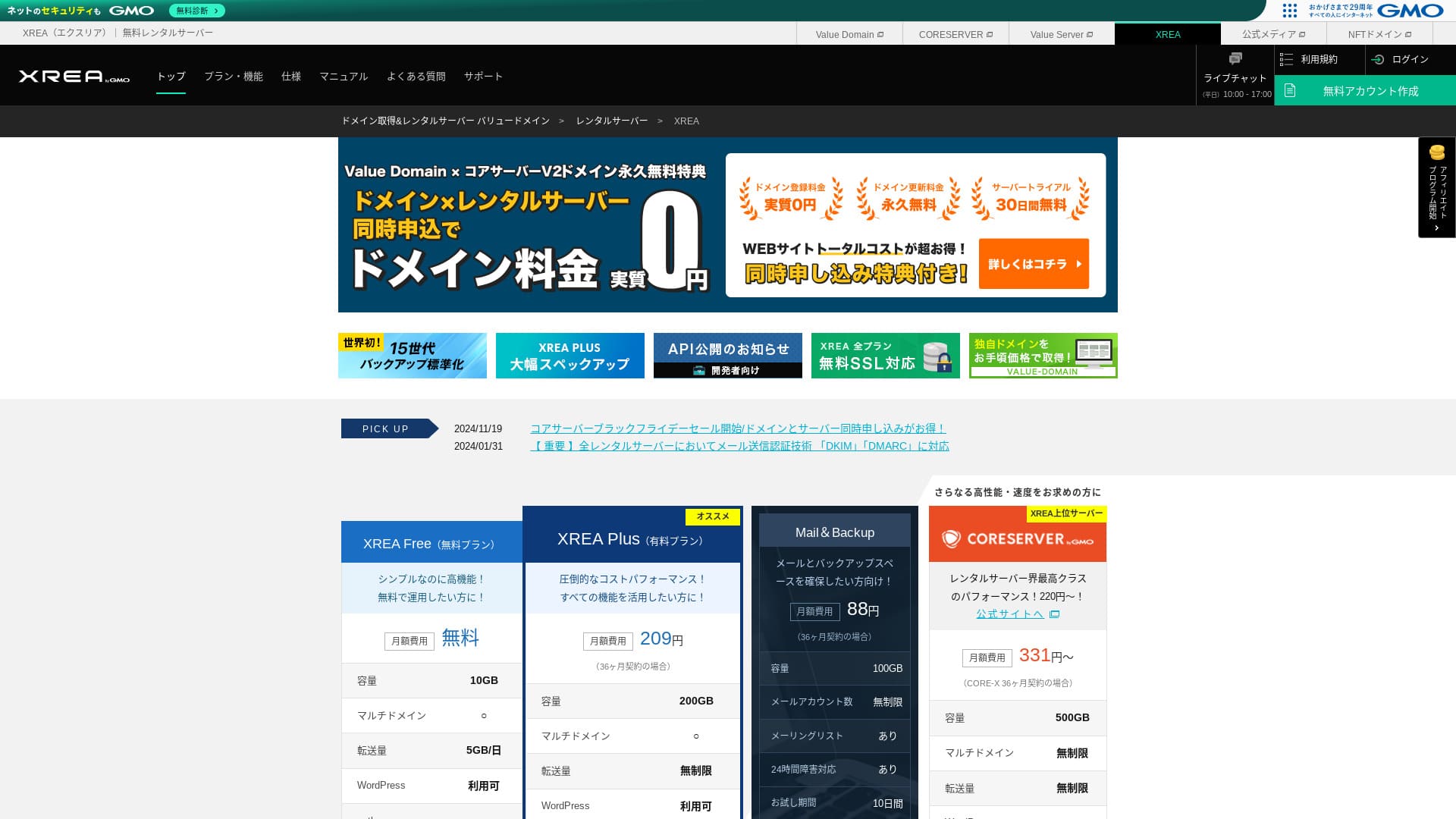
XREA GMO Digirock, Inc. द्वारा संचालित free hosting service है. सामान्य free hosting के विपरीत इसमें chat support भी उपलब्ध है.

XREA उन लोगों के लिए अच्छा विकल्प है जो free hosting खोज रहे हैं, क्योंकि:
- WordPress को free में उपयोग किया जा सकता है
- Chat support उपलब्ध है
- 15 generations के backups शामिल हैं
यही कारण है कि free service की तलाश करने वालों के लिए यह उपयोगी हो सकता है.
A competing server is Star Rental Server. It can also be used for free, but the features in its upgraded paid plans are better than those of XREA. Please consider it as well.
| Server type | Shared server |
| Recommended plan | Free |
| Monthly fee | Free |
| Storage | 10GB |
| Databases | Free |
| Backup | 15 generations free, restore भी free |
| Email accounts | 100 |
| SSL | Free SSL, shared SSL |
| Support | Email और chat (10:00-17:00) |
| Storage | 10GB |
| Number of databases | 5 |
| Security measures | None |
| SSL | Free SSL, shared SSL |
| Backup / restore | 15 generations of backups free, restores free |
| Number of email accounts | 100 |
| Email security measures | POP over SSL, IMAP over SSL, SMTP over SSL, virus scanning |
| Server / website migration service | None |
| WordPress preinstallation | None |
| CDN | None |

Hikaru Ono
Control panel का उपयोग थोड़ा अलग महसूस हो सकता है, लेकिन official manuals का सहारा लेकर कोई भी इसका उपयोग कर सकता है.
Free server के लिए इसमें features और support दोनों पर्याप्त लगते हैं.
अन्य servers के साथ XREA की तुलना
- Overall ratingRating★★★☆☆
- Pricing ★★★★★
- Stability ★★★☆☆
- WordPress शुरू करने की ease ★★★☆☆
- Ease of getting started with WordPress* ★★★☆☆
- Operations such as domain management and SSL setup* ★★★☆☆
* यह rating actual use experience पर आधारित है.

How to Choose from 21 Recommended WordPress Hosting Services for Individuals
How to Choose from 21 Recommended WordPress Hosting Services for Individuals
serverfield.org
- 4 November 2025 market research data, speed order में व्यवस्थितby speed sorted
- Monthly fee उस cheapest plan के first-year cost को दिखाती है जो WordPress चला सकता है
- Speed समान conditions में measured Time to First Byte है
XREA review और पांच प्रमुख features

बिना cost वाला server जो WordPress भी चला सकता है
XREA एक free server है. ना monthly fee है, ना initial administrative fee. इसके बावजूद WordPress का उपयोग किया जा सकता है, इसलिए cost को न्यूनतम रखना चाहने वालों के लिए यह आकर्षक है.
- Initial setup fee
- 12-month server contract
- Cost of one year of domain fees
- Cheapest plan that can use WordPress
Features और specs में बड़े अंतर हो सकते हैं, लेकिन cost का लगभग दसवें हिस्से तक सीमित रहना अब भी एक मजबूत appeal है.
Chat support उपलब्ध
XREA chat support के साथ आता है.
अधिकांश free servers support नहीं देते या बहुत सीमित support देते हैं. XREA में trouble आने पर मदद मिल सकती है, इसलिए server experience न रखने वाले users भी इसे अधिक भरोसे के साथ उपयोग कर सकते हैं.
Live chat support weekdays पर 10:00 से 17:00 तक उपलब्ध है. Email support भी है.
15 generations के backups
XREA अधिकतम 15 generations तक backups रख सकता है, जो free service के लिए बहुत उदार है. कई paid servers भी backup को paid option बनाते हैं या restore fee अलग लेते हैं.
For example, LOLIPOP requires an additional paid option costing 330 yen per month on its lower-tier plans before you can use backups.
Backups महत्वपूर्ण हैं. Malware infection या accidental deletion होने पर backup के बिना recovery मुश्किल हो जाती है. 15 generations का backup होने से operation में काफी मानसिक शांति मिलती है.
With 15 generations of backups, you can run your website with peace of mind.
पांच WordPress sites बनाई जा सकती हैं
XREA पर अधिकतम पांच WordPress sites बनाई जा सकती हैं.
Note: What Is WordPress? The System for Starting a Website and the Points to Watch Out For
उदाहरण के लिए company website के साथ hobby blog जोड़ना संभव है. समय के साथ नए business या नए interests आने पर भी अलग server sign up करने की जरूरत नहीं पड़ती.
यह additional contract की परेशानी और extra cost दोनों को बचा सकता है.
Free custom SSL
XREA free custom SSL का उपयोग करने देता है. कुछ free servers feature limitations के कारण इसे नहीं देते.
SSL website security के लिए essential है. Free server होने पर भी इसका मिलना भरोसा बढ़ाता है.
Note: What Are SSL and TLS? The Mechanism and Benefits of Protecting Information Through Encryption
XREA की कमियां, ईमानदारी से

Free servers आकर्षक होते हैं, लेकिन उनके drawbacks भी होते हैं. Financial burden कम होने पर भी time और effort तो लगते ही हैं, इसलिए पहले limitations को समझ लेना चाहिए.
Ads दिखाई देती हैं
XREA website के top पर automatically ads दिखाता है. यह company website के लिए उपयुक्त नहीं हो सकता, क्योंकि सबसे visible area में ads brand atmosphere से टकरा सकती हैं.
People who want to earn advertising revenue, such as through affiliate marketing, probably do not want ads displayed that do not contribute to their own profit.
Ads छिपाने के लिए paid plan XREA Plus चाहिए. यदि paid plan लेना ही है, तो अन्य paid servers की तुलना भी उचित है.XREA Plus. If you are going to use XREA Plus, it is better to consider other paid servers as well.
Transfer allowance कम है
XREA की transfer allowance कम है. Traffic बढ़ने पर site की display stability गिर सकती है.Publishing a website that people cannot actually view defeats the purpose.
Note: What Are Traffic and Transfer Volume? Managing and Optimizing Web Traffic
Uptime public नहीं है
एक चिंताजनक point यह है कि इसकी uptime public नहीं की गई है. इसलिए stability को numbers में judge करना कठिन है. यदि server stable न हो तो site भी लगातार उपलब्ध नहीं रहेगी.
Note: A Beginner's Guide to Understanding Hosting Uptime and SLAs
99.99% या उससे अधिक uptime वाले server उपयोग करना ज्यादा भरोसेमंद होता है. ऐसे level पर साल भर में downtime बहुत कम रहना चाहिए.
दो competing servers के साथ तुलना
Shin Free Server
Shin Free Server ऐसा free server है जिसमें ads नहीं दिखतीं. इस वजह से company websites जैसी uses के लिए यह अधिक सहज हो सकता है, और इसकी transfer allowance भी अधिक उदार है.a free server that does not display ads. That makes it easier to use even for things like corporate websites. Its transfer allowance is on an entirely different scale, so you do not need to worry about running short.
लेकिन XREA के विपरीत इसमें support नहीं है. Manual और web search के सहारे समस्याएं खुद सुलझाने की skill चाहिए.

Shin Free Server Review and Drawbacks [2025 Latest]: Starting WordPress on Free Hosting
Shin Free Server Review and Drawbacks [2025 Latest]: Starting WordPress on Free Hosting
serverfield.org
Star Server Free
Star Server Free एक लंबे समय से चल रही domestic hosting company का free server है.
लेकिन XREA की तुलना में इसमें smartphone ads, support की कमी और unpublished transfer allowance जैसी ज्यादा drawbacks हैं.Because its transfer allowance is not published, it becomes worrying whether it will remain visible as traffic grows.

Star Server Review [2024 Latest]: Astonishingly Low Prices and a Thorough Look at the Real Pros and Cons
Star Server Review [2024 Latest]: Astonishingly Low Prices and a Thorough Look at the Real Pros and Cons
serverfield.org
XREA पर WordPress website शुरू करने के 7 steps
Let's start a website with XREA!
- STEP.1Access the official site
Click "Create Account" on the top page.
- STEP.2Register as a Value Domain user
This is the user account creation screen. Enter a username, password, and email address. Review the details and click "Register."
After completing email verification, register your user information such as your name and address. It is easier if you complete SMS verification as well. Click "Review entered information," then after checking the membership agreement and privacy policy, click "Register user."
The confirmation screen appears again, so click "OK" to finish user registration.
Once you have selected a domain, make sure to check "Install WordPress at the same time."
Click "Next."
- STEP.3Sign up for XREA
Log in to Value Domain, select "XREA" from "Server," click "Create a new XREA account," and then click "Get XREA (Free)."
You can use any string you like for the desired account name.
You can use a .shop domain free for one year. If you do not have a strong preference, use a .shop domain. However, from the second year onward, renewing a .shop domain costs 5,440 yen per year, which is quite expensive.
We recommend well-known domains such as .com and .net. Their renewal fees are also reasonable, at under 2,000 yen.
Note: What Is a Domain? Its Role as an Address on the Internet and How to Obtain One
Check the terms of use for the server and backup, then click "Register." Your account will then be created.
If you did not get a .shop domain: Get a domain through Value Domain
At the top of the Value Domain page, select "Domain Registration." Enter any string you like and search, and available domains will be displayed.
Check the domain name and contract term. One year is fine. Since you have already applied for XREA, check "Do not use a server." Review the registration details and click "Next."
Choose a payment method, check that you have reviewed the terms of use, and click "Confirm application." That completes the domain acquisition.
Open the XREA control panel, select "Domain Settings," and click "Create new domain setting." Enter the domain name you acquired earlier and click "Create new domain setting." This sets the domain on XREA.
- STEP.4Create a database
Create a database so that you can use WordPress.
Note: What Is a Database? The Management and Operation System Essential to WordPress
Log in to the XREA control panel. From the menu, go to "Database" then "MsSQL," and click "Create new database."
- Database name: Anything is okay
- Password: Anything is okay. Make it as complex as possible
- Character encoding: Leave it as is
- Memo: You do not need to write anything
After entering the above, click "Create new database" and the database will be created.
- STEP.5Install WordPress
In the XREA control panel, open "Site Settings" and click the domain where you want to install WordPress. Once the screen changes, click "WordPress."
Specify the installation path. If CMS Install is not clickable, interact with the installation URL once and it will become clickable.
When you can proceed with installation, configure WordPress as follows.
- Database name: The database name you created earlier
- Username: Anything is okay. It is difficult to change later
- Password: The password you created when making the database
- Database host name: localhost
- Table prefix: Anything is okay.
Once you have entered everything, click "Submit" and then "Run installation."
Now configure the WordPress information further.
- Site title: Anything is okay. You can change it later
- Username: Anything is okay. It is difficult to change later
- Password: Anything is okay. Make it as complex as possible
- Database host name: Your everyday email address
- Search engine visibility: Anything is okay. Check it if you want everyone to be able to find it
You use the username and password when logging in to WordPress. Be sure to write them down.
When the installation is finished, click "Log in."
- STEP.6Configure SSL
Open "Site Settings" in the XREA control panel. Click "Create new site setting."
Open the domain name where you configured WordPress, select "Free SSL" under SSL, and click "Create new site setting."
- STEP.7Install plugins
Return to the WordPress admin screen and go to "Plugins" then "Add New" to install the plugins you need.
When you find a plugin you want to install by searching, click "Install Now" and then "Activate." After that, proceed according to the instructions for each plugin.
Be sure to install security and backup plugins.
- How to Choose Five WordPress Plugins That Strengthen Security
- Five Powerful WordPress Backup Plugins That Let You Recover Your Data
Once you have installed the plugins, your WordPress website is ready.
सारांश
Free hosting service XREA का उपयोग करके आप केवल domain cost देकर WordPress website बना सकते हैं. कमियां मौजूद हैं, लेकिन free service की usefulness को नजरअंदाज नहीं किया जा सकता. इसे समझदारी से उपयोग करें.
Complete Comparison of 32 WordPress Hosting Services: Recommendations for Individuals, Companies, and Overseas Use

When you think, “I want to start WordPress,” and search for “recommended WordPress hosting,” you find all kinds of articles, from options for individuals and for companies or small businesses to overseas servers and inexpensive servers. Honestly speaking,
- Which site should I look at?
- I want to choose a server in a simple, easy-to-understand way!
- Please show me how to start WordPress right away.
Have you ever felt that way? That is why this article carefully selects the best choices from 32 hosting services for individuals, companies, domestic use, and overseas use and introduces them. The explanation comes from the SEO lead at an app development company that uses hosting services every day.