
50% cashback until September 34, 2025, plus a 10-day મફત ટ્રાયલ
PR
સર્વર્સ
XServer સમીક્ષા [2025 નવીનતમ]: ઝડપ, કિંમત, ગુણ અને વિપક્ષ માટે સંપૂર્ણ માર્ગદર્શિકા
પ્રકાશિત: 2025.05.08
અપડેટ કર્યું: 2025.05.08
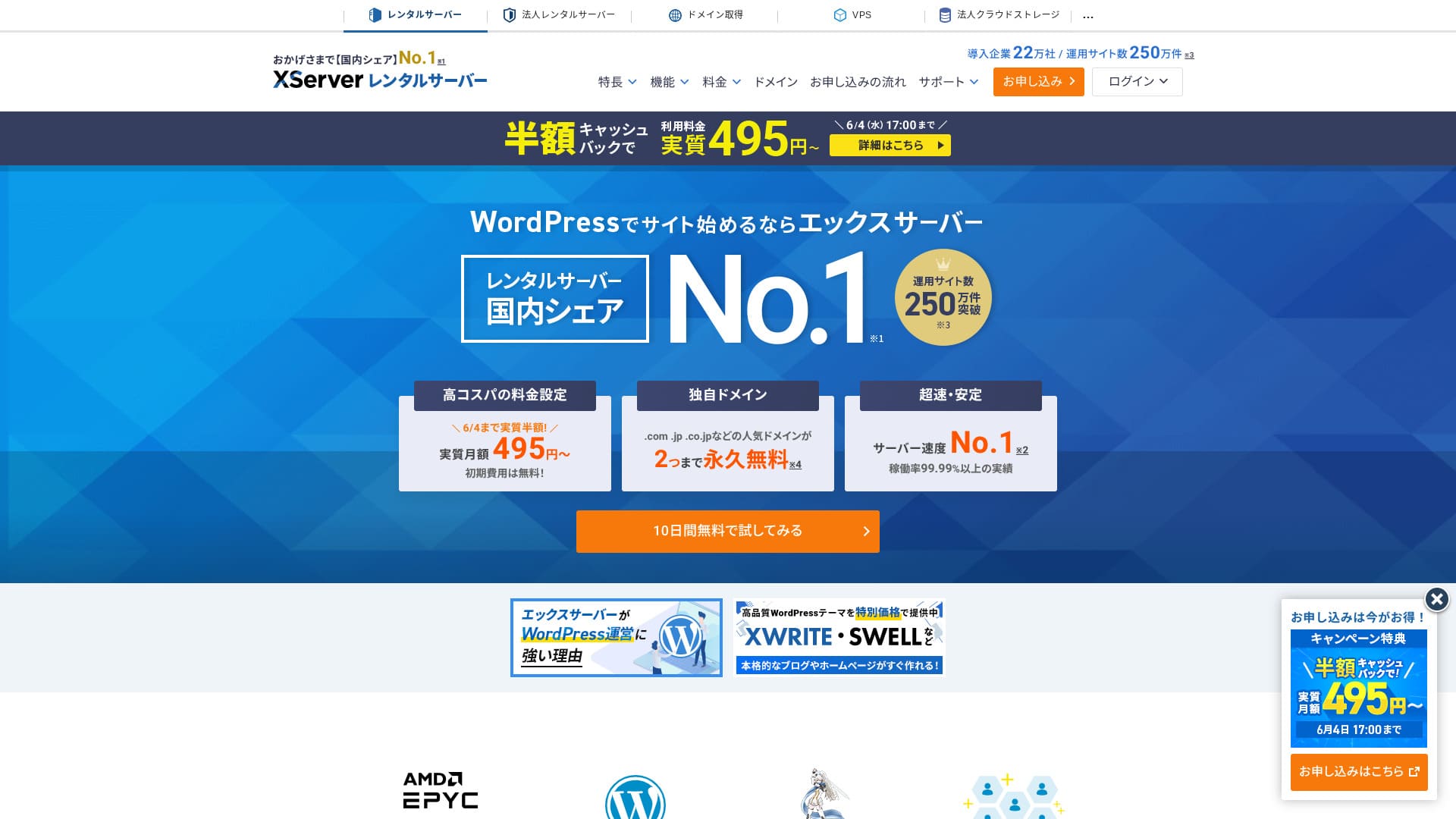
XServerઉપલબ્ધ ઘણી હોસ્ટિંગ સેવાઓમાં તે ખાસ કરીને લોકપ્રિય છે અને જાપાનીઝ હોસ્ટિંગ માર્કેટનો નંબર 1 હિસ્સો ધરાવે છે. તે વ્યક્તિગત બ્લોગ્સથી લઈને કોર્પોરેટ વેબસાઇટ્સ સુધી તમામ કદની સાઇટ્સ માટે પસંદ કરવામાં આવી છે.

XServer is what we ભલામણ કરો to વ્યક્તિઓ, કોર્પોરેશનો અને એકમાત્ર માલિકો પ્રથમ વખત WordPress નો ઉપયોગ કરે છે because it offers:
- An easy way to get started with WordPress
- જાપાનમાં બજાર હિસ્સા દ્વારા નંબર 1 સેવાનું આશ્વાસન અને સંપૂર્ણ સમર્થન
- A યોગ્ય કિંમત despite its high-performance server environment
That is why. There is a good chance you will be satisfied. You can try it free for 10 days.
A major competitor is ConoHa WING. Its flexible priser, which lets you get started on an hourly basis, is even stronger than XServer in that respect. Consider both.
| Server type | Shared hosting |
| Speed (TTFB) | 130ms |
| ભલામણ કરેલ યોજના અને કરારની મુદત | Standard 12 months |
| Free ટ્રાયલ / પૈસા પરત ગેરંટી | 10-day મફત ટ્રાયલ |
| માસિક કિંમત (12-મહિનાના કરાર સાથે) | 880 yen |
| Initial administrative fee | Free |
| Free ડોમેનs | 2 free forever |
| Support | ફોન, ઇમેઇલ અને ચેટ (અઠવાડિયાના દિવસો 10:00-18:00) |
| Uptime | 99.99% |
| Server storage | 500GB |
| Number of databases | Unlimited |
| Security measures | વેબસાઇટ ડિફેસમેન્ટ ચેતવણીઓ, SECOM સુરક્ષા નિદાન અને WAF, access restrictions from overseas IP addresses, limits on mass comments and trackbacks, restrictions on comments and trackbacks from overseas IP addresses, antivirus, spam filters, and high-performance spam filtering |
| SSL | Free dedicated SSL, optional dedicated SSL |
| Backup / પુનઃસ્થાપન | 14 દિવસનું સ્વચાલિત બેકઅપ મફતમાં, અને પુનઃસંગ્રહ પણ મફત છે |
| Number of ઇમેઇલ accounts | Unlimited |
| Email સુરક્ષા | POP over SSL, SMTP over SSL, IMAP over SSL, DKIM, DMARC |
| Server / વેબસાઇટ સ્થળાંતર service | 33,000 yen |
| WordPress preinstalled | Yes |
| CDN | None |

Hikaru Ono
XServerએ વર્ડપ્રેસ સાથે પ્રારંભ કરવાનું સરળ બનાવ્યું છે. તેના ઉપર, કંટ્રોલ પેનલ વાપરવા માટે સરળ છે, અને સર્વર ઝડપી, સ્થિર અને જગ્યા ધરાવતું છે.
It is a high-quality હોસ્ટિંગ સેવા you can keep using for a long time.
XServer અન્ય કંપનીઓ સાથે સરખામણી
- Overall rating★★★★★
- Server ઝડપ ★★★★☆
- Pricing ★★★★☆
- Stability ★★★★★
- Ease of getting started with WordPress* ★★★★★
- ડોમેન મેનેજમેન્ટ અને SSL સેટઅપ જેવી કામગીરી*★★★★★
* These ratings reflect my own experience using the service.

21 Recommended WordPress Hosting Services for Individuals: Comparison and How to Choose
21 Recommended WordPress Hosting Services for Individuals: Comparison and How to Choose
serverfield.org
- Data based on market research as of November 4, 2025, arranged in order of ઝડપ
- માસિક ભાવો એ સસ્તી યોજનાનો પ્રથમ વર્ષનો ખર્ચ છે જે વર્ડપ્રેસને સપોર્ટ કરે છે
- Speed is the Time to First Byte measured on demo sites under the same conditions
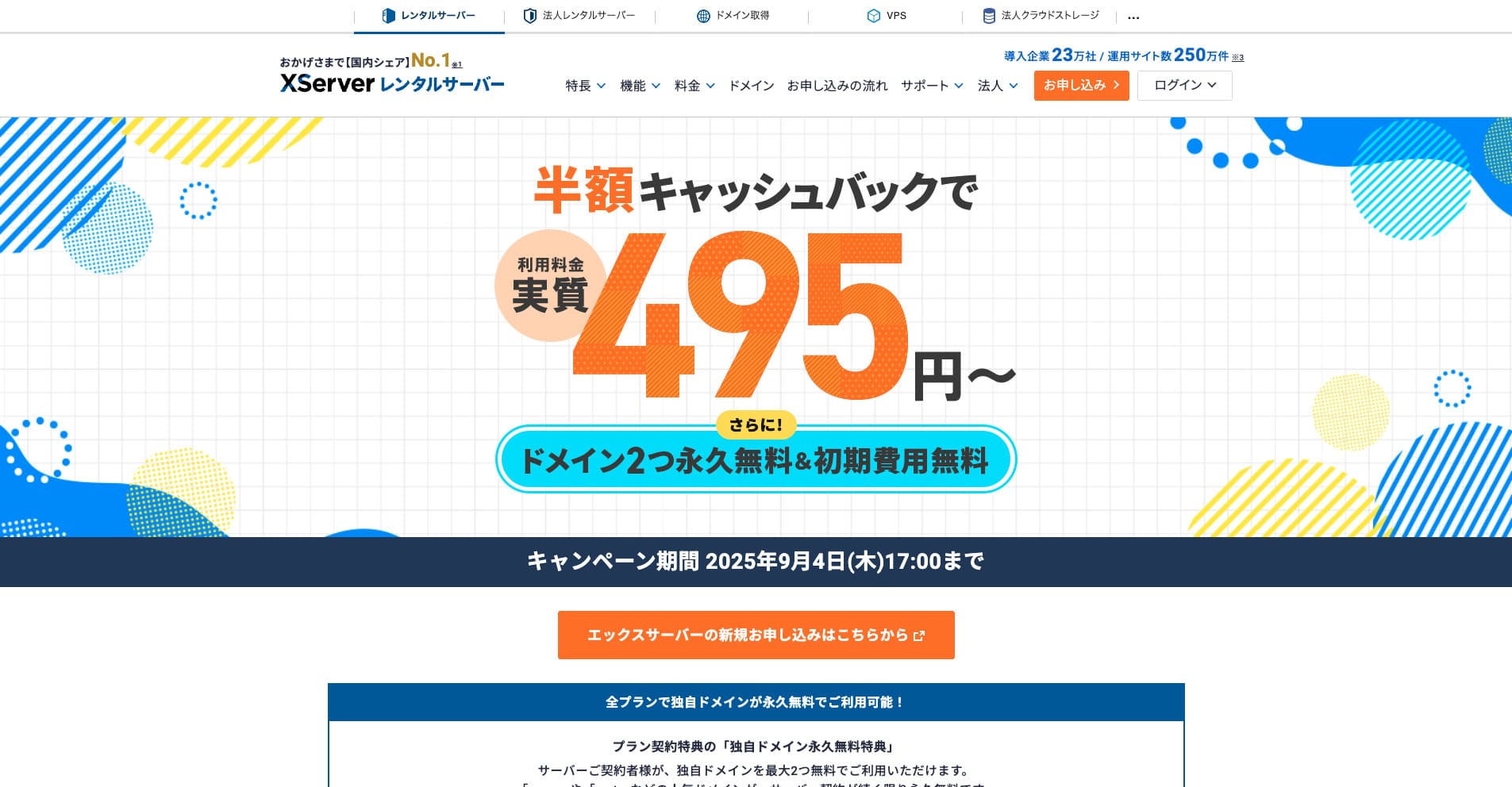
“XServer” એ નંબર 1 સ્થાનિક બજાર હિસ્સા સાથે લાંબા સમયથી સ્થાપિત હાઇ-સ્પીડ હોસ્ટિંગ સેવા છે. તે વ્યક્તિઓ અને કોર્પોરેશનો બંનેમાં લોકપ્રિય છે. પ્રામાણિકપણે, તેમાં કોઈ ગંભીર ખામીઓ નથી, અને તે સ્થિરતા, સુવિધાઓ અને સમર્થનમાં શ્રેષ્ઠ છે. કેશબેક સાથે, તમે 495 યેનથી તેનો અસરકારક રીતે ઉપયોગ કરી શકો છો.
Introduction: Why XServer is chosen

આ માપન પર્યાવરણ અને સાધનો કેમ પસંદ કર્યા
XServerઘણા વર્ષોથી હોસ્ટિંગ ઉદ્યોગનું નેતૃત્વ કરવાનું ચાલુ રાખ્યું છે, અને તેનો ટ્રેક રેકોર્ડ અને વિશ્વસનીયતા મજબૂત છે. તેનો ઉપયોગ ફક્ત વ્યક્તિગત વપરાશકર્તાઓ દ્વારા જ નહીં પરંતુ કોર્પોરેટ વેબસાઇટ્સ અને મોટા પાયે ઈ-કોમર્સ સાઇટ્સ દ્વારા પણ થાય છે. તે વ્યાપક સમર્થન પોતે પુરાવા તરીકે જોઈ શકાય છેXServer's reliability.
Why is it chosen by so many users? The answer lies in the high-quality services that XServerપ્રદાન કરે છે અને વપરાશકર્તાની જરૂરિયાતોને પ્રતિસાદ આપવા માટે તેના ચાલુ પ્રયત્નો. માત્ર અન્ય હોસ્ટિંગ સેવા હોવાને બદલે, તેણે ઘણા વપરાશકર્તાઓ પાસેથી ભાગીદાર તરીકે વિશ્વાસ મેળવ્યો છે જે તેમની વેબસાઇટ્સના વિકાસને સમર્થન આપે છે.
99.99% અપટાઇમ: વિશ્વસનીયતા જે સ્થિર સાઇટ ઓપરેશનને સપોર્ટ કરે છે
વેબસાઇટ ચલાવવામાં સૌથી મહત્વપૂર્ણ તત્વો પૈકી એક સ્થિરતા છે. તમારી સામગ્રી ગમે તેટલી આકર્ષક હોય, જો સર્વર ડાઉન થઈ જાય, તો વપરાશકર્તાઓ તમારી સાઇટ જોઈ શકતા નથી.XServer boasts an impressive uptime of 99.99%, making it possible to operate a site stably with almost no downtime.
આ ઉચ્ચ અપટાઇમ નવીનતમ તકનીક અને અદ્યતન સિસ્ટમ ડિઝાઇન દ્વારા સમર્થિત છે.Thorough measures are in place to minimize server downtime, allowing users to focus on running their sites with peace of mind.

A Beginner's Guide to Understanding Hosting Uptime and SLAs
A Beginner's Guide to Understanding Hosting Uptime and SLAs
serverfield.org
Fast page delivery that can also help SEO: ઝડપ that improves user experience

વેબસાઇટ ડિસ્પ્લે ઝડપ વપરાશકર્તા અનુભવ પર મોટી અસર કરે છે. જો કોઈ સાઇટ ધીમે ધીમે લોડ થાય છે, તો વપરાશકર્તાઓ છોડી દે છે, અને સાઇટની પ્રતિષ્ઠા પણ ઘટે છે.XServer delivers a comforટેબલ browsing experience by providing a ઝડપી server environment.
This ઝડપી delivery is also effective for SEO. Search engines such as Google use site ઝડપ as one of their evaluation criteria. By using XServer, તમે SEO શરતોમાં પણ તમારી સાઇટને મજબૂત સ્થિતિમાંથી ચલાવી શકો છો.
When we actually measured XServer, it proved to be very ઝડપી.
18 પ્રદાતાઓમાં હોસ્ટિંગ સ્પીડ સરખામણી: Kinsta સૌથી ઝડપી છે [2025 નવીનતમ]
18 પ્રદાતાઓમાં હોસ્ટિંગ સ્પીડ સરખામણી: Kinsta સૌથી ઝડપી છે [2025 નવીનતમ]
serverfield.org
Excellent compatibility with WordPress: easy setup even for beginners
વર્ડપ્રેસ, બ્લોગ્સ અને વેબસાઇટ્સ બનાવવા માટે જરૂરી CMS, સાથે ખૂબ જ સારી રીતે કામ કરે છેXServer. With the easy installation feature, even beginners can set up WordPress in just a few clicks.
In addition, XServer includes its own features for maximizing WordPress performance. The environment is set up so that WordPress sites can be run more comfortably, allowing even beginners to use it with confidence.
Five strengths of XServer: why it stands above competitors

The reason XServerઘણા વર્ષોથી ઉદ્યોગનું નેતૃત્વ કરે છે અને ઘણા વપરાશકર્તાઓ દ્વારા સમર્થન મળતું રહે છે તે તેની ઉત્કૃષ્ટ તકનીકી ક્ષમતાઓ અને વપરાશકર્તાની જરૂરિયાતોને પહોંચી વળવા તેના ચાલુ ઉત્ક્રાંતિમાં રહેલું છે. અહીં, અમે પરવાનગી આપે છે તે પાંચ શક્તિઓનું વિગતવાર વર્ણન કરીએ છીએXServerચોક્કસ કાર્યો અને વિશિષ્ટતાઓનો ઉપયોગ કરીને અન્ય કંપનીઓને પાછળ રાખવા માટે.
ઉત્કૃષ્ટ સર્વર પ્રદર્શન: આરામદાયક સાઇટ પ્રદર્શન અને સ્થિર કામગીરી
One of the biggest strengths of XServerતેનું જબરજસ્ત સર્વર પ્રદર્શન છે. નવીનતમ હાર્ડવેરને હાઇ-સ્પીડ પ્રોસેસિંગ ટેક્નોલોજી સાથે જોડીને, તે વેબસાઈટ લોડિંગ સ્પીડમાં નોંધપાત્ર સુધારો કરે છે અને વપરાશકર્તાઓને આરામદાયક બ્રાઉઝિંગ અનુભવ આપે છે.
- Latest CPUs and large memory:
- XServerઉચ્ચ-પ્રદર્શન CPU ની નવીનતમ પેઢી અને મોટી માત્રામાં મેમરીથી સજ્જ છે. આ તેને સ્થિર પ્રોસેસિંગ પાવર જાળવવા માટે પરવાનગી આપે છે જ્યારે ઘણી એક્સેસ એકસાથે આવે છે અને સાઇટની ગતિને ઘટતી અટકાવે છે. તે 4થી પેઢીના AMD EPYC પ્રોસેસર્સ અને ઓલ-NVMe પર્યાવરણનો ઉપયોગ કરે છે.
- In particular, it can maintain responsive performance even during peak traffic periods.
- High-ઝડપ storage:
- સ્ટોરેજ માટે, તે ઝડપી NVMe નો ઉપયોગ કરે છે. ઓલ-એસએસડી અથવા પ્યોર-એસએસડી તરીકે માર્કેટિંગ કરાયેલ હોસ્ટિંગ એન્વાયર્નમેન્ટ્સની તુલનામાં, તે 32 ગણા વાંચેલા પ્રદર્શનને પહોંચાડે છે, જે વેબસાઇટ ડિસ્પ્લે સ્પીડમાં ઘણો સુધારો કરે છે.
- NVMe માટે આભાર, છબીઓ અને વિડિયોઝ જેવી ભારે સામગ્રી પણ ઝડપથી વિતરિત કરી શકાય છે, જે વેબસાઇટના એકંદર પ્રદર્શનને સુધારવામાં ફાળો આપે છે.
- High-ઝડપ network:
- XServerહાઇ-સ્પીડ નેટવર્ક લાઇનનો ઉપયોગ કરે છે, સર્વર અને વપરાશકર્તાઓ વચ્ચે ડેટાને સરળતાથી ખસેડવાની મંજૂરી આપે છે. પરિણામે, ટ્રાફિક સ્પાઇક્સ દરમિયાન પણ વેબસાઇટ્સ તણાવ વિના જોઈ શકાય છે.
- તેનું ઉચ્ચ-ગુણવત્તાવાળા નેટવર્ક ઈન્ફ્રાસ્ટ્રક્ચર વૈશ્વિક ઍક્સેસને પણ સમર્થન આપે છે અને વિશ્વભરના વપરાશકર્તાઓને આરામદાયક બ્રાઉઝિંગ અનુભવ પ્રદાન કરે છે.
- WordPress acceleration with “KUSANAGI” technology:
- XServerવર્ડપ્રેસને ઝડપી બનાવવા માટે જાણીતી ટેક્નોલોજી "KUSANAGI" અપનાવે છે. KUSANAGI નાટકીય રીતે વર્ડપ્રેસ ડિસ્પ્લે સ્પીડમાં સુધારો કરે છે અને વેબસાઇટની કામગીરીને વધુ આરામદાયક બનાવે છે.
- KUSANAGI નો ઉપયોગ કરીને, તમે ફક્ત વર્ડપ્રેસ પૃષ્ઠોને ઝડપી લોડ કરી શકતા નથી પણ સર્વર લોડને ઘટાડી શકો છો અને સ્થિર કામગીરી જાળવી શકો છો.
A strong સપોર્ટ system: replies within 24 hours for peace of mind, even for beginners
XServer24 કલાકની અંદર જવાબ આપવા માટે રચાયેલ સપોર્ટ સિસ્ટમ છે. તે ફોન, ઈમેલ, ચેટ અને અન્ય પદ્ધતિઓ દ્વારા પૂછપરછ સ્વીકારે છે, જે તેને એક સેવા બનાવે છે જેનો ઉપયોગ નવા નિશાળીયા પણ વિશ્વાસ સાથે કરી શકે છે.
- Email replies within 24 hours:
- XServer24 કલાકની અંદર ઇમેઇલ પૂછપરછનો જવાબ આપે છે. મુશ્કેલી આવે ત્યારે પણ, તમે સમસ્યાને ઉકેલવા માટે ઝડપથી સમર્થન પ્રાપ્ત કરી શકો છો.
- ફોન, ઇમેઇલ અને ચેટ સપોર્ટ:
- તે ફોન, ઈમેલ અને ચેટ સહિત બહુવિધ ચેનલો દ્વારા પ્રતિસાદ આપે છે, જેથી વપરાશકર્તાઓ તેમના માટે શ્રેષ્ઠ અનુરૂપ હોય તે રીતે સમર્થન પ્રાપ્ત કરી શકે. ફોન સપોર્ટ અઠવાડિયાના દિવસોમાં 10:00 થી 18:00 સુધી ઉપલબ્ધ છે.
- Clear and courteous assistance:
- સપોર્ટ સ્ટાફ માત્ર જાણકાર જ નથી પરંતુ વસ્તુઓને સ્પષ્ટ અને સમજવામાં સરળ રીતે સમજાવવા માટે સાવચેત પણ છે. પર્યાવરણ સુયોજિત કરવામાં આવ્યું છે જેથી નવા નિશાળીયા પણ આરામથી પ્રશ્નો પૂછી શકે.
- Long experience and accumulated know-how:
- XServer has extensive know-how gained from many years of operation. Because of that, it can respond quickly and accurately to a wide variety of issues.
- તે એક વિશાળ FAQ વિભાગ પણ પ્રદાન કરે છે, તેથી પહેલા FAQ તપાસીને ઘણી સમસ્યાઓ ઉકેલી શકાય છે.
Strong compatibility with WordPress: Quick Start, easy installation, and dedicated features
XServer is highly compatible with WordPress and is equipped with abundant features for building and running WordPress sites.
- WordPress Quick Start:
- WordPress Quick Start is a feature available when signing up for a new server contract. If you enter the required information during the application process, WordPress will already be installed when the application is complete. Even complete beginners can start WordPress immediately.
- Enkel WordPress-installasjon:
- It includes an easy installation feature that completes the WordPress setup in just a few clicks. Even beginners can launch a WordPress site in very little time.
- Discount benefits for the XWRITE WordPress theme:
- XServerસબ્સ્ક્રાઇબર્સ ખાસ કિંમતે XWRITE WordPress થીમ ખરીદી શકે છે. XWRITE એ એક ઉચ્ચ-ગુણવત્તાવાળી થીમ છે જે ઇન-હાઉસ ટીમ દ્વારા વિકસિત અને જાળવવામાં આવે છે, જે સુંદર વેબસાઇટ્સ બનાવવાનું સરળ બનાવે છે.
- Proprietary features that maximize WordPress performance:
- XServerમાલિકીની સુવિધાઓનો સમાવેશ કરે છે જે WordPress પ્રદર્શનને મહત્તમ કરે છે. ઉદાહરણોમાં X એક્સિલરેટરનો સમાવેશ થાય છે, જે કેશીંગને ઑપ્ટિમાઇઝ કરે છે અને XPageSpeed, જે વસ્તુઓને ઝડપી બનાવવા માટે ફાઇલોને સંકુચિત કરે છે. આ સુવિધાઓ વર્ડપ્રેસ પૃષ્ઠની ગતિમાં સુધારો કરે છે અને સાઇટની કામગીરીને વધુ આરામદાયક બનાવે છે.

સ્ટોર સાઇટ્સ, કંપની વેબસાઇટ્સ અને આનુષંગિક સાઇટ્સ માટે, XWRITE એ ખૂબ જ પ્રતિષ્ઠિત વર્ડપ્રેસ થીમ છે
સ્ટોર સાઇટ્સ, કંપની વેબસાઇટ્સ અને આનુષંગિક સાઇટ્સ માટે, XWRITE એ ખૂબ જ પ્રતિષ્ઠિત વર્ડપ્રેસ થીમ છે
serverfield.org
મજબૂત સુરક્ષા પગલાં: તમારી સાઇટને અનધિકૃત ઍક્સેસ અને DDoS હુમલાઓથી સુરક્ષિત કરો
XServerવેબસાઇટ્સની સલામતી સુનિશ્ચિત કરવા માટે વિવિધ સુરક્ષા પગલાં લે છે.
- Measures against unauthorized access:
- તેની પાસે અનધિકૃત ઍક્સેસને શોધવા અને અવરોધિત કરવાના પગલાં છે. આ દૂષિત ઍક્સેસ દ્વારા તમારી વેબસાઇટને નુકસાન થવાનું જોખમ ઘટાડે છે.
- તે ફાયરવોલ અને ઈન્ટ્રુઝન ડિટેક્શન સિસ્ટમ્સ (IDS/IPS) જેવા સુરક્ષા પગલાં પણ લાગુ કરે છે.
- WAF (Web Application Firewall):
- WAF અપનાવીને, તે વેબ એપ્લીકેશનને ધ્યાનમાં રાખીને હુમલાઓ સામે બચાવ કરી શકે છે. આ નબળાઈઓનું શોષણ કરતા હુમલાઓથી વેબસાઇટ્સને સુરક્ષિત કરવામાં મદદ કરે છે.
- DDoS protection:
- તેની પાસે DDoS હુમલાઓ શોધવા અને તેની સામે રક્ષણ કરવાનાં પગલાં છે. આ ડિસ્ટ્રિબ્યુટેડ ડિનાયલ-ઓફ-સર્વિસ હુમલાને કારણે તમારી વેબસાઇટ નીચે જવાનું જોખમ ઘટાડે છે.
- Automatic બેકઅપ feature:
- To prepare for unexpected trouble, a 14-day automatic બેકઅપ feature is included as standard. Using બેકઅપ data, you can પુનઃસ્થાપન your વેબસાઇટ quickly.
લવચીક યોજના ડિઝાઇન: વ્યક્તિગત ઉપયોગથી વ્યવસાયિક ઉપયોગ સુધી વ્યાપક કવરેજ
XServerવ્યક્તિગત ઉપયોગથી લઈને વ્યવસાયિક ઉપયોગ સુધીની વિશાળ શ્રેણીની જરૂરિયાતોને આવરી લેતી યોજનાઓ ઓફર કરે છે.
- Standard યોજના:
- આ યોજના વ્યક્તિગત બ્લોગ્સ અને પોર્ટફોલિયો સાઇટ્સ જેવી નાની વેબસાઇટ્સ ચલાવવા માટે આદર્શ છે. તે જરૂરી કાર્યો પ્રદાન કરતી વખતે ખર્ચને નીચે રાખે છે.
- Business યોજના:
- કારણ કે તે મોટા પ્રમાણમાં સર્વર સ્ટોરેજ પ્રદાન કરે છે, આ યોજના કોર્પોરેટ સાઇટ્સ અને ઇ-કોમર્સ સાઇટ્સ જેવી મોટી વેબસાઇટ્સ ચલાવવા માટે આદર્શ છે. તે ઉચ્ચ પ્રદર્શન અને સ્થિરતાને જોડે છે, તેને વ્યવસાયિક ઉપયોગ માટે યોગ્ય બનાવે છે.
- Flexible યોજના changes:
- તમે સાઇન અપ કર્યા પછી તમારો પ્લાન બદલી શકો છો. અપગ્રેડ અને ડાઉનગ્રેડ બંને સપોર્ટેડ છે. અપગ્રેડ તરત જ પ્રતિબિંબિત થાય છે. ડાઉનગ્રેડની વિનંતી ફક્ત તે મહિના દરમિયાન કરી શકાય છે જેમાં સર્વર વપરાશની મુદત સમાપ્ત થાય છે.
- Long-અવધિ contract discounts:
- તે ડિસ્કાઉન્ટ ઓફર કરે છે જે માસિક ફી ઘટાડે છે જ્યારે તમે લાંબા ગાળાના કરાર પર હસ્તાક્ષર કરો છો. આ તેનો ઉપયોગ કરવાનું શક્ય બનાવે છેXServerઓછા ખર્ચે. ખાસ કરીને, જ્યારે ઝુંબેશ પ્રાઈઝર ઉપલબ્ધ હોય ત્યારે પ્રથમ કરારનો સમયગાળો ઘણો સસ્તો બની શકે છે.
A thorough analysis of XServer's reputation: what સમીક્ષાઓ reveal

XServerઘણા લોકો દ્વારા ઉપયોગમાં લેવાતી હોસ્ટિંગ સેવા છે, પરંતુ વપરાશકર્તાઓ તેના વિશે ખરેખર કેવું અનુભવે છે? આ વિભાગમાં, અમે વાસ્તવિક ચિત્રને ઉજાગર કરવા માટે ઑનલાઇન સમીક્ષાઓ અને પ્રતિષ્ઠાનું સંપૂર્ણ વિશ્લેષણ કરીએ છીએXServer. અમે માત્ર સકારાત્મક સમીક્ષાઓ જ નહીં પરંતુ નકારાત્મક સમીક્ષાઓ પર પણ ધ્યાન આપીશું અને તેના ફાયદા અને ગેરફાયદા બંનેને ઉદ્દેશ્યથી તપાસીશું.
સકારાત્મક સમીક્ષાઓ: XServer વિશે વપરાશકર્તાઓ વખાણ કરે છે
નીચેના મુદ્દાઓ ખાસ કરીને ઘણી વખત સકારાત્મક સમીક્ષાઓમાં બહાર આવે છેXServer.
- ડિસ્પ્લેની ઝડપ ઝડપી છે, અને સાઇટ વધુ સરળ લાગે છે. Many users praise XServerતેની પૃષ્ઠ ગતિ માટે. ખાસ કરીને, અન્ય હોસ્ટિંગ સેવાઓમાંથી સ્થળાંતર કરનારા વપરાશકર્તાઓ વારંવાર કહે છે કે "સાઇટ નાટકીય રીતે ઝડપી બની છે." ટૂંકા પેજ લોડ ટાઈમ યુઝર અનુભવને સુધારે છે અને બાઉન્સ રેટ પણ ઘટાડી શકે છે.
- Examples:
- “Even sites with lots of images now display without stress.”
- મેં પહેલાં ઉપયોગમાં લીધેલા સર્વર કરતાં પૃષ્ઠ લોડિંગ બમણું ઝડપી બન્યું છે.
- “મેં SEO માટે ઝડપી સર્વર પસંદ કર્યું અને તેના પર સ્વિચ કર્યુંXServer turned out to be the right decision.”
- Examples:
- સપોર્ટ નમ્ર છે, તેથી નવા નિશાળીયા પણ વિશ્વાસ સાથે તેનો ઉપયોગ કરી શકે છે.ની સપોર્ટ સિસ્ટમXServerનવા નિશાળીયા દ્વારા ખાસ કરીને ઉચ્ચ રેટ કરવામાં આવે છે. ઘણા વપરાશકર્તાઓ કહે છે કે તેઓ મનની શાંતિ સાથે સર્વરનો ઉપયોગ કરી શકે છે કારણ કે તેમની પાસે વિશેષ જ્ઞાન ન હોવા છતાં પણ પૂછપરછનો કાળજીપૂર્વક જવાબ આપવામાં આવે છે. હકીકત એ છે કે તે મદદ માટે પૂછવાની ઘણી રીતો પ્રદાન કરે છે, જેમ કે ફોન, ઇમેઇલ અને ચેટ, પણ તેને અનુકૂળ બનાવે છે.
- Examples:
- “I had absolutely no knowledge of hosting, but thanks to સપોર્ટ I was able to configure everything without problems.”
- “When I contacted them because I did not know how to set something up, they explained it carefully.”
- “I am grateful that they are available 24/7, so I can ask questions even late at night.”
- Examples:
- “It runs stably, and the site almost never goes down.” The stability of XServer is rated extremely highly by users. It boasts a strong 99.99% uptime, and because sites rarely go down, users can operate their sites with confidence.
- Examples:
- “The site never stops displaying, and I can run it stably.”
- “The site does not go down even during periods when traffic increases.”
- “On the server I used before, my site went down frequently, but that stopped after I moved to XServer.”
- Examples:
- “WordPress was easy to install, and I could start a blog right away.”સરળ વર્ડપ્રેસ ઇન્સ્ટોલેશન સુવિધા નવા નિશાળીયા માટે અત્યંત અનુકૂળ છે. વિશિષ્ટ જ્ઞાન વિના પણ, તમે થોડા ક્લિક્સમાં WordPress ઇન્સ્ટોલ કરી શકો છો અને તરત જ બ્લોગ અથવા વેબસાઇટ શરૂ કરી શકો છો. વધુમાં,XServer includes WordPress acceleration features, making comforટેબલ blog operation possible.
- Examples:
- “It was my first time using WordPress, but I installed it easily.”
- “Even without WordPress knowledge, I was able to start a blog immediately.”
- “WordPress also loads quickly, so I can write લેખs without stress.”
- Examples:
- કિંમત ઊંચી છે, પરંતુ તે મૂલ્ય આપે છે જે તેને ન્યાયી ઠેરવે છે. The priser of XServerઅન્ય ઘણા યજમાનો કરતાં કંઈક અંશે ઊંચું છે, પરંતુ ઘણા વપરાશકર્તાઓને લાગે છે કે તે કિંમતની બરાબર કિંમત પહોંચાડે છે. લોકો વારંવાર કહે છે કે ઉચ્ચ પ્રદર્શન, સ્થિરતા અને મજબૂત સમર્થન પ્રણાલી માસિક ફી કરતાં વધુ મૂલ્ય પ્રદાન કરે છે.
- Examples:
- “It ખર્ચs more than other hosts, but it is worth it.”
- "તે થોડું ખર્ચાળ છે, પરંતુ જ્યારે હું સ્થિરતા અને સમર્થનને ધ્યાનમાં લે છે, ત્યારે મને આનંદ થાય છે કે મેં પસંદ કર્યુંXServer.”
- “I ભલામણ કરો it to people who want to use a high-quality server even if it ખર્ચs a bit more.”
- Examples:
Negative સમીક્ષાઓ: points where users still hope to see improvement
On the other hand, the following negative comments can also be found about XServer.
- માસિક ફી અન્ય યજમાનોની તુલનામાં ઊંચી છે.કેટલાક વપરાશકર્તાઓ કહે છે કે ની કિંમતXServerઅન્ય હોસ્ટિંગ સેવાઓની તુલનામાં કંઈક અંશે ઊંચું છે. જો કે, તેનો અર્થ એ નથી કે કિંમત ગુણવત્તા સાથે મેળ ખાતી નથી. વધુ સચોટ નિવેદન એ છે કે ત્યાં કરતાં સસ્તા હોસ્ટ છેXServer. જે વપરાશકર્તાઓ ખર્ચ શક્ય તેટલો ઓછો રાખવા માંગે છે, તેમના માટે માસિક ફી ચિંતાનો વિષય બની શકે છે. તેણે કહ્યું, લાંબા ગાળાના કોન્ટ્રાક્ટ ડિસ્કાઉન્ટનો ઉપયોગ ખર્ચ ઘટાડી શકે છે.
- Examples:
- મને લાગે છે કે અન્ય હોસ્ટિંગ સેવાઓની તુલનામાં પ્રાઇઝર ઉચ્ચ બાજુ પર છે.
- પ્રારંભિક કિંમત થોડી પીડાદાયક છે.
- “If it were a little cheaper, maybe even more people would use it.”
- Examples:
- “Plan changes can take time in some cases.” Some users say that changing યોજનાs can take time. For people who want a quick change, especially when traffic suddenly increases, that may be a source of frustration.
- Examples:
- “I requested a યોજના change, but it took time before it was reflected.”
- “When I wanted to change યોજનાs immediately, it felt a little inconvenient.”
- હું ઈચ્છું છું કે યોજના બદલવાની પ્રક્રિયા થોડી સરળ હોય.
- Examples:
- “Some યોજનાs may be more powerful than necessary.”XServerઉચ્ચ-પ્રદર્શન હોસ્ટિંગ પ્રદાન કરે છે, પરંતુ યોજનાના આધારે, તે નાની વેબસાઇટ્સ માટે અતિશય હોઈ શકે છે. ઓછી ટ્રાફિક ધરાવતી સાઇટ્સ માટે, જેમ કે વ્યક્તિગત બ્લોગ્સ અથવા નાની પોર્ટફોલિયો સાઇટ્સ, ઓછી કિંમતની યોજના પર્યાપ્ત હોઈ શકે છે. કોઈ યોજના પસંદ કરતી વખતે, તમારી સાઇટના સ્કેલ સાથે મેળ ખાતી હોય તે પસંદ કરવી મહત્વપૂર્ણ છે.
- Examples:
- “For a personal blog, I ended up પસંદગી a યોજના that was too high-spec.”
- “I chose an expensive યોજના, but I feel it is wasteful because I do not use many resources.”
- “For a small site, a cheaper યોજના would have been enough.”
- Examples:
વપરાશકર્તા સમીક્ષાઓ પર આધારિત XServer ની શક્તિઓ અને નબળાઈઓનો સારાંશ
Taking all of these સમીક્ષાઓ together, it is fair to say that XServer has the following advantages and disadvantages.
- Advantages:
- Fast પ્રદર્શન ઝડપ
- Sટેબલ operation
- A strong સપોર્ટ system
- Excellent compatibility with WordPress
- Strong સુરક્ષા measures
- Disadvantages:
- Pricing is somewhat high
- Plan changes can take time in some cases
- Some યોજનાs may be more powerful than necessary
A thorough check of XServer's drawbacks: what to know before signing up

XServerતેના ઘણા ફાયદા છે, પરંતુ તે કેટલીક ખામીઓ સાથે પણ આવે છે. તે ખામીઓને અગાઉથી સમજવાથી તમને સાઇન અપ કર્યા પછી પસ્તાવો ટાળવામાં અને સમજદાર પસંદગી કરવામાં મદદ મળી શકે છે. આ વિભાગમાં, અમે XServer ની નબળાઈઓની સંપૂર્ણ તપાસ કરીએ છીએ અને કરારમાં પ્રવેશતા પહેલા તમારે જે મુદ્દાઓ જાણવા જોઈએ તે વિગતવાર સમજાવીએ છીએ.
કિંમત: તમારે શા માટે પ્રારંભિક ખર્ચ અને માસિક ફી બંનેની કાળજીપૂર્વક સરખામણી કરવાની જરૂર છે
The priser of XServerબજેટ હોસ્ટિંગ સેવાઓ કરતાં કંઈક અંશે વધારે સેટ કરેલ છે. ખાસ કરીને, કરારની વિચારણા કરતી વખતે પ્રારંભિક ખર્ચ અને માસિક ફી મહત્વપૂર્ણ ઘટકો છે, તેથી અગાઉથી તેમની કાળજીપૂર્વક સરખામણી કરવી જરૂરી છે.
- Initial ખર્ચ:
- Monthly fees:
- ની માસિક કિંમતXServerયોજના પ્રમાણે બદલાય છે. વ્યક્તિઓ માટે માનક યોજના સાથે પણ, જો કરારની મુદત ટૂંકી હોય તો માસિક ખર્ચ 1,000 યેન કરતાં વધી જાય છે. વ્યવસાયલક્ષી યોજનાઓ વધુ ખર્ચાળ બની શકે છે.
- To keep માસિક ખર્ચs down, you can use long-અવધિ contract discounts or પસંદ કરો a longer contract period. Also, during campaign periods, માસિક charges may be discounted, so it is worth checking regularly.
- અન્ય કંપનીઓ સાથે કિંમતની સરખામણી:
- The priser of XServerઅન્ય હોસ્ટિંગ સેવાઓની તુલનામાં કંઈક અંશે ઊંચું છે. જ્યારે તમે લોલીપોપ જેવા નીચા-કિંમતના હોસ્ટ સાથે તેની તુલના કરો છો ત્યારે તફાવત ખાસ કરીને નોંધનીય છે! અથવા સાકુરા રેન્ટલ સર્વર.
- જો કિંમત તમારી ટોચની અગ્રતા છે, તો તમારે તેની અન્ય યજમાનો સાથે કાળજીપૂર્વક સરખામણી કરવાની જરૂર છે. તેણે કહ્યું, સસ્તા હોસ્ટ્સ કામગીરી, સ્થિરતા અથવા સમર્થનમાં નબળા હોઈ શકે છે, તેથી નિર્ણય કુલ-મૂલ્યના આધારે લેવો જોઈએ.
- માત્ર કિંમત જોવાને બદલે, સર્વર પરફોર્મન્સ, સ્થિરતા અને સપોર્ટની સર્વગ્રાહી રીતે સરખામણી કરો જેથી કરીને તમે તમારા માટે સૌથી યોગ્ય હોય તે હોસ્ટ પસંદ કરી શકો.
- Ways to keep ખર્ચs down:
- Take full advantage of long-અવધિ contract discounts
- Sign up during campaign periods
- તમને ખરેખર જોઈતી વિશિષ્ટતાઓ સાથે મેળ ખાતી હોય તેવી યોજના પસંદ કરો અને વધુ પડતી ખરીદી ટાળો
Plan changes: downgrading can take time
With XServer, તમે સાઇન અપ કર્યા પછી તમારો પ્લાન બદલી શકો છો, પરંતુ કેટલાક કિસ્સાઓમાં પ્રક્રિયામાં સમય લાગી શકે છે. જો કે, અપગ્રેડ તરત જ પ્રતિબિંબિત થાય છે, તેથી જો તમારે તાત્કાલિક ઉપર જવાની જરૂર હોય કારણ કે ટ્રાફિક વધી ગયો છે, તો તે સામાન્ય રીતે કોઈ સમસ્યા નહીં હોય.
- How to change યોજનાs:
- You can change your XServerતમારા Xserver એકાઉન્ટમાંથી પ્લાન કરો. સેવા મેનૂમાં "પ્લાન ચેન્જ" મેનૂમાંથી અરજી કરો.
- Points to watch when changing યોજનાs:
- જ્યારે ઉચ્ચ યોજનામાં જતા હોય, ત્યારે તમારે અરજી સમયે કિંમતમાં તફાવત ચૂકવવાની જરૂર છે.
- જ્યારે નીચા પ્લાનમાં જતા હોય, ત્યારે તમારી ઉપયોગની મુદત સમાપ્ત થાય તે મહિનાની 1લી અને 20મી વચ્ચે વિનંતી સબમિટ કરો.
XServer અને અન્ય હોસ્ટની સંપૂર્ણ સરખામણી: શ્રેષ્ઠ ફિટ શોધવી

XServerઉચ્ચ-પ્રદર્શન અને સ્થિર હોસ્ટિંગ સેવા તરીકે લોકપ્રિય છે, પરંતુ અન્ય ઘણા આકર્ષક વિકલ્પો પણ અસ્તિત્વમાં છે. આ વિભાગમાં, અમે XServer ને બે સેવાઓ સાથે સરખાવીએ છીએ જે ઘણી વખત તેની સાથે ગણવામાં આવે છે, કોનોહા વિંગ અને HETEML, જેથી વાચકો પાસે તે નક્કી કરવા માટે સ્પષ્ટ માપદંડ હોય કે કયું હોસ્ટ તેમને સૌથી યોગ્ય છે.
કોનોહા વિંગ: ઝડપ અને ખર્ચ પ્રદર્શન માટે લોકપ્રિય
કોનોહા વિંગ એ જીએમઓ ઈન્ટરનેટ ગ્રૂપ દ્વારા પૂરી પાડવામાં આવતી હોસ્ટિંગ સેવા છે અને તે તેની ઝડપ અને ખર્ચ પ્રદર્શન માટે લોકપ્રિય છે. ખાસ કરીને, તે ખાસ કરીને વર્ડપ્રેસને ધ્યાનમાં રાખીને ડિઝાઇન કરવામાં આવ્યું છે, જે તે વપરાશકર્તાઓ માટે એક સારો વિકલ્પ બનાવે છે જેઓ ઝડપી WordPress સાઇટ્સ ઇચ્છે છે.
- Advantages of ConoHa WING:
- Outstanding ઝડપ:કોનોહા વિંગ તેની પોતાની પ્રવેગક તકનીક સાથે ઉચ્ચ-પ્રદર્શન સર્વર પર્યાવરણને જોડીને ઉત્તમ ગતિ પ્રાપ્ત કરે છે.
- No initial fee: ConoHa WING has no setup fee, so it is easy to start using.
- નિયમિત યોજનાઓ કલાક દ્વારા બિલ કરવામાં આવે છે:કોનોહા વિંગ એવી યોજનાઓ ઓફર કરે છે જેનો ઉપયોગ કલાકદીઠ ધોરણે થઈ શકે છે. કિંમત 2.2 યેન પ્રતિ કલાકથી શરૂ થાય છે, જે ઓછી કિંમતે પ્રયાસ કરવાનું સરળ બનાવે છે.
- Designed specifically for WordPress: Because it is built with WordPress in mind, anyone can get a WordPress site started easily.
- WING Pack discount:જો તમે વર્ડપ્રેસ થીમ સાથે બંડલ કરેલ WING પેકનો ઉપયોગ કરો છો, તો થીમની કિંમત ડિસ્કાઉન્ટેડ છે.
- Disadvantages of ConoHa WING:
- No મફત ટ્રાયલ period:ત્યાં કોઈ મફત અજમાયશ નથી. કારણ કે તમે કોઈ ખર્ચ વિના તે કેવું લાગે છે તે ચકાસી શકતા નથી, કેટલાક વપરાશકર્તાઓ સાઇન અપ કરી શકે છે અને પછી લાગે છે કે તે તેમને અનુકૂળ નથી.
- Støttesystem:કોનોહા વિંગની સપોર્ટ સિસ્ટમ કેટલીકવાર તેના કરતા થોડી નબળી હોવાનું કહેવાય છેXServer.
- Comparison with XServer:
- Display ઝડપ:કોનોહા વિંગ પેજની ઝડપ પહોંચાડે છે જે સમાન સ્તર પર છેXServer. However, in our own માપનs, XServer was ઝડપીer.
★ Hosting Speed Comparison Across 15 Providers: Which One Is Really Fast? [2024 Latest] - Pricing: ConoHa WING can keep initial ખર્ચs low if you use its hourly યોજના, but if you continue using that hourly યોજના for a long time, it may end up ખર્ચing more than XServer.
- Støttesystem:XServer24 કલાકની અંદર ઈમેલ જવાબો ઉપરાંત ફોન અને ચેટ સપોર્ટ ઓફર કરે છે. કોનોહા વિંગ પાસે નક્કર સપોર્ટ સેટઅપ પણ છે, પરંતુ આ ક્ષેત્રમાં XServer ની પ્રતિષ્ઠા વધુ મજબૂત છે.
- Ease of use: As a જૂની અને સ્થાપિત હોસ્ટિંગ સેવા, XServer has a large amount of information available online and is widely regarded as easy for beginners to use.
- Display ઝડપ:કોનોહા વિંગ પેજની ઝડપ પહોંચાડે છે જે સમાન સ્તર પર છેXServer. However, in our own માપનs, XServer was ઝડપીer.

ConoHa WING Anmeldelse: Why 750,000 Users Choose It and What Testing Showed About Its Speed, Pros, and Cons
ConoHa WING Anmeldelse: Why 750,000 Users Choose It and What Testing Showed About Its Speed, Pros, and Cons
serverfield.org
HETEML: appealing original features for creators
HETEML એ GMO Pepabo, Inc. દ્વારા પૂરી પાડવામાં આવતી હોસ્ટિંગ સેવા છે અને તે સર્જકોને ધ્યાનમાં રાખીને તેની વિશાળ શ્રેણીની સુવિધાઓ માટે અલગ છે. તે ખાસ કરીને એવા વપરાશકર્તાઓ માટે યોગ્ય છે કે જેઓ બહુવિધ ડોમેન્સ ચલાવવા અથવા સર્વર સેટિંગ્સને વિગતવાર કસ્ટમાઇઝ કરવા માંગે છે.
- Advantages of HETEML:
- અલગ સર્વર સ્ટ્રક્ચરનું આશ્વાસન:HETEML વેબ સર્વરને મેઇલ સર્વરથી અલગ કરે છે. તેના કારણે, તમારી વેબસાઈટ અથવા બ્લોગ ચલાવતા વેબ સર્વર પર એક્સેસ વધે તો પણ ઈમેલ સેવાને અસર થતી નથી. આ પૂછપરછ ઇમેઇલ મોકલવા અને પ્રાપ્ત કરવાનું સ્થિર રાખવામાં મદદ કરે છે, જે વ્યવસાયિક ઉપયોગ માટે આશ્વાસન આપે છે.
- A simple one-યોજના structure: HETEML has only one યોજના, so there is no need to worry about પસંદગી among multiple options.
- Unlimited transfer volume:HETEML અમર્યાદિત ડેટા ટ્રાન્સફરની મંજૂરી આપે છે, તેથી વધુ ટ્રાફિક ધરાવતી સાઇટ્સ પણ મનની શાંતિ સાથે ચલાવી શકાય છે. (કેટલીક યોજનાઓમાં ટ્રાન્સફર મર્યાદા હોય છે.)
- Version control with Git:તે ગિટ-આધારિત સંસ્કરણ નિયંત્રણને સપોર્ટ કરે છે, જે તમને તમારી વેબસાઇટ પર કરવામાં આવેલા ફેરફારોના ઇતિહાસનું સંચાલન કરવાની મંજૂરી આપે છે.
- Disadvantages of HETEML:
- માસિક ફી વધારે છે: HETEML is simple because it has just one યોજના, but its માસિક કિંમત is higher than XServer.
- WordPress installation at signup: HETEML has a WordPress installation feature, but it does not offer a function that installs WordPress automatically at the time of a new contract. For users who are new to servers or WordPress, that can make starting a WordPress blog feel harder.
- Comparison with XServer:
- Pricing:XServer offers lower-કિંમતd યોજનાs than HETEML.
- Stability:HETEML તેની અલગ-અલગ-સર્વર ડિઝાઇનને કારણે સ્થિર લાગે છે. જો કે, બંને HETEML અનેXServer achieve 99.99% uptime, the difference is not large.
- Ease of use:XServer provides an interface that beginners can use more easily, while HETEML may require somewhat more specialized knowledge.

HETEML હોસ્ટિંગ એન્મેલડેલ્સ અને પ્રાઇસીંગ [2025 નવીનતમ]: Fordeler og ulemper સીન થ્રુ યુઝર ફીડબેક
HETEML હોસ્ટિંગ એન્મેલડેલ્સ અને પ્રાઇસીંગ [2025 નવીનતમ]: Fordeler og ulemper સીન થ્રુ યુઝર ફીડબેક
serverfield.org
સરખામણી કોષ્ટક: XServer, ConoHa WING, અને HETEML
Which should you પસંદ કરો? Pick based on your needs
After comparing the characteristics of XServer, ConoHa WING, અને HETEML, શ્રેષ્ઠ હોસ્ટિંગ સેવા તમારી પોતાની જરૂરિયાતો પર આધાર રાખે છે.
- People who should પસંદ કરો XServer:
- People who value stability and reliability
- People who want generous સપોર્ટ
- People who value quality more than કિંમત
- People who should પસંદ કરો ConoHa WING:
- People with no experience using servers or WordPress
- People who prioritize પ્રદર્શન ઝડપ
- People who want to try it casually on an hourly basis
- People who should પસંદ કરો HETEML:
- People who run sites that receive many inquiries
- People who want to use Git-based version control
દરેક હોસ્ટિંગ સેવામાં ફાયદા અને ગેરફાયદા બંને હોય છે. તમારી વેબસાઇટના કદ અને હેતુ તેમજ તમારા બજેટને ધ્યાનમાં લો અને તમારા માટે સૌથી યોગ્ય હોય તેવી હોસ્ટિંગ સેવા પસંદ કરો.
તમારી વેબસાઇટ XServer સાથે હમણાં જ છ પગલાંમાં શરૂ કરો
ચાલો XServer સાથે તમારી વેબસાઇટ શરૂ કરીએ!
- STEP.1સત્તાવાર XServer વેબસાઇટ પર જાઓ
Click “Try it first! 10 days free!”
"પ્રથમ વખતના ગ્રાહકો"માંથી, "10-દિવસની મફત અજમાયશ નવી એપ્લિકેશન" પર આગળ વધો.
- STEP.2Choose your application details
You can leave the server ID as it is.
એક યોજના પસંદ કરો. માનક યોજનાની ભલામણ કરવામાં આવે છે. જો ટ્રાફિક વધતો જાય અને તમારી પાસે સંસાધનો ઓછા હોય, તો પછીથી પ્લાન અપગ્રેડ કરો.
Be sure to check “Use” for WordPress Quick Start.જો તમે તેનો ઉપયોગ કરતા નથી, તો વર્ડપ્રેસ સેટઅપ વધુ મુશ્કેલ બની જાય છે. (તમે હવે 10-દિવસની મફત અજમાયશનો ઉપયોગ કરી શકશો નહીં, પરંતુ તેમ છતાં, આ વિકલ્પનો ઉપયોગ કરવો એ વધુ સારી પસંદગી છે.)
You will see “Please confirm before applying,” so check the details there. Then click “Confirmed.”
12-મહિનાના કરારની ભલામણ કરવામાં આવે છે. 12 મહિના કે તેથી વધુ સમયના કરાર સાથે, તમે મફતમાં કસ્ટમ ડોમેનનો પણ ઉપયોગ કરી શકો છો.
તમે રજીસ્ટર કરવા માંગો છો તે કસ્ટમ ડોમેન માટે ટેક્સ્ટ દાખલ કરો. તે તમને ગમે તે કોઈપણ શબ્દમાળા હોઈ શકે છે. રજિસ્ટર્ડ ડોમેન બદલવા પાછળથી પૈસા ખર્ચ થાય છે અને સેટઅપ મુશ્કેલ બને છે, તેથી તમારું ડોમેન કાળજીપૂર્વક પસંદ કરો.
★ ડોમેન શું છે? ઑનલાઇન સરનામું તરીકે તેની ભૂમિકા અને તેને કેવી રીતે મેળવવું
Enter your WordPress information.
- Blog title: anything is fine
- Username: anything is fine
- Password: make it as complex as possible
- Email address*: your everyday ઇમેઇલ address is convenient
The username and password are required when logging in to WordPress.તેમની નોંધ કરો. તમે WordPress સાથે જે વેબસાઇટ બનાવો છો તેમાં લોગ ઇન કરવા માટે તમારે તેમની જરૂર પડશે.
કસ્ટમ ડોમેન સેટિંગ એ મહત્વનું ડોમેન છે જે તમારી સાઇટનું URL બની જાય છે. કાળજીપૂર્વક શબ્દો પસંદ કરો.
You can change the site name later. If you have not decided yet, just enter a temporary name for now.
Choose a WordPress theme. For વ્યવસાય વેબસાઇટ્સ, Lightning is ભલામણ કરેલી. For blogs, Cocoon is ભલામણ કરેલી. (This site uses Cocoon.)
- STEP.3Enter your Xserver Account information
તમારું ઇમેઇલ સરનામું, નામ, સરનામું અને અન્ય જરૂરી વિગતો દાખલ કરો.
Prepare your credit card and enter the payment information.
Anmeldelse the “Terms of Use” and “Handling of Personal Information.” If you agree, check the boxes and click “Next.”
સ્ક્રીન પર દર્શાવેલ ચકાસણી કોડ દાખલ કરો. તમારા રજિસ્ટર્ડ ઈમેલ એડ્રેસ પર વેરિફિકેશન કોડ મોકલવામાં આવ્યો છે, તેથી તેને ત્યાં તપાસો.
- STEP.4Confirm your application
Check the application details and your Xserver Account information again. If everything is correct, click “Proceed to SMS / phone verification.”
The application details will then be confirmed using your phone number.
ઉપયોગ કરવા માટે ફોન નંબર દાખલ કરો, કોડ પ્રાપ્ત કરવાની પદ્ધતિ તરીકે SMS અથવા સ્વચાલિત વૉઇસ કૉલ પસંદ કરો અને "વેરિફિકેશન કોડ મેળવો" પર ક્લિક કરો. તે પ્રાપ્ત કર્યા પછી, કોડ દાખલ કરો.
એકવાર તમે "【Xserver】■મહત્વપૂર્ણ■ સર્વર એકાઉન્ટ સેટઅપ પૂર્ણ" શીર્ષકવાળી ઇમેઇલ પ્રાપ્ત કરી લો, પછી તમારી અરજી પૂર્ણ થઈ જશે.
"લાગુ કરો" પર ક્લિક કરો અને એપ્લિકેશનના બધા પગલાં સમાપ્ત થઈ ગયા. તમારી WordPress વેબસાઇટ તરત જ બનાવવામાં આવશે.
- STEP.5Initial WordPress setup
તમે હમણાં જ પ્રાપ્ત કરેલ ઇમેઇલમાં તમારી WordPress લૉગિન માહિતી શામેલ છે.
Click the admin dashboard URL. On the login screen that appears, enter the username and password you wrote down earlier, then click “Log in.”
* If you see the warning “This site cannot be reached,” the DNS settings have not propagated yet. In that case, all you can do is wait, so try logging in again every hour.
★ What are DNS and name servers?
Set your permalinks. In the WordPress admin screen, go to “Settings” and then “Permalinks.” Choose “Post name,” then click “Save Changes.”
જો તમે "પોસ્ટનું નામ" પસંદ કરો છો, તો તમે લેખ પ્રકાશિત કરતી વખતે URL માં તમને ગમે તે કોઈપણ શબ્દમાળા દાખલ કરી શકશો. અમે ટૂંકી સ્ટ્રિંગનો ઉપયોગ કરવાની ભલામણ કરીએ છીએ જે વાચકોને લેખની સામગ્રીનો ખ્યાલ આપે છે. જો તે ખૂબ લાંબુ હોય, તો કેટલાક વાચકો ચિંતા કરવાનું શરૂ કરી શકે છે કે સાઇટ શંકાસ્પદ લાગે છે.
- STEP.6Install plugins
Go back to the WordPress admin dashboard, open “Plugins,” then “Add New,” and install the plugins you need.
When you find the plugin you want by searching, click “Install Now” and then “Activate.” After that, follow the instructions for each plugin.
સુરક્ષા અને બેકઅપ પ્લગઇન્સ ઇન્સ્ટોલ કરવાની ખાતરી કરો.
- Five WordPress સુરક્ષા plugins that strengthen protection અને કેવી રીતે પસંદ કરવું one
- Five powerful WordPress બેકઅપ plugins that help you recover your data
એકવાર પ્લગઇન્સ સ્થાને આવી જાય, તમારી WordPress વેબસાઇટ જવા માટે તૈયાર છે!
Ofte stilte spørsmål about XServer

When people consider using XServer, they naturally have many questions and concerns. In this section, we summarize common questions and their answers in a clear way so that even beginners can use XServer with confidence.
Q1. How do I cancel XServer?
XServer can be canceled by following the steps below.
- Log in to the XServer control panel.
- First, log in to your "Xserver Account" from the official XServer વેબસાઇટ.
- Open "Contract Information."
- After logging in to your "Xserver Account," select "Contract Information" from the quick menu.
- Click "Cancel."
- Click "Cancel" at the bottom of the page.
- Click "Submit Cancellation Request."
- Make sure the server ID is correct. Then click "Submit Cancellation Request." After that, if the server field shows "Cancellation," the cancellation has been completed successfully.
Notes:
- Once you complete the cancellation procedure, the data stored on the server will be deleted. Back up any necessary data in advance.
- જો તમે કરારની મુદત દરમિયાન રદ કરો છો, તો બાકીની અવધિ માટેની ફી પરત કરવામાં આવશે નહીં, પરંતુ તમે કરારની મુદતના અંત સુધી સર્વરનો ઉપયોગ કરવાનું ચાલુ રાખી શકો છો.
Q2. Will I receive a refund or prorated billing when I cancel?
XServerdoes not, as a general rule, provide refunds or prorated billing when you cancel.
- કરારની મુદત દરમિયાન રદ્દીકરણ:
- જો તમે કરારની મુદતની સમાપ્તિ પહેલાં રદ કરો છો, તો પણ બાકીના સમયગાળા માટેની ફી પરત કરવામાં આવશે નહીં.
- Prorated માસિક charges:
- Prorated માસિક billing is also not available.
- For example, even if you cancel in the middle of a month, you will still be charged the full fee for that month.
Q3. What is the difference between XServer and XServer Business?
XServer and XServer BusinessXserver Inc. દ્વારા પૂરી પાડવામાં આવતી બંને હોસ્ટિંગ સેવાઓ છે, પરંતુ તેઓ તેમના લક્ષ્ય વપરાશકર્તાઓ અને સેવા સામગ્રીમાં અલગ છે.
- XServer:
- તે એક હોસ્ટિંગ સેવા છે જેનો હેતુ વ્યક્તિઓથી લઈને નાના અને મધ્યમ કદના વ્યવસાયો સુધીના વપરાશકર્તાઓની વિશાળ શ્રેણી છે.
- It includes plenty of features that make WordPress easy to start, such as easy installation and acceleration features.
- It is available at a relatively affordable કિંમત.
- XServer Business:
- તે એક હોસ્ટિંગ સેવા છે જેનો હેતુ મુખ્યત્વે મોટા સાહસો અને વપરાશકર્તાઓ કે જેઓ મોટા પાયે વેબસાઇટ્સ ચલાવે છે.
- તે હજી પણ ઉચ્ચ સ્થિરતા, મજબૂત સુરક્ષા પગલાં અને વધુ વિશિષ્ટ સપોર્ટ પ્રદાન કરે છે.
- Its priser is set higher than XServer's.
Main differences:
Which should you પસંદ કરો?
- XServer:
- You want to run a personal blog or a small વેબસાઇટ
- You want to get started with WordPress easily
- You want to use a service with relatively affordable priser
- XServer Business:
- You want to operate a corporate વેબસાઇટ or a large-scale site
- તમે મજબૂત સ્થિરતા અને સુરક્ષા માંગો છો
- You want specialized સપોર્ટ
હોસ્ટિંગ ડેટા સંગ્રહે છે, જ્યારે ઇન્ટરનેટ પ્રોવાઇડર તે ડેટા ટ્રાન્સફર કરતી ઇન્ટરનેટ કનેક્શન સેવા આપે છે.
હોસ્ટિંગને કયા ખર્ચ શ્રેણીમાં નોંધવું જોઈએ?XServerનીચેના પગલાંઓ અનુસરીને યોજના ચકાસી શકાય છે.
- Log in to the XServer "Server Panel."
- First, log in to the "Server Panel" from the official XServer વેબસાઇટ.
- Check the account data.
- Check the "Disk Usage" and "Available Space" shown in the account data section of the "Server Panel."
Notes:
- ડિસ્ક સ્પેસનો ઉપયોગ વેબસાઈટ ડેટા, ઈમેલ ડેટા અને સમાન સામગ્રી દ્વારા થાય છે.
- જો વપરાશ તમારા કરારમાં સમાવિષ્ટ રકમ કરતાં વધી જાય, તો સમસ્યાઓ આવી શકે છે, જેમ કે તમારી વેબસાઇટ હવે પ્રદર્શિત થતી નથી.
- ડિસ્કનો ઉપયોગ નિયમિતપણે તપાસો, અને જો એવું લાગે કે તમારી પાસે જગ્યા ઓછી હશે, તો તમારી યોજના બદલવાનું વિચારો.
Q5. Are there any હોસ્ટિંગ સેવાઓ you ભલામણ કરો besides XServer?
Besides XServer, there are many other હોસ્ટિંગ સેવાઓ worth ભલામણ કરોing.
- ConoHa WING:
- If you want very ઝડપી પ્રદર્શન ઝડપ, ConoHa WING is a strong પસંદગી.
- ત્યાં કોઈ પ્રારંભિક ફી નથી, અને કલાકદીઠ યોજનાઓ પણ ઉપલબ્ધ છે.
- heteml:
- For sites such as corporate વેબસાઇટ્સ that receive many inquiries, heteml is ભલામણ કરેલી because it uses separated server environments.
- Lolipop!:
- If you want to use a હોસ્ટિંગ સેવા at a low કિંમત, Lolipop! is ભલામણ કરેલી.
- It is easy to use even for beginners.
- mixhost:
- જો તમને ઝડપી અને સ્થિર સર્વર વાતાવરણ જોઈએ છે, તો મિક્સહોસ્ટની ભલામણ કરવામાં આવે છે.
- Because it also has servers overseas, it is a good પસંદગી if you are considering publishing a site for people outside જાપાન.
Points for પસંદગી a હોસ્ટિંગ સેવા:
- તમારી વેબસાઇટનું કદ અને હેતુ:
- શ્રેષ્ઠ સર્વર તમારા હેતુને આધારે અલગ પડે છે, જેમ કે તે વ્યક્તિગત બ્લોગ હોય કે કોર્પોરેટ વેબસાઇટ.
- The features you need:
- ચકાસો કે તેમાં તમને જોઈતી સુવિધાઓ શામેલ છે, જેમ કે સરળ WordPress ઇન્સ્ટોલેશન, SSL પ્રમાણપત્રો અને બેકઅપ કાર્યક્ષમતા.
- Pricing:
- પ્રારંભિક ખર્ચ, માસિક ફી, કરારની શરતો અને સંબંધિત શરતોની તુલના કરો.
- Støttesystem:
- જો તમે શિખાઉ છો, તો મજબૂત સમર્થન સાથે હોસ્ટિંગ સેવા પસંદ કરવાનું આશ્વાસન આપે છે.
- Display ઝડપ:
- તમારી વેબસાઇટની ડિસ્પ્લે સ્પીડ વપરાશકર્તાના અનુભવ પર મોટી અસર કરે છે.
If you have questions or anything unclear beyond these items, check the official XServer વેબસાઇટ or સપોર્ટ pages, or contact them directly.
Sammendrag: XServer is ભલામણ કરેલી for these people
"XServer" માર્કેટ શેર દ્વારા જાપાનમાં લાંબા સમયથી સ્થાપિત હાઇ-સ્પીડ હોસ્ટિંગ સેવા નંબર 1 છે. તે વ્યક્તિઓ અને વ્યવસાયો બંનેમાં લોકપ્રિય છે. પ્રમાણિકપણે, તેમાં કોઈ વાસ્તવિક ખામીઓ નથી, અને તેની સ્થિરતા, સુવિધાઓ અને સમર્થન બધું જ ઉત્તમ છે. કેશબેક ઝુંબેશ સાથે, તમે તેનો ઉપયોગ અસરકારક 495 યેનથી કરી શકો છો.
50% cashback through September 34, 2025, plus a 10-day મફત ટ્રાયલ

XServerઉચ્ચ-પ્રદર્શન અને સ્થિર હોસ્ટિંગ સેવા તરીકે ઘણા વપરાશકર્તાઓ દ્વારા સપોર્ટેડ છે. અમે અત્યાર સુધી જે આવરી લીધું છે તેના આધારે, આ વિભાગ સંક્ષિપ્તમાં એવા લોકોનો સારાંશ આપે છે કે જેમના માટેXServer is especially well suited.
- Who XServer is ભલામણ કરેલી for:
- જે લોકો ઝડપી અને સ્થિર સર્વર ઇચ્છે છે:XServer અપ-ટુ-ડેટ ટેક્નોલોજી અને ઉચ્ચ-ગુણવત્તાવાળા સર્વર વાતાવરણ દ્વારા ઝડપી પ્રદર્શન ગતિ અને સ્થિર કામગીરી પહોંચાડે છે. તે લોકો માટે ભલામણ કરવામાં આવે છે જેઓ ડિસ્પ્લે ગતિને મહત્વ આપે છે અને જે લોકો સાઇટ સ્થિરતા ઇચ્છે છે.
- People who want to use WordPress comfortably:XServer વર્ડપ્રેસ સાથે ખૂબ જ સારી રીતે કામ કરે છે અને તેમાં આરામદાયક વર્ડપ્રેસ ઉપયોગ માટે સુવિધાઓની વિશાળ શ્રેણી શામેલ છે, જેમ કે સરળ ઇન્સ્ટોલેશન અને પ્રવેગક સુવિધાઓ. તે લોકો માટે ભલામણ કરવામાં આવે છે જેઓ WordPress સાથે બ્લોગ અથવા વેબસાઇટ શરૂ કરવા માંગે છે.
- Beginners who want strong સપોર્ટ:XServer પાસે 24 કલાકની અંદર જવાબો સહિત મજબૂત સપોર્ટ સિસ્ટમ છે. તે નવા નિશાળીયા માટે ભલામણ કરવામાં આવે છે જેઓ સર્વર સેટઅપ વિશે અસ્વસ્થતા અનુભવે છે અને એવા લોકો માટે કે જેઓ મુશ્કેલી ઊભી થાય ત્યારે ઝડપથી સપોર્ટ ઇચ્છે છે.
- People looking for a વિશ્વાસworthy server for વ્યવસાય use:XServer ઉચ્ચ વિશ્વસનીયતા અને સ્થિરતા પ્રદાન કરે છે, તેથી તેનો ઉપયોગ કોર્પોરેટ વેબસાઇટ્સ, ઈ-કોમર્સ સાઇટ્સ અને અન્ય વ્યવસાયિક હેતુઓ માટે વિશ્વાસ સાથે થઈ શકે છે. વ્યવસાય માટે સર્વર શોધી રહેલા લોકો માટે તેનો ઉપયોગ કરવાની ભલામણ કરવામાં આવે છે.
- People who want a high-quality server even if it ખર્ચs a little more:XServer નું પ્રાઈઝર કંઈક અંશે ઊંચું છે, પરંતુ બદલામાં તે ઉચ્ચ-પ્રદર્શન, સ્થિર સેવા પ્રદાન કરે છે. તે લોકો માટે ભલામણ કરવામાં આવે છે કે જેઓ ઉચ્ચ-ગુણવત્તાવાળા સર્વર ઇચ્છે છે, ભલે કિંમત થોડી વધારે હોય.
- બીજી બાજુ, કોના માટે XServer ની ભલામણ કરવામાં આવતી નથી
- People who want to keep ખર્ચs as low as possible: XServer is somewhat expensive. If you want to keep માસિક fees down, other low-ખર્ચ હોસ્ટિંગ સેવાઓ are a better fit.
XServerઘણા ફાયદાઓ સાથે એક ઉત્તમ હોસ્ટિંગ સેવા છે, પરંતુ જરૂરી નથી કે તે દરેક માટે શ્રેષ્ઠ પસંદગી હોય. સંદર્ભ તરીકે આ લેખમાં સમજાવેલા મુદ્દાઓનો ઉપયોગ કરો અને તમારી વેબસાઇટના કદ, હેતુ, બજેટ અને સંબંધિત પરિબળોને ધ્યાનમાં લઈને તમને શ્રેષ્ઠ રીતે બંધબેસતી હોસ્ટિંગ સેવા પસંદ કરો.
32 વર્ડપ્રેસ હોસ્ટિંગ સેવાઓની સંપૂર્ણ સરખામણી: વ્યક્તિઓ, કોર્પોરેશનો અને વિદેશી ઉપયોગ માટે ભલામણો

જ્યારે તમે વિચારો છો કે, "હું WordPress શરૂ કરવા માંગુ છું," અને "WordPres ભલામણો" માટે શોધો, ત્યારે તમને વ્યક્તિઓ અને કોર્પોરેશનો અથવા નાના વ્યવસાયો માટેના વિકલ્પોથી માંડીને વિદેશી સર્વર્સ અને ઓછી કિંમતના સર્વર્સ સુધીના તમામ પ્રકારના લેખો મળશે. સાચું કહું તો,
- Which site should I read?
- I just want to પસંદ કરો a server in a simple, easy-to-understand way.
- Show me how to start WordPress right now.
શું તમને એવું જ નથી લાગતું? તેથી જ આ લેખ વ્યક્તિઓ, કોર્પોરેશનો અને સ્થાનિક અને વિદેશી ઉપયોગ માટે 32 હોસ્ટિંગ સેવાઓમાંથી ભલામણોનો કાળજીપૂર્વક પસંદ કરેલ સમૂહ રજૂ કરે છે. તે એપ્લિકેશન ડેવલપમેન્ટ કંપનીના એસઇઓ નિષ્ણાત દ્વારા સમજાવવામાં આવ્યું છે જે દરરોજ હોસ્ટિંગ સેવાઓનો ઉપયોગ કરે છે.