Jusqu'au 7 octobre 2025, les frais initiaux (normalement de 16 500 yens à 385 000 yens) sont offerts, et le service de migration de serveur est également gratuit
PR
Serveurs
Avis sur XServer Business [edition 2025] : verification detaillee de la vitesse, du prix et des fonctions
Publie : 2025.05.13
Mis a jour : 2025.05.13
Note: 5.0
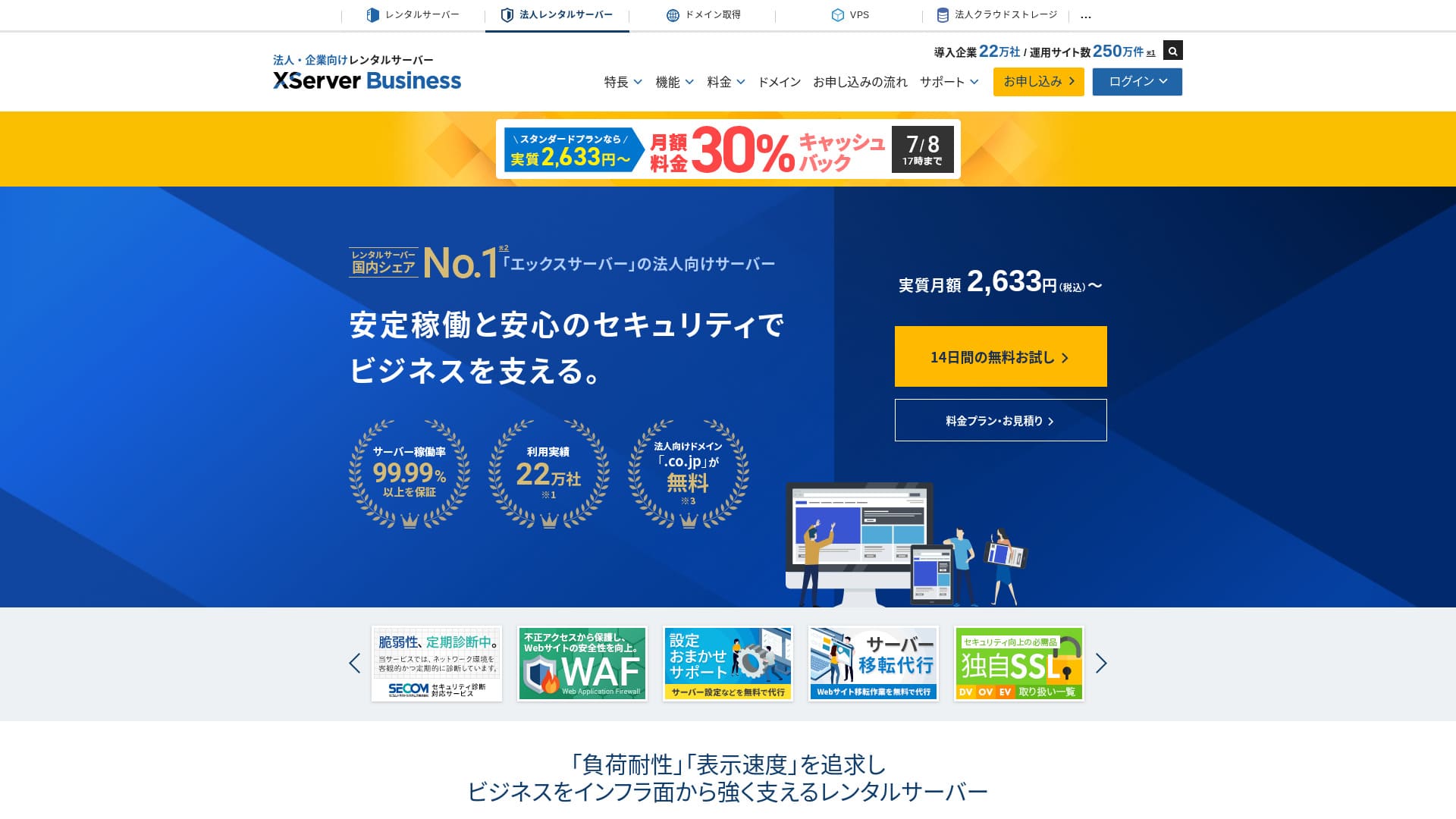
XServer Business est un hebergement ultra-rapide pour entreprises, exploite par Xserver Inc. Parce qu'il est a la fois rapide et de grande capacite, il est tres confortable pour faire tourner des sites WordPress, des pages de campagne et la messagerie au meme endroit.
| Type de serveur | Hébergement mutualisé / Serveur dédié managé (virtuel) / Serveur dédié managé (physique) |
| Vitesse (TTFB) | 40 ms |
| Plan et durée recommandés | Standard mutualisé, 12 mois |
| Essai gratuit / garantie de remboursement | Essai gratuit de 10 jours |
| Prix mensuel (engagement de 12 mois) | 2 926 yens |
| Frais de configuration initiaux | 16 500 yens |
| Domaines gratuits | Deux gratuits à vie |
| Assistance | Téléphone et email (jours ouvrables 10 h 00-18 h 00) |
| Disponibilité | Garantie de 99,99 % |
| Stockage | 700 GB |
| Nombre de bases de données | Illimité |
| Mesures de sécurité | WAF / alertes d'altération du site / diagnostic de sécurité Secom |
| SSL | SSL dédié gratuit / Cloud SSL / SSL validé pour la vitesse / QuickSSL Premium |
| Sauvegardes / restauration | 14 jours de sauvegardes automatiques / restaurations gratuites |
| Comptes email | Illimité |
| Mesures de sécurité email | Antivirus / filtre anti-spam / filtre anti-spam haute performance / POP over SSL / SMTP over SSL / IMAP over SSL / DKIM / DMARC |
| Service de migration serveur / site web | Migration complète gratuite(première fois uniquement, jusqu'à 10 sites) |
| WordPress préinstallé | Oui |
| CDN | Aucun |

Hikaru Ono
XServer Businesspermet de démarrer WordPress dès l'inscription au serveur, ce qui en fait une très bonne option pour les entreprises qui créent un nouveau site. Les entreprises qui exploitent déjà un site sur un autre serveur peuvent aussi l'utiliser en toute confiance, car la migration professionnelle est incluse gratuitement.
C'est un serveur de haute qualité que vous pouvez continuer à utiliser sur le long terme.
- Données fondées sur une étude de marché au 4 novembre 2025, classées par ordre de vitesse
- Les prix mensuels correspondent au coût de la première année du plan le moins cher compatible avec WordPress
- La vitesse correspond au Time to First Byte mesuré sur des sites de démonstration dans les mêmes conditions
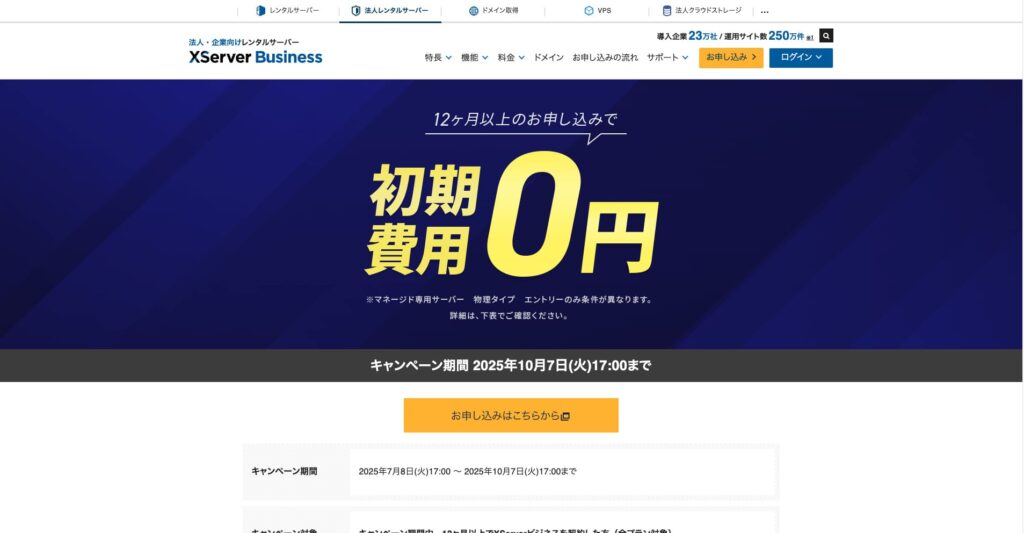
"XServer Business" est le service d'hébergement business de Xserver Inc., l'entreprise qui détient la première part de marché au Japon. Dans nos mesures, il s'est classé n° 2 pour la vitesse. C'est l'un des meilleurs choix lorsque vous devez changer de serveur, d'autant que la migration est également gratuite.

Evaluation autour de WordPress
Installation facile de WordPress
XServer Business prend en charge Easy WordPress Installation et permet d'installer WordPress 6.8 depuis le panneau en quelques clics. Les reglages de base, y compris la base de donnees, sont pris en charge automatiquement, ce qui aide meme les equipes sans specialiste interne.
Hikaru Ono
Même sans service informatique interne, vous pouvez démarrer WordPress de manière fiable et sans difficulté.
Lançons votre site web avec XServer Business
- STEP.1Accéder au site officiel de XServer Business
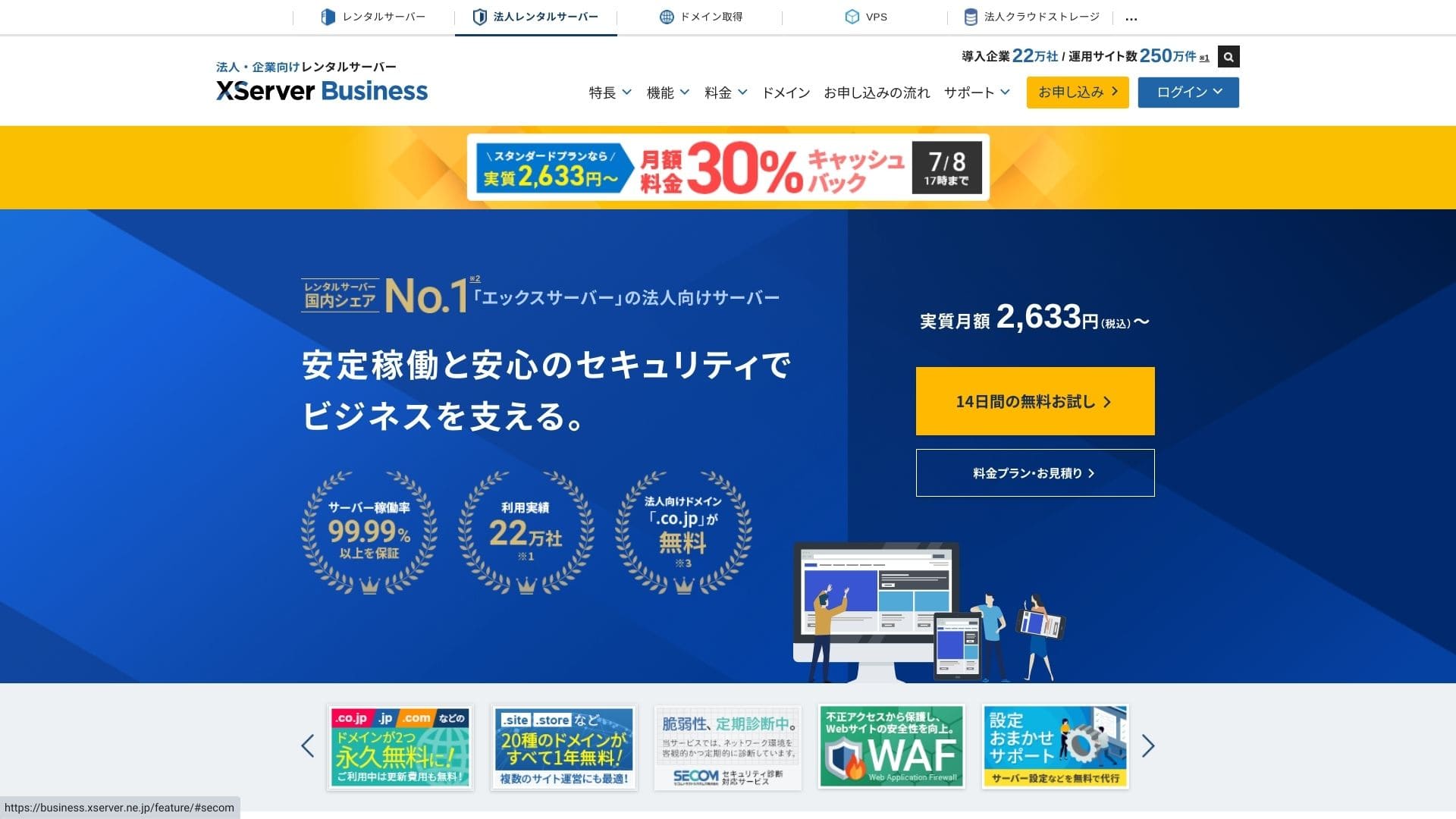
Cliquez sur "Essai gratuit de 14 jours" sur la page d'accueil. Puis, sous "Premiers clients", cliquez sur "Commencer maintenant ! Nouvelle demande".
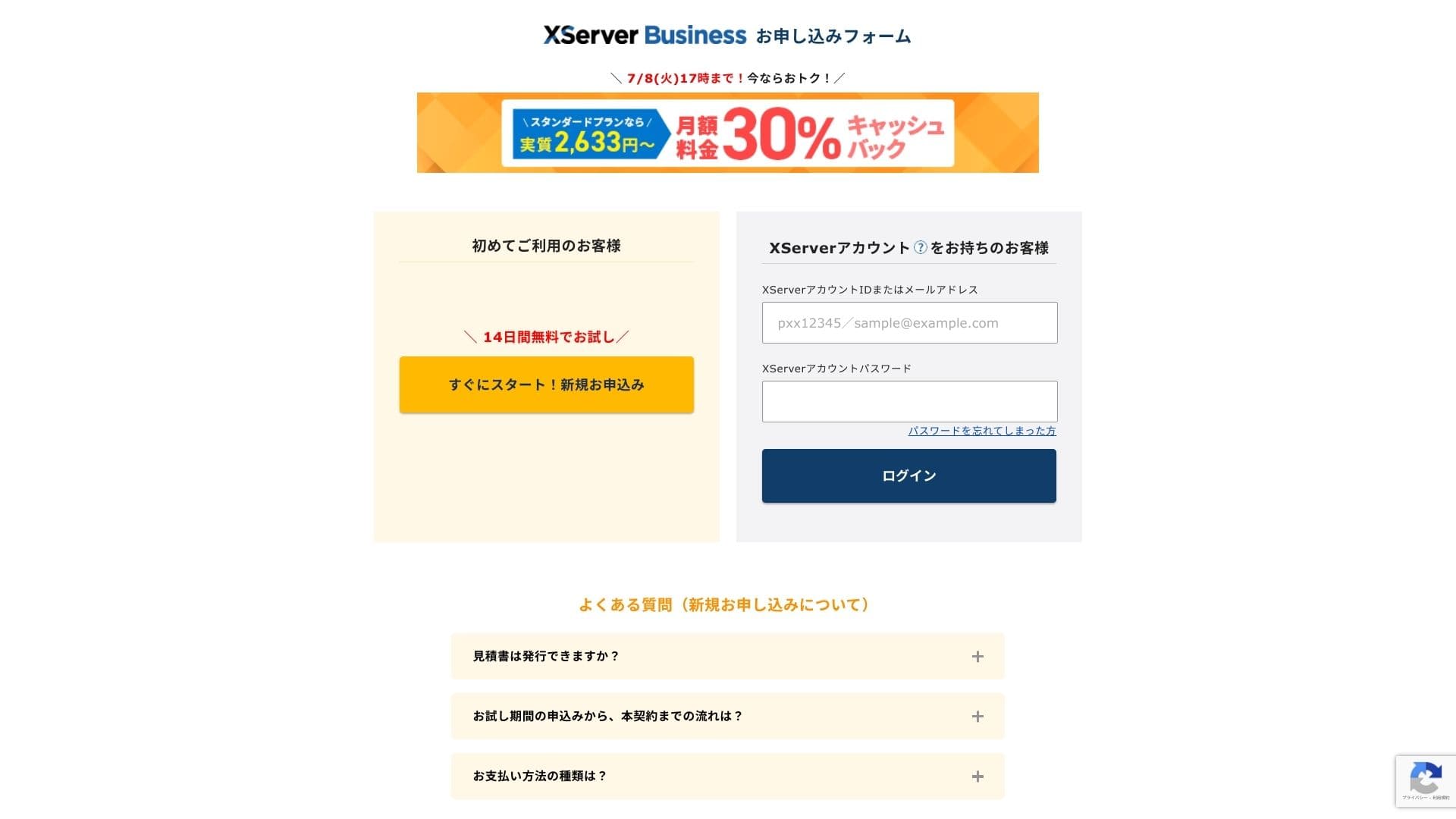
- STEP.2Choisir les détails de votre demande
Vous pouvez laisser l'ID de serveur tel quel. Choisissez le serveur mutualisé, puis sélectionnez un plan. Je recommande le plan Standard. Si le trafic augmente et que les spécifications deviennent insuffisantes, vous pourrez passer à une offre supérieure plus tard.
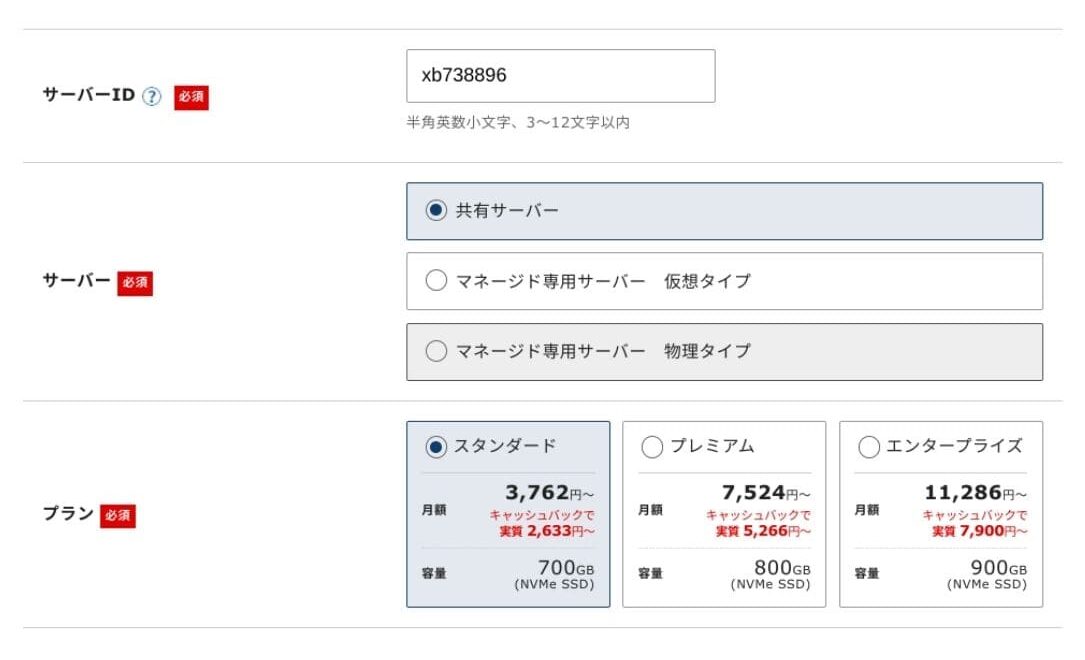
Cliquez sur "Passer à la saisie des informations client".
- STEP.3Créer votre Xserver Account et saisir vos informations client
Saisissez votre adresse email, votre nom, votre adresse et les autres informations requises.
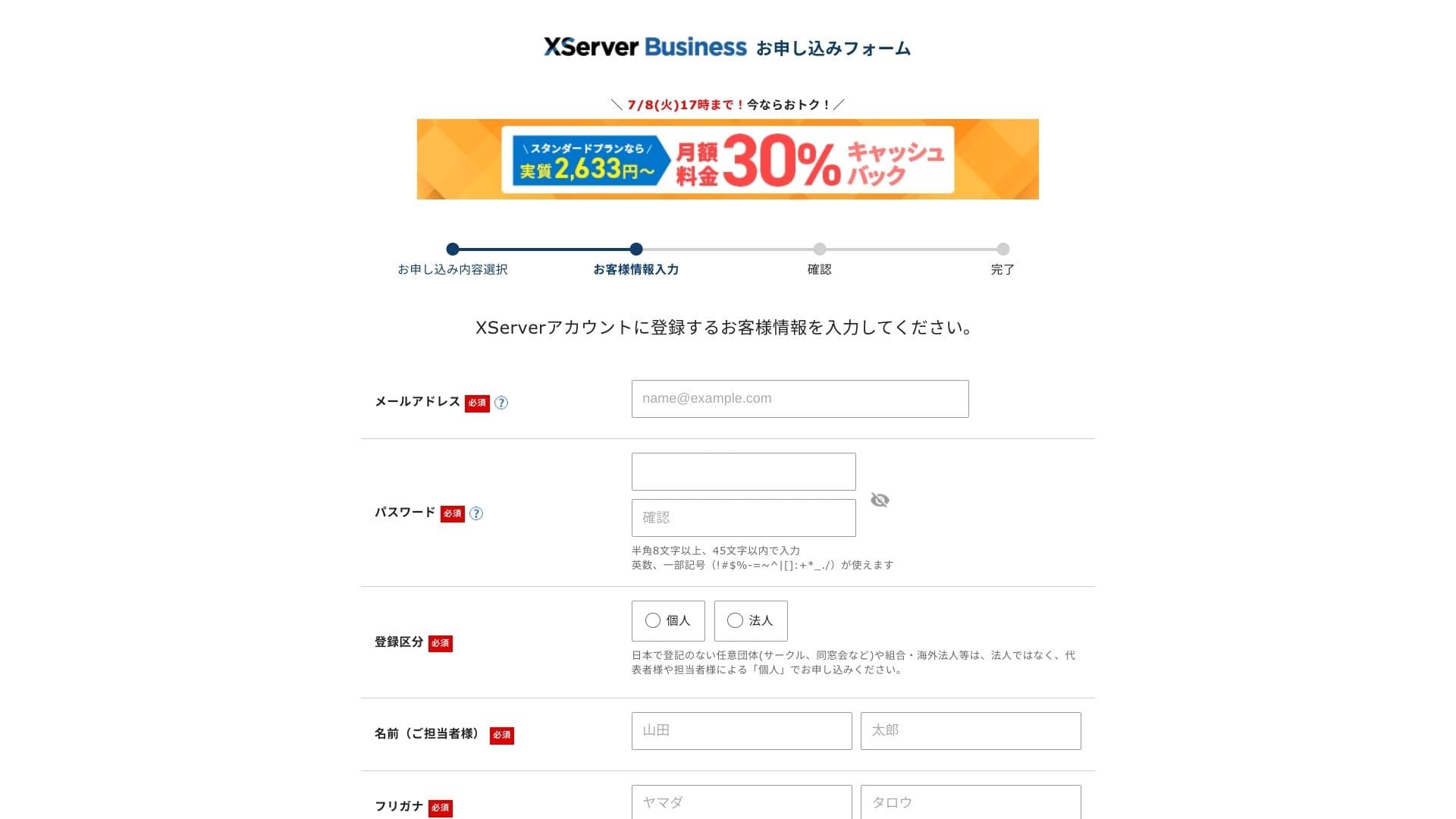
Vérifiez les conditions d'utilisation et le traitement des informations personnelles. Si vous êtes d'accord, cochez la case et cliquez sur "Suivant".
Saisissez le code de vérification affiché à l'écran. Un code de vérification sera envoyé à l'adresse email enregistrée ; consultez donc d'abord ce message.
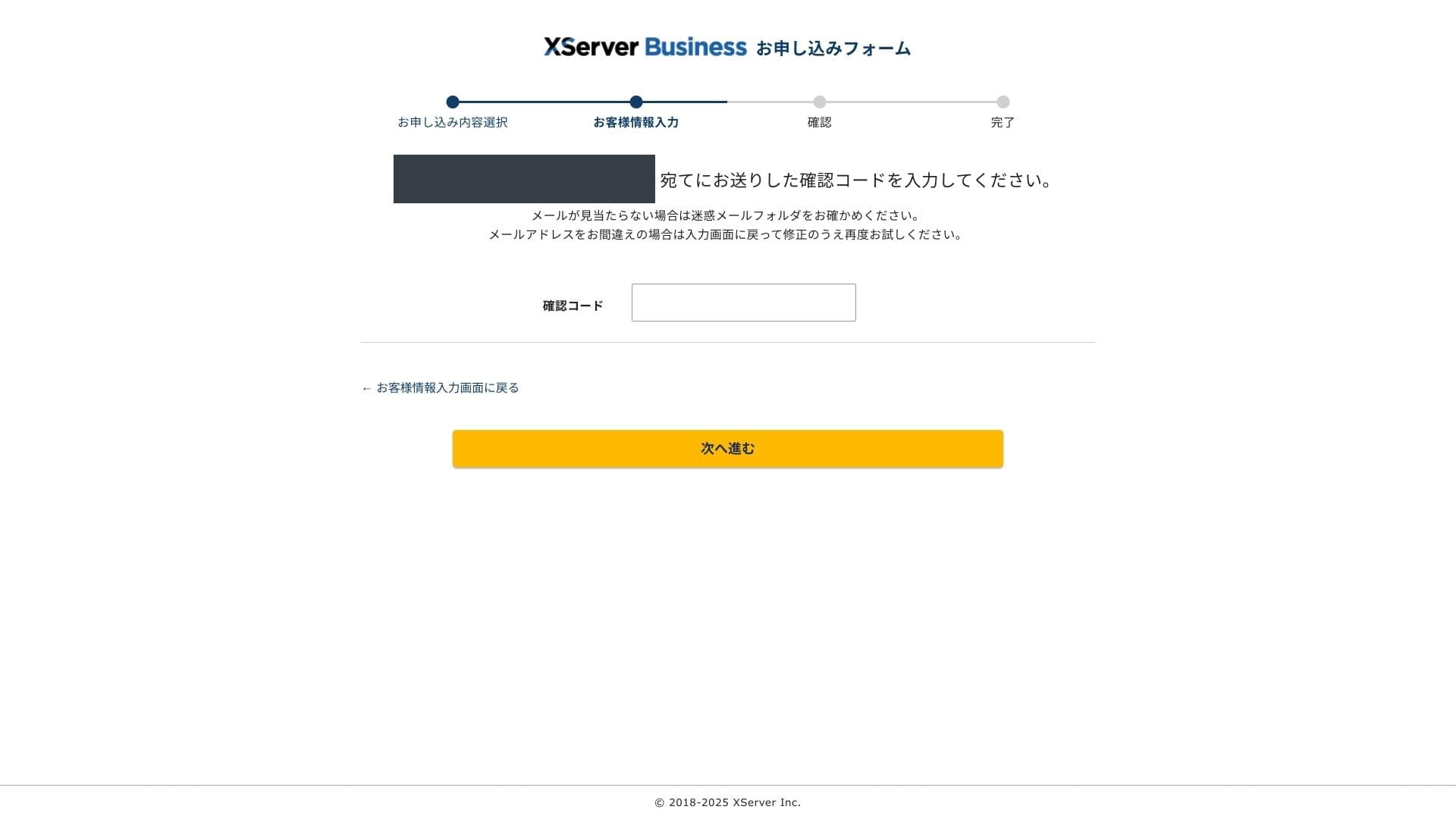
- STEP.4Vérification
Vérifiez encore une fois les détails de votre demande et les informations de votre Xserver Account. Si tout est correct, cliquez sur "Passer à la vérification par SMS / téléphone".
Les détails de votre demande seront à nouveau vérifiés à l'aide de votre numéro de téléphone.
Saisissez le numéro de téléphone à utiliser, choisissez SMS ou appel vocal automatique pour recevoir le code de vérification, puis cliquez sur "Obtenir le code de vérification". Une fois reçu, saisissez le code.
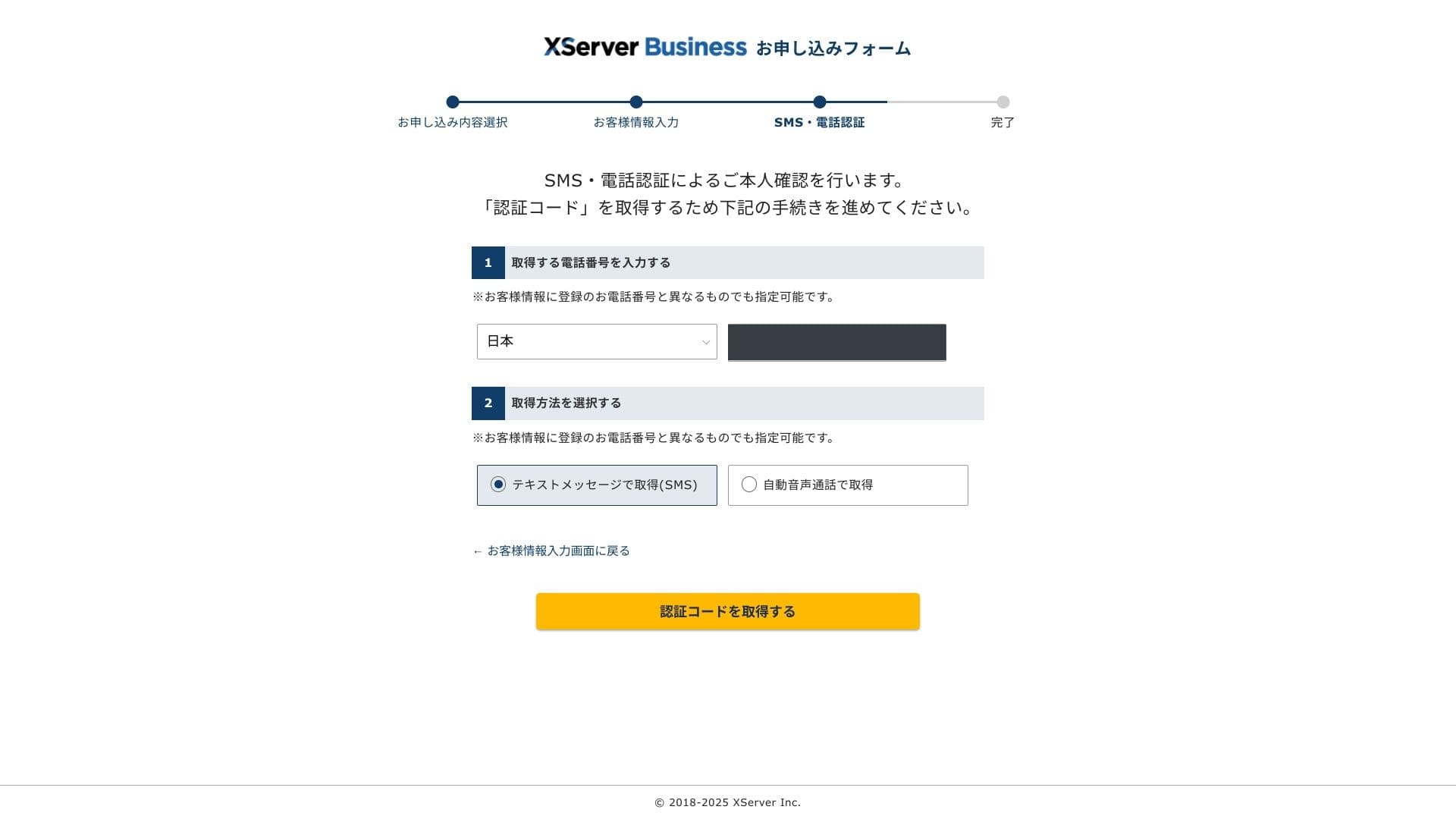
Lorsque le message "Votre demande est terminée" s'affiche, la demande est finalisée.
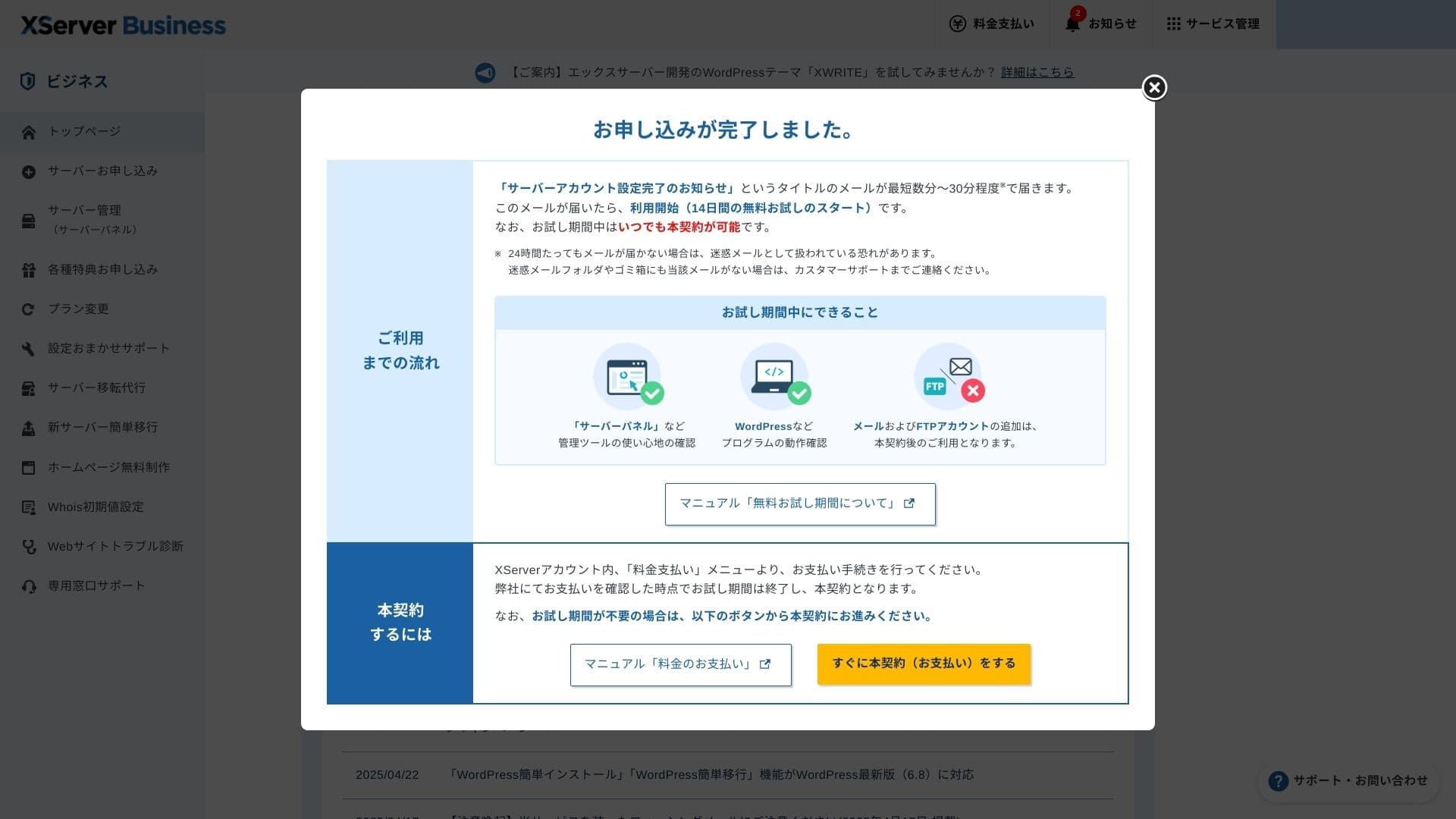
Lorsque cette page apparaît, finalisez le paiement depuis "Passer maintenant au contrat payant". Si vous ne finalisez pas le contrat payant, vous ne pourrez pas utiliser l'avantage de domaine gratuit pendant un an ni les fonctions email.
- STEP.5Obtenir votre domaine personnalisé et le configurer
Connectez-vous au Server Panel depuis l'écran d'administration Xserver Account. Obtenez votre domaine depuis la section Domain. Il est avantageux d'utiliser l'offre gratuite d'un an.
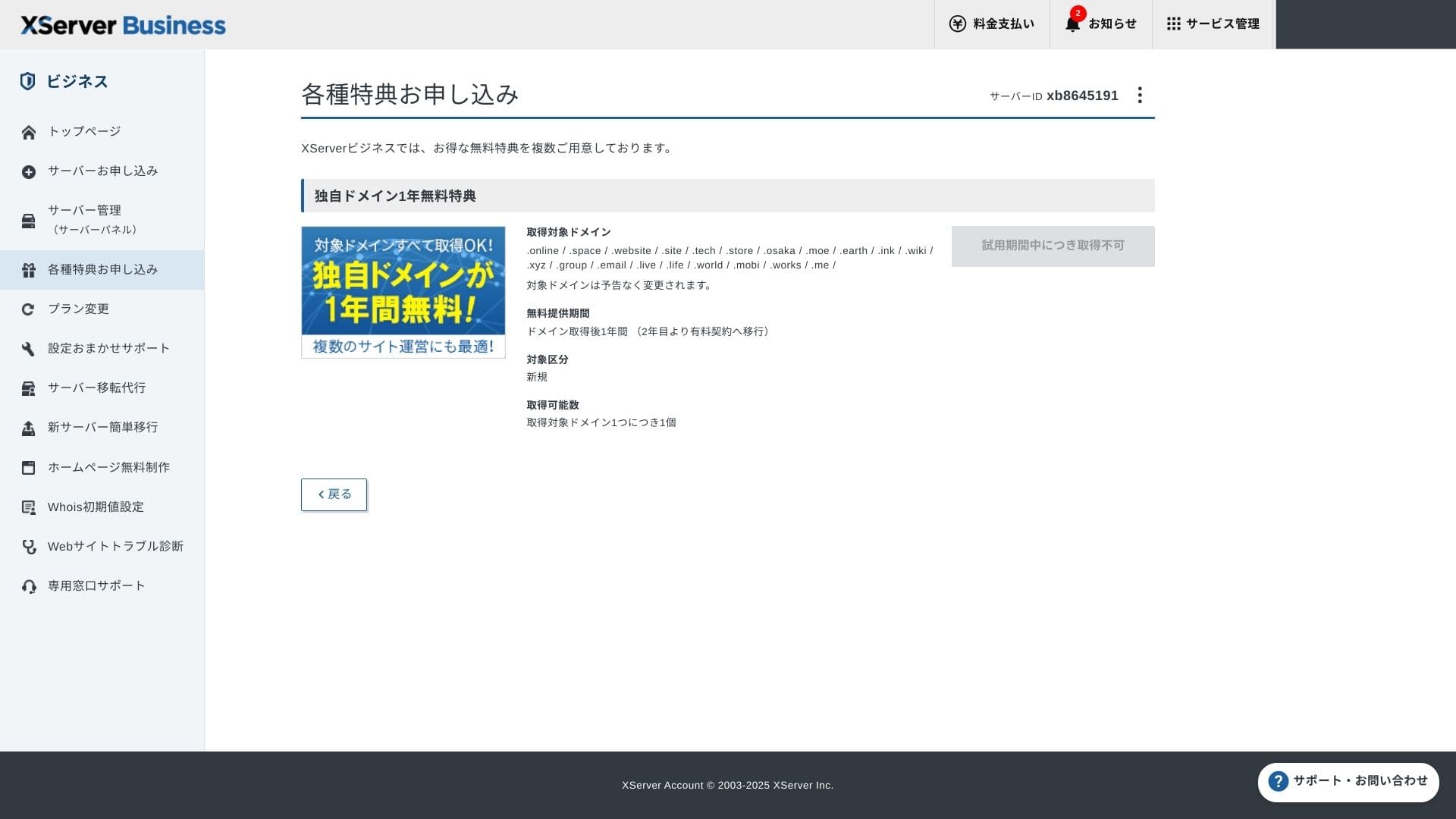
Obtenez votre domaine personnalisé. Depuis Apply for special offers dans l'écran d'administration, choisissez Permanent free custom domain benefit, puis cliquez sur Use this benefit.
Choisissez New registration comme catégorie. Saisissez la chaîne de votre choix pour le nom de domaine. Votre domaine est important ; réfléchissez bien avant de décider.
★ Qu'est-ce qu'un domaine ? Son rôle d'adresse sur internet et comment en obtenir un
Recherchez le nom de domaine souhaité et choisissez-le. Cliquez sur "Demander l'obtention du domaine sélectionné". Vérifiez les détails de la demande sur l'écran de vérification. Cochez la case pour accepter les conditions d'utilisation et le traitement des informations personnelles, puis cliquez sur "Envoyer votre demande".
Ensuite, configurez le domaine. Depuis l'écran d'administration, choisissez "Gestion du serveur". Le Server Panel s'ouvre alors. Sous "Domaine", cliquez sur "Paramètres de domaine". Cliquez sur "Ajouter un paramètre de domaine", saisissez le domaine personnalisé obtenu, puis cliquez sur "Passer à la vérification".
Vérifiez les détails sur l'écran de confirmation et cliquez sur "Ajouter". Lorsque l'écran de fin s'affiche, la configuration du domaine est terminée.
- STEP.6Installer WordPress et terminer la configuration initiale
Depuis WordPress dans le Server Panel, choisissez Easy WordPress Installation.
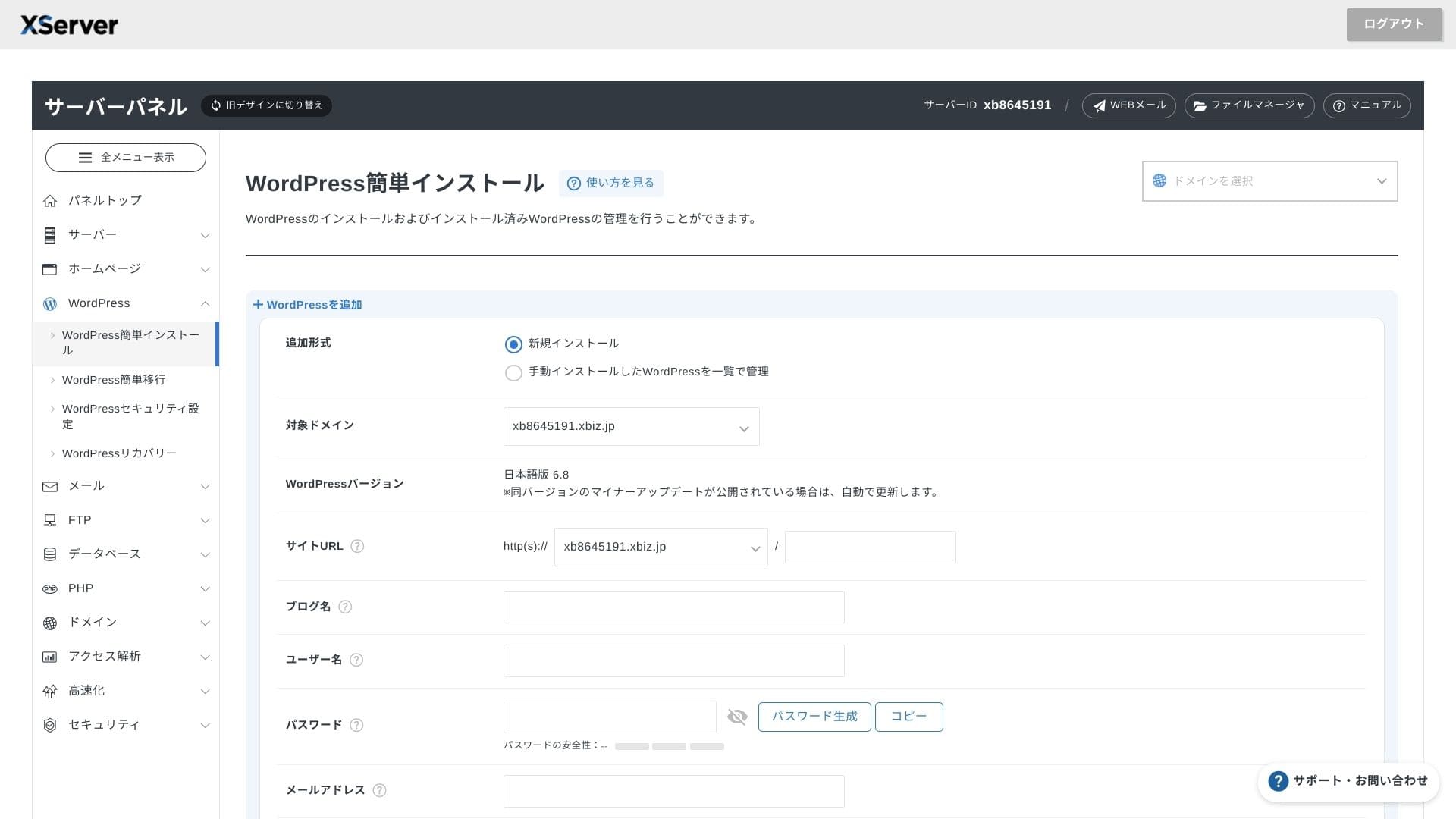
Cliquez sur WordPress Installation et saisissez les paramètres d'installation de WordPress.
- URL du site : sélectionnez le nom de domaine obtenu précédemment
- Titre du site : le titre de votre site web
- Nom d'utilisateur : n'importe quel identifiant pour la connexion WordPress
- Mot de passe : un mot de passe de connexion WordPress, de préférence aussi complexe que possible
- Adresse email : utilisez l'adresse email que vous utilisez habituellement. Pour un site d'entreprise, une adresse email professionnelle est recommandée
- Base de données : générer automatiquement la base de données
Après avoir tout saisi, cliquez sur "Passer à la vérification", puis sur "Installer". Lorsque l'écran de fin s'affiche, l'installation est terminée.
Ensuite, effectuez la configuration initiale de WordPress. Cliquez sur Admin panel URL sur l'écran de fin d'installation de WordPress. Sur l'écran de connexion qui s'affiche, saisissez le nom d'utilisateur et le mot de passe notés plus tôt, puis cliquez sur Log in.
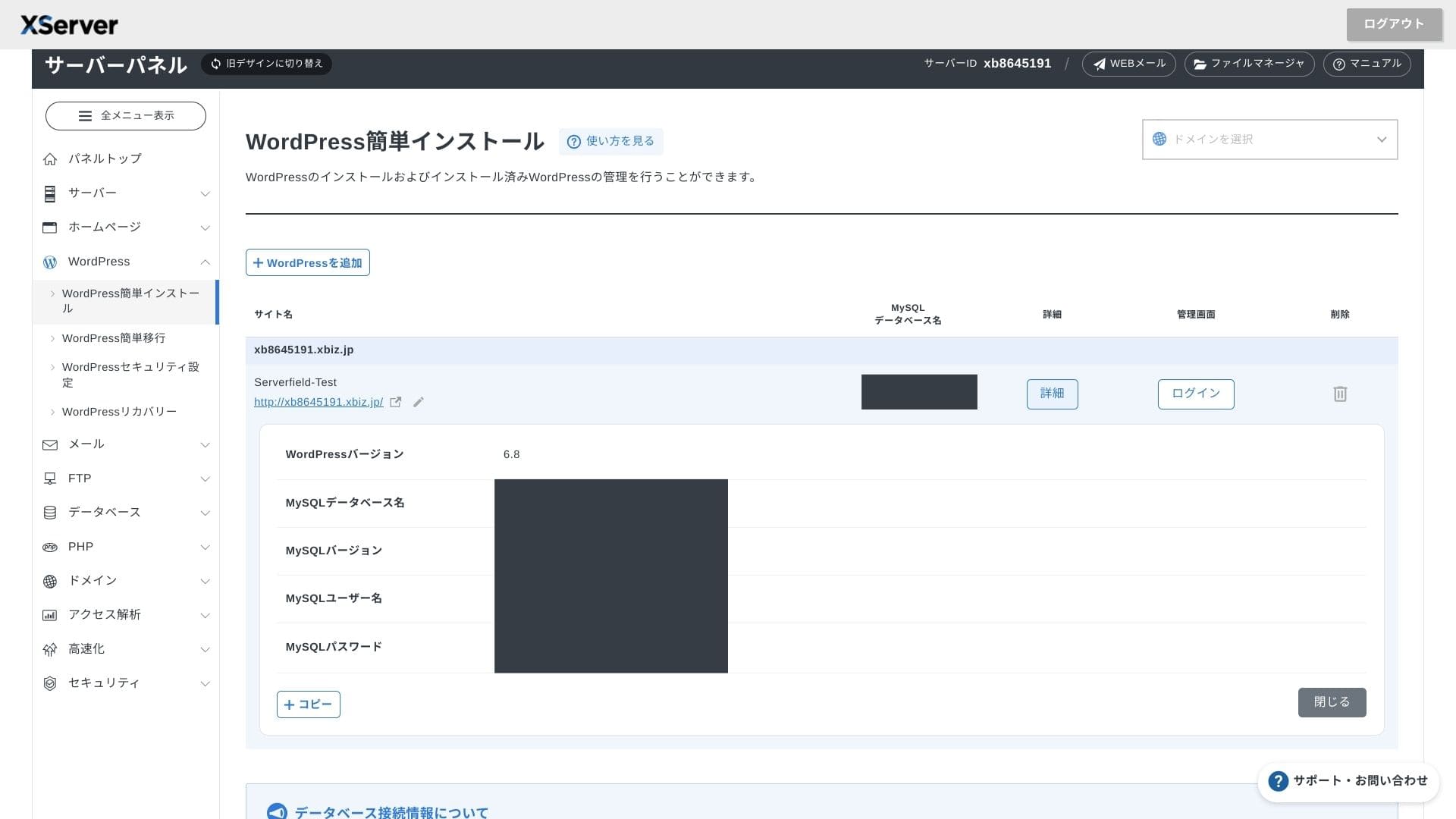
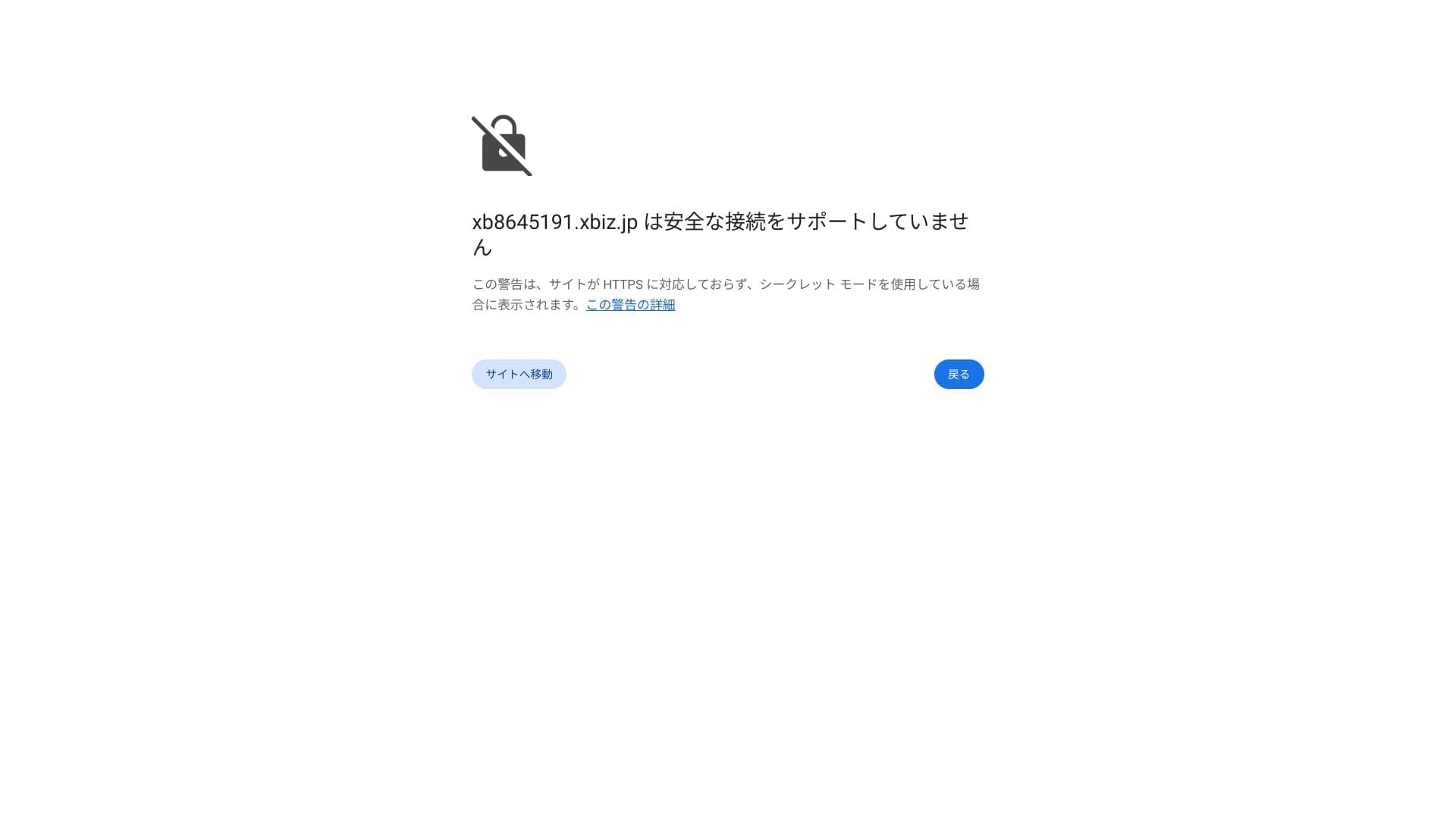
Si un avertissement indique A secure connection is not supported, les paramètres DNS ne se sont pas encore propagés. Dans ce cas, il faut simplement attendre ; réessayez donc de vous connecter environ toutes les heures.
★ Que sont le DNS et les serveurs de noms ? Connecter votre domaine et votre serveur
Définissez les permaliens. Dans l'écran d'administration WordPress, ouvrez Settings puis Permalinks. Choisissez Post name et cliquez sur Save Changes.
Si vous choisissez Post name, vous pourrez saisir la chaîne de votre choix dans l'URL de chaque article. Je recommande une chaîne courte qui aide les lecteurs à imaginer le contenu de l'article. Si l'URL est trop longue, certaines personnes peuvent se sentir moins en confiance et se demander si le site est sûr.
- STEP.7Installer les extensions
Retournez dans l'écran d'administration WordPress, ouvrez Plugins puis Add New, et installez les extensions dont vous avez besoin.
Lorsque vous trouvez l'extension voulue via la recherche, cliquez sur Install Now puis sur Activate. Suivez ensuite les instructions propres à chaque extension.
Veillez à installer des extensions de sécurité et de sauvegarde.
- 5 extensions WordPress axées sur la sécurité et comment les choisir
- 5 extensions WordPress de sauvegarde efficaces pour récupérer vos données
Une fois les extensions en place, votre site WordPress est prêt à fonctionner.
Gestion de plusieurs sites
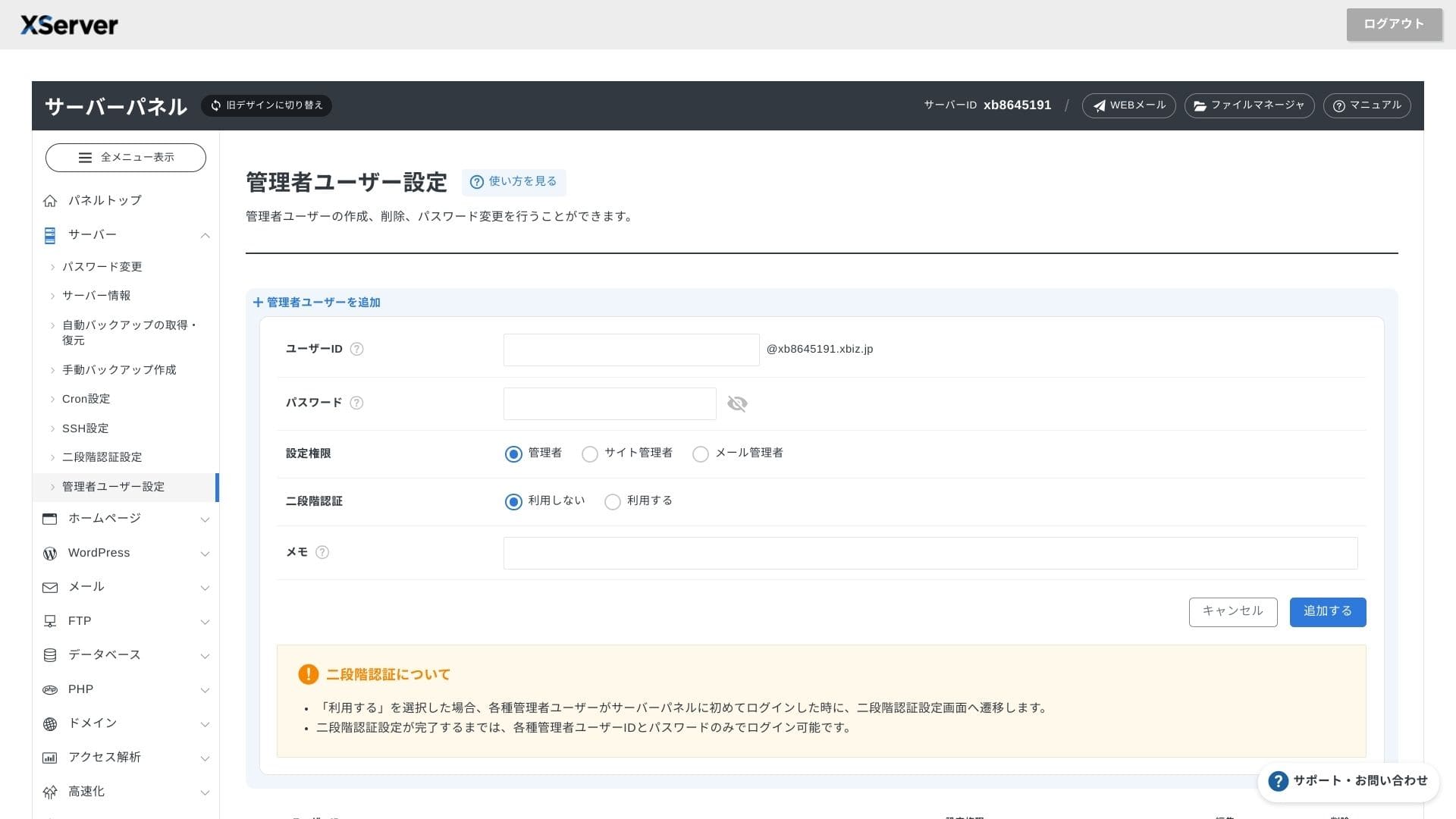
Comme le multidomaine, les sous-domaines et les comptes email sont illimites, vous pouvez gerer sous un seul contrat un site corporate, des pages de recrutement, des landing pages et d'autres actifs. La possibilite de separer les droits d'administration par service est aussi pratique pour une entreprise.
Migration de sites WordPress
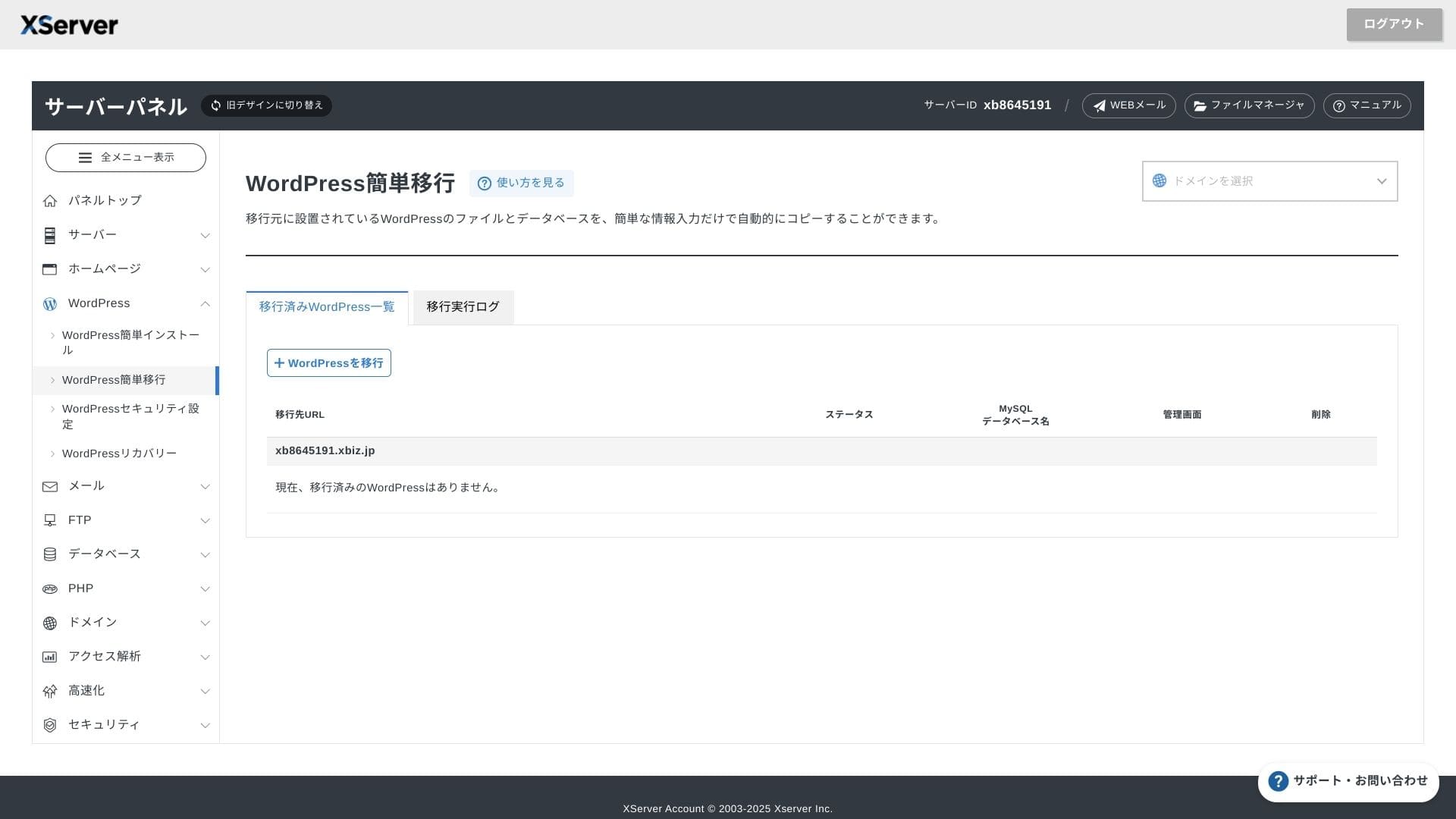
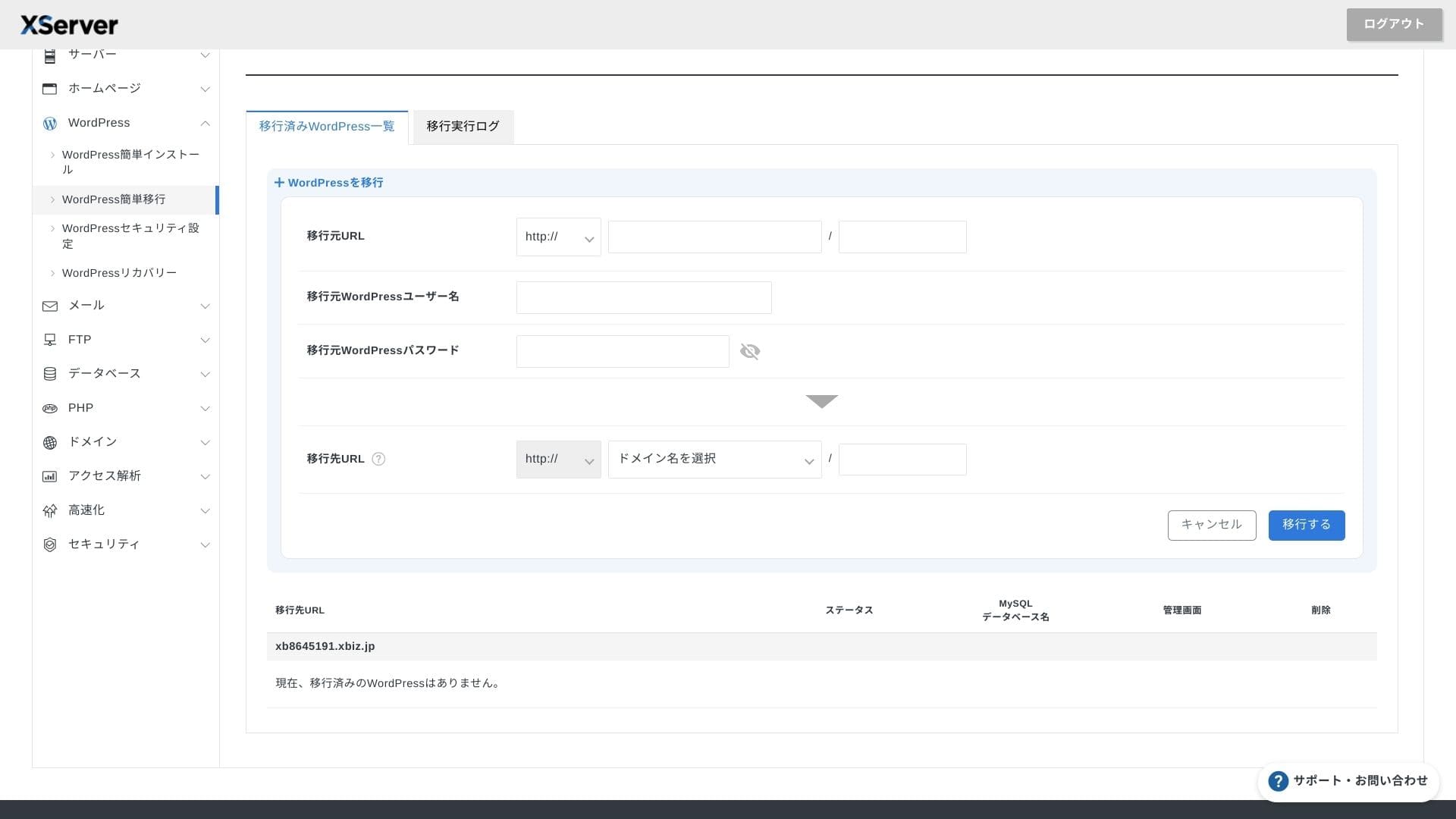
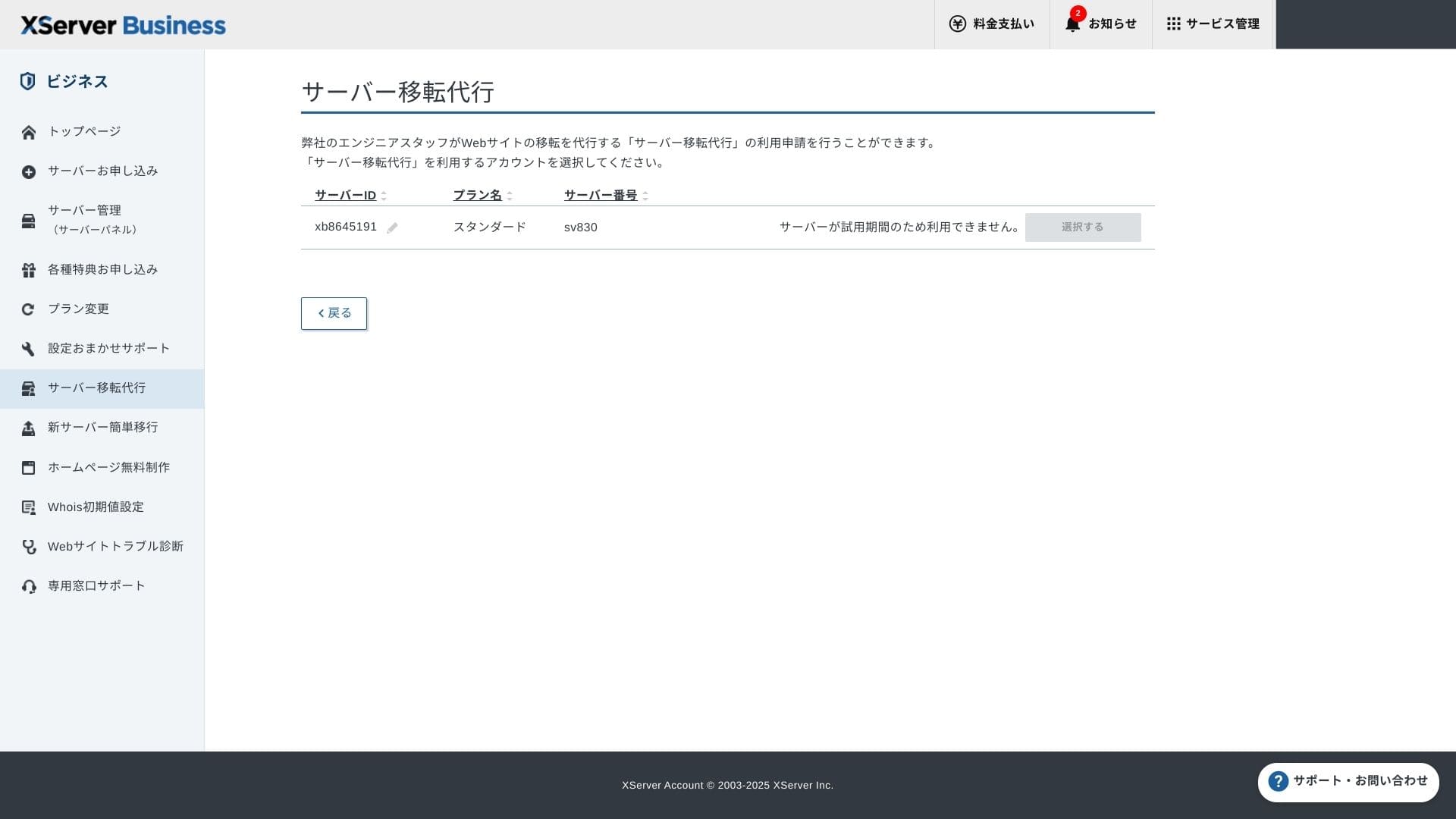
Vous pouvez utiliser a la fois Easy WordPress Migration, qui copie le site avec l'URL, l'identifiant et le mot de passe de l'ancien serveur, et le service de migration geree dans lequel les ingenieurs s'occupent de tout. La premiere migration geree est gratuite.
Hikaru Ono
Si vous êtes à l'aise avec les serveurs et les domaines, utiliser Easy WordPress Migration et le configurer vous-même est plus fluide, car vous n'avez pas à attendre le service de migration managée.
En particulier, le service gere prend aussi en charge le basculement DNS. Je le recommande donc aux entreprises qui ont deja du trafic et qui veulent eviter toute erreur de migration.
Performance et specifications
Performance mesuree par nos tests
XServer Business a fourni un TTFB de 40 ms sur notre site de test. C'est un niveau extremement rapide, nettement inferieur au seuil de 200 ms souvent cite comme repere.
C'est bien plus rapide que le temps de réponse serveur de 200 ms attendu par Google, ce qui convient très bien aux sites corporate et aux sites business à fort trafic.
Vous devriez réduire le temps de réponse de votre serveur sous 200 ms.
Améliorer le temps de réponse du serveur
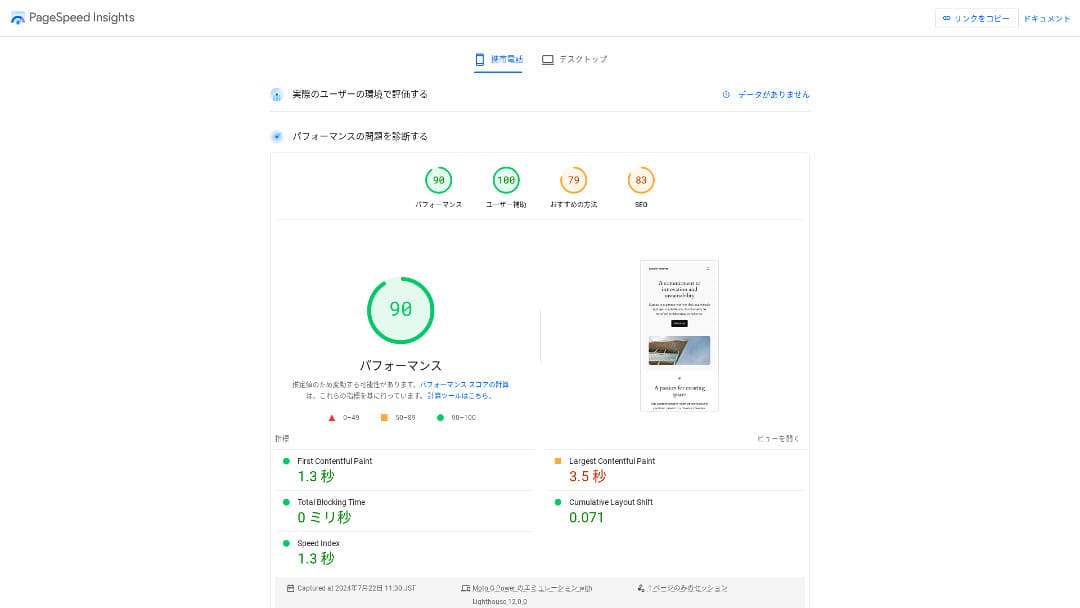
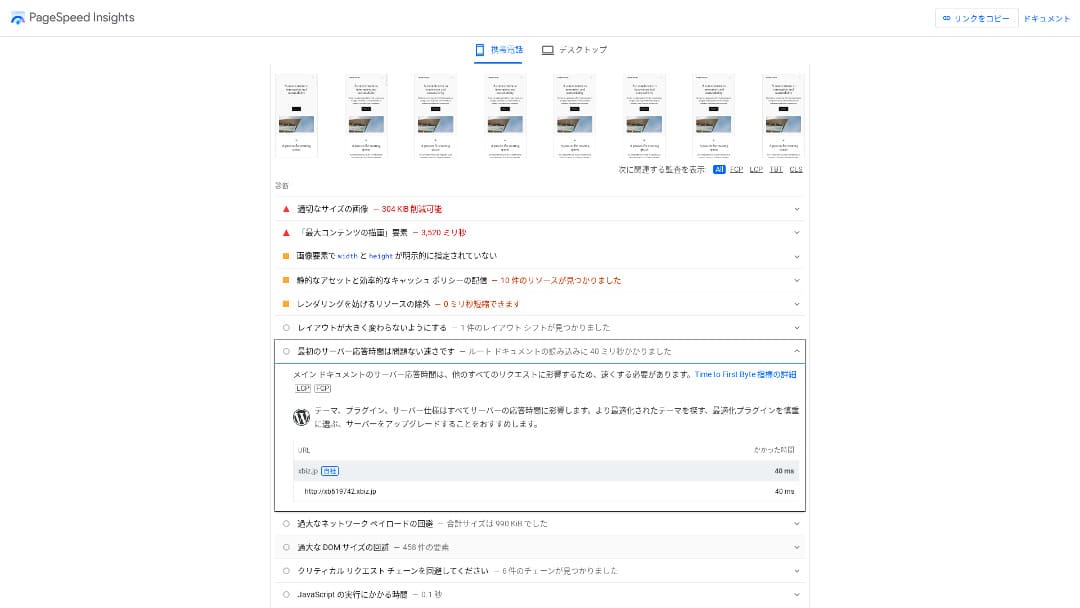
Il s'est classé deuxième parmi les 18 serveurs que nous avons mesurés. (Kinsta était n° 1.)
Hikaru Ono
C'est le serveur domestique le plus rapide. Pour les sites corporate et les sites e-commerce où même 0,1 seconde influence le trafic et les ventes, cette vitesse constitue un avantage majeur.
Il utilise un backbone domestique directement connecté à 10 Gbit/s et un stockage NVMe RAID10. Selon le benchmark officiel, il est jusqu'à 17 fois plus rapide qu'un stockage SSD conventionnel.
Capacite disque
Les plans mutualises disposent de 700, 800 ou 900 Go en NVMe. Cette capacite est utile pour conserver longtemps des emails, manipuler de grosses pieces jointes ou faire tourner plusieurs sites sans sentir la limite trop tot.700 GB / 800 GB / 900 GB (all NVMe). Even if you launch many landing pages with lots of photos and videos, you still have plenty of headroom.
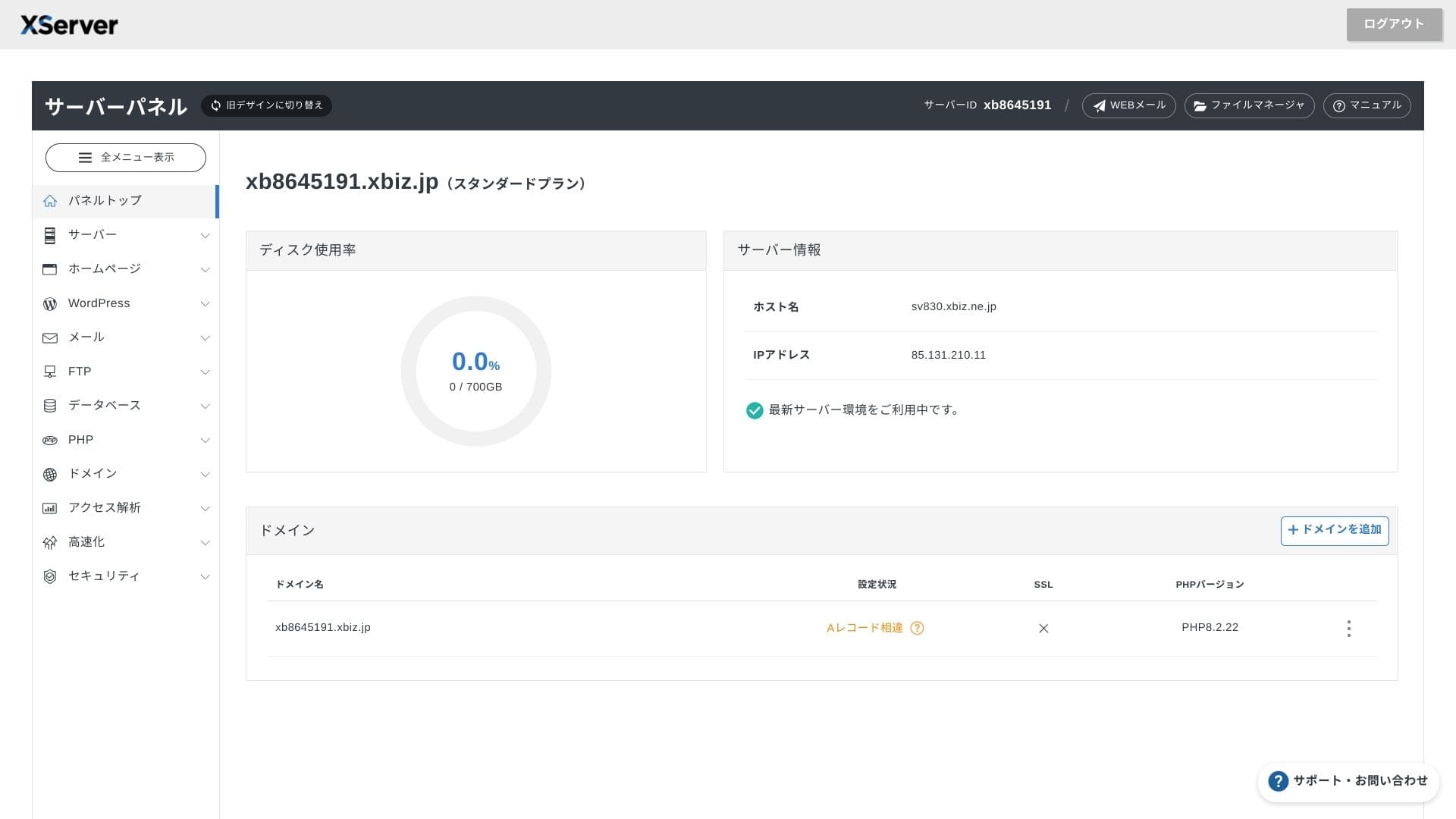
Dans la finance et la santé, les emails doivent souvent être conservés sept ans ou plus comme piste d'audit, et les équipes commerciales manipulent fréquemment de grosses pièces jointes. Comme le stockage disponible est très important, vous pouvez conserver ces emails en sécurité sans supprimer constamment les anciennes données.
Vous pouvez aussi créer un stockage de type on-premises, par exemple avec WebDAV ou Nextcloud, et gérer les documents internes en toute sécurité via une connexion VPN.
Hikaru Ono
XServer Businessà lui seul peut réduire la charge de travail de votre équipe d'exploitation tout en laissant assez de marge pour la croissance future de l'activité.
Volume de transfert
XServer Businesscan be used without transfer limits within normal usage ranges. The official documentation clearly states that there are no transfer-volume charges.
★ Que sont le trafic et les volumes de transfert de données ? Gérer et optimiser le trafic web
Stabilite et disponibilite
Meme le plan mutualise inclut un SLA mensuel de 99,99 %. Si la garantie n'est pas respectee, un remboursement est prevu. Avoir a la fois une forte stabilite et un SLA clair correspond exactement a ce que recherchent beaucoup d'entreprises.
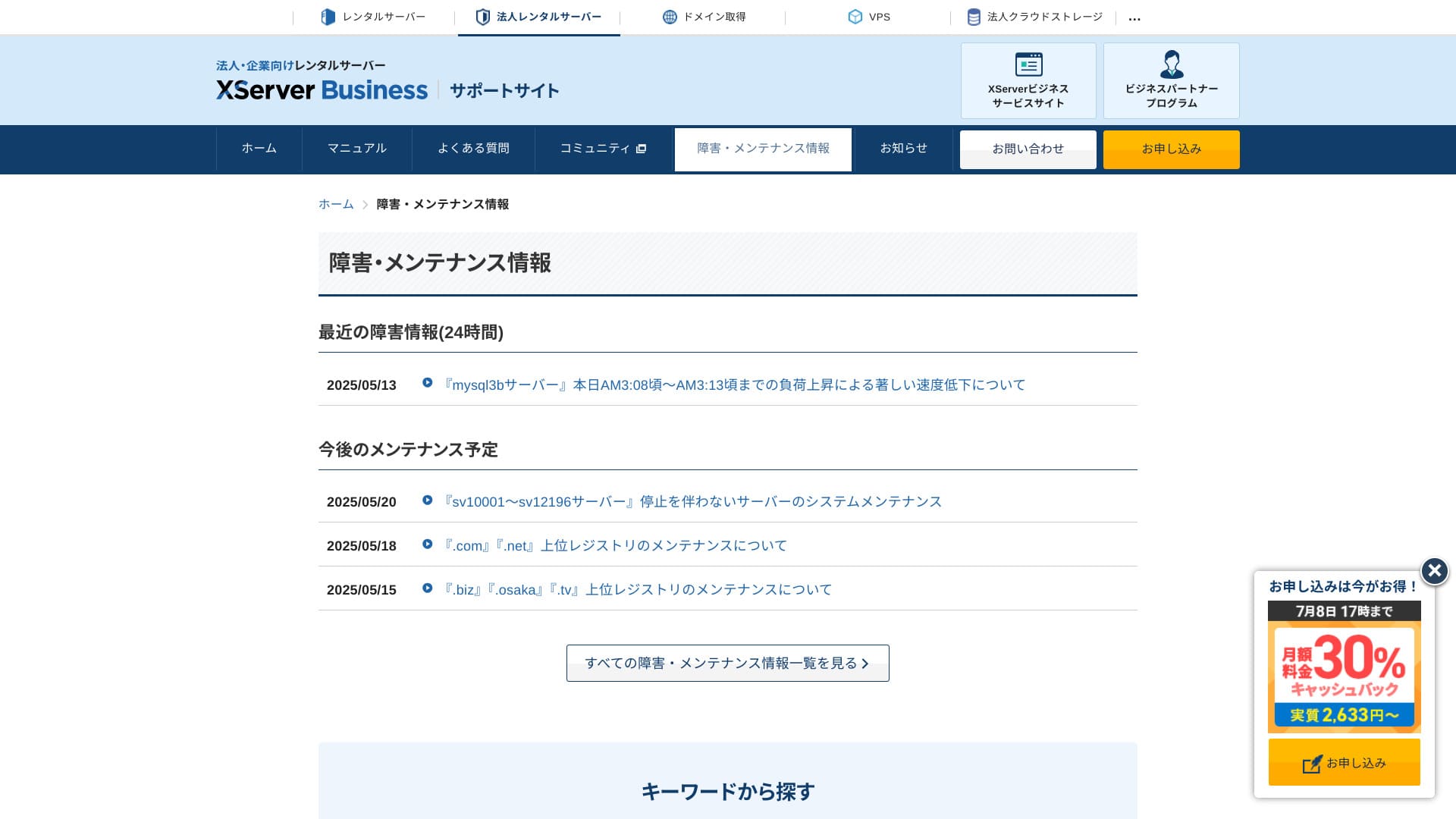
Comme les informations sur les pannes serveur et la maintenance sont publiées ouvertement sur le site officiel, tout le monde peut les vérifier à tout moment.
Hikaru Ono
Une entreprise qui partage ouvertement ces informations au lieu de les cacher inspire davantage confiance.
Prix et cout
Frais initiaux et cout mensuel
XServer Businesscharges 4,180 yen per month for the Standard plan with a 12-month contract. With the 30% cashback campaign running until July 8, the effective cost is 2,926 yen. Considering that phone support, chat support, and managed services are included, I find that to be a reasonable level.
- XServer Business
- Kinsta
- wpx
- Lolipop!
- Star Server
- Rakko Server
- XServer
- ConoHa
- ColorfulBox
- Shin Rental Server
- Little Server
- CORESERVER
- DreamHost
- Bluehost
- Sakura
- Namecheap
- Shin Free Server
- XREA
- Value Server
- Hostinger
- KAGOYA
- SiteGround
- HostGator
- IONOS
- Onamae.com
- ABLENET
- mixhost
- GoDaddy
- iCLUSTA+
- MuuMuu Server
- WADAX
- WebARENA
- Heteml
- CPI Rental Server


































Prix des domaines
XServer Businessincludes one free domain such as .com or .net, plus a second one (chosen from .blog, .online, or .site) that is also free forever. The permanent free custom domain benefit supports new registration, transfers from other companies, switching an already obtained domain, and changing the eligible domain.
Hikaru Ono
Comme ces domaines sont destinés à un usage professionnel de long terme, cet avantage gratuit ne doit pas être négligé.
- XServer Domain
- Onamae.com
- MuuMuu Domain
- Value Domain
- Shin Domain
- Star Domain
- Colorful Domain
- Rakko Domain








Cout des certificats SSL
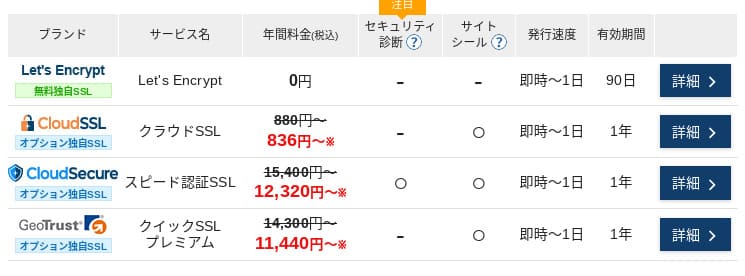
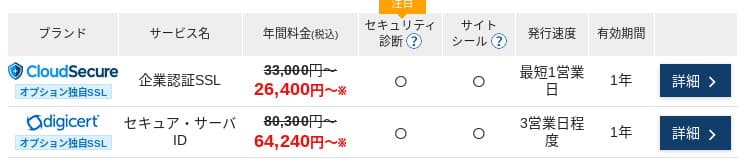
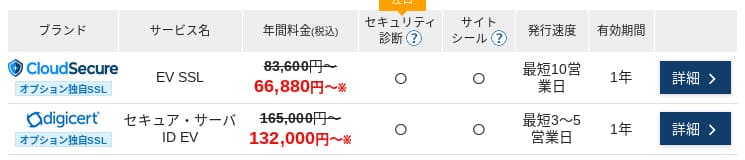
Let's Encrypt est disponible gratuitement, tandis que des certificats DV, OV et EV payants existent aussi. Cela permet de choisir un niveau de confiance adapte a l'usage reel du site.
Les prix peuvent varier selon la campagne.
Moyens de paiement
XServer Businesssupports credit cards, bank transfer, Pay-easy, convenience store payment, and invoice billing. It can also issue PDF quotations and invoices, so adoption is smooth even for companies that need internal approval.
Hikaru Ono
Comme beaucoup de services d'hébergement domestiques ne prennent pas en charge le paiement sur facture, c'est l'un des points forts de XServer Business.
- XServer Business
- Kinsta
- wpx
- Lolipop!
- Star Server
- Rakko Server
- XServer
- ConoHa
- ColorfulBox
- Shin Rental Server
- Little Server
- CORESERVER
- DreamHost
- Bluehost
- Sakura
- Namecheap
- Shin Free Server
- XREA
- Value Server
- Hostinger
- KAGOYA
- SiteGround
- HostGator
- IONOS
- Onamae.com
- ABLENET
- mixhost
- GoDaddy
- iCLUSTA+
- MuuMuu Server
- WADAX
- WebARENA
- Heteml
- CPI Rental Server


































Facilite d'usage et support
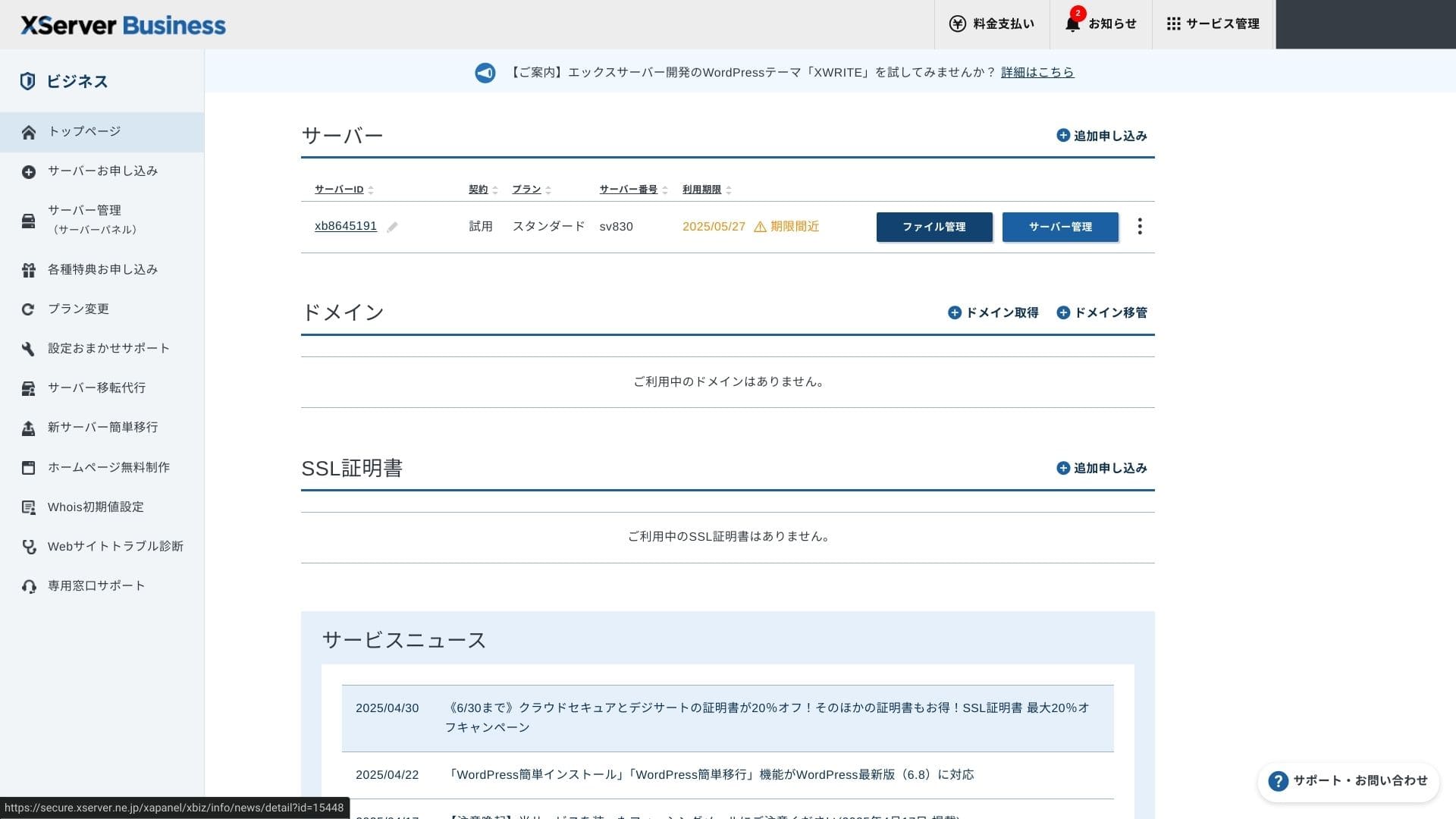
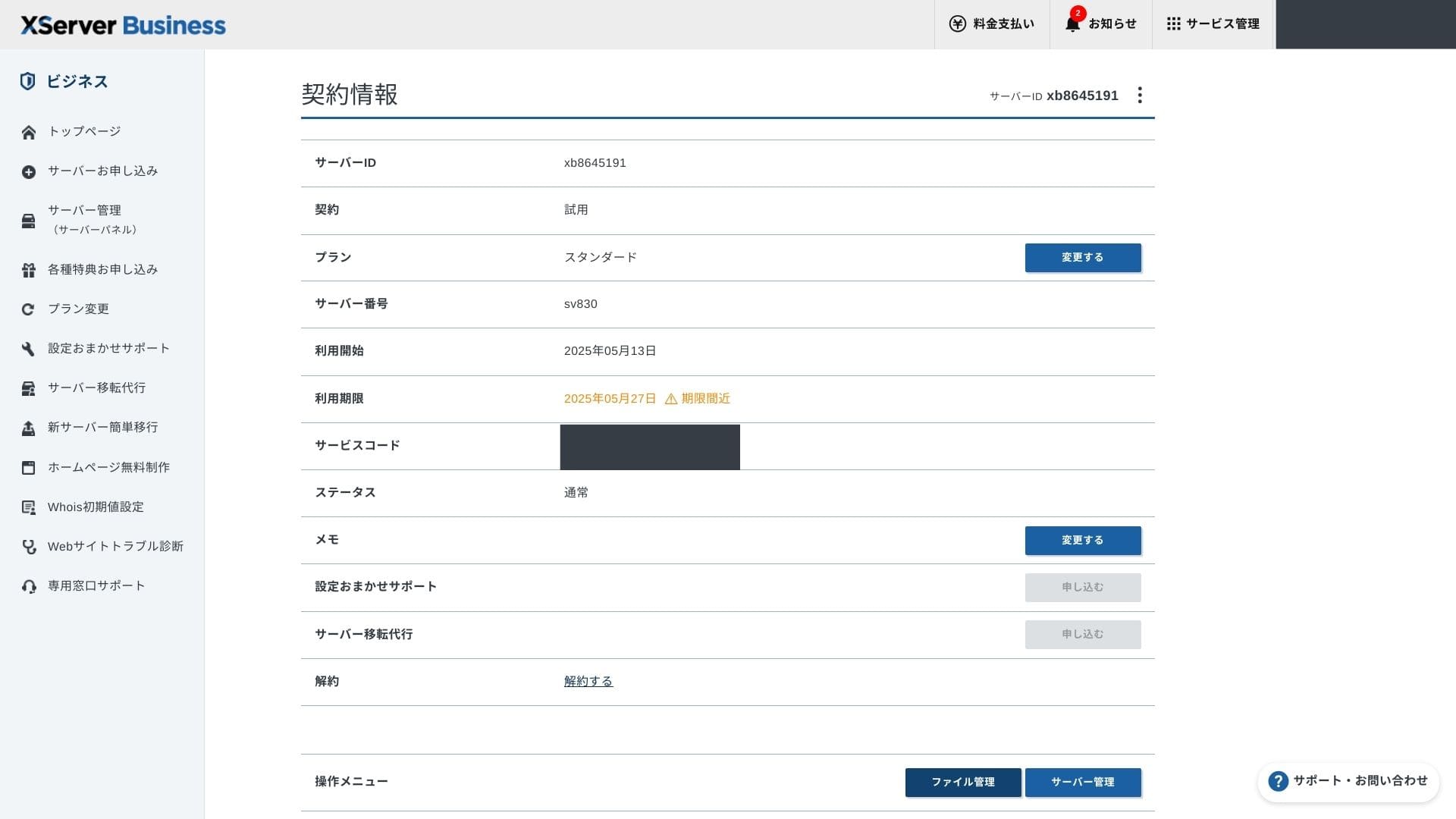
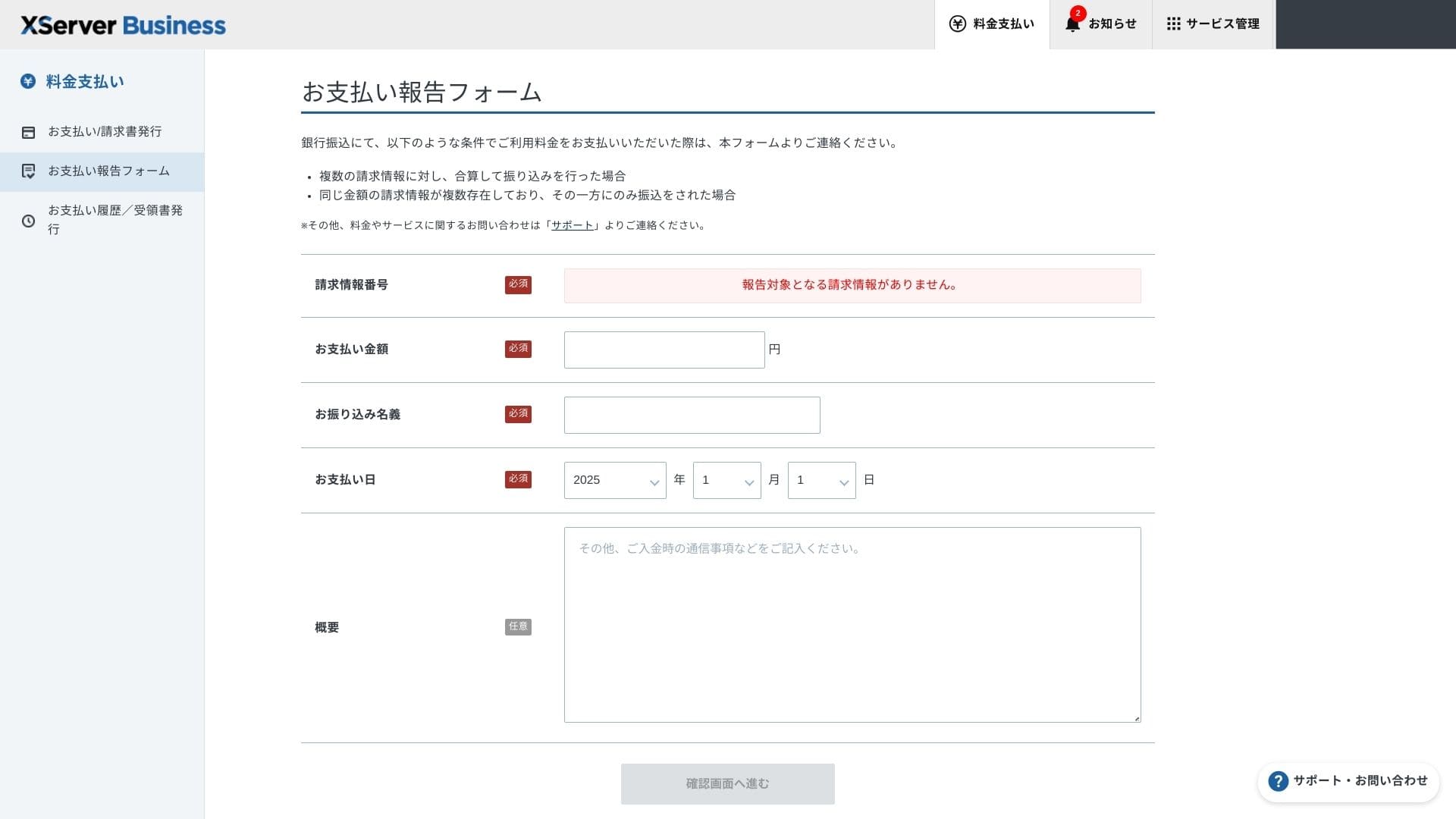
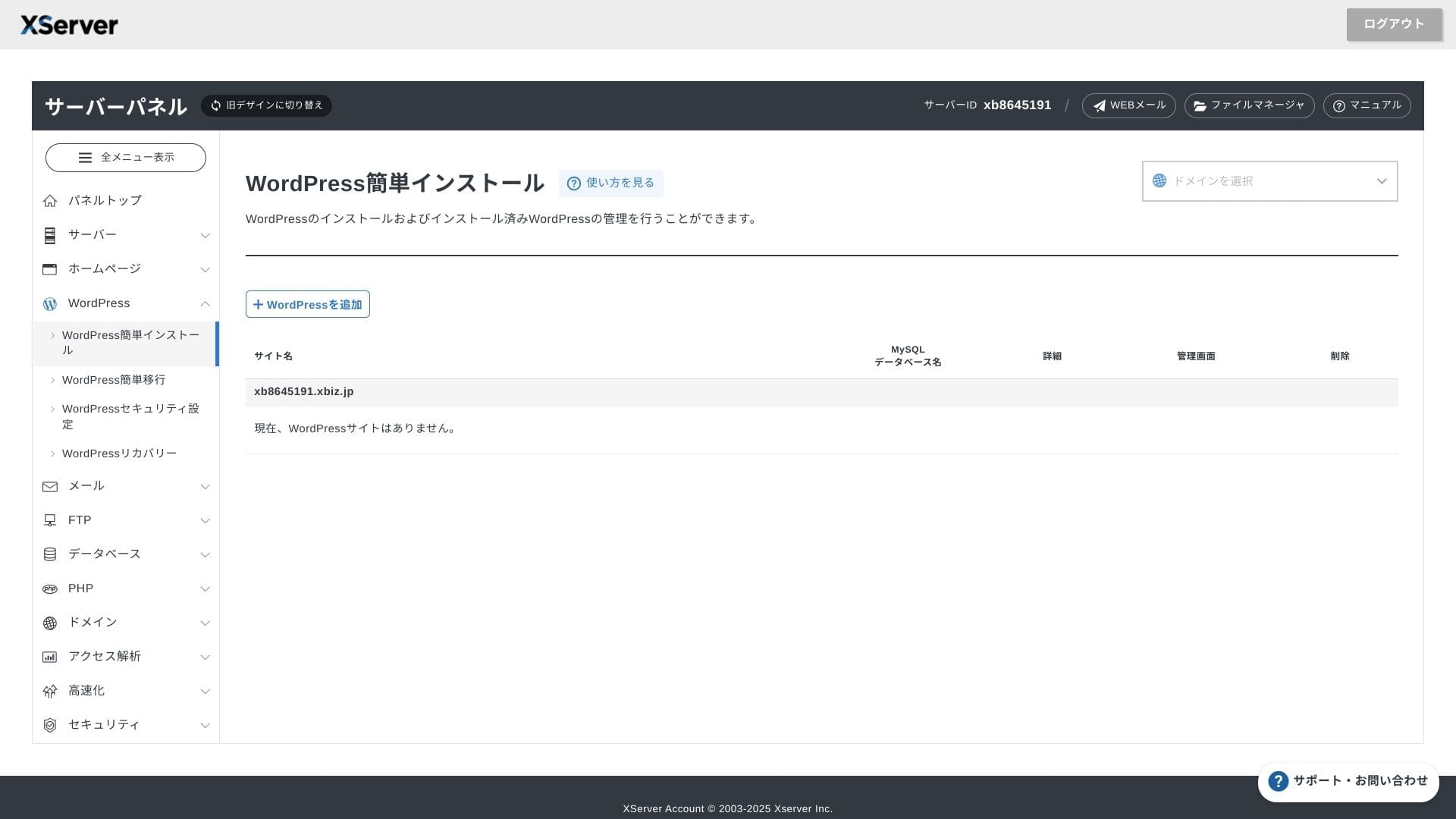
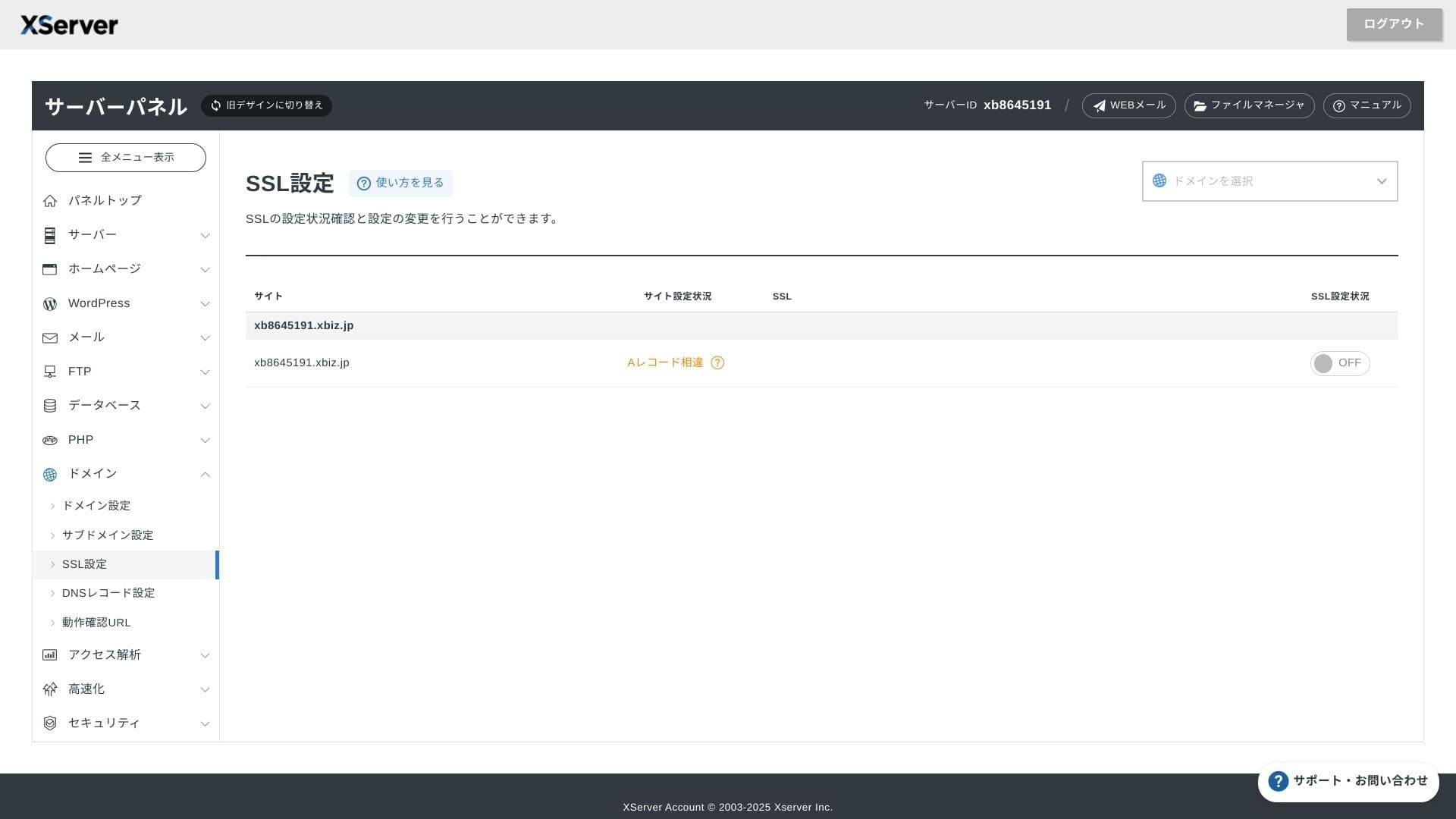
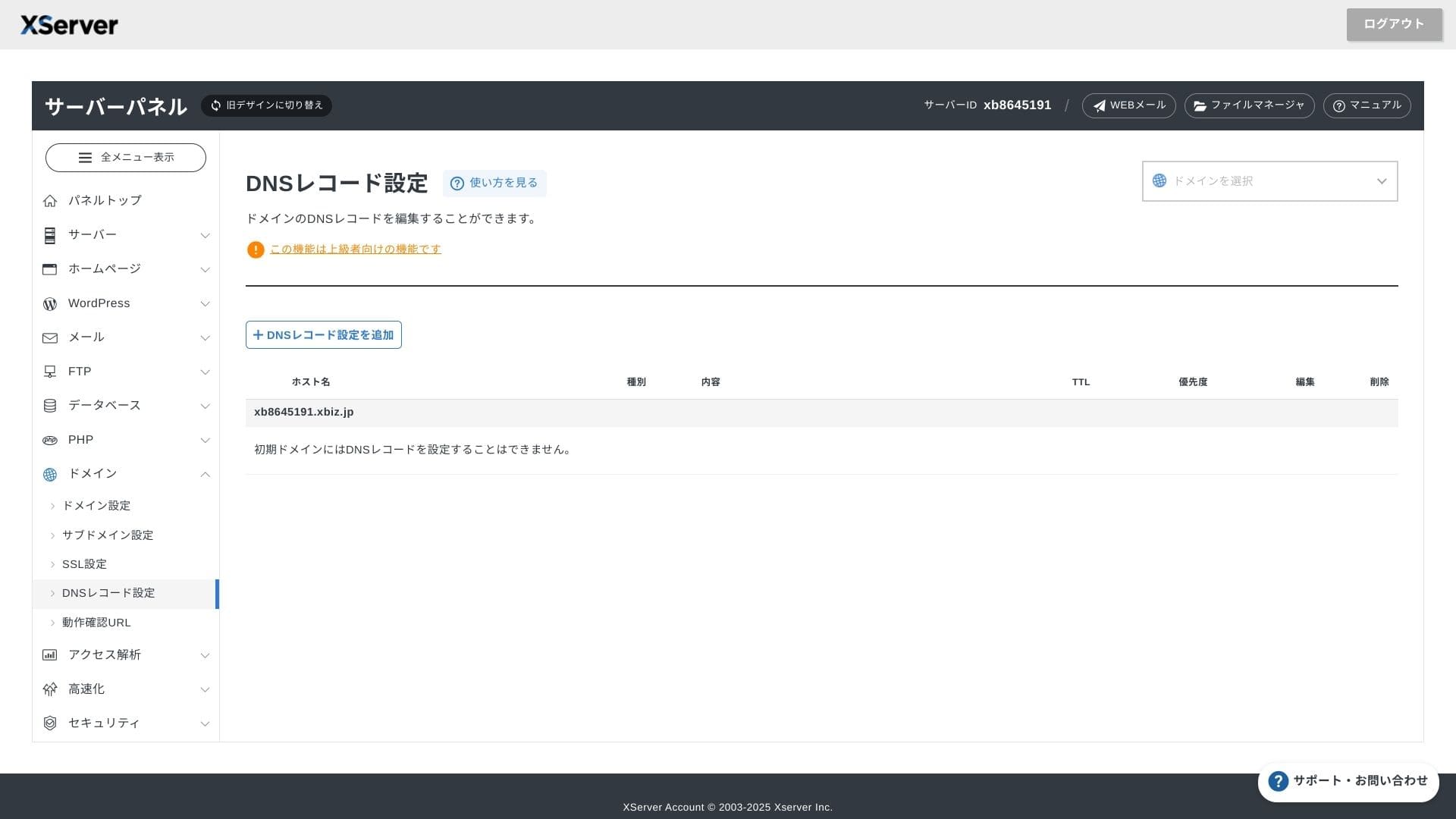
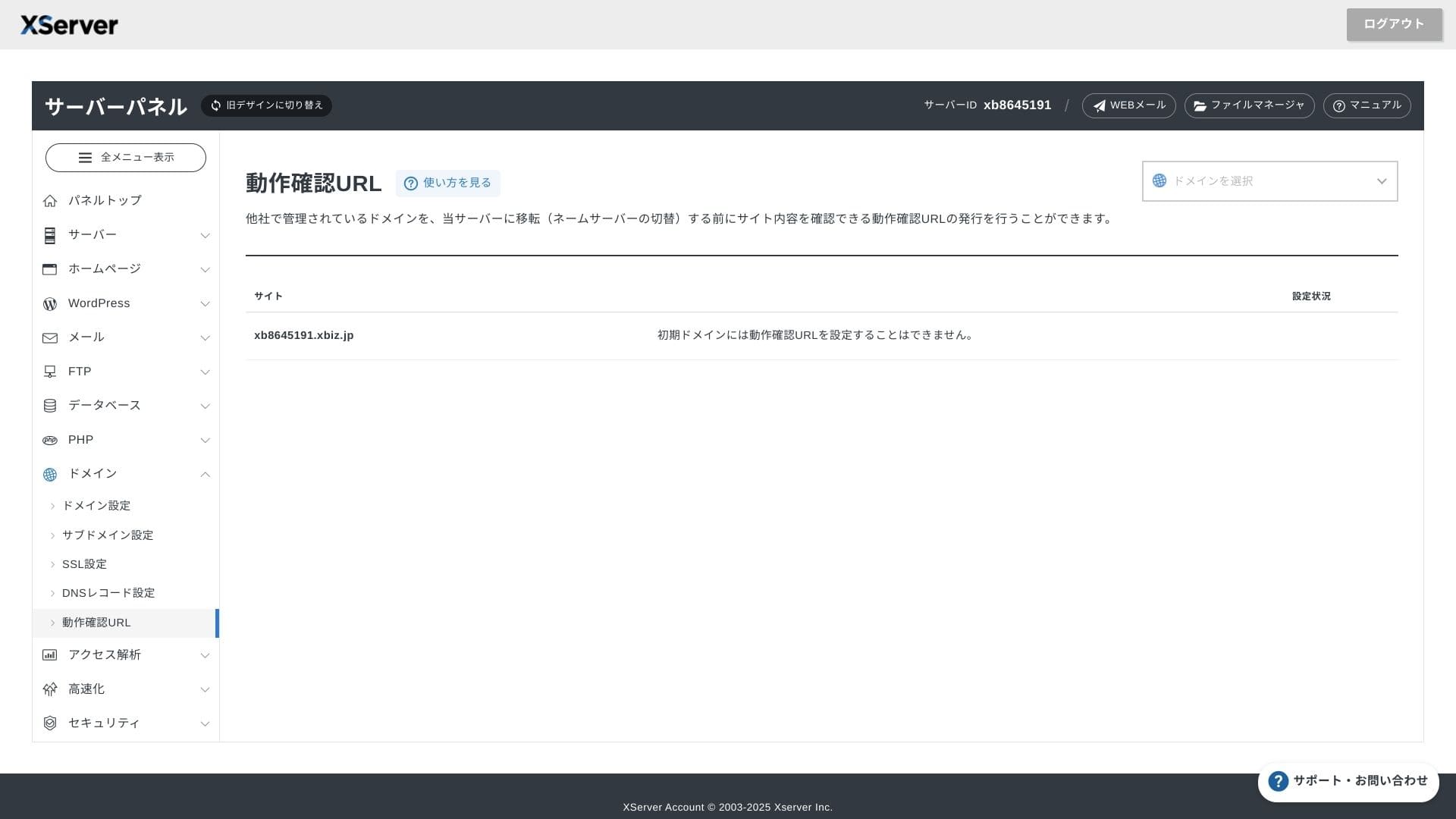
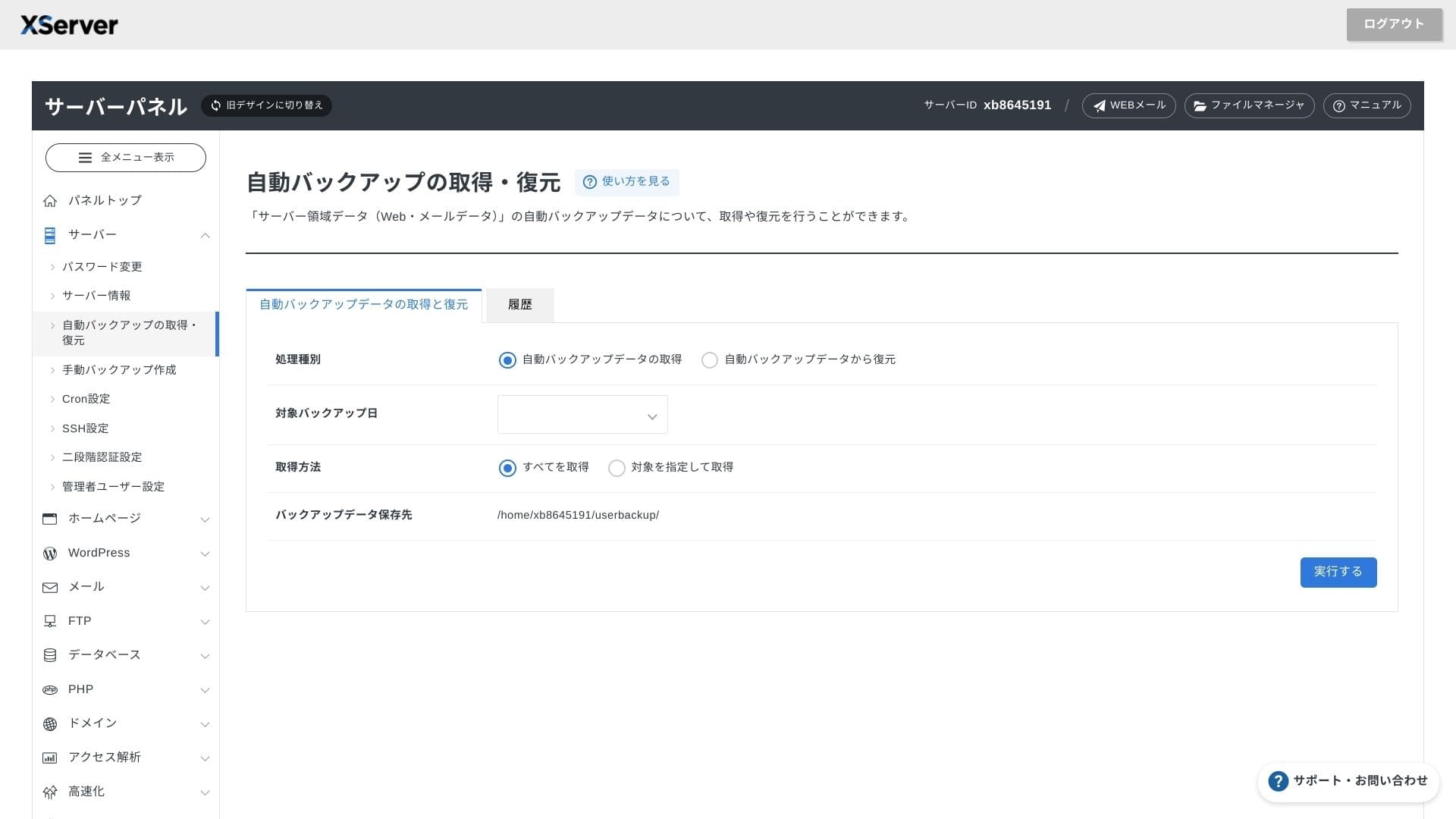
Panneau de controle
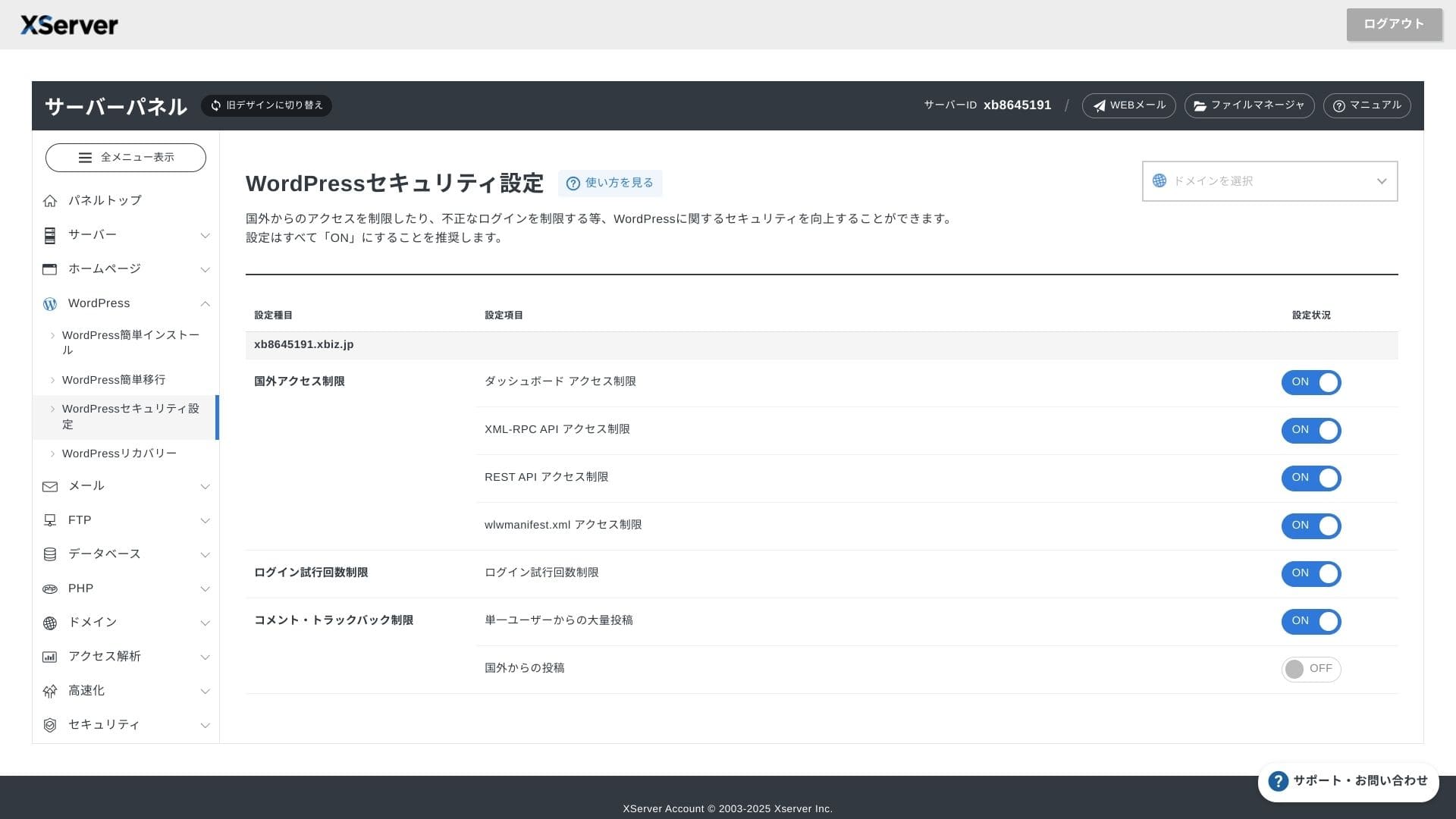
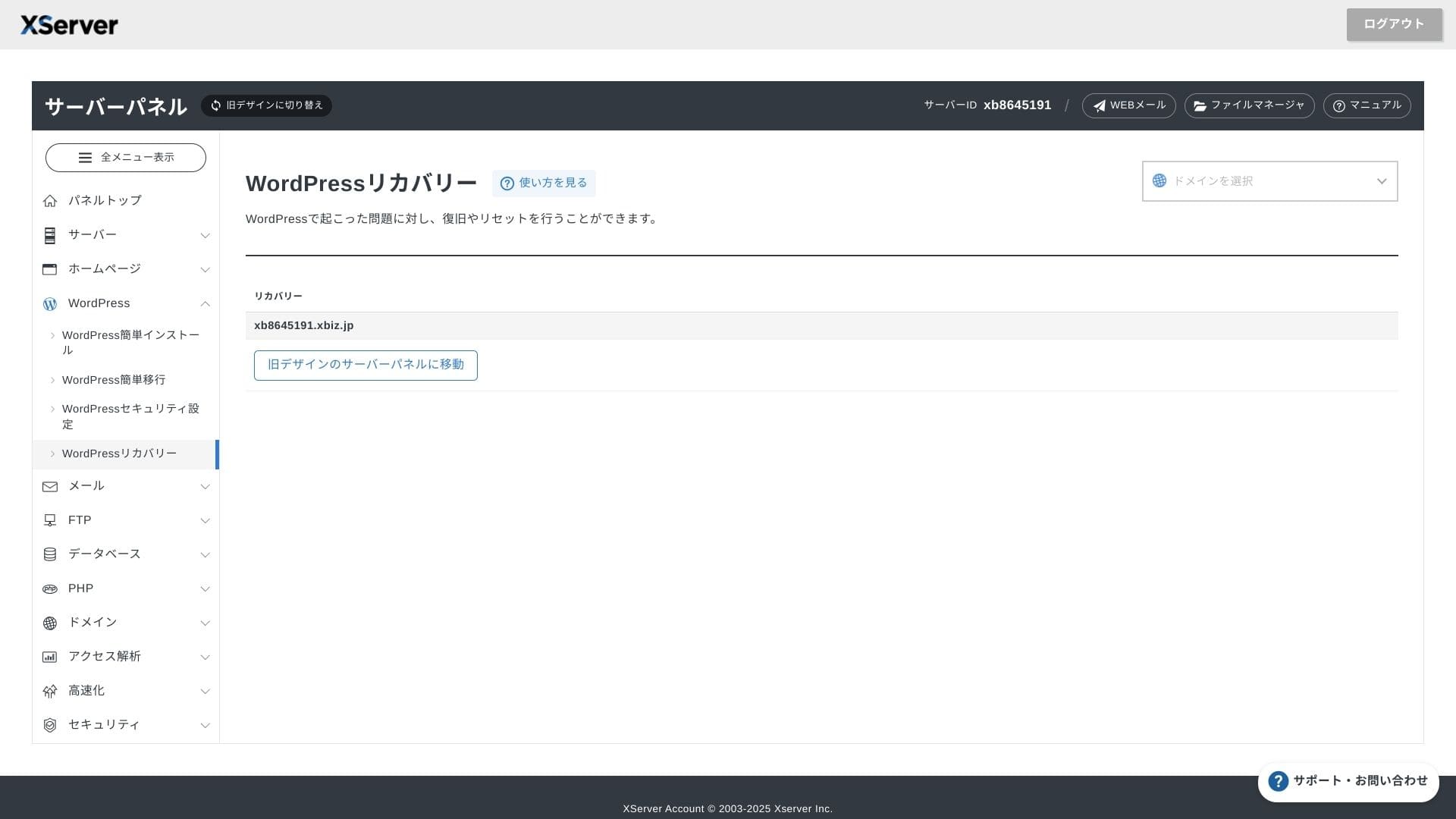
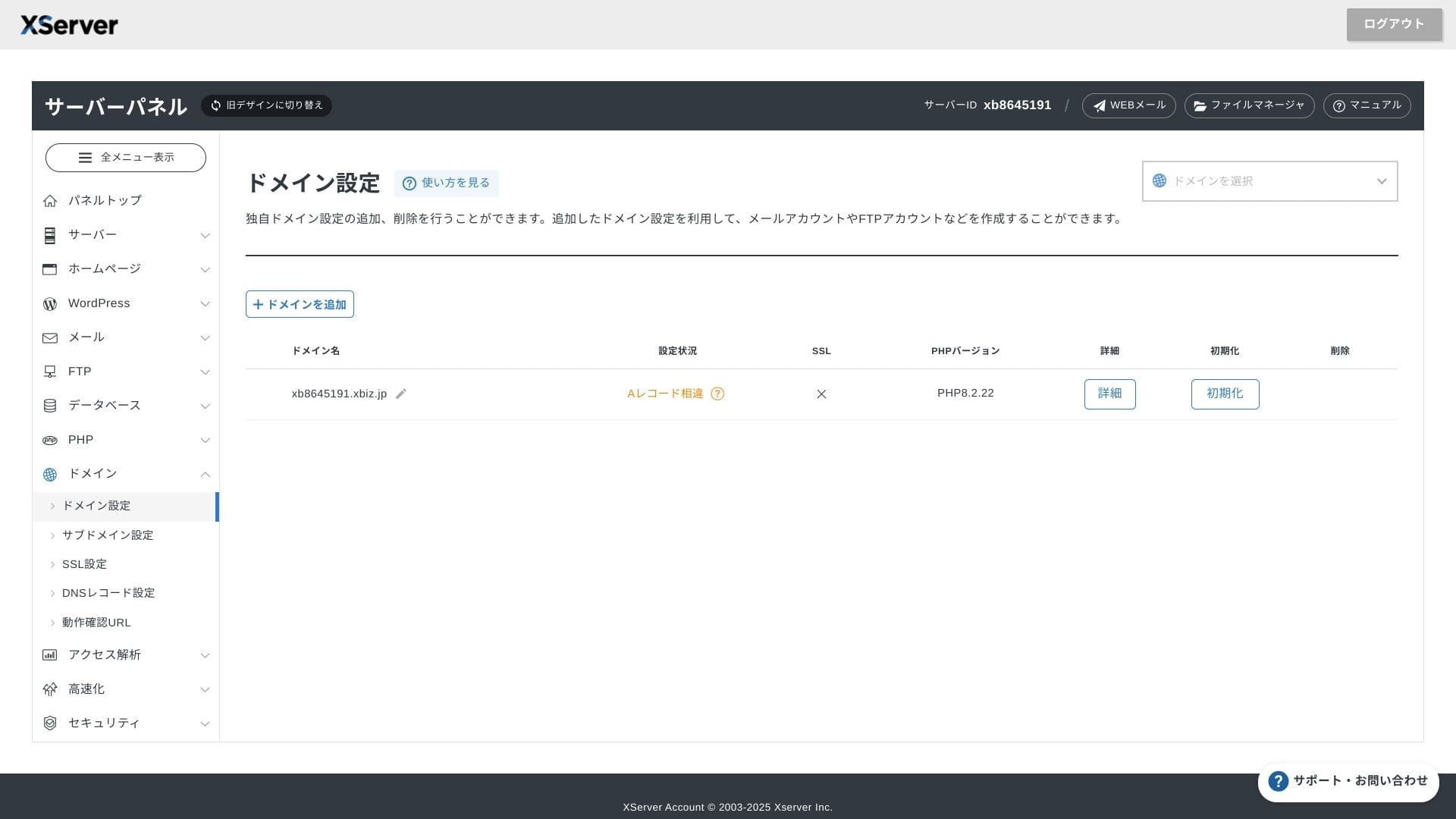
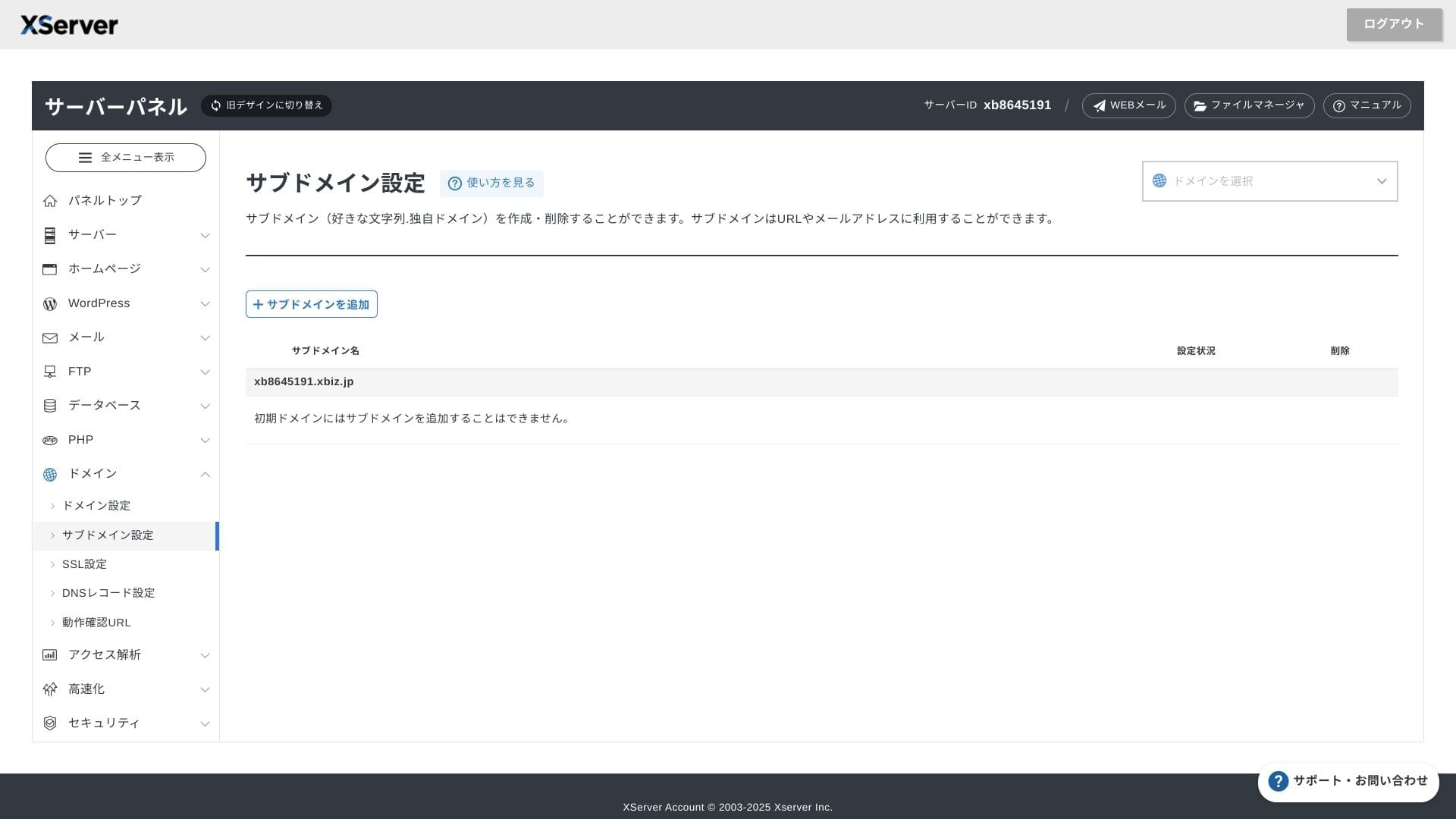
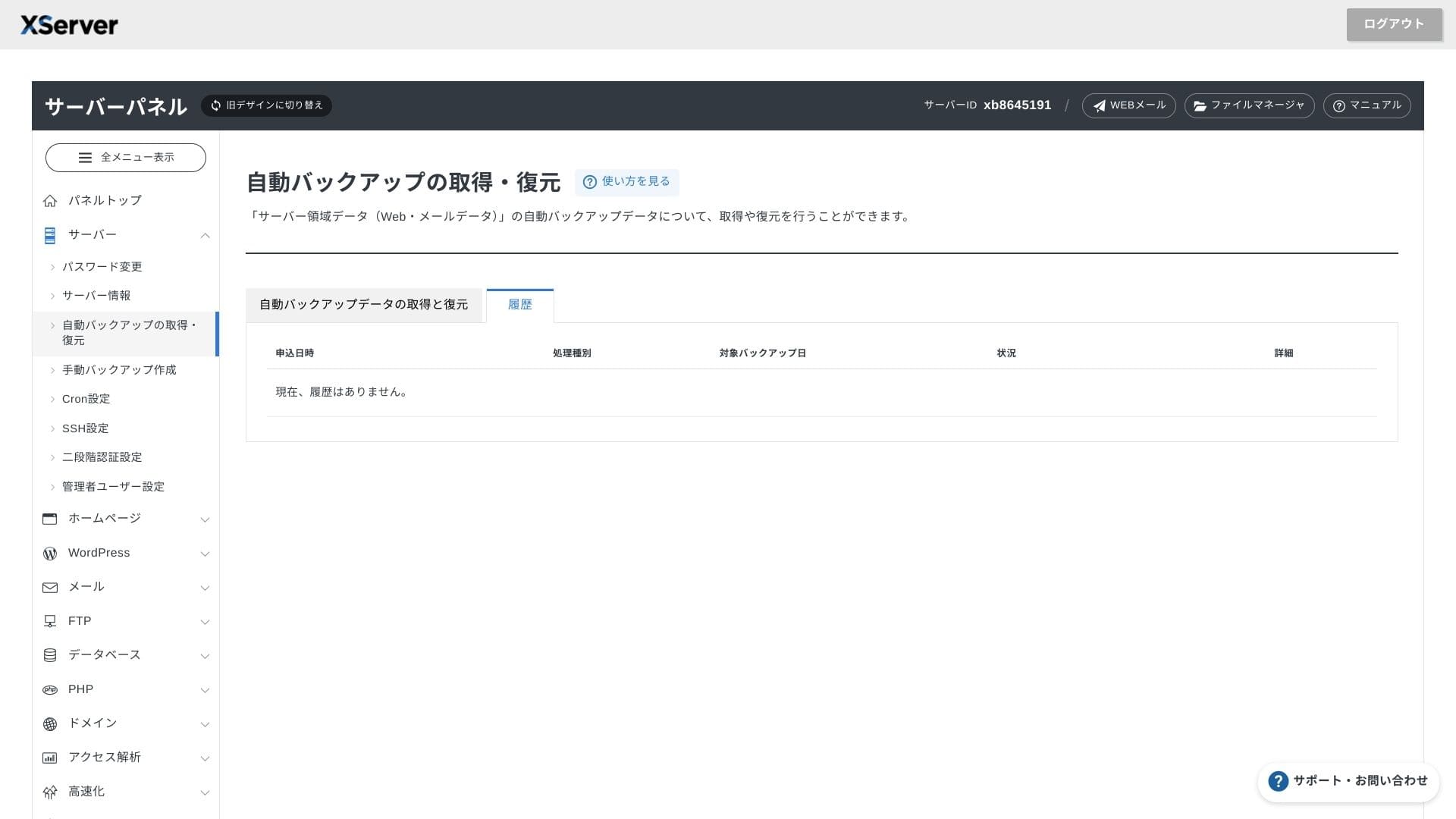
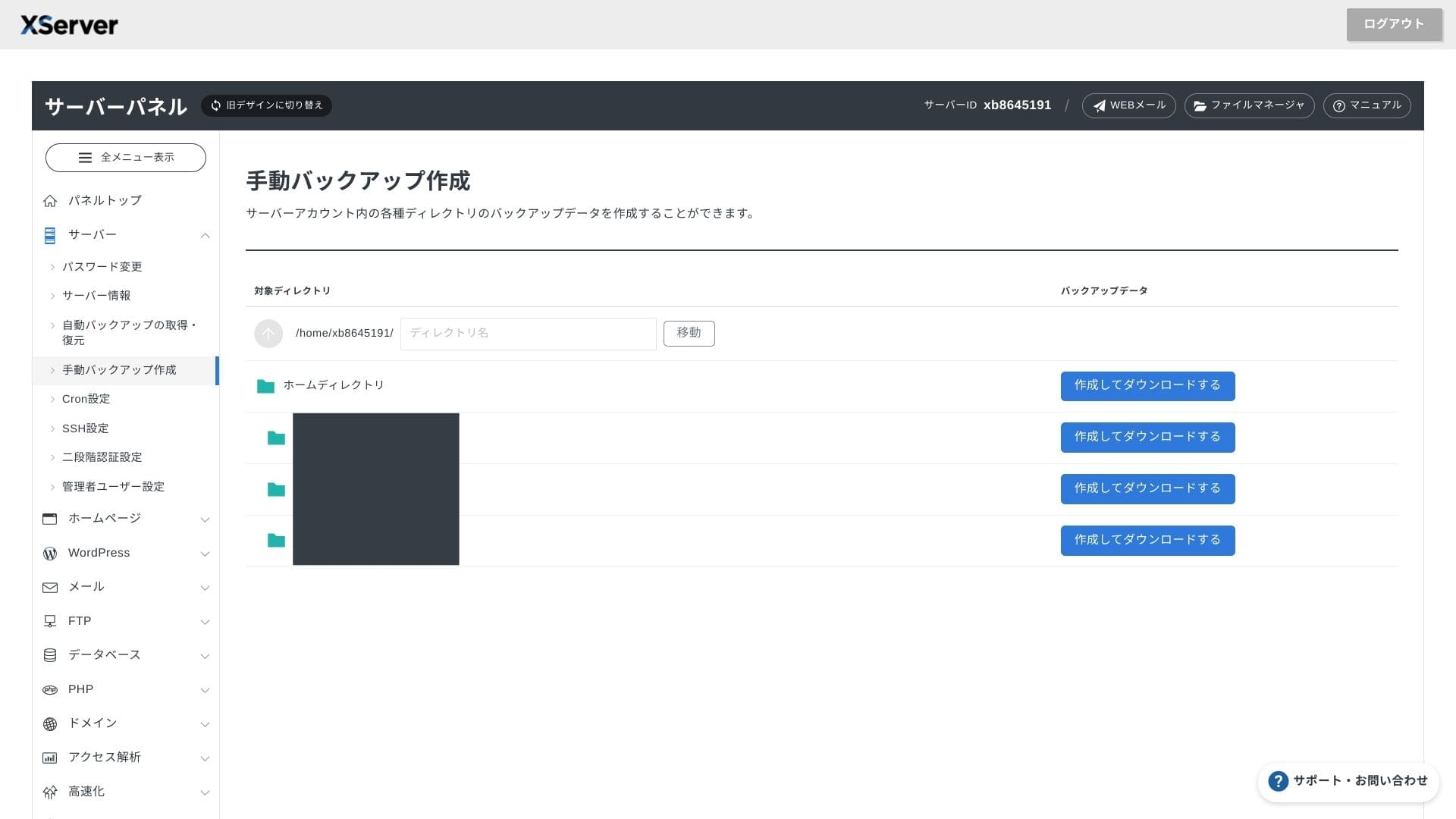
XServer Business utilise sa propre interface. Les operations sur les fichiers, le SSL et les reglages email sont tous accessibles en un clic, et la documentation officielle indique clairement quand la configuration est terminee.
Hikaru Ono
Le panneau serveur a été repensé et il est désormais encore plus facile à utiliser.
- Écran d'accueil
- Facturation
- WordPress
- Domaine
- Sauvegarde
Systeme de support
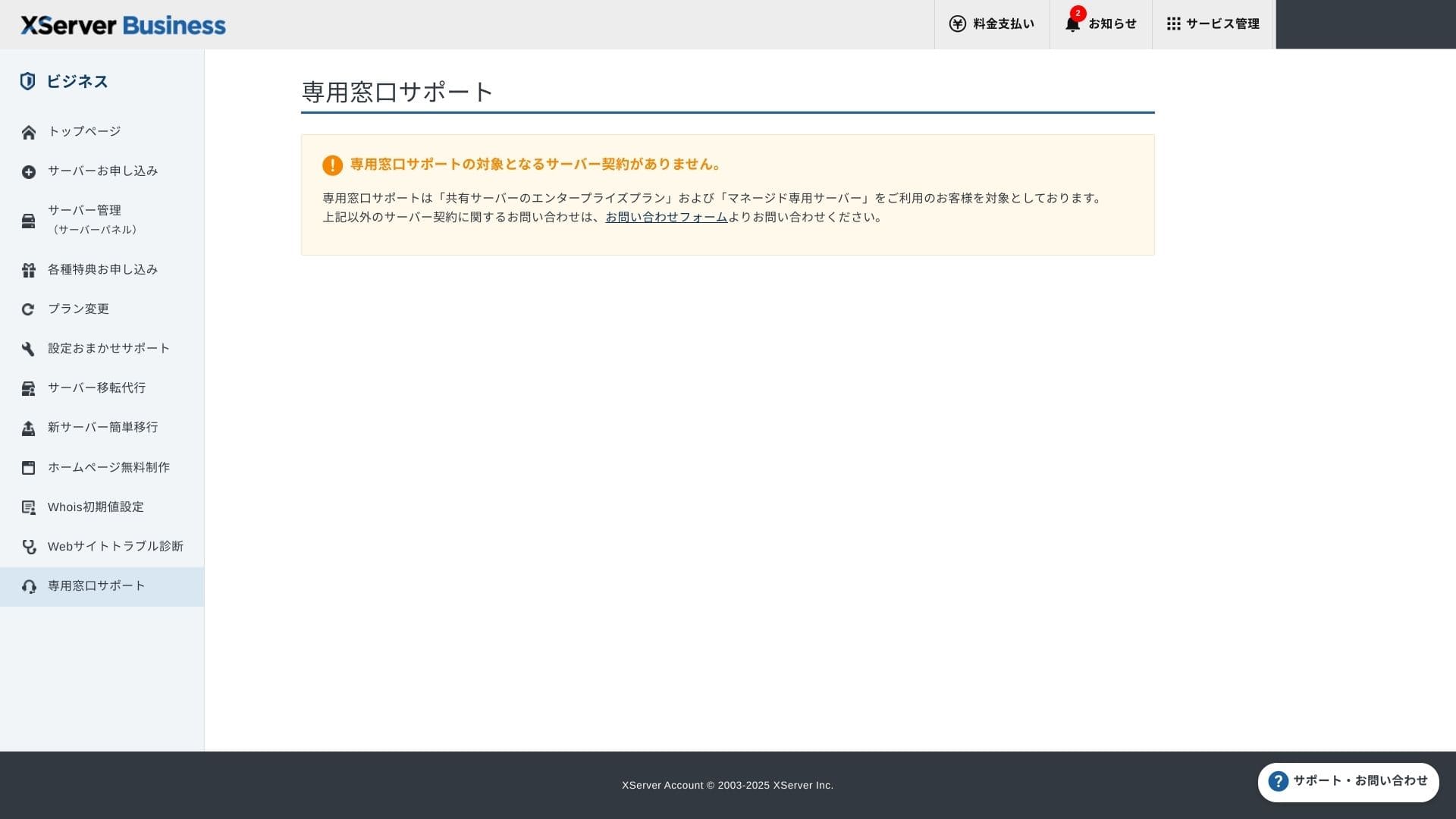
Le support est disponible par telephone, email et chat les jours ouvrables de 10 h a 18 h. Le plan Enterprise mutualise et les plans de serveurs geres ajoutent en plus un guichet dedie pour une assistance encore plus attentive.
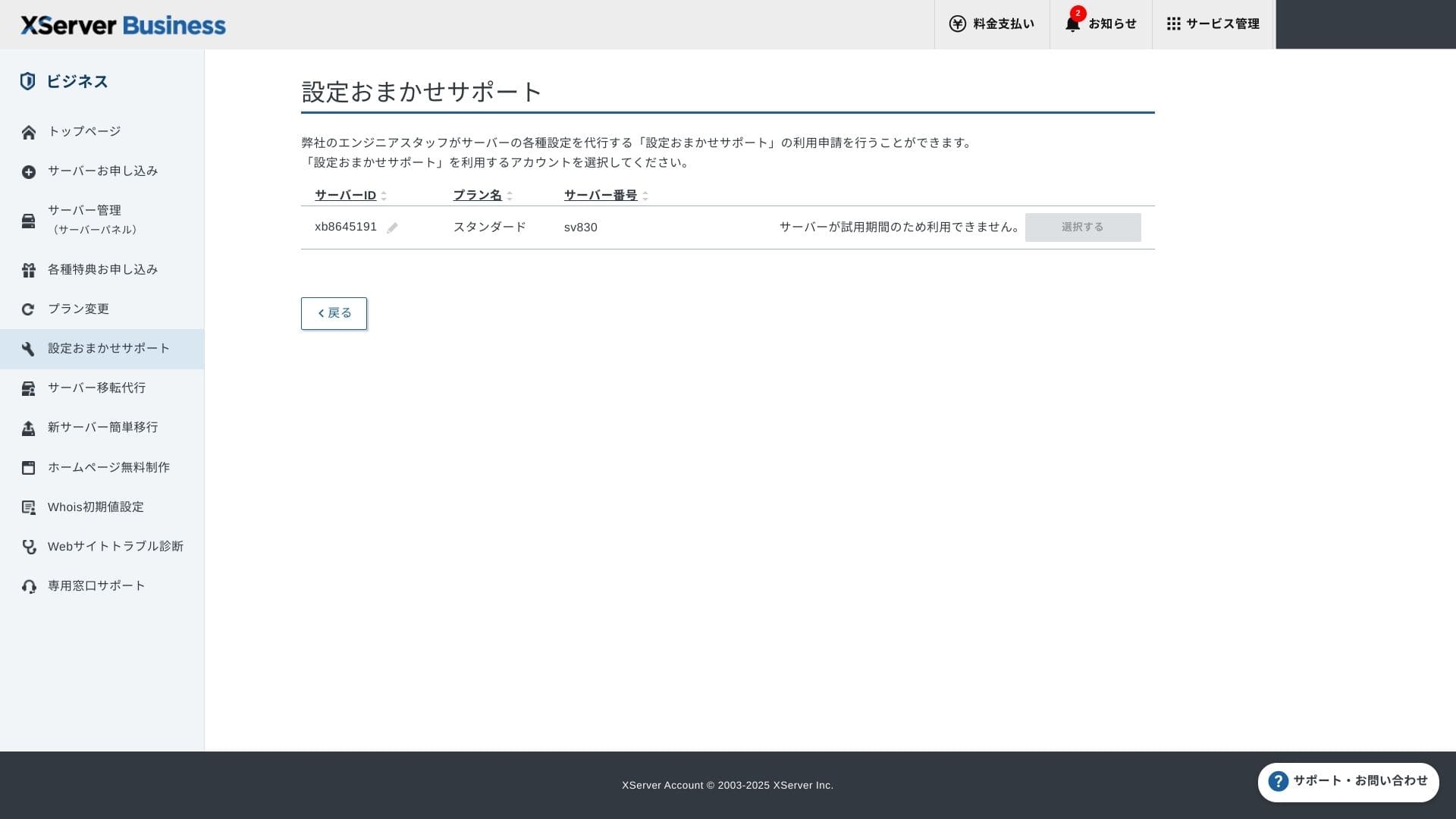
L'assistance à la configuration est gratuite et illimitée, et vous pouvez demander aussi bien des modifications DNS que des réglages Cron. C'est rassurant même pour les entreprises qui n'ont pas de responsable informatique dédié.
Services geres
Le service de migration geree est gratuit la premiere fois. Comme il peut copier a la fois des sites HTML et des CMS complets, il convient bien aux projets qui veulent eviter les interventions de nuit ou le week-end.
Manuels et FAQ
Les manuels et FAQ sont riches, et le catalogue PDF officiel peut aussi etre consulte. Pour une equipe qui veut limiter les questions simples avant de contacter le support, c'est tres utile.
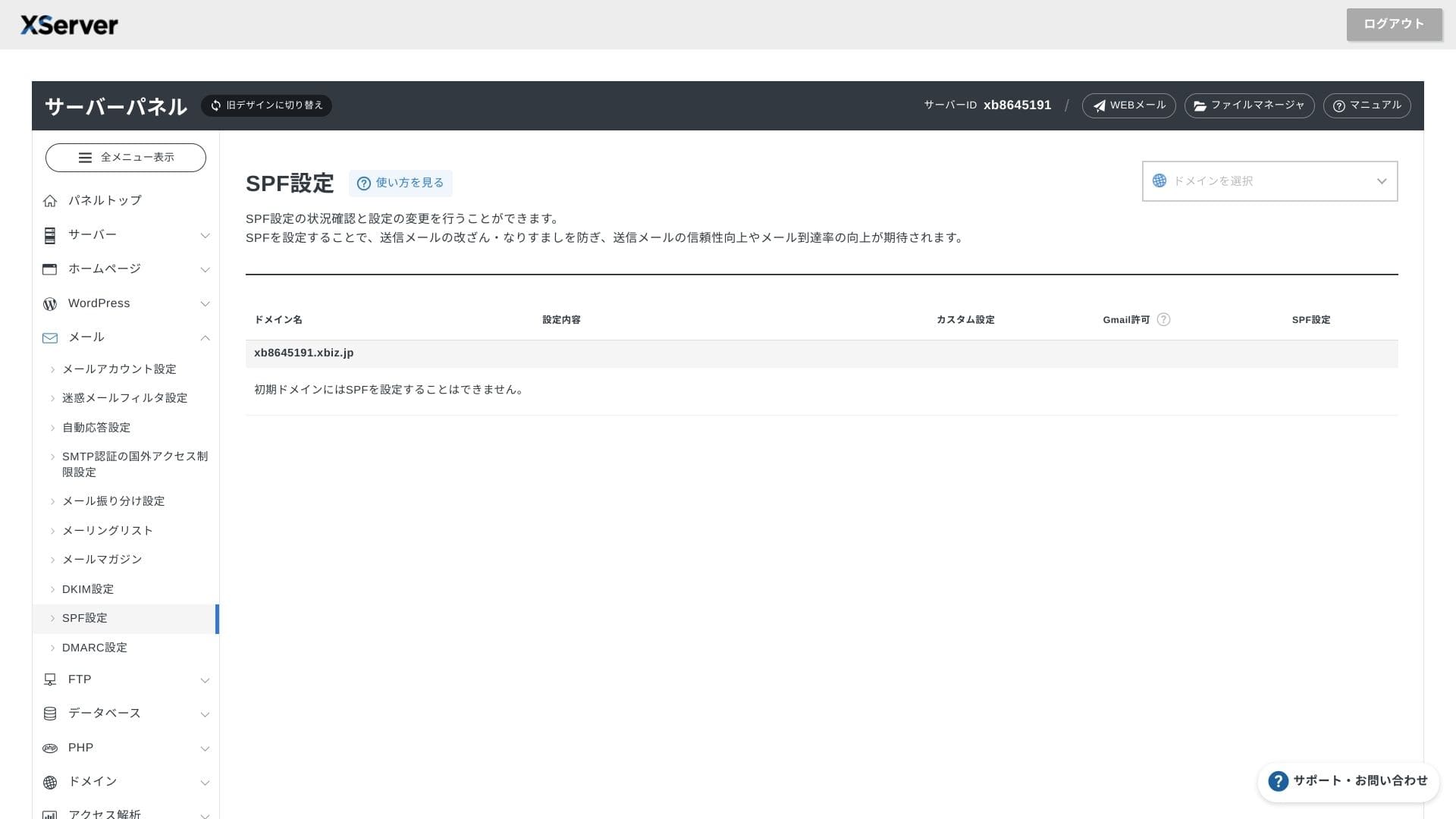
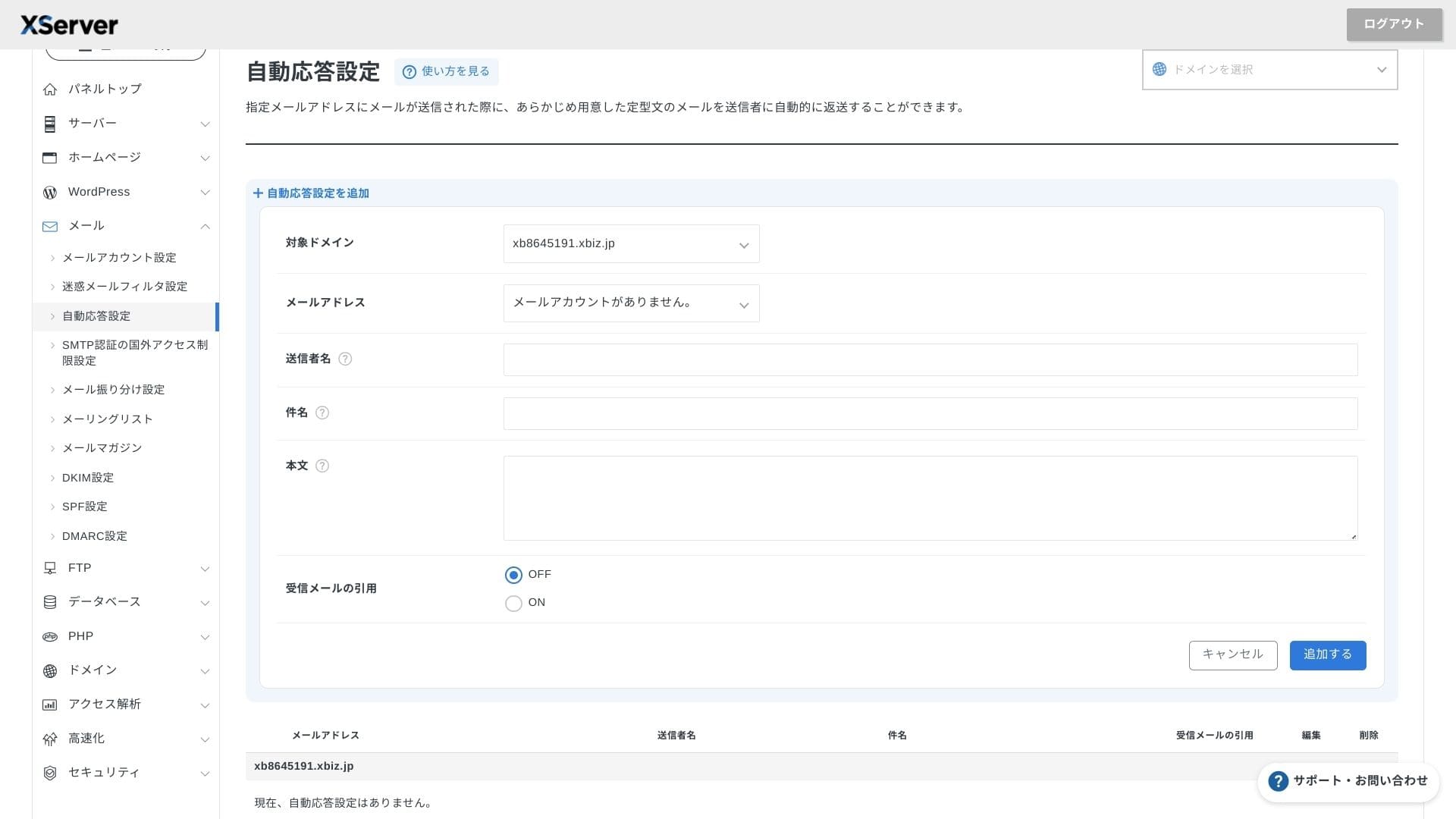
Fonctions email
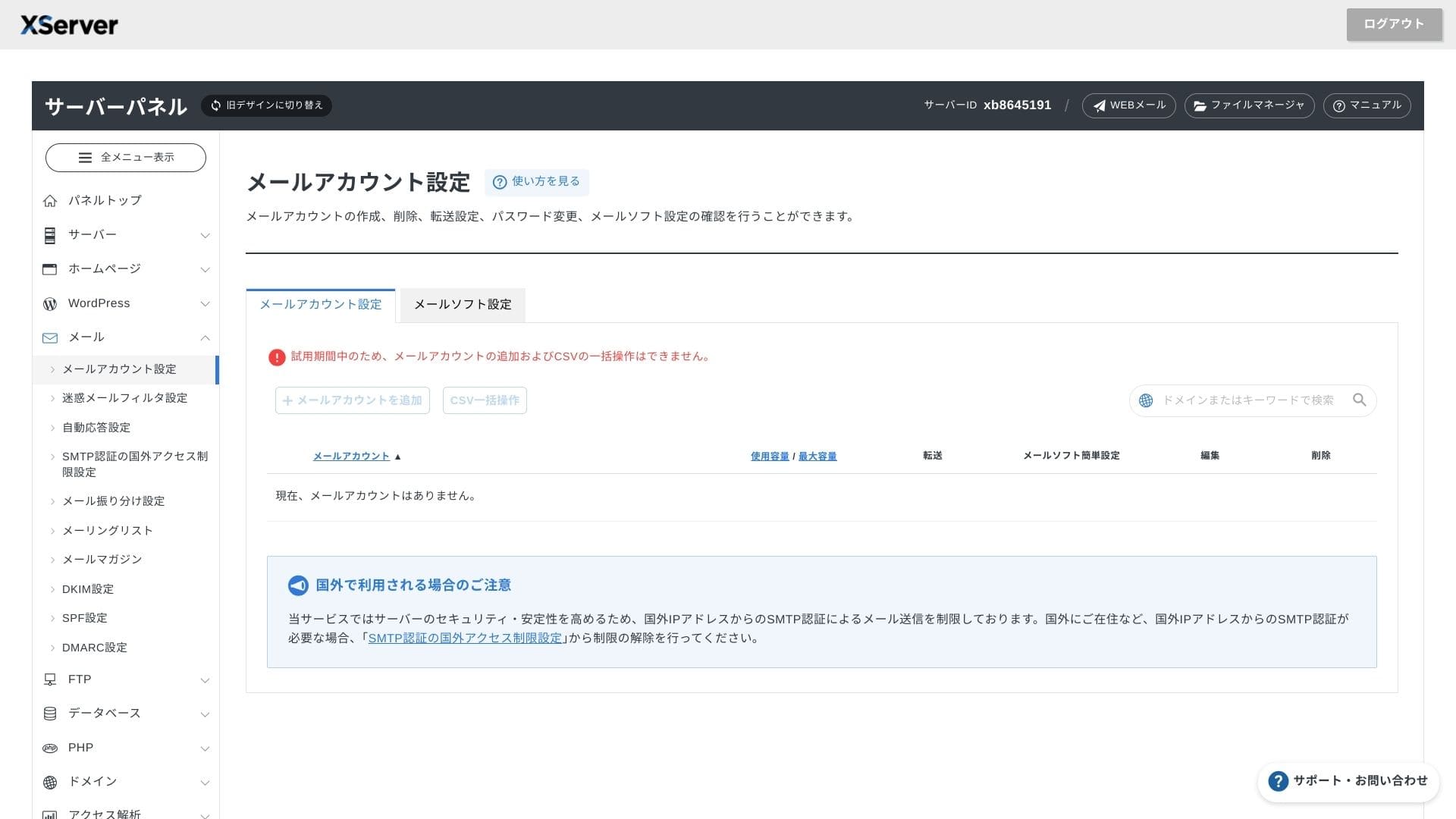
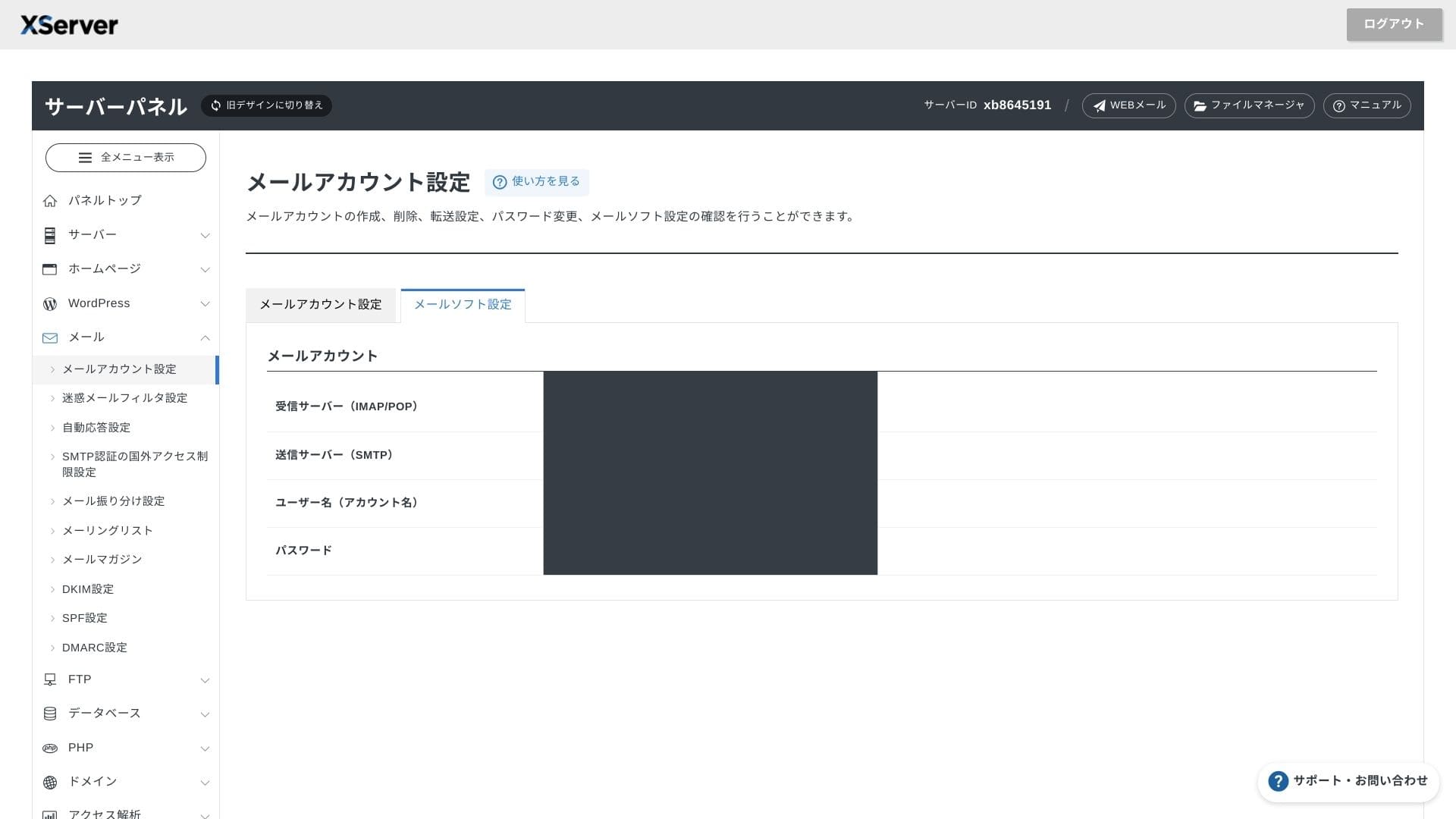
XServer Business permet des comptes illimites. Son webmail a ete renouvele au printemps 2025 et reste confortable sur smartphone. Il inclut aussi un filtre anti-spam Cloudmark Authority gratuit jusqu'a 1 000 comptes, avec un taux de detection eleve.
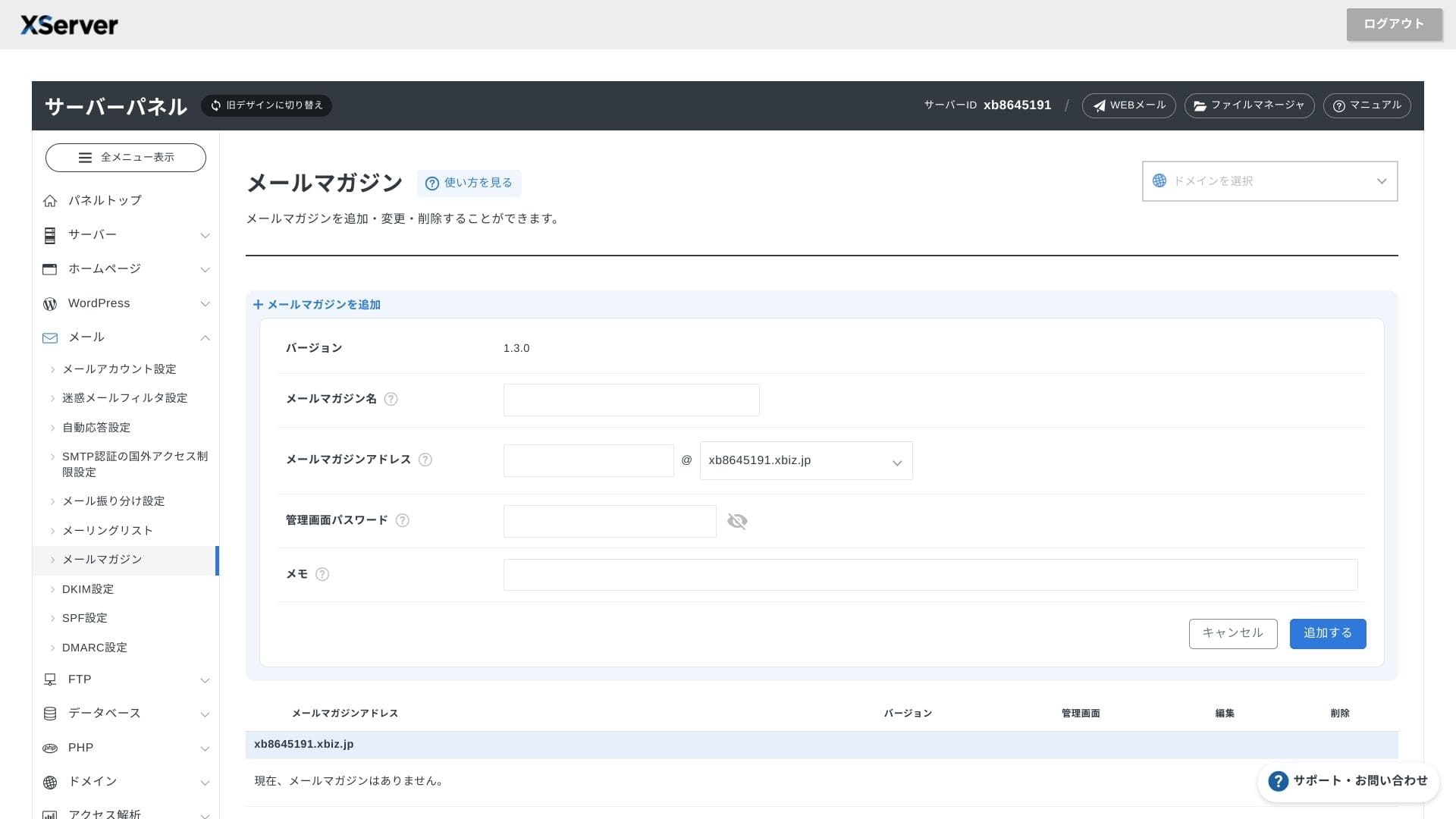
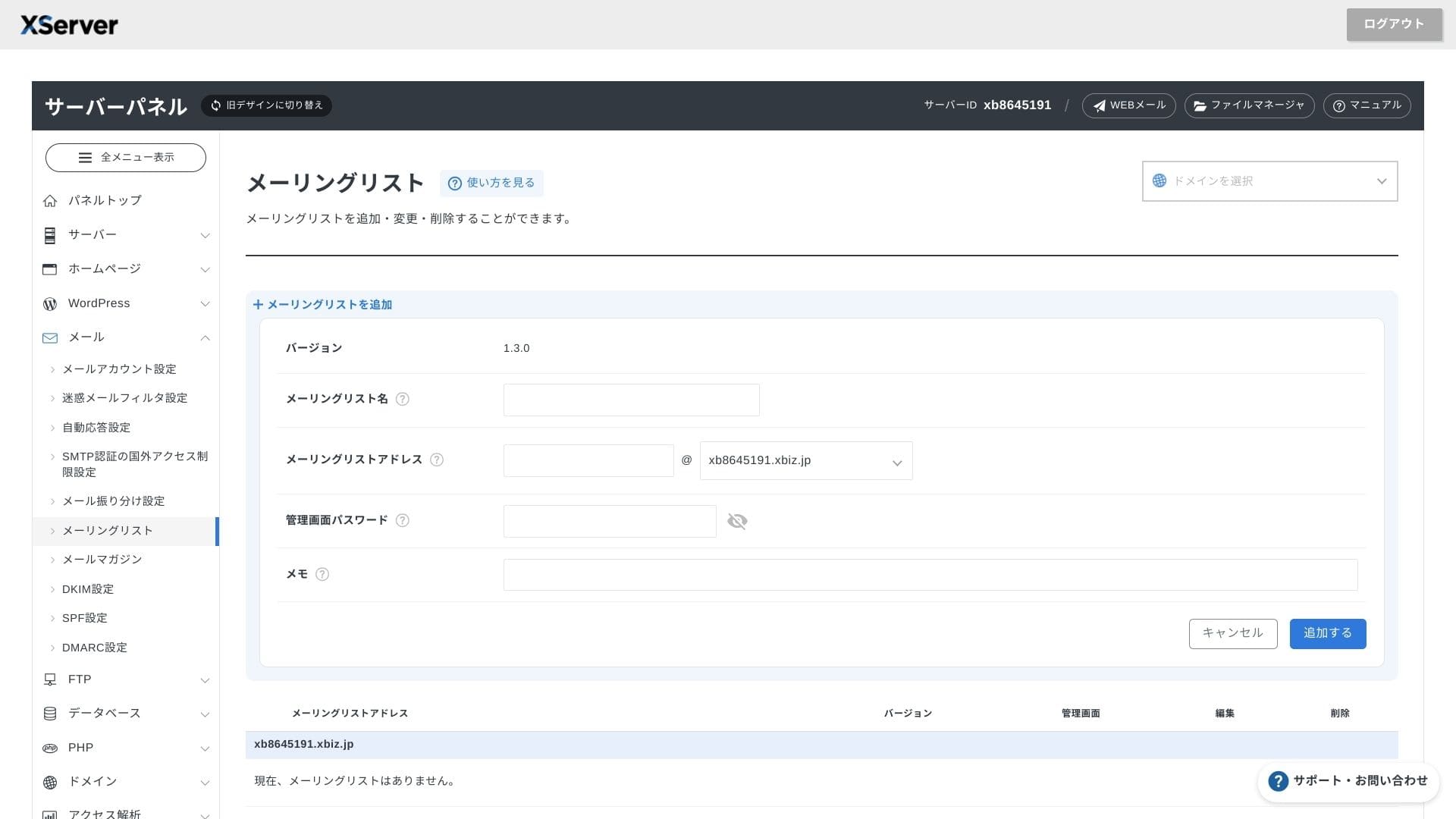
Il est également facile de créer des newsletters et des listes de diffusion. Vous pouvez envoyer rapidement des informations aux clients ou des messages à un service précis de l'entreprise.
Hikaru Ono
Comme on peut l'attendre d'un serveur business, les fonctions email sont extrêmement solides.
Securite et sauvegardes
Mesures de securite
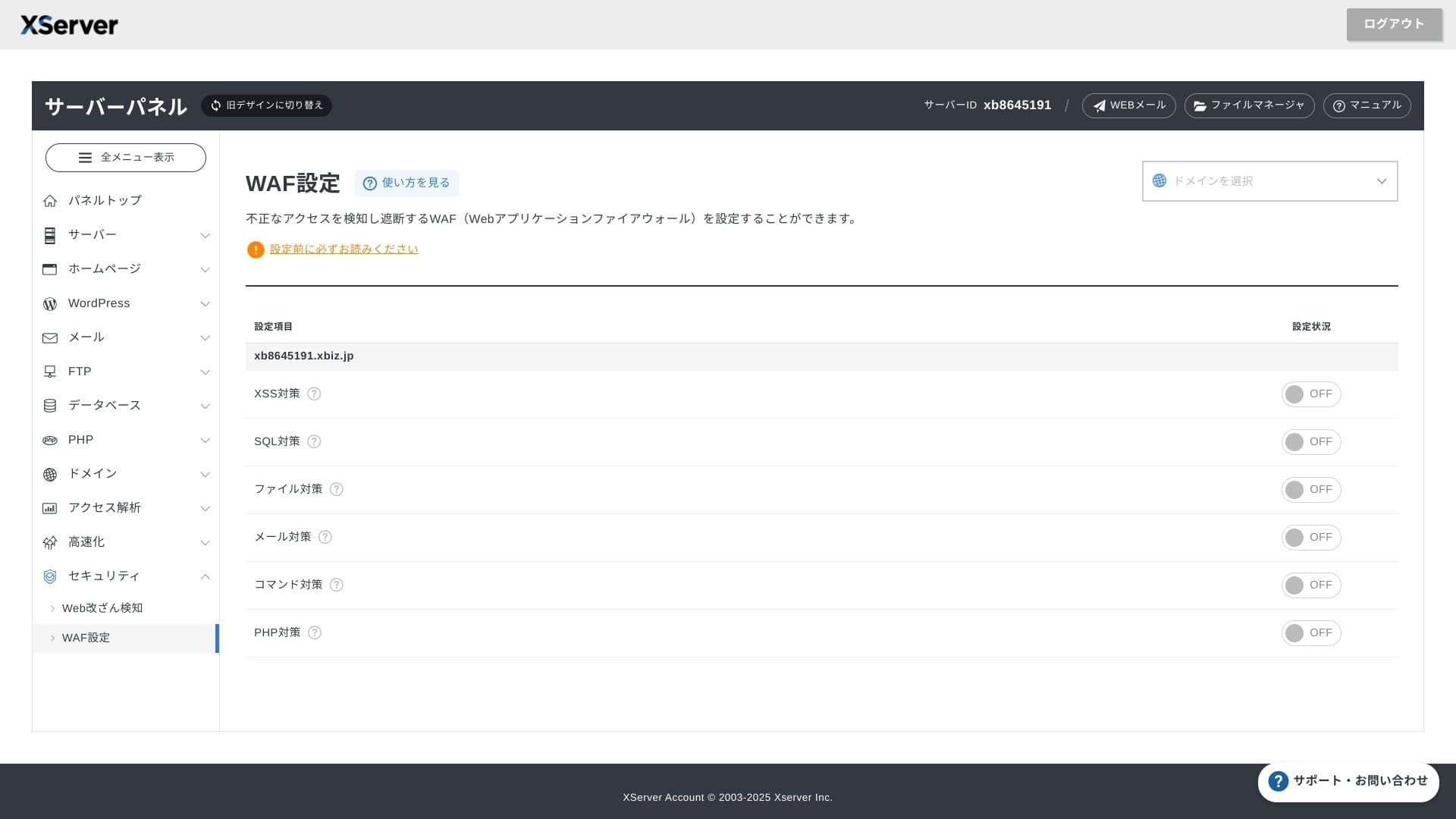
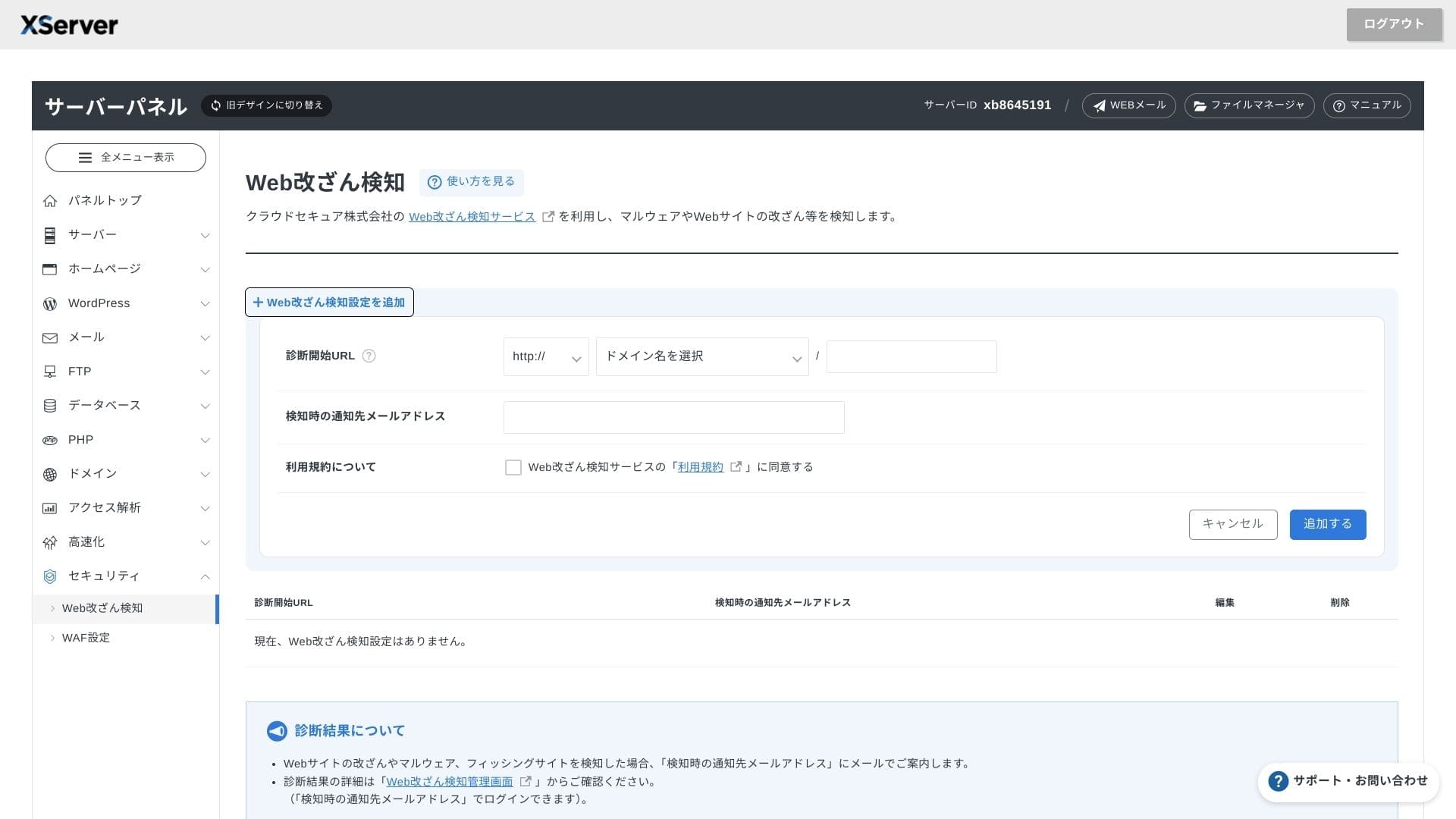
Le WAF et la detection d'alteration du site sont inclus en standard. Les attaques exploitant des vulnerabilites et les remplacements non autorises de fichiers sont bloques automatiquement, et une notification email est envoyee lorsqu'une anomalie apparait. Un diagnostic externe de securite par Secom est aussi fourni une fois par an sans frais.
La détection d'altération du site permet d'éviter les situations où un problème passe inaperçu et s'aggrave.
Sauvegardes automatiques
Sur tous les plans, les donnees web, email et base de donnees des 14 derniers jours sont sauvegardees automatiquement chaque jour. La restauration gratuite en un clic depuis le panneau reduit fortement le cout de reprise apres une erreur ou une infection.past 14 days is backed up automatically every day. You can restore it for free with one click from the panel, which reduces recovery costs after mistakes or malware infections.
Comparaison avec d'autres serveurs business
Resume
XServer Business est un serveur de location oriente entreprises qui rassemble vitesse, securite et support d'exploitation dans une seule offre.
- petites et moyennes entreprises qui veulent gerer plusieurs sites en externalisant l'infrastructure
- personnes chargees du DX en plus d'autres missions et qui craignent les erreurs de configuration
- equipes qui prevoient une croissance du trafic sans vouloir payer un cout d'exploitation de niveau AWS
Dans ces cas, le retour sur investissement peut facilement depasser la difference de prix mensuelle. En revanche, si vous n'avez besoin que d'une page statique unique ou d'une plateforme necessitant un acces root, un mutualise moins cher ou un VPS peut mieux convenir.
Au final, l'approche la plus rationnelle consiste a convertir en argent a la fois le cout humain et le risque d'arret, puis a juger si XServer Business vaut son prix mensuel.
"XServer Business" est le service d'hébergement business de Xserver Inc., l'entreprise qui détient la première part de marché au Japon. Dans nos mesures, il s'est classé n° 2 pour la vitesse. C'est l'un des meilleurs choix lorsque vous devez changer de serveur, d'autant que la migration est également gratuite.
Jusqu'au 7 octobre 2025, les frais initiaux (normalement de 16 500 yens à 385 000 yens) sont offerts, et le service de migration de serveur est également gratuit