
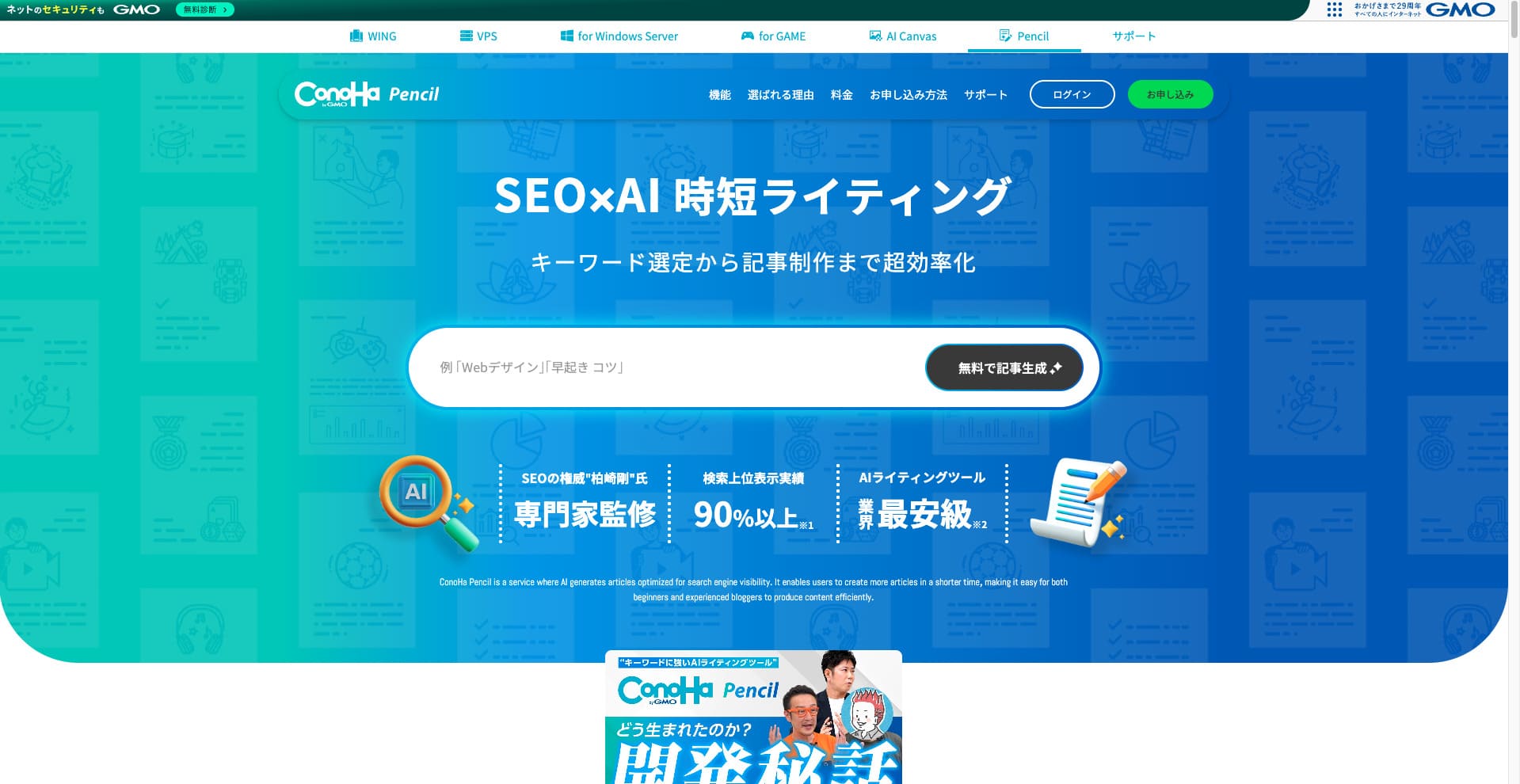
This article includes an affiliate link to ConoHa WING. Links to the ConoHa Pencil site and support are ordinary links. Our evaluation and conclusion do not depend on whether you subscribe. Prices, offers, and screens can change, so check the final official terms before subscribing.
ConoHa Pencil suits people who want to try keyword research, headings, drafts, and rewriting in one place. It is not a tool for publishing AI drafts unchanged. After applications reopen, complete one article on Free and measure credits and human editing time before choosing a paid plan.
After applications reopen, try one article on Free and check your editing capacity first
The Free plan normally costs ¥0 per month, includes 30 credits per month, and requires no card. After applications reopen, complete one article from research through review and record your credits and time.
| Overall assessment | Useful for faster research and drafting. Fact-checking, original information, and editing capacity determine the outcome. |
|---|---|
| Free plan | ¥0 per month, 30 monthly credits, no card required |
| Lowest paid plan | Lite: ¥770 and 100 credits per month |
| Main features | Keyword suggestions, related searches, co-occurring terms, competitor headings, search volume, heading, draft, title, and introduction generation, and rewriting |
| Contract | Automatic monthly renewal; the next month is billed one day before expiry |
| WING required? | No. Pencil can be used on its own. |
| Checked | July 29, 2026 |
Who ConoHa Pencil may and may not suit
People who use AI to assist research and drafting
- You want keyword research and outlining in one place
- An editor understands your products, customers, and industry
- You can add primary sources, interviews, tests, and examples
- You can review Search Console and inquiry counts after publication
- You want to update outdated prices, specifications, and headings in existing articles
People who expect generated text to be publication-ready
- You expect an accurate finished article from a topic alone
- You cover medical, legal, or financial topics without expert review
- You have not established monthly editing capacity
- You expect more competitor headings or related terms to raise rankings
- No one manages sources, update dates, and advertising disclosure
ConoHa Pencil pricing plans as of July 2026
Monthly prices include tax. The main difference from Free to Business is the monthly credit allowance rather than the core features. The official article counts are estimates based on typical consumption; extra research and regeneration reduce the actual total.
| Plan | Monthly price | Monthly credits | Official article estimate | Suitable for |
|---|---|---|---|---|
| Free | ¥0 | 30 | About 3 articles | Initial evaluation, occasional research, and checking the article workflow |
| Lite | ¥770 | 100 | About 12 articles | Personal blogs, small sites, and a few drafts per month |
| Standard | ¥2,480 | 750 | About 93 articles | An editorial team continuously improving multiple articles |
| Business | ¥8,980 | 3,000 | About 375 articles | Teams planning and editing content frequently with multiple contributors |
| Extra credits | ¥900 | 100 | About 12 articles | Cover a temporary shortfall; compare a higher plan if purchases become routine |
Article counts are the official estimates. Keyword suggestions, analysis, and regenerated titles or introductions increase consumption. Limit your plan to the number of articles people can check for accuracy and originality, rather than the number the tool can generate.
The first month of three paid plans is free with a WING bundle
The official site describes a free first month of Lite, Standard, or Business when applying with ConoHa WING. The FAQ says the offer is for new applications and excludes existing WING subscribers. You do not need WING to use Pencil alone.
Choose by the number of articles you can edit each month
Stay on Free
You need only occasional research, are evaluating AI draft quality, or have not established a publication workflow.
Consider Lite
You plan or draft several to a dozen articles each month and a team member can review every one.
Consider Standard or higher
Source management, review standards, responsible staff, and post-publication measurement are in place, and extra credit purchases continue.
Credits by feature and per-article examples
ConoHa Pencil consumes credits per action. Headings and a full draft use eight credits, but research, titles, introductions, and regeneration add more. Decide what to delegate to Pencil before estimating your budget.
| Category | Feature | Credits | Role |
|---|---|---|---|
| Keyword research | Keyword suggestions | 2 | Analyze intent from a topic and suggest keyword candidates |
| Keyword research | Suggestions, related searches, co-occurring terms, competitor headings, and search volume | 1 each | Explore reader questions, related topics, competitor structure, and estimated demand |
| Article creation | Heading generation | 4 | Generate an outline from research |
| Article creation | Full draft generation | 4 | Generate a draft for all headings |
| Article creation | Individual section generation | 1 | Add or regenerate only selected sections |
| Article creation | Title and introduction generation | 1 each | Generate a title or opening suited to the outline |
| Improvement | Rewriting | 4 | Compare an existing URL's headings with keyword research |
Example credits for one article
A practical way to use Free: With 30 monthly credits, carefully complete one article including research, then use the remainder for regeneration or another keyword to measure the real workload.
Limits and considerations
- 10–100 keyword suggestions and up to 10 research history entries
- Up to 100 suggestions and co-occurring terms
- Competitor headings cover H1–H3 from the top 10–20 Google results
- Search volume is shown as a range, such as 100–1,000, rather than an exact figure
- Up to 40 headings per article
- Formal, casual, or original writing tones
- Generating a new article may take around five minutes
Four basic ways to use ConoHa Pencil
Screen names and button placement may change. We focus on when to use each feature and where human judgment is needed rather than reproducing every click.
Refine the topic with keyword suggestions
Enter a broad topic and narrow suggestions to questions your organization can answer with evidence. Rather than choosing by volume alone, describe the reader, their situation, and the decision they should make after reading.
Explore search intent through keyword analysis
Review suggestions, related searches, co-occurring terms, competitor headings, and search volume. Use them to find missing information, such as pricing terms, failures, and test results, rather than copying competitors.
Edit headings before generating a new draft
Create an outline from the target keyword and remove duplicates, unnecessary sections, and claims you cannot support. Arrange the conclusion, decision criteria, steps, cautions, and next action before generating the draft.
Update information when rewriting, not just keywords
Enter a published URL and target keyword and compare headings. Update outdated prices, missing conditions, and questions readers search again; record the date and evidence for each change.
Images were saved on June 27, 2025. Prices, specifications, and contract terms were rechecked on official pages on July 29, 2026.
Seven steps to an SEO article with ConoHa Pencil
Google does not object to using generative AI for research or structure itself. Mass-producing pages without adding value for users, however, may violate its scaled content abuse policy. Use Pencil as a research and drafting aid, not a source of finished articles.
Define one reader and decision
Describe in one sentence who the reader is, their situation, and what the article helps them decide. Collecting keywords without a clear audience broadens the topic and weakens the conclusion.
Gather official and first-hand information first
Check pricing, specifications, contracts, and cancellation on official pages and record the verification date. Gather material others cannot easily reproduce, such as your own screens, test conditions, case studies, failures, and customer questions.
Turn candidate terms into reader questions
Turn suggested and related terms into questions about price, limitations, suitability, and cancellation deadlines. Combine questions with the same meaning.
Trim and reorder the AI outline
Organize the conclusion, selection criteria, pricing and specifications, steps, cautions, and next action. Include the main keyword naturally without repeating it in every heading.
Generate and verify the draft against sources
Check each statement about amounts, dates, names, features, comparisons, law, health, and finance. Remove unsupported claims or rewrite them in verifiable terms.
Add original information and conditional conclusions
Add real screens, confusing steps, exclusions, comparison conditions, and selection criteria. Explain both what to choose and when not to choose it.
Measure search and reader actions after publication
Use Search Console and analytics to check impressions, clicks, and actions after reading. Look beyond rankings to whether uncertainty before inquiries or applications has decreased.
Safe standards for SEO content with AI
An SEO-focused tool does not guarantee higher rankings. Google's current guidance emphasizes accuracy, quality, and relevance, and recommends helping readers understand who created content, how, and why.
ConoHa Pencil benefits and considerations
Move from planning to improvement in one service
- Combine keyword suggestions, analysis, outlines, drafts, and rewriting
- Test your topics and credit consumption on Free
- Use competitor headings and related searches to find missing topics
- Regenerate only the sections you need
- Use Pencil independently without a WING subscription
Generated quality and search results are not guaranteed
- A person must check facts, copyright, originality, and wording
- Search volume is an indicative range
- Regeneration and extra research can use more credits than the official estimate
- Contracts renew automatically and unused credits are not refunded on cancellation
- High-risk subjects require expert review
Contracts, payment, plan changes, and cancellation
Before upgrading, add the renewal date and cancellation decision deadline to your calendar. Treat testing Free and deciding whether to continue a paid contract separately.
Payment methods
Three options are listed: credit card, ConoHa Charge, and ConoHa Card. Free normally requires no payment method.
Automatic renewal
Enabled by default. Contracts renew monthly, with the next month billed one day before expiry.
Upgrade
The difference is prorated for the days remaining until renewal; the upgrade takes effect immediately after payment.
Downgrade
Takes effect at the next renewal rather than immediately. The difference is not refunded.
Cancellation
Turn off automatic renewal by the day before expiry. You can use the service until the contract ends.
What legacy Blog Creator users should check before switching
If you were using Blog Creator on June 26, 2025 or earlier, you can continue ConoHa Pencil at the legacy price. The new keyword suggestion and analysis features require a switch to a current Pencil plan.
Read the conditions for moving from Blog Creator to ConoHa Pencil
ConoHa Pencil frequently asked questions
Can I use ConoHa Pencil without ConoHa WING?
ConoHa Pencil is independent of ConoHa WING. New applications were suspended when checked on November 9, 2026, so consult the official announcement for reopening information.
Does the Free plan require a credit card?
The Free plan normally costs ¥0 per month, includes 30 credits per month, and requires no card. New applications are suspended; check the official information for reopening details.
How much does ConoHa Pencil cost?
As of July 29, 2026, Free costs ¥0, Lite ¥770 per month, Standard ¥2,480 per month, and Business ¥8,980 per month. An additional 100 credits cost ¥900.
Can I publish generated text unchanged?
We do not recommend it. ConoHa also advises editing generated text because it may contain misinformation or infringe copyright. Pay particular attention to amounts, dates, features, and names.
Which plan should I choose?
Complete one article on Free from research through the pre-publication check and measure credits and editing time. Consider Lite for up to 100 credits per month; compare Standard or higher if you repeatedly buy extras and have the editing capacity.
Should I switch from a legacy Blog Creator plan?
Switching to a current plan is an option if you need keyword suggestions and analysis. You cannot return to legacy pricing, so compare its value with your need for the new features.
When does ConoHa Pencil renew automatically?
Contracts renew monthly, with the next month billed one day before expiry. Automatic renewal is enabled by default.
When must I cancel?
Turn off automatic renewal by the day before the contract expires. Renewed contracts cannot be cancelled, accounts cannot be restored after cancellation, and unused credits cannot be refunded.
Principal sources consulted
Prices, specifications, and contract terms were rechecked on July 29, 2026. If linked information changes, follow the official source.
- ConoHa Pencil: pricing, credits, features, Free, and WING bundle benefits
- ConoHa Pencil support: contracts, pricing, payment, and renewal
- ConoHa Pencil support: keyword research limits and search volume
- ConoHa Pencil support: article creation, heading limits, and tone
- ConoHa Pencil support: changing plans
- ConoHa Pencil support: cancellation and unused credits
- ConoHa Pencil support: keyword suggestions
- ConoHa Pencil support: keyword analysis
- ConoHa Pencil support: creating an article
- ConoHa Pencil support: rewriting an article
- Google Search Central: guidance on generative AI content
- Google Search Central: helpful, reliable, people-first content
- Google Search Central: spam policies

How we checked this articleWe compared ConoHa Pencil's official pricing, support FAQs, and plan change and cancellation guides, separating archived June 2025 screenshots from current terms. We avoid promises of search rankings and distinguish advertising claims from practical selection criteria.
Summary: after applications reopen, complete one Free article and measure editing time before choosing
ConoHa Pencil's strength is bringing keyword suggestions, analysis, headings, drafts, and rewriting together. Check the status of new applications and, after reopening, assess Free's normal terms and editing workload before considering a paid plan.
Meanwhile, people remain responsible for fact-checking AI text, adding original information, checking copyright, improving readability, and updating published content. Choose based on the number of articles you can bring to publication quality each month, not the official generation estimate.
- Free: Try one article from research through editing and measure credits and time
- Lite: Small-scale work that fits within 100 monthly credits
- Standard or higher: Teams with capacity to review multiple articles
- WING bundle: Compare only if you also need a new WordPress site
Check ConoHa Pencil's application status
After applications reopen, complete the workflow from keyword research through editing and record credits and effort.
If you also need a new WordPress site
You can use ConoHa Pencil without WING. If you also need hosting and a new WordPress site, compare the contract length, total cost, and renewal price. WING has also suspended new applications as of November 9, 2026; no reopening date has been announced. Check application status →
