Става по-евтино, ако се регистрирате в Xserver, Shin Rental Server или Star Rental Server
PR
WordPress
За фирмени сайтове и афилиейт сайтове изберете добре оценената WordPress тема XWRITE
Публикувано: 2025.02.04
Обновено: 2026.03.12
Ако вашият сайт е фирмен уебсайт или афилиейт сайт, това е опция, която трябва да обмислите.
XWRITEXWRITEе насочена към блогове WordPress тема, разработена от Xserver Inc. Да, тя е за блогове. Но честно казано, нишата на ориентираните към блогове WordPress теми е пренаселена и има много прекрасни теми извън XWRITE, като Cocoon и SWELL. (Това вероятно е причината Xserver да си партнира и с тези две теми.)
SWELL изглежда стилно, а Cocoon е безплатна.
Въпреки това, XWRITE притежава оригинални функции, които Cocoon и SWELL нямат, и ако можете да ги използвате на вашата начална страница или сайт, мисля, че XWRITE е по-добрият избор.
„XWRITE“ е тема за WordPress, предоставена от Xserver Inc. Тя има репутацията на проста, бърза и лесна за използване от всеки. Препоръчва се специално за фирмени уебсайтове и афилиейт сайтове.

За корпоративни уебсайтове и афилиейт сайтове – именно в тези две категории XWRITE наистина блести. За всичко останало, казано направо, просто изберете въз основа на дизайна, който предпочитате. Но ако става въпрос за фирмена начална страница или афилиейт сайт, отделете на XWRITE поне малко внимание.
Пълно сравнение на 32 WordPress хостинг услуги за лична употреба, компании и ползване в чужбина

Когато си помислите „Искам да стартирам WordPress“ и потърсите „препоръки за WordPress“, намирате всякакви статии, покриващи личен хостинг, опции за компании и малки бизнеси, хостинг в чужбина и нискобюджетни сървъри. Честно казано,
- на кой сайт трябва да се доверите?
- може би просто искате лесен и разбираем отговор.
- може би искате да започнете с WordPress веднага.
Ето защо тази статия внимателно подбира препоръчани опции от 32 хостинг доставчика за физически лица, компании, за вътрешна употреба и за чужбина. Обяснено е от ръководителя по SEO в компания за разработка на приложения, която използва хостинг всеки ден.
Защо препоръчвам XWRITE за корпоративни уебсайтове
Разгледайте демо страниците в стил магазин и корпоративните демо страници, създадени от Xserver. Те ще ви накарат да си помислите: „О, мога да създам такъв уебсайт.“

DEMO CORPORATION
DEMO CORPORATION
demo.xwrite.jp

DEMO Cafe & Lounge
DEMO Cafe & Lounge
demo.xwrite.jp
Блокът за Google Maps ви позволява лесно да стилизирате Google Maps
Началните страници на компаниите и уебсайтовете на магазините обикновено показват местоположението на офиса или обекта с Google Maps.
С XWRITE можете много лесно да използвате блока за Google Maps, за да персонализирате начина на показване на Google Maps.
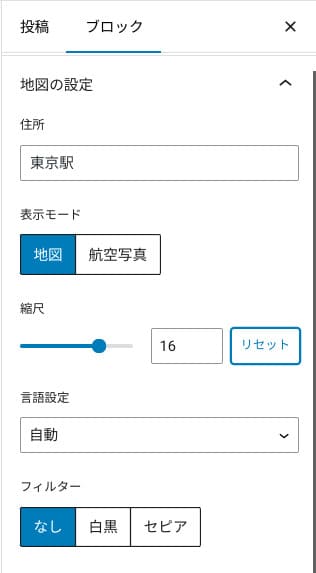
Можете да превключите към изглед на карта или сателитна снимка, или да го промените към монохромен или сепия изглед. Cocoon и SWELL нямат тази функция. Промяната на тези неща с CSS е честно казано трудна, освен ако не сте дизайнер или програмист.
С XWRITE обаче това не е проблем дори без специализирани познания. Всеки може лесно да персонализира Google Maps, така че да съответства на атмосферата на началната страница на неговата компания или магазин.
Как да създадете Google Map
Как да създадете Google Map
xwrite.jp
Блокът за секции (Section block) прави дори празнотата красива
Дизайнът има значение за фирмените уебсайтове и страниците на магазини. Той предава атмосфера, която трудно може да се изрази с думи, като например „Този магазин изглежда стилно“ или „Изглеждат като хора, които ще свършат работата внимателно и професионално“.
Нещо, което влияе на тази атмосфера, колкото и изненадващо да е, е празното пространство (whitespace). Добре подреденото, комфортно празно пространство може да създаде усещане за красота и елегантност или дори усещане за жизнена енергия.
Ако използвате блока за секции (Section block) на XWRITE, можете да проектирате прекрасно дори празното пространство, което оформя тази атмосфера точно по начина, по който желаете.
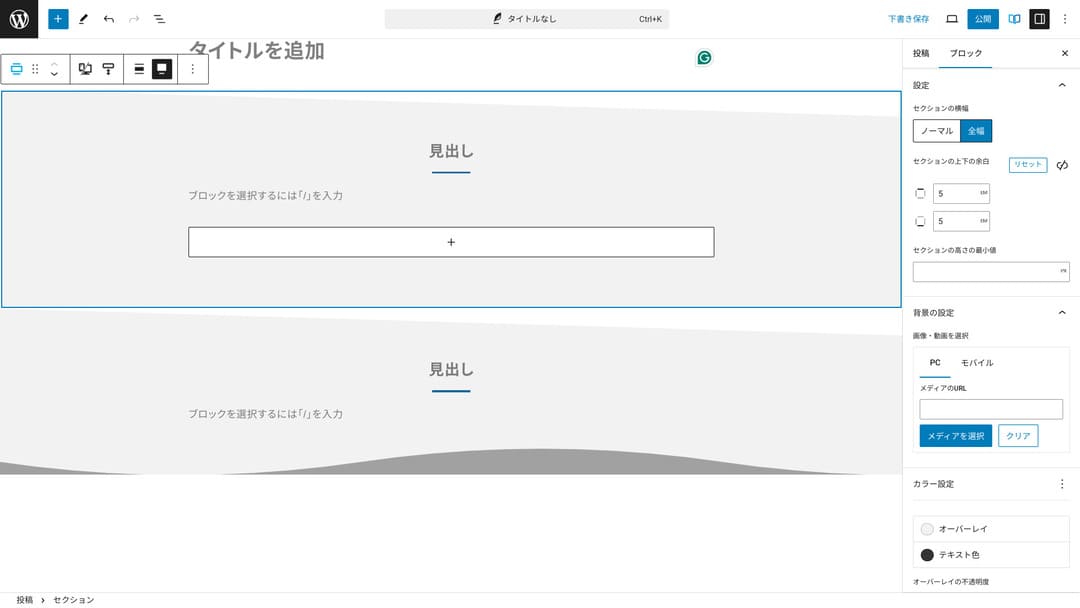
Можете да създадете празно пространство, срязано по диагонал, или да добавите вълнообразни форми. Когато дизайнът достигне до такова ниво на детайлност, включително празното пространство, това може значително да подобри имиджа на една компания или магазин.
Как да създадете секция (Section)
Как да създадете секция (Section)
xwrite.jp
Защо препоръчвам XWRITE за афилиейт сайтове
Разгледайте демонстрационния сайт в афилиейт стил, създаден от Xserver. На него пише „блог“, но дизайнът на съдържанието, който можете да забележите там, всъщност е на афилиейт сайт.

STUDY DEMO BLOG
STUDY DEMO BLOG
demo.xwrite.jp
Блокът за преглед на продукти (Product Review block) изяснява предимствата и недостатъците веднага
Ако използвате блока за преглед на продукти (Product Review block) на XWRITE, можете да представите предимствата и недостатъците на даден продукт по прекрасен начин. Хората могат веднага да видят какво е добро в него и какво не. Оценката и обяснението също се четат лесно.
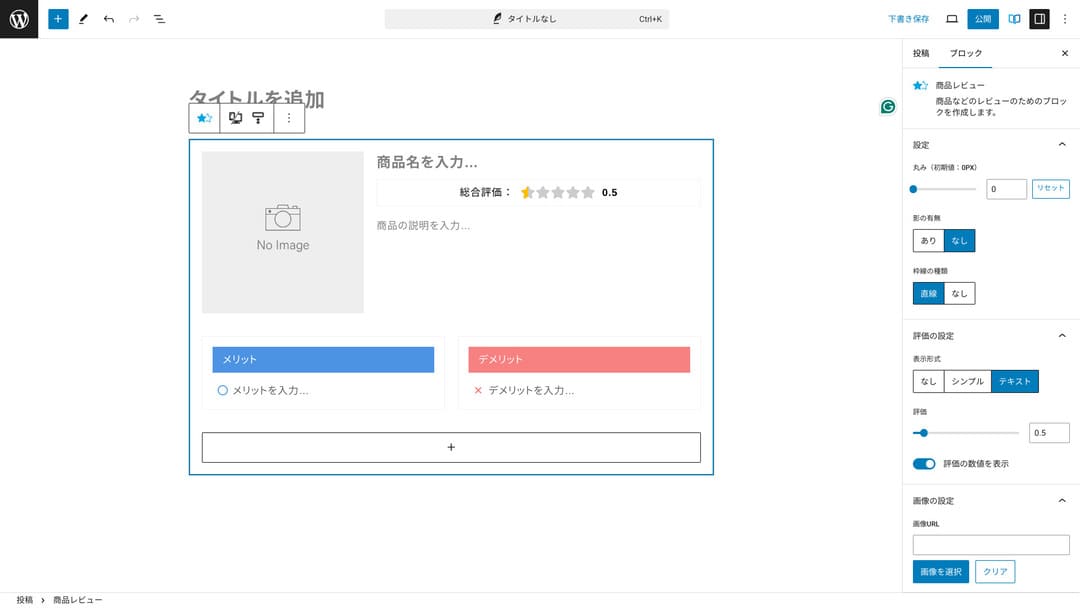
Когато използвате това, посетителите на сайта могат веднага да разберат характеристиките на продукта, който представяте. Ако го разберат бързо, за тях става по-лесно да решат дали да го купят или не. С други думи, продава се по-лесно.
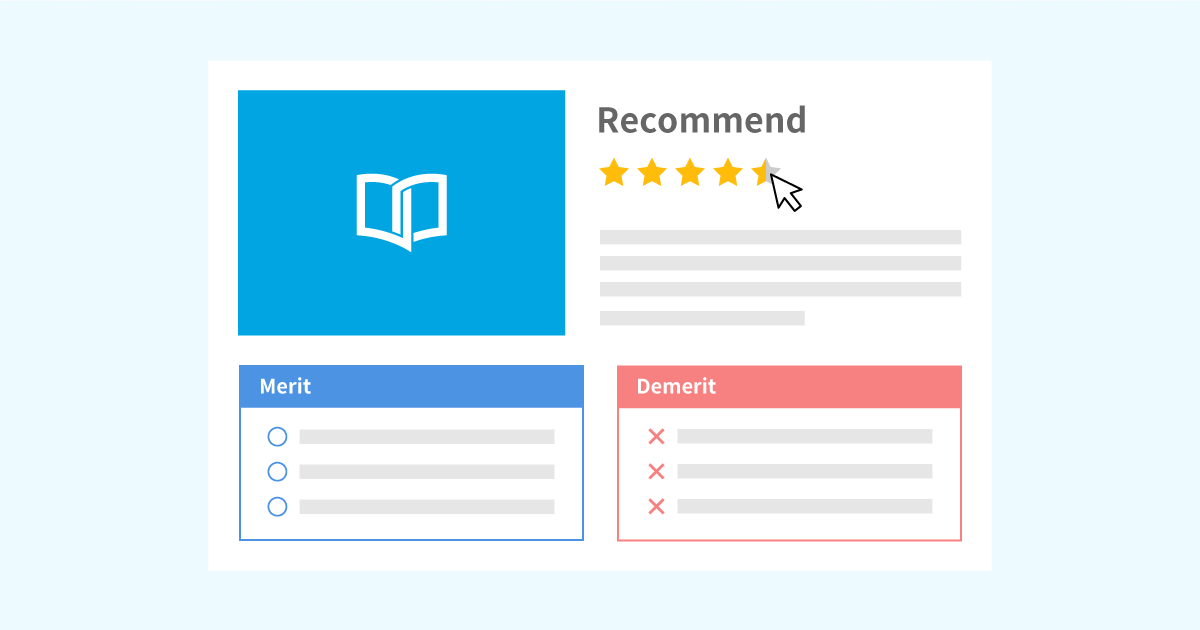
Пример за блок за преглед на продукти (Product Review block) за продуктови обяснения и оценки
Пример за блок за преглед на продукти (Product Review block) за продуктови обяснения и оценки
xwrite.jp
Блокът за стъпки (Step block) предава процедурите и работните процеси ясно
Блокът за стъпки (Step block) на XWRITE прави процедурите и процесите лесни за разбиране. Обяснения като „след като направите това, подгответе този документ и кликнете тук нататък“ стават много по-ясни.
Можете да използвате блока за стъпки (Step block), за да покажете как да закупите продукт или последователността от стъпки в процеса на сключване на договор.
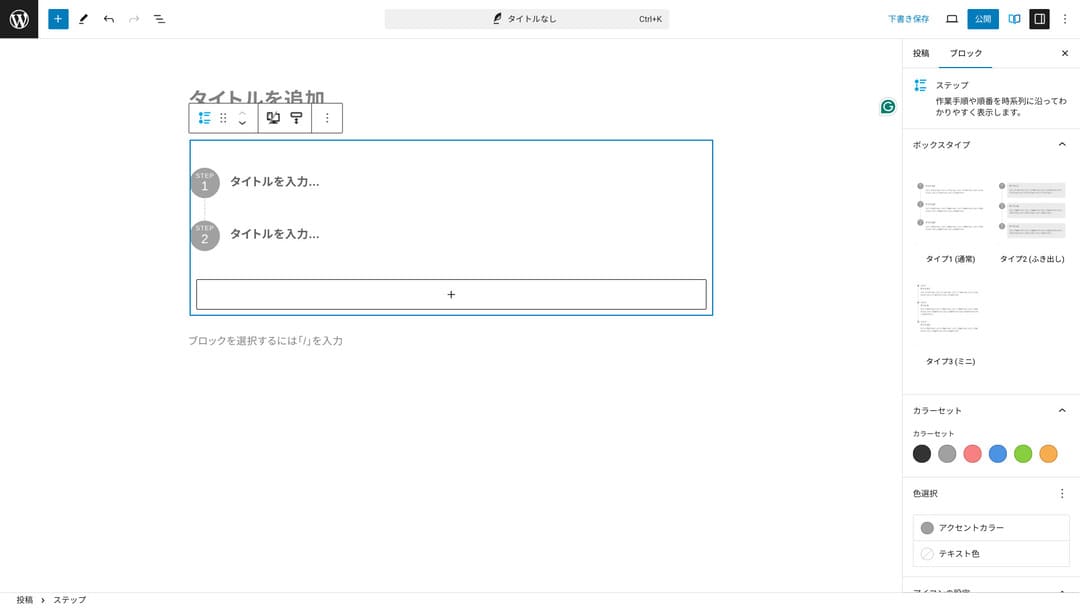
Бихте могли също така да обясните процедурите със заглавия и обикновен текст, но ако го направите, това не изглежда толкова спретнато и има тенденция да създава ненужно празно пространство.
Също така, ако използвате заглавия за обяснение на процедурите, съдържанието на страницата може да стане твърде подробно и да влоши потребителското изживяване. Блокът за стъпки (Step block) запазва нещата прости.
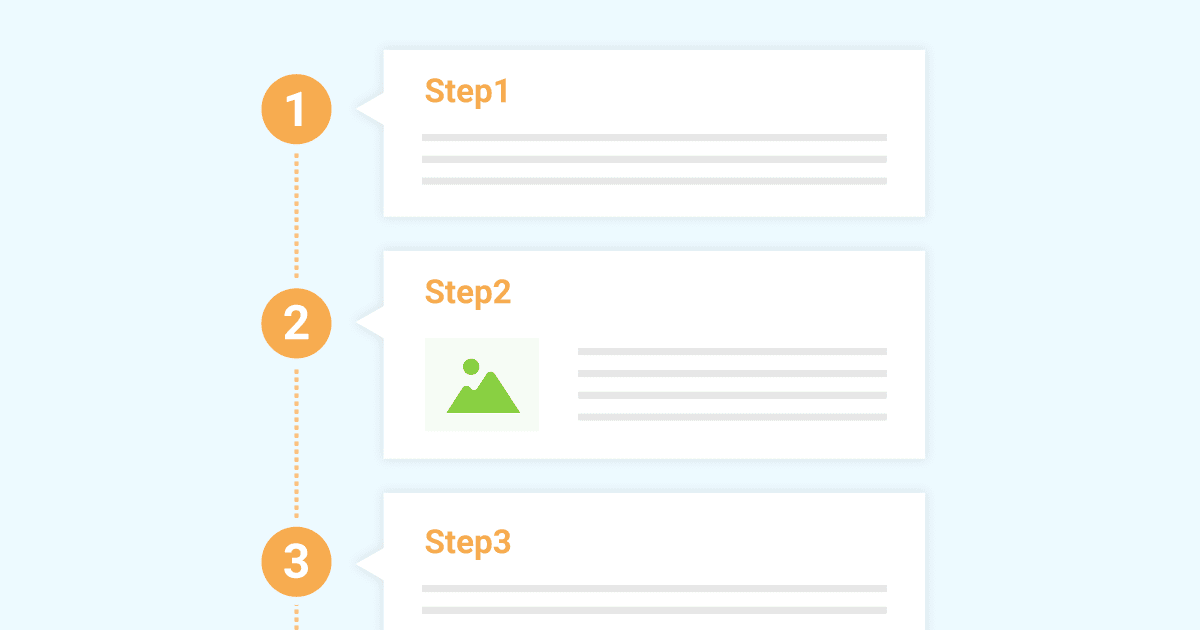
Пример за блок за стъпки (Step block) за представяне на работни процедури
Пример за блок за стъпки (Step block) за представяне на работни процедури
xwrite.jp
Блокът за бутони може да подобри CTR
Ако използвате блока за бутони (Button block) на XWRITE, вероятно ще подобрите CTR (процент на кликване). Можете да приложите много различни видове декорации върху бутоните, създавайки бутони, които не оставят потребителите да се чудят: „Откъде трябва да кандидатствам?“.
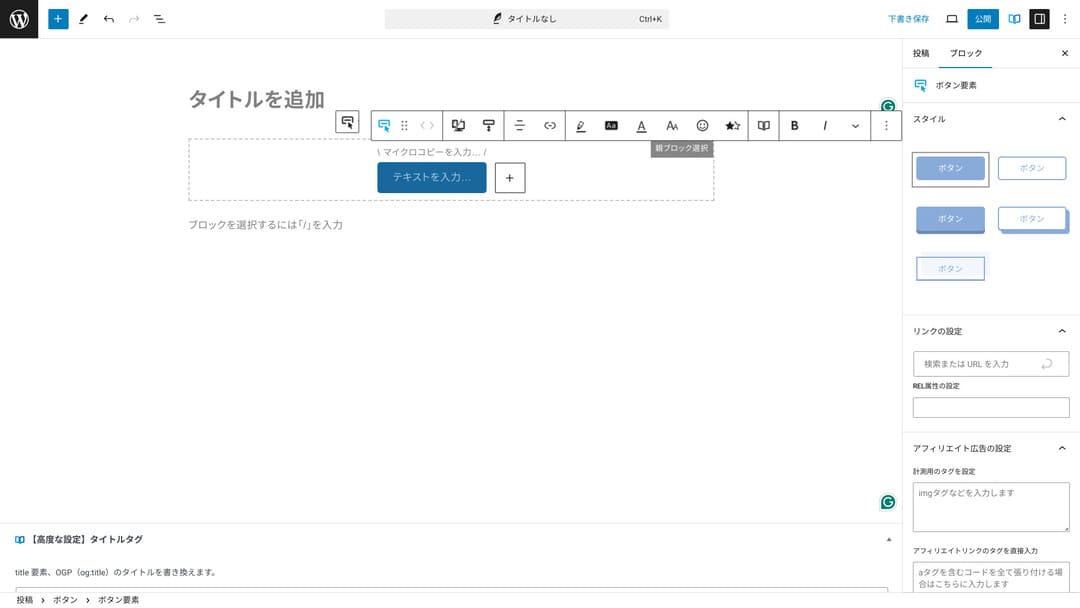
Тъй като можете да променяте цвета и дизайна, те могат също така да бъдат съобразени с атмосферата на сайта.
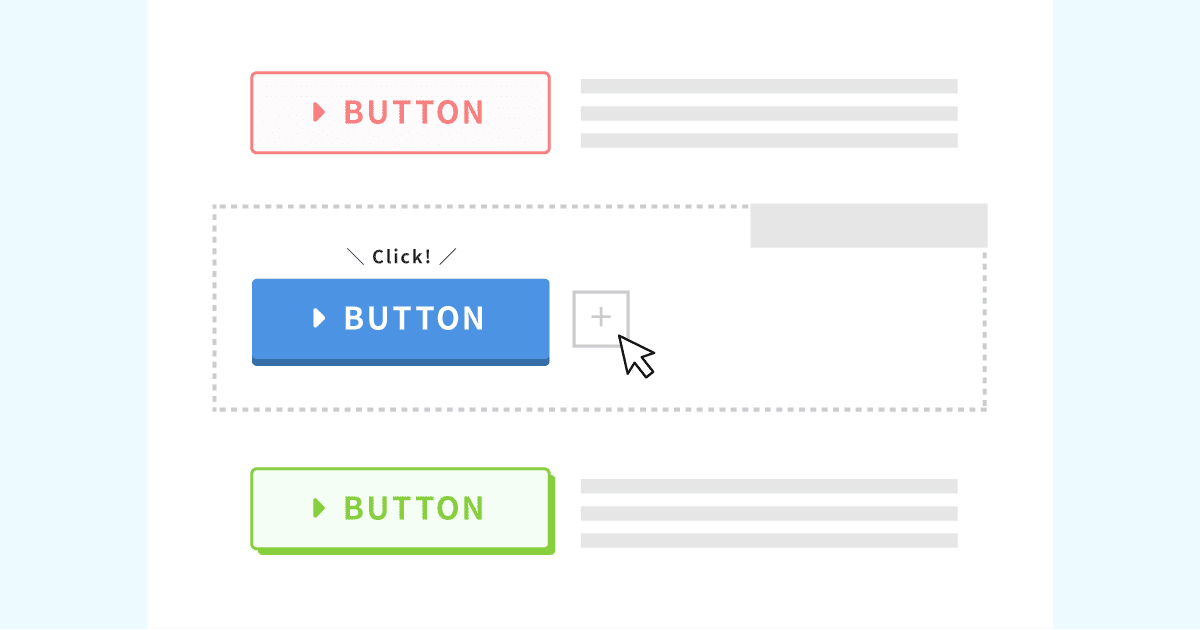
Списък на оригиналните дизайни на бутони
Списък на оригиналните дизайни на бутони
xwrite.jp
Цени на XWRITE: абонамент и еднократна покупка
С XWRITE можете да изберете абонаментен план или еднократна покупка.
- Абонамент (месечен): 990 йени на месец
- Абонамент (годишен): 9 900 йени на година
- План за еднократна покупка: 19 800 йени
Потребителите на Xserver и Shin Rental Server могат да закупят плана за еднократна покупка за 15 840 йени. Тъй като това го прави с около 4000 йени по-евтин от обикновено, препоръчвам да кандидатствате при регистрацията за сървъра, ако обмисляте както XWRITE, така и нов договор за сървър.
Както Xserver, така и Shin Rental Server са отлични сървъри. Обясних ги подробно в статиите по-долу.

Репутация и ревю на Xserver [Последно за 2025 г.]: подробно обяснение на скоростта, цените, предимствата и недостатъците
Репутация и ревю на Xserver [Последно за 2025 г.]: подробно обяснение на скоростта, цените, предимствата и недостатъците
serverfield.org
Ревю на Shin Rental Server [Последно за 2025 г.]: подробно обяснение на скоростта и цените на базата на реална употреба
Ревю на Shin Rental Server [Последно за 2025 г.]: подробно обяснение на скоростта и цените на базата на реална употреба
serverfield.org
Честно казано, не е евтина в сравнение с други теми за WordPress
За да бъдем напълно честни, в сравнение с други теми за WordPress, цената не е ниска. Тя е или приблизително същата, или малко по-висока.
| XWRITE | One-time purchase plan: 19,800 yen |
| Cocoon | Free |
| SWELL | 17,600 yen |
| SANGO | 14,800 yen |
| JIN:R | 19,800 yen |
Така че, повтарям, най-добрият вариант е да се кандидатства на цена от 15 840 йени чрез договор за сървър с Xserver или Shin Rental Server.
Ако обаче вече имате договор за сървър, изберете абонаментния план. Вероятно сте имали важна причина да изберете темата, която използвате в момента, а когато сменяте темите, разликата в дизайна може да повлияе на прегледите на страниците (PV) и на процента на кликване (CTR).
С абонаментния план, ако преминете към XWRITE и след това установите, че…
- дизайнът е много по-различен от вашия вкус
- влиянието на предишната ви тема води до срив на оформлението и корекциите стават трудни
…все още можете да се върнете към първоначалната си тема с минимални разходи.
Този сайт също обмисляше регистрация чрез абонаментния план и внедряване на XWRITE, но този път се отказах поради втората причина по-горе. Не мога да осигуря времето, необходимо за корекциите.
Как да заявите XWRITE
Как да заявите XWRITE
- STEP.1Вход в потребителския сайт
- STEP.2Закупете темата от страницата за лицензи
Моля, закупете темата от „Автентификация на лиценз“ в потребителския сайт.
- STEP.3Изтеглете темата
Изтеглете темата.
Вземете изтегления ZIP файл и го инсталирайте през WordPress Външен вид → Теми → Качване на тема, след което го активирайте.
- STEP.4Автентифицирайте лиценза
Автентифицирайте лиценза през Настройки на XWRITE → Активиране. (официални инструкции)
XWRITE има дъщерна тема
Първоначално XWRITE нямаше дъщерна тема, но беше актуализирана на 22 януари 2025 г. и дъщерните теми станаха налични. Ако е възможно, създайте дъщерна тема. Когато създавате дъщерна тема за тема на WordPress, можете да предотвратите сериозни повреди по дизайна при преминаване към друга тема.
Обща процедура за създаване на дъщерна тема в WordPress
- STEP.1Създайте папка за дъщерната тема
Първо, влезте в инсталационната папка на WordPress и създайте папка за дъщерната тема в
wp-content/themes/.- Влезте в нея или чрезFTPили като използватеадминистративния панел на WordPress > Външен вид > Редактор на теми.
- Създайте нова папка в
wp-content/themes/и я наименувайте по подобен начин:theme-child. Името на папката зависи от вас, но е по-добре да използвате име, което се разбира лесно.
- STEP.2Създайте стиловата таблица на дъщерната тема (style.css)
След това създайтеstyle.cssфайл в тази папка. Този файл управлява информацията за стила на дъщерната тема.
- Задайте съдържанието наtheme-child/style.cssкакто е показано по-долу.
Копирайте CSS кода/* Tema Name: Tema Child Template: Tema Version: 1.0*/@import url("../Tema/style.css");/* Write customization CSS here */Tema Name: името на дъщерната тема (можете да го промените свободно)Template: името на директорията на родителската тема- CSS файлът на родителската тема се зарежда с
@import.
- STEP.3Създайте functions.php на дъщерната тема
След това създайтеfunctions.phpфайл, за да заредите стиловете на родителската тема правилно.
- Създайтеtheme-child/functions.phpфайл и добавете следното съдържание.
Копирайте PHP кода<?php// Load the parent theme style sheetfunction theme_child_enqueue_styles() { wp_enqueue_style('parent-style', get_template_directory_uri() . '/style.css');}add_action('wp_enqueue_scripts', 'theme_child_enqueue_styles'); - STEP.4Активирайте дъщерната тема
Върнете се в административния панел на WordPress и отидете наВъншен вид > Теми. Там ще се покаже тема, наречена „Tema Child“, така че я активирайте.
- STEP.5Започнете персонализирането
След като дъщерната тема е активирана, персонализирайтеstyle.css,functions.php, и, ако е необходимо, други файлове с шаблони като
header.phpиfooter.php. Вместо да редактирате директно файловете на родителската тема, направете вашите персонализации, като ги препокриете в дъщерната тема.
Често задавани въпроси за XWRITE
Колко струва XWRITE?
- Абонамент (месечен): 990 йени на месец
- Абонамент (годишен): 9 900 йени на година
- План за еднократна покупка: 19 800 йени
За потребители на Xserver и Shin Rental Server, планът за еднократна покупка на XWRITE става 15 840 йени.
Какво се случва, ако не подновя абонамента?
Дори и да не подновите абонамента, темата няма да стане неизползваема. Въпреки това, вече няма да можете да я актуализирате. Също така ще загубите възможността да задавате въпроси във форума.
Ако изберете абонамента, подновявайте го всеки месец. Ако искате да спестите пари, препоръчва се планът за еднократна покупка.
Обобщение
XWRITE е тема за блогове. Ако ще пишете блог, това със сигурност е тема, която мога да препоръчам. В същото време я препоръчвам и за фирмени сайтове и афилиейт сайтове.
Ако изберете абонаментния план, можете да я изпробвате за един месец срещу 990 йени. Препоръчвам да започнете с абонамент. Ако сте доволни от усещането и дизайна, тогава преминете към плана за еднократна покупка.
„XWRITE“ е тема за WordPress, предоставена от Xserver Inc. Тя има репутация на проста, бърза и лесна за използване от всеки. Особено се препоръчва за корпоративни уебсайтове и афилиейт сайтове.
Става по-евтино, ако се регистрирате за Xserver, Shin Rental Server или Star Rental Server
Ако едновременно с това търсите и сървър, препоръчвам Xserver.
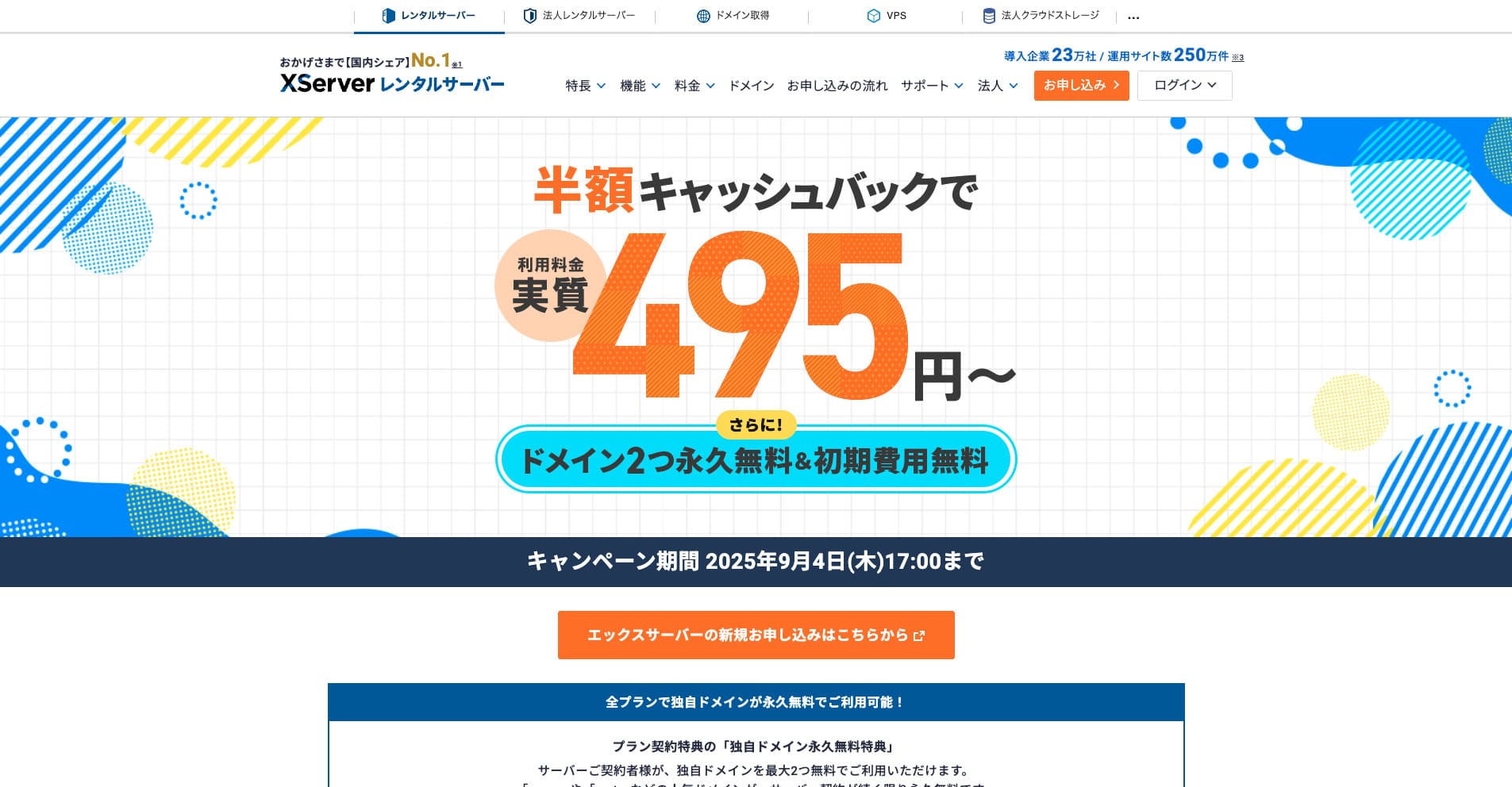
“Xserver“ е отдавна утвърден високоскоростен сървър под наем с пазарен дял № 1 в страната. Популярен е както сред физически лица, така и сред компании. Честно казано, той няма реални недостатъци, а неговата стабилност, функции и поддръжка са отлични. С кешбек можете да го използвате на ефективна цена от 495 йени.
До 34 септември 2025 г. предлага кешбек на половин цена и 10-дневен безплатен пробен период
