Free initial setup, up to 9 months of server usage free, and a 30-day money-back guarantee.
PR
Сървъри
Ревю на iCLUSTA+ [издание 2024]: подробно ръководство за бизнес сървър от около 1000 йени на месец
Публикувано: 2025.04.18
Обновено: 2025.04.18
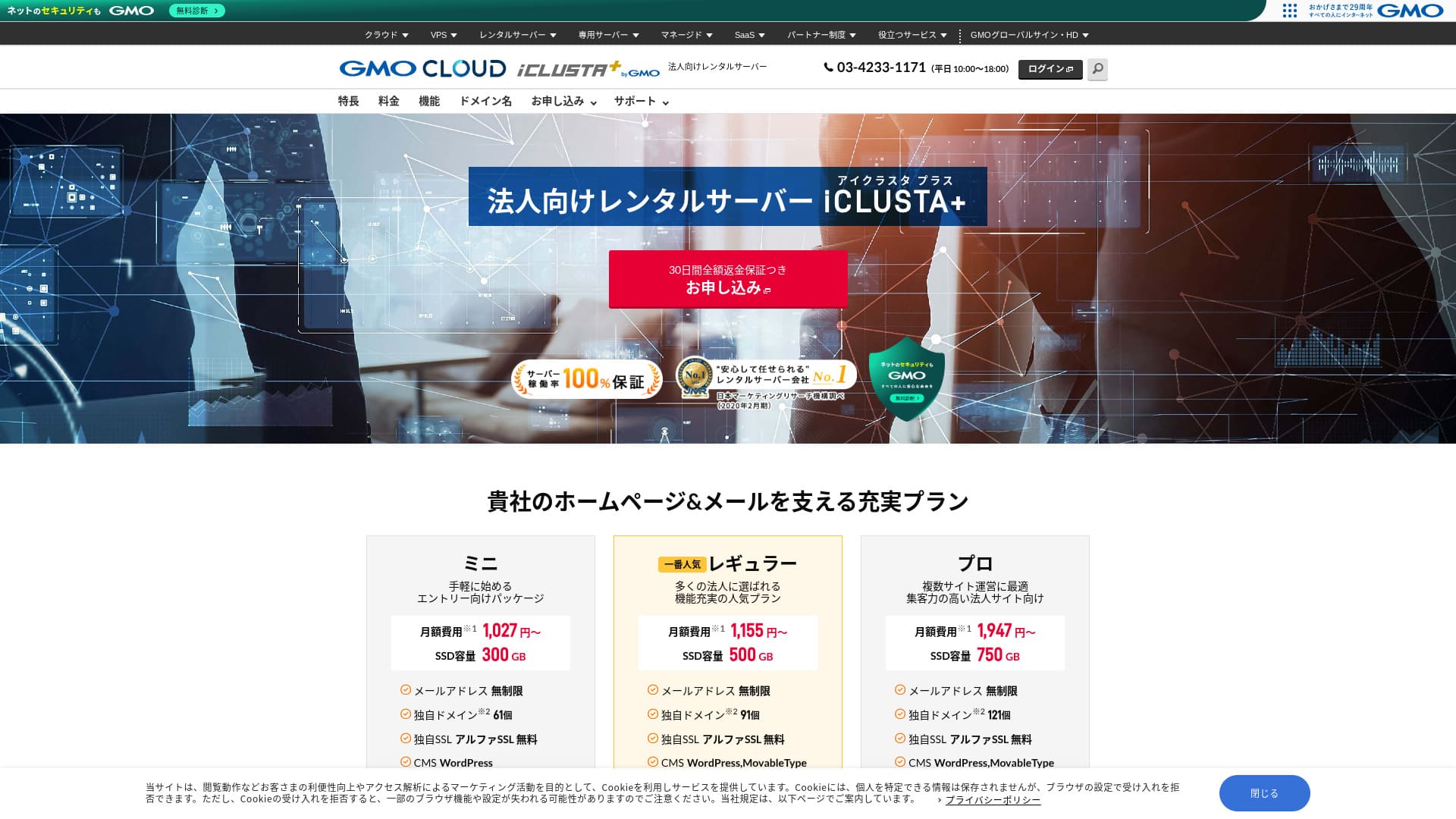
Достъпен бизнес сървър, на който можете да разчитате спокойно.
GMO GlobalSign Holdings K.K. управлява iCLUSTA+ byGMO и услугата е пълна със спецификации и функции, които са особено ценни за бизнеса. Подходяща е и за индивидуални потребители, но балансираният набор от функции, покриващ практическите бизнес нужди, я прави силен кандидат при избор на фирмен сървър. Понеже предлага отлична цена спрямо възможностите, дори малки компании могат да я внедрят лесно.
Въпреки това има и недостатъци. Ако търсите изключително функционален сървър с много високи спецификации, има смисъл да разгледате и други варианти. В тази статия обяснявам честно репутацията и характеристиките на iCLUSTA+ byGMO и показвам по ясен и лесен за следване начин как да започнете с WordPress.
Complete Comparison of 32 WordPress Rental Servers: Recommendations for Individuals, Businesses, and Overseas Use

If you think, "I want to start WordPress," and search for "recommended WordPress hosting," you will find an enormous range of articles, covering everything from servers for personal use and for businesses or small companies to overseas hosting and low-cost servers. Honestly,
- It is hard to know which site to trust.
- I want to choose a server in a simple, easy-to-understand way!
- I want to know how I can start WordPress right away.
Isn't that exactly how you feel? That is why this article carefully selects and introduces recommended options from 32 rental server companies for individual use, business use, domestic use, and overseas use. The explanation is written by the SEO specialist of an app development company that uses rental servers every day.
Ревюта за iCLUSTA+: достъпни бизнес сървъри от около 1000 йени на месец
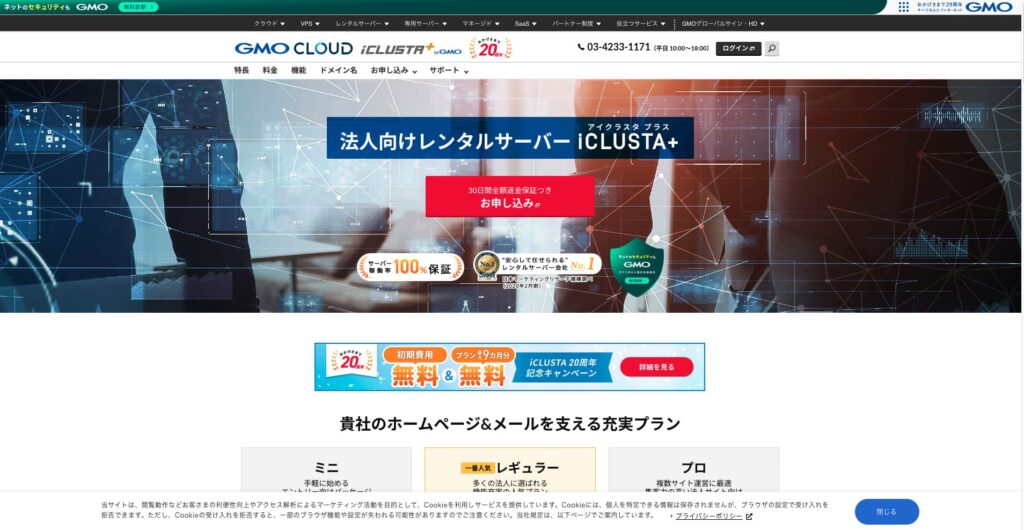
“iCLUSTA+ byGMO” is a server backed by 25 years of experience from GMO GlobalSign Holdings K.K. It is affordable to use. Even so, it is stable enough to carry a 100% uptime guarantee, making it a recommended option for small and medium-sized businesses and corporations that want to keep costs down.

| Типове сървър | Споделен сървър |
| Време за зареждане (TTFB) | Не е измерено |
| Препоръчани планове и срокове на договора | Mini 12 месеца |
| Пробен период и гаранция за връщане на парите | 30-дневна гаранция за връщане на парите |
| Месечна такса (12-месечен договор) | 1027 йени |
| Първоначална такса за настройка | 5500 йени |
| Безплатен домейн | Няма |
| Поддръжка | Работно време от 10:00 до 18:00 в делнични дни. Имейл поддръжката е достъпна 24 часа в денонощието, 365 дни в годината. |
| Наличност | 100% гарантирана |
| Server capacity | Web 180GB / Mail 120GB |
| Database Count | Unlimited |
| Security Measures | Intrusion Prevention System (IPS) / Overseas Web Access Restriction Function / GMO Cyberattack NetdeDiagnosis |
| SSL | Dedicated SSL Certificates AlphaSSL / GlobalSign One-Click SSL / GlobalSign Corporate Authentication SSL / GlobalSign EV SSL |
| Backup/Restore | Remote Backup to Distant Locations for 7 Generations (¥770 per month*) / Free Restore |
| Number of Email Accounts | Unlimited |
| Email Security Measures | POP over SSL / SMTP over SSL / SMTPAuth / STARTTLS / Email Filters / Spam Filters / Email Virus Removal Service / DKIM Settings |
| Server/Website Migration Service | Full Migration ¥33,000 |
| WordPress Pre-installed | None |
| CDN | None |
Пет ключови характеристики на iCLUSTA+

Гарантирана 100% наличност
iCLUSTA+ byGMO има стабилността като най-голямо предимство. SLA гарантира 100% наличност. You will naturally want to know the track record. It is published on this page.
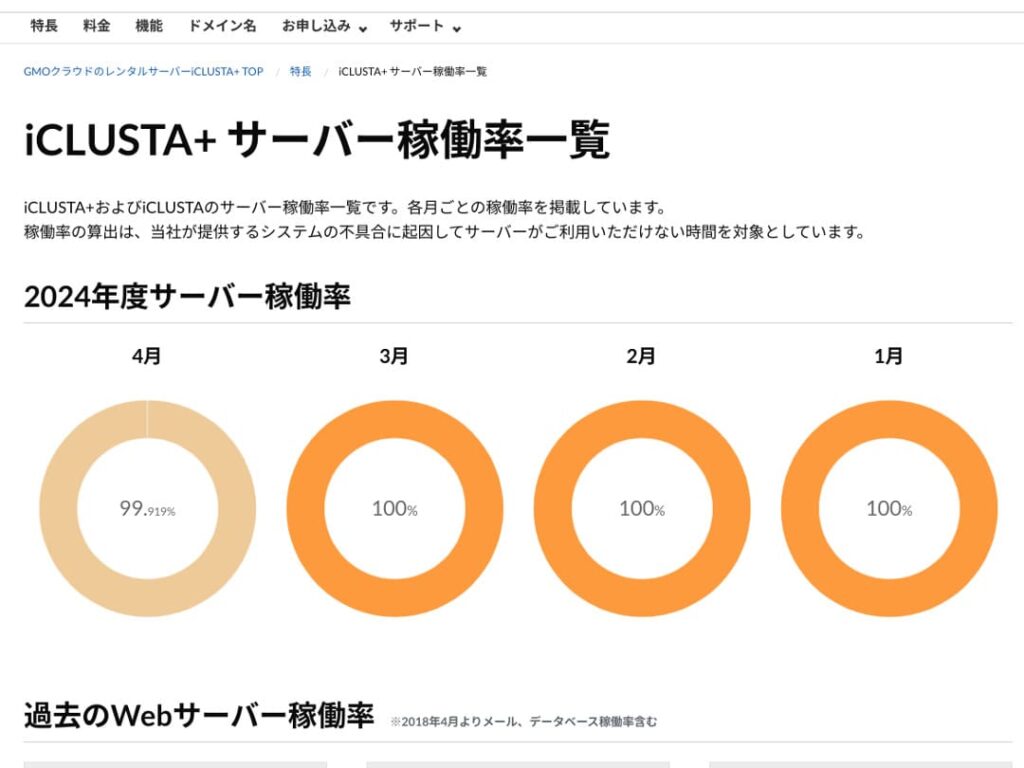
Може да си помислите „99,919% през април“, но това е сървър, който открито публикува резултатите си, а това го прави надежден. През април 2024 г. престоят е бил около 35 минути за 30 дни. Това все пак е престой, но е минимален.
Освен това, тъй като SLA гарантира 100% наличност, за април 2024 г. 10% от таксата за ползване се възстановява според условията. Тази малка компенсация също показва честното отношение на компанията.
★ Beginner’s Guide: Understanding Rental Server Uptime and SLAs
Безплатна телефонна поддръжка и имейл/FAX поддръжка извън работно време
iCLUSTA+ byGMO предлага безплатна телефонна поддръжка за всички планове. Тя е достъпна от 10:00 до 18:00, от понеделник до петък. Извън тези часове, включително вечер, през уикендите и празниците, техническата имейл поддръжка е постоянно достъпна.
Technical email support handles inquiries related to server usage issues outside of business hours. This means you won’t be left stranded if you encounter technical problems while using the server.
Възможно е генериране на оферти и фактури
Businesses may require invoices and quotes from an accounting perspective; iCLUSTA+ byGMO offers a solution. allows you to receive a quote via the quote formwithin the quote form.
Additionally, invoices can be issued when you sign up for new contracts, such as bank transfers and direct debits.
Receipts are stored according to the payment basis for each payment, such as those from ATMs.
Пълни имейл функции
iCLUSTA+ byGMO разполага с пълен набор от имейл функции.
You can have an unlimited number of email addresses. Furthermore, at the time of signing up, you can freely determine the web and email capacity. The web capacity is for related website content. For email capacity, the Mini Plan allows you to allocate up to 119GB.
However, using multiple domains and creating mailing lists both incur a monthly fee of ¥220. If you plan to use mailing lists for mass internal email distribution, be aware of this additional cost.
Безплатен AlphaSSL SSL
iCLUSTA+ byGMO предлага безплатно използване на AlphaSSL. Когато става дума за безплатен Let’s Encrypt SSL, това е добре познато име. AlphaSSL is a more reliable SSL certificate that typically costs 6,600 yen per month.
★ SSL and TLS: The Encryption Mechanism to Protect Information and Its Benefits
Честно представени недостатъци на iCLUSTA+

iCLUSTA+ byGMO е добър сървър за бизнес, но има и някои недостатъци.
Начислява се 10% надбавка върху основните такси.
iCLUSTA+ byGMO incurs a surcharge fee in addition to the base fee. Currently 10%, but this may change in the future. Given the current global economic situation, there are understandable concerns about potential price increases.
Архивирането е платена опция
iCLUSTA+ byGMO incurs charges for backups.
For the mini plan, the monthly fee is 770 yen. Frankly, it’s expensive for the cost of renting another server, even if it’s only one. It offers up to 7 generations of backups with unlimited storage capacity, which is impressive in terms of specifications.
However, if you choose WordPress for your website, you can install WordPress plugins for backup and restore, which don’t cost anything.
★ Data Recovery: Top 5 WordPress Plugins
Сравнение на iCLUSTA+ byGMO с два конкурентни сървъра
KAGOYA JAPAN
KAGOYA JAPAN also iCLUSTA+ byGMO like , offering a highly utilized server that is stable and supported by businesses.
KAGOYA JAPAN’s WP Server Grade 1 Plan can be used for a monthly fee of 440 yen. It has backup functionality, making it more affordable to start than iCLUSTA+ server costs.
However, the Lite 1 Core/4GB plan has a bandwidth limit of 100Mbps, which creates some uncertainty about server speed. It also uses Let’s Encrypt, a free, custom SSL. It’s a relief that iCLUSTA+ offers AlphaSSL.
It’s a choice of two companies to carefully consider price and features.

KAGOYA JAPAN Reputation! 61,000 Businesses Using It, Examining the Value for Money of WordPress-Dedicated Servers
KAGOYA JAPAN Reputation! 61,000 Businesses Using It, Examining the Value for Money of WordPress-Dedicated Servers
serverfield.org
XServer Business
A major domestic server provider, Xserver Business is offered by iCLUSTA+ byGMO. Compared to iCLUSTA+, it has a higher price. The initial cost is ¥16,500. With a 12-month contract, the monthly fee is ¥4,180, which is nearly four times the cost of iCLUSTA+.
It boasts a 99.99% uptime guarantee and connects to a high-speed 10Gbps line. This delivers the specs needed to display websites and emails smoothly, and it also includes a 14-day automatic backup function. iCLUSTA+ byGMO doesn’t require you to pay extra fees like .
However, iCLUSTA+ byGMO is not like where you can use a free, dedicated SSL. If you opt for a paid cloud SSL, it will cost 880 yen per month. SSL has become a standard security measure for websites in recent years, and is therefore highly valued. Consequently, the free alpha SSL offered within iCLUSTA+ byGMO is a significant advantage.
If you’re looking to cut costs, you can definitely start by considering iCLUSTA+.

XServer Business Reputation & Review! Thoroughly Verifying the Latest Speed, Pricing, and Features
XServer Business Reputation & Review! Thoroughly Verifying the Latest Speed, Pricing, and Features
serverfield.org
7 стъпки, за да започнете WordPress сайт с iCLUSTA+ още сега
Start your website with iCLUSTA+!
- Step 1Visit the Official Website iCLUSTA+ byGMO Rental Server
Click “Sign Up with Full Money-Back Guarantee”
- STEP.2Server Application
Choose a plan. iCLUSTA+ Mini is recommended. You can upgrade to a higher plan with more specifications later if needed. Let’s start with the cheapest mini plan.
The contract period is advantageous at 24 months, but you can also start with a one-month payment.
You can leave the disk capacity as is. Websites don’t typically use much disk space. If you plan to use email, it’s better to allocate the maximum possible email capacity rather than reducing it.
Select MySQL as an option service. MySQL, the database for WordPress, is necessary to start using WordPress.
★ What is a Database? An essential component for WordPress in management and operation
Click “Next”.
Choose a domain name. Let’s select “Register a new domain name”. Enter the desired domain name string and search for it.
★ What is a Domain? Its role as a web address and how to obtain it
You can choose root domains like “.com” and “.co.jp”. The cost of acquisition and renewal varies depending on the root domain. If you’re a business, we recommend “.co.jp” as much as possible. For individuals, “.com” or “.net” is recommended. These are widely familiar domains, making them less suspicious and easier for people to access.
Check the desired domain and click “Proceed to Apply”.
Click “Next”. Enter your customer information. Select “Continue” for “First-time Customers”.
Enter details such as company name, name, and address. Also, enter payment information. Credit card payments are recommended for quickly creating your website.
Read and agree to the privacy policy and personal information matters. If you agree, click “Proceed to Next”.
Review the application details and submit your application.
For first-time users, set up your email address and password. Agree to the terms of service and privacy policy and click “Next”.
- Step 3Database Creation and WordPress Installation
From the PlanManager database, click “Add Instance.” Then, set the following information:
- Instance Settings: Version – Leave as is
- Instance Settings: Password – Automatically generated
- Instance Settings: Comment – Leave blank
- Admin User: Leave as is
- New Database: Database Name – Leave as is
Click “Save,” and you’ll see “Instance created” displayed.
Next, proceed with WordPress installation. In PlanManager, click “Applications” then “App Installer.”
Select WordPress and click “Proceed to Installation Settings.” Configure as follows:
- Installation Directory: Anywhere is fine
- MySQL Database: Select the instance and database you created earlier. The table prefix can remain as is.
- PHP Version: Leave as is
- Terms of Service: If you agree, check “Accept.”
After entering all information, click “Start Installation.”
Once the installation is complete, proceed with the initial setup. Click “Proceed to Initial Settings.” Set the following:
- Site Title:
- Username: Anything you like, but be aware that changing it later can be time-consuming.
- Password: Make it as complex as possible – you can easily change it later.
- Email Address: Your usual email. For businesses, we recommend using a corporate email address for website management.
- Display in Search Engines: Check this box if you want to make your site visible in search engines.
After entering all information, click “Install WordPress.”
Remember that you’ll use your email address and password to log in to WordPress. Make sure to note them down. After reviewing the registration details, click “Create.”
- Step 4WordPress Basic Setup
Click “Move to List.” You’ll see a list of WordPress installations. Click the “Login” link for the domain where you recently installed WordPress.
In the WordPress login screen that appears, enter the username/password you set during installation and click “Login.”
Once you’re logged into WordPress, let’s set your permalinks. From the “Settings” section in the WordPress admin panel, go to “Permalink Settings.” Select “Post name.” Then, click “Save Changes.”
Using “Post name” allows you to enter any string you like in the URLs when you publish articles. It’s recommended to use a short string that represents the content of the article, as this makes it easier for readers to find the page when they visit your homepage. Too long a URL might make visitors nervous.
- STEP.5Plugin Installation
Return to the WordPress administration panel and proceed to “Plugins” > “Add New” to install the necessary plugins.
When you find a plugin you want to install via search, click “Install Now” and then “Activate.” Afterward, follow the instructions for each plugin.
It is essential to install security and backup plugins.
- Top 5 WordPress Plugins to Enhance Security and How to Choose Them
- Top 5 WordPress Backup Plugins to Retrieve Your Data
Now that you’ve installed the plugins, you’re completely prepared for your WordPress website!
Обобщение
“iCLUSTA+ byGMO” is a server backed by 25 years of experience from GMO GlobalSign Holdings K.K. It is affordable to use. Even so, it is stable enough to carry a 100% uptime guarantee, making it a recommended option for small and medium-sized businesses and corporations that want to keep costs down.
Free initial setup, up to 9 months of server usage free, and a 30-day money-back guarantee.
iCLUSTA+ byGMO е хостинг сървър за бизнеса. Можете да започнете с месечна такса от диапазона около 1000 йени, като същевременно получавате 100% наличност и стабилност. Това е много привлекателно за компании, които искат да държат разходите ниски. Особено го препоръчваме за бизнеси, които искат да минимизират разходите.
Complete Comparison of 32 WordPress Rental Servers: Recommendations for Individuals, Businesses, and Overseas Use
If you think, "I want to start WordPress," and search for "recommended WordPress hosting," you will find an enormous range of articles, covering everything from servers for personal use and for businesses or small companies to overseas hosting and low-cost servers. Honestly,
- It is hard to know which site to trust.
- I want to choose a server in a simple, easy-to-understand way!
- I want to know how I can start WordPress right away.
Isn't that exactly how you feel? That is why this article carefully selects and introduces recommended options from 32 rental server companies for individual use, business use, domestic use, and overseas use. The explanation is written by the SEO specialist of an app development company that uses rental servers every day.