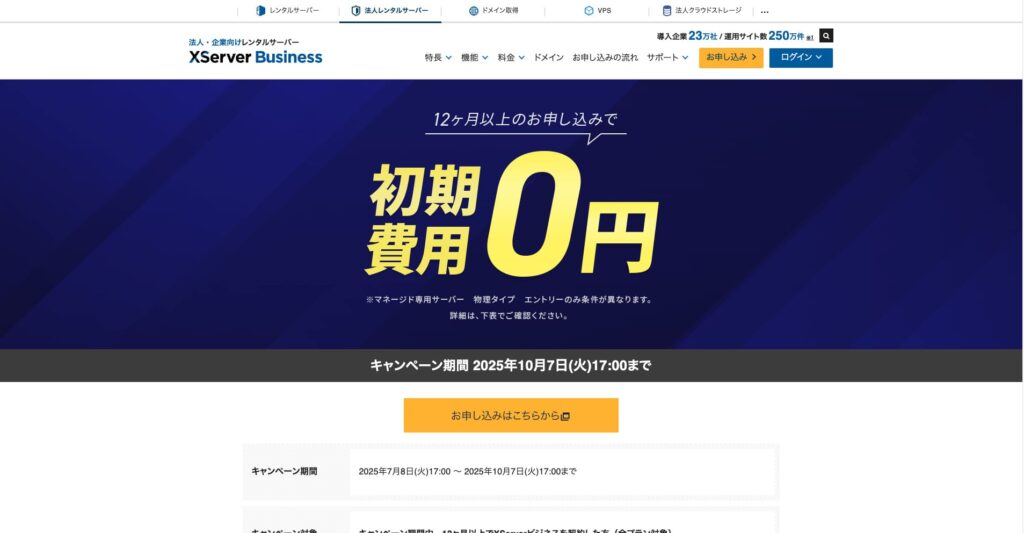
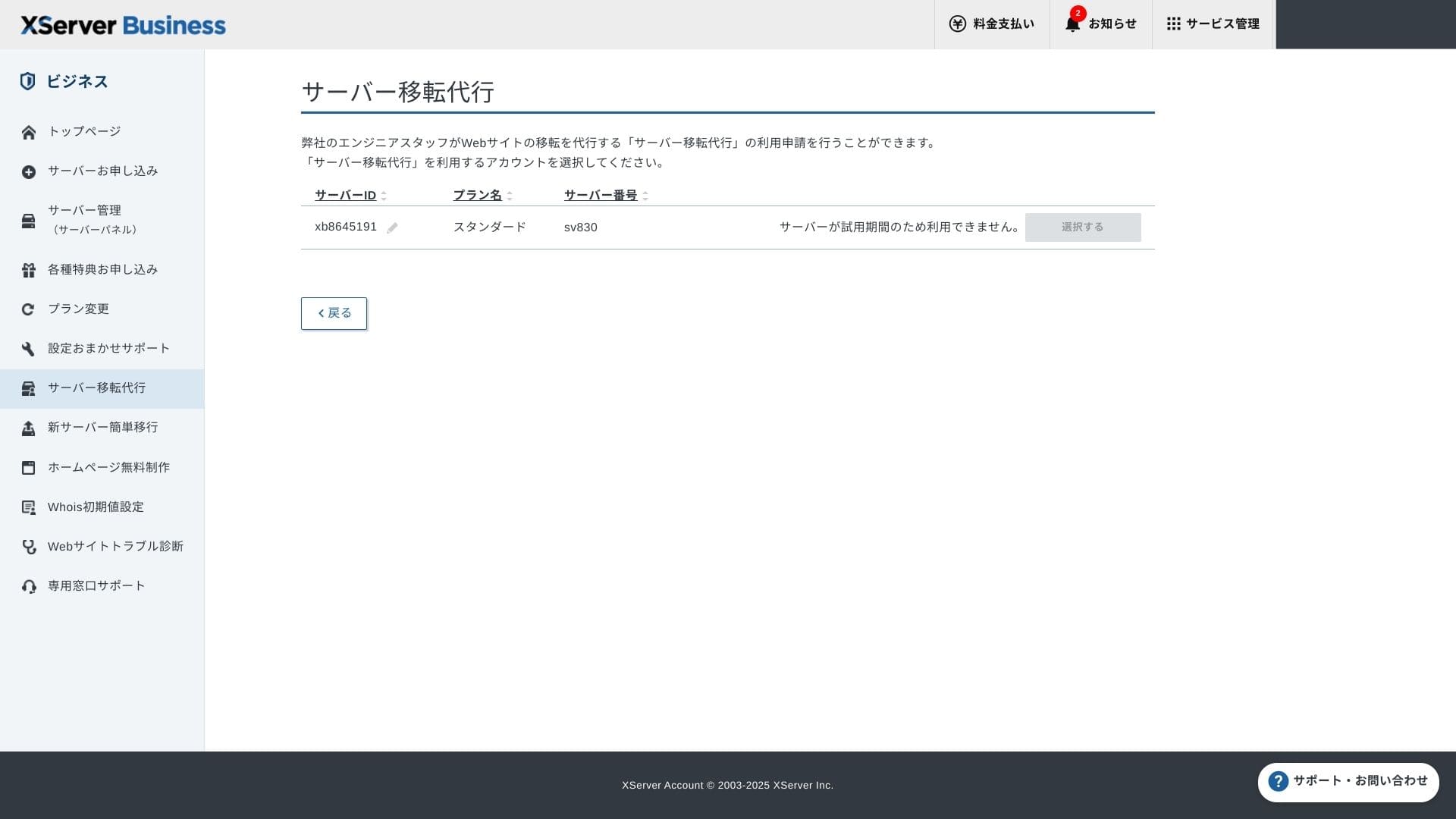
До 7 октомври 2025 г. първоначалната такса (обикновено от 16 500 йени до 385 000 йени) е безплатна, а услугата за миграция на сървър също е безплатна
PR
Сървъри
Ревю на XServer Business [най-новото от 2025 г.]: Подробно тестване на скоростта, цените и функциите
Публикувано: 2025.05.13
Обновено: 2025.05.13
Оценка: 5.0
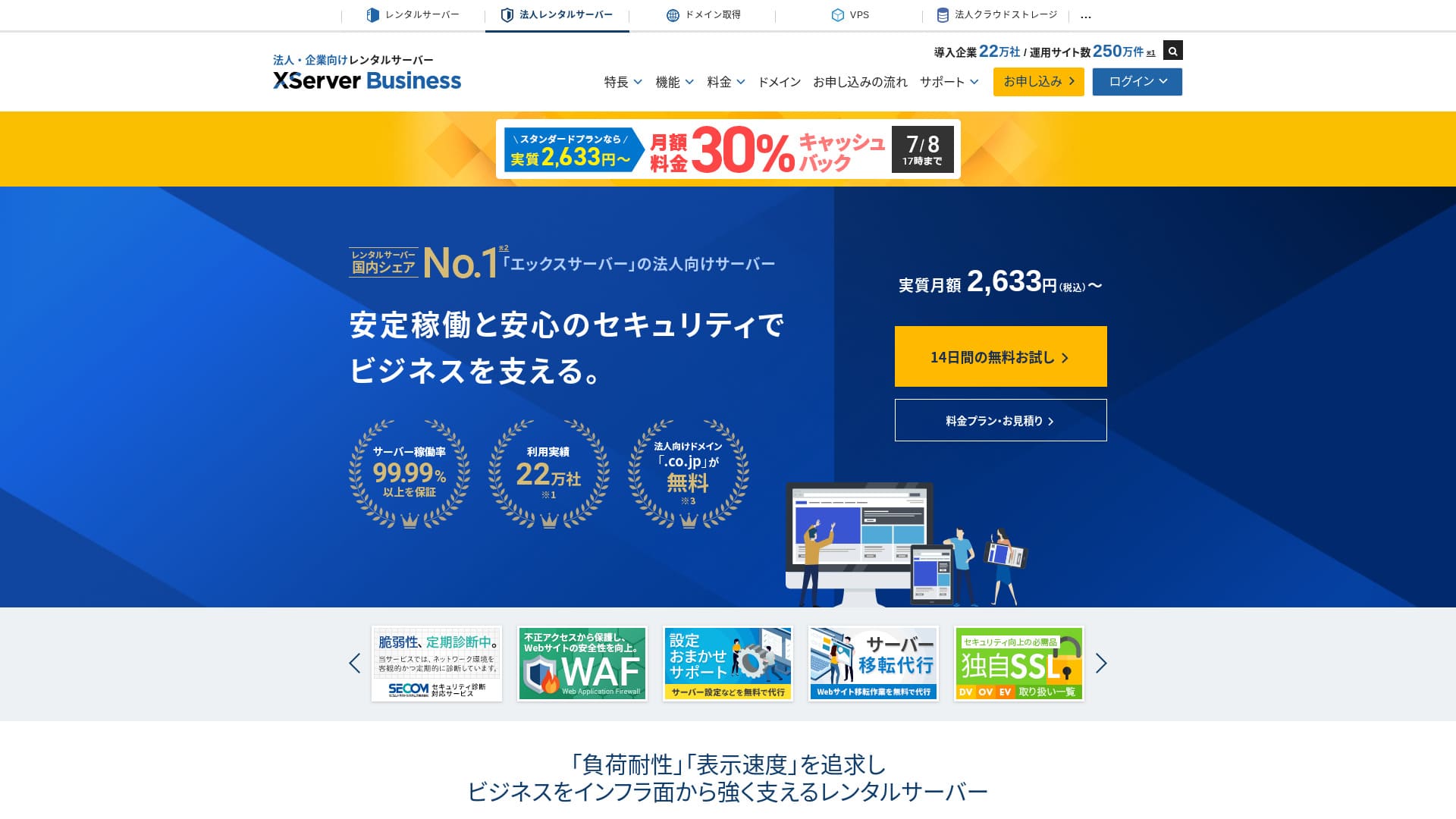
XServer Businessе изключително бърза хостинг услуга за бизнес, управлявана от Xserver Inc.Тъй като е едновременно бърза и с голям капацитет, тя е много удобна както за управление на имейл, така и за уебсайтове на WordPress и целеви страници.
| Тип сървър | Споделен хостинг / Управляван нает виртуален сървър / Управляван нает физически сървър |
| Скорост (TTFB) | 40ms |
| Препоръчан план и срок | Споделен стандартен 12 месеца |
| Безплатен пробен период / гаранция за връщане на парите | 10-дневен безплатен пробен период |
| Месечна цена (12-месечен срок) | 2,926 yen |
| Първоначална такса за настройка | 16,500 yen |
| Безплатни домейни | Два безплатни завинаги |
| Поддръжка | Телефон и имейл (делнични дни 10:00-18:00) |
| Време на работа | 99.99% гаранция |
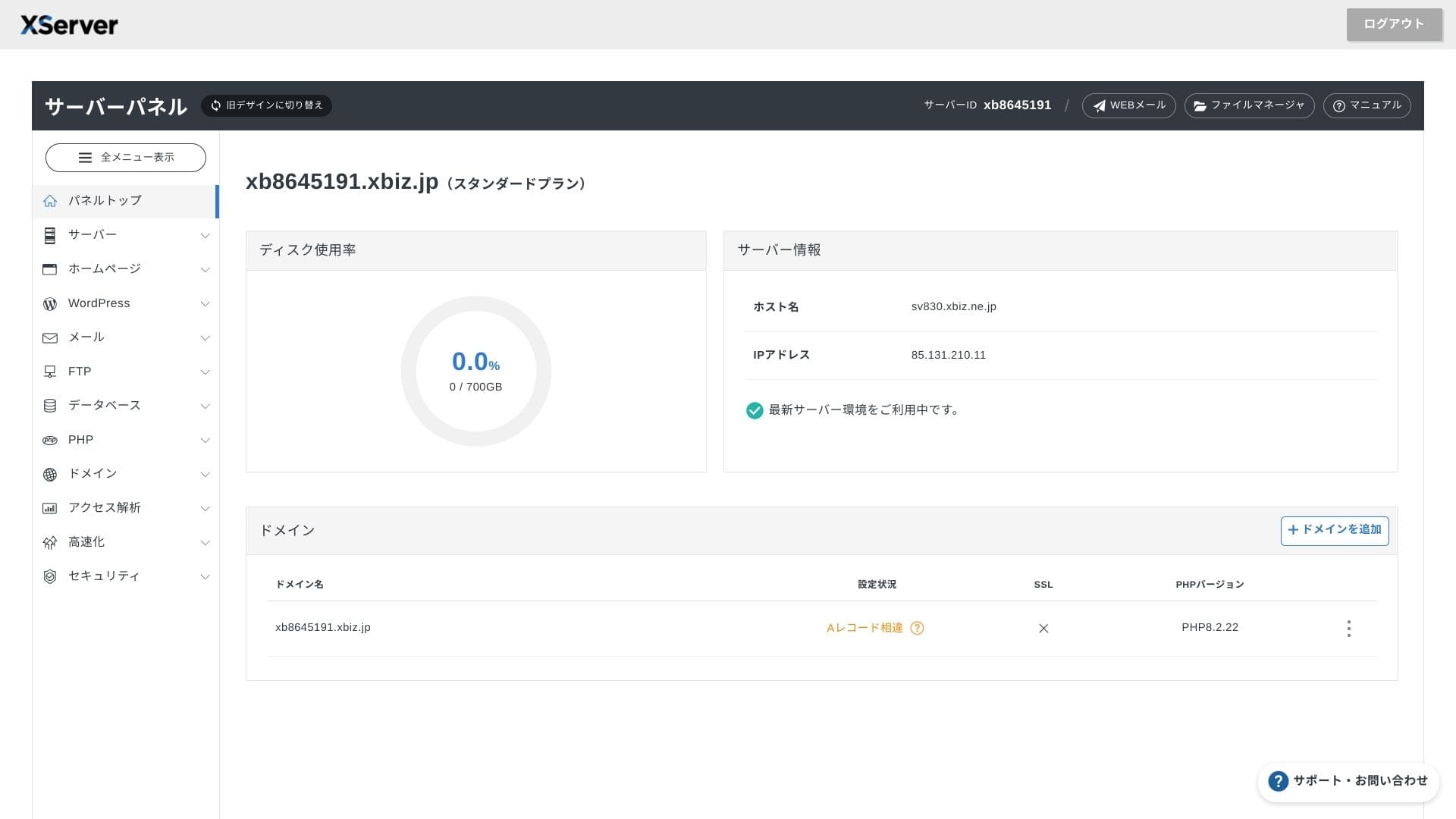
| Съхранение | 700 GB |
| Брой бази данни | Неограничено |
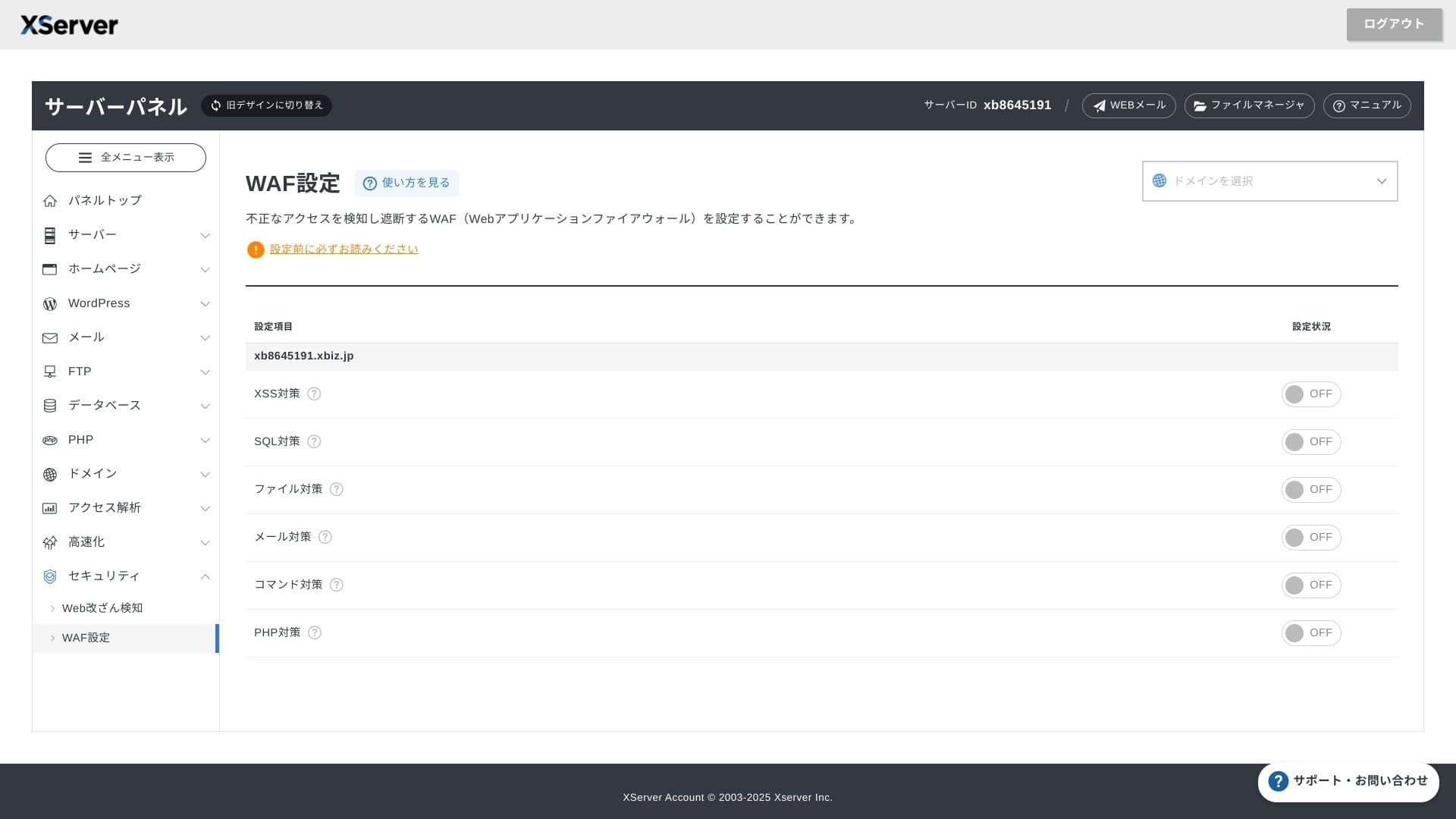
| Мерки за сигурност | WAF / известия за компрометиране на уебсайт / диагностика за сигурност от Secom |
| SSL | Безплатен специален SSL / Cloud SSL / SSL с валидиране на скоростта / QuickSSL Premium |
| Архивиране / възстановяване | 14 дни автоматично резервно копиране / безплатно възстановяване |
| Имейл акаунти | Неограничено |
| Мерки за сигурност на имейла | Антивирус / спам филтър / високопроизводителен спам филтър / POP над SSL / SMTP над SSL / IMAP над SSL / DKIM / DMARC |
| Услуга за миграция на сървър / уебсайт | Безплатна пълна миграция(само първия път, до 10 сайта) |
| Предварително инсталиран WordPress | Да |
| CDN | Няма |

Hikaru Ono
XServer Businessви позволява да стартирате WordPress още при регистрацията си за сървъра, което го прави отлично решение за компании, които създават нов уебсайт. Бизнеси, които вече имат сайт на друг сървър, също могат да го използват с увереност, тъй като е включена професионална миграция без допълнително заплащане.
Това е висококачествен сървър, който можете да продължите да използвате в дългосрочен план.
- Данни въз основа на проучване на пазара към4 ноември 2025 г., подредени поред на скоростта
- Месечните цени представляват разхода за първата година за най-евтиния план, който поддържа WordPress
- Скоростта представлява времето до първия байт (Time to First Byte), измерено на демо сайтове при еднакви условия
"XServer Business" е хостинг услугата за бизнес от Xserver Inc. — компанията с най-голям пазарен дял в Япония. При нашите измервания тя се нарежда на второ място по скорост. Това е един от най-добрите избори, когато трябва да преминете към нов сървър, а миграцията също е безплатна.

Ревю, свързано с WordPress
Лесна инсталация на WordPress
XServer Businessподдържа лесна инсталация на WordPress, която инсталира WordPress 6.8 от контролния панел само с няколко щраквания. Тя автоматично управлява настройките на базата данни и PHP, като същевременно се активира и SSL, така че работата по първоначалната настройка е практически нулева.
Hikaru Ono
Дори и без вътрешен IT отдел можете да стартирате WordPress надеждно и безпроблемно.
Нека стартираме вашия уебсайт с XServer Business
- STEP.1Посетете официалния уебсайт на XServer Business
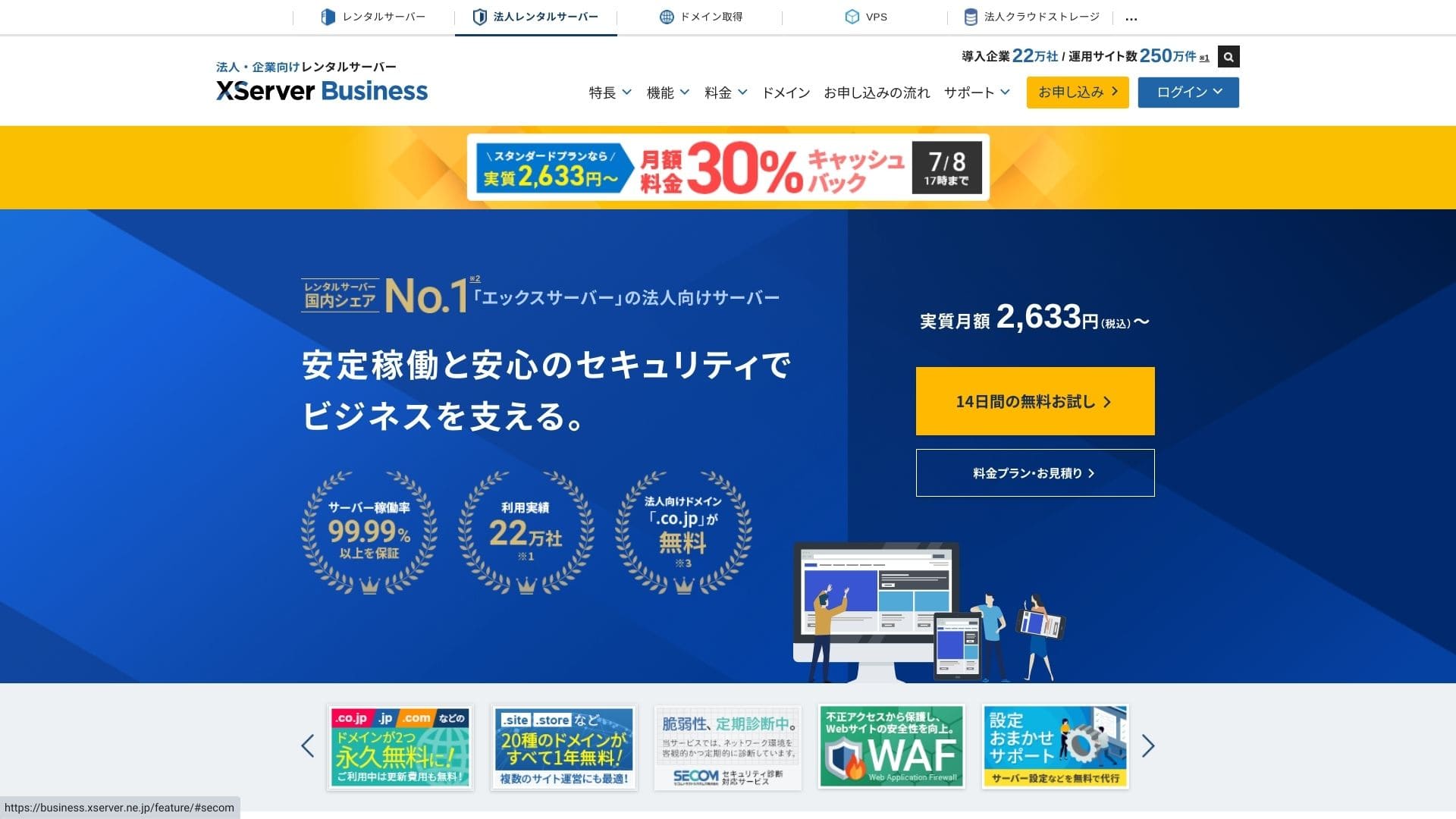
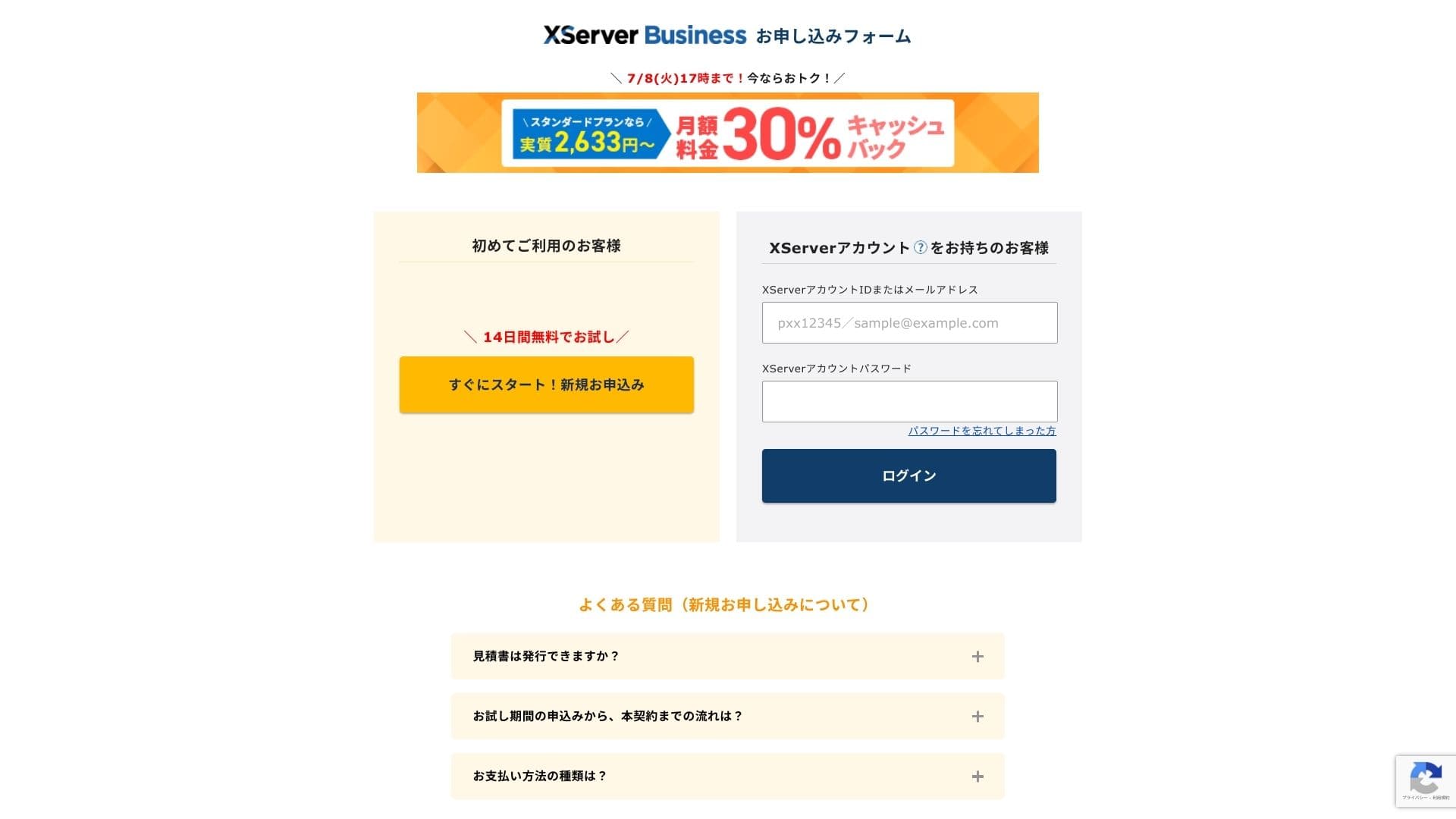
Кликнете върху „14-дневен безплатен пробен период“ на началната страница. След това, под „Нови клиенти“, кликнете върху „Стартирайте сега! Нова заявка“.
- STEP.2Изберете данните за вашата заявка
Можете да оставите идентификатора на сървъра (Server ID) такъв, какъвто е. Изберете споделения сървър, след което изберете план. Препоръчвам план Standard. Ако трафикът нарасне и спецификациите станат недостатъчни, можете да надстроите плана по-късно.
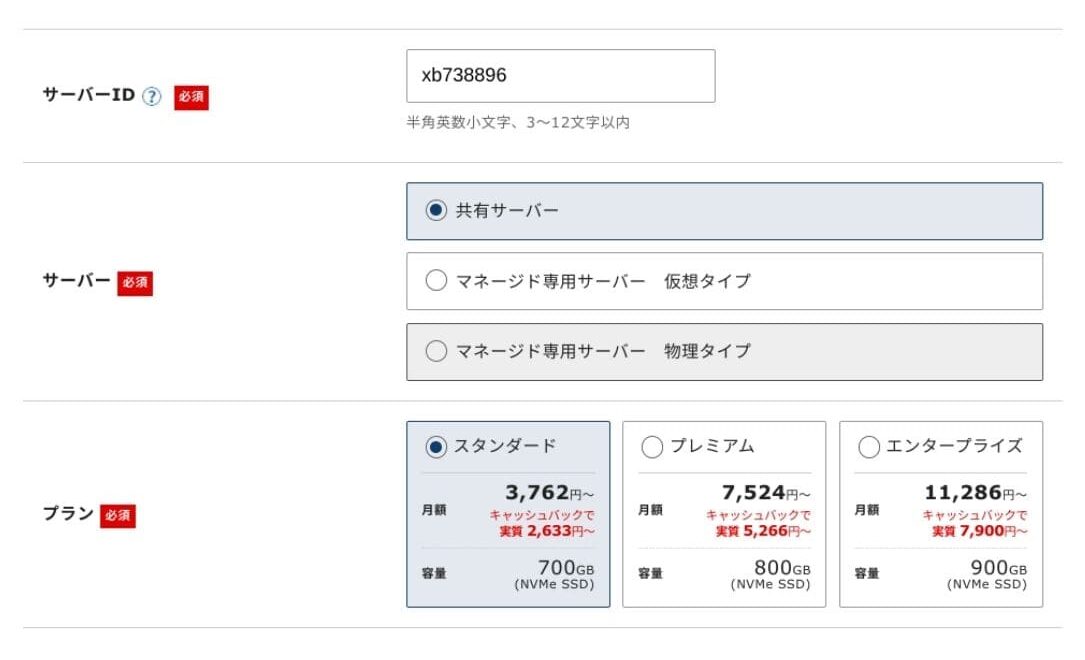
Кликнете върху „Преминете към въвеждане на клиентска информация“.
- STEP.3Създайте своя акаунт в Xserver и въведете вашата клиентска информация
Въведете вашия имейл адрес, име, адрес и останалите необходими подробности.
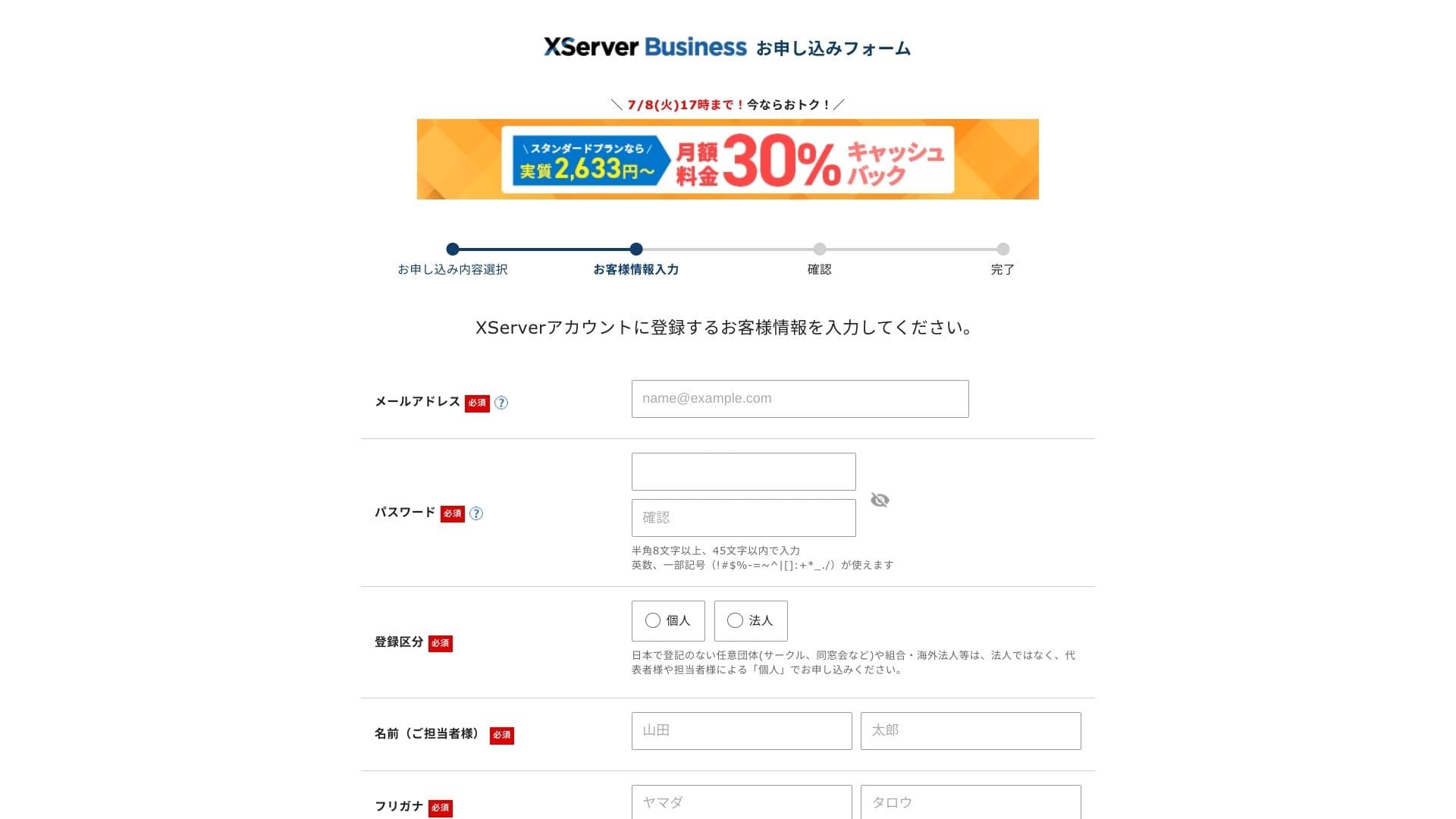
Прегледайте Условията за ползване и Политиката за работа с лични данни. Ако сте съгласни, поставете отметка в квадратчето и кликнете върху „Напред“.
Въведете кода за потвърждение, показан на екрана. Кодът за потвърждение ще бъде изпратен на регистрирания от вас имейл адрес, така че първо проверете това съобщение.
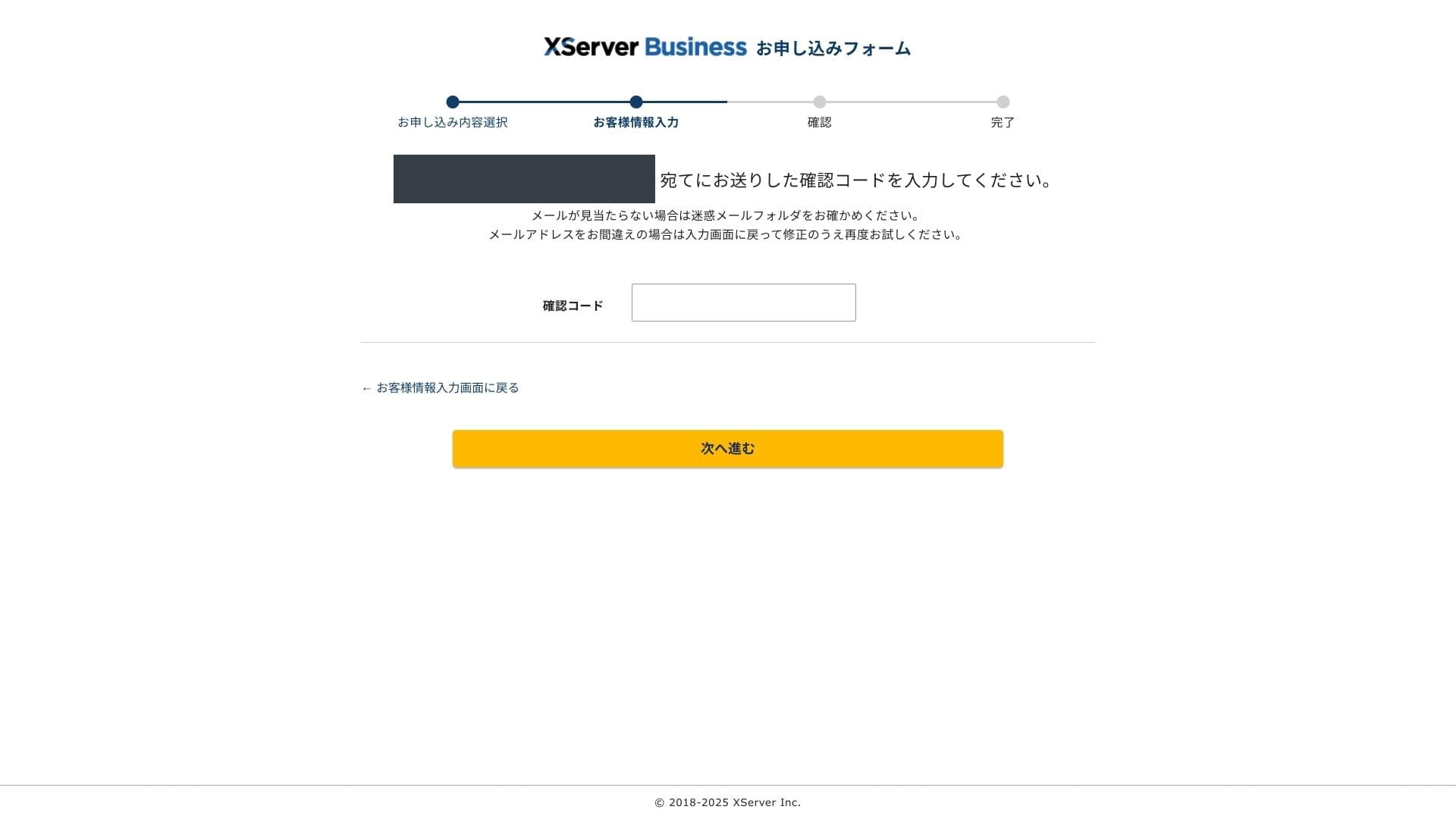
- STEP.4Преглед
Прегледайте още веднъж данните за вашата заявка и информацията за акаунта ви в Xserver. Ако всичко изглежда правилно, кликнете върху „Преминете към потвърждение чрез SMS / телефон“.
Данните за вашата заявка ще бъдат проверени отново с помощта на вашия телефонен номер.
Въведете телефонния номер, който ще използвате, изберете SMS или автоматично гласово обаждане за получаване на кода за потвърждение и кликнете върху „Получаване на код за потвърждение“. След като го получите, въведете кода.
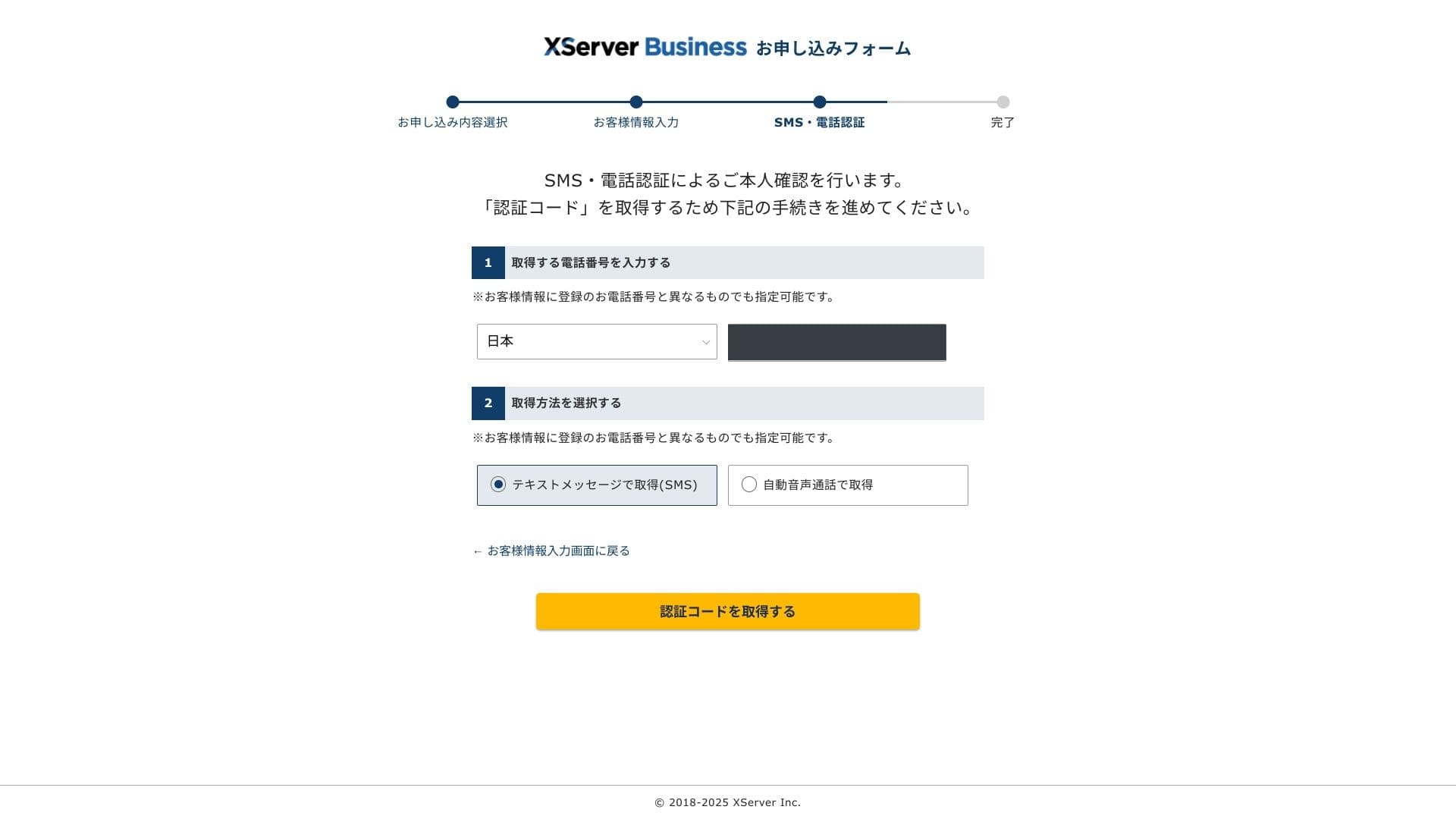
Когато видите „Вашата заявка беше завършена“, кандидатстването е приключило.
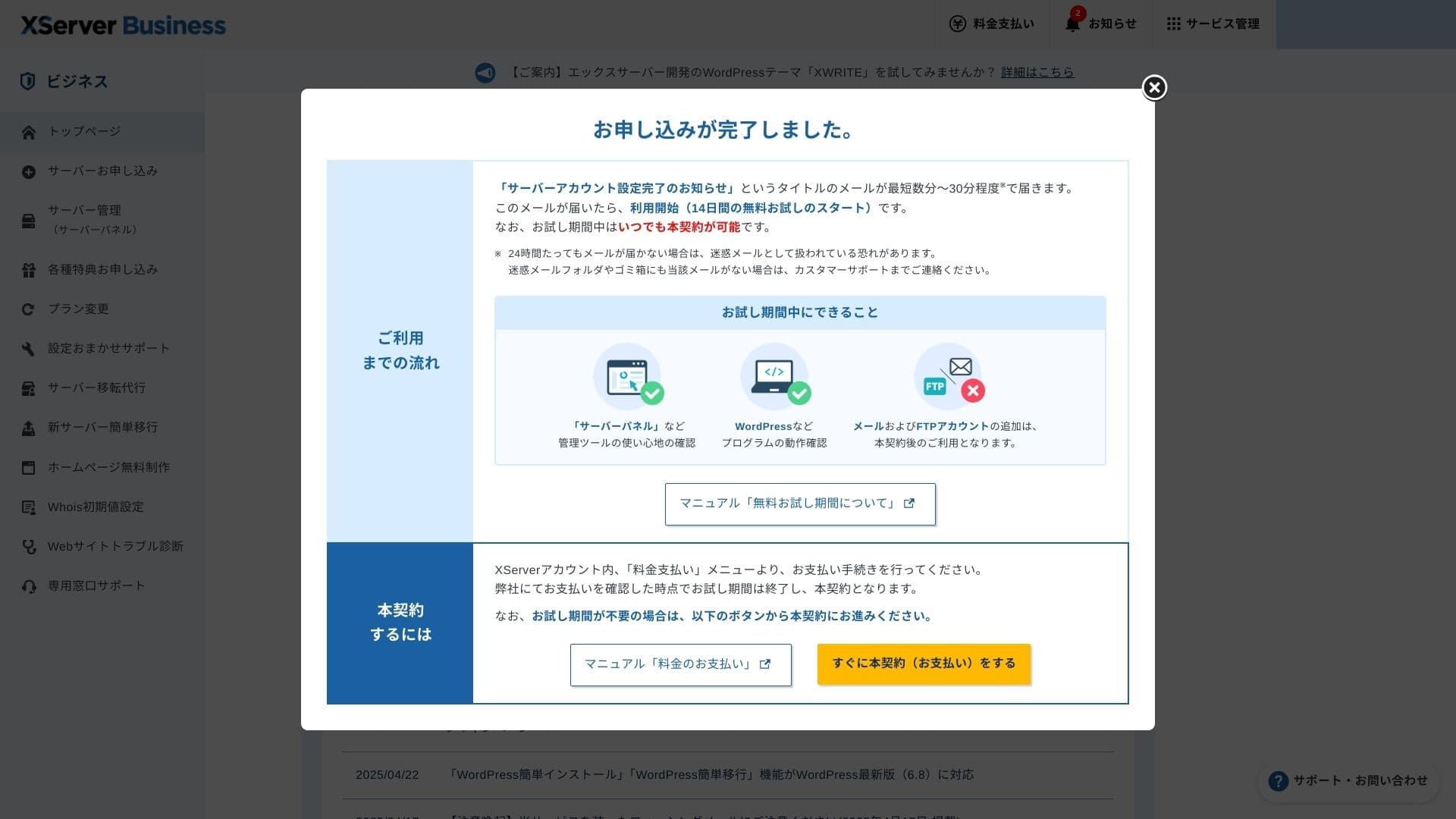
След като се появи тази страница, завършете плащането от „Преминете към платен договор сега“. Ако не завършите платения договор, няма да можете да се възползвате от едногодишния безплатен домейн или от имейл функциите.
- STEP.5Получете своя персонализиран домейн и го конфигурирайте
Влезте в панела на сървъра (Server Panel) от администраторския екран на акаунта в Xserver. Вземете своя домейн от секцията „Домейн“. Изгодно е да се възползвате от едногодишния безплатен пробен период.
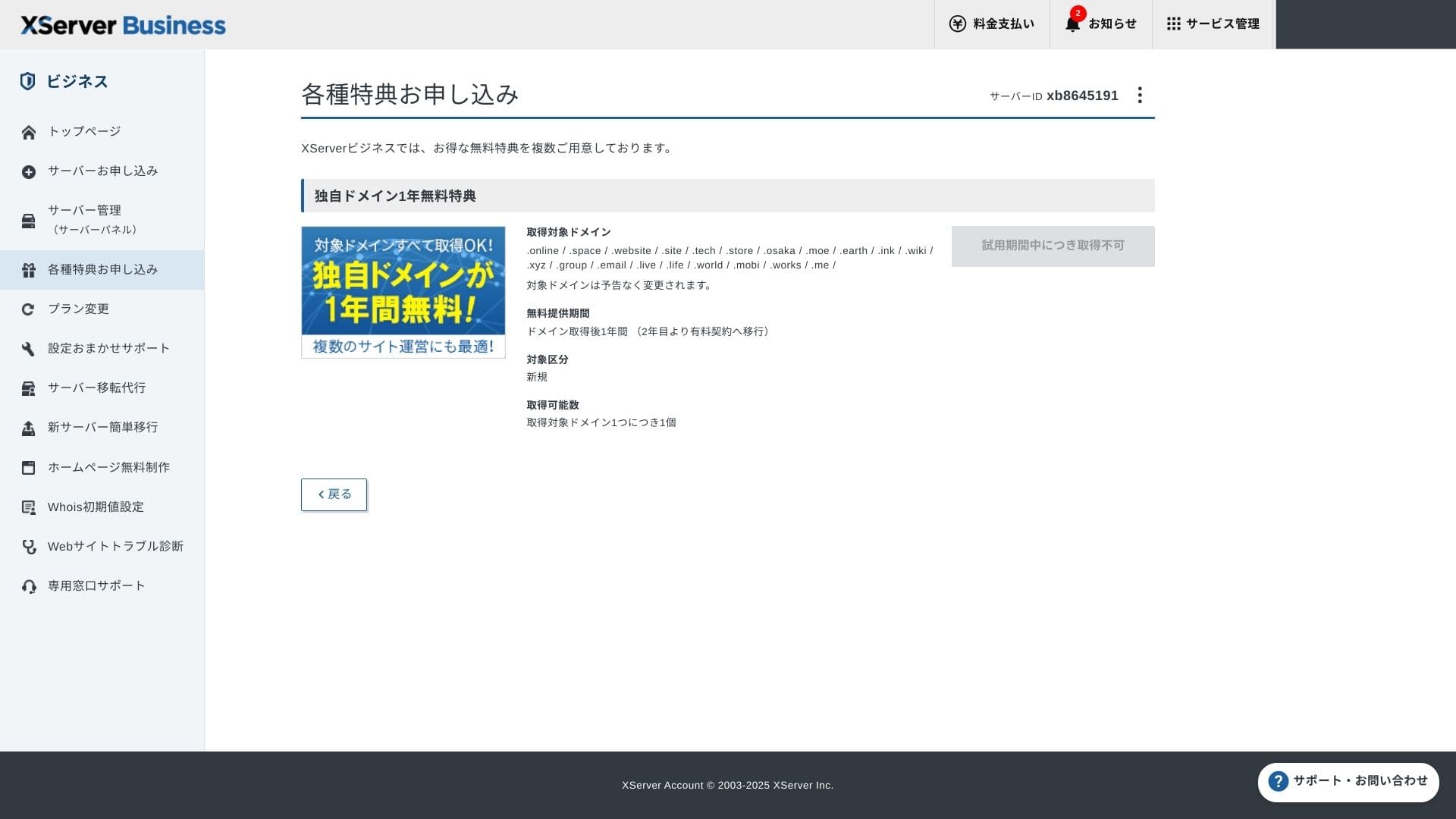
Вземете своя персонализиран домейн. От „Кандидатстване за специални оферти“ в администраторския екран изберете „Постоянен безплатен персонализиран домейн“, след което кликнете върху „Използване на тази услуга“.
Изберете „Нова регистрация“ като категория. Въведете желания низ за име на домейн. Вашият домейн е важен, затова помислете внимателно, преди да вземете решение.
★ Какво представлява домейнът? Неговата роля като адрес в интернет и как да се сдобиете с него
Потърсете желаното име на домейн и го изберете. Кликнете върху „Кандидатстване за получаване на избрания домейн“. Прегледайте данните за заявката на екрана за преглед. Поставете отметка в квадратчето за съгласие с Условията за ползване и Политиката за работа с лични данни, след което кликнете върху „Изпратете вашата заявка“.
След това конфигурирайте домейна. От администраторския екран изберете „Управление на сървъра“. Това отваря панела на сървъра (Server Panel). Под „Домейн“ кликнете върху „Настройки на домейн“. Кликнете върху „Добавяне на настройка за домейн“, въведете персонализирания домейн, който сте получили, и кликнете върху „Преминете към преглед“.
Проверете подробностите на екрана за преглед и кликнете върху „Добавяне“. Когато се появи екранът за завършване, настройката на домейна е готова.
- STEP.6Инсталирайте WordPress и завършете първоначалната настройка
От WordPress в панела на сървъра (Server Panel) изберете „Лесно инсталиране на WordPress“.
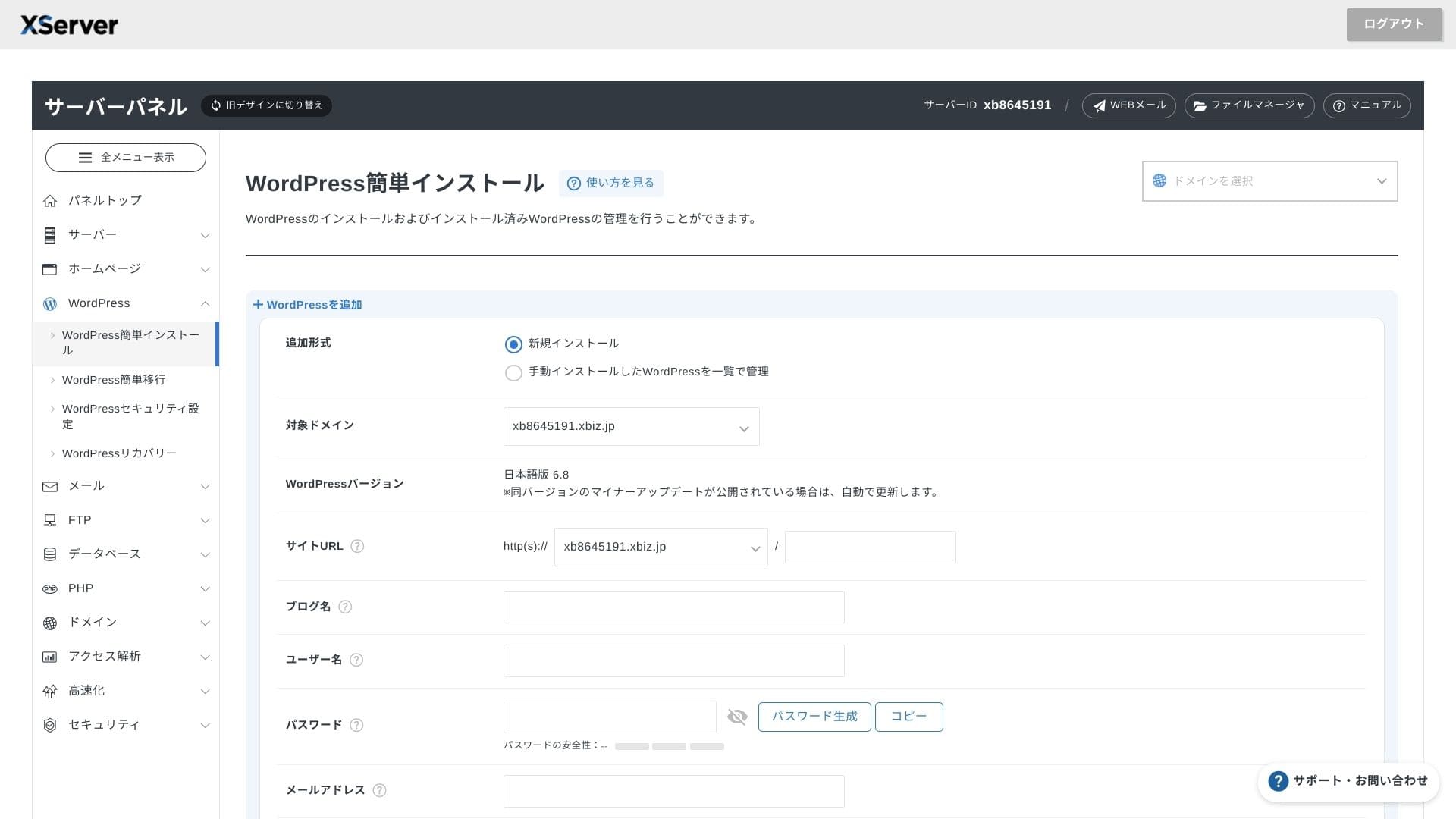
Кликнете върху „Инсталиране на WordPress“ и въведете настройките за инсталиране на WordPress.
- URL адрес на сайта: Изберете името на домейна, което получихте по-рано
- Заглавие на сайта: Заглавието на вашия уебсайт
- Потребителско име: Всяко потребителско име за влизане в WordPress
- Парола: Парола за влизане в WordPress, за предпочитане възможно най-сложна
- Имейл адрес: Използвайте имейл адреса, който използвате обикновено. За бизнес сайт се препоръчва служебен имейл
- База данни: Автоматично генериране на базата данни
След като въведете всичко, кликнете върху „Преминете към преглед“ и след това върху „Инсталиране“. Когато се появи екранът за завършване, инсталацията е готова.
След като въведете всичко, се заемете с първоначалната настройка на WordPress. Кликнете върху URL адреса на администраторския панел на екрана за завършване на инсталацията на WordPress. На екрана за влизане, който се появява, въведете потребителското име и паролата, които сте записали по-рано, и кликнете върху „Вход“.
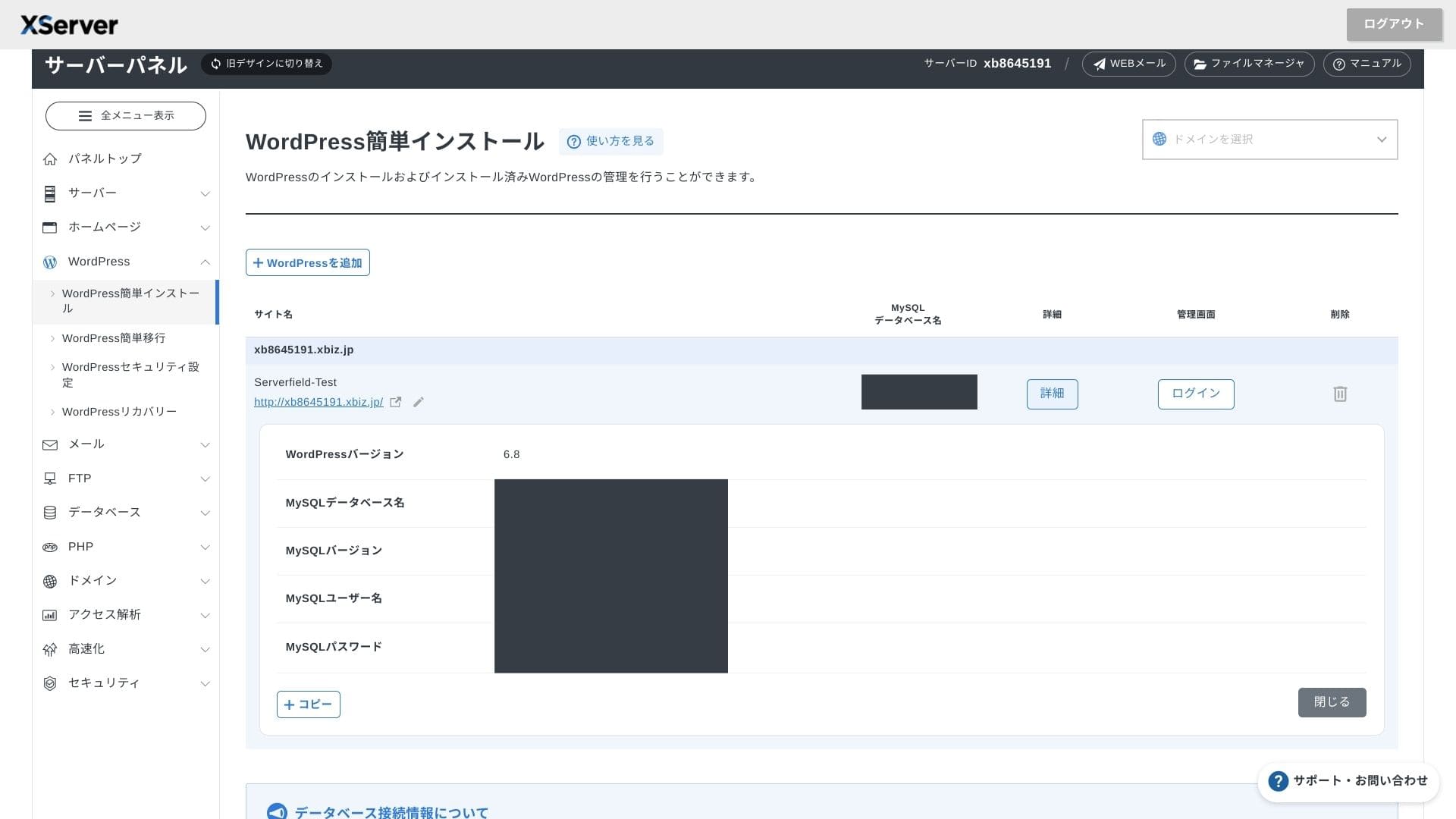
Ако видите предупреждение, че не се поддържа сигурна връзка, настройките на DNS все още не са разпространени. В такъв случай не ви остава нищо друго, освен да изчакате, така че опитвайте да влезете отново на всеки час или два.
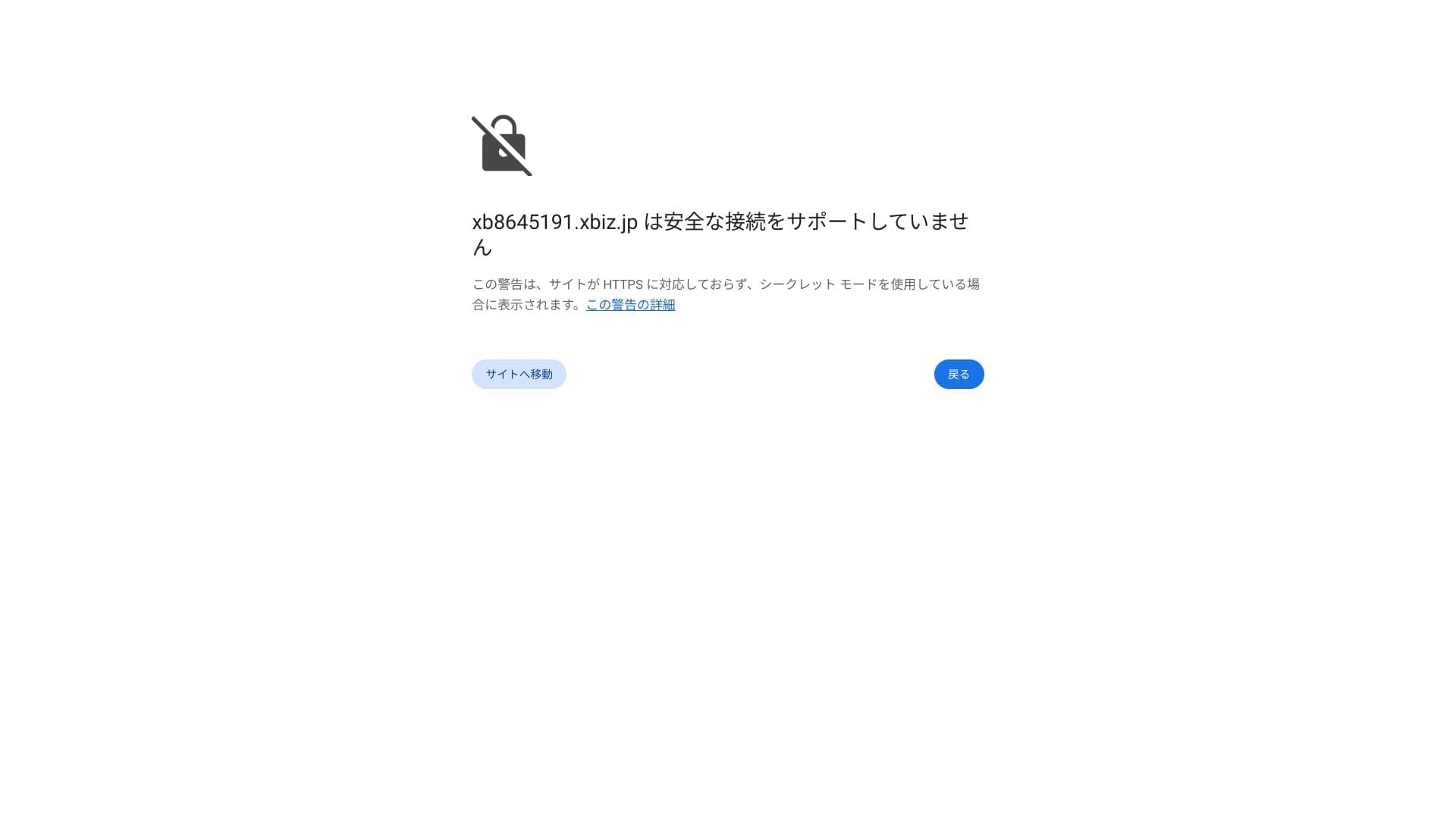
★ Какво представляват DNS и сървърите за имена (nameservers)? Свързване на вашия домейн и сървър
Настройте вашите постоянни връзки (permalinks). В администраторския панел на WordPress отидете на „Настройки“ и след това на „Постоянни връзки“. Изберете „Име на публикацията“ и кликнете върху „Запазване на промените“.
Ако изберете „Име на публикацията“, ще можете да въвеждате всякакъв низ за URL адрес на всяка статия. Препоръчвам кратък низ, който помага на читателите да си представят съдържанието на статията. Ако URL адресът е твърде дълъг, някои хора може да се почувстват несигурни и да се запитат дали сайтът не е опасен.
- STEP.7Инсталирайте плъгини
Върнете се в администраторския панел на WordPress, отворете „Разширения“ (Plugins), след това „Добавяне на още“ (Add New) и инсталирайте необходимите разширения.
Когато намерите желаното разширение чрез търсенето, кликнете върху „Инсталиране сега“ и след това върху „Активиране“. След това следвайте инструкциите за съответното разширение.
Непременно инсталирайте разширения за сигурност и резервно копиране.
- 5 ориентирани към сигурността разширения за WordPress и как да ги изберете
- 5 мощни разширения за резервно копиране на WordPress за възстановяване на вашите данни
След като разширенията са готови, вашият WordPress уебсайт е готов за работа.
Управление на множество уебсайтове
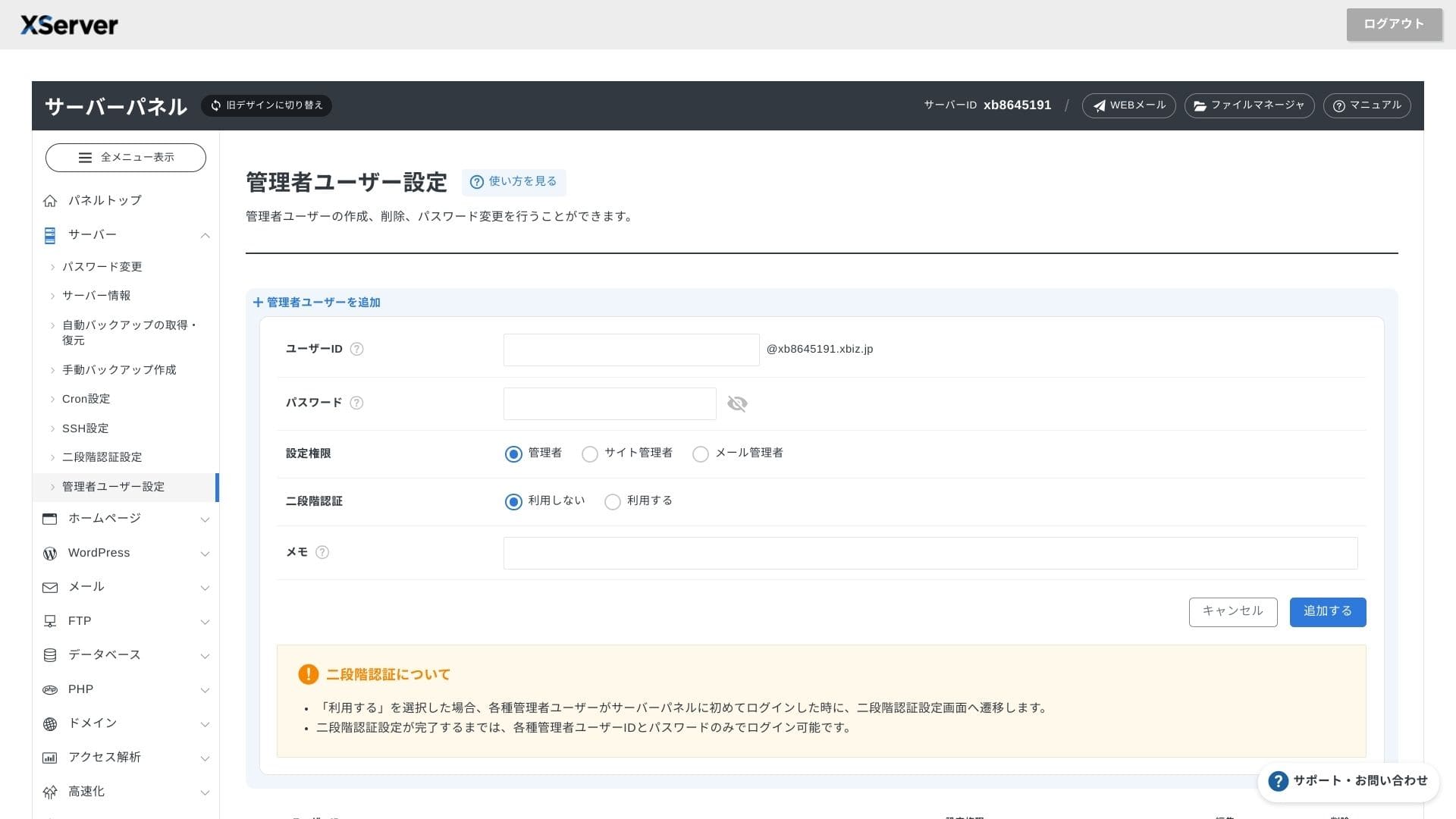
Тъй като мултидомейните, поддомейните и имейл акаунтите са неограничени, можете да управлявате централизирано фирмен сайт, страници за подбор на персонал, рекламни целеви страници и много други под един-единствен договор. Възможността за разделяне на администраторските права по отдели също е удобна за бизнес цели.
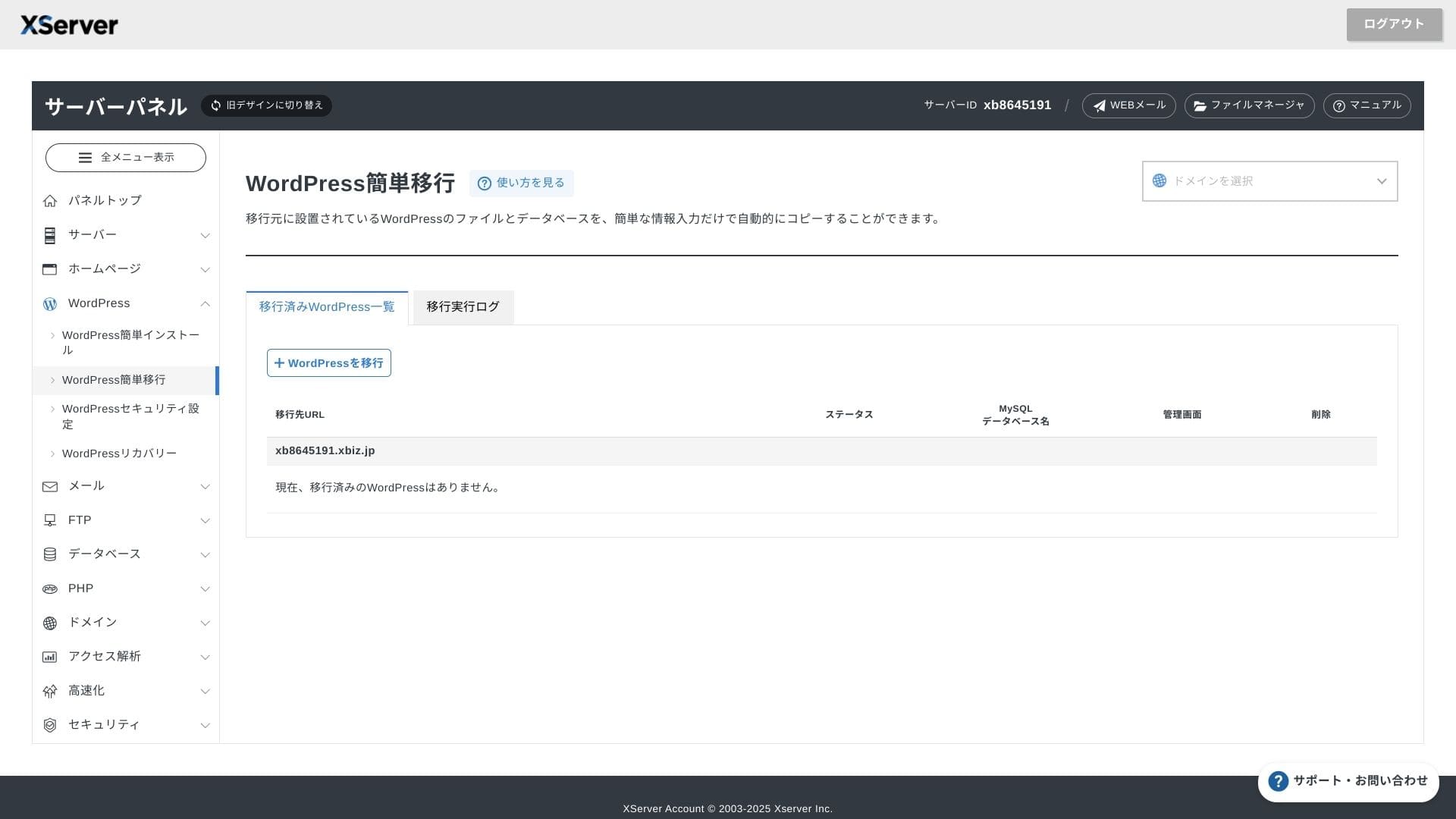
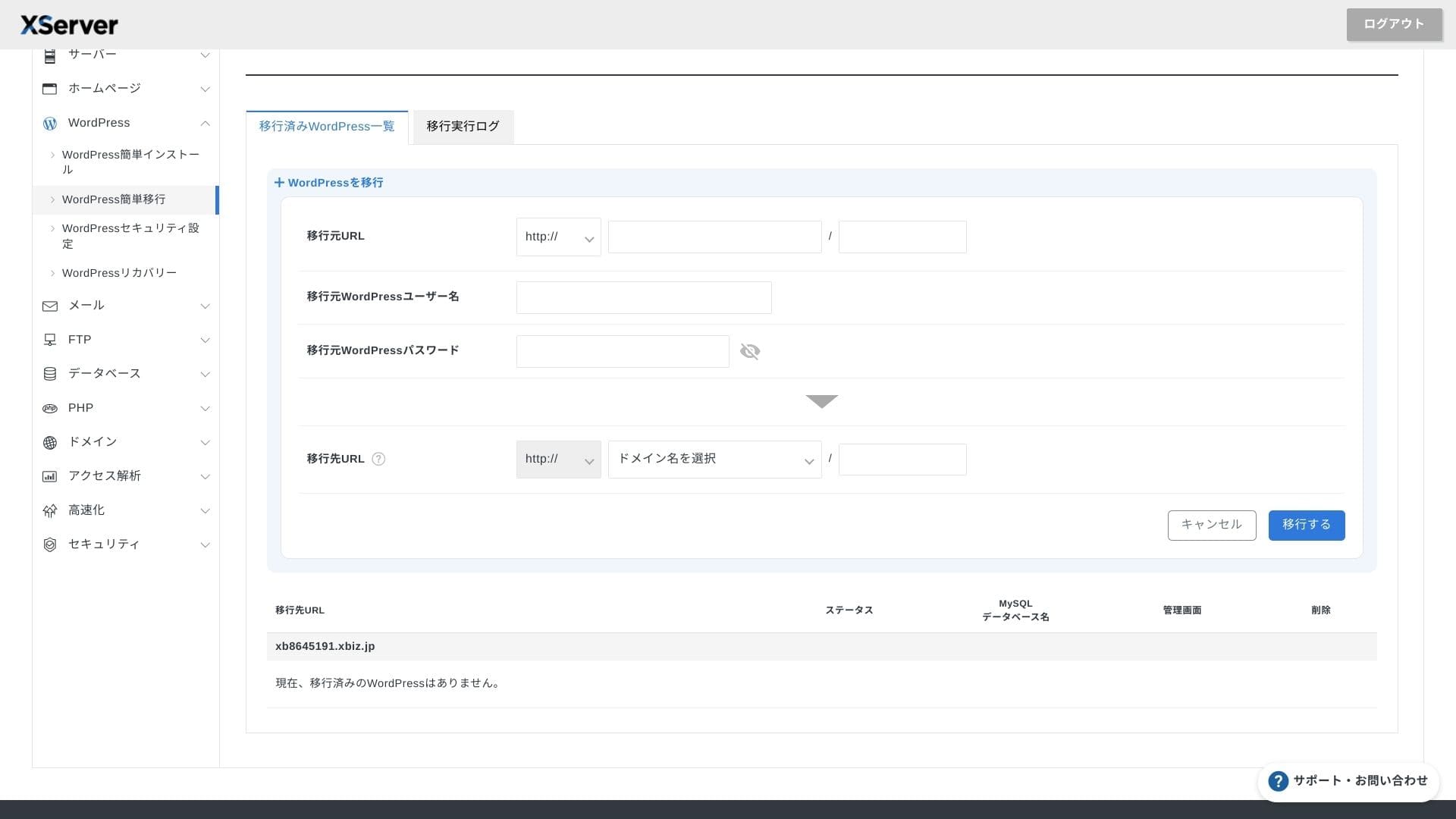
Миграция на WordPress уебсайтове
Можете да използвате както „Лесна миграция на WordPress“, която копира вашия сайт само чрез въвеждане на URL адреса, потребителското име и паролата на стария сървър, така и услугата за миграция на сървър, при която инженери поемат всичко вместо вас (безплатно за първия път).
Hikaru Ono
Ако се чувствате уверени в работата със сървъри и домейни, използването на „Лесна миграция на WordPress“ и самостоятелното й настройване е по-гладко, тъй като не се налага да чакате услугата за управлявана миграция.
По-специално, услугата за управлявана миграция се грижи и за превключването на DNS, така че я препоръчвам горещо за фирми, които вече имат трафик и на всяка цена искат да избегнат грешки с DNS по време на миграцията.
Преглед на производителността и спецификациите
Оценка на производителността въз основа на нашите измервания
XServer Businessосигури работата на WordPress сайт, за който измерихме TTFB (Time to First Byte — с други думи, скоростта на реакция на сървъра преди страницата да започне да показва съдържание) от 40 ms.
Това е много по-бързо от времето за реакция на сървъра от 200 ms, което Google изисква, така че е отличен избор за натоварени фирмени уебсайтове и бизнес сайтове.
Трябва да намалите времето за реакция на сървъра под 200 ms.
Подобряване на времето за реакция на сървъра
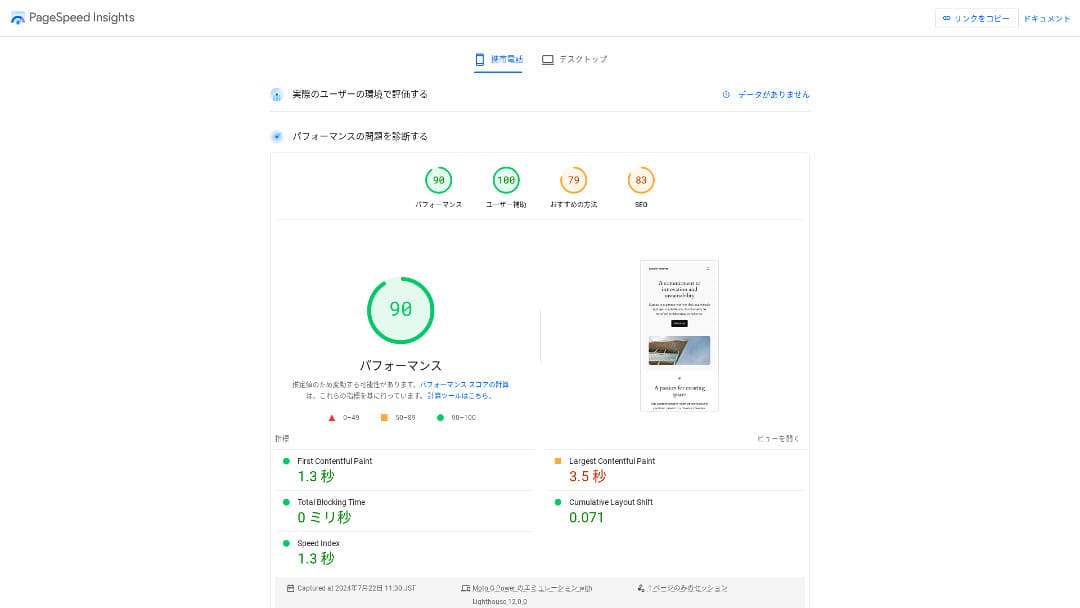
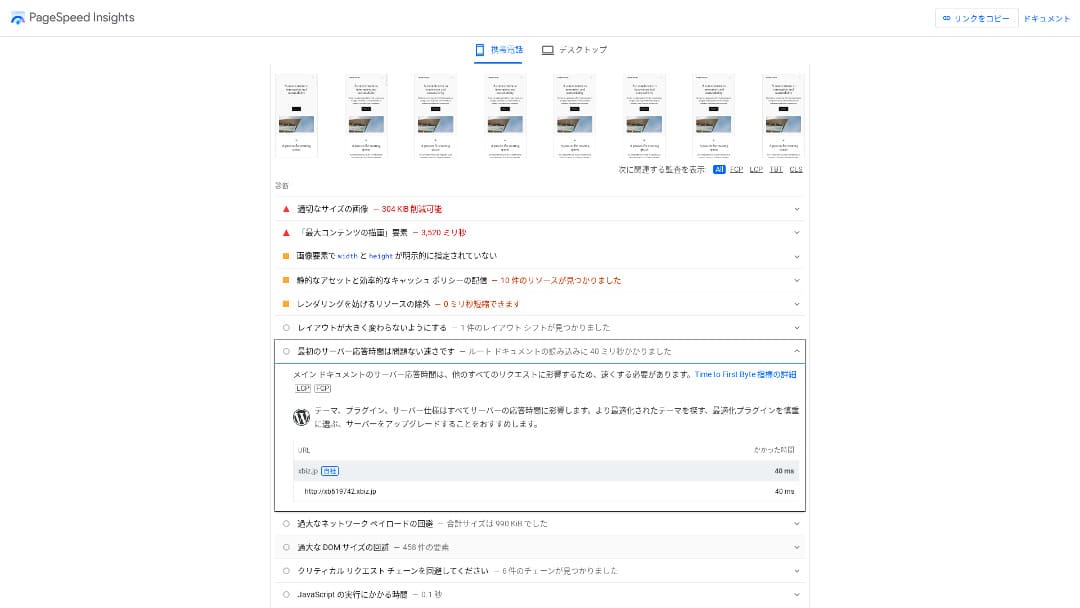
Той се нарежда на второ място по скорост сред 18-те сървъра, които тествахме. (Kinsta беше на първо място.)
Hikaru Ono
Това е най-бързият местен сървър. За фирмени сайтове и сайтове за електронна търговия, където дори 0.1 секунди влияят на трафика и продажбите, тази скорост е огромно предимство.
Той използва местна опорна мрежа (backbone), свързана директно с 10 Gbps, и NVMe RAID10 дисково пространство. Според официалния бенчмарк тест, той е до 17 пъти по-бърз от традиционните SSD дискове.
Капацитет на диска
През есента на 2024 г. трите споделени плана бяха разширени до700 GB / 800 GB / 900 GB(всички с NVMe). Дори и да стартирате много целеви страници с голям брой снимки и видеоклипове, пак ще разполагате с предостатъчно свободно пространство.
Във финансите и здравеопазването имейлите често трябва да се съхраняват в продължение на седем или повече години за одит, а отделите за продажби обикновено обменят големи прикачени файлове. Тъй като наличното пространство за съхранение е толкова голямо, можете да пазите тази поща безопасно, без да се налага постоянно да изтривате стари данни.
Можете също така да изградите собствено хранилище тип WebDAV или Nextcloud и да управлявате вътрешни документи сигурно през VPN връзка.
Hikaru Ono
XServer Businessсамо по себе си може да намали натоварването на вашия оперативен екип, като същевременно оставя достатъчно място за бъдещ бизнес растеж.
Обем на трансфер на данни
XServer Businessможе да се използва без ограничения за трансфер в рамките на нормалните граници на употреба. Официалната документация ясно посочва, че няма такси за обем на трансфер на данни.
★ Какво представляват трафикът и обемът на трансфер на данни? Управление и оптимизиране на уеб трафика
Стабилност на сървъра и време на непрекъсната работа
Дори споделеният план включва месечно споразумение за ниво на обслужване (SLA) от 99.99%, което означава, че ще получите възстановяване на сумата, ако гаранцията не бъде изпълнена. С висока стабилност и SLA, това е точно услугата, от която се нуждае бизнесът.
Тъй като информацията за прекъсвания на сървъра и техническа поддръжка се публикува открито на официалния сайт, всеки може да я провери по всяко време.
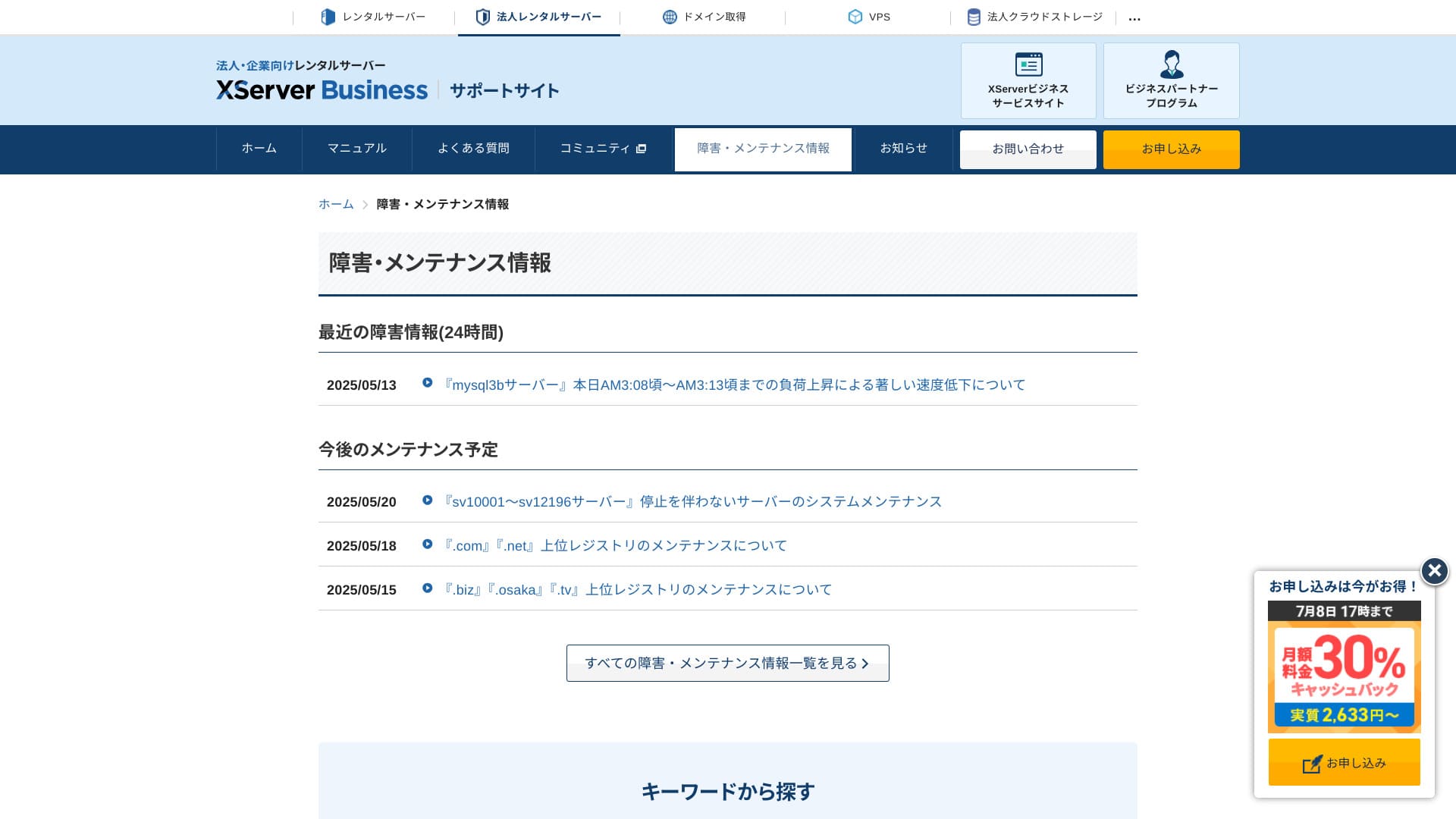
Hikaru Ono
По-лесно е да се доверите на компания, която споделя тази информация открито, вместо да я крие.
Цена и разходи
Първоначална такса и месечна цена
XServer Businessтаксува 4 180 йени на месец за план Standard с 12-месечен договор. С кампанията за 30% възстановяване на средства (cashback), валидна до 8 юли, ефективната цена е 2 926 йени. Като се има предвид, че са включени поддръжка по телефон, чат и управлявани услуги, намирам това ниво за напълно разумно.
- XServer Business
- Kinsta
- wpx
- Lolipop!
- Star Server
- Rakko Server
- XServer
- ConoHa
- ColorfulBox
- Shin Rental Server
- Little Server
- CORESERVER
- DreamHost
- Bluehost
- Sakura
- Namecheap
- Shin Free Server
- XREA
- Value Server
- Hostinger
- KAGOYA
- SiteGround
- HostGator
- IONOS
- Onamae.com
- ABLENET
- mixhost
- GoDaddy
- iCLUSTA+
- MuuMuu Server
- WADAX
- WebARENA
- Heteml
- CPI Rental Server


































Цени на домейни
XServer Businessвключва един безплатен домейн като .com или .net, плюс втори (избран измежду .blog, .online или .site), който също е безплатен завинаги. Услугата за постоянен безплатен персонализиран домейн поддържа нова регистрация, трансфери от други компании, прехвърляне на вече придобит домейн и промяна на съответния домейн.
Hikaru Ono
Тъй като тези домейни са предназначени за дългосрочна бизнес употреба, тази безплатна възможност не е за изпускане.
- XServer Domain
- Onamae.com
- MuuMuu Domain
- Value Domain
- Shin Domain
- Star Domain
- Colorful Domain
- Rakko Domain








Цена на SSL сертификат
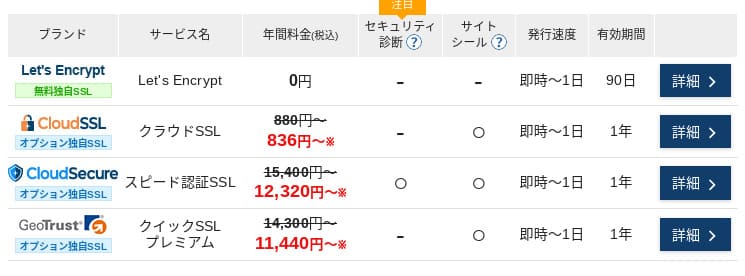
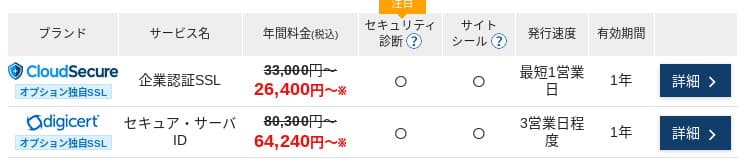
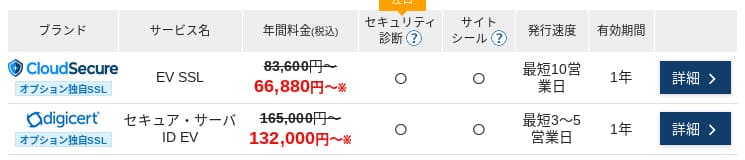
С Let's Encrypt SSL сертификатът с валидация на домейн (DV) е безплатен. Платеният SSL с валидация на домейн започва от 836 йени на година, SSL с валидация на организация (OV) започва от 26 400 йени на година, а EV започва от 66 000 йени на година — всички достъпни чрез официална поръчка на едно място.
Цените могат да варират в зависимост от кампанията.
Начини на плащане
XServer Businessподдържа кредитни карти, банков превод, Pay-easy, плащане в магазини за хранителни стоки и плащане по фактура. Освен това може да издава оферти и фактури в PDF формат, така че внедряването е лесно дори за компании, които се нуждаят от вътрешно одобрение.
Hikaru Ono
Тъй като много местни хостинг услуги не поддържат плащане по фактура, това е едно отXServer Businessпредимствата на
- XServer Business
- Kinsta
- wpx
- Lolipop!
- Star Server
- Rakko Server
- XServer
- ConoHa
- ColorfulBox
- Shin Rental Server
- Little Server
- CORESERVER
- DreamHost
- Bluehost
- Sakura
- Namecheap
- Shin Free Server
- XREA
- Value Server
- Hostinger
- KAGOYA
- SiteGround
- HostGator
- IONOS
- Onamae.com
- ABLENET
- mixhost
- GoDaddy
- iCLUSTA+
- MuuMuu Server
- WADAX
- WebARENA
- Heteml
- CPI Rental Server


































Лесна употреба и поддръжка
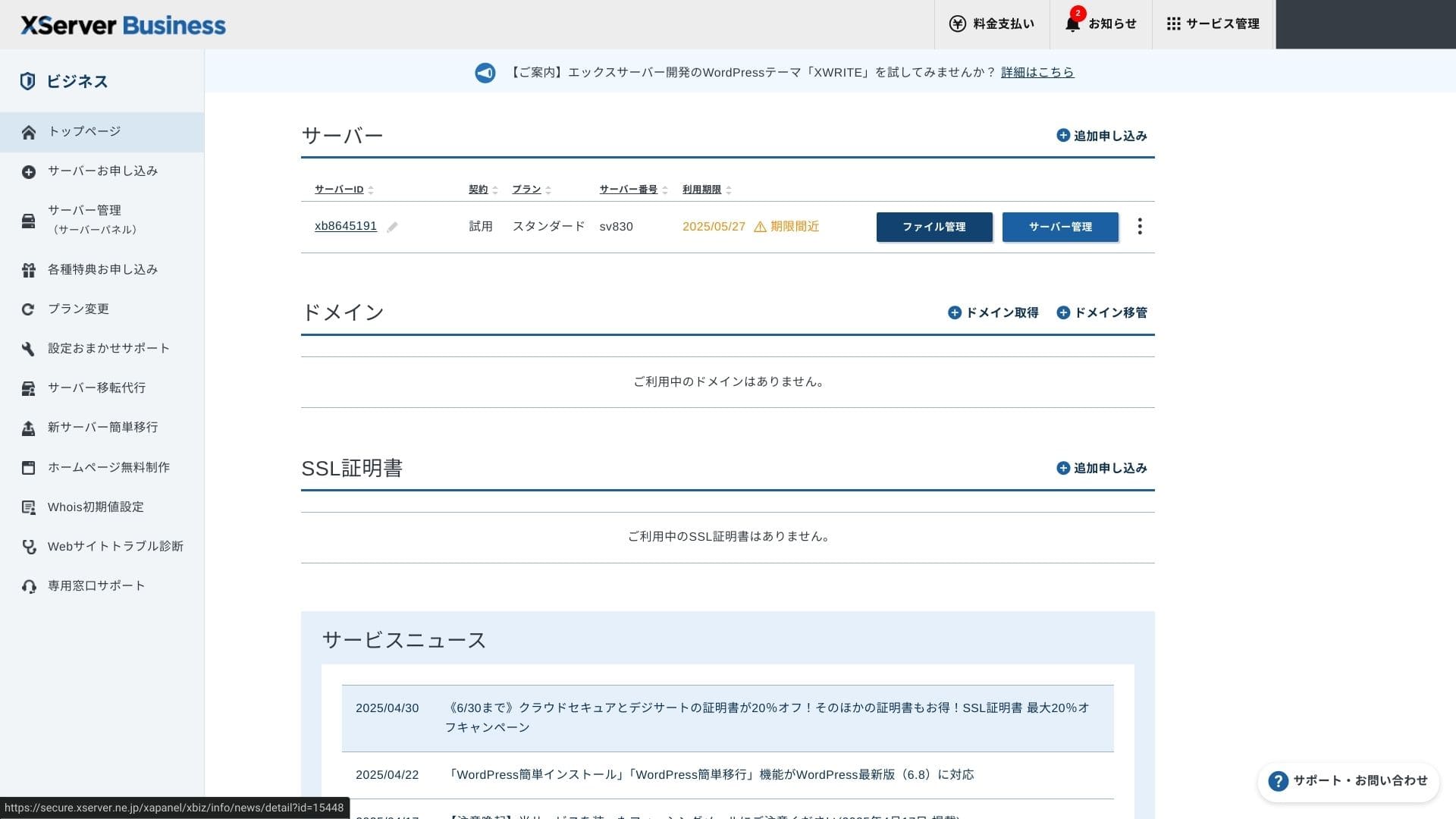
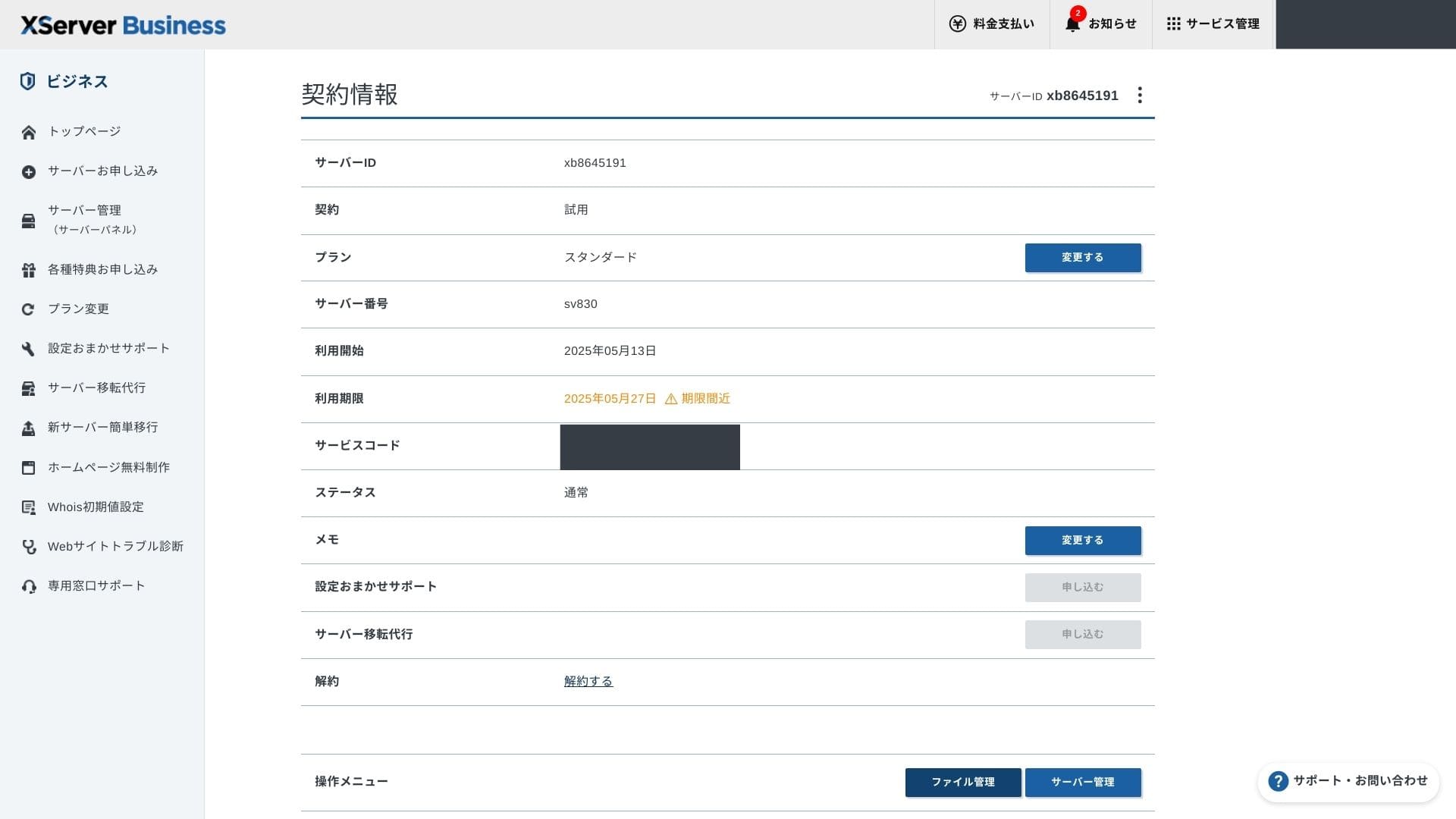
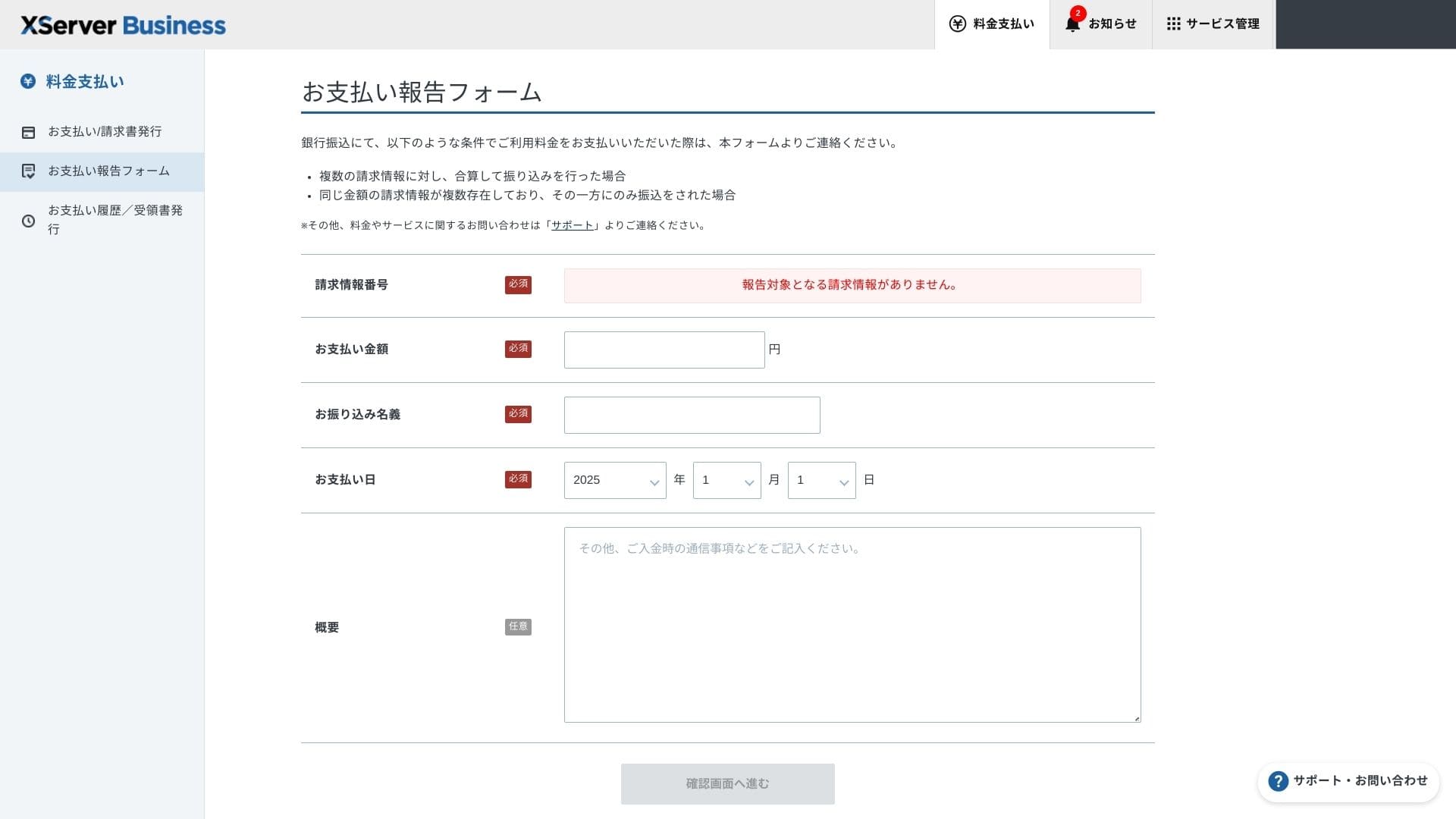
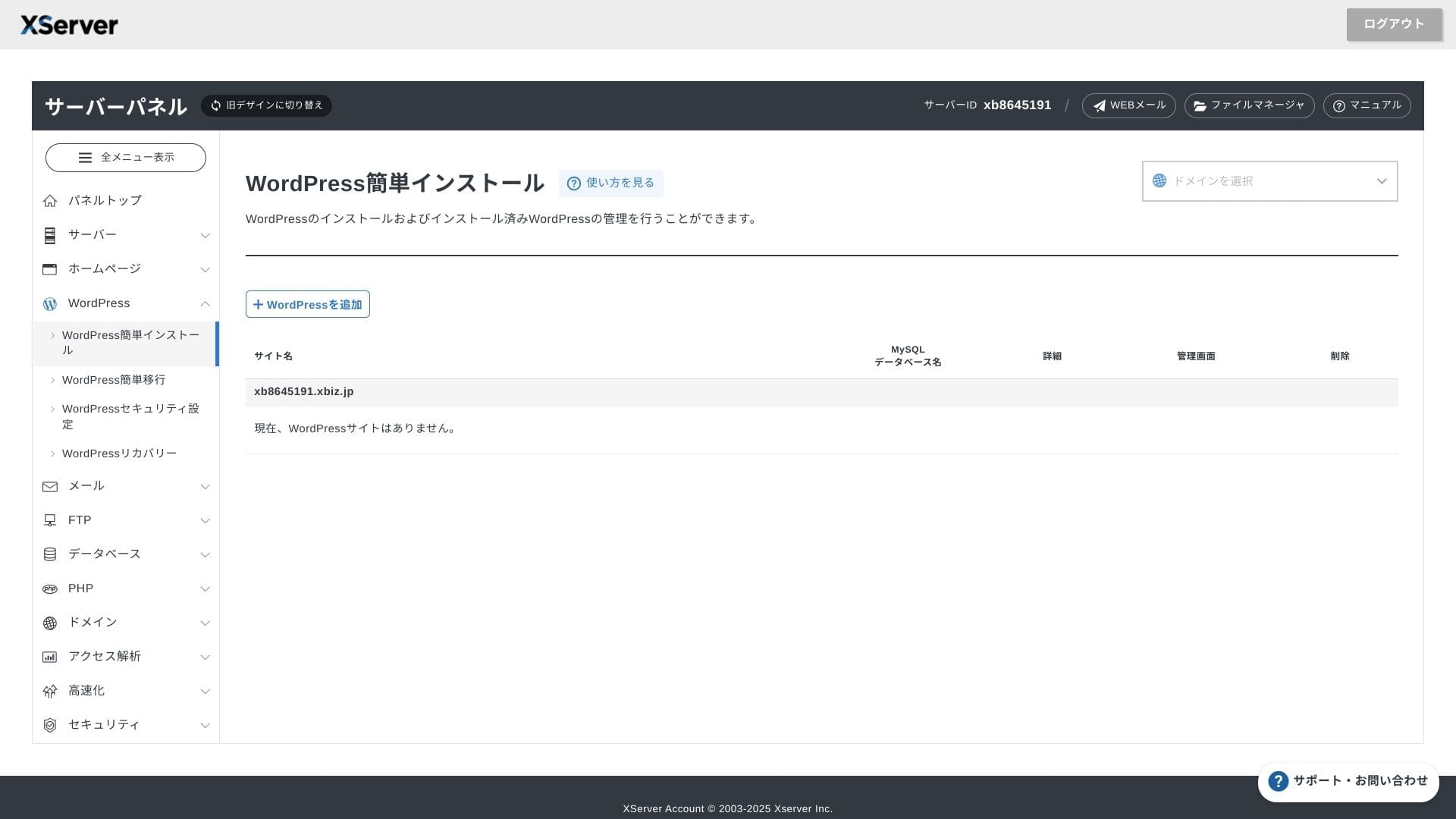
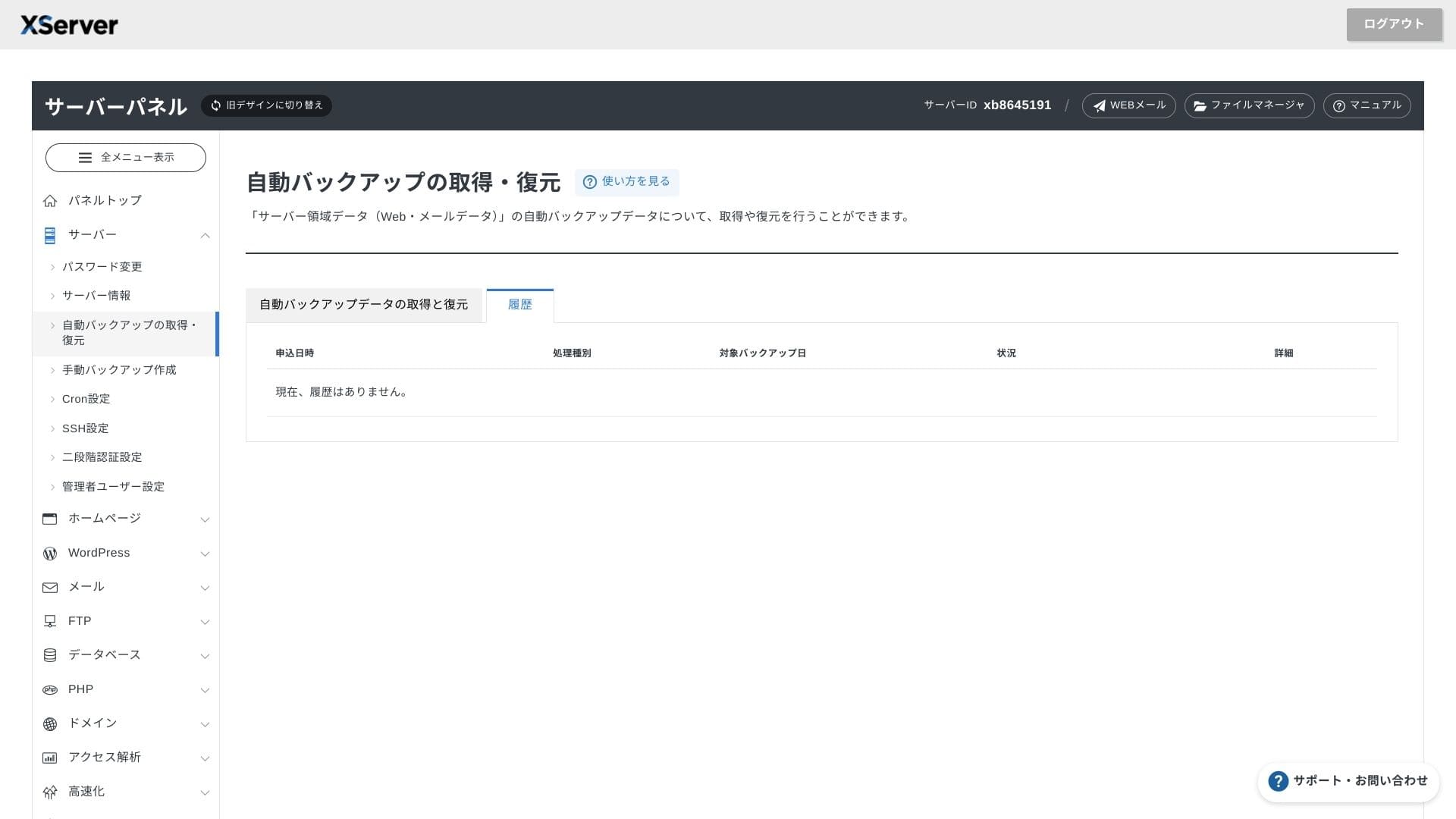
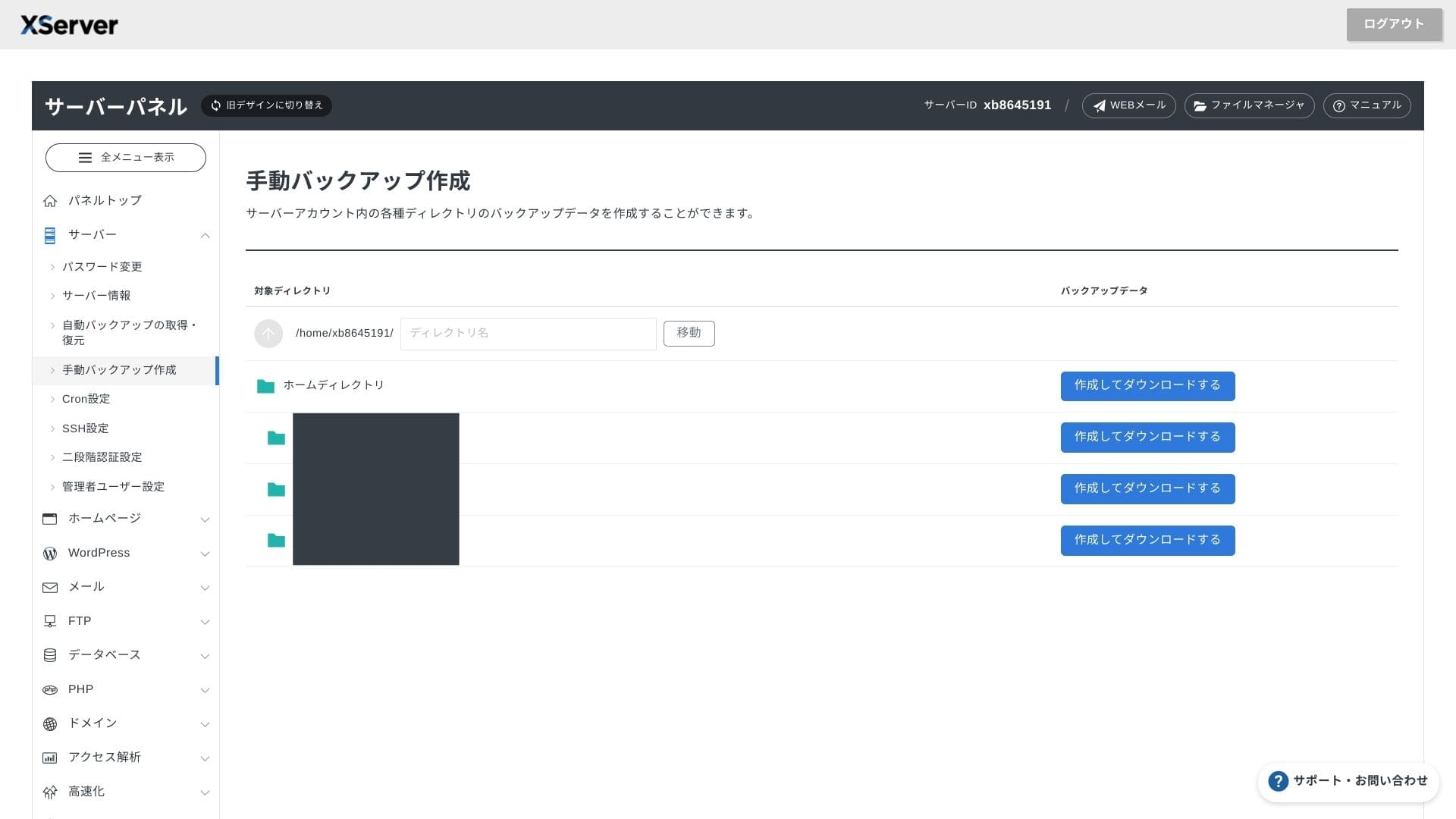
Лесна употреба на контролния панел
XServer Businessизползва собствен потребителски интерфейс, така че операциите с файлове, настройките на SSL и настройките на имейла се управляват с един клик. Тъй като в официалната документация ясно се посочва, че настройката завършва в рамките на 24 часа, е лесно да планирате графика за стартиране.
Hikaru Ono
Панелът на сървъра е обновен и сега е още по-лесен за използване.
- Начален екран
- Плащане / Фактуриране
- WordPress
- Домейн
- Резервно копиране
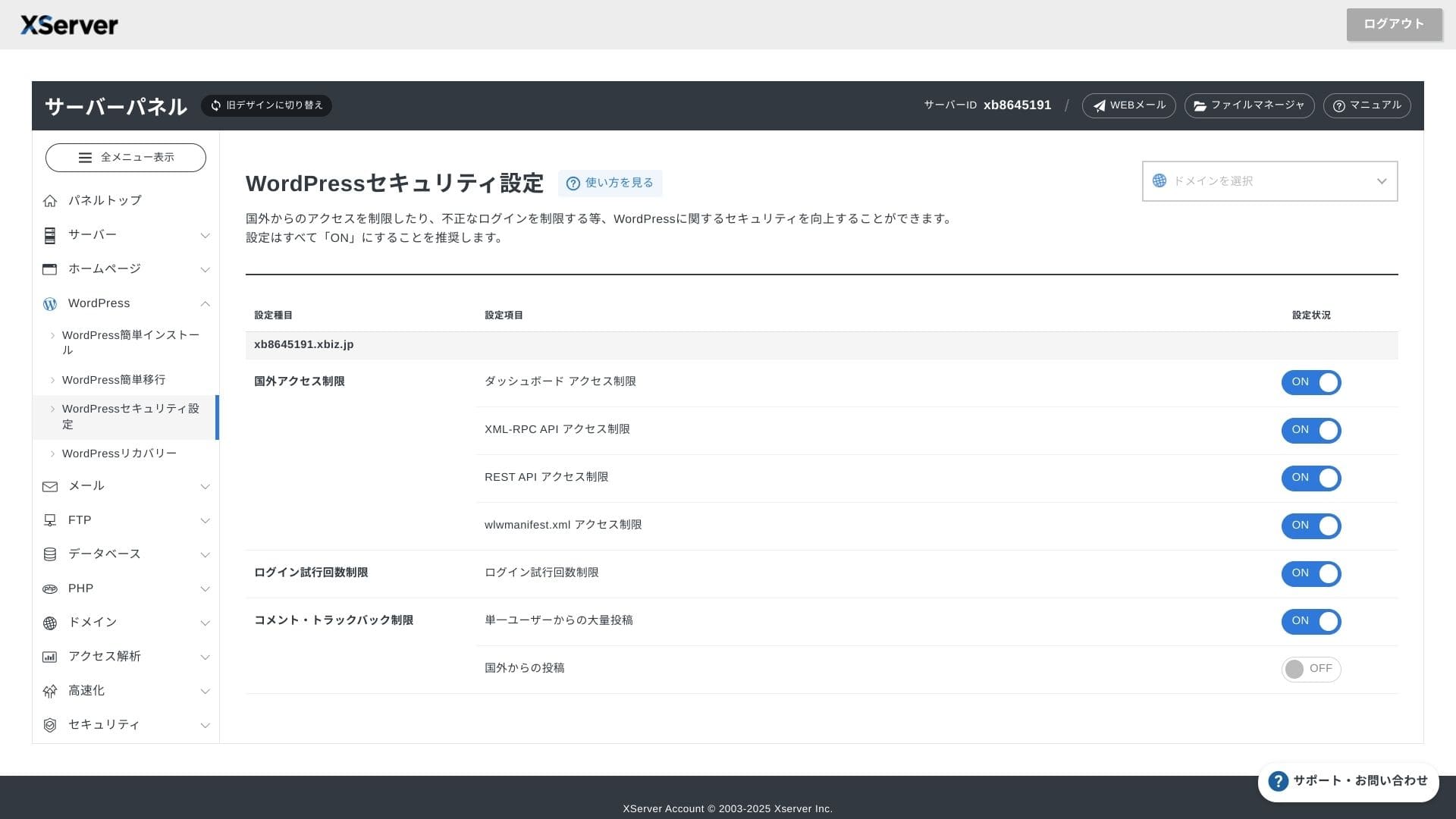
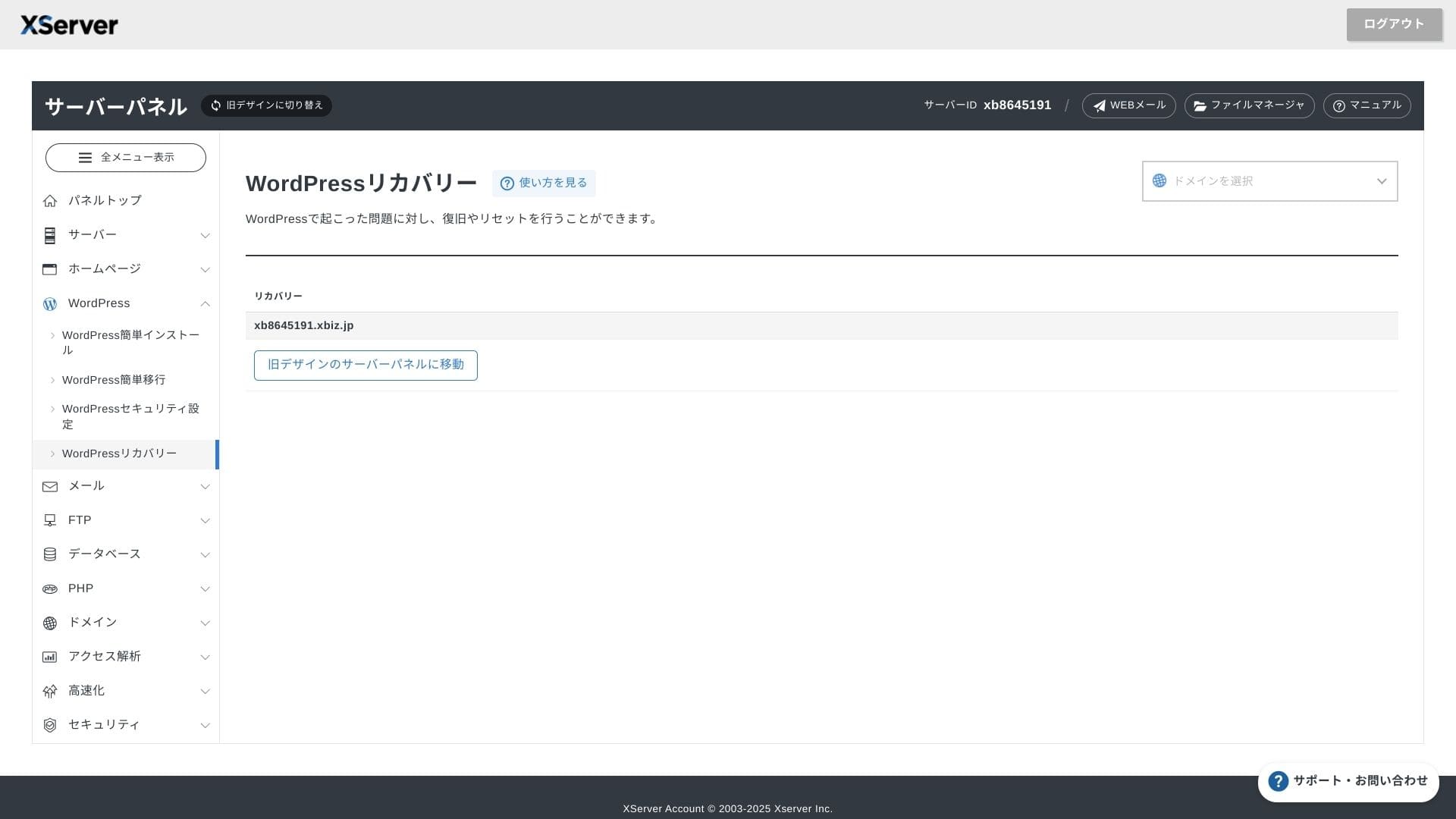
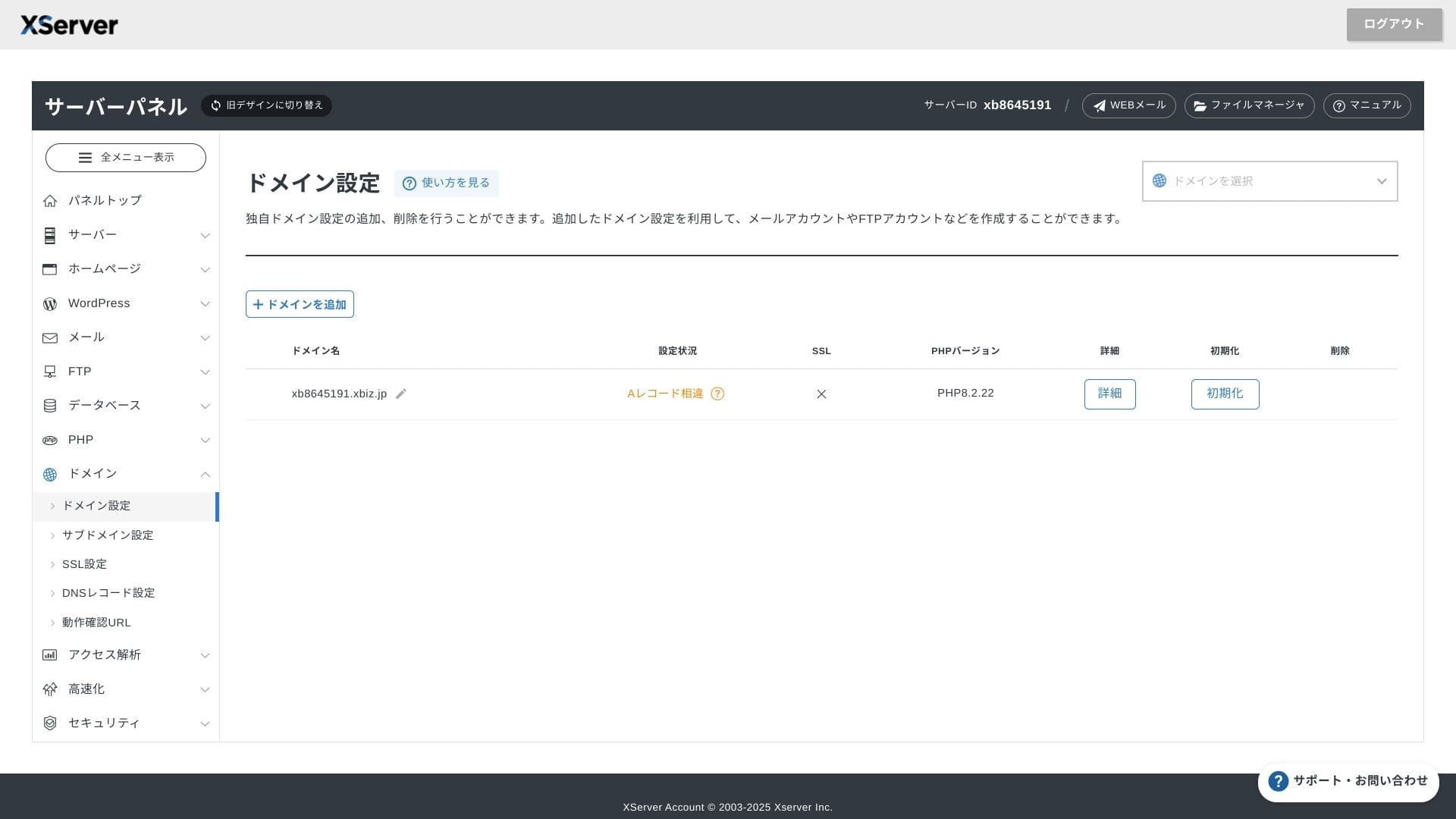
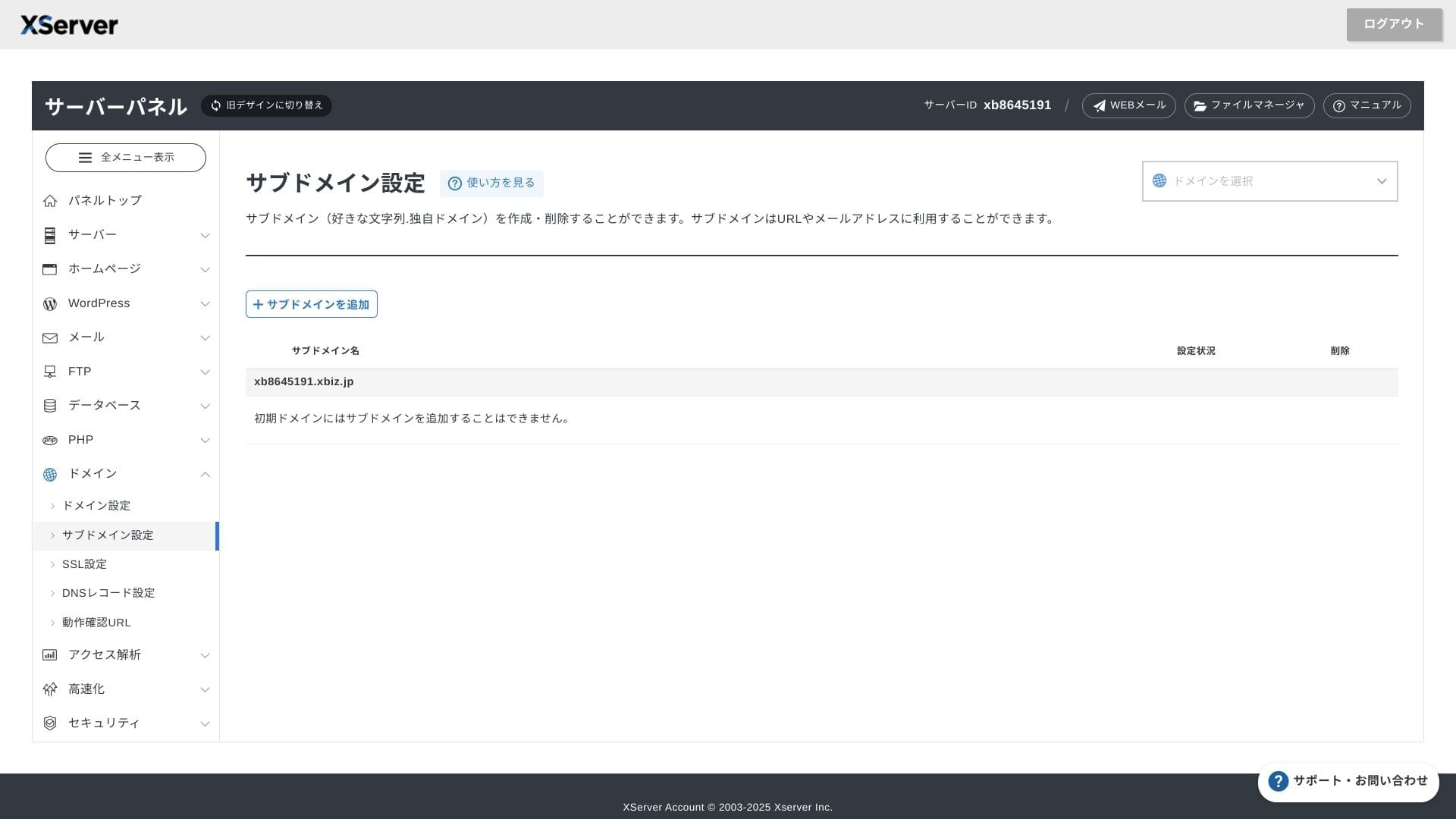
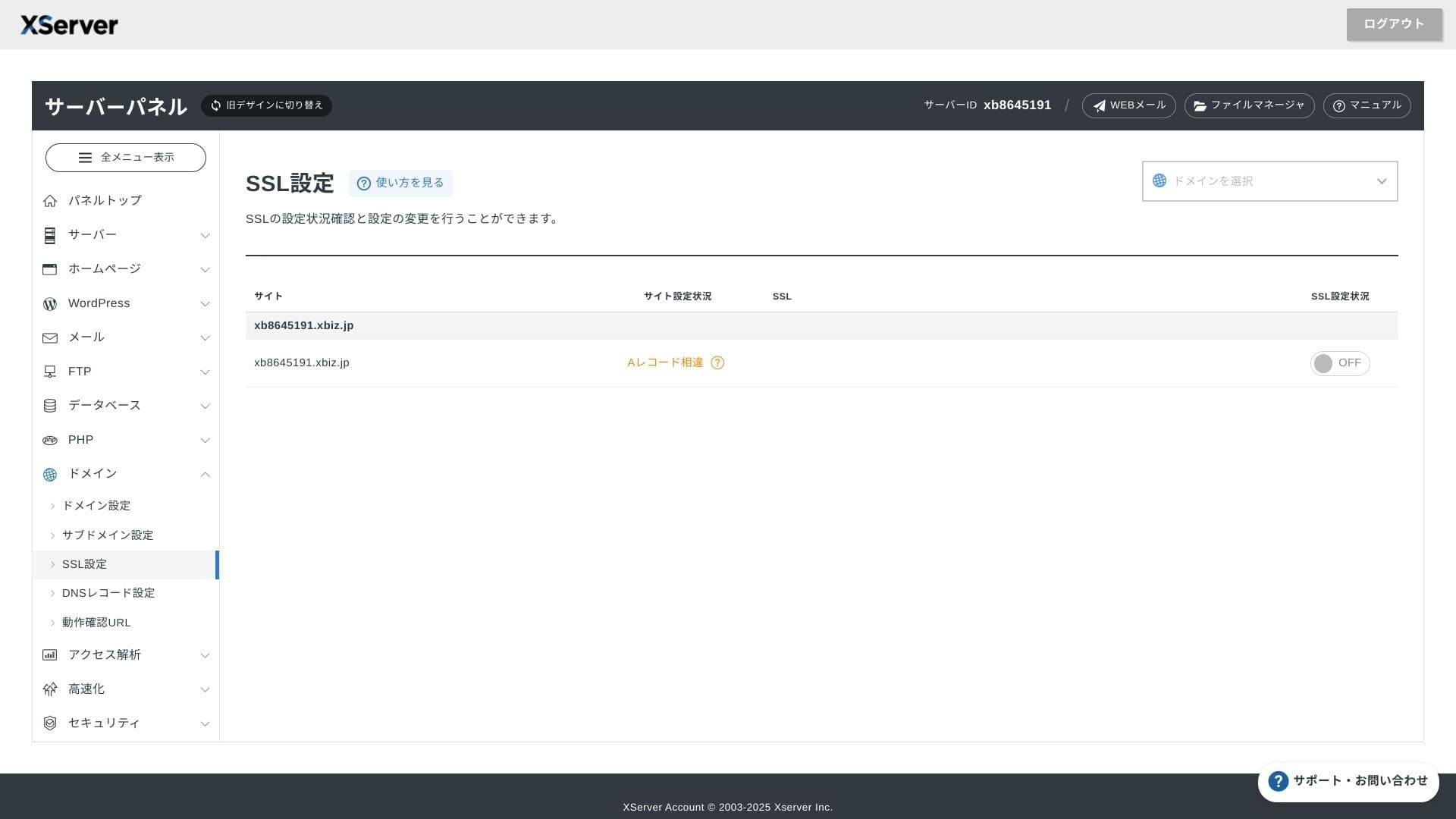
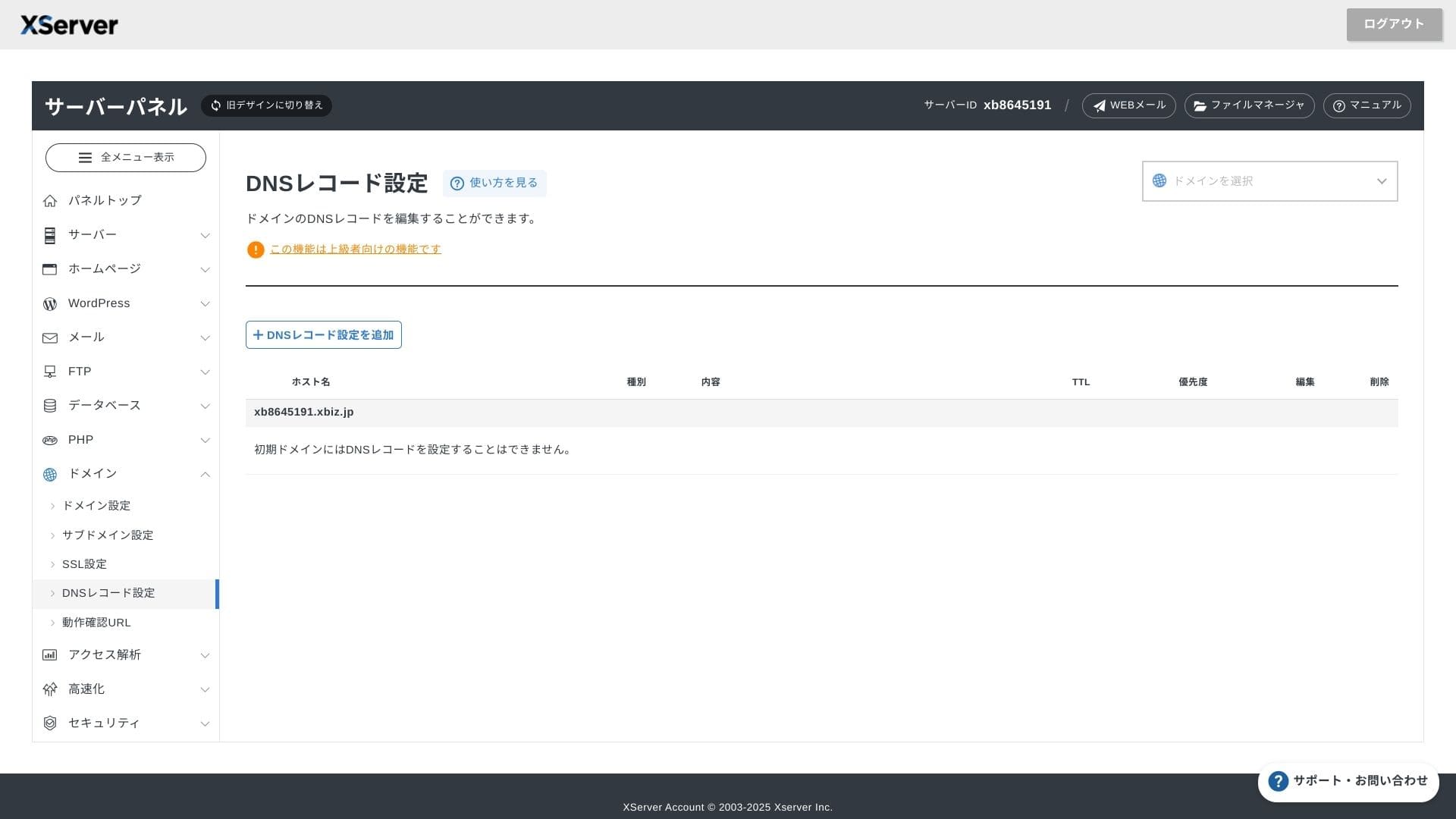
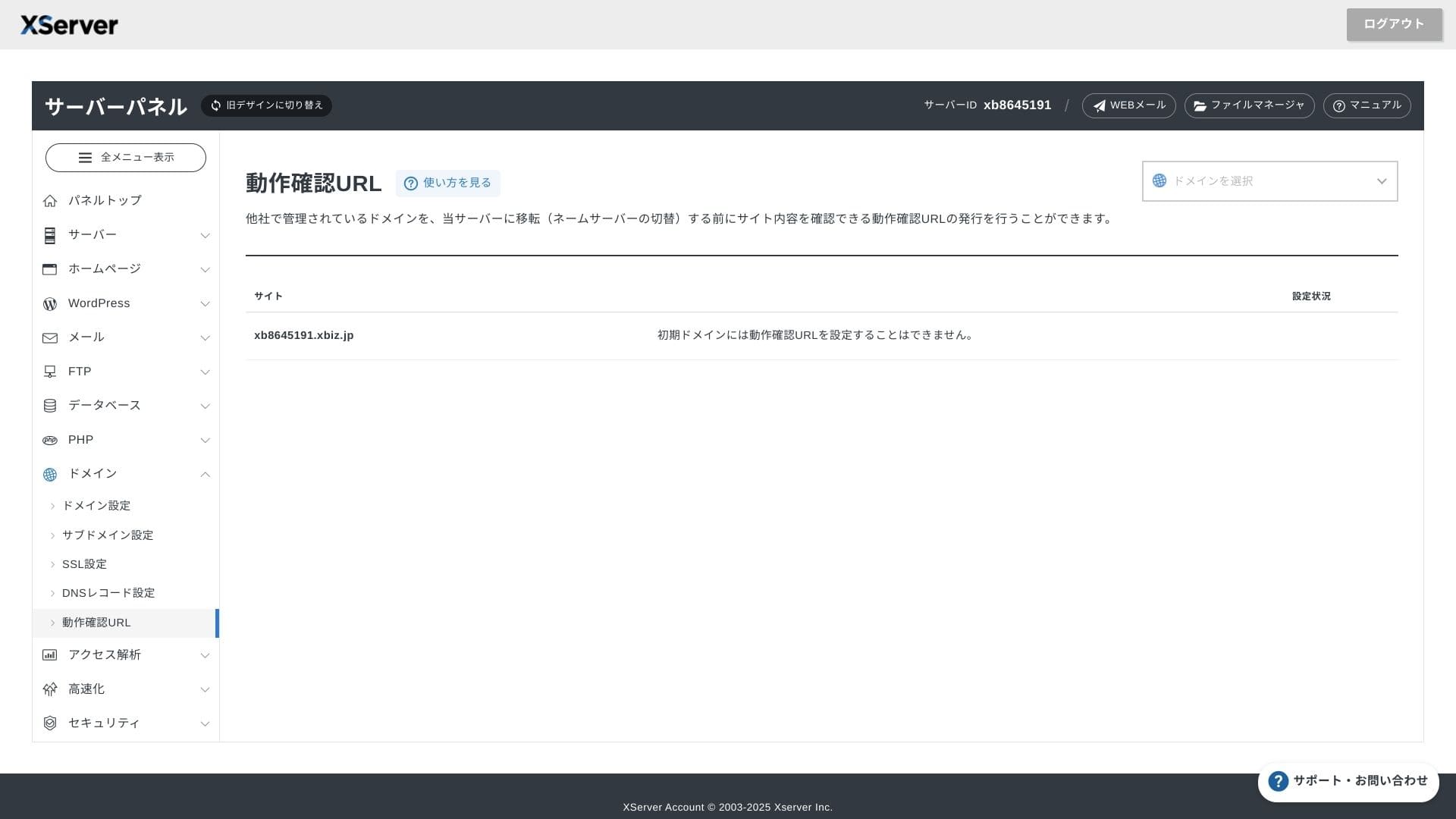
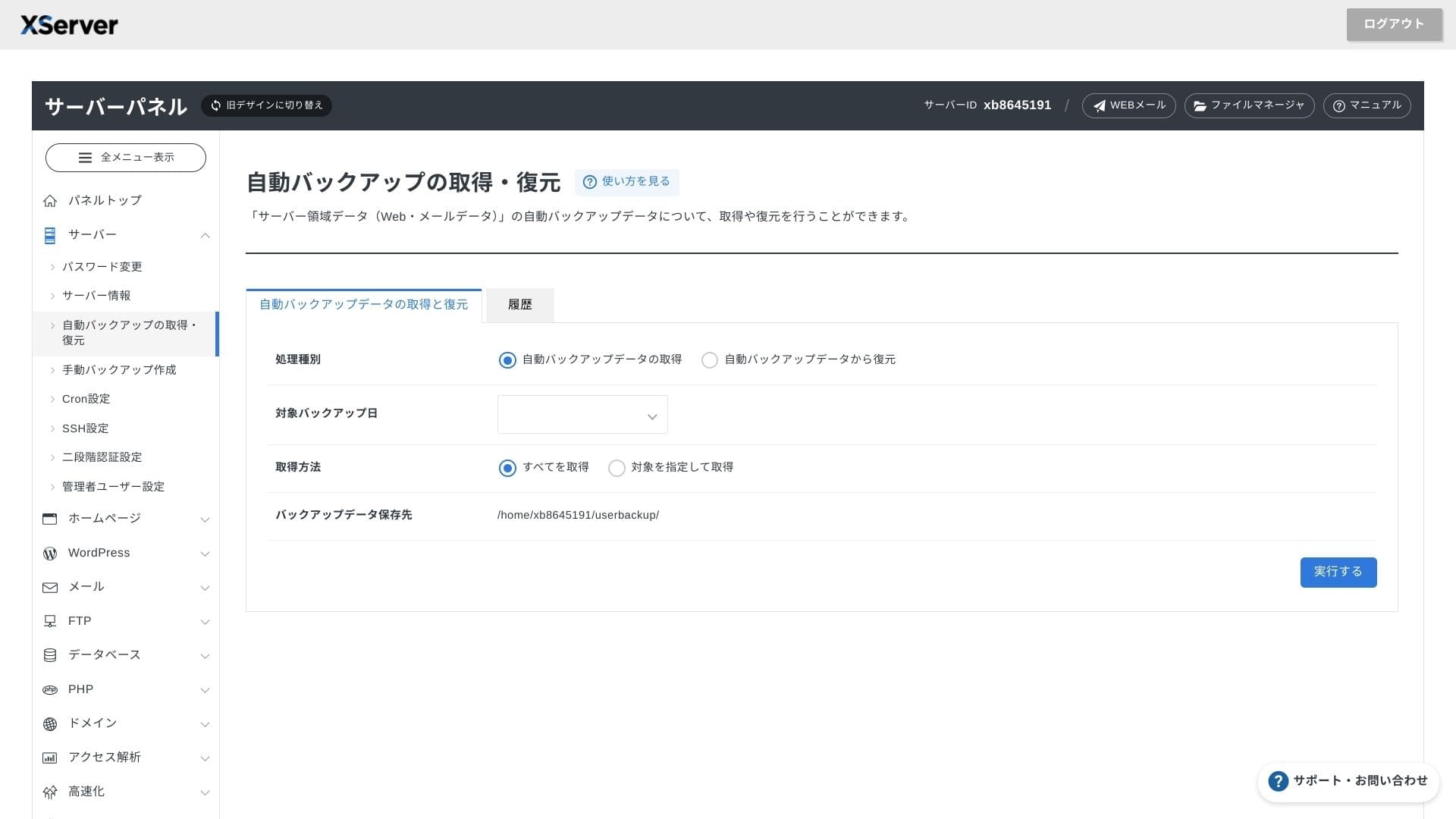
Система за поддръжка
Поддръжката е достъпна по телефон, имейл и чат през делничните дни от 10:00 до 18:00 часа. Споделеният план Enterprise и плановете за управляван сървър се предлагат също с отделни бюра за поддръжка, така че можете да получите още по-внимателно и бързо съдействие.
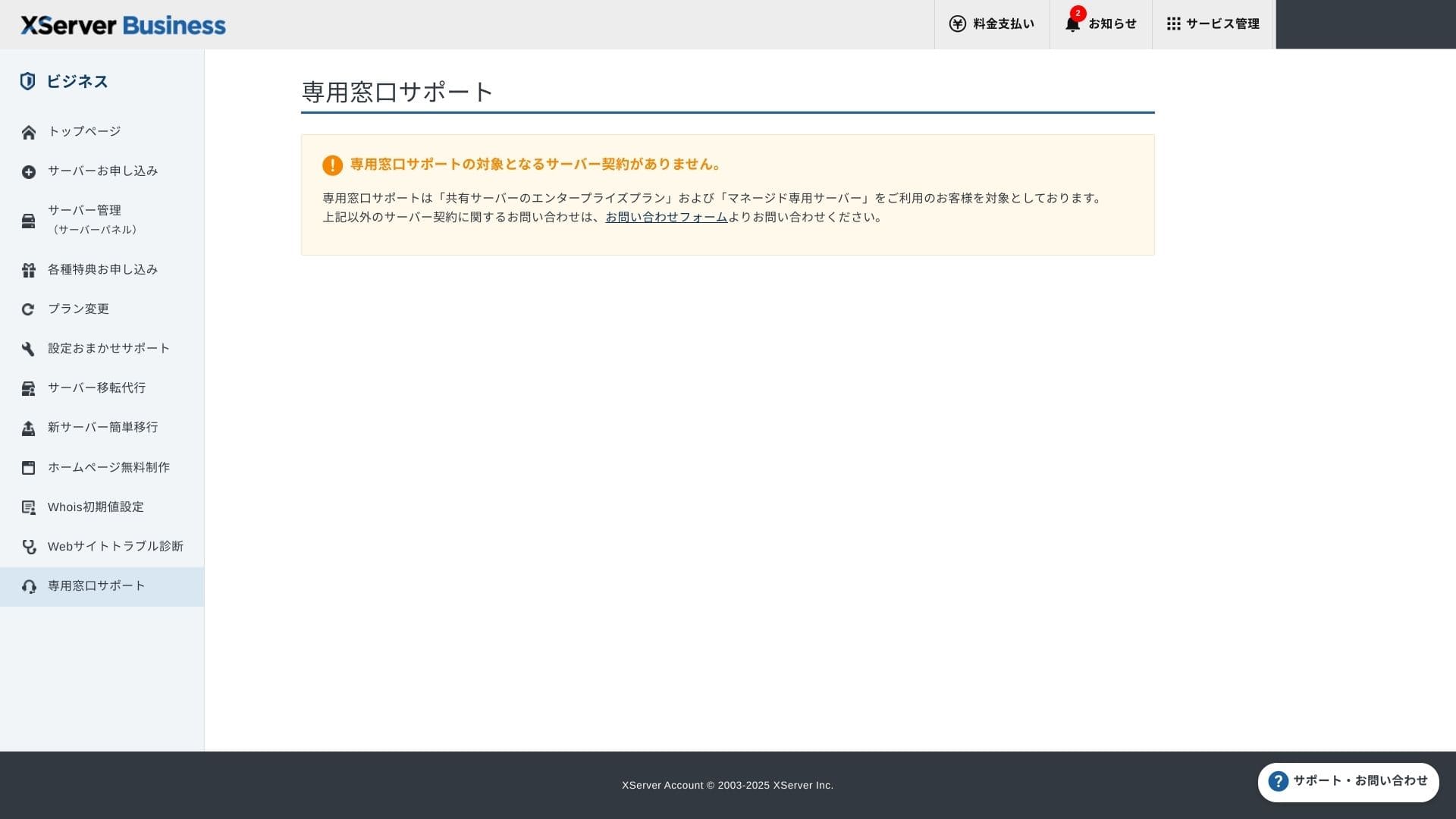
Поддръжка при настройкае безплатна и неограничена, като можете да заявите всичко – от промени в DNS до настройки на Cron задачи. Това осигурява спокойствие дори за компании без специален ИТ сътрудник.
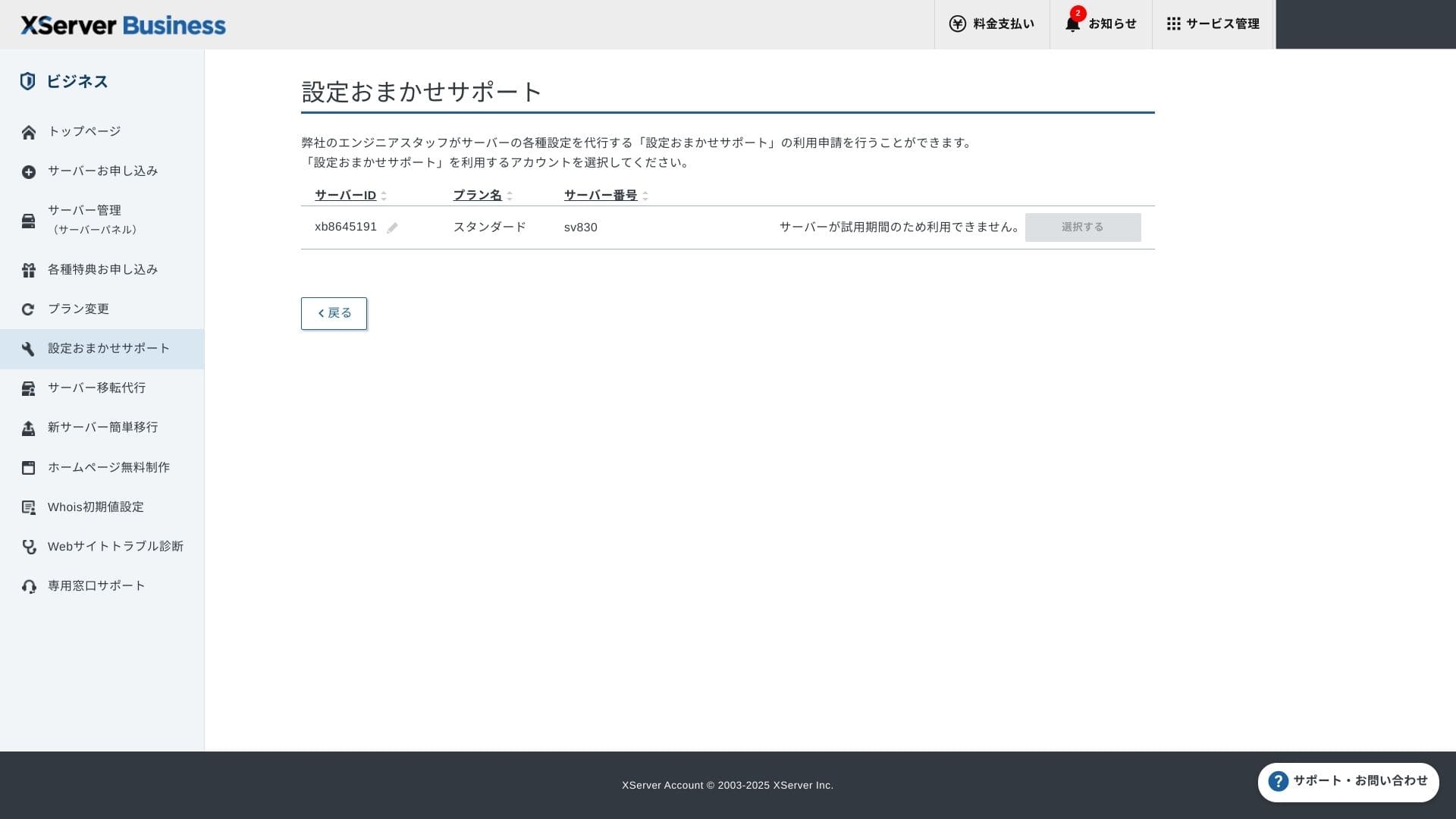
Управлявани услуги
Услугата за миграция към управляван сървър е безплатна първия път. Тъй като копира както цели HTML сайтове, така и CMS сайтове, тя има доказан успех при проекти, които искат да избегнат прекъсвания на работата късно вечер или през уикенда.
Ръководства и често задавани въпроси
Официалният PDF каталог обхваща всичко – от начините на плащане до процедурите за надграждане на плановете, и е изключително лесен за търсене. Вярвам, че много потребители ще могат да решат проблемите си сами, преди да се свържат с поддръжката.
Функции за електронна поща
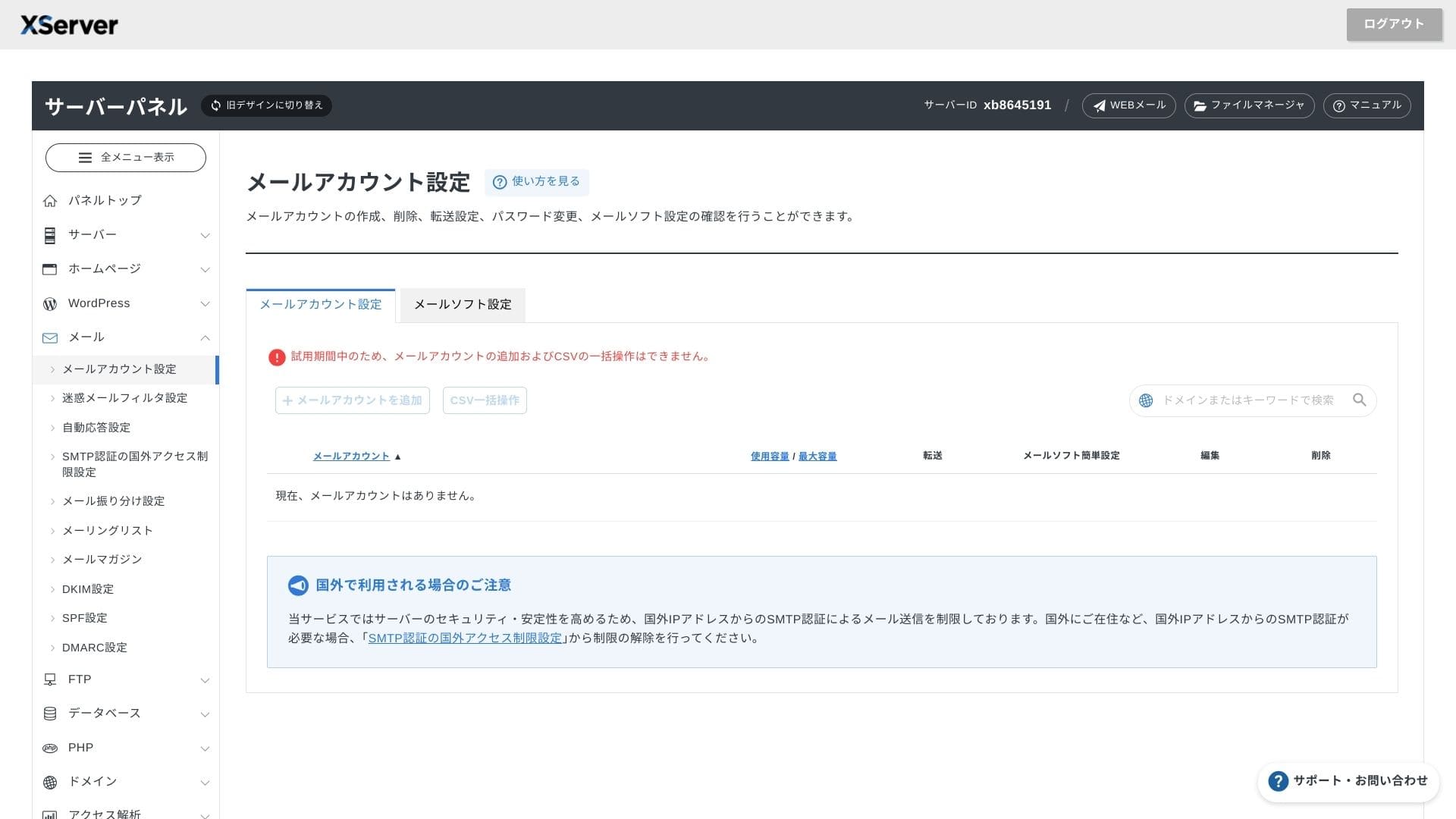
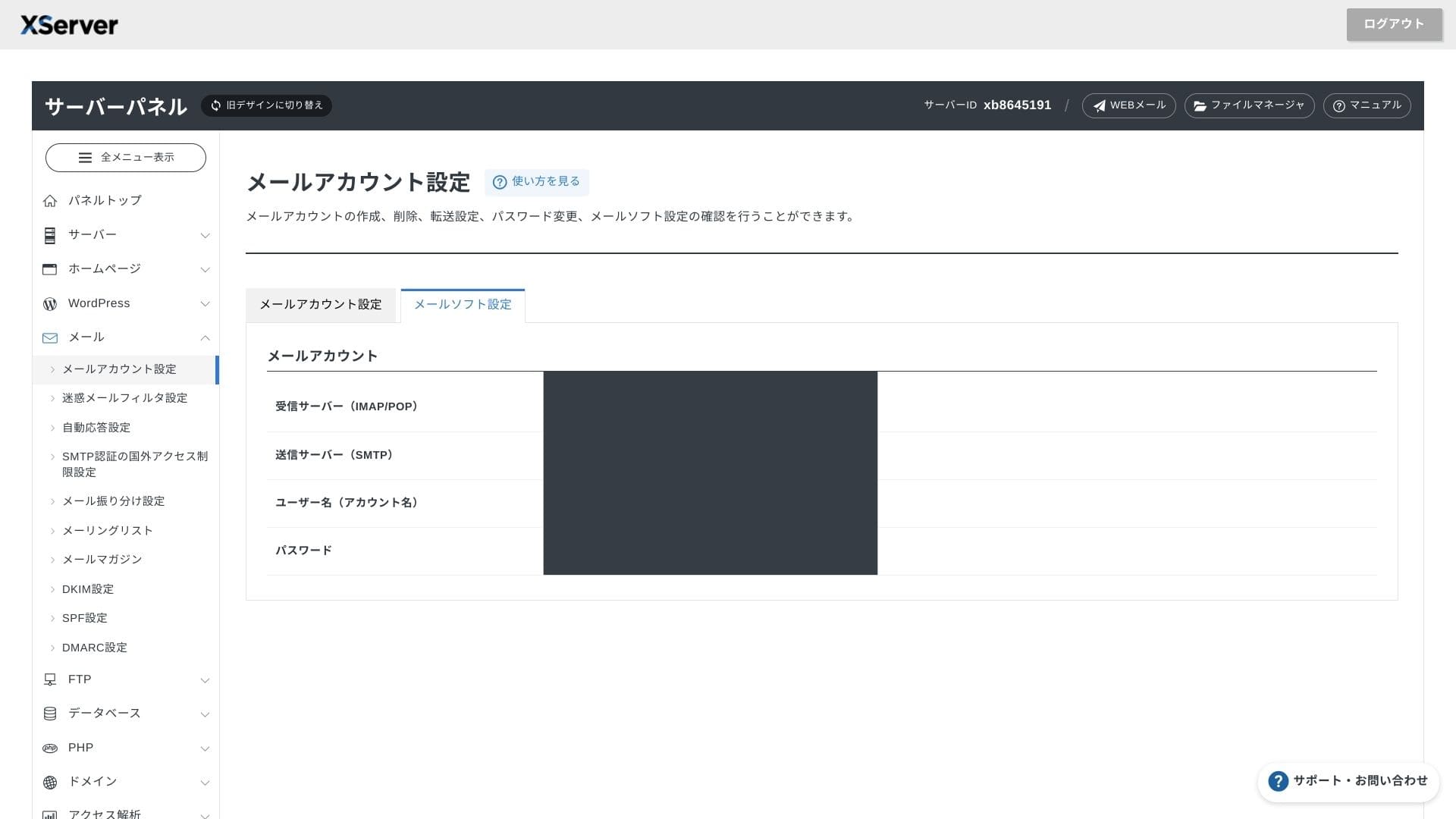
XServer Businessпредлага неограничен брой акаунти, а уеб интерфейсът за имейл беше обновен през пролетта на 2025 г., което го прави удобен дори на смартфони. Включва също високопроизводителен спам филтър, базиран на Cloudmark Authority, безплатен за до 1000 акаунта, като компанията декларира ефективност на откриване над 99%.
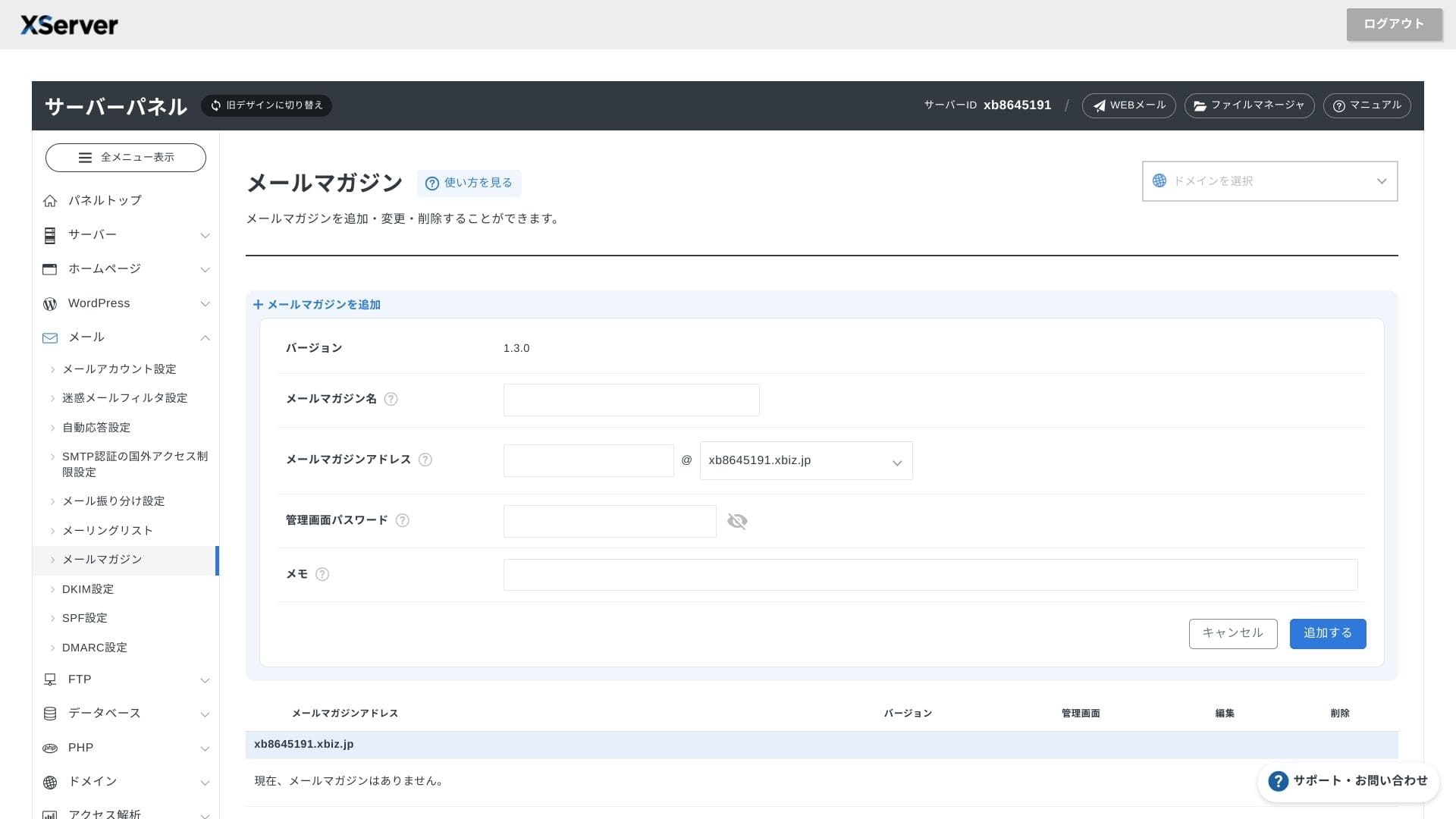
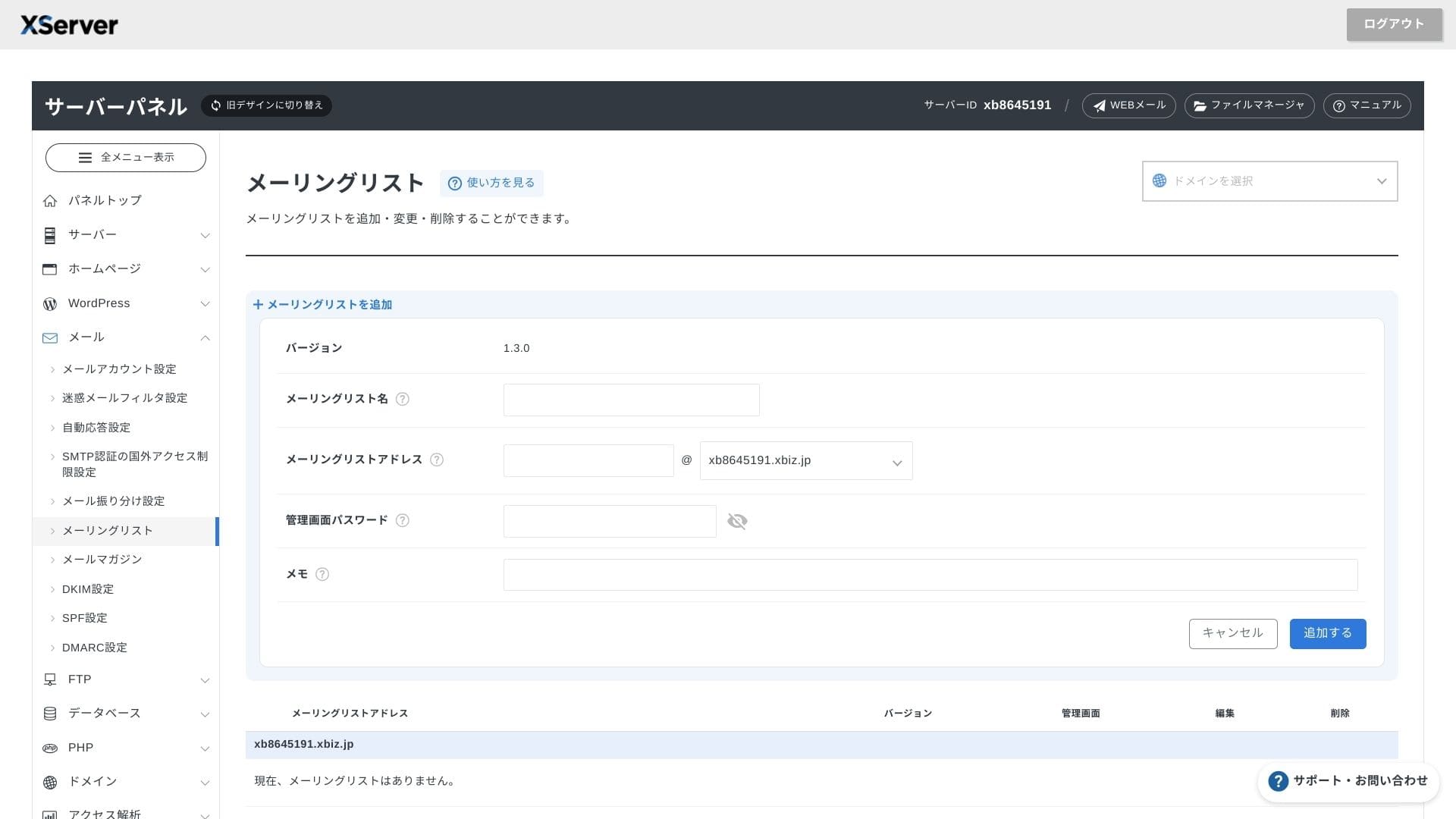
Също така е лесно да се създават бюлетини и списъци с получатели. Можете бързо да изпращате актуализации до клиентите или съобщения до конкретен отдел в рамките на вашата компания.
Hikaru Ono
Както бихте очаквали от бизнес сървър, функциите за електронна поща са изключително надеждни.
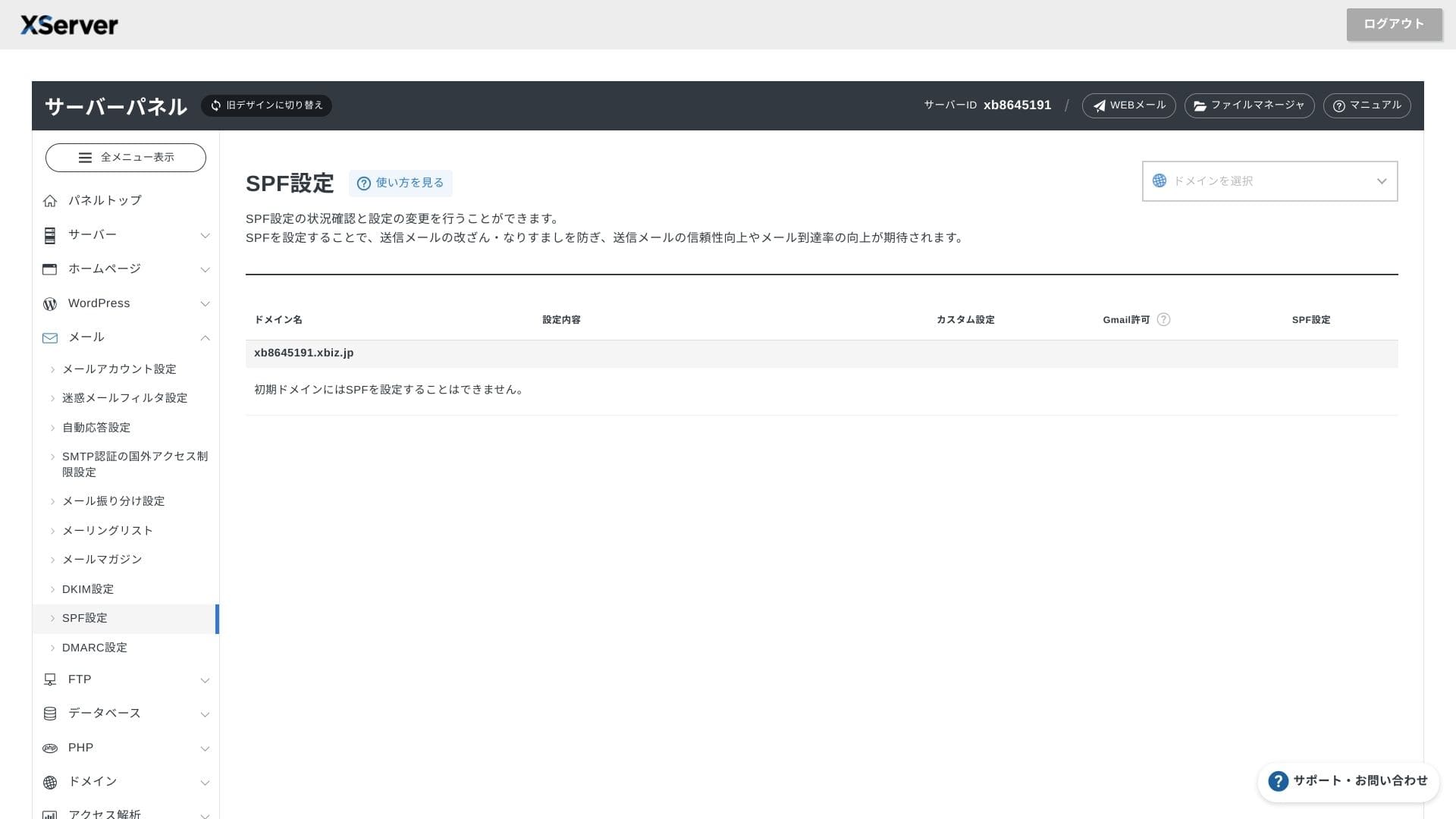
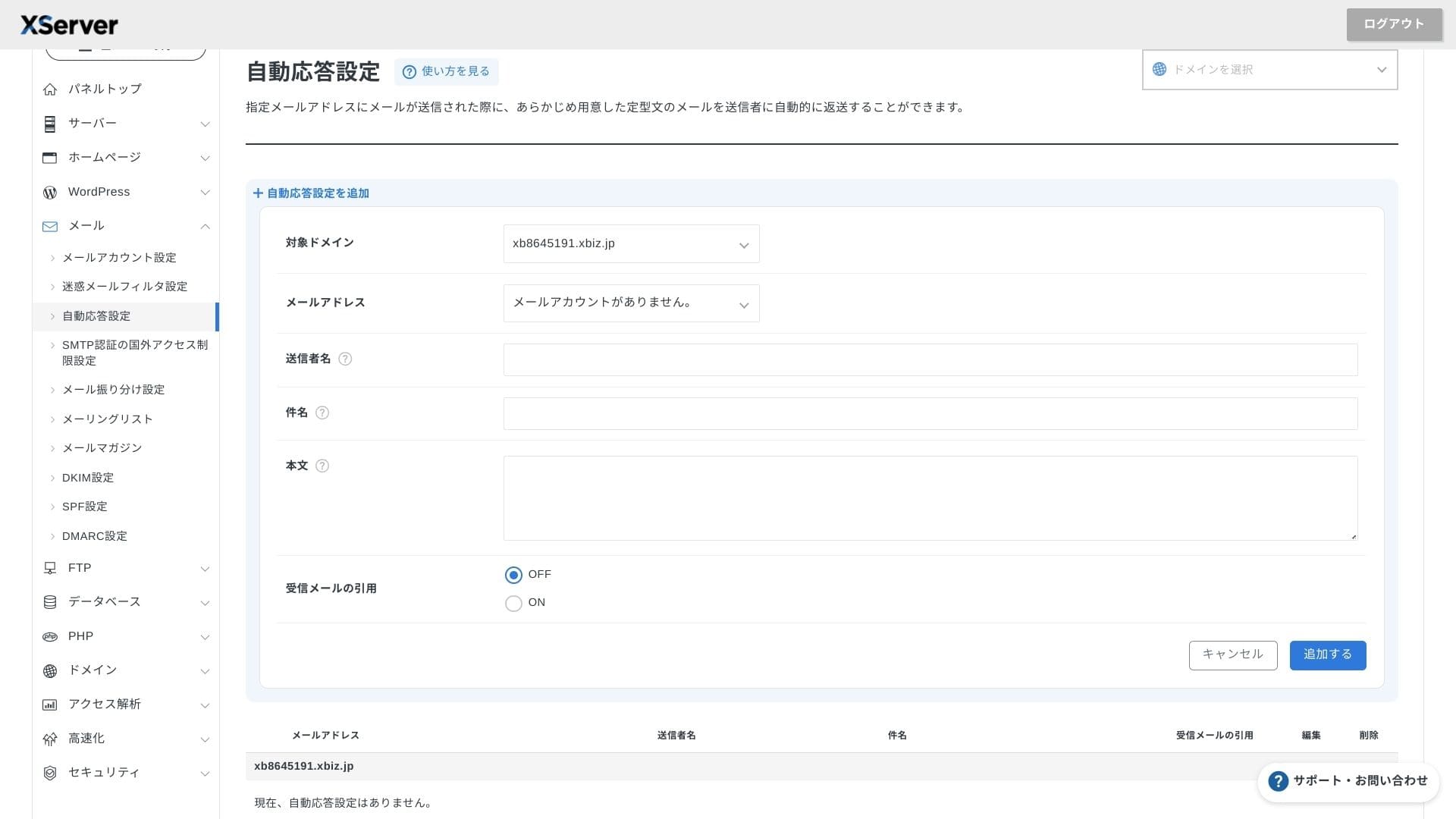
Сигурност и резервни копия
Мерки за сигурност
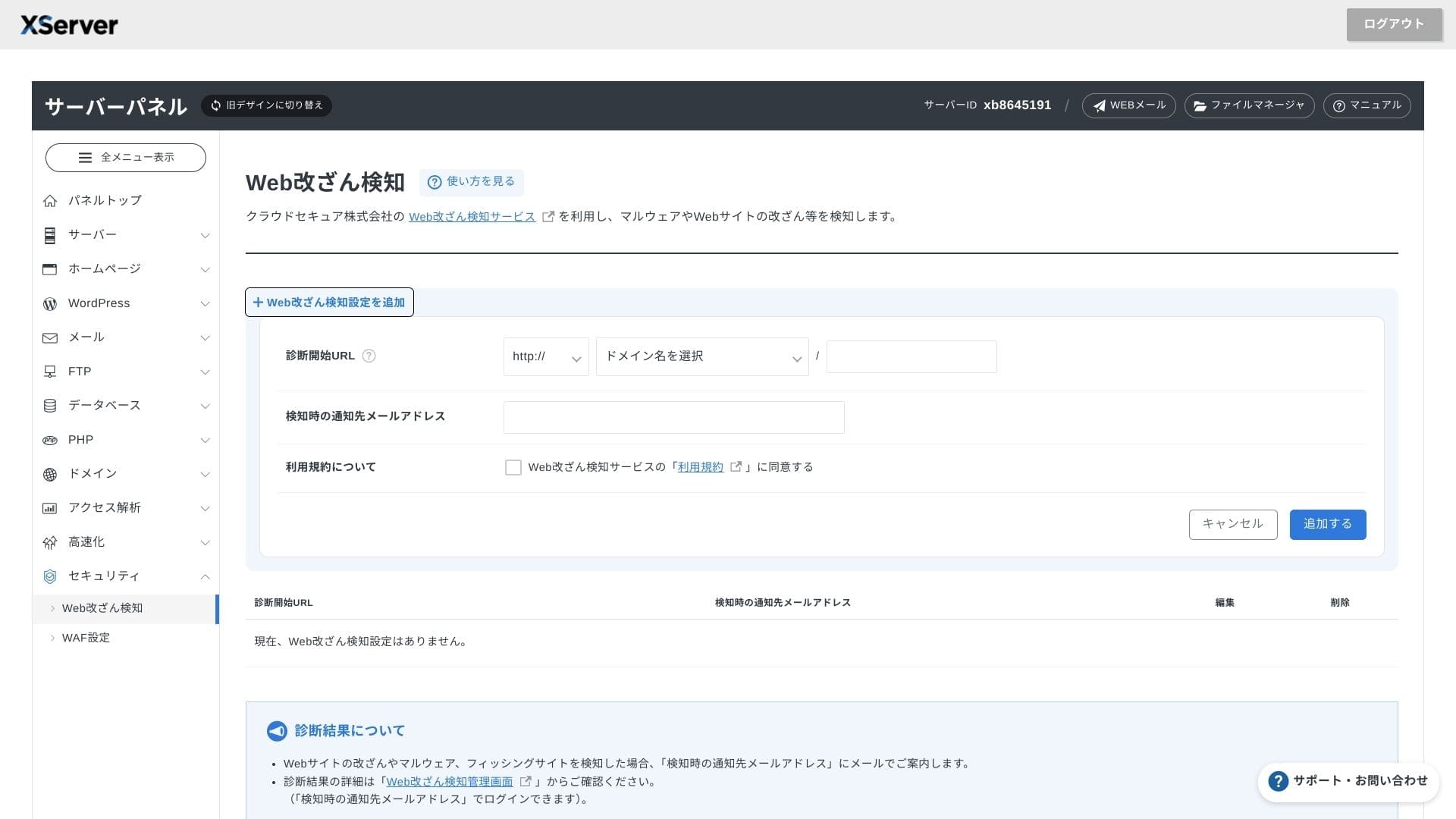
WAF и откриването на неоторизирани промени по уебсайта се предлагат стандартно. Системата автоматично блокира атаки срещу уязвимости и неоторизирани замени на файлове, като изпраща имейл известия при възникване на необичайна дейност. Веднъж годишно се предоставя и безплатна външна диагностика на сигурността от Secom.
Използването на функцията за откриване на неоторизирани промени по уебсайта ви помага да избегнете ситуации, в които не забелязвате навреме даден проблем и той се задълбочава.
Автоматични резервни копия
При всеки план данните за уебсайта, пощата и базата данни отпоследните 14 днисе архивират автоматично всеки ден. Можете да ги възстановите безплатно с едно щракване от панела, което намалява разходите за възстановяване след грешки или инфекции със зловреден софтуер.
Сравнение с конкурентни бизнес сървъри
Обобщение
XServer Businessе ориентиран към бизнеса сървър под наем, който предоставя скорост, сигурност и оперативна поддръжка като цялостно решение.
- Малки и средни предприятия, които искат да управляват множество сайтове и да аутсорснат инфраструктурата си
- Служители, управляващи дигиталната трансформация (DX) в допълнение към други задължения, които се притесняват от грешки при конфигурацията
- Екипи, които очакват бъдещ ръст на трафика, но не желаят оперативни разходи на ниво AWS
В тези случаи възвръщаемостта може лесно да надхвърли месечната разлика в цената. От друга страна, ако имате нужда само от една статична страница или искате да използвате персонализирана платформа, която изисква root достъп, може вместо това да помислите за по-евтин споделен сървър или VPS.
В крайна сметка разумният подход е да превърнете както разходите за персонал, така и риска от прекъсване на работата в парично изражение и след това да решите далиXServer Businessси заслужава месечната такса.
"XServer Business" е хостинг услугата за бизнес от Xserver Inc. — компанията с най-голям пазарен дял в Япония. При нашите измервания тя се нарежда на второ място по скорост. Това е един от най-добрите избори, когато трябва да преминете към нов сървър, а миграцията също е безплатна.
До 7 октомври 2025 г. първоначалната такса (обикновено от 16 500 йени до 385 000 йени) е безплатна, а услугата за миграция на сървър също е безплатна