Капацитет на нает сървър: как да изберете без грешки и защо е важен за гладката работа на сайта

Когато наемате сървър, случва ли ви се да сравнявате всякакви спецификации като CPU и памет и после да се затрудните при „капацитет“? Ако за първи път работите с наети сървъри, може изобщо да не знаете колко капацитет ви трябва или какъв капацитет е това.
В тази статия разглеждам задълбочено капацитета на наетите сървъри. Заедно с точките, за които да внимавате при стартиране на WordPress блог, ще ви помогна да изберете най-добрия план. След като прочетете статията, трябва да разбирате капацитета на наетите сървъри и да можете уверено да изберете план.
Какво точно е капацитет на нает сървър? Какво съхранява?

Казано просто, капацитетът на нает сървър е количеството пространство, налично за съхранение на данните на вашия уебсайт. По-конкретно, той съхранява следните видове данни.
- Файлове на уебсайта: всички файлове, нужни за показване на сайта, като HTML, CSS, JavaScript, изображения и видеоклипове
- Бази данни: съхраняват динамично съдържание като публикации в блог, потребителска информация и продуктова информация
- Имейл данни: ако използвате имейл акаунти, изпратените и получените имейли и прикачени файлове
- Лог файлове: логове за достъп до сървъра, логове за грешки и подобни записи
- Архивни данни: архиви на данните на вашия уебсайт
Всички тези данни консумират сървърен капацитет. Ако капацитетът се изчерпи, може вече да не можете да добавяте ново съдържание, сайтът ви може да стане по-бавен и в най-лошия случай да спре.
Три стъпки за избор на правилния капацитет на сървъра

И така, как да изберете правилното количество капацитет? Обмислете го в следните три стъпки.
СТЪПКА 1: Помислете за типа уебсайт (за WordPress)
Необходимият капацитет се различава значително според типа уебсайт. Ако започвате WordPress блог, обмислете следните точки.
- Размер на блога: дали е малък личен блог или голям блог, управляван от няколко души.
- Тип съдържание: дали е основно текст или използва много изображения и видеоклипове.
- Брой плъгини: много плъгини консумират капацитет.
- Тежест на темата: в зависимост от темата, която използвате, тя може да натовари капацитета.
Като общ ориентир,
- Малък блог (основно текст, малко изображения): 5 GB до 10 GB
- Среден блог (много изображения, няколко плъгина): 10 GB до 20 GB
- Голям блог (включително видеоклипове, много плъгини): 20 GB до 50 GB или повече
са добри стойности, които да имате предвид.
★ Овладейте WordPress плъгините и подсилете сайта си: подробно ръководство за начинаещи
СТЪПКА 2: Оценете бъдещия растеж
Уебсайтът не е нещо, което изграждате и после забравяте. С добавянето на съдържание и растежа на трафика необходимият капацитет също се увеличава.
Представете си как ще изглеждат нещата поне след една година и изберете капацитет с известен резерв. Можете да добавите още капацитет по-късно, но предвид неудобството от смяна на план е по-гладко да изберете малко по-голям план още отначало.
В случая на WordPress непременно предположете, че броят публикации, изображения и видеоклипове ще се увеличава с времето.
СТЪПКА 3: Мислете с конкретни числа
Въз основа на стъпките по-горе мислете с конкретни числа. Например можете да оценявате така.
- Текст за една страница: около 1 KB
- Едно изображение: около 1 MB (може да е по-голямо за изображения с висока резолюция)
- Една минута видео: около 100 MB (варира силно според качеството и формата)
За WordPress трябва също да обмислите размера на темите и плъгините. Те могат да достигнат десетки или дори стотици мегабайти.
Предимства и точки за внимание при планове с неограничен капацитет (за WordPress)
Ако започвате WordPress блог, план с неограничен капацитет може да изглежда привлекателен. Както беше споменато по-горе обаче, има и точки, за които да внимавате.
- Следете размера на базата данни: тъй като WordPress съхранява публикации, настройки и други данни в база данни, дори при неограничен капацитет все пак може да срещнете лимити за размер на базата данни.
- Съхранение на архиви: само защото капацитетът е неограничен, не означава, че можете да съхранявате неограничени архиви. Проверете лимита за съхранение на архиви и периода на задържане.
★ What Is a Database? An Essential Management System for WordPress
Сериозни проблеми, причинени от недостиг на сървърен капацитет: конкретни въздействия и мерки

1. Вече не можете да добавяте съдържание
Когато капацитетът е запълнен, вече не можете да добавяте ново съдържание. Това е сериозен проблем, който пречи на растежа на уебсайта.
- Вече не можете да качвате изображения или видеоклипове: изображенията и видеоклиповете са важни елементи, които правят уебсайта привлекателен, но когато капацитетът не достига, те вече не могат да се качват. В WordPress ще получавате грешки при опит за качване на файлове в медийната библиотека и вече няма да можете да добавяте нови изображения или видеоклипове.
- Вече не можете да създавате или обновявате публикации и страници: текстовото съдържание също използва място за съхранение. Когато капацитетът не достига, може вече да не можете да създавате нови публикации или страници, или дори да обновявате съществуващите.
- Вече не можете да регистрирате продукти (при сайт за електронна търговия): в сайт за електронна търговия продуктовата информация и изображенията са жизненоважни за бизнеса. Недостигът на капацитет може да ви попречи да добавяте нови продукти или да обновявате съществуващи, което сериозно засяга бизнеса.
Мярка: преминете към по-голям план, изтрийте ненужни файлове и оптимизирайте изображенията (например чрез компресия).
2. По-бавно показване на уебсайта: по-лошо потребителско изживяване
Недостигът на капацитет може също да доведе до по-бавна скорост на показване на уебсайта. Ако скоростта на показване стане бавна, потребителското изживяване се влошава и SEO също се засяга отрицателно.
- Повишено натоварване на сървъра: когато капацитетът стане ограничен, натоварването на сървъра се увеличава и скоростта на обработка пада. В резултат времето за зареждане на страниците се удължава, което означава да карате потребителите да чакат.
- Спад на производителността при пикове на трафика: ако сървърът вече е с недостиг на капацитет по време на концентриран трафик, той може да се претовари, което прави уебсайта изключително бавен или в най-лошия случай го сваля.
- Отрицателен ефект върху SEO: търсачки като Google вземат предвид скоростта на зареждане на страниците като фактор за класиране. Бавен уебсайт може да падне в резултатите от търсенето, което може да доведе до по-малко посетители.
Мярка: използвайте мерки като кеш плъгини, оптимизация на изображения и CDN, за да подобрите скоростта на показване. Може също да се наложи да обмислите преминаване към сървърен план, който съответства на обема на трафика.
★ How Fast Is It? Comparing 15 Rental Servers in a Speed Ranking
3. Изпращането и получаването на имейли спират: бизнес комуникацията се нарушава
Имейл данните също консумират сървърен капацитет. Когато капацитетът не достига, може вече да не можете да изпращате или получавате имейли, което пречи на бизнес комуникацията.
- Вече не можете да получавате имейли: когато входящата кутия достигне лимита си за капацитет, нови имейли вече не могат да се получават. Може да пропуснете важна комуникация или да не отговорите на клиентски запитвания.
- Вече не можете да изпращате имейли: изпратената поща и черновите също консумират капацитет. Когато капацитетът не достига, може вече да не можете да изпращате имейли, което може да доведе до загубени бизнес възможности.
Мярка: изтрийте ненужни имейли, запазете имейл данните локално и обмислете използване на външна пощенска услуга.
4. Престой на уебсайта: бизнесът спира
Ако недостигът на капацитет стане сериозен, в най-лошия случай уебсайтът може да спре и да стане недостъпен. Това означава, че бизнес операциите на практика спират и може да доведе до големи загуби.
- Прекомерно натоварване на сървъра: концентрация на трафик, докато сървърът вече е с недостиг на капацитет, може да го претовари и да причини системни сривове.
- Възстановяването може да отнеме време: ако сървърът спре, възстановителната работа може да отнеме време и уебсайтът може да остане недостъпен дълго.
Мярка: приложете старателно мерки, които осигуряват стабилна работа, като наблюдение на сървърните ресурси, анализ на логовете за достъп и избор на подходящ сървърен план. Редовните архиви също са важни.
Недостигът на капацитет има сериозен ефект върху работата на уебсайта. За да избегнете тези проблеми, е важно да изберете сървърен план с подходящ капацитет и редовно да наблюдавате използването на капацитета на уебсайта. Важно е също предварително да обмислите какво да правите, ако капацитетът стане недостатъчен.
★ What Is a 503 Error? Web Traffic Jams, How to Avoid Them, and Emergency Responses
Препоръчани наети сървъри според капацитета
30GB: Little Server
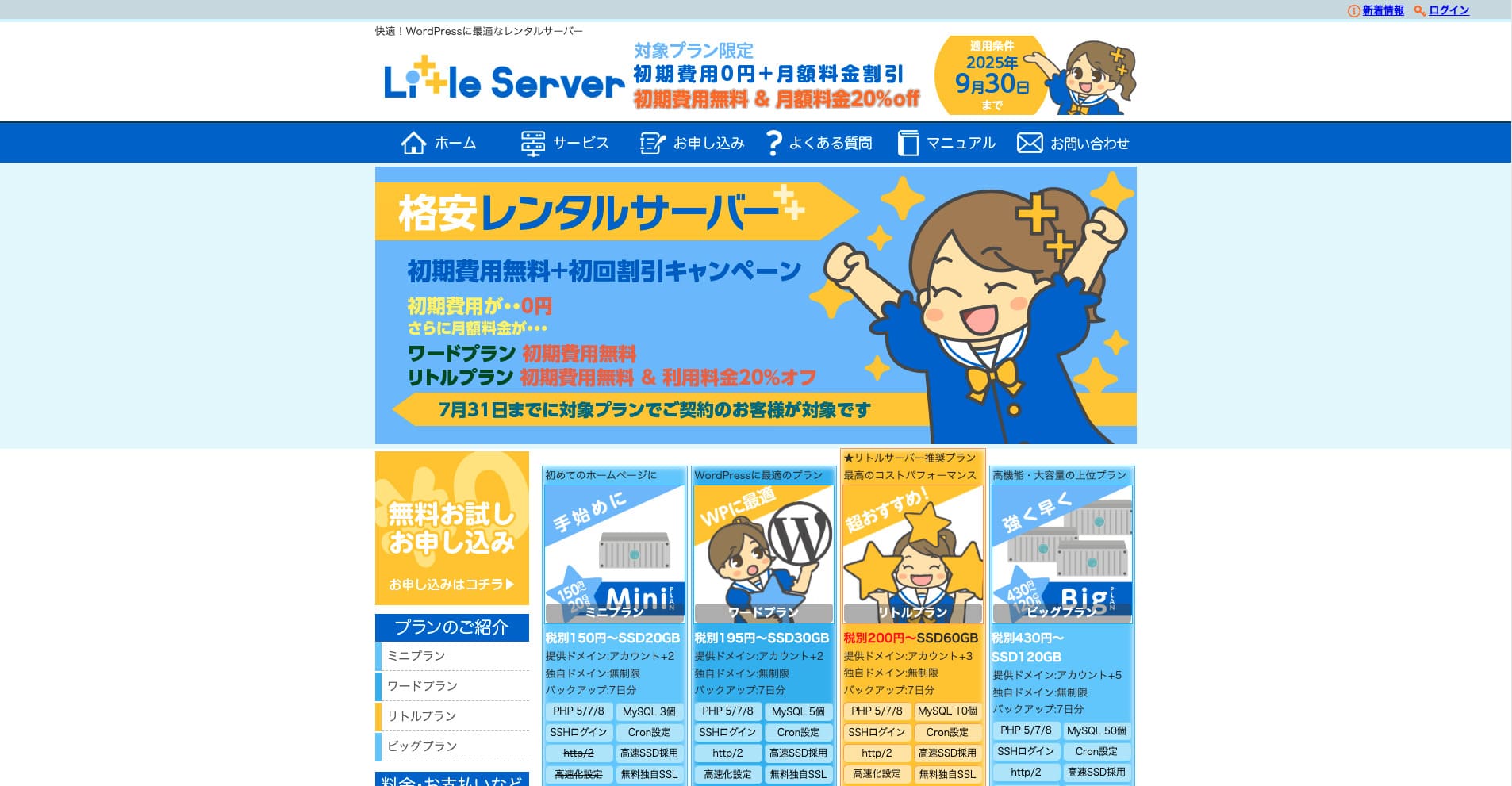
„Little Server“ е евтин нает сървър. Като изключим безплатните сървъри, той е един от най-евтините наети сървъри за лична употреба. Въпреки това използва NVMe SSD за подобряване на скоростта.
Без първоначална такса до 30 септември 2025 г., 20% отстъпка от сървърната такса за Little Plan и 20-дневен безплатен пробен период
| Server type | Shared server |
| Display speed (TTFB) | 200ms |
| Recommended plan and contract term | Mini, 12 months |
| Trial / refund guarantee | 20-day free trial |
| Monthly fee (12-month contract) | 165 yen |
| Initial administrative fee | 920 yen |
| Free domain | None |
| Support | Email (business hours not disclosed) |
| Uptime | Not disclosed |
| Server capacity | 20GB |
| Number of databases | 3 |
| Security measures | IMP |
| SSL | Free SSL, dedicated SSL (Little Plan and above) |
| Backup / restore | 7 дни автоматични архиви безплатно, възстановяване безплатно |
| Number of email accounts | Unlimited |
| Email security measures | Spam filter |
| Server / website migration service | None |
| WordPress pre-installation | Да |
| CDN | None |
*За Mini плана
Ако искате да държите цената ниска, докато осигурявате минимално необходимия капацитет, Little Server е препоръчителен. Дори най-евтиният план ви дава 30 GB. Дори при надграждане месечната такса остава в рамките на няколкостотин йени, така че ако започнете да се притеснявате за липса на капацитет, надградете проактивно.
★ Little Server Reviews and How to Start WordPress on an Affordable Hosting Service
300GB: ConoHa WING

„ConoHa WING“ е високоскоростен сървър от GMO Internet Group, чийто брой потребители бързо расте, и е услуга, която нашата компания също използва. Тъй като WordPress идва предварително инсталиран при регистрация за сървъра, всеки може да започне лесно. Той постига добър баланс между цена и производителност и ние също го използваме.
До 53% отстъпка от сървърните такси до 5 август 2025 г., два домейна безплатно завинаги и първият месец безплатно
| Server type | Shared server |
| Display speed (TTFB) | 160ms |
| Recommended plan and contract term | Basic, 12 months |
| Trial / refund guarantee | First month free |
| Monthly fee (12-month contract) | 971 yen |
| Initial administrative fee | Free |
| Free domains | Two free forever |
| Support | Phone, email, and chat (weekdays 10:00-18:00) |
| Uptime | 99.99% guaranteed |
| Server capacity | 300GB |
| Number of databases | Unlimited |
| Security measures | WAF / directory access restrictions / IP access restrictions / vulnerability diagnosis (Net de Diagnosis) / spam comment and trackback restrictions / overseas comment and trackback restrictions / overseas access restrictions |
| SSL | Free SSL / Alpha SSL / Quick Authentication SSL / Company Authentication SSL / EV SSSL |
| Backup / restore | 14 days of automatic backups / restore free of charge |
| Number of email accounts | Unlimited |
| Email security measures | Virus checking / spam filters |
| Server / website migration service | WordPress migration service from 7,678 yen Free migration tool available |
| WordPress pre-installation | Yes |
| CDN | None |
Ако искате достатъчно капацитет дори като физическо лице, изберете ConoHa WING. Дори най-евтиният план ви дава 300 GB, така че управлението на WordPress изобщо не е проблем.
★ Build a Homepage in 10 Minutes! ConoHa WING Reviews and How to Start WordPress
600GB: Sakura Rental Server

„Sakura Rental Server“ е споделен сървър от Sakura Internet Inc. Компанията предлага и управлявани сървъри. Има добър баланс между производителност, услуга и цена, затова се препоръчва за всяка корпорация. Тъй като включва определено количество безплатна CDN употреба според плана, може да осигури комфортна комуникация.
14-дневен безплатен пробен период
| Server type | Shared server |
| Display speed (TTFB) | 440ms |
| Recommended plan and contract term | Standard, 12 months |
| Trial / refund guarantee | 14-day free trial |
| Monthly fee (12-month contract) | 550 yen |
| Initial administrative fee | Free |
| Free domain | None |
| Support | Business hours: 10:00-18:00 Phone callback reservations, chat, and email (reply the same day or the next business day) |
| Uptime | 99.99% |
| Server capacity | 300GB |
| Number of databases | Unlimited |
| Security measures | Website defacement notifications (paid), WAF, overseas IP address filters, prevention of unauthorized relaying, encryption, |
| SSL | Free shared SSL, dedicated SSL |
| Backup / restore | Eight generations of backups free of charge, restore free of charge |
| Number of email accounts | Unlimited |
| Email security measures | POP3, IMAP4, virus checking, simple spam filter, advanced spam filter |
| WordPress pre-installation | None |
| Server / website migration service | None |
| CDN | 100GB per month free |
Ако сте корпорация, по-големият сървърен капацитет дава спокойствие. Sakura Rental Server предлага голям капацитет, с 300 GB в Standard плана и 600 GB в Business плана.
Неограничен капацитет: mixhost
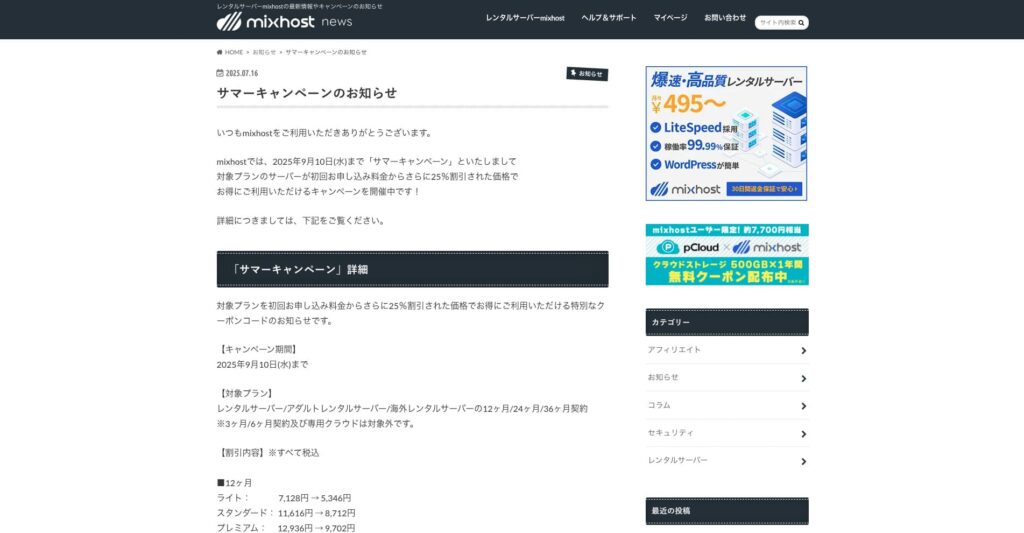
„ mixhost“ е високоскоростен нает сървър от Az Pocket Co., Ltd., със седалище в Осака. Той може да доставя съдържание от сървъри, разположени в Сан Хосе на западното крайбрежие на САЩ. Макар да е чуждестранен сървър, компанията е базирана в Япония, така че получавате пълна поддръжка на японски език.
25% отстъпка от първоначалния договор до 10 септември 2025 г., една година безплатно за 500 GB облачно съхранение и 30-дневна гаранция за връщане на парите
| Server type | Shared server / dedicated cloud server |
| Display speed (TTFB) | 150ms |
| Recommended plan and contract term | Shared server Light, 12 months |
| Trial / refund guarantee | 30-day money-back guarantee |
| Monthly fee (12-month contract) | 594 yen |
| Initial administrative fee | Free |
| Free domain | One free forever |
| Support | |
| Uptime | 99.99% guaranteed |
| Server capacity | 100GB |
| Number of databases | Unlimited |
| Security measures | WAF / DDo attack protection / malware detection and removal |
| SSL | Free dedicated SSL |
| Backup / restore | Automatic backups for 14 days on the Standard plan and above |
| Number of email accounts | Unlimited |
| Email security measures | — |
| WordPress pre-installation | Yes |
| Server / website migration service | 10,890 yen |
| CDN | None |
| Data center | San Jose, U.S. West Coast |
Ако искате да използвате сървър с неограничен капацитет, изберете mixhost. Не само капацитетът е неограничен, но и трансферът на данни е неограничен, така че предлага отлична мащабируемост.
★ mixhost Reviews and How to Start WordPress with Peace of Mind Thanks to Elevent Nines Backup
Обобщение: изберете правилния капацитет и управлявайте WordPress блога си гладко

Капацитетът на наетия сървър има голям ефект върху стабилността и растежа на уебсайта. Използвайте стъпките, представени в тази статия, за да изберете капацитета, който най-добре отговаря на вашия WordPress блог, и постигнете гладка работа на блога.
Ако е необходимо, добра идея е също да се консултирате със сървърния администратор. Дори когато избирате план с неограничен капацитет, е важно да вземете това решение едва след като напълно разберете както предимствата, така и точките за внимание.