Eligible domains free forever
PR
伺服器
Onamae.com 租用伺服器評測:99.99% 可用率、穩定性與價效比
釋出於:2025.04.18
更新於:2025.04.18
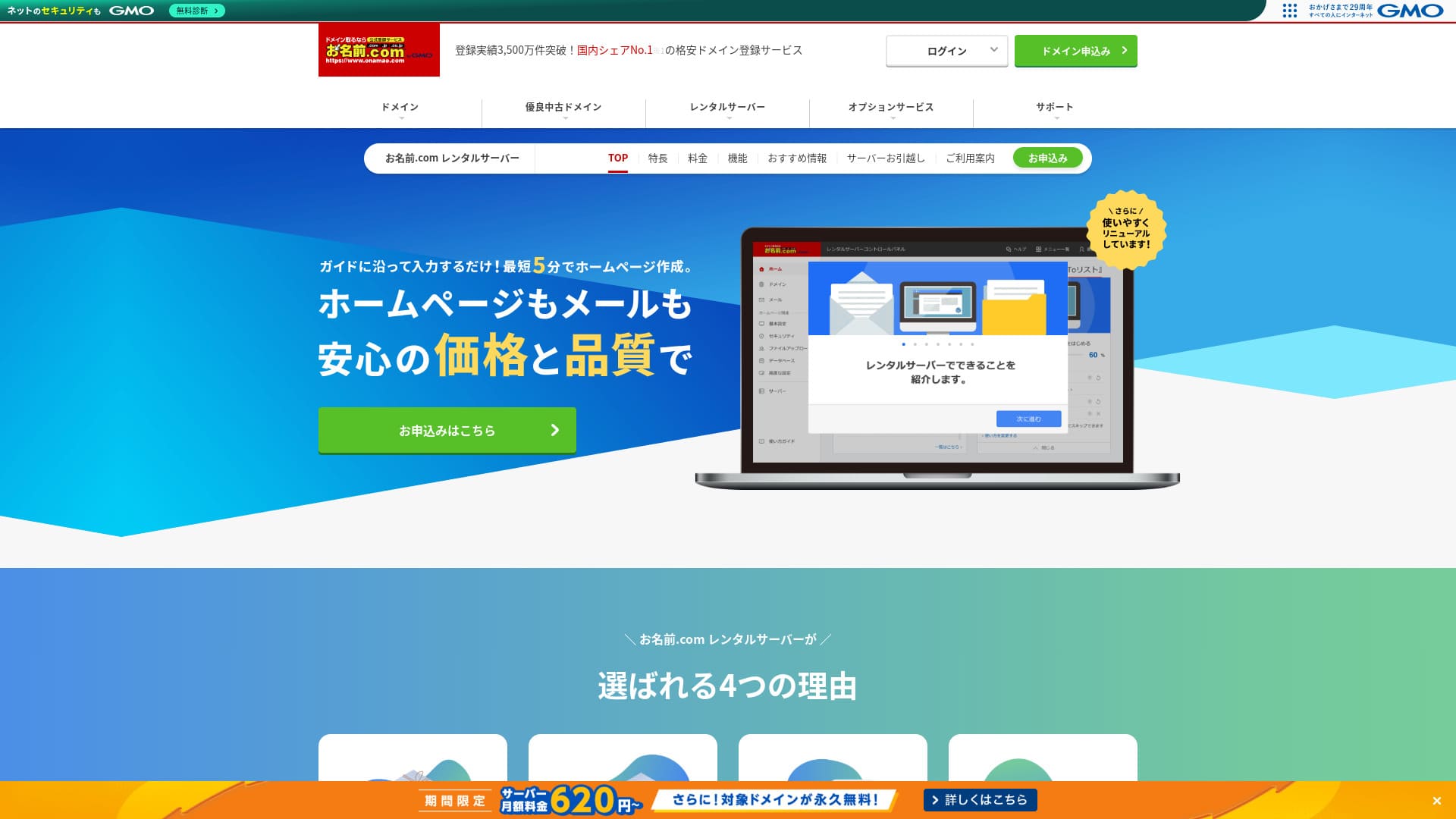
不僅在域名方面出名,在伺服器方面出名也有價值。
Onamae.com 在日本作為域名註冊商很有名。它的伺服器服務往往不太顯眼。不過,它的功能和規格都很強。我可以把它推薦給個人和企業。
本文將從 onamae.com Rental Server 的口碑和功能開始,一直講到如何啟動 WordPress。

Complete Comparison of 32 WordPress Rental Servers: Recommendations by Personal, Business, and Overseas Use

When you think, “I want to start WordPress,” and search for “WordPress recommendations,” you see all kinds of articles, from personal-use services and servers for companies and small businesses to overseas and low-cost options. Honestly,
- Which site should I read?
- I just want to choose a server simply and clearly.
- Show me how to start WordPress right away.
Do you ever feel that way? This article introduces carefully selected recommendations from 32 rental servers for individuals, businesses, domestic use, and overseas use. It is explained by the SEO lead of an app development company that works with rental servers every day.
Onamae.com 租用伺服器評測:高可用率帶來安心感的伺服器
「 onamae.com Rental Server” has been used by both individuals and businesses. It is Japan’s largest domain registration service, and being able to manage your domain and server together is a major advantage. It makes email, website, and domain management easier across the board.

| 伺服器型別 | 共享主機 |
| 顯示速度(TTFB) | 未測量 |
| 推薦方案與合約期間 | 12 months |
| 試用 / 退款保證 | 無 |
| 每月費用(12 個月合約) | 2,398 yen |
| 初始設定費 | 免費 |
| 免費網域 | 1 free forever |
| 支援 | 電話、電子郵件與聊天(平日 10:00-18:00) |
| 正常執行時間 | 99.99% guaranteed |
| 伺服器儲存空間 | 1TB |
| 資料庫數量 | 無限制 |
| 安全措施 | WAF / access restrictions / ads.txt / SiteLock |
| SSL | Free SSL / AlphaSSL |
| 備份 / 還原 | 14 天自動備份 / Free restoration |
| 電子郵件帳號數量 | 無限制 |
| 電子郵件安全措施 | Spam filter and virus scanning / SMTP over SSL, POP over SSL / IMAP / restriction on outbound mail from overseas / blacklist and whitelist |
| 伺服器 / 網站搬遷服務 | No migration service Migration tool available |
| Easy WordPress 安裝 | Yes |
| CDN | 無 |
Five features of Onamae.com Rental Server

99.99% 可用率
onamae.com Rental Server 擁有 99.99% 的可用率。伺服器非常穩定。因為伺服器穩定,你的網站顯示也會保持穩定。
由於它達到了 99.99% 的高可用率基準,在為期一年的合約中,總停機時間甚至不到一小時。
★ A Beginner's Guide to Understanding Rental Server Uptime and SLAs
全面的電子郵件功能
onamae.com Rental Server is run by a company that specializes in domain services, and 其電子郵件功能非常全面。
郵箱賬號數量無限。你還可以建立無限數量的郵件列表,這對於想建立企業郵箱並不受限制地向員工傳送訊息的公司來說非常方便。
電子郵件病毒清除功能也可免費使用,因此你可以安心使用郵件服務。
14 天自動備份
onamae.com Rental Server includes a 14-day automatic backup feature.
由於備份資料會被保留,即使你不小心刪除了網站資料,或者資料在網路攻擊中被篡改,網站也可以恢復。
這讓你可以安心運營網站。
無限資料傳輸
onamae.com Rental Server offers unlimited data transfer.
你不會因為流量增長而由於傳輸容量用盡,進而無法繼續提供網站服務。
★ What Are Traffic and Data Transfer? Managing and Optimizing Web Traffic
對企業用途也很實惠,包括中小型公司
「 onamae.com Rental Server” is well known as the domain management company within GMO Internet Group. It is one of the most affordable servers for business use. Because it is a domain-focused company, it is particularly strong at email operation. It is a good fit for companies that want to manage their website and email together.
符合條件的域名永久免費
onamae.com Rental Server 適用於個人和企業,因為它的線上率高且穩定,且其電子郵件功能非常全面。
即便如此,當你從中小企業和其他組織的企業用途來評估時,它比競爭服務更便宜。這使它成為想要壓低成本的公司的一個強力選擇。
Onamae.com 租用伺服器的缺點是隻有一個方案

令人遺憾的一點是,onamae.com Rental Server only has one plan.雖然擁有比你可能永遠用不到的更多功能和規格很不錯,但如果能有一個更便宜、限制其中一些功能的方案就更好了。
如果你可以根據網站流量選擇方案,那麼就更容易降低運營成本,所以我希望這一點未來能改變。
不過,只有一個方案也簡單易懂。如果你覺得太貴,可以選擇別的伺服器;如果價格可以接受,那麼它的高功能性意味著你可以長期使用。
將 Onamae.com 租用伺服器與兩家相似伺服器比較
ConoHa WING
ConoHa WING is a server that makes it easy to start WordPress. Because the domain and WordPress settings are completed when you sign up, you can launch your website with confidence.
由於提供多個方案,你可以在需要時升級規格。
不過,Onamae.com 租用伺服器在第一年更便宜。

ConoHa WING Review: Testing the Reasons 750,000 Users Choose It, Plus Its Speed, Pros, and Cons
ConoHa WING Review: Testing the Reasons 750,000 Users Choose It, Plus Its Speed, Pros, and Cons
serverfield.org
Xserver
Xserver 也是一款擁有 99.99% 可用率的穩定伺服器。它的規格和功能足夠強大,很難明確區分優劣。
它也是一款讓 WordPress 啟動變得很簡單的伺服器。如果你使用“WordPress Quick Start”,註冊時 WordPress 就會預裝。這意味著即使是伺服器新手,也可以放心開始使用 WordPress。
不過,由於 Onamae.com 租用伺服器在第一年更便宜,所以成本也是你做決定時需要考慮的因素。

Xserver Review [2025 Edition]: A Thorough Look at Speed, Pricing, Pros, and Cons
Xserver Review [2025 Edition]: A Thorough Look at Speed, Pricing, Pros, and Cons
serverfield.org
現在就用 Onamae.com 租用伺服器開始 WordPress 網站的五個步驟
Let’s start your website with Onamae.com Rental Server
- STEP.1Visit the official site: Onamae.com Rental Server
點選「立即申請」。
- STEP.2申請主機並取得你的網域
選擇計費期間。我推薦 12 個月方案,因為折扣更大。
選擇你的域名。請選擇“申請自定義域名”。這樣可以跳過手動連線域名和伺服器等步驟。
在申請詳情中,如果這是第一次使用,請設定電子郵件地址與密碼。勾選使用條款與隱私政策後,點選「下一步」。
輸入你想要的域名字串並搜尋。
★ What Is a Domain? Its Role as an Address on the Internet and How to Get One
You can choose a root domain such as “.com” or “.co.jp.” Registration and renewal costs change depending on the root domain. If you are unsure which to choose, I recommend “.co.jp” for businesses whenever possible. For individuals, “.com” and “.net” are good choices because they are familiar and less likely to look suspicious to visitors.
Check the domain you want and click “Proceed to application.”
Choose the number of years for domain registration. It is fine to leave the optional services unchecked.
Enter your payment information. I recommend paying by credit card so you can start your website right away. If everything is correct, click “Complete application.” That finishes both the server application and domain registration.
- STEP.3Install WordPress
從「Onamae.com Navi Login」登入。
在“Rental Server”中點選“正在使用的租用伺服器列表”。你剛申請的域名會列在那裡。對你想安裝 WordPress 的域名點選“登入”。
控制面板密碼設定介面會出現。請建立一個新密碼。繼續按照嚮導操作後,你會進入 WordPress 網站建立介面。點選“建立”。
如果這是你的第一個網站,請點選「建立新網站」。
選擇你已取得的網域。無需額外輸入文字。點選「輸入資訊」。
輸入使用者設定。
- 網站標題:填什麼都可以。之後很容易更改。
- 電子郵件地址:請使用你平常會檢視的地址。若是公司用途,網站管理者的商務電子郵件最合適。
- 密碼:請設定越複雜越好。之後也可以輕鬆修改。
全部填寫完畢後,點選「確認」。
登入 WordPress 時會用到電子郵件地址與密碼,請務必儲存。確認內容後,點選「建立」。
你的資料庫資訊會顯示出來,請儲存。You will need it when editing the database.
- STEP.4Initial WordPress setup
點選「前往清單」。會出現 WordPress 網站清單,請對你剛安裝的網站點選「登入」。
在 WordPress 登入畫面輸入安裝時設定的使用者名稱與密碼,然後點選「登入」。
登入 WordPress 後,請設定固定網址。在 WordPress 控制檯中前往「設定」再到「固定網址」。選擇「文章名稱」,然後點選「儲存變更」。
使用「文章名稱」時,你可以在每個文章網址中輸入任何想要的字串。我建議使用短字串,幫助讀者想像文章內容。如果太長,有些人可能會覺得網站看起來可疑。
- STEP.5Install plugins
回到 WordPress 控制檯,前往「外掛」再到「新增外掛」,安裝你需要的外掛。
找到想要的外掛後,點選「立即安裝」,再點選「啟用」。之後依照各外掛的說明操作。
請務必安裝安全與備份外掛。
外掛安裝完成後,你的 WordPress 網站就可以開始運作了!
Summary
「 onamae.com Rental Server「Onamae.com」同時被個人與企業廣泛使用。它是日本最大的網域註冊服務,能同時管理網域與主機是一大優勢,讓電子郵件、網站與網域管理都更輕鬆。
Eligible domains free forever
onamae.com Rental Server 是一款擁有 99.99% 可用率的穩定伺服器。 它的規格和功能足以讓個人和企業都安心使用。試試看吧。
Complete Comparison of 32 WordPress Rental Servers: Recommendations by Personal, Business, and Overseas Use
When you think, “I want to start WordPress,” and search for “WordPress recommendations,” you see all kinds of articles, from personal-use services and servers for companies and small businesses to overseas and low-cost options. Honestly,
- Which site should I read?
- I just want to choose a server simply and clearly.
- Show me how to start WordPress right away.
Do you ever feel that way? This article introduces carefully selected recommendations from 32 rental servers for individuals, businesses, domestic use, and overseas use. It is explained by the SEO lead of an app development company that works with rental servers every day.