مفت initial setup, up to 9 months of سرور usage مفت, and a 30-day money-back guarantee۔
PR
سرورز
iCLUSTA+ کا جائزہ [2024 ایڈیشن]: ماہانہ 1,000 ین کے دائرے سے شروع ہونے والے کاروباری سرور کا تفصیلی گائیڈ
شائع شدہ: 2025.04.18
تازہ کاری: 2025.04.18
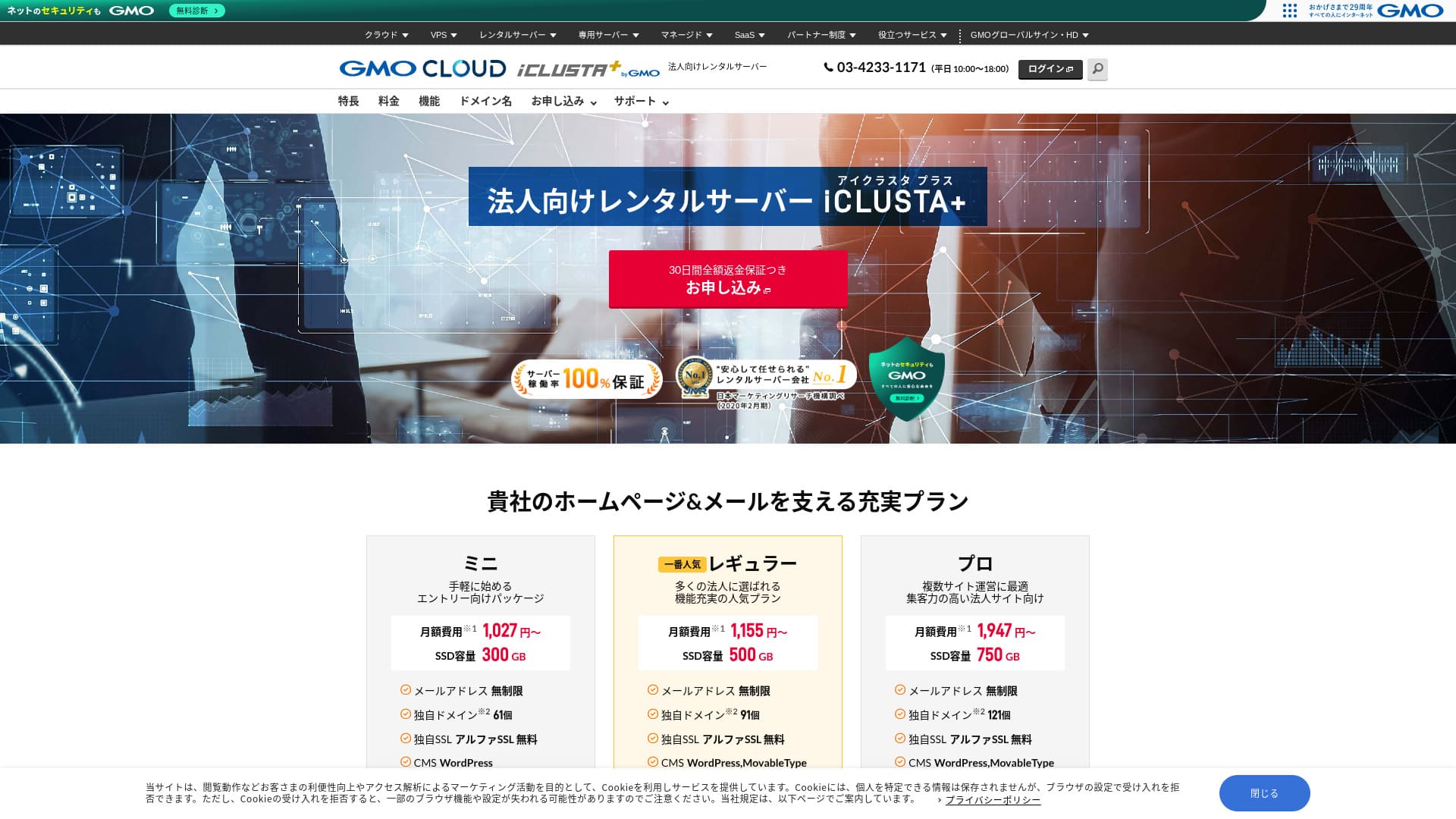
ایک سستا کاروباری سرور جس پر آپ اعتماد کے ساتھ بھروسا کر سکتے ہیں۔
GMO GlobalSign Holdings K۔K۔ چلاتی ہےiCLUSTA+ byGMOاس میں ایسی خصوصیات اور اسپیسفیکیشنز موجود ہیں جو خاص طور پر کاروبار کے لیے فائدہ مند ہیں۔ افراد بھی اسے استعمال کر سکتے ہیں۔ تاہم، وہ جامع سروس جو کاروبار کی عملی ضروریات کو پورا کرتی ہے، کمپنی کے لیے سرور منتخب کرتے وقت اسے ایک مضبوط امیدوار بناتی ہے۔چونکہ اس کی لاگت اور کارکردگی کا توازن بہترین ہے، اس لیے چھوٹے کاروبار بھی اسے آسانی سے اختیار کر سکتے ہیں۔
تاہم، اس میں کچھ خامیاں بھی ہیں، اور اگر آپ ایک انتہائی اعلیٰ خصوصیات والے سرور کی تلاش میں ہیں تو دیگر آپشنز پر غور کرنے کی گنجائش موجود ہے۔ اس مضمون میں، میںiCLUSTA+ byGMOکے بارے میں کھل کر بات کرتا ہوں، اور WordPress شروع کرنے کا طریقہ بھی واضح اور آسان انداز میں بتاتا ہوں۔
Complete Comparison of 32 WordPress Rental سرورز: Recommendations for افراد, Businesses, and Overseas Use

If you think, "I want to start WordPress," and search for "recommended WordPress hosting," you will find an enormous range of articles, covering everything from سرورز for personal use and for businesses or small کمپنیاں to overseas hosting and low-cost سرورز۔ Honestly,
- It is hard to know which site to trust۔
- I want to choose a سرور in a simple, easy-to-understand way!
- I want to know how I can start WordPress right away۔
Isn't that exactly how you feel? That is why this article carefully selects and introduces recommended آپشنز from 32 rental سرور کمپنیاں forفرد use, کاروبار use, domestic use, and overseas use۔ The explanation is written by the SEO specialist of an app development کمپنی that uses rental سرورز every day۔
iCLUSTA+ Reviews: Affordable کاروبار سرورز Starting at Around ¥1,000 فی ماہ
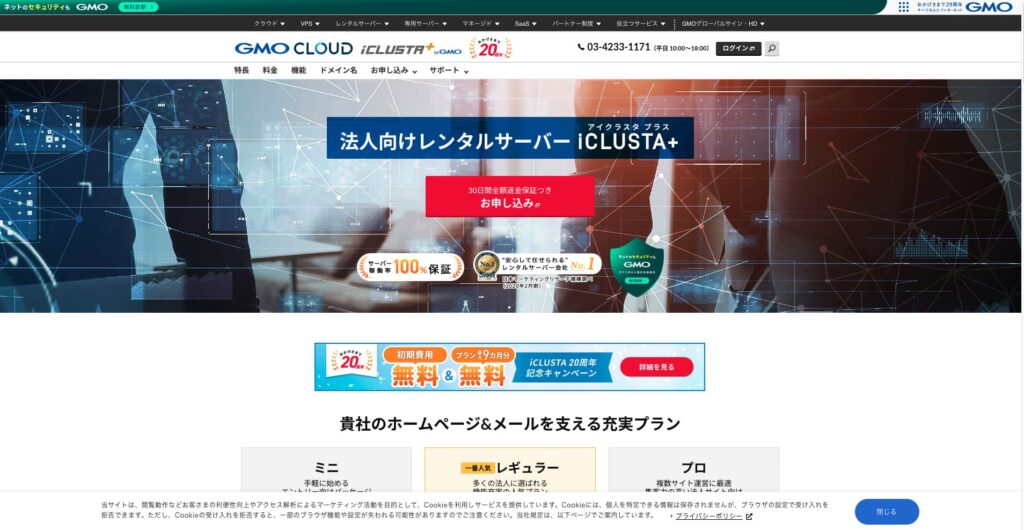
“iCLUSTA+ byGMO” is a سرور backed by 25 years of experience from GMO GlobalSign Holdings K۔K۔ It is affordable to use۔ Even so, it is مستحکم enough to carry a 100% اپ ٹائم guarantee, making it a recommended آپشن for small and medium-sized businesses and corporations that want to keep costs down۔

| سرور types | Shared سرور |
| Load time (TTFB) | Not measured |
| Recommended plans and contract periods | Mini 12 months |
| Trial period & Money-back guarantee | 30-day money-back guarantee |
| ماہانہ فیس (12-ماہ contract) | 1,027 yen |
| Initial setup فیس | 5,500 yen |
| مفت ڈومین | None |
| سپورٹ | اوقاتِ کار are 10:00 AM to 6:00 PM weekdays۔ ای میل سپورٹ is دستیاب 24 hours a day, 365 days a year۔ |
| اپ ٹائم | 100% ضمانت شدہ |
| سرور capacity | Web 180GB / Mail 120GB |
| Database Count | Unlimited |
| سیکیورٹی Measures | Intrusion Prevention System (IPS) / Overseas Web Access Restriction Function / GMO Cyberattack NetdeDiagnosis |
| SSL | Dedicated SSL Certificates AlphaSSL / GlobalSign One-Click SSL / GlobalSign Corporate Authentication SSL / GlobalSign EV SSL |
| بیک اپ/Restore | Remote بیک اپ to Distant Locations for 7 Generations(¥770 فی ماہ*) / مفت Restore |
| Number of ای میل اکاؤنٹس | Unlimited |
| ای میل سیکیورٹی Measures | POP over SSL / SMTP over SSL / SMTPAuth / STARTTLS / ای میل Filters / Spam Filters / ای میل Virus Removal Service / DKIM Settings |
| سرور/Website منتقلی Service | Full منتقلی ¥33,000 |
| WordPress Pre-installed | None |
| CDN | None |
Five Key خصوصیات of iCLUSTA+

100% اپ ٹائم کی ضمانت
iCLUSTA+ byGMOکی سب سے بڑی طاقت اس کا استحکام ہے۔SLA 100% اپ ٹائم کی ضمانت دیتا ہے۔آپ فطری طور پر اس کے ریکارڈ کے بارے میں جاننا چاہیں گے۔ یہthis page۔
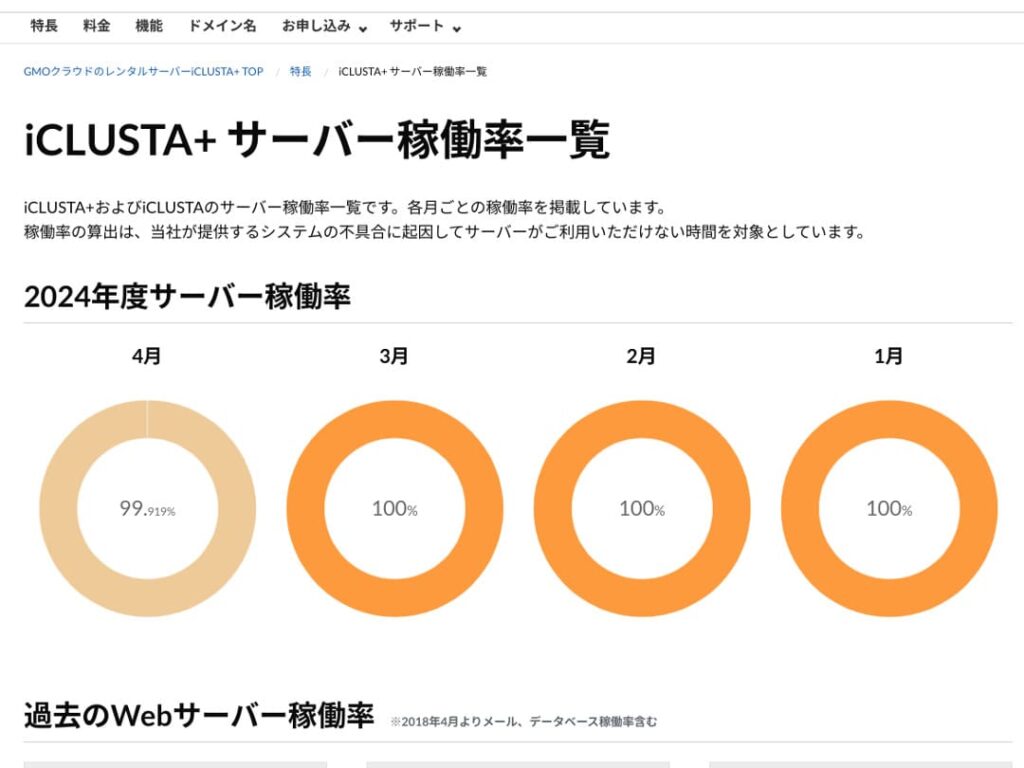
آپ شاید “اپریل میں 99۔919%” کے بارے میں سوچیں، لیکن حقیقت یہ ہے کہ یہ ایک ایسا سرور ہے جو اپنی کارکردگی کے بارے میں کھلے دل سے معلومات دیتا ہے، اور یہی اسے قابلِ اعتماد بناتا ہے۔ دراصل، اپریل 2024 کے دوران 30 دنوں میں تقریباً 35 منٹ کا ڈاؤن ٹائم تھا۔ ڈاؤن ٹائم تو ڈاؤن ٹائم ہی ہے، لیکن یہ نہایت کم تھا۔
مزید یہ کہ چونکہ SLA 100% اپ ٹائم کی ضمانت دیتا ہے، اس لیے اپریل 2024 میں شرائط کے مطابق استعمالی فیس کا 10% واپس کیا گیا۔ یہ چھوٹی سی واپسی بھی کمپنی کی دیانت داری کے عزم کی عکاسی کرتی ہے۔
★ابتدائی رہنما: رینٹل سرور کے اپ ٹائم اور SLA کو سمجھنا
مفت فون سپورٹ اور اوقاتِ کار کے بعد ای میل / FAX سپورٹ
iCLUSTA+ byGMOتمام پلانز میں مفت فون سپورٹ فراہم کرتا ہے۔ یہ سپورٹ پیر سے جمعہ، صبح 10:00 بجے سے شام 6:00 بجے تک دستیاب ہے۔ ان اوقات کے علاوہ، بشمول شام، ویک اینڈ اور تعطیلات، تکنیکی ای میل سپورٹ ہمیشہ دستیاب رہتی ہے۔
تکنیکی ای میل سپورٹ اوقاتِ کار کے بعد سرور کے استعمال سے متعلق مسائل کی مدد کرتی ہے۔ اس کا مطلب یہ ہے کہ سرور استعمال کرتے وقت اگر آپ کو کوئی تکنیکی مسئلہ پیش آئے تو آپ تنہا نہیں رہیں گے۔
کوٹ اور انوائس بنانے کی سہولت دستیاب ہے
کاروباروں کو اکاؤنٹنگ کے نقطۂ نظر سے انوائسز اور کوٹس کی ضرورت ہو سکتی ہے؛iCLUSTA+ byGMOoffers a solution۔allows you to receive a کوٹ via theکوٹ formwithin the کوٹ form۔
Additionally, انوائسز can be issued when you sign up for new contracts, such as bank transfers and direct debits۔
Receipts are stored according to the payment basis for each payment, such as those from ATMs۔
Comprehensive ای میل خصوصیات
iCLUSTA+ byGMOboasts a comprehensive suite of ای میل خصوصیات۔
You can have an unlimited number of ای میل addresses۔ Furthermore,at the time of signing up, you can freely determine the web and ای میل capacity۔ The web capacity is for related website content۔ For ای میل capacity, the Mini Plan allows you to allocate up to 119GB۔
However, using multiple ڈومینز and creating mailing lists both incur a ماہانہ فیس of ¥220۔ If you plan to use mailing lists for mass internal ای میل distribution, be aware of this additional cost۔
مفت AlphaSSL SSL
iCLUSTA+ byGMOoffers مفت use of AlphaSSL۔ When it comes to مفت Let’s Encrypt SSL, that’s a well-known name۔AlphaSSL is a more reliable SSL certificate that typically costs 6,600 yen فی ماہ۔
★SSL and TLS: The Encryption Mechanism to Protect Information and Its Benefits
Honestly Presented iCLUSTA+’s Drawbacks

iCLUSTA+ byGMOis a good سرور for businesses, but it does have some drawbacks۔
A 10% surcharge for basic charges will occur۔
iCLUSTA+ byGMOincurs a surcharge فیس in addition to the base فیس۔ Currently 10%, but this may change in the future۔ Given the current global economic situation, there are understandable concerns about potential قیمت increases۔
بیک اپس are a paid آپشن
iCLUSTA+ byGMOincurs charges for بیک اپس۔
For the mini plan, the ماہانہ فیس is 770 yen۔ Frankly, it’s expensive for the cost of renting another سرور, even if it’s only one۔ It offers up to 7 generations of بیک اپس with unlimited storage capacity, which is impressive in terms of اسپیسفیکیشنز۔
However, if you choose WordPress for your website, you can install WordPress plugins for بیک اپ and restore, which don’t cost anything۔
★Data Recovery: Top 5 WordPress Plugins
Comparing iCLUSTA+ byGMO with two competing سرورز
KAGOYA JAPAN
KAGOYA JAPAN alsoiCLUSTA+ byGMOlike, offering a highly utilized سرور that is مستحکم and supported by businesses۔
KAGOYA JAPAN’s WP سرور Grade 1 Plan can be used for a ماہانہ فیس of 440 yen۔It has بیک اپ خصوصیات, making it more affordable to start than iCLUSTA+ سرور costs۔
However, the Lite 1 Core/4GB plan has a bandwidth limit of 100Mbps, which creates some uncertainty about سرور speed۔ It also uses Let’s Encrypt, a مفت, custom SSL۔It’s a relief that iCLUSTA+ offers AlphaSSL۔
It’s a choice of two کمپنیاں to carefully consider قیمت and خصوصیات۔

KAGOYA JAPAN ساکھ! 61,000 Businesses Using It, Examining the Value for Money of WordPress-Dedicated سرورز
KAGOYA JAPAN ساکھ! 61,000 Businesses Using It, Examining the Value for Money of WordPress-Dedicated سرورز
serverfield.org
XServer کاروبار
A major domestic سرور provider,Xserver کاروبارis offered byiCLUSTA+ byGMO۔ Compared to iCLUSTA+, it has a higher قیمت۔ The initial cost is ¥16,500۔With a 12-ماہ contract, the ماہانہ فیس is ¥4,180, which is nearly four times the cost of iCLUSTA+۔
It boasts a 99۔99% اپ ٹائم guarantee and connects to a high-speed 10Gbps line۔ This delivers the specs needed to display websites and emails smoothly, and it also includes a 14-day automatic بیک اپ function۔iCLUSTA+ byGMOdoesn’t require you to pay extra fees like۔
However,iCLUSTA+ byGMOis not likewhere آپ استعمال کر سکتے ہیں a مفت, dedicated SSL۔ If you opt for a paid cloud SSL, it will cost 880 yen فی ماہ۔ SSL has become a standard سیکیورٹی measure for websites in recent years, and is therefore highly valued۔ Consequently, the مفت alpha SSL offered withiniCLUSTA+ byGMOis a significant advantage۔
If you’re looking to cut costs, you can definitely start by considering iCLUSTA+۔

XServer کاروبار ساکھ & جائزہ! Thoroughly Verifying the Latest Speed, قیمتیں, and خصوصیات
XServer کاروبار ساکھ & جائزہ! Thoroughly Verifying the Latest Speed, قیمتیں, and خصوصیات
serverfield.org
7 Steps to Start Your WordPress Website with iCLUSTA+ Right Now
Start your website with iCLUSTA+!
- Step 1Visit the Official Website iCLUSTA+ byGMO Rental سرور
Click “Sign Up with Full Money-Back Guarantee”
- STEP۔2سرور Application
Choose a plan۔ iCLUSTA+ Mini is recommended۔ You can upgrade to a higher plan with more اسپیسفیکیشنز later if needed۔ Let’s start with the cheapest mini plan۔
The contract period is advantageous at 24 months, but you can also start with a one-ماہ payment۔
You can leave the disk capacity as is۔ Websites don’t typically use much disk space۔ If you plan to use ای میل, it’s better to allocate the maximum possible ای میل capacity rather than reducing it۔
Select MySQL as an آپشن service۔ MySQL, the database for WordPress, is necessary to start using WordPress۔
★What is a Database? An essential component for WordPress in management and operation
Click “Next”۔
Choose a ڈومین name۔ Let’s select “Register a new ڈومین name”۔ Enter the desired ڈومین name string and search for it۔
★What is a ڈومین? Its role as a web address and how to obtain it
You can choose root ڈومینز like “۔com” and “۔co۔jp”۔ The cost of acquisition and renewal varies depending on the root ڈومین۔ If you’re a کاروبار, we recommend “۔co۔jp” as much as possible۔ For افراد, “۔com” or “۔net” is recommended۔ These are widely familiar ڈومینز, making them less suspicious and easier for people to access۔
Check the desired ڈومین and click “Proceed to Apply”۔
Click “Next”۔ Enter your customer information۔ Select “Continue” for “First-time Customers”۔
Enter details such as کمپنی name, name, and address۔ Also, enter payment information۔ Credit card payments are recommended for quickly creating your website۔
Read and agree to the privacy policy and personal information matters۔ If you agree, click “Proceed to Next”۔
جائزہ the application details and submit your application۔
For first-time users, set up your ای میل address and password۔ Agree to the terms of service and privacy policy and click “Next”۔
- Step 3Database Creation and WordPress Installation
From the PlanManager database, click “Add Instance۔” Then, set the following information:
- Instance Settings: Version – Leave as is
- Instance Settings: Password – Automatically generated
- Instance Settings: Comment – Leave blank
- Admin User: Leave as is
- New Database: Database Name – Leave as is
Click “Save,” and you’ll see “Instance created” displayed۔
Next, proceed with WordPress installation۔ In PlanManager, click “Applications” then “App Installer۔”
Select WordPress and click “Proceed to Installation Settings۔” Configure as follows:
- Installation Directory: Anywhere is fine
- MySQL Database: Select the instance and database you created earlier۔ The table prefix can remain as is۔
- PHP Version: Leave as is
- Terms of Service: If you agree, check “Accept۔”
After entering all information, click “Start Installation۔”
Once the installation is complete, proceed with the initial setup۔ Click “Proceed to Initial Settings۔” Set the following:
- Site Title:
- Username:Anything you like, but be aware that changing it later can be time-consuming۔
- Password:Make it as complex as possible – you can easily change it later۔
- ای میل Address:Your usual ای میل۔ For businesses, we recommend using a corporate ای میل address for website management۔
- Display in Search Engines:Check this box if you want to make your site visible in search engines۔
After entering all information, click “Install WordPress۔”
Remember that you’ll use your ای میل address and password to log in to WordPress۔ Make sure to note them down۔After reviewing the registration details, click “Create۔”
- Step 4WordPress Basic Setup
Click “Move to List۔” You’ll see a list of WordPress installations۔ Click the “Login” link for the ڈومین where you recently installed WordPress۔
In the WordPress login screen that appears, enter the username/password you set during installation and click “Login۔”
Once you’re logged into WordPress, let’s set your permalinks۔ From the “Settings” section in the WordPress admin panel, go to “Permalink Settings۔” Select “Post name۔” Then, click “Save Changes۔”
Using “Post name” allows you to enter any string you like in the URLs when you publish articles۔ It’s recommended to use a short string that represents the content of the article, as this makes it easier for readers to find the page when they visit your homepage۔ Too long a URL might make visitors nervous۔
- STEP۔5Plugin Installation
Return to the WordPress administration panel and proceed to “Plugins” > “Add New” to install the necessary plugins۔
When you find a plugin you want to install via search, click “Install Now” and then “Activate۔” Afterward, follow the instructions for each plugin۔
It is essential to install سیکیورٹی and بیک اپ plugins۔
- Top 5 WordPress Plugins to Enhance سیکیورٹی and How to Choose Them
- Top 5 WordPress بیک اپ Plugins to Retrieve Your Data
Now that you’ve installed the plugins, you’re completely prepared for your WordPress website!
Summary
“iCLUSTA+ byGMO” is a سرور backed by 25 years of experience from GMO GlobalSign Holdings K۔K۔ It is affordable to use۔ Even so, it is مستحکم enough to carry a 100% اپ ٹائم guarantee, making it a recommended آپشن for small and medium-sized businesses and corporations that want to keep costs down۔
مفت initial setup, up to 9 months of سرور usage مفت, and a 30-day money-back guarantee۔
iCLUSTA+ byGMOis a rental سرور for businesses۔ You can start with ماہانہ fees in the ¥1,000 range, while maintaining a 100% اپ ٹائم and استحکام, which is very attractive for businesses looking to keep costs down۔ We highly recommend giving it a آزما سکتے ہیں, especially for businesses looking to minimize expenses۔
Complete Comparison of 32 WordPress Rental سرورز: Recommendations for افراد, Businesses, and Overseas Use
If you think, "I want to start WordPress," and search for "recommended WordPress hosting," you will find an enormous range of articles, covering everything from سرورز for personal use and for businesses or small کمپنیاں to overseas hosting and low-cost سرورز۔ Honestly,
- It is hard to know which site to trust۔
- I want to choose a سرور in a simple, easy-to-understand way!
- I want to know how I can start WordPress right away۔
Isn't that exactly how you feel? That is why this article carefully selects and introduces recommended آپشنز from 32 rental سرور کمپنیاں forفرد use, کاروبار use, domestic use, and overseas use۔ The explanation is written by the SEO specialist of an app development کمپنی that uses rental سرورز every day۔