30 روزہ رقم واپسی کی گارنٹی
PR
سرورز
Bluehost جائزہ [2024 ایڈیشن]: WordPress کی طرف سے باضابطہ تجویز کردہ، خوبیوں، خامیوں اور سیٹ اپ رہنما کے ساتھ
شائع شدہ: 2025.07.13
تازہ کاری: 2025.07.13
درجہ بندی: 4.0
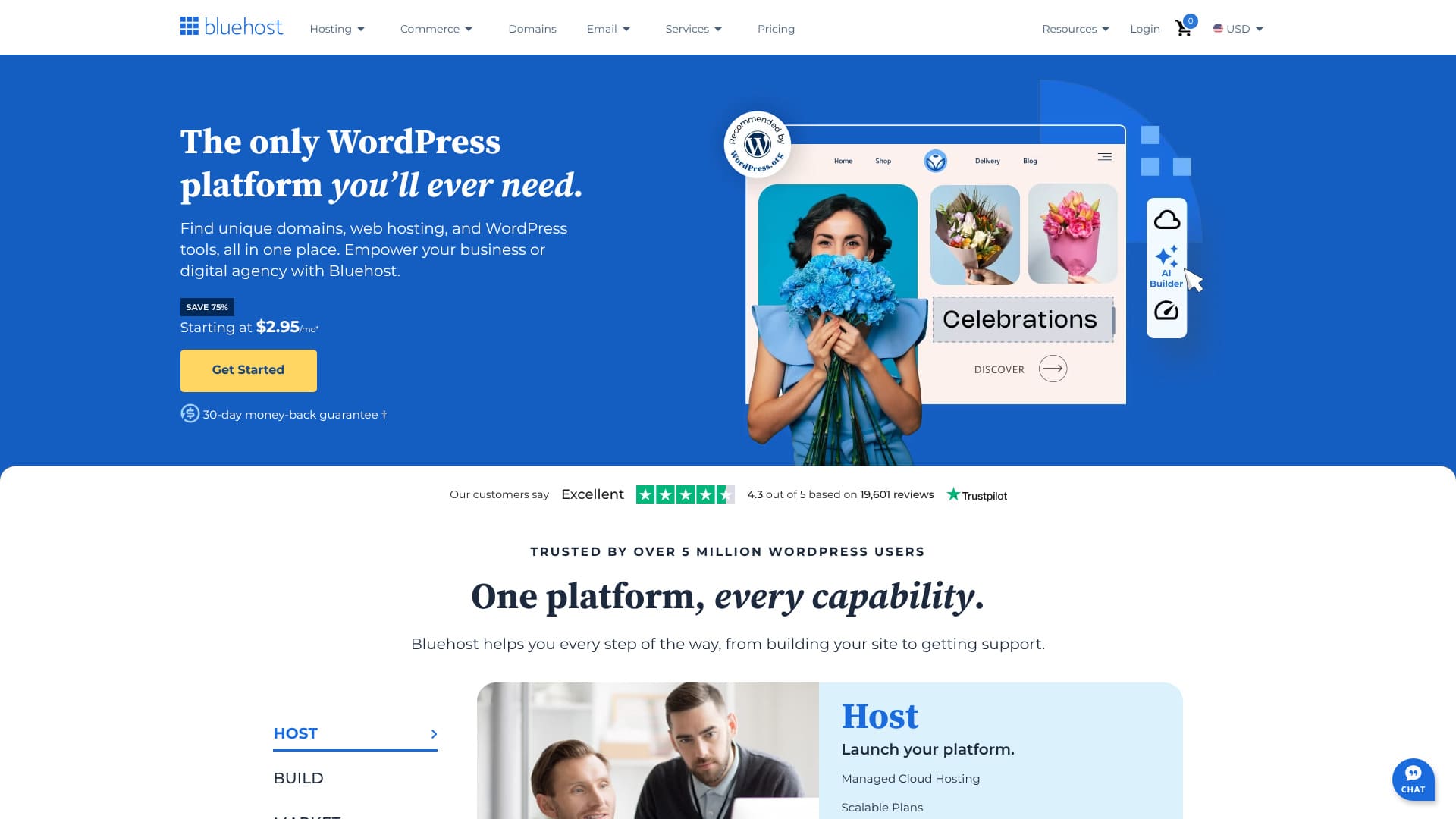
WordPress.org کی طرف سے باضابطہ تجویز کردہ سرور۔
Bluehost is an overseas server that powers millions of websites. Its headquarters are in Utah, USA. Even though it is inexpensive, its support system is excellent.
However, it also has drawbacks. In this article, I explain Bluehost's reputation and how to start using WordPress.
Bluehost جائزہ: WordPress کی طرف سے باضابطہ تجویز کردہ سرور

“Bluehost” is a world-famous hosting company headquartered in Florida, USA. It is trusted as one of the servers officially recommended by WordPress. Even though the quality is high, it is available at a low price, so I highly recommend it.
| سرور کی قسم | مشترکہ سرور |
| ڈسپلے رفتار (TTFB) | 420 ملی سیکنڈ |
| تجویز کردہ پلان اور معاہدے کی مدت | Basic، 12 ماہ |
| آزمائشی مدت / رقم واپسی کی گارنٹی | 30 روزہ رقم واپسی کی گارنٹی |
| ماہانہ فیس (12 ماہ کا معاہدہ) | $2.95 (432 ین) |
| ابتدائی انتظامی فیس | Free |
| مفت ڈومین | پہلے سال کے لیے 1 مفت |
| سپورٹ | 24/7 chat |
| اپ ٹائم | 100% |
| سرور اسٹوریج | 10 GB |
| ڈیٹا بیس کی تعداد | 10 |
| سیکیورٹی اقدامات | میل ویئر اسکیننگ، SiteLock |
| SSL | مفت کسٹم SSL |
| بیک اپ / بحالی | None |
| ای میل اکاؤنٹس کی تعداد | None |
| ای میل سیکیورٹی اقدامات | None |
| سرور / ویب سائٹ منتقلی سروس | None |
| WordPress پہلے سے نصب | None |
| CDN | Free |
| ڈیٹا سینٹرز | Utah, USA / Orem, USA / London, UK / Shanghai, China / Hong Kong / Mumbai, India |
Bluehost WordPress کی طرف سے باضابطہ تجویز کردہ سرورز میں سے ایک ہے۔
Bluehost is WordPress.org’s longest running recommended host and offers the ultimate WordPress platform that powers millions of websites.
WordPress Hosting
Get web hosting from some of the best providers
That alone gives you peace of mind, doesn't it?
Bluehost کی چھ خصوصیات

یہ معیاری سرور رفتار فراہم کرتا ہے
According to our own testing on this site, Bluehost delivered standard server speed.
Compared with ultra-fast domestic servers, it does not stand out, but Bluehost's server response time of 420 ملی سیکنڈ TTFB is not excessively slow. It is fast enough to use comfortably.
★ Speed tested! A comparison of 15 rental servers in our speed ranking
24/7 سپورٹ
Bluehost 24 گھنٹے، سال کے 365 دن سپورٹ فراہم کرتا ہے۔ It is reassuring to know that you can contact the server company whenever you need to.
By the way, I used the chat at 11:00 a.m. Japan time. It was 8:00 p.m. in Utah, USA. Even so, a representative answered my question immediately.
AI سائٹ تخلیق
Bluehost AI کے ساتھ سائٹ بنا سکتا ہے۔ You simply answer a few questions, and the AI creates a WordPress site for you.
That means you are fine even if you do not have WordPress skills or any experience creating a website.
100% اپ ٹائم کا استحکام
Bluehost کا اپ ٹائم 100% ہے۔ سرور انتہائی مستحکم ہے۔ Because the server is stable, running your website and your email operations also becomes stable.
★ A beginner's guide to rental server uptime and SLAs
When a server does not disclose its uptime, it is hard to know how stable it really is, and that can be unsettling. But with Bluehost, you can use it with confidence because the uptime is 100%.
آپ CDN مفت استعمال کر سکتے ہیں
Bluehost CDN مفت فراہم کرتا ہے۔ Because a CDN is available, users who access your website can view it from the server closest to them. This shortens loading time and makes the website more comfortable to view.
★ What Is a CDN? Improve speed and performance with a network of servers
Many server companies in Japan do not provide a free CDN. Compared with them, Bluehost's free CDN is quite a good deal.
یہ ماہانہ $2.95 پر سستا ہے
Even though Bluehost is a stable server, you can use it for the low price of $2.95 per month. Let's compare it with other server companies.
- ابتدائی انتظامی فیس
- 12-month server contract
- Cost of one year of domain fees
- The lowest-priced plan that can run WordPress
| Server company | Total cost for one year |
|---|---|
| Bluehost | 5,303 yen |
| Lolipop! | 5,940 yen |
| ConoHa WING | 11,292 yen |
| Xserver | 10,560 yen |
| mixhost | 8,712 yen |
I compared it with major server companies in Japan. It costs about the same as Lolipop!, which is famous for being inexpensive. That means it is very cheap.
Bluehost کی خامی یہ ہے کہ یہ جاپانی کی حمایت نہیں کرتا

Because it is an overseas server, this is unavoidable, but Bluehost's lack of Japanese support is a drawback. You have to configure the server and use the knowledge base while making good use of tools such as Google Translate.
If you do not speak English, everything you do will take more time.
Bluehost کا دو حریف سرورز سے موازنہ
I compared Bluehost with competing servers in Japan and overseas.
ConoHa WING
ConoHa WING is a server that focuses on server speed and ease of use. Your WordPress website is completed when you sign up for the server. Because of that, you do not end up in the disappointing situation of thinking, “I signed up for a server, but it was too difficult and I could not get WordPress started.”
However, Bluehost costs less than ConoHa WING. When you think about price, Bluehost is a good option.

ConoHa WING Review: Testing the speed, pros, and cons behind why 750,000 users choose it
ConoHa WING Review: Testing the speed, pros, and cons behind why 750,000 users choose it
serverfield.org
Kinsta
Kinsta is described as a top-tier server. WordPress pages display comfortably on it. Google had also introduced Kinsta as one of the best servers.
However, Kinsta's server fees are high. Because Bluehost costs about one-tenth as much, I recommend Bluehost if price matters most to you.
| Comparison | Bluehost | Kinsta |
|---|---|---|
| Biggest strength | Outstanding stability | Reputation as a top-tier server |
| آزمائشی مدت / رقم واپسی کی گارنٹی | 30 روزہ رقم واپسی کی گارنٹی | 30 روزہ رقم واپسی کی گارنٹی |
| اپ ٹائم | 100% | 99.9% |
| Storage | 10 GB | 10 GB |
| First-year server cost | 5,303 yen | 31,466 yen |

Kinsta Review: The pros and cons of a Google-recommended ultra-fast server, plus a WordPress setup guide
Kinsta Review: The pros and cons of a Google-recommended ultra-fast server, plus a WordPress setup guide
serverfield.org
Bluehost کے ساتھ ابھی WordPress ویب سائٹ شروع کرنے کے چار مراحل
آئیے Bluehost کے ساتھ اپنی ویب سائٹ شروع کریں!
- STEP.1Bluehost کے لیے سائن اپ کریں
Bluehost کی ویب سائٹ پر جائیں: Visit Bluehost.
پلان منتخب کریں: Select the hosting plan you want. For beginners, the “Basic” plan is the standard choice.
ڈومین منتخب کریں: Decide whether to register a new domain or use an existing one.
- If you register a new domain, enter the domain name you want and click “Next.”
- If you use an existing domain, enter that domain name.
- STEP.2اکاؤنٹ بنائیں
اپنی اکاؤنٹ معلومات درج کریں: Enter your personal information, such as your name, address, and email address.
پیکیج کی معلومات چیک کریں: Choose the contract term and any additional options. It is better to turn off any options you do not need.
اپنی ادائیگی کی معلومات درج کریں: Enter your credit card information and complete the payment.
- STEP.3WordPress انسٹال کریں
لاگ اِن کریں: لاگ اِن کریں to your Bluehost account.
WordPress انسٹال کریں: In the Bluehost dashboard, choose “My Sites” or “WordPress” and click “Create Site.”
اپنی سائٹ کی معلومات درج کریں: Enter the site name and site tagline.
ڈومین منتخب کریں: Select the domain you registered earlier and choose any plugins you need.
انسٹال کریں: Click “Next” and wait for the installation to finish.
- STEP.4WordPress سیٹ اپ کریں
لاگ اِن کریں to WordPress: Once the installation is complete, a link to the WordPress admin screen appears. Click the link and use the provided login details to log in to WordPress.
تھیم منتخب کریں اور حسبِ ضرورت بنائیں: If you want to change the default theme, go to “Appearance” → “Themes” from the WordPress dashboard, choose a new theme, and customize it.
انسٹال کریں plugins: انسٹال کریں the plugins you need, such as security, SEO, and backup plugins.
خلاصہ
“Bluehost” is a world-famous hosting company headquartered in Florida, USA. It is trusted as one of the servers officially recommended by WordPress. Even though the quality is high, it is available at a low price, so I highly recommend it.
30 روزہ رقم واپسی کی گارنٹی
Bluehost is an overseas server that you can use at a relatively affordable price. Its uptime is stable at 100%, and it also provides support 24 hours a day, 365 days a year.
Except for the fact that it does not support Japanese, it is an excellent server and easy to recommend. Please give it a try.