10-day free trial
PR
VPS
Швидкість понад 130 Мбіт/с: як побудувати Outline VPN на ABLENET VPS
Опубліковано: 2025.06.26
Оновлено: 2025.06.26
Користувачів, які хочуть виходити в інтернет через VPN, стає все більше.
Використання VPN (Virtual Private Network) підвищує безпеку і також дозволяє отримувати доступ до японських сервісів і контенту з-за кордону.
Водночас вас природно турбують швидкість і безпека VPN-з’єднання.
Найкращий спосіб отримати безпечне й швидке VPN-з’єднання — створити власне VPN-середовище. Для цього вам потрібне серверне середовище для VPN. Цього разу я побудував VPN-середовище на основі ABLENET VPS та Outline VPN.
Чому я рекомендую ABLENET VPS
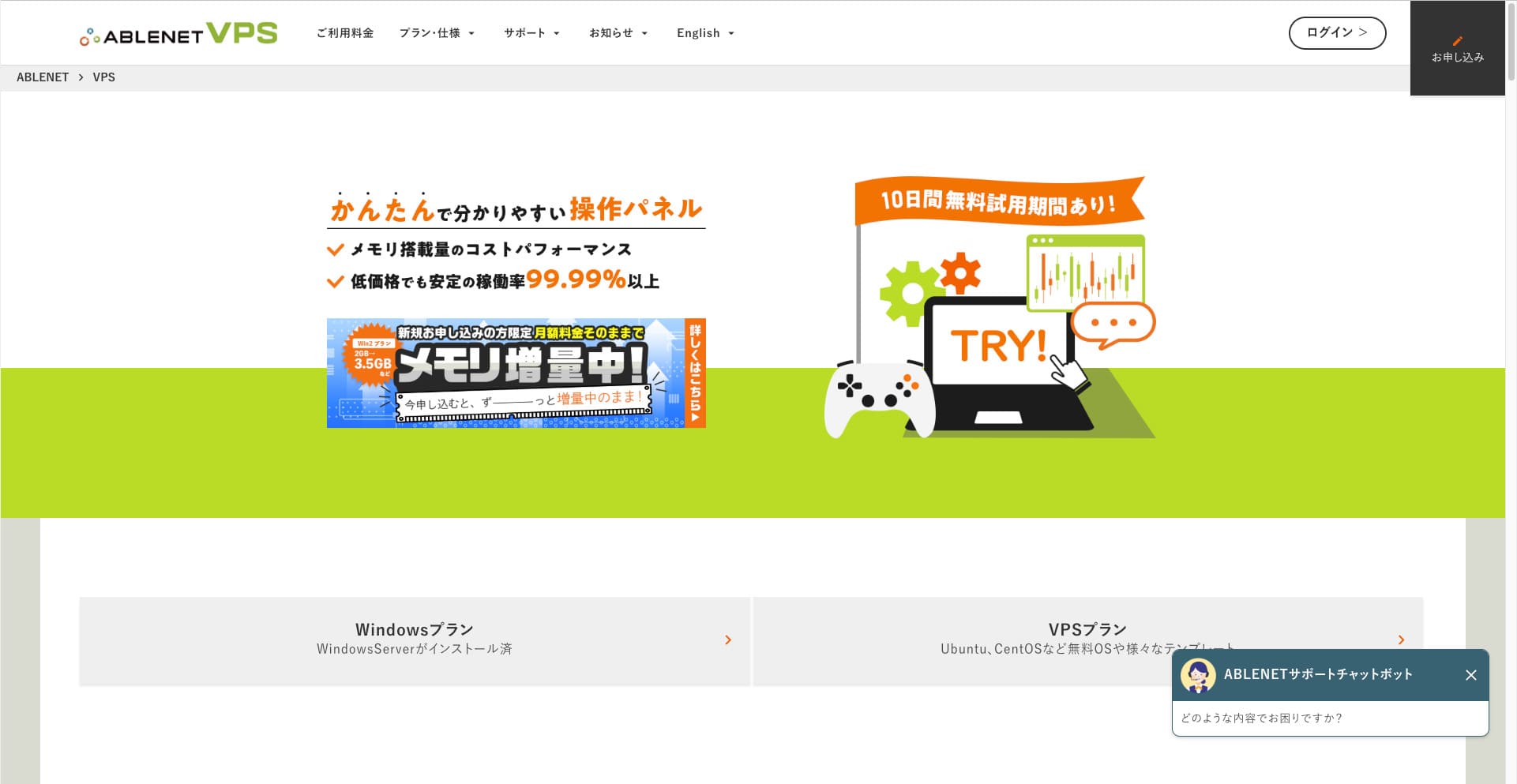
The biggest reason I chose ABLENET VPS is its stability.
- Operating history: Це одна з провідних японських серверних компаній із довгою історією, яка працює вже понад 25 років. Її послуга VPS також доступна з 2011 року.
- Uptime: An uptime of over 99.99% gives you clear, measurable peace of mind.
- Traffic allowance: It also offers unlimited data transfer, making it ideal for use as a VPN.
У Японії Xserver та Sakura Internet також пропонують послуги VPS, але ABLENET не поступається їм у надійності. Безлімітна передача даних зараз є стандартом для багатьох серверних компаній, проте ABLENET був одним із перших.

Hikaru Ono
This information appeared on the official site in the past, but it seems there was even a power user on ABLENET who used 25TB in a single month. You could truly say that the data transfer really was unlimited.
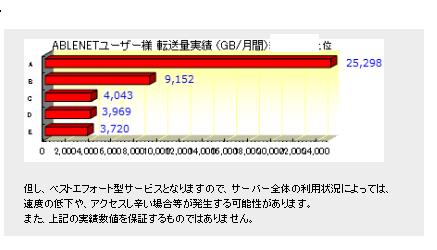
So if you expect heavy data usage for things like watching movies and video content or doing programming work, I recommend building your VPN on ABLENET VPS.
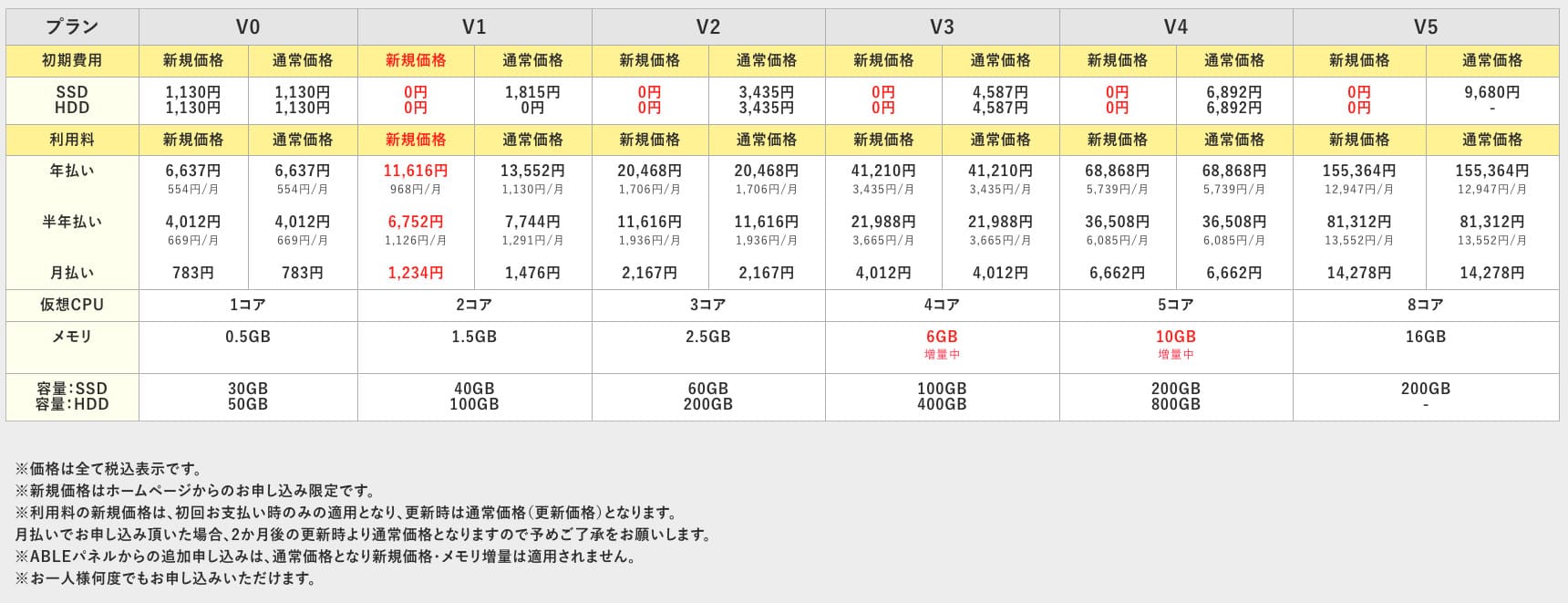
ABLENET VPS is a stable VPS with 99.99% uptime, even though it is affordably priced. It offers a wide range of plans, from the accessible V0 plan with 0.5GB of memory to the high-spec V5 plan with 16GB of memory, so you can find the right option for your needs.

What Is Outline VPN? A Simple VPN Setup Even Beginners Can Understand
VPN (Virtual Private Network) is a technology that creates an encrypted tunnel across the internet and prevents eavesdropping and tampering by third parties. Завдяки маршрутизації трафіку через VPN-сервер ви також можете приховати свою реальну IP-адресу та підвищити рівень анонімності.
Outline VPN is designed to make this kind of VPN connection extremely simple.
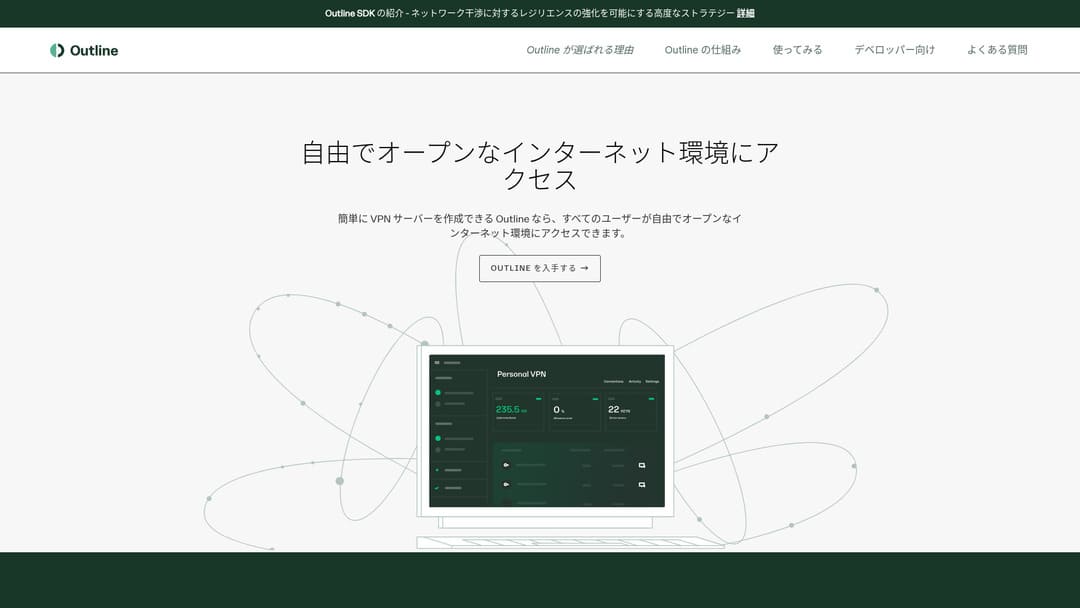
"Outline" is a free and easy application from Jigsaw, a company under Google, that lets you connect through a VPN. Even if you have never set up a VPN before, you can get started in just a few clicks.
Download from the official site
Hikaru Ono
This time, I am using Outline VPN so that anyone can build a VPN easily.
Build Outline VPN on ABLENET VPS in 6 Easy Кроки
Now, let me walk you through the actual process of building Outline VPN on ABLENET VPS in detail.
Крок 1: Початок роботи з ABLENET VPS
If you have not yet signed up for ABLENET VPS, take care of that first.
Get Started with ABLENET VPS
- STEP.1Choose a plan on ABLENET VPS
Go to ABLENET VPS and click "Apply."
You can choose either a Windows plan or a VPS plan. For this VPN setup, use the VPS plan. I recommend the V1 plan with no initial fee and fast SSD storage.
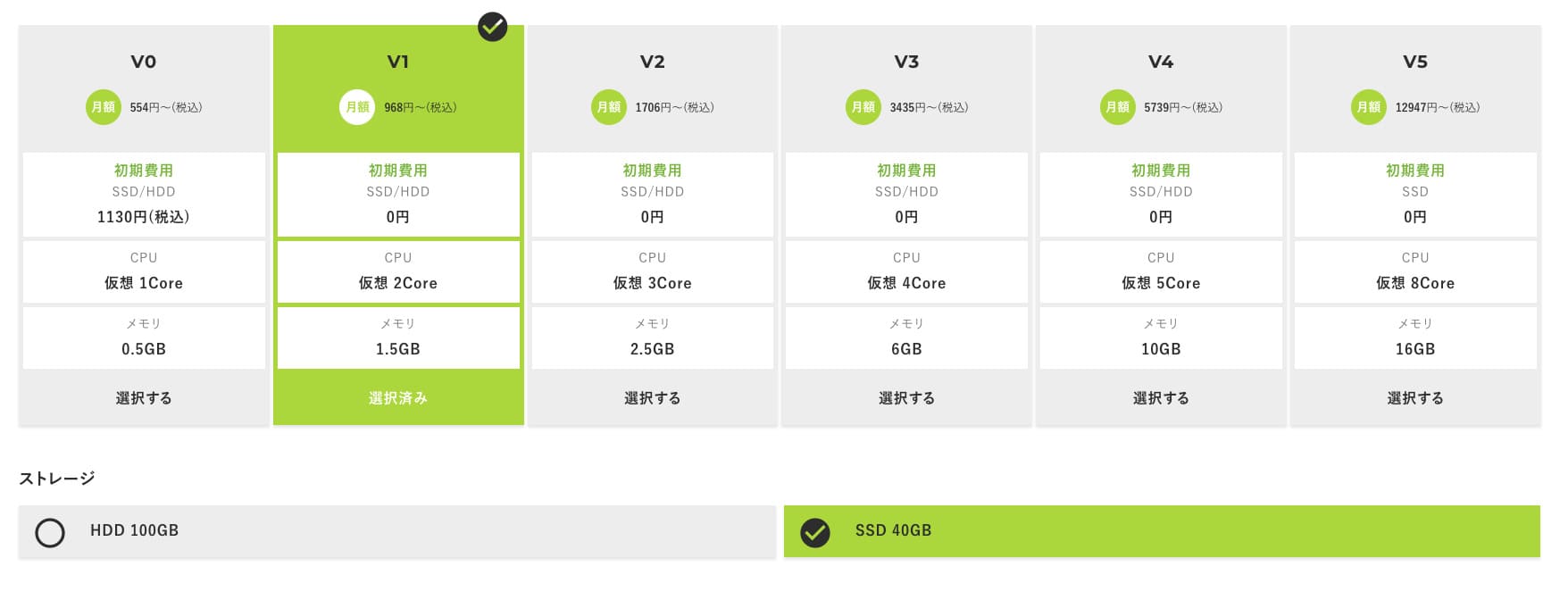
Start with the V1 plan, and if it feels underspecified later, upgrade to V2 or V3. After your service begins, you can request a spec upgrade from the ABLE panel.
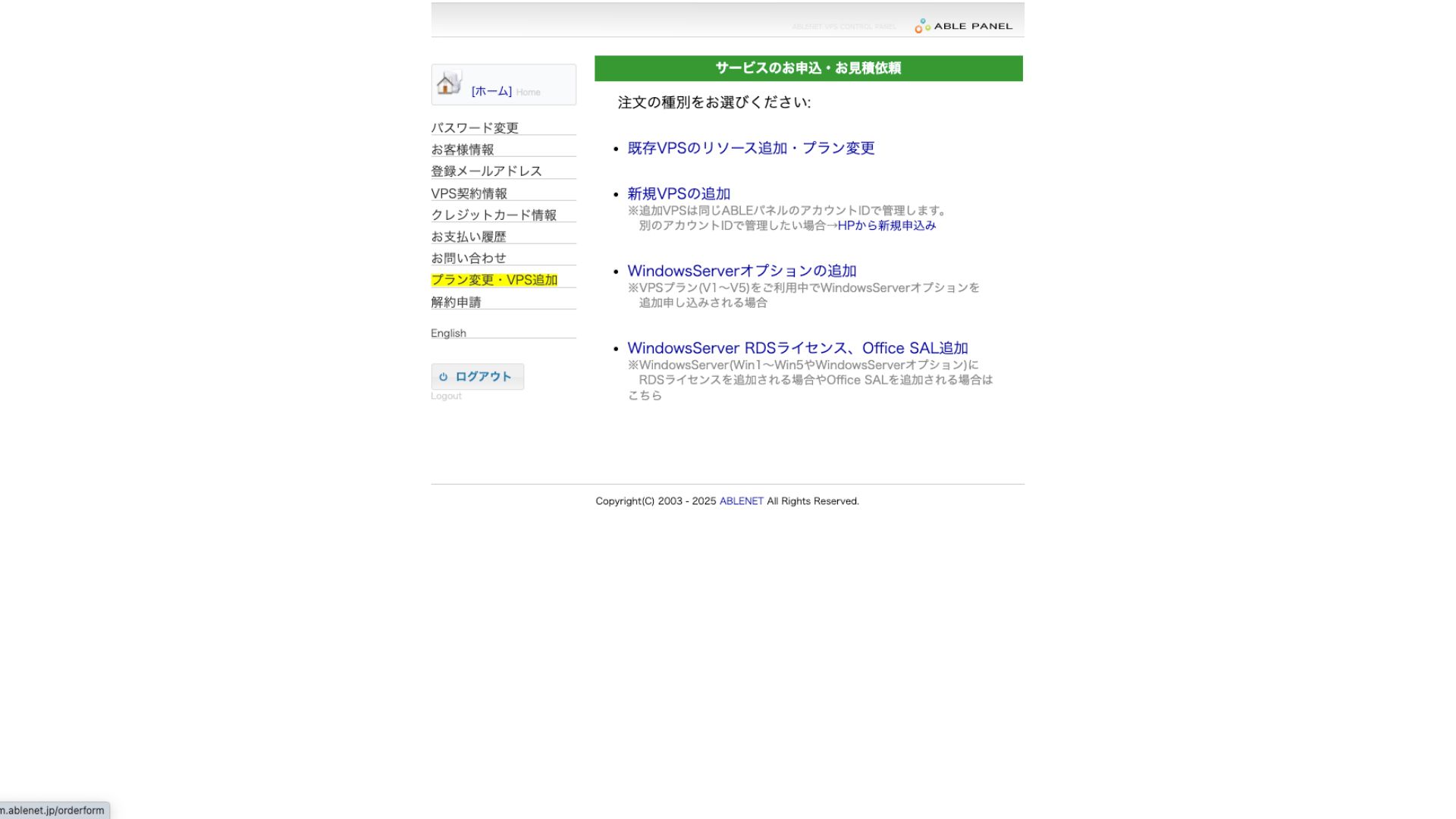
For the payment method, using the credit-card trial period is fine.

Ознайомтеся з умовами використання та поставте відповідний прапорець.
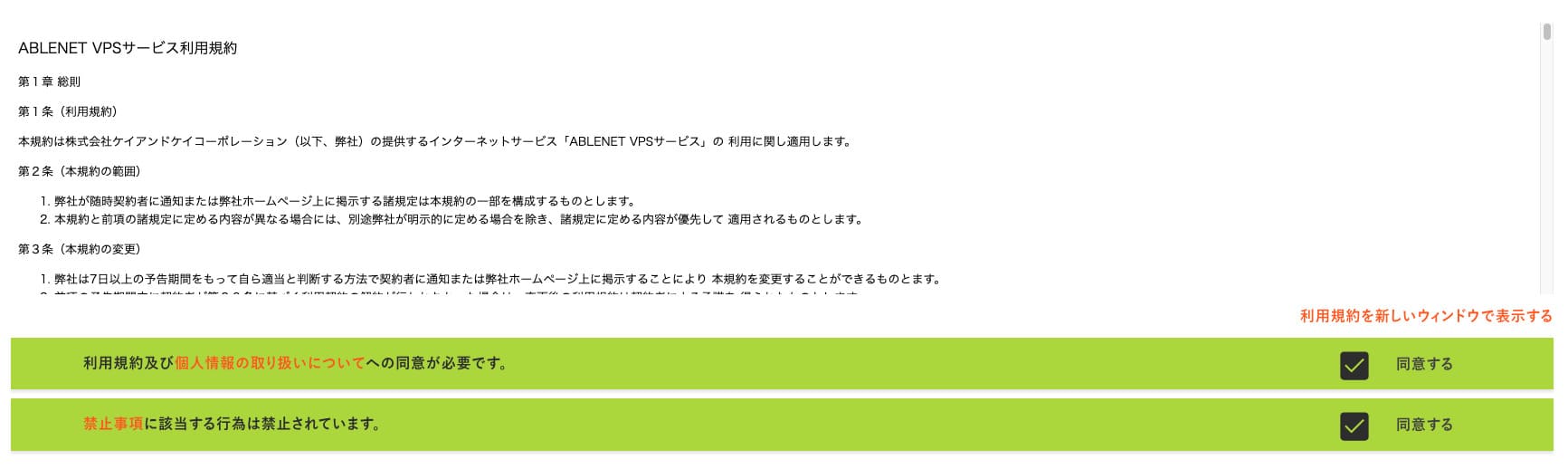
Click "Proceed to select the contract term."
- STEP.2Select the contract term
Річний контракт є вигіднішим варіантом терміну оренди сервера. Оскільки цього разу ми використовуємо тарифний план VPS, жодних додаткових опцій не потрібно.
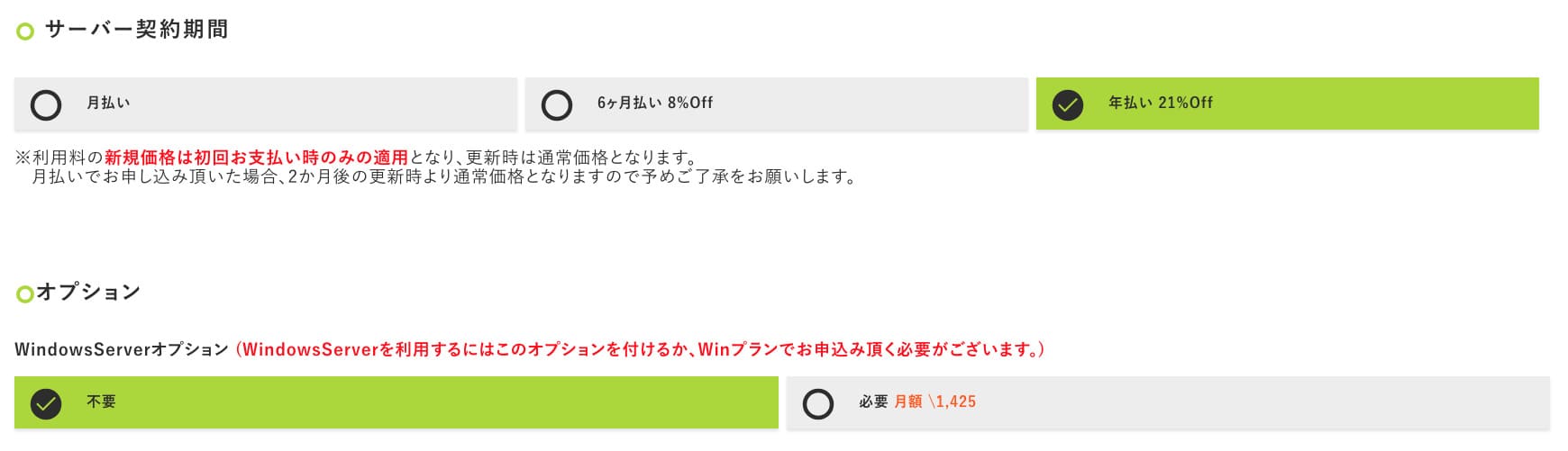
Після заповнення форми натисніть «Перейти до екрана попереднього розрахунку». Ознайомтеся з розрахунком і, якщо все правильно, натисніть «Перейти до введення інформації про заявника».
- STEP.3Enter applicant information
Enter your name, address, and other applicant details. Continue to the order review screen and submit the application.
- STEP.4Enter payment information
If you are paying by credit card, enter the cardholder information and other required details. If everything is correct, click "Confirm order" to submit.
Once you receive the email with your VPS information, the application is complete.
Крок 2: Install Outline Manager - Simple Setup
Далі встановіть Outline Manager на свій комп'ютер, щоб мати змогу налаштовувати VPN-сервер та керувати ним.
Install Outline Manager
- STEP.1Visit the official Outline site
Go to Outline.
- STEP.2Download Outline Manager
From the "Get Outline Manager" section, download the version of Outline Manager that matches your computer's OS (Windows, macOS, or Linux).
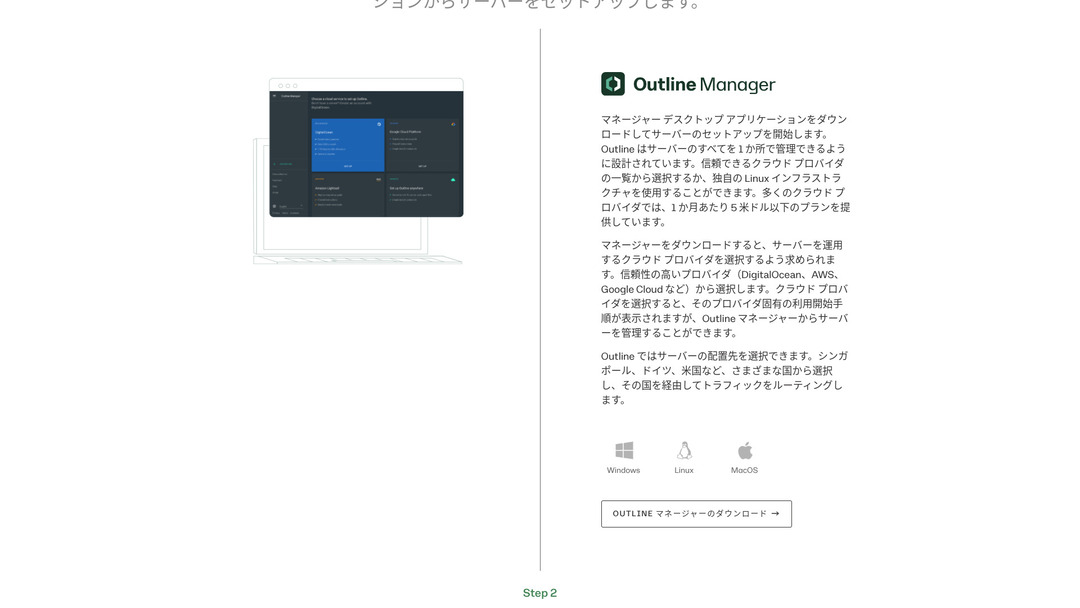
- STEP.3Install
Run the downloaded file and follow the on-screen instructions to install Outline Manager.
Крок 3: Створення сервера Outline на вашому VPS за допомогою Outline Manager
Use Outline Manager to install an Outline сервер on ABLENET VPS.
Build an Outline Server on Your VPS with Outline Manager
- STEP.1Launch Outline Manager
After installation is complete, launch Outline Manager.
- STEP.2Click "Set up сервер"
При першому запуску з'явиться екран налаштування сервера. Натисніть «Налаштувати сервер».
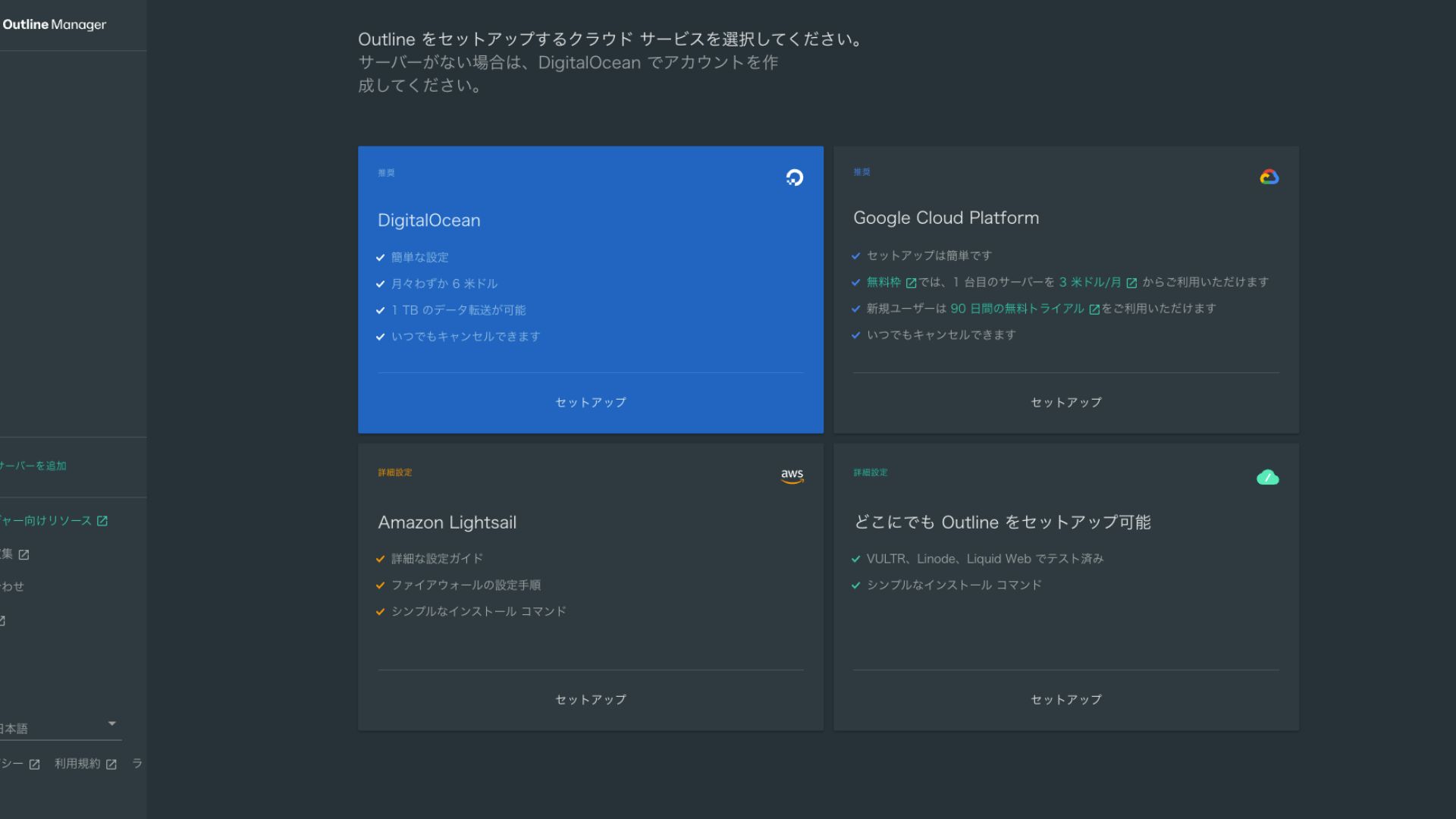
- STEP.3Select "Set up Outline anywhere"
You will see the cloud provider selection screen. Choose "Set up Outline anywhere."
- STEP.4Enter the installation command
На екрані відобразиться команда, яка використовується для встановлення сервера Outline на ваш VPS. Введіть цю команду вручну.
Hikaru OnoBecause you cannot copy and paste it, be careful not to make any mistakes.
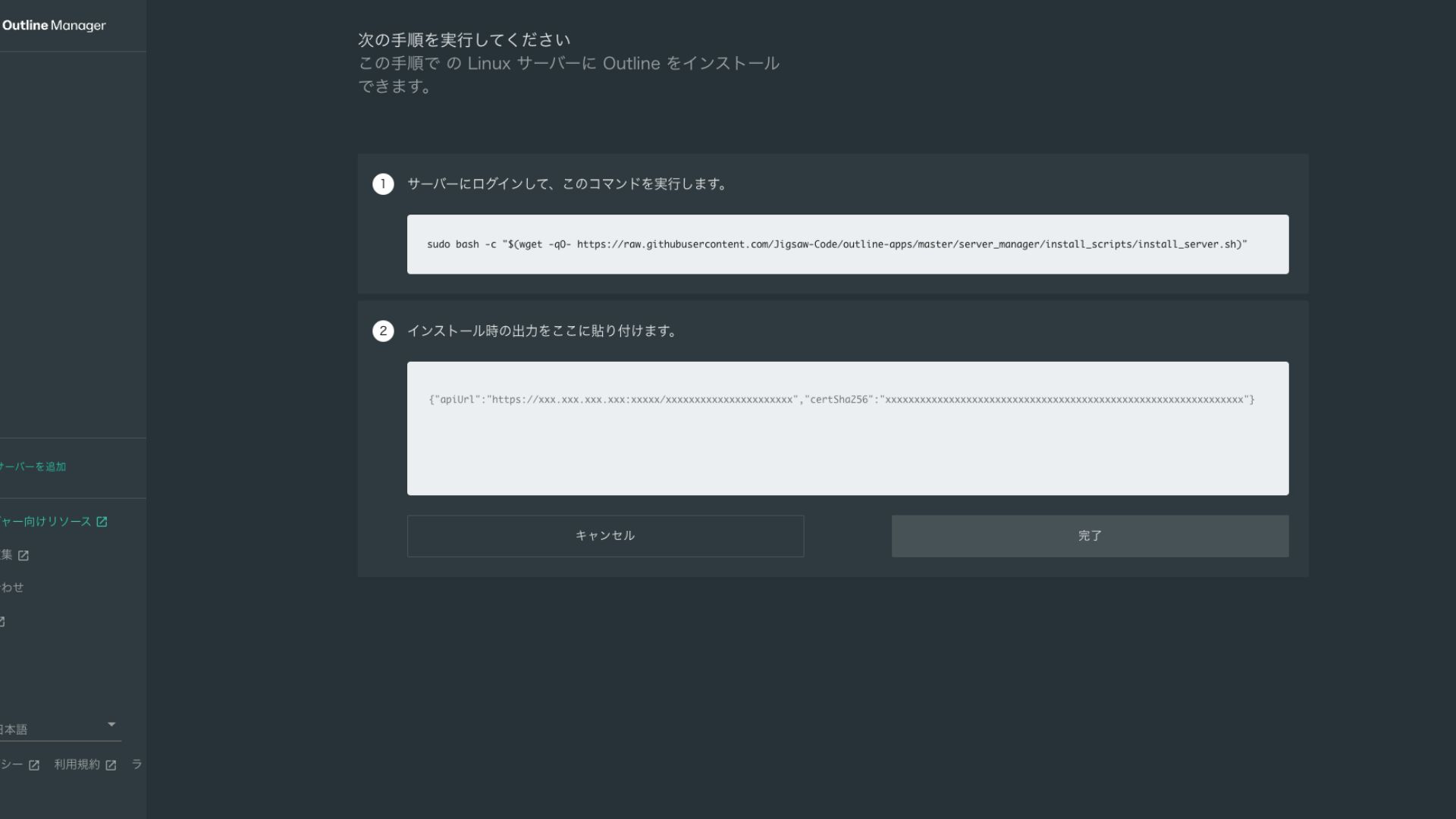
- STEP.5Run the command
- Installation can take several minutes. Watch the messages shown on screen carefully and wait until it finishes.
- You may be asked a few questions along the way, but in most cases pressing Enter to accept the default choice is fine.
- STEP.6Enter the information in Outline Manager
After the installation is complete, Outline Manager shows a screen where you enter the "Server details."
- Admin API URL: The API URL generated during installation on the VPS is shown here. Usually it is reflected automatically in Outline Manager, but if it is not, copy and paste the API URL shown in the SSH terminal.
- Server location (optional): Ви можете вказати розташування сервера (наприклад, Токіо, Японія). Це призначено виключно для керування та не впливає на підключення.
- STEP.7Натисніть «Завершити налаштування сервера»
Після введення всієї інформації натисніть «Завершити налаштування сервера».
Крок 4: Створення ключа доступу та дозвіл на підключення до VPN
Після створення сервера Outline згенеруйте ключ доступу для безпосереднього підключення до VPN.
Create an Access Key and Allow VPN Connections
- STEP.1Check the Outline Manager screen
На екрані Outline Manager відображається один стандартний ключ доступу. Тут він позначений як Key 0.
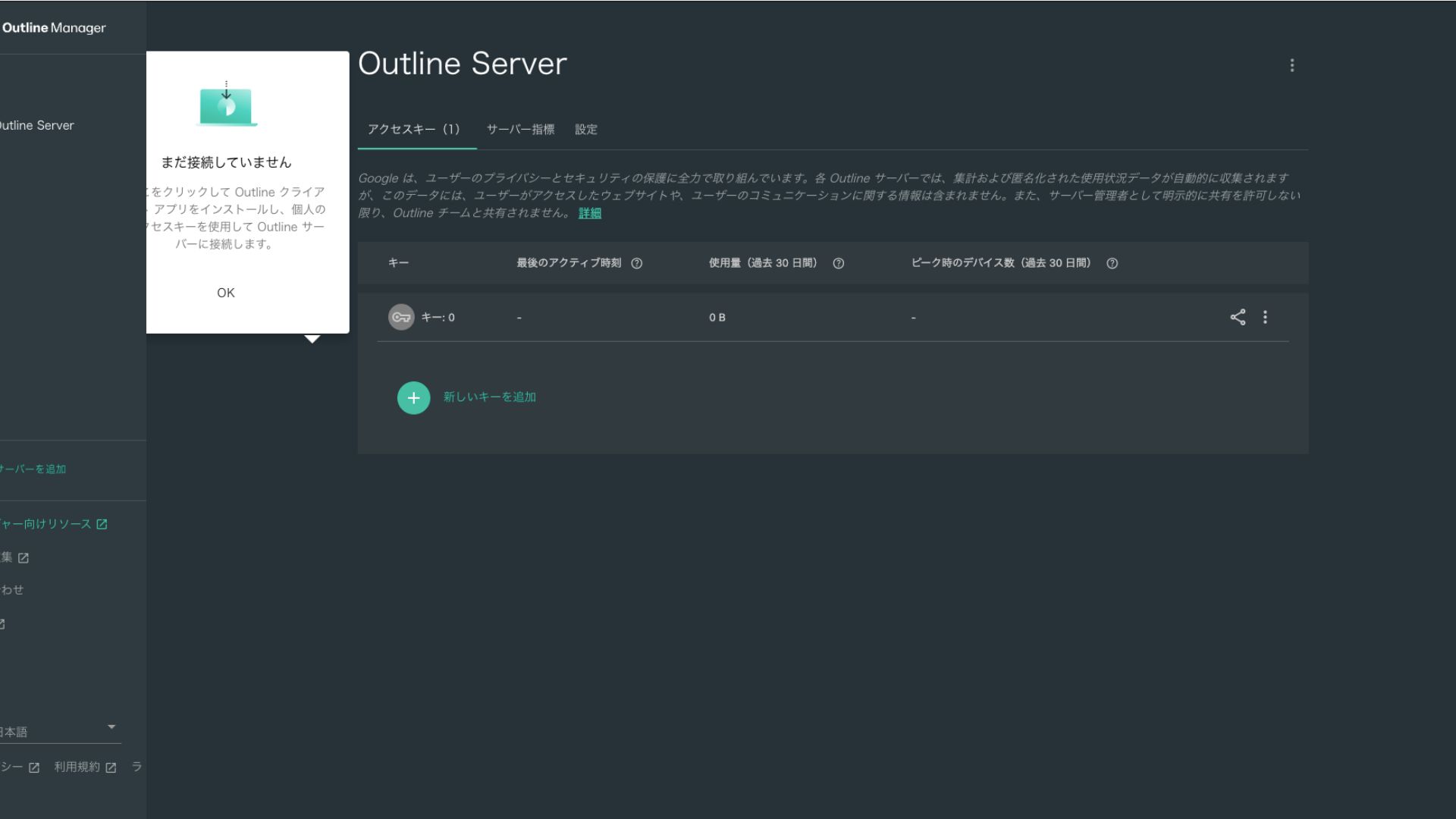
- STEP.2Share the access key
The access key you created is required when connecting with the Outline client. When you select the access key, a button labeled "Share invite" appears.
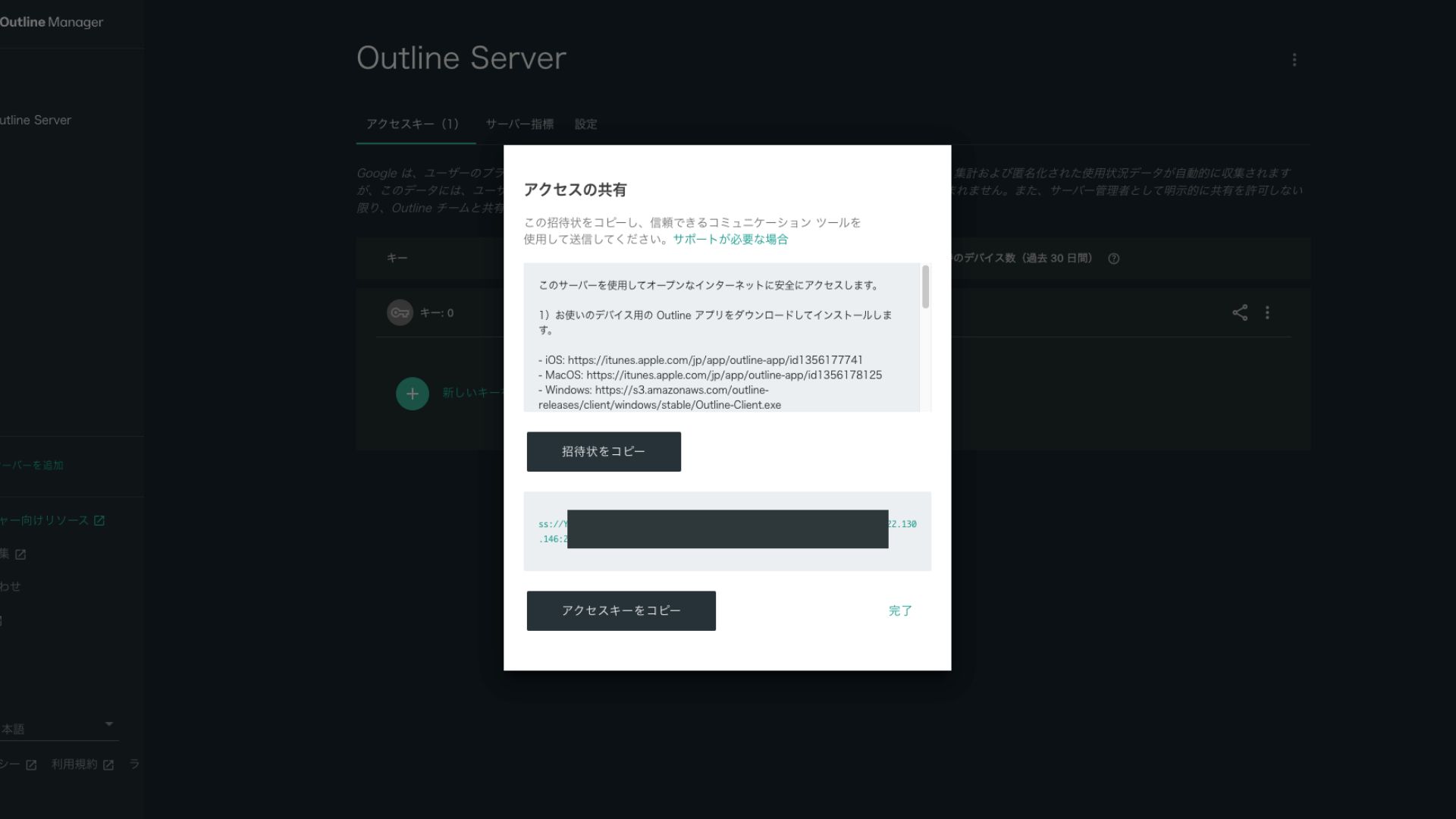
Clicking it copies the access key URL. Share this URL with the device you want to connect through the VPN.
Крок 5: Встановлення клієнта Outline та підключення до VPN
Install the Outline client on the device you want to use for the VPN connection (PC, smartphone, tablet, and so on). This time, I installed it on an Android smartphone.
Connect to Outline VPN Using the Issued Access Key
- STEP.1Launch the Outline client
Launch the Outline client you installed.
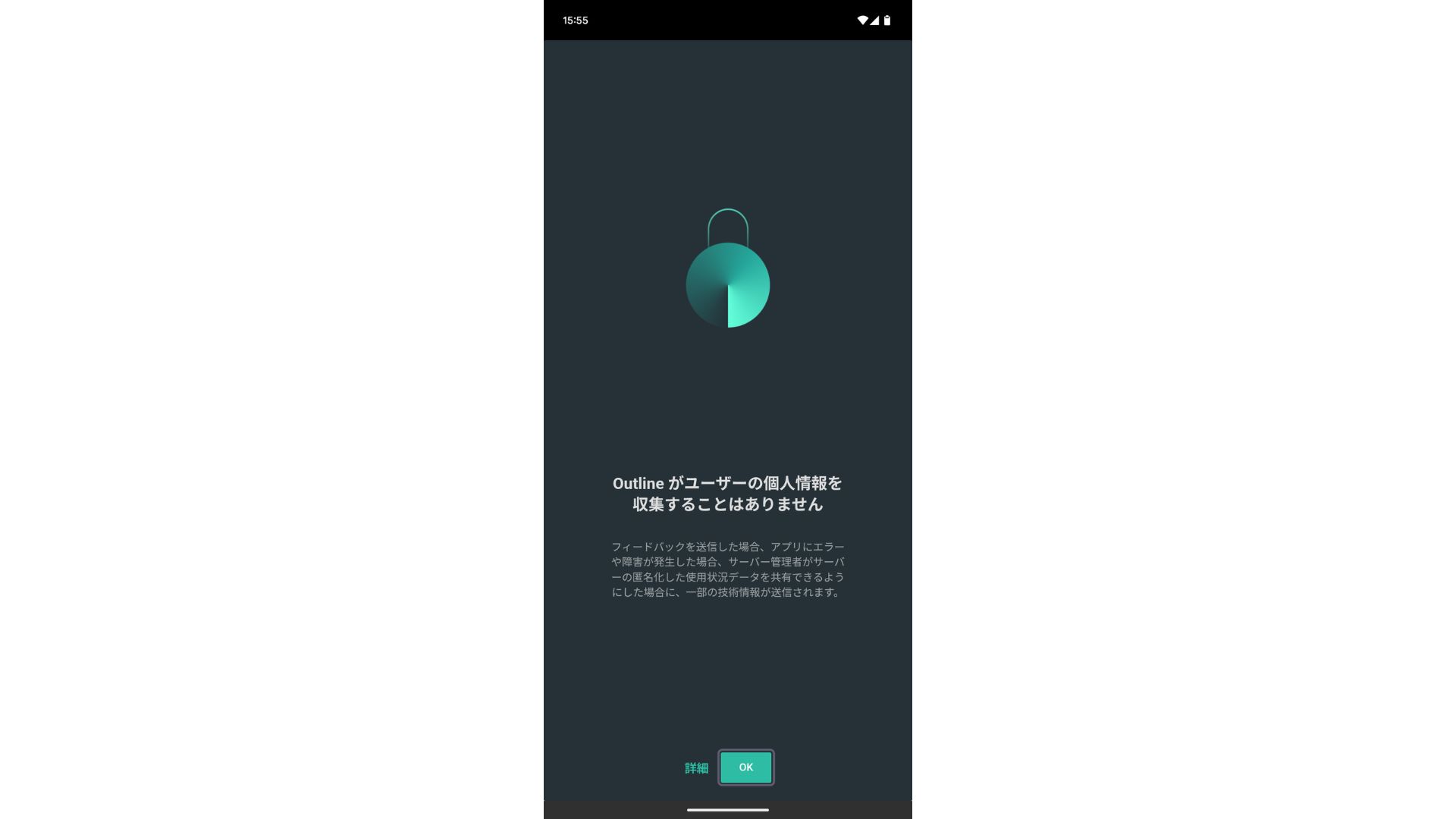
- STEP.2Add the access key
- On a PC: Натисніть кнопку «Add server» (Додати сервер) або аналогічну, вставте URL-адресу ключа доступу, скопійовану на кроці 4, і натисніть «Add server».
- On a smartphone or tablet: При відкритті програми вас можуть попросити ввести ключ доступу. Скопіюйте та вставте URL-адресу ключа доступу, надану на кроці 4. Якщо відображається QR-код, ви також можете відсканувати його.
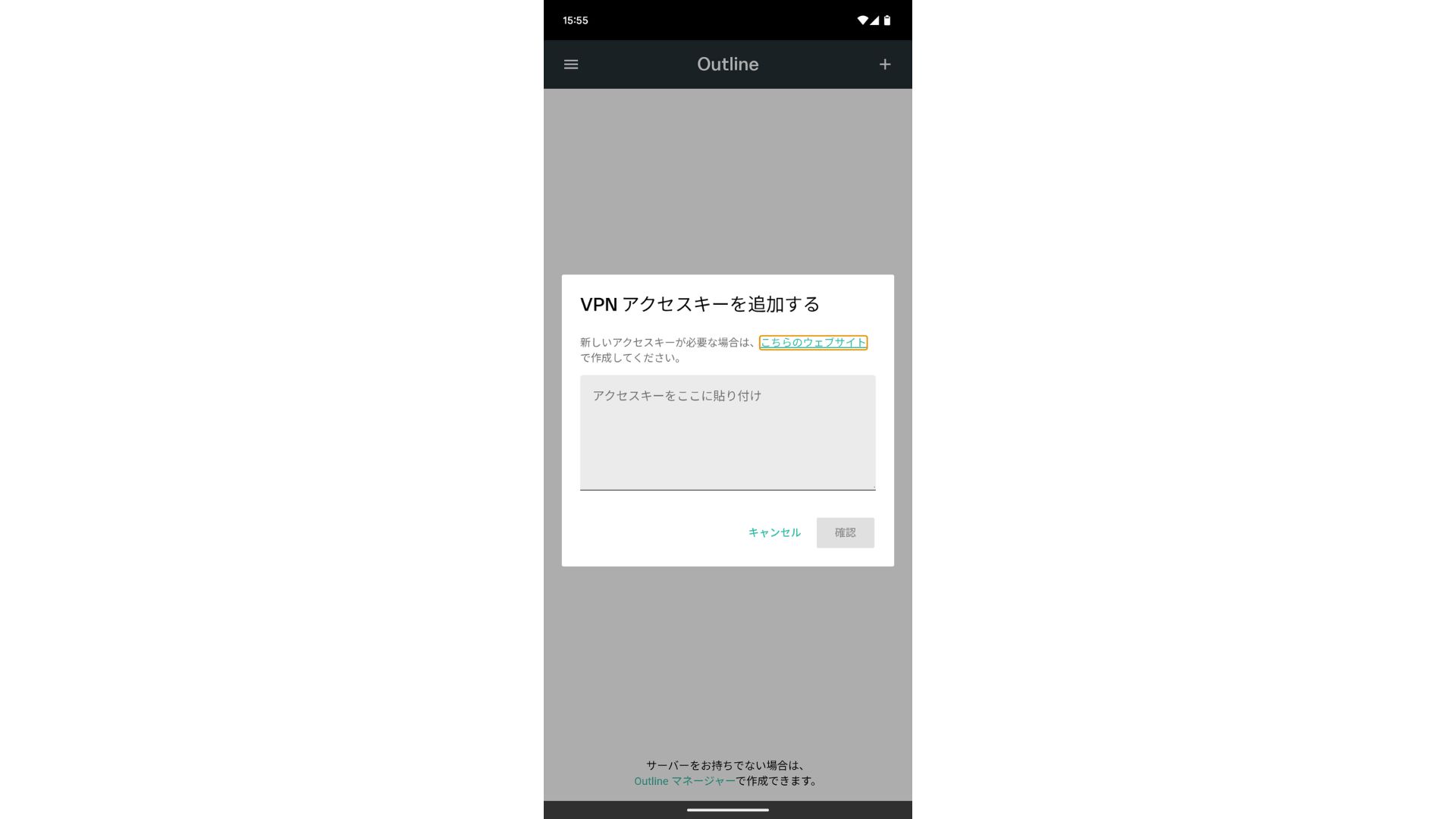
After adding the access key, press Confirm.
- STEP.3Connect
Після додавання сервера натисніть «Підключитися».
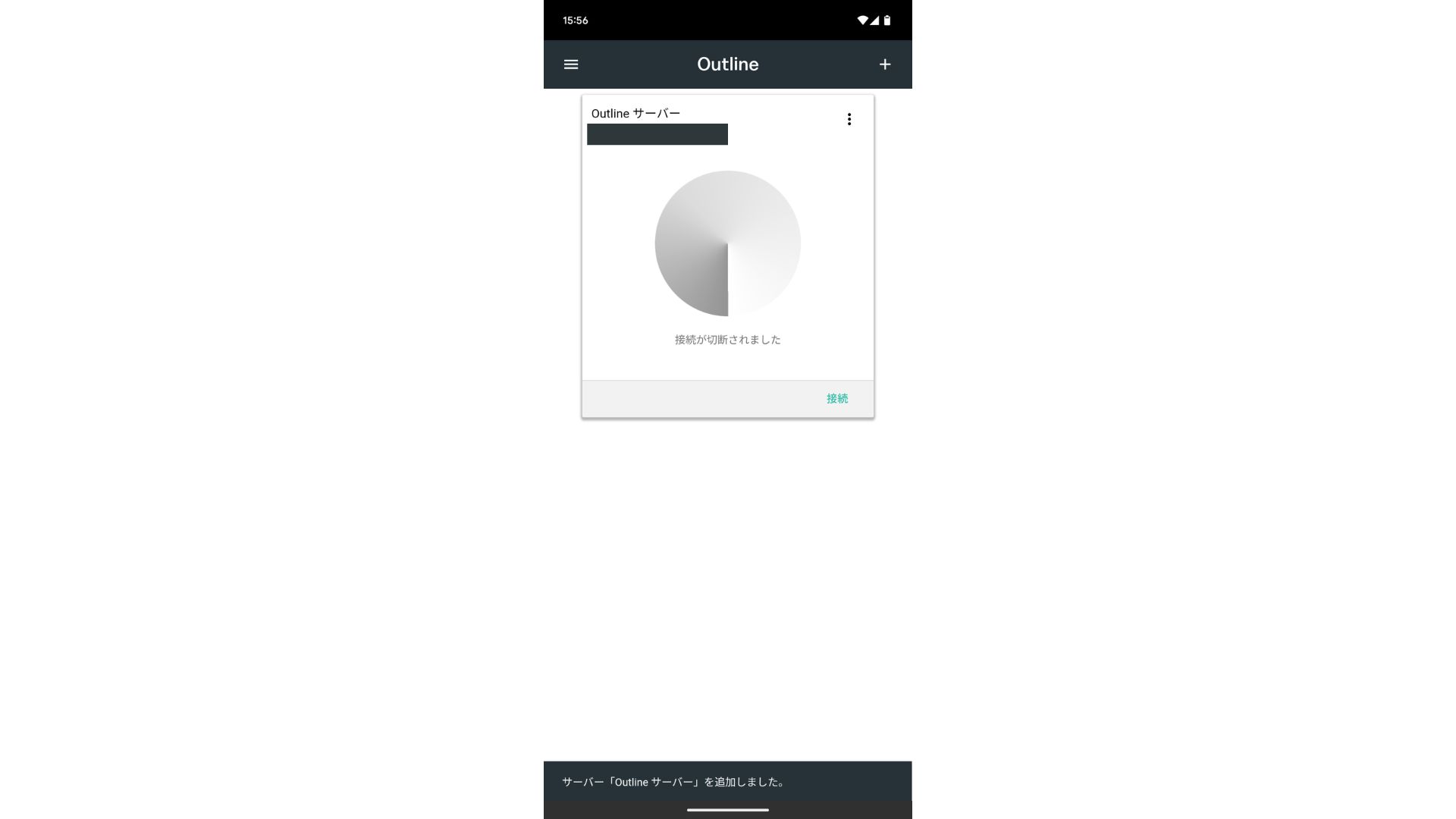
Tap "OK" on the connection request.
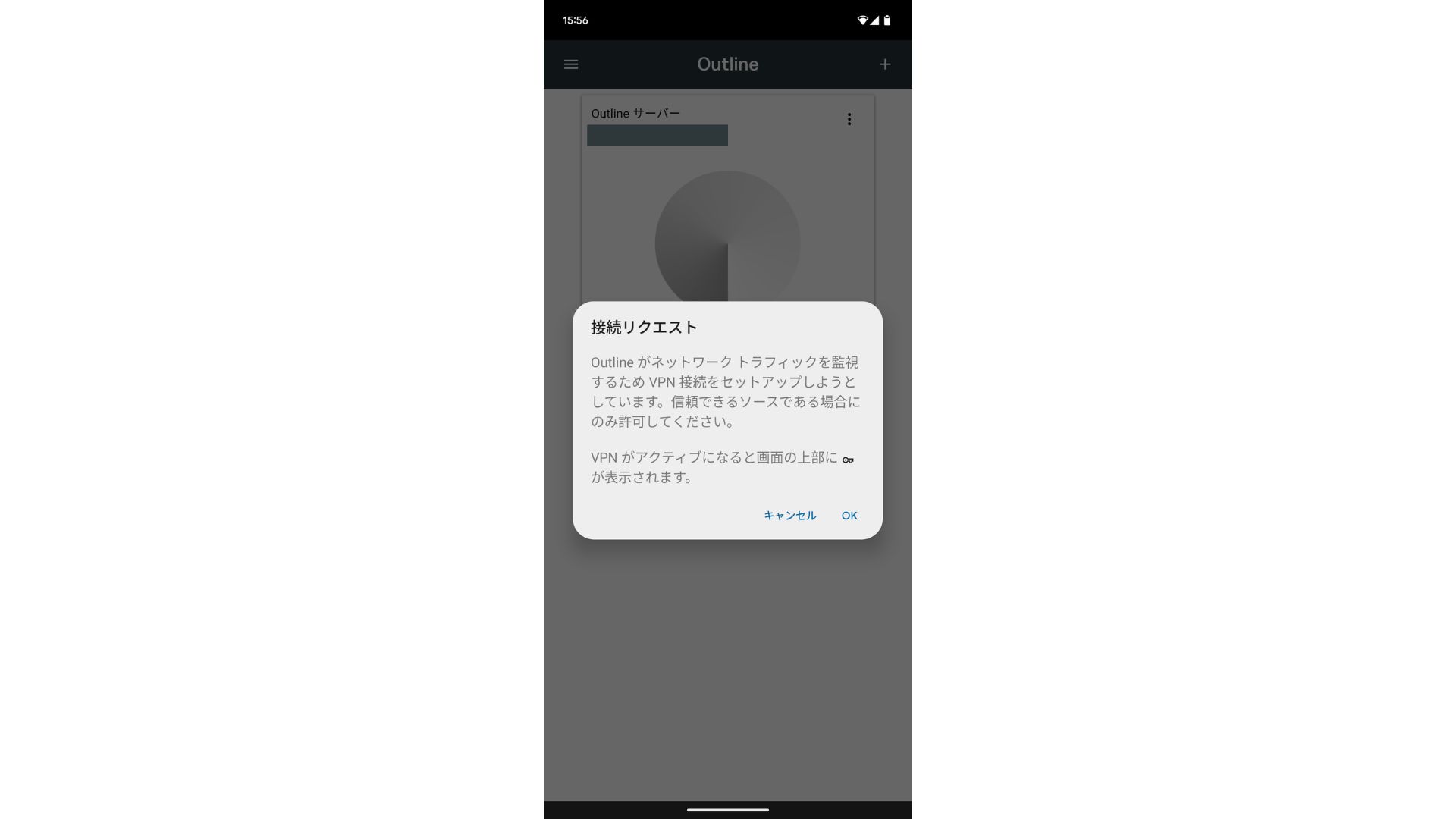
The connection is now complete.
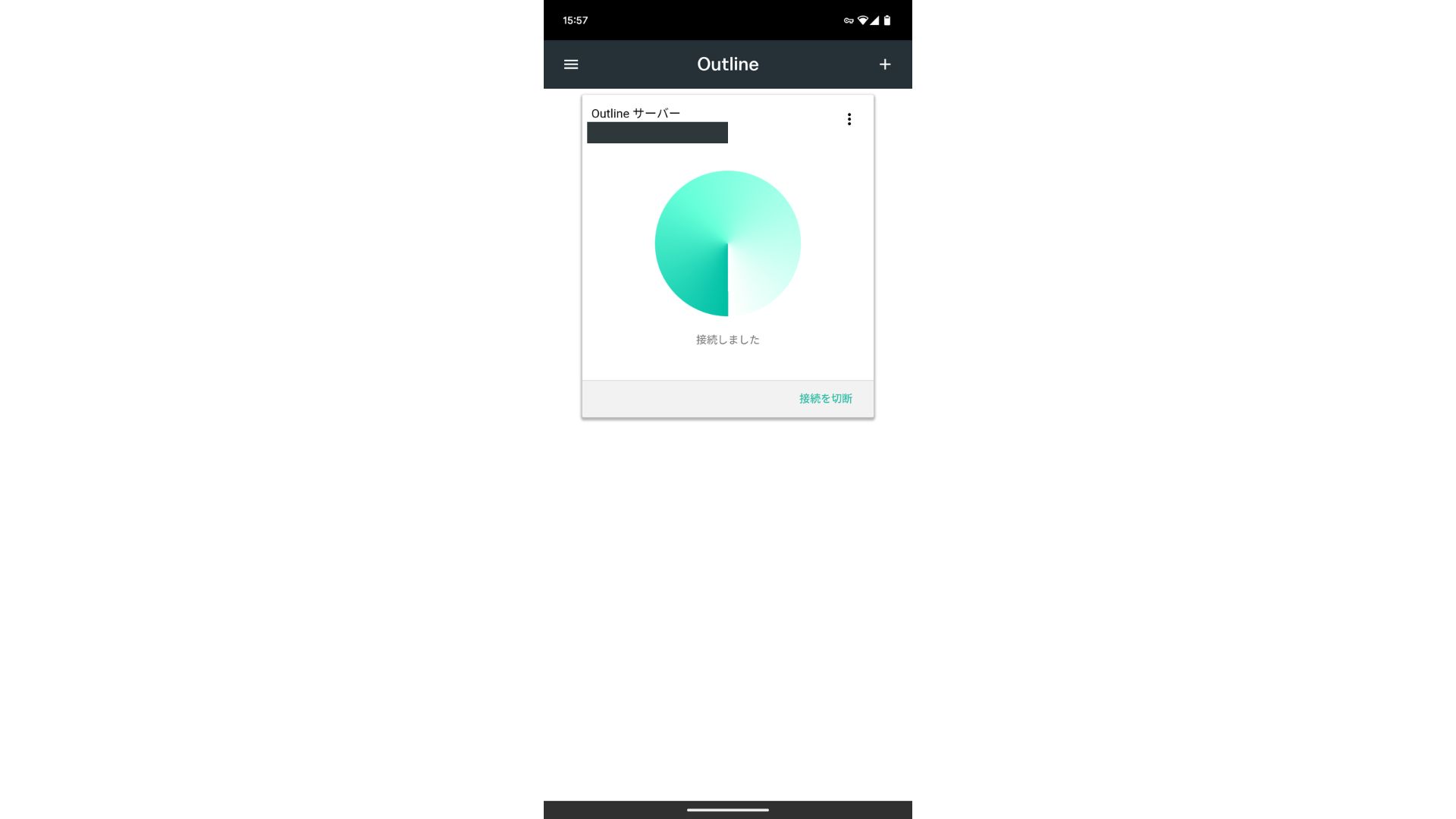
Після додавання сервера з'яється кнопка «Підключитися». Натискання цієї кнопки запускає VPN-з'єднання.
With that, your VPN connection using Outline VPN and ABLENET VPS завершено. Ваш інтернет-трафік зашифрований, що робить його безпечнішим, і маршрутизується через обрану вами локацію сервера.
ABLENET VPS and Outline VPN Are Fast and Comfortable
People often say internet speeds are slower over a VPN, so you may be wondering how fast ABLENET VPS is. When I measured it, it hit 130Mbps, which showed that it provides comfortable performance without frustration.
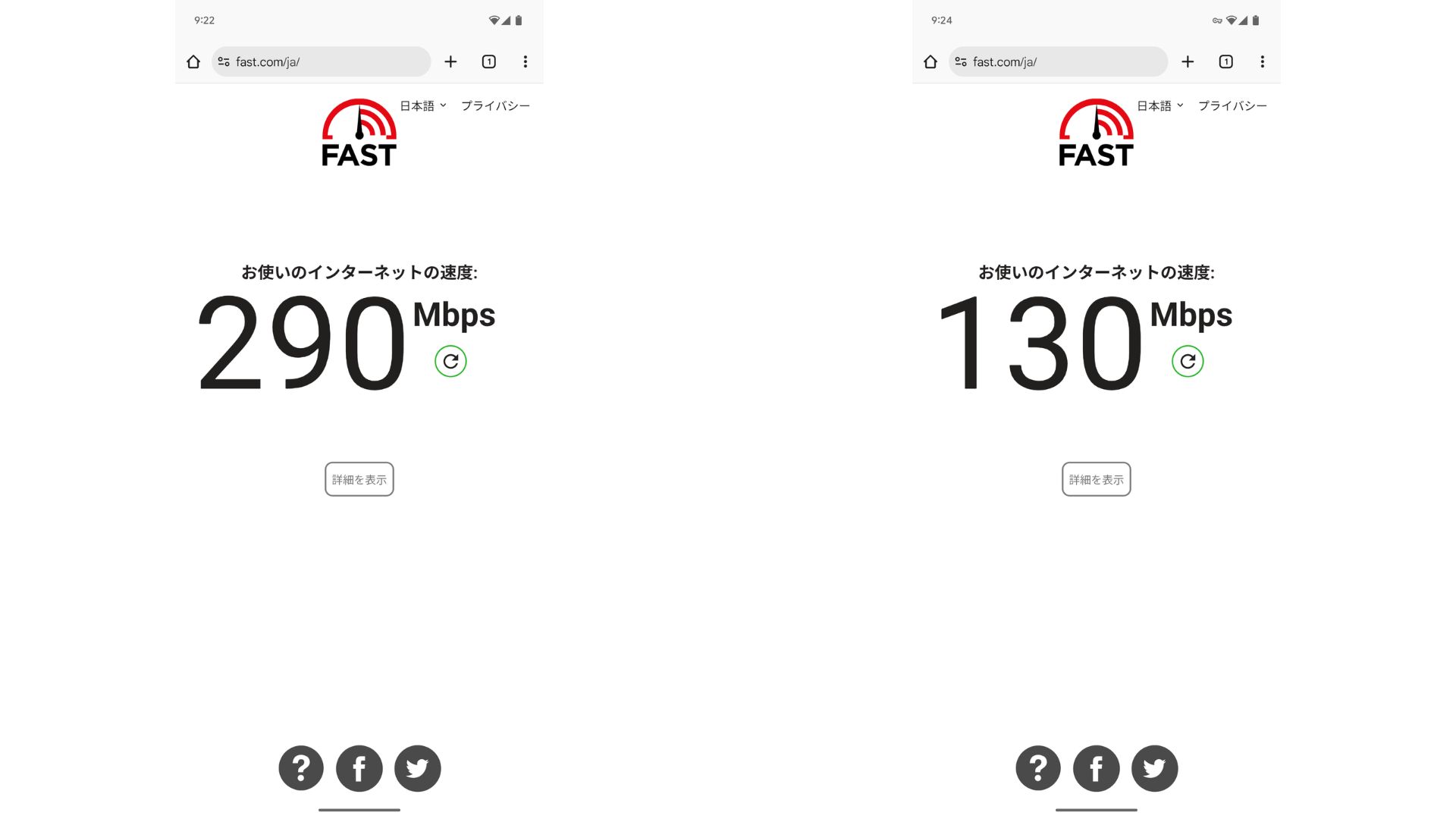
Compared with having no VPN, it keeps roughly half the speed. The reason it can reach this level of performance is that ABLENET VPS uses a shared 200Mbps line. Since 100Mbps is more common in general, it is fast.

Hikaru Ono
Thanks to ABLENET VPS, I was able to communicate at a very high speed.
ABLENET VPS Specs and Pricing
| Server type | VPS |
| Connection speed | Shared 200Mbps |
| IPv4 | 1 address |
| IPv6 | 65,536 addresses |
| Traffic allowance | Unlimited |
| Рекомендований план та термін контракту | V1 annual plan |
| Virtual CPU | 2 cores |
| Memory | 1.5GB |
| Storage | 40GB SSD or 100GB HDD |
| Trial / refund guarantee | 10-day free trial |
| Monthly price (12-month contract) | 968 yen |
| Initial admin fee | безкоштовний |
| підтримка | електронна пошта |
| Uptime | 99.99% or higher |
| OS | Ubuntu Server 22.04 LTS / Ubuntu Server 20.04 LTS / AlmaLinux 9.5 / AlmaLinux 8.10 / Rocky Linux 9.5 / Rocky Linux 8.10 / Oracle Linux 9.5 / Oracle Linux 8.10 / CentOS Stream8 / CentOS Stream9 / Minecraft Server(ubuntu/java/Integrated)/Rust Server(ubuntu)/Palworld Server(ubuntu)/ARK Server(ubuntu)/7days Server(ubuntu)/Valheim Server(ubuntu)/Ubuntu Desktop 22.04 with MT4/5/Ubuntu Desktop 22.04 with AutoGPT/ CentOS 7.9 and more |
Підсумок
With Outline VPN, which makes it easy to build a VPN, even people who have never used a VPN before can get started in a short time.
However, because VPNs tend to be slower, I recommend ABLENET VPS, which provides a fast connection. With annual billing, it costs less than 1,000 yen per month, so it also offers excellent cost performance. Above all, its unlimited data transfer and stability with over 99.99% uptime let you enjoy a stress-free internet environment.
ABLENET VPS is a stable VPS with 99.99% uptime, even though it is affordably priced. It offers a wide range of plans, from the accessible V0 plan with 0.5GB of memory to the high-spec V5 plan with 16GB of memory, so you can find the right option for your needs.
10-day free trial