Libre ang unang buwan at 2 domain na libre habambuhay gamit ang WING Pack
PR
Mga server
Pagsusuri sa ConoHa WING: Bakit Ito Pinipili ng 750,000 Gumagamit, at Praktikal na Pagtingin sa Bilis, Mga Kalamangan, at Kahinaan
Nai-publish: 2025.06.27
Na-update: 2025.06.27
Rating: 5.0
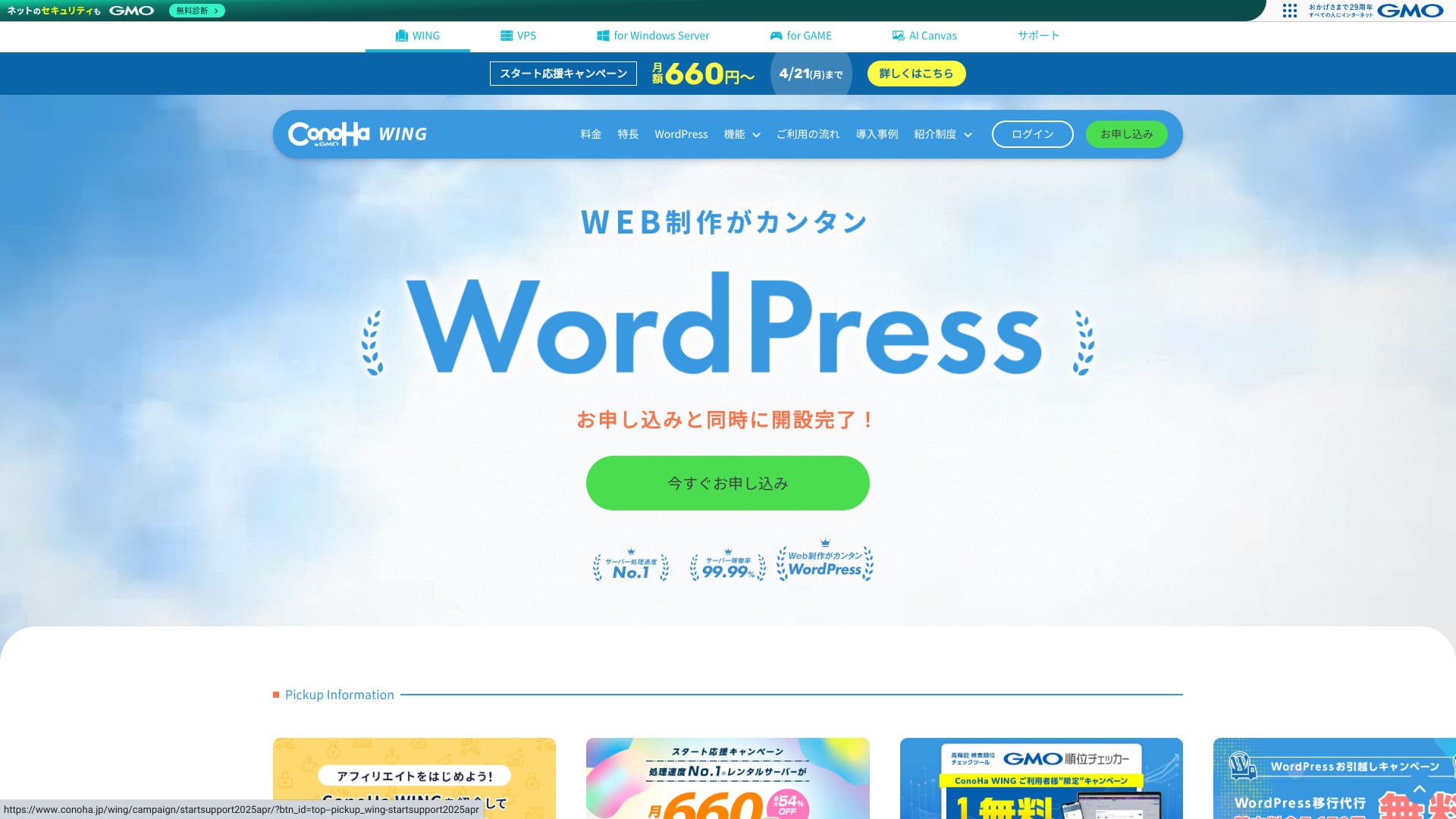
ConoHa WINGay isang kilala at mataas ang tingin na serbisyo ng hosting na inaalok ng GMO Internet Group. Lalo itong sikat sa mga blogger at affiliate marketer na gustong magpatakbo ng mga WordPress site.
| Server type | Shared hosting |
| Bilis (TTFB) | 160ms |
| Inirerekomendang plano at termino | Basic, 12 months |
| Free trial / refund policy | First month free |
| Monthly presyo (12-month contract) | 971 yen |
| Initial setup fee | Free |
| Free mga domain | 2 mga domain libreng habang-buhay |
| Suporta | Phone, email, and chat (weekdays 10:00-18:00) |
| Uptime | 99.99% garantiya |
| Storage | 300GB |
| Number of databases | Unlimited |
| Seguridad | WAF / directory access restrictions / IP access restrictions / vulnerability scanning / spam comment and trackback restrictions / overseas comment and trackback restrictions / overseas access restrictions |
| SSL | Free SSL / Alpha SSL / Quick Authentication SSL / Organization Validation SSL / EV SSL |
| Mga backup / ibalik | 14-day automatic backup / free ibaliks |
| Email accounts | Unlimited |
| Email seguridad | Virus scanning / spam filtering |
| Server / website migration service | WordPress migration service from 7,678 yen Free migration tool available |
| WordPress preinstall | Yes |
| CDN | None |

Hikaru Ono
With ConoHa WING, I was able to start WordPress at the same time I signed up for the server. The AI tool Blog Creator, now called ConoHa Pencil, is better than you might expect. It lets anyone create high-quality content.
We also use it on this site.
- Data based on market research as of November 4, 2025, arranged in order of bilis
- Ang mga buwanang presyo ay ang gastos sa unang taon ng pinakamurang plano na sumusuporta sa WordPress
- Ang Bilis ay ang Time to First Byte na sinusukat sa mga demo site sa ilalim ng parehong mga kondisyon
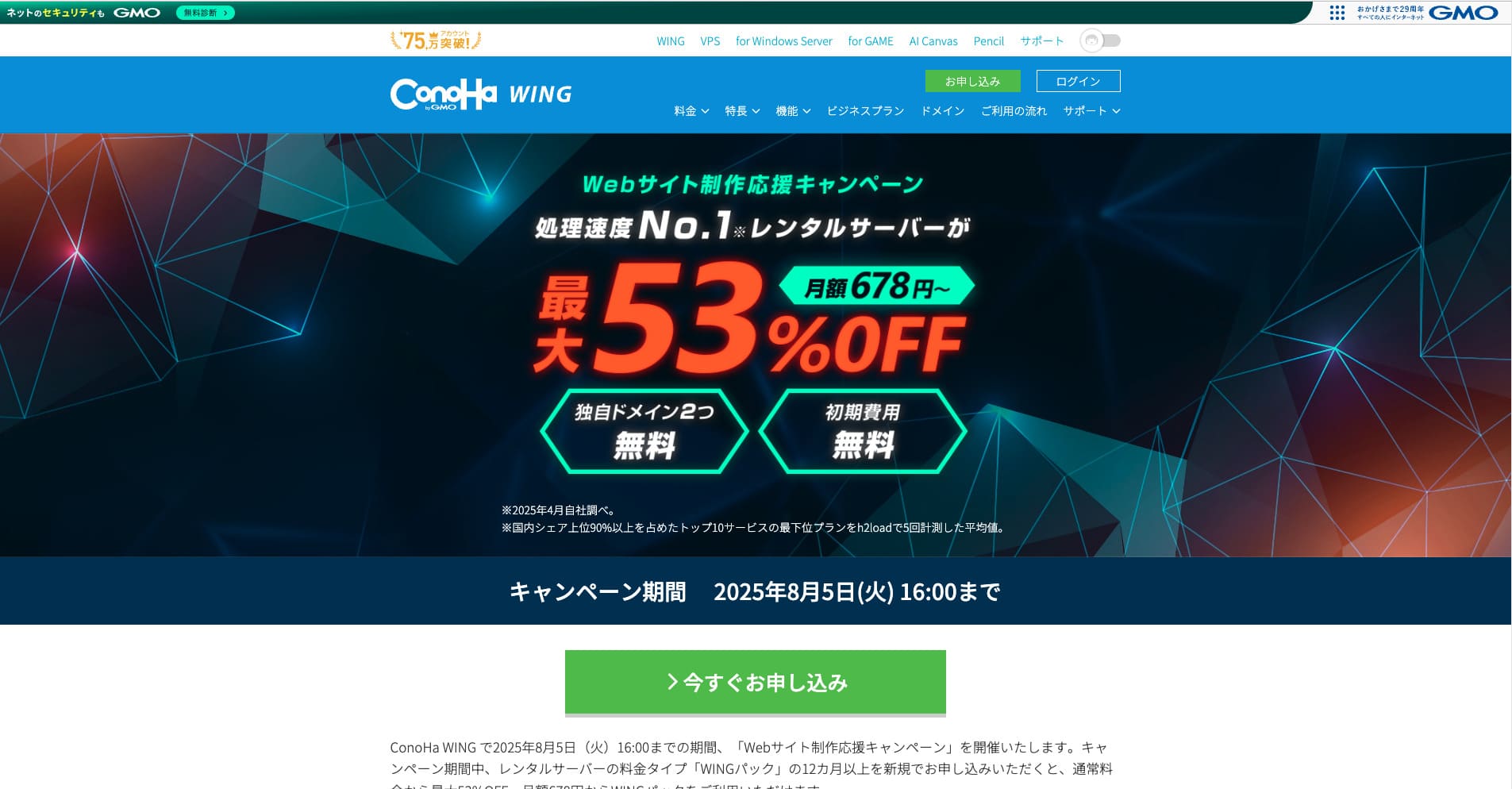
ConoHa WINGay isang mabilis na serbisyo ng hosting mula sa GMO Internet Group na ginagamit din namin sa aming kumpanya. Sinusuportahan nito ang Madaling WordPress Setup, kaya kahit ang mga baguhang-baguhan ay mabilis na makakapag-live.

WordPress-related pagsusuris
Easy setup ng WordPress
Ang ConoHa WING ay maaaring kumuha at mag-configure ng WordPress mismo, isang custom na domain, libreng SSL, at maging ang isang sikat na tema tulad ng Cocoon sa isang daloy sa panahon ng sign-up. Dahil maaari ka nitong dalhin sa pag-live sa loob lamang ng limang minuto, maaari kang magsimula nang ligtas kahit wala kang kaalaman sa FTP o DNS.
Ang Madaling Setup ay lubhang nagbabawas sa bilang ng mga hakbang na kinakailangan, at ang katotohanan na maaari pa nitong mag-install ng tema ng WordPress nang awtomatiko ay ginagawa itong mas mahusay kaysa sa maraming kakumpitensya. Kahit na hindi ka pa nakapagpatakbo ng WordPress o blog bago nito, maaari mo pa ring ilunsad ang WordPress nang may tiwala. Hindi mo kailangang mag-alala sa pagsasayang ng oras dahil nag-sign up ka ngunit hindi mo pa rin mapagana ang WordPress.
Kasama rin sa Madaling Setup ang tampok na pagsubok bago ang paglipat. Pinapadali nito ang paglipat mula sa ibang provider ng hosting patungo sa ConoHa WING at lubos na binabawasan ang panganib ng mga problema habang lumilipat.
Hikaru Ono
Ang mga tampok na madaling gamitin para sa nagsisimula at praktikal tulad ng Madaling Setup ay hindi magagamit sa bawat host. Sa katotohanan, kadalasang nakikita mo lang ang mga ito sa mga pangunahing provider. Kahit sa mga iyon, ang ConoHa WING ay naramdamang napakadaling gamitin.
How to start a website with ConoHa WING
- Step 1:Bisitahin ang opisyal na site ng ConoHa WING at i-click ang "Create an account now."
- Step 2:Gumawa ng iyong ConoHa account sa pamamagitan ng pagtatakda ng email address at password.
- Step 3:Pumili ng plano. Pumili ng WING Pack sa halip na karaniwang pay-as-you-go na pagpepresyo kung gusto mo ang pinakamahusay na halaga at mga libreng domain.
- Step 4:Ilagay ang pangalan ng iyong server, panahon ng kontrata, at mga detalye ng WordPress Madaling Setup, kasama ang domain, pamagat ng site, username, at password.
- Step 5:Kumpletuhin ang mga hakbang sa pagbabayad at pag-verify ng pagkakakilanlan, pagkatapos ay hintayin na matapos ang setup.
- Step 6:Mag-log in sa WordPress at magsimulang maglathala.
Pagpapairal ng maraming site (walang limitasyong mga domain at database)
Gamit ang isang kontrata ng ConoHa WING, maaari kang magdagdag ng kahit gaano karaming mga domain, mga sub-domain, at MySQL (MariaDB) database na gusto mo. Nangangahulugan iyon na maaari mong pamahalaan ang maramihang mga blog at site ng negosyo nang magkakasama. Halimbawa, maaari kang magpatakbo ng site ng korporasyon at isang blog sa ilalim ng isang kontrata.
Isang malaking bentaha ang walang limitasyong mga domain at database. Ang mga mas mababang halaga na serbisyo ng hosting at mas murang mga plano ay madalas na nagpapataw ng limitasyon sa kung gaano karaming mga domain o database ang maaari mong gamitin.
Because the inode limit, in other words the file-count limit, is not publicly disclosed, it is wise to test in advance if one site is going to grow to tens of thousands of pages.
Hikaru Ono
Kung inilulunsad mo ang iyong unang website o blog, maaari mong isipin na sapat na ang isang domain at isang database. Subalit kung may pagkakataon na nais mo ng maraming site sa hinaharap, o kung magpasya ang iyong kumpanya na magpatakbo ng maraming site, inirerekomenda ko ang isang server na may walang limitasyong mga domain at database.
Pagsusuri ng pagganap at mga detalye
Ang aming mga pagsukat: pagsusuri ng bilis at ang teknolohiya sa likod nito
Sinukat namin ang ConoHa WING gamit ang PageBilis Insights. Ito ay isa sa mga pinakakilalang tool na ibinigay ng Google para sa pagsukat ng bilis at karanasan ng gumagamit.
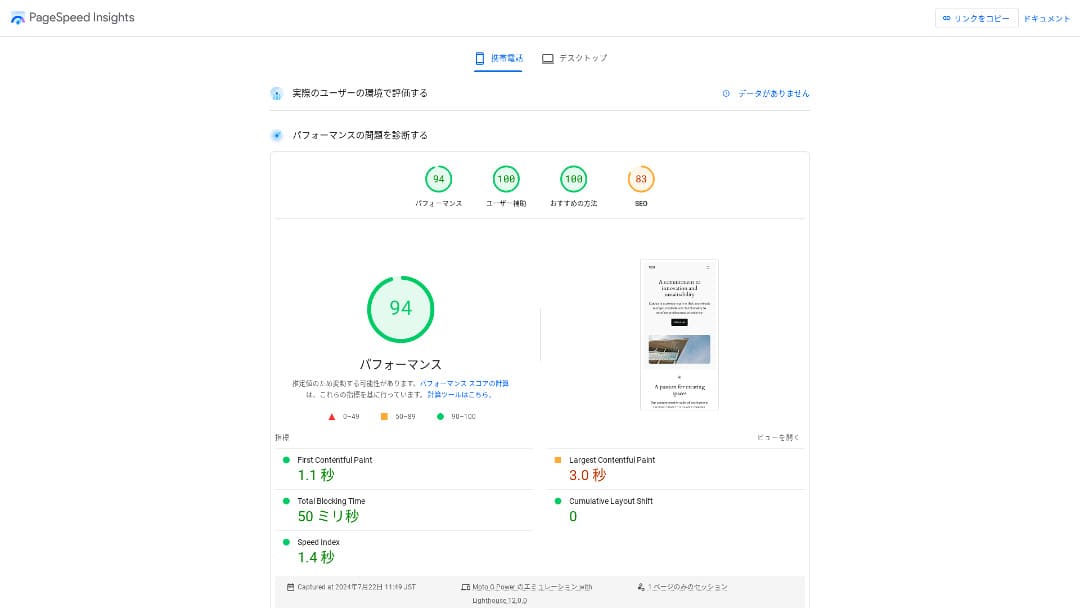
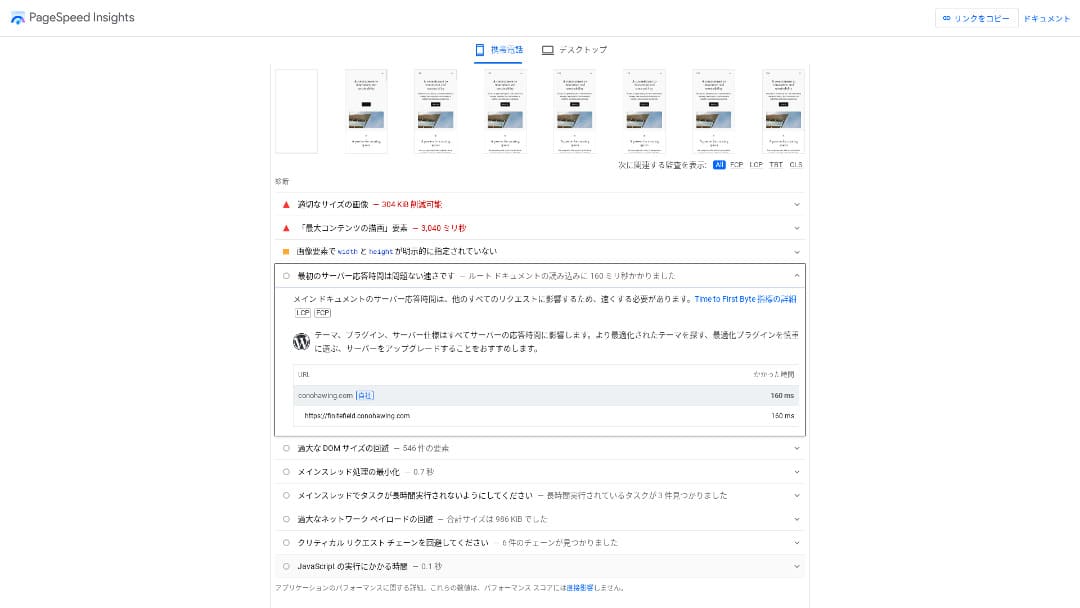
Ang TTFB, na isa sa mga pangunahing tagapagpahiwatig ng bilis ng tugon ng server, ay 160ms. Kumportable nitong natutugunan ang rekomendasyon ng Google na panatilihin ang TTFB sa ibaba ng 200ms, kaya maaari itong i-rate bilang mabilis na server. Napakataas din ng kabuuang marka na 94.
You should reduce your server response time under 200ms.Improve Server Response Time
Hikaru Ono
ConoHa WING is a mabilis na server, but there are some ultra-fast providers that deliver even better numbers.
Related article: Rental Server Bilis Comparison: Which One Is Really Fastest?
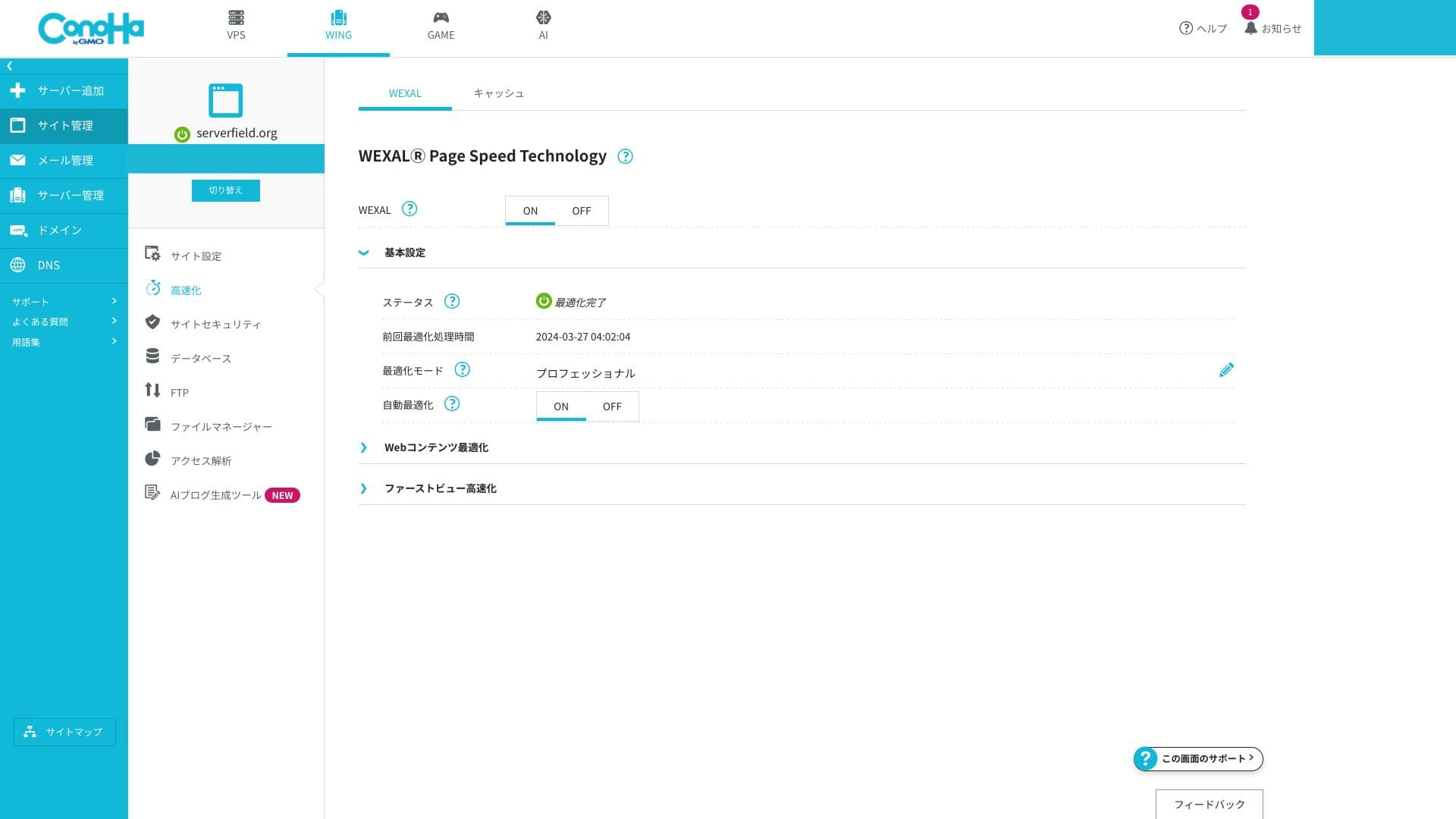
WEXAL Page Bilis Technology
Pinapayagan ka ng WEXAL na i-optimize ang iyong site sa pamamagitan ng isang i-click lamang. Gumagamit ito ng teknolohiya ng pagpapabilis na nakabatay sa AI, at magagamit ito ng mga subscriber nang walang karagdagang gastos.
LiteBilis LSAPI
Ito ang execution engine na nagpoproseso sa PHP. Madalas itong inilalarawan bilang humigit-kumulang 20% na mas mabilis kaysa sa tradisyonal na FastCGI. Pinapabilis nito ang tugon ng mga dinamikong pahina tulad ng WordPress. Hindi pa rin karaniwan sa mga Japanese rental host ang magsama ng LSAPI bilang karaniwang tampok, at ang mga resulta ng benchmark ay naglalagay din sa ConoHa WING sa mga mas mabilis na opsyon sa loob ng bansa.
HTTP/2
Ang HTTP/2 ay isang pamantayan sa komunikasyon na maaaring magproseso ng maramihang kahilingan nang sabay-sabay sa isang TCP connection. Pinapabuti nito ang nakikitang bilis kahit sa mga pahinang marami ang larawan. Dahil pinagana ito nang walang karagdagang setup, kahit ang mga nagsisimula ay awtomatikong nakikinabang dito.
Hikaru Ono
Simula 2025, karaniwang sinusuportahan ng mga pangunahing provider ng hosting sa Japan ang HTTP/2 bilang default. Sa aspetong iyon, hindi natatangi ang ConoHa WING, ngunit ganap itong umaayon sa pamantayan ng merkado.
SSD RAID10
Ang configuration na ito ay nagsusulat ng data sa maraming SSD habang kinokopya rin ito, na nagbabalanse sa bilis ng pagbasa at pagsulat kasama ang fault tolerance. Dahil ginagamit ito ng bawat plano, mas kaunti ang posibilidad na maging mabagal ang pakiramdam sa mga pahina sanhi ng pagkaantala sa I/O.
Resource limits
| Plano | SSD | Memory | vCPU | Typical scale |
|---|---|---|---|---|
| Basic | 300GB | 8GB | 6 cores | Personal to mid-sized blogs |
| Standard | 400GB | 12GB | 8 cores | Multiple sites and small e-commerce stores |
| Premium | 500GB | 16GB | 10 cores | High-traffic media and larger sites |
Ang mga limitasyon sa mapagkukunan ay higit pa sa sapat kahit sa Basic plano. Kung titingnan mo ang sarili naming paggamit ng server, kabilang ang site na ito, gumagamit lamang kami ng 1.55GB. Kung nagsisimula ka pa lamang ng blog, sapat na sapat na ang Basic plano.
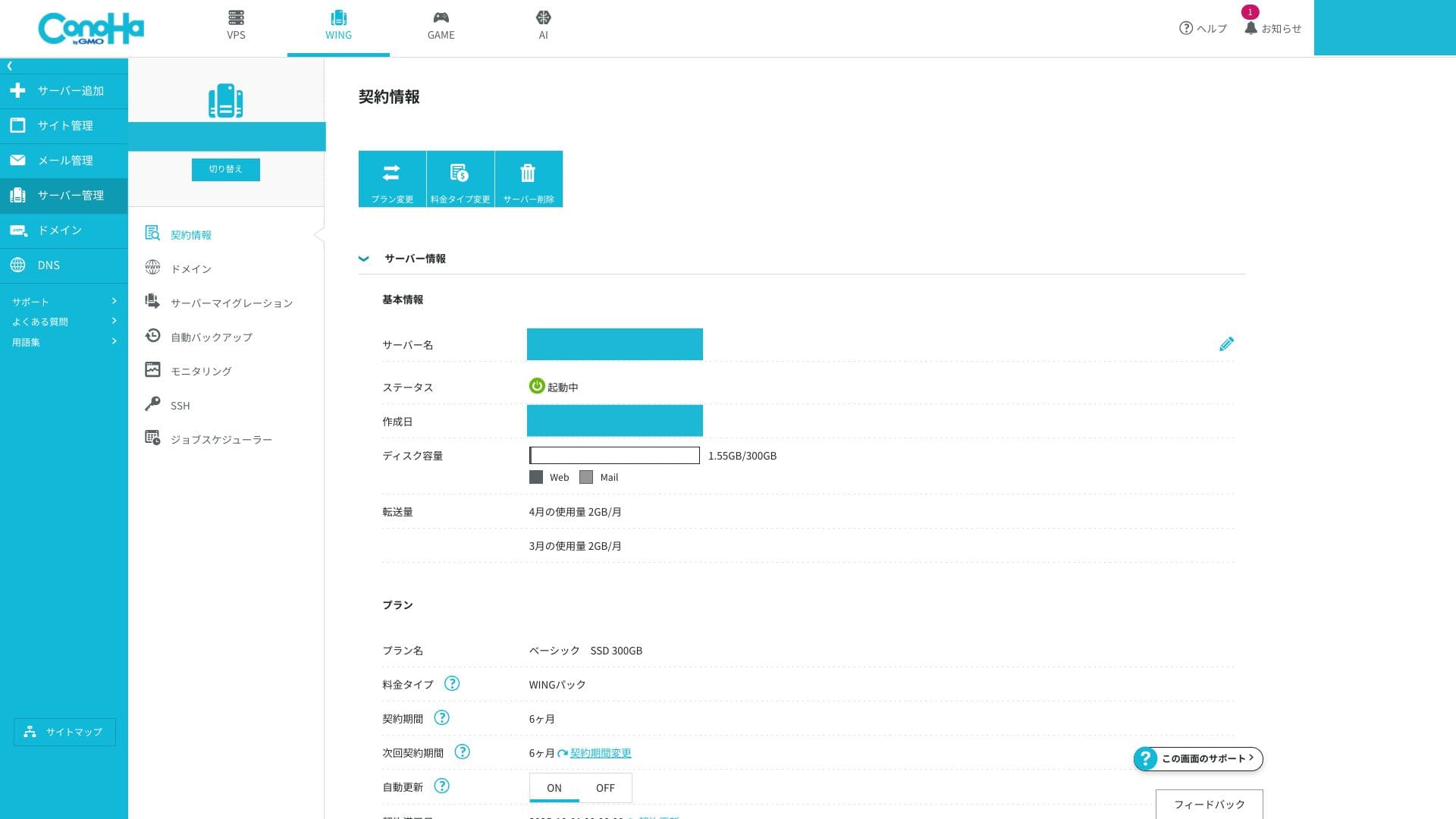
Ang mga limitasyon sa memory at vCPU ay nakakaapekto sa bilis ng pagproseso at kakayahang labanan ang biglaang pagtaas ng trapiko. Kung mababa pa ang trapiko, bihira silang maging problema. Kapag lumaki ang access at nagsimula ka nang makakita ng mga isyu, iyon na ang oras upang lumipat sa mas mataas na spec na plano.
You can check whether you are actually running into problems from the ConoHa WING control panel.
How to check server pagsubaybay
- Step 1:Mag-log in sa control panel.
- Step 2:Buksan ang "Server Management" at i-click ang "Server Monitoring."
- Step 3:Suriin ang mga setting ng pagsubaybay at mga kasalukuyang chart upang makita kung ang iyong mga mapagkukunan ay nahihirapan.
Unlimited data transfer
ConoHa WING does not publish a buwanang limitasyon sa transfer. Even if your site suddenly goes viral, you do not need to worry about extra data-transfer charges. Of course, because it is shared hosting, control measures may be applied if you monopolize bandwidth to an extreme degree.
Related article: What Traffic and Data Transfer Mean: Managing and Optimizing Web Traffic
Uptime SLA 99.99%
Ang ConoHa WING ay may kasamang SLA na 99.99%. Isa itong programa ng garantiya sa kalidad na nagre-refund sa iyo kung ang buwanang downtime ay lumampas sa pinapayagang 4.32 minuto. Hindi karaniwan para sa isang shared na serbisyo ng hosting na ihayag ang isang SLA nang napakalinaw na tulad nito, at nagbibigay iyon ng tunay na kredibilidad para sa paggamit sa negosyo.
Hikaru Ono
Sa totoo lang, medyo maraming server ang hindi malinaw na naglilista ng kanilang uptime o SLA kahit pa maghanap ka nang mabuti sa kanilang mga opisyal na site. Sa aspetong iyon, namumukod-tangi ang ConoHa WING. Malinaw nitong binibigyang-priyoridad ang katatagan at nakakamit ang mataas na rate ng uptime sa pamamagitan ng wastong pagpapanatili at solidong seguridad.
Related article: How to Understand Server Uptime and SLA
Uptime drops when an actual server outage occurs. Information about those outages is visible only to subscribers.
How to check outage information
- Step 1:Mag-log in sa control panel.
- Step 2:Buksan ang bahagi ng mga abiso sa kanang itaas na sulok.
- Step 3:I-click ang tab ng impormasyon sa outage para suriin ang mga kasalukuyang ulat ng insidente.
Pagsusuri ng pagpepresyo at gastos
Initial fee and monthly pricing
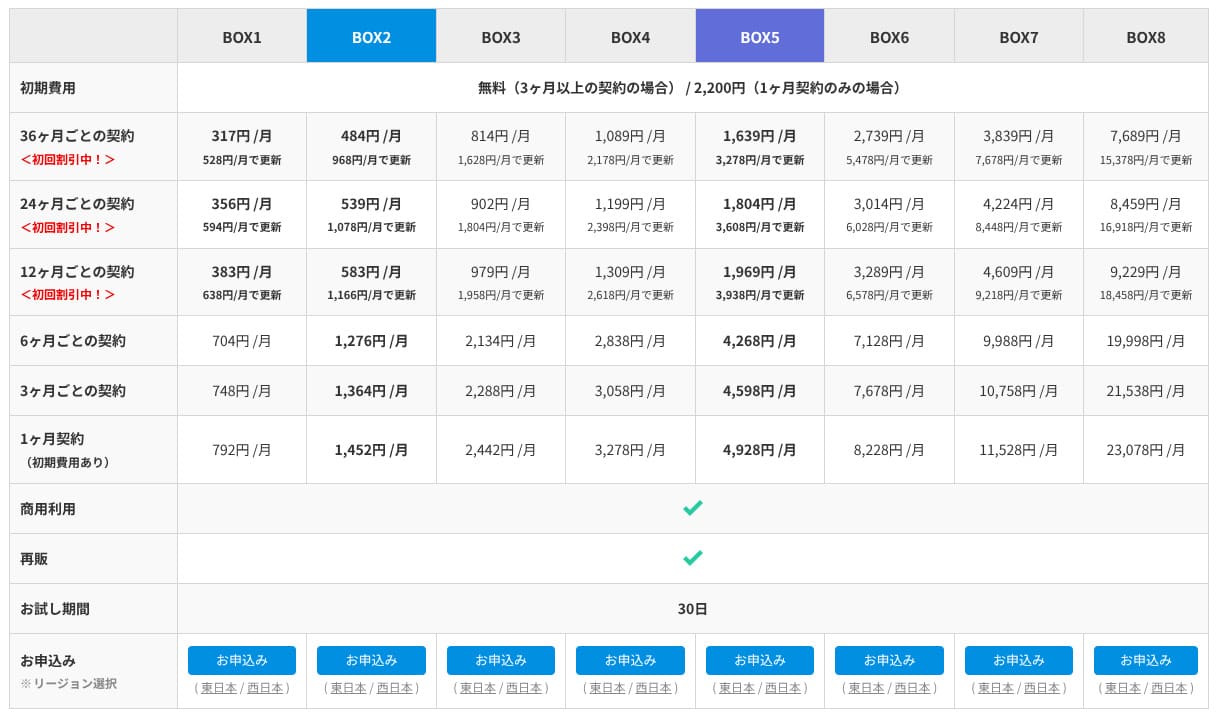
Nag-aalok ang ConoHa WING ng parehong normal na pay-as-you-go na presyo at ang mas pangmatagalang WING Pack. Mas madaling simulan ang normal na presyo nang kaswal, subalit ang WING Pack ang aking inirerekomenda. Mas mura ito, may kasamang dalawang libreng domain, at kung gagamitin mo ang Madaling WordPress Setup sa pag-sign-up, nakumpleto rin nito ang iyong pag-install ng WordPress at koneksyon ng domain sa isang pagkakataon.
Gayunpaman, dahil ang WING Pack ay isang pangmatagalang kontrata na tatlong buwan o higit pa, dapat mong tandaan na ang mga pagbabayad ay hindi ibinabalik pagkatapos mong mag-sign up. Inirerekomenda ko ang 12-buwang termino, kung saan kapansin-pansing bumababa ang presyo.
- ConoHa
- Kinsta
- XServerビジネス
- wpx
- LOLIPOP
- スターレンタルサーバー
- ラッコサーバー
- XServer
- Colorful Box
- シンレンタルサーバー
- リトルサーバー
- CORESERVER
- DreamHost
- Bluehost
- Sakura
- Namecheap
- シンフリー
- XREA
- バリューサーバー
- HOSTINGER
- KAGOYA
- SiteGround
- Hostgator
- IONOS
- Onamae.com
- ABLENET
- mixhost
- GoDaddy
- iCLUSTA+
- ムームーサーバー
- WADAX
- WebARENA
- ヘテムル
- CPIレンタルサーバー

































Domain
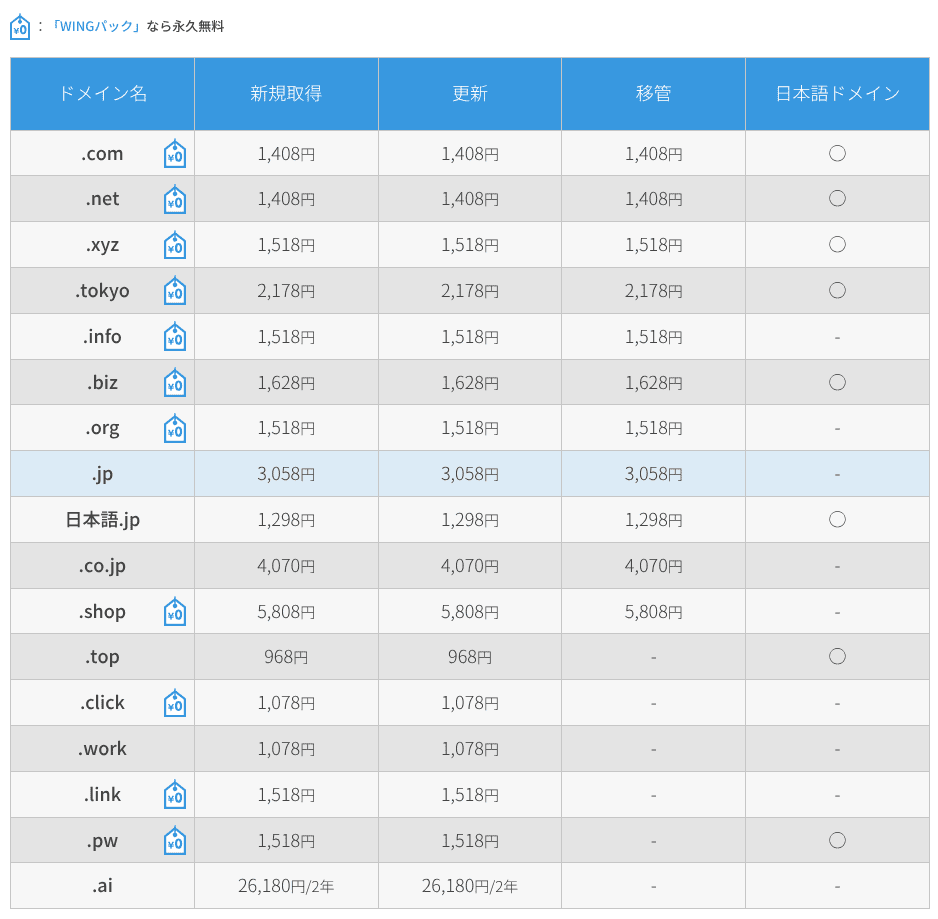
Binibigyang-daan ka ng ConoHa WING na direktang magparehistro at mag-renew ng mga custom domain, at sinusuportahan din nito ang mga paglipat mula sa iba pang registrar ng domain. Kasama ang mga pangunahing TLD tulad ng .com, .net, at .xyz. Kung magpaparehistro ka gamit ang WING Pack, mananatiling libre ang dalawang custom domain habang aktibo ang iyong kontrata sa server.
Hikaru Ono
Depending on the domain itself, this can save you several thousand yen per year. That is another reason I recommend WING Pack at the time of sign-up.
- ConoHa WING
- Onamae.com
- Xserverドメイン
- ムームードメイン
- バリュードメイン
- シンドメイン
- スタードメイン






Related article: What a Domain Is and How to Get One as Your Address on the Internet
How to magrehistro or transfer a domain
- Step 1:Mag-log in sa control panel.
- Step 2:Buksan ang seksyon ng Domain at i-click ang "+ Domain."
- Step 3:Mula roon, maaari kang magrehistro ng bagong domain, mamahala ng mga pag-renew, o magsimula ng transfer. Ang pag-click sa bawat domain ay nagbibigay-daan sa iyo na suriin ang detalyadong katayuan nito.
SSL
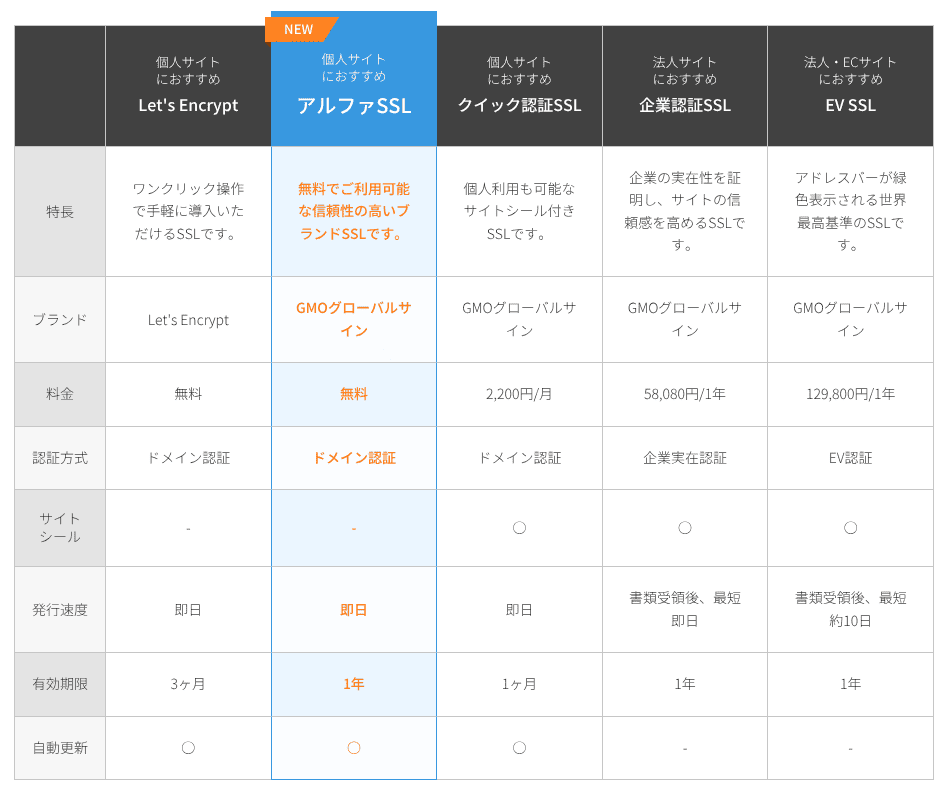
Ang paggamit ng SSL ay nakakaapekto hindi lamang sa seguridad kundi pati na rin sa tiwala. Sinusuportahan ng ConoHa WING ang Let's Encrypt bilang isang libreng opsyon ng SSL, at habang aktibo ang kontrata ng iyong server, maaari ding gamitin ang may-bayad na Alpha SSL certificate mula sa GMO GlobalSign nang walang karagdagang bayad.
Payment methods
Maaari kang magbayad sa pamamagitan ng credit card, bank transfer, mga serbisyo sa online na pagbabayad gaya ng Amazon Pay at PayPal, Pay-easy, at pagbabayad sa convenience-store.
Para sa bank transfer, online payment, Pay-easy, at pagbabayad sa convenience store, ginagamit ng ConoHa ang prepaid system na tinatawag na ConoHa Charge. Nagbibigay iyon ng kakayahang umangkop sa mga kumpanya at mga indibidwal na hindi gumagamit ng credit card, subalit kailangan mong bantayang mabuti ang iyong balanse upang hindi huminto ang serbisyo. Isang magandang ideya ang auto-charge.
Hikaru Ono
Kumpara sa maraming iba pang host, nag-aalok ang ConoHa WING ng malawak na hanay ng mga paraan ng pagbabayad, na nagpapadali sa paggamit nito hindi lamang para sa mga indibidwal kundi pati na rin para sa mga kumpanya at mga solong may-ari ng negosyo.
- ConoHa
- Kinsta
- XServerビジネス
- wpx
- LOLIPOP
- スターレンタルサーバー
- ラッコサーバー
- XServer
- Colorful Box
- シンレンタルサーバー
- リトルサーバー
- CORESERVER
- DreamHost
- Bluehost
- Sakura
- Namecheap
- シンフリー
- XREA
- バリューサーバー
- HOSTINGER
- KAGOYA
- SiteGround
- Hostgator
- IONOS
- Onamae.com
- ABLENET
- mixhost
- GoDaddy
- iCLUSTA+
- ムームーサーバー
- WADAX
- WebARENA
- ヘテムル
- CPIレンタルサーバー


































There is no built-in function for issuing quotations or invoices. However, if you buy a ConoHa card by bank transfer through the ConoHa Shop, invoices can be issued there.
Madaling paggamit at suporta
Blog Creator, now ConoHa Pencil
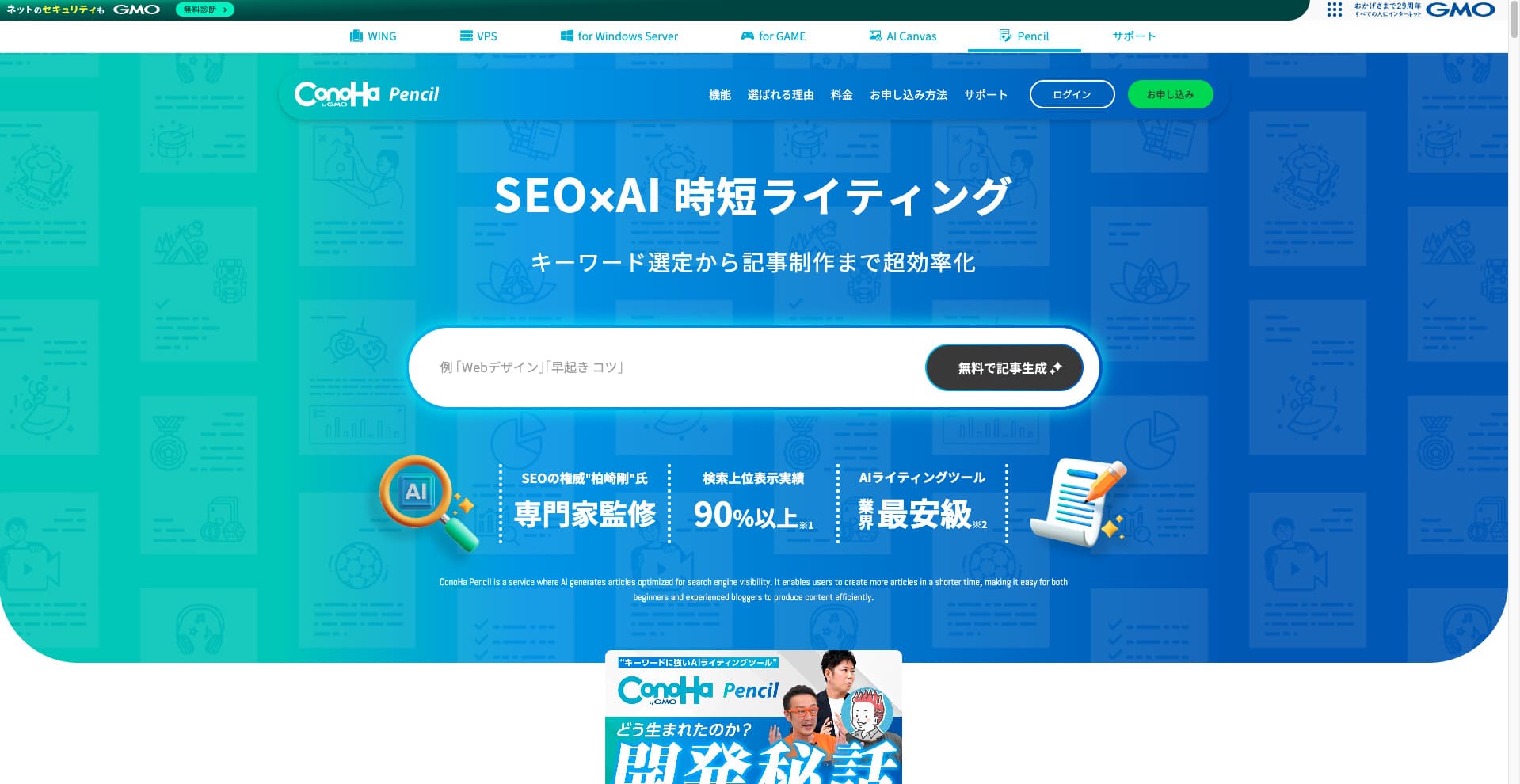
ConoHa WING previously offered the AI writing tool called Blog Creator. That product has now been updated and renamed ConoHa Pencil. The basic way you use it is the same.
It is a paid tool that can generate or rewrite article titles, headings, and body text with AI. Using it means that even if you have never written articles for a blog or website before, you can still create articles that are strong in SEO and easy for readers to follow.
Hikaru Ono
When you use Blog Creator, your article is more likely to rank than if you just write straight into a generic AI such as ChatGPT. I expect ConoHa Pencil to have the same effect, and if anything, the accuracy should be better now.
Related article: ConoHa Pencil Pagsusuri: Can This AI Writing Tool Really Produce Blog Posts?
Control panel
Ang ConoHa WING control panel ay isang proprietary management interface na nagbibigay-daan sa iyong patakbuhin ang mga setting ng server, email, mga domain, SSL, at WAF mula sa iisang screen. Ito ay malinaw sa paningin at madaling i-navigate kahit para sa mga unang beses na gagamit.
- Top screen
- Contract and payment
- WordPress
- ドメイン
- バックアップ
- DB
- FTP
- ファイルマネージャー
- Access analytics
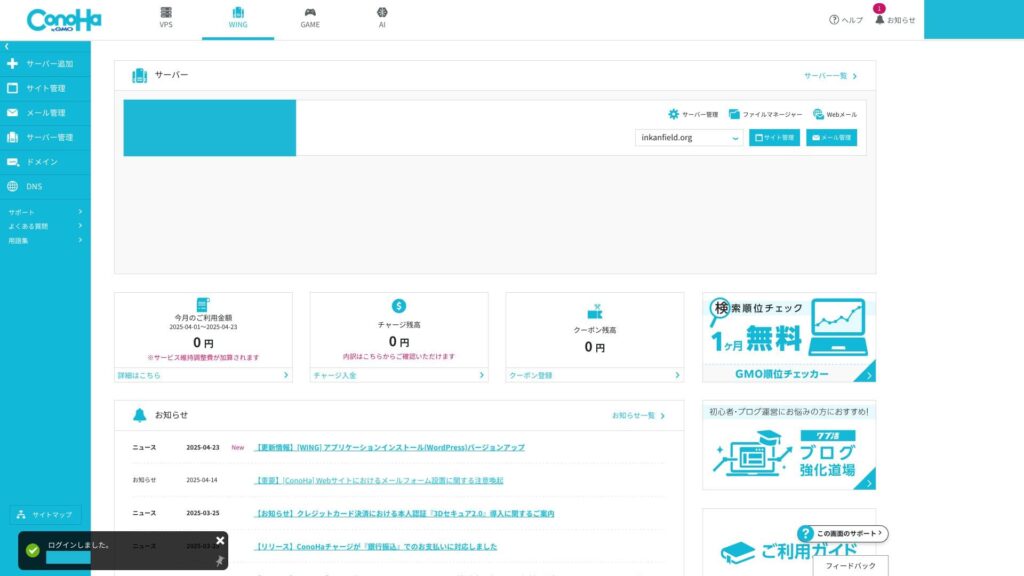
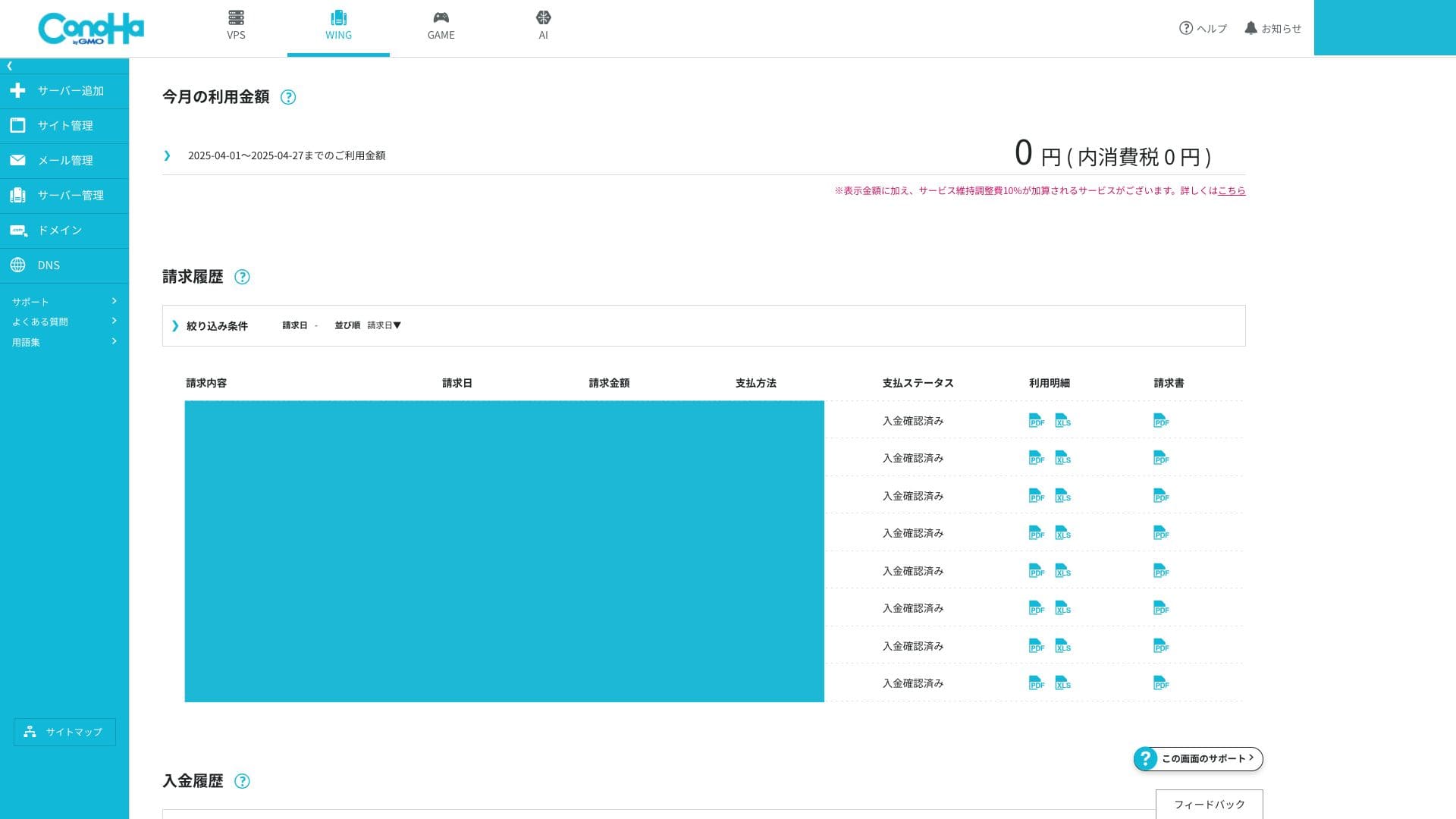
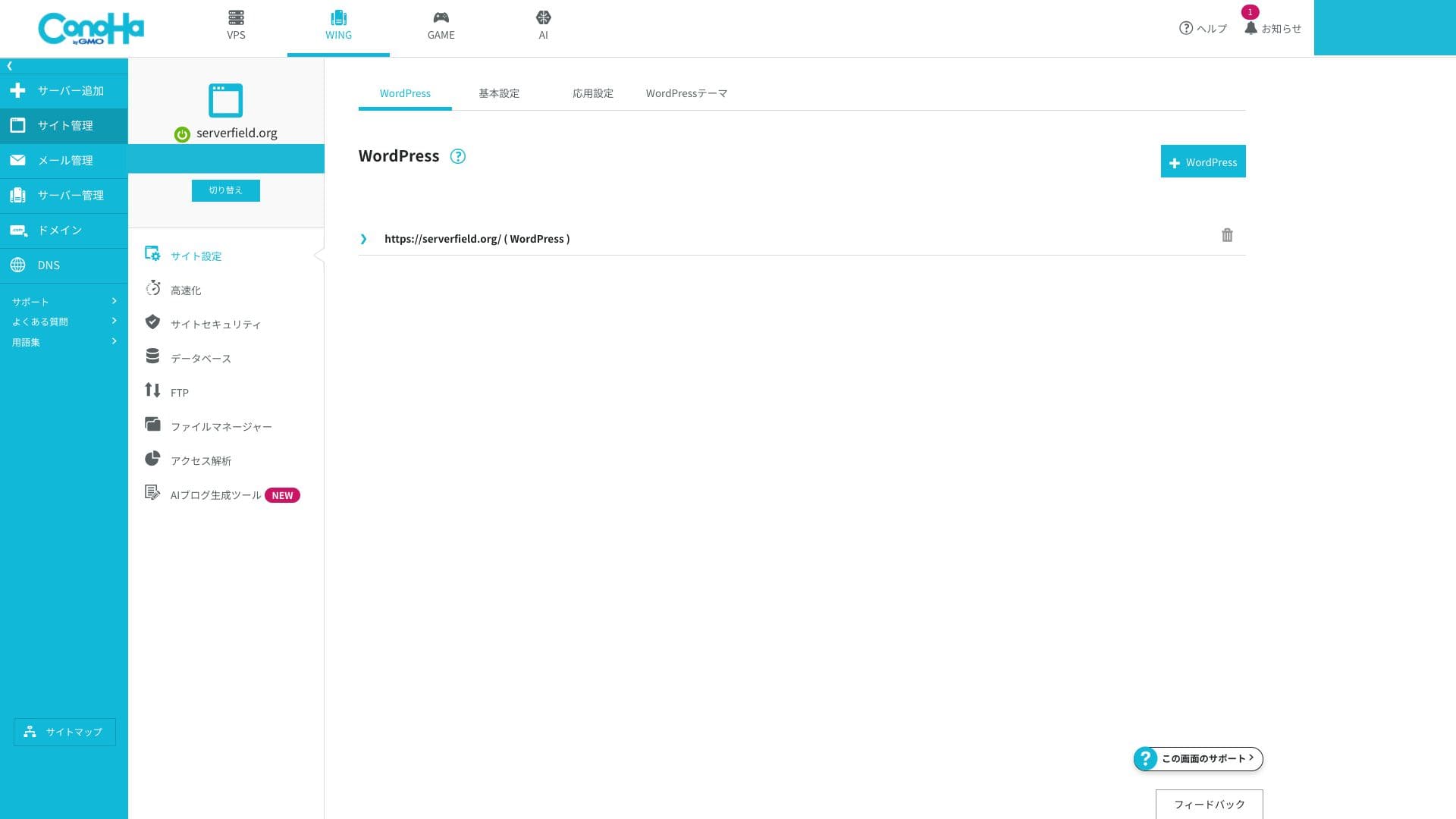
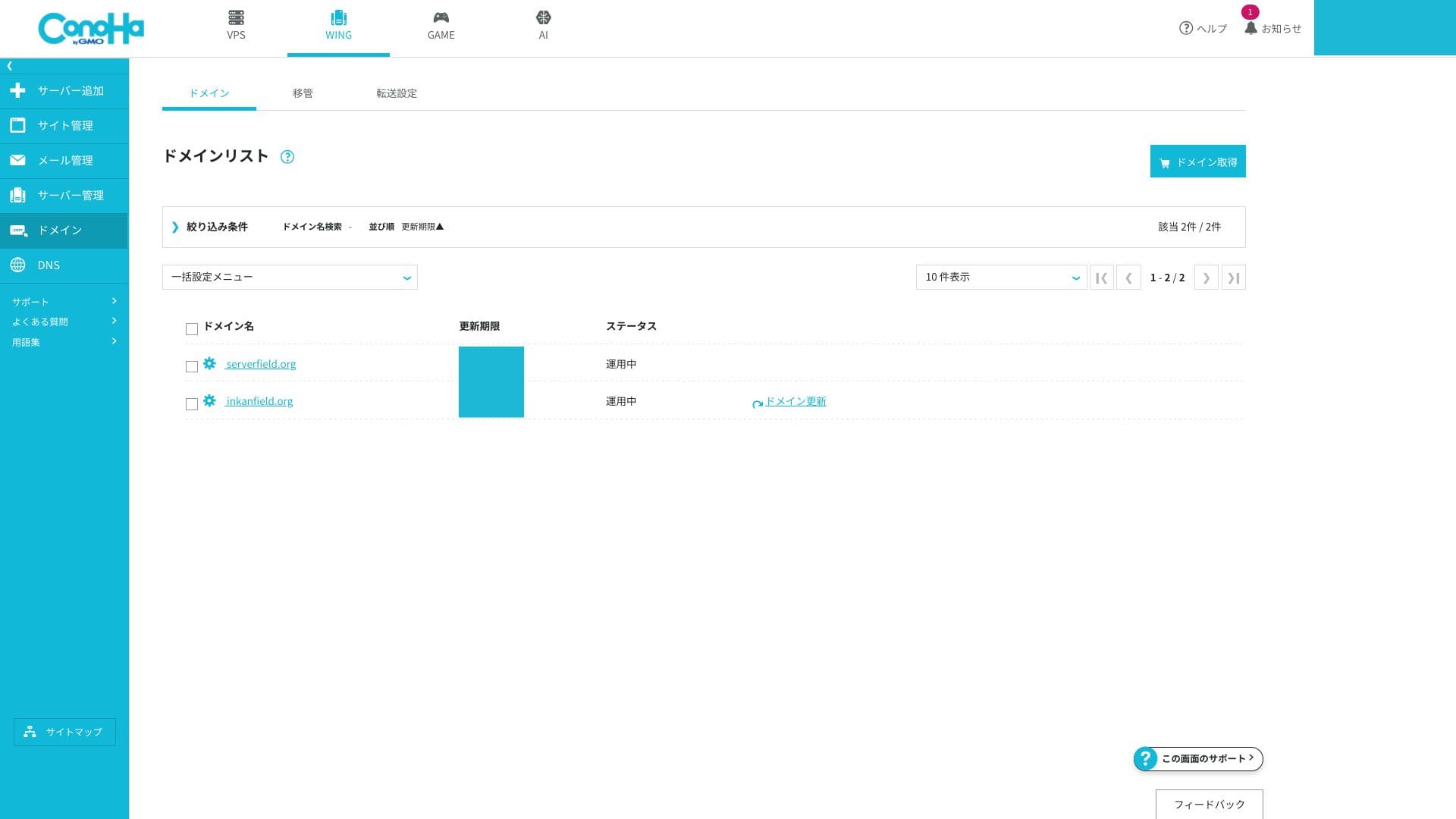
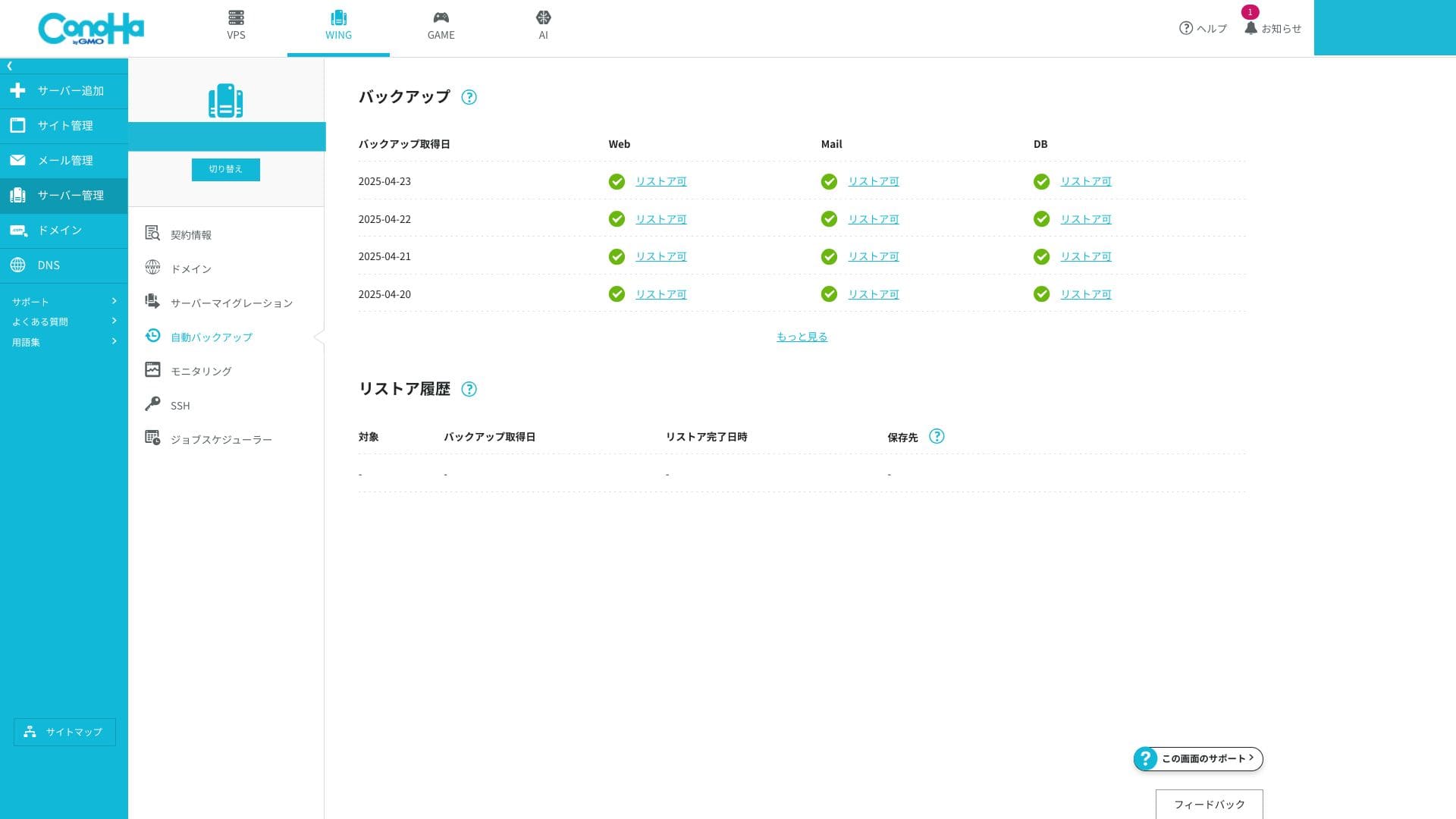
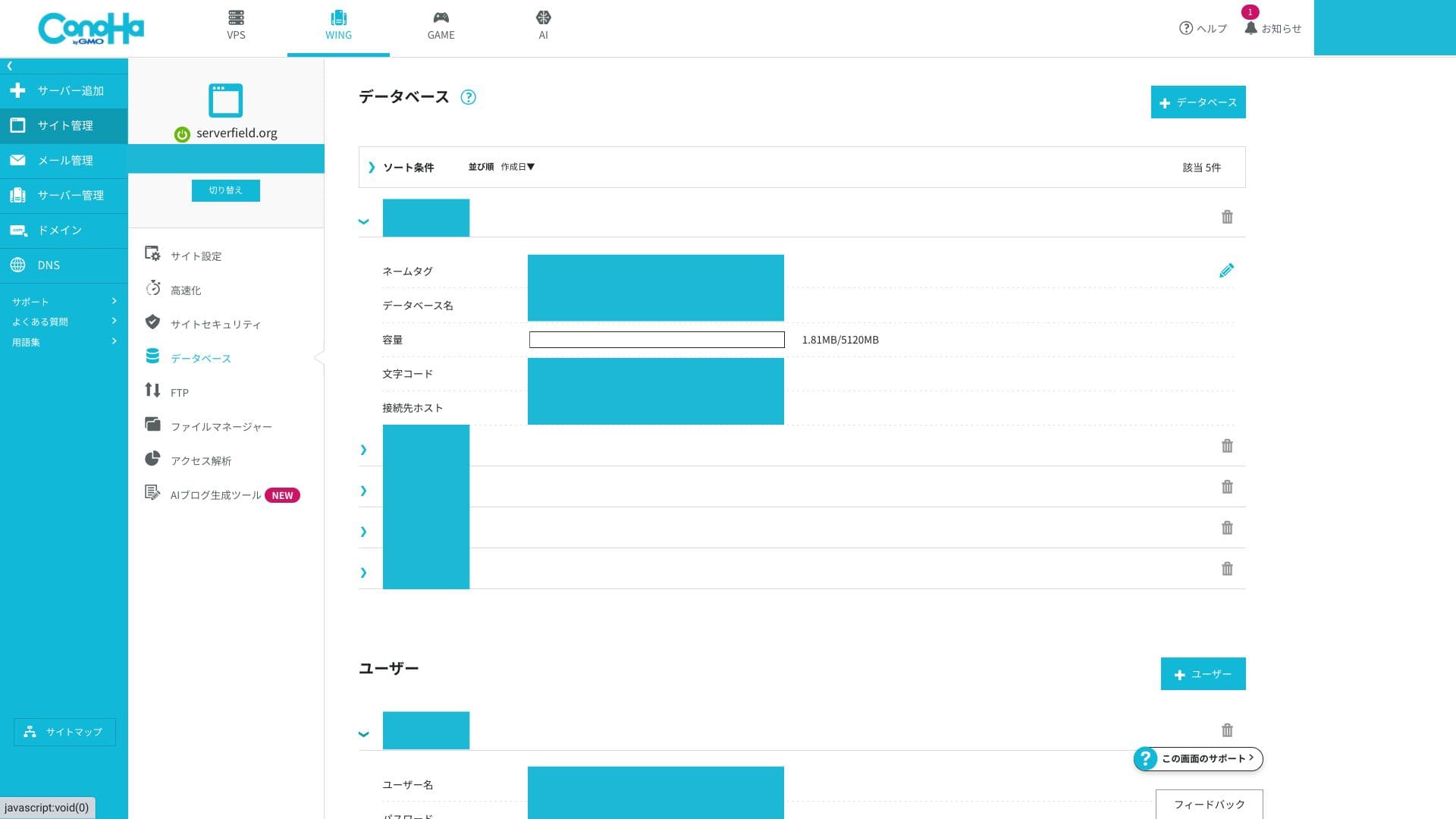
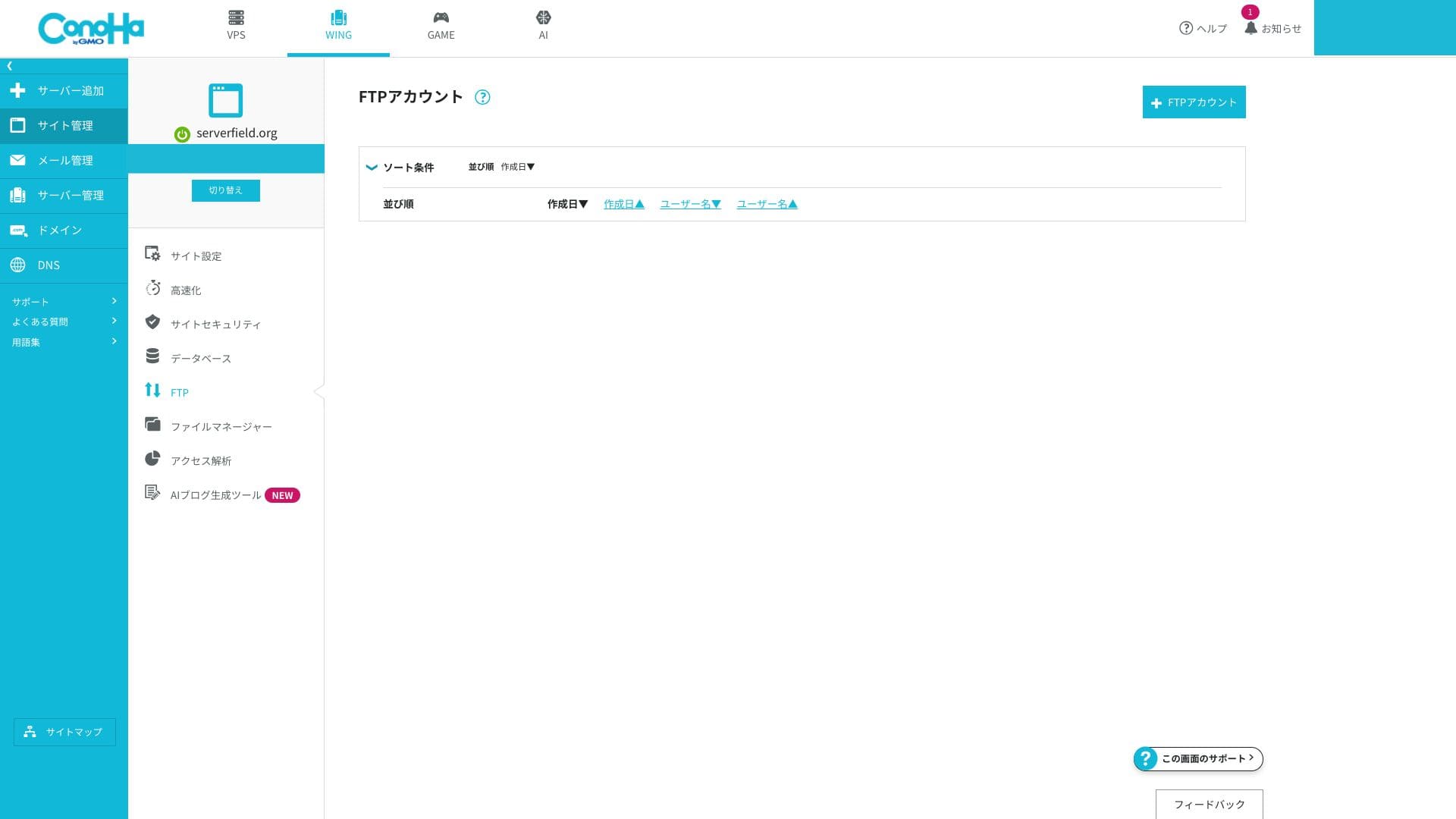
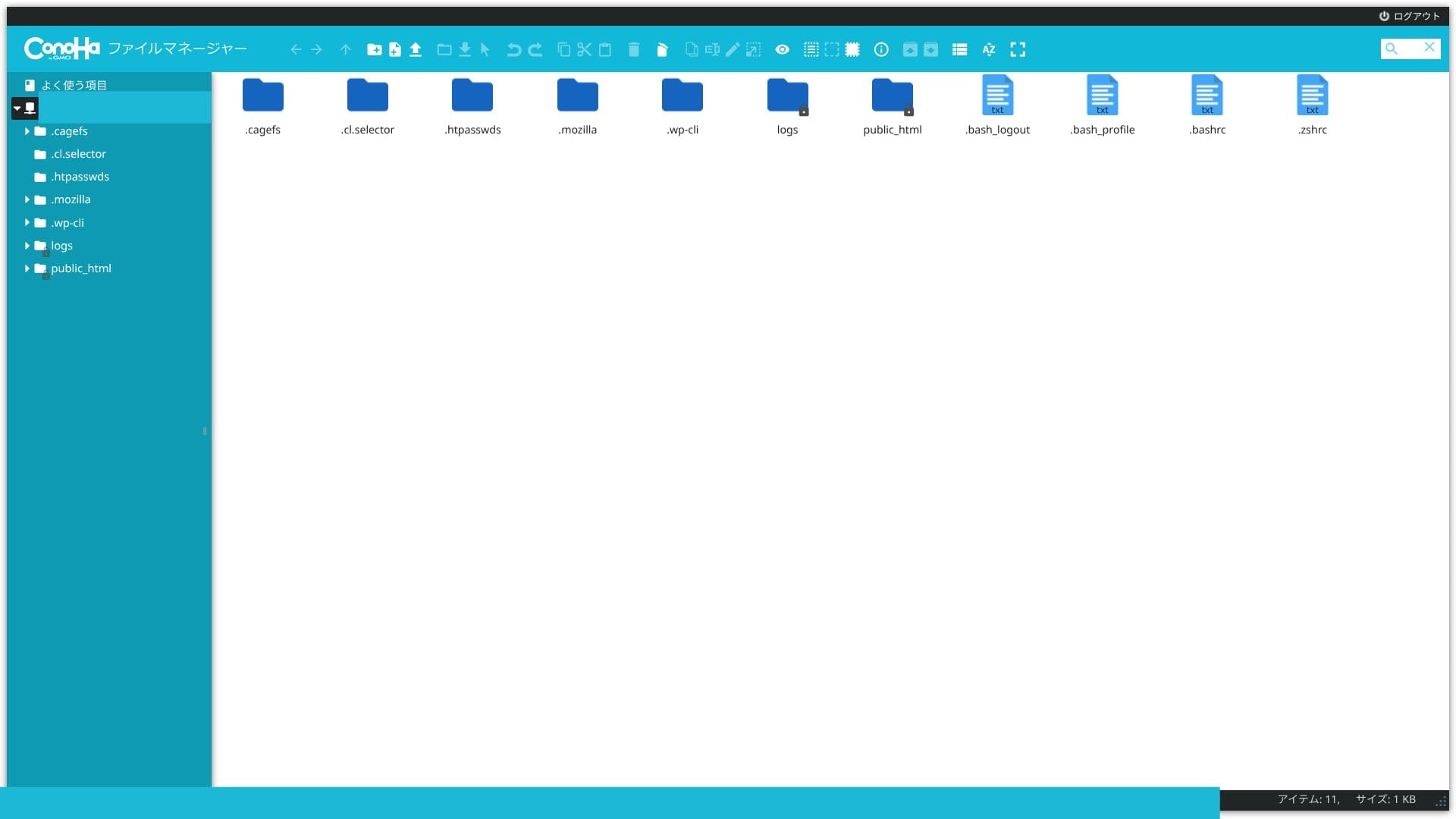
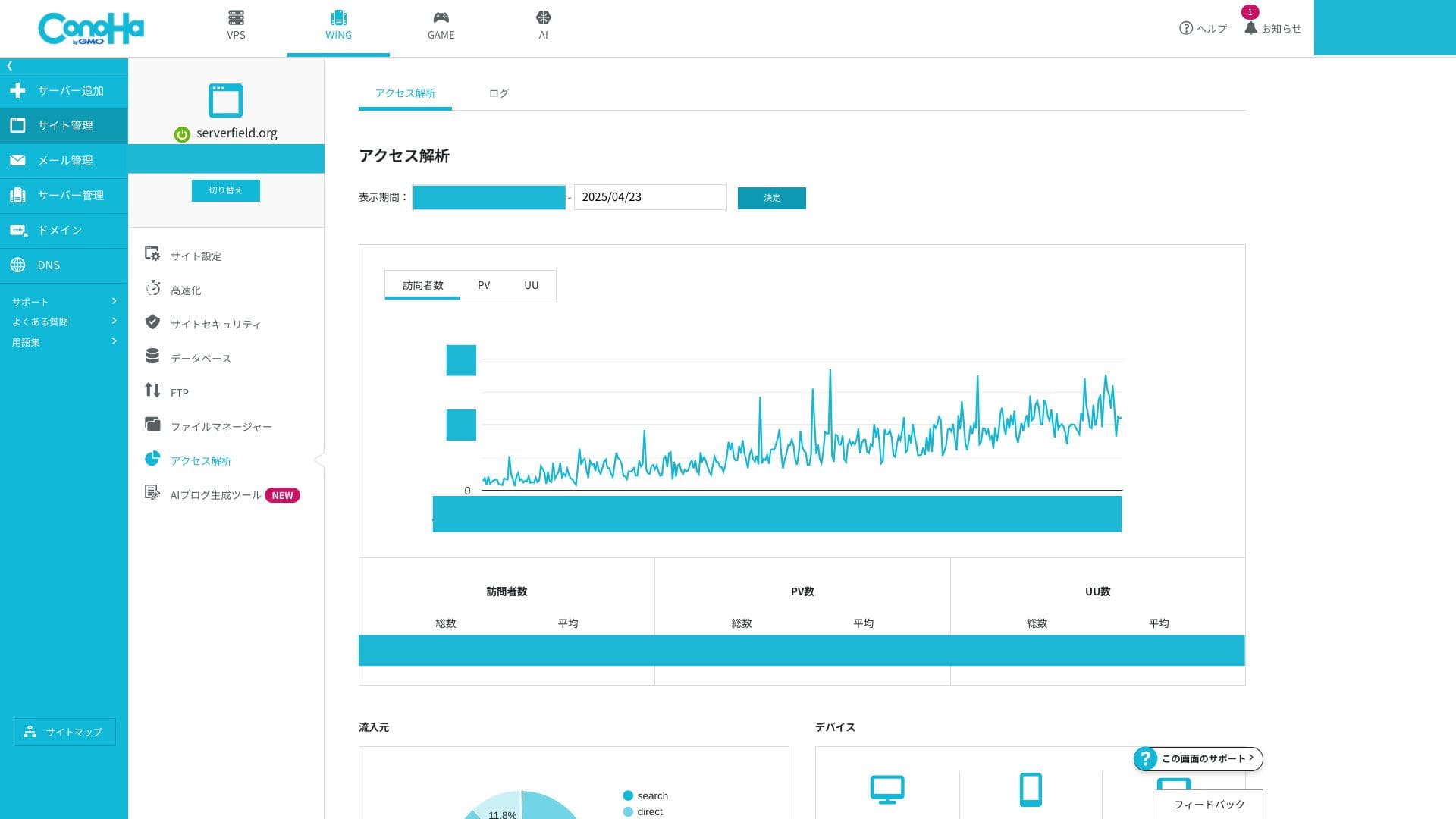
If you are used to cPanel, the terminology may feel unfamiliar at first. But anyone who can handle the many functions inside cPanel should be able to get comfortable with the ConoHa WING control panel very quickly.
Suporta system
Ang suporta sa telepono at chat ay magagamit sa real time sa mga weekday mula 10:00 hanggang 18:00. Tumatanggap ang suporta sa email ng mga katanungan 24 na oras sa isang araw, ngunit ang mga tugon ay pinangangasiwaan lamang sa mga weekday mula 10:00 hanggang 18:00. Kung ang iyong site ay nangangailangan ng saklaw sa magdamag o holiday, dapat mong malaman na ang mga isyu sa gabi at katapusan ng linggo ay maaaring kailanganing lutasin nang mag-isa.
Hikaru Ono
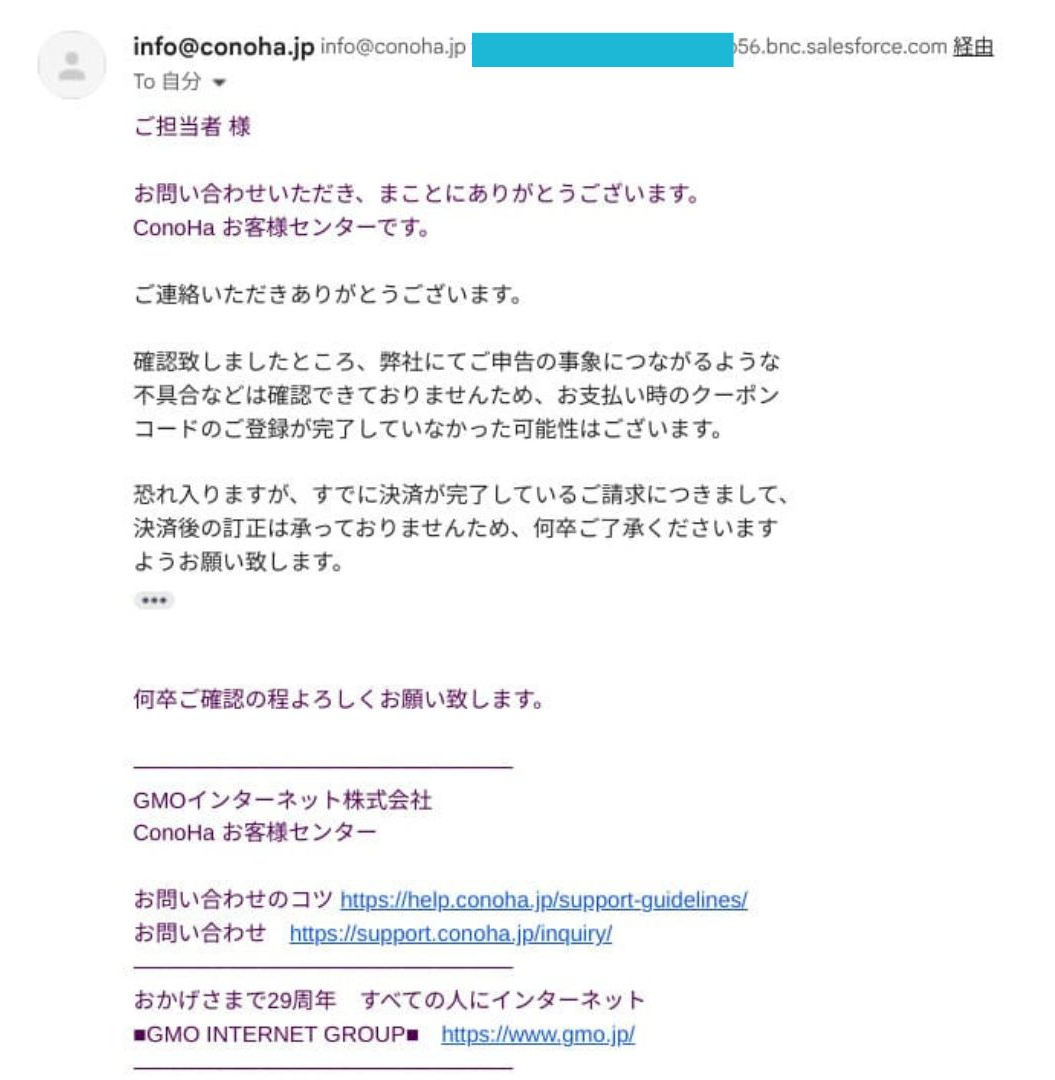
Ito ay mula sa totoong karanasan. Noong nagpasok ako ng kupon ng diskwento sa panahon ng pag-renew, hindi ito naipakita nang tama at natapos pa rin ang pag-renew. Nang humiling ako ng suporta, sinabihan ako na hindi na nila maaaring itama ang mga pagbabayad pagkatapos ng pagsasaayos.
Manuals and FAQ
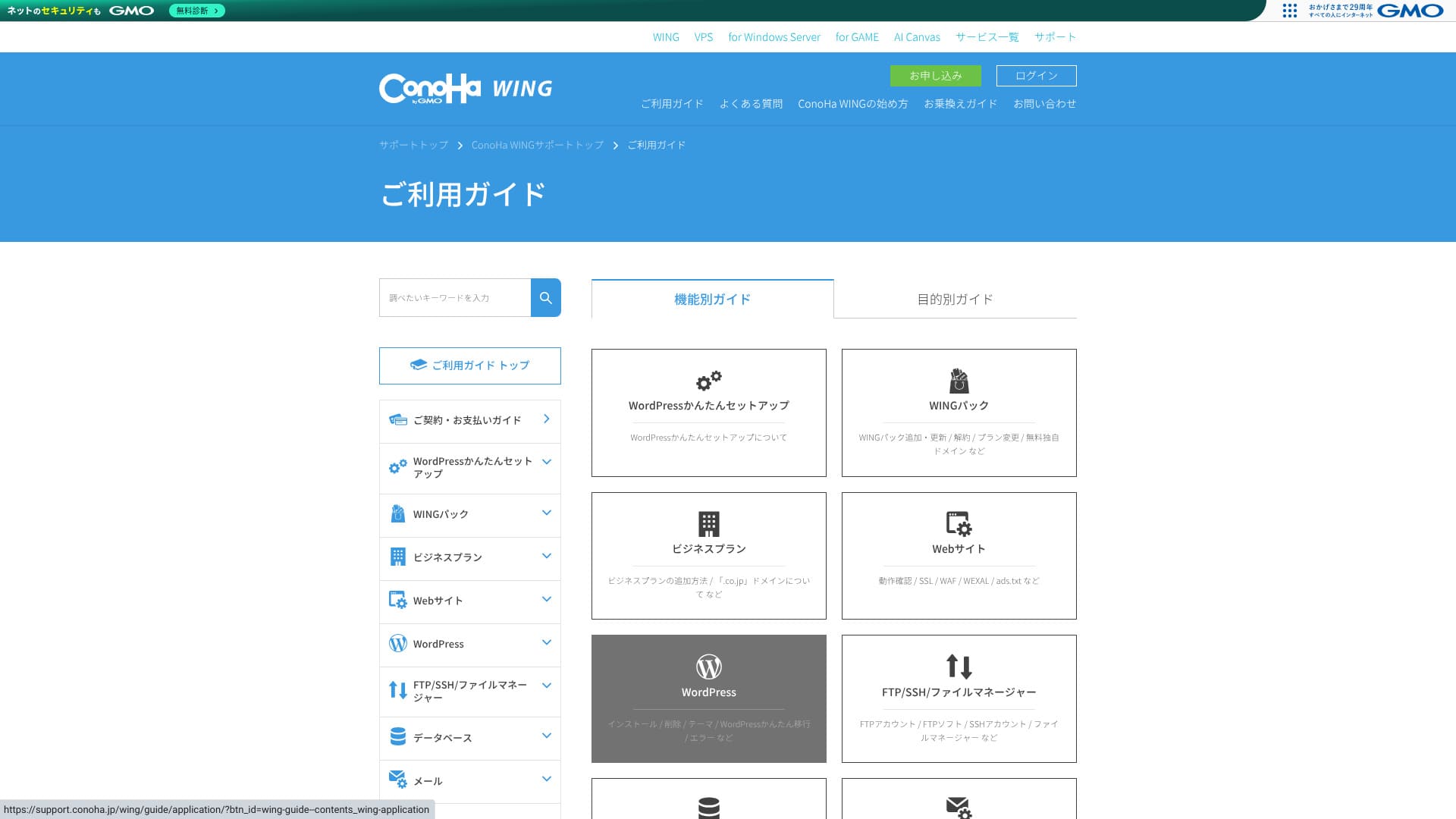
Ang opisyal na knowledge base ay lubos na komprehensibo. Kasama rito ang mga ilustrasyon, at ang paghahanap gamit ang keyword ay nagpapadali sa paghahanap ng eksaktong artikulong kailangan mo. Dahil dito, malaki itong tulong para sa mga baguhan at mga intermediate user na gustong lutasin ang mga isyu nang mag-isa.
Email features
ConoHa WING can handle not only your website but also your business email operations in iisang package.
Unlimited email addresses and multi-domain operation
Maaari kang lumikha ng mga email address para sa bawat custom domain nang walang dagdag na singil at walang limitasyon sa bilang. Maaari silang ibigay mula sa control panel sa ilang i-click lamang, kaya hindi mo kailangang humarap sa kumplikadong configuration ng mail-server.
Because you can add as many addresses as you need for departments or individual staff members, it is also safe for mga kumpanya in a growth phase.
You can centrally manage email for multiple mga domain under one contract. That makes it a strong fit for e-commerce operators or production mga kumpanya that separate mga domain by brand.
Mailbox capacity
Maaari kang malayang maglaan ng kahit saan mula 10MB hanggang humigit-kumulang 20GB sa bawat address, at maaari mong baguhin ang mga setting na iyon sa anumang oras. Nagbibigay iyon sa iyo ng pinong kontrol ayon sa kaso ng paggamit at tumutulong na maiwasan ang sinumang solong user na gumamit ng napakaraming kapasidad.
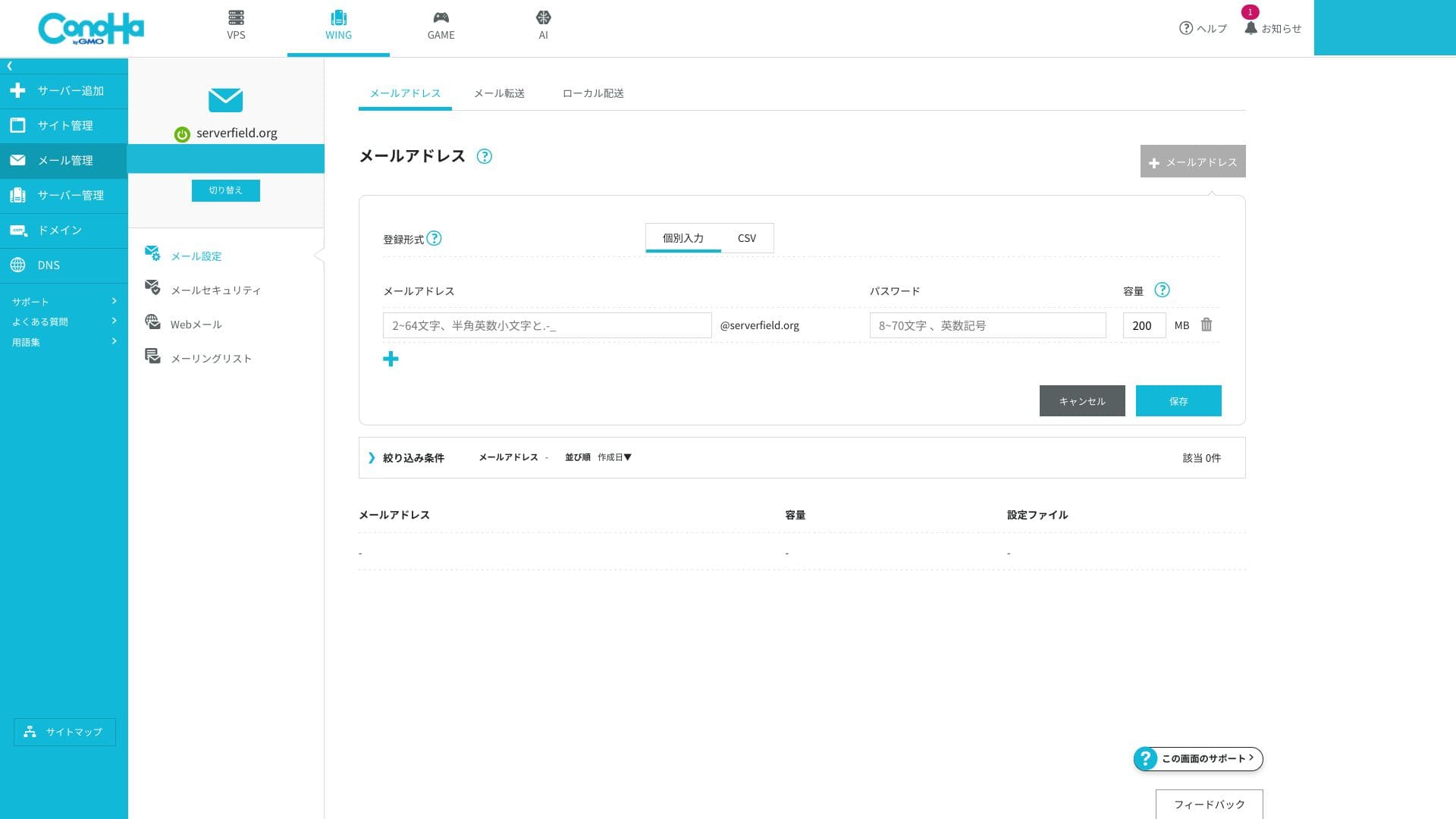
Dahil ang imbakan ng email ay ibinabahagi sa pangkalahatang kapasidad ng SSD ng server, kailangan mong bantayan ang natitirang imbakan kung plano mong magtabi ng malalaking dami ng mail. Kung mabigat ang paggamit mo ng email, lumipat sa mas mataas na plano.
Webmail and client connections
ConoHa WING provides a browser-based interface for checking and sending email, and its UI is easy to use even on smartphones.
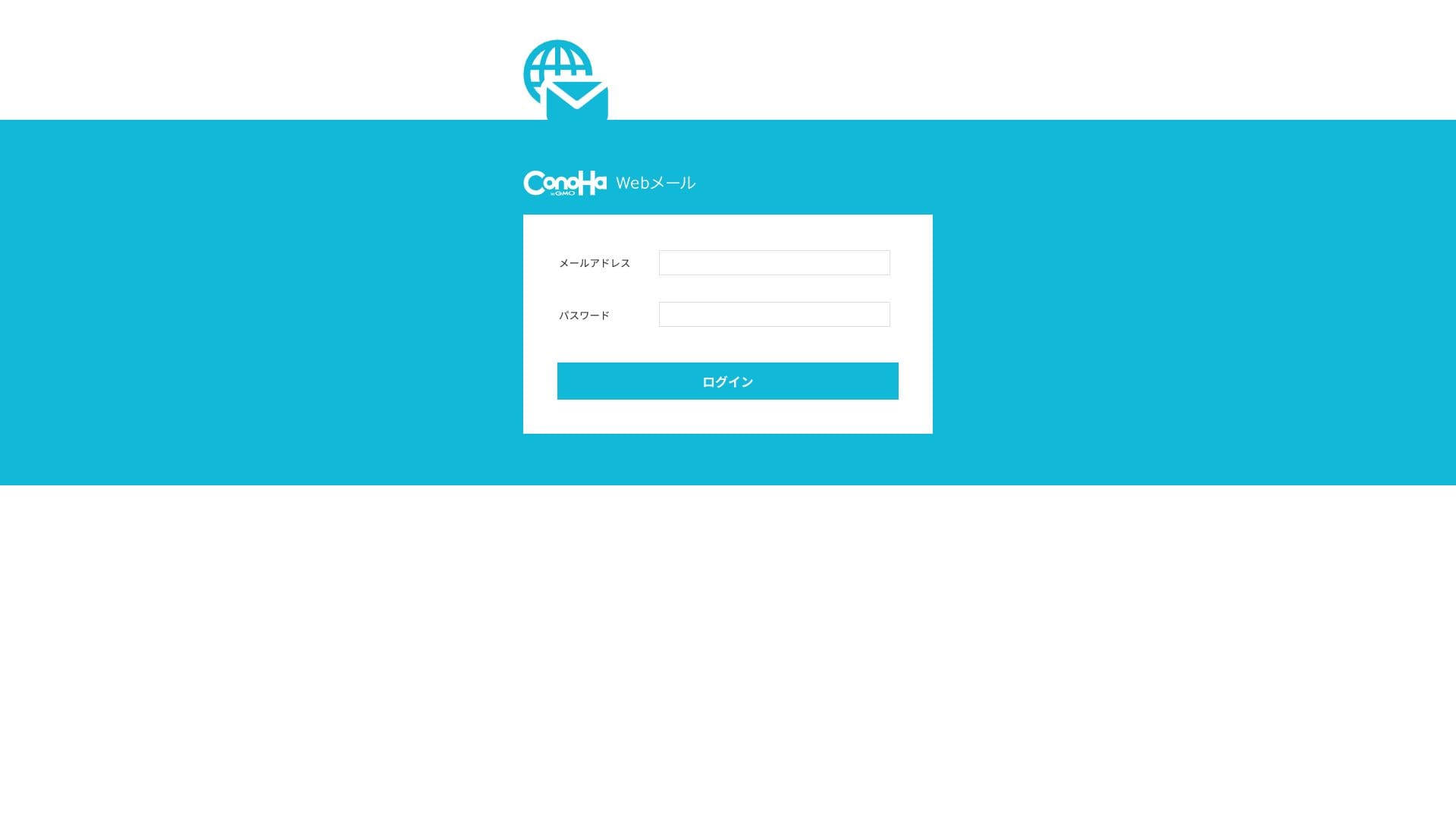
Sinusuportahan din nito ang mga karaniwang protocol sa komunikasyon na ginagamit para sa pagpapadala at pagtanggap ng email, kaya maaari kang kumonekta mula sa mga panlabas na client tulad ng Outlook at Gmail. Sinusuportahan ang IMAP at TLS, at standard ang naka-encrypt na komunikasyon, na nagiging ligtas sa paghawak ng email kahit na malayo ka sa opisina.
Mga hakbang sa seguridad (SPF, DKIM, DMARC, spam, at virus)
Ang mga ito ay mga teknolohiya ng pagpapatunay ng sender-domain na humahadlang sa pekeng mail at tumutulong sa iyo na maiwasang mapunta sa mga spam folder sa mga serbisyo tulad ng Gmail. Ang SPF at DKIM ay naka-configure bilang standard, at ang DMARC ay maaari ding ilapat mula sa GUI gamit ang isang i-click lamang. Malinaw na isinasaad ng ConoHa WING na sumusunod ito sa mga alituntunin ng Gmail.
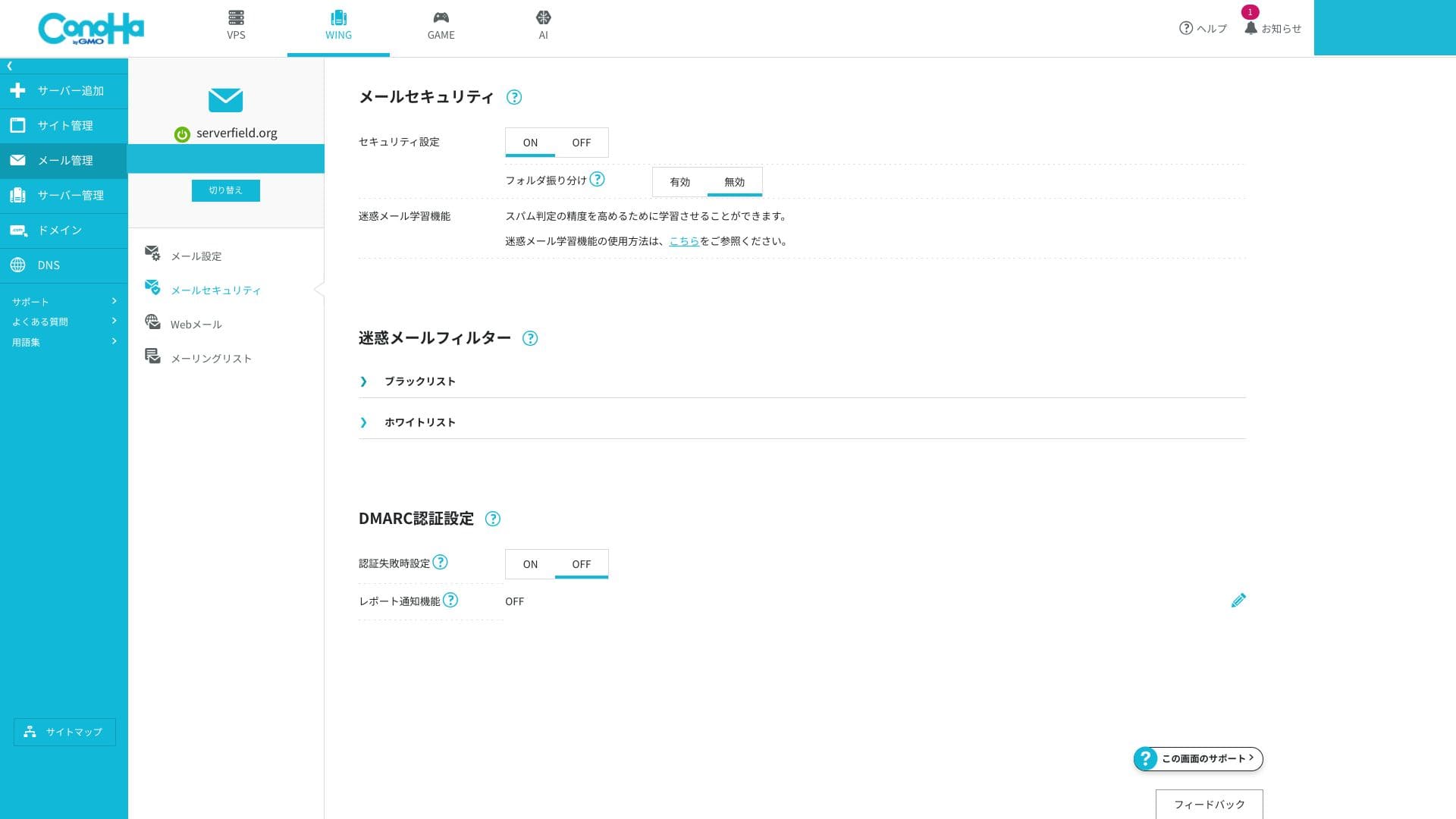
The server side blocks spam and malware and automatically sorts suspicious messages into a dedicated junk folder. Because this can be enabled for free and virus-detected messages are discarded automatically, the overall level of safety is high.
The ability to create very detailed custom filtering rules is limited, so if you have serious email-marketing requirements, it is worth considering an external specialized service alongside it.
Helpful features (forwarding, auto-replies, overseas IP restrictions, mailing lists, and more)
Maaari mong i-forward ang papasok na mail sa isa pang address at magpadala ng mga awtomatikong tugon kapag wala ka. Mayroon ding setting na humaharang sa pagpapadala at pagtanggap ng email mula sa mga IP address sa ibang bansa, na tumutulong na mabawasan ang panganib ng pagkompromiso sa account.
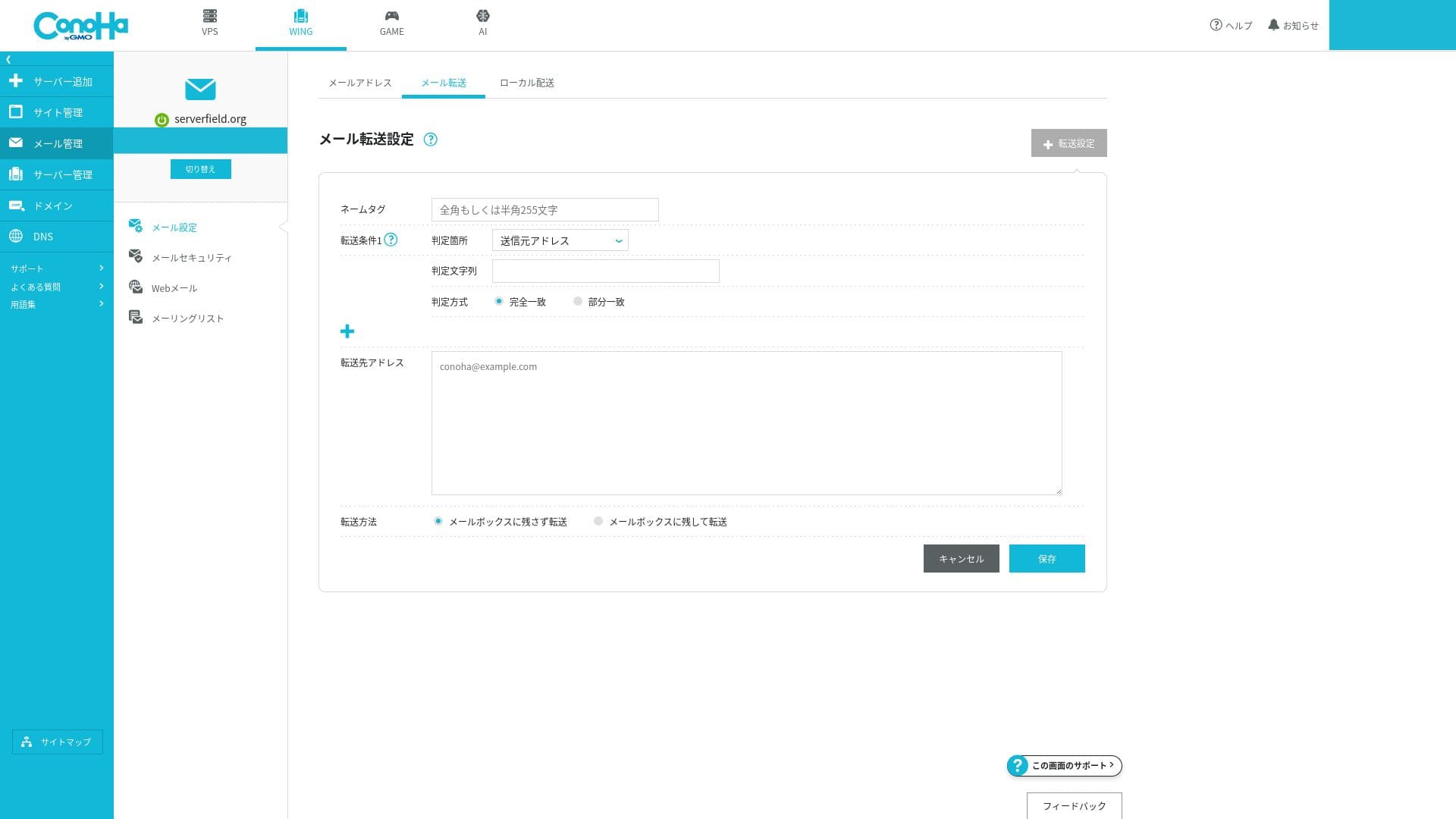
Dahil ang lahat ng ito ay madaling mai-on o mai-off mula sa GUI, kahit ang mga nagsisimula ay maaaring magpatakbo ng mail nang ligtas.
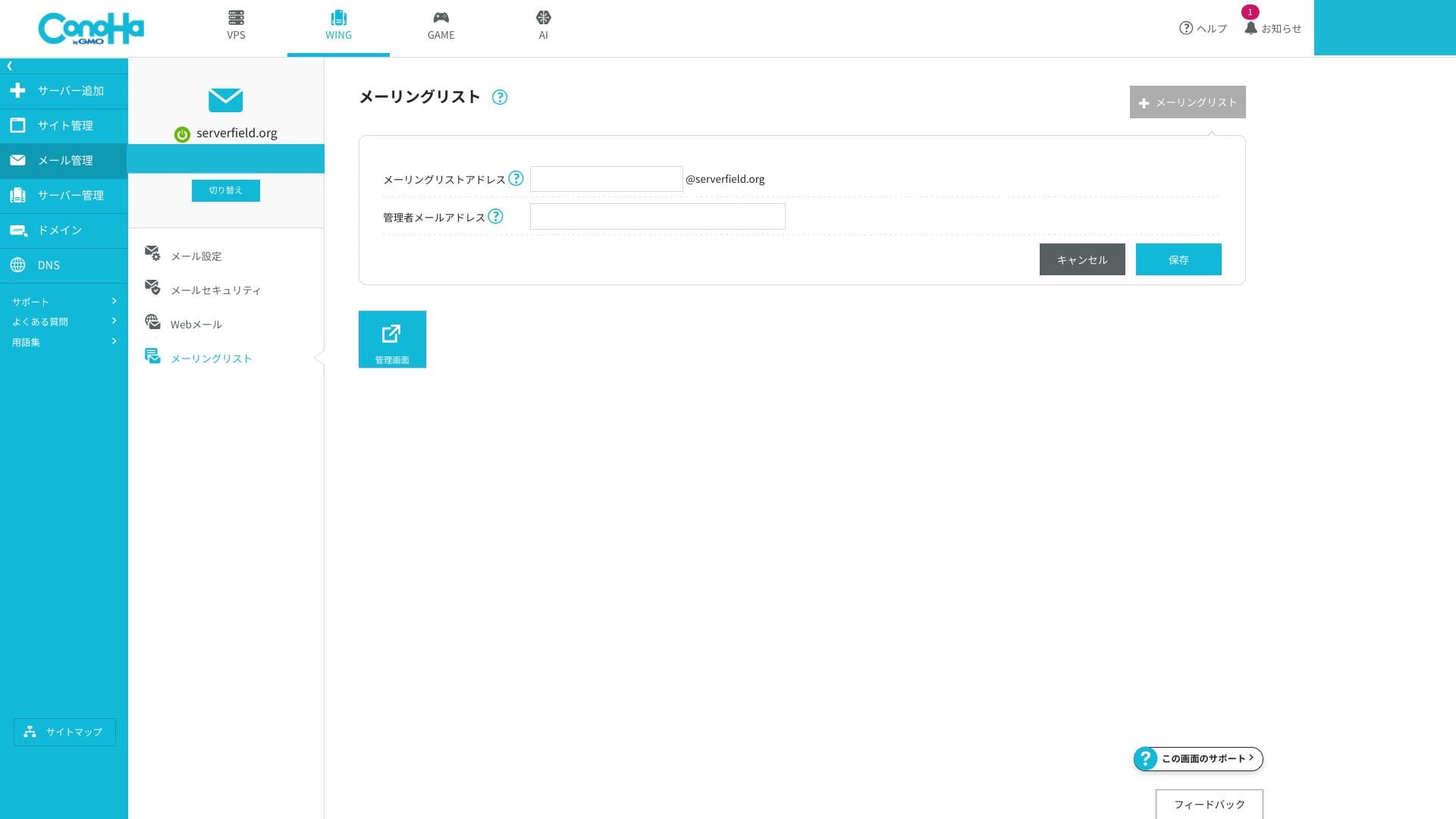
You can also create mailing lists easily.
Overall email assessment
Ang mga tampok sa email ng ConoHa WING ay mahusay na tugma sa mga sitwasyon kung saan nais mong pamahalaan ang email ng negosyo para sa isang maliit na kumpanya o mga solong may-ari ng negosyo (sole proprietorship) sa matipid na paraan. Ang kakayahang tiyakin ang kredibilidad ng isang custom domain at pagpapatunay ng sender-domain nang walang karagdagang trabaho ay isang pangunahing bentahe. Sa kabilang banda, kung kailangan mo ng antas-negosyong spam control o mail governance, maaaring mas angkop ang isang espesyalisadong email service.
| Evaluation item | Strength | Pangamba / isyu |
|---|---|---|
| Number of addresses | Unlimited and easy to issue | — |
| Capacity management | Flexible setting from 10MB to 20GB | Shared with total server SSD capacity |
| Authentication technology | SPF at DKIM bilang pamantayan, suportado ang DMARC sa pamamagitan ng GUI | No enterprise-oriented S/MIME certificate management |
| Threat protection | Spam filtering and virus blocking included | Advanced rule customization is limited |
Hikaru Ono
If you need to run hundreds of mailboxes or require enterprise-class spam controls, it will be safer to combine ConoHa WING with a specialized mail SaaS.
Seguridad at backup
WAF at seguridad ng WordPress
ConoHa WING provides a WAF, a web application firewall. It can block more than ten kinds of attacks, including SQL injection and XSS, through a GUI. It is free to use, and you can view logs and configure exclusions from the control panel.
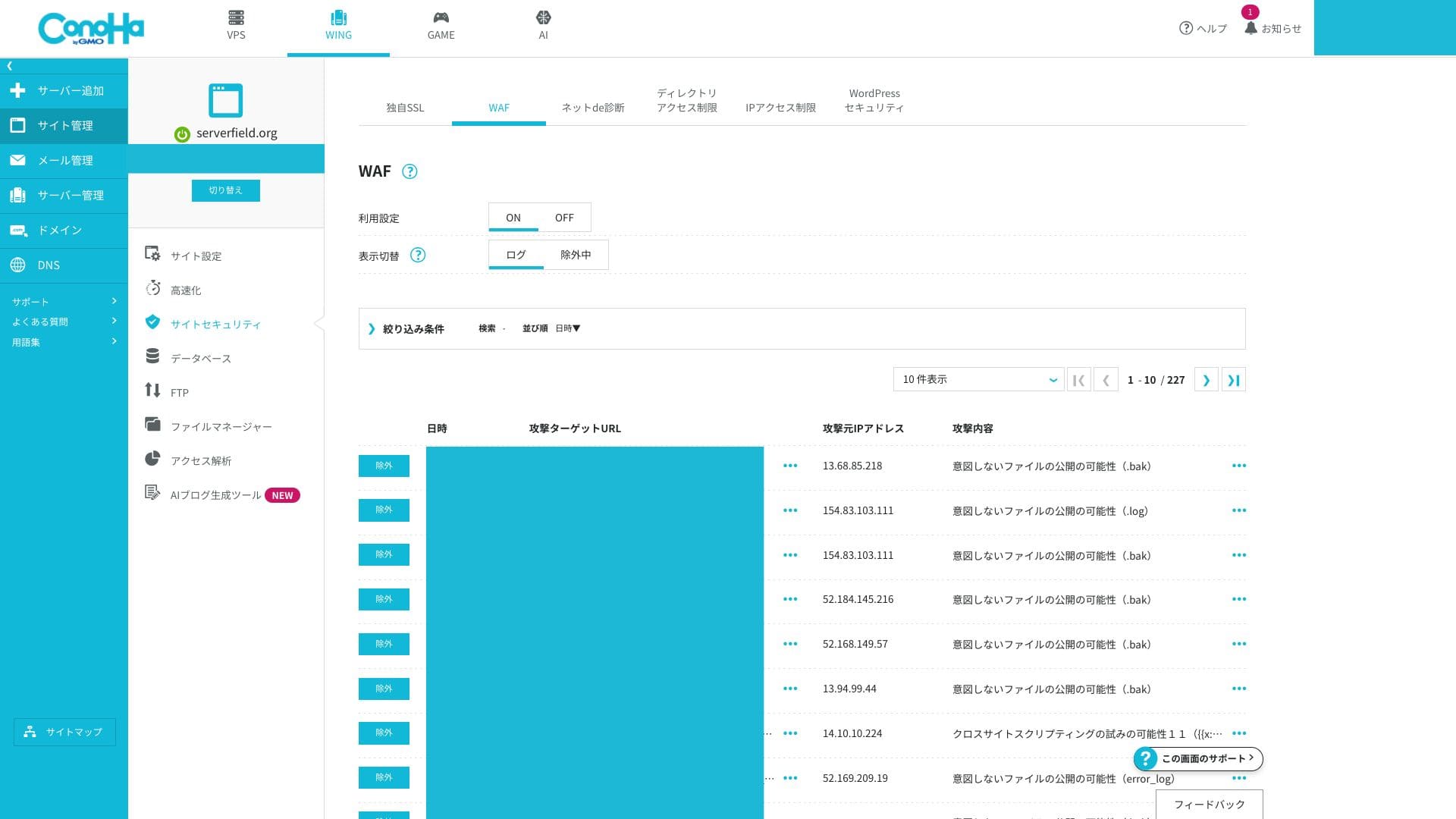
Advanced users who want to build very fine-grained custom rules may find it a little limited.
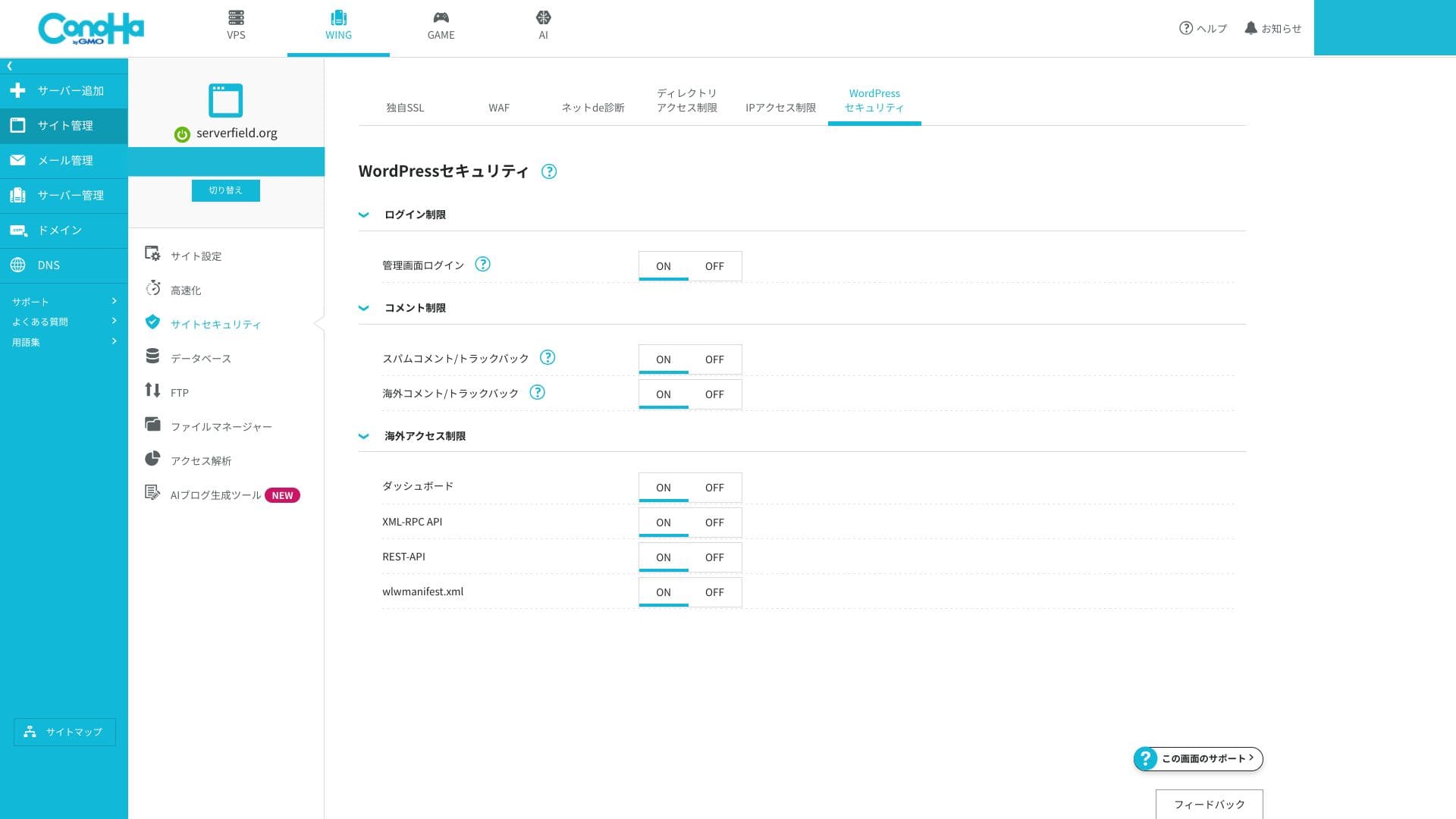
Maaari mo ring i-configure ang mga setting ng seguridad ng WordPress nang detalyado. Ang mga limitasyon sa pagsubok sa pag-login at hindi pagpapagana ng XML-RPC ay maaaring paganahin mula sa screen nang hindi nagdagdag ng mga karagdagang plugin, na nagpapahintulot sa iyo na palakasin ang mga pangunahing kaalaman habang pinapanatiling mas magaan ang iyong site.
Automatic backup
Kasama sa ConoHa WING ang awtomatikong backup sa loob ng 14 na araw. Awtomatiko nitong inililigtas ang web data, mga database, at email araw-araw, at maaari mo itong ibalik sa pamamagitan ng isang i-click mula sa control panel. Bihira pa rin ang mga libreng pagbabalik ng data.
Because retention lasts 14 days, you should combine it with an external backup if you need monthly snapshots. WordPress also gives you plenty of plugin choices for that purpose.
How to ibalik a backup file
- Step 1:Mag-log in sa control panel.
- Step 2:Buksan ang "Server Management" at piliin ang "Automatic Backup."
- Step 3:Piliin ang backup na gusto mong ibalik at patakbuhin ang aksyon sa pagpapanumbalik.
Related article: Five Powerful WordPress Backup Plugins for Recovering Your Data
Other feature pagsusuris
GMO Rank Checker
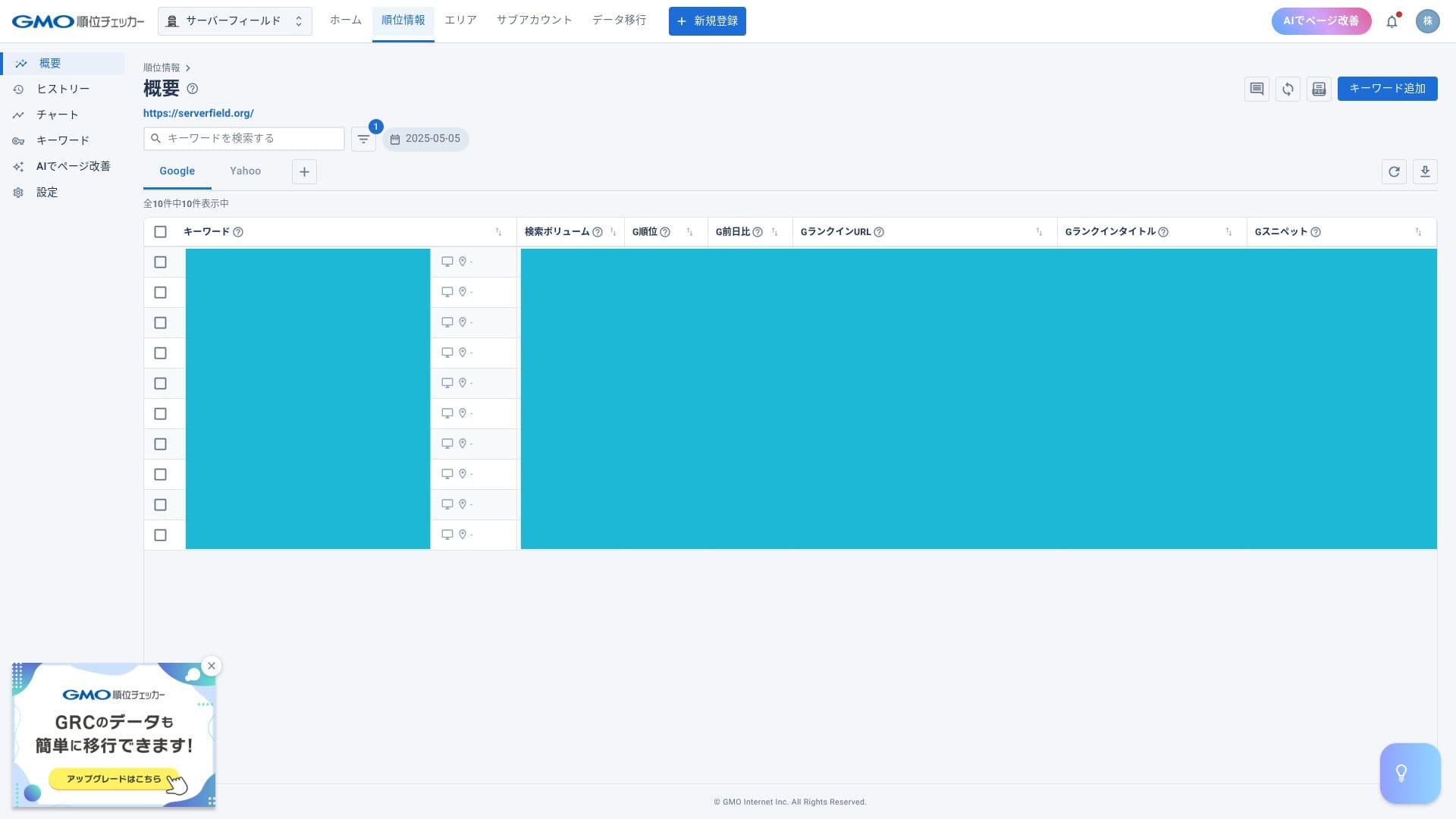
Binibigyang-daan ka ng ConoHa WING na gamitin ang GMO Rank Checker nang libre sa loob ng isang buwan at pagkatapos ay sa may diskwentong presyo. Awtomatikong sinusukat ng GMO Rank Checker ang pang-araw-araw na ranking ng mga partikular na keyword. Mas marami at mas mabilis itong nakakakuha ng impormasyon kumpara sa manu-manong pagsubaybay ng mga keyword. Nagbibigay-daan din ito sa iyo na suriin ang mga pagbabago sa ranking sa pamamagitan ng mga graph at katulad na display.
Hikaru Ono
Ang may-diskwentong presyo ay magagamit lamang ng mga subscriber. Maaari kang mag-apply mula sa control panel pagkatapos mong mag-sign up sa server.
How to access GMO Rank Checker
- Step 1:Mag-log in sa control panel.
- Step 2:Buksan ang bahagi ng mga abiso.
- Step 3: Look for the release notice about GMO Rank Checker for ConoHa WING subscribers and proceed from there.
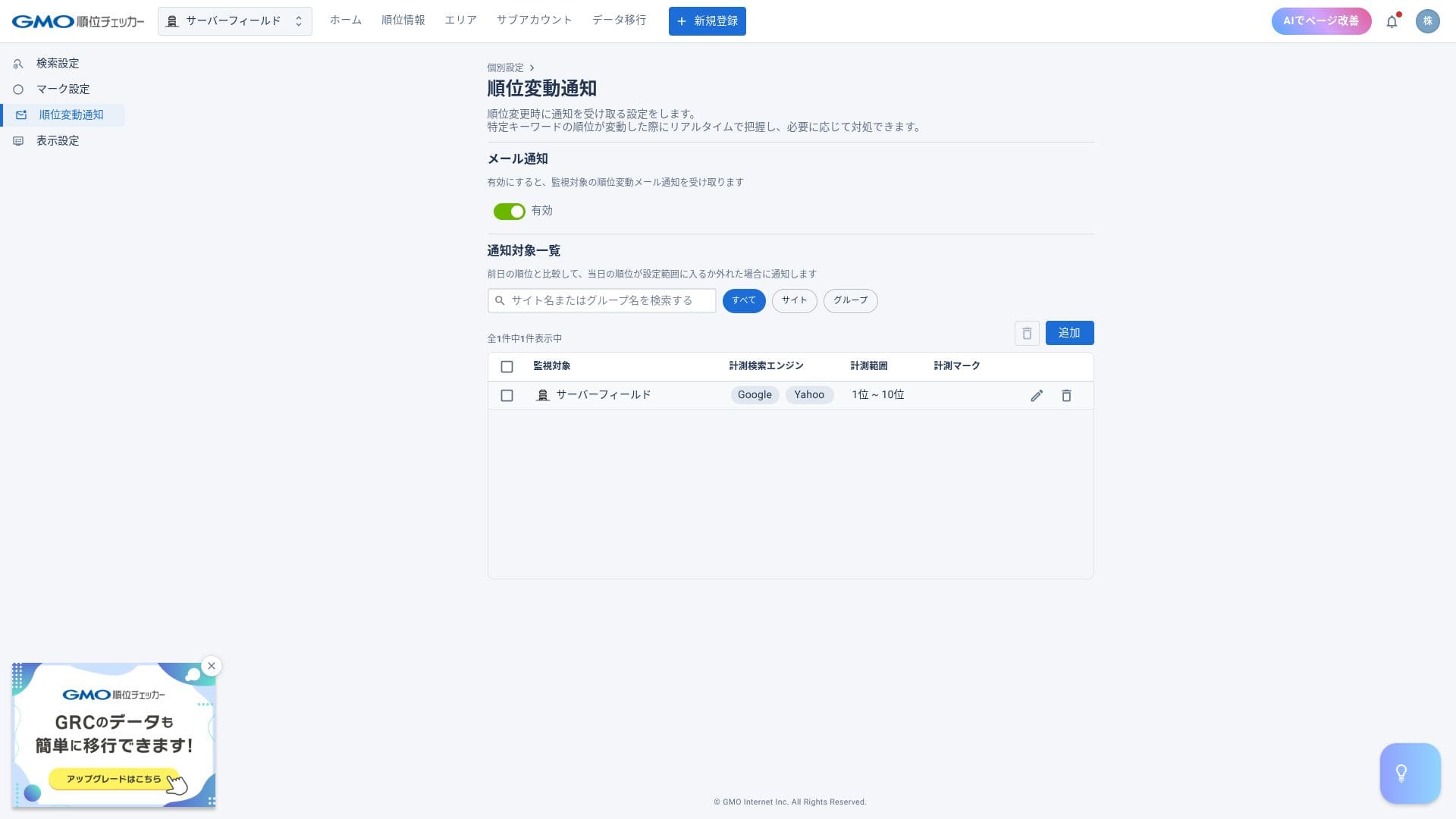
With a rank tracker, you can check positions for specific keywords and receive email alerts when rankings change.
Server migration
Once the number of sites hosted on a given server increases, ConoHa WING can perform server migration, in other words, it can move you to another server. As more users accumulate on one server, the likelihood of high load and slower page delivery increases.
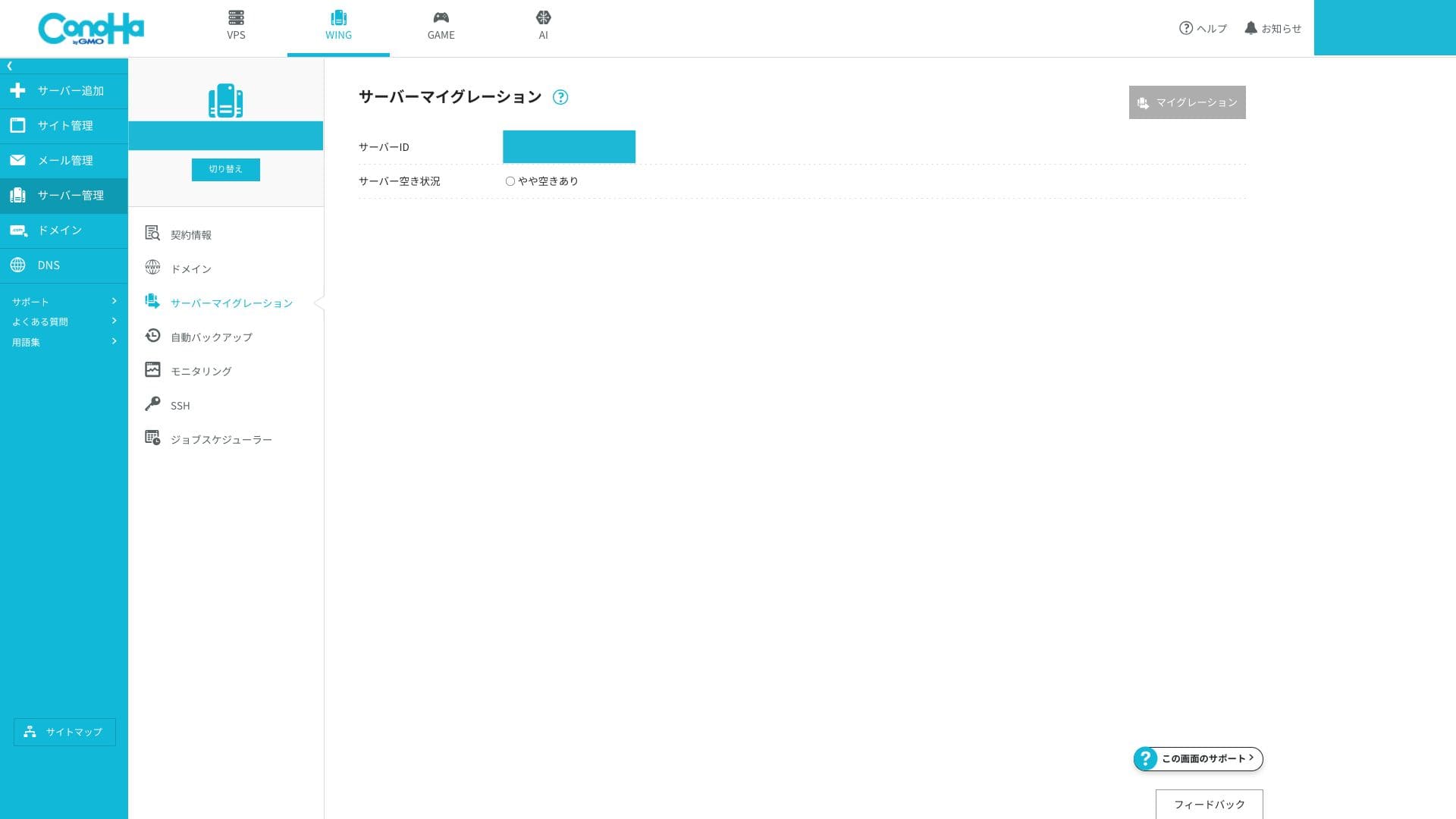
If you can move to a server with fewer accounts on it, you can solve that problem. The fact that this migration can be done for free is genuinely appreciated.
Summary
Ang ConoHa WING ay isang hosting service na may magagandang pagsusuri at malaking base ng mga lokal na user. Ang mga pangunahing puntos ay nasa ibaba.
- Fast:Ang LSAPI, HTTP/2, at SSD RAID10 ay nagtutulungan upang maghatid ng pinakamataas na uri ng bilis na nararamdaman sa Japan.
- Affordable:Kasama na ang dalawang domain, SSL, at backup, at ang 678 yen bawat buwan sa isang 36-buwang kontrata ay lubos na mapagkumpitensya.
- Easy:Ang Madaling WordPress Setup at ang isang-panel na UI ay nagbibigay-daan sa iyo na mag-live sa loob ng humigit-kumulang limang minuto.
- Safe:Ang libreng WAF, 14-araw na backup, at 99.99% SLA ay nagbibigay ng kapanatagan kahit para sa paggamit sa negosyo.
- Mga babala:Hindi maaaring kanselahin ang WING Pack sa kalagitnaan ng kontrata, ang suporta sa telepono ay magagamit lamang sa mga oras ng negosyo tuwing karaniwang araw, at ang limitasyon sa inode ay hindi hayagang ipinapakita.