
Ройгон setup fee until September 30, 2025, 20% off Little Plan server fees, and a 20-day free trial
PR
Серверҳо
Баррасии Little Server: дастури муфассал барои хостинги буҷавӣ, ки барои WordPress омода аст, аз 165 йен дар моҳ
Нашр шуд: 2025.04.18
Навсозӣ: 2025.04.18
Баҳо: 4.0
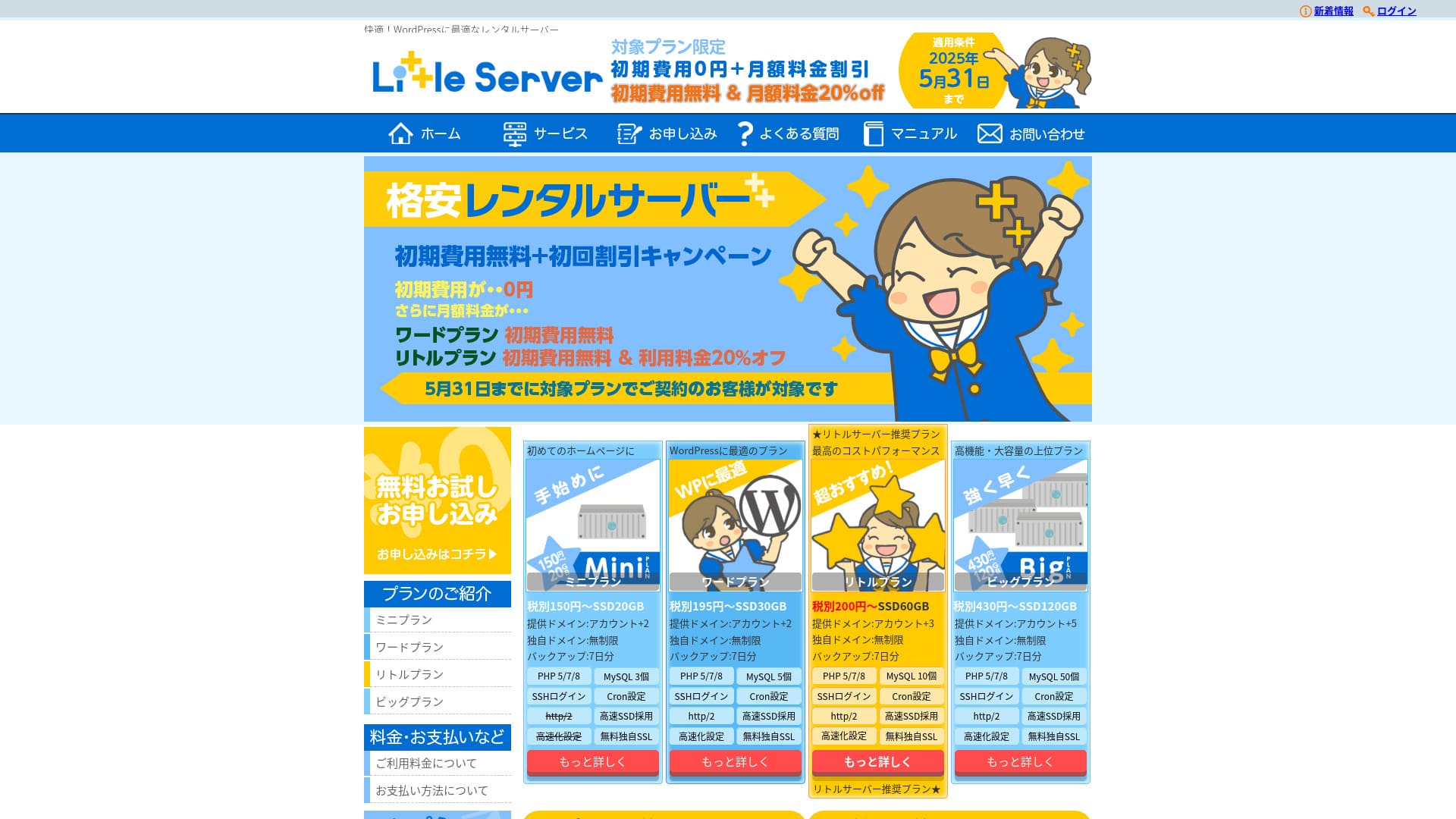
Little Server is a budget hosting service. Its cheapest Mini plan starts at 165 йен per моҳ. But it is not just inexpensive: WordPress runs quickly, and email functionality is also available.

We recommend Little Server to people looking for affordable hosting because:
- It offers fast server speed.
- Its моҳly price is extremely low.
- You can run multiple sites.
That is why. You are likely to be satisfied. You can try it free for 20 days.
A competing service is Value Server. Its flexible соатly-based pricing is even better than Little Server's. Consider it as well.
★ Value Server Review [2025 Latest]: Start WordPress at a Bargain Price
| Навъи сервер | Хостинги муштарак |
| Суръати ҷавоб (TTFB) | 200ms |
| Нақша ва муҳлати тавсияшуда | Mini, 12 моҳ |
| Озмоиш / сиёсати баргардонидани пул | 20-day free trial |
| Нархи моҳона (қарордоди 12-моҳа) | 165 йен |
| Пардохти ибтидоии танзим | 920 йен |
| Домени ройгон | Не |
| Дастгирӣ | Email (соатҳо not disclosed) |
| Давомнокии фаъолият | Эълон нашудааст |
| Storage | 20GB |
| Шумораи пойгоҳи додаҳо | 3 |
| Амният features | IMP |
| SSL | Ройгон SSL, dedicated SSL (Little Plan and above) |
| Backup / restore | Seven days of automatic backups are free, and restores are also free. |
| Шумораи ҳисобҳои почта | Unlimited |
| Email security | Spam filter |
| Хидмати кӯчонидани сервер / сайт | Не |
| WordPress пешакӣ насбшуда | Ҳа |
| CDN | Не |

Hikaru Ono
I was able to start WordPress at the same time I signed up for Little Server. It was surprising how smooth the process was at a price level this low, which is among the cheapest in the industry.
The carefully written official manuals also left a good impression.
Little Server vs. Other Services
- Overall rating★★★★☆
- Server speed ★★★★☆
- Pricing ★★★★★
- Stability ★★★★☆
- Ease of starting WordPress* ★★★★★
- Ease of domain management, SSL setup, and related operations* ★★★☆☆
* These ratings reflect my own hands-on experience using the service.

Complete Comparison of 21 Recommended WordPress Hosting Services for Individuals
Complete Comparison of 21 Recommended WordPress Hosting Services for Individuals
serverfield.org
- Based on market research as of Неvember 4, 2025, sorted by speed
- Нархи моҳона means the first-сол cost of the cheapest plan that supports WordPress
- Speed is the Time to First Byte of demo sites measured under the same conditions
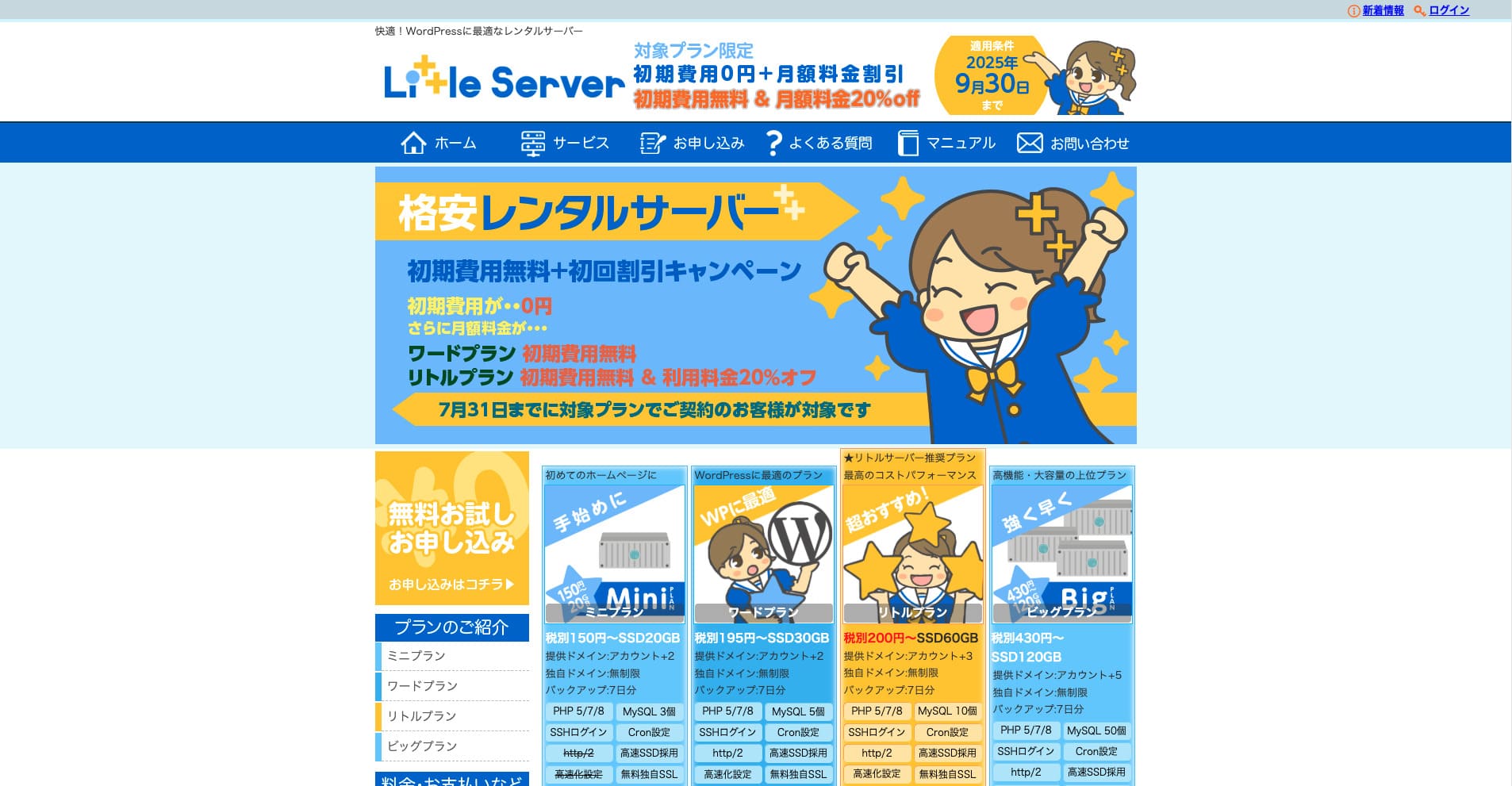
Little Server is a budget rental server. Even among paid hosting services, excluding free servers, it is one of the cheapest options for individuals. Even so, it uses NVMe SSDs to improve speed.
Шаш бартарии асосии Little Server

Суръати сервер хеле баланд аст
According to this site's independent tests, Little Server is very fast. Take a look at the comparative speed results below.
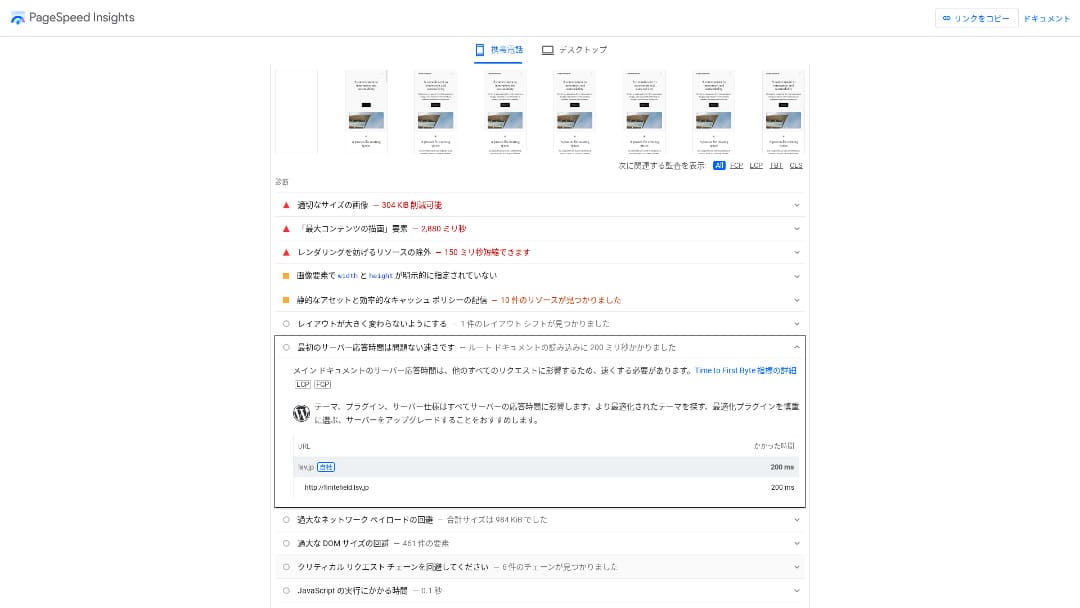
Барои сервери арзон дар диапазони 100 йен дар моҳ, он аз ҳама зудтаринҳост. Вақти ҷавоби сервер (TTFB) 200 мс буд.
Google recommends keeping server response times under 200 ms. With Little Server, speed is unlikely to become a problem.
Вақти ҷавоби сервер бояд аз 200 миллисония камтар нигоҳ дошта шавад.https://developers.google.com/server/speed/docs/insights/Server?hl=en
Агар суръати сервер баланд бошад, сайти шумо зудтар бор мешавад ва боздидкунандагон бароҳаттар сайр мекунанд. Дар натиҷа, ин метавонад SEO-и сайти шуморо қавитар кунад ва инчунин ба фурӯши маҳсулот мусоидат намояд.
★ Санҷиши суръат: муқоисаи 11 хостинг дар рейтинги иҷроиш
Нарх паст аст
Little Server is inexpensive. There is an initial setup fee, but because the моҳly price is low, the annual cost of running a website is far lower than with major hosts. We compared it under the following conditions.
- Пардохти ибтидоии танзим
- Шартномаи 12-моҳаи сервер
- Арзиши домен дар соли аввал
- Арзонтарин нақшае, ки WordPress-ро иҷро карда метавонад
Ҳатто дар муқоиса бо Lolipop!, ки дар байни хостҳои асосӣ арзон ҳисобида мешавад, Little Server бо арзонии худ фарқ мекунад. Нархи он тақрибан танҳо 60% аст. Ин интихоби беҳтарин барои ҳар касе мебошад, ки мехоҳад хароҷоти серверро то ҳадди имкон паст нигоҳ дорад.
Шумо метавонед WordPress-ро истифода баред
Баъзе хостингҳои арзон WordPress-ро дастгирӣ намекунанд. Ҳатто хостҳои калон ба монанди Lolipop! ва Sakura Rental Server WordPress-ро дар нақшаҳои арзонтарини худ иҷоза намедиҳанд.
Аммо Little Server WordPress-ро дар ҳар як нақша дастгирӣ мекунад. Бо WordPress шумо метавонед вебсайти чандсаҳифаӣ созед ва инчунин дар дохили он блог эҷод намоед.
★ WordPress чист? Системае барои оғоз кардани вебсайт ва нуқтаҳои муҳим барои эҳтиёт
Шумо метавонед якчанд сайт иҷро кунед
Little Server метавонад якчанд сайтро ҷой диҳад. Ҳатто нақшаи арзонтарини Mini ба шумо иҷозат медиҳад то се насби WordPress созед.
Ба ғайр аз вебсайти ширкати худ, шумо инчунин метавонед блоги шахсии худро созед.
Нусхаҳои эҳтиётии худкор
Little Server includes seven days of automatic backups.
Агар нусхаҳои эҳтиётӣ дошта бошед, шумо ҳатто дар сурати мушкилоти аз вайроншавии амниятӣ ба вуҷуд омада метавонед вебсайти худро барқарор кунед. Ба шумо инчунин лозим нест нусхаҳои эҳтиётиро худатон танзим кунед.
Агар барқарорсозӣ лозим шавад, танҳо бояд бо ширкати идоракунандаи хидмат тамос гиред.
Шумо метавонед почтаро истифода баред
Little Server supports email even at this low price. You can create unlimited addresses on your own domain. That is welcome news for companies that want business email addresses.
★ Домен чист? Нақши он ҳамчун суроға дар интернет ва чӣ гуна сабт кардани он
Камбудии Little Server: uptime-и он ошкор нест

Little Server does not disclose its uptime rate. Because of that, users have no way of knowing whether the server is truly stable.
Агар сервер ноустувор бошад, намоиши вебсайти шумо низ ноустувор мешавад. Агар сайти шумо зуд-зуд бор нашавад, ин вақте ки шумо барои иҷораи сервер пул медиҳед, исроф аст. Ин инчунин маънои аз даст додани имкониятҳои тавсеаи тиҷоратро дар замоне дорад, ки мардум ба сайт дастрасӣ надоранд.
Вақте ки шумо аз ин ҷиҳат фикр мекунед, uptime ниҳоят муҳим аст. Азбаски он дар ин ҷо ошкор нашудааст, каме норавшанӣ боқӣ мемонад.
★ Дастури барои шурӯъкунандагон оид ба uptime ва SLA-и хостинг
Little Server-ро бо ду хидмати монанд муқоиса кунед
Value Server
Value Server ва Little Server дар як сол қариб якхела арзиш доранд. Value Server 15 насл нусхаи эҳтиётиро дар бар мегирад, аз ин рӯ аз ҷиҳати хусусиятҳои эҳтиётӣ аз Little Server қавитар аст.
Аммо нақшаи Value Server Marutto бо нархи нишон додашуда танҳо як сайти WordPress-ро ҷой дода метавонад. Агар шумо хоҳед сайти дуюм созед, бояд барои сервери дигар сабти ном кунед. Агар шумо ният доред якчанд сайт дошта бошед, Little Server интихоби беҳтар аст.

Value Server Review [2025 Latest]: Start WordPress at a Bargain Price
Value Server Review [2025 Latest]: Start WordPress at a Bargain Price
serverfield.org
Star Rental Server
Star Rental Server каме аз Little Server гаронтар аст. Аммо иқтидори захира ва интиқоли он хеле калонтар аст, бинобар ин вақте вебсайти шумо рушд мекунад ва трафик зиёд мешавад, шумо эҳтимол ин фарқиятро қадр мекунед.
Бо вуҷуди ин, Star Rental Server функсияи нусхаи эҳтиётии худкор надорад. Дар ин ҷиҳат Little Server беҳтар аст. Он танзимеро пешниҳод мекунад, ки барои одамоне, ки қаблан хостинг истифода накардаанд ё бори аввал вебсайт идора мекунанд, мулоимтар аст.

Star Rental Server Review [Latest 2024]: Ultra-Low Pricing and a Thorough Look at the Real Pros and Cons
Star Rental Server Review [Latest 2024]: Ultra-Low Pricing and a Thorough Look at the Real Pros and Cons
serverfield.org
Шаш қадам барои оғоз кардани вебсайти WordPress дар Little Server ҳоло
Let's launch a website with Little Server.
- STEP.1Visit the official Little Server website
Click “Apply for a free trial.”
Agree to the terms of use and the handling of personal information, then click “Ҳа” for the free trial application.
- STEP.2Apply for the free trial period
Enter your customer information, such as your name and address.
Select a plan. The Mini plan is recommended. If you later need more resources, you can upgrade your plan.
Then enter your server account information.
- Preferred user ID: Anything is fine. It cannot be changed later.
- Preferred account name: Anything is fine. It cannot be changed later.
- Password: Make it as complex as possible.
Click “Next page” and confirm the details. If everything is correct, click “Submit with the above information.”
A temporary registration email will arrive at your contact email address. Then you will receive an authentication email titled “Application accepted.” Click the authentication URL. Once the authentication is complete, the free trial registration is finished.
- STEP.3Register a custom domain with MuuMuu Domain and add it in Little Server
Open the official MuuMuu Domain website, enter the string you want to use as your website’s domain in the field for searching domains, and click “Search.”
★ Домен чист? Нақши он ҳамчун суроға дар интернет ва чӣ гуна сабт кардани он
You can choose a top-level domain such as “.com” or “.co.jp”. The acquisition fee and renewal fee vary depending on the top-level domain. If you are unsure, a company should choose “.co.jp” whenever possible. For individuals, “.com” or “.net” is recommended. These are familiar to many people, so visitors are less likely to find them suspicious and are more likely to click through.
Confirm again that it is the domain you want. If it is correct, proceed to the application page.
Create a new MuuMuu ID. Enter your ID (email address) and password, then click “Agree to the terms and proceed to identity verification.”
Complete the identity verification by SMS.
Next comes the application for domain settings and other options. Set the domain options like this:
- WHOIS disclosure: If you are a company, publish the information. If you are an individual, “Use the provider’s proxy information” is recommended.
- Name server (DNS): Use name servers other than GMO Pepabo’s.
If you make WHOIS information public, the name, address, and other details of the person who registered the domain become public. Because that exposes personal information, anyone other than a company or sole proprietor may prefer proxy disclosure.
Little Server uses the following two name servers. Specify both of them.
- Name server 1: ns1.lsv.jp
- Name server 2: ns2.lsv.jp
You do not need to apply for linked services, optional services, or MuuMuu Mail. If a company wants to use email, Little Server can provide email service.
Pay by credit card or another method. Click “Next step,” skip the advertisements, and enter your user information. After you correctly enter your name, address, and the rest, proceed to “Next step.”
Review the application details, check “I agree to the terms of use,” and click “Register.” At that point, your domain has been acquired.
Неw add the domain you obtained at MuuMuu Domain so that it can be used with Little Server.
Return to the Little Server control panel. Log in with the user ID and password you registered for the free trial.
Click “Domain settings” under the settings menu. Enter the domain name, check “Create a directory named after the domain and use it as the path,” and click “Add domain.”
That completes the custom domain setup in Little Server.
- STEP.4Install WordPress
In the Little Server control panel, click “Easy Install” under “Settings.” For WordPress, choose the installation option marked as ultra-easy and beginner-friendly. That choice saves you from having to create the database manually.
★ What Is a Database? An Essential Management System for WordPress
Enter your WordPress information.
- Database to use: Leave it as it is.
- Install destination: Leave it as it is.
- Display address: It is recommended to leave the checkbox checked.
- Site name: Anything is fine. You can change it later very easily.
- User name: Anything is fine, but changing it later is troublesome.
- Password: Make it as complex as possible. You can change it later quite easily.
- Email address: Use the email address you normally use. For companies, the administrator’s business email is recommended.
The user name and password are used when you log in to WordPress. Be sure to write them down.
Check “I agree” and click “Ultra Easy Install!” Your login information will then be displayed. Click the displayed login page and sign in.
- STEP.5Initial WordPress setup
On the WordPress login screen that appears, enter the user name and password you set during installation and click “Log in.”
If you see a warning saying the site cannot be reached, the DNS settings have not propagated yet. In that case, all you can do is wait and try logging in again every few соатҳо.
★ What Are DNS and Name Серверҳо?
After logging in to WordPress, set up your permalinks. In the WordPress admin screen, go to “Settings” and then “Permalinks.” Choose “Post name,” and then click “Save changes.”
When you select “Post name,” you can enter any string you like in the URL when publishing articles. Short strings that help readers imagine the article content are recommended because they are easier for visitors to understand. If a URL is too long, some people may feel uneasy and think, “Is this a dangerous site?”
- STEP.6Install plugins
Go back to the WordPress admin screen, open “Plugins,” then “Add New,” and install the plugins you need.
When you find a plugin you want through search, click “Install Неw,” then “Activate.” After that, follow the instructions provided for each plugin.
Be sure to install plugins for security and backups.
- Five WordPress Plugins to Strengthen Амният and How to Choose One
- Five Powerful WordPress Backup Plugins That Help You Recover Your Data
Once you have installed your plugins, your WordPress website is ready to go.
Хулоса
Little Server is a budget rental server. Even among paid hosting services, excluding free servers, it is one of the cheapest options for individuals. Even so, it uses NVMe SSDs to improve speed.
Ройгон setup fee until September 30, 2025, 20% off Little Plan server fees, and a 20-day free trial
Little Server is a budget hosting service. Although it has some drawbacks, even the cheapest Mini plan includes the features needed to launch a WordPress website. Give it a try.
Complete Comparison of 32 WordPress Hosting Services: Best Choices for Individuals, Companies, and International Use

If you search for “WordPress recommendation” because you want to start WordPress, you will find every kind of article, from personal and corporate hosting to overseas servers and cheap plans. Honestly, don’t you end up thinking:
- Which site should I trust?
- I just want to choose a server in a simple, easy-to-understand way.
- Show me how to start WordPress right away.
That is exactly why this article introduces carefully selected recommendations from 32 hosting services for individuals, companies, domestic use, and international use. It is explained by the SEO lead at an app development company that uses hosting every day.