
Bure .co.jp domain + 12 months of V2 plan server fees free + free initial fee until August 31, 2025, plus a 30-day free trial
PR
Seva
Ukaguzi wa Core Server [2025 ya hivi karibuni]: Mwongozo wa kina wa bei, kasi, faida na hasara
Imechapishwa: 2025.04.18
Imesasishwa: 2025.04.18
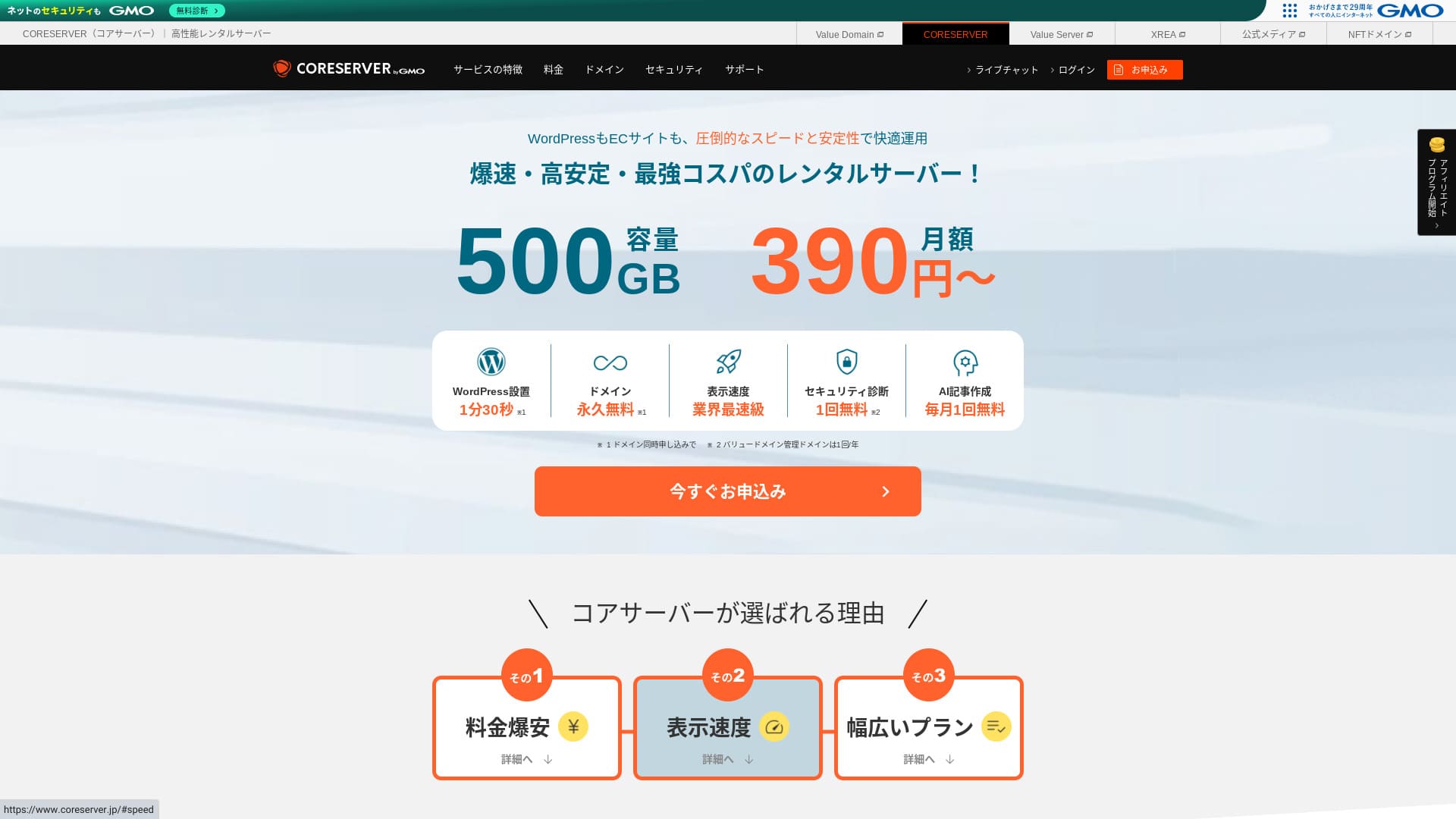
Core Server is a seva ya kukodisha operated by GMO Digirock, Inc., and one of its biggest strengths is the wide range of plans it offers.

Core Server ni utumishi ninaopendekeza Watu mmoja - mmoja, makampuni, na wenye kumiliki peke yao wakitumia WordPress kwa mara ya kwanza because:
- Unaweza kupata seva inayofaa kutokana na aina nyingi za mipango
- Inajumuisha zana ya AI ya kuandika makala
- Huduma yake ya barua pepe ni ya bei nafuu lakini yenye uwezo mkubwa
Ndio maana huenda utakuridhika. Unaweza kuijaribu bure kwa siku 10.
Seva pinzani ni LOLIPOP.. Yatoa amani ya akili hata zaidi kuliko Core Server kwa sababu muda wake mrefu umefunuliwa hadharani, tafadhali ifikirie pia.
Hapanate: Lolipop! Uhakiki [2025 Edition]: What Kasi Tests Revealed, Plus the Pros and Cons
| Aina ya seva | Seva ya pamoja |
| Display kasi (TTFB) | 210ms |
| Mpango unaopendekezwa na muda wa mkataba | Mkataba wa miezi 12 |
| Jaribio / dhamana ya kurejeshewa fedha | 30-day jaribio la bure |
| Ada ya kila mwezi (12-month contract) | 264 yen |
| Ada ya awali ya usanidi | Bure |
| Domain ya bure | Hapanane |
| Msaada | Saa za kazi: 10:00-12:00, 13:00-17:00 Simu ya mkononi (CORE-B, PP0, CORE-Z), barua pepe, wasiliana |
| Uptime | Hapanat disclosed |
| Hifadhi | 250GB |
| Idadi ya hifadhidata | 10 |
| Usalama measures | WAF, IPS/IDS |
| SSL | Bure SSL |
| Hifadhi rudufu / rejesha | 15 generations of hifadhi rudufus free, restoration free |
| Idadi ya akaunti za barua pepe | 200 |
| Email usalama measures | POP/POS, SMTP/SMTPS, IMAP/IMAPS, kuchunguza virusi, kuchuja vitu, DKIM/DMARC |
| Usakinishaji wa WordPress awali | Hapanane |
| Server / website huduma ya uhamishaji | Hapanane |
| CDN | Hapanane |

Hikaru Ono
To be honest, I felt that Core Server’s jopo la udhibiti will divide opinion. If you already have experience using servers, you should have no trouble handling it. If you choose a V2 plan, you can also get started with WordPress more easily.
Hata hivyo, tafadhali usijali sana. Inakuja na miongozo rasmi ya kiwango cha juu ambayo ni ya kina sana na hata inajumuisha video.
Core Server Linganishad with Other Hosting Services
- Overall rating★★★☆☆
- Server kasi ★★★☆☆
- Bei ★★★★☆
- Uthabiti ★★★★☆
- Urahisi wa kuanza na WordPress* ★★★☆☆
- Shughuli kama usimamizi wa domain na usanidi wa SSL* ★★★☆☆
* Kulingana na uzoefu wangu halisi wa kuitumia.

Jinsi ya kuchagua from 21 Recommended WordPress Hosting Services for Individuals
Jinsi ya kuchagua from 21 Recommended WordPress Hosting Services for Individuals
serverfield.org
- Hapanavember 4, 2025 Habari za utafiti wa soko, zinazopangwa by kasi
- Ada ya kila mwezis are the first-year cost of the cheapest plan that can run WordPress
- Kasi is the Time to First Byte measured on demo sites under the same conditions
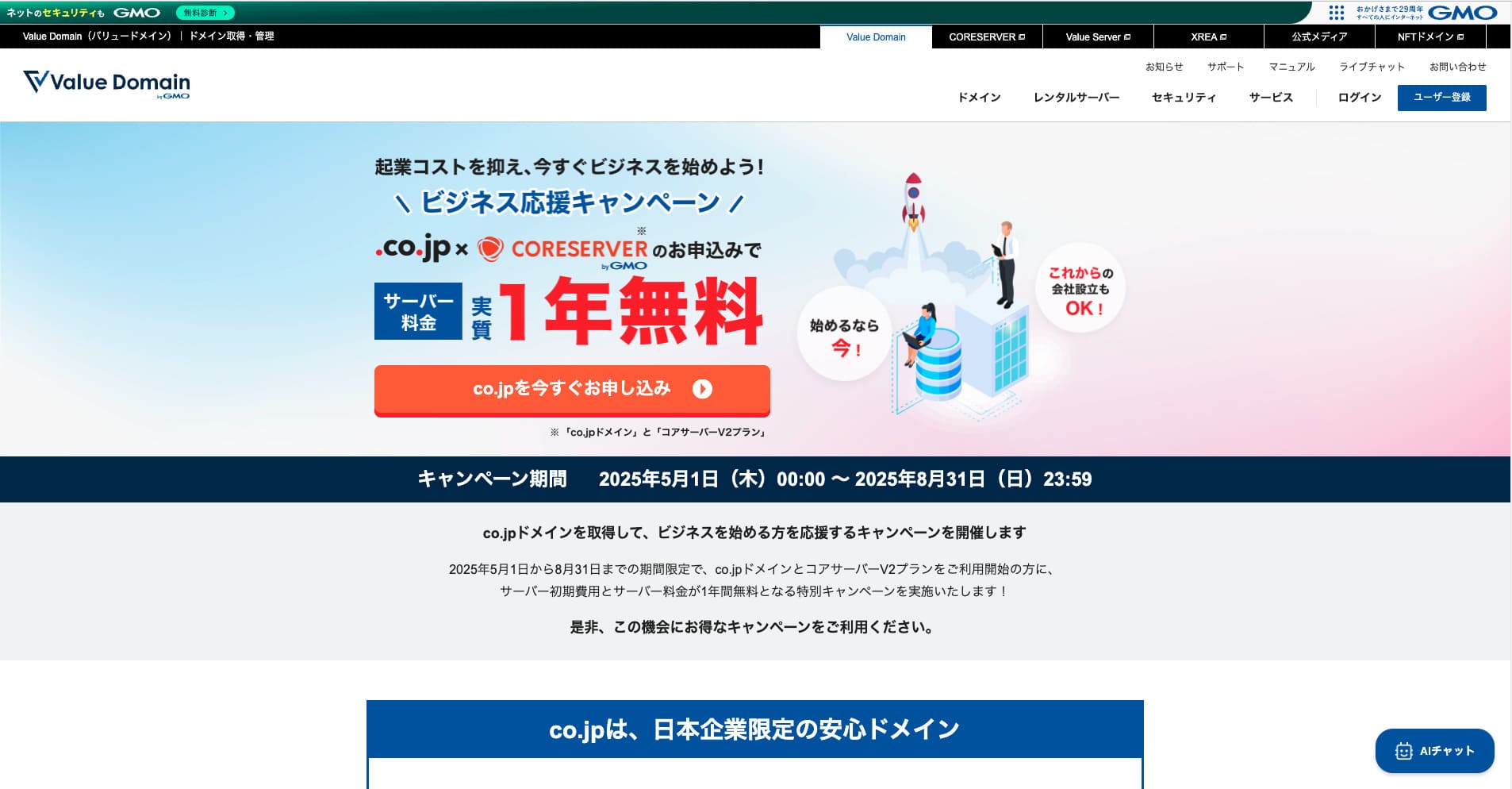
“Core Server” is a high-kasi seva ya kukodisha operated by GMO Digirock, Inc. It offers an affordable V1 plan that is easy for individuals to use and a V2 plan focused on comfort and performance. With its wide range of plans, you can find the server that fits you best.
Core Server Uhakikis and Four Key Features

A Server with Standard-Level Kasi
Core Server produced a standard level of page kasi kwa kujitegemea wenyewe katika tovuti hii.
According to Google, a server response time of 200ms or less is unaopendekezwa. Core Server fell just short at 210ms. So while I would not call it a high-kasi server, it can still be regarded as a server that is slightly faster than standard.
Muda wa majibu ya seva unapaswa kubaki chini ya milisekunde 200.
https://developers.google.com/kasi/docs/insights/Server?hl=en
At the time of testing, I did not apply any settings specifically for kasi optimization. Even so, this result came out. If you put effort into tuning it, it should be possible to make it even faster.
Hapanate: Rental Server Kasi Ulinganisho Across 15 Services: This One Was Truly Fast [2024 Edition]
Tofauti kati ya V1 na V2 hukusaidia kupata mpango bora
Core Server has Na saba mnapo tumia nguvu mnatumia nguvu kwa ujabari., kwa hiyo waweza kupata ile inayokufaa zaidi.
| Plan | Price | Mzigo ulioruhusiwa | Msaada |
|---|---|---|---|
| Core-Mini | 3,168 yen | 1.25 | Barua pepe / soga |
| Core-A | 6,336 yen | 2.5 | Barua pepe / soga |
| Core-B | 12,672 yen | 10 | Simu / barua pepe / chat |
| Core-C | 39,600 yen | 40 | Simu / barua pepe / chat |
| Core-X | 6,336 yen | 18 | Barua pepe / soga |
| Core-Y | 10,296 yen | 54 | Barua pepe / soga |
| Core-Z | 26,136 yen | 144 | Simu / barua pepe / chat |
Mpango wa V1 Core-Mini ni wa bei nafuu. Hata hivyo, mzigo unaoruhusiwa si mkubwa. Kadiri ufikiaji wa wakati mmoja unavyoongezeka, ndivyo inavyowezekana zaidi kutokea hitilafu ya 503.
Hapanate: Ni nini a 503 Error? How to Avoid Web Congestion and Respond in an Emergency
Mpango wa P2 Core-X unagharimu zaidi ya P0, lakini mzigo wake ulioidhinishwa huongezeka kwa kiwango kikubwa.
Uhamisho wa trafiki usio na kikomo
Core Server Hata kama watu wengi zaidi wanaweza kutumia tovuti yako na kusambaza habari wanaongezeka, utapunguza muda wako wa kuhamisha kiasi cha fedha.
Hapanate: Trafiki na Uhamisho wa Takwimu ni nini?
Hata hivyo, vizuizi vinaweza kutumiwa anapoweka mzigo mzito.
Ikiwa mzigo kwa ujumla unapita asilimia 80 ya nafasi ya juu zaidi ya utengenezaji, tunaweza kuweka vizuizi kwenye akaunti zinazosababisha asilimia 20 au zaidi ya mzigo, au kwenye akaunti tano za juu zaidi.Maswali yanayoulizwa mara kwa mara: About Load Restrictions | Core Server
Zana ya uandishi ya AI “Value AI Writer” inapatikana kwa bei ya punguzo
Core Server Kama unatumia Value AI Writer25 kwa bei iliyopunguzwa. faida ya asilimia 20 ni chombo cha AI kilichotengenezwa na GMO na maalumu katika kutengeneza makala za blogu.
Ni maalumu kwa SEO na pia inaungana zaidi na WordPress, kwa hiyo inafanya makala zinazowasilisha ujumbe kwa wingi kuwa rahisi kuliko kutumia AI kwa njia ya ujumla.
Barua pepe pia ni rahisi kutumia kwa sababu ya uthibitishaji wa kikoa cha mtumaji
Core Server is also easy to use for email. It msaadas Utawala wa vyombo vya habari.
Because it msaadas DKIM and DMARC, companies can send email to customers more smoothly.
Hasara za Core Server na jinsi ya kuziepuka, zilizoelezwa kwa uwazi

Core Server ina uwezo, lakini pia ina vizuizi, vingine haviwezi kuzuiwa au kushughulikiwa na mtumiaji baada ya kutia sahihi mkataba.
Uptime Is Hapanat Publicly Disclosed
Core Server halifunui wakati wake wa kufanya hivyo, kwa kuwa haifunui wakati wake. Huwezi kufahamu kihesabu - vivi hivi jinsi mtumishi alivyo thabiti, kama blogu au tovuti haiwezi kuonyeshwa, inashindwa kutimiza kusudi lake.
Ikiwa unataka amani zaidi ya akili, chagua mtumishi anayefunua wakati wake.
Hapanate: A beginner's mwongozo to upangishaji wa seva uptime and SLAs
Hata hivyo, jambo moja zuri kuhusu madini ya Core Server ni kwamba its official site publishes the past 10 hours of WordPress response-kasi data.
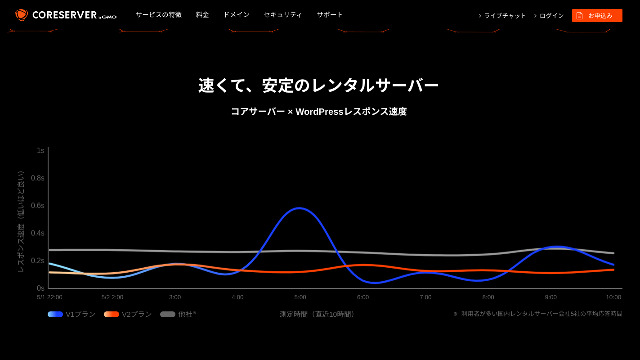
You can judge server uthabiti in a rough way from this. The V2 plans, which draw a gentle curve lower on the graph, appear to be stable and fast.
Ni mabadiliko fulani tu ya mpango yanayoruhusiwa
Core Server Hilo linamaanisha kwamba unaposhindwa kupata huduma za dharura au kusafirisha habari, huenda ukahitaji kuhamia kampuni nyingine ambayo inawaajiri au kumkodi mtumishi mwingine wa kampuni hiyo.
Ni mabadiliko mawili tu yafuatayo yanayoweza kutokea.
- Kuanzia Core-X Hadi Core-Y au FH2
- Kuanzia PP0 Hadi Core-Z
Huwezi kupunguza mpango.
Linganisha Core Server with Two Similar Hosting Services
Let’s compare Core Server with two huduma ya hostings that have similar characteristics. Looking at the smaller points as well will help you avoid regret after signing up.
Lolipop!
LOLIPOP ni kampuni ambayo haigharimu pesa nyingi kama doli 0. kile ifanyacho vizuri zaidi kuliko Core Server ni kwamba hiyo hufunua wakati wake wa ziada. Muda wake wa ziada ni FP0, ambayo ndiyo kiwango cha juu zaidi katika biashara ya kutengenezea vitu. Its uthabiti is beyond complaint, so not only individuals but also companies are likely to be satisfied with it.
Hata hivyo, unapolinganisha mpango usio wa bei ya chini zaidi unaoweza kufanywa kwa kutumia kompyuta ya WordPress, mbinu hiyo ndiyo inayofaa zaidi. Ninapendekeza kwamba nichague kwa kutegemea jinsi unavyopima bei yako dhidi ya amani ya akili.

Lolipop! Uhakiki [2025 Edition]: What Kasi Tests Revealed, Plus the Pros and Cons
Lolipop! Uhakiki [2025 Edition]: What Kasi Tests Revealed, Plus the Pros and Cons
serverfield.org
Star Server
スターレンタルサーバー pia ni mpiganiaji anayeshindana katika safu ya chini.
Mpango huo unaweza kutumiwa kwa bei ya chini zaidi kuliko Core Server. Hata hivyo, ingawa Core Server MPANGO Core-Mini inakuruhusu ufanyize tovuti 10 za WordPress, mpango huo unaruhusu moja tu.
FH0 ni yenye nguvu zaidi katika sehemu mbalimbali na specs. Incidentally, neither service discloses uptime, so some concern remains about uthabiti in both cases.

Star Server Uhakiki [2024 Latest]: Astonishingly Low Prices and a Thorough Look at the Real Pros and Cons
Star Server Uhakiki [2024 Latest]: Astonishingly Low Prices and a Thorough Look at the Real Pros and Cons
serverfield.org
Anzisha tovuti ya WordPress kwenye Core Server kwa hatua 7
Hebu Bradie waanzishe tovuti kwa kutumia kifaa cha Core Server!
- STEP.1Tumikia tovuti rasmi ya PP0
Scroll down the top page and click “Apply” for the bei plan you want to use.
- STEP.2Jitumie kwa Ajili ya Mtumishi na Upate Domain
Tafadhali hakikisha kwamba umechagua mpango sahihi.
At this point, you cannot select simultaneous WordPress installation yet, but after choosing your domain, you will be able to check it. Be sure to use it. It makes starting a tovuti ya WordPress dramatically easier.
Chini ya uchaguzi wa kutuma maombi kwa ajili ya utawala utakaotumia kwenye chombo hiki, chagua יהוהGet a domain for free.[5] Kisha ingiza uzi wowote unaopenda.
Unaweza kuchagua tovuti za mizizi kama vile יהוהPHI1 na م.co.jp.[4][4]
Hapanate: Ni nini a Domain? Its Role as an Address on the Internet and How to Get One
Baada ya kuchagua kutumia kifaa hicho, chunguza yoInstall WordPress at the same time.25
Bonyeza UProceed. Brazili
- STEP.3Tuingie Habari Mbaya Zaidi
Click יהוהUser registration, phrive with the other nude subment before infise protect berect beplaination. Click ifyon יהוה1, anza kuandika habari kama vile matumizi yako na jina lako, thibitisha mambo hayo madogo - madogo, na fofofofofofofoni יהוהRegister and proceed.
Kamilisha ujumbe wa ujumbe mfupi wa simu na kisha utoe ujumbe kupitia simu ya mkononi
Answer the survey or skip it, and then click “Go to the jopo la udhibiti.”
- STEP.4Sakinisha WordPress
In the management information of the jopo la udhibiti, “Core Server (1),” which you applied for earlier, is displayed. Click it and proceed to the “New Control Panel.”
Baada ya hapo, chagua יהוהApp Installation25 kutoka יהוהFudi na fofofofomaF1.[11]
Kwa hiyo, chagua tovuti hiyo. . . . . . . . . . . . . . . .
Unaweza kuacha muundo wa tafsiri hiyo kama ulivyo.
Tumia hali zifuatazo kwa ajili ya WordPress.
- Jina la mtumiaji wa Admin:Kitu chochote ni kizuri.
- Maneno ya siri:Kifanye kiwe changamano kadri iwezekanavyo. Unaweza kukibadilisha kwa urahisi baadaye.
- Barua pepe ya Administrator: Anwani ya barua pepe unayotumia kwa ukawaida.
- Kichwa cha Website:Chochote kinafaa. Unaweza kukibadilisha kwa urahisi baadaye.
- Picha ya Website: Hiki ndicho kitabu kidogo kabisa, lakini unaweza kukibadili kwa urahisi baadaye.
Jina la mtumiaji wa admin na neno la siri la andmin hutumiwa unapoandika kwenye mtandao wa WordPress. Hakikisha utaliandika.
Unaweza kuondoka kwenye mazingira ya khoadvanced Bradton kama yalivyo.
Kila kitu kikiisha ingia, bonyeza יהוה+ Install. desilita Baada ya fP2 huwekwa, bonyeza URUL ionyeshwayo kwenye kiwambo ambacho mwisho wake ni יהוהwp-admin/25. Huo ndio URL wa kiwambo chako cha WordPress.
- STEP.5Mara ya kwanza Neno Latumiwa
Kwenye kiwambo cha kompyuta cha WordPress ambacho hutokea, ingiza jina la mtumiaji na neno la siri unaloweka wakati wa kuweka na kubonyeza kibonyeo יהוה.
Ikiwa onyo linasema ▶ Eneo hili linaweza kufikiwa kwa urahisi, kwa hiyo jaribu kukata miti tena baada ya kila saa chache.
Hapanate: Vituo vya Mawasiliano na Jina Ni Nini?
Baada ya kukata miti kwa kutumia fH2, weka chembe za permalin.
Unapochagua EPOPost name, hudokeza uzi mfupi unaowasaidia wasomaji kuwazia yaliyomo katika makala hiyo kwa sababu inafanya tovuti hiyo iwe rahisi kuelewa. Ikiwa ni ndefu sana, huenda watu fulani wakahisi wasiwasi na kufikiri, Échepe labda hii ni mahali hatari?
- STEP.6Sakinisha Plugini
Rudi kwenye skrini ya msimamizi wa WordPress, nenda kwenye “Plugins,” kisha “Add New,” na usakinishe programu-jalizi unazohitaji.
Once you find the plugin you want to add, click “Install Hapanaw” and then “Activate.” After that, proceed according to the explanation for each plugin.
Be sure to install usalama and hifadhi rudufu plugins.
- Jinsi ya kuchagua Five WordPress Plugins That Strengthen Usalama
- 5 Powerful WordPress Hifadhi rudufu Plugins That Help You Recover Your Data
Once you have installed the plugins as well, your tovuti ya WordPress is fully ready to go!
Muhtasari
“Core Server” is a high-kasi seva ya kukodisha operated by GMO Digirock, Inc. It offers an affordable V1 plan that is easy for individuals to use and a V2 plan that prioritizes comfort and performance. With so many plans available, it is easy to find the best fit.
Bure .co.jp domain + 12 months of V2 plan server fees free + free initial fee until August 31, 2025, plus a 30-day free trial
Core Server offers aina nyingi za mipango. Ninapendekeza mpango wa Core-Mini, lakini ikiwa unapanga tovuti inayolenga makumi ya maelfu ya maoni ya ukurasa kwa mwezi, ninapendekeza tovuti hiyo iandikwe Core-X.
Complete Ulinganisho of 32 WordPress Hosting Services: Recommendations for Individuals, Companies, and Overseas Use

When you think, “I want to start WordPress,” and search for “unaopendekezwa hosting ya WordPress,” all kinds of articles appear, from hosting for individuals and small businesses to overseas services and low-cost options. To be honest, you may think:
- Ni tovuti gani ninapaswa kusoma?
- Nataka kuchagua mfanyakazi kwa njia rahisi na yenye kueleweka.
- Tafadhali nionyesheni jinsi ya kuanza kutumia NenoPres mara moja.
Ndiyo sababu makala hii inatambulisha carefully selected recommendations from 32 huduma ya hostings for individuals, companies, domestic use, and overseas use. It is explained by the SEO lead of an app development company that uses huduma ya hostings every day.