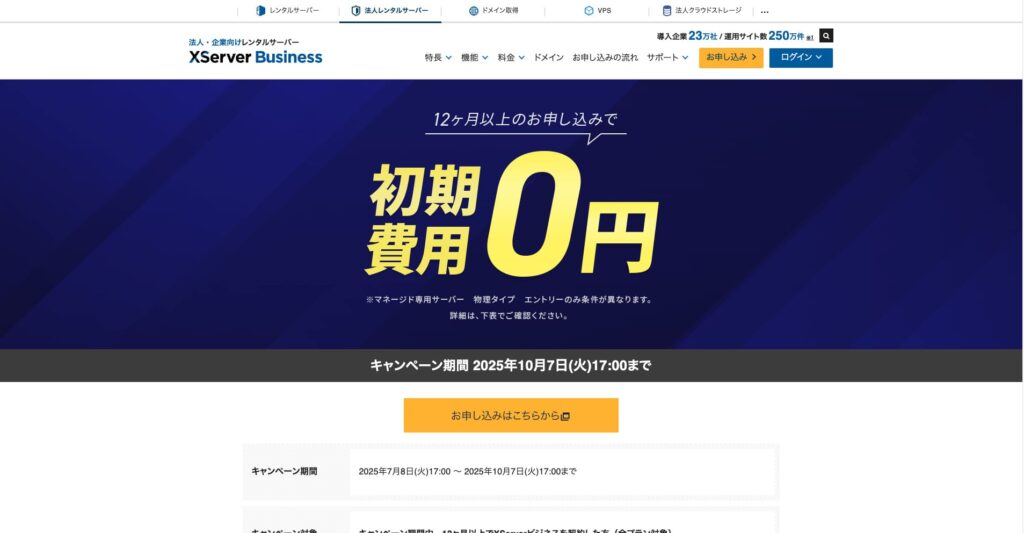
Fram till 7 oktober 2025 är startavgiften (normalt 16 500 yen till 385 000 yen) gratis, och servermigreringstjänsten är också gratis
PR
Servrar
XServer Business-recension [2025 års senaste]: grundliga tester av hastighet, prissättning och funktioner
Publicerad: 2025.05.13
Uppdaterad: 2025.05.13
Betyg: 5.0
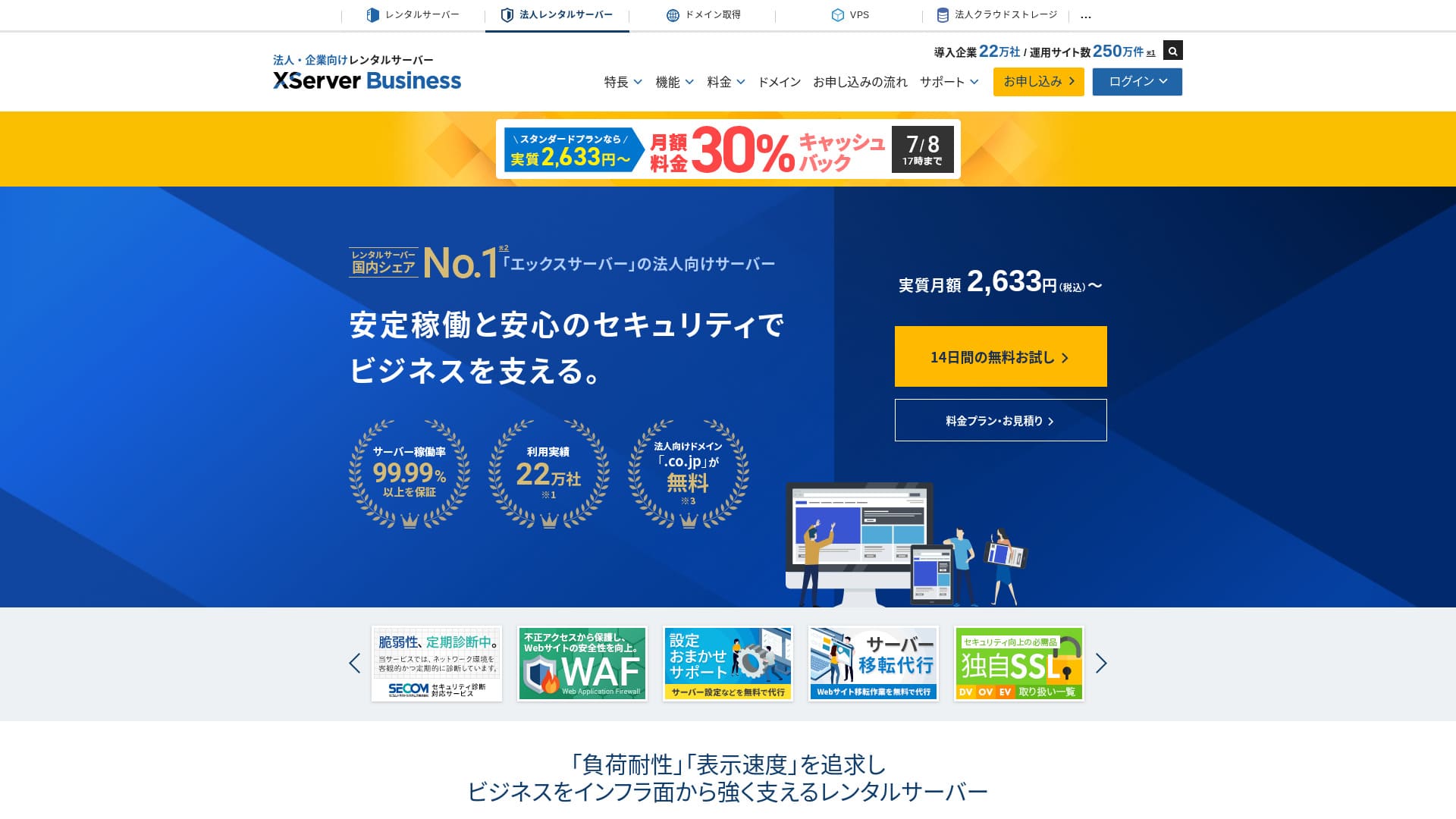
XServer Businessär en ultrasnabb företagshostingtjänst som drivs av Xserver Inc.Eftersom den både är snabb och har hög kapacitet är den mycket bekväm för att köra e-post såväl som WordPress-webbplatser och landningssidor.
| Servertyp | Delad hosting / hanterad dedikerad server (virtuell) / hanterad dedikerad server (fysisk) |
| Hastighet (TTFB) | 40ms |
| Rekommenderad plan och avtalsperiod | Shared Standard 12 månader |
| Gratis provperiod / pengarna-tillbaka-garanti | 10-dagars gratis provperiod |
| Månadspris (12-månadersperiod) | 2,926 yen |
| Startavgift | 16,500 yen |
| Gratis domäner | Två gratis för alltid |
| Support | Telefon och e-post (vardagar 10:00-18:00) |
| Drifttid | 99,99 % garanti |
| Lagring | 700 GB |
| Antal databaser | Obegränsat |
| Säkerhetsåtgärder | WAF / varningar vid manipulation av webbplatsen / säkerhetsdiagnostik från Secom |
| SSL | Gratis dedikerad SSL / Cloud SSL / hastighetsverifierad SSL / QuickSSL Premium |
| Säkerhetskopior / återställning | 14 dagars automatiska säkerhetskopior / gratis återställning |
| E-postkonton | Obegränsat |
| E-postsäkerhetsåtgärder | Antivirus / skräppostfilter / högpresterande skräppostfilter / POP over SSL / SMTP over SSL / IMAP over SSL / DKIM / DMARC |
| Server- / webbplatsmigrering | Gratis fullservicemigrering(endast första gången, upp till 10 webbplatser) |
| WordPress förinstallerat | Ja |
| CDN | Inget |

Hikaru Ono
XServer Businesslåter dig starta WordPress när du registrerar servern, vilket gör den mycket lämplig för företag som skapar en ny webbplats. Företag som redan driver en sajt på en annan server kan också använda den med trygghet eftersom professionell migrering ingår gratis.
Det är en högkvalitativ server du kan fortsätta använda under lång tid.
- Data baserade på marknadsundersökning per 4 november 2025, ordnade efter hastighet
- Månadspriserna är första årets kostnad för den billigaste planen som stöder WordPress
- Hastigheten är Time to First Byte mätt på demosajter under samma förhållanden
"XServer Business" är företagshostingtjänsten från Xserver Inc., företaget med störst marknadsandel i Japan. I våra mätningar hamnade den på andra plats i hastighet. Den är ett av de bästa valen när du behöver flytta till en ny server, och migreringen är dessutom gratis.

WordPress-relaterad recension
Enkel WordPress-installation
XServer Businessstöder Easy WordPress Installation, som installerar WordPress 6.8 från kontrollpanelen med bara några klick. Den hanterar databasen och PHP-inställningarna automatiskt, och SSL aktiveras samtidigt, så arbetet med den första konfigurationen blir nästan noll.
Hikaru Ono
Även utan en intern IT-avdelning kan du komma igång med WordPress på ett tillförlitligt och problemfritt sätt.
Låt oss lansera din webbplats med XServer Business
- STEP.1Besök den officiella XServer Business-webbplatsen
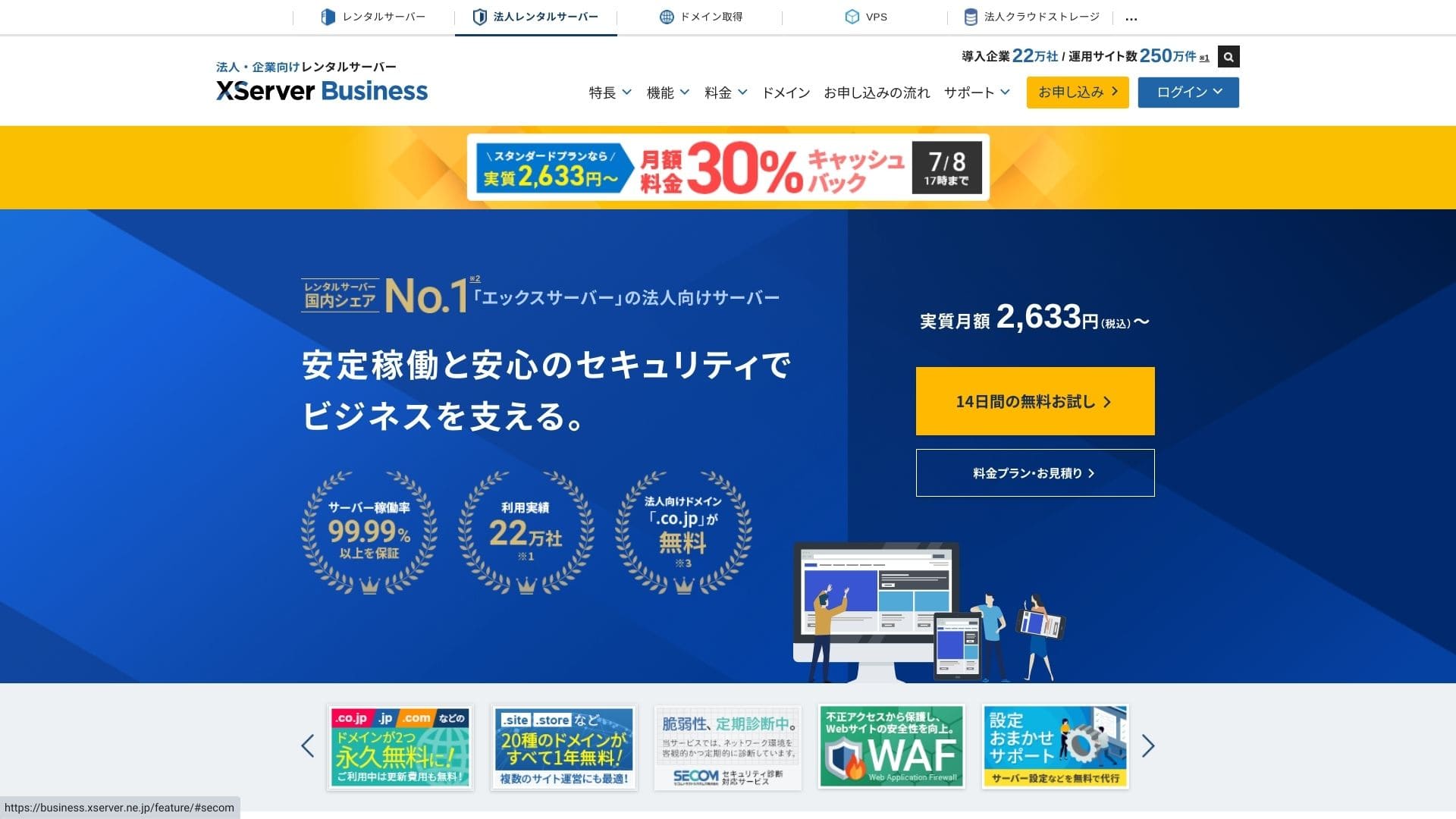
Klicka på "14 dagars gratis provperiod" på startsidan. Klicka sedan på "Starta nu! Ny ansökan" under "Förstagångskunder".
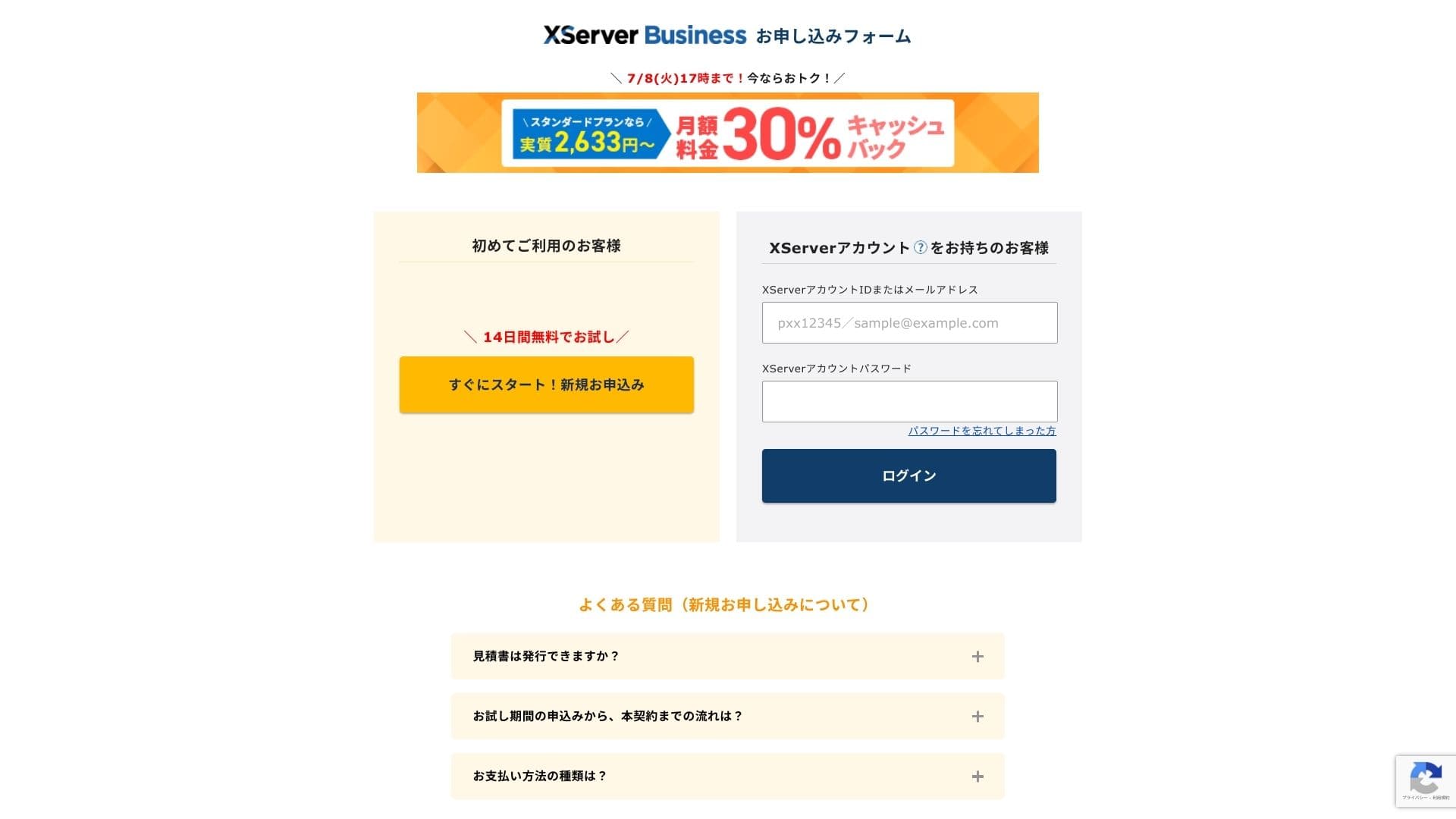
- STEP.2Välj dina ansökningsuppgifter
Du kan låta server-ID:t vara som det är. Välj den delade servern och välj sedan en plan. Jag rekommenderar Standard-planen. Om trafiken växer och specifikationerna inte längre räcker kan du uppgradera senare.
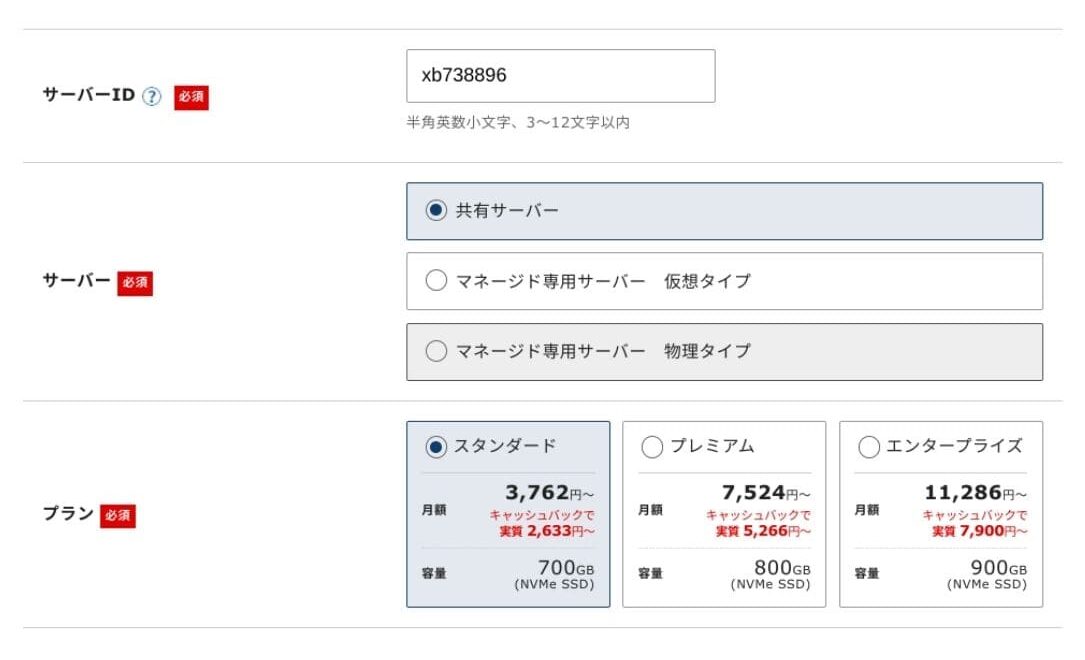
Klicka på "Gå vidare till inmatning av kundinformation".
- STEP.3Skapa ditt Xserver Account och ange dina kunduppgifter
Ange din e-postadress, ditt namn, din adress och övriga obligatoriska uppgifter.
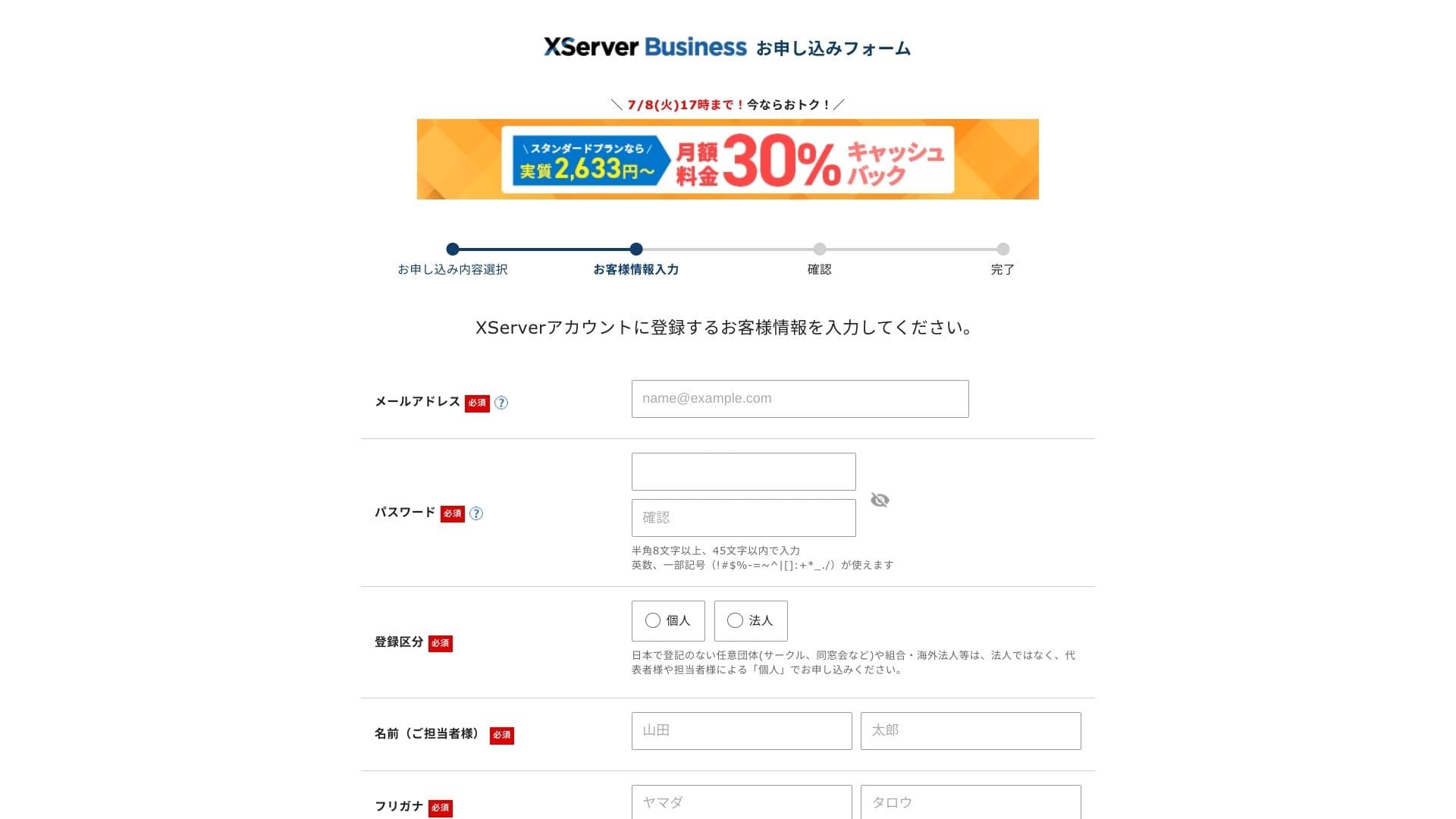
Granska användarvillkoren och hanteringen av personuppgifter. Om du godkänner dem markerar du rutan och klickar på "Nästa".
Ange verifieringskoden som visas på skärmen. En verifieringskod skickas till den e-postadress du registrerade, så kontrollera först det meddelandet.
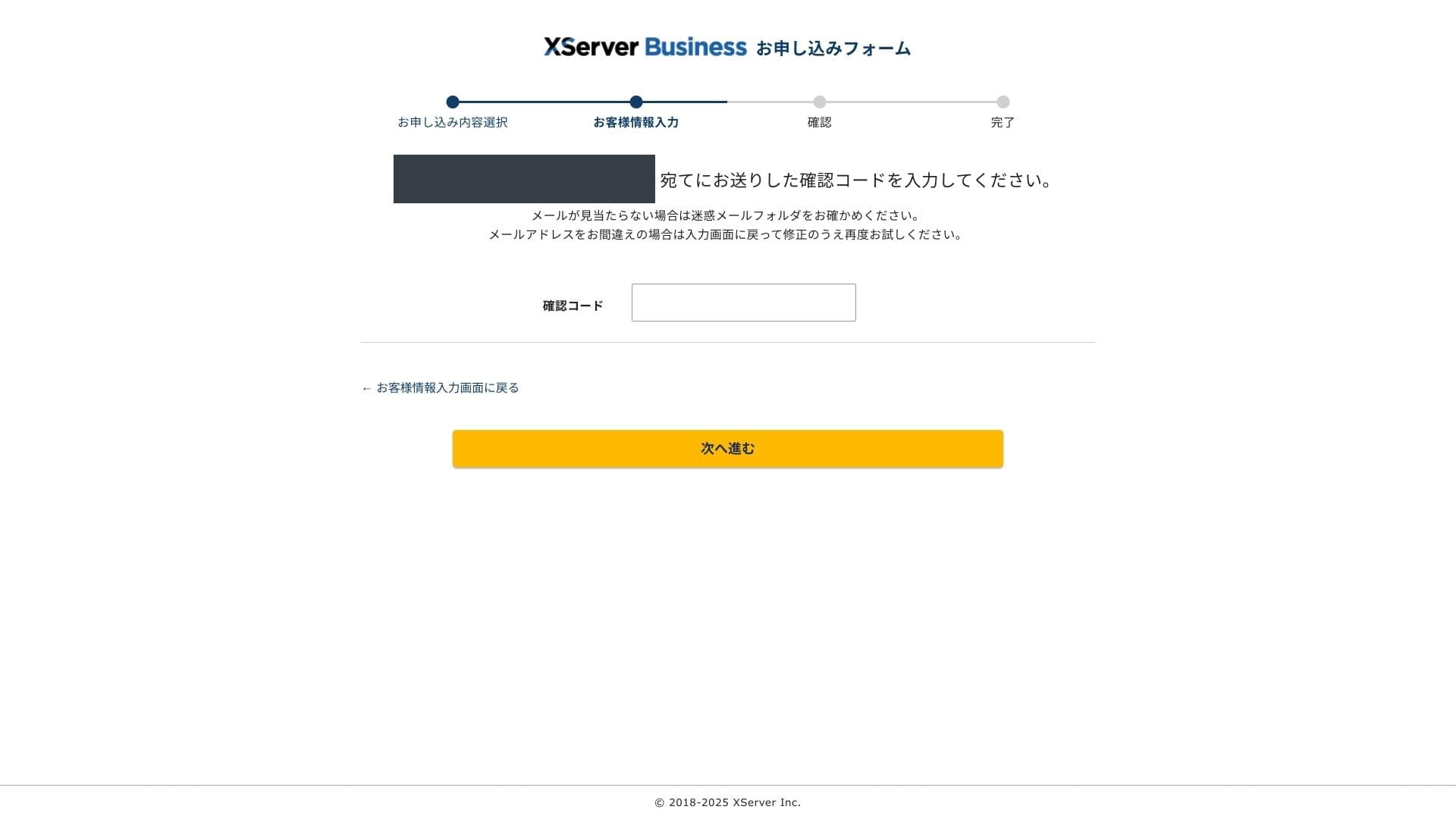
- STEP.4Granska
Granska dina ansökningsuppgifter och din Xserver Account-information en gång till. Om allt ser korrekt ut klickar du på "Gå vidare till SMS-/telefonverifiering".
Dina ansökningsuppgifter kontrolleras igen med hjälp av ditt telefonnummer.
Ange telefonnumret som ska användas, välj antingen SMS eller ett automatiskt röstsamtal för att få verifieringskoden och klicka på "Hämta verifieringskod". När du har fått den anger du koden.
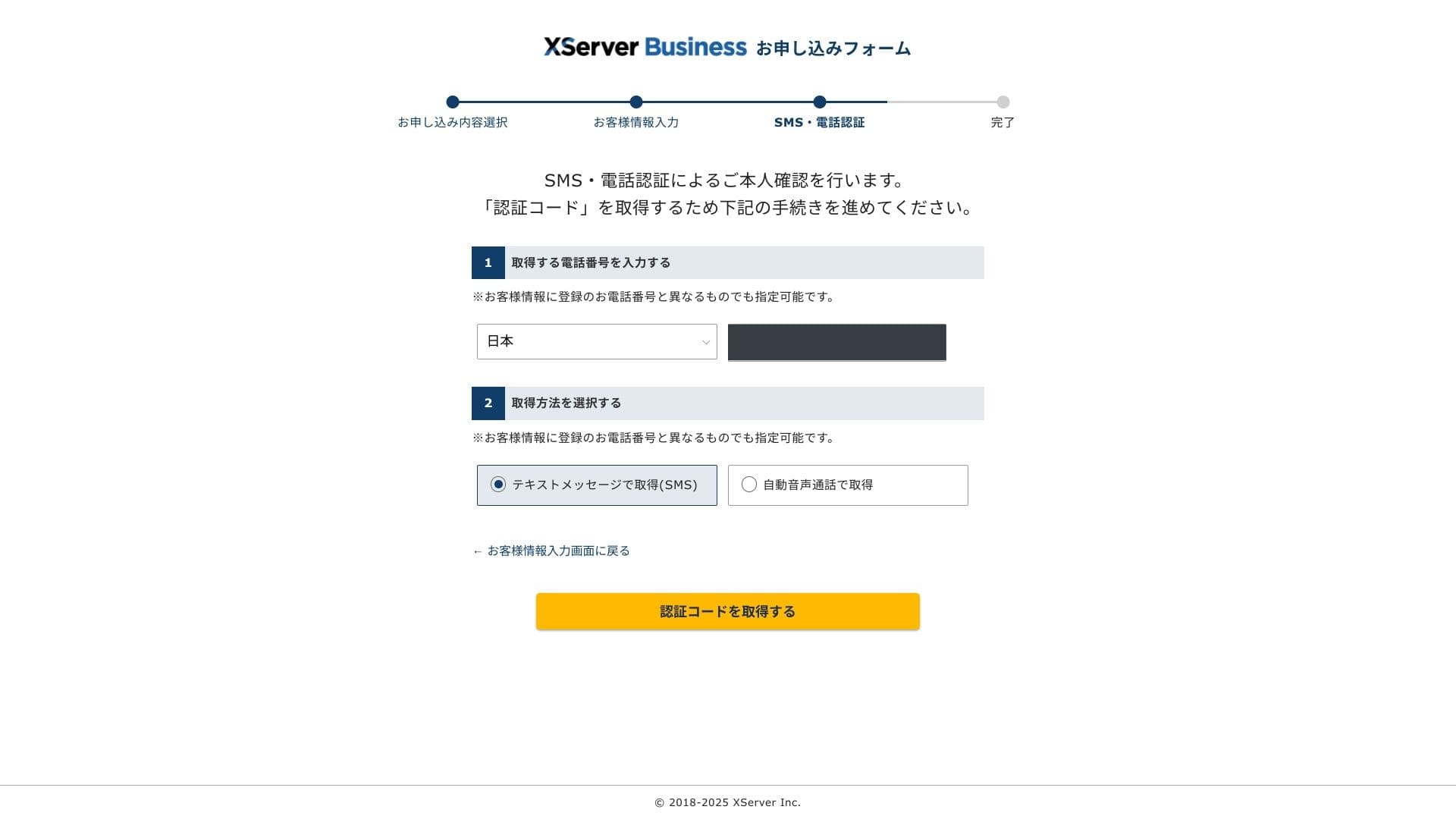
När du ser "Din ansökan har slutförts" är ansökan klar.
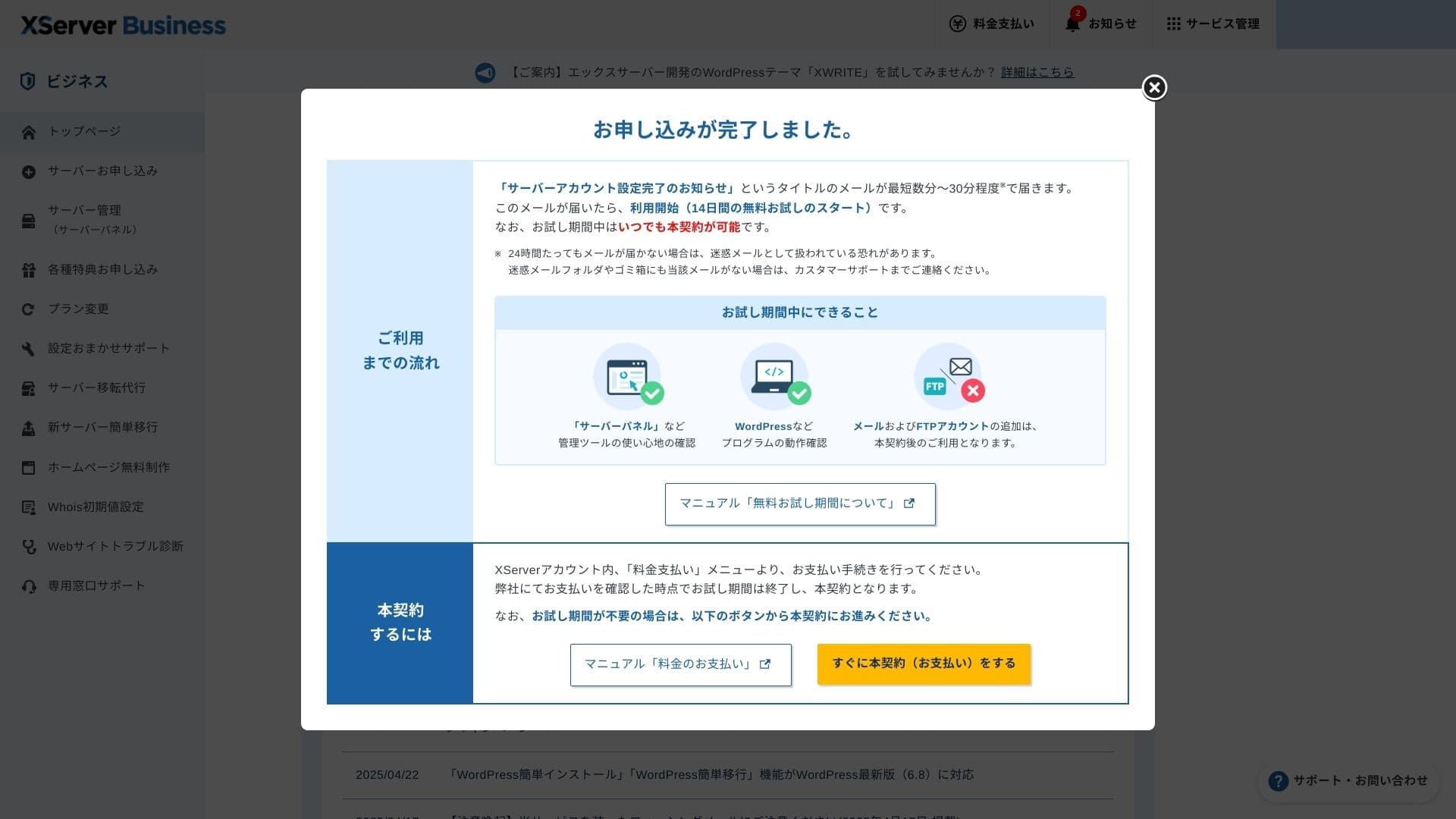
När den här sidan visas slutför du betalningen via "Gå vidare till betalt avtal nu". Om du inte slutför det betalda avtalet kan du inte använda förmånen med ett års gratis domän eller e-postfunktionerna.
- STEP.5Hämta din egen domän och konfigurera den
Logga in på Server Panel från administrationsskärmen i Xserver Account. Hämta din domän från domänavsnittet. Det är förmånligt att använda den ettåriga gratisförmånen.
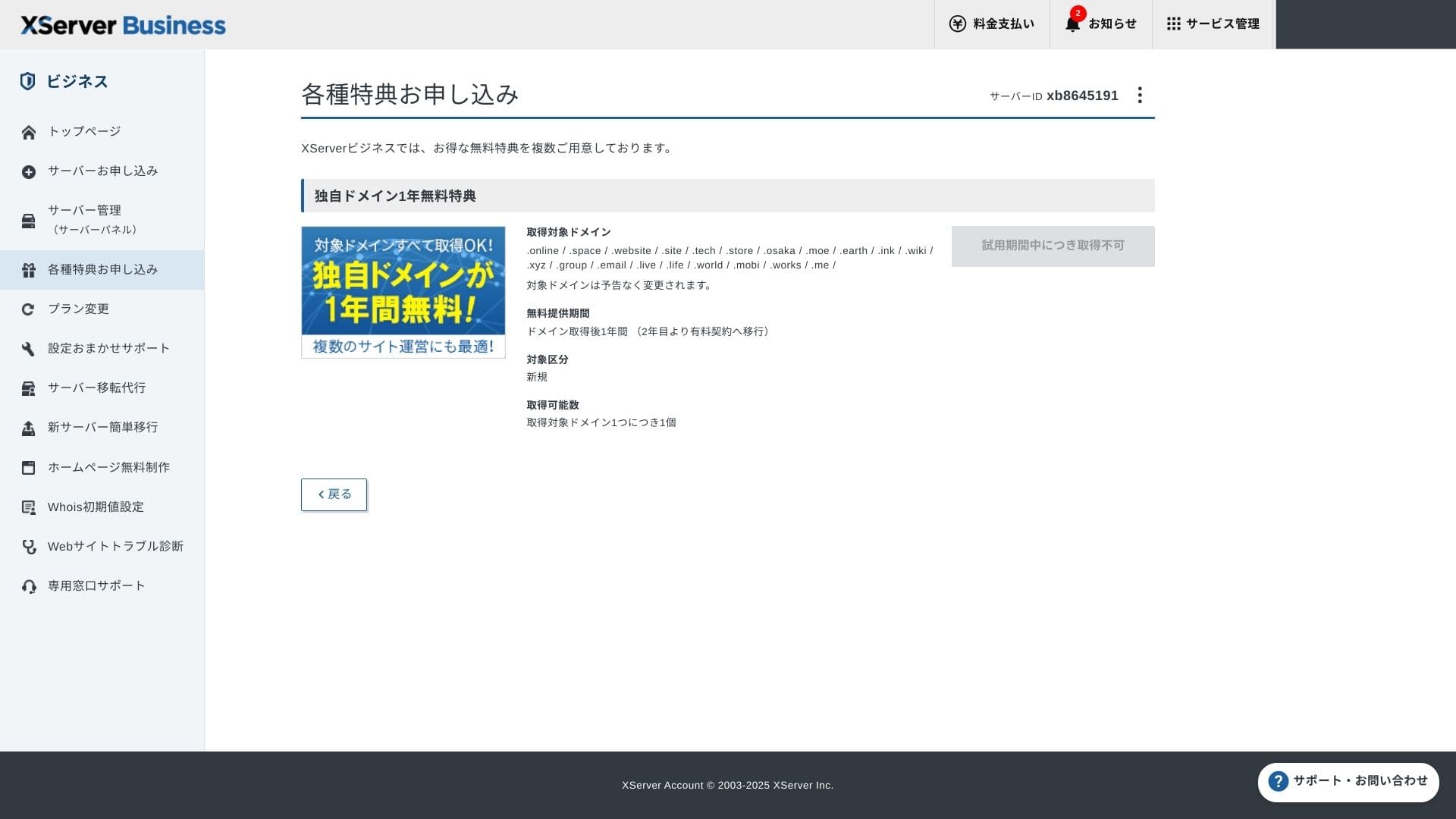
Hämta din egen domän. Välj Permanent gratis egen domän-förmån under Ansök om specialerbjudanden på administrationsskärmen och klicka sedan på Använd denna förmån.
Välj Nyregistrering som kategori. Ange valfri sträng för domännamnet. Din domän är viktig, så tänk igenom beslutet noggrant.
★ Vad är en domän? Dess roll som adress på internet och hur du skaffar en
Sök efter domännamnet du vill ha och välj det. Klicka på "Ansök om att få den valda domänen". Granska ansökningsuppgifterna på granskningsskärmen. Markera rutan för att godkänna användarvillkoren och hanteringen av personuppgifter och klicka sedan på "Skicka in din ansökan".
Konfigurera sedan domänen. Välj "Serverhantering" på administrationsskärmen. Då öppnas Server Panel. Klicka på "Domäninställningar" under "Domän". Klicka på "Lägg till domäninställning", ange den egna domänen du skaffade och klicka på "Gå vidare till granskning".
Kontrollera uppgifterna på granskningsskärmen och klicka på "Lägg till". När slutförandeskärmen visas är domäninställningen klar.
- STEP.6Installera WordPress och slutför den första konfigurationen
Välj Enkel WordPress-installation under WordPress i Server Panel.
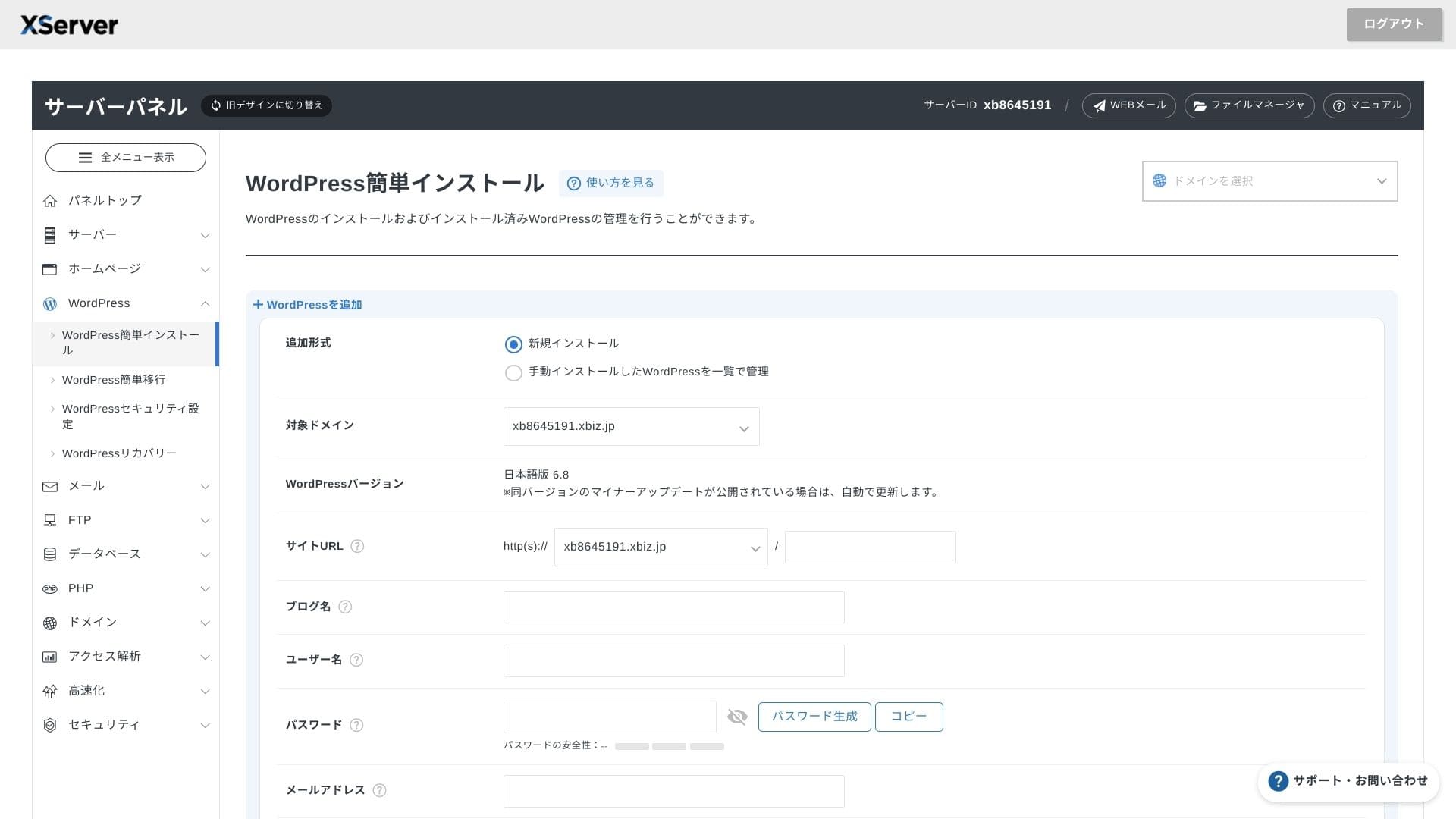
Klicka på WordPress-installation och ange installationsinställningarna för WordPress.
- Webbplats-URL: välj domännamnet du skaffade tidigare
- Webbplatstitel: titeln på din webbplats
- Användarnamn: valfritt användarnamn för WordPress-inloggning
- Lösenord: ett WordPress-inloggningslösenord, helst så komplext som möjligt
- E-postadress: använd den e-postadress du normalt använder. För en företagswebbplats rekommenderas en företagsadress
- Databas: skapa databasen automatiskt
När du har fyllt i allt klickar du på "Gå vidare till granskning" och sedan på "Installera". När slutförandeskärmen visas är installationen klar.
Gör sedan den första WordPress-konfigurationen. Klicka på adminpanelens URL på skärmen som visar att WordPress-installationen är slutförd. På inloggningsskärmen som visas anger du användarnamnet och lösenordet du skrev ner tidigare och klickar på Logga in.
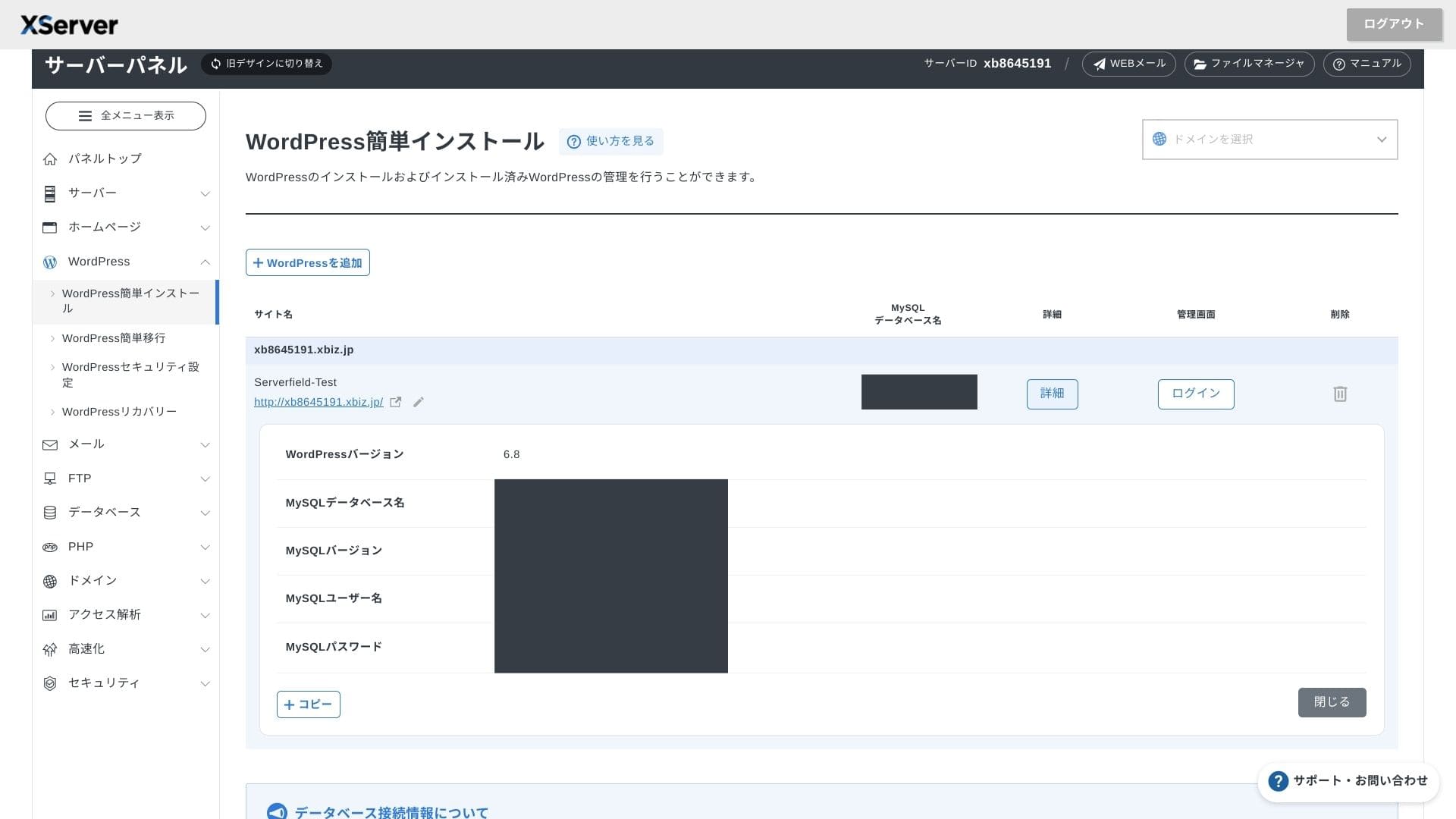
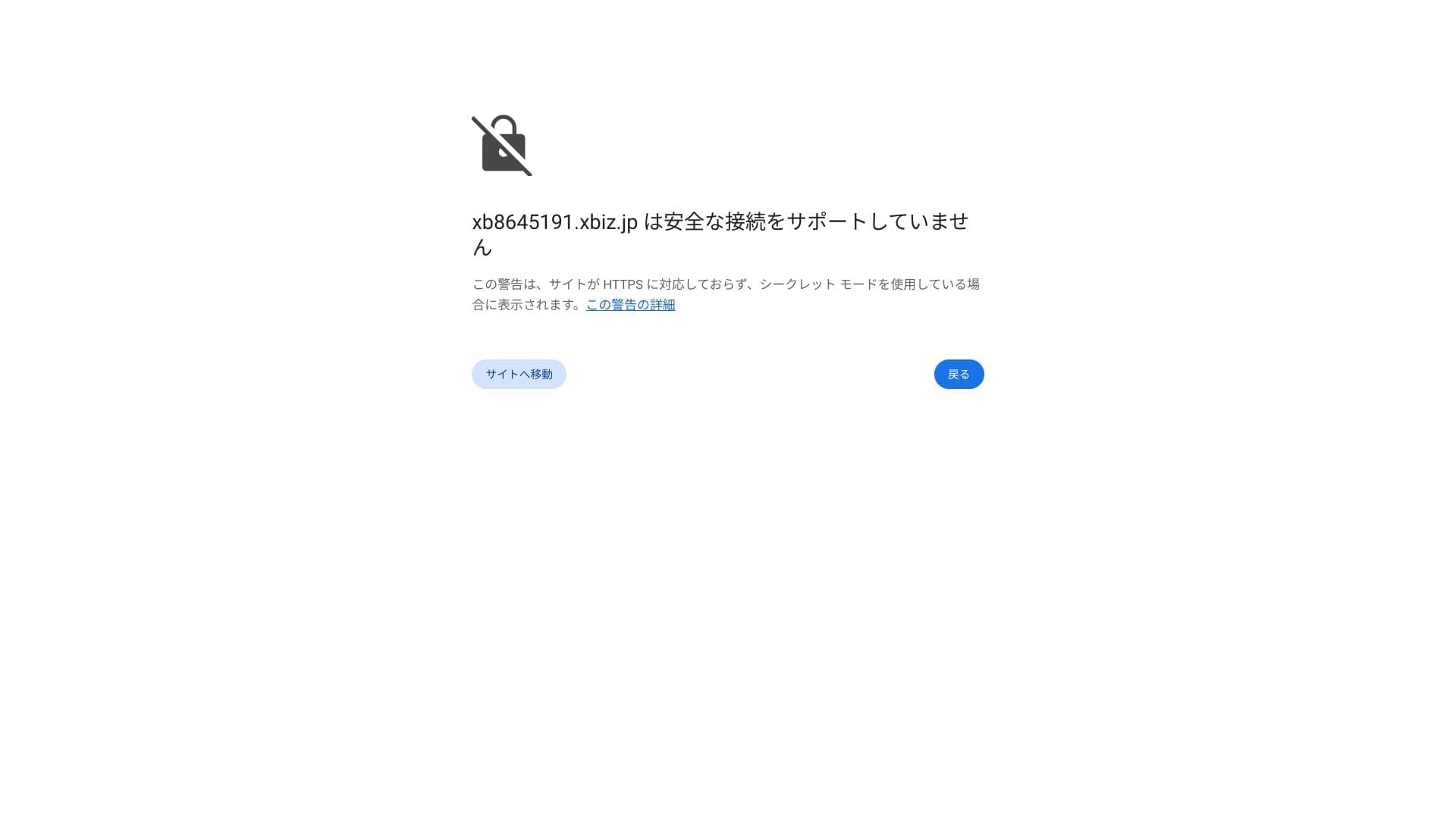
Om du ser en varning om att en säker anslutning inte stöds har DNS-inställningarna ännu inte spridits. I så fall kan du bara vänta, så försök logga in igen ungefär en gång i timmen.
★ Vad är DNS och namnservrar? Så kopplar du ihop domän och server
Ställ in permalänkarna. Gå till Inställningar och sedan Permalänkar i WordPress-admin. Välj Inläggsnamn och klicka på Spara ändringar.
Om du väljer Inläggsnamn kan du ange valfri sträng i varje artikel-URL. Jag rekommenderar en kort sträng som hjälper läsarna att förstå artikelns innehåll. Om URL:en är för lång kan vissa känna sig osäkra och undra om webbplatsen är trygg.
- STEP.7Installera tillägg
Gå tillbaka till WordPress-admin, öppna Tillägg och sedan Lägg till nytt och installera de tillägg du behöver.
När du hittar tillägget du vill ha via sökningen klickar du på Installera nu och sedan på Aktivera. Följ därefter instruktionerna för respektive tillägg.
Se till att installera tillägg för säkerhet och säkerhetskopiering.
- 5 säkerhetsinriktade WordPress-tillägg och hur du väljer dem
- 5 kraftfulla WordPress-tillägg för säkerhetskopiering som hjälper dig återställa dina data
När tilläggen är på plats är din WordPress-webbplats redo att användas.
Drift av flera sajter
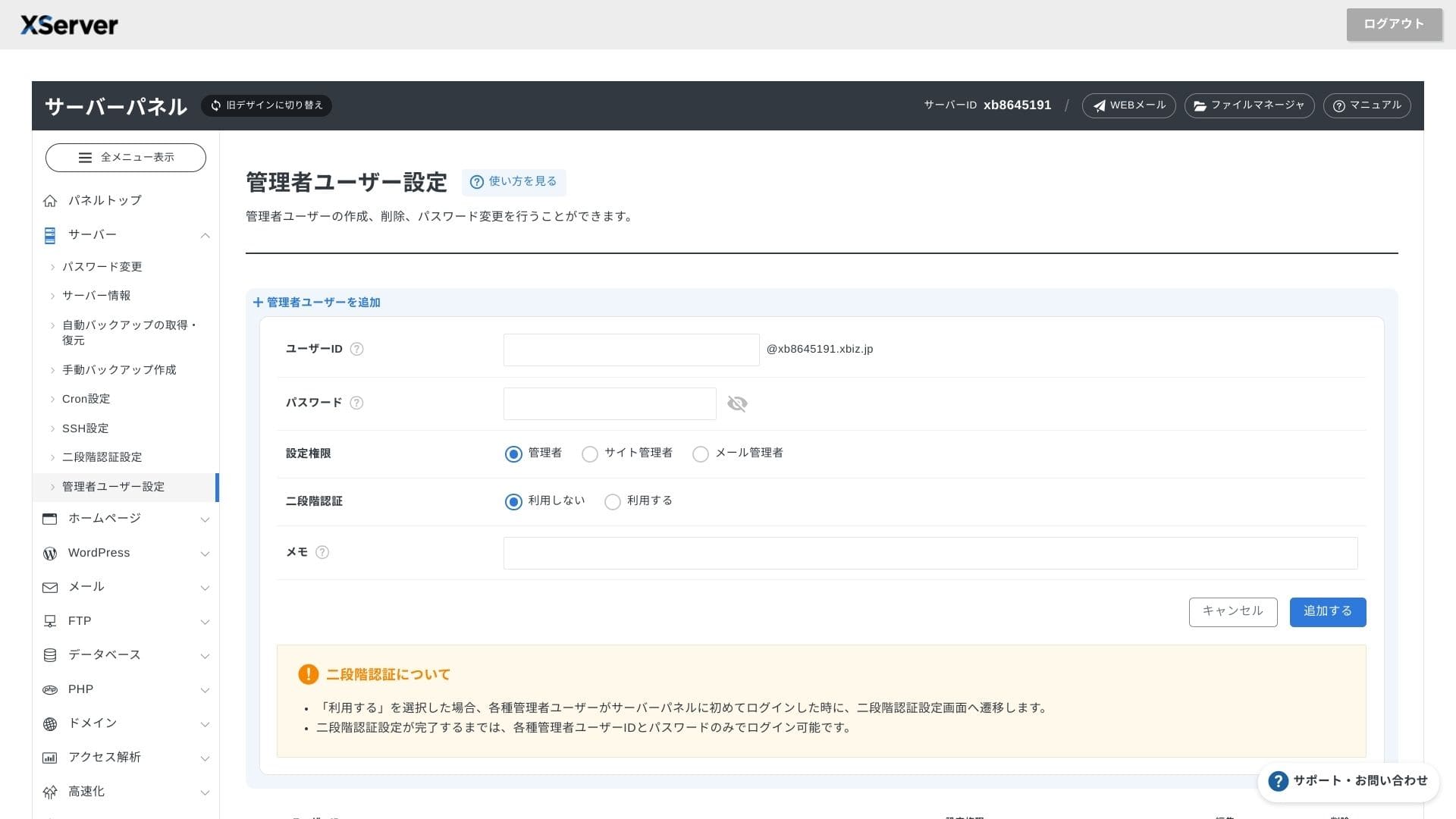
Eftersom multidomäner, underdomäner och e-postkonton är obegränsade kan du hantera företagswebbplatsen, rekryteringssidor, kampanjlandningssidor och mer centralt under ett enda avtal. Möjligheten att dela upp administratörsbehörigheter per avdelning är också praktisk för företagsanvändning.
Migrering av WordPress-sajter
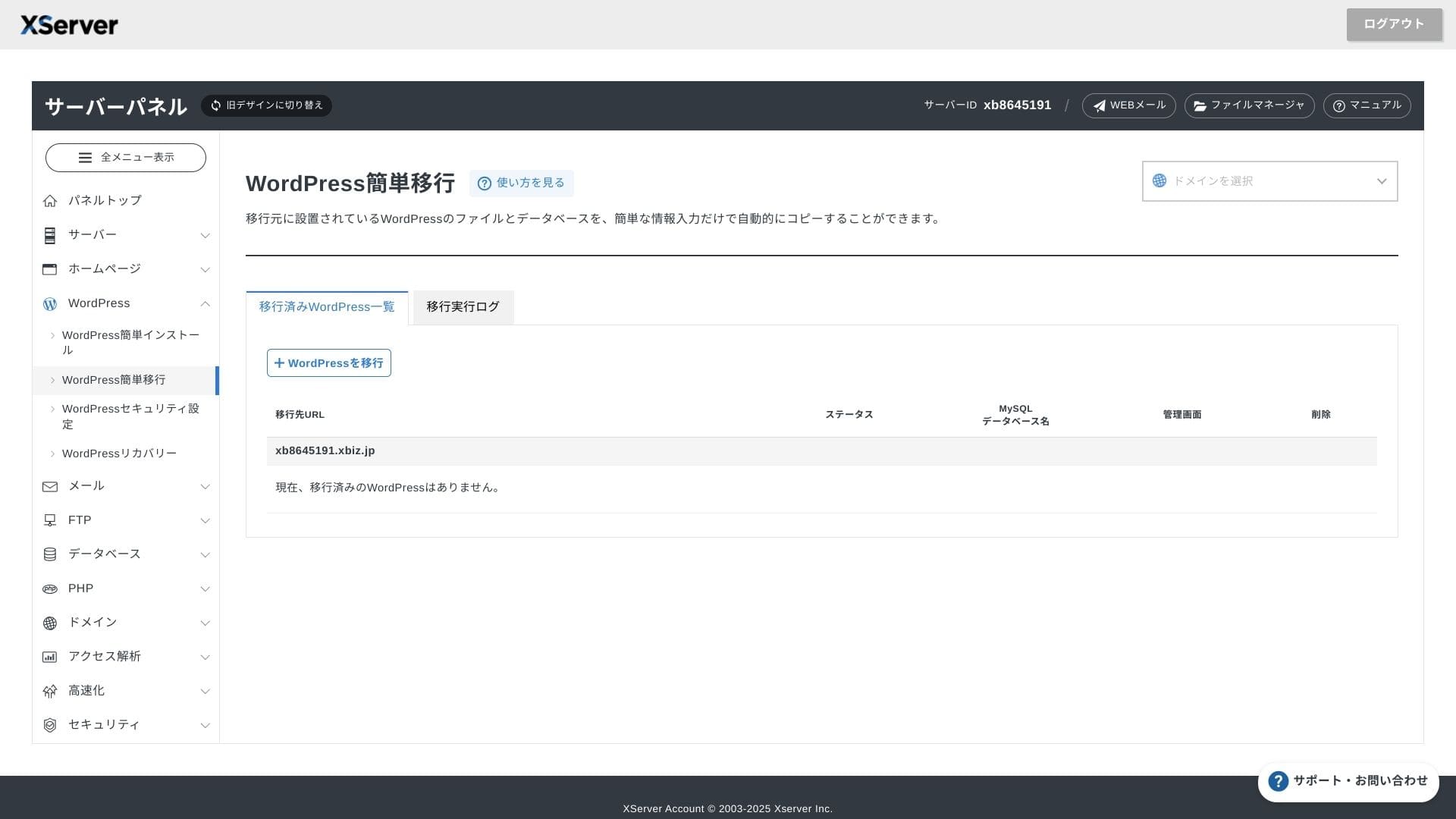
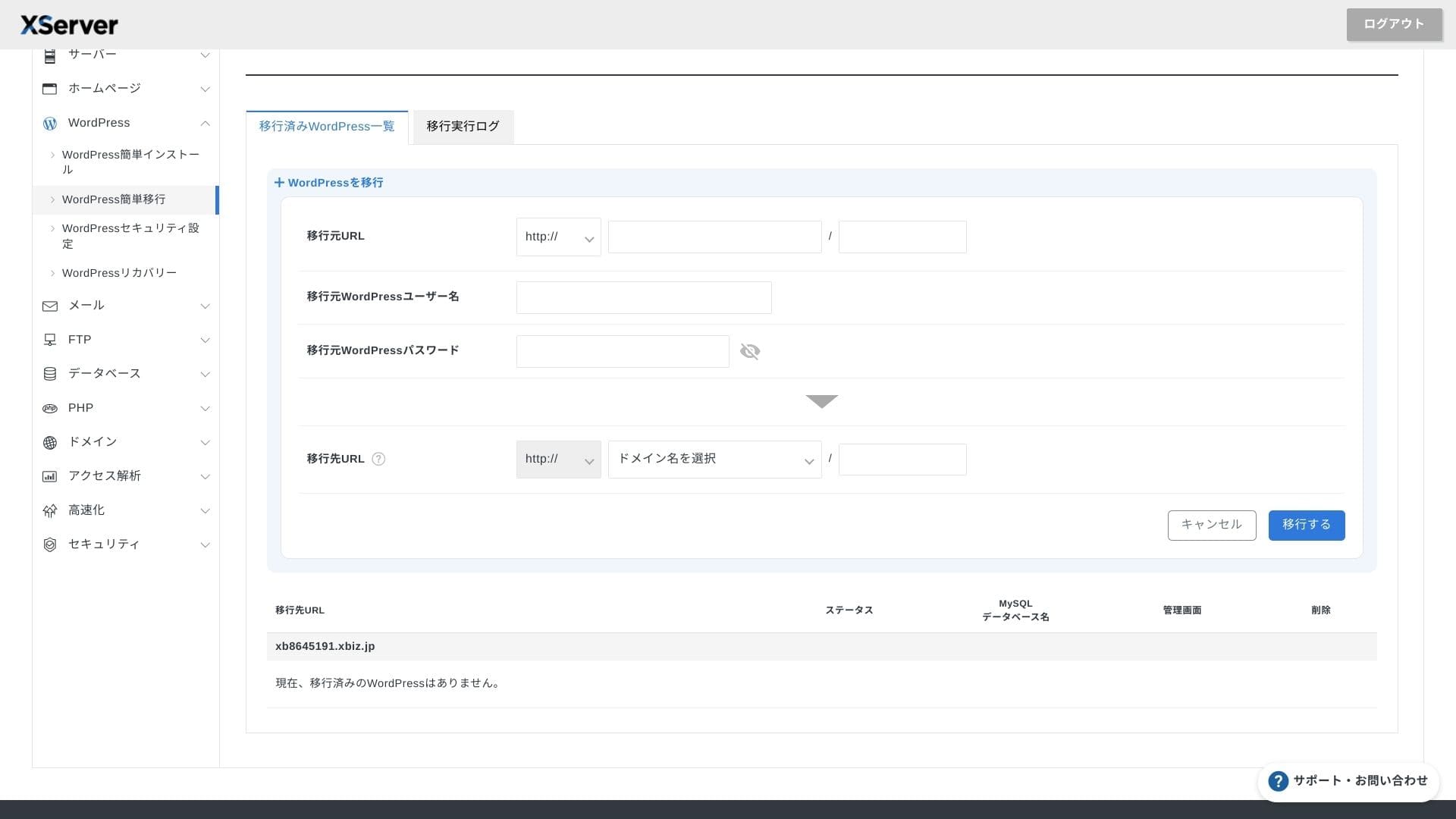
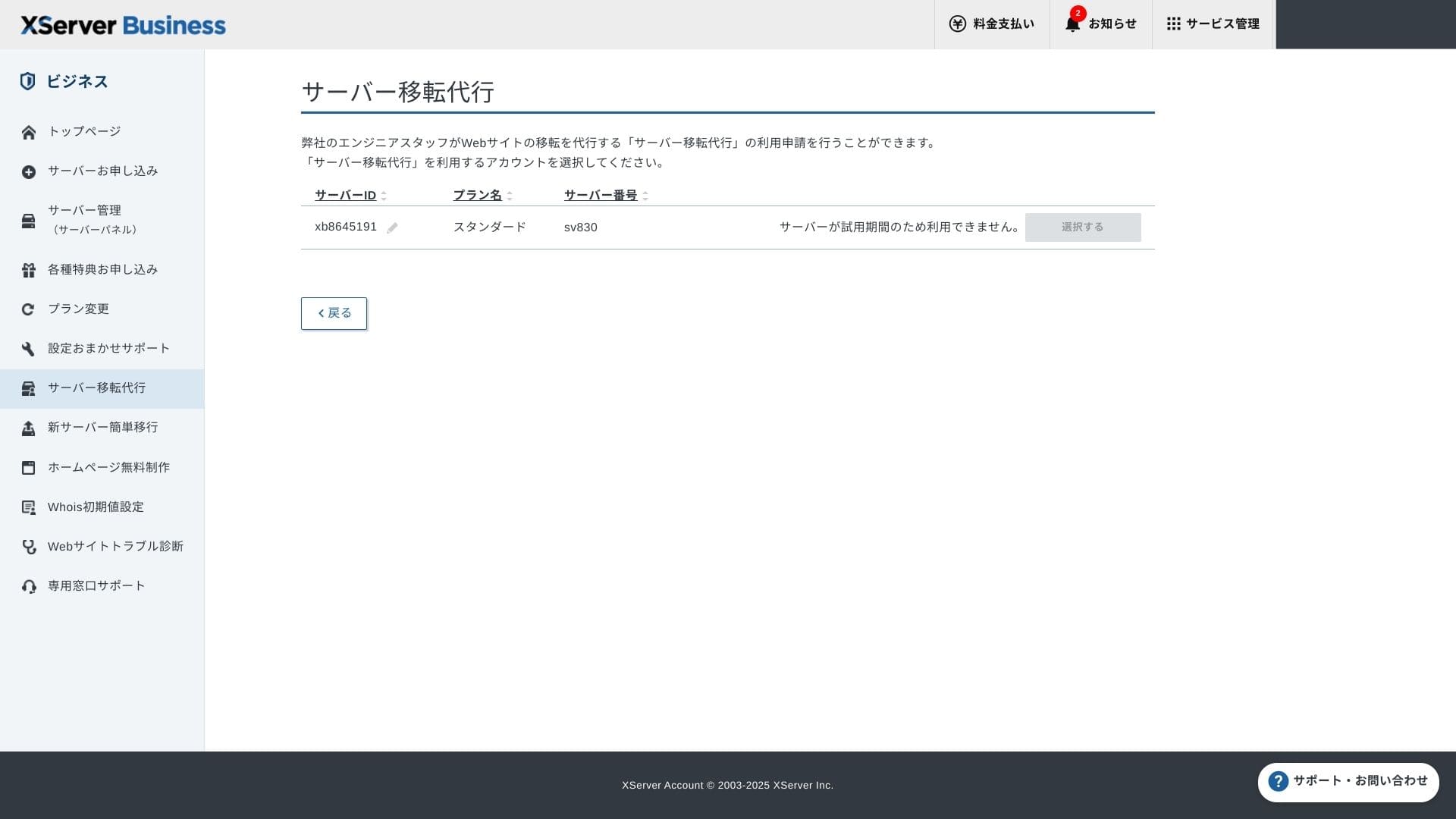
Du kan använda både Easy WordPress Migration, som kopierar din webbplats genom att du bara anger den gamla serverns URL, ID och lösenord, och servermigreringstjänsten där tekniker tar hand om allt åt dig (gratis första gången).
Hikaru Ono
Om du är van vid servrar och domäner går det smidigare att använda Easy WordPress Migration och konfigurera allt själv, eftersom du slipper vänta på den hanterade migreringstjänsten.
Den hanterade migreringstjänsten tar dessutom hand om DNS-bytet, så jag rekommenderar den särskilt för företag som redan har trafik och absolut vill undvika DNS-misstag under migreringen.
Genomgång av prestanda och specifikationer
Prestandagenomgång utifrån våra mätningar
XServer Businessdrev en WordPress-webbplats som vi mätte till en TTFB (Time to First Byte, alltså svarstiden innan sidan börjar visa innehåll) på 40 ms.
Det är betydligt snabbare än den serversvarstid på 200 ms som Google förväntar sig, så den passar utmärkt för företagswebbplatser och affärssajter med hög trafik.
Du bör minska serverns svarstid till under 200 ms.
Förbättra serverns svarstid
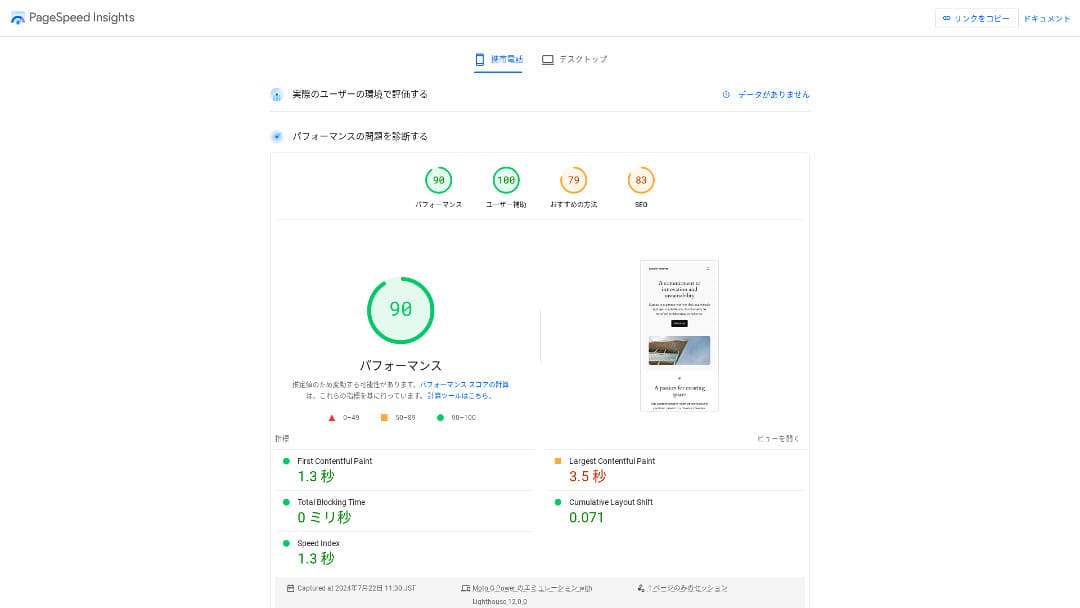
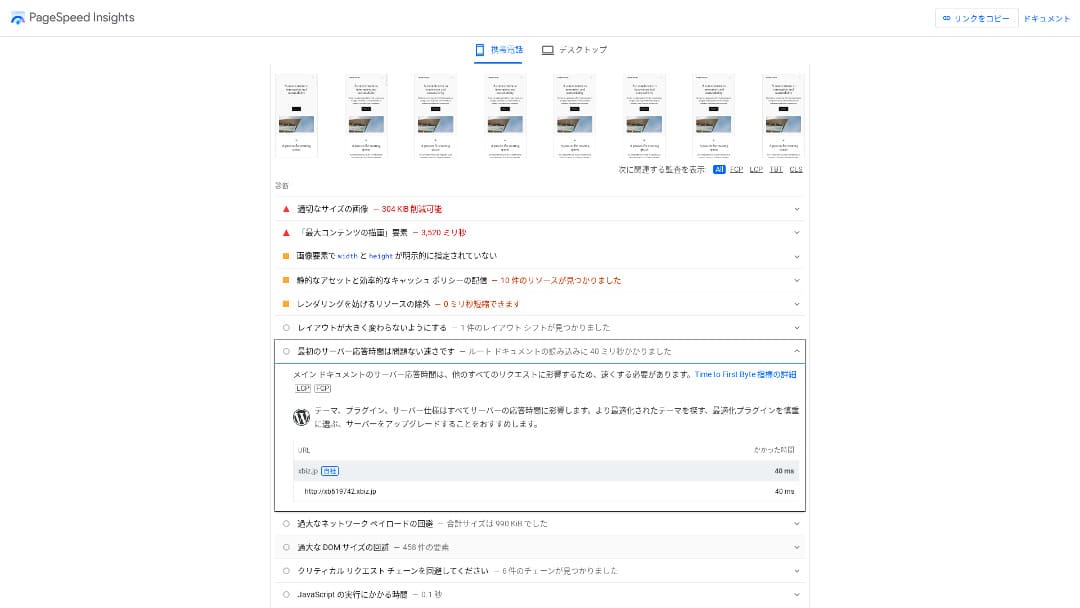
Den var näst snabbast av de 18 servrar vi mätte. (Kinsta var nummer 1.)
Hikaru Ono
Det är den snabbaste inhemska servern. För företagswebbplatser och e-handelswebbplatser där även 0,1 sekunder påverkar trafik och försäljning är den hastigheten en stor fördel.
Den använder en inhemsk backbone med direktanslutning på 10 Gbps och NVMe RAID10-lagring. Enligt det officiella riktmärket är den upp till 17 gånger snabbare än traditionell SSD-lagring.
Diskkapacitet
Hösten 2024 utökades de tre delade planerna till 700 GB / 800 GB / 900 GB (alla NVMe). Även om du lanserar många landningssidor med mycket bilder och video finns det fortfarande gott om marginal.
Inom finans och vård behöver e-post ofta sparas i sju år eller mer som revisionsspår, och säljavdelningar hanterar ofta stora bilagor. Eftersom lagringsutrymmet är så stort kan du behålla sådan e-post säkert utan att ständigt behöva radera gamla data.
Du kan också bygga lagring i on-premises-stil, till exempel med WebDAV eller Nextcloud, och hantera interna dokument säkert via en VPN-anslutning.
Hikaru Ono
XServer Businesskan på egen hand minska arbetsbelastningen för driftteamet och ändå lämna tillräcklig marginal för framtida affärstillväxt.
Överföringsvolym
XServer Businesskan användas utan överföringsgränser inom normala användningsnivåer. Den officiella dokumentationen anger tydligt att det inte finns några avgifter för överföringsvolym.
★ Vad är trafik och dataöverföringsvolym? Hantera och optimera webbtrafik
Serverstabilitet och drifttid
Även den delade planen omfattas av en månatlig SLA på 99,99 %, vilket innebär att du får återbetalning om garantin inte uppfylls. Med både hög stabilitet och SLA är det precis den typ av tjänst som företag behöver.
Eftersom information om serveravbrott och underhåll publiceras öppet på den officiella webbplatsen kan vem som helst kontrollera den när som helst.
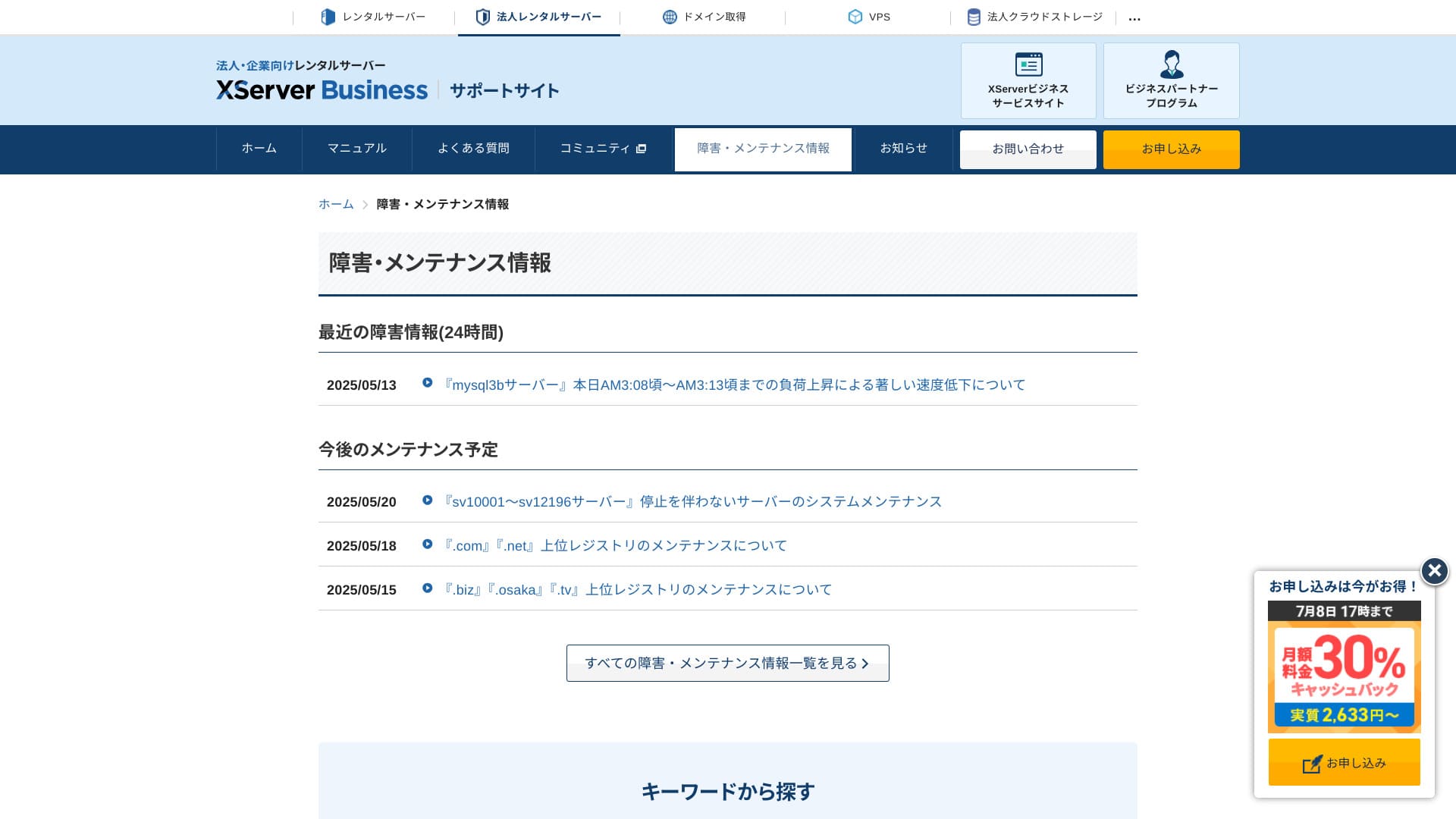
Hikaru Ono
Ett företag som delar denna information öppet i stället för att dölja den är lättare att lita på.
Prissättning och kostnader
Startavgift och månadskostnad
XServer Businesstar 4 180 yen per månad för Standard-planen med 12 månaders avtal. Med cashback-kampanjen på 30 % som gäller till 8 juli blir den faktiska kostnaden 2 926 yen. Med tanke på att telefonsupport, chattsupport och hanterade tjänster ingår tycker jag att det är en rimlig nivå.
- XServer Business
- Kinsta
- wpx
- Lolipop!
- Star Server
- Rakko Server
- XServer
- ConoHa
- ColorfulBox
- Shin Rental Server
- Little Server
- CORESERVER
- DreamHost
- Bluehost
- Sakura
- Namecheap
- Shin Free Server
- XREA
- Value Server
- Hostinger
- KAGOYA
- SiteGround
- HostGator
- IONOS
- Onamae.com
- ABLENET
- mixhost
- GoDaddy
- iCLUSTA+
- MuuMuu Server
- WADAX
- WebARENA
- Heteml
- CPI Rental Server


































Domänpriser
XServer Businessinkluderar en gratis domän som .com eller .net, plus en andra domän (vald från .blog, .online eller .site) som också är gratis för alltid. Den permanenta gratisförmånen för egen domän stöder nyregistrering, överföring från andra företag, byte av en redan köpt domän och byte av den kvalificerade domänen.
Hikaru Ono
Eftersom dessa domäner är avsedda för långsiktigt affärsbruk är denna gratisförmån inget att förbise.
- XServer Domain
- Onamae.com
- MuuMuu Domain
- Value Domain
- Shin Domain
- Star Domain
- Colorful Domain
- Rakko Domain








Pris för SSL-certifikat
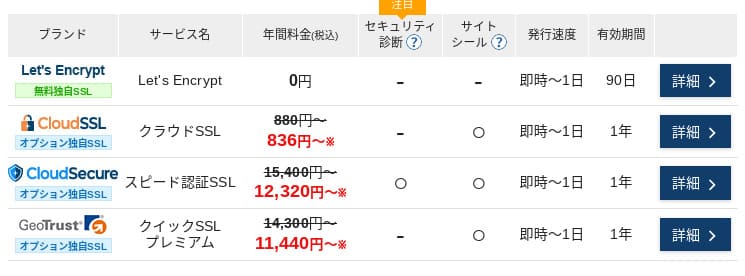
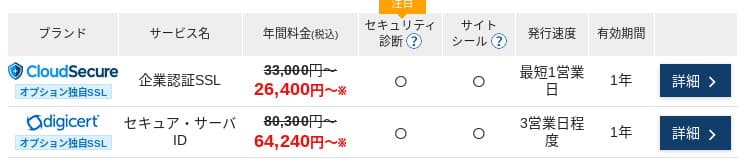
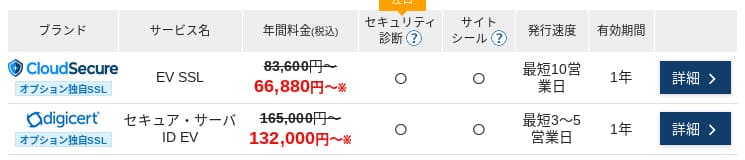
Med Let's Encrypt är domänverifierat SSL gratis. Betalt domänverifierat SSL börjar på 836 yen per år, organisationsverifierat SSL (OV) börjar på 26 400 yen per år och EV börjar på 66 000 yen per år. Allt går att beställa via den officiella endagsbeställningen.
Priserna kan variera beroende på kampanj.
Betalningsmetoder
XServer Businessstöder kreditkort, banköverföring, Pay-easy, betalning i närbutik och fakturabetalning. Tjänsten kan också utfärda offerter och fakturor som PDF, så införandet går smidigt även för företag som behöver internt godkännande.
Hikaru Ono
Eftersom många inhemska hostingtjänster inte stöder fakturabetalning är detta en av XServer Businesss styrkor.
- XServer Business
- Kinsta
- wpx
- Lolipop!
- Star Server
- Rakko Server
- XServer
- ConoHa
- ColorfulBox
- Shin Rental Server
- Little Server
- CORESERVER
- DreamHost
- Bluehost
- Sakura
- Namecheap
- Shin Free Server
- XREA
- Value Server
- Hostinger
- KAGOYA
- SiteGround
- HostGator
- IONOS
- Onamae.com
- ABLENET
- mixhost
- GoDaddy
- iCLUSTA+
- MuuMuu Server
- WADAX
- WebARENA
- Heteml
- CPI Rental Server


































Användarvänlighet och support
Kontrollpanelens användarvänlighet
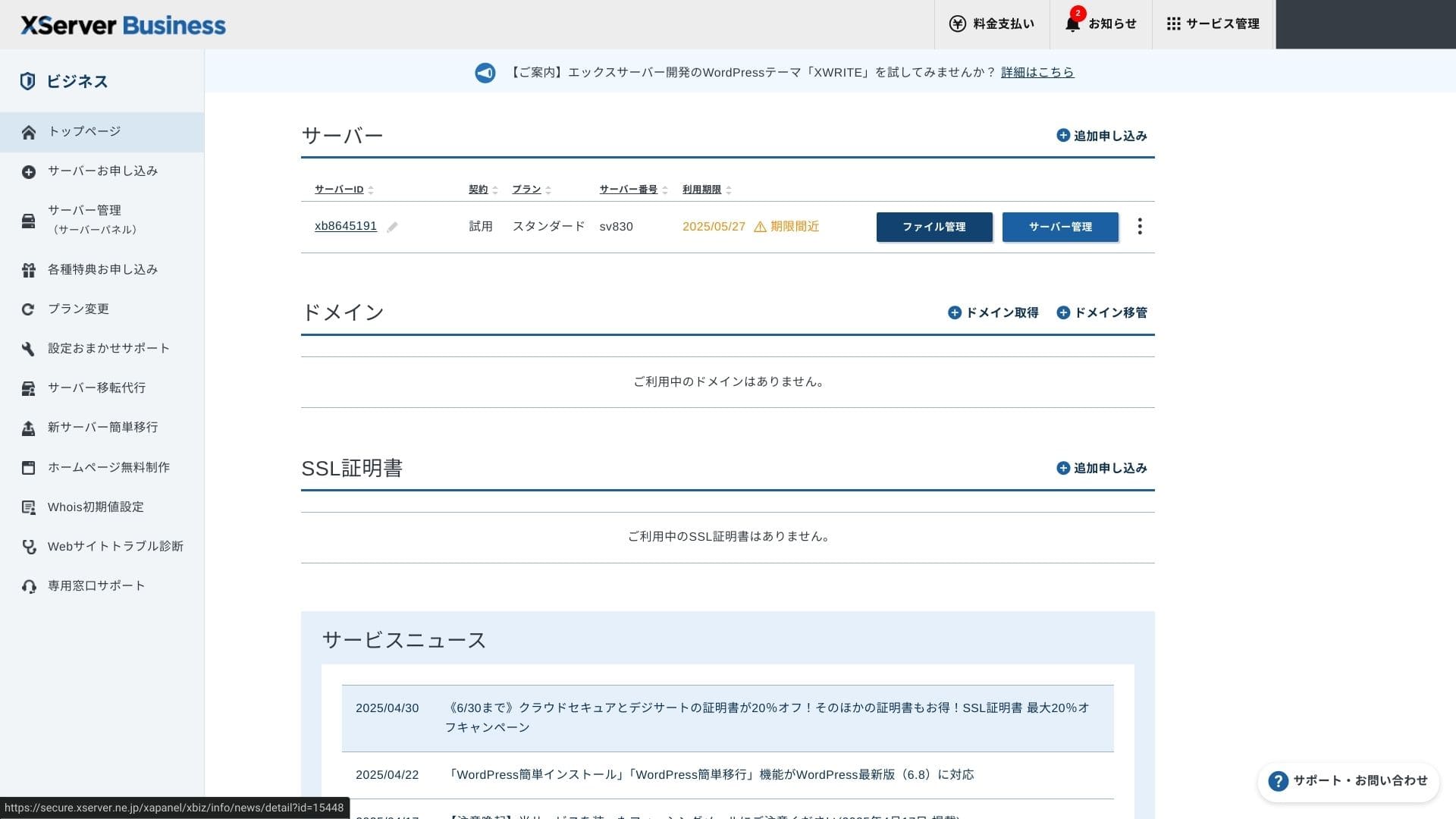
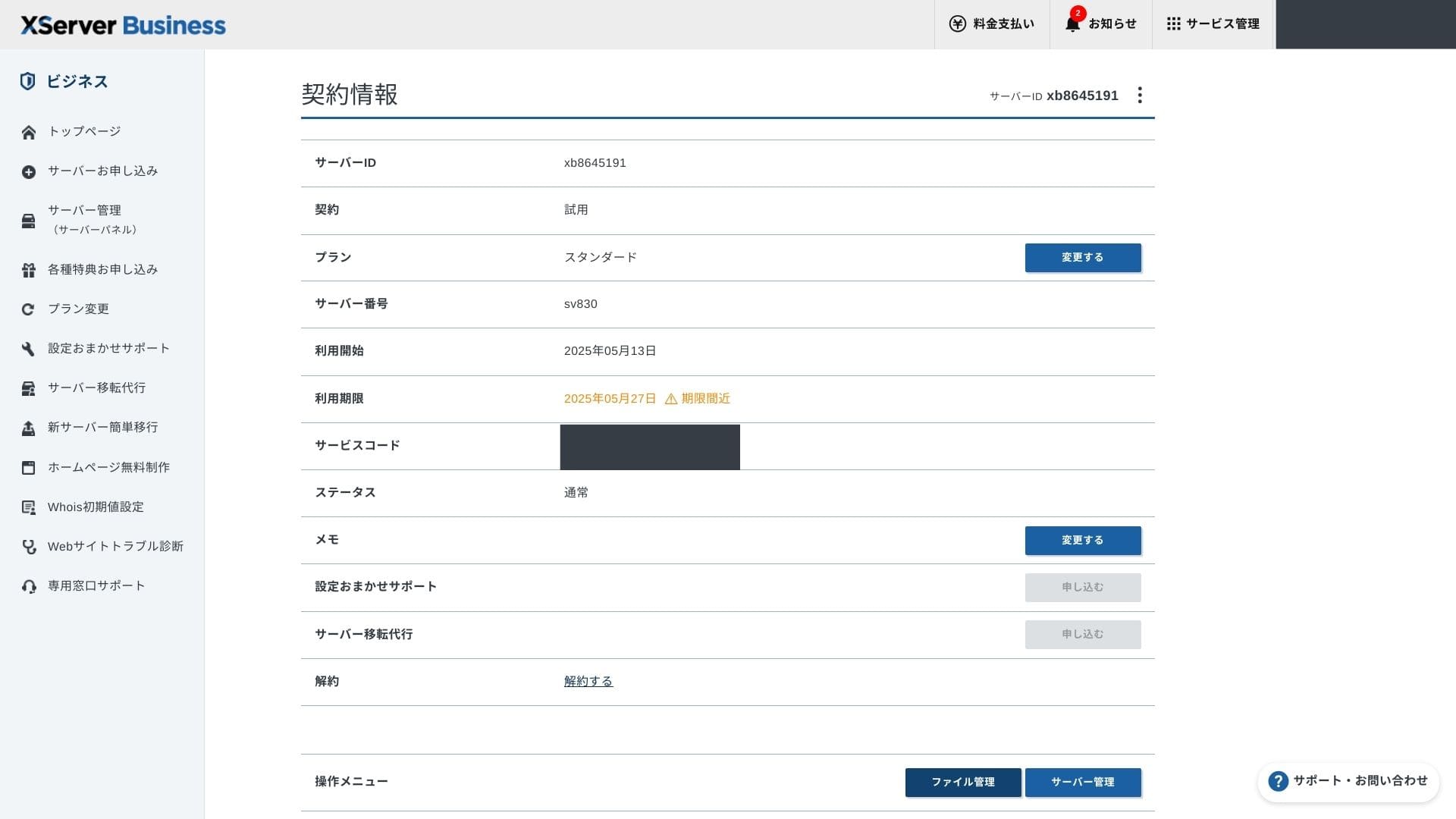
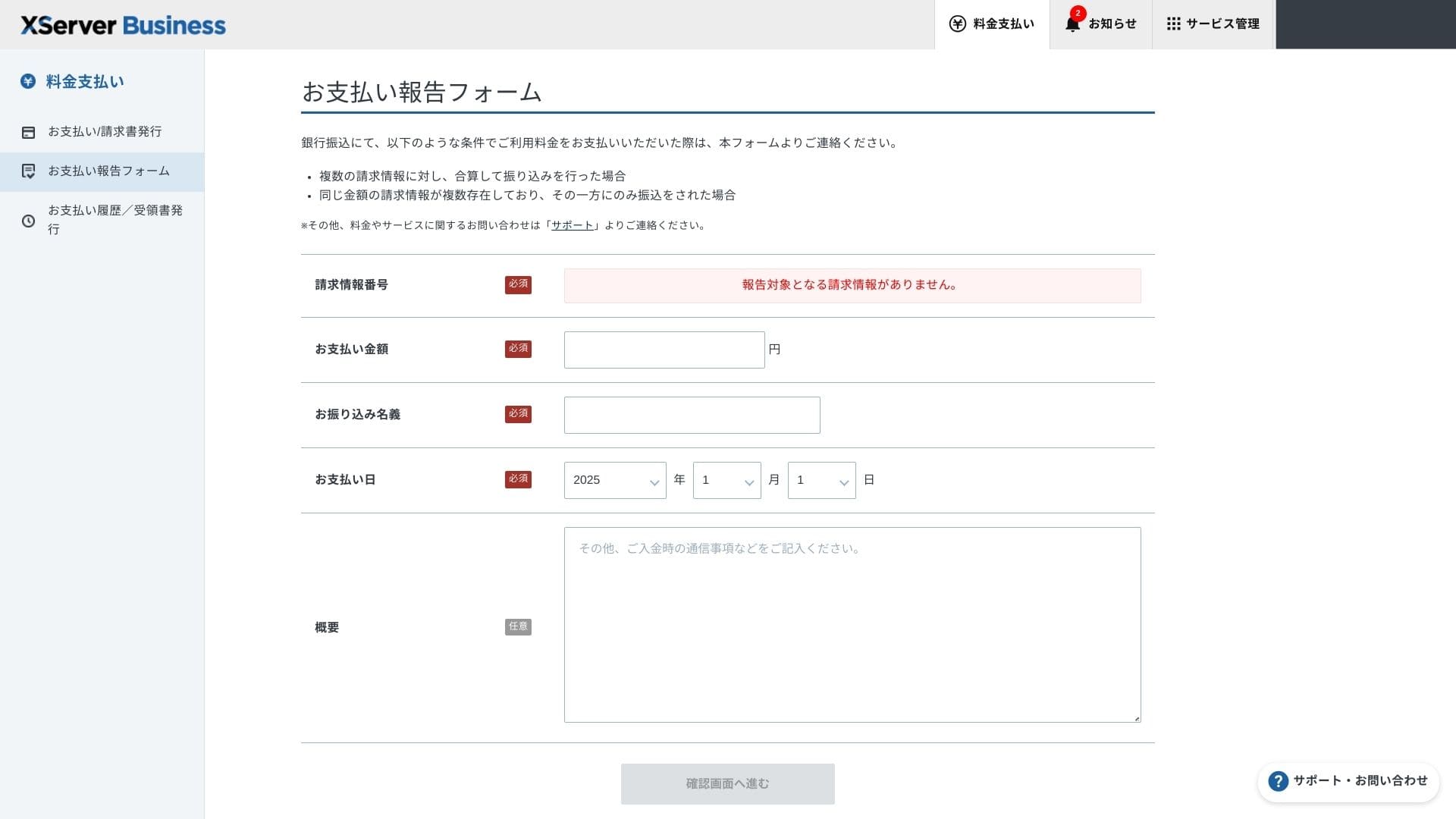
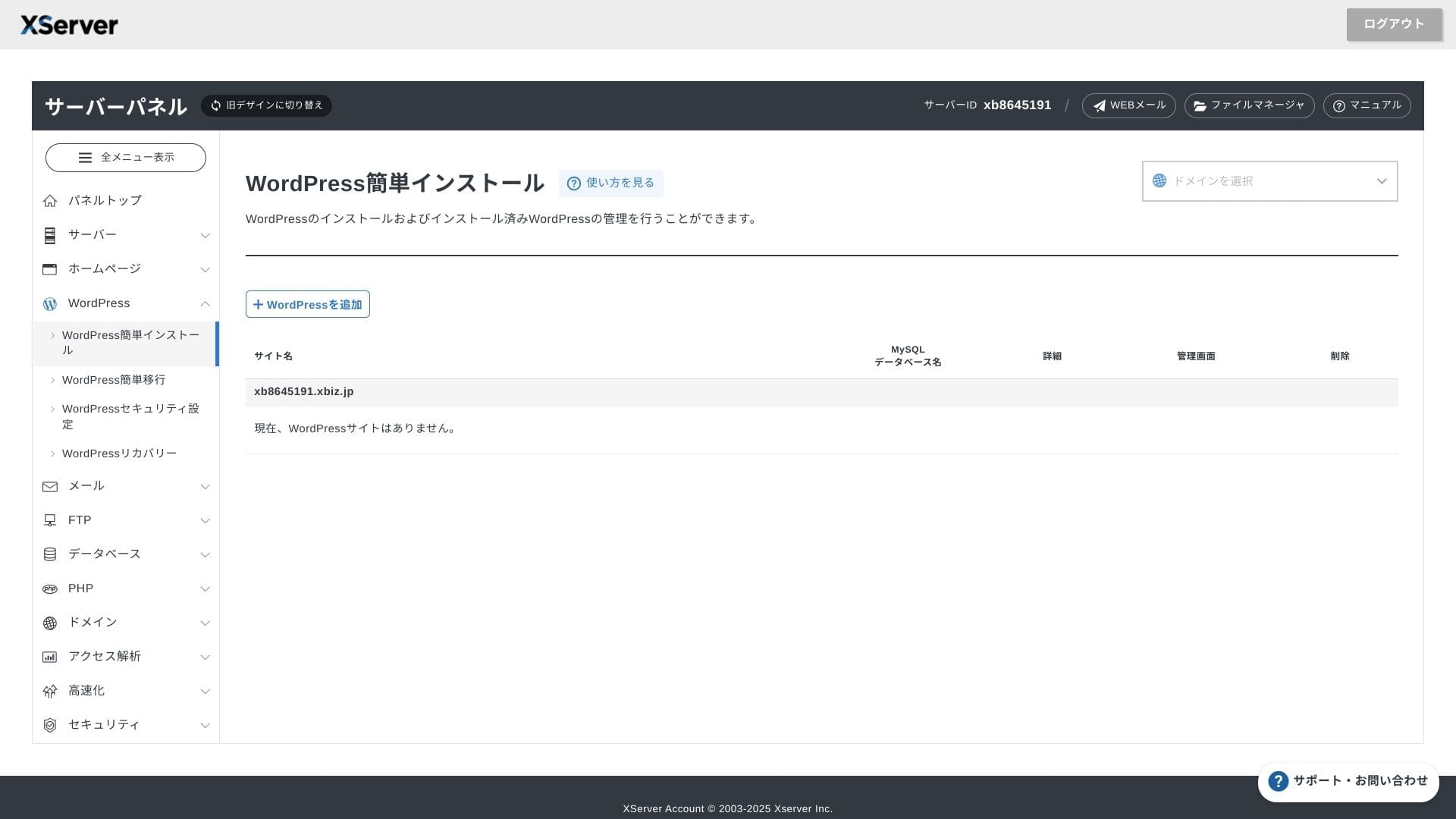
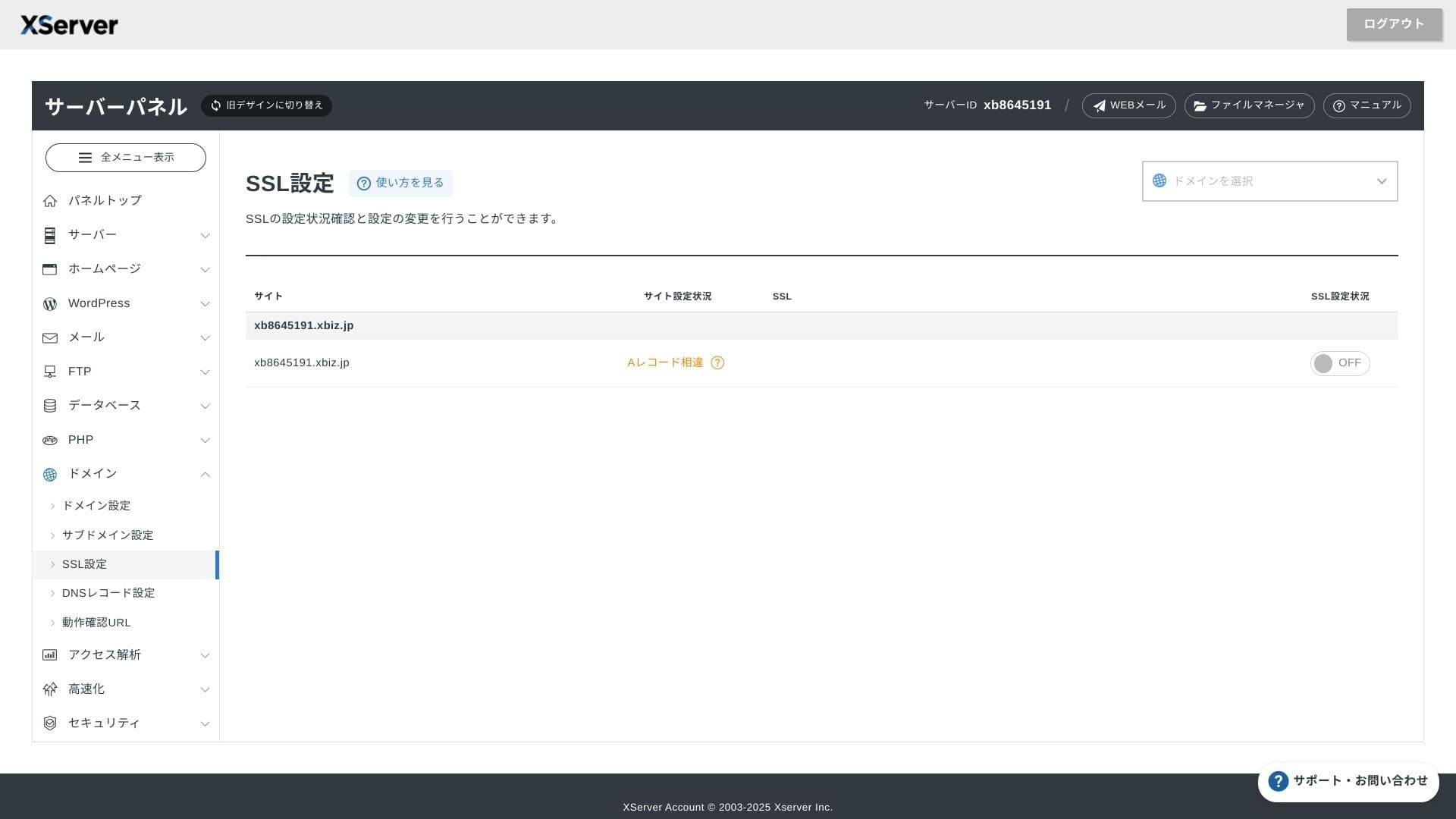
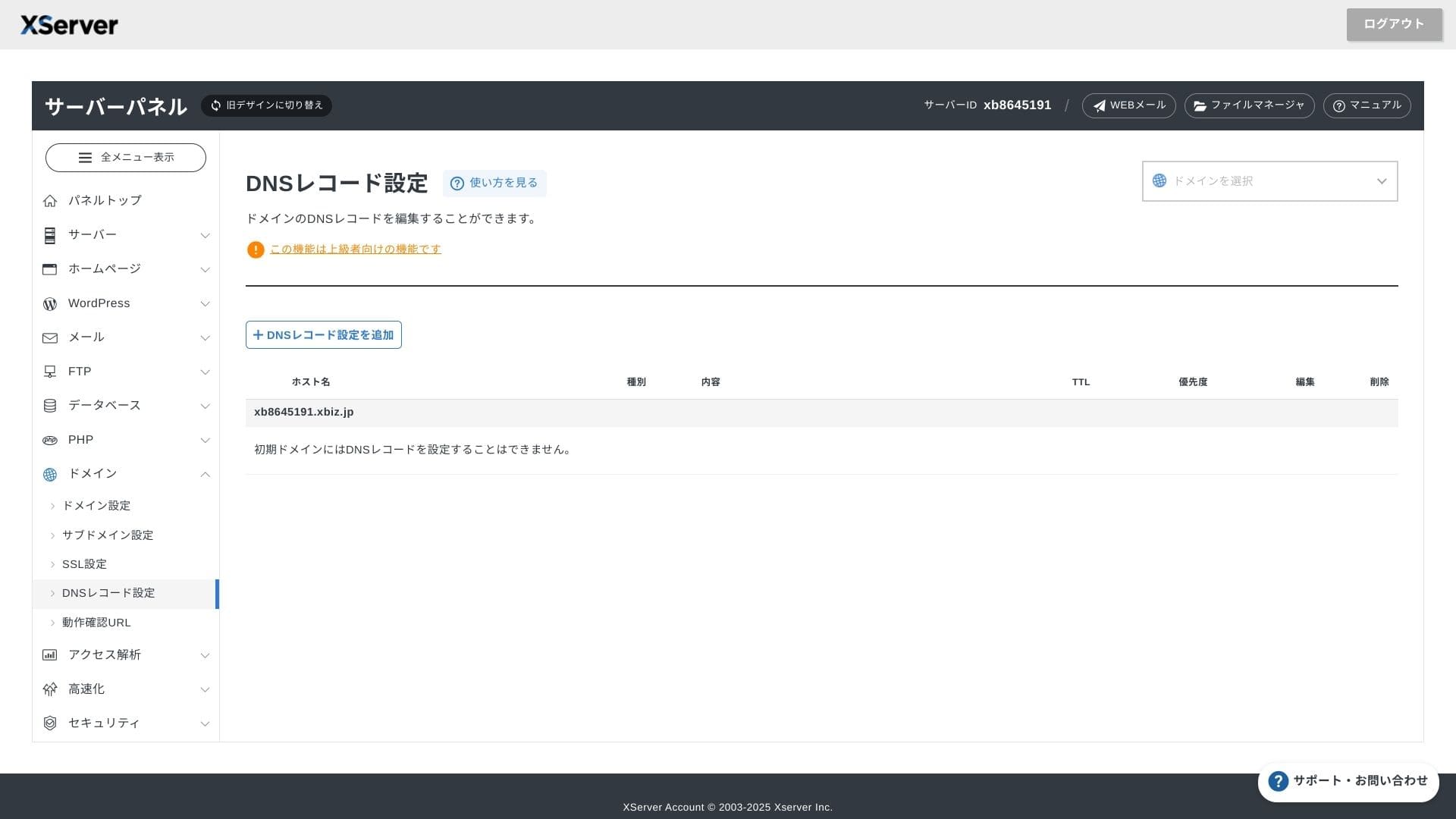
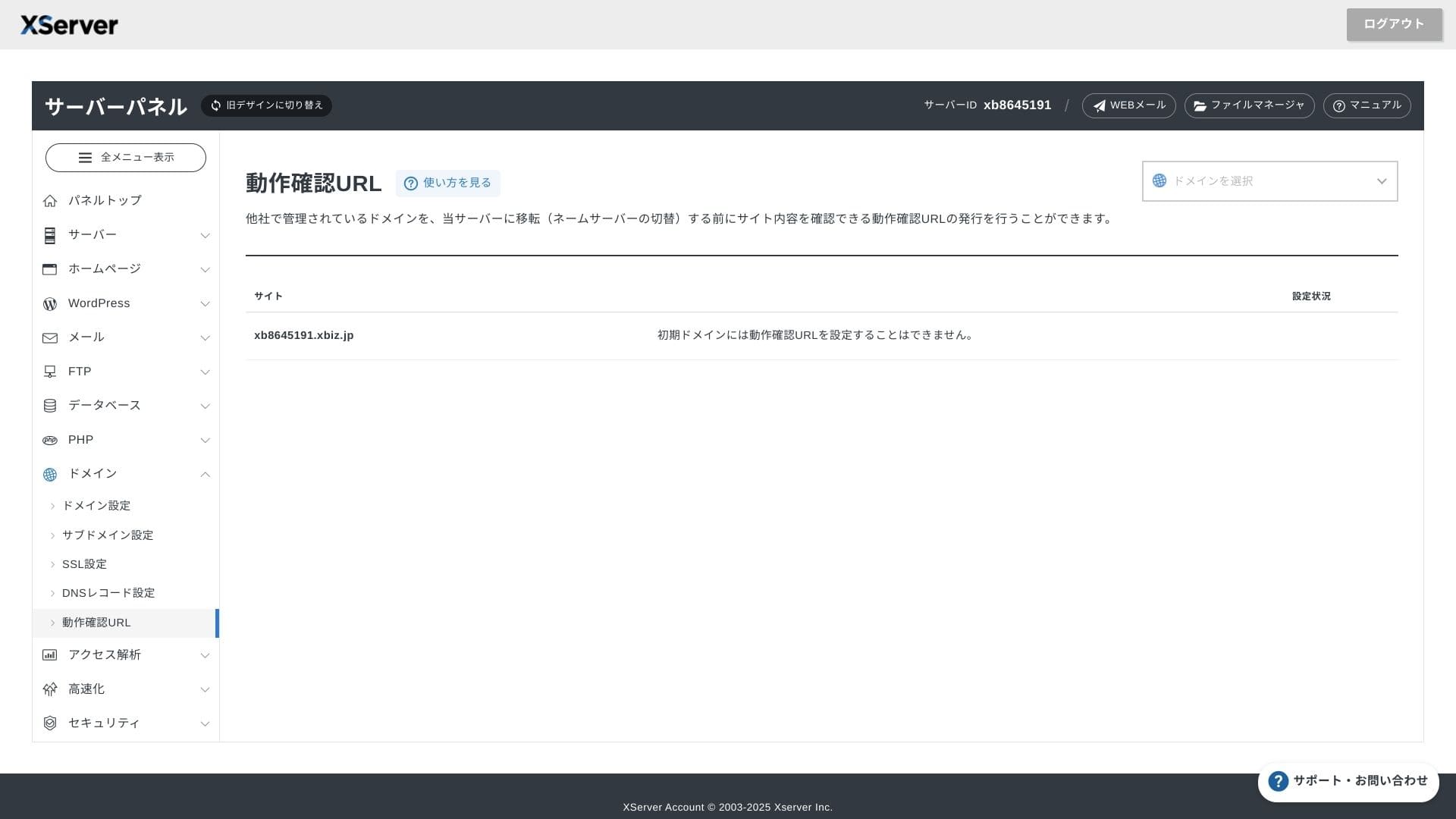
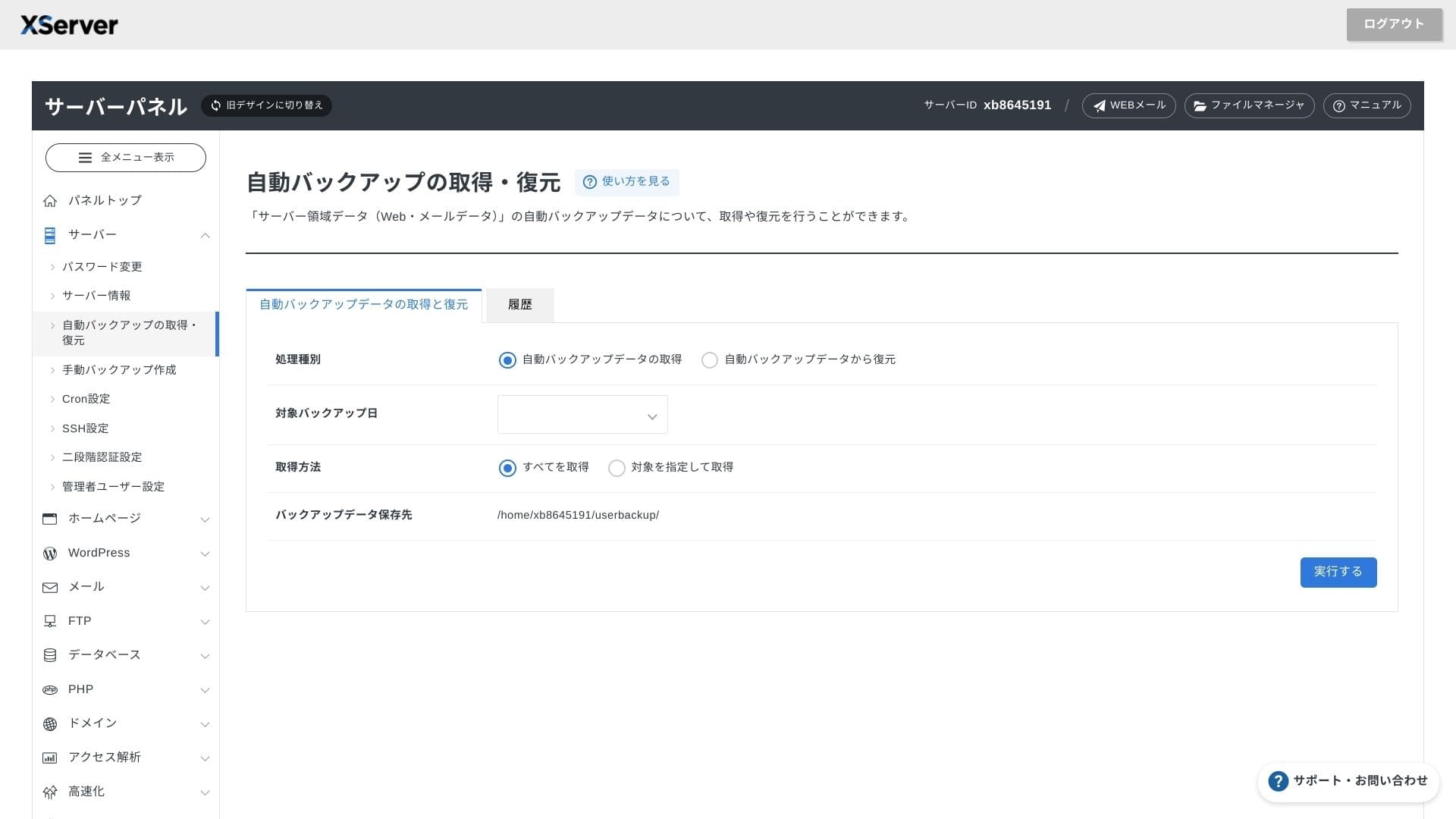
XServer Businessanvänder ett eget gränssnitt, så filåtgärder, SSL-inställningar och e-postinställningar hanteras med ett klick. Eftersom den officiella dokumentationen tydligt anger att konfigurationen slutförs inom 24 timmar är det lätt att planera lanseringsschemat.
Hikaru Ono
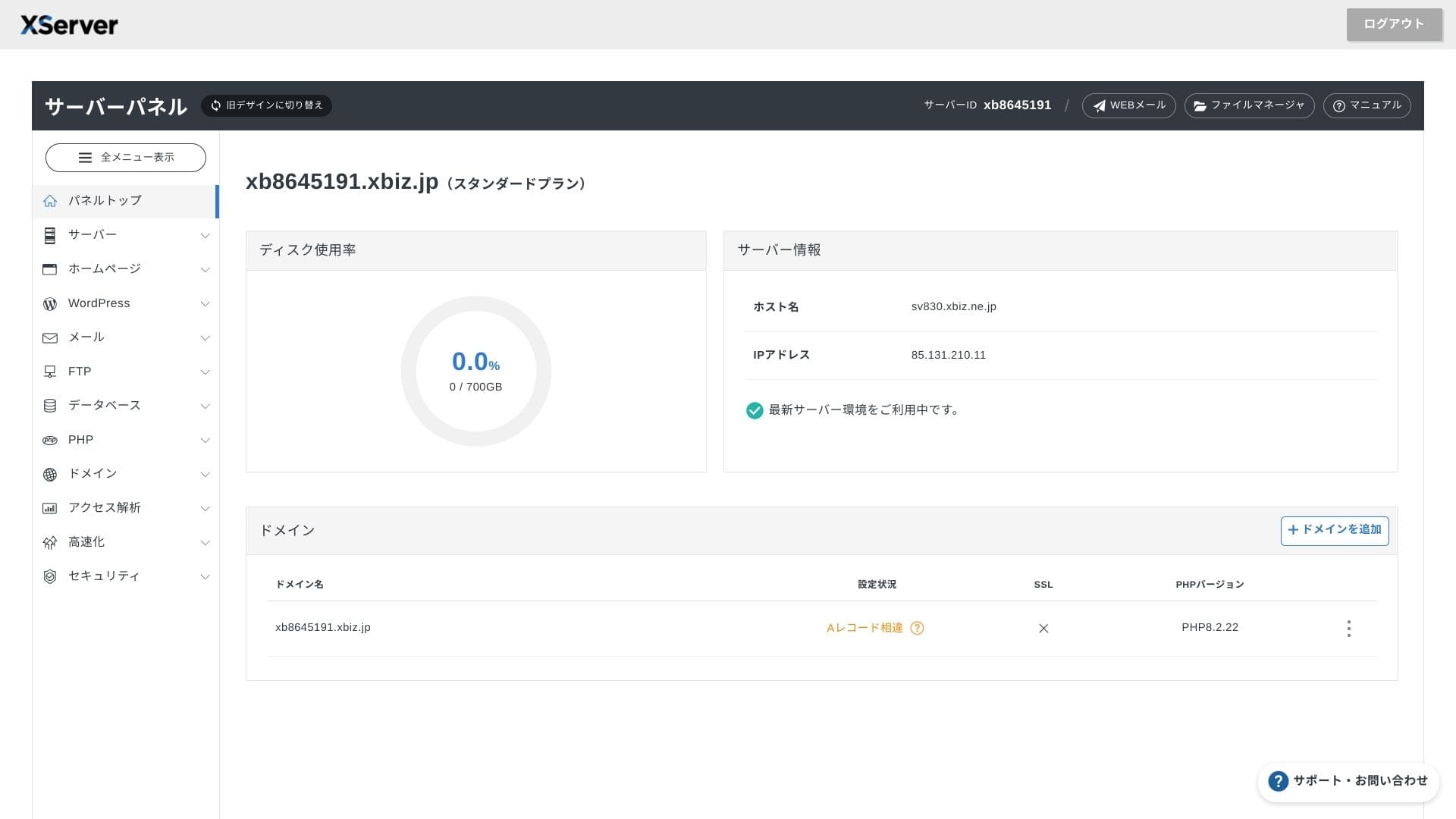
Serverpanelen har gjorts om och är nu ännu enklare att använda.
- Startskärm
- Fakturering
- WordPress
- Domän
- Säkerhetskopia
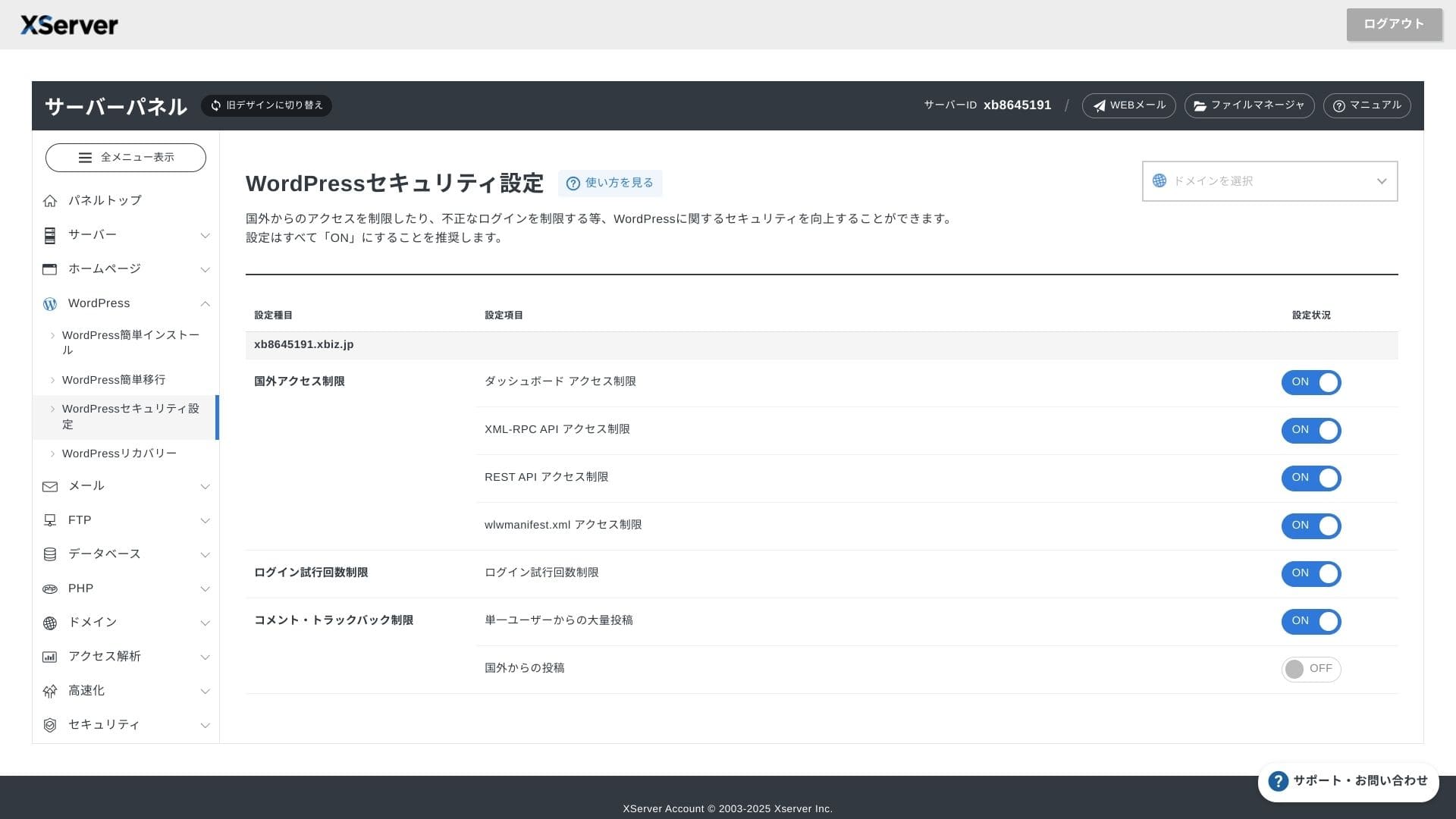
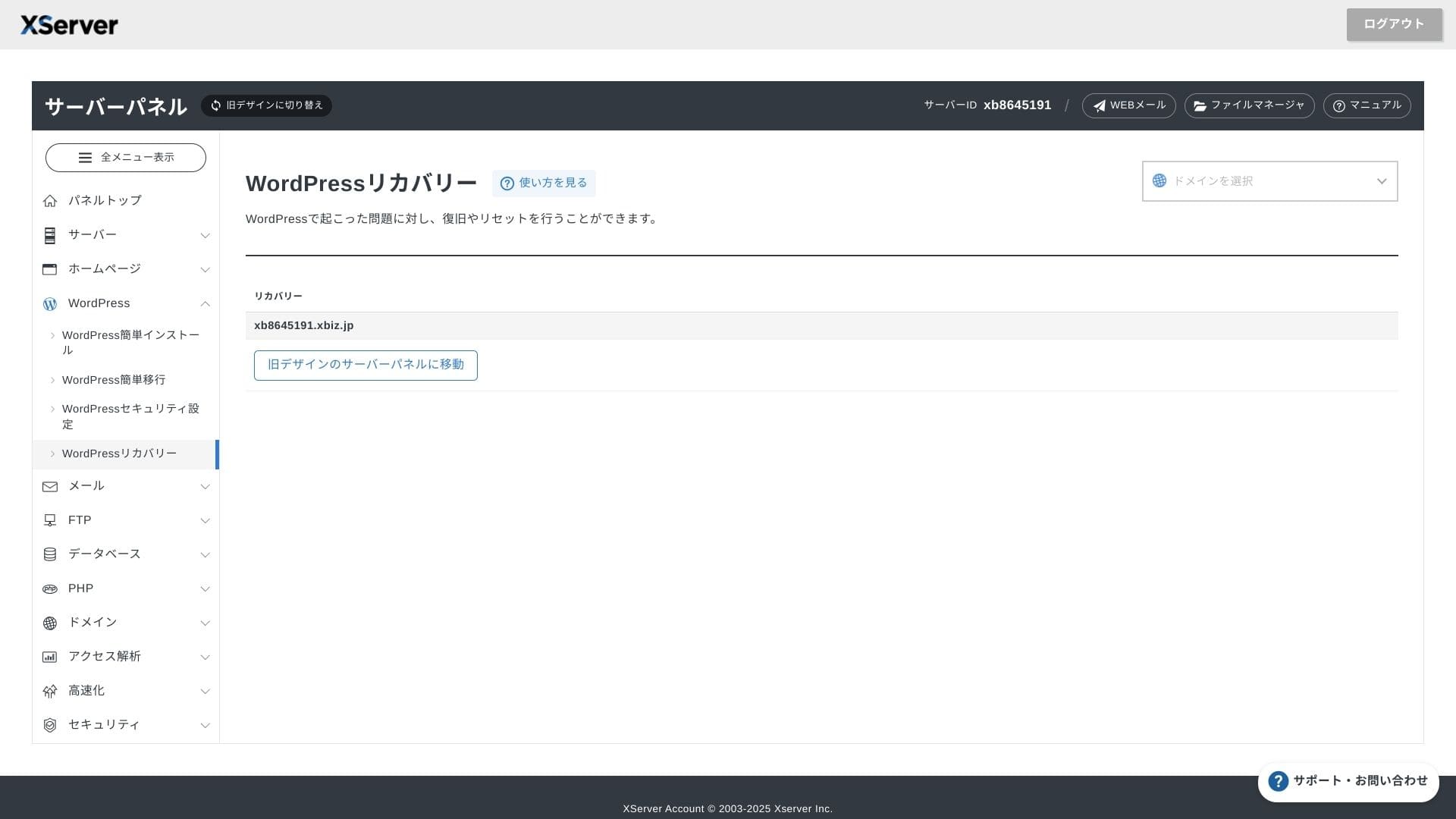
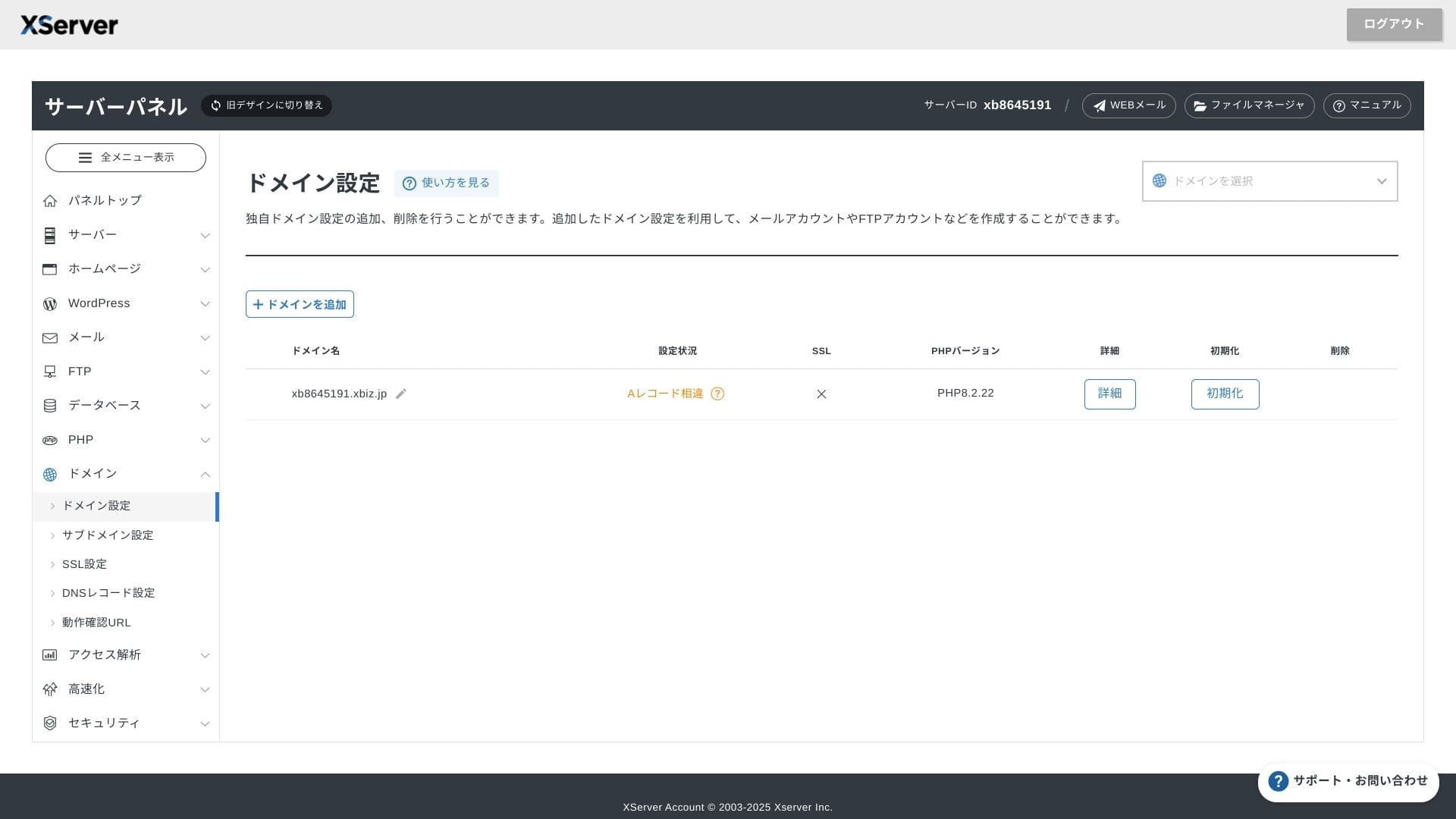
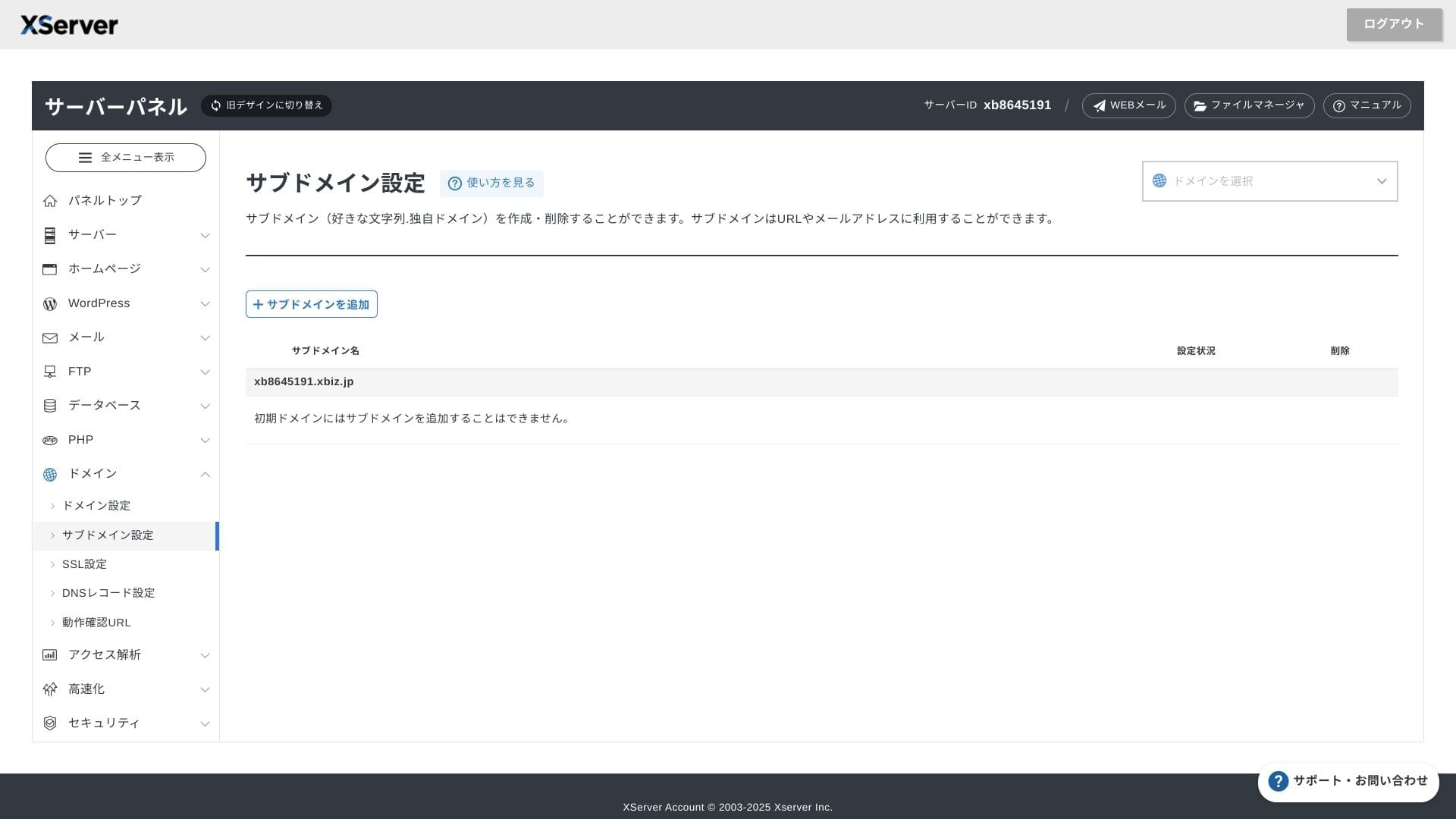
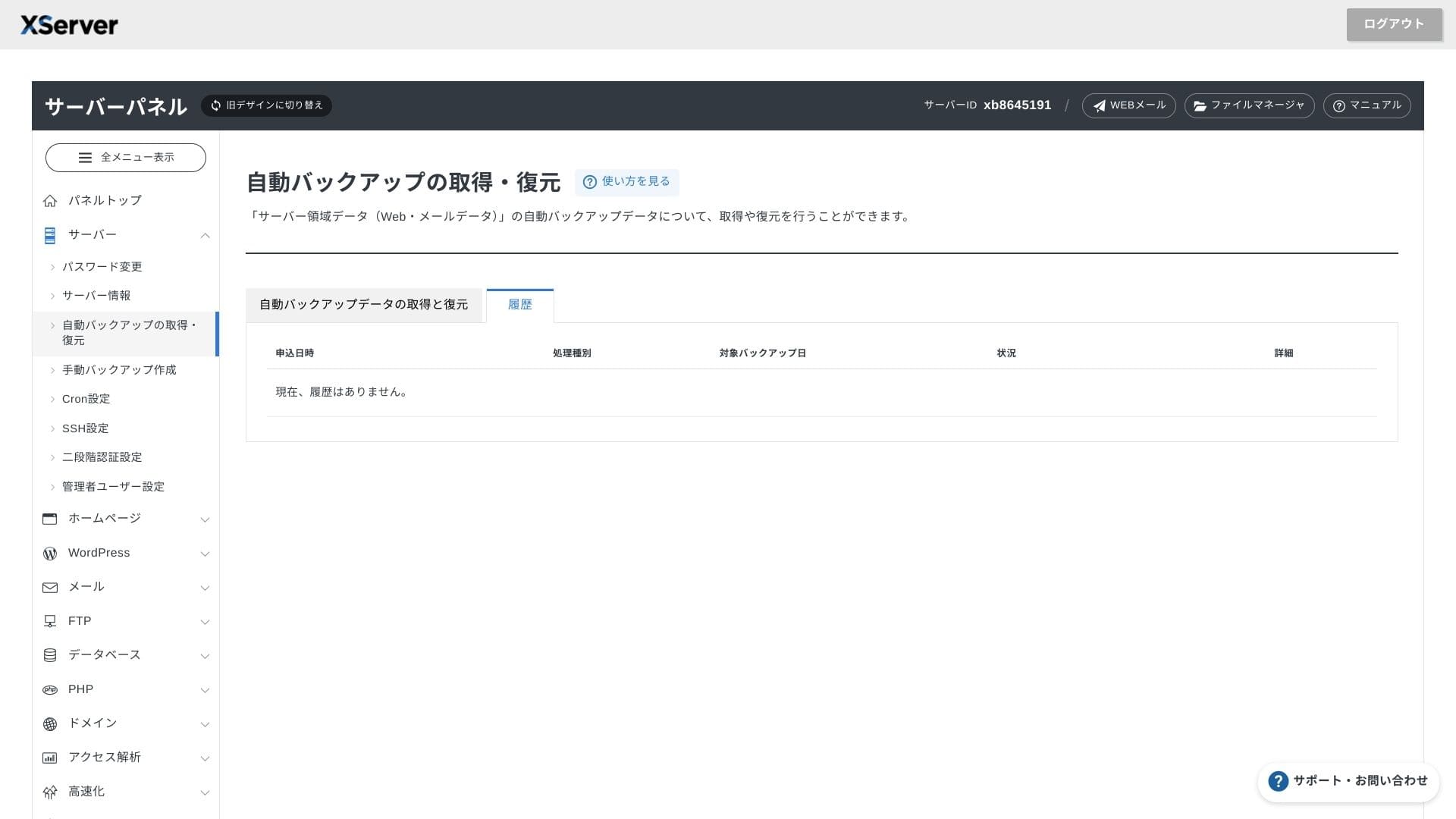
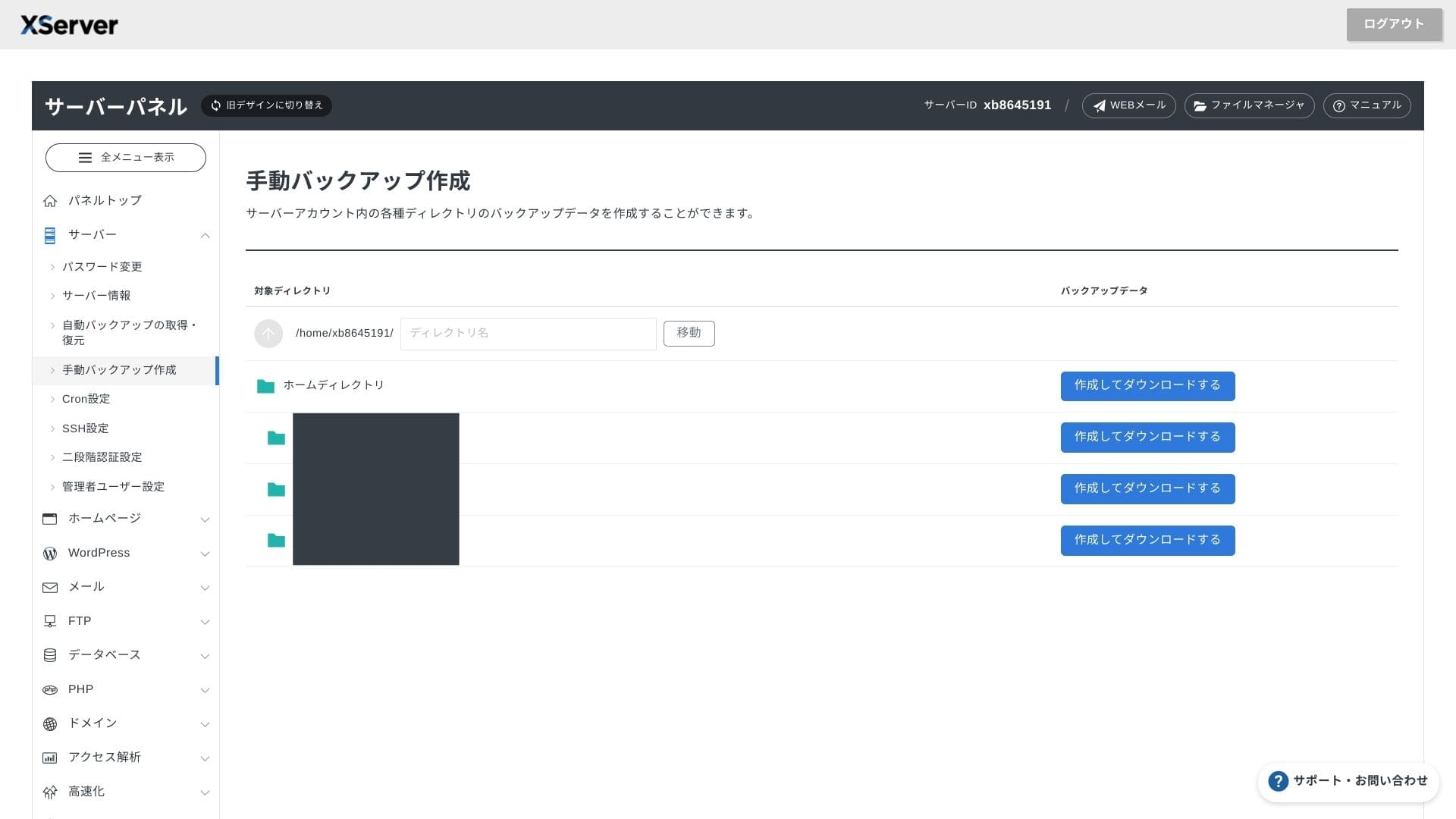
Supportsystem
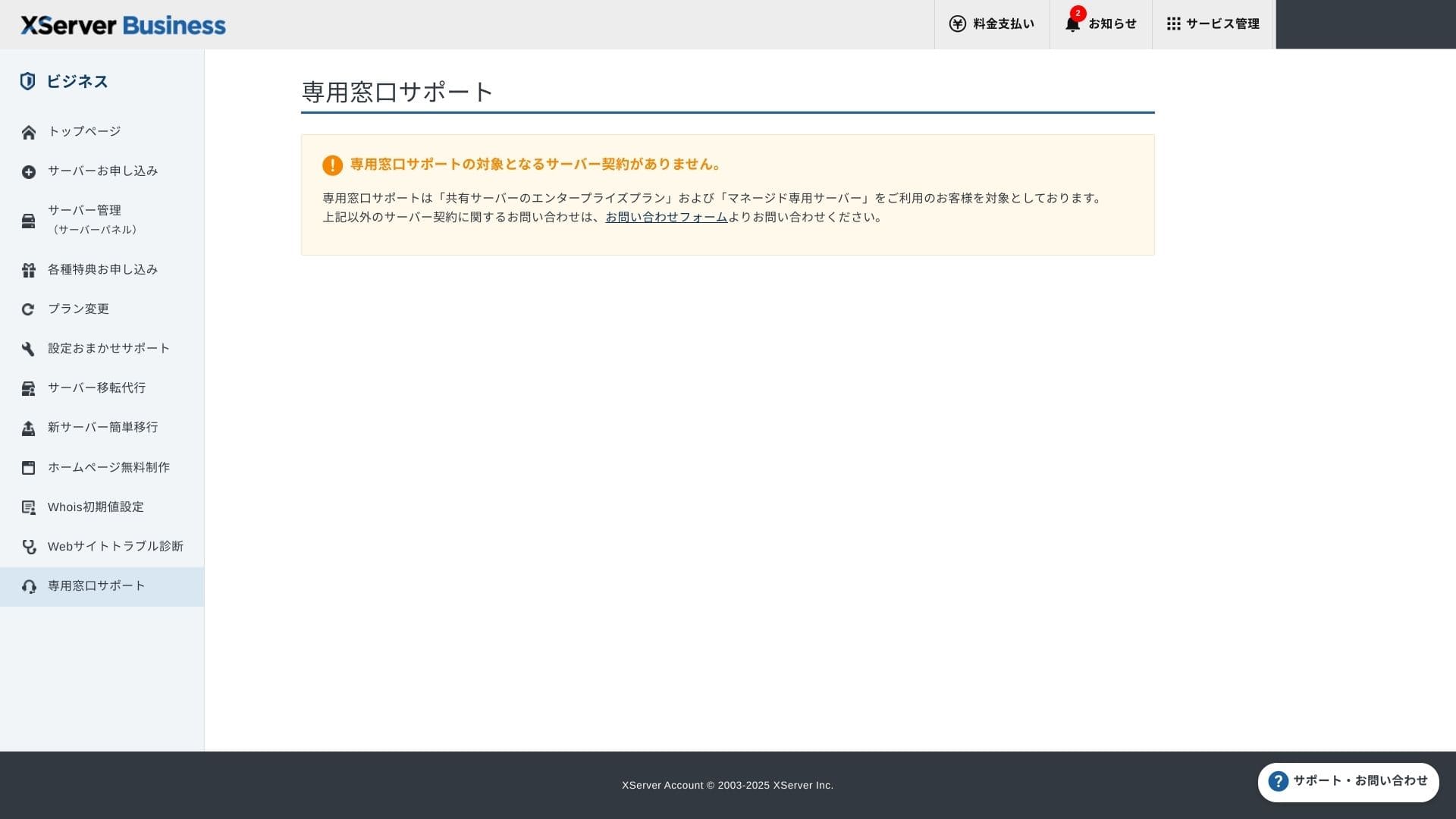
Support finns via telefon, e-post och chatt på vardagar 10:00-18:00. Den delade Enterprise-planen och de hanterade serverplanerna har dessutom särskilda supportdiskar, så du kan få ännu mer omsorgsfull och snabbare hjälp.
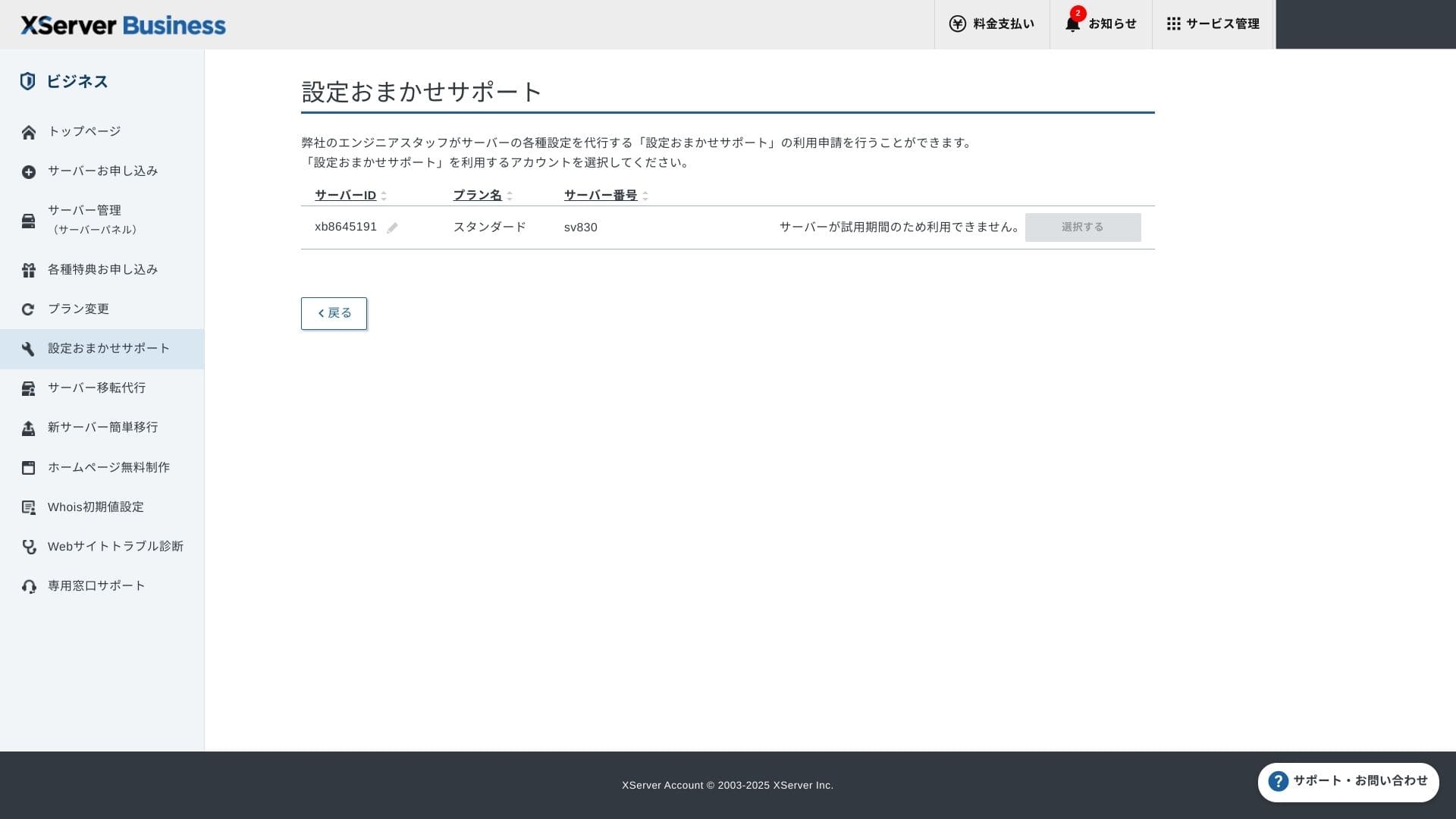
Konfigurationssupport är gratis och obegränsad, och du kan be om allt från DNS-ändringar till Cron-inställningar. Det ger trygghet även för företag utan en dedikerad IT-ansvarig.
Hanterade tjänster
Den hanterade servermigreringstjänsten är gratis första gången. Eftersom den kopierar både hela HTML-sajter och CMS-sajter har den goda meriter för projekt som vill undvika driftstopp sena kvällar eller helger.
Manualer och vanliga frågor
Den officiella PDF-katalogen täcker allt från betalningsmetoder till rutiner för planuppgradering och är ganska lätt att söka i. Jag tror att många användare kan lösa problem på egen hand innan de kontaktar support.
E-postfunktioner
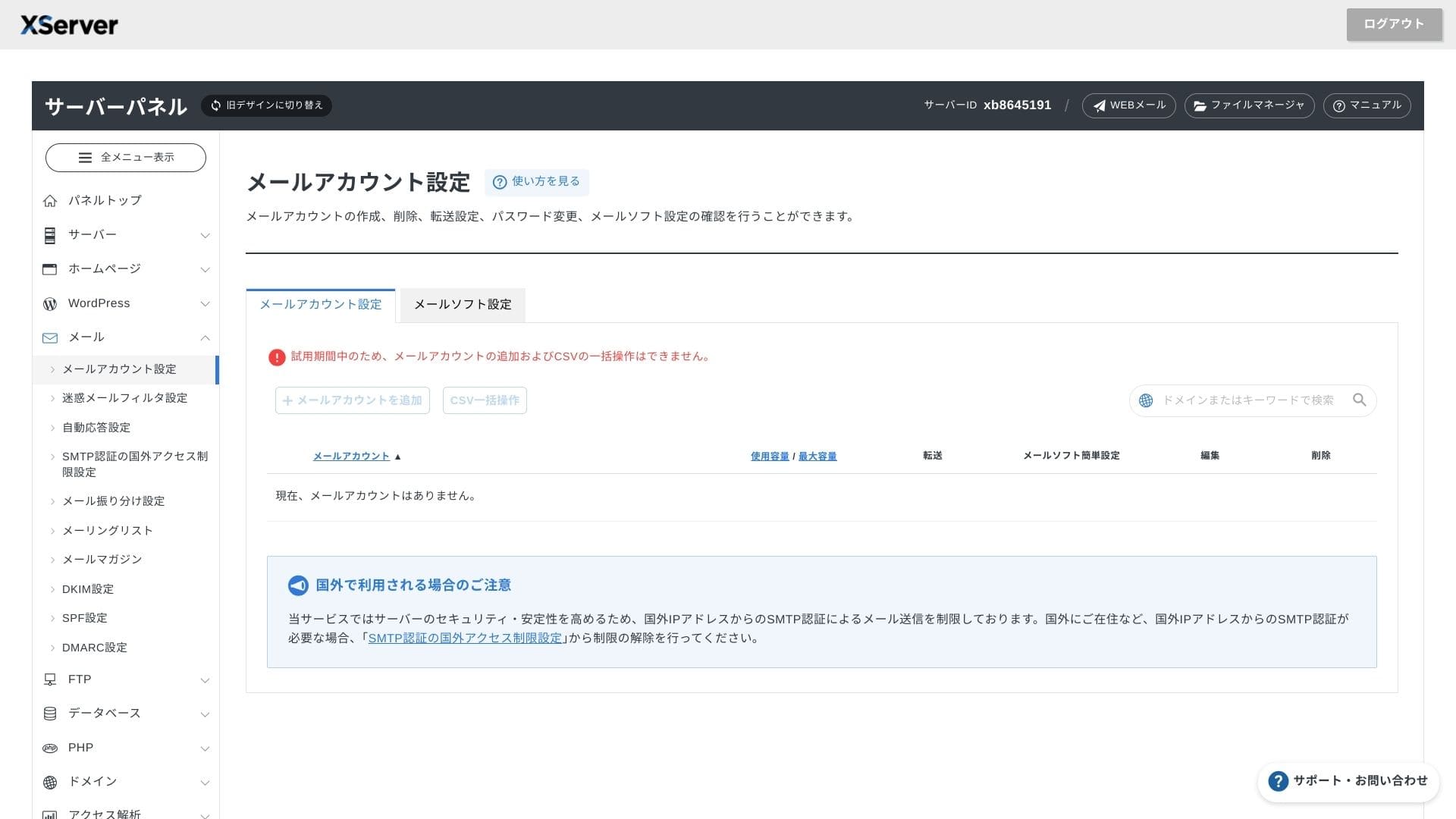
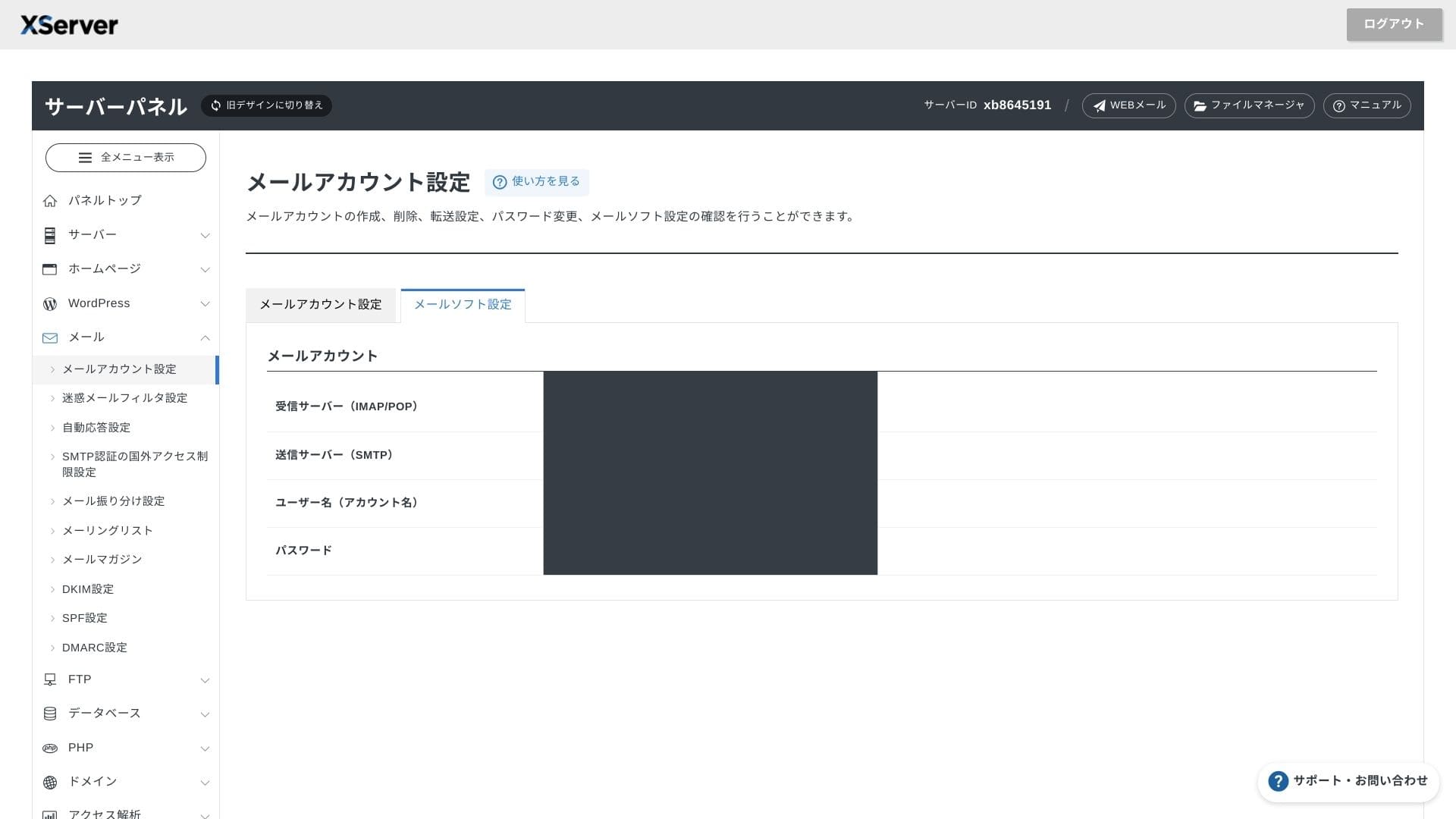
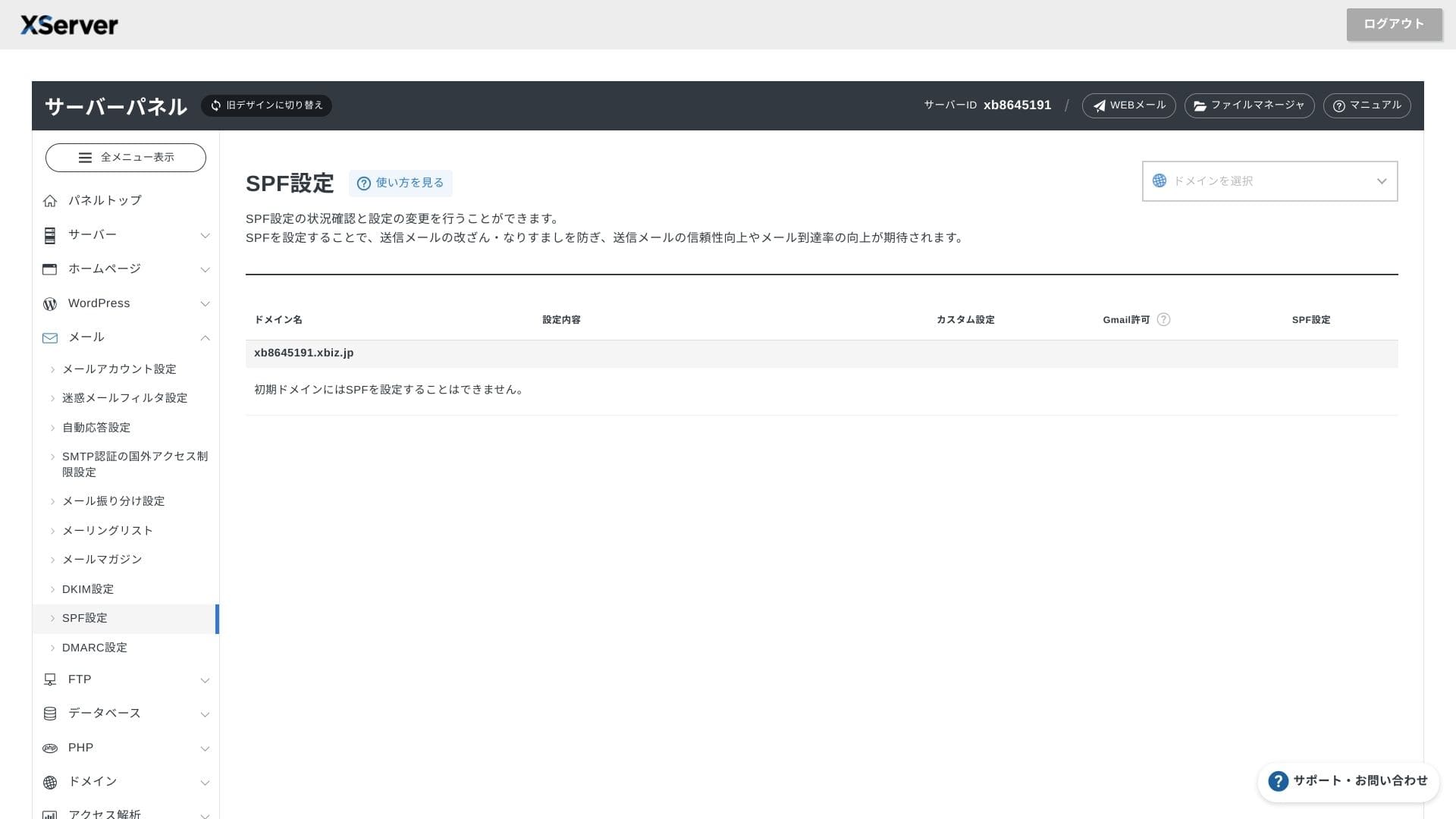
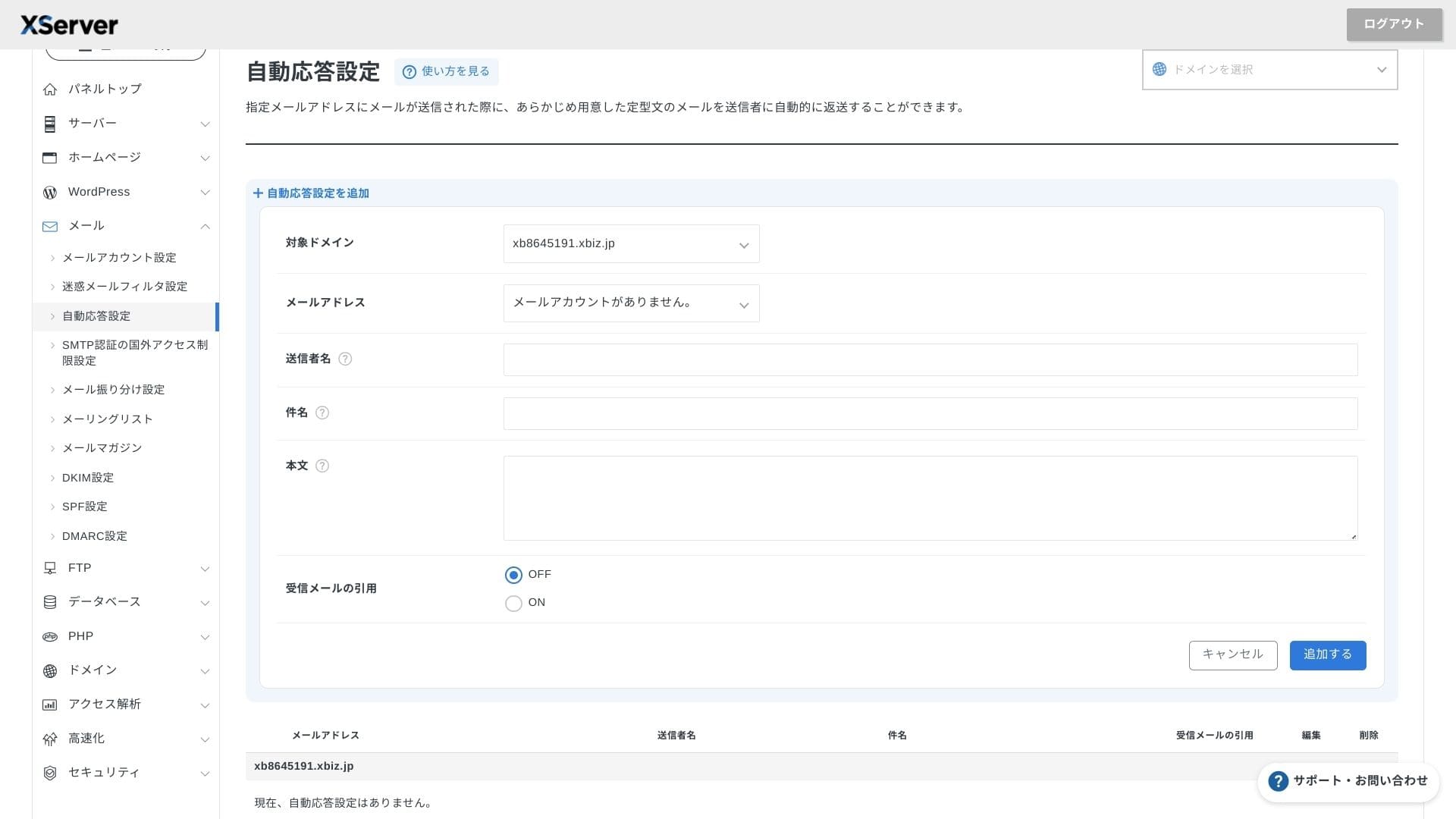
XServer Businesserbjuder obegränsat antal konton, och webmail-gränssnittet uppdaterades våren 2025 så att det är bekvämt även på smartphones. Det inkluderar också ett högpresterande skräppostfilter baserat på Cloudmark Authority gratis för upp till 1 000 konton, och företaget uppger en effektiv detekteringsgrad över 99 %.
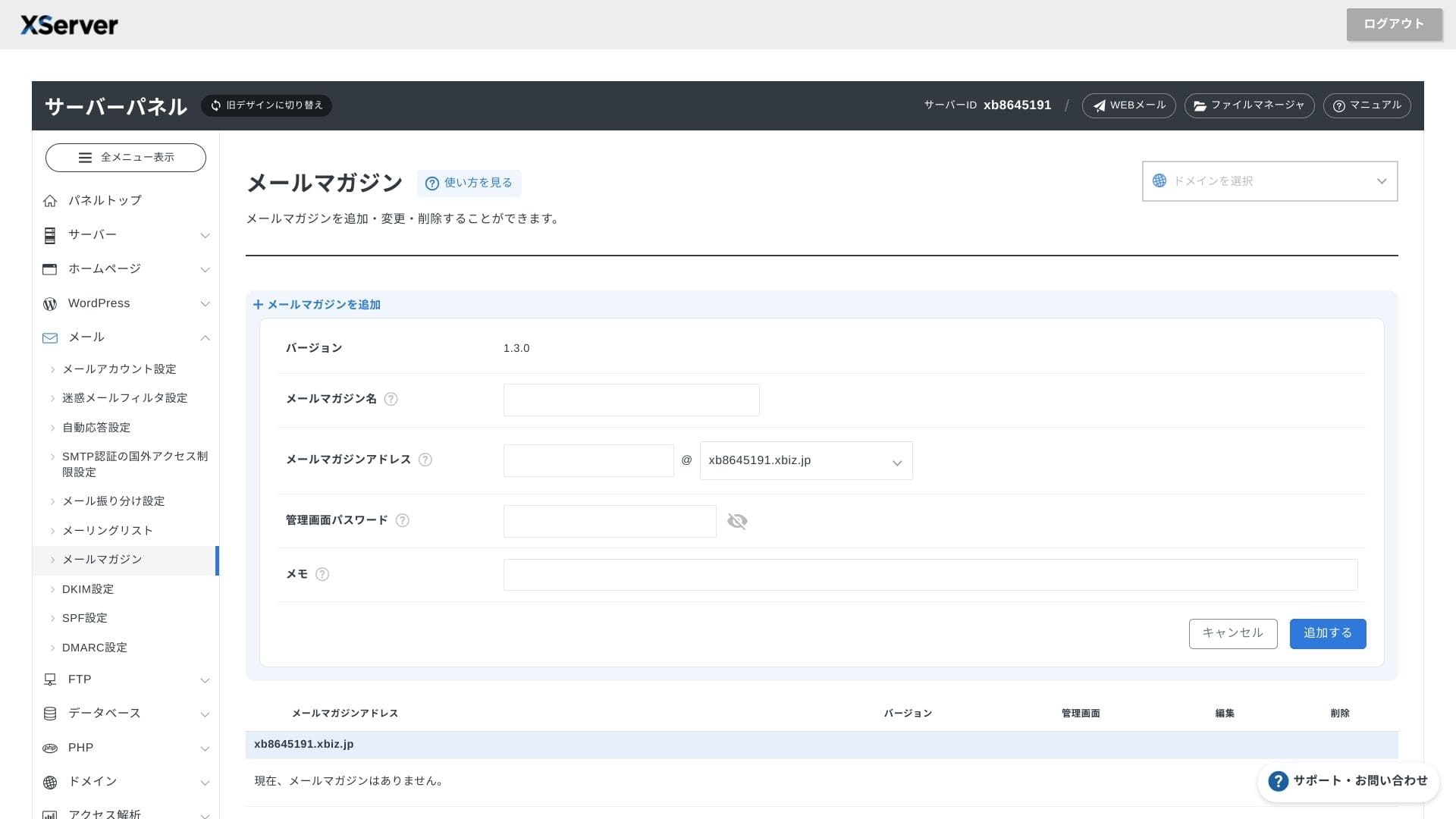
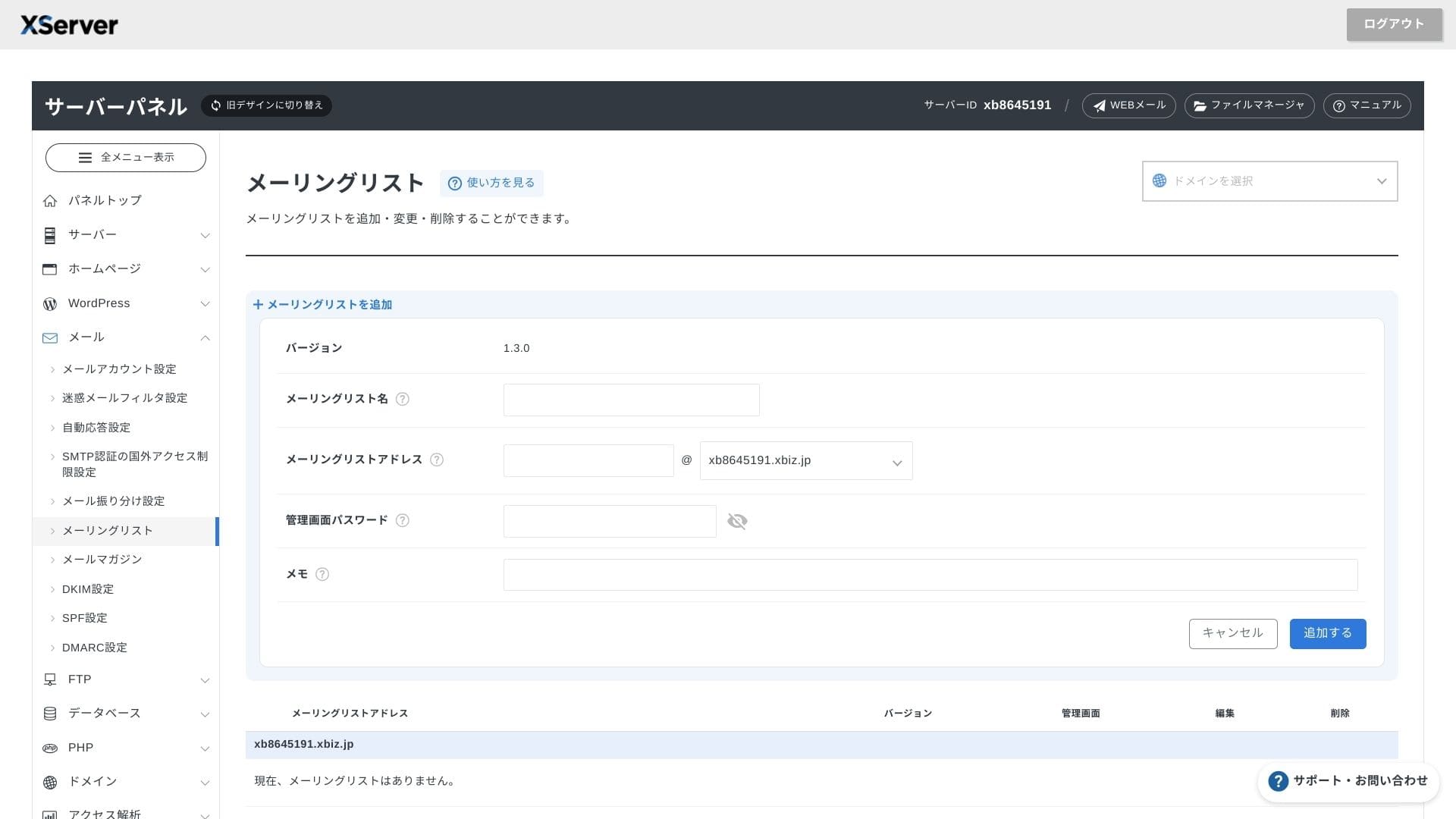
Det är också enkelt att skapa nyhetsbrev och e-postlistor. Du kan snabbt skicka uppdateringar till kunder eller meddelanden till en specifik avdelning i företaget.
Hikaru Ono
Som man kan förvänta sig av en företagsserver är e-postfunktionerna mycket robusta.
Säkerhet och säkerhetskopior
Säkerhetsåtgärder
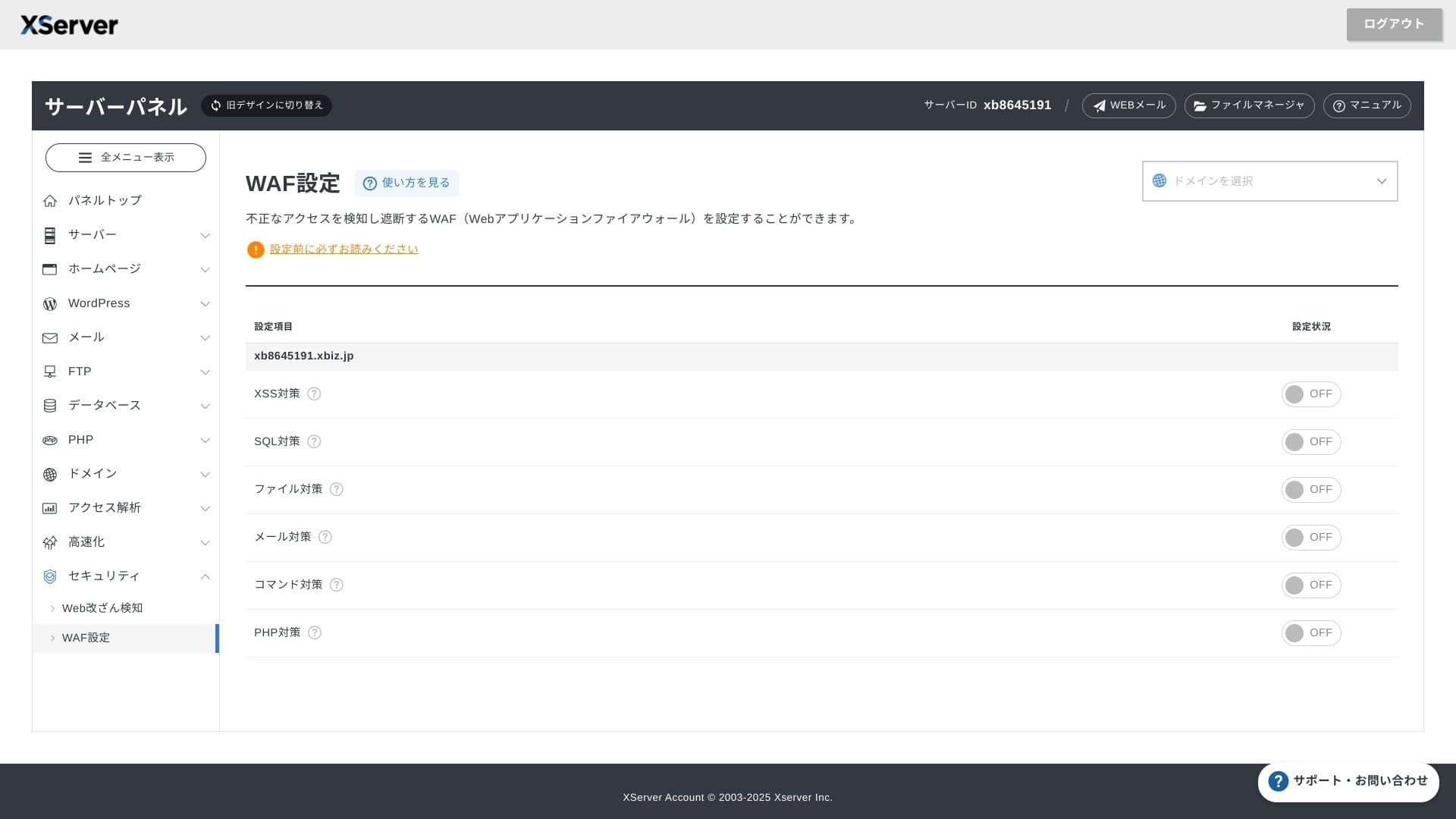
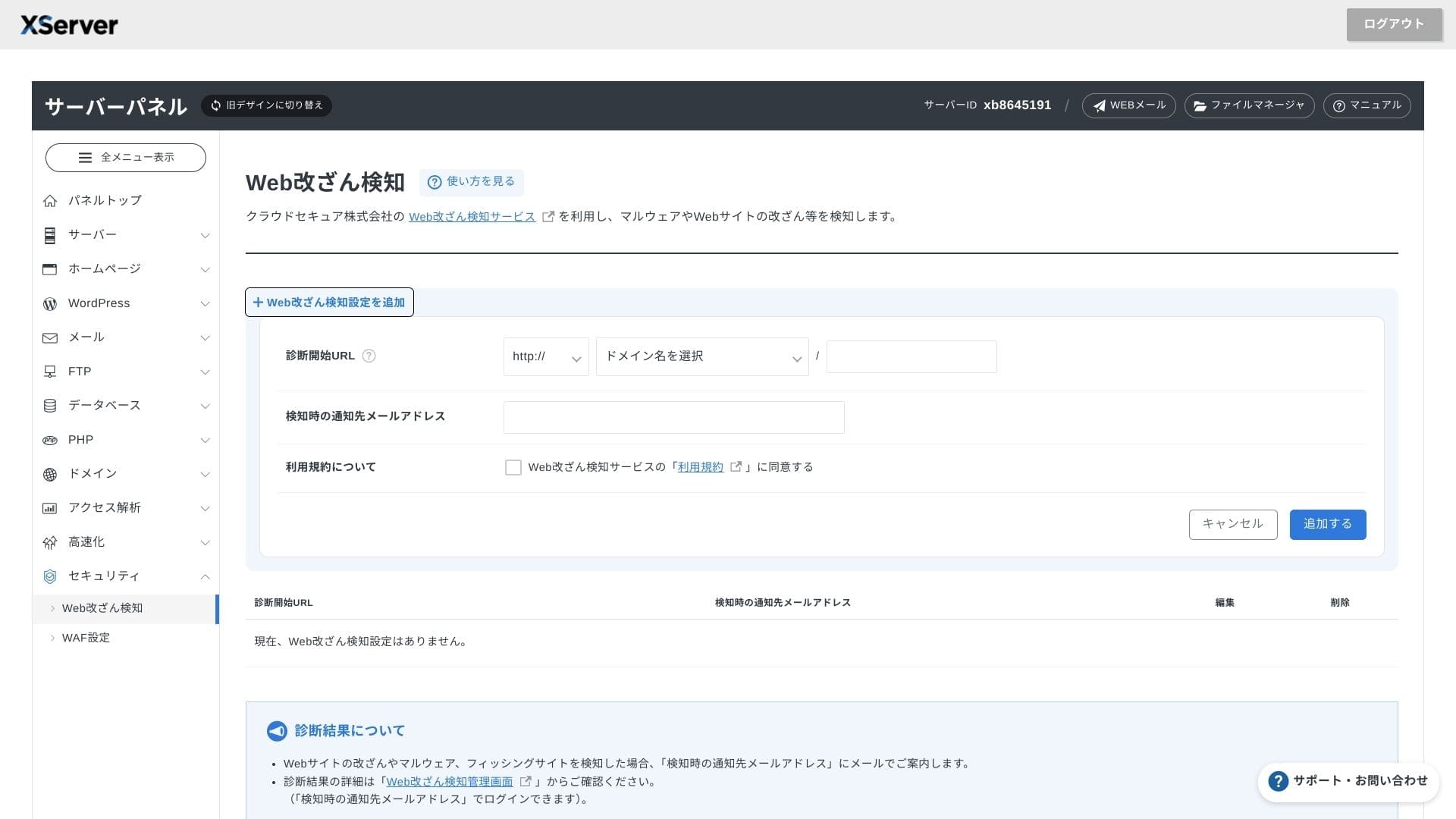
WAF och detektering av webbplatsmanipulation ingår som standard. Den blockerar automatiskt sårbarhetsattacker och obehöriga filbyten och skickar e-postaviseringar när något avvikande händer. En extern säkerhetsdiagnostik från Secom tillhandahålls också kostnadsfritt en gång per år.
Med detektering av webbplatsmanipulation undviker du situationer där du inte upptäcker ett problem och låter det förvärras.
Automatiska säkerhetskopior
I alla planer säkerhetskopieras webb-, e-post- och databasdata från de senaste 14 dagarna automatiskt varje dag. Du kan återställa dem gratis med ett klick från panelen, vilket minskar återställningskostnaderna efter misstag eller skadeprogramsinfektioner.
Jämförelse med konkurrerande företagsservrar
Sammanfattning
XServer Businessär en affärsinriktad hyrserver som erbjuder hastighet, säkerhet och driftstöd i en enda tjänst.
- Små och medelstora företag som vill driva flera webbplatser och lägga ut infrastrukturen
- Personer som sköter DX-arbete vid sidan av andra uppgifter och oroar sig för konfigurationsmisstag
- Team som räknar med framtida trafikökning men inte vill bära driftskostnader på AWS-nivå
I sådana fall kan avkastningen lätt överstiga skillnaden i månadspris. Om du däremot bara behöver en enda statisk sida eller vill köra en egen plattform som kräver root-åtkomst kan det vara bättre att överväga en billigare delad server eller en VPS.
I slutändan är det klokt att räkna om både personalkostnader och avbrottsrisk i pengar och sedan avgöra om XServer Businessär värd sin månadsavgift.
"XServer Business" är företagshostingtjänsten från Xserver Inc., företaget med störst marknadsandel i Japan. I våra mätningar hamnade den på andra plats i hastighet. Den är ett av de bästa valen när du behöver flytta till en ny server, och migreringen är dessutom gratis.
Fram till 7 oktober 2025 är startavgiften (normalt 16 500 yen till 385 000 yen) gratis, och servermigreringstjänsten är också gratis