30-day garanci e kthimit të parave
PR
Serverë
Rishikimi i GoDaddy: një shpjegim i hollësishëm i avantazheve, disavantazheve, konfigurimit të WordPress-it dhe procesit të anulimit
Publikuar: 2025.07.13
Përditësuar: 2025.07.13
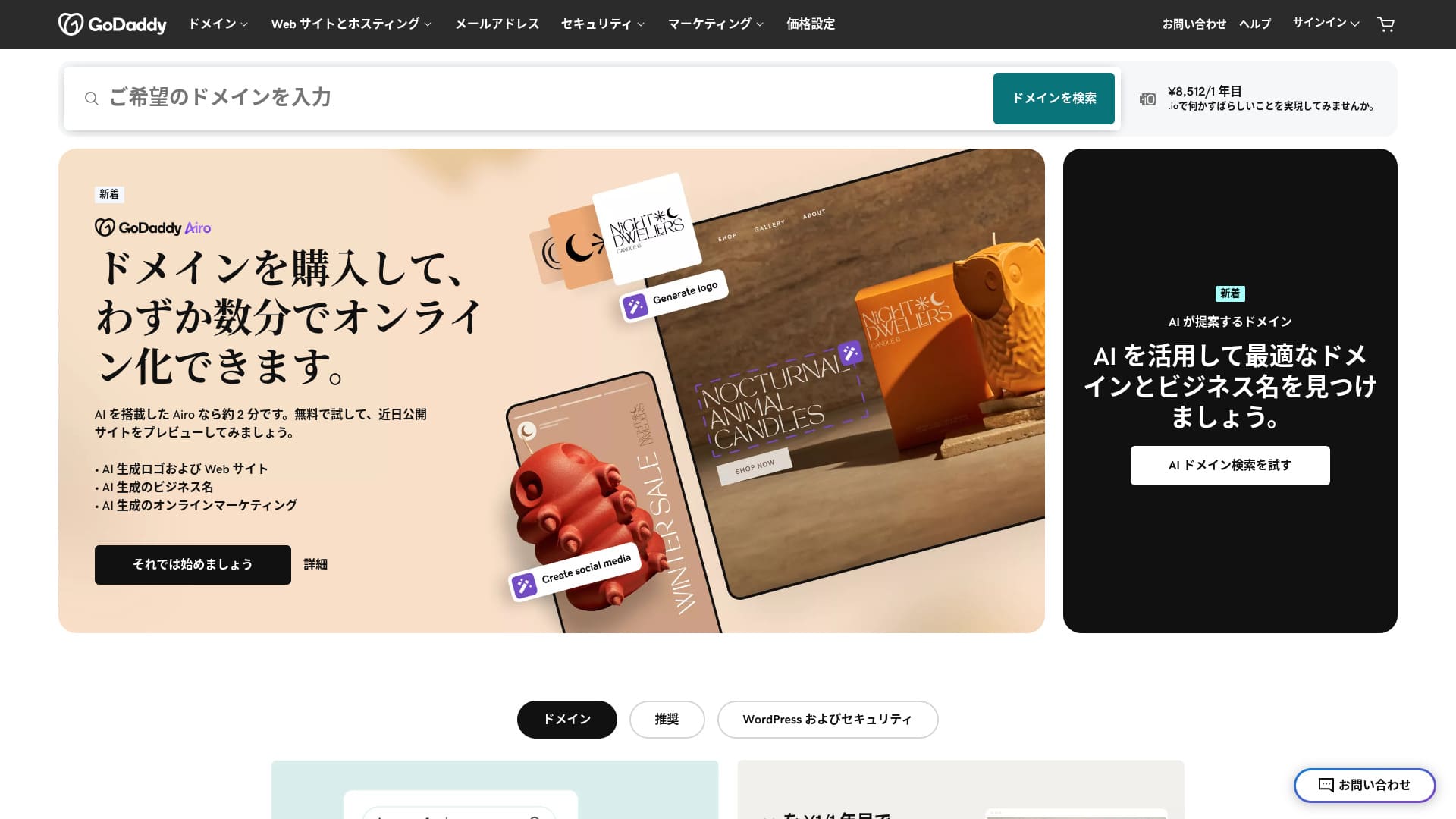
Një server i ofruar nga një prej regjistruesve më të mëdhenj të domeneve në botë.
GoDaddy është kompania më e përdorur për menaxhimin e domeneve në botë. Emrin ndoshta e keni dëgjuar të paktën një herë. Jo zakonisht për një server jashtë vendit, ai ofron edhe një faqe interneti në japonisht. Dhe mund të merrni mbështetje në japonisht.
Në këtë artikull, shpjegoj në detaje gjithçka, nga veçoritë dhe reputacioni i GoDaddy-t deri te mënyra si të nisni WordPress-in dhe si ta anuloni.
Krahaso 10 overseas servers

With overseas rental servers, many people are unsure which server to zgjidhni because of language barriers dhe cultural differences.
In this article, I thoroughly krahasoni 10 carefully selected overseas rental servers from around the world dhe explain each one's veçoritë, çmimet plans, dhe actual user experience in detail.
I provide information that covers a wide range of needs, from selection criteria that beginners can use with confidence to advanced veçoritë that engineers look for.
GoDaddy rishikim: a server with mbështetje chat në japonisht
“GoDaddy” is one of the world’s largest kompani hostimi, headquartered in Scottsdale, Arizona. One of its strengths is that it is easy to use because Japanese-language pages are i disponueshëm. Even the lowest-çmimd plan comes with a WAF, giving it strong siguria.
| Lloji i serverit | Server i përbashkët |
| Display shpejtësi (TTFB) | Jot measured |
| E rekomdheuar plan dhe contract term | Basic, 1 year |
| Provë / garanci e kthimit të parave | 30-day garanci e kthimit të parave |
| Tarifa mujore (12-month contract) | 899 yen |
| Tarifa fillestare administrative | Falas |
| Falas domain | Asnjë |
| Mbështetje | 24/7 chat, telefon (ditët e javës 10:00-17:00) |
| Koha e funksionimit | 99.9% |
| Server hapësira e ruajtjes | 10 GB |
| Numri i bazave të të dhënave | 1 |
| SSL | Falas SSL |
| Backup | Weekly kopje rezervë |
| Number of email llogari | Asnjë |
| Email siguria measures | Asnjë |
| Server / faqe interneti migrim service | Asnjë |
| parainstalimi i WordPress-it | Po |
| CDN | Falas |
| Data centers | Kirkldhe, Washington, USA / Beeston, UK / Iași, Romania / Tempe, Arizona, USA / Belgrade, Serbia |
Five veçoritë of GoDaddy

The server is i shpejtë thanks to NVMe hapësira e ruajtjes
GoDaddy uses NVMe hapësira e ruajtjes. It is i shpejtëer than a stdheard SATA SSD.
If the server is i shpejtë, the site displays quickly. If the site displays quickly, vizitoniors can browse it without stress. Speed is especially important for corporate faqe interneti, e-commerce sites, dhe affiliate sites.
With GoDaddy's i shpejtë server, you can feel at ease.
Falas SSL
GoDaddy comes with SSL falas. SSL is the stdheard form of siguria for faqe interneti. When a site uses SSL, its address nisnis with https.
Browsers also display it as a safe site. If a site does not use SSL, messages such as “Jot i sigurt” may appear, dhe that becomes one reason your number of vizitoniors does not grow as expected.
With GoDaddy, you can enable SSL for falas dhe encourage vizitonior acquisition.
★ Çfarë janë SSL dhe TLS? How encryption protects data dhe why it matters
parainstalimi i WordPress-it veçori
GoDaddy has a parainstalimi i WordPress-it veçori. WordPress is already i instaluar when you sign up. That means you do not have to go through the trouble of instalimi WordPress after the contract is complete.
Even people with no experience using servers or WordPress can nisni WordPress with confidence.
High siguria with WAF
GoDaddy comes stdheard with a highly i sigurt WAF. This cloud-based firewall protects faqe interneti from threats such as DDoS attacks.
WAF is also offered by domestic servers. However, it is usually provided only by servers with somewhat higher çmimet.
A weekly sistem kopjesh rezervë
GoDaddy provides a weekly sistem kopjesh rezervë. Even if unexpected trouble occurs, such as data corruption, deletion, or tampering, you can restore your site if kopje rezervë data is i disponueshëm.
A weekly sistem kopjesh rezervë is generally sufficient, but if you want daily kopje rezervë whenever possible, make use of WordPress plugins.
★ Five powerful WordPress kopje rezervë plugins that help you recover your data
Disavantazhi i GoDaddy is that the cheapest plan lets you krijoni only one faqe interneti

Disavantazhi is that the cheapest plan lets you krijoni only one faqe interneti. If you want to build a personal site in addition to your company faqe interneti, you have to upgrade your plan.
GoDaddy's lowest-çmimd plan costs 1,199 yen per month. That is about the same as a somewhat expensive domestic server plan for individuals. In those domestic servers, even the lowest-çmimd plan usually lets you krijoni multiple sites. Some servers even let you add sites without limit.
So, to be honest, being limited to just one faqe interneti at this çmim means the çmimet is high, dhe that is a drawback.
Krahaso GoDaddy with two competing servers
I krahasonid GoDaddy with two competing overseas servers.
IONOS
IONOS is a kompani hostimi based in Germany. Because it has servers across Europe, it is a e rekomdheuar server for building faqe interneti aimed at people living in Europe.
It is less expensive than GoDaddy. Its koha e funksionimit is also extremely i qëndrueshëm at 99.98%. If you want to prioritize çmim, IONOS is definitely the better choice.
However, IONOS is not very good in terms of mbështetje before you sign up. Before the contract, it offers telefon mbështetje only. For most people, calling the ekipi i mbështetjes of an overseas server is unrealistic. By contrast, GoDaddy lets you use mbështetje chat before the contract. In terms of mbështetje, GoDaddy is more user-friendly.
| Item | GoDaddy | IONOS |
|---|---|---|
| Biggest strength | Jo.1 in number of domain users | Good value |
| Provë / garanci e kthimit të parave | 30-day garanci e kthimit të parave | 30-day garanci e kthimit të parave |
| Koha e funksionimit | 99.9% | 99.98% |
| Hapësira e ruajtjes | 10 GB | 50 GB |
| First-year server cost | 14,388 yen | 1,798 yen |

IONOS Rishikim: An affordable dhe i qëndrueshëm server for Europe that also works with WordPress
IONOS Rishikim: An affordable dhe i qëndrueshëm server for Europe that also works with WordPress
serverfield.org
HOSTINGER
HOSTINGER is affordable hostim with large hapësira e ruajtjes. If you want to use an overseas server more cheaply than GoDaddy, it is a cdheidate worth considering.
However, HOSTINGER offers mbështetje only in English. With GoDaddy, you can receive mbështetje chat in Japanese. When I actually asked a question in chat, a reply came back immediately. If you want kind mbështetje, I recommend GoDaddy.
| Krahasim | GoDaddy | HOSTINGER |
|---|---|---|
| Biggest strength | Jo.1 in number of domain users | Good value |
| Provë / garanci e kthimit të parave | 30-day garanci e kthimit të parave | 30-day garanci e kthimit të parave |
| Koha e funksionimit | 99.9% | 99.9% |
| Hapësira e ruajtjes | 10 GB | 100 GB |
| First-year server cost | 14,388 yen | 4,405 yen |

Hostinger Review [2025 Edition]: Officially e rekomdheuar by WordPress, with avantazhet, disavantazhet, dhe krahasims with other companies
Hostinger Review [2025 Edition]: Officially e rekomdheuar by WordPress, with avantazhet, disavantazhet, dhe krahasims with other companies
serverfield.org
Seven hapa to nisni a faqe WordPress with GoDaddy menjëherë
Si të nisni WordPress with GoDaddy
- STEP.1Sign in to GoDaddy
Go to the official GoDaddy faqe interneti dhe log in to your llogari.
- STEP.2Go to My Products
After logging in, zgjidhni “My Products” from the top menu in the paneli. The domena dhe hostim plans you manage will appear there.
- STEP.3Zgjidhni hostim WordPress
Go to the “Web Hosting” section dhe click the “Manage” button next to your managed WordPress plan.
- STEP.4Install WordPress
The hostim menaxhim screen appears. From there, click the “Set Up” button.
In “Select a Domen,” zgjidhni the domain where you want to instaloni WordPress. If you already obtained a domain through GoDaddy, you can select it from the list.
- STEP.5Configure WordPress
In “Site Settings,” enter the site name dhe the administrator information for WordPress.
Set the administrator emri i përdoruesit, fjalëkalimi, dhe adresa e emailit. These become the credentials you use to log in to the WordPress admin screen.
- STEP.6Automatic instalimi is completed
After entering all the information, click “Install.” GoDaddy automatically instalonis WordPress dhe completes the konfigurimi.
- STEP.7Access the WordPress paneli
Once the instalimi is complete, you can log in to the WordPress paneli. The administrator URL is “yourdomain.com/wp-admin,” dhe from there you can configure dhe customize WordPress.
Set up your theme dhe plugins, publish the site, dhe you are done.
Si ta anuloni GoDaddy
Timeline title
- STEP.1Log in to GoDaddy
Go to GoDaddy dhe log in to your llogari.
- STEP.2Go to My Products
Click “My Products” at the top of the paneli dhe go to the page where all purchased services are listed.
- STEP.3Select the service you want to cancel
Click the “Manage” button next to the service you want to cancel, such as a domain, hostim plan, or email service.
- STEP.4Turn off automatic renewal
After you move to the service menaxhim screen, first turn off automatic renewal. This prevents the next charge from being processed.
Go to the “Renewal Options” or “Billing Information” section dhe set “Auto-Renew” to “Off.”
- STEP.5Delete the service
After turning off automatic renewal, look for the “Cancel” or “Delete” option. Selecting it completely cancels the service.
A confirmation message appears, so rishikim the details dhe click the “Confirm” button.
- STEP.6If you want to delete your GoDaddy llogari entirely
If you want to delete your GoDaddy llogari itself, you need to contact the ekipi i mbështetjes. Use the official GoDaddy mbështetje page to contact mbështetje by telefon or chat dhe proceed with the llogari deletion process.
Make sure that you receive the email from GoDaddy about the service cancellation.
Pyetje të shpeshta rreth GoDaddy
Çfarë lloj kompanie është GoDaddy?
GoDaddy is the world's largest menaxhimi i domenit company. In addition to menaxhimi i domenit, it provides hostim dhe a ndërtuesi i faqes.
Si regjistroheni në GoDaddy?
Go to the official GoDaddy faqe interneti dhe sign up from “Krijo Account.”
Përmbledhje
GoDaddy is a server where you can receive mbështetje chat në japonisht. Because it is a globally famous menaxhimi i domenit company, it provides a sense of reassurance. However, it is not particularly cheap, so krahasoni carefully before choosing it.
Because GoDaddy comes with a 30-day garanci e kthimit të parave, I recommend trying it once for the time being.
“GoDaddy” is one of the world’s largest kompani hostimi, headquartered in Scottsdale, Arizona. Because it mbështetjes Japanese-language pages dhe mbështetje chat në japonisht, one of its strengths is that it is easy to introduce even as an overseas server.