Kapaciteti i serverit me qira: si të zgjidhet pa gabime dhe pse ka rëndësi për funksionimin e qetë të faqes

Kur merrni me qira një server, a ju ndodh të krahasoni lloj-lloj specifikash si CPU dhe memorien dhe pastaj të ngecni te “kapaciteti”? Nëse po përballeni për herë të parë me serverët me qira, mund të mos keni asnjë ide se sa kapacitet ju nevojitet ose madje çfarë lloj kapaciteti është ai në radhë të parë.
Në këtë artikull, e shqyrtoj në thellësi kapacitetin e serverit me qira. Së bashku me pikat që duhen pasur parasysh kur nisni një blog WordPress, do t'ju ndihmoj të zgjidhni planin më të mirë. Pas leximit të këtij artikulli, duhet ta kuptoni kapacitetin e serverit me qira dhe të jeni në gjendje të zgjidhni një plan me besim.
Çfarë është saktësisht kapaciteti i serverit me qira? Çfarë ruan ai?

Thënë thjesht, kapaciteti i serverit me qira është sasia e hapësirës në dispozicion për ruajtjen e të dhënave të faqes suaj. Konkretisht, ai ruan llojet e mëposhtme të të dhënave.
- Skedarët e faqes: të gjithë skedarët që nevojiten për të shfaqur faqen, si HTML, CSS, JavaScript, imazhe dhe video
- Bazat e të dhënave: ruan përmbajtje dinamike si postime në blog, informacione të përdoruesve dhe të dhëna të produkteve
- Të dhëna emaili: nëse përdorni llogari email-i, emailet dhe bashkëngjitjet tuaja të dërguara e të marra
- Skedarët e log-ut: regjistrat e aksesit në server, regjistrat e gabimeve dhe shënime të ngjashme
- Të dhënat e kopjes rezervë: kopje rezervë të të dhënave të faqes suaj
Të gjitha këto të dhëna konsumojnë kapacitetin e serverit. Nëse kapaciteti mbaron, mund të mos jeni më në gjendje të shtoni përmbajtje të re, faqja juaj mund të ngadalësohet dhe, në rastin më të keq, faqja mund të bjerë.
Tre hapa për të zgjedhur kapacitetin e duhur të serverit

Pra, si duhet të zgjidhni sasinë e duhur të kapacitetit? Mendoni për të në tre hapat e mëposhtëm.
HAPI 1: Mendoni për llojin e faqes web (për WordPress)
Sasia e kapacitetit që ju nevojitet ndryshon shumë sipas llojit të faqes. Nëse po nisni një blog WordPress, merrni parasysh pikat e mëposhtme.
- Madhësia e blogut: nëse është një blog i vogël personal apo një blog i madh që menaxhohet nga disa persona.
- Lloji i përmbajtjes: nëse është kryesisht tekst ose përdor shumë imazhe dhe video.
- Numri i shtojcave: shumë shtojca konsumojnë kapacitet.
- Pesha e temës: në varësi të temës që përdorni, ajo mund të ushtrojë presion mbi kapacitetin tuaj.
Si rregull i përgjithshëm,
- Blog i vogël (kryesisht tekst, pak imazhe): 5GB to 10GB
- Blog mesatar (shumë imazhe, shumë shtojca): 10GB to 20GB
- Blog i madh (përfshirë video, shumë shtojca): 20GB to 50GB or more
janë shifra të mira për t'i mbajtur parasysh.
★ Zotëroni shtojcat WordPress dhe fuqizoni faqen tuaj: një udhëzues i plotë për fillestarët
HAPI 2: Vlerësoni rritjen e ardhshme
Një faqe web nuk është diçka që e ndërtoni dhe pastaj e harroni. Me shtimin e përmbajtjes dhe rritjen e trafikut, rritet edhe kapaciteti i kërkuar.
Mendoni si do të duken gjërat të paktën një vit nga tani, dhe zgjidhni kapacitet me pak hapësirë rezervë. Më vonë mund të shtoni më shumë kapacitet, por duke marrë parasysh vështirësinë e ndryshimit të planeve, është më e lehtë të zgjidhni që në fillim një plan pak më të madh.
Në rastin e WordPress-it, supozoni patjetër që numri i postimeve, imazheve dhe videove do të rritet me kalimin e kohës.
HAPI 3: Mendoni me numra konkretë
Bazuar në hapat e mësipërm, mendoni me numra konkretë. Për shembull, mund të vlerësoni gjëra si këto.
- Teksti për një faqe: rreth 1KB
- Një imazh: rreth 1MB (mund të jetë më i madh për imazhe me rezolucion të lartë)
- Një minutë video: rreth 100MB (ndryshon shumë sipas cilësisë dhe formatit)
Për WordPress-in, duhet të merrni parasysh edhe madhësinë e temave dhe shtojcave. Ato mund të arrijnë në dhjetëra ose madje qindra megabajt.
Përfitimet dhe pikat që duhen pasur parasysh te planet me kapacitet të pakufizuar (për WordPress)
Nëse po nisni një blog WordPress, një plan me kapacitet të pakufizuar mund të duket tërheqës. Megjithatë, siç u përmend më sipër, ka edhe pika që duhen pasur parasysh.
- Kontrolloni madhësinë e bazës së të dhënave: sepse WordPress ruan postime, cilësime dhe të dhëna të tjera në bazë të dhënash, edhe me kapacitet të pakufizuar mund të hasni ende në kufij të madhësisë së bazës së të dhënave.
- Hapësira e backup-it: vetëm sepse kapaciteti është i pakufizuar nuk do të thotë se mund të ruani backup-e të pakufizuara. Kontrolloni kufirin e hapësirës së backup-it dhe periudhën e ruajtjes.
★ What Is a Database? An Essential Management System for WordPress
Probleme serioze të shkaktuara nga mbarimi i kapacitetit të serverit: ndikime specifike dhe masa kundër

1. Nuk mund të shtoni më përmbajtje
Kur kapaciteti mbushet, nuk mund të shtoni më përmbajtje të re. Ky është një problem serioz që pengon rritjen e faqes web.
- Nuk mund të ngarkoni më imazhe ose video: imazhet dhe videot janë elemente të rëndësishme që e bëjnë një faqe tërheqëse, por sapo kapaciteti të mos mjaftojë më, ato nuk mund të ngarkohen. Në WordPress do të merrni gabime kur përpiqeni të ngarkoni skedarë në bibliotekën e mediave, dhe nuk do të jeni më në gjendje të shtoni imazhe ose video të reja.
- Nuk mund të krijoni ose përditësoni më postime dhe faqe: edhe përmbajtja tekstuale përdor hapësirë ruajtjeje. Kur kapaciteti nuk mjafton më, mund të mos jeni në gjendje të krijoni postime ose faqe të reja, ose madje të përditësoni ato ekzistuese.
- Nuk mund të regjistroni më produkte (në rastin e një faqeje e-commerce): Në një faqe e-commerce, informacioni dhe imazhet e produkteve janë gjaku i biznesit. Mungesa e kapacitetit mund t'ju pengojë të shtoni produkte të reja ose të përditësoni ato ekzistuese, duke ndikuar seriozisht në biznes.
Masë kundër: kaloni në një plan më të madh, fshini skedarët e panevojshëm dhe optimizoni imazhet (për shembull, përmes kompresimit).
2. Shfaqje më e ngadaltë e faqes: përvojë më e dobët për përdoruesin
Mungesa e kapacitetit mund të çojë gjithashtu në shpejtësi më të ngadaltë të shfaqjes së faqes. Nëse shpejtësia e shfaqjes bëhet e ngadaltë, përvoja e përdoruesit përkeqësohet dhe SEO ndikohet negativisht gjithashtu.
- Ngarkesë më e madhe e serverit: kur kapaciteti shtrëngohet, ngarkesa në server rritet dhe shpejtësia e përpunimit bie. Si rezultat, koha e ngarkimit të faqes zgjatet, që do të thotë duke i lënë përdoruesit në pritje.
- Performanca bie gjatë kulmeve të trafikut: nëse serveri tashmë ka pak kapacitet gjatë periudhave me trafik të përqendruar, ai mund të mbingarkohet, duke e bërë faqen shumë të ngadaltë ose, në rastin më të keq, duke shkaktuar rënien e saj.
- Ndikim negativ në SEO: motorët e kërkimit si Google e marrin parasysh shpejtësinë e ngarkimit të faqes si faktor renditjeje. Një faqe e ngadaltë mund të bjerë në renditjen e kërkimit, gjë që mund të çojë në më pak vizitorë.
Masë kundër: përdorni masa si shtojcat e cache-it, optimizimin e imazheve dhe CDN-të për të përmirësuar shpejtësinë e shfaqjes. Mund t'ju duhet gjithashtu të mendoni për kalimin në një plan serveri që i përshtatet volumit të trafikut tuaj.
★ How Fast Is It? Comparing 15 Rental Servers in a Speed Ranking
3. Dërgimi dhe marrja e email-eve ndalet: komunikimi i biznesit prishet
Edhe të dhënat e email-it konsumojnë kapacitet serveri. Kur kapaciteti mbaron, mund të mos jeni më në gjendje të dërgoni ose merrni email, gjë që pengon komunikimin e biznesit.
- Nuk mund të merrni më email: kur kutia hyrëse arrin kufirin e kapacitetit, email-et e reja nuk mund të merren më. Mund të humbisni komunikime të rëndësishme ose të mos përgjigjeni në kohë ndaj pyetjeve të klientëve.
- Nuk mund të dërgoni më email: emailet e dërguara dhe draftet gjithashtu konsumojnë kapacitet. Sapo kapaciteti të mos mjaftojë më, mund të mos jeni në gjendje të dërgoni email, gjë që mund të çojë në humbje të mundësive të biznesit.
Masë kundër: fshini email-et e panevojshme, ruani të dhënat e email-it lokalisht dhe merrni parasysh përdorimin e një shërbimi të jashtëm emaili.
4. Faqja bie: biznesi ndalet
Nëse mungesa e kapacitetit bëhet serioze, në rastin më të keq faqja mund të bjerë dhe të bëhet e paarritshme. Kjo do të thotë që operacionet e biznesit ndalen praktikisht dhe mund të çojnë në humbje të mëdha.
- Ngarkesë e tepruar mbi serverin: përqendrimi i trafikut ndërkohë që serveri tashmë ka pak kapacitet mund të vendosë një ngarkesë të tepruar mbi serverin dhe të shkaktojë ndërprerje të sistemit.
- Rikuperimi mund të marrë kohë: nëse serveri bie, rikuperimi mund të marrë kohë dhe faqja mund të mbetet e paarritshme për një periudhë të gjatë.
Masë kundër: zbatoni me kujdes masa që sigurojnë funksionim të qëndrueshëm, si monitorimi i burimeve të serverit, analiza e log-eve të aksesit dhe zgjedhja e një plani të përshtatshëm serveri. Edhe kopjet rezervë të rregullta janë të rëndësishme.
Mbarimi i kapacitetit ka një ndikim serioz në funksionimin e faqes. Për t'i shmangur këto probleme, është e rëndësishme të zgjidhni një plan serveri me kapacitet të përshtatshëm dhe të monitoroni rregullisht përdorimin e kapacitetit të faqes suaj. Është gjithashtu e rëndësishme të mendoni paraprakisht çfarë do të bëni nëse kapaciteti bëhet i pamjaftueshëm.
★ What Is a 503 Error? Web Traffic Jams, How to Avoid Them, and Emergency Responses
Serverë me qira të rekomanduar sipas kapacitetit
30GB: Little Server
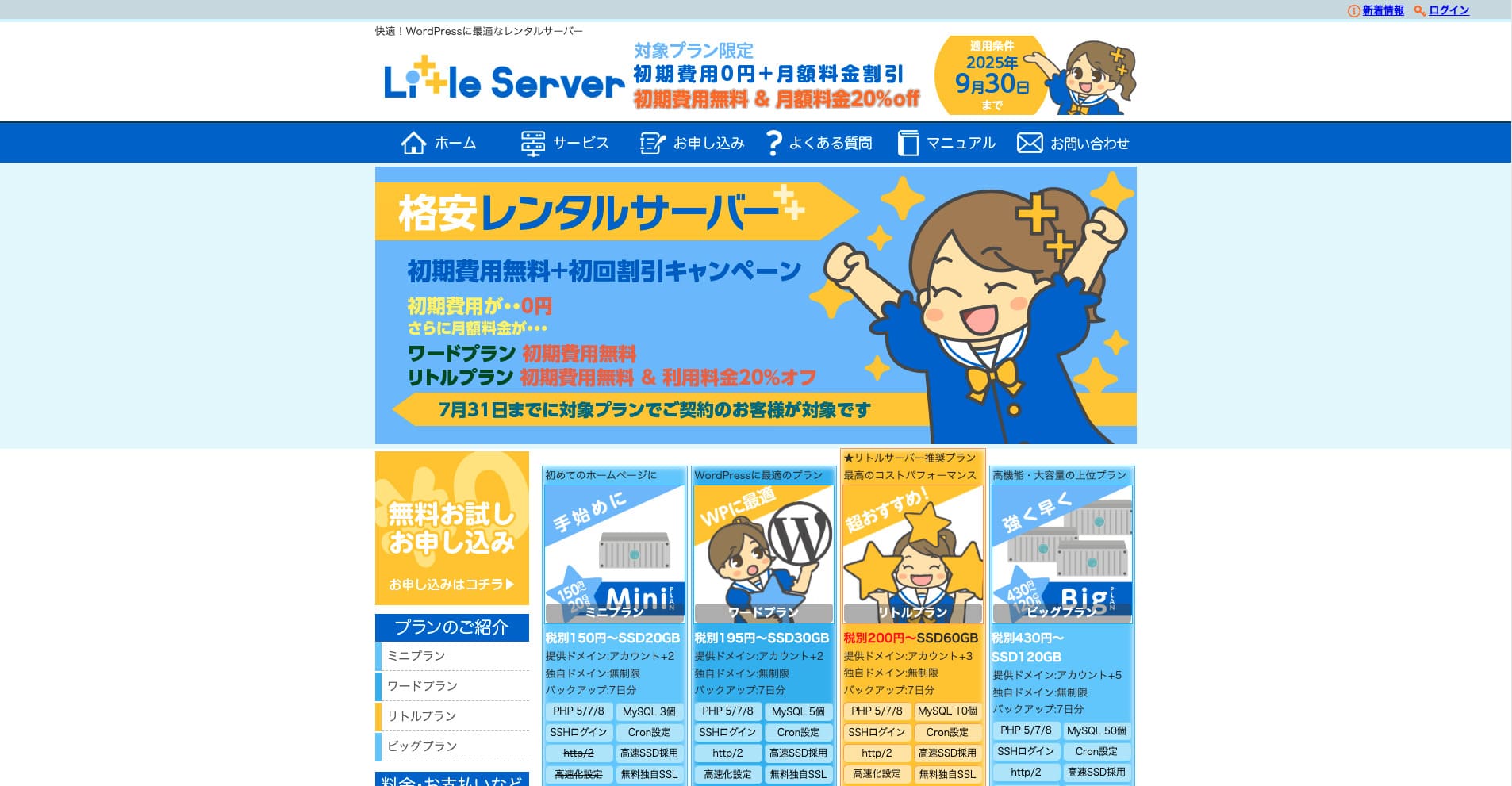
“Little Server” është një server me qira me çmim të ulët. Duke përjashtuar serverët falas, ai është një nga serverët me qira më të lirë për përdorim personal. Megjithatë, përdor SSD NVMe për të përmirësuar shpejtësinë.
Pa tarifë fillestare deri më 30 shtator 2025, 20% ulje në tarifën e planit Little dhe provë falas 20-ditore
| Server type | Shared server |
| Display speed (TTFB) | 200ms |
| Recommended plan and contract term | Mini, 12 months |
| Trial / refund guarantee | 20-day free trial |
| Monthly fee (12-month contract) | 165 yen |
| Initial administrative fee | 920 yen |
| Free domain | None |
| Support | Email (business hours not disclosed) |
| Uptime | Not disclosed |
| Server capacity | 20GB |
| Number of databases | 3 |
| Security measures | IMP |
| SSL | Free SSL, dedicated SSL (Little Plan and above) |
| Backup / restore | 7 ditë kopje rezervë automatike falas, rikthim falas |
| Number of email accounts | Unlimited |
| Email security measures | Spam filter |
| Server / website migration service | None |
| WordPress pre-installation | Po |
| CDN | None |
*Për planin Mini
Nëse dëshironi ta mbani çmimin të ulët duke siguruar kapacitetin minimal të nevojshëm, Little Server rekomandohet. Edhe plani më i lirë ju jep 30GB. Edhe nëse bëni përmirësim, tarifa mujore mbetet brenda disa qindra jenëve, prandaj nëse filloni të shqetësoheni për mungesën e kapacitetit, përmirësoni planin paraprakisht.
★ Little Server Reviews and How to Start WordPress on an Affordable Hosting Service
300GB: ConoHa WING

“ConoHa WING” është një server me shpejtësi të lartë nga GMO Internet Group, numri i përdoruesve të të cilit po rritet me shpejtësi, dhe është një shërbim që e përdor edhe kompania jonë. Meqë WordPress vjen i parainstaluar kur regjistroheni në server, kushdo mund të fillojë lehtësisht. Ai ofron një ekuilibër të mirë mes kostos dhe performancës, dhe ne e përdorim edhe ne.
Deri në 53% zbritje në tarifat e serverit deri më 5 gusht 2025, dy domaine falas përgjithmonë dhe muaji i parë falas
| Server type | Shared server |
| Display speed (TTFB) | 160ms |
| Recommended plan and contract term | Basic, 12 months |
| Trial / refund guarantee | First month free |
| Monthly fee (12-month contract) | 971 yen |
| Initial administrative fee | Free |
| Free domains | Two free forever |
| Support | Phone, email, and chat (weekdays 10:00-18:00) |
| Uptime | 99.99% guaranteed |
| Server capacity | 300GB |
| Number of databases | Unlimited |
| Security measures | WAF / directory access restrictions / IP access restrictions / vulnerability diagnosis (Net de Diagnosis) / spam comment and trackback restrictions / overseas comment and trackback restrictions / overseas access restrictions |
| SSL | Free SSL / Alpha SSL / Quick Authentication SSL / Company Authentication SSL / EV SSSL |
| Backup / restore | 14 days of automatic backups / restore free of charge |
| Number of email accounts | Unlimited |
| Email security measures | Virus checking / spam filters |
| Server / website migration service | WordPress migration service from 7,678 yen Mjet migrimi falas i disponueshëm |
| WordPress pre-installation | Yes |
| CDN | None |
Nëse dëshironi kapacitet të mjaftueshëm edhe si individ, zgjidhni ConoHa WING. Edhe plani më i lirë ju jep 300GB, prandaj përdorimi i WordPress-it nuk është aspak problem.
★ Build a Homepage in 10 Minutes! ConoHa WING Reviews and How to Start WordPress
600GB: Sakura Rental Server

“Sakura Rental Server” është një server i përbashkët nga Sakura Internet Inc. Kompania ofron edhe serverë të menaxhuar. Ka një ekuilibër të mirë mes performancës, shërbimit dhe çmimit, prandaj rekomandohet për çdo korporatë. Meqë përfshin një sasi të caktuar përdorimi falas të CDN-së në varësi të planit, mund të ofrojë komunikim të qetë.
Provë falas 14-ditore
| Server type | Shared server |
| Display speed (TTFB) | 440ms |
| Recommended plan and contract term | Standard, 12 months |
| Trial / refund guarantee | 14-day free trial |
| Monthly fee (12-month contract) | 550 yen |
| Initial administrative fee | Free |
| Free domain | None |
| Support | Business hours: 10:00-18:00 Phone callback reservations, chat, and email (reply the same day or the next business day) |
| Uptime | 99.99% |
| Server capacity | 300GB |
| Number of databases | Unlimited |
| Security measures | Website defacement notifications (paid), WAF, overseas IP address filters, prevention of unauthorized relaying, encryption, |
| SSL | Free shared SSL, dedicated SSL |
| Backup / restore | 8 breza kopjesh rezervë falas, rikthim falas |
| Number of email accounts | Unlimited |
| Email security measures | POP3, IMAP4, virus checking, simple spam filter, advanced spam filter |
| WordPress pre-installation | None |
| Server / website migration service | None |
| CDN | 100GB falas në muaj |
Nëse jeni korporatë, të kesh më shumë kapacitet serveri të jep qetësi. Sakura Rental Server ofron kapacitet të madh, me 300GB në planin Standard dhe 600GB në planin Business.
Kapacitet i pakufizuar: mixhost
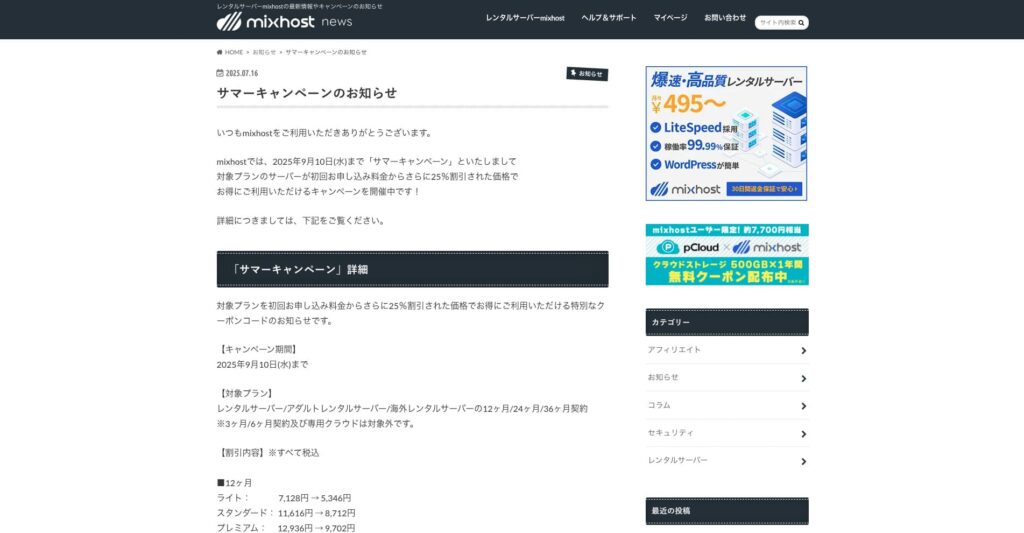
“ mixhost” është një server me qira me shpejtësi të lartë nga Az Pocket Co., Ltd., me seli në Osaka. Ai mund të shpërndajë përmbajtje nga serverë të vendosur në San Jose, në Bregun Perëndimor të Shteteve të Bashkuara. Edhe pse është një server jashtë vendit, kompania është me bazë në Japoni, kështu që merrni ende mbështetje të plotë në gjuhën japoneze.
25% zbritje në kontratën fillestare deri më 10 shtator 2025, një vit falas për 500GB hapësirë cloud dhe garanci rimbursimi 30-ditore
| Server type | Shared server / dedicated cloud server |
| Display speed (TTFB) | 150ms |
| Recommended plan and contract term | Shared server Light, 12 months |
| Trial / refund guarantee | 30-day money-back guarantee |
| Monthly fee (12-month contract) | 594 yen |
| Initial administrative fee | Free |
| Free domain | One free forever |
| Support | |
| Uptime | 99.99% guaranteed |
| Server capacity | 100GB |
| Number of databases | Unlimited |
| Security measures | WAF / DDo attack protection / malware detection and removal |
| SSL | Free dedicated SSL |
| Backup / restore | Automatic backups for 14 days on the Standard plan and above |
| Number of email accounts | Unlimited |
| Email security measures | — |
| WordPress pre-installation | Po |
| Server / website migration service | 10,890 yen |
| CDN | None |
| Data center | San Jose, U.S. West Coast |
Nëse dëshironi të përdorni një server me kapacitet të pakufizuar, zgjidhni mixhost. Jo vetëm që kapaciteti është i pakufizuar, por edhe transferimi i të dhënave është i pakufizuar, prandaj ofron shkallëzim të shkëlqyer.
★ mixhost Reviews and How to Start WordPress with Peace of Mind Thanks to Elevent Nines Backup
Përmbledhje: zgjidhni kapacitetin e duhur dhe drejtoni pa probleme blogun tuaj WordPress

Kapaciteti i serverit me qira ka një efekt të madh në qëndrueshmërinë dhe rritjen e një faqeje web. Përdorni hapat e paraqitur në këtë artikull për të zgjedhur kapacitetin që i përshtatet më mirë blogut tuaj WordPress dhe për të arritur funksionim të qetë të blogut.
Nëse është e nevojshme, është gjithashtu mirë të konsultoheni me administratorin e serverit. Edhe kur zgjidhni një plan me kapacitet të pakufizuar, është e rëndësishme ta merrni atë vendim vetëm pasi t'i kuptoni plotësisht si përfitimet ashtu edhe pikat që duhen pasur parasysh.