Kapaciteta najemnega strežnika: kako izbrati brez napak in zakaj je pomembna za nemoteno delovanje strani

Ko najemate strežnik, ali primerjate vse mogoče specifikacije, kot sta CPU in pomnilnik, nato pa obstanete pri »kapaciteti«? Če se z najemnim strežnikom srečujete prvič, morda sploh ne veste, koliko kapacitete potrebujete in kaj ta sploh pomeni.
V tem članku podrobno obravnavam kapaciteto najemnega strežnika. Skupaj s točkami, na katere je treba paziti pri začetku WordPress bloga, vam bom pomagal izbrati najboljši paket. Po branju tega članka bi morali razumeti kapaciteto najemnega strežnika in samozavestno izbrati paket.
Kaj je kapaciteta najemnega strežnika?

Preprosto povedano, kapaciteta najemnega strežnika je količina prostora, ki je na voljo za shranjevanje podatkov vašega spletnega mesta. Konkretno shranjuje naslednje vrste podatkov.
- Datoteke spletnega mesta: vse datoteke, potrebne za prikaz spletnega mesta, kot so HTML, CSS, JavaScript, slike in videoposnetki
- Zbirke podatkov: shranjuje dinamično vsebino, kot so objave na blogu, podatki uporabnikov in podatki o izdelkih
- Podatki e-pošte: če uporabljate e-poštne račune, vaše poslane in prejete e-pošte ter priloge
- Dnevniške datoteke: dnevniške zapise dostopa strežnika, zapise napak in podobne zapise
- Podatki varnostnih kopij: varnostne kopije podatkov vašega spletnega mesta
Trije koraki za izbiro prave kapacitete
Trije koraki do izbire prave kapacitete strežnika

Paket z neomejeno kapaciteto je priročen, vendar ima tudi meje. Pomembno je razumeti, kako ponudnik dejansko uporablja viri strežnika in ali je paket res primeren za vašo uporabo.
Resne težave, ko zmanjka kapacitete
Količina kapacitete, ki jo potrebujete, se zelo razlikuje glede na vrsto spletnega mesta. Če začenjate WordPress blog, upoštevajte naslednje točke.
- Velikost bloga: ali gre za majhen osebni blog ali velik blog, ki ga upravlja več ljudi.
- Vrsta vsebine: ali je večinoma besedilni ali pa uporablja veliko slik in videoposnetkov.
- Število vtičnikov: številni vtičniki porabljajo kapaciteto.
- Teža teme: odvisno od teme, ki jo uporabljate, lahko dodatno obremeni vašo kapaciteto.
Kot splošno pravilo,
- Majhen blog (predvsem besedilo, malo slik): 5 GB do 10 GB
- Srednji blog (veliko slik, več vtičnikov): 10 GB do 20 GB
- Velik blog (vključno z videoposnetki, veliko vtičnikov): 20 GB do 50 GB ali več
Izberite pravo kapaciteto in WordPress blog boste lahko upravljali brez zapletov. Če razumete, kaj se shranjuje in kako hitro raste vaša vsebina, boste lažje izbrali pravi načrt.
★ Obvladajte WordPress vtičnike in okrepite svoje spletno mesto: temeljit vodič za začetnike
KORAK 2: Ocenite prihodnjo rast
Spletno mesto ni nekaj, kar zgradite in potem pozabite. Ko dodajate vsebino in promet raste, se potrebna kapaciteta prav tako povečuje.
Predpostavite, kako bo videti vsaj čez eno leto, in izberite kapaciteto z nekaj rezerve. Kapaciteto lahko pozneje povečate, vendar je glede na zaplet z menjavo paketa lažje že na začetku izbrati nekoliko večji paket.
Pri WordPressu obvezno predpostavite, da se bo število objav, slik in videoposnetkov sčasoma povečalo.
KORAK 3: Razmišljajte v konkretnih številkah
Na podlagi zgornjih korakov razmišljajte v konkretnih številkah. Na primer, lahko ocenite takole.
- Besedilo za eno stran: približno 1 KB
- Ena slika: približno 1 MB (pri slikah visoke ločljivosti je lahko večja)
- Ena minuta videa: približno 100 MB (zelo odvisno od kakovosti in formata)
Pri WordPressu morate upoštevati tudi velikost tem in vtičnikov. Ti lahko dosežejo desetine ali celo stotine megabajtov.
★ Podjetje za razvoj aplikacij pojasnjuje pasti izbire WordPress teme in pot do uspeha
Prednosti in stvari, na katere je treba paziti pri paketih z neomejeno kapaciteto (za WordPress)
Če začenjate WordPress blog, se lahko paket z neomejeno kapaciteto zdi privlačen. Vendar pa, kot je omenjeno zgoraj, obstajajo tudi stvari, na katere je treba paziti.
- Spremljajte velikost zbirke podatkov: ker WordPress shranjuje objave, nastavitve in druge podatke v zbirki podatkov, lahko tudi z neomejeno kapaciteto še vedno naletite na omejitve velikosti zbirke podatkov.
- Shramba varnostnih kopij: to, da je kapaciteta neomejena, ne pomeni, da lahko shranjujete neomejeno število varnostnih kopij. Preverite omejitev prostora za varnostne kopije in obdobje hranjenja.
★ What Is a Database? An Essential Management System for WordPress
Resne težave, ki jih povzroči pomanjkanje kapacitete strežnika: konkretni vplivi in protiukrepi

1. Vsebine ne morete več dodajati
Ko je kapaciteta polna, nove vsebine ne morete več dodajati. To je resna težava, ki ovira rast spletnega mesta.
- Slik ali videoposnetkov ne morete več nalagati: slike in videoposnetki so pomembni elementi, ki naredijo spletno mesto privlačno, vendar jih ob pomanjkanju kapacitete ni več mogoče naložiti. V WordPressu boste ob nalaganju datotek v medijsko knjižnico dobili napake in novih slik ali videoposnetkov ne boste mogli več dodajati.
- Nove objave in strani ne morete več ustvarjati ali posodabljati: besedilna vsebina prav tako uporablja prostor za shranjevanje. Ko kapaciteta postane premajhna, morda ne boste več mogli ustvarjati novih objav ali strani ali celo posodabljati obstoječih.
- Izdelkov ne morete več registrirati (v primeru e-trgovine): na spletnem mestu za e-trgovino so podatki o izdelkih in slike življenjskega pomena za poslovanje. Pomanjkanje kapacitete vam lahko prepreči dodajanje novih izdelkov ali posodabljanje obstoječih, kar resno vpliva na poslovanje.
Protiukrep: preklopite na večji paket, izbrišite nepotrebne datoteke in optimizirajte slike (na primer s stiskanjem).
2. Počasnejši prikaz spletnega mesta: slabša uporabniška izkušnja
Pomanjkanje kapacitete lahko prav tako povzroči počasnejši prikaz spletnega mesta. Če se hitrost prikaza upočasni, se uporabniška izkušnja poslabša, SEO pa je prav tako negativno prizadet.
- Povečana obremenitev strežnika: ko kapaciteta postane pretesna, se obremenitev strežnika poveča in hitrost obdelave pade. Posledično se čas nalaganja strani podaljša, kar pomeni zadrževanje uporabnikov v čakanju.
- Zmogljivost pade med prometnimi sunki: če je strežnik med obdobji zgoščenega prometa že brez dovolj kapacitete, se lahko preobremeni, spletno mesto postane izjemno počasno ali v najslabšem primeru pade.
- Negativen vpliv na SEO: iskalniki, kot je Google, upoštevajo hitrost nalaganja strani kot dejavnik razvrščanja. Počasno spletno mesto lahko pade v rezultatih iskanja, kar lahko vodi do manjšega števila obiskovalcev.
Protiukrep: uporabite ukrepe, kot so predpomnilniški vtičniki, optimizacija slik in CDN-ji, da izboljšate hitrost prikaza. Morda boste morali razmisliti tudi o prehodu na strežniški paket, ki ustreza količini vašega prometa.
★ How Fast Is It? Comparing 15 Rental Servers in a Speed Ranking
3. Pošiljanje in prejem e-pošte se ustavita: poslovna komunikacija je motena
Podatki e-pošte prav tako porabljajo kapaciteto strežnika. Ko kapaciteta postane premajhna, morda ne boste več mogli pošiljati ali prejemati e-pošte, kar moti poslovno komunikacijo.
- E-pošte ne morete več prejemati: ko poštni nabiralnik doseže mejo kapacitete, novih e-poštnih sporočil ni več mogoče prejemati. Lahko zamudite pomembno komunikacijo ali ne odgovorite na poizvedbe strank.
- E-pošte ne morete več pošiljati: poslana pošta in osnutki prav tako porabljajo kapaciteto. Ko kapaciteta postane premajhna, morda e-pošte ne boste več mogli pošiljati, kar lahko kar lahko vodi do izgubljenih poslovnih priložnosti.
Protiukrep: izbrišite nepotrebna e-poštna sporočila, e-poštne podatke shranite lokalno in razmislite o uporabi zunanje poštne storitve.
4. Nedelovanje spletnega mesta: poslovanje se ustavi
Če pomanjkanje kapacitete postane resno, v najslabšem primeru lahko spletno mesto pade in postane nedostopno. To pomeni, da se poslovanje dejansko ustavi in lahko povzroči velike izgube.
- Prevelika obremenitev strežnika: koncentracija prometa, medtem ko strežniku že primanjkuje kapacitete, lahko povzroči preveliko obremenitev strežnika in zrušitve sistema.
- Obnova lahko traja nekaj časa: če strežnik pade, lahko obnova traja in spletno mesto lahko ostane nedostopno dlje časa.
Protiukrep: dosledno uvedite ukrepe za stabilno delovanje, kot so spremljanje virov strežnika, analiza dnevnikov dostopa in izbira ustreznega strežniškega paketa. Pomembne so tudi redne varnostne kopije.
Ponestanek kapacitete resno vpliva na delovanje spletnega mesta. Da bi se izognili tem težavam, je pomembno izbrati strežniški paket z ustrezno kapaciteto in redno spremljati porabo kapacitete svojega spletnega mesta. Pomembno je tudi vnaprej razmisliti, kaj storiti, če kapaciteta dejansko postane premajhna.
★ What Is a 503 Error? Web Traffic Jams, How to Avoid Them, and Emergency Responses
Priporočeni najemni strežniki po kapaciteti
30GB: Little Server
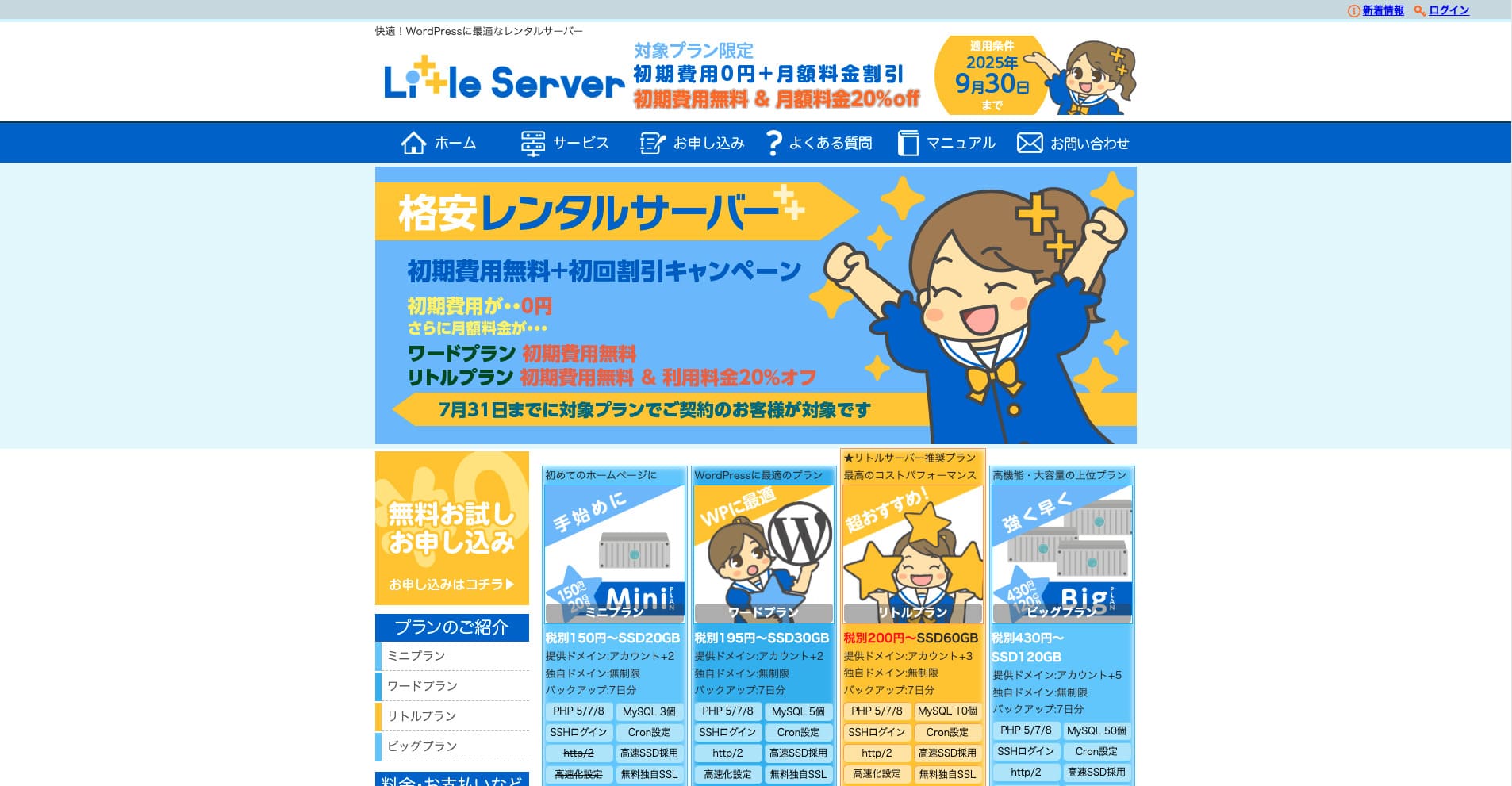
“Little Server” je cenovno ugoden najemni strežnik. Med brezplačnimi strežniki ga ne štejemo; je eden najcenejših najemnih strežnikov za osebno uporabo. Kljub temu uporablja NVMe SSD-je za boljšo hitrost.
Brez začetne pristojbine do 30. septembra 2025, 20 % popusta na pristojbino za strežnik Little Plan in 20-dnevni brezplačni preizkus
| Server type | Shared server |
| Display speed (TTFB) | 200ms |
| Recommended plan and contract term | Mini, 12 months |
| Trial / refund guarantee | 20-day free trial |
| Monthly fee (12-month contract) | 165 yen |
| Initial administrative fee | 920 yen |
| Free domain | None |
| Support | Email (business hours not disclosed) |
| Uptime | Not disclosed |
| Server capacity | 20GB |
| Number of databases | 3 |
| Security measures | IMP |
| SSL | Free SSL, dedicated SSL (Little Plan and above) |
| Backup / restore | 7 dni samodejnih varnostnih kopij brezplačno, obnovitev brezplačno |
| Number of email accounts | Unlimited |
| Email security measures | Spam filter |
| Server / website migration service | None |
| WordPress pre-installation | Da |
| CDN | None |
*Za paket Mini
Če želite ohraniti nizko ceno in hkrati zagotoviti minimalno potrebno kapaciteto, Little Server je priporočljivo. Tudi najcenejši paket vam daje 30 GB. Tudi če nadgradite, mesečna naročnina ostaja v okviru nekaj sto jenov, zato če vas začne skrbeti pomanjkanje kapacitete, nadgradite pravočasno.
★ Little Server Reviews and How to Start WordPress on an Affordable Hosting Service
300GB: ConoHa WING

“ConoHa WING” je hitri strežnik skupine GMO Internet Group, katere število uporabnikov hitro raste, in to je storitev, ki jo uporablja tudi naše podjetje. Ker je WordPress ob prijavi na strežnik že prednameščen, lahko vsak enostavno začne. Dobro uravnoteži stroške in zmogljivost, zato ga uporabljamo tudi mi.
Do 53 % popusta na strežniške pristojbine do 5. avgusta 2025, dve domeni brezplačno za vedno in prvi mesec brezplačno
| Server type | Shared server |
| Display speed (TTFB) | 160ms |
| Recommended plan and contract term | Basic, 12 months |
| Trial / refund guarantee | First month free |
| Monthly fee (12-month contract) | 971 yen |
| Initial administrative fee | Free |
| Free domains | Dve brezplačni za vedno |
| Support | Phone, email, and chat (weekdays 10:00-18:00) |
| Uptime | 99.99% guaranteed |
| Server capacity | 300GB |
| Number of databases | Unlimited |
| Security measures | WAF / directory access restrictions / IP access restrictions / vulnerability diagnosis (Net de Diagnosis) / spam comment and trackback restrictions / overseas comment and trackback restrictions / overseas access restrictions |
| SSL | Free SSL / Alpha SSL / Quick Authentication SSL / Company Authentication SSL / EV SSSL |
| Backup / restore | 14 days of automatic backups / restore free of charge |
| Number of email accounts | Unlimited |
| Email security measures | Virus checking / spam filters |
| Server / website migration service | WordPress migration service from 7,678 yen Na voljo je brezplačno orodje za migracijo |
| WordPress pre-installation | Yes |
| CDN | None |
Če želite dovolj kapacitete tudi kot posameznik, izberite ConoHa WING. Tudi najcenejši paket vam daje 300 GB, zato WordPress brez težav deluje.
★ Build a Homepage in 10 Minutes! ConoHa WING Reviews and How to Start WordPress
600GB: Sakura Rental Server

“Sakura Rental Server” je deljeni strežnik podjetja Sakura Internet Inc. Podjetje ponuja tudi upravljane strežnike. Ima dobro razmerje med zmogljivostjo, storitvijo in ceno, zato je priporočljiv za vsako korporacijo. Ker glede na paket vključuje določeno količino brezplačne uporabe CDN, omogoča udobno komunikacijo.
14-dnevni brezplačni preizkus
| Server type | Shared server |
| Display speed (TTFB) | 440ms |
| Recommended plan and contract term | Standard, 12 months |
| Trial / refund guarantee | 14-day free trial |
| Monthly fee (12-month contract) | 550 yen |
| Initial administrative fee | Free |
| Free domain | None |
| Support | Business hours: 10:00-18:00 Phone callback reservations, chat, and email (reply the same day or the next business day) |
| Uptime | 99.99% |
| Server capacity | 300GB |
| Number of databases | Unlimited |
| Security measures | Website defacement notifications (paid), WAF, overseas IP address filters, prevention of unauthorized relaying, encryption, |
| SSL | Free shared SSL, dedicated SSL |
| Backup / restore | Osem generacij varnostnih kopij brezplačno, obnovitev brezplačno |
| Number of email accounts | Unlimited |
| Email security measures | POP3, IMAP4, virus checking, simple spam filter, advanced spam filter |
| WordPress pre-installation | None |
| Server / website migration service | None |
| CDN | 100 GB na mesec brezplačno |
Če ste korporacija, večja kapaciteta strežnika prinaša mir. Sakura Rental Server ponuja veliko kapaciteto, z 300 GB na paketu Standard in 600 GB na paketu Business.
Neomejena kapaciteta: mixhost
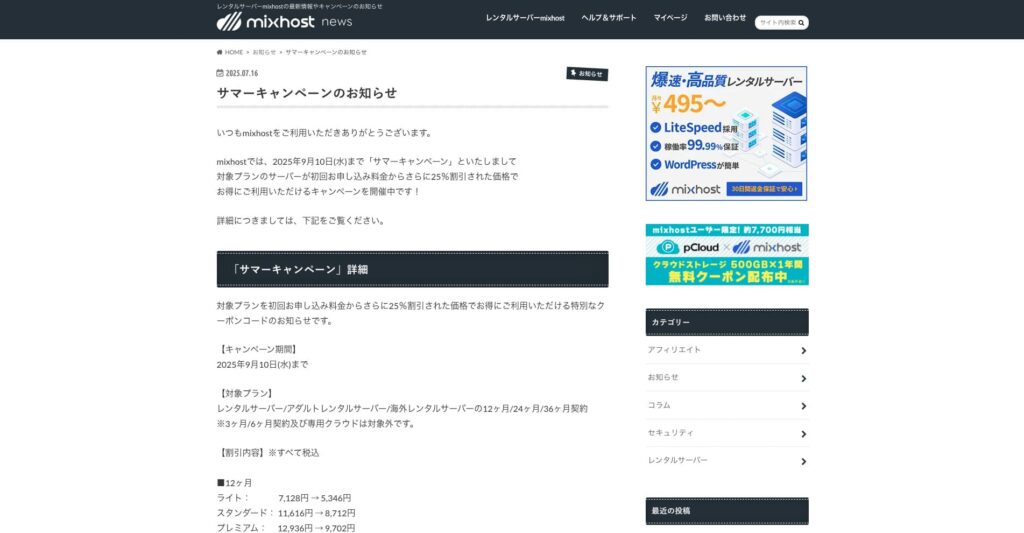
“ mixhost” je hitri najemni strežnik podjetja Az Pocket Co., Ltd., s sedežem v Osaki. Vsebino lahko dostavlja s strežnikov, ki se nahajajo v San Joseju na zahodni obali ZDA. Čeprav gre za čezmorski strežnik, ima podjetje sedež na Japonskem, zato še vedno dobite popolno podporo v japonščini.
25 % popusta na začetno pogodbo do 10. septembra 2025, eno leto brezplačno za 500 GB oblačnega prostora za shranjevanje in 30-dnevno jamstvo vračila denarja
| Server type | Shared server / dedicated cloud server |
| Display speed (TTFB) | 150ms |
| Recommended plan and contract term | Shared server Light, 12 months |
| Trial / refund guarantee | 30-day money-back guarantee |
| Monthly fee (12-month contract) | 594 yen |
| Initial administrative fee | Free |
| Free domain | One free forever |
| Support | |
| Uptime | 99.99% guaranteed |
| Server capacity | 100GB |
| Number of databases | Unlimited |
| Security measures | WAF / DDo attack protection / malware detection and removal |
| SSL | Free dedicated SSL |
| Backup / restore | Automatic backups for 14 days on the Standard plan and above |
| Number of email accounts | Unlimited |
| Email security measures | — |
| WordPress pre-installation | Da |
| Server / website migration service | 10,890 yen |
| CDN | None |
| Data center | San Jose, U.S. West Coast |
Če želite uporabljati strežnik z neomejeno kapaciteto, izberite mixhost. Kapaciteta ni le neomejena, temveč je tudi prenos podatkov neomejen, zato ponuja odlično razširljivost.
★ mixhost Reviews and How to Start WordPress with Peace of Mind Thanks to Elevent Nines Backup
Povzetek: Izberite pravo kapaciteto in nemoteno vodite svoj WordPress blog

Kapaciteta najemnega strežnika ima velik vpliv na stabilnost in rast spletnega mesta. Uporabite korake iz tega članka, da izberete kapaciteto, ki najbolj ustreza vašemu WordPress blogu, in zagotovite nemoteno delovanje bloga.
Po potrebi je tudi dobra ideja, da se posvetujete z administratorjem strežnika. Tudi ko izberete paket z neomejeno kapaciteto, je pomembno, da se za to odločite šele potem, ko v celoti razumete tako prednosti kot tudi stvari, na katere je treba paziti.