Capacita serverov na prenájom: Ako sa vybrať bez chýb a prečo je dôležité pre hladký prevádzok lokality

Keď si prenajímate server, porovnávate všetky druhy špecifikácií, ako je napríklad CPU a pamäť, a potom sa uviaznete na capacity?
V tomto článku sa podrobne pozriem na nájomnú kapacitu serverov. Spolu s body, ktoré sa majú pozorovať pri spustení WordPress blog, vám pomôžem vybrať si najlepší plán.Po prečítaní tohto článku by ste mali pochopiť kapacitu prenájmu serverov a byť schopní vybrať si plán s dôverou.
Čo presne je nájomná kapacita serverov? Čo uloží?

Jednoducho povedané, nájomná kapacita serverov je množstvo priestoru na ukladanie údajov na vašom webovom webeKonkrétne ukladá tieto typy údajov.
- Súbory na webových stránkach:Všetky súbory potrebné na zobrazenie stránky, ako sú HTML, CSS, JavaScript, obrázky a videá
- Databázy:Dynamické content, ako sú príspevky blog, informácie o používateľoch a informácie o produktoch, sa ukladajú v obchode.
- E-mailové údaje:Ak používate e-mailové účty, vaše zaslané a prijaté e-maily a prílohy
- Záznamové súbory:Záznamy prístupu k serverom, záznaky chýb a podobné záznamy
- Záložné údaje:Zálohy vašich webových stránok
Ak vyčerpáte kapacitu, možno nebudete môcť pridať nový content, váš web môže byť pomalší a v najhoršom prípade môže byť zhoršený.
Tri kroky na výber správnej kapacity serverov

Ako si teda vybrať správnu kapacitu? Zamyslite sa nad tým v nasledujúcich troch krokoch.
STEP 1: Zamyslite sa nad typom webovej stránky (pre WordPress)
Kapacita, ktorú potrebujete, sa veľmi líši v závislosti od typu webových stránok.Ak začínate WordPress blog, zvážte nasledujúce body.
- Veľkosť blogu: či už je to malý osobný blog alebo veľký blog riadený viacerými ľuďmi.
- Typ obsahu: či už je to hlavne text alebo používa veľa obrázkov a videí.
- Počet plugínov: mnoho plugínov spotrebuje kapacitu.
- Téma váhaV závislosti od témy, ktorú používate, môže to uľahčiť vašu kapacitu.
Ako všeobecné pravidlo,
- Malý blog (hlavne text, málo obrázkov):5GB až 10GB
- stredný blog (veľké obrázky, viacero plugins):10GB až 20GB
- Veľký blog (vrátane videí, mnohých pluginsov):20GB na 50GB alebo viac
sú dobré čísla, na ktoré treba mať na pamäti.
★ Majstrovský WordPress Plugins a Power Up Your Site: dôkladný príruč pre začiatočníkov
KRAČ 2: Odhadujte budúci rast
Webové stránky nie sú niečo, čo si vybudujete a potom zabudnete.Ako pridávate content a návštevnosť rastie, tak sa tiež zvyšuje potrebná kapacita.
Predpokladajme, ako budú veci vyzerať aspoň za rok.Môžete neskôr pridať viac kapacity, ale vzhľadom na problém zmeny plánov je hladšie vybrať si trochu väčší plán od začiatku.
V prípade WordPress si uistite, že počet príspevkov, obrázkov a videí sa časom zvýši.
STEP 3: Myslite v konkrétnych číslach
Na základe vyššie uvedených krokov si myslite konkrétne číslami, napríklad môžete odhadnúť veci ako toto.
- Text na jednu stránku: asi 1KB
- Jeden obrázok: asi 1MB (možno je väčší pre obrázky s vysokým rozlíšením)
- Jedna minúta videa: asi 100MB (výrazne sa líši v závislosti od kvality a formátu)
Pre WordPress je potrebné zvážiť aj veľkosť tém a plugínov, ktoré môžu predstavovať desiatky alebo dokonca stovky megabytes.
★ Spoločnosť pre vývoj aplikácií vysvetľuje nebezpečenstvo výberu témy WordPress a cestu k úspechu
Výhody a body na sledovanie s neomezenými plánmi kapacity (pre WordPress)
Ak začínate WordPress blog, neomezený plán kapacity môže vyzerať atraktívne.
- Pozrite si veľkosť databázy: pretože WordPress ukladá príspevky, nastavenia a iné údaje v databáze, aj s neobmedzenou kapacitou sa môžete stále stretnúť s Obmedzenia veľkosti databázy . .
- Záložné úložište zálohovaniaLen preto, že kapacita je neomezená, neznamená, že môžete uložiť neomezené zálohové zálohové záznamy.
★ What Is a Database? An Essential Management System for WordPress
Vážne problémy spôsobené vyčerpaním kapacity serverov: špecifické dopady a protiopatrenia

1.You Can No Longer Add Content
Keď je kapacita plná, už nemôžete pridať nový content.Toto je vážny problém, ktorý bráni rastu webových stránok.
- Už nemôžete nahrávať obrázky alebo videáZobrazy a videá sú dôležité prvky, ktoré robia webovú stránku atraktívnou, ale keď sa kapacita vyčerpá, už ich nemôžete nahrávať.V WordPress dostanete chyby pri pokuse nahrávať súbory do knižnice médií a nebudete môcť pridať nové obrázky alebo videá.
- Už nemôžete vytvárať ani aktualizovať príspevky a stránkyKeď sa kapacita vyčerpá, možno nebudete môcť vytvárať nové príspevky alebo stránky, alebo dokonca aktualizovať existujúce.
- Už nemôžete zaregistrovať produkty (v prípade e-commerce stránky)Nedostatok kapacity vám môže zabrániť pridať nové produkty alebo aktualizovať existujúce, čo vážne ovplyvní podnik.
Odporná opatrenie: prejsť na väčší plán, odstrániť zbytočné súbory a optimalizovať obrázky (napríklad prostredníctvom stlačovania).
2. Pomalšie zobrazenie webových stránok: Zhorší užívateľský zážitok
Nedostatok kapacity môže tiež viesť k spomalenému zobrazovaniu rýchlosti webových stránok.Ak sa rýchlosť zobrazenia spomaľuje, užívateľské skúsenosti sa zhoršia a SEO bude tiež negatívne ovplyvnené.
- Zvýšenie serverového zaťaženiaKeď sa kapacita stane úzkou, zaťaženie na serveri sa zvyšuje a rýchlosť spracovania klesá.Používateľov prinútiť čakať . .
- Výkonnosť klesá počas dopravných špičiekAk je server už v období koncentrovaného prevádzky nedostatočný, môže sa preťažiť, čo spôsobí, že webová stránka bude extrémne pomalá alebo v najhoršom prípade spadne.
- Negatívny účinok na SEO: Vyhľadávače ako Google berú do úvahy rýchlosť načítania stránok ako faktor v rebríčku.
Odporná opatreniePoužívajte opatrenia ako napríklad pluginy na ukladanie predkladu, optimalizácia obrázkov a CDN na zlepšenie rýchlosti zobrazenia.
★ How Fast Is It? Comparing 15 Rental Servers in a Speed Ranking
Posielať a prijímať e-maily zastaví: obchodná komunikácia je narušená.
E-mailové údaje tiež spotrebúvajú kapacitnú kapacitu serverov. Keď sa kapacita vyčerpá, možno už nebudete môcť posielať alebo prijímať e-mail, čo narušuje obchodnú komunikáciu.
- Už nemôžete prijímať e-mailKeď sa poštová schránka dostane k limitom kapacity, nové e-maily už nebudú možné prijímať.
- Už nemôžete poslať e-mailKeď sa kapacita vyčerpá, možno už nebudete môcť posielať e-mail, čo môže byť možné.To vedie k strateným obchodným príležitosťam . .
Odporná opatrenie: odstrániť zbytočné e-maily, uložiť e-mailové údaje lokálne a zvážiť použitie externej poštovej služby.
4. Zlynenie webových stránok: Podniky sa zastavujú
Ak sa nedostatok kapacity stane vážnym, V najhoršom prípade môže byť web zhoršený a nedostupný.To znamená, že obchodné operácie sú účinným spôsobom zastavené a môžu viesť k veľkým stratám.
- Nadmerný zátlak na serverKoncentracia dopravy, zatiaľ čo server už nemá dostatočnú kapacitu, môže spôsobiť nadmerné zatíhanie na server a spôsobovať systémové zlyhanie.
- Znova môže trvať časAk sa server zlyhá, práce na obnove môžu trvať čas a webová stránka môže byť nedostupná dlhú dobu.
Odporná opatrenieZabezpečte dôkladne opatrenia, ktoré zabezpečia stabilný prevádzk, ako je monitorovanie serverových zdrojov, analýza prístupových protokolov a výber vhodného plánu pre server.
Aby sa tieto problémy vyhli, je dôležité vybrať si plán servera s vhodnou kapacitou a pravidelne monitorovať využitie kapacity vašej webovej stránky.Je tiež dôležité uvažovať vopred o tom, čo robiť, ak sa kapacita stane nedostatočnou.
★ What Is a 503 Error? Web Traffic Jams, How to Avoid Them, and Emergency Responses
Odporúčané prenájom serverov podľa kapacity
30GB: Little Server
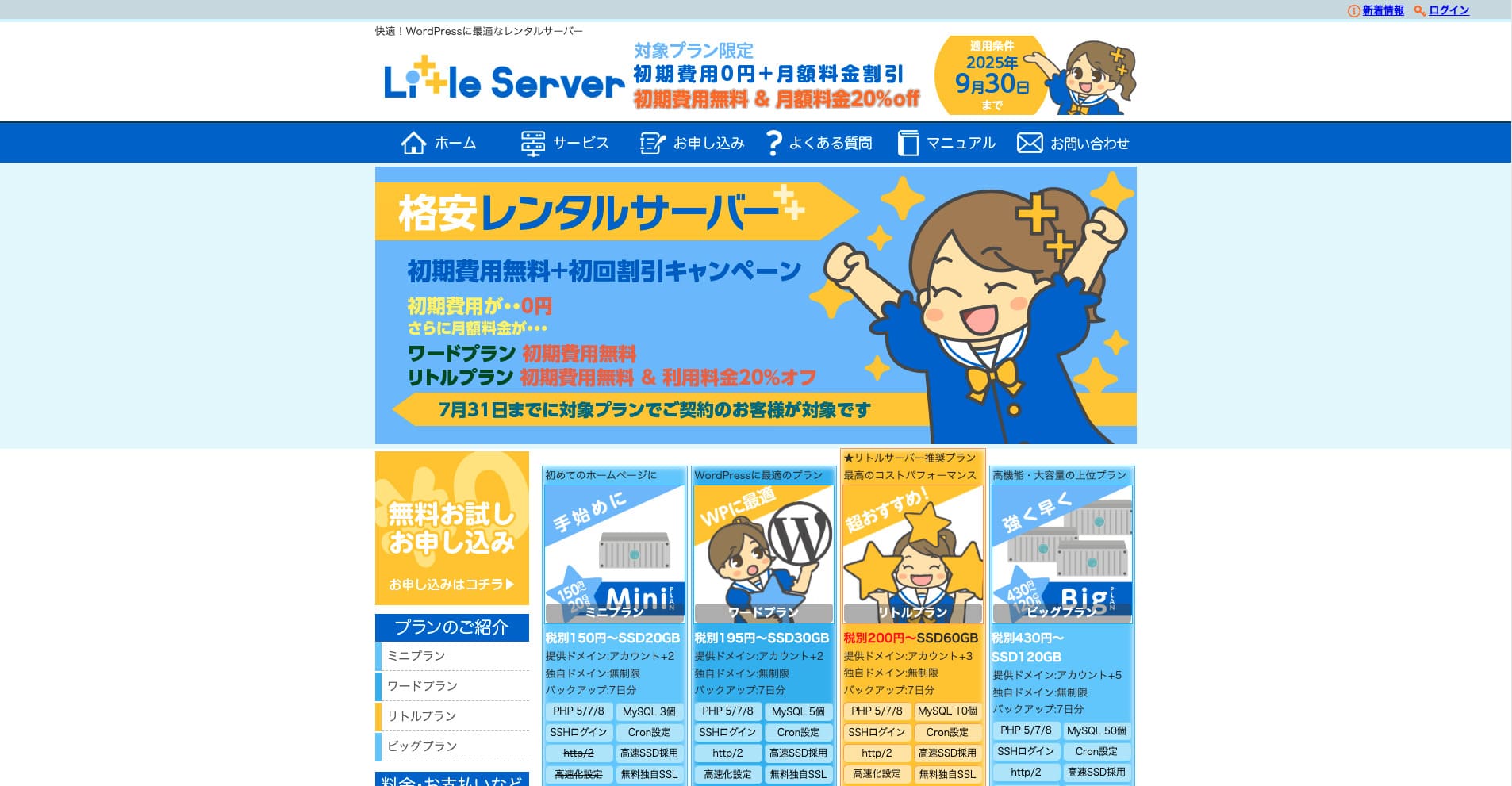
“Little Server je lacný server na prenájom. s výnimkou bezplatných serverov je jedným z najlacnejších serverov na prenájom pre osobné použitie.
Bez počiatočného poplatku do 30. septembra 2025, 20% zľavy na poplatok za server Little Plan a 20-dňový bezplatný skúšobný program
| Server type | Shared server |
| Display speed (TTFB) | 200ms |
| Recommended plan and contract term | Mini, 12 months |
| Trial / refund guarantee | 20-day free trial |
| Monthly fee (12-month contract) | 165 yen |
| Initial administrative fee | 920 yen |
| Free domain | None |
| Support | Email (business hours not disclosed) |
| Uptime | Not disclosed |
| Server capacity | 20GB |
| Number of databases | 3 |
| Security measures | IMP |
| SSL | Free SSL, dedicated SSL (Little Plan and above) |
| Backup / restore | 7 dní automatických záloh zadarmo, obnovenie zadarmo |
| Number of email accounts | Unlimited |
| Email security measures | Spam filter |
| Server / website migration service | None |
| WordPress pre-installation | Áno Áno |
| CDN | None |
*Pre Mini plán
Ak chcete udržiavať nízku cenu a zároveň zabezpečiť minimálnu potrebnú kapacitu, Little ServerAj najnižší plán vám dáva 30GB. Aj keď sa vylepšíte, mesačný poplatok zostáva v rozmedzí niekoľkých stoviek jenov, takže ak sa začnete obávať nedostatku kapacity, vylepšte sa proaktívne.
★ Little Server Reviews and How to Start WordPress on an Affordable Hosting Service
300GB: ConoHa WING

“ConoHa WING je vysokorýchlostný server GMO Internet Group, ktorého počet používateľov sa rýchlo zvyšuje a je to služba, ktorú používa aj naša spoločnosť. Pretože WordPress je predinštalovaný pri registrácii na server, môže sa ľahko začať každý.
Až 53% zľavy na poplatky za servery až do 5. augusta 2025, dve domény zadarmo navždy a prvý mesiac zadarmo
| Server type | Shared server |
| Display speed (TTFB) | 160ms |
| Recommended plan and contract term | Basic, 12 months |
| Trial / refund guarantee | First month free |
| Monthly fee (12-month contract) | 971 yen |
| Initial administrative fee | Free |
| Free domains | Dvaja zadarmo navždy |
| Support | Phone, email, and chat (weekdays 10:00-18:00) |
| Uptime | 99.99% guaranteed |
| Server capacity | 300GB |
| Number of databases | Unlimited |
| Security measures | WAF / directory access restrictions / IP access restrictions / vulnerability diagnosis (Net de Diagnosis) / spam comment and trackback restrictions / overseas comment and trackback restrictions / overseas access restrictions |
| SSL | Free SSL / Alpha SSL / Quick Authentication SSL / Company Authentication SSL / EV SSSL |
| Backup / restore | 14 days of automatic backups / restore free of charge |
| Number of email accounts | Unlimited |
| Email security measures | Virus checking / spam filters |
| Server / website migration service | WordPress migration service from 7,678 yen Zadarmo sa nachádza nástroj na migráciu |
| WordPress pre-installation | Yes |
| CDN | None |
Ak chcete mať dostatočný objem kapacít aj ako jednotlivca, vyberte si ConoHa WINGDokonca aj najnižší plán vám dáva 300GB, takže spustiť WordPress nie je problém.
★ Build a Homepage in 10 Minutes! ConoHa WING Reviews and How to Start WordPress
600GB: Sakura Rental Server

“Sakura Rental Server je zdieľaný server spoločnosti Sakura Internet Inc. Spoločnosť ponúka aj spravované servery. Má dobrú rovnováhu výkonu, služby a ceny, takže je odporúčaný pre každú spoločnosť. Pretože zahŕňa určitý počet bezplatného CDN používania v závislosti od plánu, môže poskytnúť pohodlnú komunikáciu.
14-dňový bezplatný skúšobný proces
| Server type | Shared server |
| Display speed (TTFB) | 440ms |
| Recommended plan and contract term | Standard, 12 months |
| Trial / refund guarantee | 14-day free trial |
| Monthly fee (12-month contract) | 550 yen |
| Initial administrative fee | Free |
| Free domain | None |
| Support | Business hours: 10:00-18:00 Phone callback reservations, chat, and email (reply the same day or the next business day) |
| Uptime | 99.99% |
| Server capacity | 300GB |
| Number of databases | Unlimited |
| Security measures | Website defacement notifications (paid), WAF, overseas IP address filters, prevention of unauthorized relaying, encryption, |
| SSL | Free shared SSL, dedicated SSL |
| Backup / restore | Osem generácií záloh zadarmo, obnovenie zadarmo |
| Number of email accounts | Unlimited |
| Email security measures | POP3, IMAP4, virus checking, simple spam filter, advanced spam filter |
| WordPress pre-installation | None |
| Server / website migration service | None |
| CDN | 100GB za mesiac zdarma |
Ak ste spoločnosť, mať väčšiu kapacitu serverov vám dáva pokoj.Sakura Rental Server ponúka veľkú kapacitu, pričom 300GB je na štandardnom a 600GB na obchodnom pláne.
Neobmedzený objem: mixhost
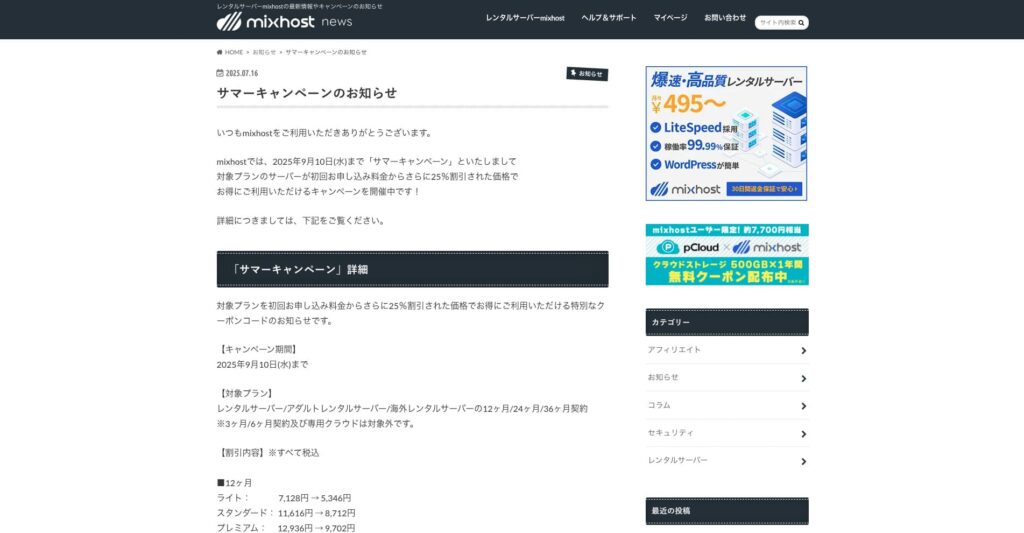
“ mixhost je vysokorýchlostný prenájom server od spoločnosti Az Pocket Co., Ltd., so sídlom v Osake. Môže doručiť content z serverov nachádzajúcich sa v San Jose na západnom pobreží Spojených štátov.
25% zľava na pôvodnú zmluvu až do 10. septembra 2025, jeden rok bezplatne za 500GB cloudového ukladania a 30-dňovú záruku vrátenia peňazí
| Server type | Shared server / dedicated cloud server |
| Display speed (TTFB) | 150ms |
| Recommended plan and contract term | Shared server Light, 12 months |
| Trial / refund guarantee | 30-day money-back guarantee |
| Monthly fee (12-month contract) | 594 yen |
| Initial administrative fee | Free |
| Free domain | One free forever |
| Support | |
| Uptime | 99.99% guaranteed |
| Server capacity | 100GB |
| Number of databases | Unlimited |
| Security measures | WAF / DDo attack protection / malware detection and removal |
| SSL | Free dedicated SSL |
| Backup / restore | Automatic backups for 14 days on the Standard plan and above |
| Number of email accounts | Unlimited |
| Email security measures | — |
| WordPress pre-installation | Áno Áno |
| Server / website migration service | 10,890 yen |
| CDN | None |
| Data center | San Jose, U.S. West Coast |
Ak chcete použiť server s neobmedzenou kapacitou, vyberte mixhostNie len je kapacita neomezená, ale aj prenos dát je neomezený, takže ponúka vynikajúcu škálovateľnosť.
★ mixhost Reviews and How to Start WordPress with Peace of Mind Thanks to Elevent Nines Backup
Zhrnutie: Vyberte si správnu kapacitu a hladko spustite svoj blog WordPress

Kapacita prenájmu serverov má veľký vplyv na stabilitu a rast webovej stránky.Použite kroky uvedené v tomto článku, aby ste si vybrali kapacitu, ktorá najlepšie spĺňa váš WordPress blog a dosiahli hladký prevádzok blog.
Aj keď si vyberiete plán s neobmedzenou kapacitou, je dôležité urobiť toto rozhodnutie až po úplnom pochopení výhod a bodov, ktoré sa majú sledovať.