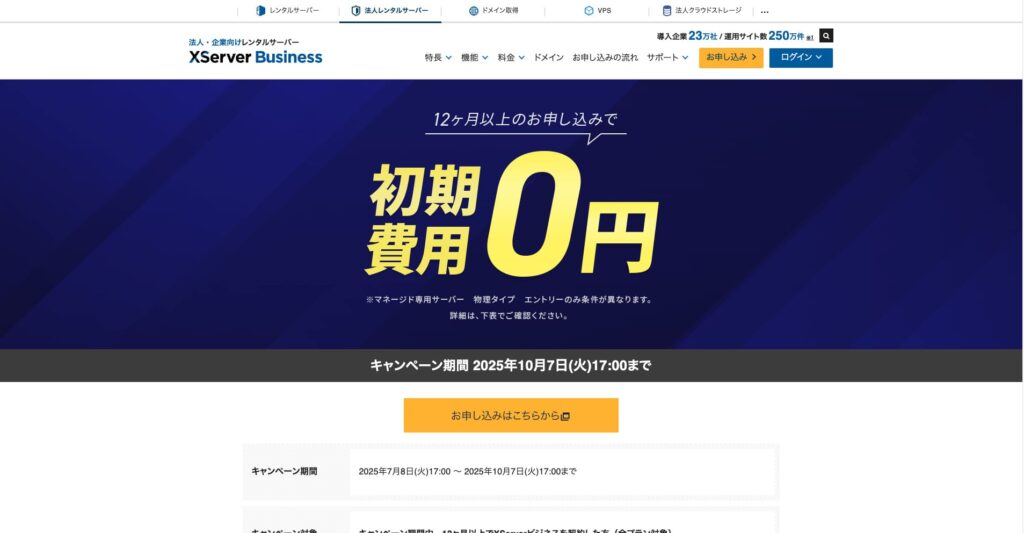
До 7 октября 2025 года подключение (обычно стоит от 16 500 до 385 000 иен) бесплатно, а услуга переноса сервера также предоставляется бесплатно
PR
Работы
Обзор XServer Business [2025]: тщательное тестирование скорости, цен и возможностей
Опубликовано: 2025.05.13
Обновлено: 2025.05.13
Рейтинг: 5.0
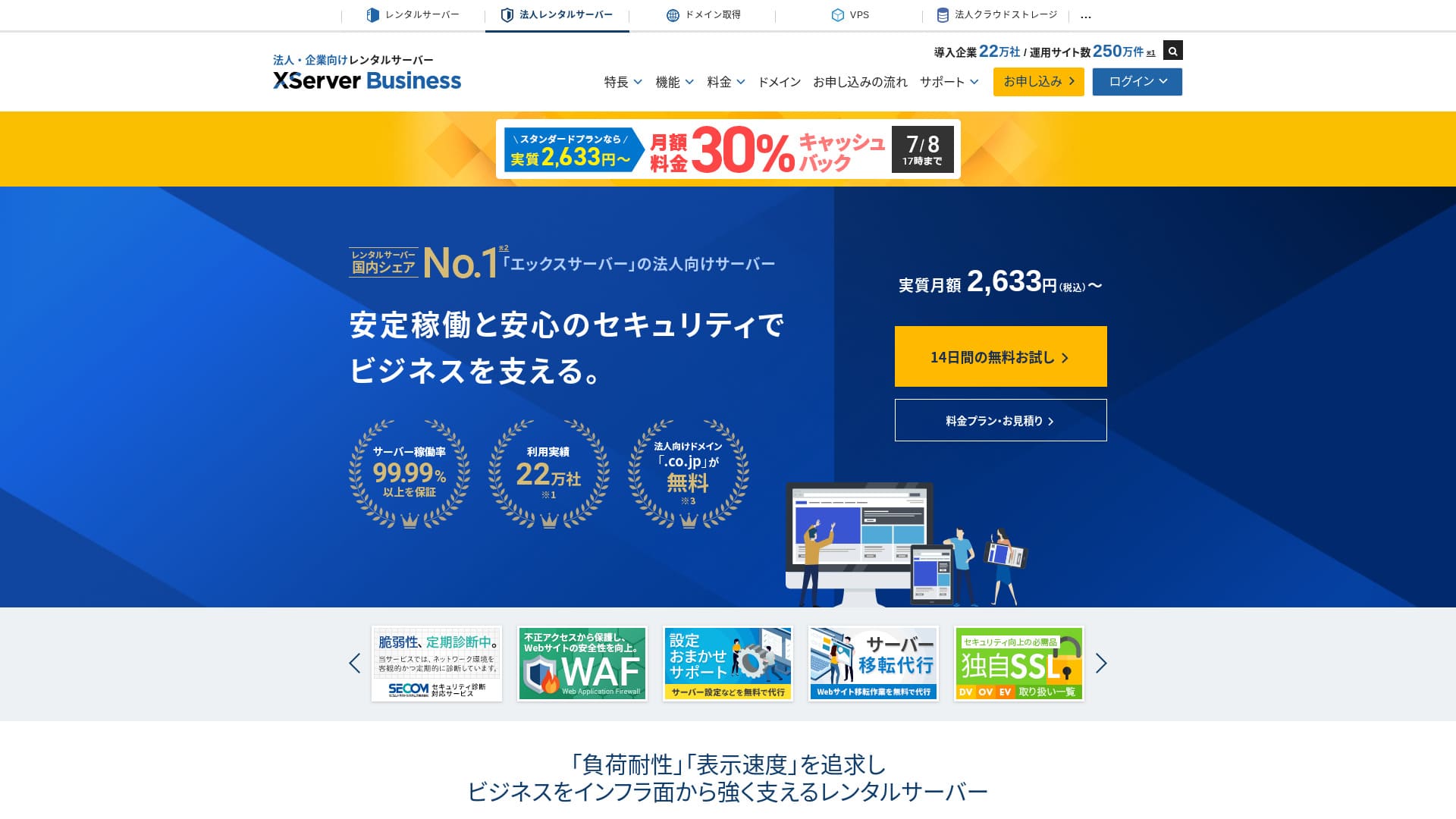
XServer Businessis an ultra-быстрый бизнес хостинг сервис run by Xserver Inc.Благодаря высокой скорости работы и большому объему памяти хостинг отлично подходит для работы с корпоративной почтой, сайтами на WordPress и целевыми страницами.
| Сервер type | Shared хостинг / Managed dedicated сервер (virtual) / Managed dedicated сервер (physical) |
| Скорость (TTFB) | 40ms |
| Рекомендуемый тариф и срок оплаты | Shared Standard на 12 месяцев |
| Бесплатный пробный период / money-back guarantee | 10-day бесплатный пробный период |
| Ежемесячный цена (12-месяц term) | 2,926 yen |
| Начальная плата за настройку | 16,500 yen |
| Бесплатный домены | Two бесплатный forever |
| Поддержка | Телефон и электронная почта (по будням 10:00-18:00) |
| Uptime | 99.99% guarantee |
| Storage | 700 GB |
| Количество баз данных | Без ограничений |
| Меры безопасности | WAF / веб-сайт tamper alerts / Secom безопасность diagnostics |
| SSL | Бесплатный dedicated SSL / Cloud SSL / скорость-validated SSL / QuickSSL Premium |
| Резервные копии / восстановить | 14 days of automatic резервные копии / бесплатный restores |
| Учетные записи электронной почты | Без ограничений |
| Email безопасность measures | Антивирус / спам-фильтр / высокоэффективный спам-фильтр / POP over SSL / SMTP over SSL / IMAP over SSL / DKIM / DMARC |
| Сервер / веб-сайт миграция сервис | Бесплатный full-сервис миграция(first time only, up to 10 сайты) |
| WordPress предустановлен | Yes |
| CDN | None |

Hikaru Ono
XServer Businessпозволяет установить WordPress одновременно с регистрацией на сервере, что отлично подходит компаниям, создающим сайт с нуля. Организации, у которых уже есть работающий сайт на другом сервере, также могут без опасений переходить на эту платформу, поскольку бесплатный профессиональный перенос уже включен в стоимость.
Это надежный и качественный сервер, которым вы сможете пользоваться в течение длительного времени.
- Данные основаны на исследовании рынка по состоянию на November 4, 2025, расположены в order of скорость
- Ежемесячная стоимость рассчитывается на основе стоимости первого года обслуживания на самом дешевом тарифе с поддержкой WordPress
- Скорость измеряется по показателю Time to First Byte (время до получения первого байта) на демо-сайтах при одинаковых условиях
"XServer Business» — это бизнес-хостинг от Xserver Inc., лидера рынка в Японии. В ходе наших измерений он занял второе место по скорости. Это один из лучших вариантов, если вы планируете переезд на новый хостинг, тем более что услуга переноса предоставляется бесплатно.

Обзор, связанный с WordPress
Простая установка WordPress
XServer Businessподдерживает быструю установку WordPress (Easy WordPress Installation), которая позволяет развернуть WordPress 6.8 из панели управления всего в несколько кликов. Система автоматически настроит базу данных, параметры PHP и активирует SSL, поэтому ваши трудозатраты на первоначальную настройку будут минимальными.
Hikaru Ono
Даже без собственного IT-отдела вы сможете надежно и без каких-либо сложностей запустить WordPress.
Запустим ваш веб-сайт на XServer Business
- STEP.1Посетить официальный сайт XServer Business
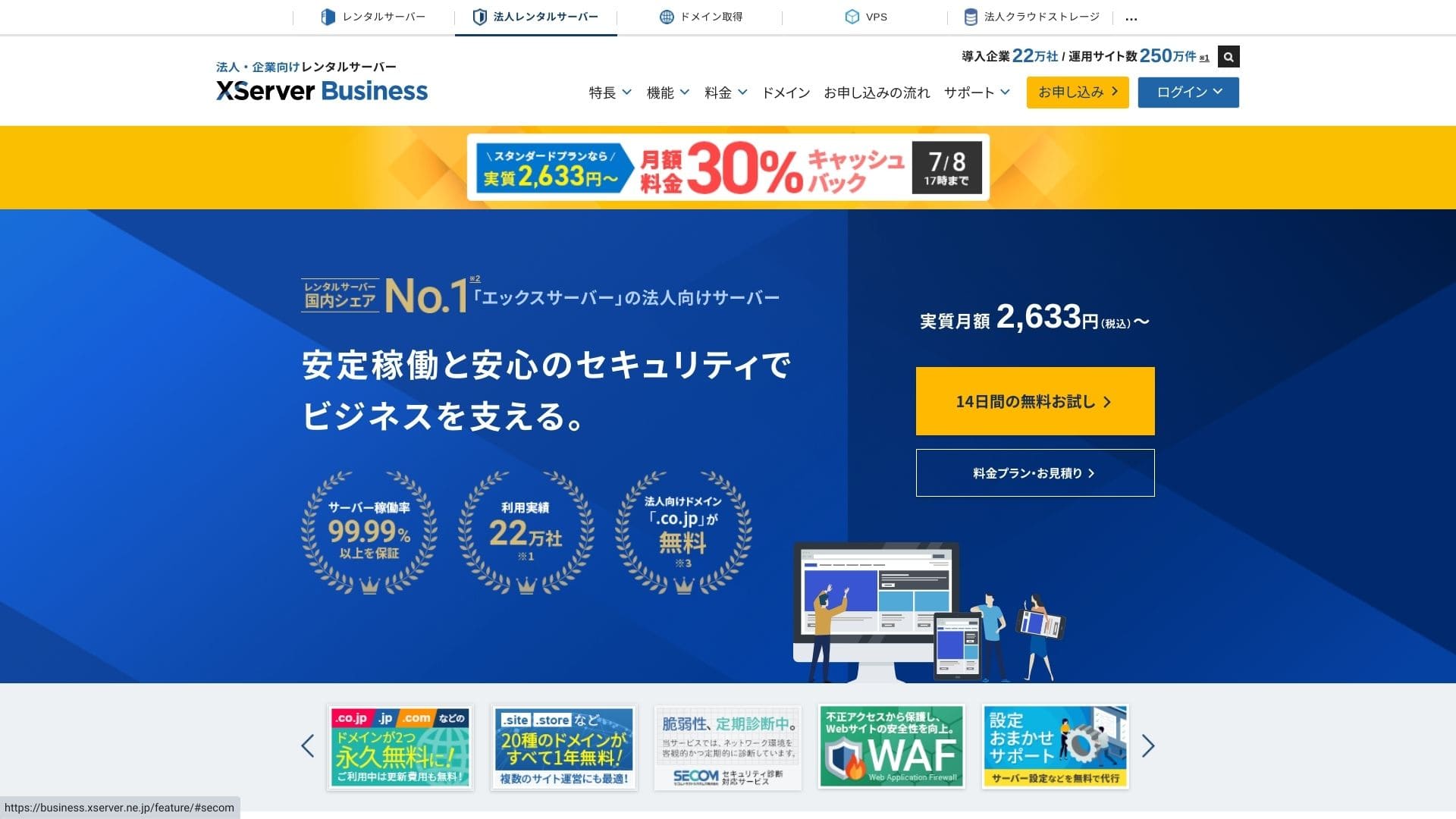
Нажмите «14-дневный бесплатный пробный период» на главной странице. Затем в разделе «Для новых клиентов» выберите «Начать работу! Новая заявка».
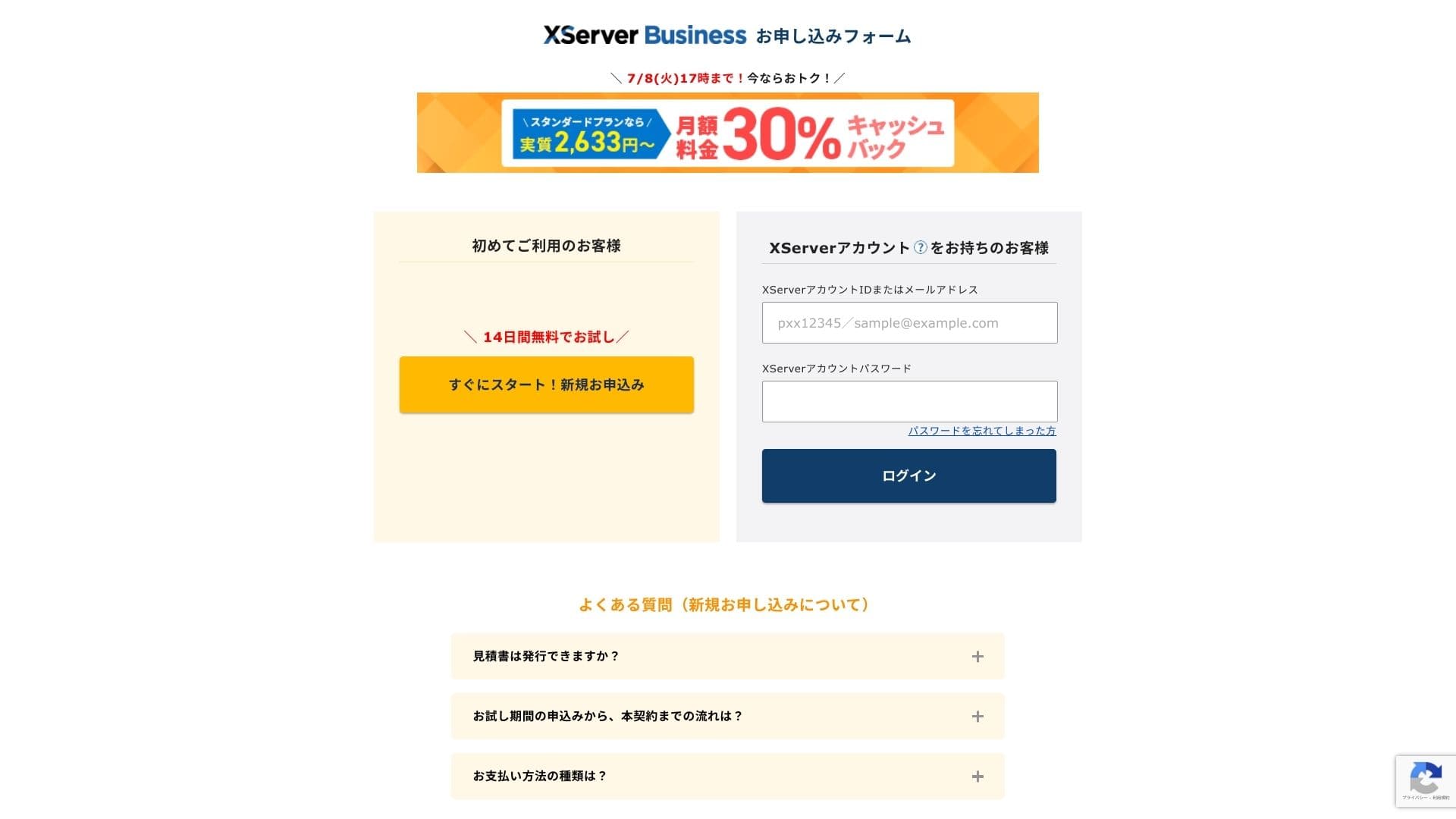
- STEP.2Выберите your application details
Вы можете оставить ID сервера по умолчанию. Выберите виртуальный хостинг, а затем — тарифный план. Я рекомендую тариф Standard. Если трафик вырастет и базовых характеристик станет не хватать, вы всегда сможете повысить его класс позже.
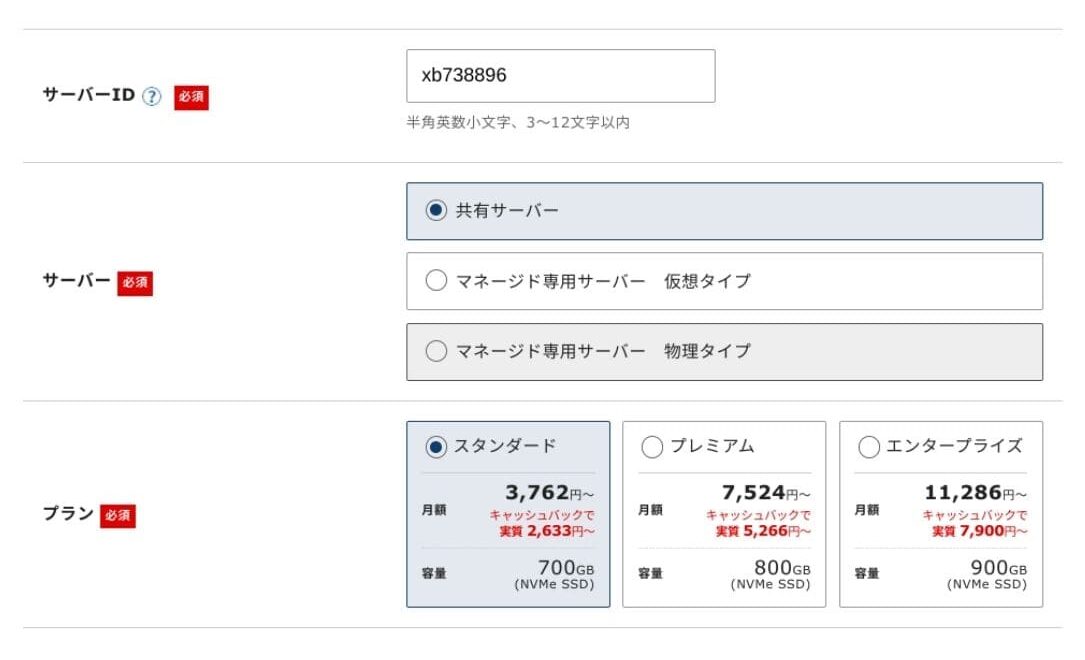
Нажмите "Proceed to customer information entry".
- STEP.3Создайте учетную запись Xserver Account и введите данные клиента
Введите адрес электронной почты, имя, адрес и другие необходимые данные.
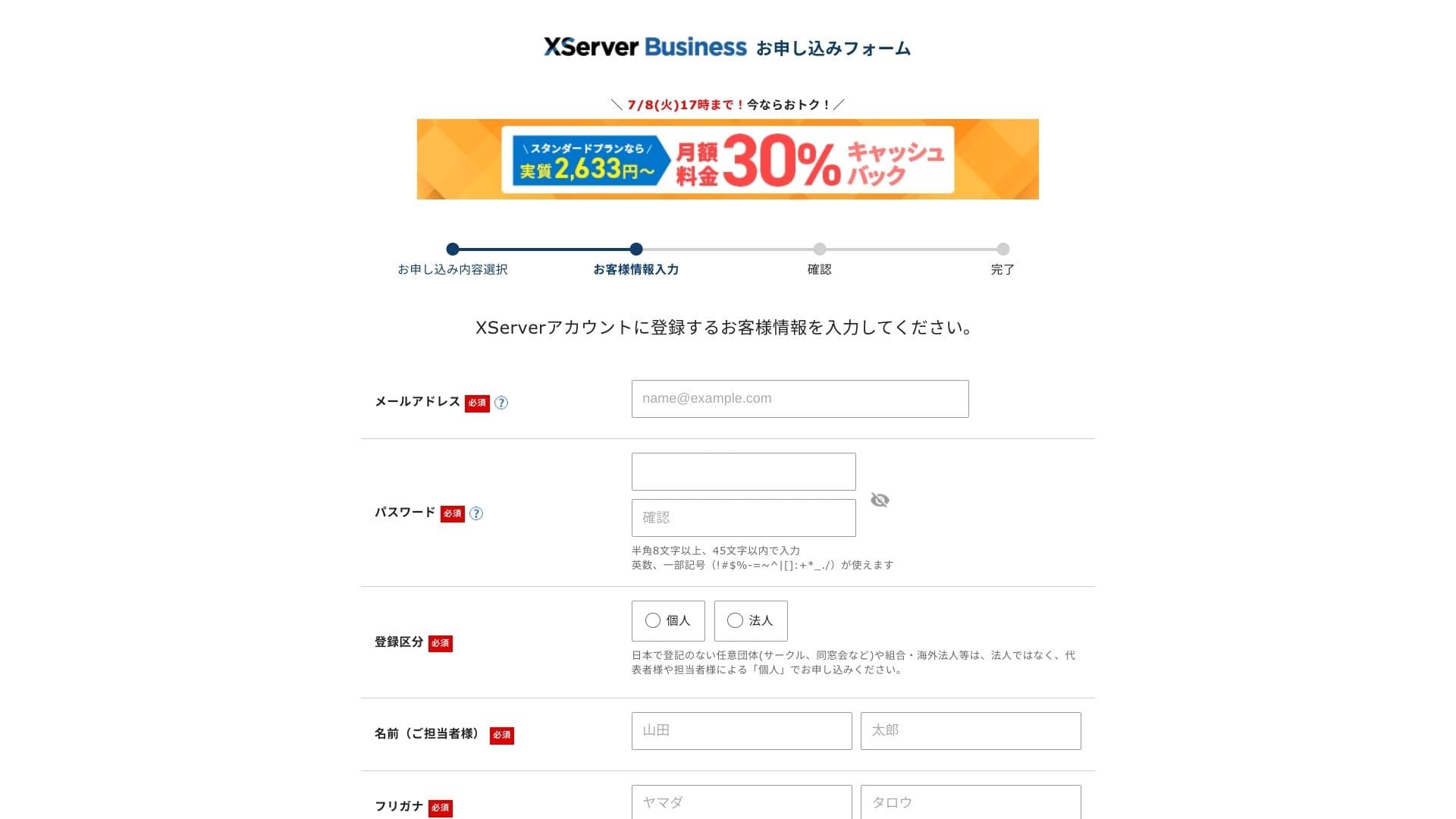
Ознакомьтесь с Условиями использования и правилами обработки персональных данных. Если вы согласны с ними, установите соответствующий флажок и нажмите «Далее».
Введите код подтверждения, показанный на экране. Код подтверждения будет отправлен на зарегистрированный вами адрес электронной почты, поэтому сначала проверьте это сообщение.
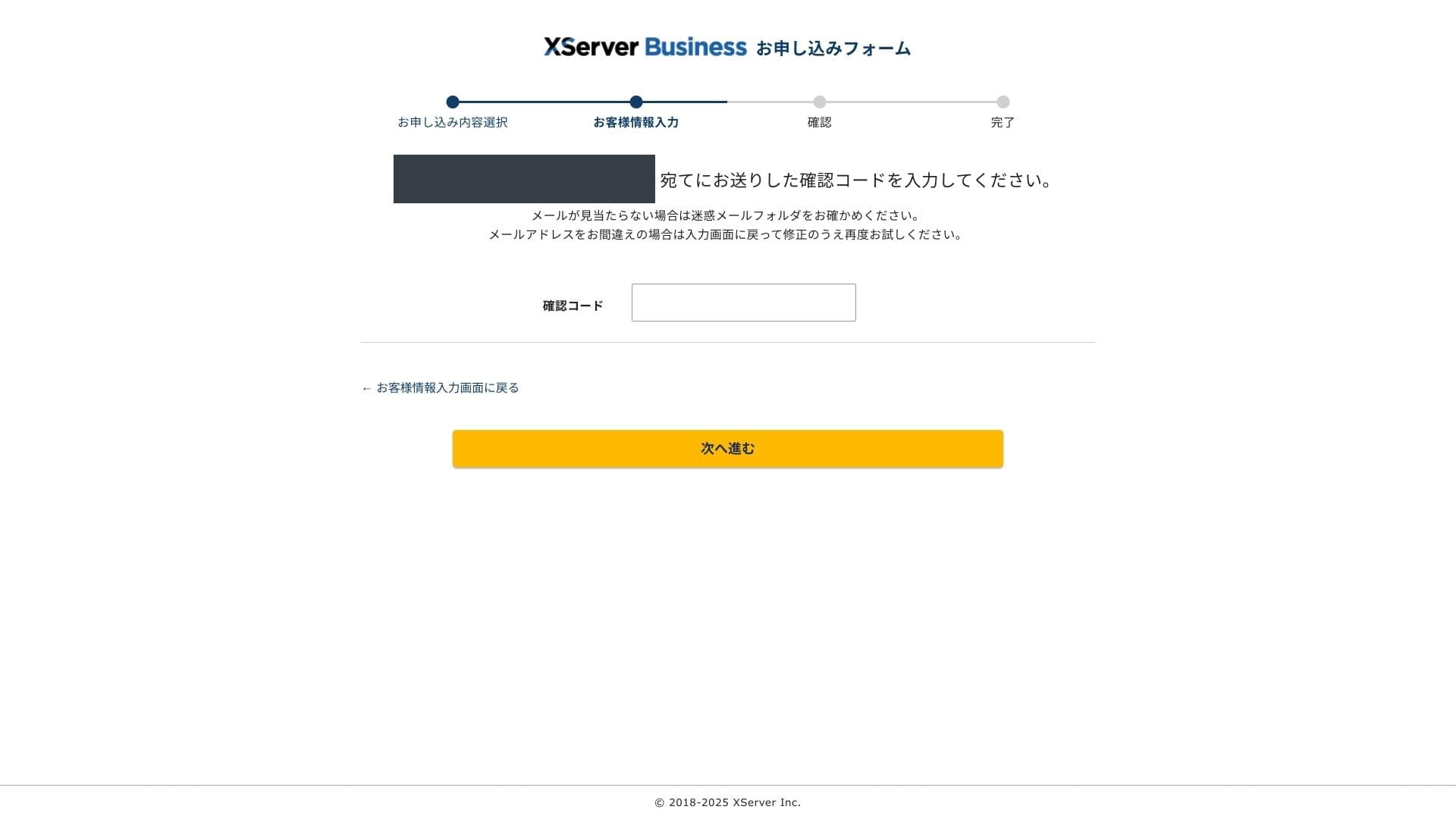
- STEP.4Обзор
Проверьте сведения в заявке и данные вашей учетной записи Xserver Account еще раз. Если все верно, нажмите «Перейти к подтверждению по SMS или телефону».
Your application details will be обзорed again using your phone number.
Введите номер телефона для подтверждения, выберите способ получения кода (SMS или автоматический голосовой звонок) и нажмите «Получить код подтверждения». После получения введите код на экране.
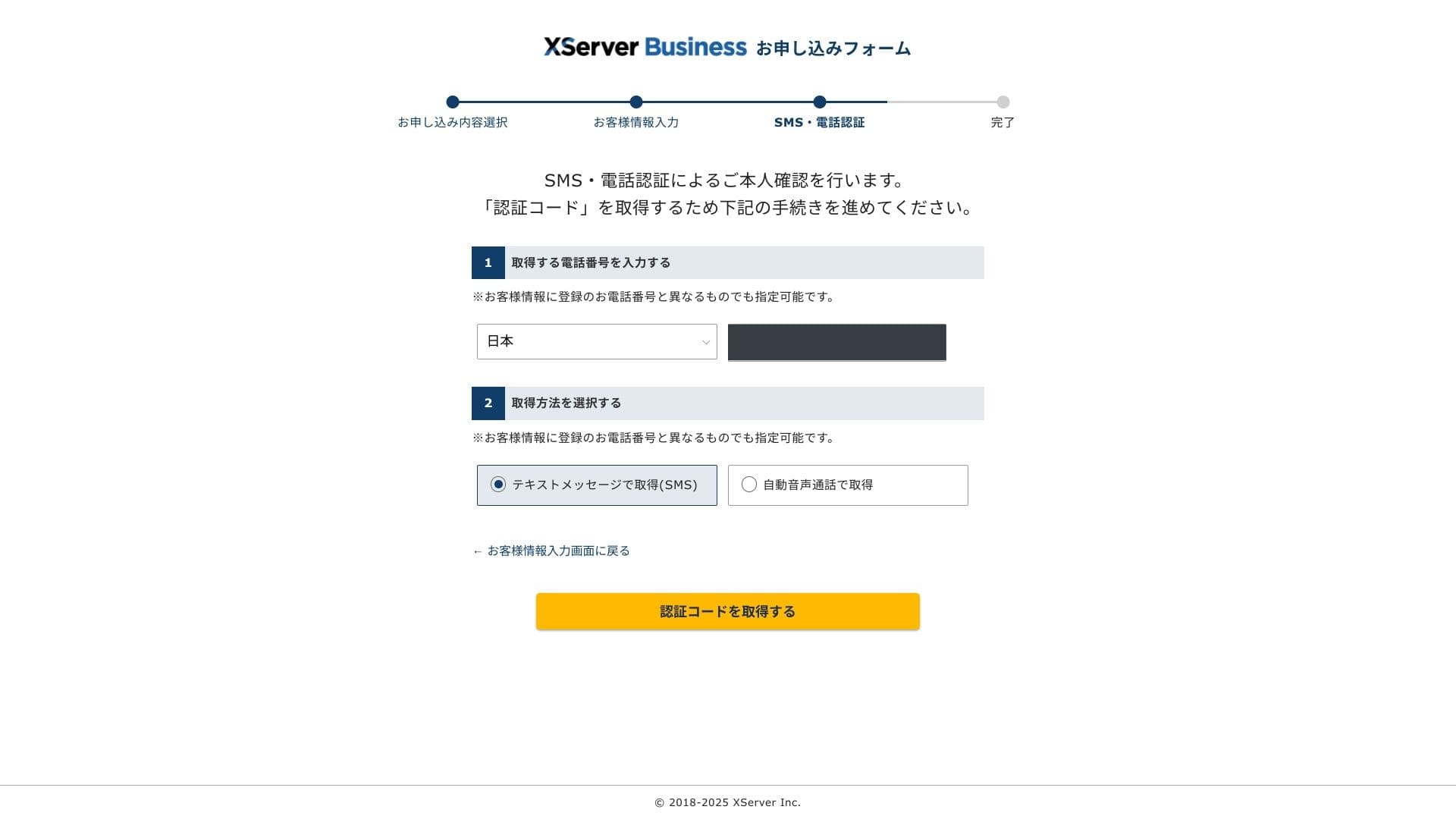
Когда появится сообщение "Your application has been completed", заявка завершена.
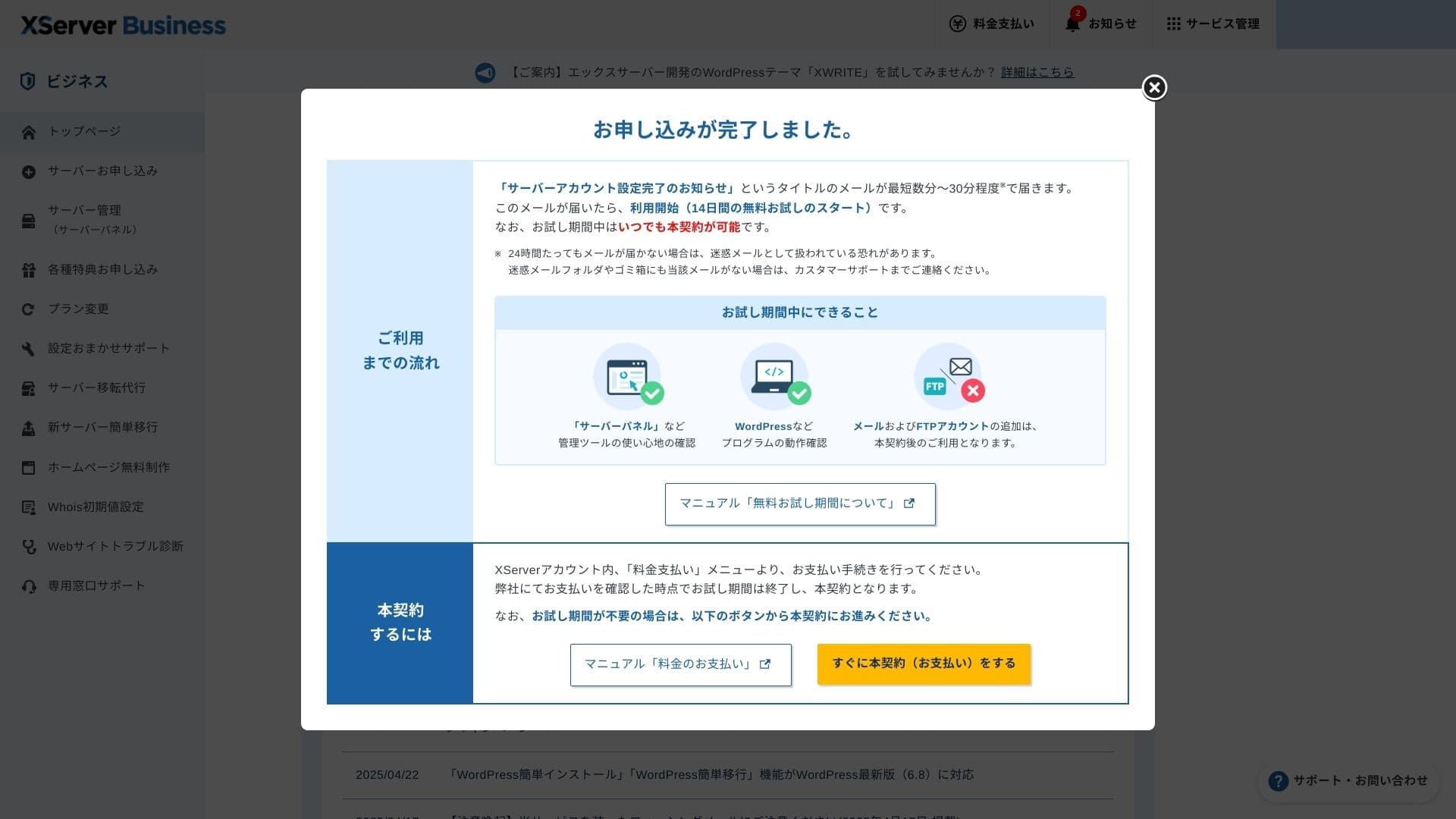
Когда появится этот экран, проведите оплату, нажав «Перейти к оформлению платного договора». Без оплаты договора вы не сможете воспользоваться преимуществами бесплатного домена на один год, а также использовать функции электронной почты.
- STEP.5Получите собственный домен и настройте его
Войдите в панель управления сервером из панели администратора Xserver Account. Получите домен в разделе «Домены». Воспользоваться бесплатным доменным именем на год — очень выгодное решение.
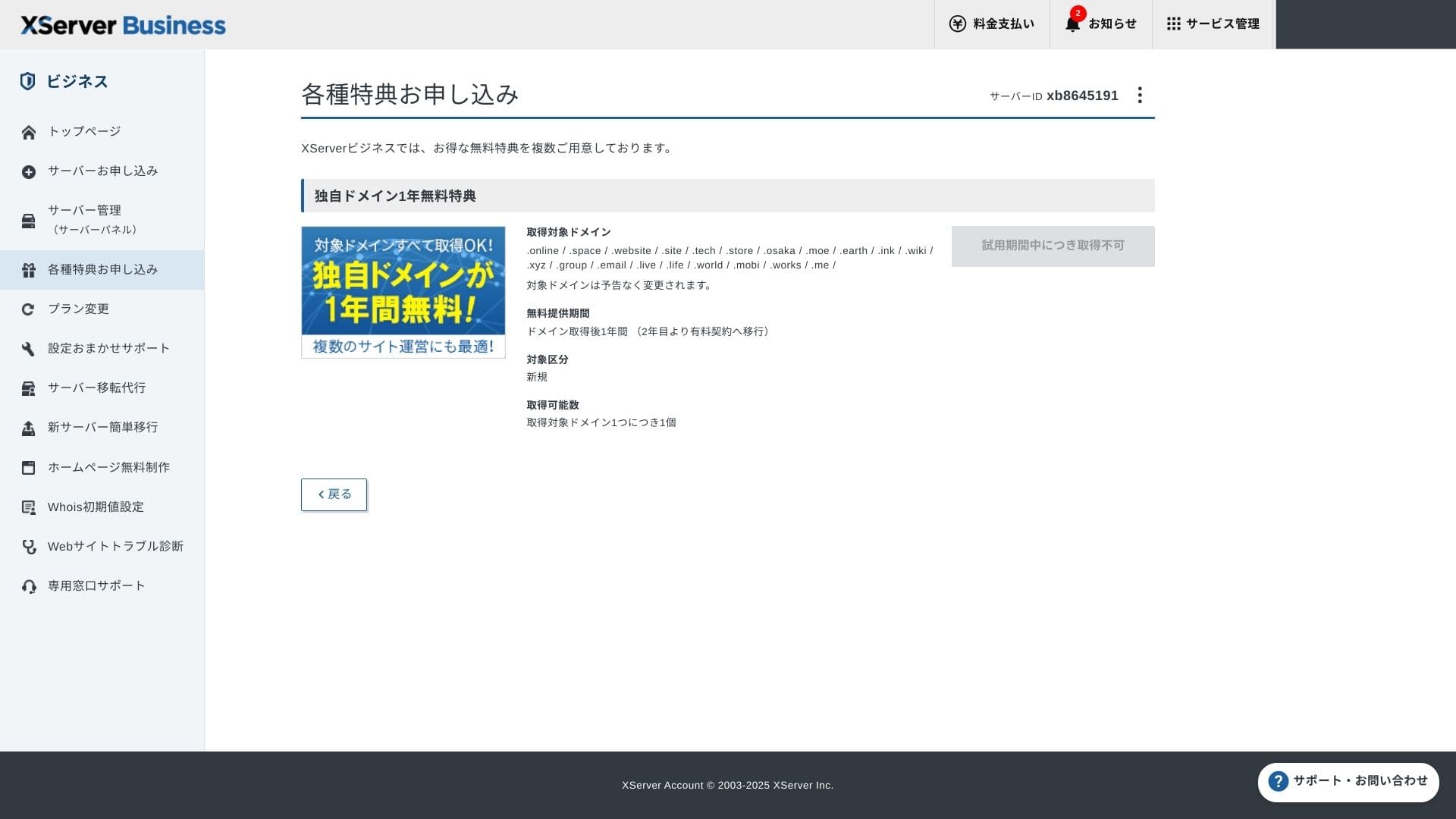
Получите собственный домен. В разделе панели администратора «Подать заявку на специальные предложения» выберите пункт «Постоянный бесплатный домен» и нажмите «Воспользоваться предложением».
Выберите категорию «Новая регистрация». Введите желаемое имя домена. К выбору домена стоит отнестись внимательно, так как имя веб-ресурса играет важную роль.
★ Что такое домен? Его роль в качестве адреса в Интернете и способы его получения
Найдите желаемое имя домена и выберите его. Нажмите «Подать заявку на получение выбранного домена». Проверьте сведения о заявке на экране подтверждения. Установите флажок согласия с Условиями использования и правилами обработки личной информации, затем нажмите «Отправить заявку».
Затем настройте домен. В административной панели перейдите в раздел «Управление сервером» (Server Management). Это откроет панель управления сервером. В разделе «Домены» нажмите «Настройки домена» (Domain Settings). Нажмите «Добавить настройки домена», введите приобретенный вами домен и нажмите «Перейти к проверке».
Проверьте данные на экране предварительного просмотра и нажмите «Добавить». Когда появится экран завершения работы, настройка домена будет закончена.
- STEP.6Установите WordPress и завершите начальную настройку
В разделе WordPress панели управления сервером выберите пункт «Простая установка WordPress» (Easy WordPress Installation).
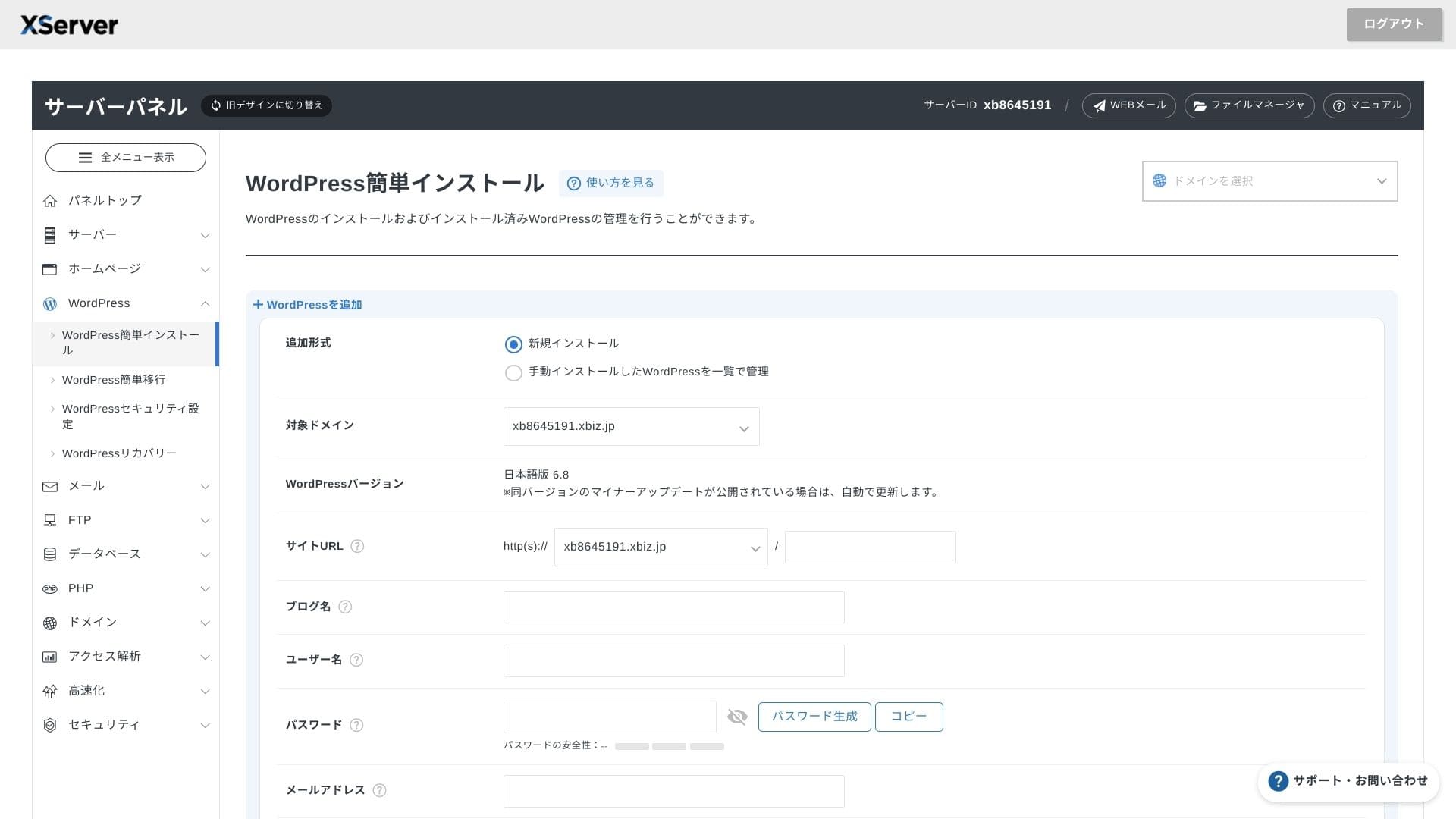
Нажмите «Установка WordPress» и введите параметры конфигурации для установки.
- URL сайта: выберите имя домена, которое вы приобрели ранее
- Название сайта: заголовок вашего веб-ресурса
- Username: Any username for WordPress журналin
- Password: A WordPress журналin password, preferably as complex as possible
- Электронная почта: укажите почтовый ящик, которым регулярно пользуетесь. Для коммерческого сайта рекомендуется рабочий e-mail
- База данных: создать базу данных автоматически
После ввода всей информации нажмите «Перейти к проверке» и выберите пункт «Установить». Когда появится экран завершения, установка будет завершена.
Затем перейдите к первоначальной настройке WordPress. Нажмите «URL панели управления» на экране завершения установки WordPress. В открывшемся окне входа введите записанные ранее имя пользователя и пароль и нажмите «Войти».
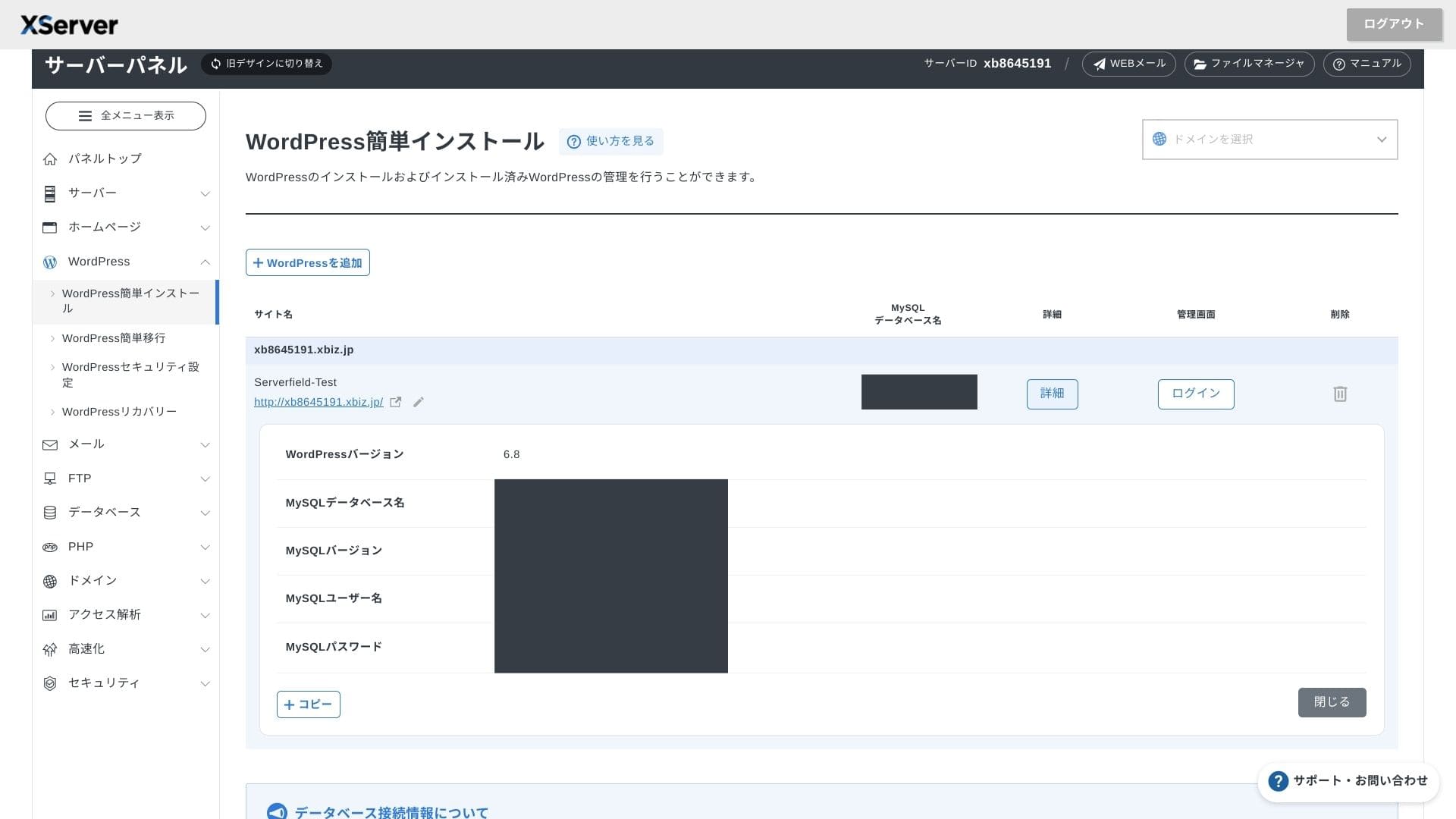
Если вы видите предупреждение о том, что защищенное соединение не поддерживается, настройки DNS еще не вступили в силу. В таком случае остается только ждать, пробуя войти снова каждый час или около того.
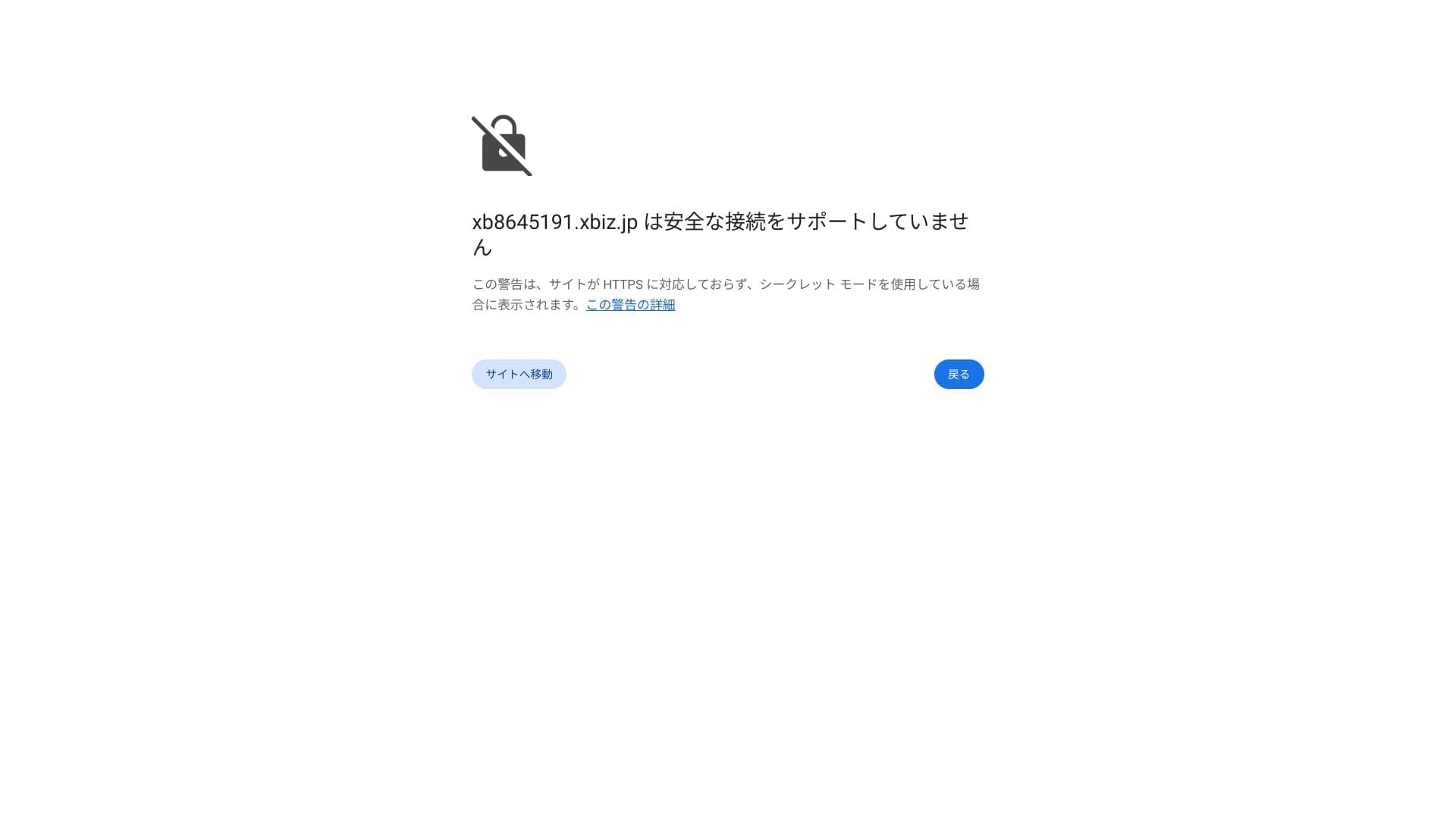
★ Что такое DNS и серверы имен? Как связать ваш домен и сервер
Настройте постоянные ссылки. В консоли WordPress перейдите в раздел «Настройки» -> «Постоянные ссылки». Выберите вариант «Название записи» и нажмите «Сохранить изменения».
При выборе варианта «Название записи» вы сможете вводить любую строку в URL каждой статьи. Рекомендую использовать короткие ссылки, которые позволяют читателю легко понять содержание статьи. Если URL слишком длинный, некоторые пользователи могут насторожиться, посчитав сайт небезопасным.
- STEP.7Установите плагины
Вернитесь в экран администрирования WordPress, откройте Plugins, затем Add New и установите нужные плагины.
Когда найдете нужный плагин через поиск, нажмите Install Now, затем Activate. После этого следуйте инструкциям для каждого плагина.
Обязательно установите плагины безопасности и резервного копирования.
- 5 плагинов для защиты WordPress и правила их выбора
- 5 powerful WordPress резервная копия plugins to recover your data
После установки плагинов ваш сайт на WordPress будет полностью готов к работе.
Запуск нескольких сайтов
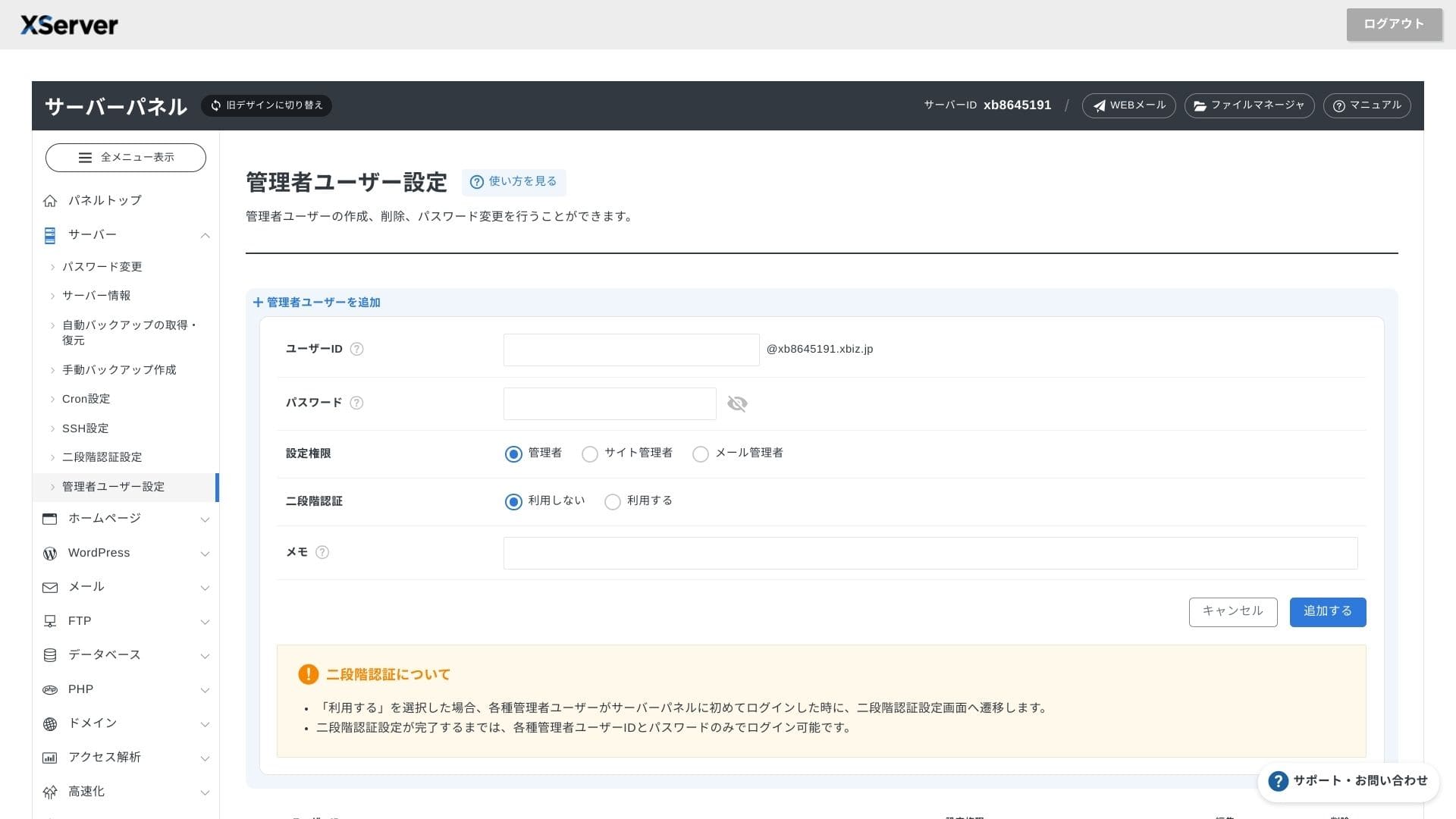
Поскольку количество дополнительных доменов, поддоменов и почтовых аккаунтов не ограничено, вы можете централизованно управлять корпоративным сайтом, страницами вакансий, целевыми страницами промоакций и другими ресурсами в рамках одного договора. Возможность разделения прав администратора по отделам также крайне удобна для корпоративного использования.
Перенос сайтов WordPress
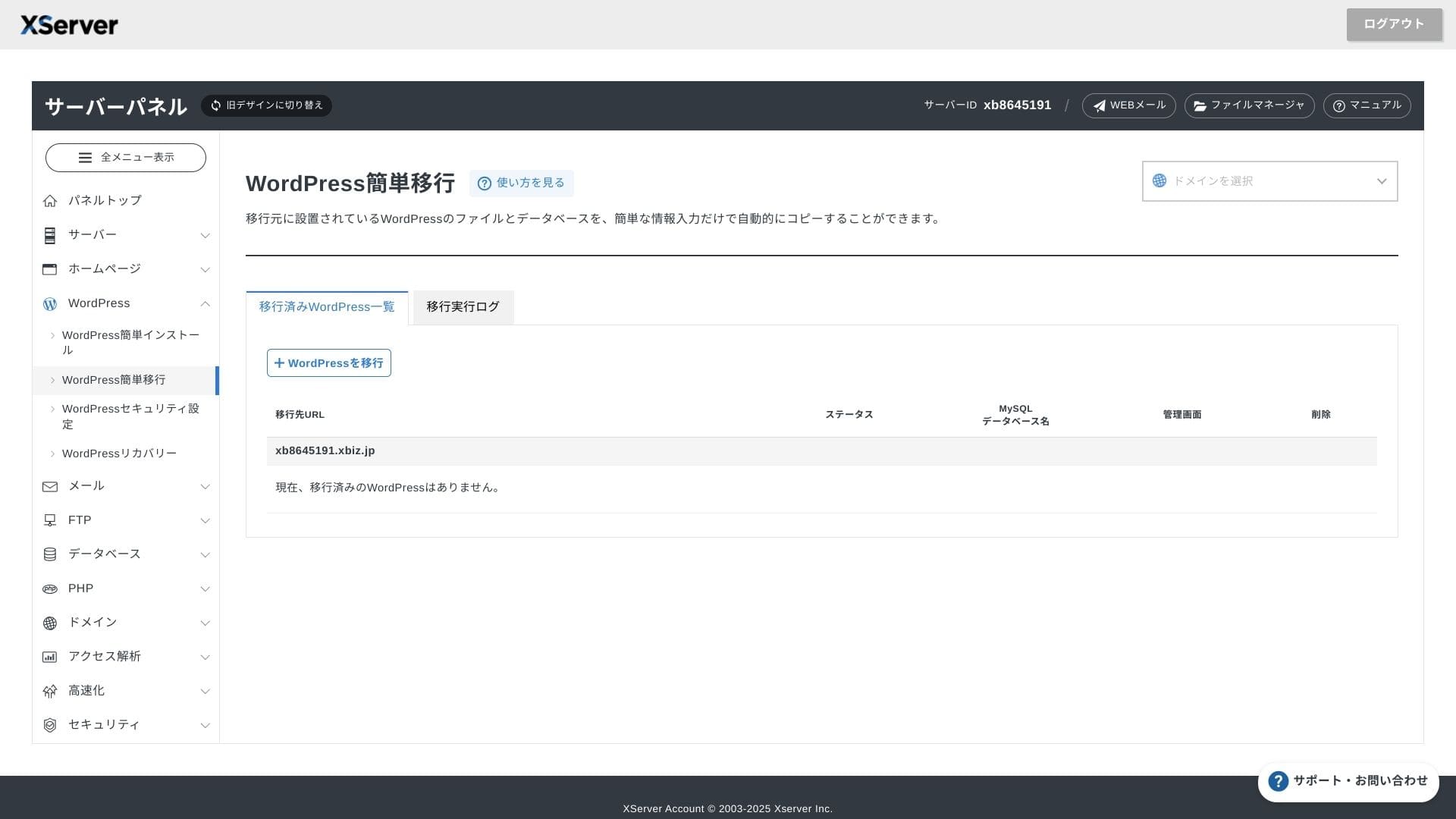
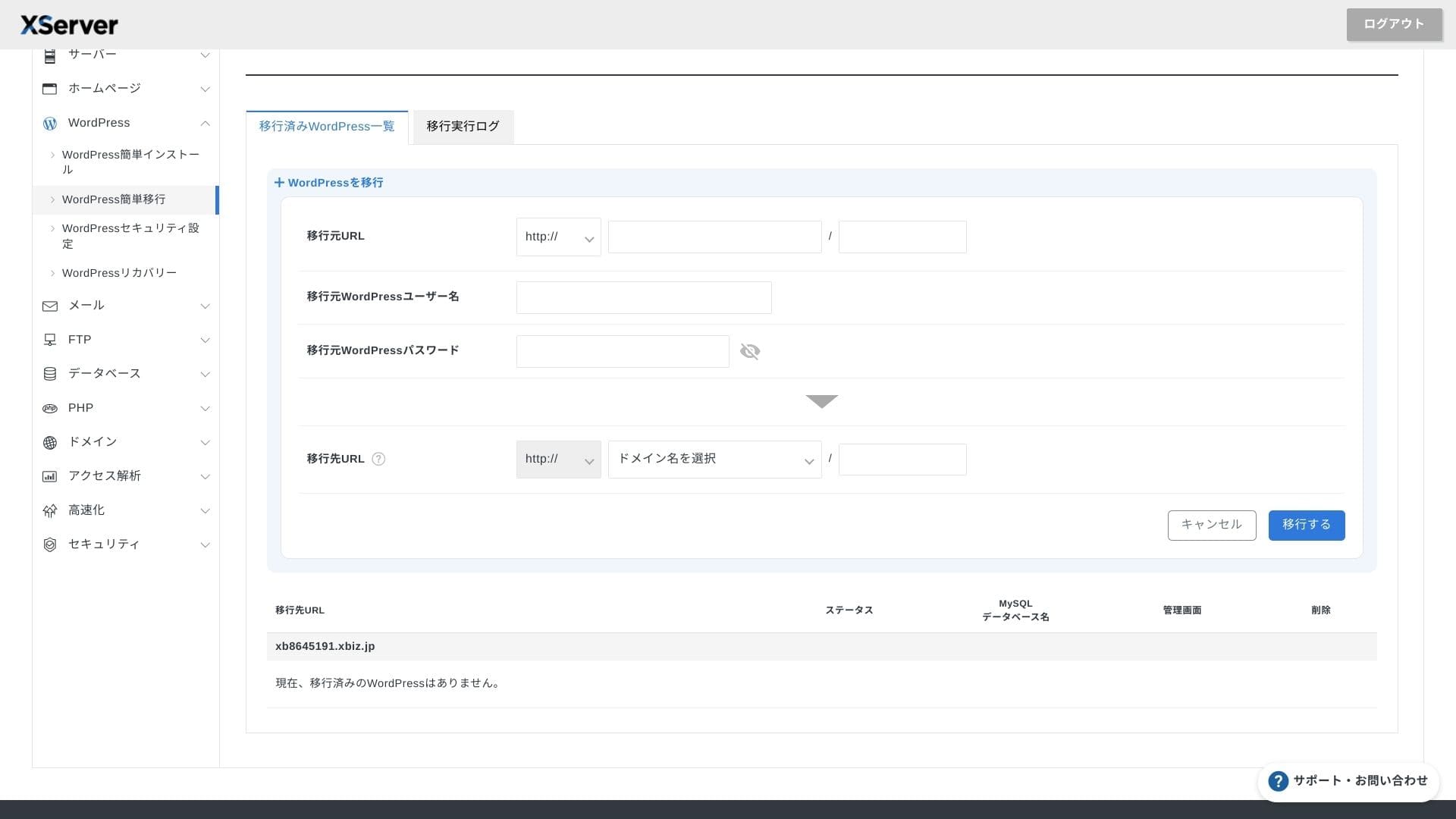
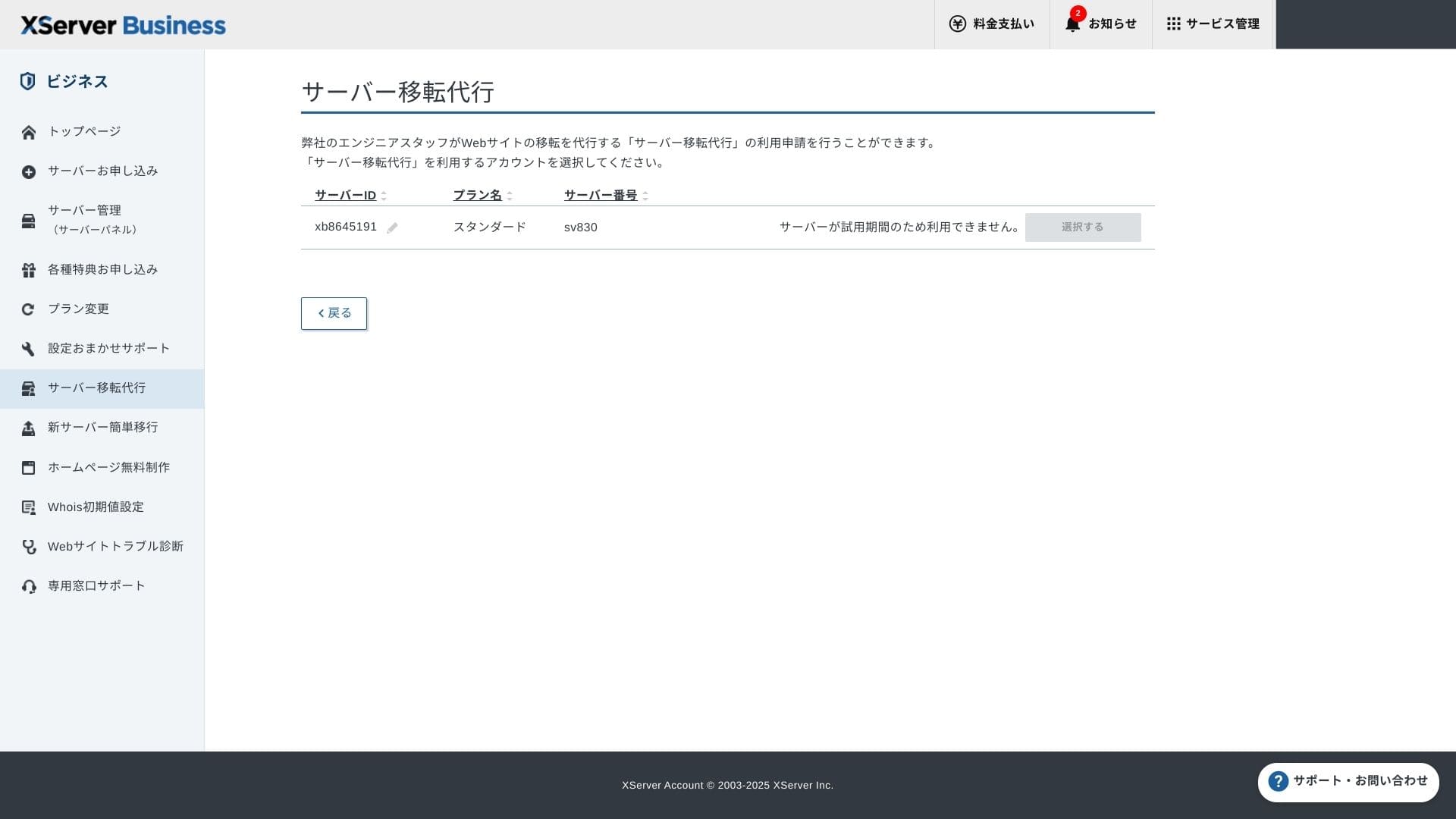
Вы можете воспользоваться как средством быстрого переноса WordPress (Easy WordPress Migration), которое скопирует ваш сайт после ввода адреса, ID и пароля от старого сервера, так и профессиональной услугой переноса силами инженеров компании (бесплатно в первый раз).
Hikaru Ono
Если вы хорошо ориентируетесь в настройках серверов и доменов, перенос сайта с помощью функции Easy WordPress Migration и самостоятельная настройка пройдут быстрее, так как вам не придется ждать своей очереди на перенос специалистами поддержки.
В частности, услуга профессионального переноса включает в себя также переключение DNS-записей, поэтому я особенно рекомендую ее компаниям, которые уже имеют трафик на сайте и хотят полностью исключить ошибки в настройке DNS при смене сервера.
Обзор производительности и характеристик
Обзор производительности по нашим измерениям
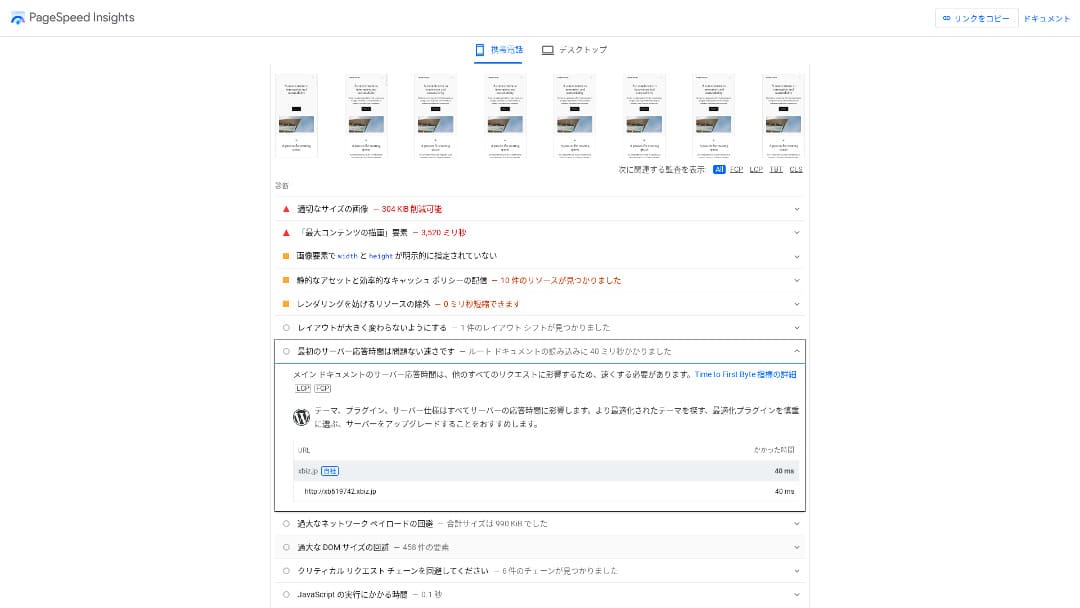
XServer Businessобеспечил работу сайта на WordPress с показателем TTFB (время до начала загрузки первого байта, то есть скорость отклика до момента отображения содержимого) всего в 40 мс.
Это намного быстрее времени отклика сервера в 200 мс, которого ожидает Google, поэтому данное решение отлично подходит для высоконагруженных корпоративных ресурсов и бизнес-сайтов.
You should reduce your сервер response time under 200ms.
Улучшить Сервер Response Time
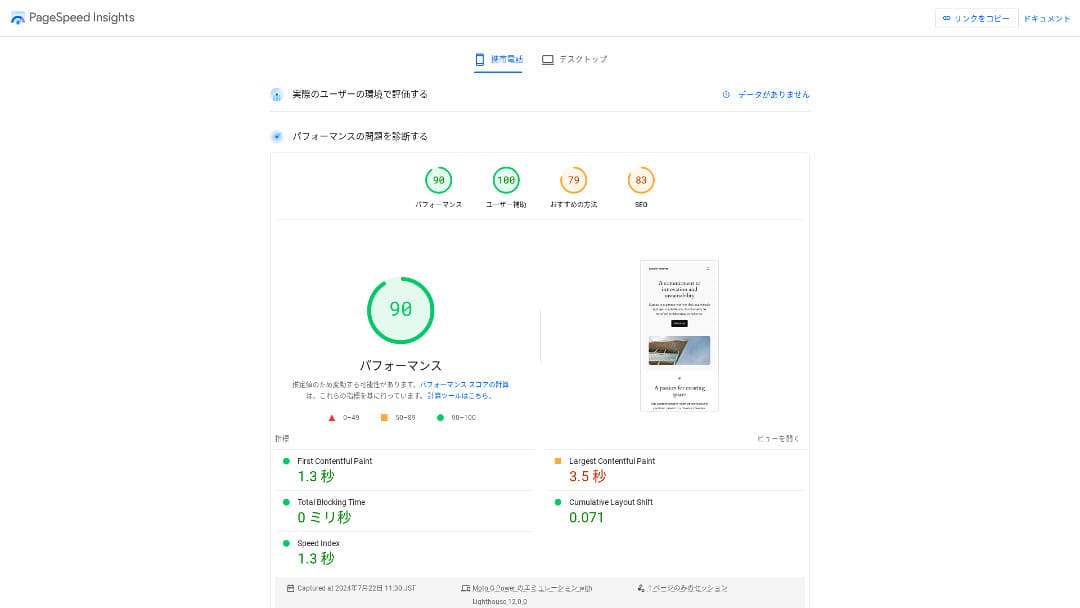
Он занял второе место по скорости среди 18 протестированных нами серверов. (Первым был Kinsta.)
Hikaru Ono
Это самый быстрый сервер внутри страны. Для корпоративных ресурсов и интернет-магазинов, где даже 0,1 секунды задержки влияет на посещаемость и продажи, такая скорость является ключевым преимуществом.
Используется внутренняя магистраль с прямым подключением на 10 Гбит/с и хранилище NVMe RAID10. Согласно официальному тесту производительности, оно до 17 раз быстрее обычного SSD-хранилища.
Емкость диска
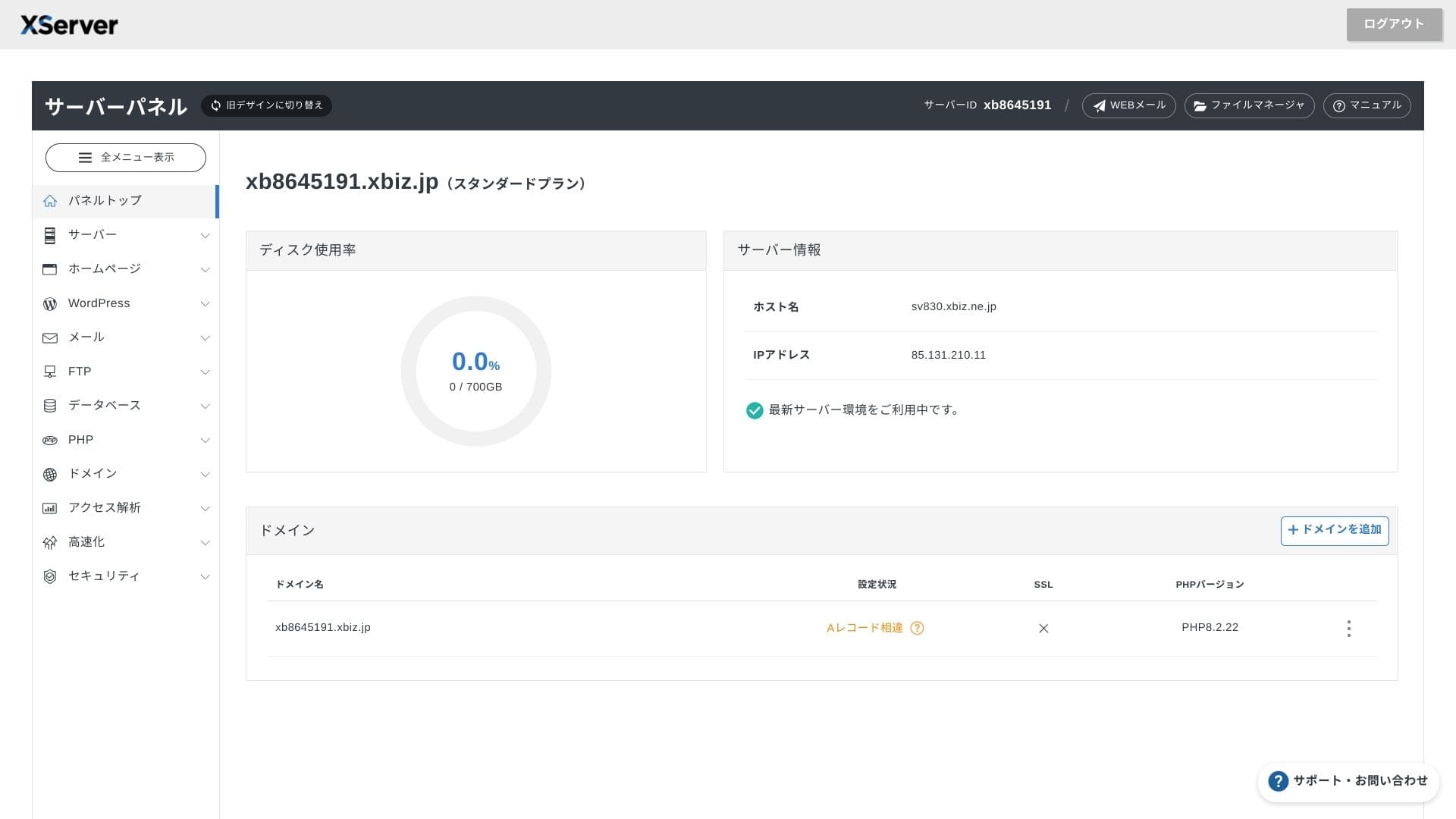
Осенью 2024 года объем ресурсов на трех тарифах виртуального хостинга был увеличен до 700 ГБ / 800 ГБ / 900 ГБ (все на NVMe). Даже если вы создадите множество целевых страниц с обилием фото и видео, у вас останется значительный запас ресурсов.
В сферах финансов и здравоохранения переписка по электронной почте часто подлежит обязательному архивированию на срок от семи лет для аудиторских проверок, а отделы продаж регулярно отправляют тяжелые вложения. Благодаря внушительному объему почтового ящика вы сможете безопасно хранить корреспонденцию, не удаляя старые письма.
Вы также можете организовать собственное облачное хранилище, например на базе WebDAV или Nextcloud, и безопасно работать с внутренними документами через VPN-соединение.
Hikaru Ono
XServer Businessспособно само по себе снизить нагрузку на команду администрирования, сохраняя при этом достаточный запас ресурсов для будущего роста бизнеса.
Объем трафика
XServer Businessможно использовать без ограничений передачи данных в рамках обычного использования. В официальной документации ясно указано, что плата за объем передачи данных не взимается.
★ Что такое трафик и объем передачи данных? Управление и оптимизация веб-трафика
Стабильность сервера и аптайм
Даже на тарихах виртуального хостинга действует ежемесячное соглашение об уровне обслуживания (SLA) 99,99%, что гарантирует возврат средств при несоблюдении показателей доступности. Высокая стабильность в сочетании со стандартами SLA — это именно то, что необходимо современному бизнесу.
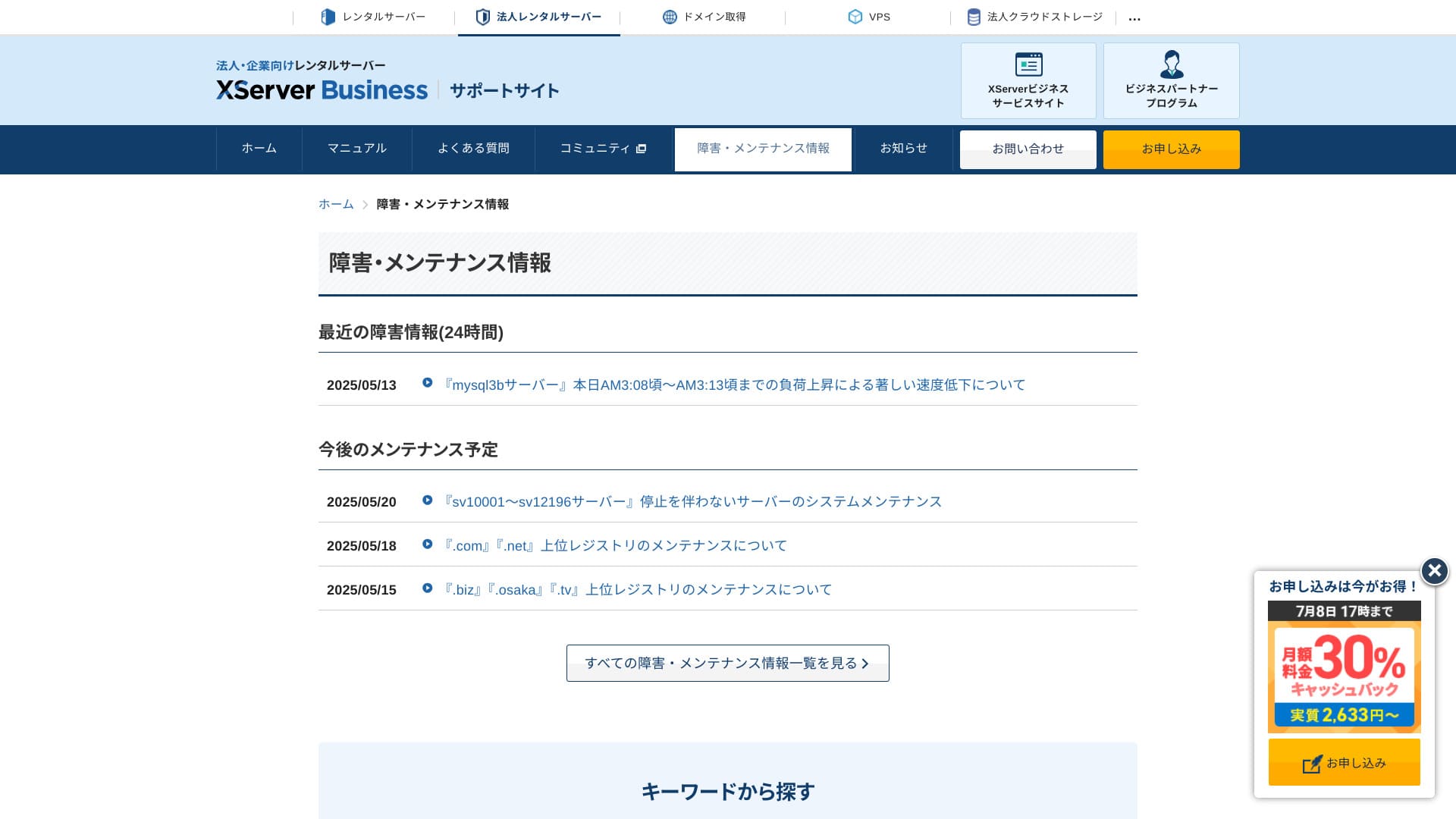
Поскольку сведения о сбоях и регламентных работах открыто публикуются на официальном сайте, любой пользователь может ознакомиться с ними в любое время.
Hikaru Ono
A компания that shares this information openly instead of hiding it is easier to trust.
Цены и стоимость
Первоначальный взнос и ежемесячная стоимость
XServer Businessза тариф Standard просит 4180 иен в месяц при оплате на 12 месяцев. С учетом акции с кэшбэком 30% (действует до 8 июля) фактическая стоимость составляет 2926 иен. С учетом того, что в пакет входят поддержка по телефону, чат и администрирование, я нахожу эту цену вполне разумной.
- XServer Business
- Kinsta
- wpx
- Lolipop!
- Star Server
- Rakko Server
- XServer
- ConoHa
- ColorfulBox
- Shin Rental Server
- Little Server
- CORESERVER
- DreamHost
- Bluehost
- Sakura
- Namecheap
- Shin Free Server
- XREA
- Value Server
- Hostinger
- KAGOYA
- SiteGround
- HostGator
- IONOS
- Onamae.com
- ABLENET
- mixhost
- GoDaddy
- iCLUSTA+
- MuuMuu Server
- WADAX
- WebARENA
- Heteml
- CPI Rental Server


































Стоимость доменов
XServer Businessвключает один бесплатный домен (например, .com или .net), а также второй домен (на выбор: .blog, .online или .site), который также предоставляется бесплатно навсегда. Данная привилегия распространяется на новую регистрацию домена, его перенос от другого регистратора, привязку уже купленного адреса или изменение домена, участвующего в акции.
Hikaru Ono
Because these домены are meant for long-term бизнес use, this бесплатный benefit is not something to overlook.
- XServer Domain
- Onamae.com
- MuuMuu Domain
- Value Domain
- Shin Domain
- Star Domain
- Colorful Domain
- Rakko Domain








Стоимость SSL-сертификата
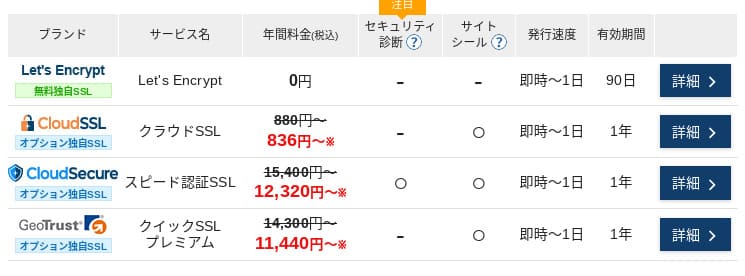
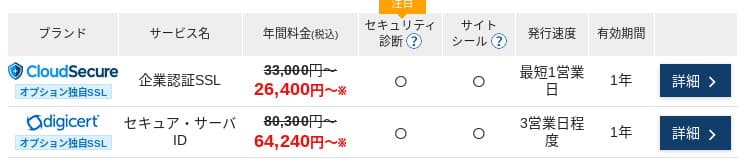
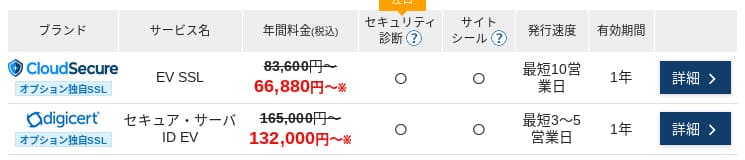
С Let's Encrypt сертификат SSL с проверкой домена (DV) предоставляется бесплатно. Платные DV-сертификаты стоят от 836 иен в год, сертификаты с проверкой организации (OV) — от 26 400 иен в год, а сертификаты с расширенной проверкой (EV) — от 66 000 иен в год. Любой из них можно заказать непосредственно через панель управления.
Цены могут меняться в зависимости от действующих промоакций.
Способы оплаты
XServer Businessподдерживает оплату банковскими картами, банковскими переводами, через Pay-easy, в магазинах у дома, а также по счету. Сервис позволяет выставлять коммерческие предложения и счета в формате PDF, что облегчает работу компаниям, которым требуется внутреннее согласование расходов.
Hikaru Ono
Because many domestic хостинг сервисы do not поддержка invoice платежи, this is one of XServer Business's strengths.
- XServer Business
- Kinsta
- wpx
- Lolipop!
- Star Server
- Rakko Server
- XServer
- ConoHa
- ColorfulBox
- Shin Rental Server
- Little Server
- CORESERVER
- DreamHost
- Bluehost
- Sakura
- Namecheap
- Shin Free Server
- XREA
- Value Server
- Hostinger
- KAGOYA
- SiteGround
- HostGator
- IONOS
- Onamae.com
- ABLENET
- mixhost
- GoDaddy
- iCLUSTA+
- MuuMuu Server
- WADAX
- WebARENA
- Heteml
- CPI Rental Server


































Удобство использования и поддержка
Удобство панели управления
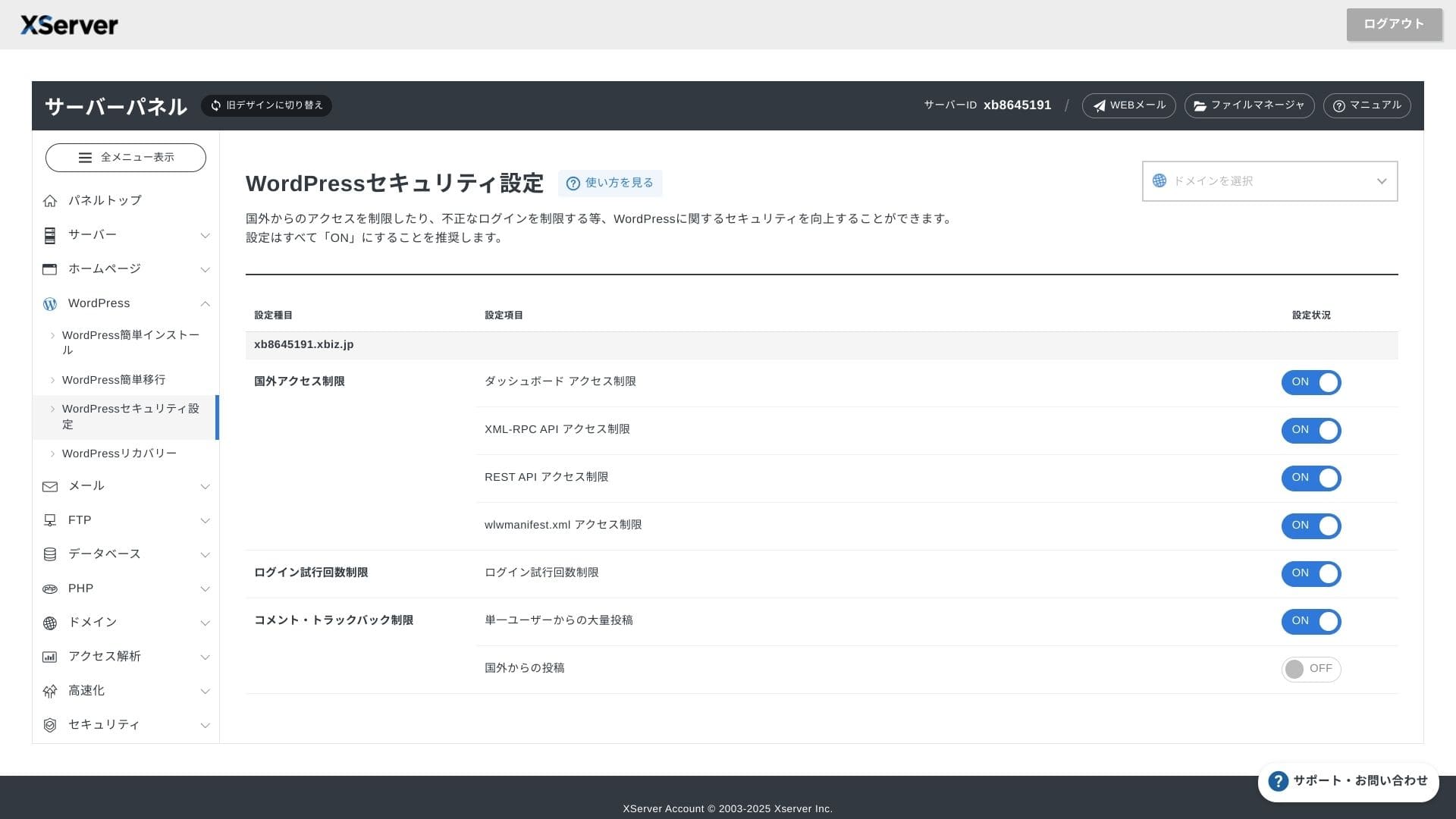
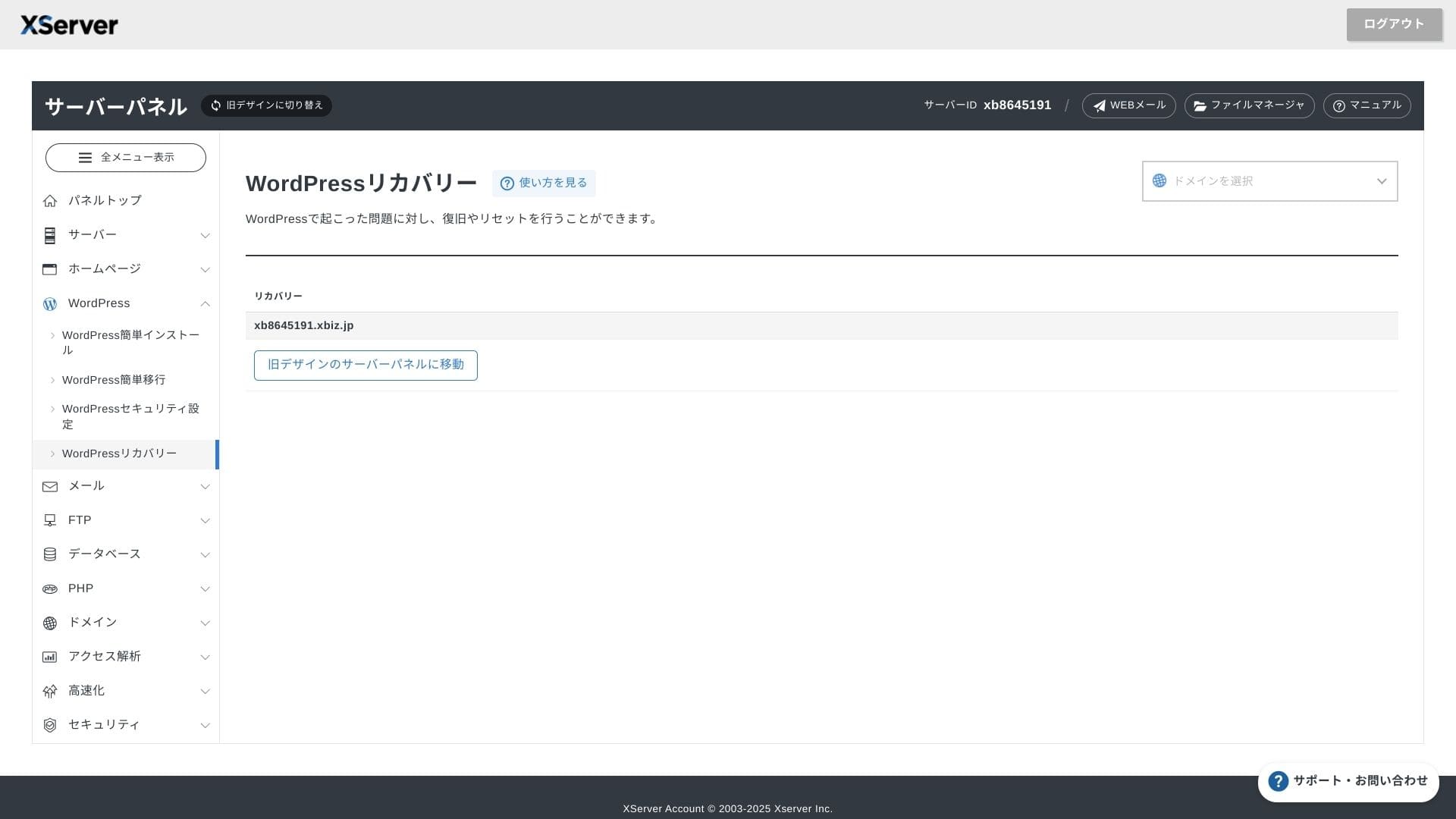
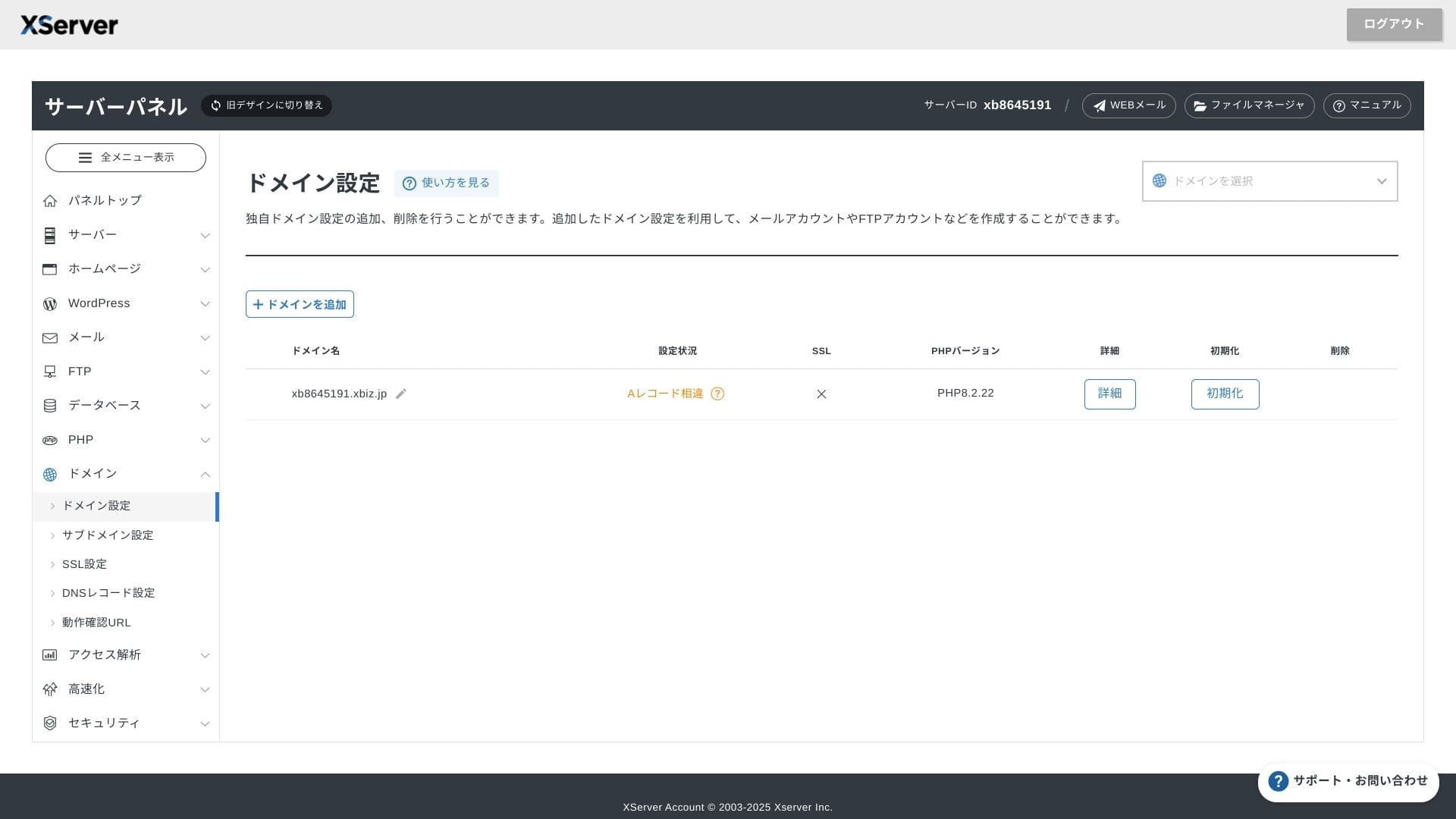
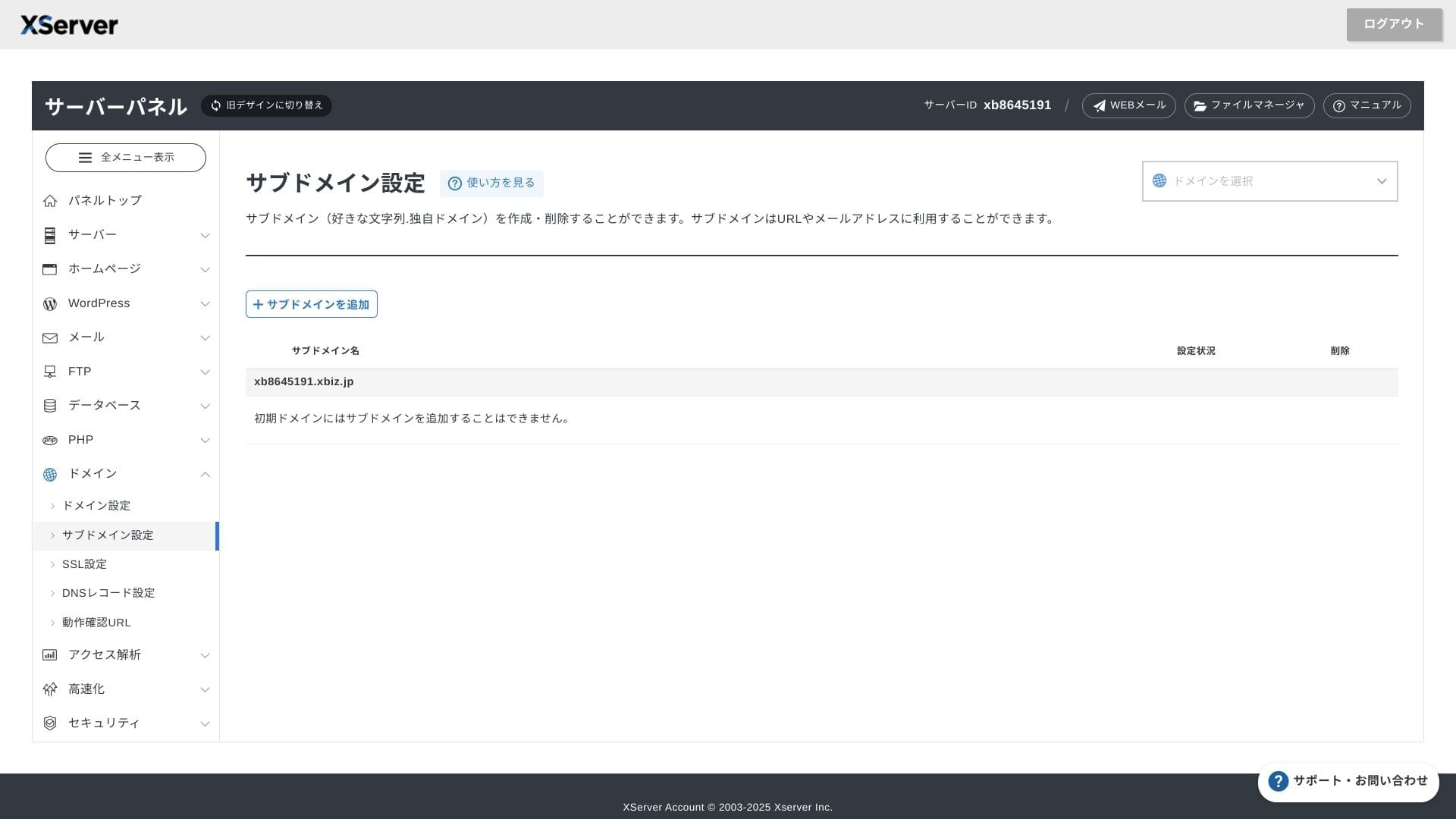
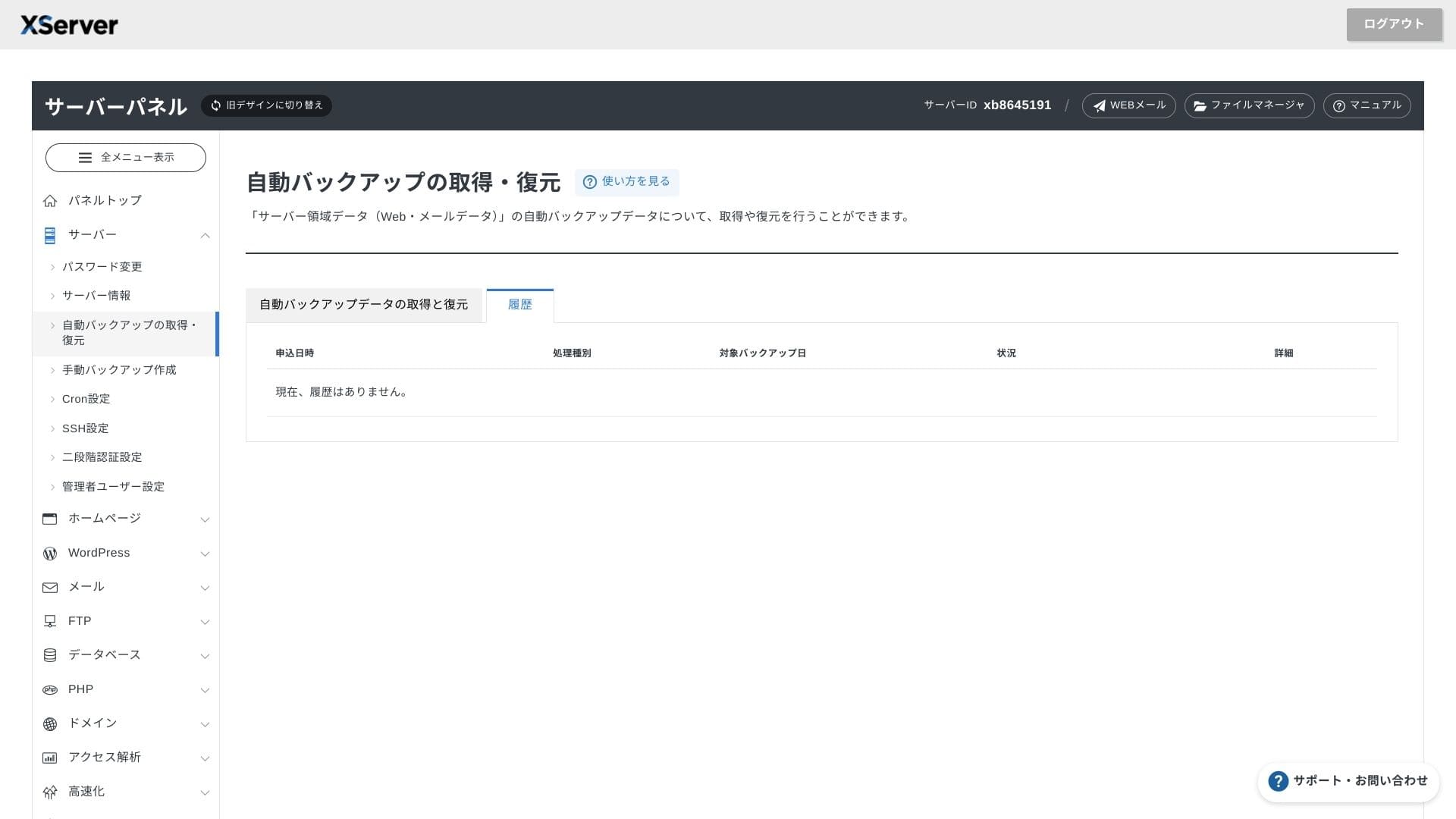
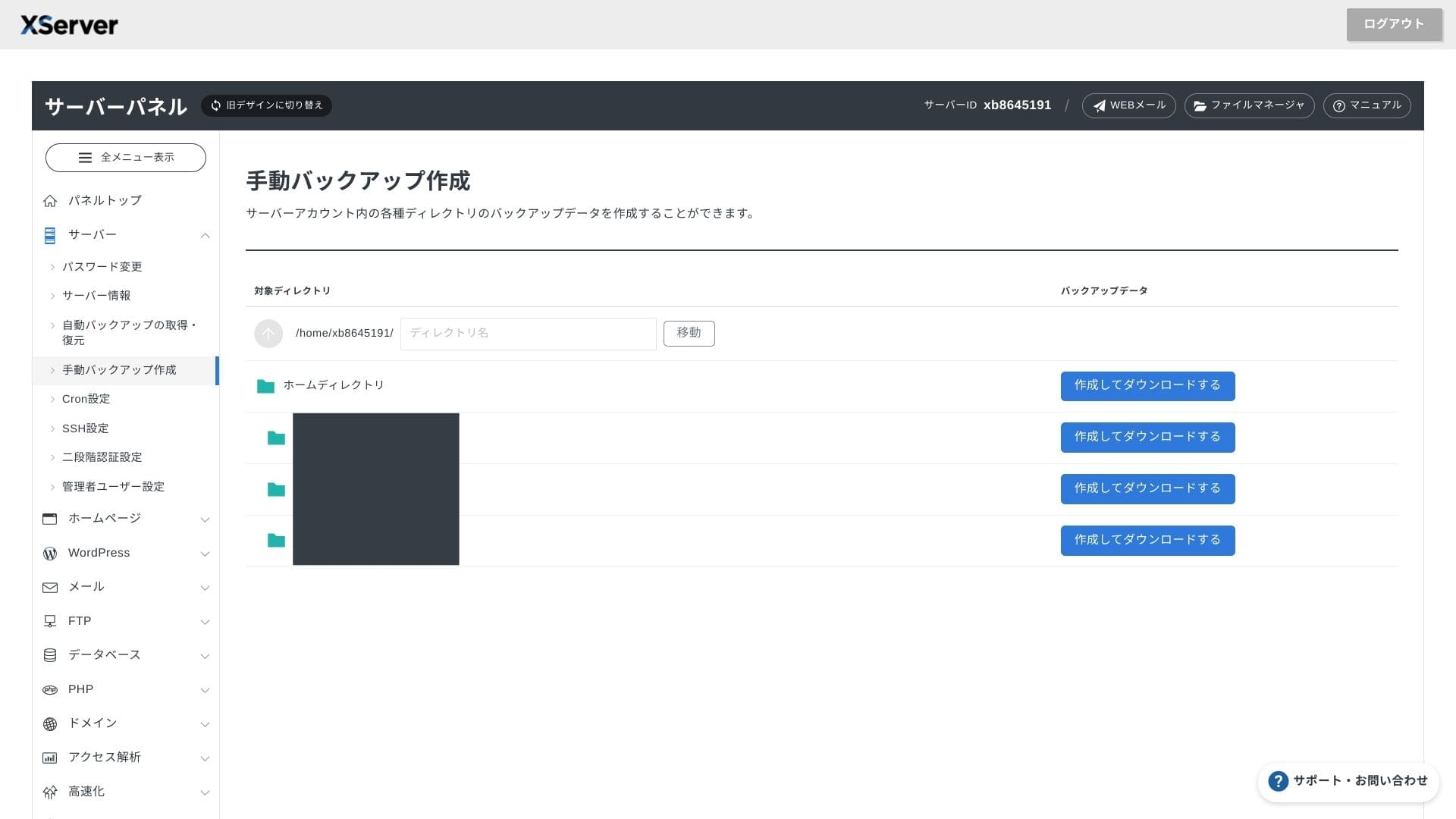
XServer Businessиспользует собственный интерфейс, поэтому работа с файлами, настройки SSL и параметры почты выполняются в один клик. Поскольку в официальной документации четко указано, что настройка завершается в течение 24 часов, вы можете легко планировать график запуска сайта.
Hikaru Ono
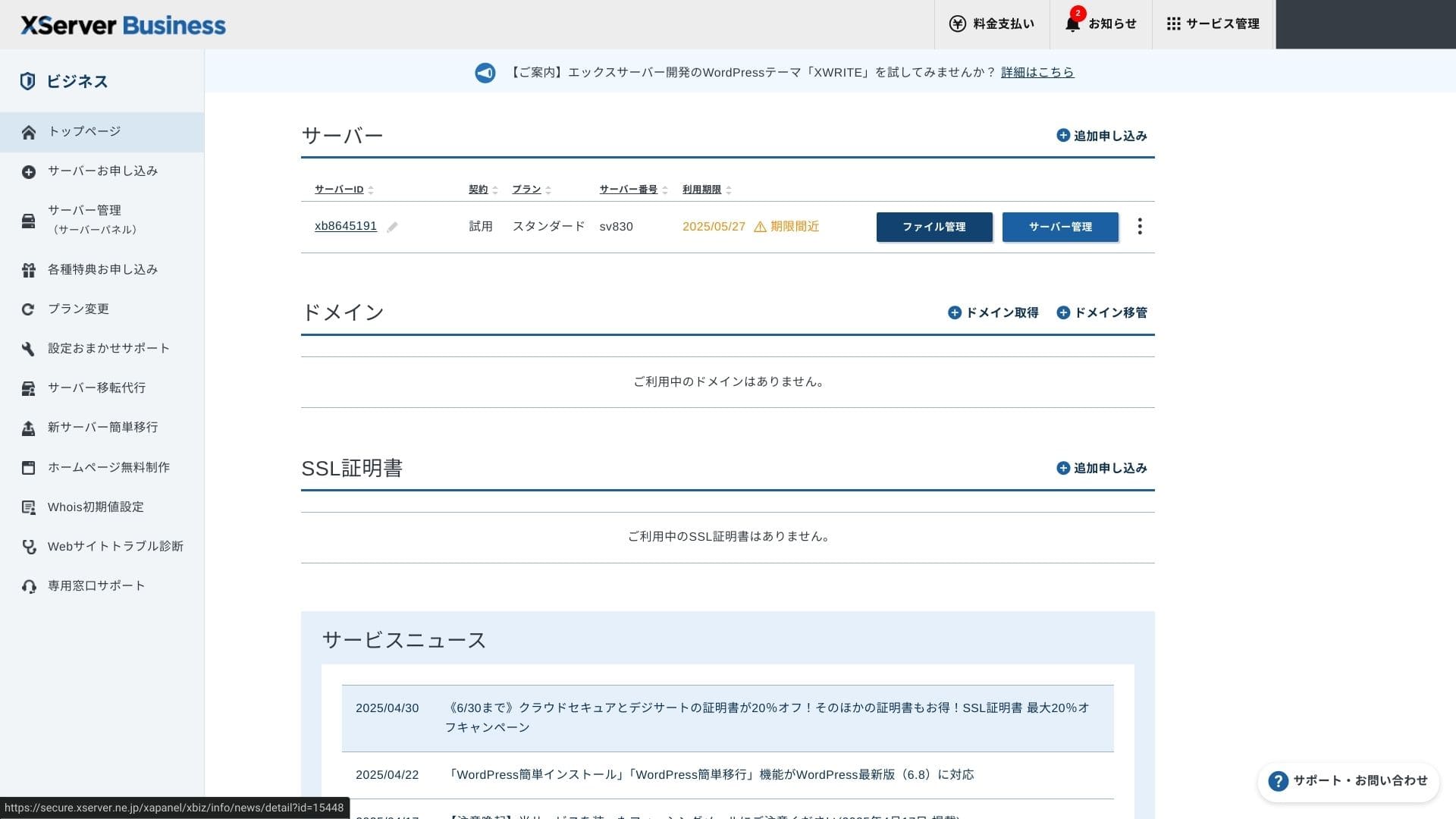
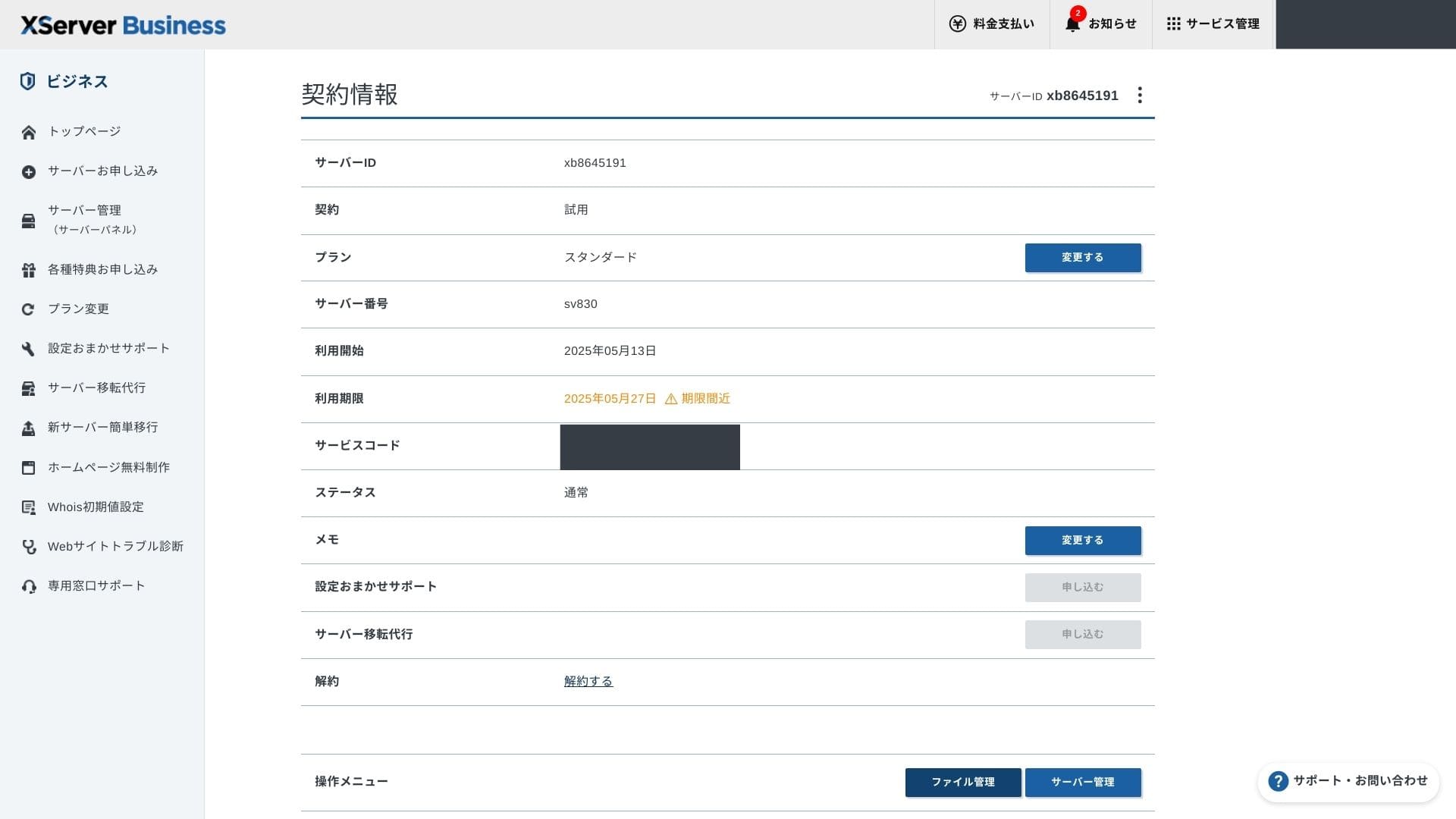
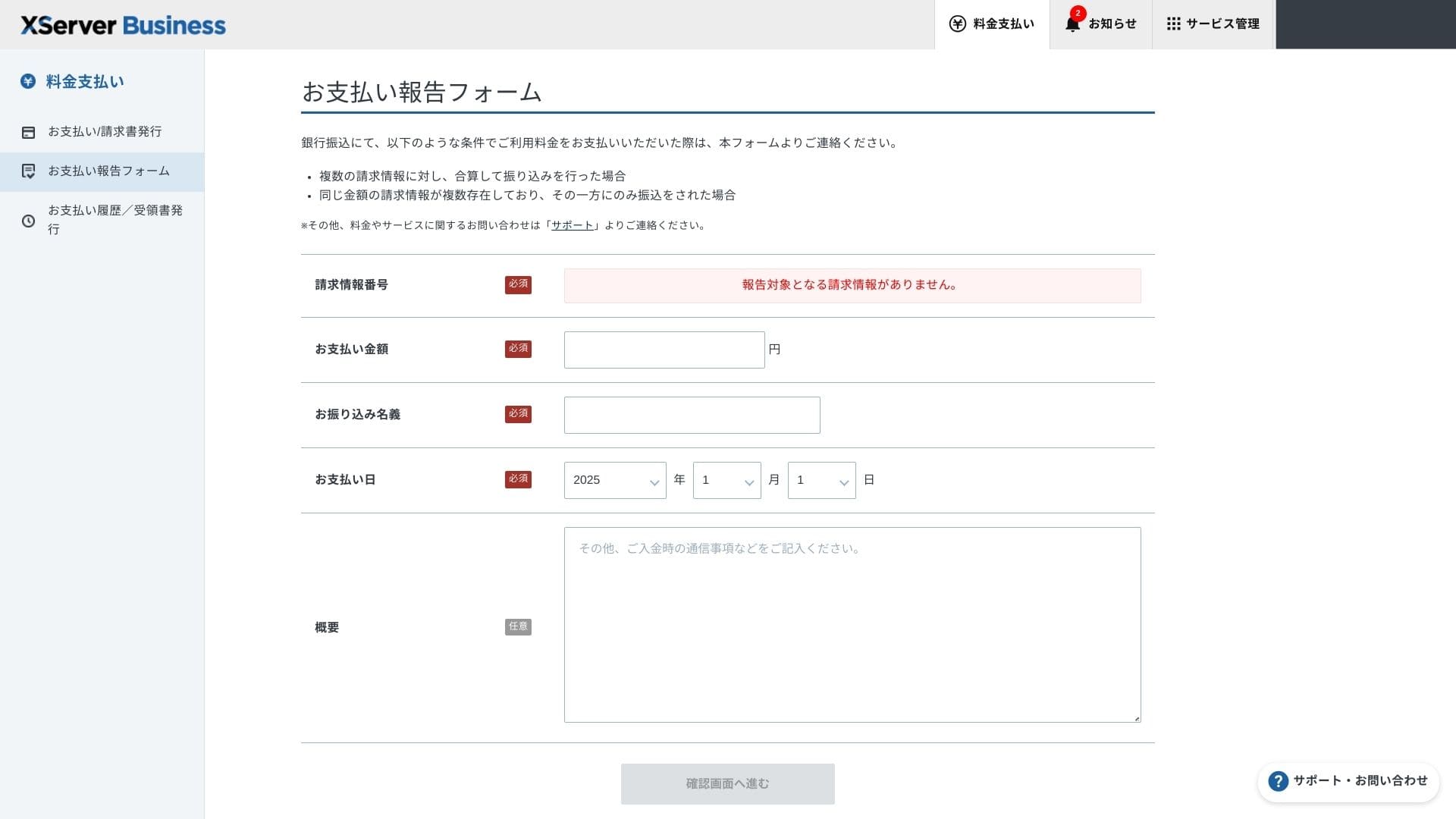
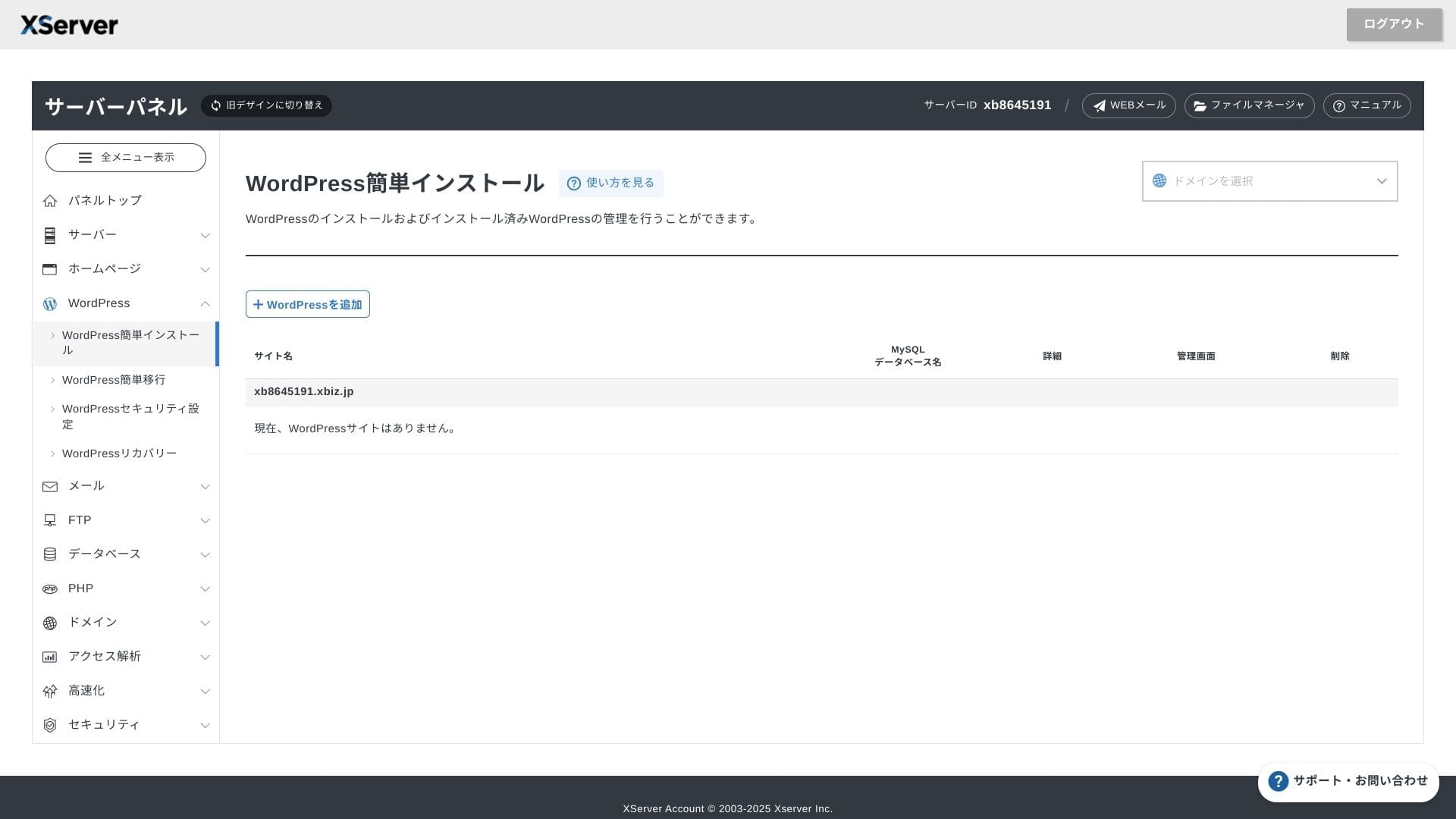
Интерфейс панели управления сервером был обновлен, и теперь пользоваться им стало еще удобнее.
- Главная screen
- Billing
- WordPress
- Домен
- Резервная копия
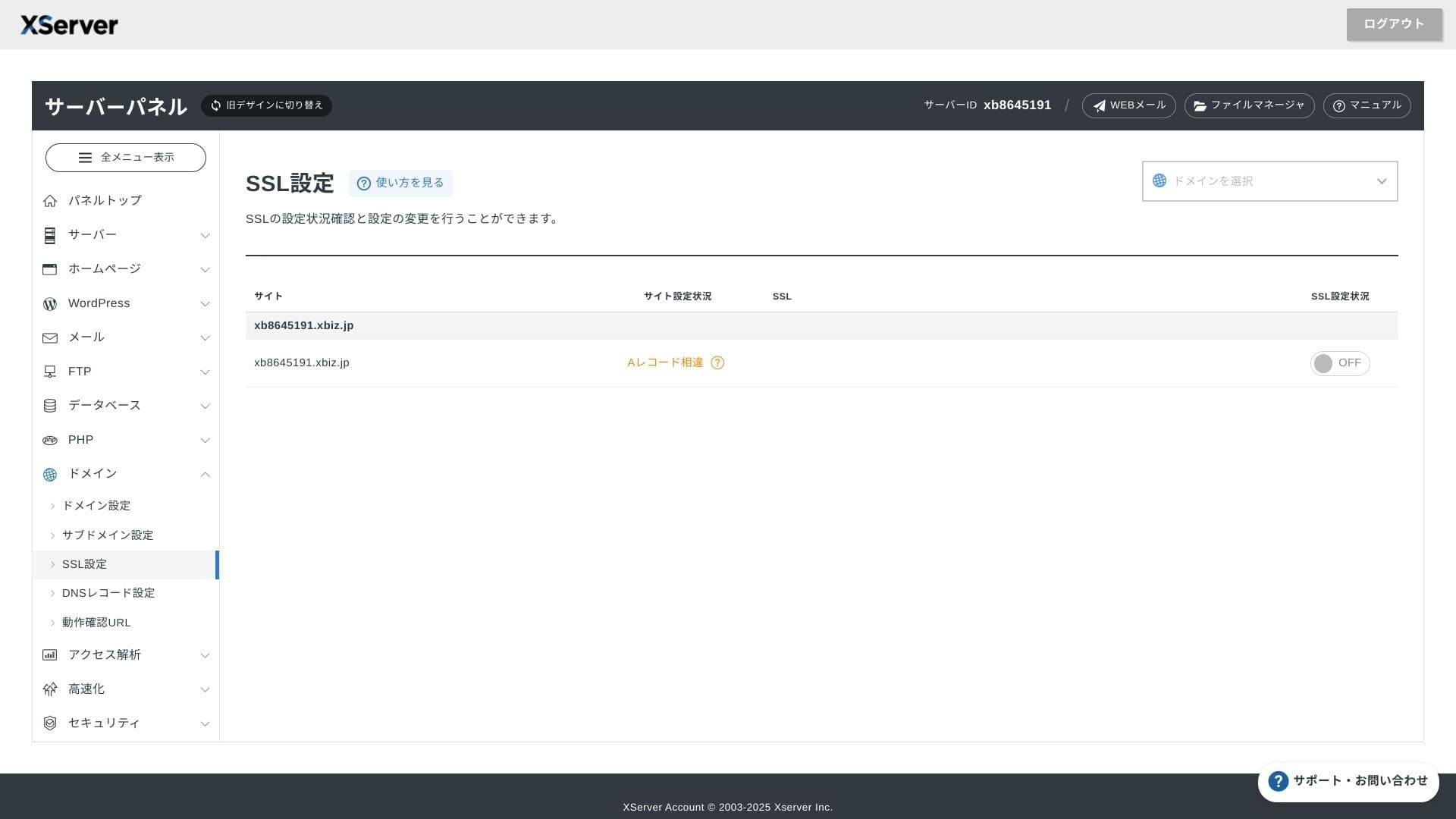
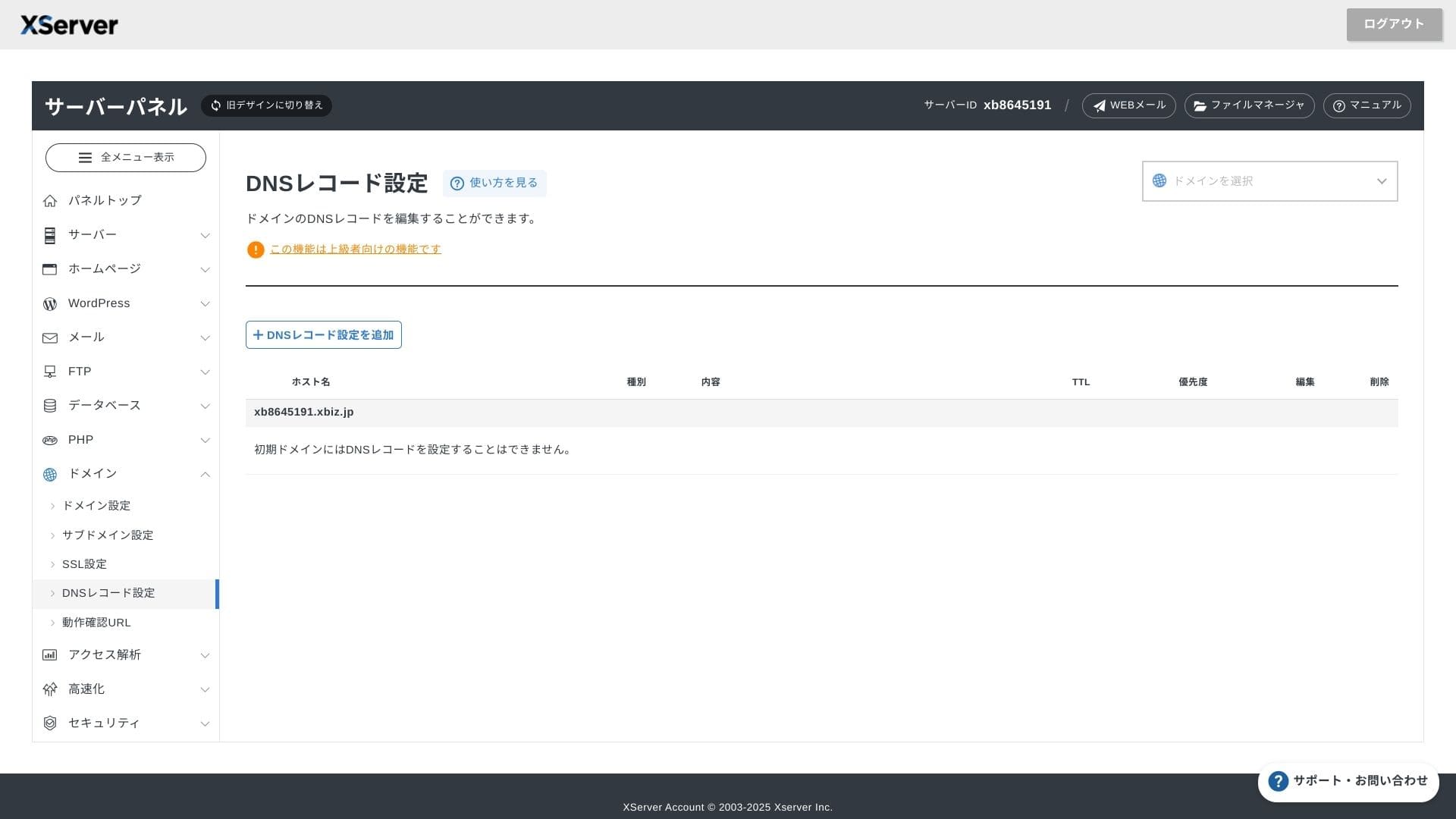
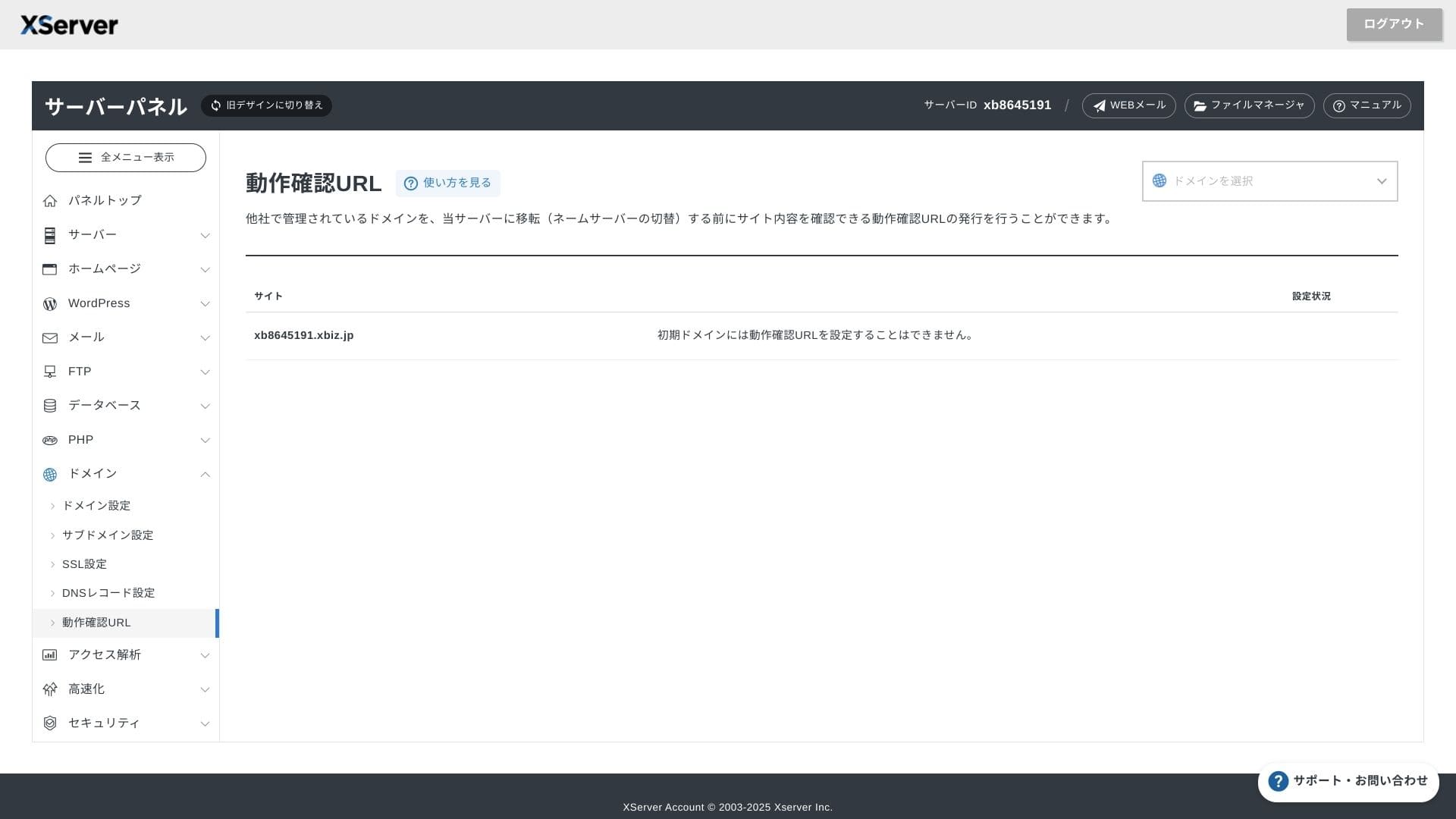
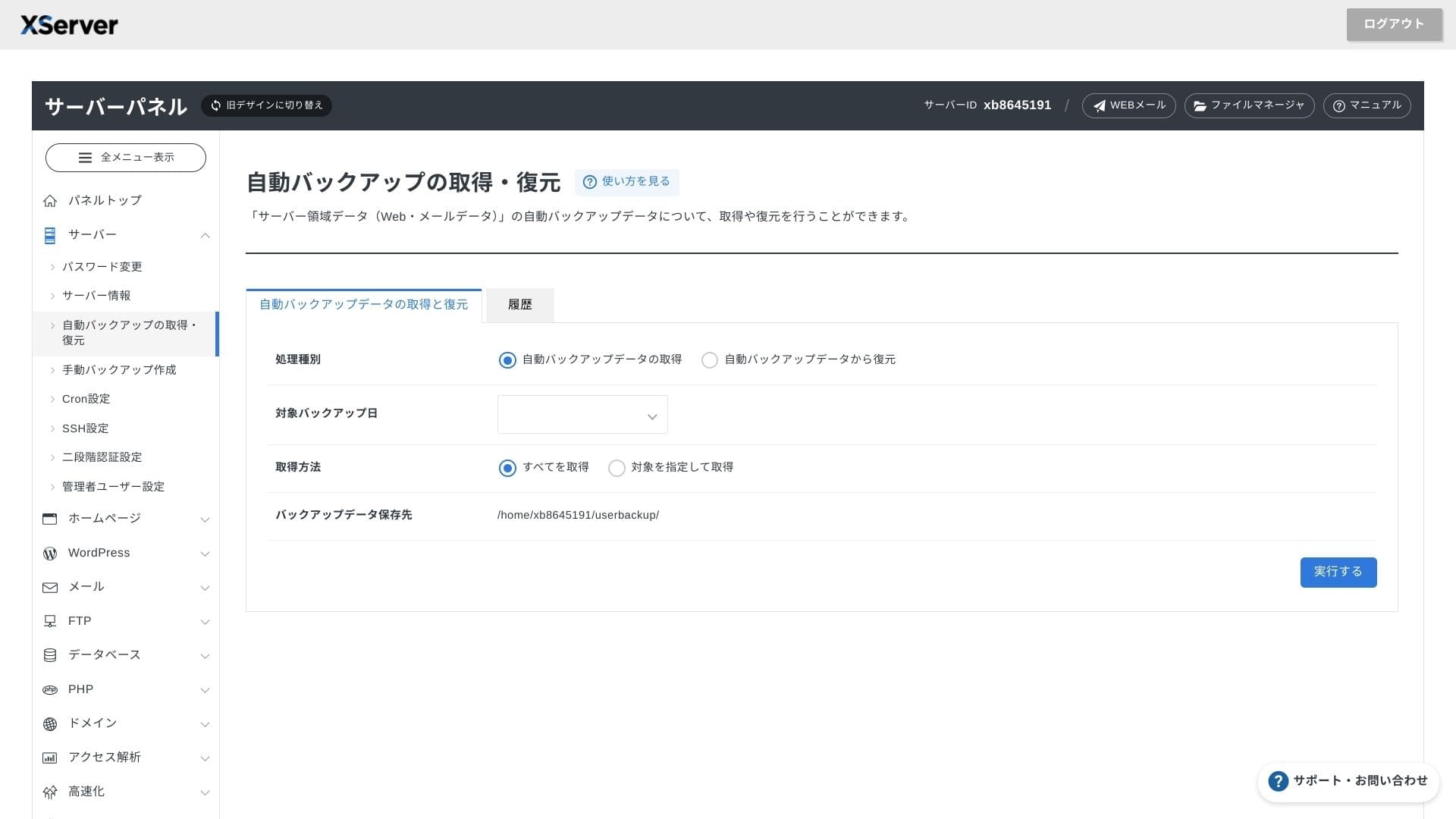
Система поддержки
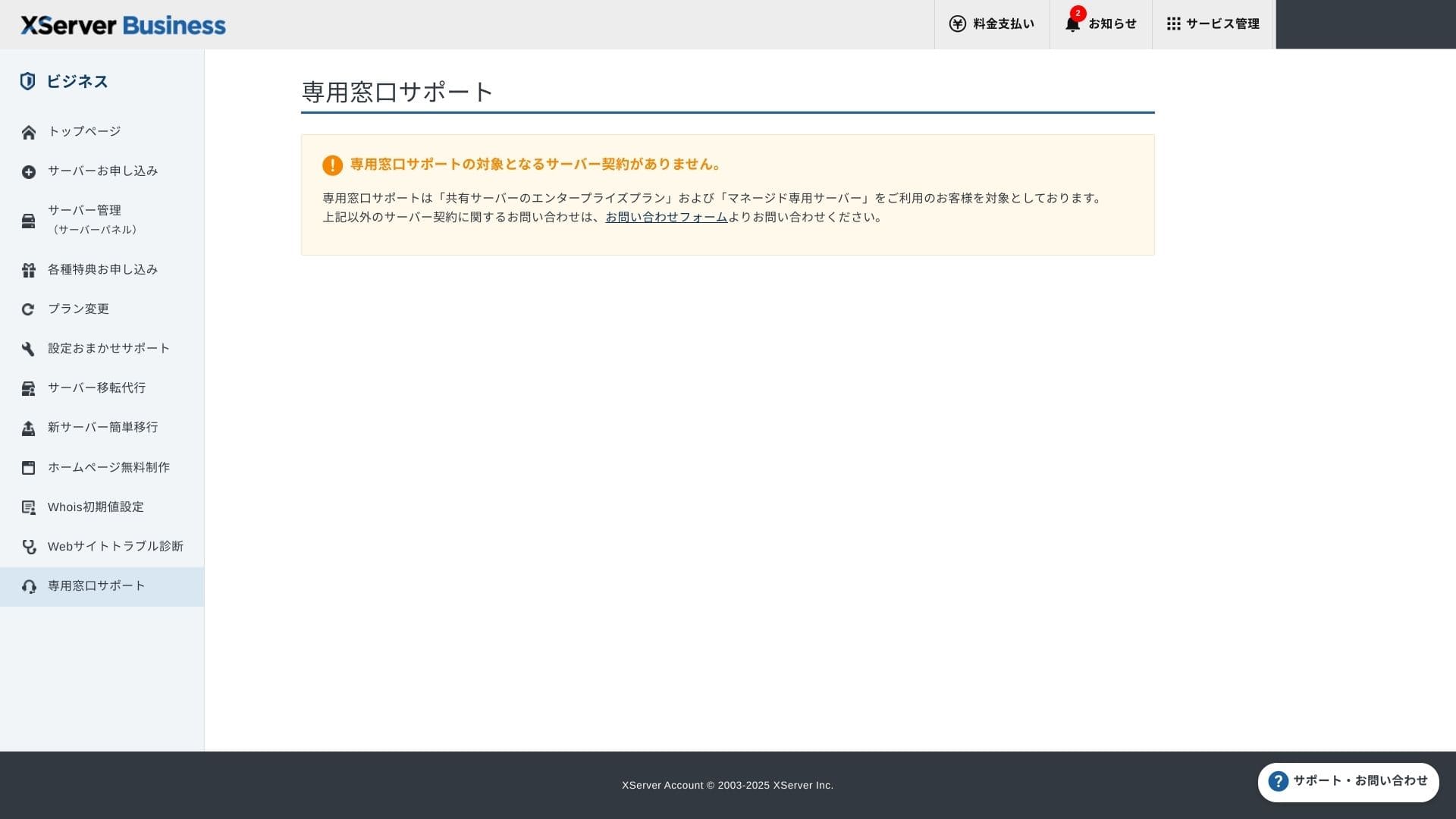
Поддержка доступна по телефону, электронной почте и в чате по будням с 10:00 до 18:00. Для тарифа Enterprise и планов выделенных серверов также предоставляются выделенные линии поддержки, что гарантирует еще более внимательное и быстрое обслуживание.
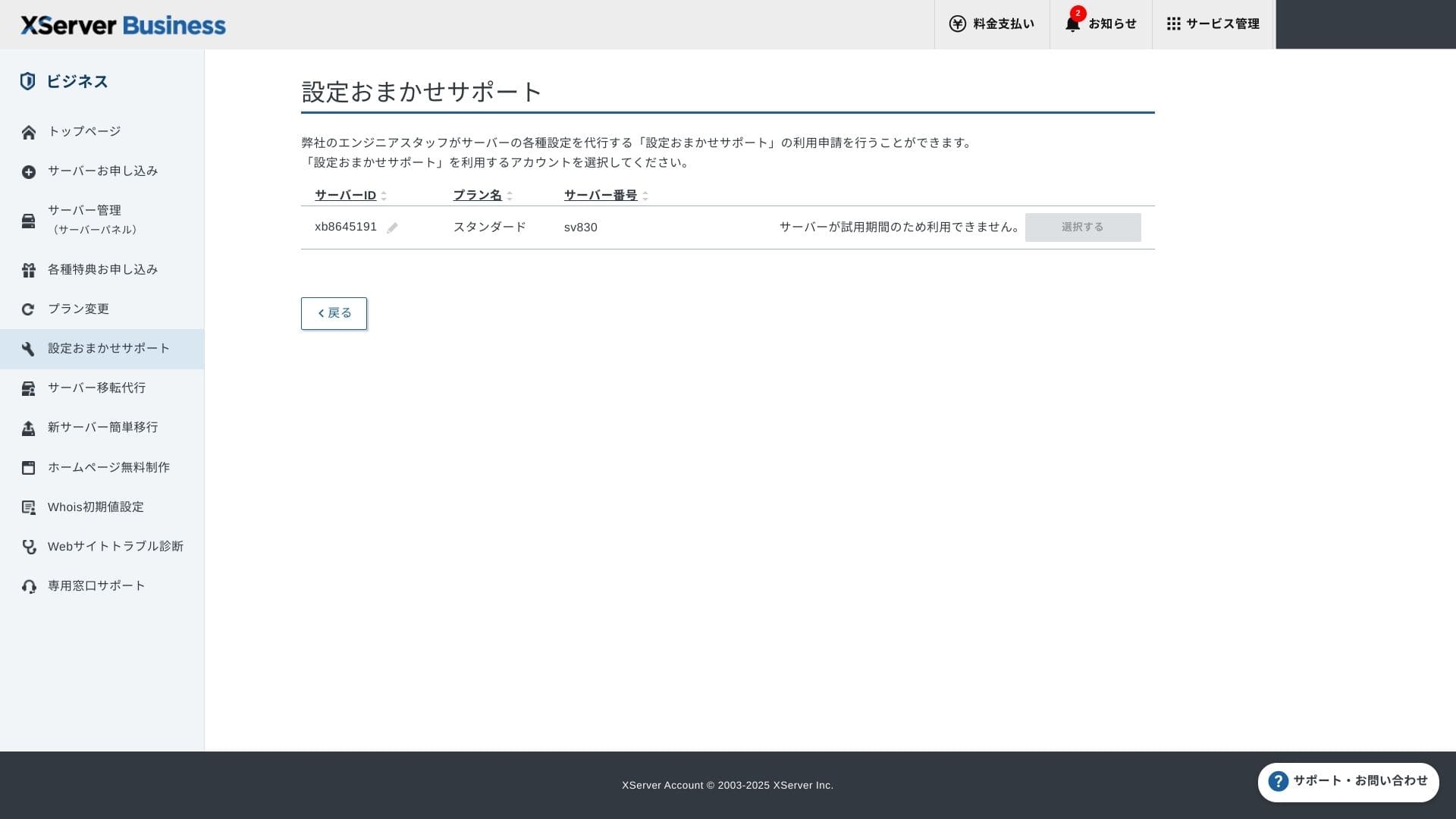
Setup поддержка является бесплатной и неограниченной, и вы можете запрашивать любые операции — от изменения настроек DNS до настройки планировщика Cron. Это дает уверенность в стабильной работе даже компаниям, не имеющим в штате системного администратора.
Управляемые сервисы
Услуга профессионального переноса сервера бесплатна при первом обращении. Поскольку она позволяет переносить как статические HTML-сайты, так и ресурсы на базе CMS, это проверенное решение для проектов, которым важно избежать простоев в ночное время или в выходные.
Руководства и FAQ
Официальный PDF-каталог содержит исчерпывающую информацию — от способов оплаты до порядка перехода на другие тарифы, и в нем очень удобно вести поиск. Думаю, многие пользователи смогут решить технические вопросы самостоятельно, не обращаясь за поддержкой.
Возможности почты
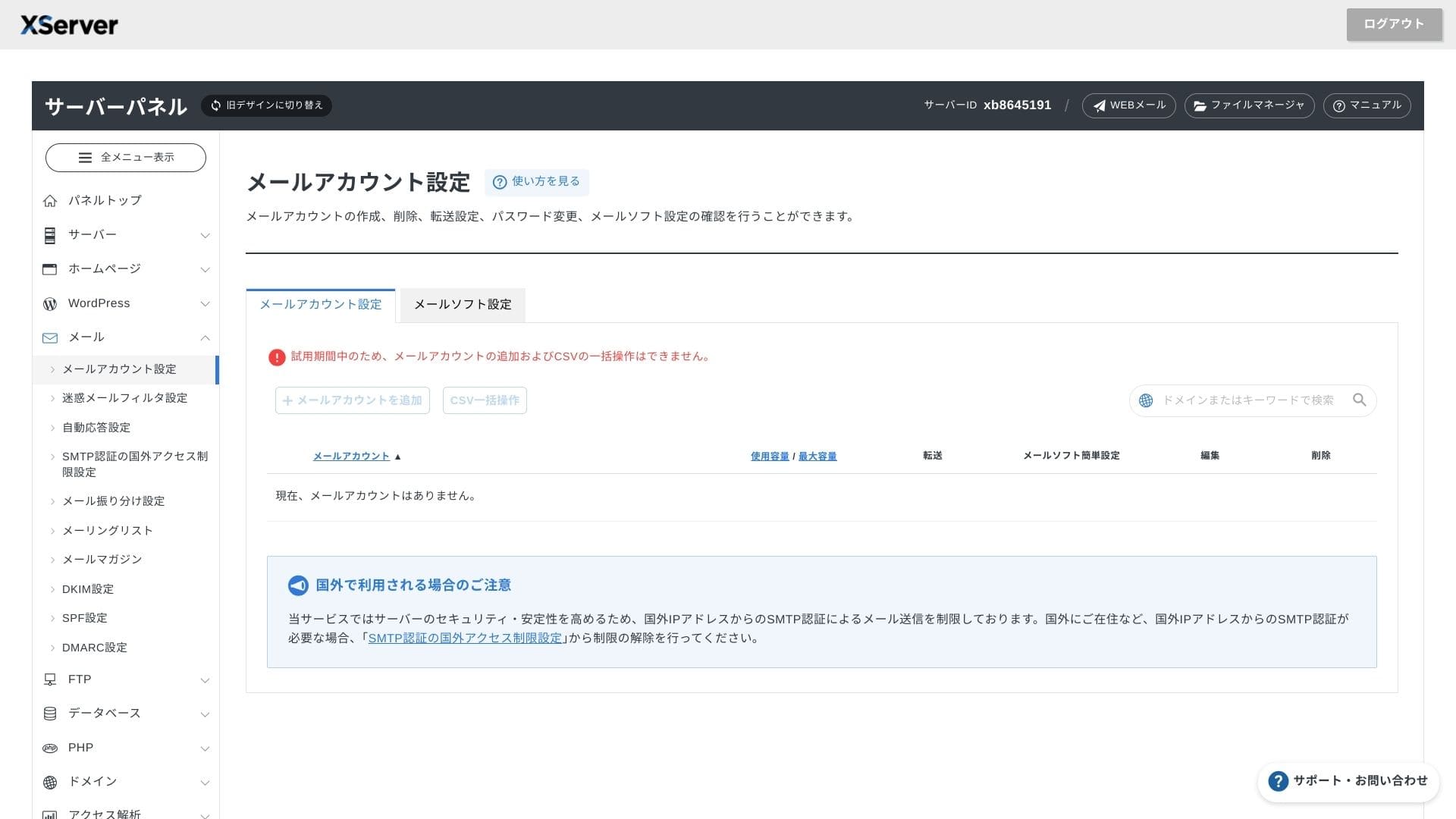
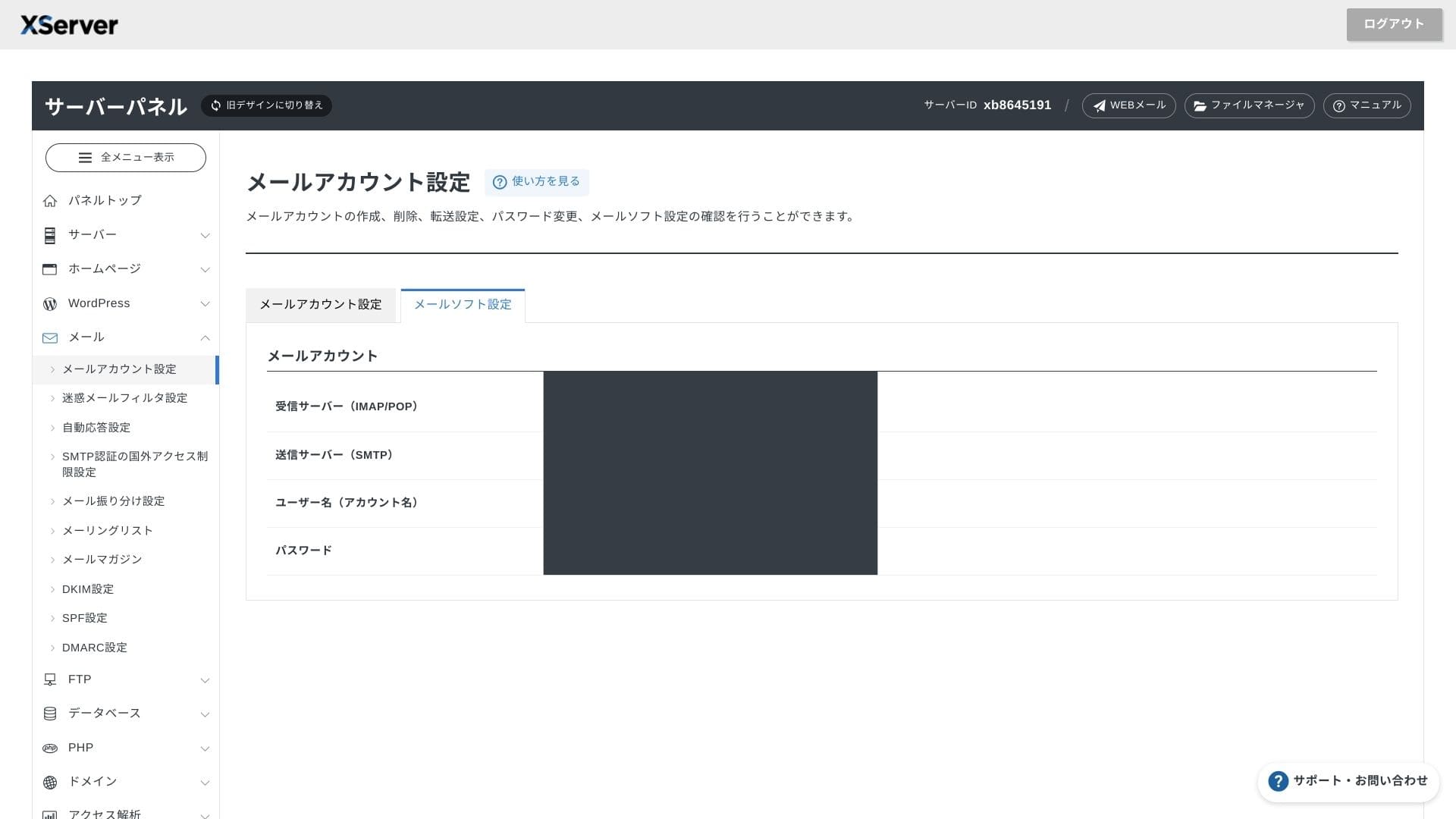
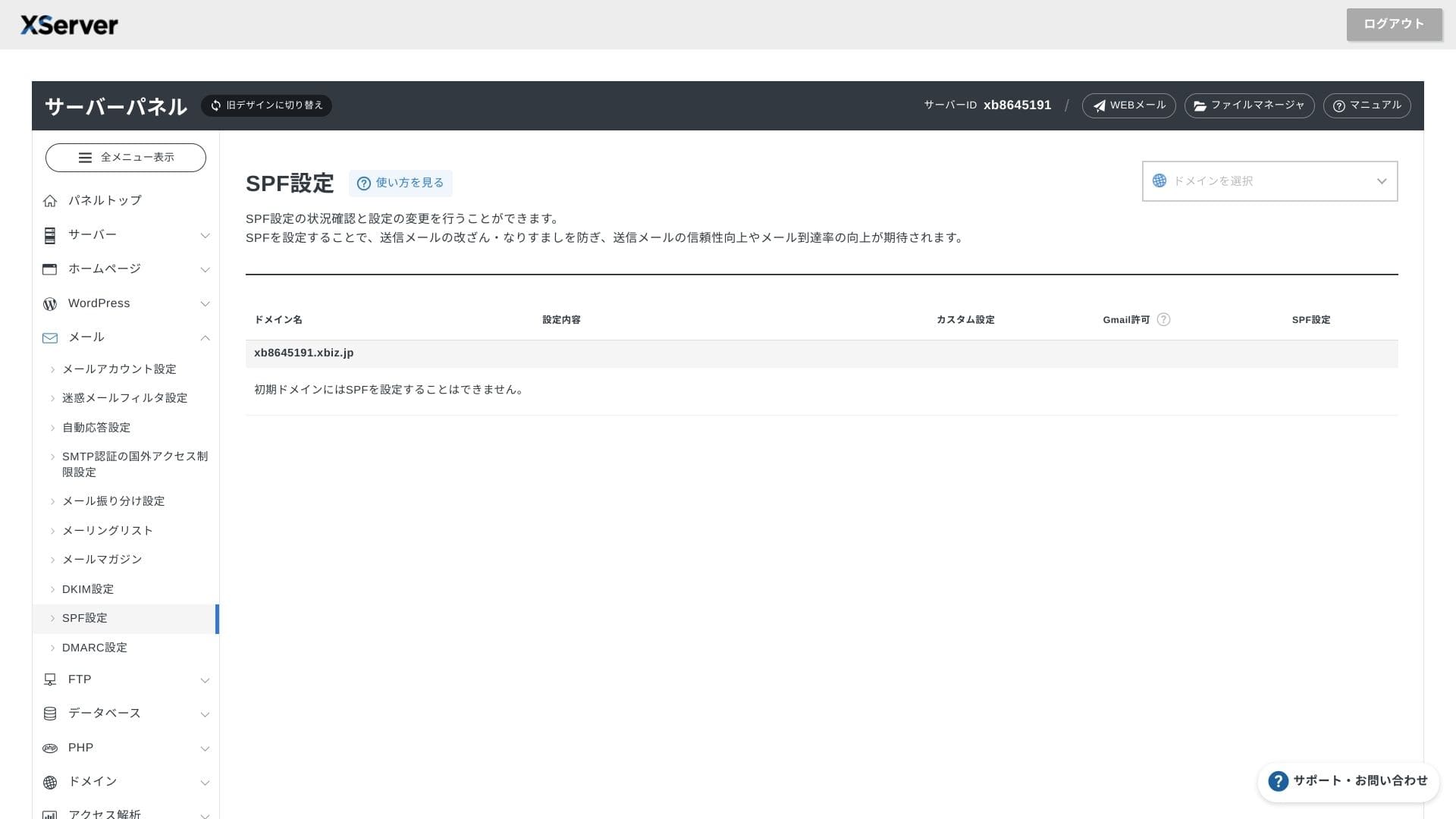
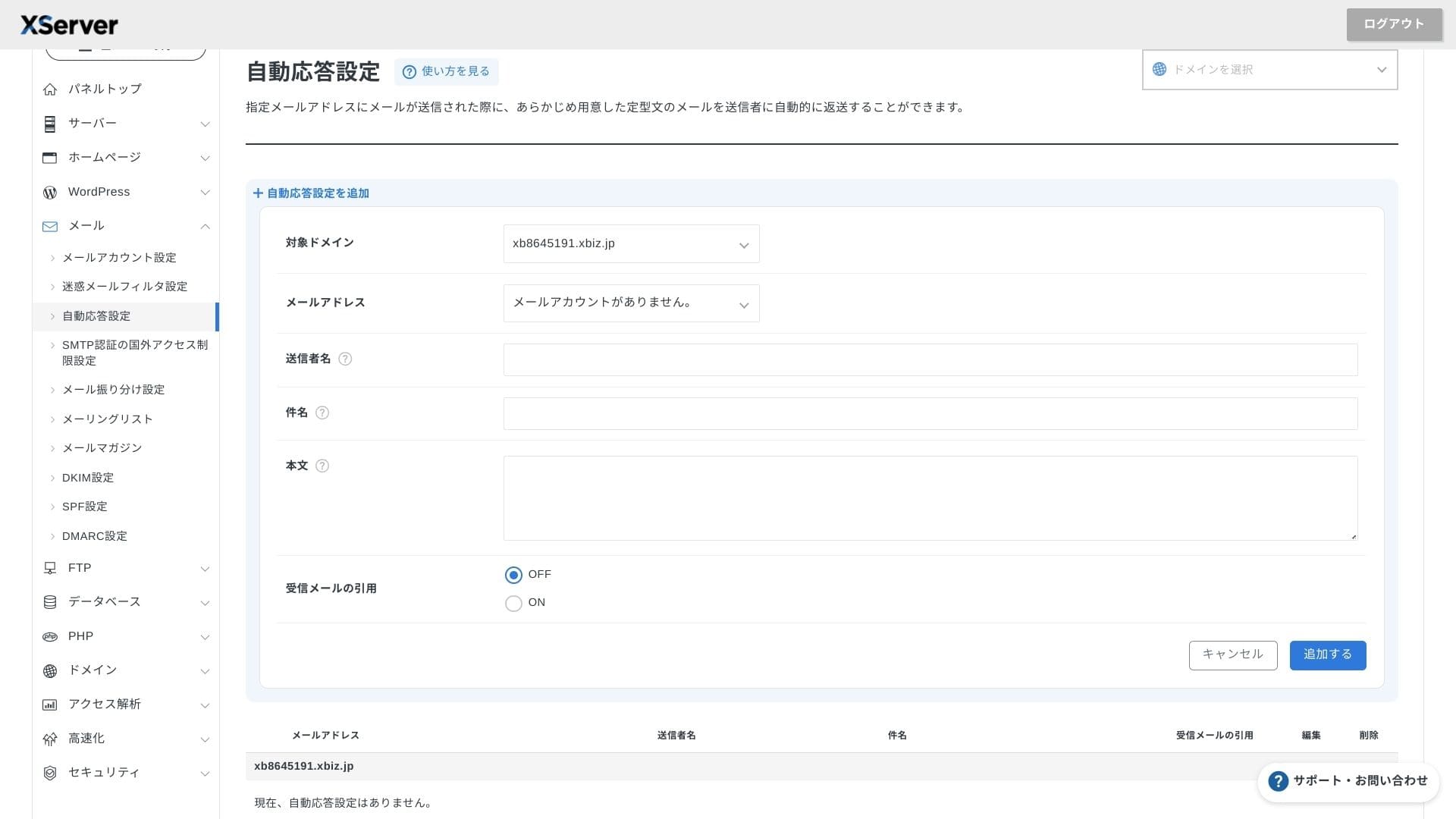
XServer Businessпредлагает неограниченное число почтовых ящиков, а интерфейс веб-почты был обновлен весной 2025 года, став удобным даже для смартфонов. Сюда также бесплатно входит высокоэффективный спам-фильтр на базе Cloudmark Authority (до 1000 аккаунтов), причем компания заявляет о точности обнаружения нежелательных писем на уровне более 99%.
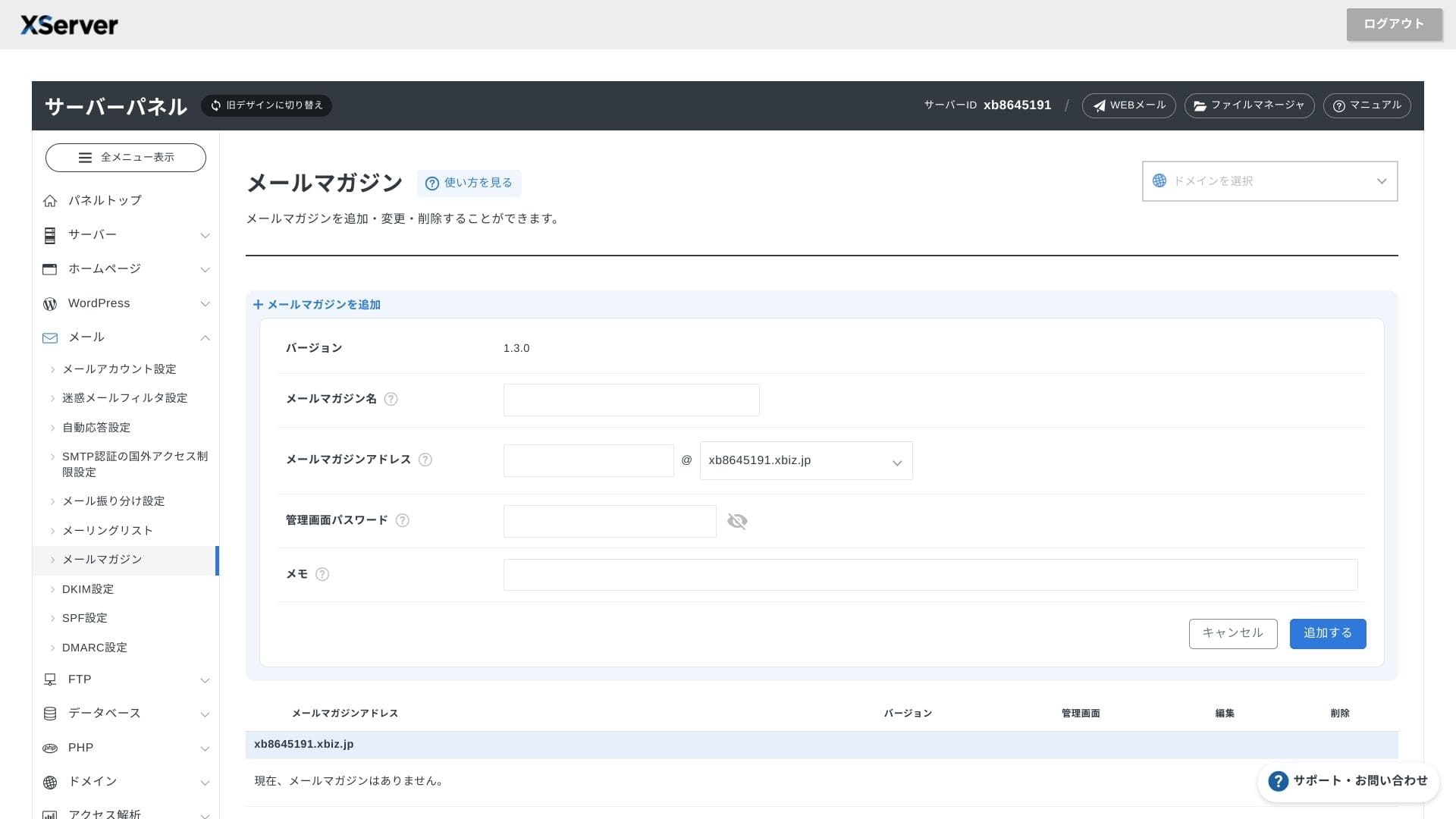
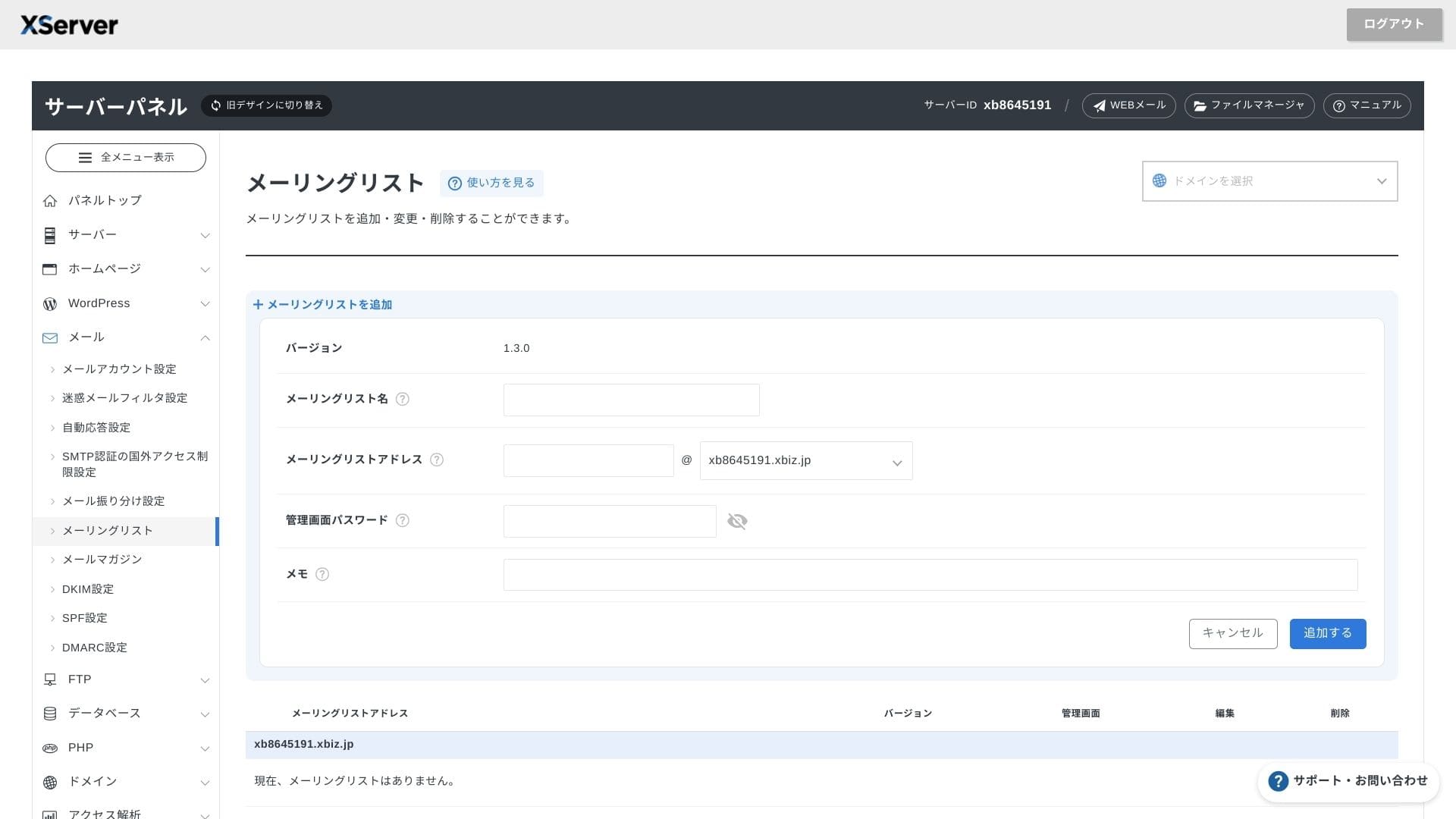
Здесь также легко настроить почтовые рассылки и списки адресатов. Вы сможете оперативно рассылать информацию клиентам или сообщения конкретным отделам внутри организации.
Hikaru Ono
Как и следовало ожидать от профессионального бизнес-сервера, возможности работы с электронной почтой здесь исключительно развиты.
Безопасность и резервные копии
Меры безопасности
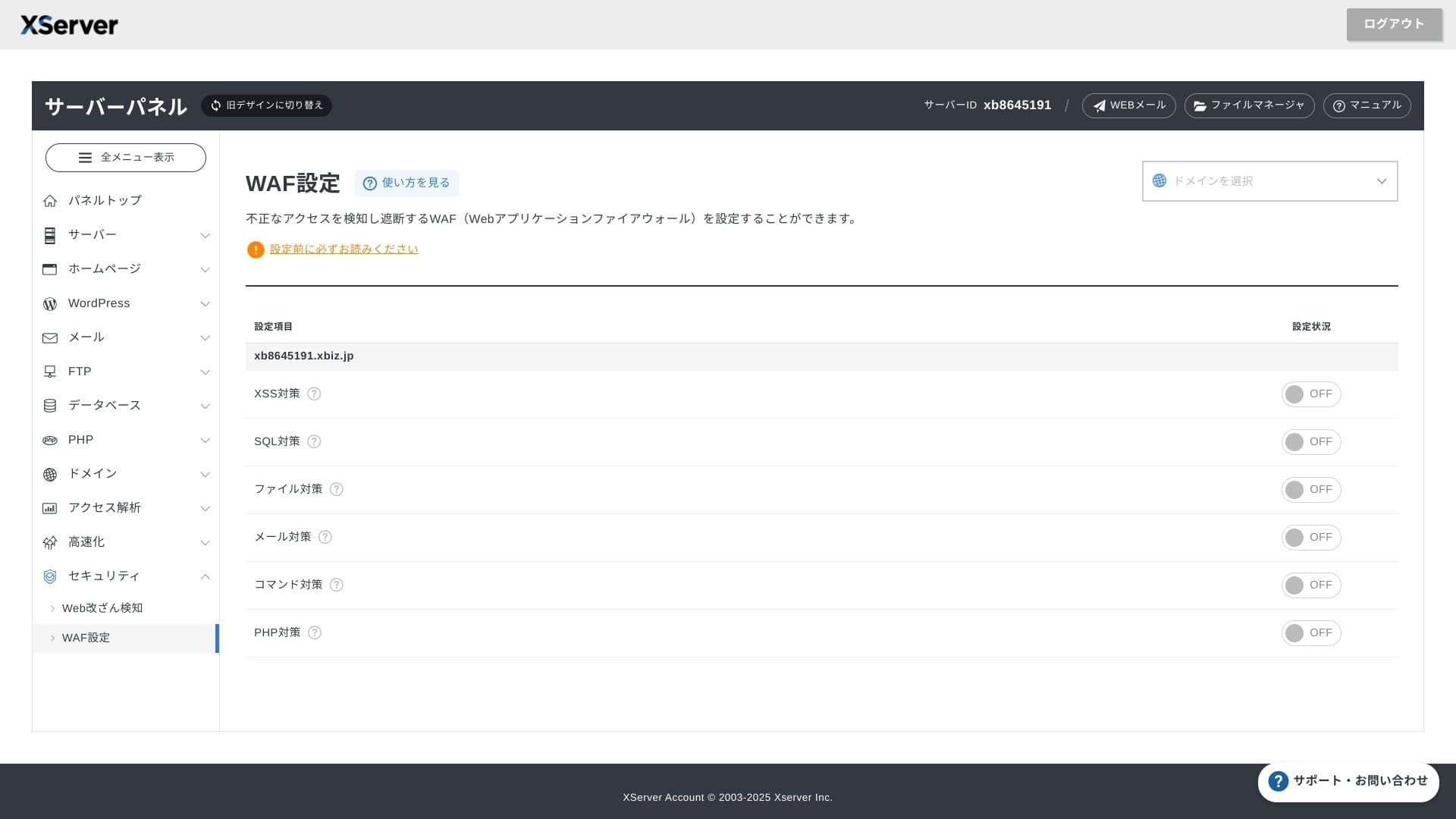
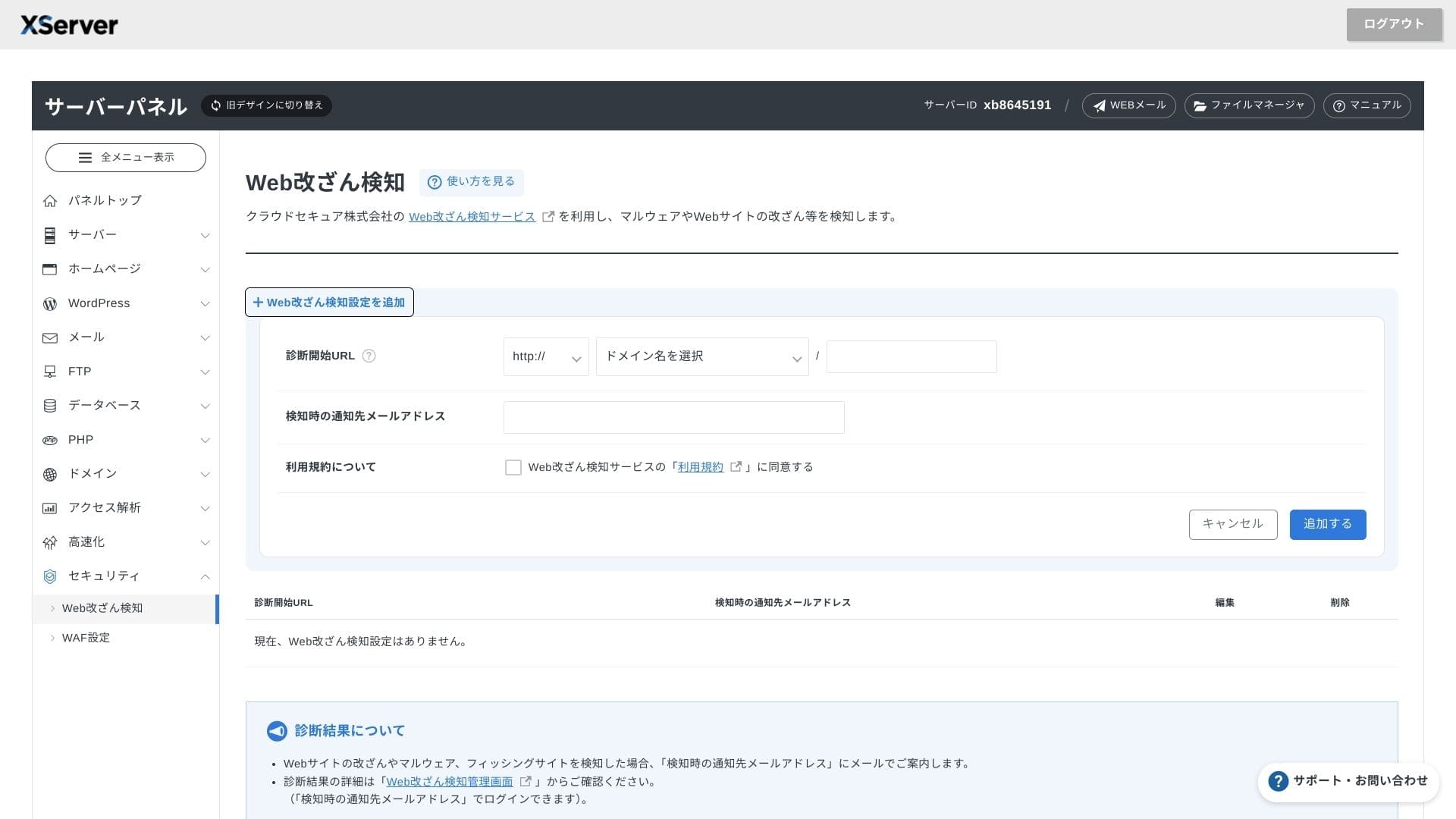
Функция WAF и обнаружение несанкционированных изменений на сайте входят в стандартный пакет. Система автоматически блокирует атаки на уязвимости и попытки неавторизованной замены файлов, а при возникновении нештатных ситуаций отправляет уведомления на почту. Также раз в год бесплатно предоставляется внешний аудит безопасности от Secom.
Использование систем обнаружения изменений на сайте помогает не пропустить возникшие проблемы на ранней стадии и не дать им перерасти в серьезный сбой.
Автоматические резервные копии
На каждом тарифном плане данные веб-страниц, почты и баз данных из последние 14 дней ежедневно резервируется в автоматическом режиме. Вы можете бесплатно восстановить его в один клик из панели управления, что сводит к минимуму затраты на восстановление данных в случае ошибок или заражения вредоносным ПО.
Сравнение с конкурирующими бизнес-хостингами
Итог
XServer Businessпредставляет собой бизнес-ориентированный хостинг, предлагающий скорость, безопасность и оперативную техническую поддержку в рамках единого пакета услуг.
- Малый и средний бизнес, планирующий поддерживать несколько сайтов и желающий передать обслуживание инфраструктуры на аутсорс
- Люди handling DX work on top of other duties who feel nervous about configuration mistakes
- Teams expecting future traffic growth but not wanting AWS-level operating стоимость
В подобных случаях окупаемость легко перекроет разницу в ежемесячной цене. С другой стороны, если вам нужна лишь одна статическая страница или вы планируете развернуть собственную платформу с полными root-правами, возможно, стоит рассмотреть более дешевый виртуальный хостинг или VPS.
В конечном счете наиболее разумный подход — перевести в денежный эквивалент трудозатраты специалистов и потенциальные риски простоев сайта, а затем решить, подходит ли вам XServer Businessis worth its ежемесячный fee.
"XServer Business» — это бизнес-хостинг от Xserver Inc., лидера рынка в Японии. В ходе наших измерений он занял второе место по скорости. Это один из лучших вариантов, если вы планируете переезд на новый хостинг, тем более что услуга переноса предоставляется бесплатно.
До 7 октября 2025 года подключение (обычно стоит от 16 500 до 385 000 иен) бесплатно, а услуга переноса сервера также предоставляется бесплатно