Până la 7 octombrie 2025, taxa inițială (în mod normal între 16.500 yeni și 385.000 yeni) este gratuită, iar serviciul de migrare a serverului este de asemenea gratuit
PR
Servere
Recenzie XServer Business [cea mai recentă din 2025]: testare amănunțită a vitezei, prețurilor și funcțiilor
Publicat: 2025.05.13
Actualizat: 2025.05.13
Evaluare: 5.0
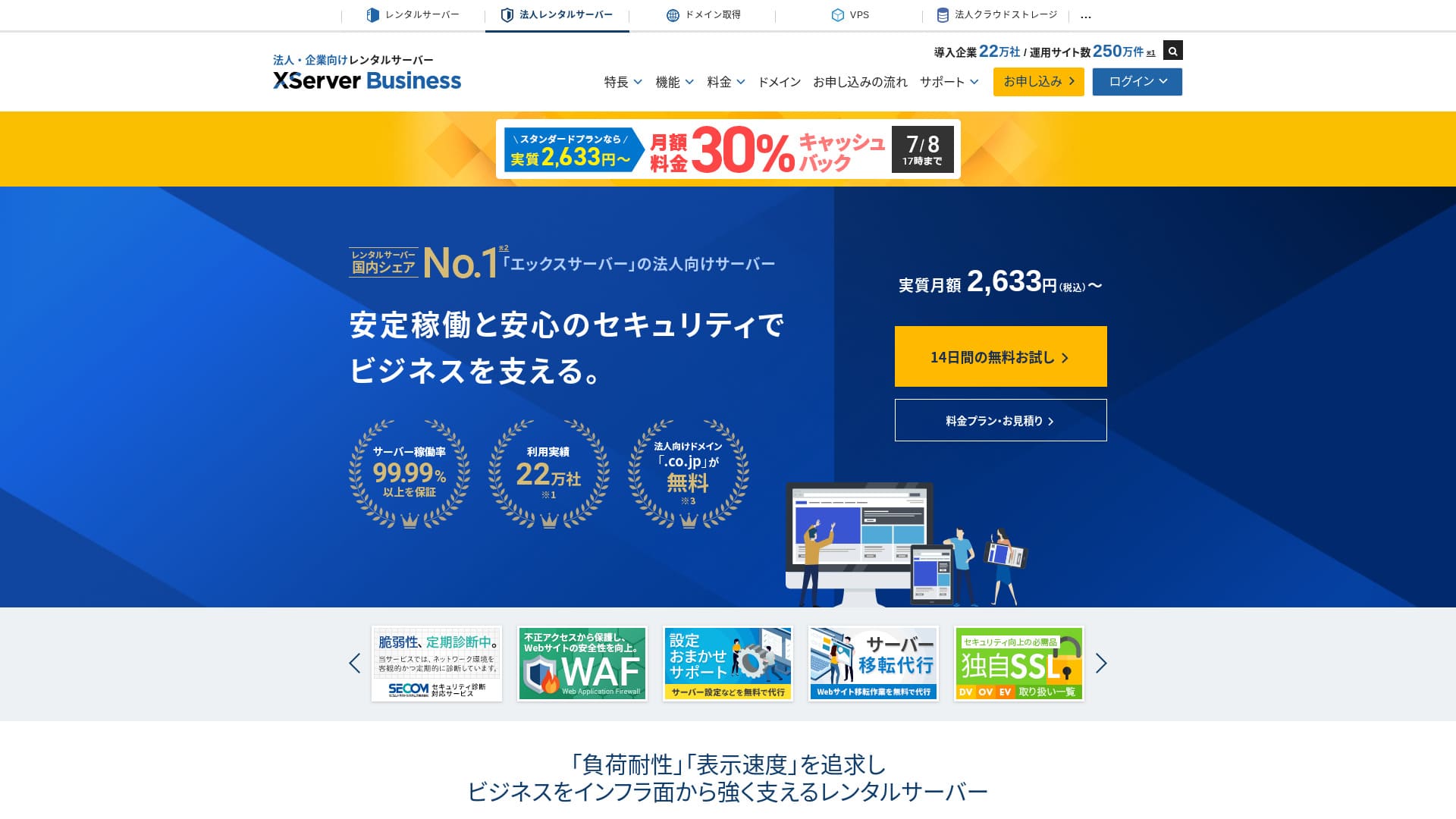
XServer Businessis an ultra-rapid afaceri găzduire service run by Xserver Inc.Deoarece este atât rapid, cât și de mare capacitate, este foarte confortabil pentru a rula servicii de e-mail, precum și site-uri web WordPress și pagini de destinație (landing pages).
| Server type | Shared găzduire / Administrat dedicated server (virtual) / Administrat dedicated server (physical) |
| Viteză (TTFB) | 40ms |
| Plan și perioadă recomandate | Shared Standard 12 months |
| Gratuit probă / money-back guarantee | 10-day gratuit probă |
| Lunar preț (12-month term) | 2,926 yen |
| Initial configurare fee | 16,500 yen |
| Gratuit domenii | Two gratuit forever |
| Suport | Telefon și e-mail (în zilele lucrătoare 10:00-18:00) |
| Uptime | 99.99% guarantee |
| Stocare | 700 GB |
| Number of databases | Unlimited |
| Securitate measures | WAF / site web tamper alerts / Secom Securitate diagnostics |
| SSL | Gratuit dedicated SSL / Cloud SSL / viteză-validated SSL / QuickSSL Premium |
| Backup-uri / restore | 14 days of Backup-uri automate / gratuit restores |
| E-mail accounts | Unlimited |
| E-mail Securitate measures | Antivirus / spam filter / high-performanță spam filter / POP over SSL / SMTP over SSL / IMAP over SSL / DKIM / DMARC |
| Server / site web migrare service | Gratuit full-service migrare(first time only, up to 10 sites) |
| WordPress preinstalled | Yes |
| CDN | None |

Hikaru Ono
XServer Businessvă permite să porniți WordPress în momentul contractării serverului, ceea ce îl face ideal pentru companiile care creează un site web nou. De asemenea, firmele care au deja un site pe un alt server îl pot folosi cu încredere, deoarece migrarea realizată de profesioniști este inclusă gratuit.
It is a high-quality server you can keep using for the long term.
- Data based on market research as of November 4, 2025, arranged in order of viteză
- Prețurile lunare reprezintă costul din primul an al celui mai ieftin plan care suportă WordPress
- Viteza reprezintă timpul până la primul byte, măsurat pe site-uri demonstrative în aceleași condiții
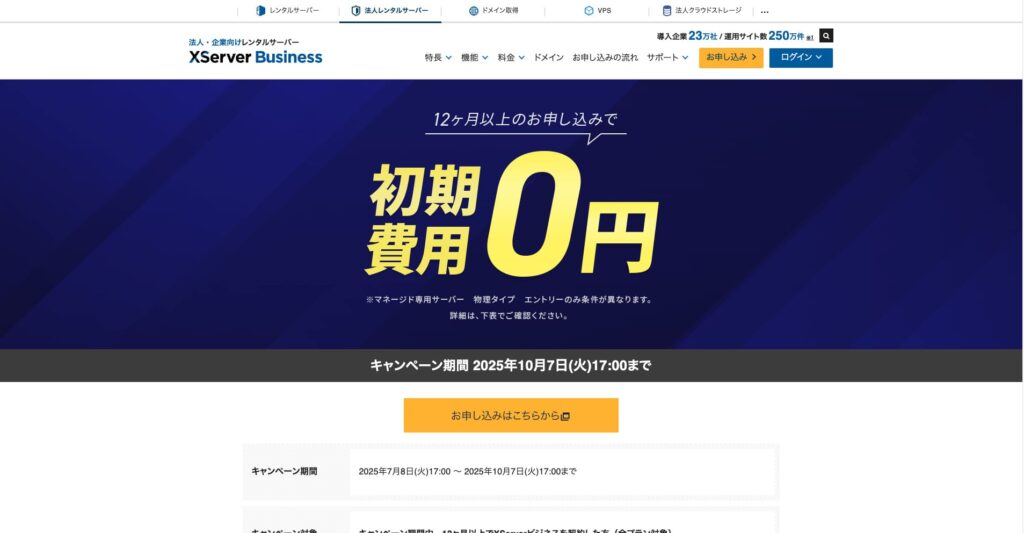
"XServer Business" este serviciul de găzduire pentru afaceri oferit de Xserver Inc., compania cu cota de piață nr. 1 din Japonia. În măsurătorile noastre, s-a clasat pe locul 2 ca viteză. Este una dintre cele mai bune alegeri atunci când trebuie să migrați la un server nou, iar migrarea este de asemenea gratuită.

WordPress-related recenzie
Easy WordPress installation
XServer Businesssuportă „Easy WordPress Installation” (Instalare simplă WordPress), care instalează WordPress 6.8 din panoul de control în doar câteva clicuri. Acesta gestionează automat setările bazei de date și ale PHP-ului, iar certificatul SSL este activat în același timp, astfel încât munca necesară pentru configurarea inițială este aproape zero.
Hikaru Ono
Even without an in-house IT department, you can start WordPress reliably and without trouble.
Să vă lansăm site-ul web cu XServer Business
- STEP.1Vizitați site-ul oficial XServer Business
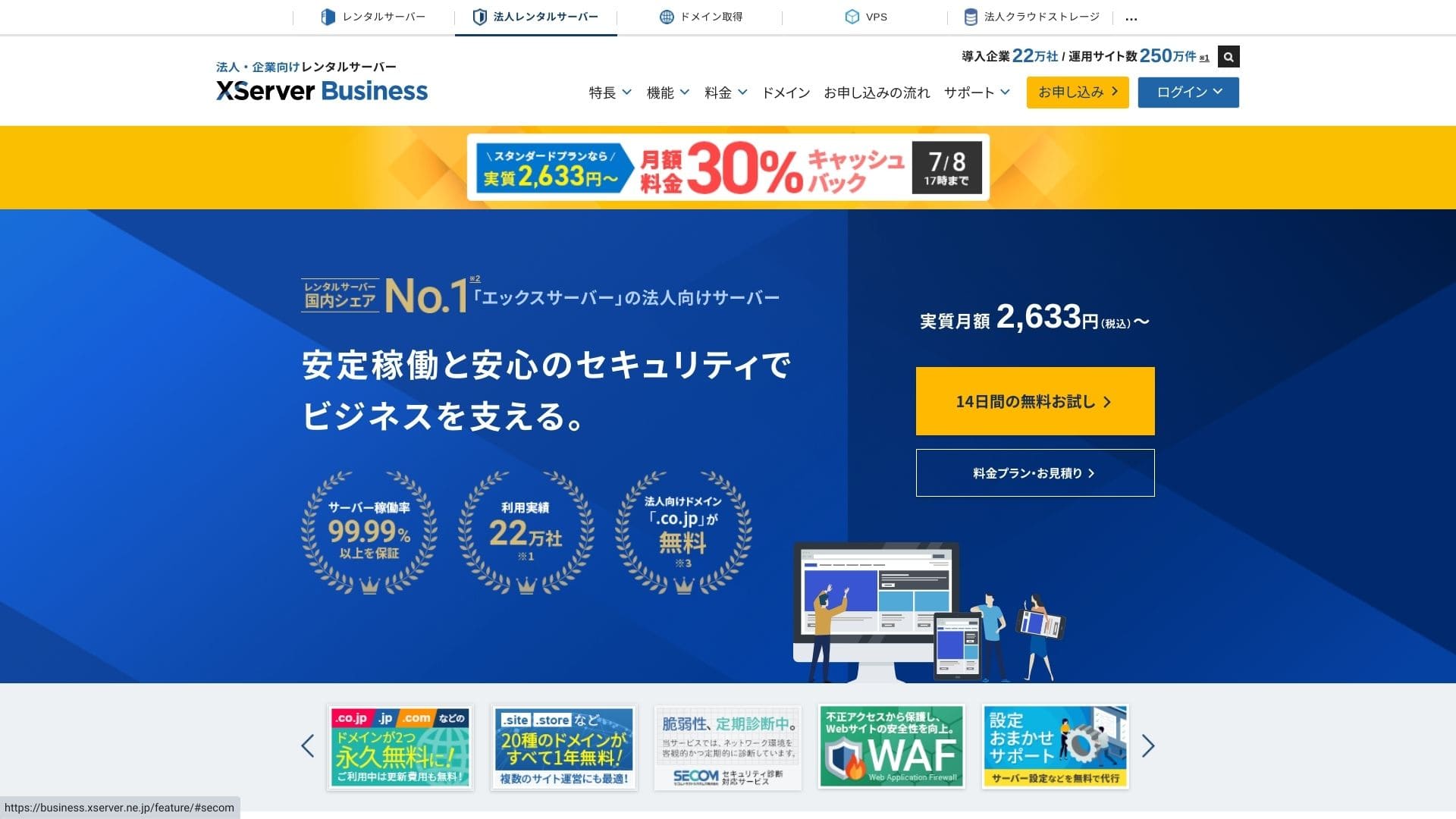
Faceți clic pe „Probă gratuită de 14 zile” pe pagina principală. Apoi, la secțiunea „Clienți noi”, faceți clic pe „Începeți acum! Aplicație nouă”.
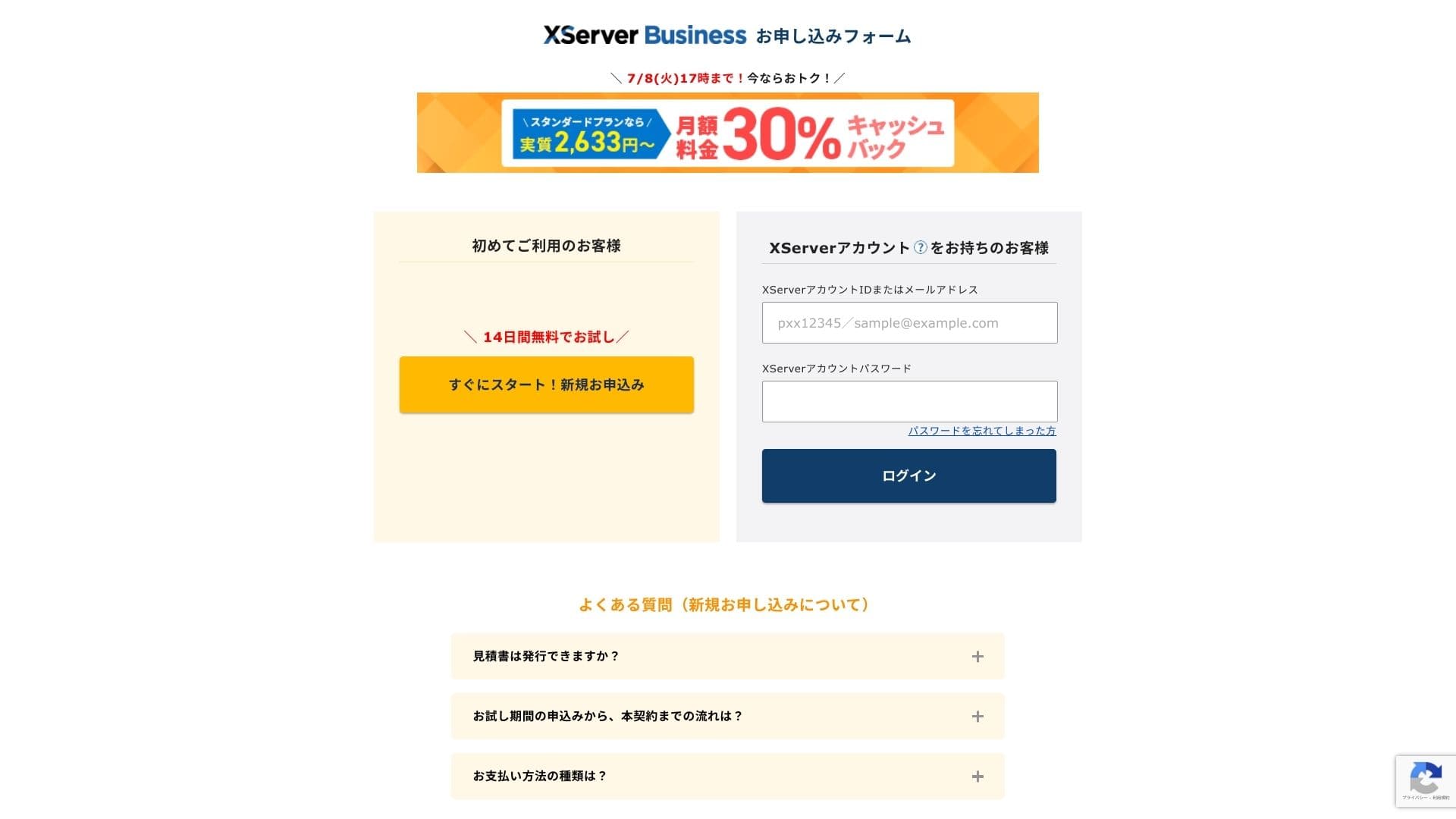
- STEP.2Alege your application details
Puteți lăsa ID-ul serverului așa cum este. Alegeți serverul partajat, apoi selectați un plan. Recomand planul Standard. Dacă traficul crește și specificațiile devin insuficiente, puteți face upgrade ulterior.
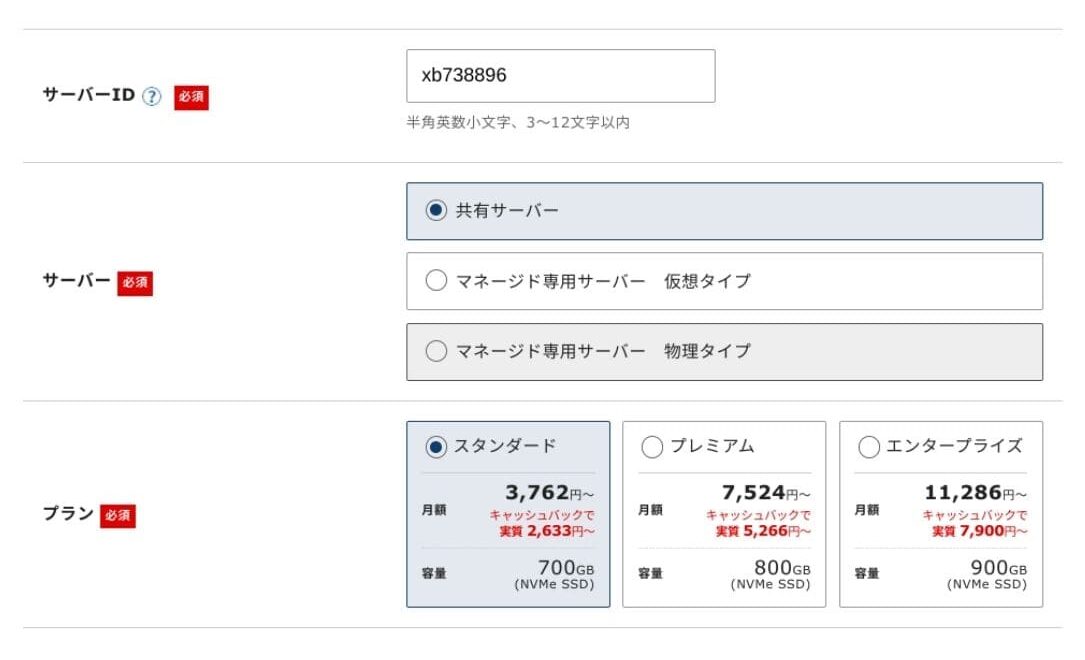
Click "Proceed to customer information entry."
- STEP.3Create your Xserver Account and enter your customer information
Introduceți adresa dumneavoastră de e-mail, numele, adresa și celelalte detalii solicitate.
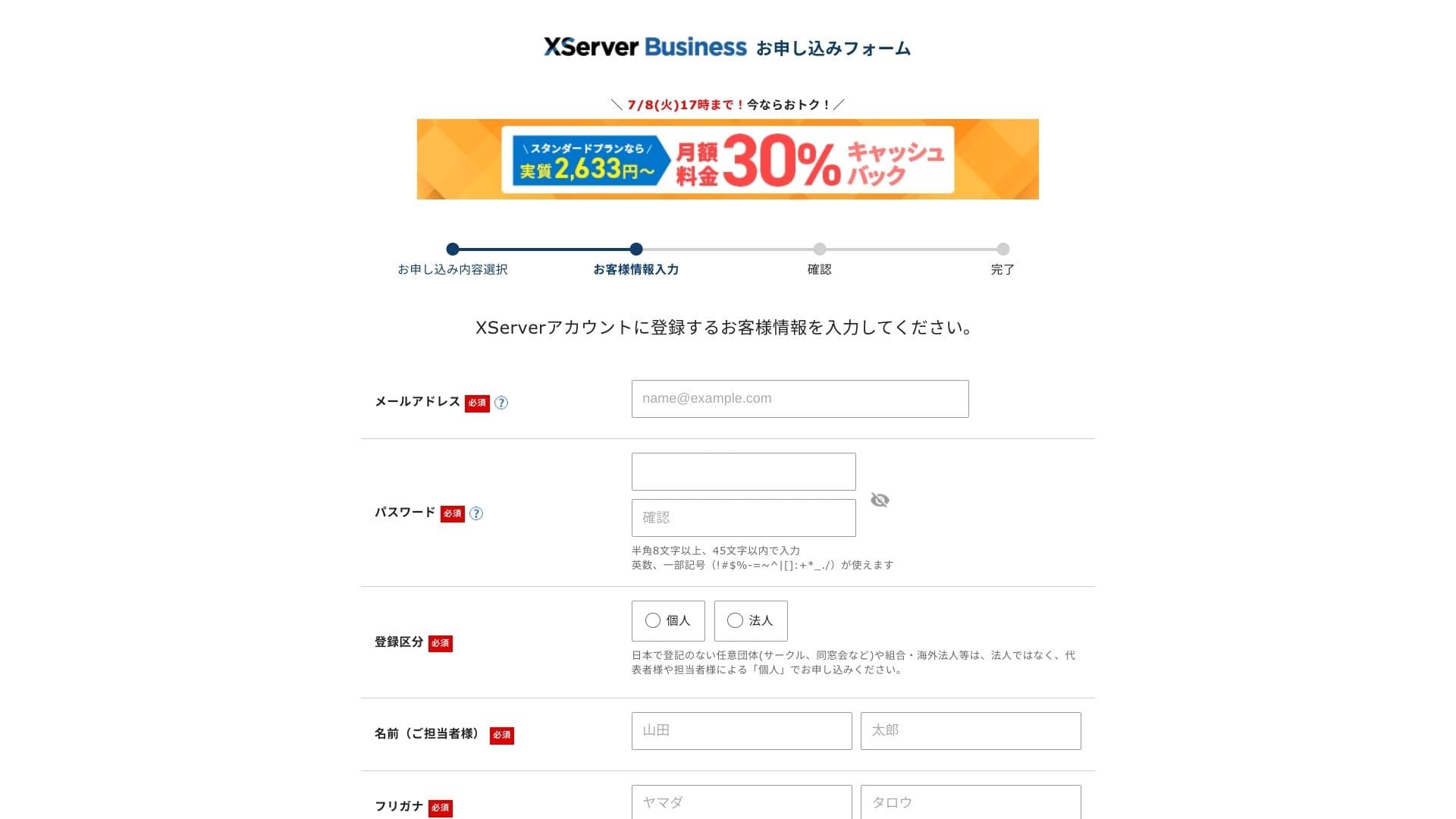
Anmeldelse pentru Termenii de utilizare și Prelucrarea informațiilor cu caracter personal. Dacă sunteți de acord, bifați caseta și faceți clic pe „Next”.
Introduceți codul de verificare afișat pe ecran. Un cod de verificare va fi trimis pe adresa de e-mail pe care ați înregistrat-o, așa că verificați mai întâi acel mesaj.
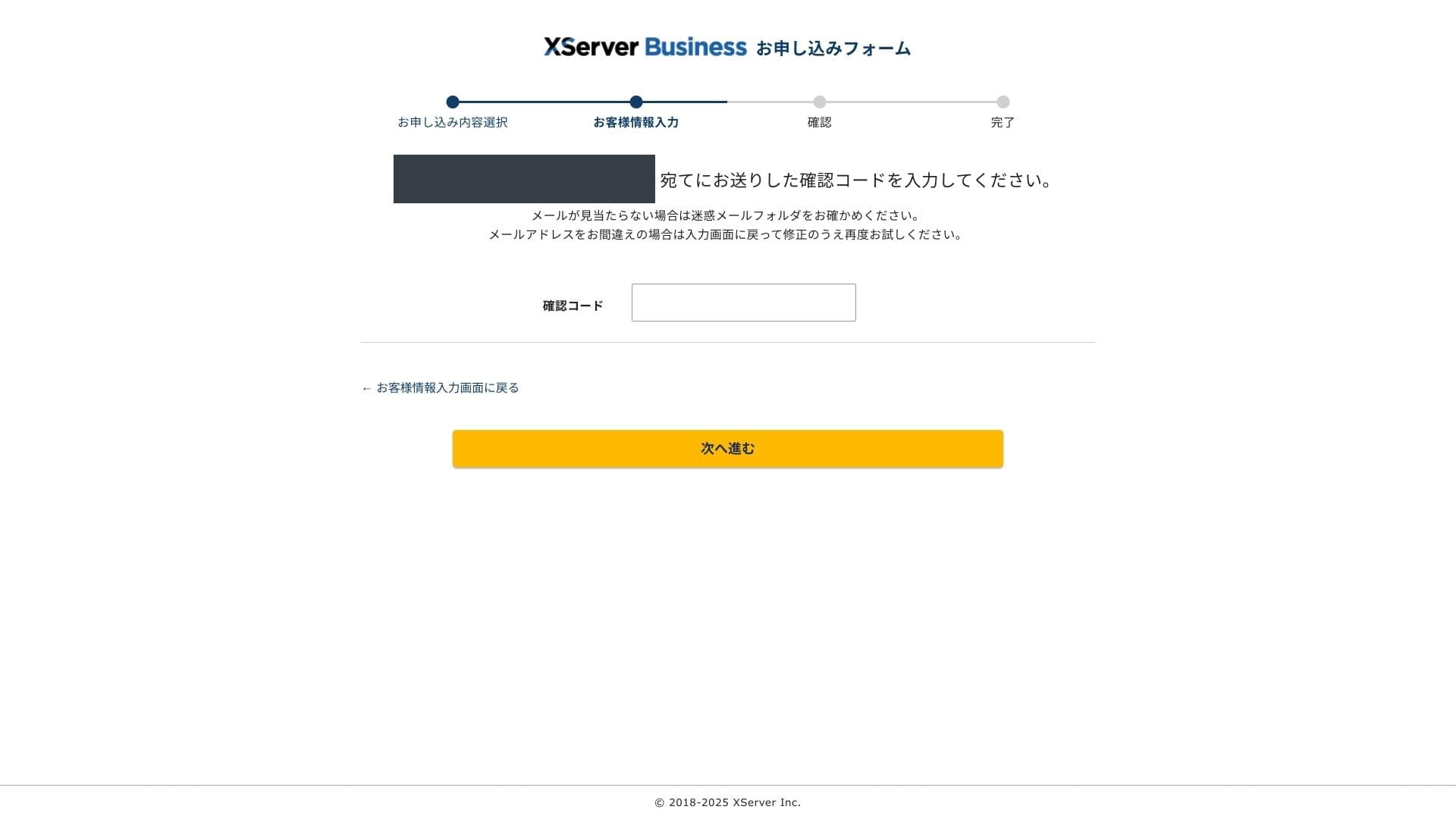
- STEP.4Recenzie
Anmeldelse pentru detaliile aplicației și informațiile despre contul Xserver încă o dată. Dacă totul pare corect, faceți clic pe „Proceed to SMS / phone verification”.
Your application details will be reviewed again using your phone number.
Introduceți numărul de telefon de utilizat, alegeți SMS sau apel vocal automat pentru a primi codul de verificare și faceți clic pe „Obțineți codul de verificare”. După ce îl primiți, introduceți codul.
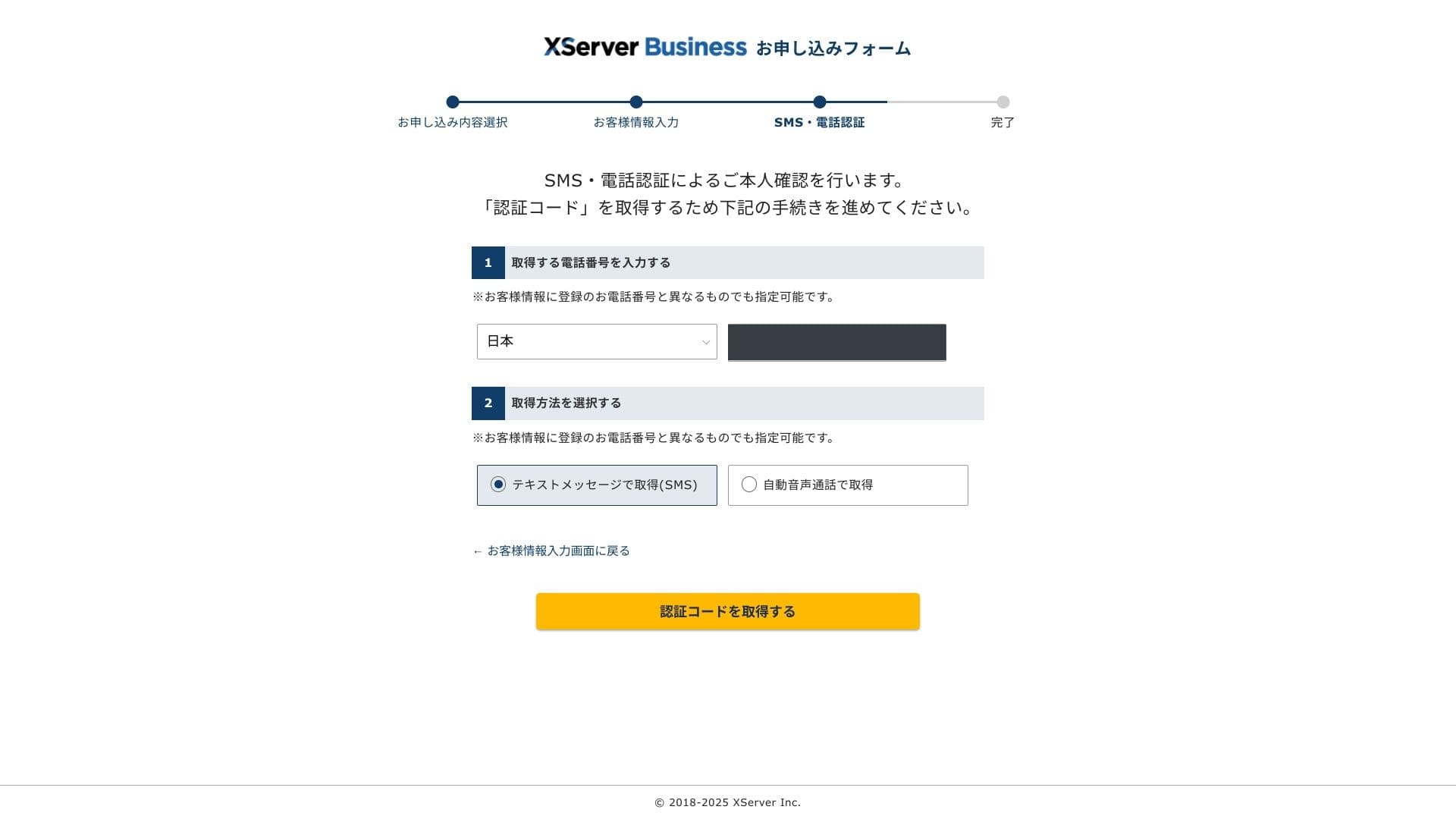
When you see "Your application has been completed," the application is finished.
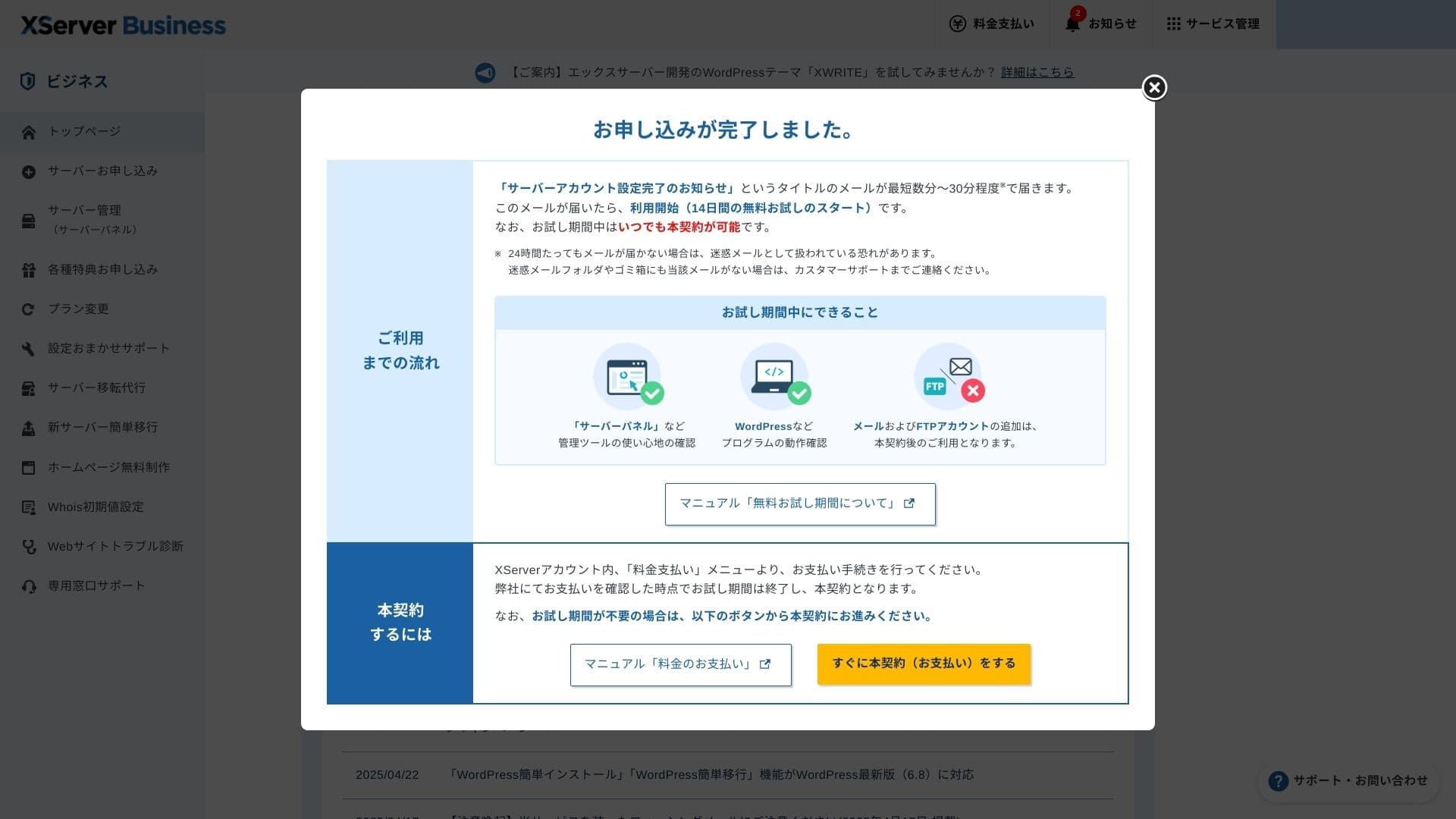
Odată ce apare această pagină, finalizează plata din „Proceed to paid contract now”. Dacă nu finalizezi contractul cu plată, nu vei putea beneficia de domeniul gratuit timp de un an sau de funcțiile de e-mail.
- STEP.5Obțineți domeniul dumneavoastră personalizat și configurați-l
Conectați-vă la Server Panel din ecranul de administrare Xserver Account. Obțineți domeniul din secțiunea Domain. Este o ofertă excelentă să folosiți beneficiul de un an gratuit.
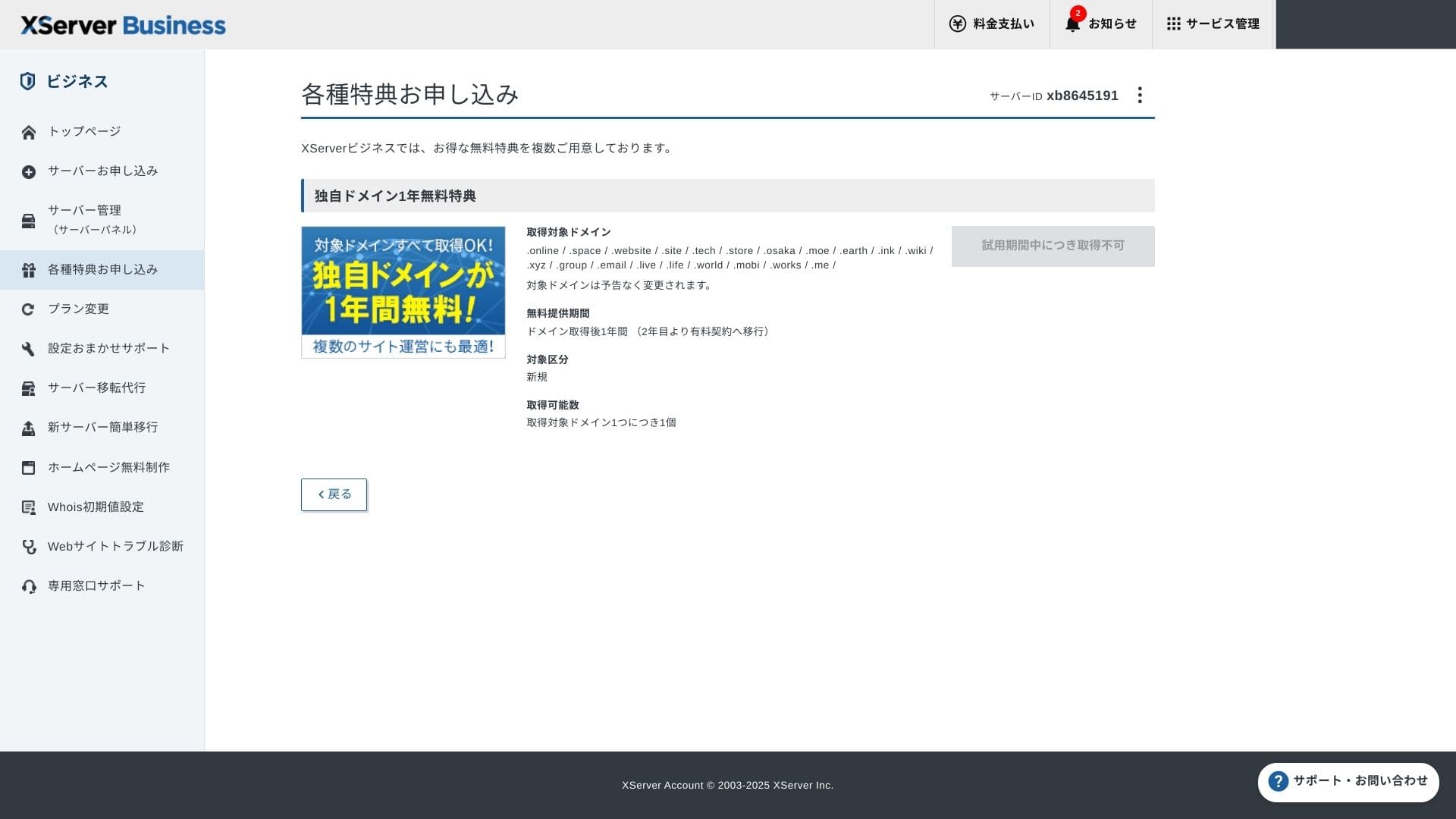
Obțineți domeniul dumneavoastră personalizat. Din „Apply for special offers” din ecranul de administrare, alegeți „Permanent free custom domain benefit”, apoi faceți clic pe „Use this benefit”.
Alegeți „Înregistrare nouă” ca categorie. Introduceți orice denumire doriți pentru numele de domeniu. Domeniul dvs. contează, așa că gândiți-vă bine înainte de a decide.
★ Ce este un domeniu? Rolul său ca adresă pe internet și cum se poate obține
Căutați numele de domeniu dorit și alegeți-l. Faceți clic pe „Aplicați pentru a obține domeniul selectat”. Revizuiți detaliile solicitării în ecranul de revizuire. Bifați caseta pentru a fi de acord cu Termenii de utilizare și Prelucrarea informațiilor cu caracter personal, apoi faceți clic pe „Trimiteți solicitarea”.
Apoi, configurează domeniul. Din ecranul de administrare, selectează „Server Management”. Acest lucru va deschide Panoul Serverului. La „Domain”, fă clic pe „Domain Settings”. Fă clic pe „Add Domain Setting”, introdu domeniul personalizat pe care l-ai obținut și fă clic pe „Proceed to Anmeldelse”.
Verificați detaliile pe ecranul Anmeldelse și faceți clic pe „Adăugare”. Când apare ecranul de finalizare, configurarea domeniului este completă.
- STEP.6Instalați WordPress și finalizați configurarea inițială
Din secțiunea WordPress din Server Panel, alegeți „Easy WordPress Installation”.
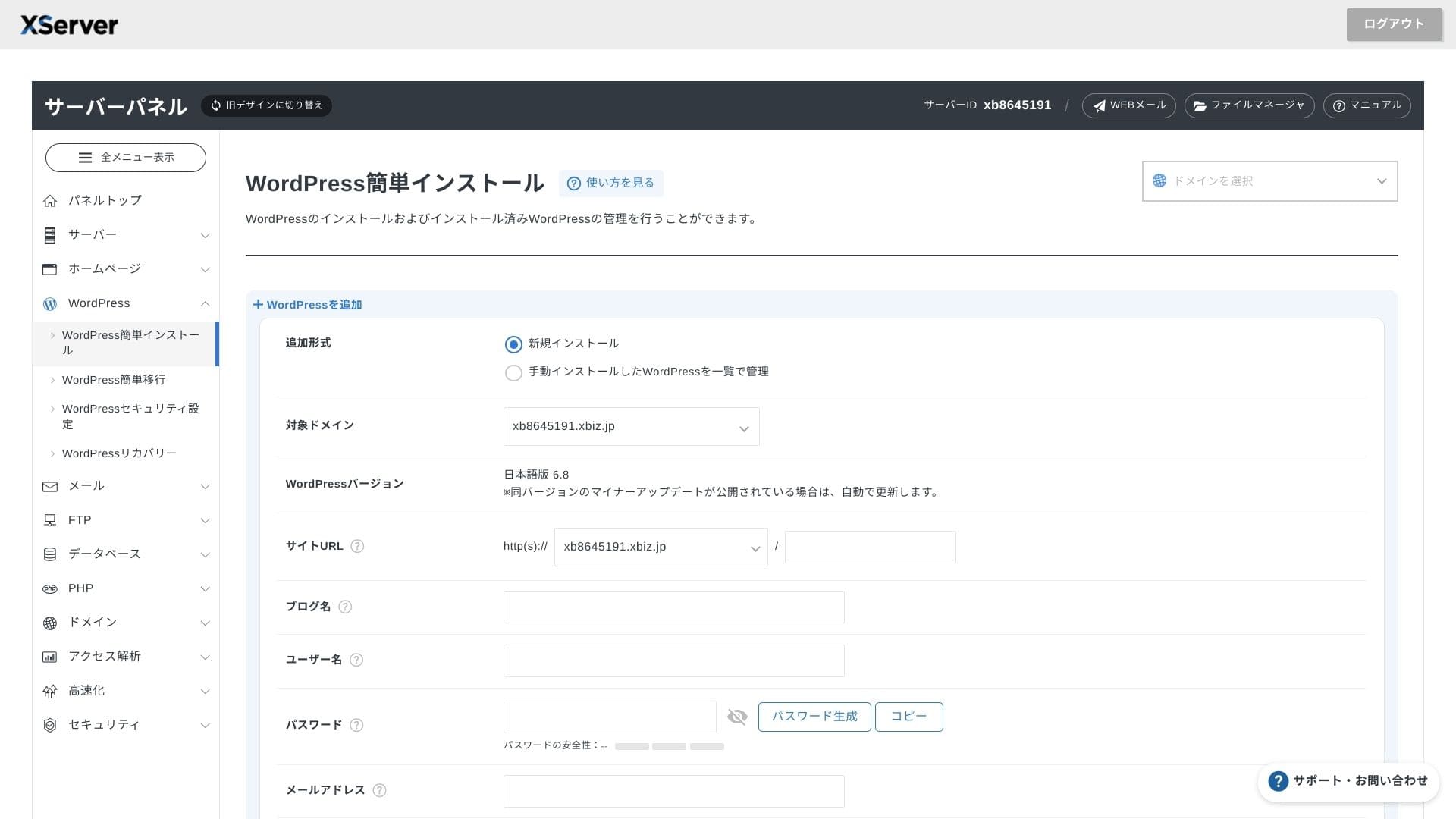
Click WordPress Installation and enter the installation settings for WordPress.
- URL site: Selectați numele de domeniu pe care l-ați obținut anterior
- Titlu site: Titlul site-ului dvs. web
- Username: Any username for WordPress login
- Password: A WordPress login password, preferably as complex as possible
- Adresă de e-mail: Utilizați adresa de e-mail pe care o folosiți în mod obișnuit. Pentru un site de afaceri, se recomandă o adresă de e-mail de companie
- Database: Generate the database automatically
După ce ați introdus toate informațiile, faceți clic pe „Proceed to Anmeldelse” și apoi faceți clic pe „Install”. Când apare ecranul de finalizare, instalarea este finalizată.
Următorul pas este configurarea inițială a WordPress. Fă clic pe URL-ul panoului de administrare de pe ecranul de finalizare a instalării WordPress. Pe ecranul de autentificare care apare, introdu numele de utilizator și parola pe care le-ai notat mai devreme și fă clic pe Log in.
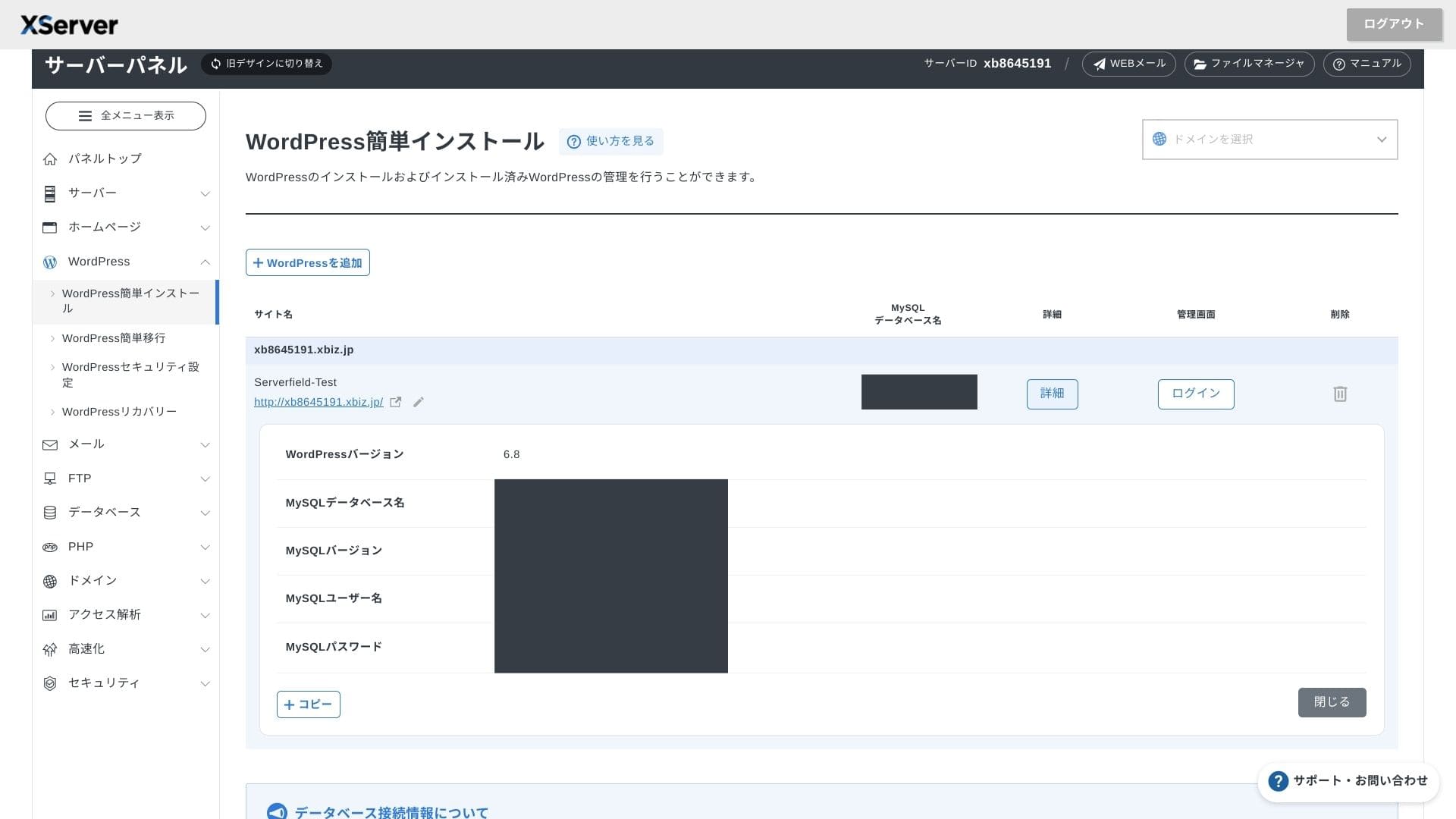
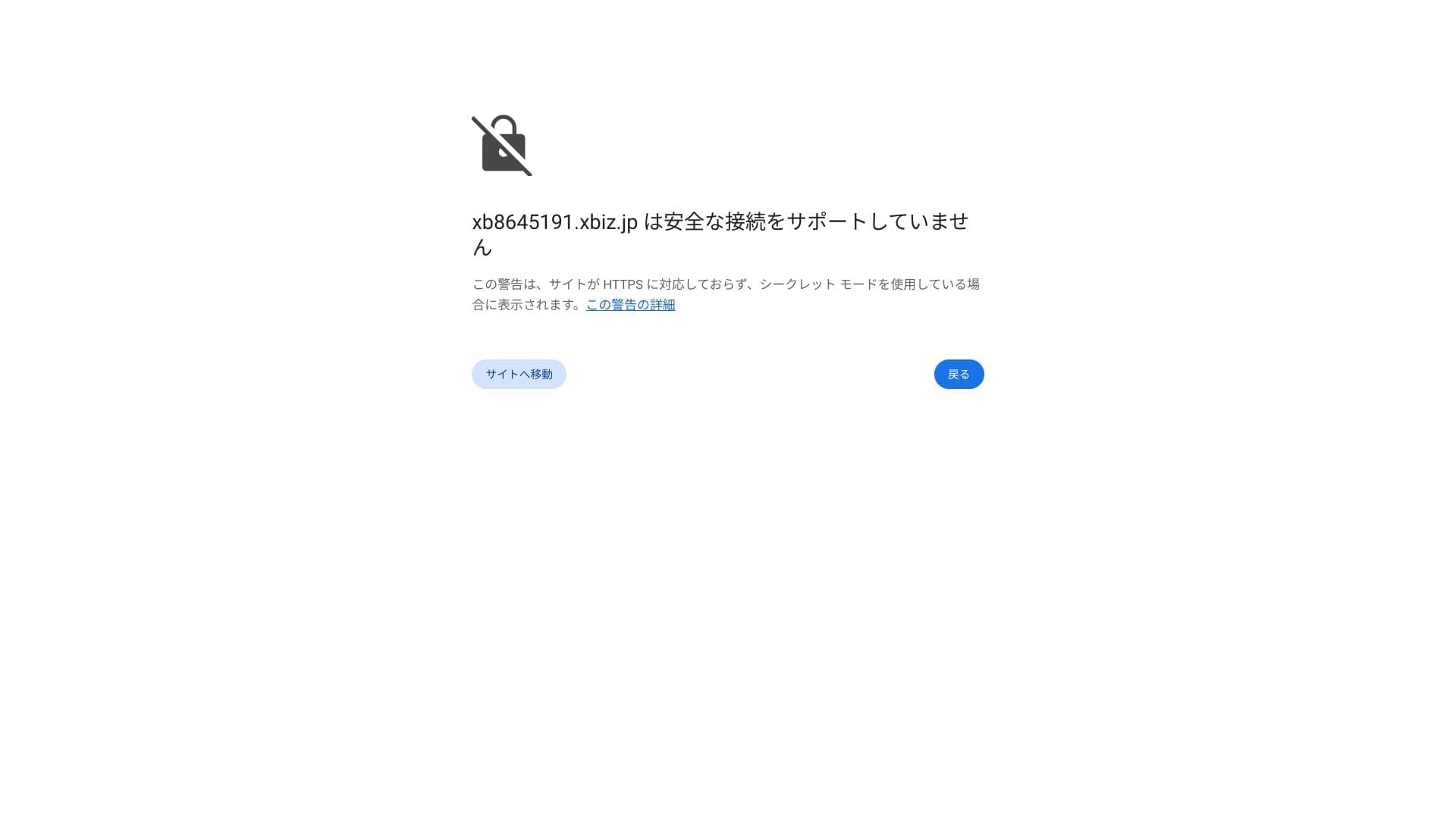
Dacă vedeți un avertisment care spune că o conexiune securizată nu este acceptată, înseamnă că setările DNS nu s-au propagat încă. În acest caz, nu vă rămâne decât să așteptați, așa că încercați să vă conectați din nou la fiecare oră.
★ Ce sunt DNS și serverele de nume? Conectarea domeniului și a serverului dumneavoastră
Configurați legăturile permanente (permalinks). În ecranul de administrare WordPress, accesați Setări, apoi Legături permanente. Alegeți Nume articol și faceți clic pe Salvare modificări.
Dacă alegeți „Post name”, veți putea introduce orice text doriți în URL-ul fiecărui articol. Vă recomand un text scurt, care să ajute cititorii să își imagineze conținutul articolului. Dacă URL-ul este prea lung, unele persoane s-ar putea simți neliniștite, întrebându-se dacă site-ul este sigur.
- STEP.7Instala plugins
Reveniți la ecranul de administrare WordPress, deschideți „Plugins” → „Add New” și instalați pluginurile de care aveți nevoie.
Când găsiți pluginul dorit prin căutare, faceți clic pe Instalează acum și apoi pe Activează. După aceea, urmați instrucțiunile specifice fiecărui plugin.
Asigură-te că instalezi pluginuri de securitate și backup.
- 5 module de extensie (plugins) WordPress axate pe securitate și cum să le alegeți
- 5 powerful WordPress backup plugins to recover your data
Odată ce modulele sunt instalate, site-ul tău WordPress este gata de funcționare.
Rularea mai multor site-uri
Deoarece opțiunile de multidomeniu, subdomenii și conturi de e-mail sunt nelimitate, puteți gestiona centralizat un site corporativ, pagini de recrutare, pagini de destinație pentru campanii și multe altele în baza unui singur contract. Posibilitatea de a împărți drepturile de administrare pe departamente este, de asemenea, convenabilă pentru mediul de afaceri.
Migrating WordPress sites
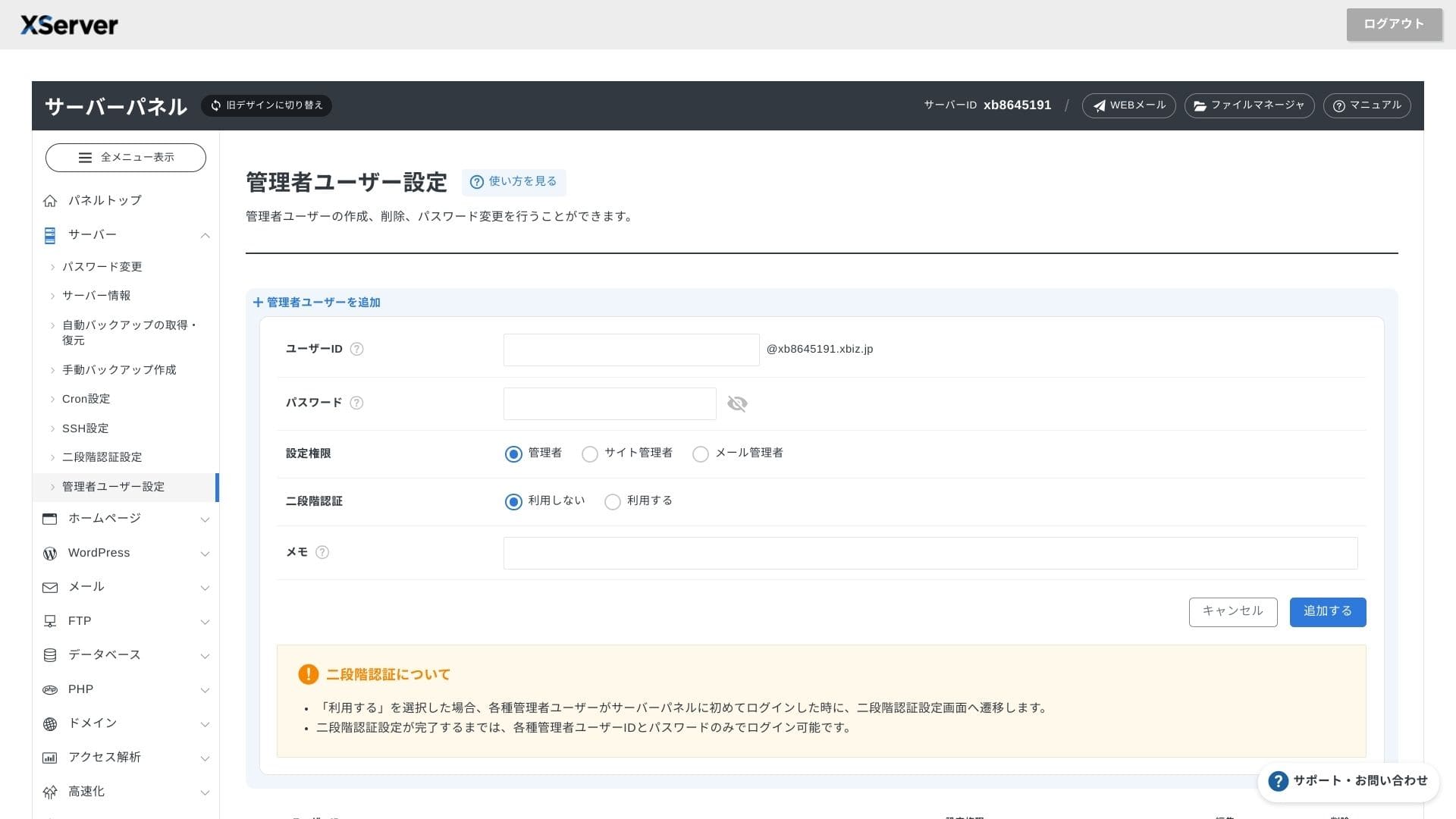
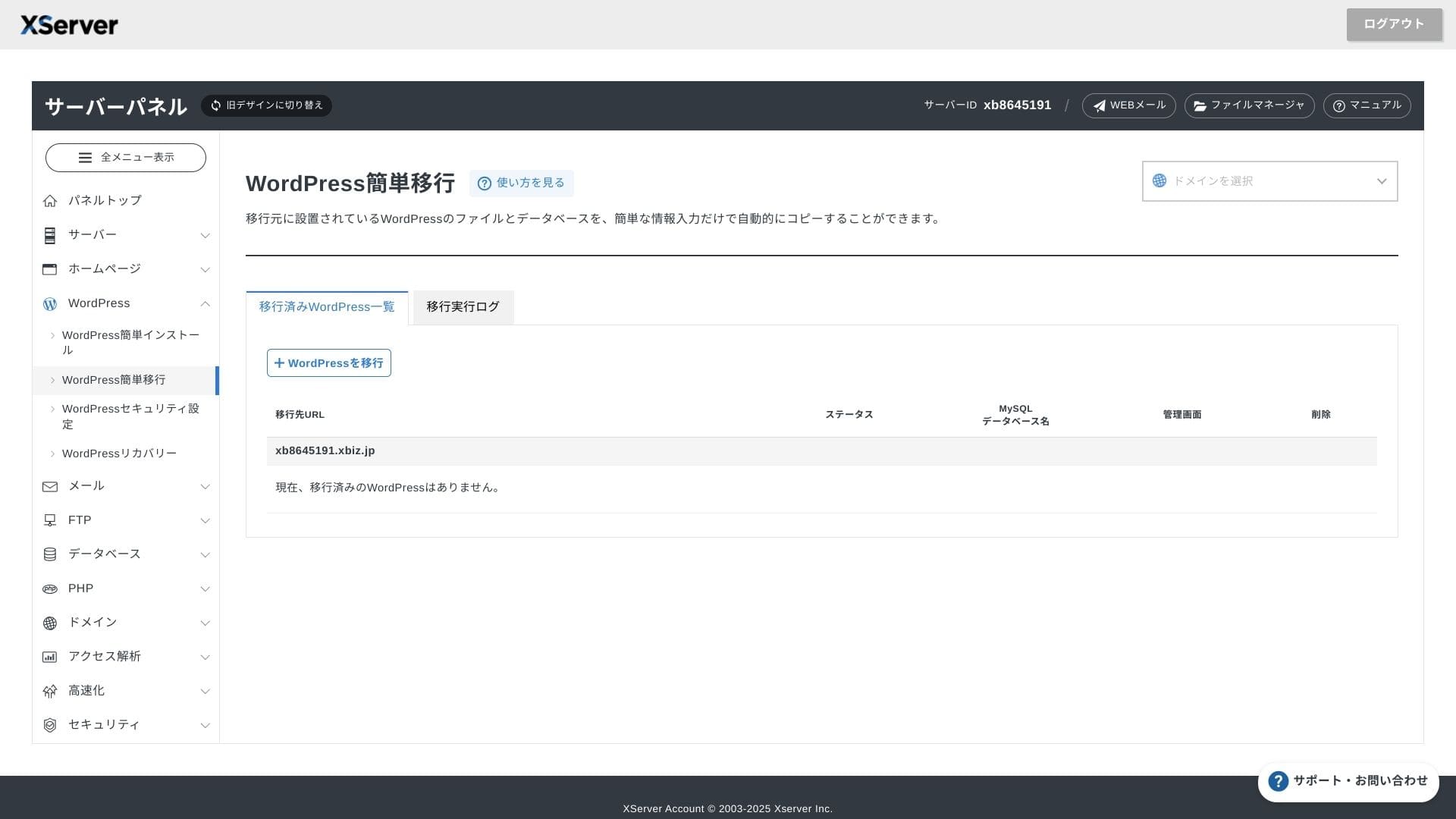
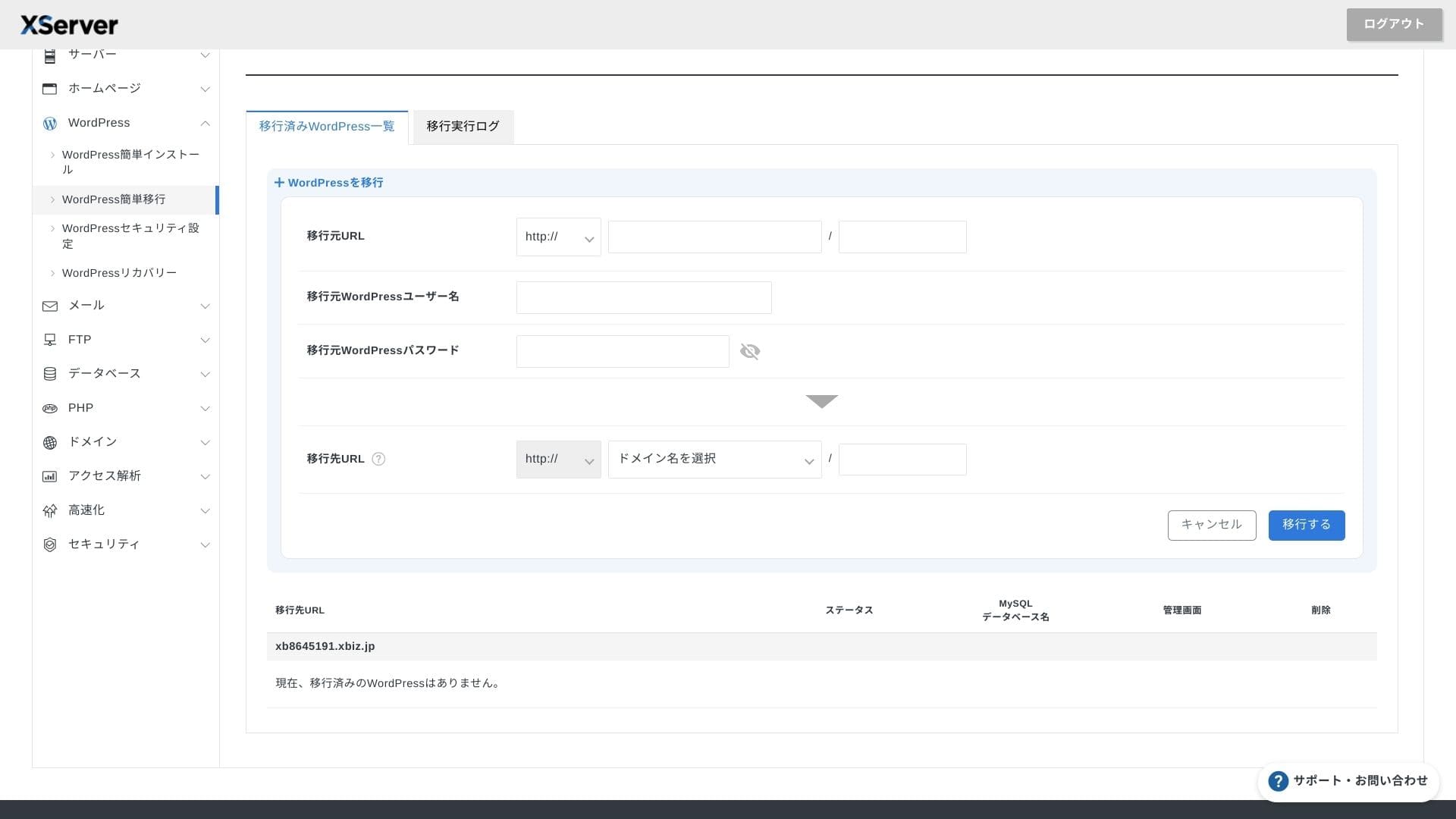
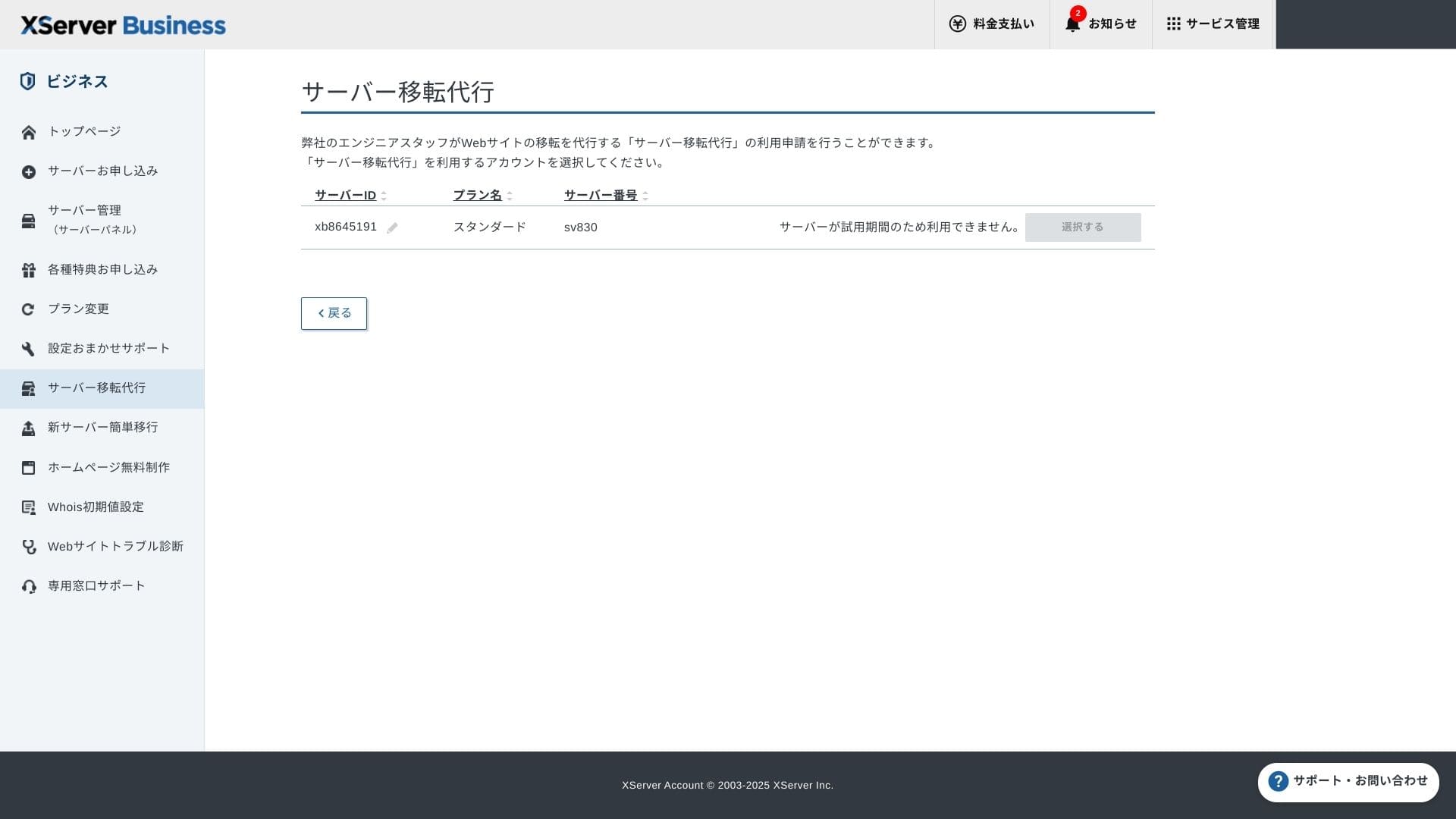
Puteți folosi atât funcția „Easy WordPress Migration” (Migrare simplă WordPress), care copiază site-ul prin introducerea doar a vechiului URL al serverului, a ID-ului și a parolei, cât și serviciul de migrare a serverului, unde inginerii se ocupă de tot pentru dvs. (gratuit prima dată).
Hikaru Ono
Dacă vă pricepeți la servere și domenii, utilizarea opțiunii „Easy WordPress Migration” și configurarea pe cont propriu vor fi mai rapide, deoarece nu trebuie să așteptați serviciul de migrare asistată.
În special, serviciul de migrare asistată se ocupă și de schimbarea DNS-ului, așa că îl recomand în mod deosebit companiilor care au deja trafic și doresc neapărat să evite greșelile de DNS în timpul migrării.
Recenzie de performanță și specificații
Recenzie de performanță din măsurătorile noastre
XServer Businessa găzduit un site WordPress pentru care am măsurat un TTFB (Time to First Byte, cu alte cuvinte viteza de răspuns înainte ca pagina să înceapă să afișeze conținut) of 40 ms.
Aceasta este mult mai rapidă decât viteza de răspuns a serverului de 200 ms pe care o așteaptă Google, fiind excelentă pentru site-urile web corporative cu trafic intens și site-urile de afaceri.
You should reduce your server response time under 200ms.
Improve Server Response Time
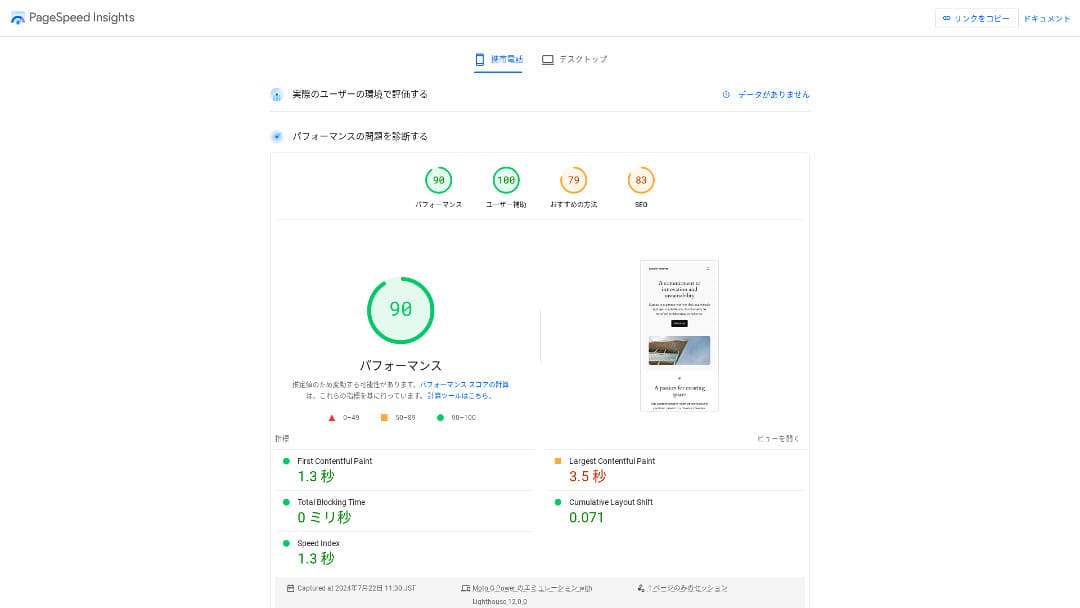
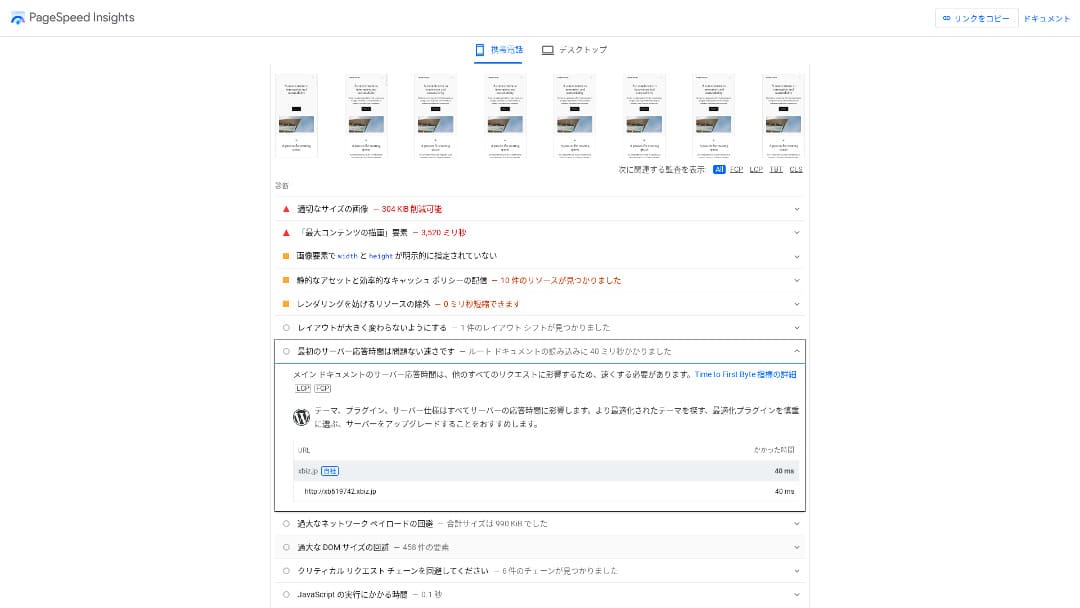
A fost al doilea cel mai rapid dintre cele 18 servere pe care le-am măsurat (Kinsta fiind pe primul loc).
Hikaru Ono
Este cel mai rapid server local. Pentru site-urile corporative și site-urile de e-commerce unde chiar și 0,1 secunde afectează traficul și vânzările, această viteză reprezintă un avantaj major.
Utilizează o rețea națională de mare viteză conectată direct la 10 Gbps și stocare NVMe RAID10. Conform benchmark-ului oficial, este de până la 17 ori mai rapid decât stocarea SSD convențională.
Capacitate disc
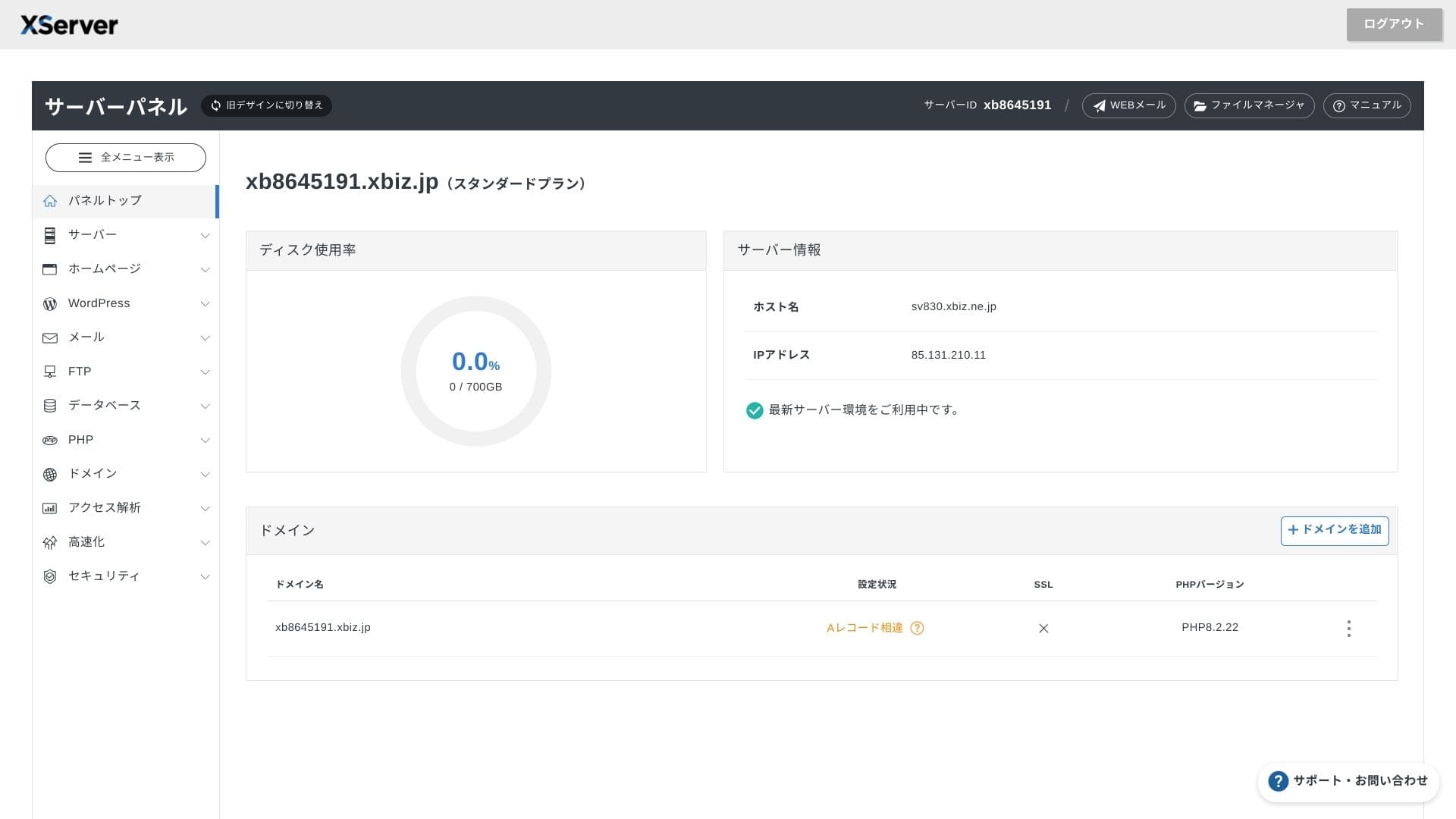
În toamna anului 2024, cele trei abonamente partajate au fost extinse la 700 GB / 800 GB / 900 GB (all NVMe). Even if you launch many landing pages with lots of photos and videos, you still have plenty of headroom.
În domenii precum cel financiar sau al sănătății, e-mailurile trebuie adesea păstrate timp de șapte ani sau mai mult ca pistă de audit, iar departamentele de vânzări tind să gestioneze atașamente mari. Deoarece spațiul de stocare disponibil este foarte mare, puteți păstra e-mailurile în siguranță, fără a fi nevoie să ștergeți constant datele vechi.
De asemenea, puteți construi spații de stocare de tip local (on-premises), cum ar fi WebDAV sau Nextcloud, și să gestionați documentele interne în siguranță printr-o conexiune VPN.
Hikaru Ono
XServer Businesspoate reduce de unul singur volumul de muncă al echipei dvs. operaționale, lăsând în același timp suficient spațiu pentru creșterea viitoare a afacerii.
Volum de transfer
XServer Businesscan be used without transfer limits within normal usage ranges. The official documentation clearly states that there are no transfer-volume charges.
★ Ce reprezintă traficul și volumele de transfer de date? Gestionarea și optimizarea traficului web
Stabilitatea serverului și disponibilitatea
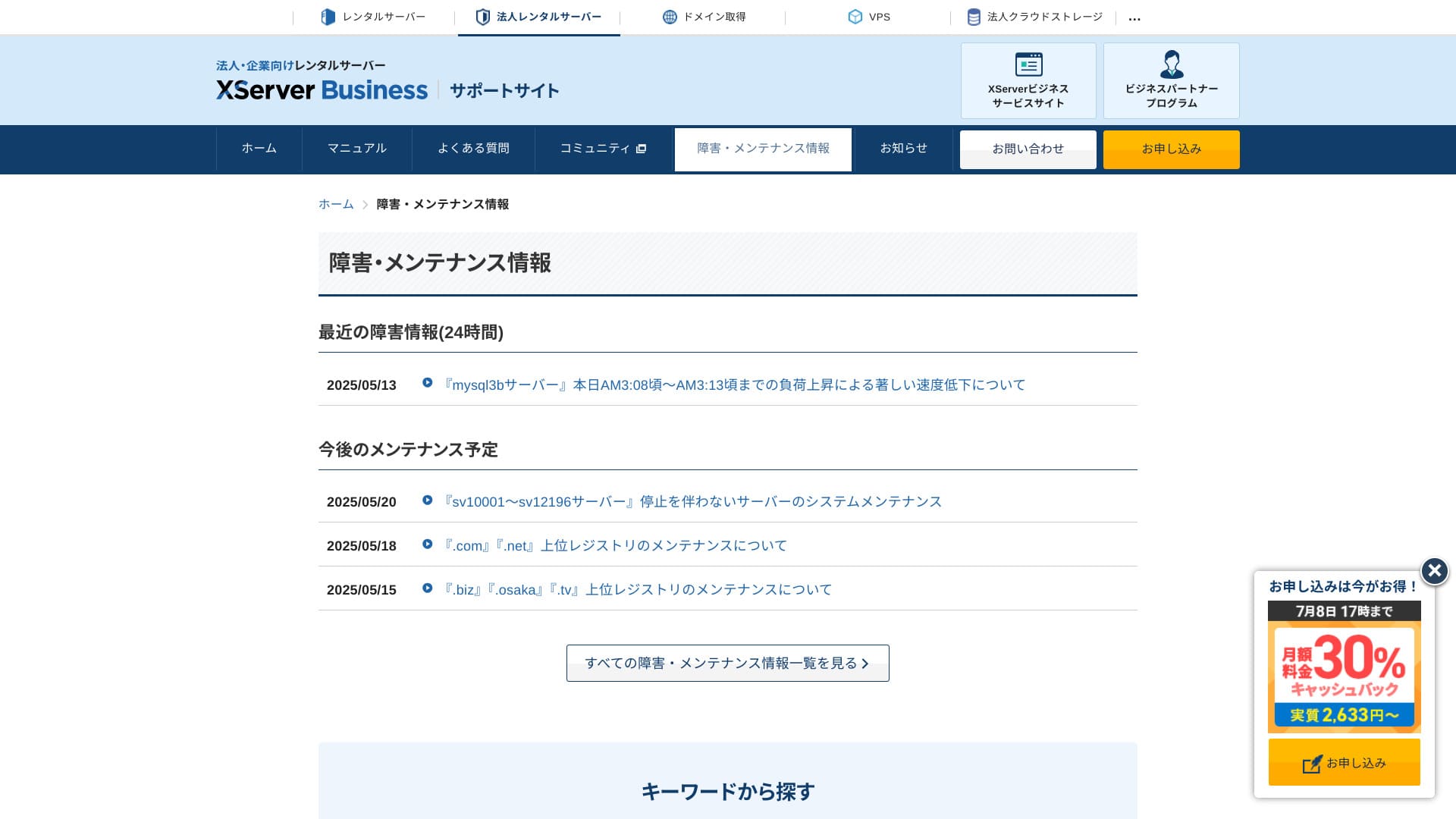
Chiar și abonamentul partajat include un SLA lunar de 99,99%, ceea ce înseamnă că primiți o rambursare dacă garanția nu este respectată. Oferind atât stabilitate ridicată, cât și un SLA, este exact tipul de serviciu de care au nevoie companiile.
Because server outages and maintenance information are openly published on the official site, anyone can check them at any time.
Hikaru Ono
A Companie that shares this information openly instead of hiding it is easier to trust.
Prețuri și costuri
Taxă inițială și cost lunar
XServer Businesstaxează 4.180 de yeni pe lună pentru planul Standard cu un contract de 12 luni. Datorită campaniei de cashback de 30% care se desfășoară până la 8 iulie, costul efectiv este de 2.926 de yeni. Având în vedere că asistența telefonică, asistența prin chat și serviciile administrate sunt incluse, consider că este un nivel rezonabil.
- XServer Business
- Kinsta
- wpx
- Lolipop!
- Star Server
- Rakko Server
- XServer
- ConoHa
- ColorfulBox
- Shin Rental Server
- Little Server
- CORESERVER
- DreamHost
- Bluehost
- Sakura
- Namecheap
- Shin Free Server
- XREA
- Value Server
- Hostinger
- KAGOYA
- SiteGround
- HostGator
- IONOS
- Onamae.com
- ABLENET
- mixhost
- GoDaddy
- iCLUSTA+
- MuuMuu Server
- WADAX
- WebARENA
- Heteml
- CPI Rental Server


































Prețuri pentru domenii
XServer Businessinclude un domeniu gratuit precum .com sau .net, plus un al doilea domeniu (la alegere dintre .blog, .online sau .site) care este de asemenea gratuit pe viață. Beneficiul domeniului personalizat gratuit permanent acceptă înregistrări noi, transferuri de la alte companii, comutarea unui domeniu deja obținut și schimbarea domeniului eligibil.
Hikaru Ono
Because these domenii are meant for long-term afaceri use, this gratuit benefit is not something to overlook.
- XServer Domain
- Onamae.com
- MuuMuu Domain
- Value Domain
- Shin Domain
- Star Domain
- Colorful Domain
- Rakko Domain








SSL certificate cost
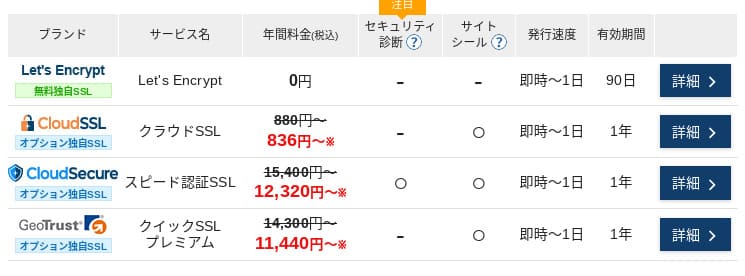
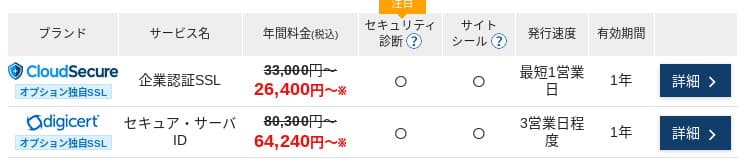
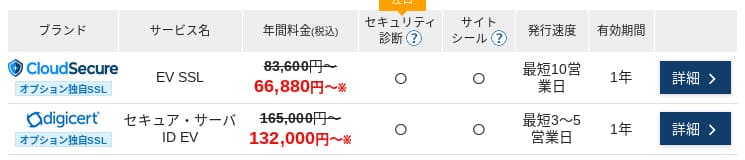
Cu Let's Encrypt, certificatul SSL cu validare la nivel de domeniu este gratuit. Certificatele SSL plătite cu validare de domeniu încep de la 836 de yeni pe an, cele cu validare de organizație (OV) de la 26.400 de yeni pe an, iar cele EV de la 66.000 de yeni pe an, toate fiind disponibile prin comandă oficială directă (one-stop).
Prețurile pot varia în funcție de campanie.
Metode de plată
XServer Businesssupports credit cards, bank transfer, Pay-easy, convenience store payment, and invoice billing. It can also issue PDF quotations and invoices, so adoption is smooth even for companies that need internal approval.
Hikaru Ono
Because many domestic găzduire services do not suport invoice payments, this is one of XServer Business's strengths.
- XServer Business
- Kinsta
- wpx
- Lolipop!
- Star Server
- Rakko Server
- XServer
- ConoHa
- ColorfulBox
- Shin Rental Server
- Little Server
- CORESERVER
- DreamHost
- Bluehost
- Sakura
- Namecheap
- Shin Free Server
- XREA
- Value Server
- Hostinger
- KAGOYA
- SiteGround
- HostGator
- IONOS
- Onamae.com
- ABLENET
- mixhost
- GoDaddy
- iCLUSTA+
- MuuMuu Server
- WADAX
- WebARENA
- Heteml
- CPI Rental Server


































Ușurință în utilizare și suport
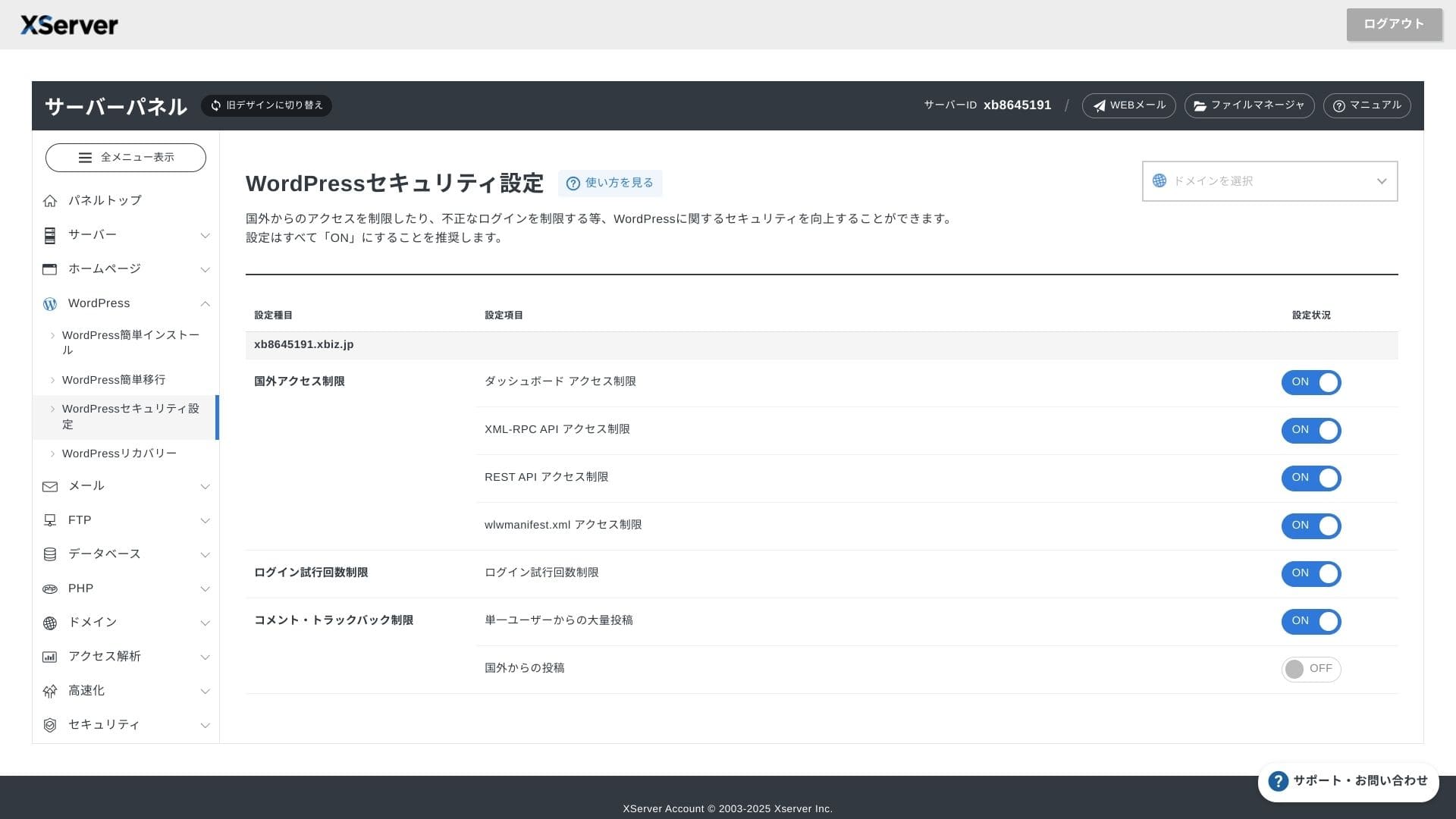
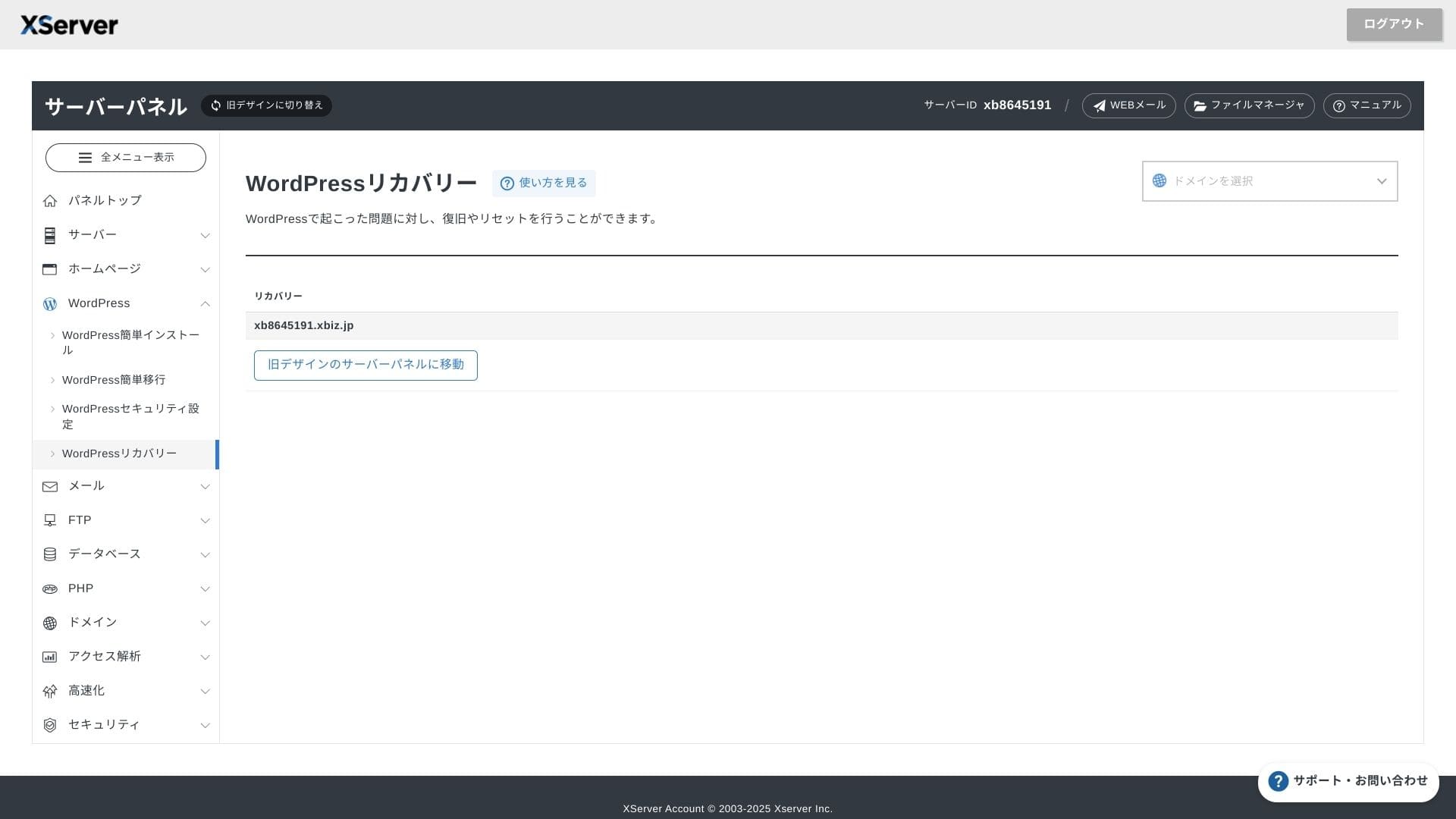
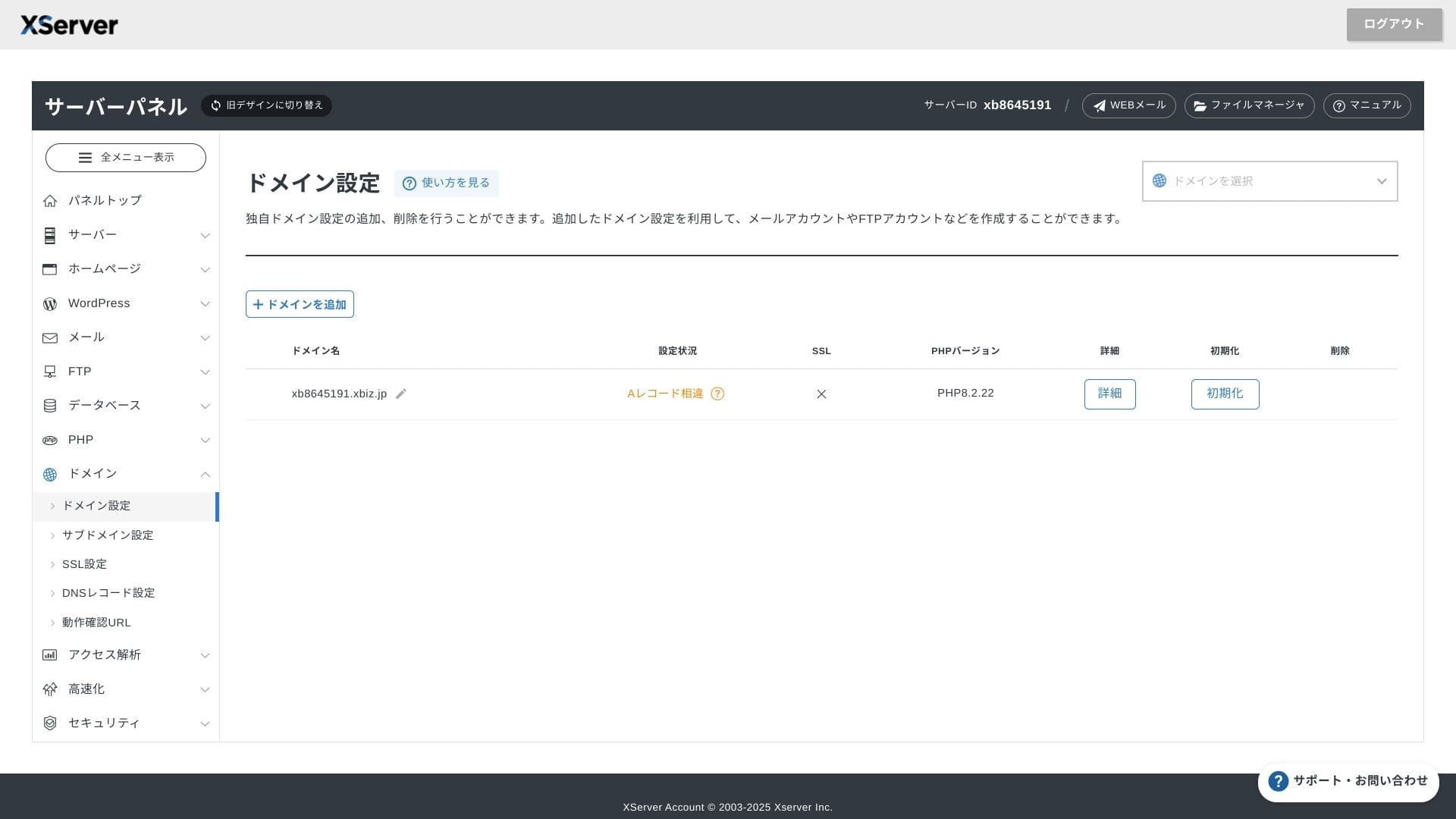
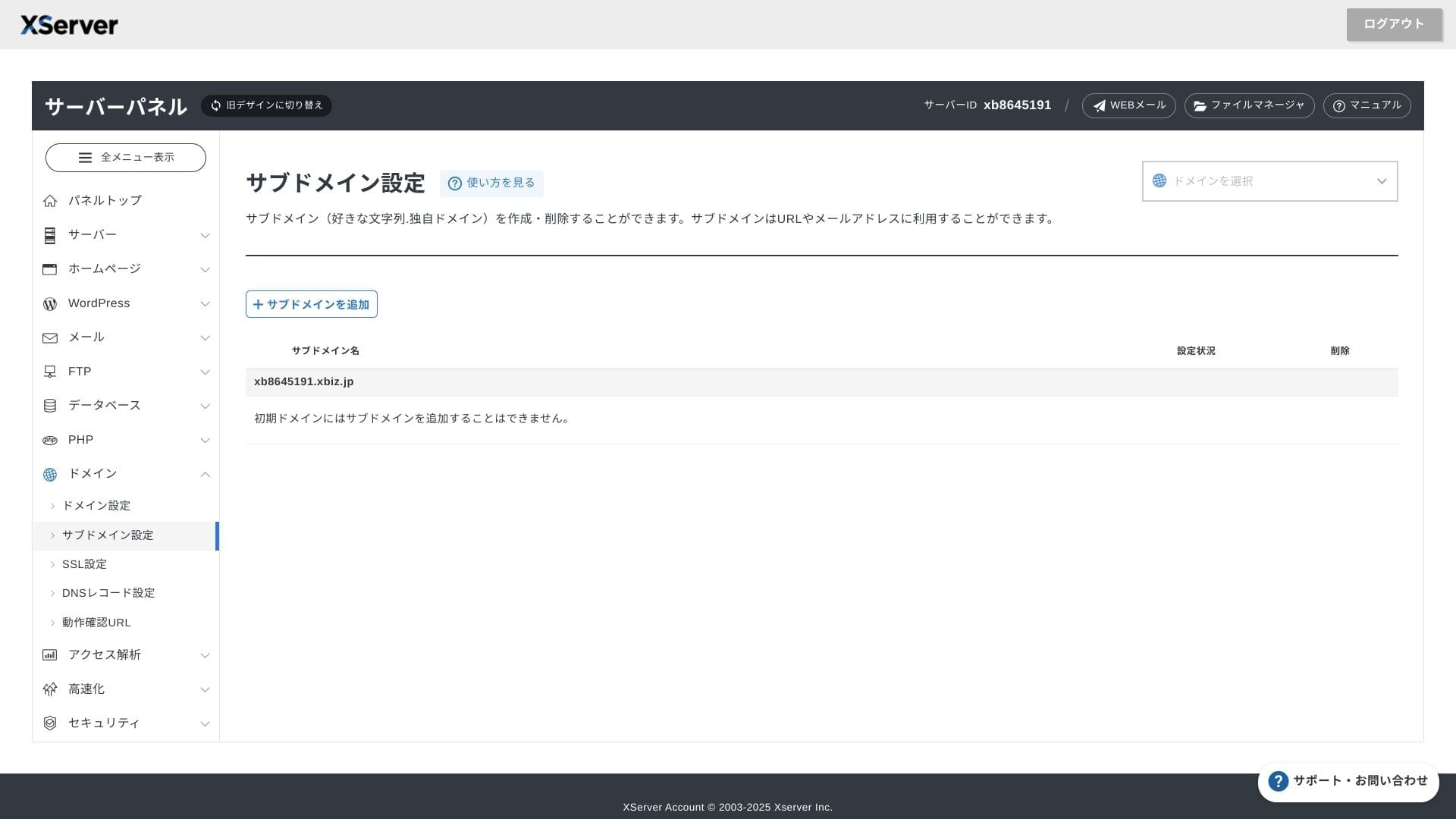
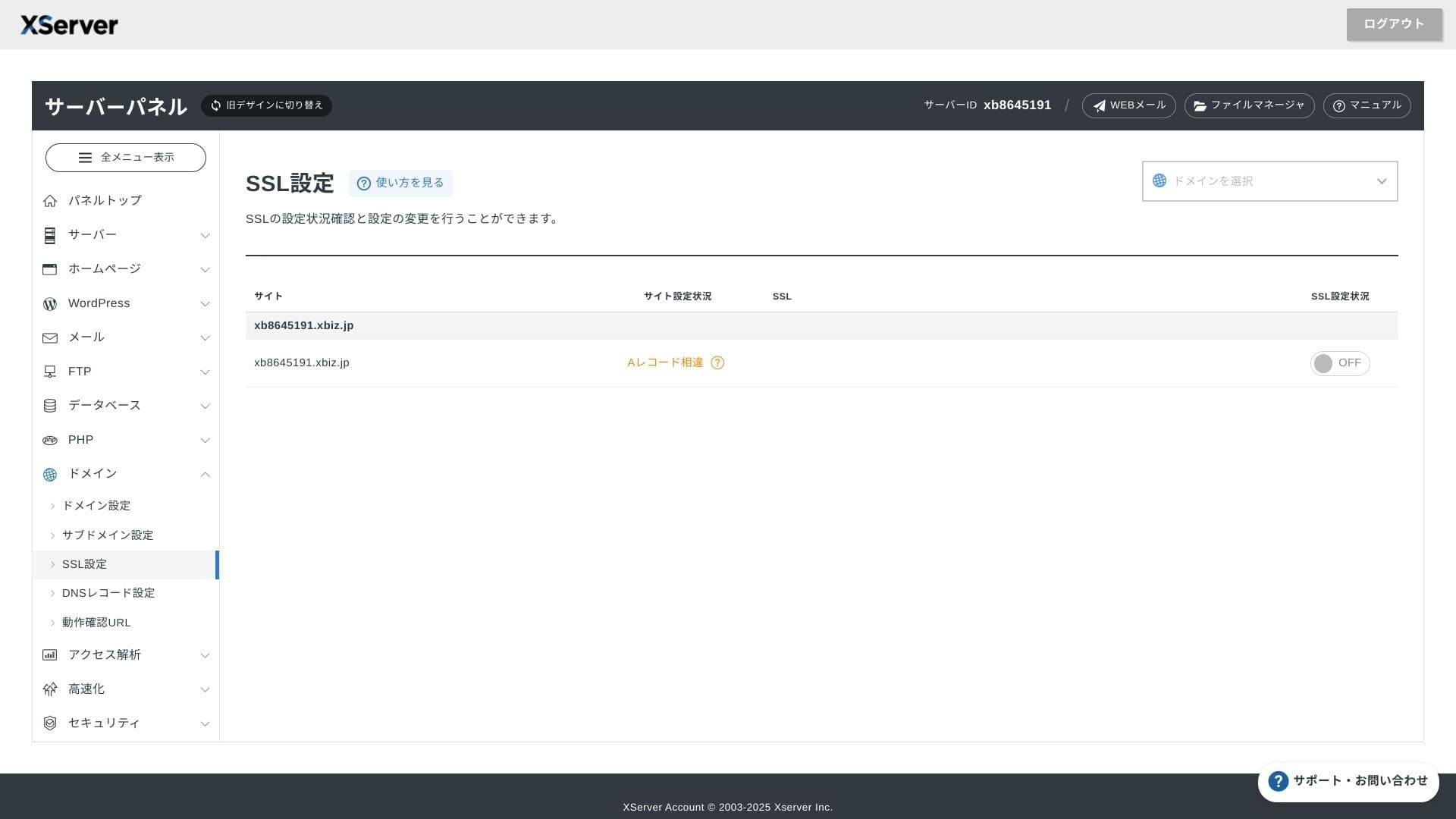
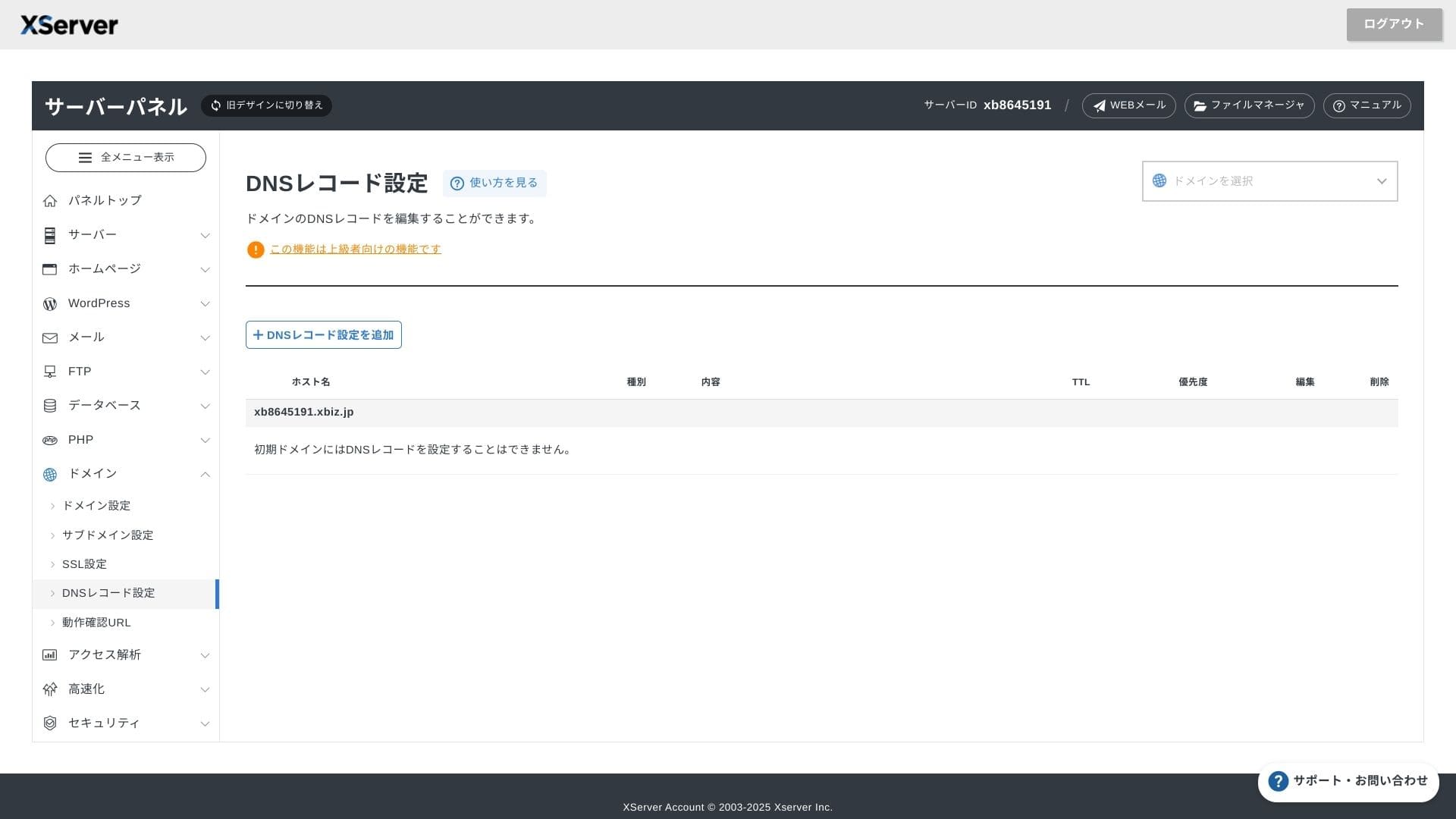
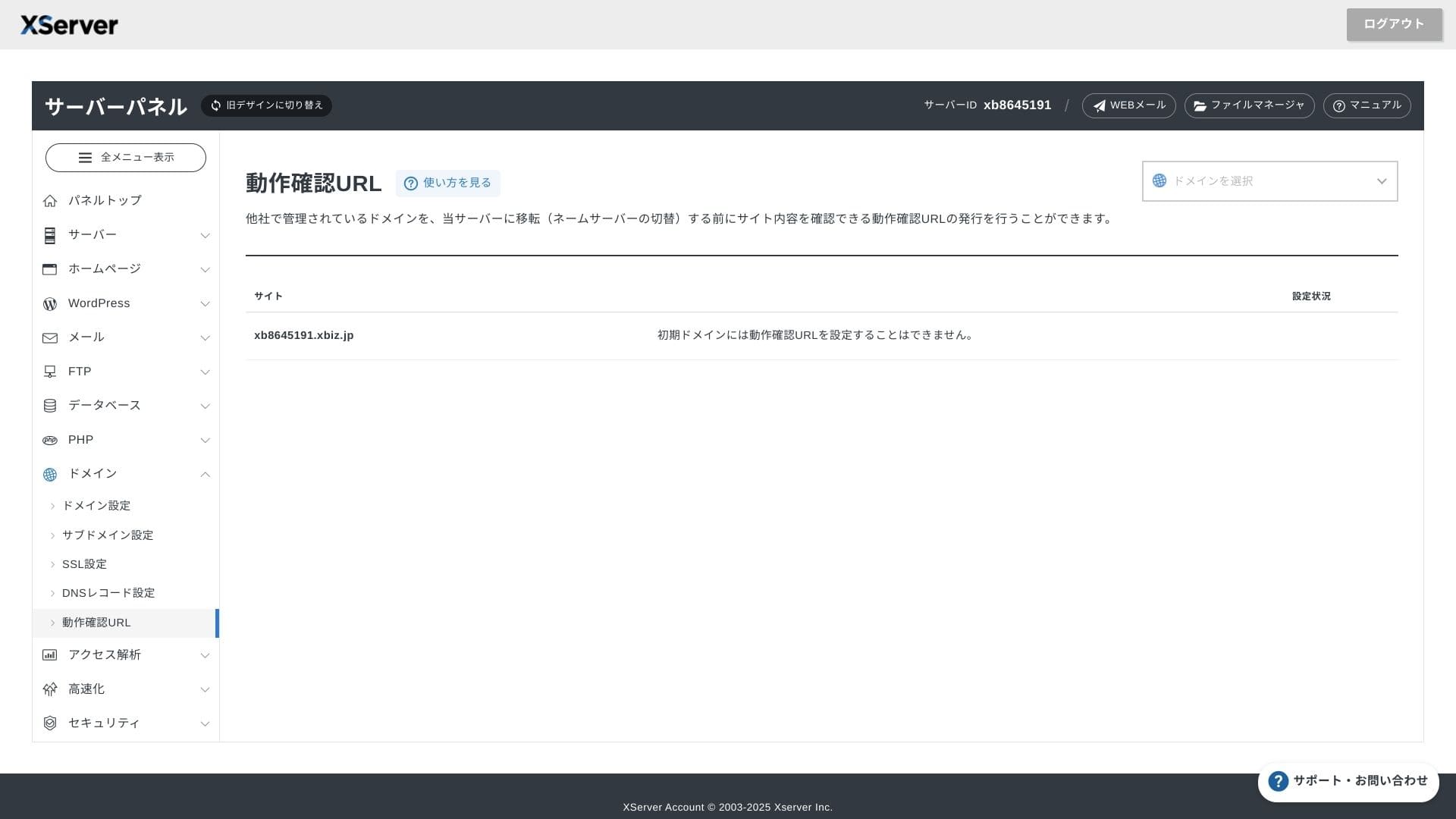
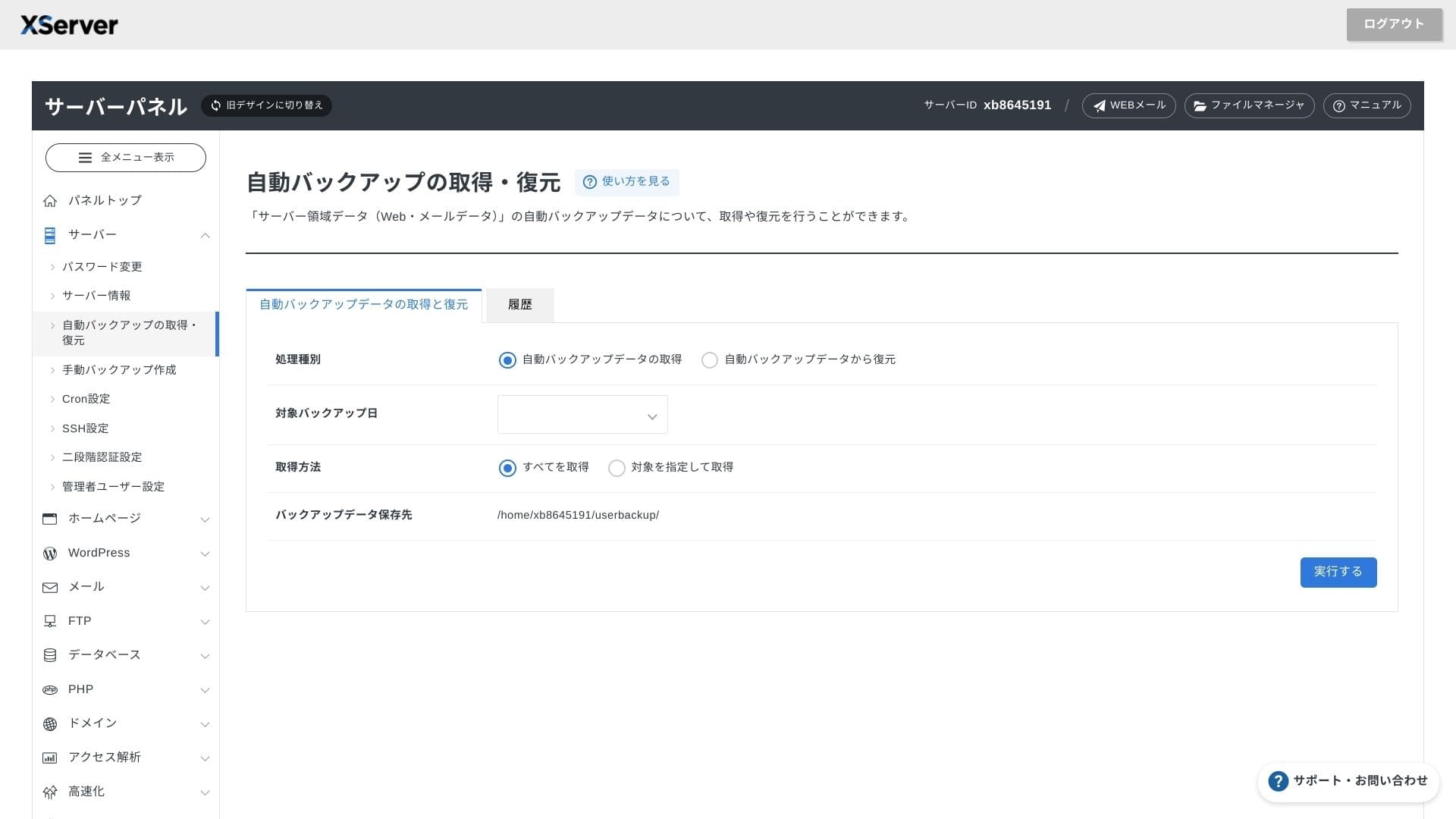
Ușurința panoului de control
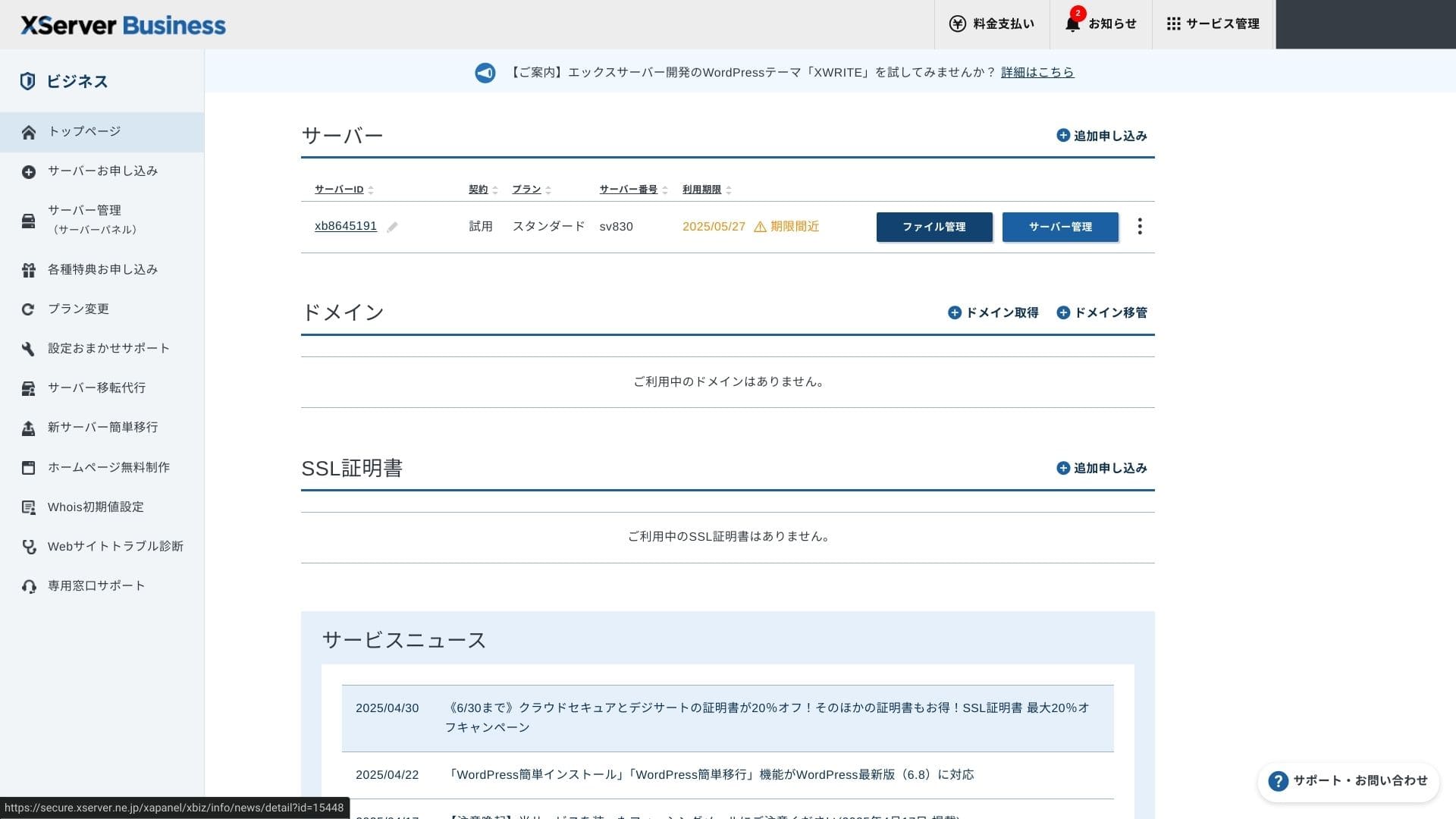
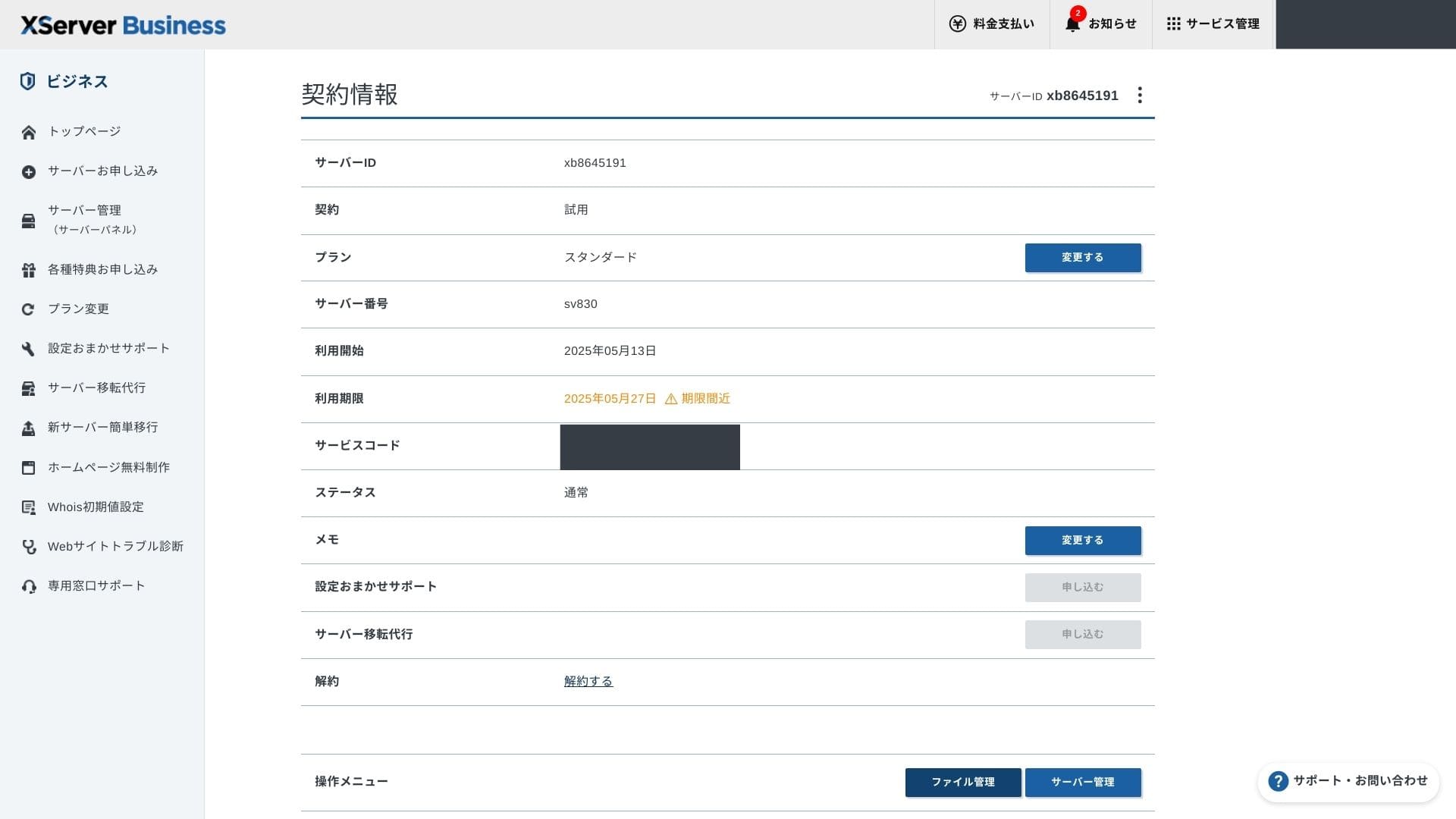
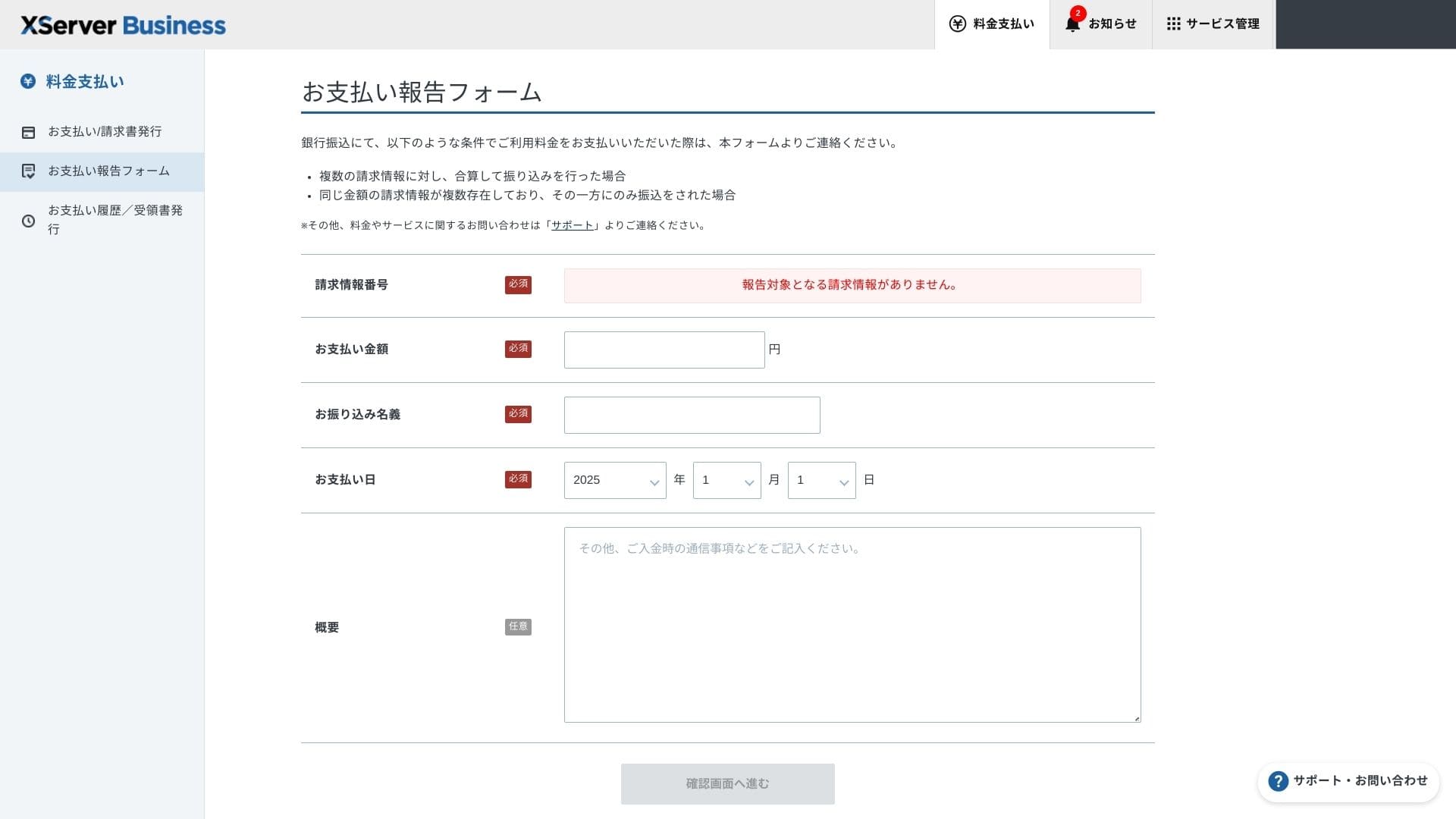
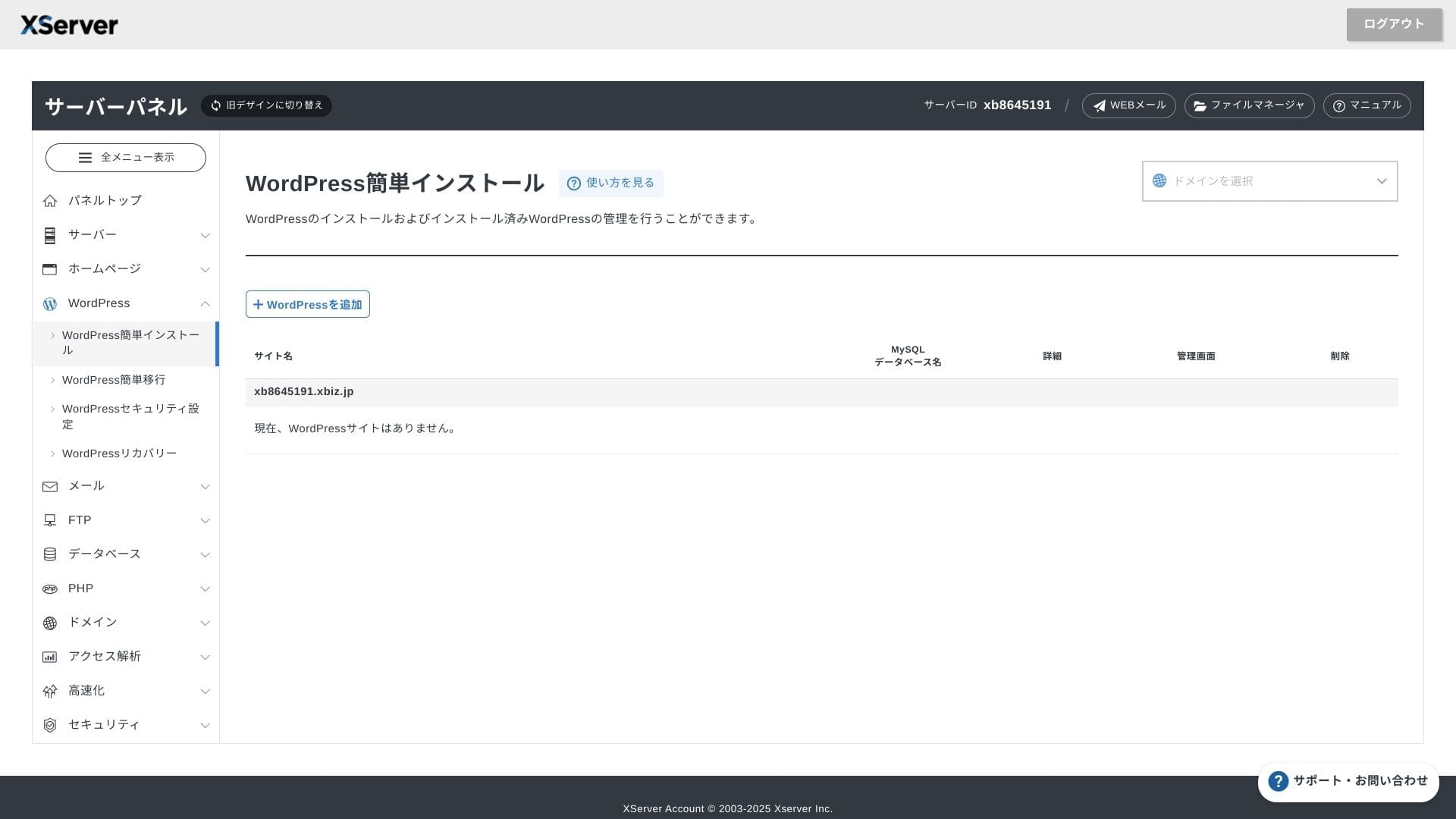
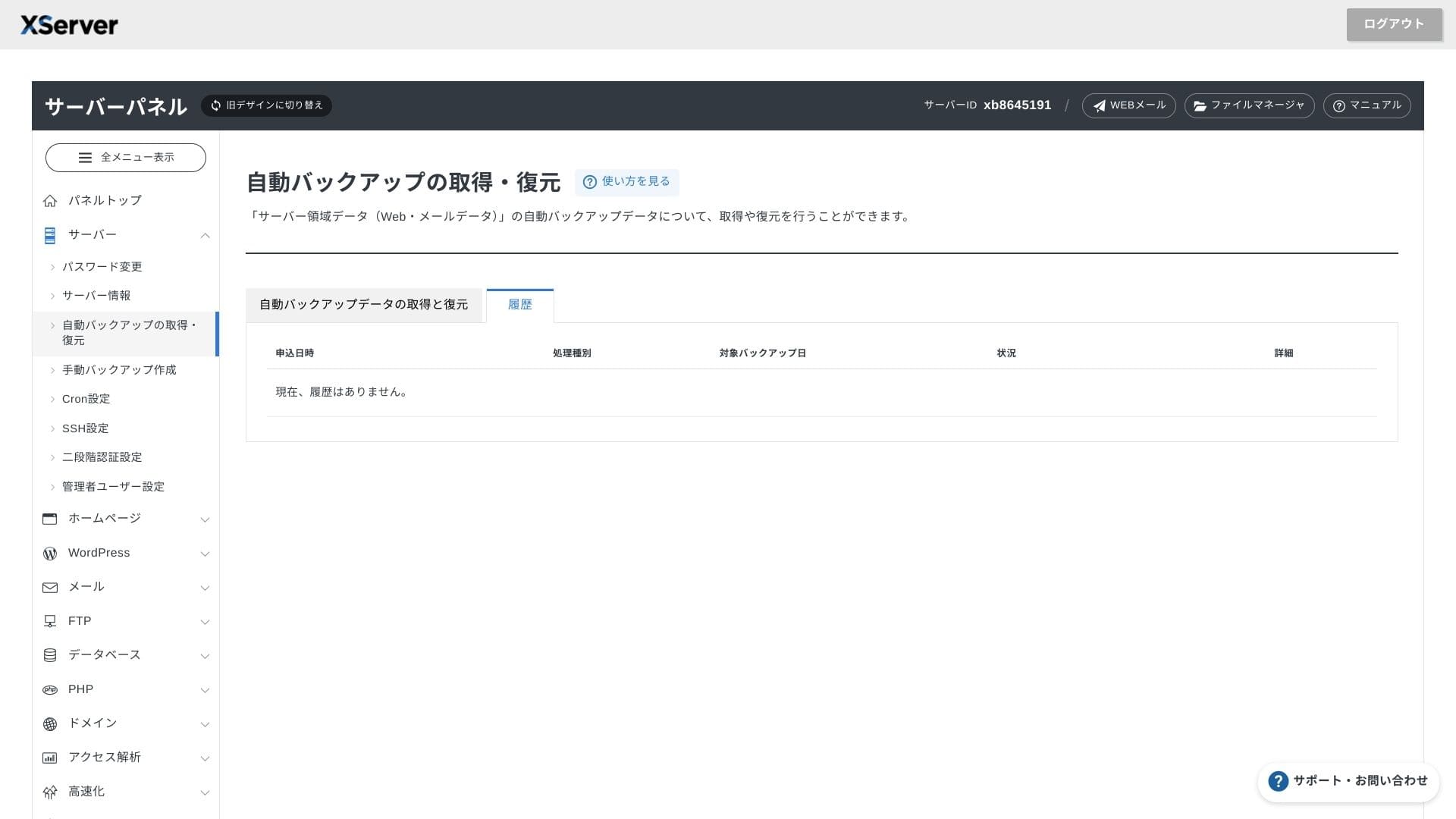
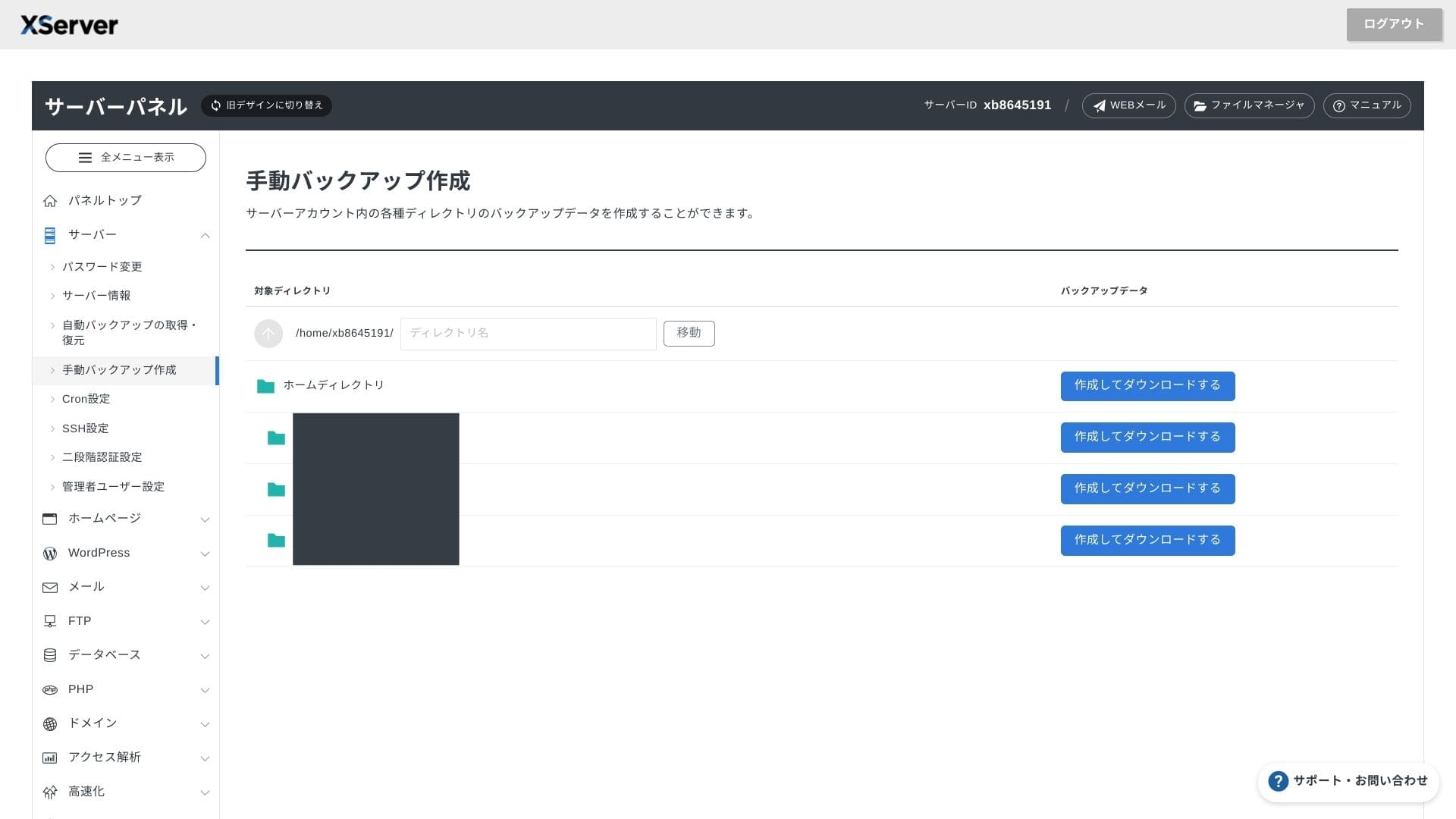
XServer Businessutilizează propria interfață de utilizator, astfel încât operațiunile cu fișiere, setările SSL și setările de e-mail sunt gestionate cu un singur clic. Deoarece documentația oficială specifică clar că configurarea se finalizează în maximum 24 de ore, este ușor să vă planificați calendarul de lansare.
Hikaru Ono
The server panel has been redesigned, and it is now even easier to use.
- Home screen
- Billing
- WordPress
- Domeniu
- Backup
Sistem de suport
Asistența este disponibilă prin telefon, e-mail și chat, în zilele lucrătoare, de la 10:00 la 18:00. Planul partajat Enterprise și planurile de servere administrate vin, de asemenea, cu birouri de asistență dedicate, astfel încât să puteți beneficia de o atenție sporită și de o asistență mai rapidă.
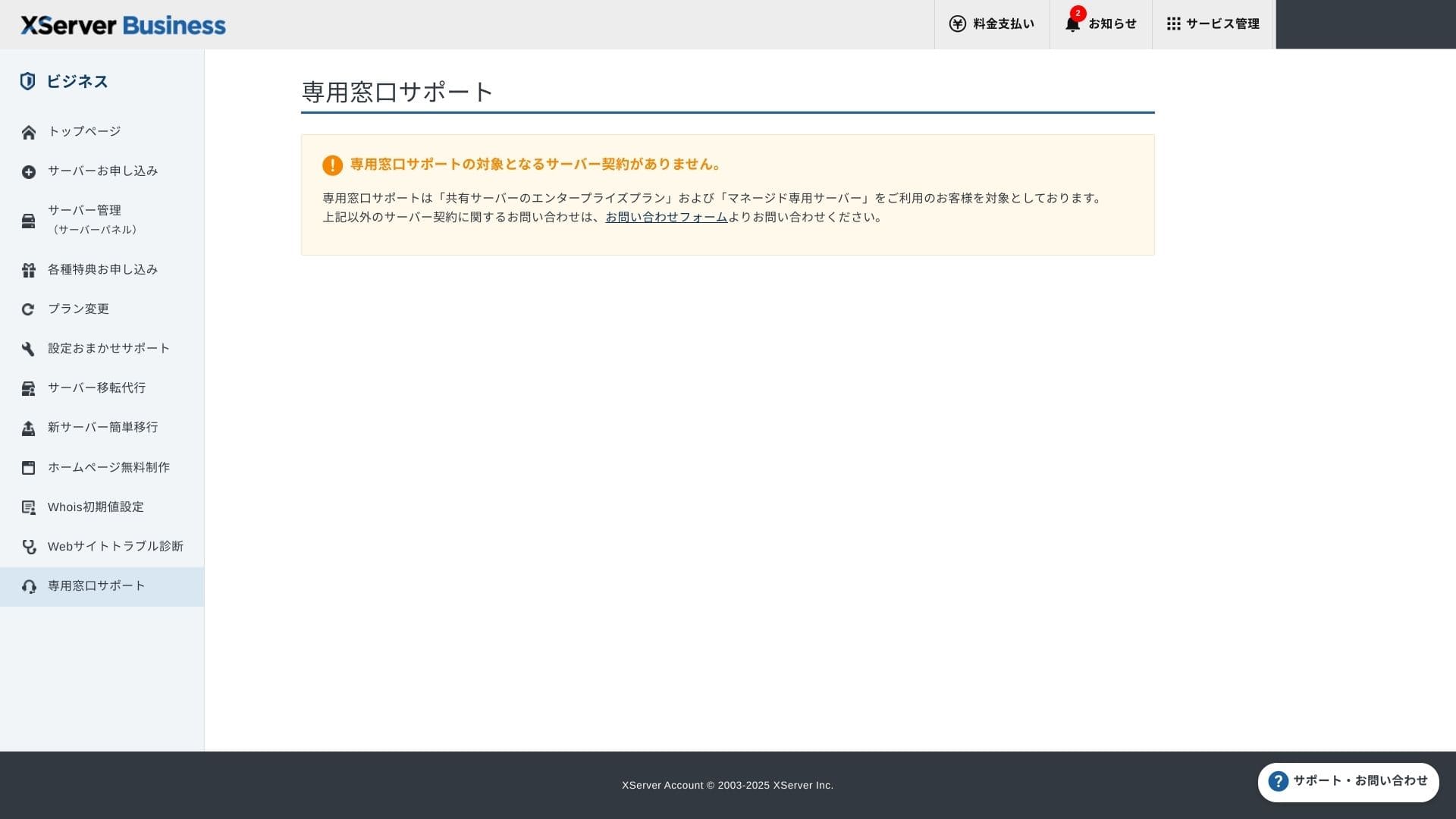
Configurare suport este gratuită și nelimitată și puteți solicita orice, de la modificări DNS până la setări Cron. Acest lucru oferă siguranță chiar și companiilor care nu au o persoană dedicată pentru asistență IT.
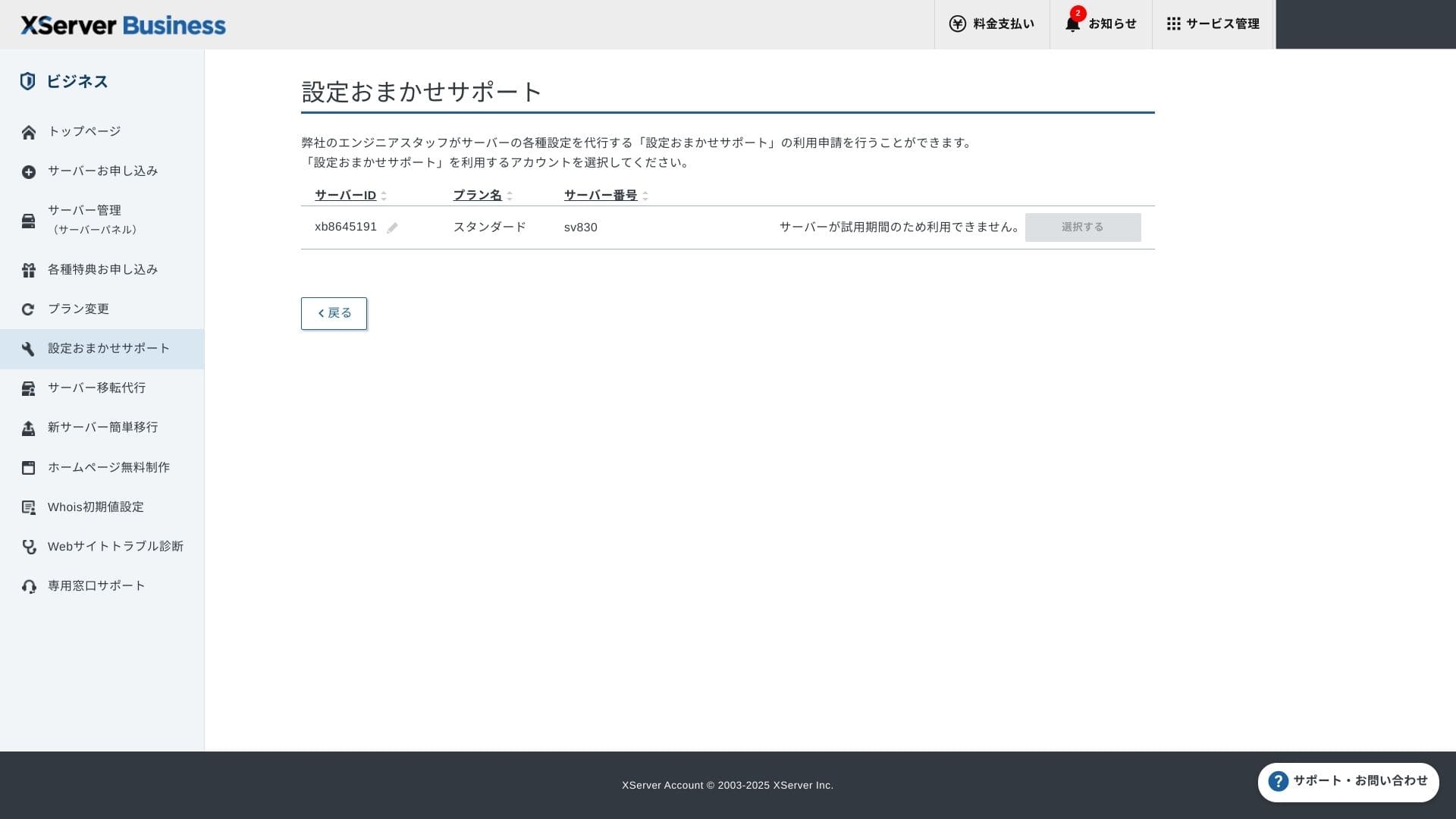
Servicii administrate
Serviciul administrat de migrare a serverului este gratuit prima dată. Deoarece copiază atât site-uri complet HTML, cât și site-uri CMS, are rezultate dovedite pentru proiectele care doresc să evite perioadele de întrerupere în timpul nopții sau în weekend.
Manuale și întrebări frecvente
Catalogul oficial PDF acoperă totul, de la metodele de plată până la procedurile de upgrade ale planului, și este destul de ușor de parcurs. Cred că mulți utilizatori își vor putea rezolva problemele pe cont propriu înainte de a contacta serviciul de asistență.
Funcții de e-mail
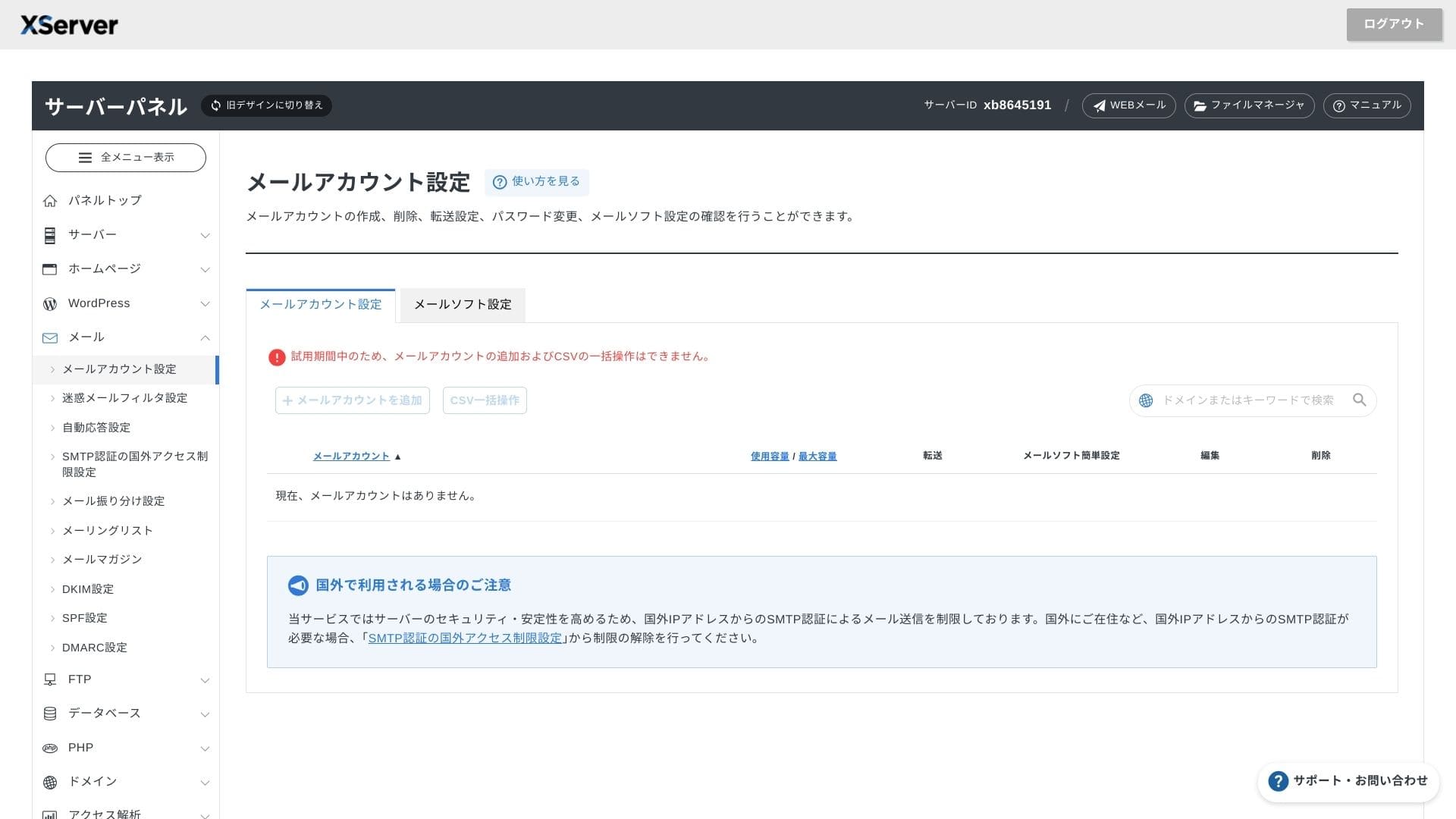
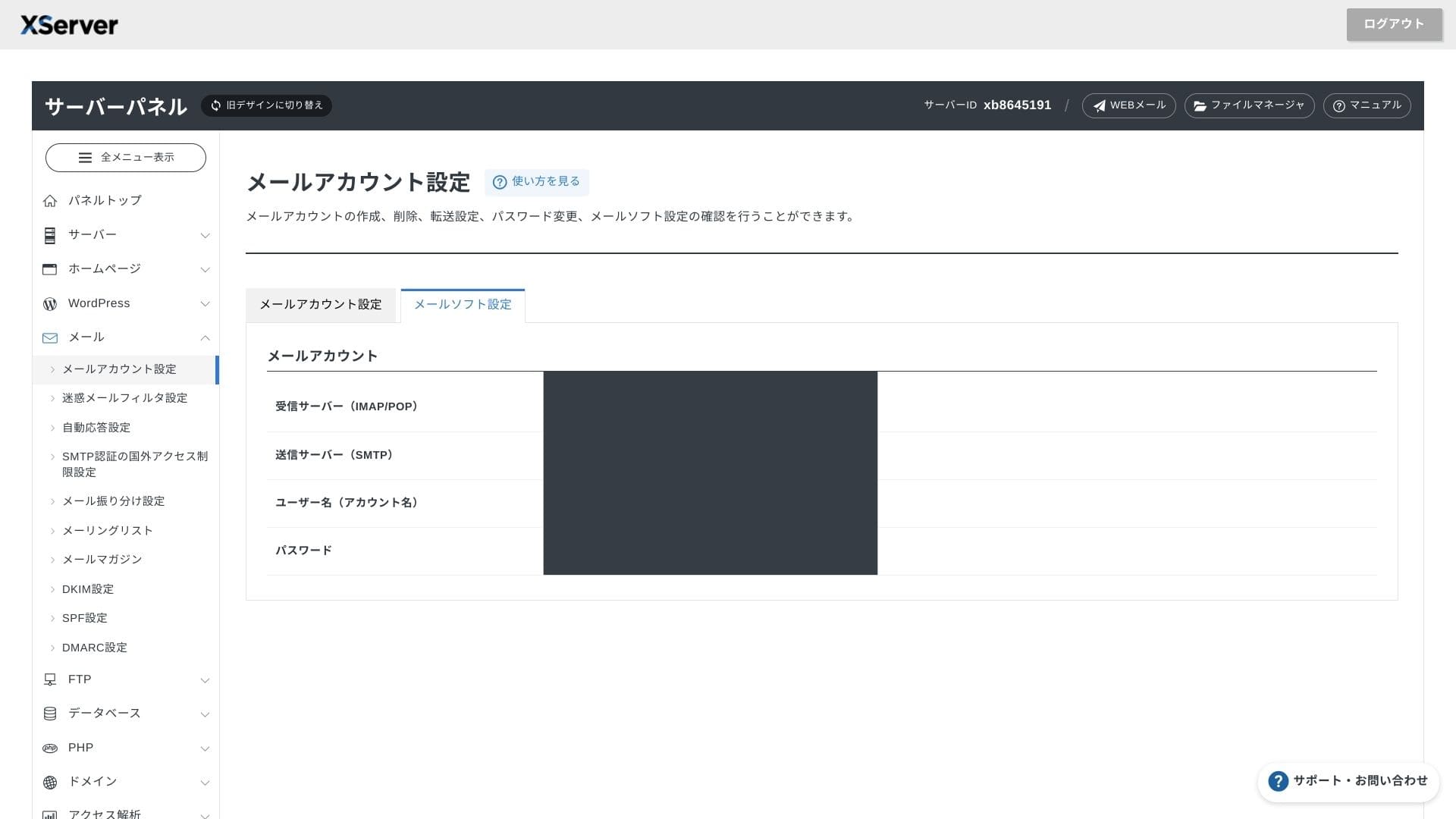
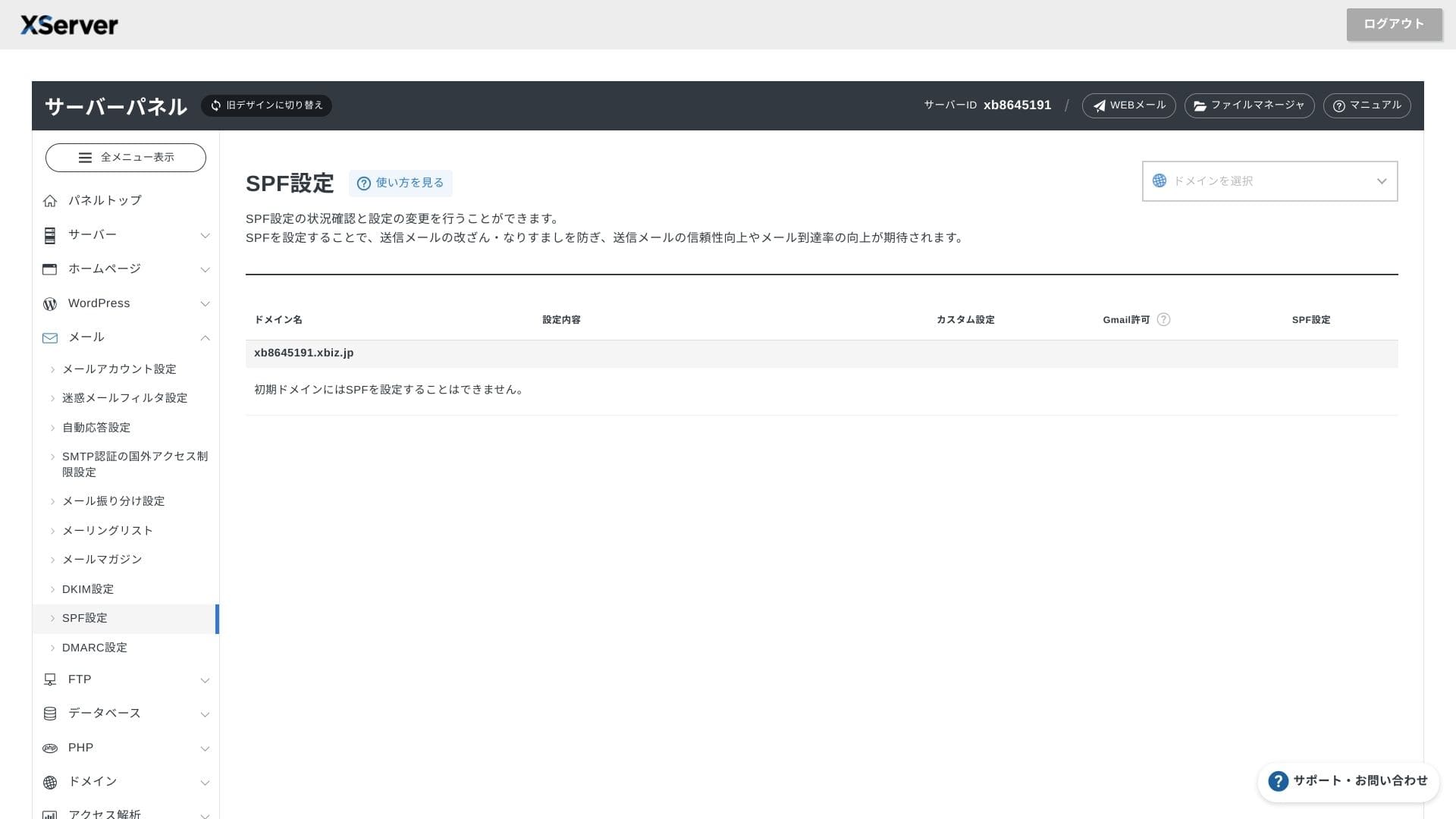
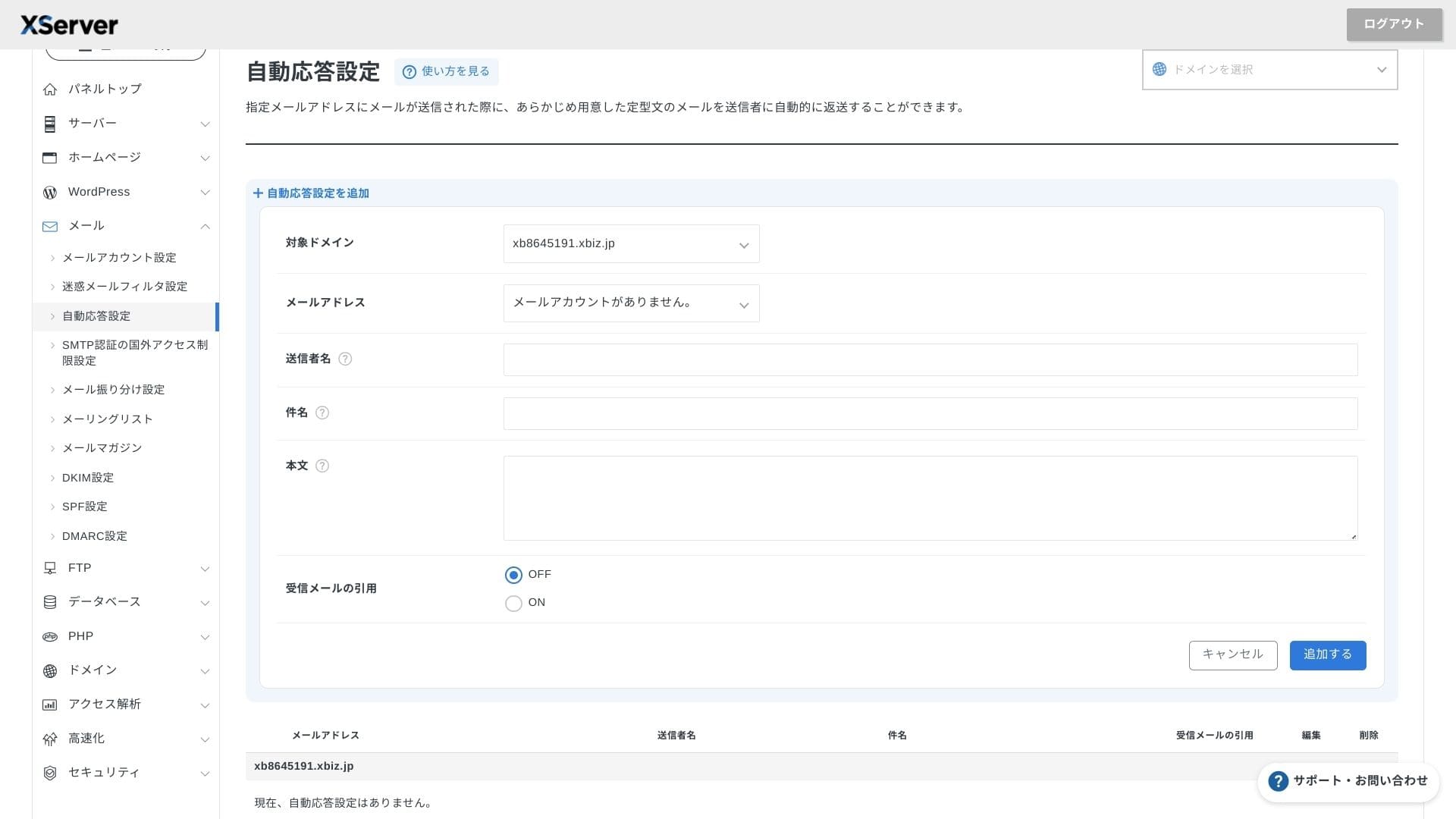
XServer Businessoferă conturi nelimitate, iar interfața sa webmail a fost actualizată în primăvara anului 2025, fiind confortabilă chiar și pe smartphone-uri. De asemenea, include gratuit un filtru antispam de înaltă performanță bazat pe Cloudmark Authority pentru până la 1.000 de conturi, iar compania declară o rată de detecție eficientă de peste 99%.
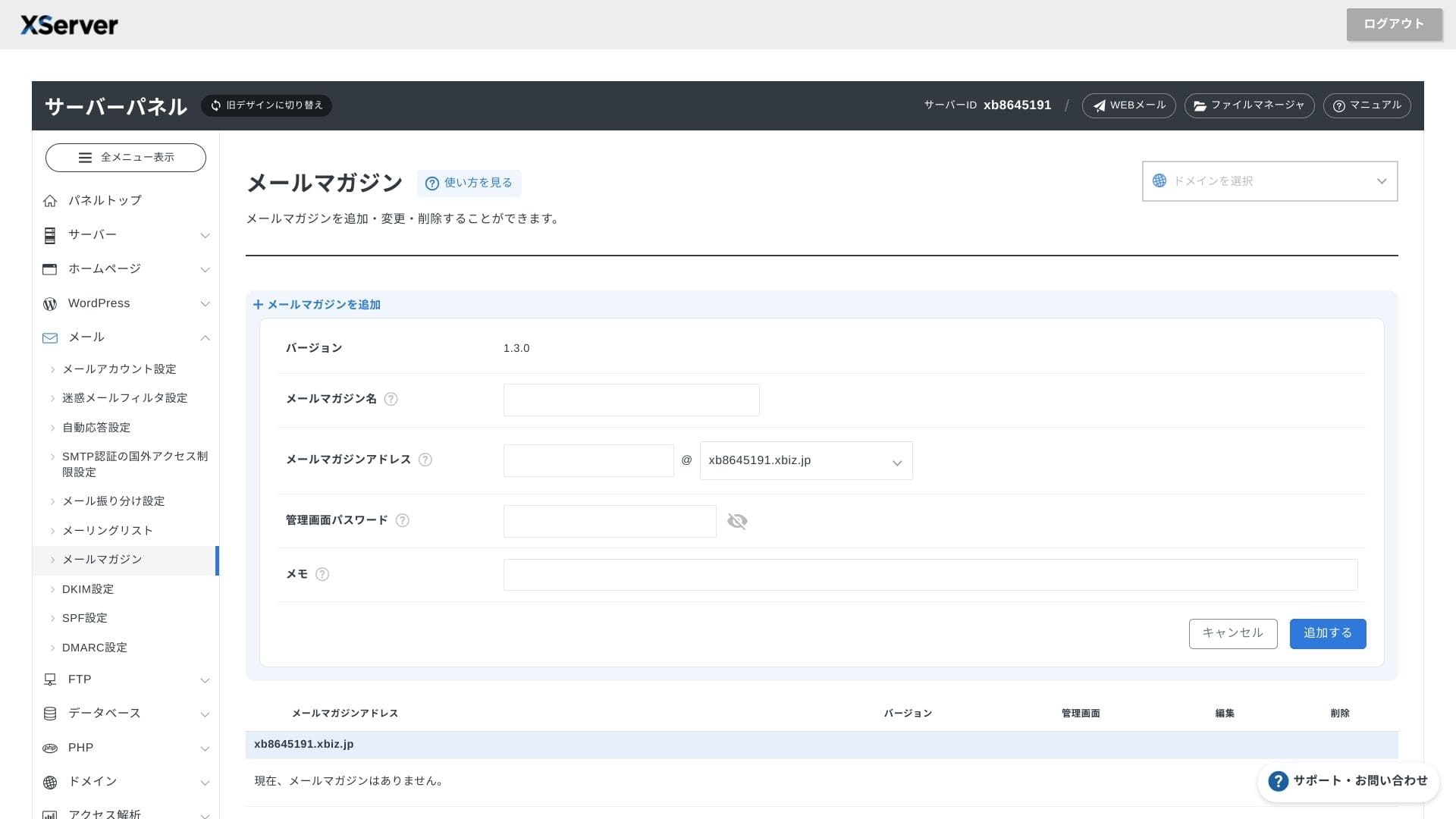
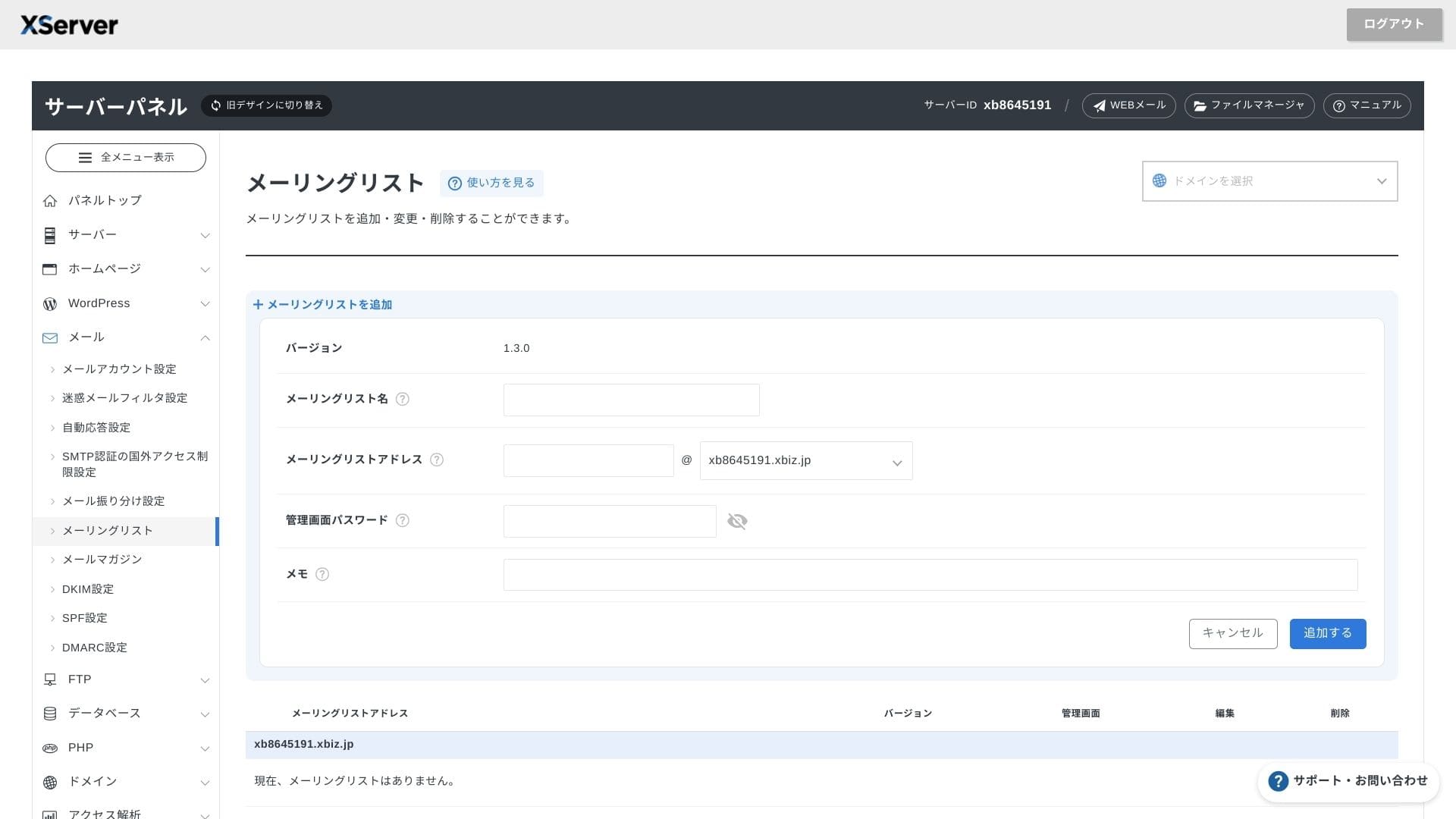
De asemenea, este ușor să creați buletine informative și liste de e-mail. Puteți trimite rapid actualizări clienților sau mesaje către un anumit departament din companie.
Hikaru Ono
Așa cum este de așteptat de la un server de business, funcțiile de e-mail sunt extrem de solide.
Securitate și copii de siguranță
Securitate measures
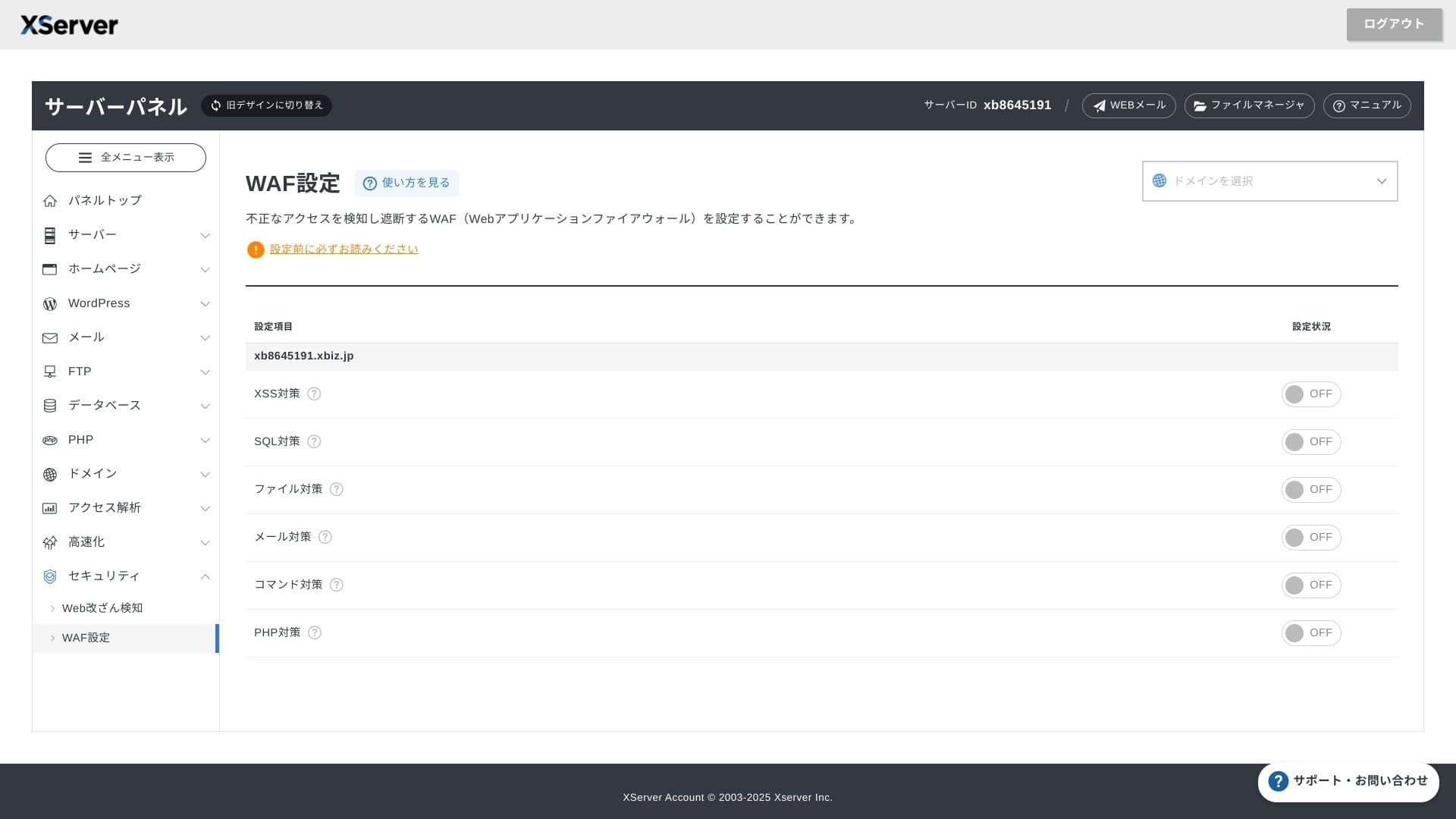
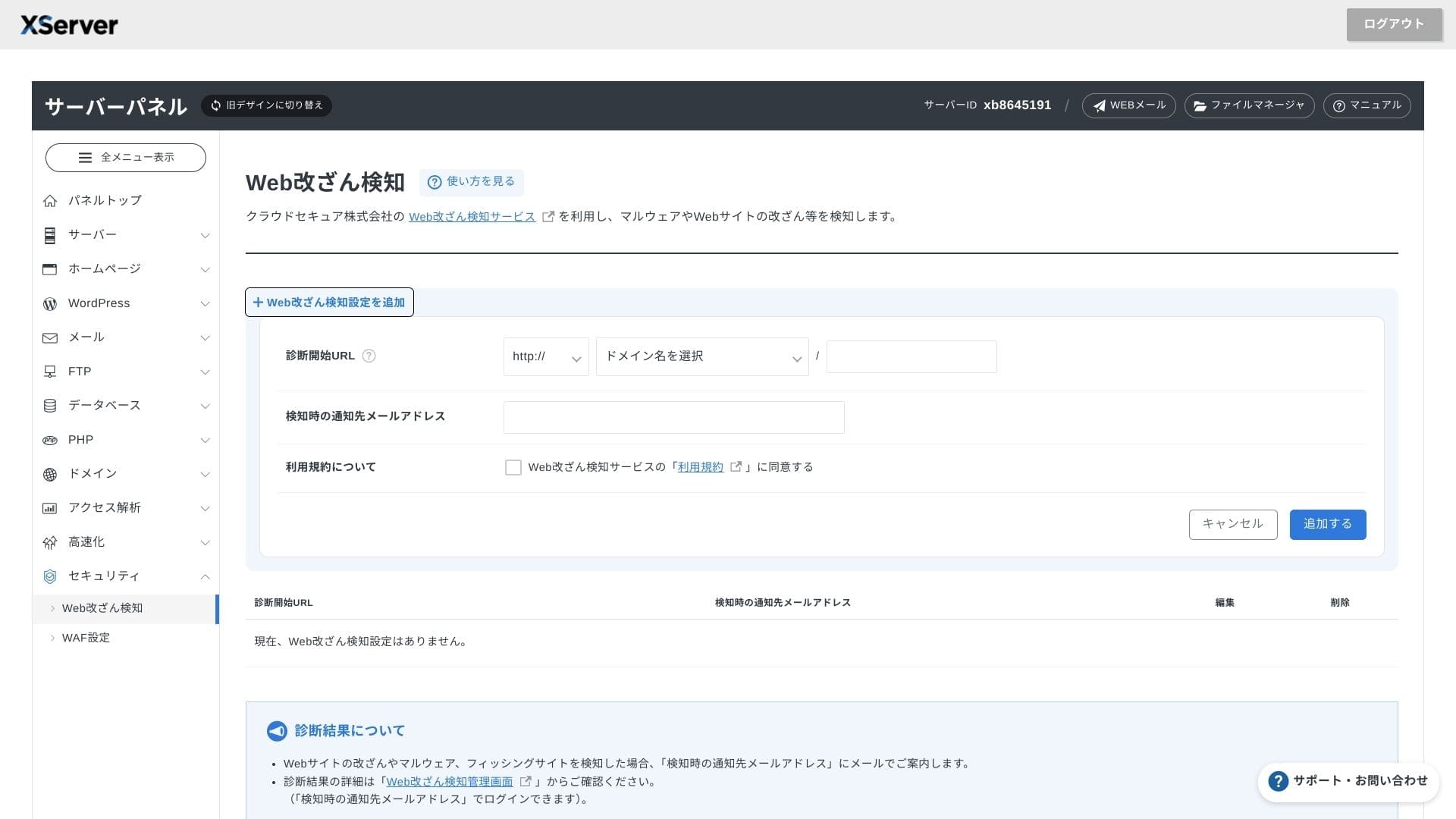
Sistemele WAF și de detectare a modificărilor neautorizate ale site-ului sunt incluse în mod standard. Acestea blochează automat atacurile bazate pe vulnerabilități și înlocuirile neautorizate de fișiere și trimit notificări prin e-mail când apare ceva anormal. Un diagnostic de securitate extern efectuat de Secom este, de asemenea, oferit gratuit o dată pe an.
Utilizarea detectării modificărilor neautorizate ale site-ului web vă ajută să evitați situațiile în care nu observați o problemă și o lăsați să se agraveze.
Backup-uri automate
On every plan, web, mail, and database data from the past 14 days se salvează automat în fiecare zi. Îl puteți restaura gratuit cu un singur clic din panou, ceea ce reduce costurile de recuperare după erori sau infecții cu programe malware.
Comparare cu serverele de întreprindere concurente
Rezumat
XServer Businesseste un server de găzduire orientat spre afaceri care oferă viteză, securitate și asistență operațională ca serviciu complet.
- Small and midsize businesses that want to run multiple sites and outsource infrastructure
- People handling DX work on top of other duties who feel nervous about configuration mistakes
- Teams expecting future trafic growth but not wanting AWS-level operating costs
În aceste cazuri, beneficiul poate depăși cu ușurință diferența de preț lunară. Pe de altă parte, dacă ai nevoie doar de o singură pagină statică sau vrei să rulezi o platformă personalizată care necesită acces root, poate ar trebui să iei în calcul un server partajat mai ieftin sau un VPS.
In the end, the smart approach is to convert both personnel cost and outage risk into money and then decide whether XServer Businessis worth its lunar fee.
"XServer Business" este serviciul de găzduire pentru afaceri oferit de Xserver Inc., compania cu cota de piață nr. 1 din Japonia. În măsurătorile noastre, s-a clasat pe locul 2 ca viteză. Este una dintre cele mai bune alegeri atunci când trebuie să migrați la un server nou, iar migrarea este de asemenea gratuită.
Până la 7 octombrie 2025, taxa inițială (în mod normal între 16.500 yeni și 385.000 yeni) este gratuită, iar serviciul de migrare a serverului este de asemenea gratuit