Garanție de returnare a banilor timp de 30 de zile disponibilă
PR
Servere
Recenzie WADAX: suport telefonic până la ora 22:00. Este un server bun pentru afacerile ocupate?
Publicat: 2025.04.18
Actualizat: 2025.04.18
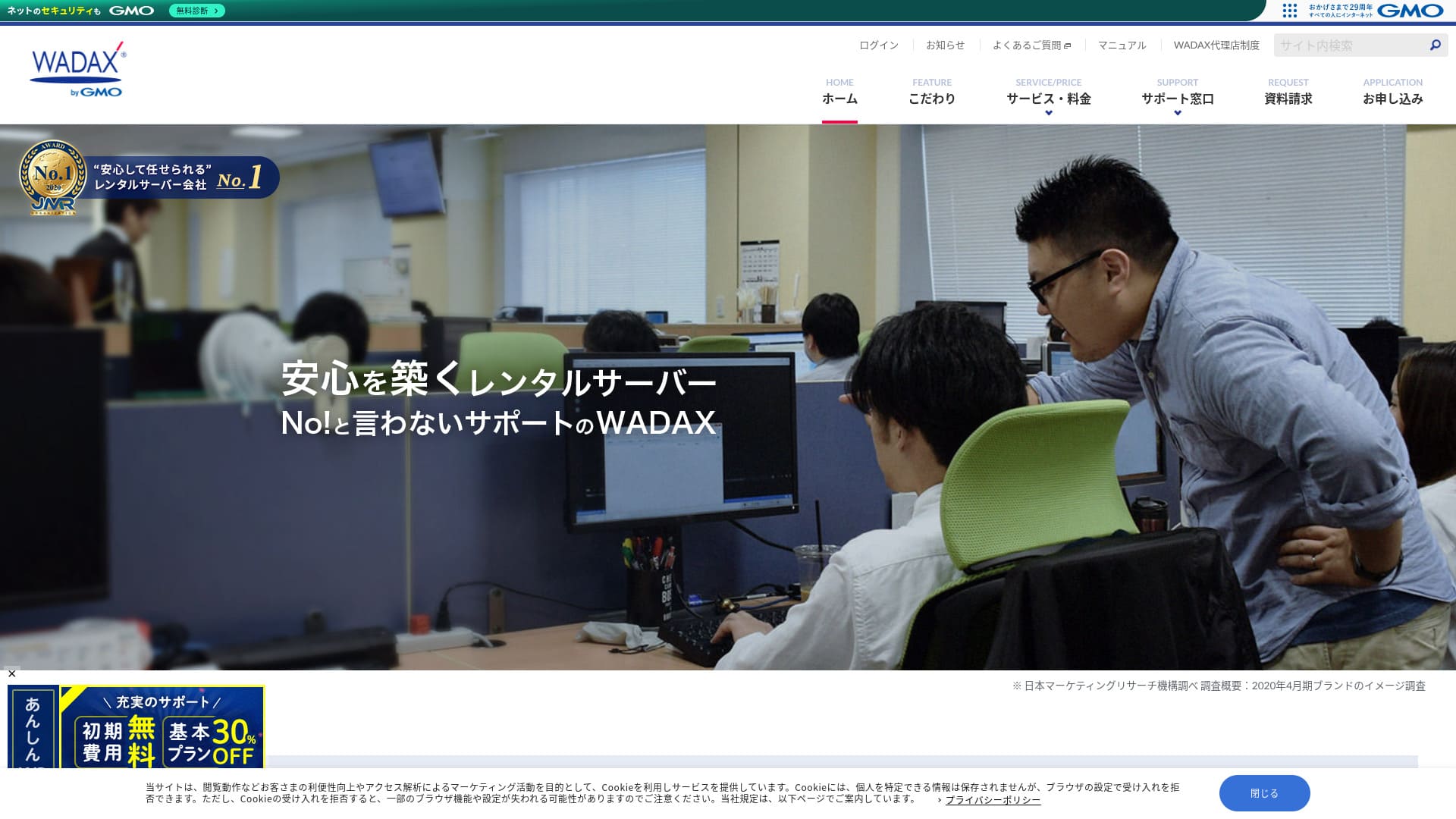
Un sistem de suport orientat către utilizator este o caracteristică esențială a acestui server orientat către afaceri.
WADAX is a reassuring server with 365-day support that helps resolve problems quickly whenever they arise.As you would expect from a business-oriented server, it has a robust security setup in partnership with Secom.
Totuși, are și dezavantaje. În acest articol explic caracteristicile WADAX și cum să începi cu WordPress.
Comparație completă a 32 de furnizori de găzduire WordPress: recomandări pentru persoane fizice, companii și site-uri internaționale

When you decide to start WordPress and search for "best WordPress hosting," you find all kinds of articles, from personal and business options to overseas and low-cost servers. Honestly,
- Ce site ar trebui să aleg?
- Vreau să aleg un server într-un mod simplu și ușor de înțeles.
- Arată-mi cum să încep WordPress imediat.
Don't you feel that way? In this article, I carefully selected recommendations from 32 hosting providers for individuals, businesses, and domestic and international use. The explanation comes from the SEO specialist at an app development company that uses hosting servers every day.
Reputația WADAX: suportul detaliat este o caracteristică importantă pentru afaceri

| Tip de server | Server partajat |
| Timp de încărcare (TTFB) | Nedeterminat |
| Planuri recomandate și perioade de contract | WP Standard 12 luni |
| Trial & Money-Back Guarantee | Garanție de returnare a banilor timp de 30 de zile |
| Taxă lunară (contract pe 12 luni) | 1.540 yeni |
| Taxă administrativă inițială | Gratuit |
| Domeniu gratuit | Niciunul |
| Suport | Weekdays 9:00 AM - 10:00 PM, Saturdays & Sundays 9:00 AM - 6:00 PM |
| Disponibilitate | 99.9% |
| Capacitate server | 50GB |
| Număr de baze de date | 20 |
| Măsuri de securitate | WAF / KYUBI (Diagnostic de vulnerabilitate WordPress) / Verificare viruși web / Diagnostic de securitate periodic (Diagnostic de vulnerabilitate) / Detecție și prevenire a intruziunilor (IPS) / Apărare împotriva atacurilor DoS/DDoS |
| SSL | Shared SSL / FTP over SSL / Quick Authentication SSL / Enterprise Authentication SSL / EV SSL / SecomTrust Systems for Web SR3.0/for Web EV |
| Backup și restaurare | Gratuit Backup / Gratuit Restore |
| Număr de conturi de e-mail | Nelimitat |
| Măsuri de securitate pentru e-mail | SpamAssassin spam filter / POP over SSL / SMTP over SSL / SMTP AUTH / SMTP submission port / IMAP / IMAP over SSL / Virus Check |
| Serviciu de migrare server/site | Nu include serviciu Instrument de migrare gratuit disponibil |
| Instalare WordPress ușoară | Niciunul |
| CDN | Gratuit |
4 caracteristici ale WADAX

Suport 24/7
WADAXYou can receive support every day, 365 days a year. This is the support system as of June 2024.
- Phone: Weekdays 9:00-22:00, Saturdays & Sundays 9:00-18:00
- Form: 24 hours, 365 days (response within 24 hours, generally)
- Chat: 24 hours, 365 days (live chat, weekdays 9:00-17:00)
Poți primi suport în fiecare zi, iar în zilele lucrătoare poți primi suport până la ora 22:00.Având în vedere că multe centre de suport ale companiilor de găzduire își închid programul la ora 18:00,WADAXthe excellent support system is clear.
This may sound obvious, but server problems do not happen only between 9:00 a.m. and 6:00 p.m. on weekdays. Trouble can occur at any time. That is why you want support to be available every day for as long as possible.
WADAXIsn’t that great?
Securitate robustă în colaborare cu Secom
WADAX has built a strong security framework in partnership with Secom. It protects data from hacking, unauthorized tampering, eavesdropping, and DoS attacks.
I appreciate that they not only do their best internally, but also borrow the skills of other companies to build robust security – it gives me a sense of sincerity and reassurance.
Posibilitatea de a utiliza CDN de livrare de mare viteză
WADAXYou can utilize a high-speed delivery CDN. Using a CDN sends website data from the closest server to the user viewing the website to their smartphone or PC, resulting in smoother website display.
★ What is a CDN? It improves speed and performance using a cluster of servers.
Many hosting companies offer a CDN only as a paid option. With WADAX, you can use it for free, which is a good deal.
Prețuri accesibile pentru serverele de afaceri
WADAXOur secure WP server is offered at a low price as a business server. Compare it to business servers.
- Taxă administrativă inițială
- Sign up for a 12-month contract.
- Domain registration fee for one year's worth of expenses.
- A plan that lets you use WordPress.
Este considerabil mai ieftin decât alte servicii, nu-i așa?
Utilizarea prevăzută a serverului este,dacă activitatea principală a site-ului tău este WordPress, WADAX va fi suficient.
Un dezavantaj al serverului WADAX Secure WP este lipsa garanției de uptime

WADAX's Anshin WP Server has no uptime guarantee, and its uptime rate is not disclosed. Disponibilitate reflects server stability. When that figure is not disclosed, it naturally leaves some concern about whether your website will remain consistently available.
That said, WADAX's Otasuke Cloud Server guarantees 99.9% uptime. It is a different service, but it is still run by the same company, so it is hard to imagine the uptime being extremely low.
Even when considering support and security measures, you shouldn’t feel too anxious about it.
Compararea serverelor concurente ale WADAX (2 companii)
iCLUSTA+
iCLUSTA+ byGMOIt’sWADAXapproximately the same amount to use the server. Because it guarantees 100% uptime, you can operate your website without any worries.
However,the support system is not as extensive as WADAX.Phone support will only be available from 10:00 AM to 6:00 PM, Monday to Friday, and will remain within general support response times. It would be reassuring if support were available until 10:00 PM on weekdays.WADAXthat way, there would be a greater sense of security if it were available until 10:00 PM on weekdays.
If you don't have anyone strong with servers internally, we recommend WADAX.

Recenzii iCLUSTA+【Ultima din 2024】O explicație detaliată a serverelor de afaceri începând de la 1.000 ¥ pe lună
Recenzii iCLUSTA+【Ultima din 2024】O explicație detaliată a serverelor de afaceri începând de la 1.000 ¥ pe lună
serverfield.org
Sakura Rental Server Business
Sakura Rental Server Business is a stable server with an uptime record of 99.99% and an uptime guarantee. With a generous 600GB of storage, you can entrust both website operations and email operations to one provider.
However, it is not as inexpensive as WADAX's Anshin WP Server. It costs nearly 10,000 yen more. If you plan to use another company's service for email operations, WADAX is the better choice.

Sakura Rental Server Reviews & Evaluares【Scary Slow?】Great for Individual Businesses◎Pricing Pros & Cons Explained
Sakura Rental Server Reviews & Evaluares【Scary Slow?】Great for Individual Businesses◎Pricing Pros & Cons Explained
serverfield.org
7 pași pentru a porni acum site-ul tău WordPress cu WADAX
Let’s start a website with WADAX!
- STEP.1Official WebsiteWADAXAccess it
Scroll down to the bottom of the homepage and click “Apply”.
- STEP.2Service Selection
The contract plan remains WP Standard.
We recommend a 12-month contract, which offers a lower monthly fee.
No options are needed. Click “Next”.
- STEP.3Domain Name Usage Selection
If you’re acquiring a new domain name, select “Acquire a New Domain Name”. Enter your desired string and choose a top-level domain such as “.com” or “.co.jp”.
Domain names are important. Take your time and make a careful decision.
★ What is a domain? Its role as the address on the internet and how to obtain it.
- STEP.4Customer Information Input
For first-time applicants, click “Continue.”
- Company Information
- Customer Information
- Payment Information
Please enter it.
Please review all of the application details and click “Next.”
The application details confirmation screen will reappear, so please proceed as instructed. You will receive a notification email guiding you to start using the service, which indicates that the application is complete.
- STEP.5WordPress Installation
Log in to the control panel.
From the “Contracts” menu, navigate to “WordPress.” The screen will change. From WP Tool’s “Install” section, click “Install WordPress.”
Let's set up the WordPress installation settings.
- Installation path: As is
- Website title: Enter the title of the homepage.
- Plugin theme set: Niciunul
- Website language: Japanese
- Version: As is
- Username: Anything is OK.
- Password: Anything is OK. Make it as complex as possible.
- Email address: Enter your usual email address. If you’re a corporation, a company email is recommended.
- Database: As is
- Automatic update settings: As is
Once you’ve entered all the information, click “Install.” If you see “Installation complete,” the WordPress installation is complete.
- STEP.6WordPress Plugin Installation
Click “Install Plugin” which appears on the WordPress installation completion screen.
Enter the necessary plugins.
If you find a plugin you want to install, search for it and click “Install Now” and “Activate.” Afterwards, proceed according to the instructions for each plugin.
It is essential to install security and backup plugins.
- Top 5 module WordPress pentru îmbunătățirea securității și cum să le alegeți
- Top 5 Strongest WordPress Backup Plugins for Data Recovery
With the plugins installed, you’re ready to launch your WordPress homepage!
- STEP.7Other WordPress Settings
Set the permalink settings. Navigate to “Permalink Settings” from the “Settings” section in the WordPress admin dashboard. Select “Post Name.” Then, click “Save Changes.”
When you choose “Post Name,” you can enter your desired string in the URL when posting articles. It’s recommended to use a short string that represents the content of the article, as this makes it easier for readers to find your homepage. Too long a string can make people worry that it’s unsafe.
You’re now ready to start your WordPress homepage.
Rezumat
WADAXThis is a business-oriented server that offers telephone support until 10:00 PM on weekdays.It’s suitable for businesses that want thorough support.
WADAXWith an Anshin WP server, you can start with a reasonable price. Please try it out.
Comparație completă a 32 de furnizori de găzduire WordPress: recomandări pentru persoane fizice, companii și site-uri internaționale
When you decide to start WordPress and search for "best WordPress hosting," you find all kinds of articles, from personal and business options to overseas and low-cost servers. Honestly,
- Ce site ar trebui să aleg?
- Vreau să aleg un server într-un mod simplu și ușor de înțeles.
- Arată-mi cum să încep WordPress imediat.
Don't you feel that way? In this article, I carefully selected recommendations from 32 hosting providers for individuals, businesses, and domestic and international use. The explanation comes from the SEO specialist at an app development company that uses hosting servers every day.