
Încearcă-l gratuit
PR
Servere
Recenzie Tada Server [actualizare 2025]: o analiză detaliată a avantajelor, dezavantajelor și a evaluării reale a găzduirii WordPress gratuite
Publicat: 2025.06.26
Actualizat: 2025.06.26
Evaluare: 3.0
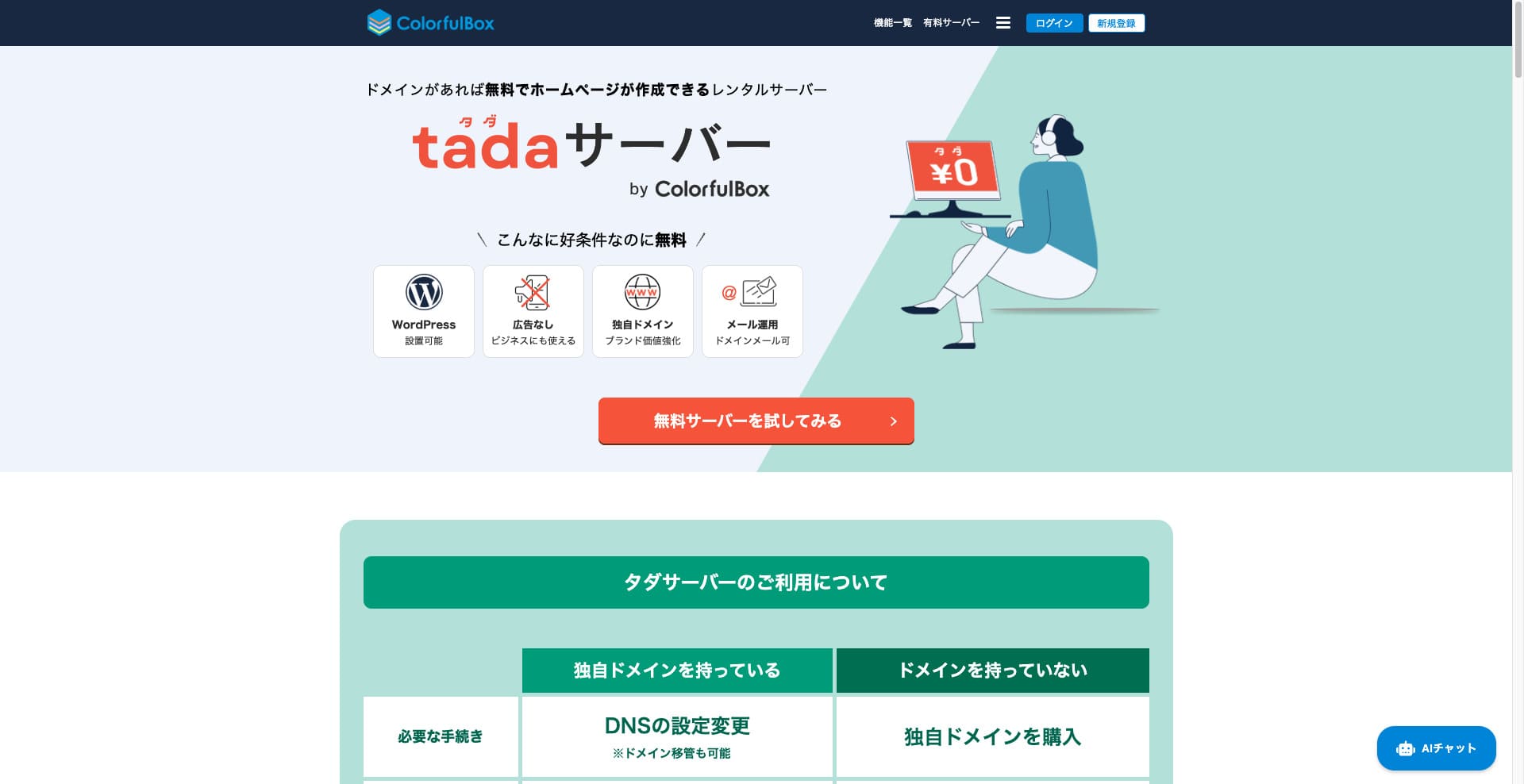
Tada Server este un server care îți permite să folosești WordPress gratuit. Este furnizat de Colorful Lab Inc.

Tada Server is what I recommend to people who are looking for a free server, and the reasons are:
- Poți porni WordPress gratuit.
- Nu sunt afișate reclame.
- Suportă trimiterea și primirea de e-mailuri.
Acesta este motivul. Cred că vei fi mulțumit. Dacă îl reînnoiești la fiecare trei luni, îl poți folosi gratuit la nesfârșit.
Un server concurent care merită comparat este Star Rental Server. . Chiar dacă este gratuit, este un server foarte rapid, așa că merită luat în considerare împreună cu Tada Server.
★★ Star Rental Server Reviews (Published December 19, 2024): Pros and Cons of the Most Cost-Effective Free-to-Use Server

Hikaru Ono
Pentru a folosi Tada Server, ai nevoie de un domeniu, deoarece subdomeniile nu sunt oferite.
Comparația cu alte servicii de găzduire
- General evaluare★★★☆☆
- Server Speed Netestat
- Taxe de utilizare ★★★★★
- Stabilitate ★★★☆☆
- Ușurința de a porni WordPress* ★★★☆☆
- Operațiuni precum administrarea domeniului și configurarea SSL* ★★★☆☆
* Acest lucru se bazează pe experiența mea reală de utilizare.

Comprehensive Comparison of 21 WordPress Hosting Providers and How to Choose
Comprehensive Comparison of 21 WordPress Hosting Providers and How to Choose
serverfield.org
- November 4, 2025 based on market research data, sorted by speed
- The monthly fee is the cost of the first year of the lowest-priced WordPress-compatible plan.
- Speed is the Time to First Byte value of a demo site with the same conditions.
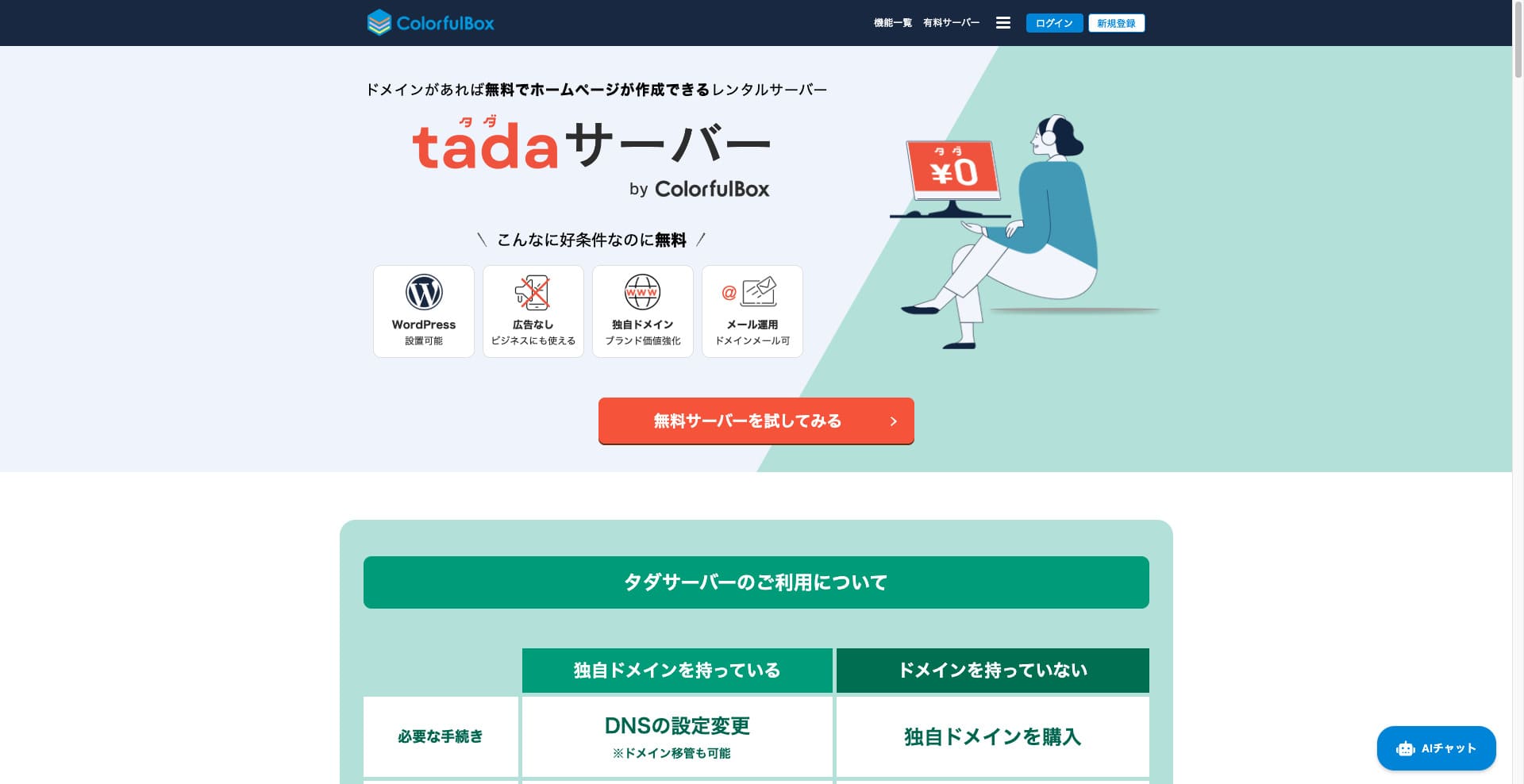
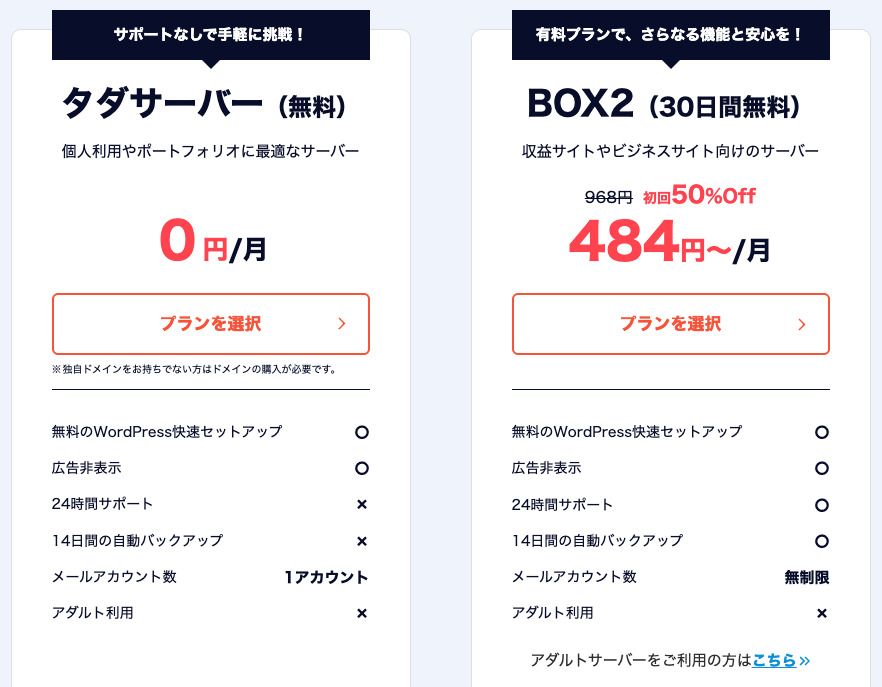
“Tada Server” is a cost-effective rental server from Colorful Lab Inc. that you can start using for free. Despite being free, it doesn't include advertising. It also has email functionality. Paid plans, such as ColorfulBox’s BOX2, are available with a 36-month contract at the lowest price of ¥484 per month.
Reviews of Tada Server Regarding WordPress
Easy WordPress Installation Function
Tada Server offers a world-standard control panel, “cPanel,” which you can use to easily install WordPress with just a few clicks. Because the setup is completed in just a few clicks, even beginners with no server knowledge can rest assured.
WordPress Installation Procedure
- Step 1Sign Up for Tada Server
Click “Try Free Server,” and then click “Use Free Server” that appears.
When asked “Do you have an existing domain?”, select “You already own a domain.” Since we’re using an existing domain, we chose this option.
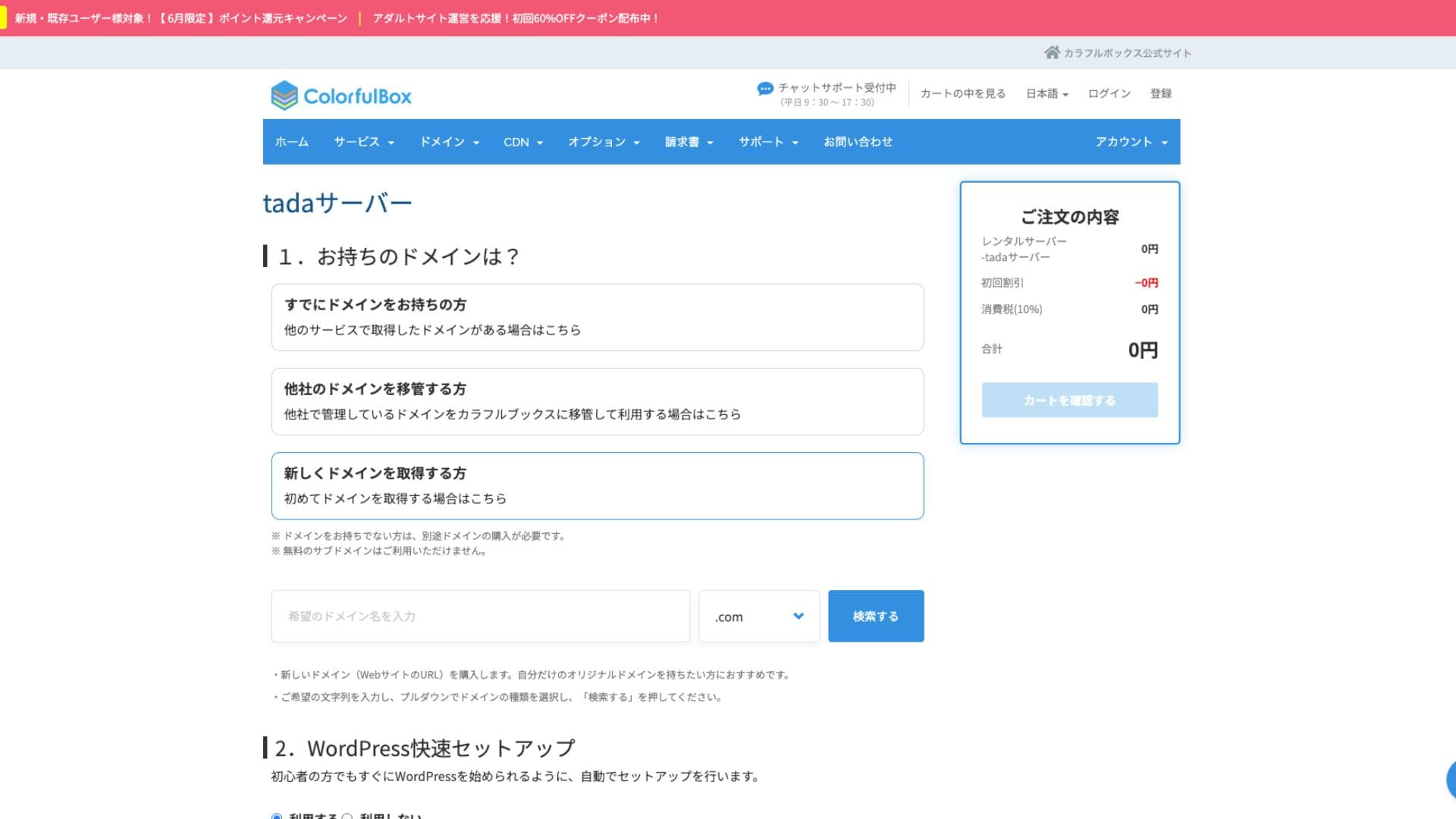
We highly recommend utilizing the “WordPress Quick Setup.”
- Website Title
- Admin User Name
- Admin Password
After entering the information, click “Review Cart.” Click “Continue Shopping.”
- STEP.2Purchase Process
This is the checkout step, but no fee is charged. The total is 0 yen, so you can proceed without concern.
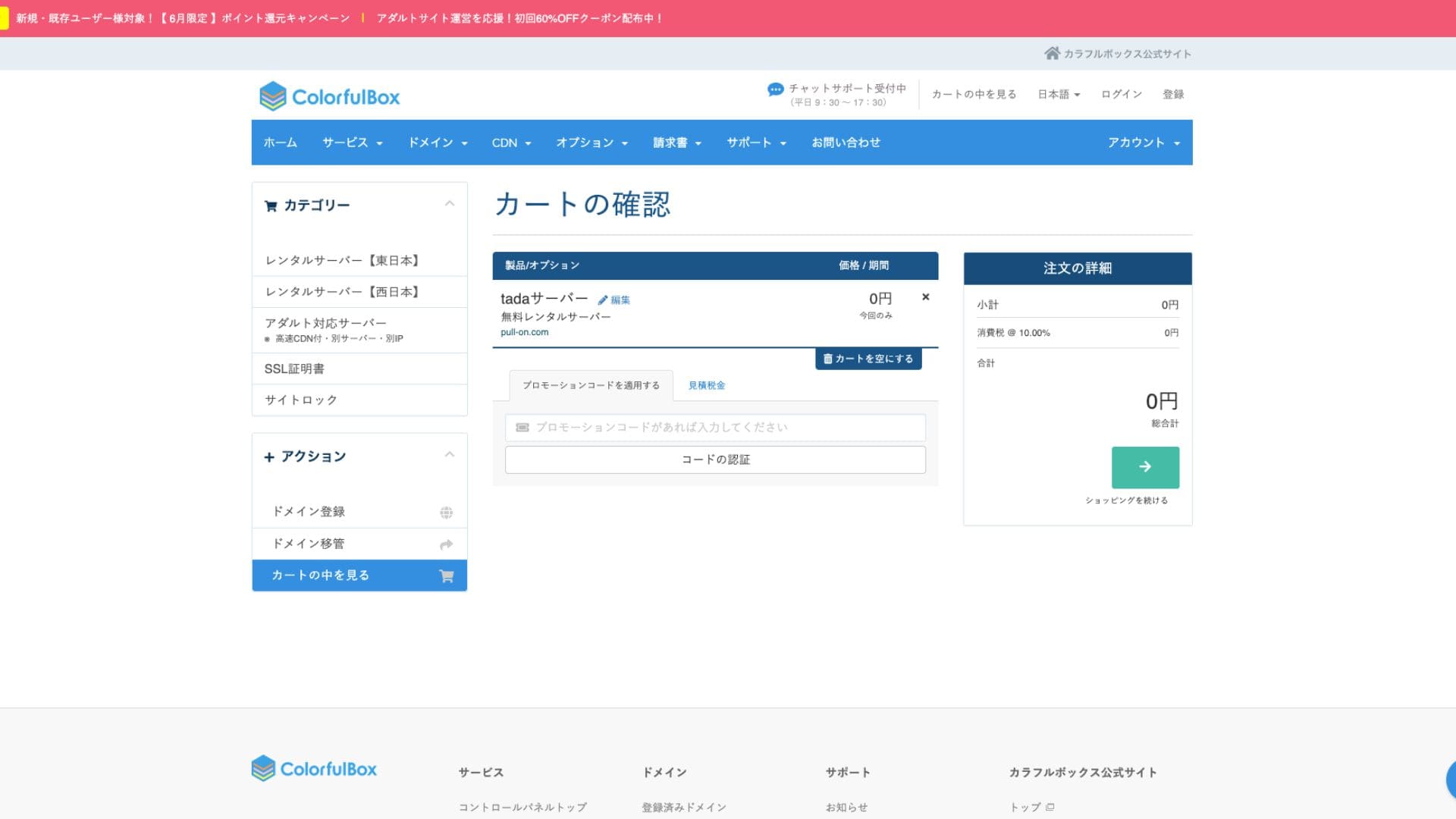
If you already have an account, you can proceed with the purchase from your registered account.
Once you purchase, an order number will be displayed.
When you receive an email, check its contents. The nameserver information is also included, so please update it.
Hikaru OnoPlease be sure to set up your nameserver settings.
managing multiple websites
Tada Server You can only operate one site with and only one subdomain (e.g., your-name.tada-server.com) is available. Multiple sites or additional custom domains cannot be added.
Reviews of the performance and specifications of the Tada Server
display speed
Tada Server does not use the LiteSpeed web server, which is fast. Therefore, you shouldn’t expect much in terms of server speed.
Hikaru Ono
If you’re concerned about speed, we recommend a paid rental server.
disk space
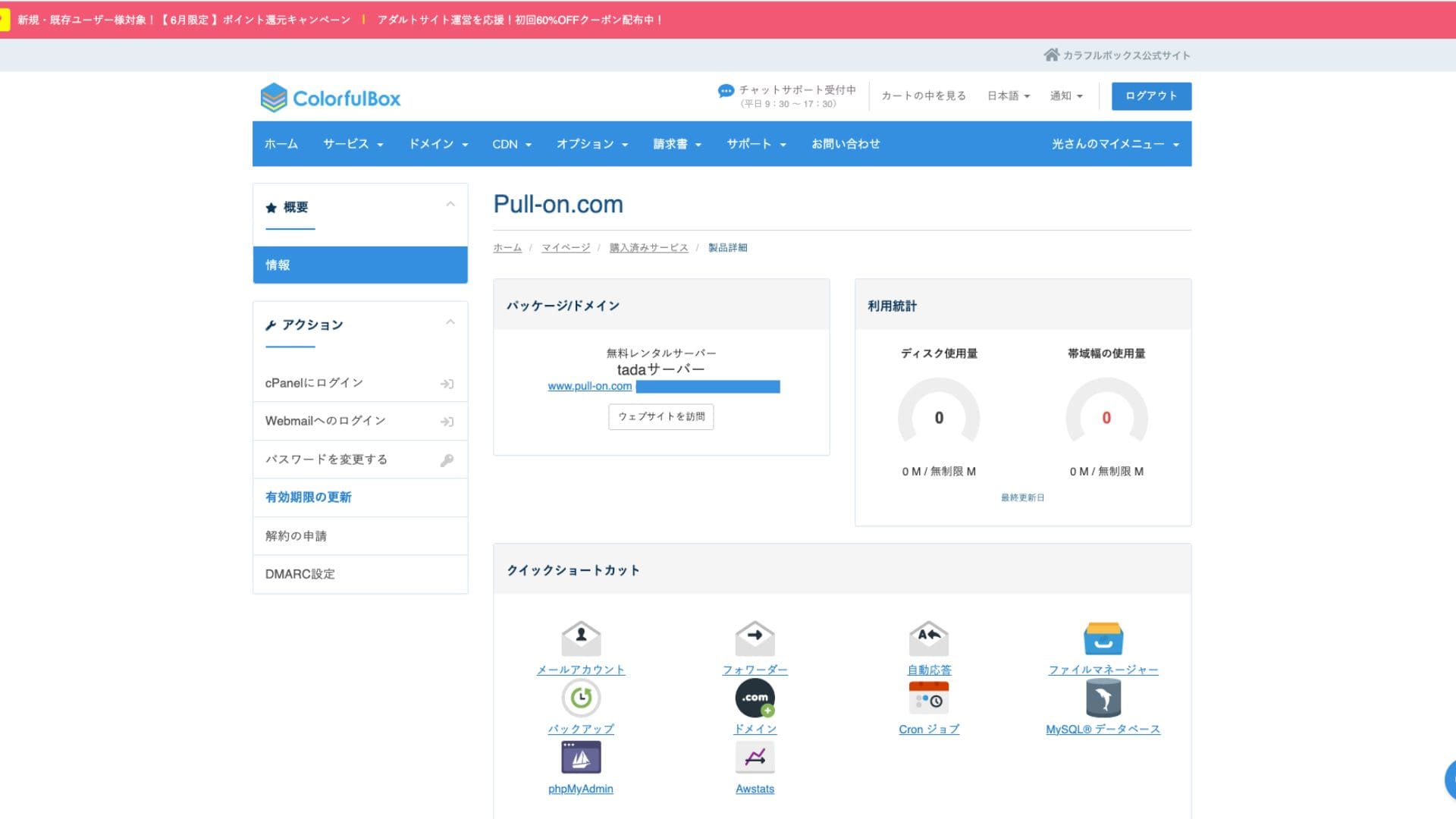
Disk space is 5GB SSD. This is sufficient for text-focused blogs or small websites, but you may run out of space if you upload a lot of high-quality images or install many multi-functional plugins.
Although it says unlimited in the images, the actual capacity is 5GB.
Transfer volume
The estimated transfer volume is 500GB/month. It’s suitable for personal hobby blogs or low-traffic test sites. However, if your site grows into a popular site with many visitors, you need to be aware that you could reach the transfer limit and your site might stop displaying.
The stability and uptime of the server
The official website doesn’t specify the uptime. This is also a common point with paid servers like ColorfulBox. However, it’s operated on a 24-hour monitored domestic server, so you can expect a certain level of stability.
Outage information may be announced on the ColorfulBox website or its official X (formerly Twitter) account.
An evaluation of the pricing and costs of Tada Server
Initial costs and monthly fees
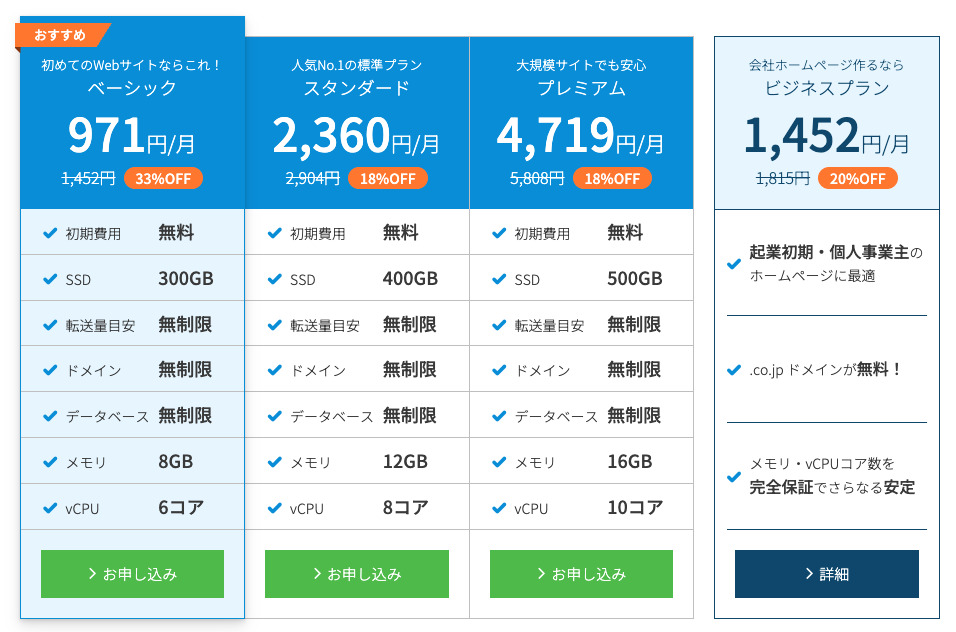
Tada Server’s biggest draw is that it’s completely free – with no initial or monthly fees. You can start running your WordPress website without worrying about server maintenance costs at all.
- Tada Server
- Kinsta
- XServer Business
- wpx
- Lolipop!
- Star Rental Server
- Rakko Server
- XServer
- ConoHa
- Colorful Box
- Shin Rental Server
- Little Server
- CORESERVER
- DreamHost
- Bluehost
- Sakura
- Namecheap
- Shin Free Server
- XREA
- Value Server
- HOSTINGER
- KAGOYA
- SiteGround
- Hostgator
- IONOS
- Onamae.com
- ABLENET
- mixhost
- GoDaddy
- iCLUSTA+
- MuuMuu Server
- WADAX
- WebARENA
- heteml
- CPI Rental Server


































Taxe de domeniu
Tada Server allows you to use your own domain.
Poți obține un domeniu personalizat din ecranul de administrare. Este oferit la același preț ca ColorfulBox. Gestionarea serverului și a domeniului la aceeași companie simplifică administrarea.
- Colorful Domain
- Onamae.com
- XServer Domain
- MuuMuu Domain
- Value Domain
- Shin Domain
- Star Domain
- Rakko Domain








Taxe pentru certificatele SSL
Security measures, including SSL (encrypted communication), are available for free. Because a free SSL “Let’s Encrypt” is automatically set up, you can achieve constant SSL for your site even without specialized knowledge.
Metode de plată
Deoarece este un serviciu gratuit, nu trebuie să înregistrezi un card de credit sau să furnizezi alte informații de plată similare.
Recenzie privind ușurința de utilizare și suportul pentru Tada Server
Ușurința de utilizare a panoului de control
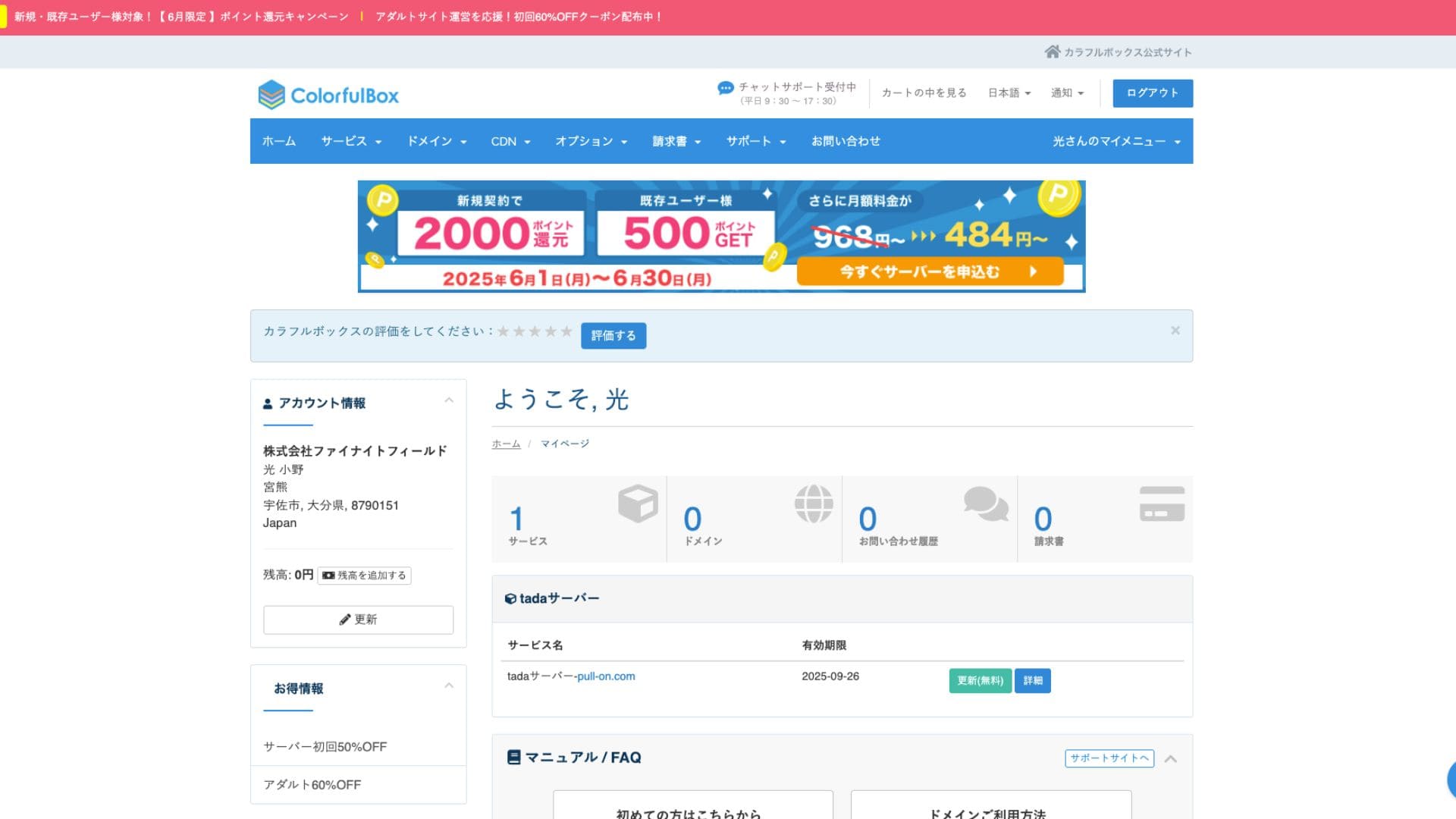
Tada Server utilizes cPanel, a control panel widely used around the world. It includes all the necessary features for website management, such as file management, database creation, and WordPress installation, and has abundant information, so you shouldn’t have much trouble operating it.
- Ecran principal
- Reînnoirea contractului
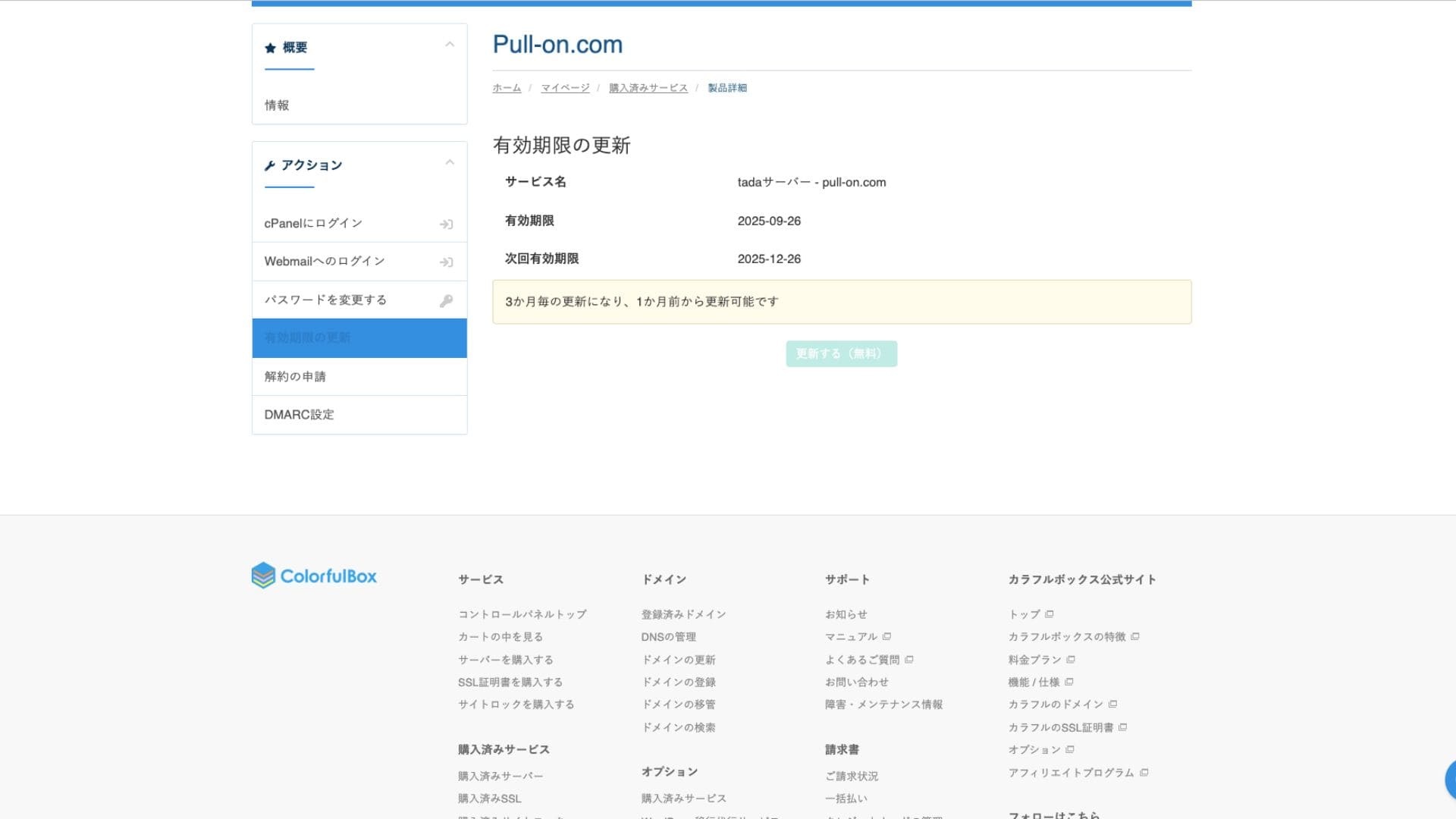
Sistem de suport
Tada Server does not provide official support by phone or email. This is the biggest difference from the paid plans and the main point to watch out for. You need to be prepared to solve problems on your own.
Disponibilitatea manualelor și a întrebărilor frecvente
Site-ul oficial ColorfulBox are documentație amplă, dar pentru problemele specifice Tada Server va trebui să cauți informații în forumul comunității menționat mai sus.
Recenzii ale manualelor și FAQ-urilor
Măsuri de securitate
Pe lângă certificatele SSL gratuite, vine standard cu firewall-uri (WAF) și sisteme de detectare a intruziunilor (IDS/IPS) similare cu cele din planurile plătite, asigurând menținerea securității de bază.
Funcție de backup automat
Tada Server does not have an automatic backup function. If your data is lost, it cannot be restored. You must make manual backups at your own responsibility by using WordPress plugins or other methods. This is the most important point to keep in mind when using Tada Server.
Recenzii ale funcționalității de e-mail a Tada Server
Email can be used, but you only get one account. That makes it impractical to use Tada Server for a company.
E-mailurile trimise sunt, de asemenea, limitate la 10 mesaje.
Rezumat
Tada Server is a server that lets you use WordPress for free. While it might have limitations regarding disk space and bandwidth for serious business use, it’s perfectly fine for a trial run. Be sure to give it a try.
“Tada Server” is a cost-effective rental server from Colorful Lab Inc. that you can start using for free. Even though it is free, it does not display ads, and it includes email functionality. Among the paid plans, ColorfulBox’s BOX2 plan is the cheapest at 484 yen per month on a 36-month contract.
Încearcă-l gratuit