30-day money-back guarantee
PR
Servere
Recenzie GoDaddy: o explicație detaliată a avantajelor, dezavantajelor, configurării WordPress și procesului de anulare
Publicat: 2025.07.13
Actualizat: 2025.07.13
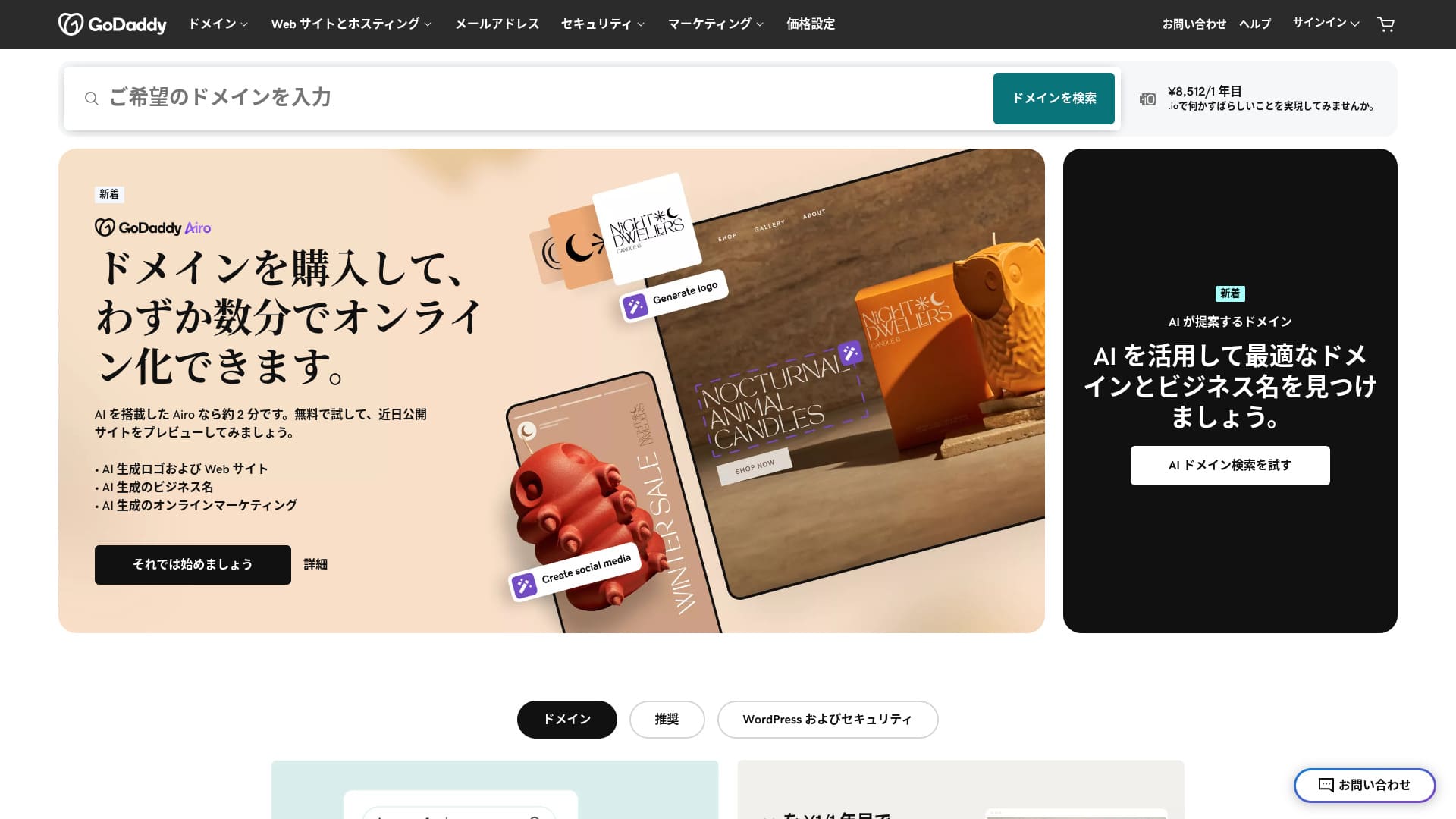
Un server oferit de unul dintre cei mai mari registratori de domenii din lume.
GoDaddy este cea mai folosită companie de gestionare a domeniilor din lume. Probabil ai auzit numele măcar o dată. Neobișnuit pentru un server din străinătate, oferă și un site în limba japoneză. Și poți primi suport în japoneză.
În acest articol explic în detaliu totul, de la funcțiile și reputația GoDaddy până la pornirea WordPress și anulare.
Compară 10 servere din străinătate

În cazul serverelor închiriate din străinătate, mulți oameni nu știu ce server să aleagă din cauza barierelor lingvistice și a diferențelor culturale.
În acest articol compar în detaliu 10 servere închiriate din străinătate, atent selectate din întreaga lume, și explic funcțiile, planurile de preț și actual user experience in detail.
Ofer informații care acoperă o gamă largă de nevoi, de la criterii de selecție pe care începătorii le pot folosi cu încredere până la funcții avansate pe care le caută inginerii.
Recenzie GoDaddy: un server cu suport prin chat în japoneză
“GoDaddy” is one of the world’s largest hosting companies, headquartered in Scottsdale, Arizona. One of its strengths is that it is easy to use because Japanese-language pages are available. Even the lowest-priced plan comes with a WAF, giving it strong security.
| Tip server | Server partajat |
| Viteza de afișare (TTFB) | Nu a fost măsurat |
| Plan și perioadă de contract recomandate | Basic, 1 year |
| Perioadă de probă / garanție de returnare a banilor | 30-day money-back guarantee |
| Taxă lunară (contract pe 12 luni) | 899 yen |
| Taxă administrativă inițială | Gratuit |
| Domeniu gratuit | Niciunul |
| Suport | chat 24/7, telefon (zilele lucrătoare 10:00-17:00) |
| Uptime | 99.9% |
| Server storage | 10 GB |
| Număr de baze de date | 1 |
| SSL | SSL gratuit |
| Backup | Weekly backup |
| Number of email accounts | Niciunul |
| Măsuri de securitate pentru e-mail | Niciunul |
| Serviciu de migrare server / site | Niciunul |
| WordPress preinstalat | Da |
| CDN | Gratuit |
| Data centers | Kirkland, Washington, USA / Beeston, UK / Iași, Romania / Tempe, Arizona, USA / Belgrade, Serbia |
Cinci funcții ale GoDaddy

Serverul este rapid datorită stocării NVMe
GoDaddy uses NVMe storage. It is faster than a standard SATA SSD.
If the server is fast, the site displays quickly. If the site displays quickly, visitors can browse it without stress. Speed is especially important for corporate websites, e-commerce sites, and affiliate sites.
With GoDaddy's fast server, you can feel at ease.
SSL gratuit
GoDaddy comes with free SSL. SSL is the standard form of security for websites. When a site uses SSL, its address starts with https.
De asemenea, browserele îl vor afișa ca fiind un site sigur. Dacă un site nu folosește SSL, pot apărea mesaje precum „Nesigur”, acesta fiind unul dintre motivele pentru care numărul de vizitatori nu crește conform așteptărilor.
With GoDaddy, you can enable SSL for free and encourage visitor acquisition.
★ What are SSL and TLS? How encryption protects data and why it matters
WordPress preinstalat feature
GoDaddy has a WordPress preinstalat feature. WordPress is already installed when you sign up. That means you do not have to go through the trouble of installing WordPress after the contract is complete.
Even people with no experience using servers or WordPress can start WordPress with confidence.
Securitate ridicată cu WAF
GoDaddy comes standard with a highly secure WAF. This cloud-based firewall protects websites from threats such as DDoS attacks.
WAF is also offered by domestic servers. However, it is usually provided only by servers with somewhat higher pricing.
Sistem de backup săptămânal
GoDaddy provides a weekly backup system. Even if unexpected trouble occurs, such as data corruption, deletion, or tampering, you can restore your site if backup data is available.
Sistem de backup săptămânal is generally sufficient, but if you want daily backups whenever possible, make use of WordPress plugins.
★ Five powerful WordPress backup plugins that help you recover your data
Dezavantajul GoDaddy este că cel mai ieftin plan îți permite să creezi doar un singur site

The drawback is that the cheapest plan lets you create only one website. If you want to build a personal site in addition to your company website, you have to upgrade your plan.
GoDaddy's lowest-priced plan costs 1,199 yen per month. That is about the same as a somewhat expensive domestic server plan for individuals. In those domestic servers, even the lowest-priced plan usually lets you create multiple sites. Some servers even let you add sites without limit.
So, to be honest, being limited to just one website at this price means the pricing is high, and that is a drawback.
Compară GoDaddy cu două servere concurente
I compared GoDaddy with two competing overseas servers.
IONOS
IONOS is a hosting company based in Germany. Because it has servers across Europe, it is a recommended server for building websites aimed at people living in Europe.
It is less expensive than GoDaddy. Its uptime is also extremely stable at 99.98%. If you want to prioritize price, IONOS is definitely the better choice.
However, IONOS is not very good in terms of support before you sign up. Before the contract, it offers phone support only. For most people, calling the support team of an overseas server is unrealistic. By contrast, GoDaddy lets you use chat support before the contract. In terms of support, GoDaddy is more user-friendly.
| Item | GoDaddy | IONOS |
|---|---|---|
| Biggest strength | Nu.1 in number of domain users | Good value |
| Perioadă de probă / garanție de returnare a banilor | 30-day money-back guarantee | 30-day money-back guarantee |
| Uptime | 99.9% | 99.98% |
| Stocare | 10 GB | 50 GB |
| First-year server cost | 14,388 yen | 1,798 yen |

IONOS Review: An affordable and stable server for Europe that also works with WordPress
IONOS Review: An affordable and stable server for Europe that also works with WordPress
serverfield.org
HOSTINGER
HOSTINGER is affordable hosting with large storage. If you want to use an overseas server more cheaply than GoDaddy, it is a candidate worth considering.
However, HOSTINGER offers support only in English. With GoDaddy, you can receive chat support in Japanese. When I actually asked a question in chat, a reply came back immediately. If you want kind support, I recommend GoDaddy.
| Comparison | GoDaddy | HOSTINGER |
|---|---|---|
| Biggest strength | Nu.1 in number of domain users | Good value |
| Perioadă de probă / garanție de returnare a banilor | 30-day money-back guarantee | 30-day money-back guarantee |
| Uptime | 99.9% | 99.9% |
| Stocare | 10 GB | 100 GB |
| First-year server cost | 14,388 yen | 4,405 yen |

Hostinger Review [2025 Edition]: Officially recommended by WordPress, with pros, cons, and comparisons with other companies
Hostinger Review [2025 Edition]: Officially recommended by WordPress, with pros, cons, and comparisons with other companies
serverfield.org
Șapte pași pentru a porni acum un site WordPress cu GoDaddy
How to start WordPress with GoDaddy
- STEP.1Sign in to GoDaddy
Go to the official GoDaddy website and log in to your account.
- STEP.2Go to My Products
After logging in, choose “My Products” from the top menu in the dashboard. The domains and hosting plans you manage will appear there.
- STEP.3Choose WordPress hosting
Go to the “Web Hosting” section and click the “Manage” button next to your managed WordPress plan.
- STEP.4Install WordPress
The hosting management screen appears. From there, click the “Set Up” button.
In “Select a Domain,” choose the domain where you want to install WordPress. If you already obtained a domain through GoDaddy, you can select it from the list.
- STEP.5Configure WordPress
In “Site Settings,” enter the site name and the administrator information for WordPress.
Set the administrator username, password, and email address. These become the credentials you use to log in to the WordPress admin screen.
- STEP.6Automatic installation is completed
After entering all the information, click “Install.” GoDaddy automatically installs WordPress and completes the setup.
- STEP.7Access the WordPress dashboard
Once the installation is complete, you can log in to the WordPress dashboard. The administrator URL is “yourdomain.com/wp-admin,” and from there you can configure and customize WordPress.
Set up your theme and plugins, publish the site, and you are done.
Cum anulezi GoDaddy
Timeline title
- STEP.1Log in to GoDaddy
Go to GoDaddy and log in to your account.
- STEP.2Go to My Products
Click “My Products” at the top of the dashboard and go to the page where all purchased services are listed.
- STEP.3Select the service you want to cancel
Click the “Manage” button next to the service you want to cancel, such as a domain, hosting plan, or email service.
- STEP.4Turn off automatic renewal
After you move to the service management screen, first turn off automatic renewal. This prevents the next charge from being processed.
Go to the “Renewal Options” or “Billing Information” section and set “Auto-Renew” to “Off.”
- STEP.5Delete the service
After turning off automatic renewal, look for the “Cancel” or “Delete” option. Selecting it completely cancels the service.
A confirmation message appears, so review the details and click the “Confirm” button.
- STEP.6If you want to delete your GoDaddy account entirely
If you want to delete your GoDaddy account itself, you need to contact the support team. Use the official GoDaddy support page to contact support by phone or chat and proceed with the account deletion process.
Make sure that you receive the email from GoDaddy about the service cancellation.
Întrebări frecvente despre GoDaddy
Ce fel de companie este GoDaddy?
GoDaddy is the world's largest domain management company. In addition to domain management, it provides hosting and a website builder.
Cum te înscrii la GoDaddy?
Go to the official GoDaddy website and sign up from “Create Account.”
Rezumat
GoDaddy este un server pe care poți primi suport prin chat în japoneză. Pentru că este o companie de gestionare a domeniilor cunoscută la nivel mondial, oferă un sentiment de siguranță. Totuși, nu este tocmai ieftin, așa că compară atent înainte de a-l alege.
Deoarece GoDaddy vine cu o garanție de returnare a banilor de 30 de zile, recomand să îl încerci deocamdată.
“GoDaddy” is one of the world’s largest hosting companies, headquartered in Scottsdale, Arizona. Because it supports Japanese-language pages and Japanese chat support, one of its strengths is that it is easy to introduce even as an overseas server.