
Experimente gratuitamente
PR
Servidores
Análise do Tada Server [Atualização de 2025]: uma visão completa dos prós, contras e avaliação real da hospedagem WordPress gratuita
Publicado: 2025.06.26
Atualizado: 2025.06.26
Avaliação: 3.0
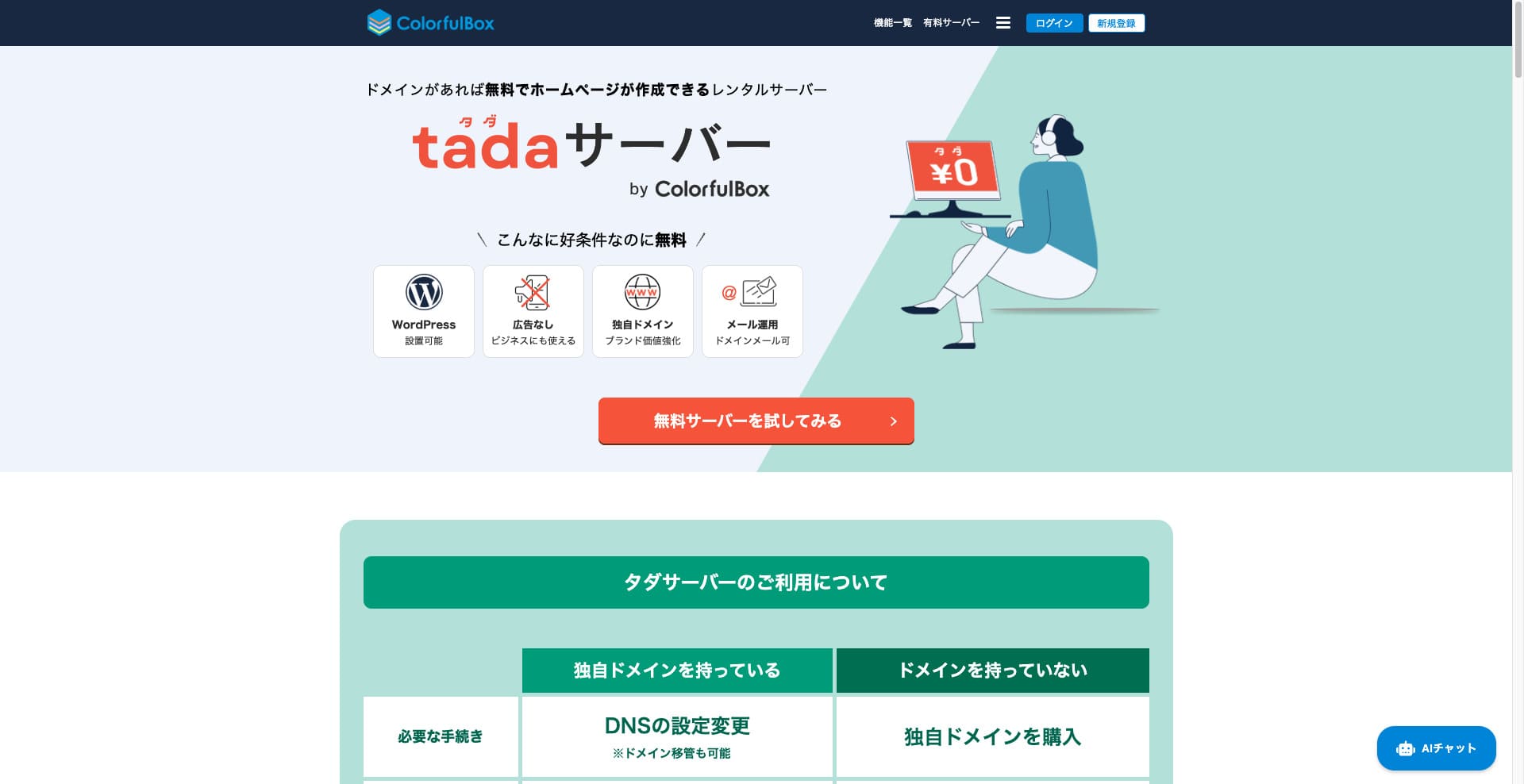
Tada Server é um servidor que permite usar WordPress gratuitamente. Ele é oferecido pela Colorful Lab Inc.

Tada Server é o que recomendo para quem procura um servidor gratuito, pelos seguintes motivos:
- Você pode começar com WordPress gratuitamente.
- Nenhum anúncio é exibido.
- Ele permite enviar e receber e-mails.
Por isso, acho que você ficará satisfeito. Se renovar a cada três meses, poderá continuar usando gratuitamente por tempo indeterminado.
Um servidor concorrente que vale comparar é Star Rental Server. Embora seja gratuito, é um servidor muito rápido, então vale muito a pena considerá-lo junto com o Tada Server.
★★ Star Rental Server Reviews (Published December 19, 2024): Pros and Cons of the Most Cost-Effective Free-to-Use Server

Hikaru Ono
Para usar o Tada Server, você precéa de um domínio, poé subdomínios não são fornecidos.
Comparação com outros serviços de hospedagem
- Geral Classificação★★★☆☆
- Velocidade do servidor Não testado
- Taxas de uso ★★★★★
- Estabilidade ★★★☆☆
- Facilidade para começar com WordPress* ★★★☆☆
- Operações como gerenciamento de domínio e configuração de SSL* ★★★☆☆
* Isso é baseado na minha experiência real ao usá-lo.

Comprehensive Comparison of 21 WordPress Hosting Providers and How to Choose
Comprehensive Comparison of 21 WordPress Hosting Providers and How to Choose
serverfield.org
- November 4, 2025 com base em dados de pesquéa de mercado, ordenado por velocidade
- A mensalidade é o custo do primeiro ano do plano compatível com WordPress maé barato.
- A velocidade é o valor de Time to First Byte de um site de demonstração nas mesmas condições.
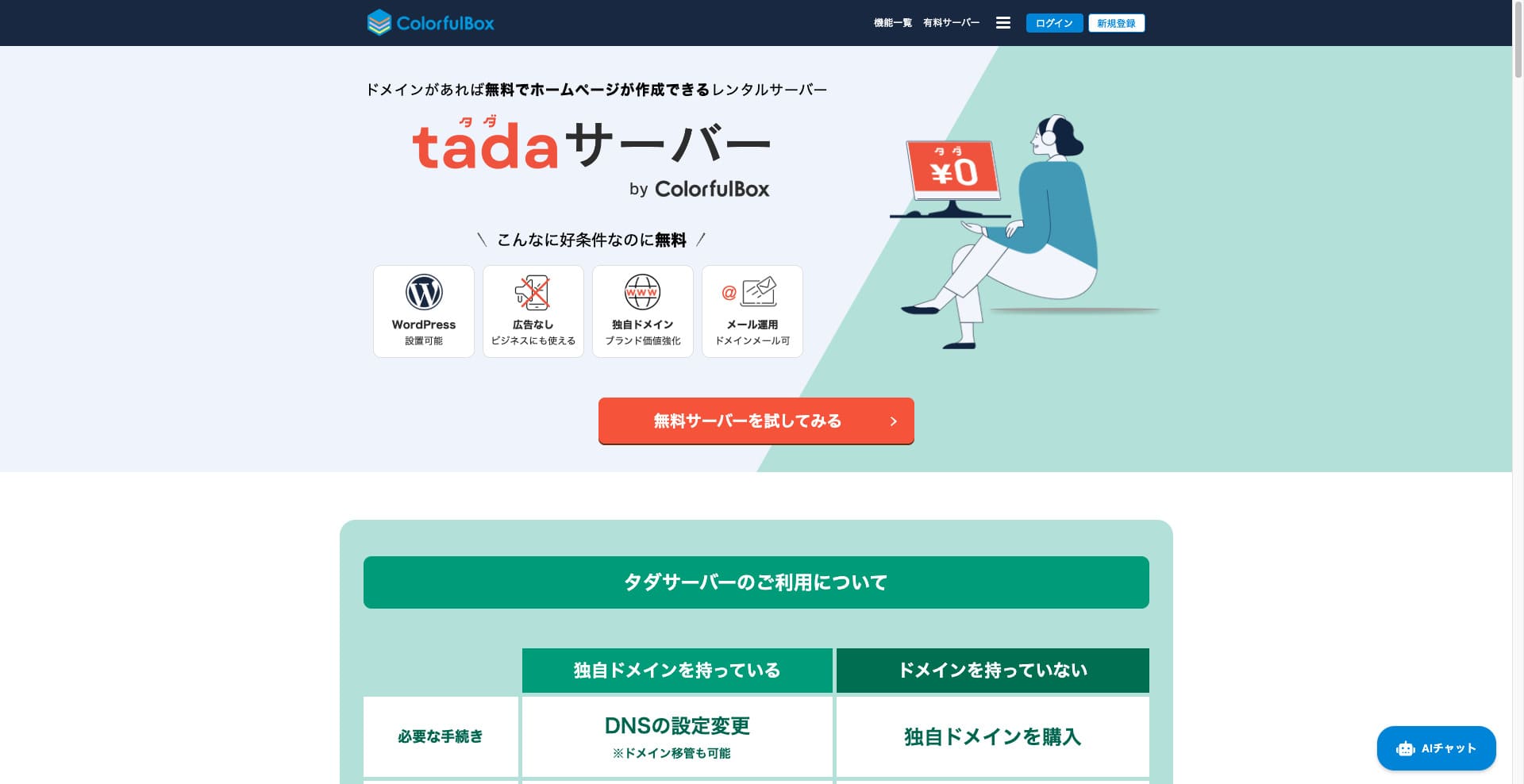
“Tada Server” é um servidor de hospedagem econômico da Colorful Lab Inc. que você pode começar a usar gratuitamente. Apesar de ser gratuito, ele não inclui publicidade. Ele também tem funcionalidade de e-mail. Planos pagos, como o BOX2 da ColorfulBox, estão disponíveis com contrato de 36 meses pelo menor preço de ¥484 por mês.
Análises do Tada Server em relação ao WordPress
Função de instalação fácil do WordPress
Tada Server oferece um painel de controle de padrão mundial, o “cPanel”, com o qual você pode instalar WordPress facilmente em apenas alguns cliques. Como a configuração é concluída em poucos cliques, até iniciantes sem conhecimento de servidor podem ficar tranquilos.
Procedimento de instalação do WordPress
- Etapa 1Cadastro no Tada Server
Clique em “Experimentar servidor gratuito” e depois em “Usar servidor gratuito”, que será exibido.
Quando aparecer “Você tem um domínio existente?”, selecione “Você já possui um domínio”. Como estamos usando um domínio existente, escolhemos esta opção.
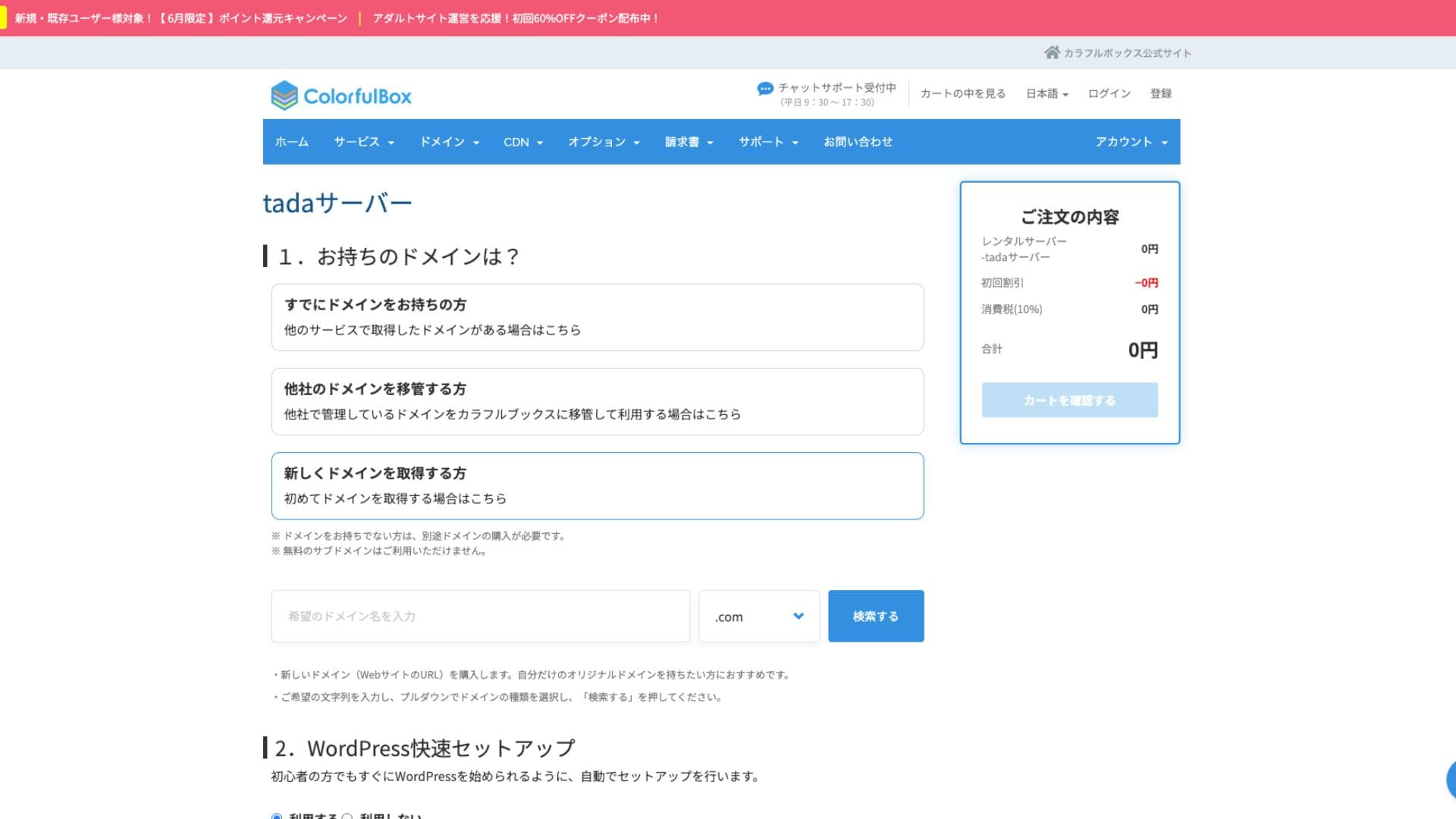
Recomendamos fortemente usar a “Configuração rápida do WordPress”.
- Título do site
- Nome de usuário do administrador
- Senha do administrador
Depois de inserir as informações, clique em “Revisar carrinho”. Clique em “Continuar comprando”.
- ETAPA 2Processo de compra
Esta é a etapa de checkout, mas nenhuma taxa é cobrada. O total é 0 ienes, então você pode prosseguir sem preocupação.
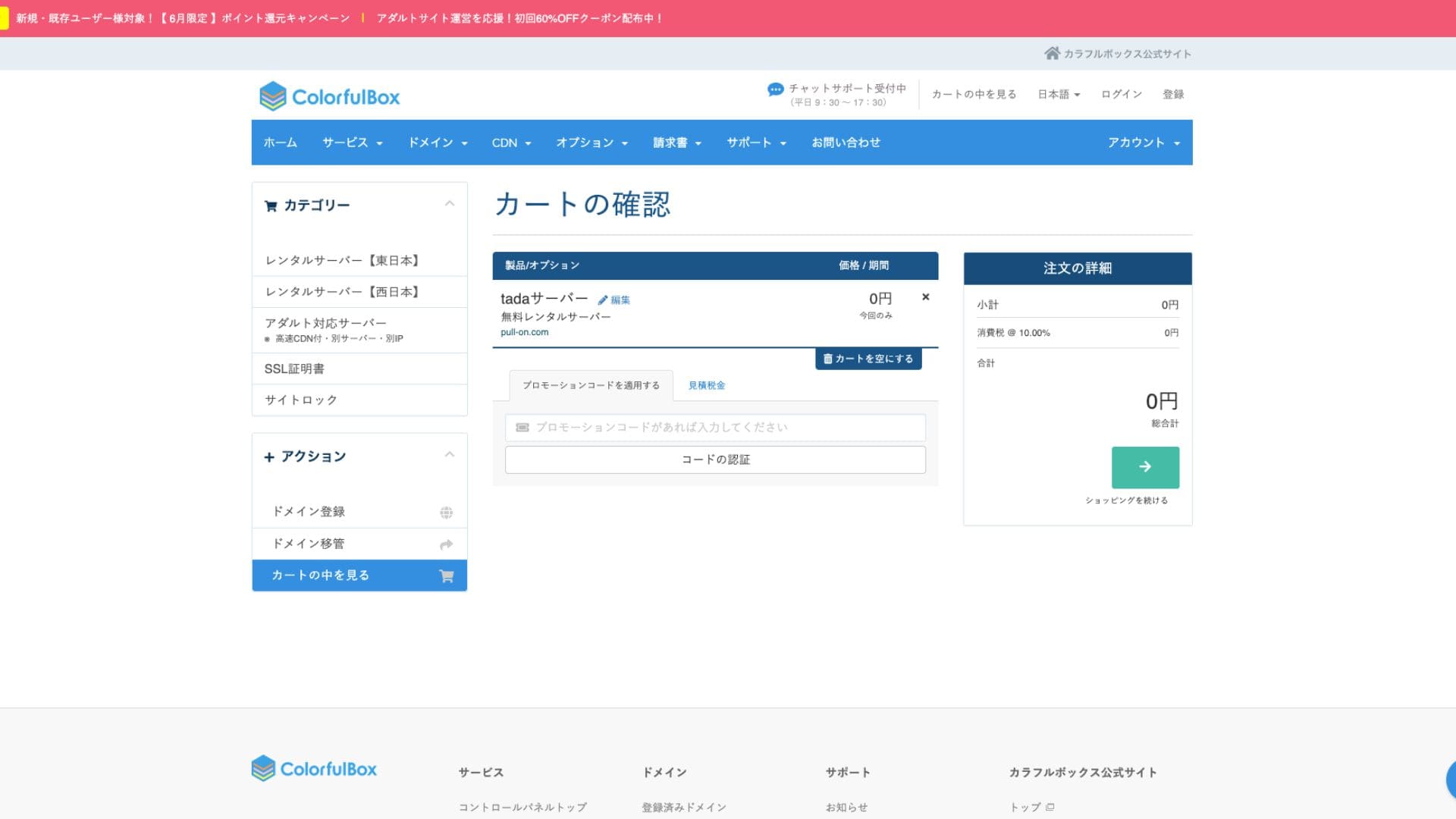
Se você já tiver uma conta, poderá prosseguir com a compra a partir da conta registrada.
Após a compra, um número de pedido será exibido.
Ao receber um e-mail, verifique o conteúdo. As informações de nameserver também estão incluídas, então atualize-as.
Hikaru OnoCertifique-se de configurar os nameservers.
gerenciamento de vários sites
Tada Server Você só pode operar um site com e apenas um subdomínio (por exemplo, your-name.tada-server.com) está disponível. Não é possível adicionar vários sites ou domínios personalizados adicionais.
Análise do desempenho e das especificações do Tada Server
velocidade de exibição
Tada Server não usa o servidor web LiteSpeed, que é rápido. Portanto, não espere muito em termos de velocidade do servidor.
Hikaru Ono
Se a velocidade preocupa você, recomendamos um servidor de hospedagem pago.
espaço em disco
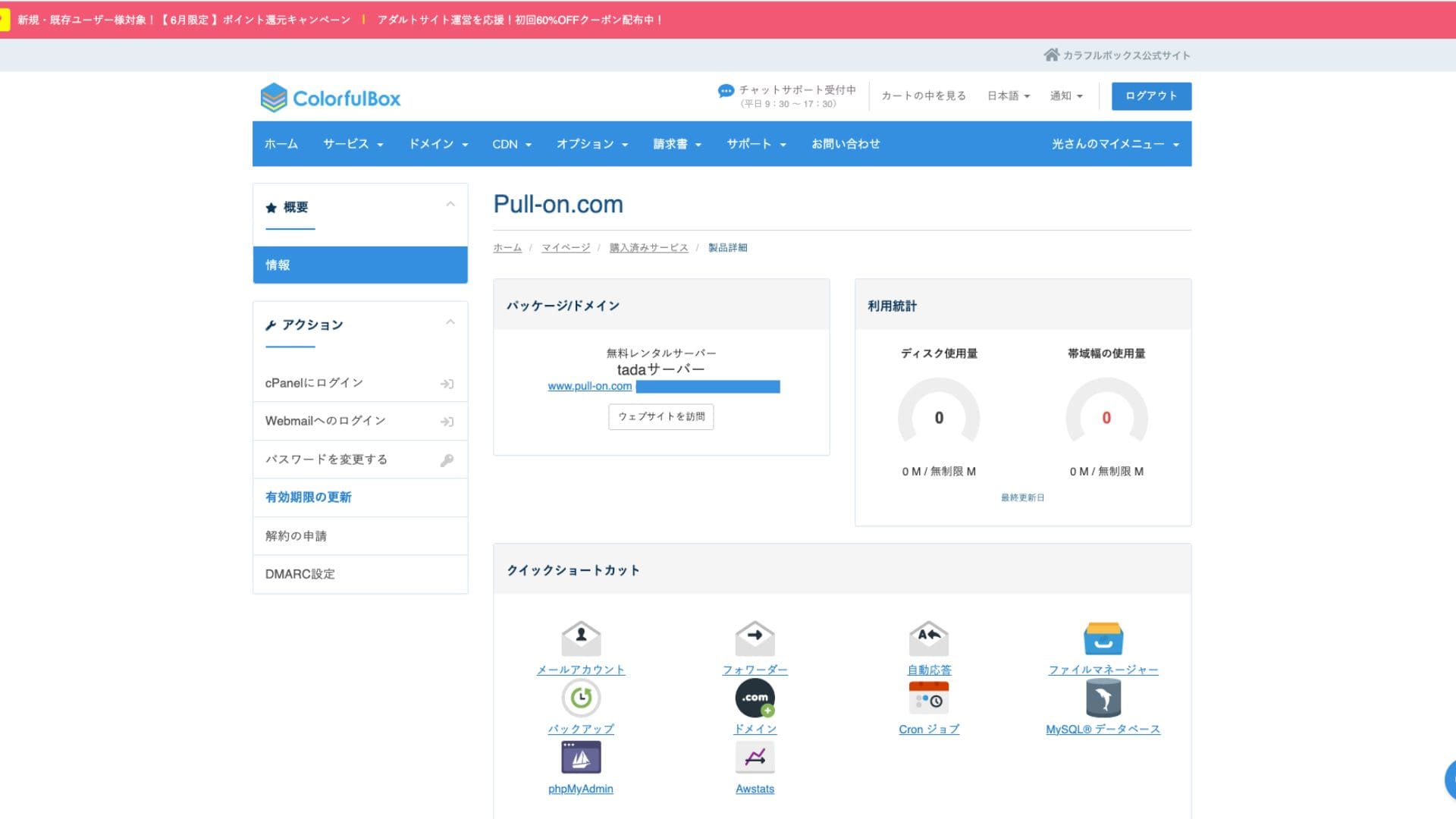
O espaço em disco é SSD de 5 GB. Isso é suficiente para blogs focados em texto ou sites pequenos, mas o espaço pode acabar se você enviar muitas imagens de alta qualidade ou instalar muitos plugins multifuncionais.
Embora as imagens indiquem ilimitado, a capacidade real é de 5 GB.
Volume de transferência
O volume estimado de transferência é 500 GB/mês. Ele é adequado para blogs pessoais de hobby ou sites de teste com baixo tráfego. No entanto, se o seu site crescer e se tornar popular, com muitos visitantes, é preciso saber que você pode atingir o limite de transferência e o site pode parar de ser exibido.
Estabilidade e uptime do servidor
O site oficial não especifica o uptime. Esse também é um ponto comum em servidores pagos como o ColorfulBox. No entanto, ele é operado em um servidor doméstico monitorado 24 horas por dia, então é possível esperar certo nível de estabilidade.
Informações sobre interrupções podem ser anunciadas no site da ColorfulBox ou na conta oficial do X (antigo Twitter).
Avaliação dos preços e custos do Tada Server
Custos iniciais e mensalidades
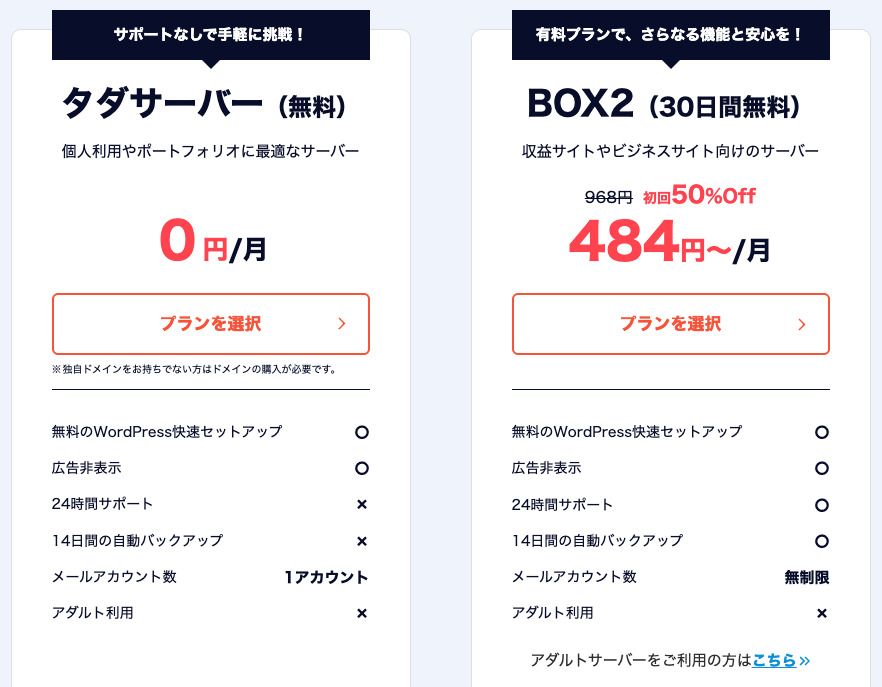
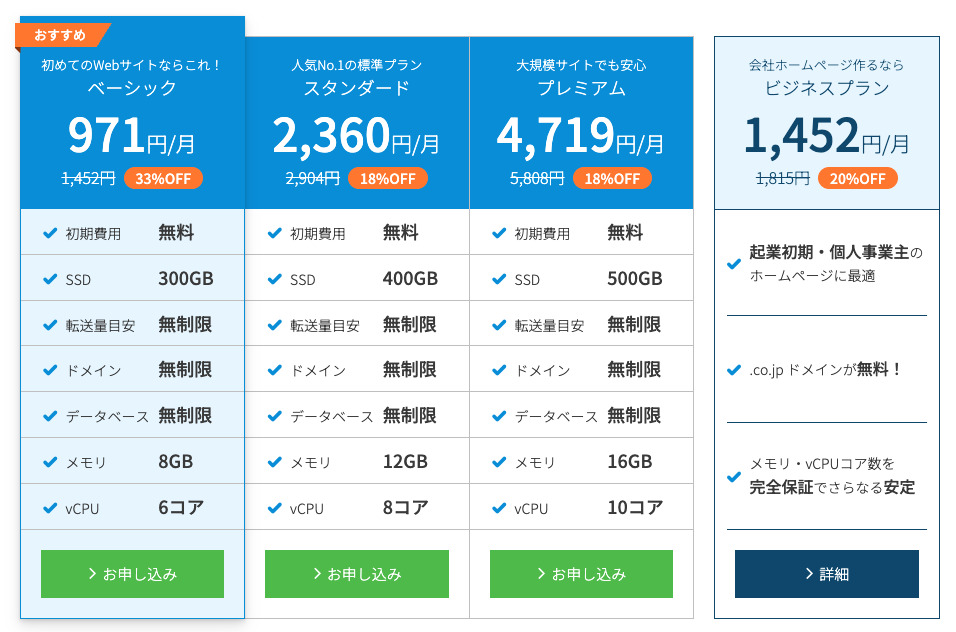
Tada Server tem como maior atrativo ser totalmente gratuito, sem custos iniciais nem mensalidades. Você pode começar a operar seu site WordPress sem se preocupar com custos de manutenção do servidor.
- Tada Server
- Kinsta
- XServer Business
- wpx
- Lolipop!
- Star Rental Server
- Rakko Server
- XServer
- ConoHa
- Colorful Box
- Shin Rental Server
- Little Server
- CORESERVER
- DreamHost
- Bluehost
- Sakura
- Namecheap
- Shin Free Server
- XREA
- Value Server
- HOSTINGER
- KAGOYA
- SiteGround
- Hostgator
- IONOS
- Onamae.com
- ABLENET
- mixhost
- GoDaddy
- iCLUSTA+
- MuuMuu Server
- WADAX
- WebARENA
- heteml
- CPI Rental Server


































Taxas de domínio
Tada Server permite usar seu próprio domínio.
Você pode obter um domínio personalizado na tela de gerenciamento. Ele é oferecido pelo mesmo preço da ColorfulBox. Gerenciar o servidor e o domínio com a mesma empresa simplifica a administração.
- Colorful Domain
- Onamae.com
- XServer Domain
- MuuMuu Domain
- Value Domain
- Shin Domain
- Star Domain
- Rakko Domain








Taxas de certificados SSL
As medidas de segurança, incluindo SSL (comunicação criptografada), estão disponíveis gratuitamente. Como o SSL gratuito “Let’s Encrypt” é configurado automaticamente, você pode manter SSL contínuo no site mesmo sem conhecimento especializado.
Métodos de pagamento
Por ser um serviço gratuito, você não precisa registrar cartão de crédito nem fornecer informações de pagamento semelhantes.
Análise da facilidade de uso e do suporte do Tada Server
Facilidade de uso do painel de controle
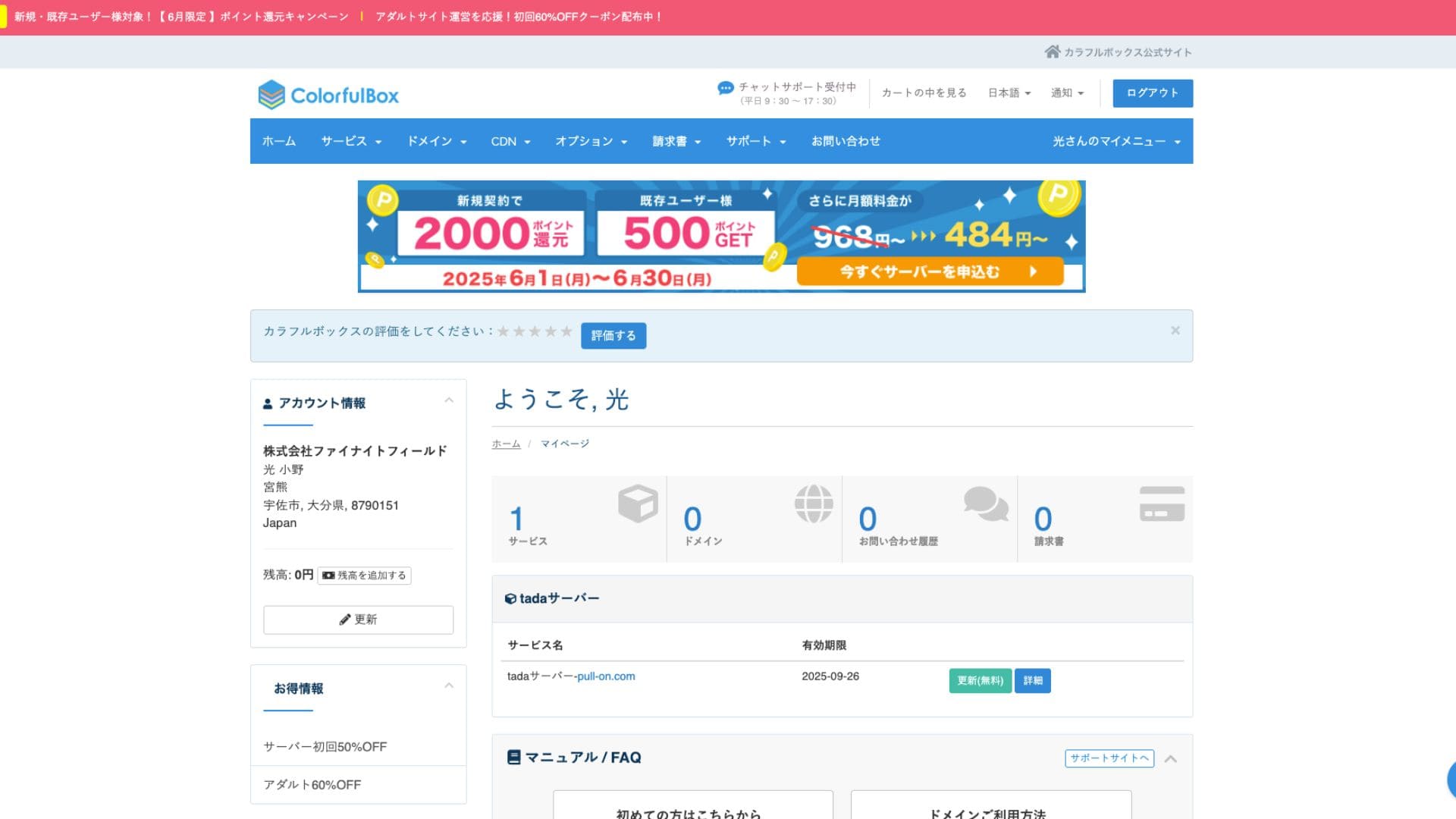
Tada Server usa o cPanel, um painel de controle amplamente utilizado no mundo todo. Ele inclui todos os recursos necessários para gerenciar sites, como gerenciamento de arquivos, criação de bancos de dados e instalação do WordPress, além de haver muitas informações disponíveis, então você não deve ter muita dificuldade para operá-lo.
- Tela inicial
- Renovação do contrato
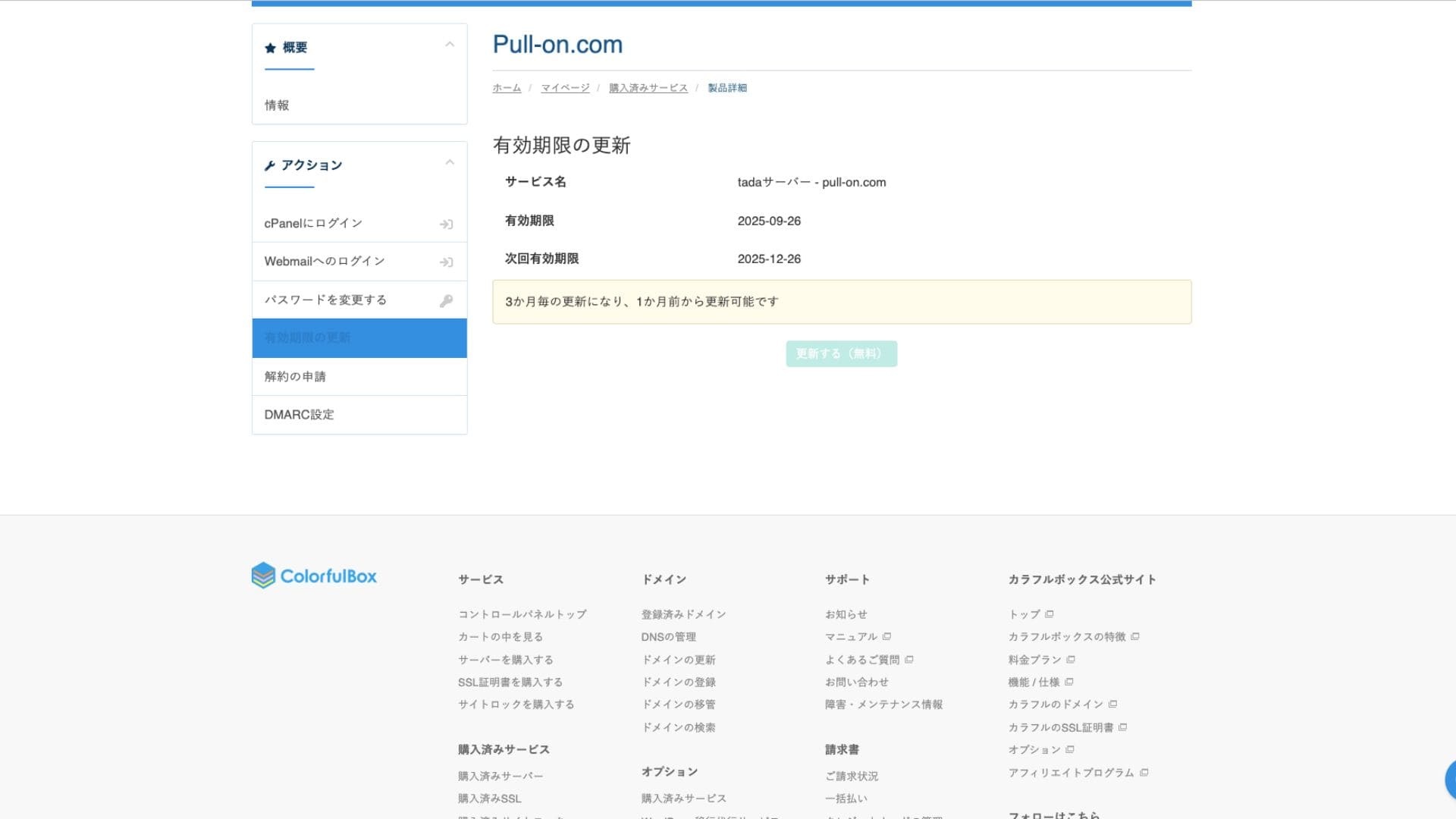
Sistema de suporte
Tada Server não oferece suporte oficial por telefone ou e-mail. Essa é a maior diferença em relação aos planos pagos e o principal ponto de atenção. Você precisa estar preparado para resolver problemas por conta própria.
Disponibilidade de manuais e FAQs
O site oficial da ColorfulBox tem documentação ampla, mas, para questões específicas do Tada Server, você precisará procurar informações no fórum da comunidade mencionado acima.
Análise dos manuais e FAQs
Medidas de segurança
Além dos certificados SSL gratuitos, ele vem de série com firewalls (WAFs) e sistemas de detecção de intrusão (IDS/IPS) semelhantes aos dos planos pagos, garantindo a manutenção da segurança básica.
Funcionalidade de backup automático
Tada Server não possui função de backup automático. Se seus dados forem perdidos, eles não poderão ser restaurados. Você deve fazer backups manuais por sua própria responsabilidade usando plugins do WordPress ou outros métodos. Esse é o ponto mais importante a ter em mente ao usar o Tada Server.
Análise da funcionalidade de e-mail do Tada Server
É possível usar e-mail, mas você recebe apenas uma conta. Isso torna pouco prático usar Tada Server em uma empresa.
O envio de e-mails também é limitado a 10 mensagens.
Resumo
Tada Server é um servidor que permite usar WordPress gratuitamente. Embora possa ter limitações de espaço em disco e largura de banda para uso empresarial sério, ele é perfeitamente adequado para um teste. Vale a pena experimentar.
“Tada Server” é um servidor de hospedagem econômico da Colorful Lab Inc. que você pode começar a usar gratuitamente. Mesmo sendo gratuito, ele não exibe anúncios e inclui funcionalidade de e-mail. Entre os planos pagos, o BOX2 da ColorfulBox é o mais barato, a 484 ienes por mês em contrato de 36 meses.
Experimente gratuitamente