30-day garantia de reembolso
PR
Servidores
Análise da GoDaddy: uma explicação detalhada dos prós, contras, configuração do WordPress e processo de cancelamento
Publicado: 2025.07.13
Atualizado: 2025.07.13
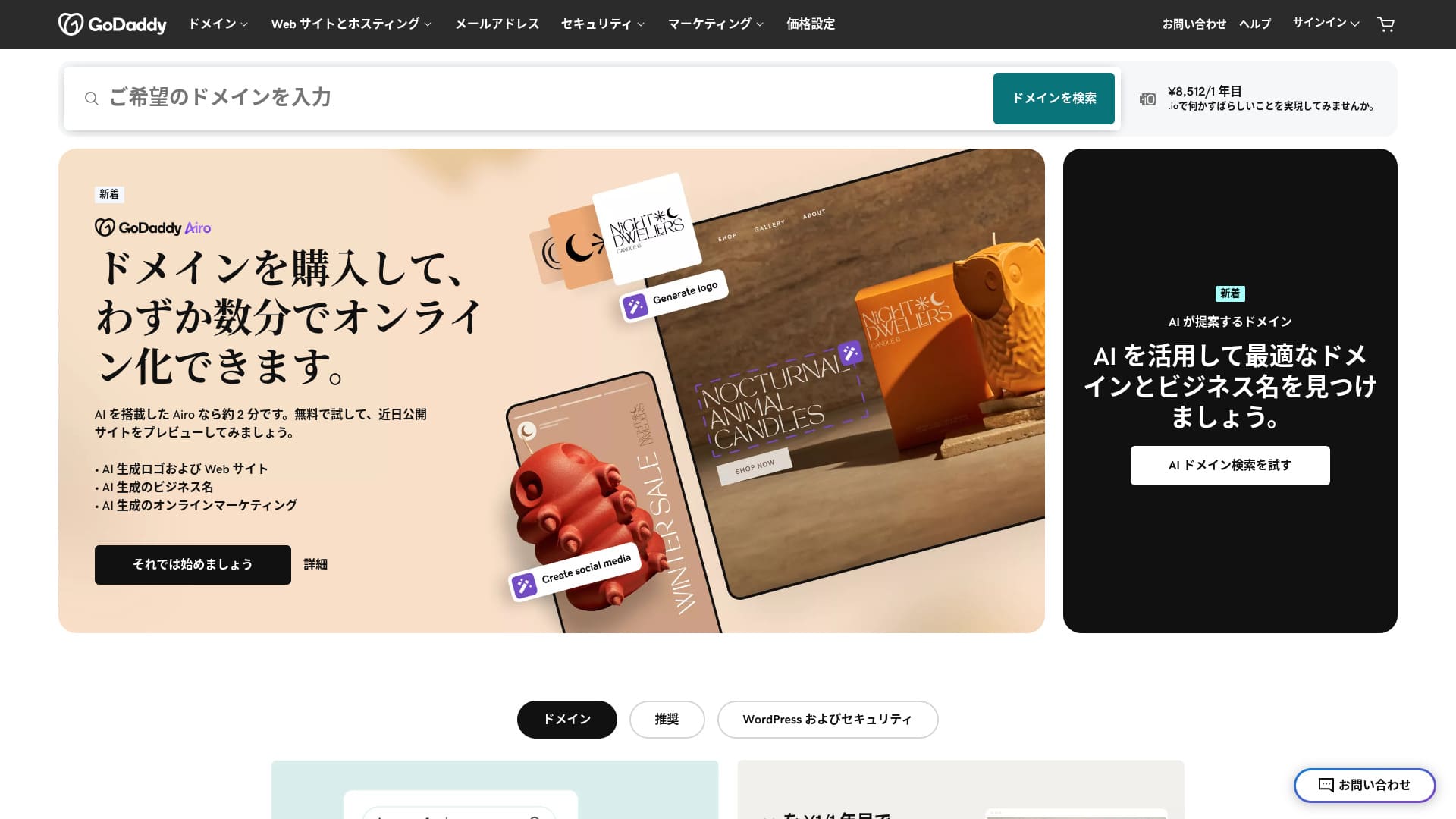
Um servidor fornecido por um dos maiores registradores de domínios do mundo.
GoDaddy is the most widely used domain management company in the world. You may have heard the name at least once. Unusually for an overseas server, it also offers a Japanese-language site. And Esta seção explica os recursos do servidor GoDaddy, a configuração do WordPress, o cancelamento, os preços, o suporte e as comparações com outras hospedagens.
Neste artigo, explico detalhadamente tudo, desde os recursos e a reputação da GoDaddy até como começar com WordPress e como cancelar.
Compare 10 servidores no exterior

Com servidores alugados no exterior, muitas pessoas ficam em dúvida sobre qual servidor escolher por causa das barreiras de idioma e das diferenças culturais.
Neste artigo, comparo detalhadamente 10 servidores alugados no exterior, cuidadosamente selecionados de várias partes do mundo, e explico os recursos, os planos de preços e a experiência real do usuário em detalhes.
Forneço informações que cobrem uma ampla variedade de necessidades, desde critérios de escolha que iniciantes podem usar com confiança até recursos avançados que engenheiros procuram.
Análise da GoDaddy: um servidor com suporte por chat em japonês
Esta seção explica os recursos do servidor GoDaddy, a configuração do WordPress, o cancelamento, os preços, o suporte e as comparações com outras hospedagens.
| Tipo de servidor | Servidor compartilhado |
| Velocidade de exibição (TTFB) | Não medido |
| Plano e prazo de contrato recomendados | Basic, 1 ano |
| Teste gratuito / garantia de reembolso | 30-day garantia de reembolso |
| Mensalidade (12-month contract) | 899 yen |
| Taxa administrativa inicial | Grátis |
| Domínio grátis | Nenhum |
| Suporte | Chat 24/7, telefone (dias úteis 10:00-17:00) |
| Disponibilidade | 99.9% |
| Armazenamento do servidor | 10 GB |
| Número de bancos de dados | 100% |
| SSL | SSL gratuito |
| Backup | Backup semanal |
| Número de contas de e-mail | Nenhum |
| Medidas de segurança de e-mail | Nenhum |
| Serviço de migração de servidor/site | Nenhum |
| WordPress pré-instalado | Sim |
| CDN | Grátis |
| Centros de dados | Kirkland, Washington, EUA / Beeston, Reino Unido / Iași, Romênia / Tempe, Arizona, EUA / Belgrado, Sérvia |
Cinco recursos da GoDaddy

O servidor é rápido graças ao armazenamento NVMe
GoDaddy Esta seção explica os recursos do servidor GoDaddy, a configuração do WordPress, o cancelamento, os preços, o suporte e as comparações com outras hospedagens.Esta seção explica os recursos do servidor GoDaddy, a configuração do WordPress, o cancelamento, os preços, o suporte e as comparações com outras hospedagens.
If the server is fast, the site displays quickly. If the site displays quickly, visitors can browse it without stress. Velocidade is especially important for corporate sites, e-commerce sites, and affiliate sites.
Com o servidor rápido da GoDaddy, você pode ficar tranquilo.
SSL gratuito
Esta seção explica os recursos do servidor GoDaddy, a configuração do WordPress, o cancelamento, os preços, o suporte e as comparações com outras hospedagens.Esta seção explica os recursos do servidor GoDaddy, a configuração do WordPress, o cancelamento, os preços, o suporte e as comparações com outras hospedagens. SSL is the standard form of security for sites. When a site uses SSL, its address starts with https.
Esta seção explica os recursos do servidor GoDaddy, a configuração do WordPress, o cancelamento, os preços, o suporte e as comparações com outras hospedagens.
Esta seção explica os recursos do servidor GoDaddy, a configuração do WordPress, o cancelamento, os preços, o suporte e as comparações com outras hospedagens.
WordPress pré-instalado feature
GoDaddy has a WordPress pré-instalado feature. Esta seção explica os recursos do servidor GoDaddy, a configuração do WordPress, o cancelamento, os preços, o suporte e as comparações com outras hospedagens.Esta seção explica os recursos do servidor GoDaddy, a configuração do WordPress, o cancelamento, os preços, o suporte e as comparações com outras hospedagens.
Esta seção explica os recursos do servidor GoDaddy, a configuração do WordPress, o cancelamento, os preços, o suporte e as comparações com outras hospedagens.
Alta segurança com WAF
Esta seção explica os recursos do servidor GoDaddy, a configuração do WordPress, o cancelamento, os preços, o suporte e as comparações com outras hospedagens.Esta seção explica os recursos do servidor GoDaddy, a configuração do WordPress, o cancelamento, os preços, o suporte e as comparações com outras hospedagens. This cloud-based firewall protects sites from threats such as DDoS attacks.
Esta seção explica os recursos do servidor GoDaddy, a configuração do WordPress, o cancelamento, os preços, o suporte e as comparações com outras hospedagens.
Sistema de backup semanal
Esta seção explica os recursos do servidor GoDaddy, a configuração do WordPress, o cancelamento, os preços, o suporte e as comparações com outras hospedagens.Esta seção explica os recursos do servidor GoDaddy, a configuração do WordPress, o cancelamento, os preços, o suporte e as comparações com outras hospedagens.Esta seção explica os recursos do servidor GoDaddy, a configuração do WordPress, o cancelamento, os preços, o suporte e as comparações com outras hospedagens.
Sistema de backup semanal is generally sufficient, but if you want daily backups whenever possible, make use of WordPress plugins.
The drawback of GoDaddy is that the cheapest plan lets you create only one site

The drawback is that the cheapest plan lets you create only one site. If you want to build a personal site in addition to your company site, you have to upgrade your plan.
Esta seção explica os recursos do servidor GoDaddy, a configuração do WordPress, o cancelamento, os preços, o suporte e as comparações com outras hospedagens.
So, to be honest, being limited to just one site at this price means the pricing is high, and that is a drawback.
Compare a GoDaddy com dois servidores concorrentes
Esta seção explica os recursos do servidor GoDaddy, a configuração do WordPress, o cancelamento, os preços, o suporte e as comparações com outras hospedagens.
IONOS
IONOS is a hosting company based in Germany. Because it has servers across Europe, it is a recommended server for building sites aimed at people living in Europe.
Esta seção explica os recursos do servidor GoDaddy, a configuração do WordPress, o cancelamento, os preços, o suporte e as comparações com outras hospedagens.Esta seção explica os recursos do servidor GoDaddy, a configuração do WordPress, o cancelamento, os preços, o suporte e as comparações com outras hospedagens.
Esta seção explica os recursos do servidor GoDaddy, a configuração do WordPress, o cancelamento, os preços, o suporte e as comparações com outras hospedagens.Esta seção explica os recursos do servidor GoDaddy, a configuração do WordPress, o cancelamento, os preços, o suporte e as comparações com outras hospedagens.Esta seção explica os recursos do servidor GoDaddy, a configuração do WordPress, o cancelamento, os preços, o suporte e as comparações com outras hospedagens.
| Tópico | GoDaddy | IONOS |
|---|---|---|
| Maior ponto forte | Não.1 in number of domain users | Bom custo-benefício |
| Teste gratuito / garantia de reembolso | 30-day garantia de reembolso | 30-day garantia de reembolso |
| Disponibilidade | 99.9% | 99.98% |
| Armazenamento | 10 GB | 50 GB |
| Custo do servidor no primeiro ano | 14,388 yen | 1,798 yen |

Avaliação do IONOS: um servidor acessível e estável para a Europa que também funciona com WordPress
Avaliação do IONOS: um servidor acessível e estável para a Europa que também funciona com WordPress
serverfield.org
HOSTINGER
Esta seção explica os recursos do servidor GoDaddy, a configuração do WordPress, o cancelamento, os preços, o suporte e as comparações com outras hospedagens.Esta seção explica os recursos do servidor GoDaddy, a configuração do WordPress, o cancelamento, os preços, o suporte e as comparações com outras hospedagens.
Esta seção explica os recursos do servidor GoDaddy, a configuração do WordPress, o cancelamento, os preços, o suporte e as comparações com outras hospedagens.Esta seção explica os recursos do servidor GoDaddy, a configuração do WordPress, o cancelamento, os preços, o suporte e as comparações com outras hospedagens.Esta seção explica os recursos do servidor GoDaddy, a configuração do WordPress, o cancelamento, os preços, o suporte e as comparações com outras hospedagens.
| Comparação | GoDaddy | HOSTINGER |
|---|---|---|
| Maior ponto forte | Não.1 in number of domain users | Bom custo-benefício |
| Teste gratuito / garantia de reembolso | 30-day garantia de reembolso | 30-day garantia de reembolso |
| Disponibilidade | 99.9% | 99.9% |
| Armazenamento | 10 GB | 100 GB |
| Custo do servidor no primeiro ano | 14,388 yen | 4,405 yen |

Avaliação da Hostinger [edição 2025]: recomendada oficialmente pelo WordPress, com prós, contras e comparações
Avaliação da Hostinger [edição 2025]: recomendada oficialmente pelo WordPress, com prós, contras e comparações
serverfield.org
Seven steps to start a WordPress site with GoDaddy right now
Esta seção explica os recursos do servidor GoDaddy, a configuração do WordPress, o cancelamento, os preços, o suporte e as comparações com outras hospedagens.
- PASSO.1Esta seção explica os recursos do servidor GoDaddy, a configuração do WordPress, o cancelamento, os preços, o suporte e as comparações com outras hospedagens.
Esta seção explica os recursos do servidor GoDaddyGoDaddy site and log in to your account.
- PASSO.2Esta seção explica os recursos do servidor GoDaddy, a configuração do WordPress, o cancelamento, os preços, o suporte e as comparações com outras hospedagens.
Esta seção explica os recursos do servidor GoDaddy, a configuração do WordPress, o cancelamento, os preços, o suporte e as comparações com outras hospedagens.
- PASSO.3Esta seção explica os recursos do servidor GoDaddy, a configuração do WordPress, o cancelamento, os preços, o suporte e as comparações com outras hospedagens.
Go to the “Web Hosting” section and click the “Gerenciar” button next to your managed WordPress plan.
- PASSO.4Instalar o WordPress
Esta seção explica os recursos do servidor GoDaddy, a configuração do WordPress, o cancelamento, os preços, o suporte e as comparações com outras hospedagens.
Esta seção explica os recursos do servidor GoDaddy, a configuração do WordPress, o cancelamento, os preços, o suporte e as comparações com outras hospedagens.
- PASSO.5Esta seção explica os recursos do servidor GoDaddy, a configuração do WordPress, o cancelamento, os preços, o suporte e as comparações com outras hospedagens.
Esta seção explica os recursos do servidor GoDaddy, a configuração do WordPress, o cancelamento, os preços, o suporte e as comparações com outras hospedagens.
Esta seção explica os recursos do servidor GoDaddy, a configuração do WordPress, o cancelamento, os preços, o suporte e as comparações com outras hospedagens.
- PASSO.6Esta seção explica os recursos do servidor GoDaddy, a configuração do WordPress, o cancelamento, os preços, o suporte e as comparações com outras hospedagens.
Esta seção explica os recursos do servidor GoDaddy, a configuração do WordPress, o cancelamento, os preços, o suporte e as comparações com outras hospedagens.
- ETAPA.7Esta seção explica os recursos do servidor GoDaddy, a configuração do WordPress, o cancelamento, os preços, o suporte e as comparações com outras hospedagens.
Esta seção explica os recursos do servidor GoDaddy, a configuração do WordPress, o cancelamento, os preços, o suporte e as comparações com outras hospedagens.
Esta seção explica os recursos do servidor GoDaddy, a configuração do WordPress, o cancelamento, os preços, o suporte e as comparações com outras hospedagens.
Como cancelar a GoDaddy
Linha do tempo
- PASSO.1Esta seção explica os recursos do servidor GoDaddy, a configuração do WordPress, o cancelamento, os preços, o suporte e as comparações com outras hospedagens.
Acesse GoDaddyEsta seção explica os recursos do servidor GoDaddy, a configuração do WordPress, o cancelamento, os preços, o suporte e as comparações com outras hospedagens.
- PASSO.2Esta seção explica os recursos do servidor GoDaddy, a configuração do WordPress, o cancelamento, os preços, o suporte e as comparações com outras hospedagens.
Esta seção explica os recursos do servidor GoDaddy, a configuração do WordPress, o cancelamento, os preços, o suporte e as comparações com outras hospedagens.
- PASSO.3Esta seção explica os recursos do servidor GoDaddy, a configuração do WordPress, o cancelamento, os preços, o suporte e as comparações com outras hospedagens.
Click the “Gerenciar” button next to the service you want to cancel, such as a domain, hosting plan, or email service.
- PASSO.4Esta seção explica os recursos do servidor GoDaddy, a configuração do WordPress, o cancelamento, os preços, o suporte e as comparações com outras hospedagens.
Esta seção explica os recursos do servidor GoDaddy, a configuração do WordPress, o cancelamento, os preços, o suporte e as comparações com outras hospedagens.
Esta seção explica os recursos do servidor GoDaddy, a configuração do WordPress, o cancelamento, os preços, o suporte e as comparações com outras hospedagens.
- PASSO.5Esta seção explica os recursos do servidor GoDaddy, a configuração do WordPress, o cancelamento, os preços, o suporte e as comparações com outras hospedagens.
Esta seção explica os recursos do servidor GoDaddy, a configuração do WordPress, o cancelamento, os preços, o suporte e as comparações com outras hospedagens.
Esta seção explica os recursos do servidor GoDaddy, a configuração do WordPress, o cancelamento, os preços, o suporte e as comparações com outras hospedagens.
- PASSO.6Esta seção explica os recursos do servidor GoDaddy, a configuração do WordPress, o cancelamento, os preços, o suporte e as comparações com outras hospedagens.
Esta seção explica os recursos do servidor GoDaddy, a configuração do WordPress, o cancelamento, os preços, o suporte e as comparações com outras hospedagens.
Esta seção explica os recursos do servidor GoDaddy, a configuração do WordPress, o cancelamento, os preços, o suporte e as comparações com outras hospedagens.
Perguntas frequentes sobre a GoDaddy
Que tipo de empresa é a GoDaddy?
GoDaddy is the world's largest domain management company. In addition to domain management, it provides hosting and a site builder.
Como se cadastrar na GoDaddy?
Go to the official GoDaddy site and sign up from “Create Account.”
Resumo
Esta seção explica os recursos do servidor GoDaddy, a configuração do WordPress, o cancelamento, os preços, o suporte e as comparações com outras hospedagens.Esta seção explica os recursos do servidor GoDaddy, a configuração do WordPress, o cancelamento, os preços, o suporte e as comparações com outras hospedagens.
Because GoDaddy comes with a 30-day garantia de reembolso, I recommend trying it once for the time being.
Esta seção explica os recursos do servidor GoDaddy, a configuração do WordPress, o cancelamento, os preços, o suporte e as comparações com outras hospedagens.