
Wypróbuj za darmo
PR
Serwery
Recenzja Tada Server [aktualizacja 2025]: dogłębne spojrzenie na zalety, wady i rzeczywistą ocenę darmowego hostingu WordPress
Opublikowano: 2025.06.26
Zaktualizowano: 2025.06.26
Ocena: 3.0
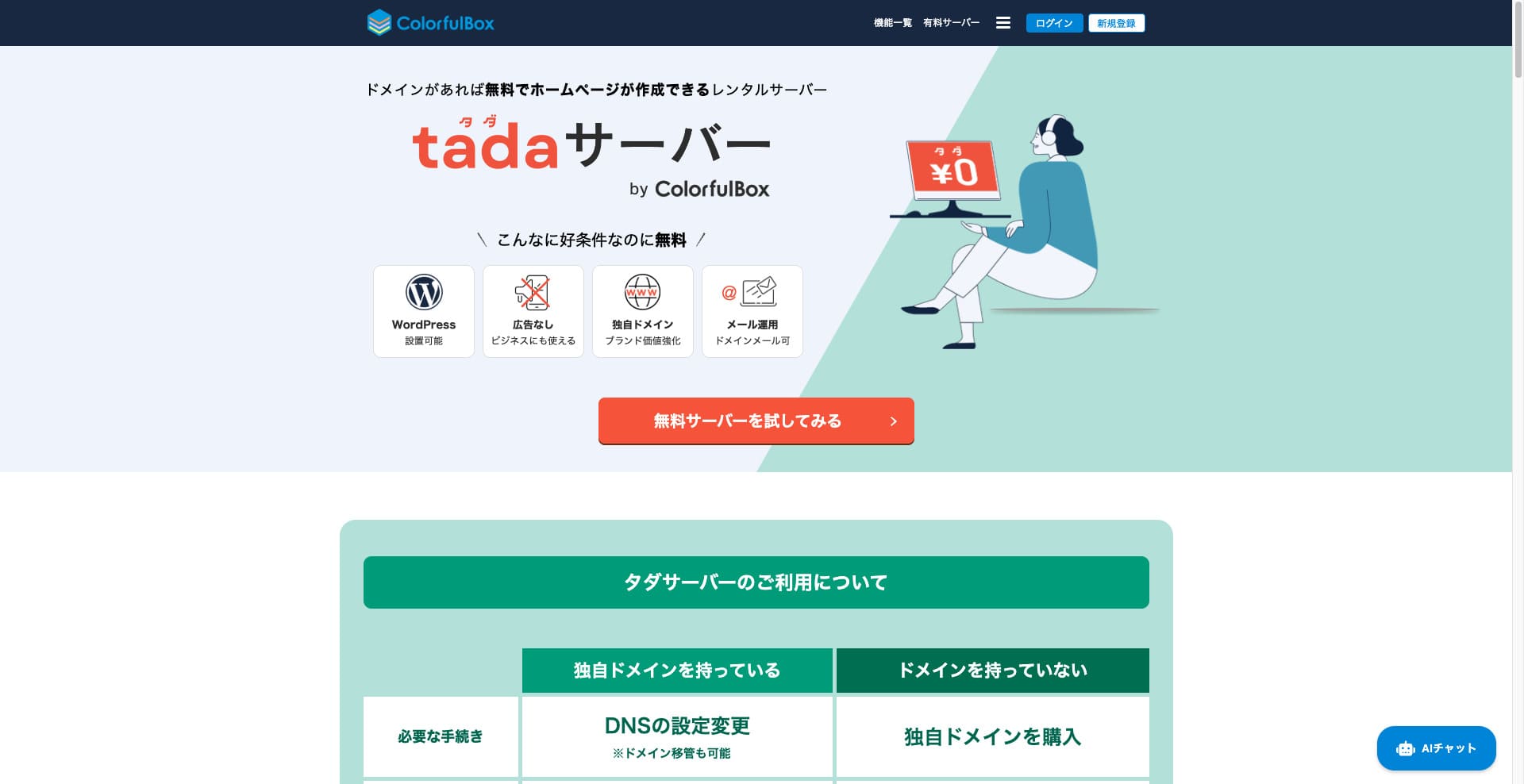
Tada Server to serwer, który pozwala korzystać z WordPressa za darmo. Jest oferowany przez Colorful Lab Inc.

Tada Server polecam osobom, które szukają darmowego serwera, z następujących powodów:
- Możesz uruchomić WordPressa za darmo.
- Nie są wyświetlane reklamy.
- Obsługuje wysyłanie i odbieranie e-maili.
Właśnie dlatego uważam, że będziesz zadowolony. Jeśli odnawiasz go co trzy miesiące, możesz korzystać z niego za darmo bez końca.
Warto porównać także konkurencyjny serwer Star Rental Server. Choć jest darmowy, to bardzo szybki serwer, dlatego zdecydowanie warto rozważyć go razem z Tada Server.
★★ Star Rental Server Reviews (Published December 19, 2024): Pros and Cons of the Most Cost-Effective Free-to-Use Server

Hikaru Ono
Aby korzystać z Tada Server, potrzebujesz domeny, ponieważ subdomeny nie są udostępniane.
Porównanie z innymi usługami hostingowymi
- Ogólnie Ocena★★★☆☆
- Szybkość serwera Nie testowano
- Opłaty za korzystanie ★★★★★
- Stabilność ★★★☆☆
- Łatwość rozpoczęcia pracy z WordPressem* ★★★☆☆
- Operacje takie jak zarządzanie domeną i konfiguracja SSL* ★★★☆☆
* Na podstawie mojego rzeczywistego doświadczenia z korzystania z niego.

Comprehensive Comparison of 21 WordPress Hosting Providers and How to Choose
Comprehensive Comparison of 21 WordPress Hosting Providers and How to Choose
serverfield.org
- November 4, 2025 na podstawie danych z badań rynku, posortowane według szybkości
- Opłata miesięczna to koszt pierwszego roku najtańszego planu zgodnego z WordPressem.
- Szybkość oznacza wartość Time to First Byte witryny demonstracyjnej w tych samych warunkach.
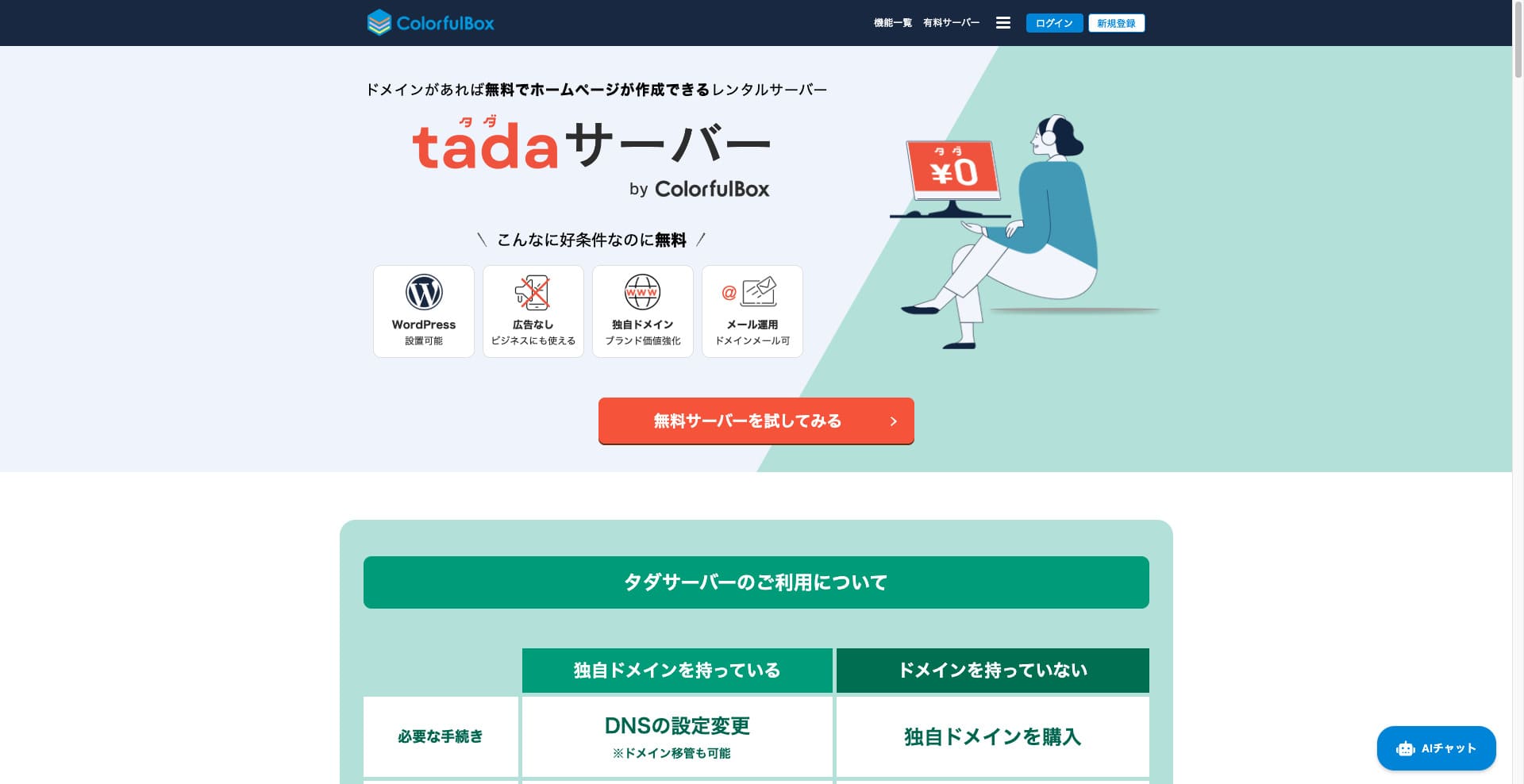
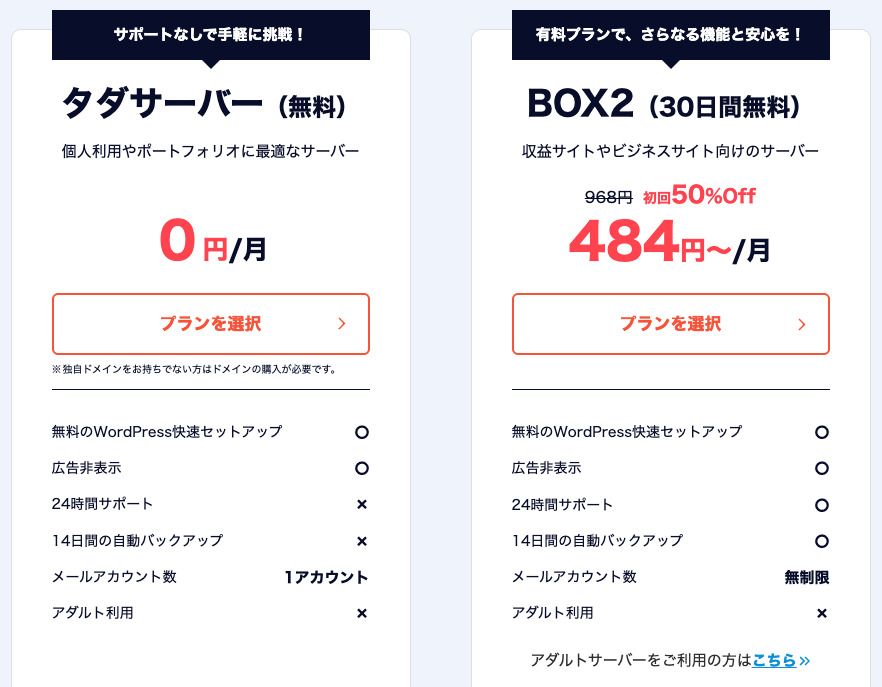
„Tada Server” to opłacalny serwer hostingowy od Colorful Lab Inc., z którego można zacząć korzystać za darmo. Pomimo tego, że jest darmowy, nie zawiera reklam. Ma także funkcję poczty e-mail. Płatne plany, takie jak BOX2 ColorfulBox, są dostępne przy umowie na 36 miesięcy w najniższej cenie 484 jenów miesięcznie.
Opinie o Tada Server w kontekście WordPressa
Funkcja łatwej instalacji WordPressa
Tada Server oferuje światowy standard panelu sterowania, „cPanel”, dzięki któremu można łatwo zainstalować WordPressa kilkoma kliknięciami. Ponieważ konfiguracja kończy się po kilku kliknięciach, nawet początkujący bez wiedzy o serwerach mogą czuć się spokojnie.
Procedura instalacji WordPressa
- Krok 1Rejestracja w Tada Server
Kliknij „Try Free Server”, a następnie kliknij wyświetlone „Use Free Server”.
Gdy pojawi się pytanie „Do you have an existing domain?”, wybierz „You already own a domain”. Ponieważ korzystamy z istniejącej domeny, wybraliśmy tę opcję.
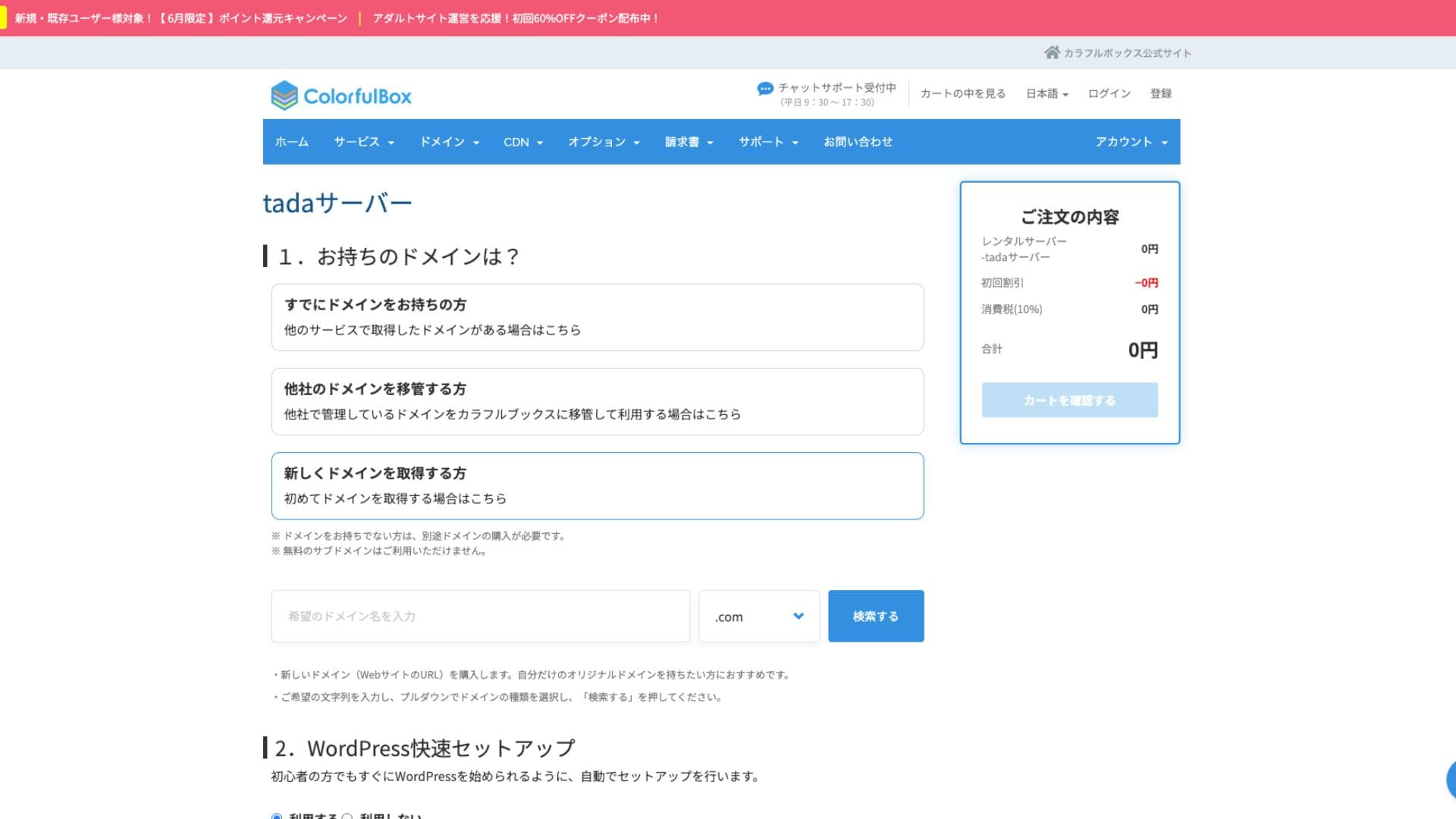
Zdecydowanie zalecamy skorzystanie z „WordPress Quick Setup”.
- Tytuł witryny
- Nazwa użytkownika administratora
- Hasło administratora
Po wprowadzeniu informacji kliknij „Review Cart”. Kliknij „Continue Shopping”.
- KROK 2Proces zakupu
To etap realizacji zamówienia, ale nie jest pobierana żadna opłata. Suma wynosi 0 jenów, więc możesz przejść dalej bez obaw.
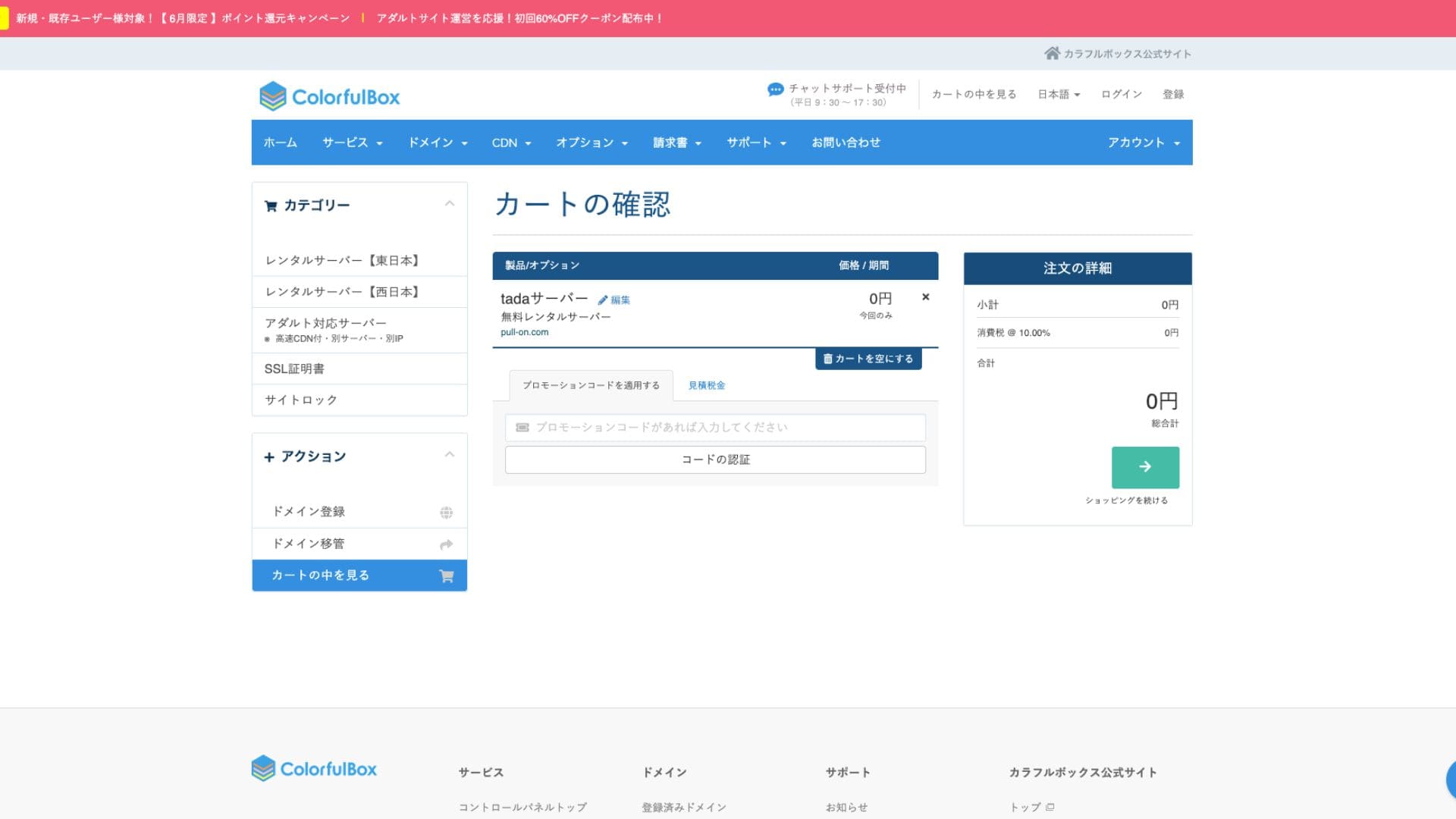
Jeśli masz już konto, możesz przejść do zakupu z poziomu zarejestrowanego konta.
Po zakupie zostanie wyświetlony numer zamówienia.
Po otrzymaniu wiadomości e-mail sprawdź jej treść. Zawiera ona także informacje o serwerach nazw, więc je zaktualizuj.
Hikaru OnoPamiętaj o skonfigurowaniu ustawień serwerów nazw.
zarządzanie wieloma witrynami
Tada Server pozwala obsługiwać tylko jedną witrynę i dostępna jest tylko jedna subdomena (np. your-name.tada-server.com). Nie można dodawać wielu witryn ani dodatkowych domen niestandardowych.
Recenzje wydajności i specyfikacji Tada Server
szybkość wyświetlania
Tada Server nie korzysta z szybkiego serwera WWW LiteSpeed. Dlatego nie należy oczekiwać wiele pod względem szybkości serwera.
Hikaru Ono
Jeśli zależy Ci na szybkości, polecamy płatny serwer hostingowy.
przestrzeń dyskowa
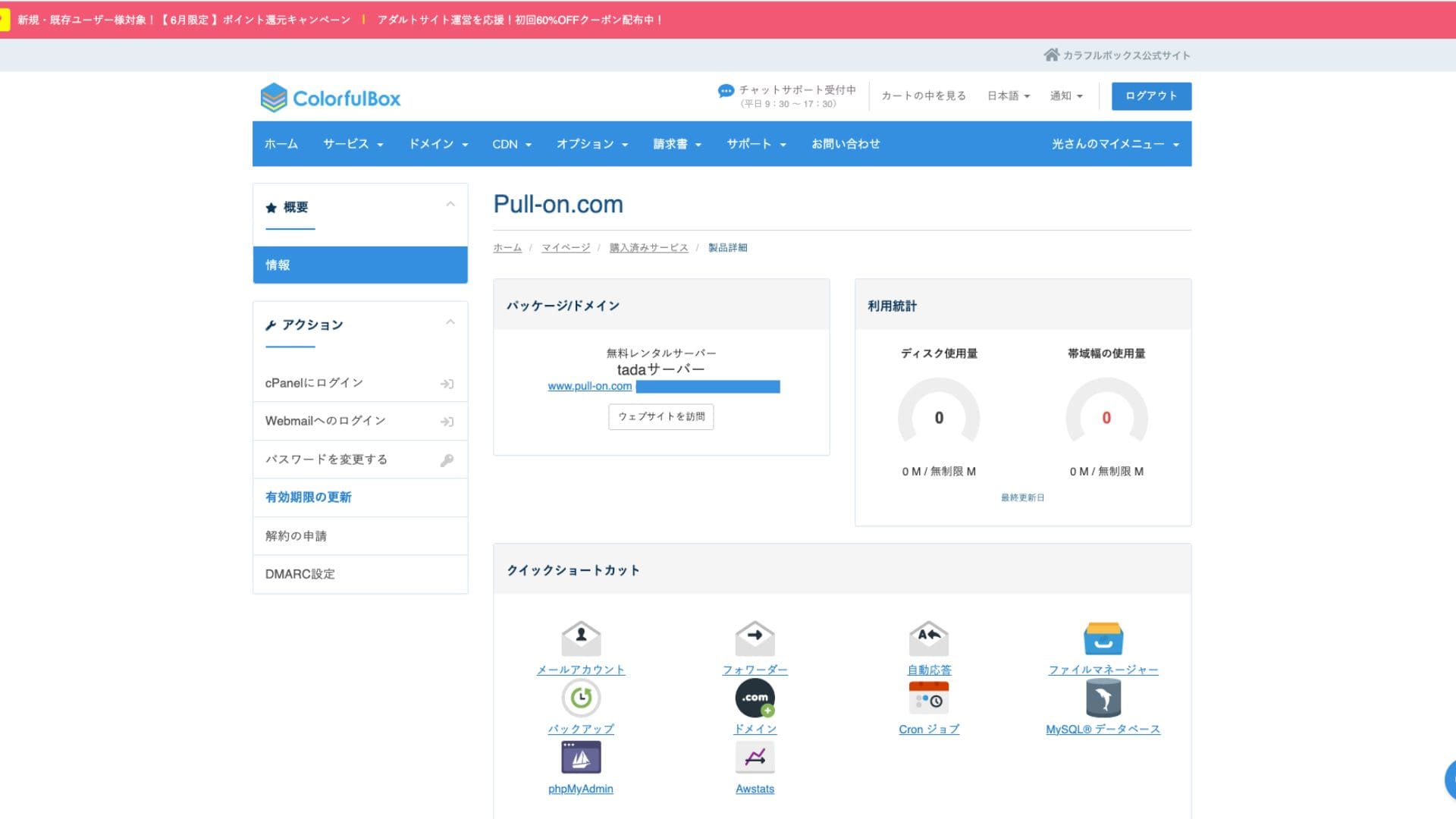
Przestrzeń dyskowa wynosi 5 GB SSD. To wystarczy dla blogów skupionych na tekście lub małych witryn, ale miejsce może się skończyć, jeśli przesyłasz dużo wysokiej jakości obrazów albo instalujesz wiele rozbudowanych wtyczek.
Choć na obrazach widnieje informacja o braku limitu, rzeczywista pojemność wynosi 5 GB.
Transfer danych
Szacowany transfer danych wynosi 500 GB/miesiąc. Jest odpowiedni dla osobistych blogów hobbystycznych lub testowych witryn o małym ruchu. Jeśli jednak witryna rozrośnie się w popularny serwis z wieloma odwiedzającymi, trzeba pamiętać, że możesz osiągnąć limit transferu, a strona może przestać się wyświetlać.
Stabilność i dostępność serwera
Oficjalna strona nie podaje gwarantowanej dostępności. To wspólna cecha także płatnych serwerów, takich jak ColorfulBox. Usługa działa jednak na krajowym serwerze monitorowanym przez całą dobę, więc można oczekiwać pewnego poziomu stabilności.
Informacje o awariach mogą być ogłaszane na stronie ColorfulBox lub na oficjalnym koncie X (dawniej Twitter).
Ocena cen i kosztów Tada Server
Koszty początkowe i opłaty miesięczne
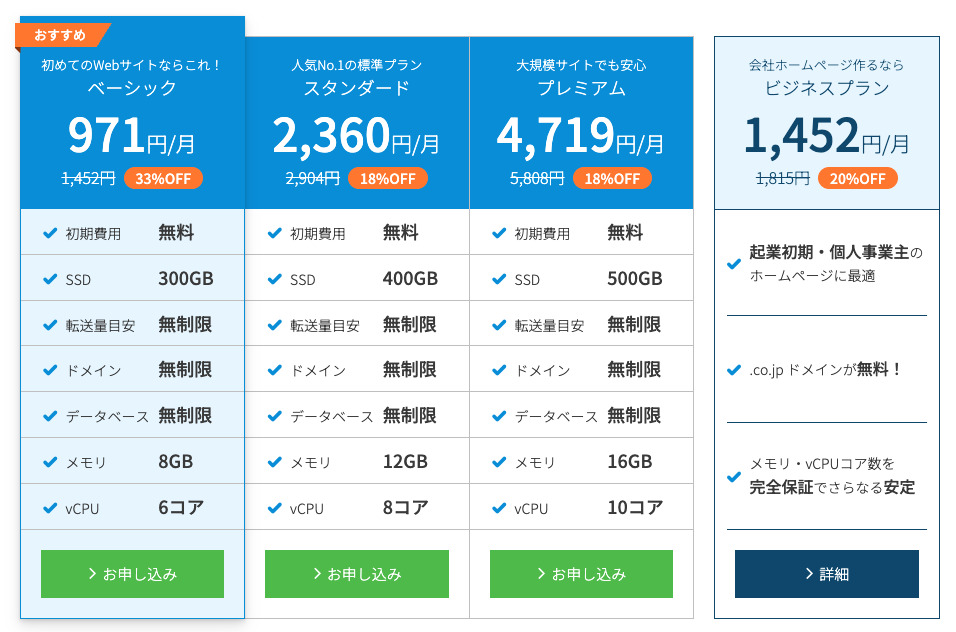
Tada Server wyróżnia się przede wszystkim tym, że jest całkowicie darmowy - bez opłat początkowych i miesięcznych. Możesz uruchomić witrynę WordPress bez żadnych obaw o koszty utrzymania serwera.
- Tada Server
- Kinsta
- XServer Business
- wpx
- Lolipop!
- Star Rental Server
- Rakko Server
- XServer
- ConoHa
- Colorful Box
- Shin Rental Server
- Little Server
- CORESERVER
- DreamHost
- Bluehost
- Sakura
- Namecheap
- Shin Free Server
- XREA
- Value Server
- HOSTINGER
- KAGOYA
- SiteGround
- Hostgator
- IONOS
- Onamae.com
- ABLENET
- mixhost
- GoDaddy
- iCLUSTA+
- MuuMuu Server
- WADAX
- WebARENA
- heteml
- CPI Rental Server


































Opłaty za domenę
Tada Server pozwala korzystać z własnej domeny.
Domenę niestandardową można uzyskać z ekranu zarządzania. Jest oferowana w tej samej cenie co w ColorfulBox. Zarządzanie serwerem i domeną u tej samej firmy upraszcza administrację.
- Colorful Domain
- Onamae.com
- XServer Domain
- MuuMuu Domain
- Value Domain
- Shin Domain
- Star Domain
- Rakko Domain








Opłaty za certyfikaty SSL
Środki bezpieczeństwa, w tym SSL (komunikacja szyfrowana), są dostępne za darmo. Ponieważ bezpłatny SSL „Let’s Encrypt” jest konfigurowany automatycznie, możesz zapewnić stałe SSL dla swojej witryny nawet bez specjalistycznej wiedzy.
Metody płatności
Ponieważ jest to usługa bezpłatna, nie trzeba rejestrować karty kredytowej ani podawać podobnych informacji płatniczych.
Ocena łatwości obsługi i wsparcia Tada Server
Łatwość obsługi panelu sterowania
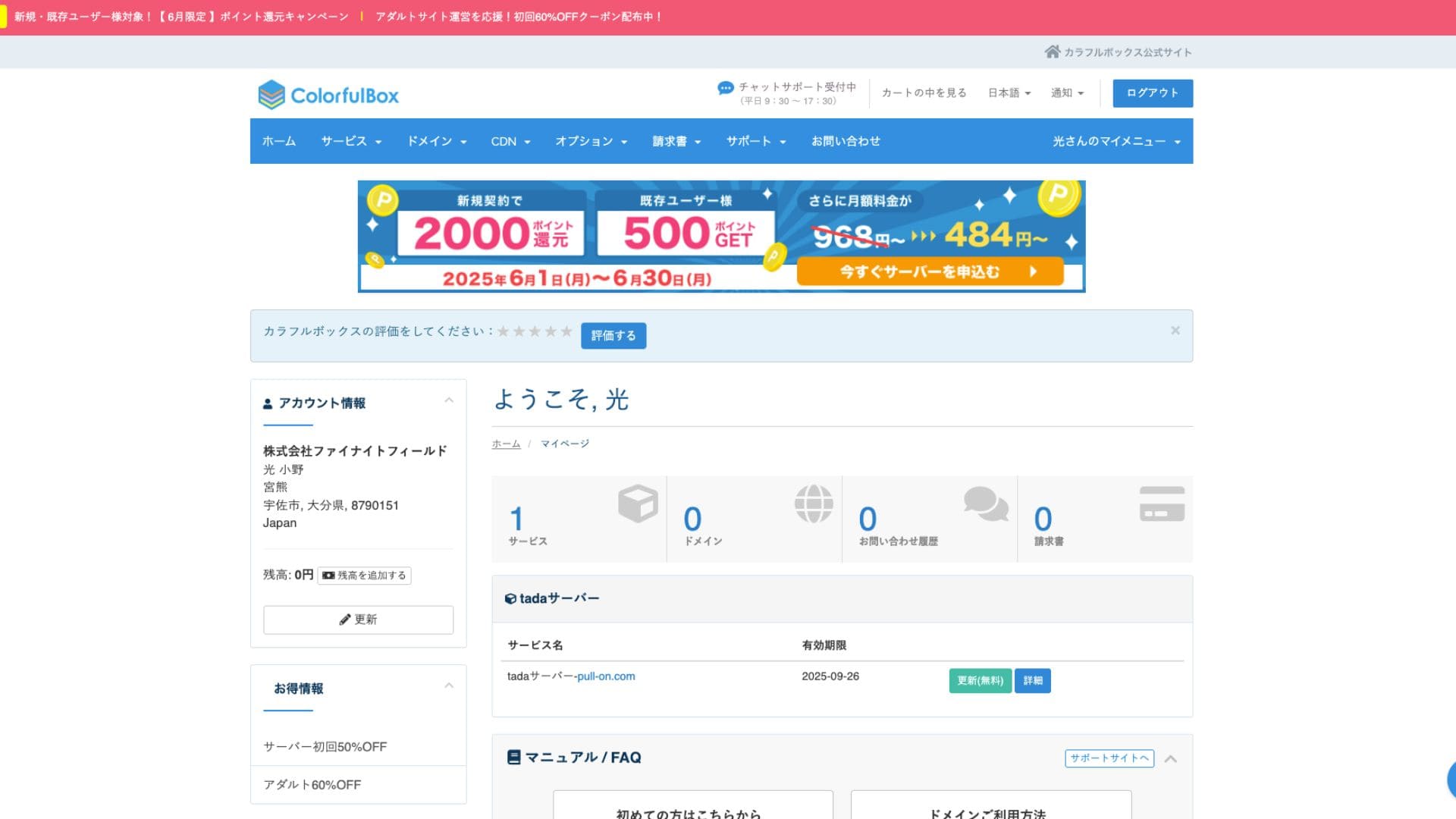
Tada Server korzysta z cPanel, panelu sterowania szeroko używanego na całym świecie. Zawiera wszystkie funkcje potrzebne do zarządzania witryną, takie jak zarządzanie plikami, tworzenie baz danych i instalacja WordPressa, a dzięki dużej ilości dostępnych informacji obsługa nie powinna sprawiać większych trudności.
- Ekran główny
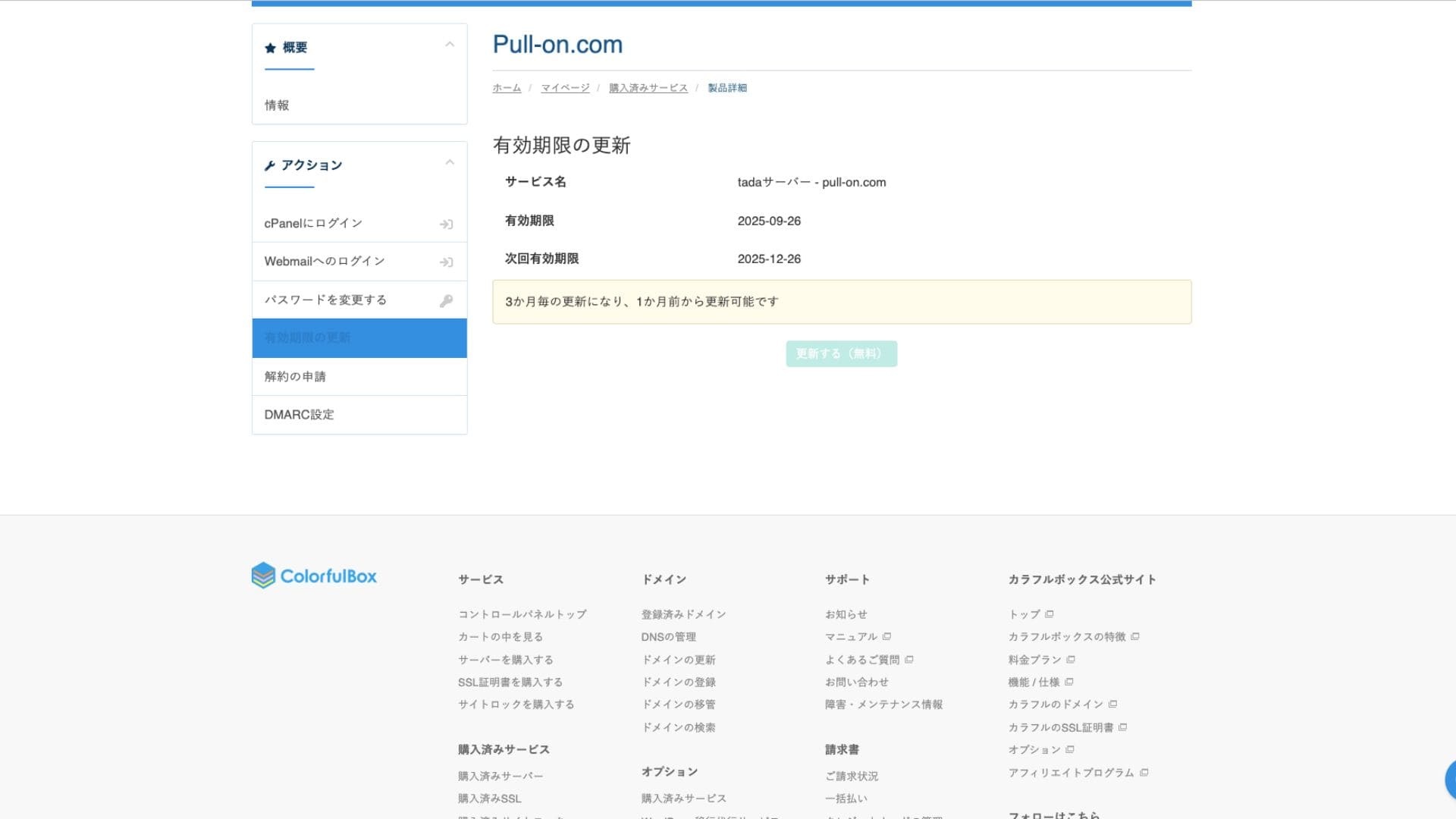
- Odnowienie umowy
System wsparcia
Tada Server nie zapewnia oficjalnego wsparcia przez telefon ani e-mail. To największa różnica względem płatnych planów i główny punkt, na który trzeba uważać. Trzeba być przygotowanym na samodzielne rozwiązywanie problemów.
Dostępność instrukcji i FAQ
Oficjalna strona ColorfulBox zawiera obszerną dokumentację, ale w przypadku problemów specyficznych dla Tada Server trzeba szukać informacji na wspomnianym wyżej forum społeczności.
Recenzje instrukcji i FAQ
Środki bezpieczeństwa
Oprócz bezpłatnych certyfikatów SSL standardowo dostępne są zapory sieciowe (WAF) oraz systemy wykrywania włamań (IDS/IPS), podobnie jak w płatnych planach, co zapewnia utrzymanie podstawowego poziomu bezpieczeństwa.
Funkcja automatycznych kopii zapasowych
Tada Server nie ma funkcji automatycznego tworzenia kopii zapasowych. Jeśli dane zostaną utracone, nie da się ich przywrócić. Musisz wykonywać ręczne kopie zapasowe na własną odpowiedzialność za pomocą wtyczek WordPress lub innych metod. To najważniejszy punkt, o którym należy pamiętać podczas korzystania z Tada Server.
Ocena funkcji e-mail Tada Server
Można korzystać z poczty e-mail, ale dostępne jest tylko jedno konto. To sprawia, że używanie Tada Server w firmie jest niepraktyczne.
Wysyłka poczty e-mail jest również ograniczona do 10 wiadomości.
Podsumowanie
Tada Server to serwer, który pozwala korzystać z WordPressa za darmo. Choć przy poważnym zastosowaniu biznesowym może mieć ograniczenia dotyczące przestrzeni dyskowej i przepustowości, do próbnego uruchomienia w zupełności wystarczy. Koniecznie go wypróbuj.
„Tada Server” to opłacalny serwer hostingowy od Colorful Lab Inc., z którego można zacząć korzystać za darmo. Mimo że jest darmowy, nie wyświetla reklam i obejmuje funkcję poczty e-mail. Wśród płatnych planów najtańszy jest plan BOX2 ColorfulBox w cenie 484 jenów miesięcznie przy umowie na 36 miesięcy.
Wypróbuj za darmo