W ciągu minuty zrozum, jak poprawić szybkość: jak korzystać z GTmetrix i co sprawdzać
Znajdź już teraz problemy spowalniające Twoją witrynę.
GTmetrix to narzędzie, które mierzy szybkość witryny i analizuje problemy wpływające na jej działanie. Jeśli korzystasz z niego dobrze, możesz poprawić doświadczenie użytkownika swojej strony. To przekłada się na lepszy ruch i wyższe przychody.
Możesz zobaczyć, jak wygląda rzeczywisty pomiar.
In this article, I thoroughly explain how to use GTmetrix and the points you should check.
Jak korzystać z GTmetrix
- STEP.1Visit the official GTmetrix website
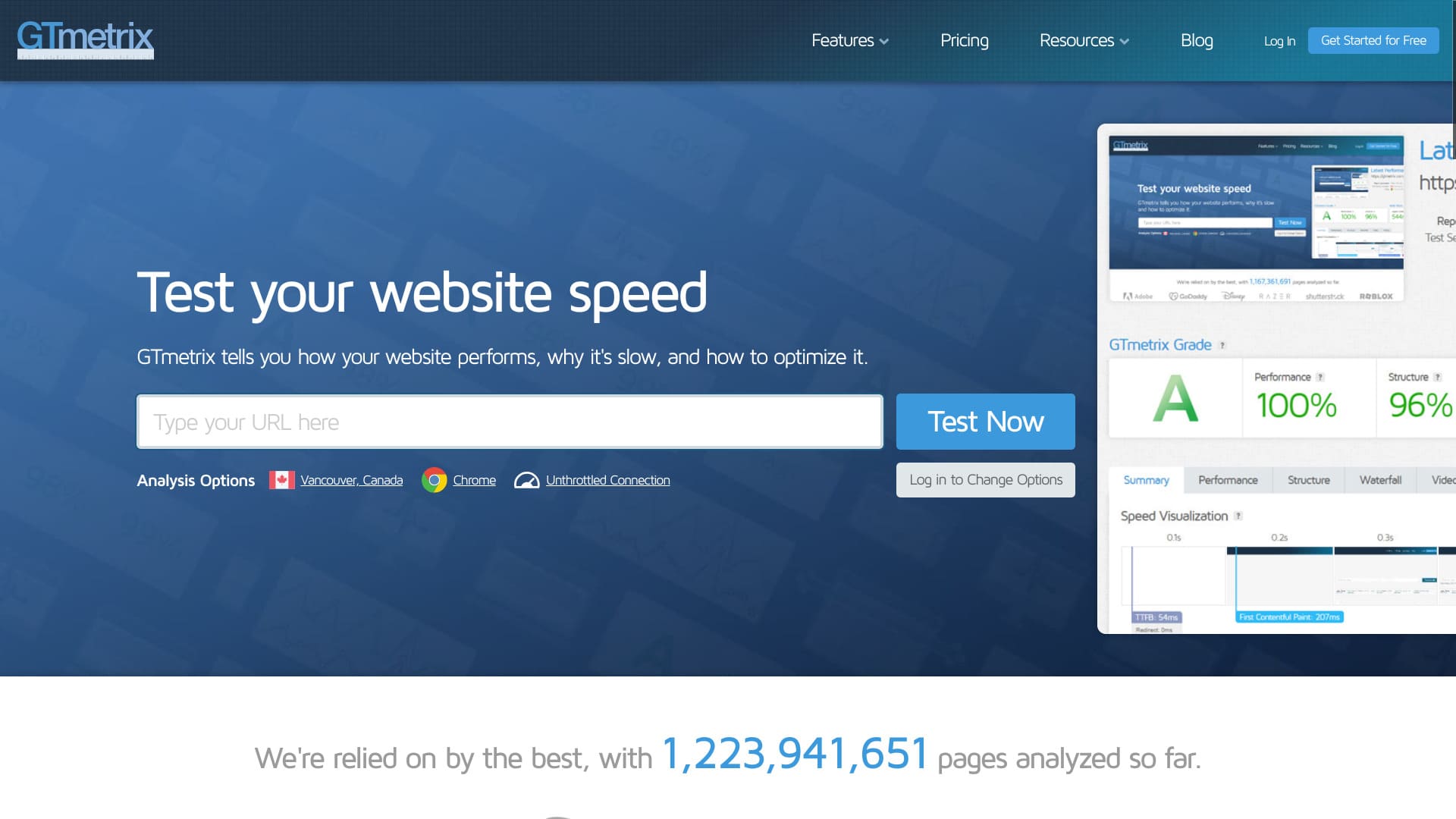
Najpierw wejdź na oficjalną stronę GTmetrix.
- STEP.2Utwórz bezpłatne konto
Utwórz bezpłatne konto. Musisz zarejestrować konto, aby wyświetlić szczegółowe wyniki analizy. Kliknij „Get Started for Free” w prawym górnym rogu ekranu.
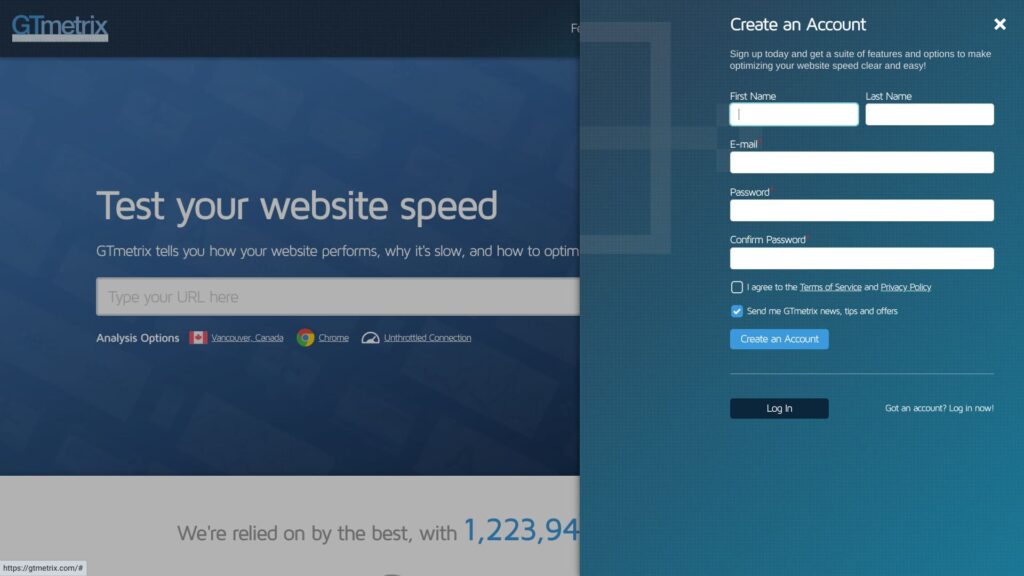
- Imię i nazwisko
- Adres e-mail
- Hasło
Zaznacz pole, aby zaakceptować Warunki korzystania z usługi i Politykę prywatności.
Kliknij „Create an Account”. To kończy rejestrację bezpłatnego konta.
- STEP.3Wprowadź adres URL swojej witryny i uruchom test
Wprowadź adres URL witryny w polu „Analyze Performance of:”.
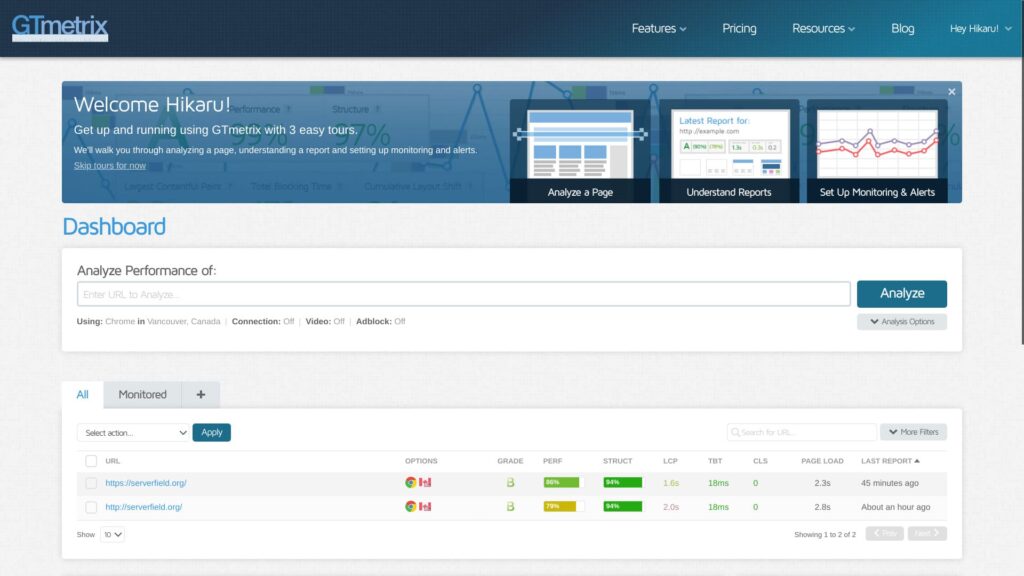
W tym miejscu wpisz adres URL zaczynający się od „https://”. Jeśli tego nie zrobisz, witryna może zostać zmierzona jako „http://”, co zmieni wynik. Adresy HTTPS są nie tylko bezpieczniejsze, ale też szybciej się komunikują.
★ What Are SSL and TLS? The Mechanism and Benefits of Protecting Information Through Encryption
- STEP.4Przejrzyj wyniki analizy
Zostaną wyświetlone wyniki analizy.
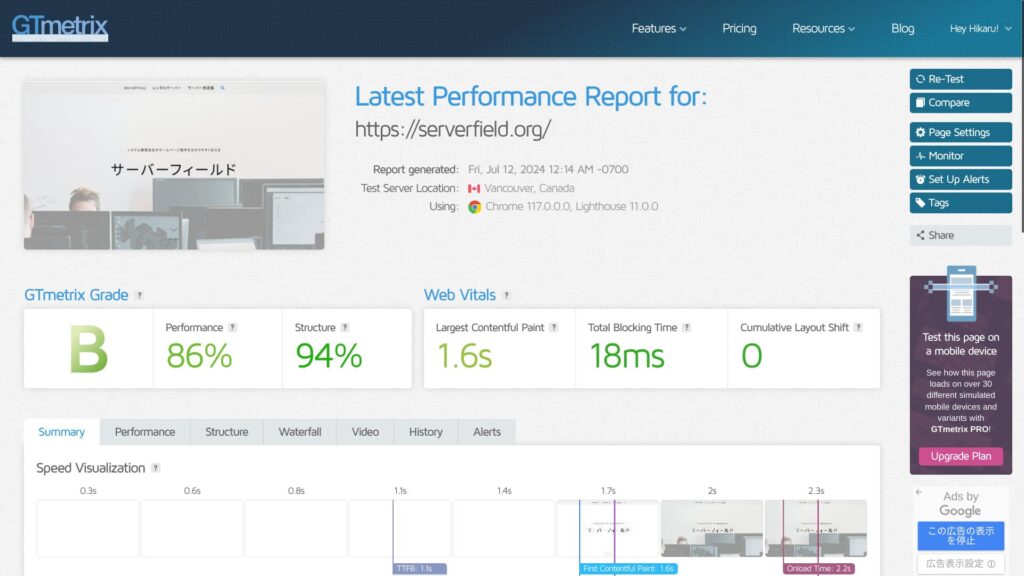
You can review many kinds of analysis results, but the important part of using GTmetrix is making improvements. Aby to zrobić, musisz zidentyfikować problemy. Przewiń w dół i zapoznaj się z sekcją „Top Issues” (Najważniejsze problemy) w podsumowaniu.
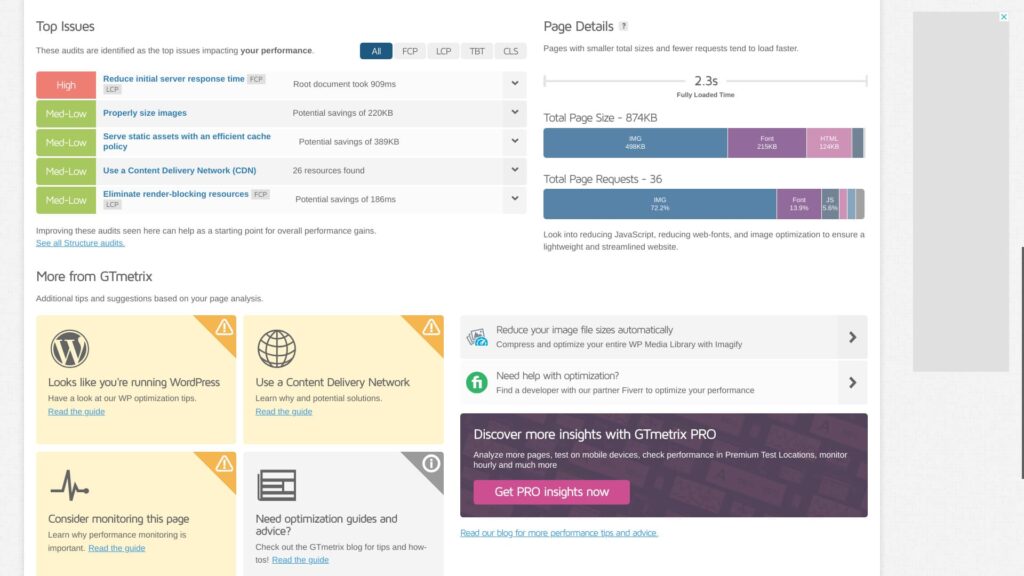
Upewnij się, że znajdują się tam elementy możliwe do poprawy. W szczególności pozycje oznaczone jako „High” przyniosą największy efekt.
- STEP.5Wprowadź ulepszenia
Rozwiąż problemy wymienione w sekcji „Top Issues” (Najważniejsze problemy) w podsumowaniu.
- STEP.6Uruchom test ponownie
After making improvements, run the test again. Use the retest results to repeat improvement and analysis. Your website's display speed will improve little by little.
Punkty kontrolne GTmetrix
GTmetrix shows many kinds of analysis results. You may wonder which ones to look at first. Start by checking the following two points.
Jako wskaźnik szybkości użyj Largest Contentful Paint w Web Vitals
W Web Vitals, sprawdź „Largest Contentful Paint” jako metrykę szybkości.
LCP mierzy, ile czasu zajmuje, zanim największy element treści na stronie, na przykład obraz hero lub tekst nagłówka, stanie się widoczny w obszarze widzenia użytkownika.Dla dobrego doświadczenia użytkownika celuj w LCP na poziomie 1,2 sekundy lub mniej.
Dowiedz się więcej.
GTmetrix
W wielu przypadkach największą treścią na stronie jest obraz. Gdy pojawi się największy element wizualny, odwiedzający mają wrażenie, że strona się załadowała. Jeśli wyświetli się płynnie, mogą wygodnie przeglądać witrynę bez frustracji.
Jeśli LCP jest wolne, strona sprawia wrażenie ładowania się powoli, co zwiększa stres odwiedzających.
Podczas ulepszania witryny za pomocą GTmetrix używaj tej wartości LCP jako punktu odniesienia i staraj się ją obniżać.
Znajdź problemy w sekcji Top Issues w podsumowaniu
Jeśli widzisz Reduce initial server response time, rozważ przejście na szybszy serwer
“Reduce initial server response time” means shortening the time from when the server first receives a request until it returns the first byte to the client, in other words the user's browser.
This is called “Time to First Byte (TTFB).”
It is an important factor that shows whether your server is fast or slow. If this result is poor, consider moving to a different server.
Complete Comparison of 32 WordPress Rental Servers: Recommendations by Personal, Business, and Overseas Use

When you think, “I want to start WordPress,” and search for “WordPress recommendations,” you see all kinds of articles, from personal-use services and servers for companies and small businesses to overseas and low-cost options. Honestly,
- Which site should I read?
- I just want to choose a server simply and clearly.
- Show me how to start WordPress right away.
Do you ever feel that way? This article introduces carefully selected recommendations from 32 rental servers for individuals, businesses, domestic use, and overseas use. It is explained by the SEO lead of an app development company that works with rental servers every day.
Optymalizuj obrazy, aby odpowiadały rozmiarowi Properly size images
“Properly size images” means setting the size of the images used on a webpage appropriately.
You need to optimize image size and image quality. Make good use of WordPress plugins.
For example, try adding Imagify, a well-known plugin for image optimization. It also supports conversion to the next-generation WEBP image format.
★ Five WordPress plugins that dramatically improve speed and other performance tips
Użyj pamięci podręcznej (caching) w ramach zalecenia „Serve static assets with an efficient cache policy”.
“Serve static assets with an efficient cache policy” means serving static assets such as images, CSS, and JavaScript files with an efficient cache policy. This helps improve page loading speed and reduce server load.
You can improve speed dramatically by using cache. If your server offers caching, turn the feature on. If it does not, use a WordPress plugin instead. WP Super Cache is one example.
★ Five WordPress plugins that dramatically improve speed and other performance tips
Zalety założenia bezpłatnego konta GTmetrix
You can use GTmetrix without registering. However, if you register, more features become available.
Możesz wybrać lokalizację testu
If you register a free account, you can choose the location where the test is run. There are seven locations available with a free account.
- Hongkong
- Londyn, Wielka Brytania
- Mumbaj, Indie
- San Antonio, Teksas, Stany Zjednoczone
- Sydney, Australia
- São Paulo, Brazylia
- Vancouver, Kanada
Domyślnym ustawieniem jest Vancouver.
By choosing a location, you can understand the actual speed results in the regions where your website users are concentrated. More accurate information leads to better improvements.
Możesz wybrać profil sieci, taki jak LTE lub szerokopasmowe łącze
If you register a free account, you can choose a connection type such as LTE or broadband.
Jeśli testujesz szybkość z użyciem tych samych typów połączeń, z których korzystają Twoi realni użytkownicy, łatwiej zdecydować, czy nadal inwestować w poprawę szybkości, czy na razie wstrzymać te działania.
Podsumowanie
Wyjaśniłem, jak korzystać z GTmetrix. GTmetrix to nie tylko narzędzie do mierzenia szybkości. To narzędzie do jej poprawiania. Wykorzystaj wyniki analizy jako podstawę do swoich ulepszeń.
Jeśli sam serwer pojawia się wśród elementów wymagających poprawy, rozważ przejście na inny serwer.
Complete Comparison of 32 WordPress Rental Servers: Recommendations by Personal, Business, and Overseas Use
When you think, “I want to start WordPress,” and search for “WordPress recommendations,” you see all kinds of articles, from personal-use services and servers for companies and small businesses to overseas and low-cost options. Honestly,
- Which site should I read?
- I just want to choose a server simply and clearly.
- Show me how to start WordPress right away.
Do you ever feel that way? This article introduces carefully selected recommendations from 32 rental servers for individuals, businesses, domestic use, and overseas use. It is explained by the SEO lead of an app development company that works with rental servers every day.