30-day money-back guarantee
PR
ਕੰਮ
Hostinger ਸਮੀਖਿਆ [2025 ਨਵਾਂ ਸੰਸਕਰਣ]: WordPress ਦੀ ਸਰਕਾਰੀ ਸਿਫ਼ਾਰਸ਼, ਫਾਇਦੇ, ਨੁਕਸਾਨ ਅਤੇ ਮੁਕਾਬਲੀ ਤੁਲਨਾ
ਪ੍ਰਕਾਸ਼ਿਤ: 2025.08.26
ਅੱਪਡੇਟ ਕੀਤਾ: 2025.08.26
Rating: 4.0
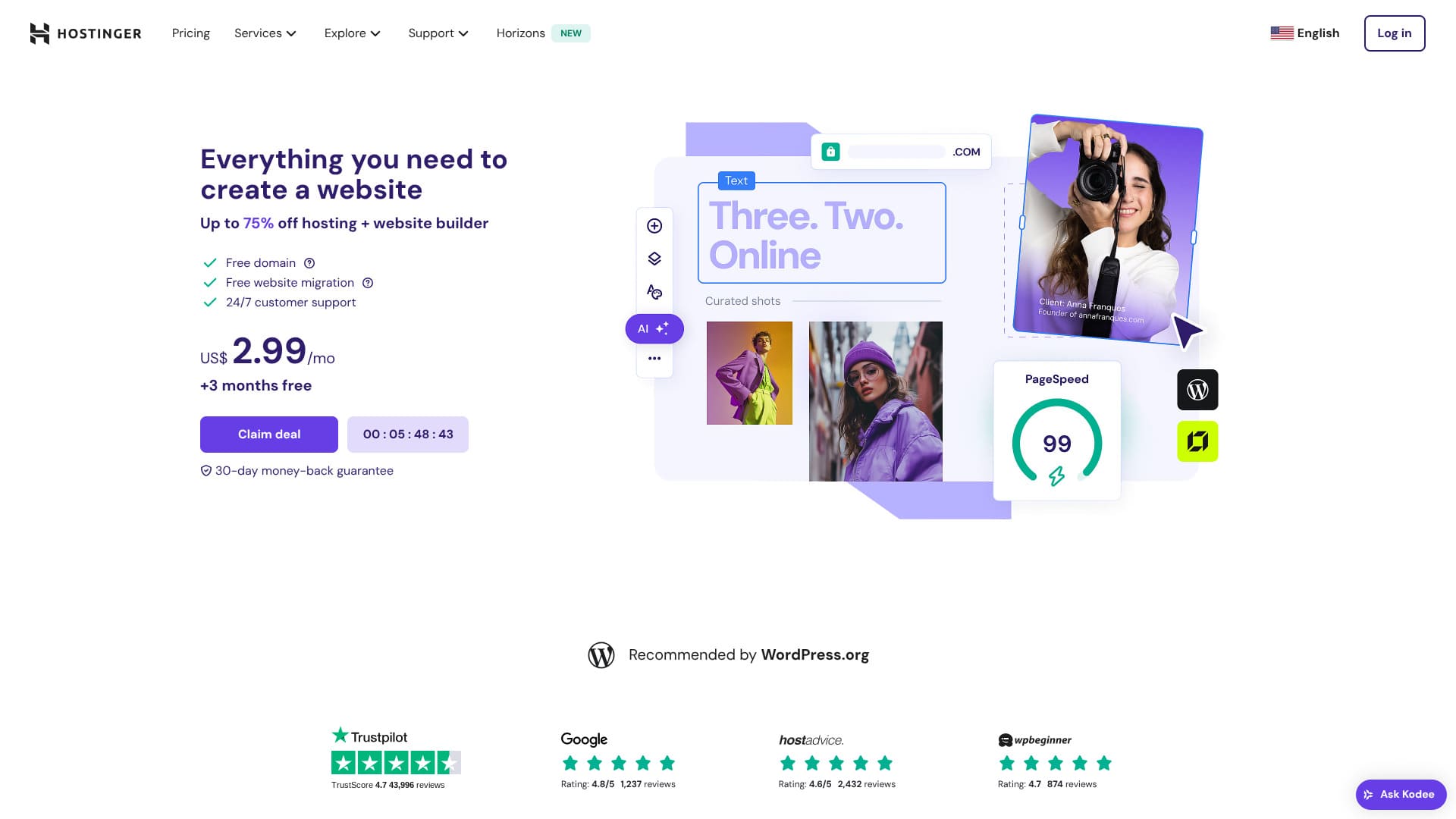
Hostinger is a server officially recommended by WordPress, with support available 24 hours a day, 365 days a year. It also includes easy installation features so anyone can launch their own WordPress site.
| ਸਰਵਰ ਕਿਸਮ | ਸਾਂਝੀ ਹੋਸਟਿੰਗ |
| ਗਤੀ (TTFB) | 31ms |
| ਸੁਝਾਇਆ ਗਿਆ ਪਲਾਨ ਅਤੇ ਮਿਆਦ | Premium Web Hosting 12 months |
| ਮੁਫ਼ਤ ਟ੍ਰਾਇਲ / ਪੈਸਾ ਵਾਪਸੀ ਗਾਰੰਟੀ | 30-day money-back guarantee |
| ਮਾਸਿਕ ਕੀਮਤ (12-ਮਹੀਨੇ ਦਾ ਪਲਾਨ) | 4.50 USD (438 yen) |
| ਸ਼ੁਰੂਆਤੀ ਸੈੱਟਅੱਪ ਫੀਸ | ਮੁਫ਼ਤ |
| ਮੁਫ਼ਤ ਡੋਮੇਨ | 1 free domain for the first year |
| ਸਹਾਇਤਾ | 24/7 ਚੈਟ |
| ਅਪਟਾਈਮ | 99.9% |
| ਸਟੋਰੇਜ | 100 GB |
| ਡਾਟਾਬੇਸਾਂ ਦੀ ਗਿਣਤੀ | 50 |
| ਸੁਰੱਖਿਆ | DDoS protection, malware scanning, firewall, Cloudflare protected name servers, Secure Access Manager |
| SSL | ਮੁਫ਼ਤ SSL |
| ਬੈਕਅੱਪ | 7-day backups & 7-week backups |
| ਈਮੇਲ ਖਾਤਿਆਂ ਦੀ ਗਿਣਤੀ | 100 |
| ਈਮੇਲ ਸੁਰੱਖਿਆ | — |
| ਸਰਵਰ / ਵੈੱਬਸਾਈਟ ਮਾਈਗ੍ਰੇਸ਼ਨ ਸੇਵਾ | ਕੋਈ ਨਹੀਂ |
| WordPress ਪਹਿਲਾਂ ਤੋਂ ਇੰਸਟਾਲ | ਕੋਈ ਨਹੀਂ |
| CDN | ਮੁਫ਼ਤ |
| ਡਾਟਾ ਸੈਂਟਰ | France, Lithuania, the Netherlands, the United Kingdom, India, Indonesia, Singapore, the United States, and Brazil |

Hikaru Ono
Hostinger lets you start WordPress at a very low price when promotions are running. It also includes the essentials you need for dependable operation, such as uptime and security.
The control panel was also extremely well designed and easy to use.
- Data based on market research as of November 4, 2025, arranged in order of speed
- Monthly prices are the first-year cost of the cheapest plan that supports WordPress
- Speed is the Time to First Byte measured on demo sites under the same conditions
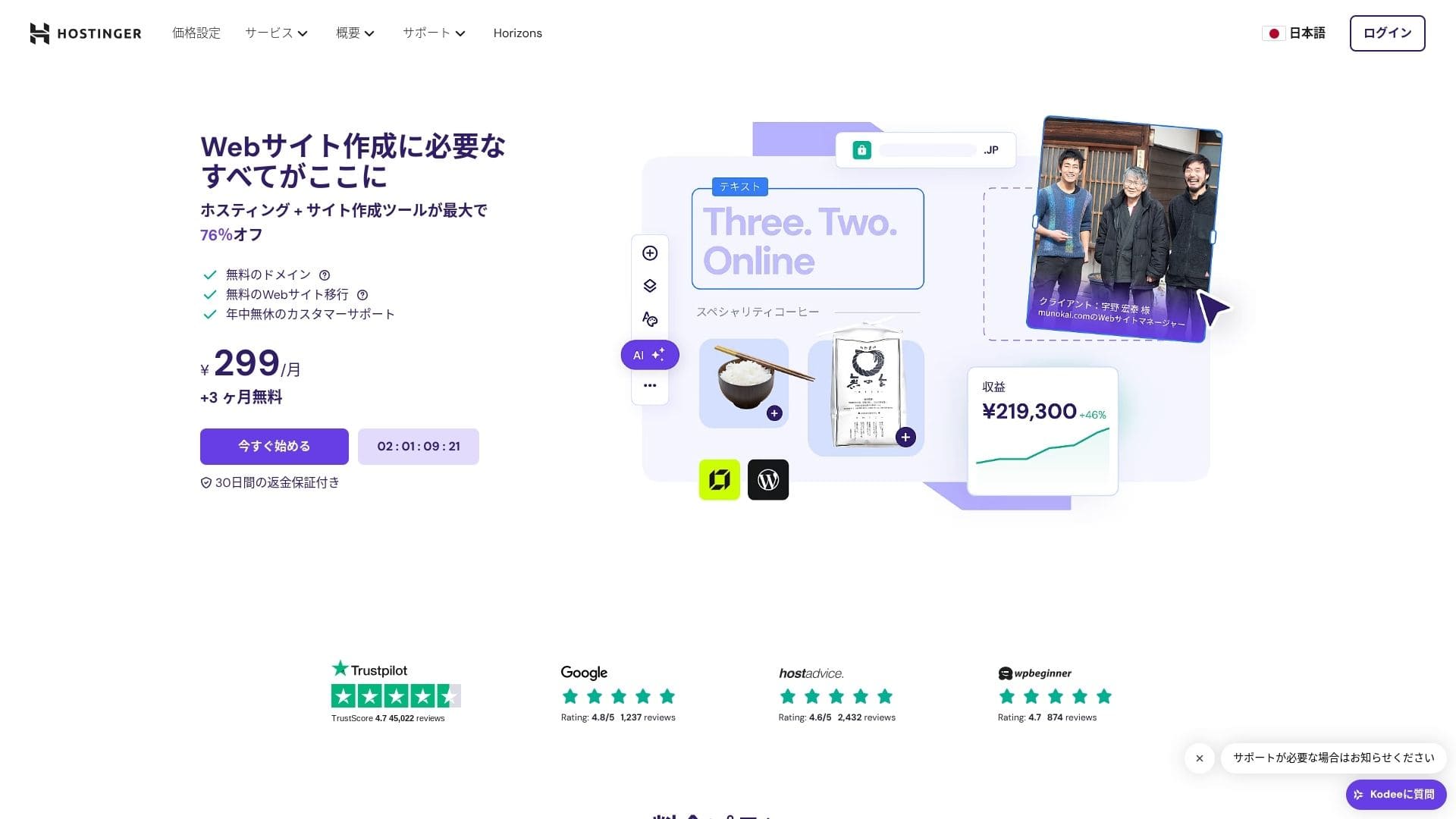
【Hostinger】 is a hosting company that started in Lithuania and is used by more than 29 million people. Its strong backup system lets you store WordPress data safely. Because it also offers large server capacity, it is a great fit for bigger sites.

WordPress ਸੰਬੰਧੀ ਸਮੀਖਿਆਵਾਂ
ਆਸਾਨ WordPress ਇੰਸਟਾਲੇਸ਼ਨ
ਸ਼ੁਰੂਆਤੀ ਸੈੱਟਅੱਪ ਵਿਜ਼ਾਰਡ ਵਿੱਚ ਇਕ-ਕਲਿੱਕ WordPress ਇੰਸਟਾਲੇਸ਼ਨ ਸ਼ਾਮਲ ਹੈ, ਅਤੇ ਤੁਸੀਂ ਸਿਰਫ਼ ਪੰਜ ਮਿੰਟਾਂ ਵਿੱਚ ਥੀਮ ਚੋਣ, SSL ਐਕਟੀਵੇਸ਼ਨ, ਅਤੇ ਆਟੋਮੈਟਿਕ ਅੱਪਡੇਟ ਸੈਟਿੰਗਾਂ ਪੂਰੀ ਕਰ ਸਕਦੇ ਹੋ। ਇਹ ਪਲੱਗਇਨ ਦੀਆਂ ਕਮਜ਼ੋਰੀਆਂ ਨੂੰ ਵੀ ਪਛਾਣਦਾ ਹੈ ਅਤੇ ਐਡਮਿਨ ਡੈਸ਼ਬੋਰਡ ਵਿੱਚ ਚੇਤਾਵਨੀ ਦਿੰਦਾ ਹੈ, ਜਿਸ ਨਾਲ ਰੱਖ-ਰਖਾਵ ਦਾ ਕੰਮ ਘੱਟ ਰਹਿੰਦਾ ਹੈ।
Let's Build a Website with HOSTINGER!
- STEP.1【Hostinger】 : Sign up and log in
ਅਧਿਕਾਰਿਕ HOSTINGER ਸਾਈਟ ਤੇ ਜਾਓ ਅਤੇ "Get Started Now" ਤੇ ਕਲਿੱਕ ਕਰੋ।
- STEP.2Premium ਪਲਾਨ ਚੁਣੋ ਅਤੇ ਖਰੀਦੋ
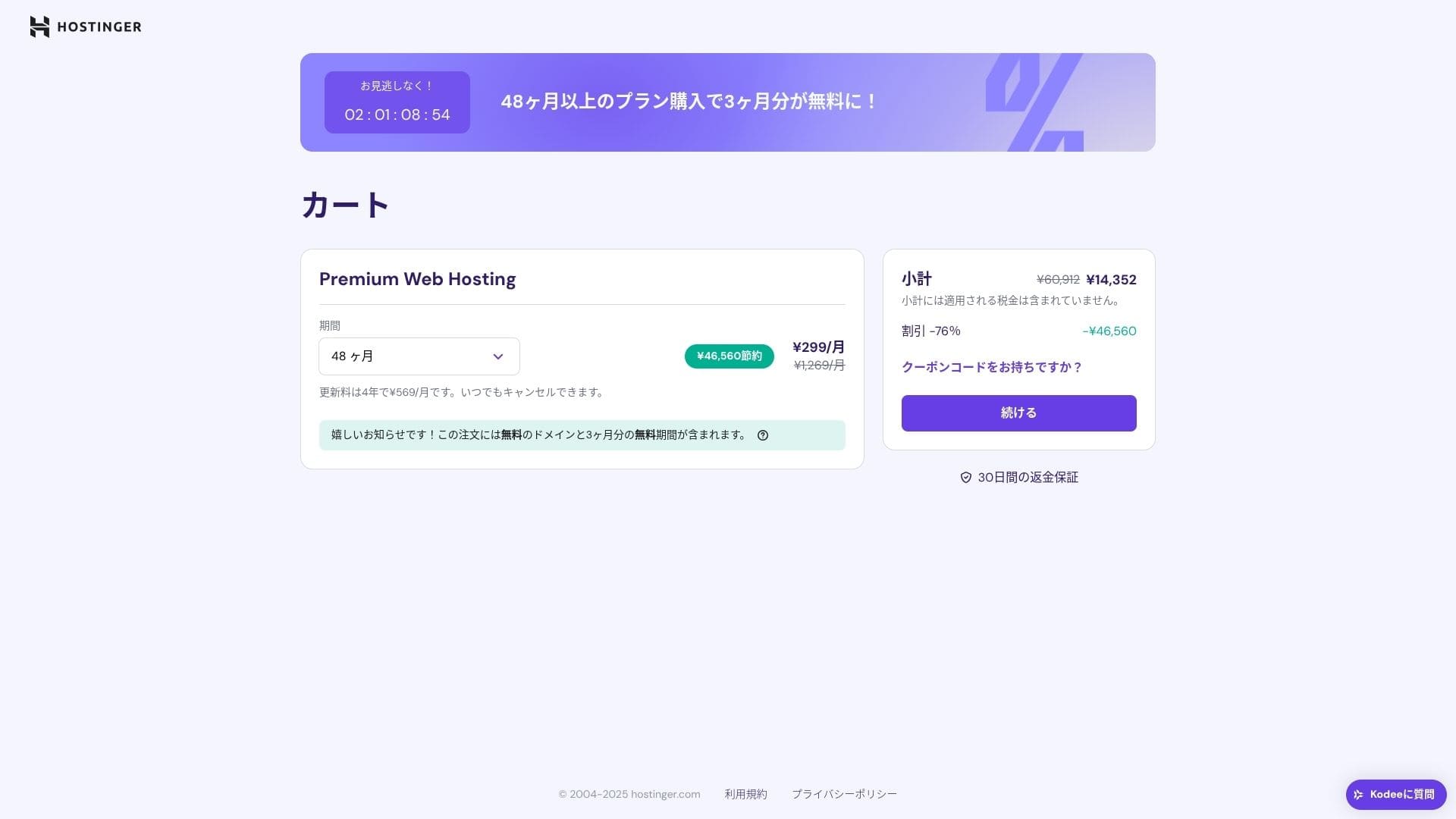
ਹੋਸਟਿੰਗ ਯੋਜਨਾਵਾਂ ਵਿੱਚੋਂ ਚੁਣੋ। ਮੈਂ 12-ਮਹੀਨੇ ਵਾਲਾ "Premium Shared Hosting" ਵਿਕਲਪ ਸਿਫ਼ਾਰਸ਼ ਕਰਦਾ ਹਾਂ। ਲੰਮੀ ਮਿਆਦ ਨਾਲ ਸਰਵਰ ਦੀ ਲਾਗਤ ਘੱਟ ਹੁੰਦੀ ਹੈ, ਅਤੇ ਤੁਹਾਨੂੰ ਇੱਕ ਮੁਫ਼ਤ ਡੋਮੇਨ ਵੀ ਮਿਲਦਾ ਹੈ। ਸਭ ਤੋਂ ਵਧੀਆ ਕੁੱਲ ਮੁੱਲ 48-ਮਹੀਨੇ ਦਾ ਕਰਾਰ ਹੈ।
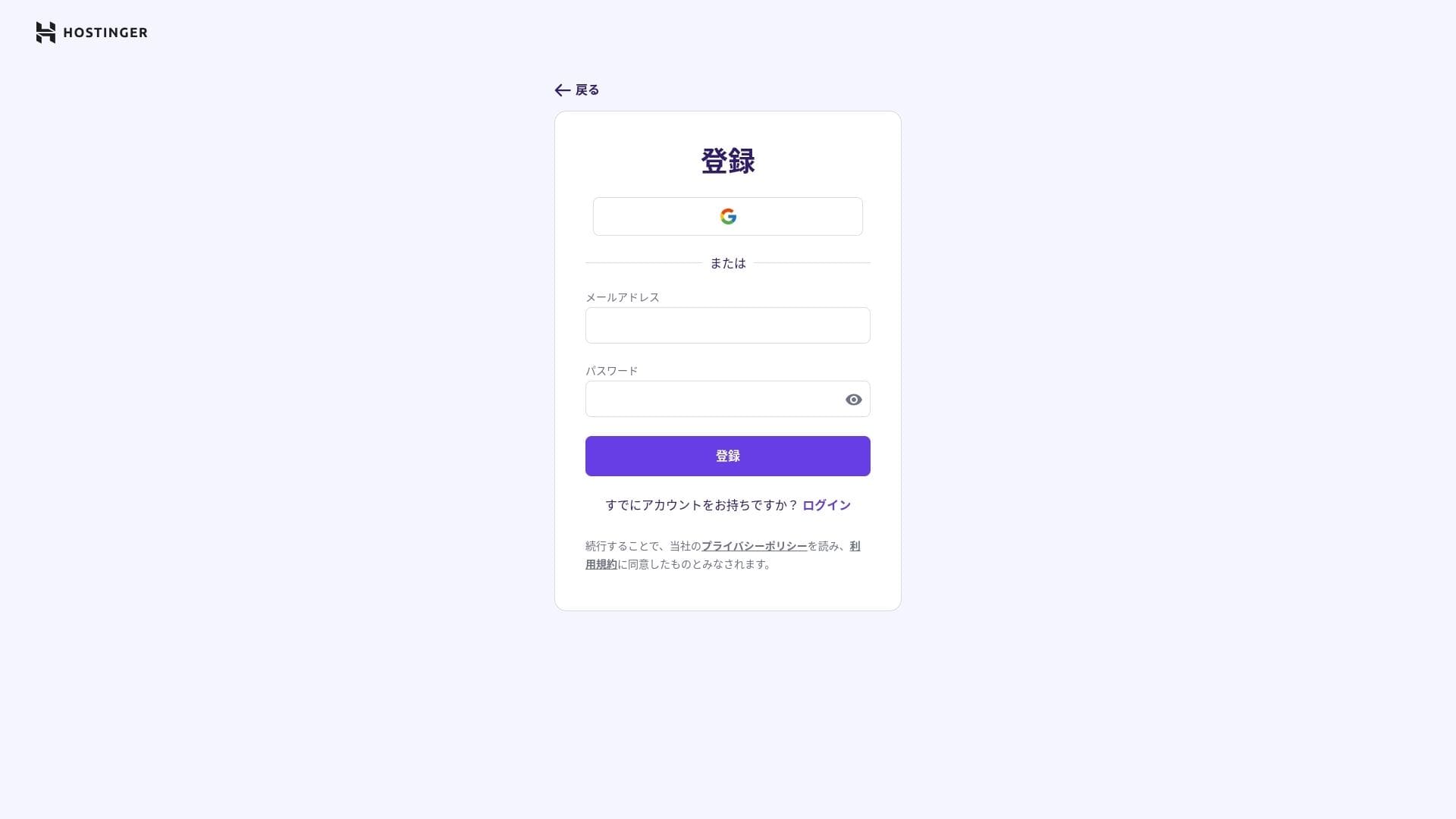
ਜੇ ਤੁਹਾਡੇ ਕੋਲ ਪਹਿਲਾਂ ਤੋਂ ਖਾਤਾ ਨਹੀਂ ਹੈ, ਤਾਂ ਇੱਕ ਖਾਤਾ ਬਣਾਓ।
ਆਪਣਾ ਪਤਾ ਅਤੇ ਭੁਗਤਾਨ ਜਾਣਕਾਰੀ ਦਰਜ ਕਰੋ।
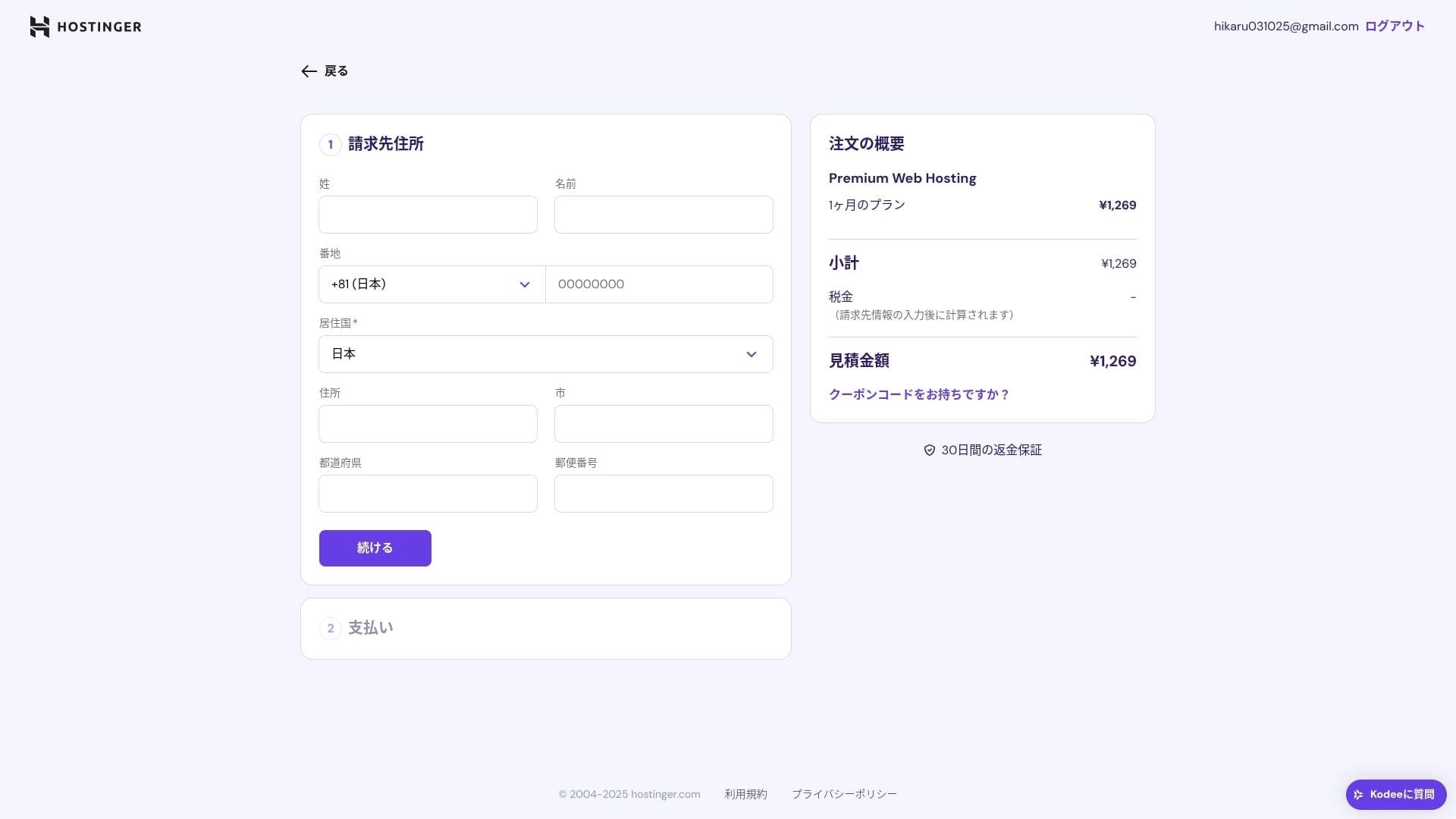
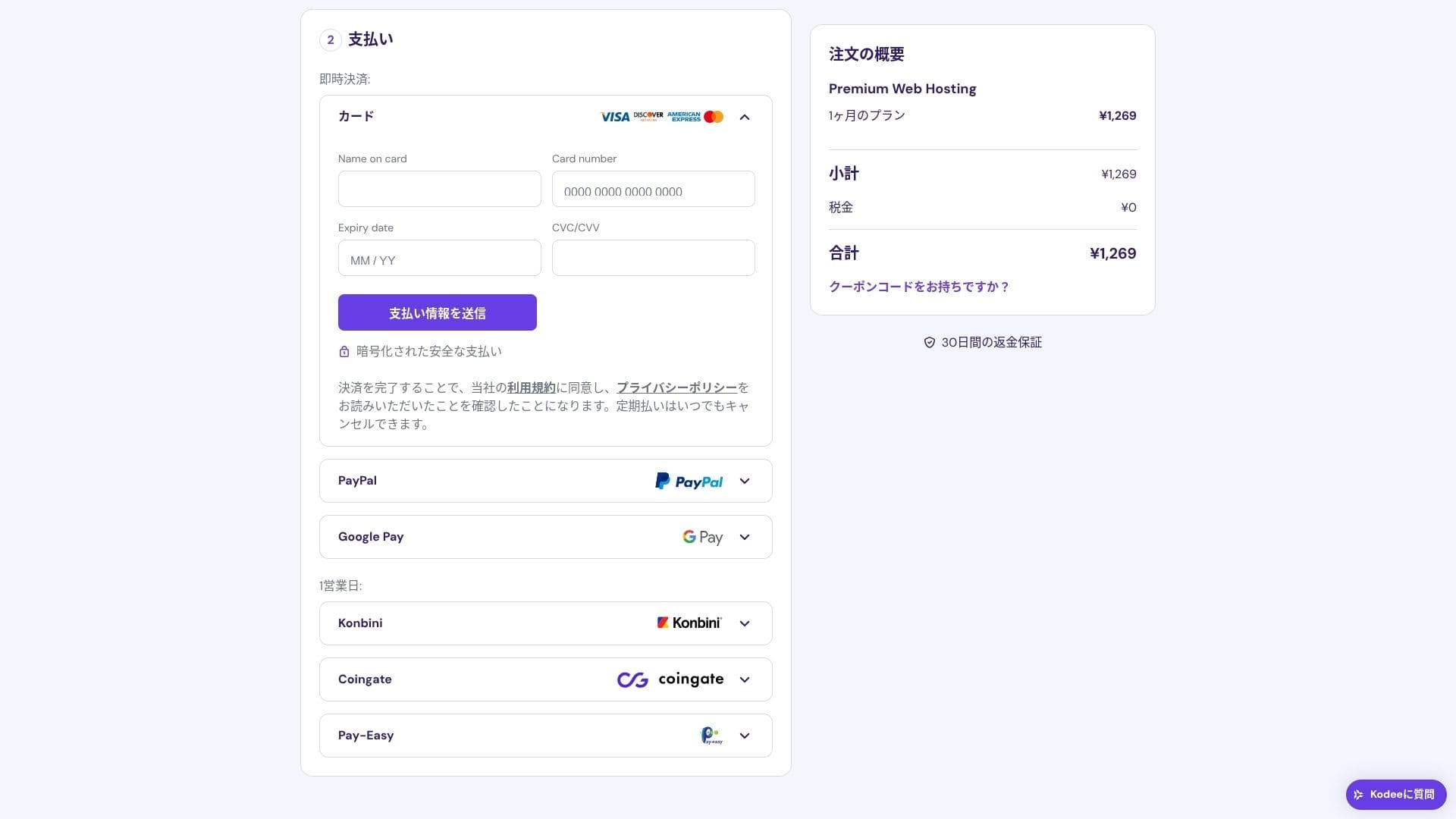
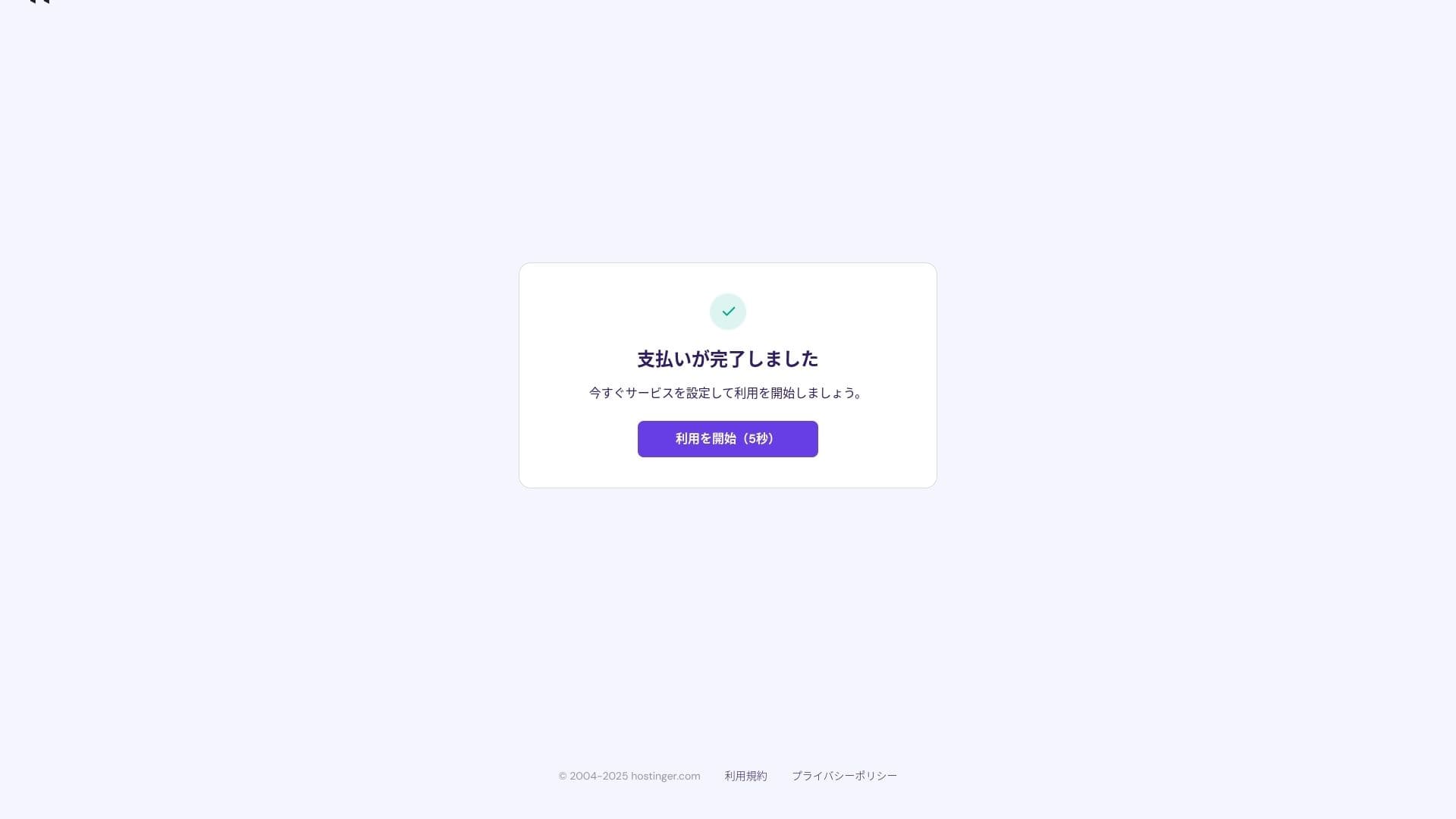
ਭੁਗਤਾਨ ਪੂਰਾ ਹੋਣ ਤੇ "Start Using" ਤੇ ਕਲਿੱਕ ਕਰੋ। ਫਿਰ ਤੁਸੀਂ ਕੰਟਰੋਲ ਪੈਨਲ ਵਿੱਚ ਸਾਈਨ ਇਨ ਕਰ ਸਕੋਗੇ।
- STEP.3Install WordPress
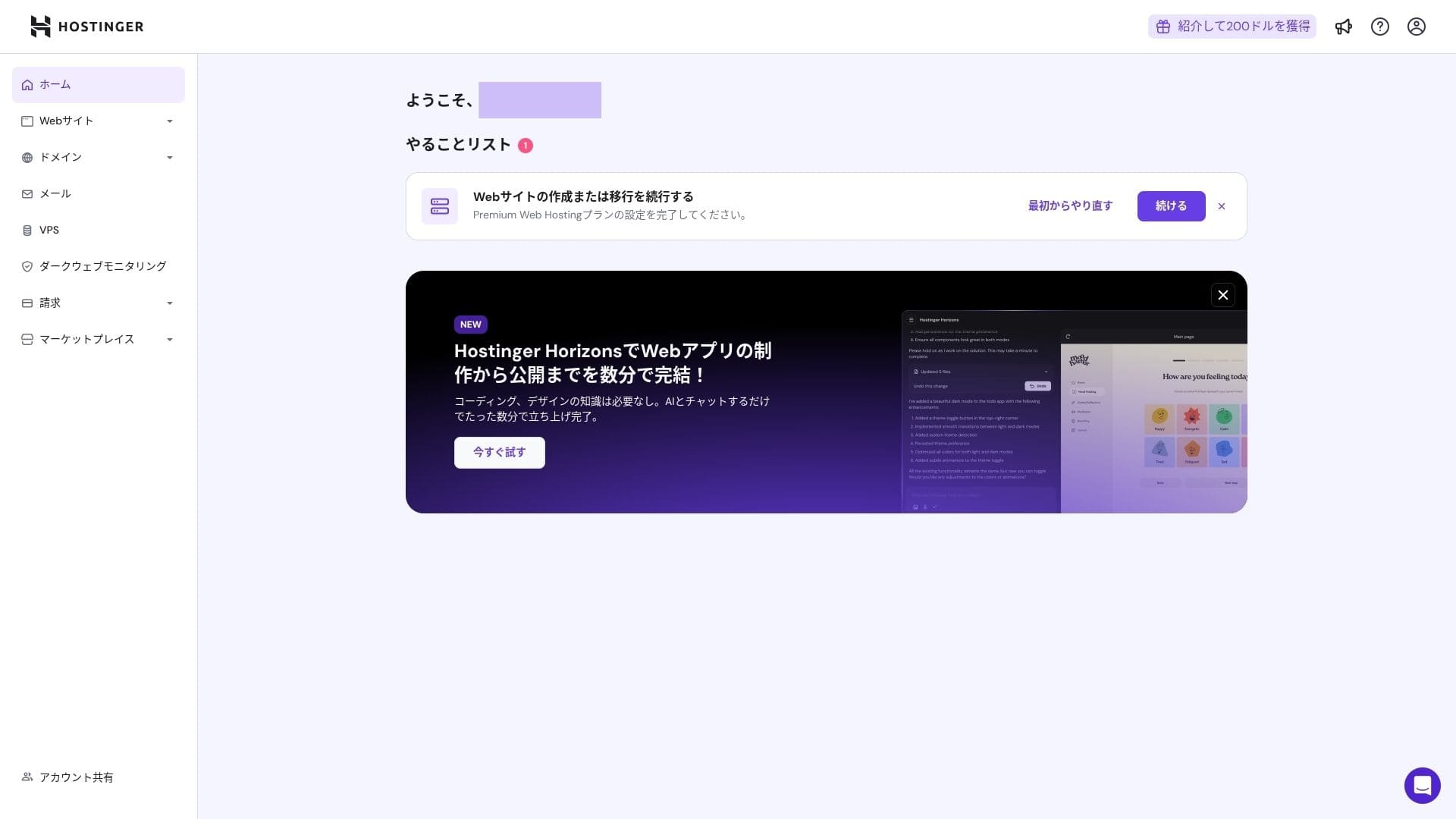
ਕੰਟਰੋਲ ਪੈਨਲ ਵਿੱਚ ਸਾਈਨ ਇਨ ਕਰੋ, ਫਿਰ ਟਾਸਕ ਲਿਸਟ ਵਿੱਚ "Continue" ਤੇ ਕਲਿੱਕ ਕਰੋ।
Click "Create a website."
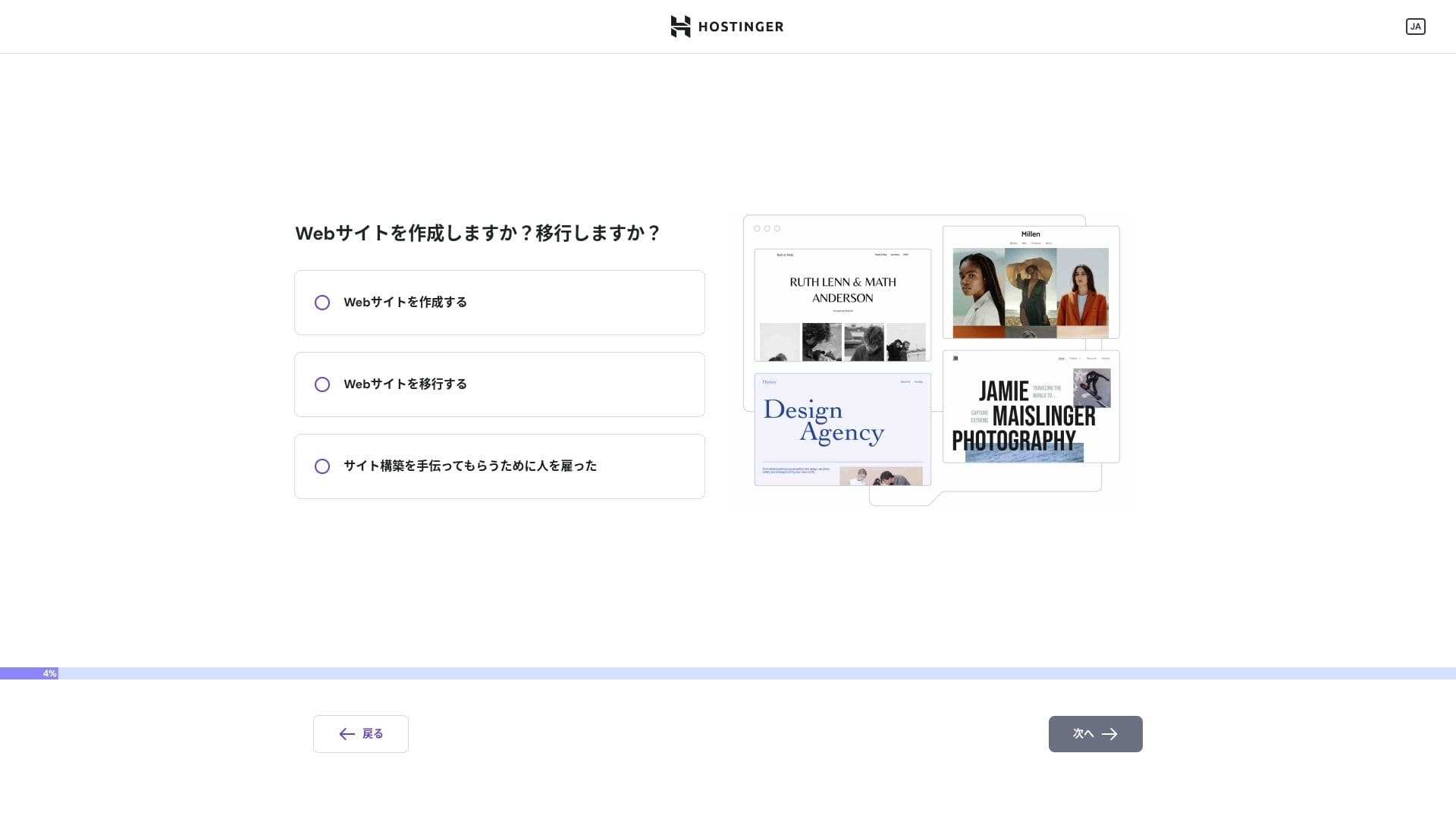
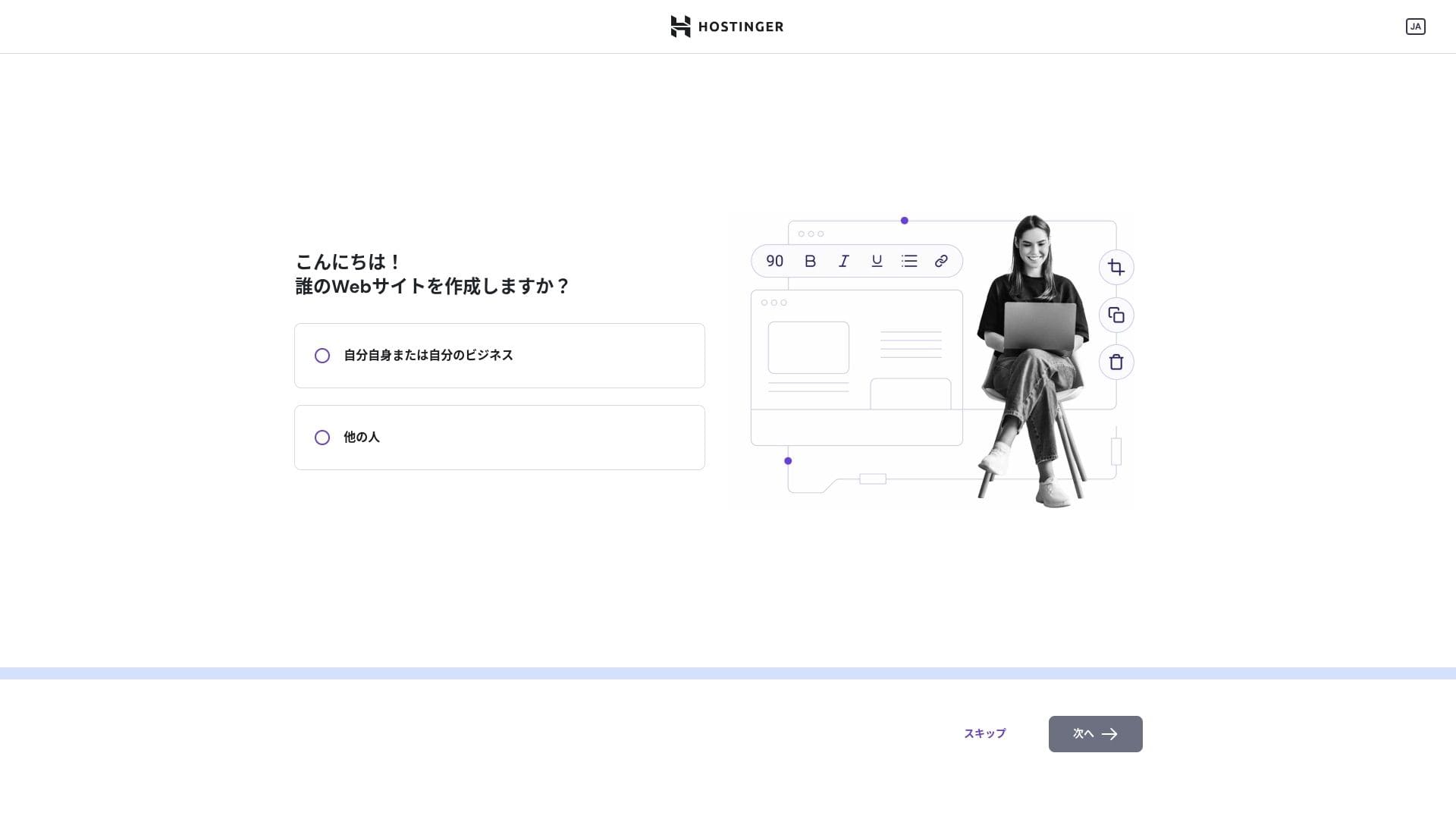
Click "Myself or my business." If you are building it on behalf of a client, choose "Other people."
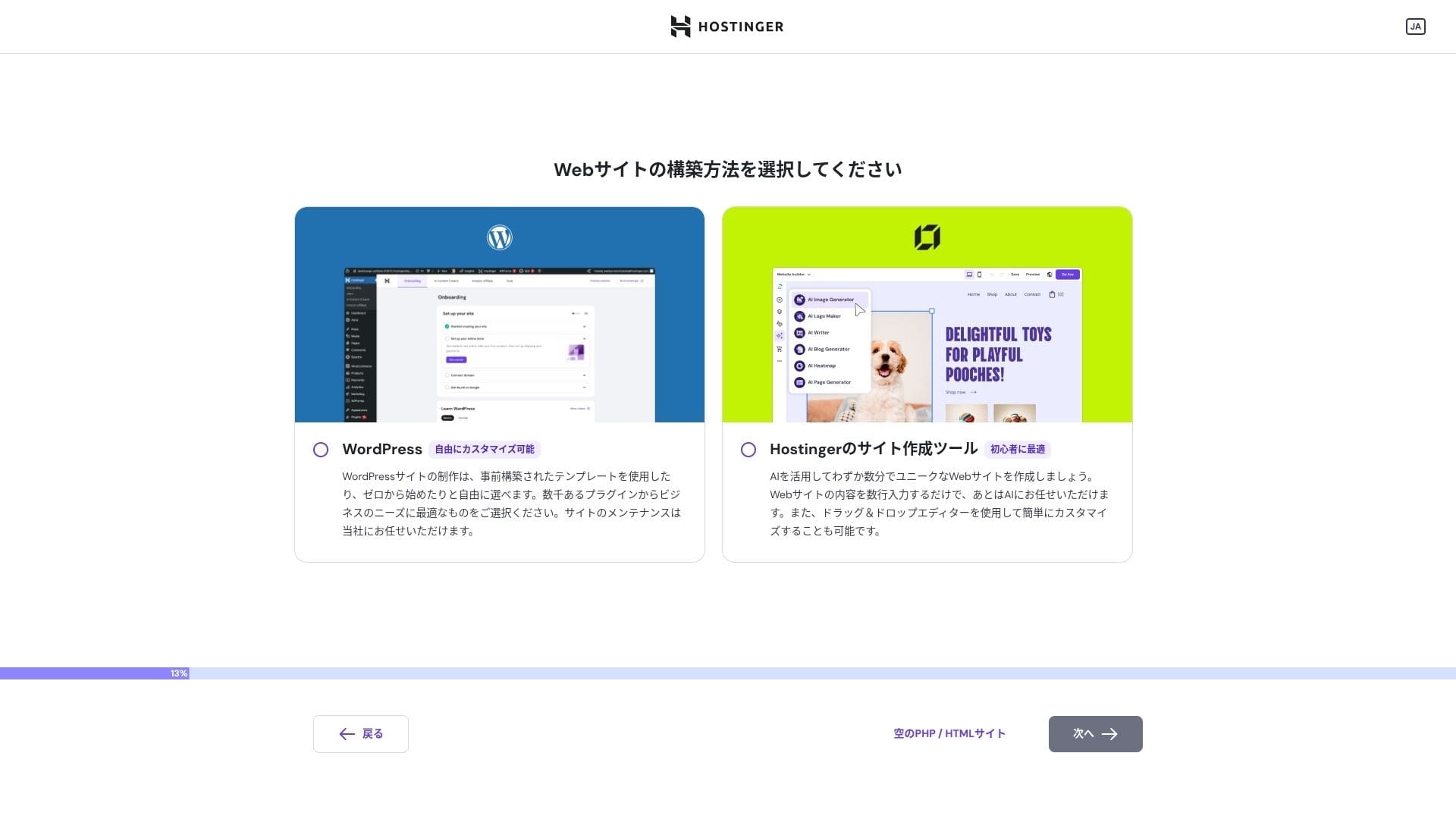
Choose "WordPress" as the way you want to build the site.
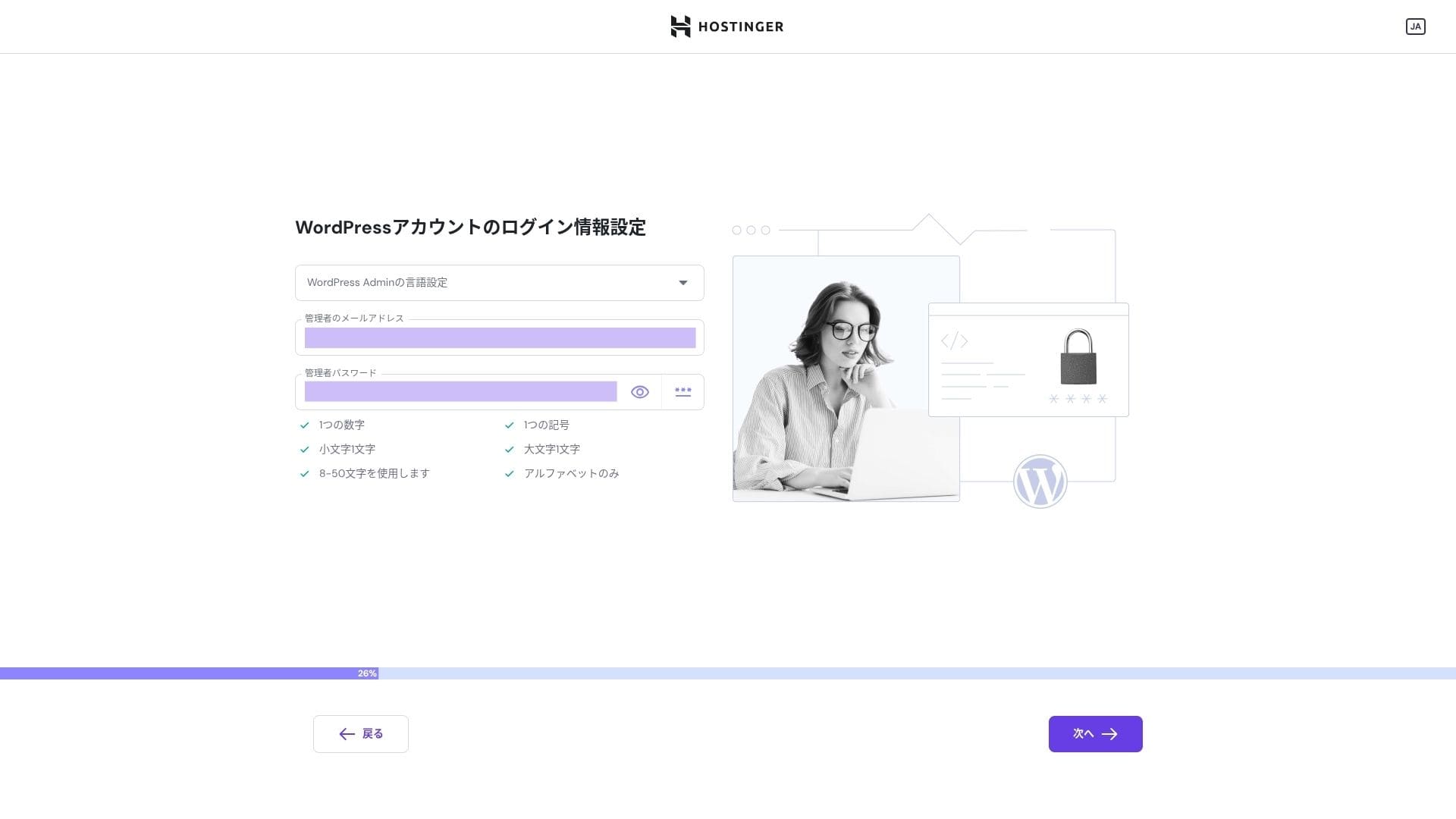
Set the login credentials for your WordPress account. Create an email address and password.Be sure to write down this email address and password so you do not forget them.After creating them, click "Next."
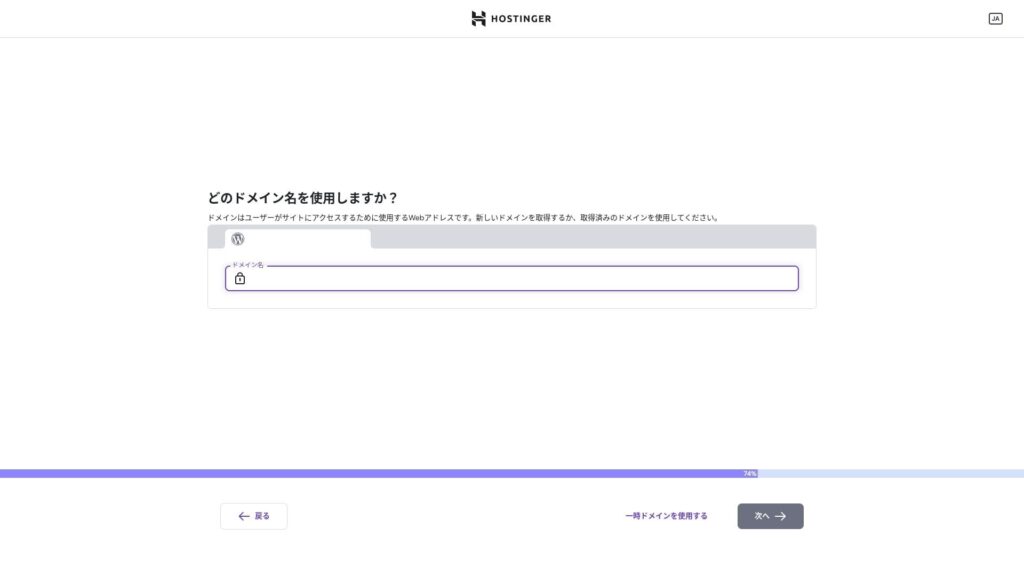
ਆਪਣਾ ਡੋਮੇਨ ਚੁਣੋ। ਇੱਕ ਕਸਟਮ ਡੋਮੇਨ ਖਰੀਦੋ ਜਾਂ ਟ੍ਰਾਂਸਫ਼ਰ ਕਰੋ।
ਤੁਸੀਂ "Use a temporary domain" ਵੀ ਚੁਣ ਸਕਦੇ ਹੋ। ਉਸ ਹਾਲਤ ਵਿੱਚ ਤੁਹਾਡੇ ਲਈ ਇੱਕ HOSTINGER ਸਬਡੋਮੇਨ ਬਣਾਇਆ ਜਾਵੇਗਾ।
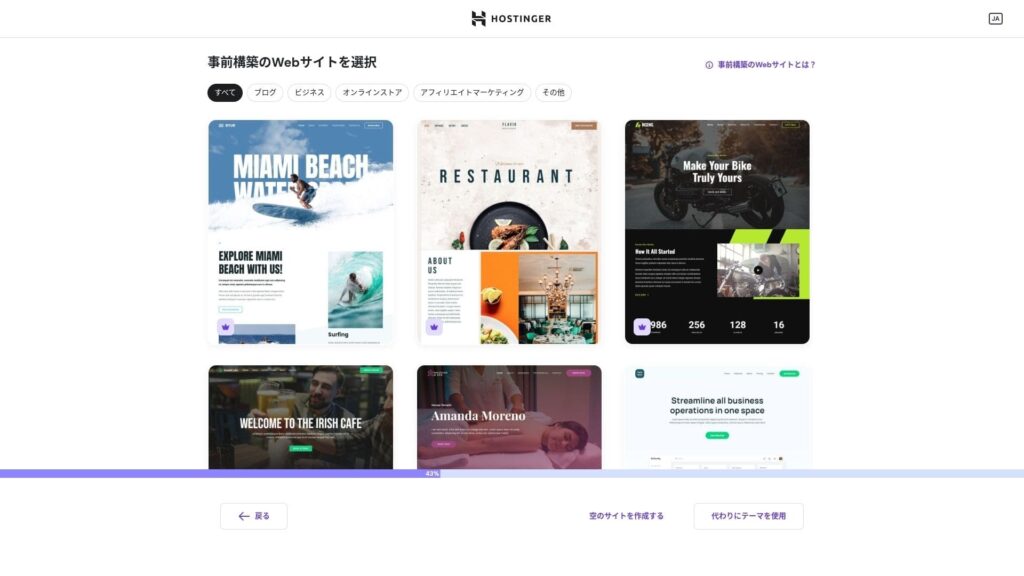
ਟੈਂਪਲੇਟ ਚੁਣੋ। ਮੈਂ "Create a blank website" ਚੁਣਨ ਅਤੇ WordPress ਇੰਸਟਾਲ ਹੋਣ ਤੋਂ ਬਾਅਦ ਇੱਕ ਜਾਪਾਨੀ WordPress ਥੀਮ ਇੰਸਟਾਲ ਕਰਨ ਦੀ ਸਿਫ਼ਾਰਸ਼ ਕਰਦਾ ਹਾਂ।
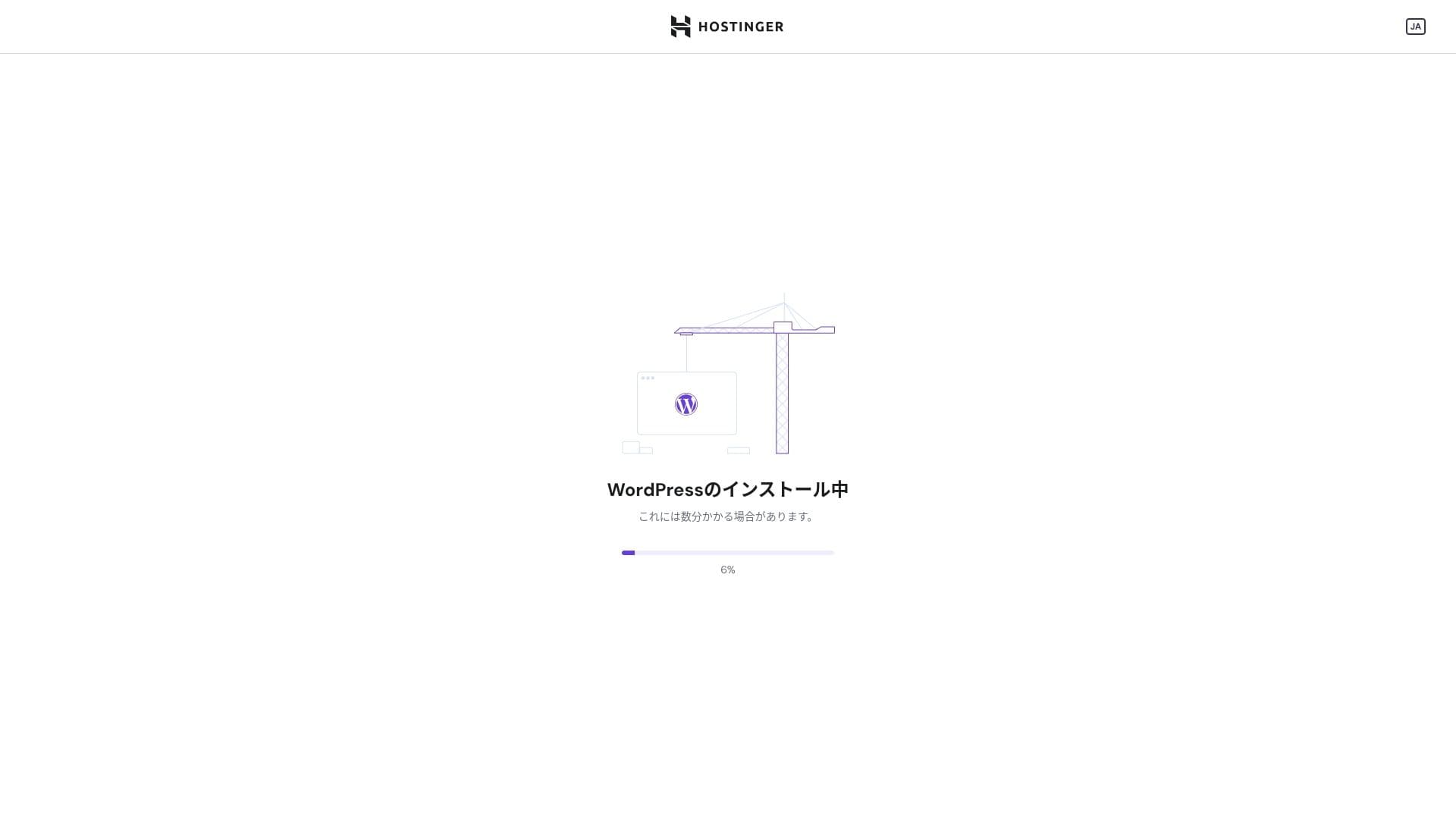
WordPress ਇੰਸਟਾਲੇਸ਼ਨ ਸ਼ੁਰੂ ਹੋ ਗਈ ਹੈ। ਇੱਕ ਜਾਂ ਦੋ ਮਿੰਟ ਉਡੀਕ ਕਰੋ।
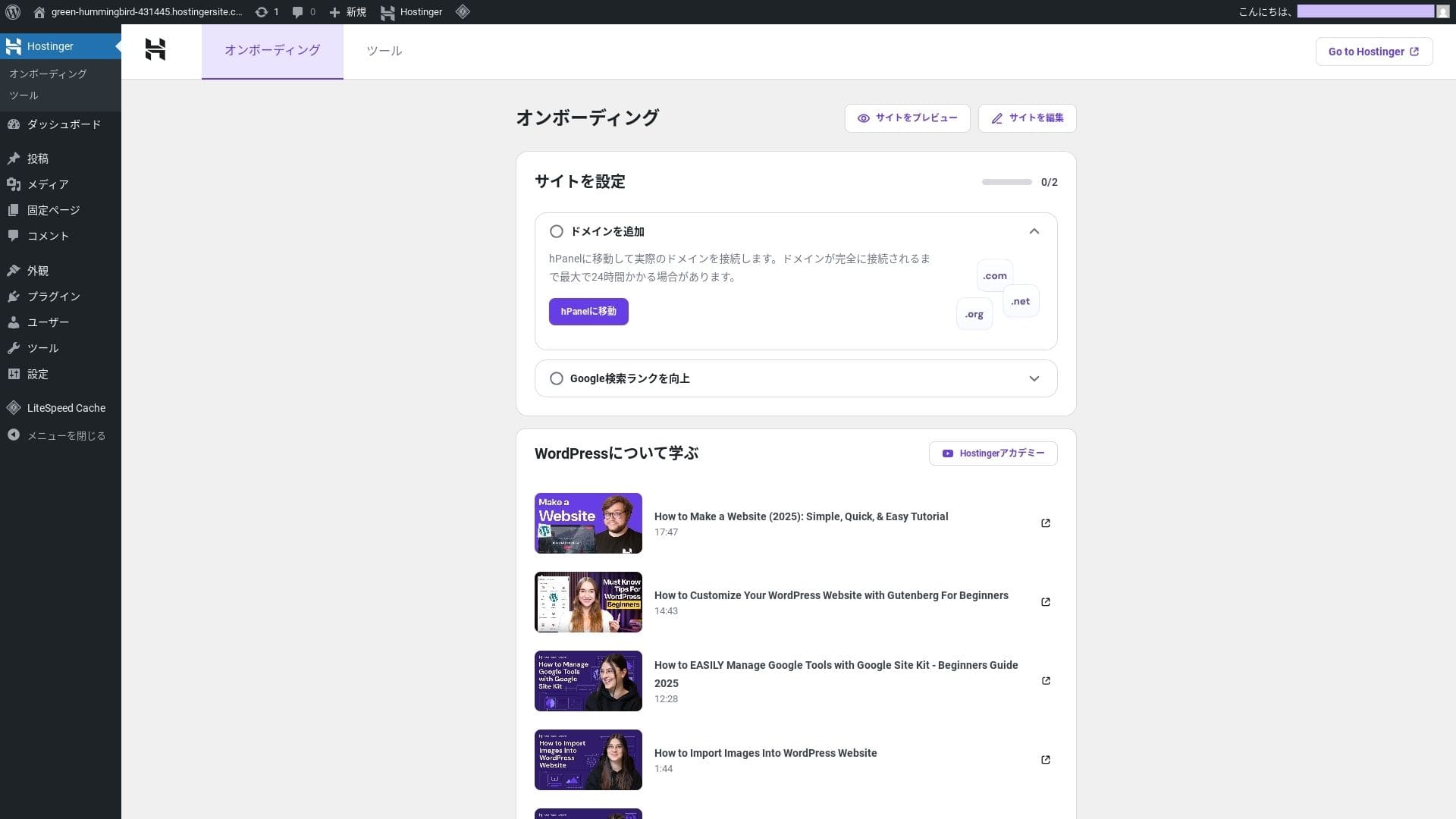
ਇੰਸਟਾਲੇਸ਼ਨ ਪੂਰੀ ਹੋਣ ਤੇ ਤੁਸੀਂ WordPress ਵਿੱਚ ਲੌਗਇਨ ਹੋ ਜਾਵੋਗੇ। ਇਸ ਨਾਲ WordPress ਇੰਸਟਾਲੇਸ਼ਨ ਪ੍ਰਕਿਰਿਆ ਪੂਰੀ ਹੋ ਜਾਂਦੀ ਹੈ।
- Step.4Set up your domain and DNS
ਜੇ ਤੁਸੀਂ ਕਸਟਮ ਡੋਮੇਨ ਵਰਤਣਾ ਚਾਹੁੰਦੇ ਹੋ, ਤਾਂ ਪਹਿਲਾਂ ਇਸਨੂੰ ਖਰੀਦੋ ਜਾਂ ਟ੍ਰਾਂਸਫ਼ਰ ਕਰੋ। ਇਹ ਹੋ ਜਾਣ ਤੇ ਬਾਅਦ, DNS ਸੈਟਿੰਗਾਂ ਸੰਰਚਿਤ ਕਰੋ।
ਕਈ ਸਾਈਟਾਂ ਚਲਾਉਣਾ
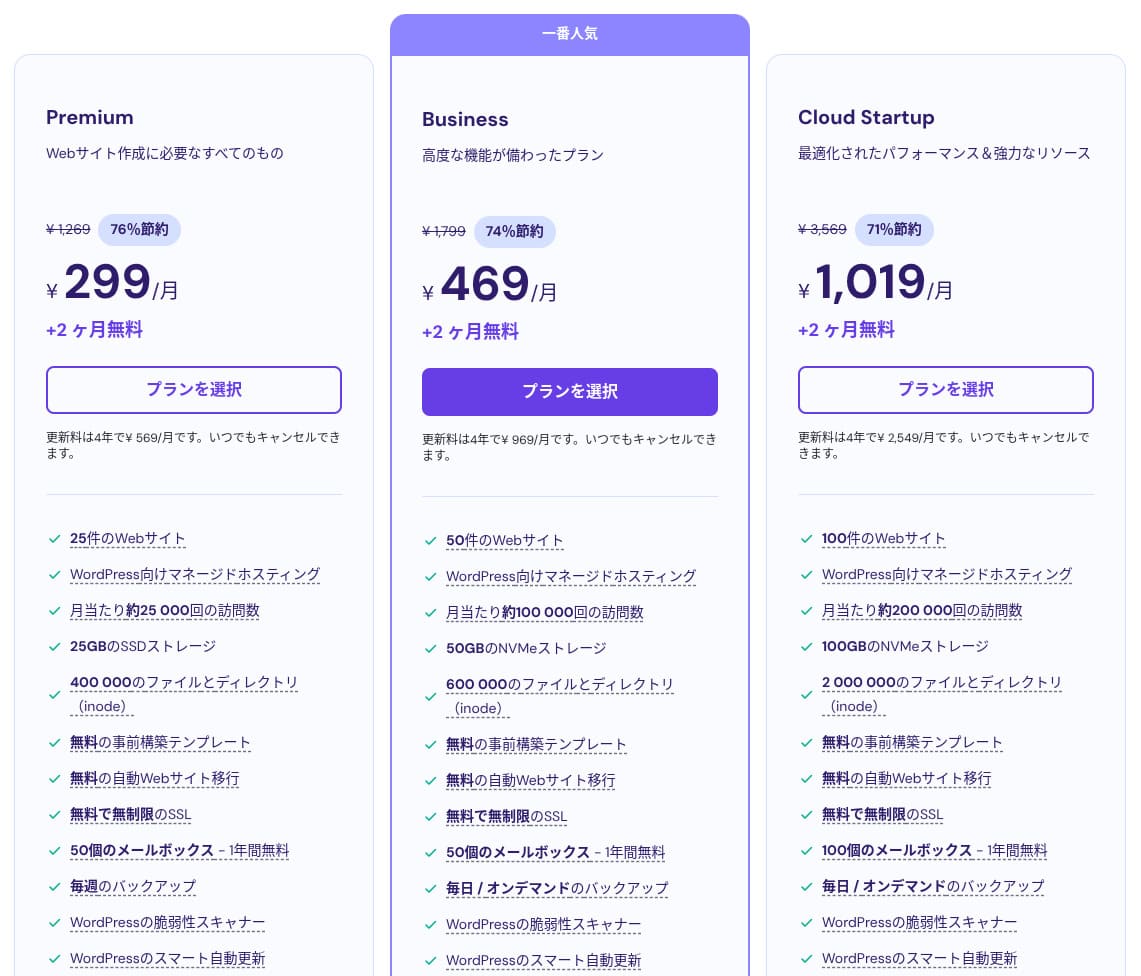
Hostinger shared hosting has three plans. Even the lowest-priced Premium plan lets you host up to 25 sites.
| ਯੋਜਨਾ | ਸਾਈਟਾਂ | ਸਟੋਰੇਜ | ਬੈਕਅੱਪ ਦੀ ਆਵ੍ਰਿਤੀ | ਮਾਸਿਕ ਕੀਮਤ (ਸ਼ੁਰੂਆਤੀ ਮਿਆਦ) |
|---|---|---|---|---|
| Premium | 25 | 25 GB SSD | ਹਫ਼ਤਾਵਾਰੀ | 299 yen |
| Business | 50 | 50 GB NVMe | ਰੋਜ਼ਾਨਾ + ਜ਼ਰੂਰਤ ਅਨੁਸਾਰ | 469 yen |
| Cloud Startup | 100 | 100GB NVMe | ਰੋਜ਼ਾਨਾ + ਜ਼ਰੂਰਤ ਅਨੁਸਾਰ | 1,019 yen |
WordPress ਸਾਈਟ ਜੋੜਨਾ
- STEP.1ਕੰਟਰੋਲ ਪੈਨਲ ਵਿੱਚ ਲੌਗ ਇਨ ਕਰੋ
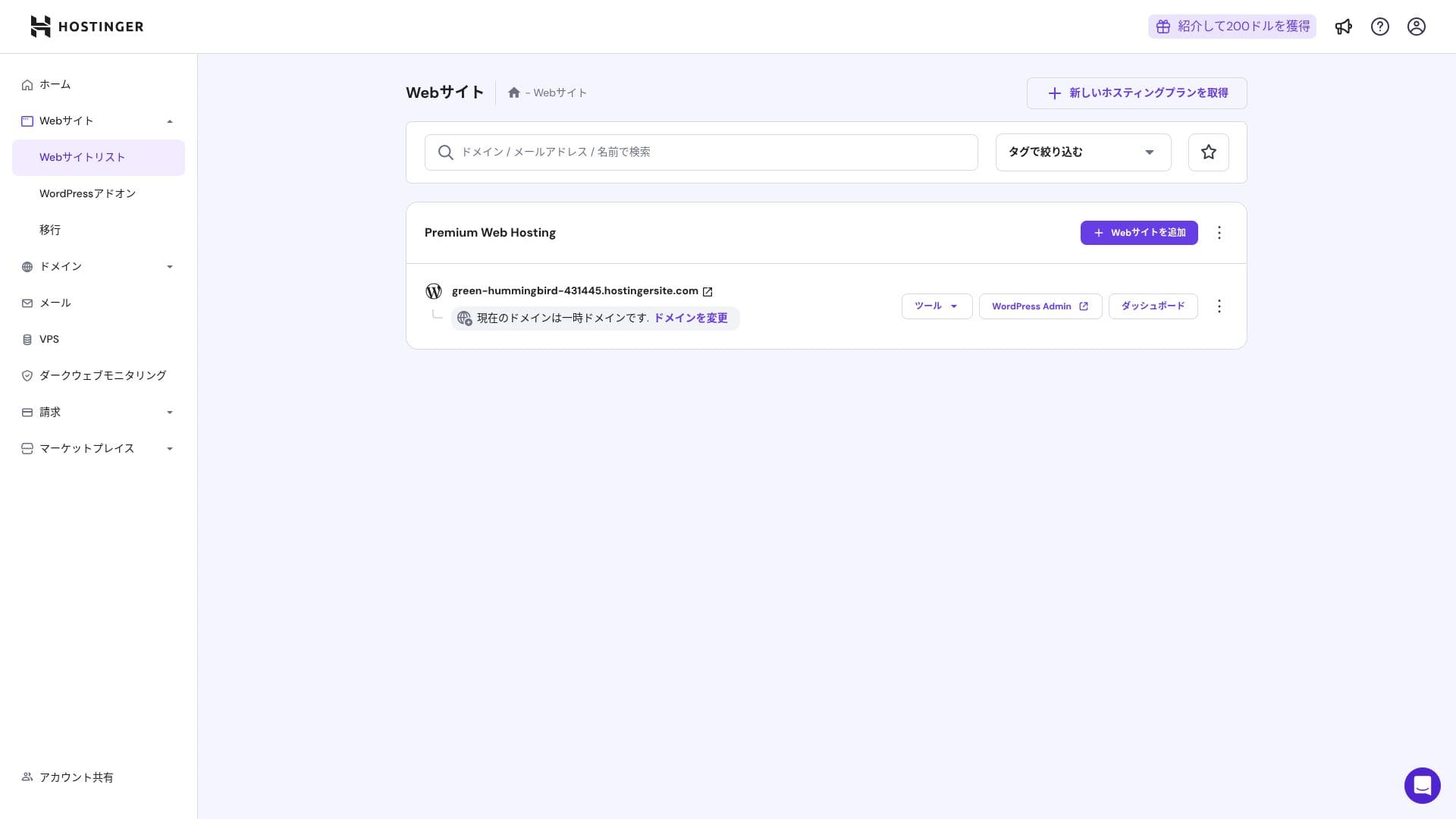
ਲੌਗਇਨ ਕਰਨ ਤੋਂ ਬਾਅਦ, ਵੈੱਬਸਾਈਟ ਲਿਸਟ ਵਿੱਚੋਂ "+ Add Website" ਤੇ ਕਲਿੱਕ ਕਰੋ।
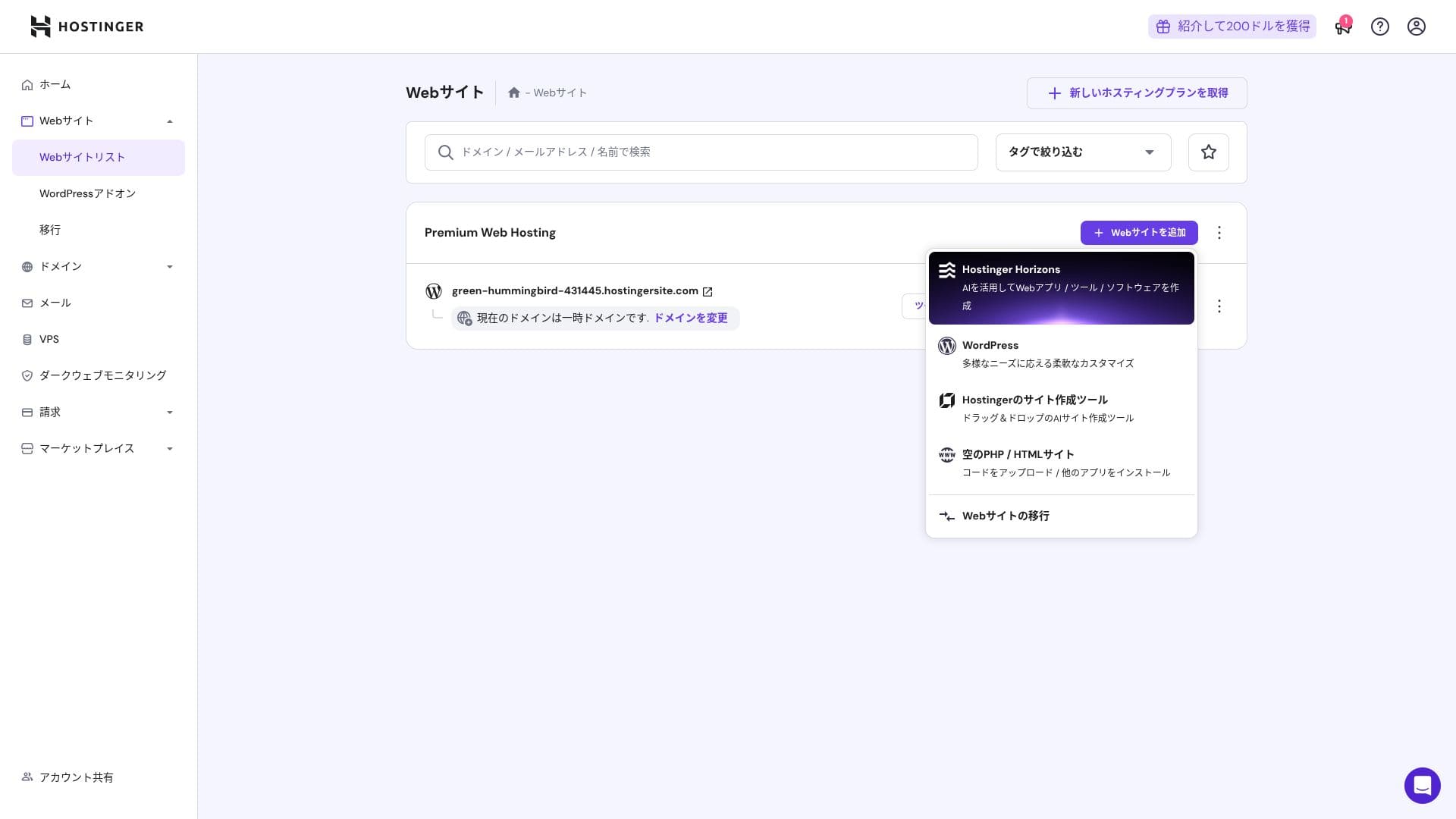
- STEP.2ਪੌਪਅੱਪ ਵਿੱਚੋਂ "WordPress" ਚੁਣੋ
- STEP.3WordPress ਲੌਗਇਨ ਵੇਰਵੇ ਸੈੱਟ ਕਰੋ
- STEP.4Set up the domain and DNS
ਡੋਮੇਨ ਅਤੇ DNS ਸੈਟਿੰਗਾਂ ਸੰਰਚਿਤ ਕਰੋ।
ਜੇ ਕਈ ਸਾਈਟਾਂ ਚਲਾਉਣ ਦੀ ਤੁਹਾਡੀ ਲੋੜ ਵਧਦੀ ਹੈ, ਤਾਂ ਆਪਣਾ ਪਲਾਨ ਅੱਪਗ੍ਰੇਡ ਕਰੋ।
ਕਾਰਗੁਜ਼ਾਰੀ ਅਤੇ ਵਿਸ਼ੇਸ਼ਤਾਵਾਂ ਦੀ ਸਮੀਖਿਆ
ਸਾਡੇ ਮਾਪ: ਗਤੀ ਸਮੀਖਿਆ
We measured Hostinger's page speed. In our testing, it ranked No. 2. Its TTFB (Time to First Byte, in other words, the time until the page's main content starts to display) was 30.55 ms. That is far faster than the 200 ms server speed Google expects.
You should reduce your server response time under 200ms.Improve Server Response Time
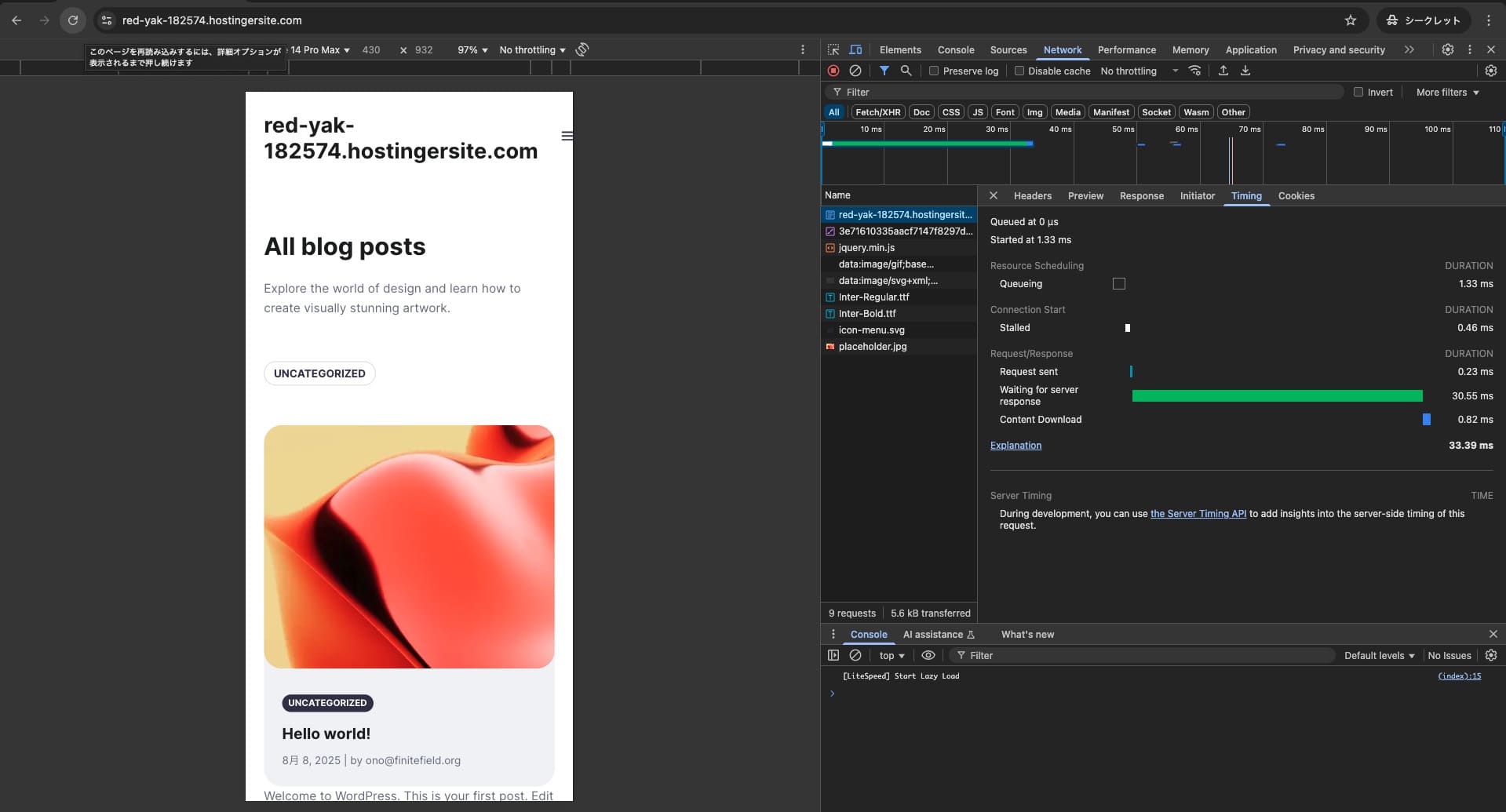

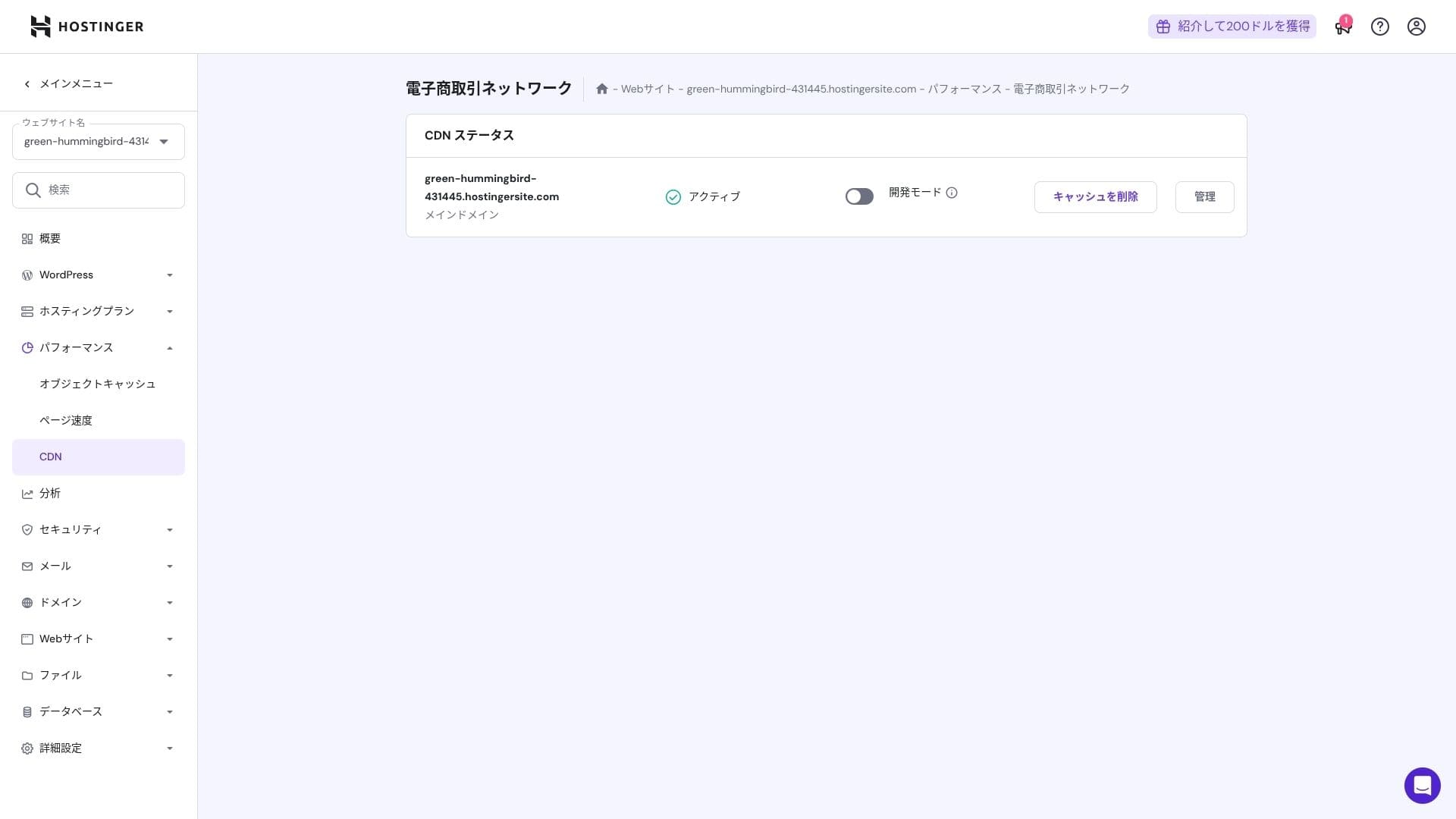
It uses a combination of LiteSpeed Web Server, NVMe SSD, and its own CDN. Using a CDN also reduces fluctuations even for overseas requests, which helps lower abandonment on ecommerce sites.
Hikaru Ono
Hostinger uses SSD or NVMe storage. That is one of the reasons it is so fast.
ਸਟੋਰੇਜ capacity
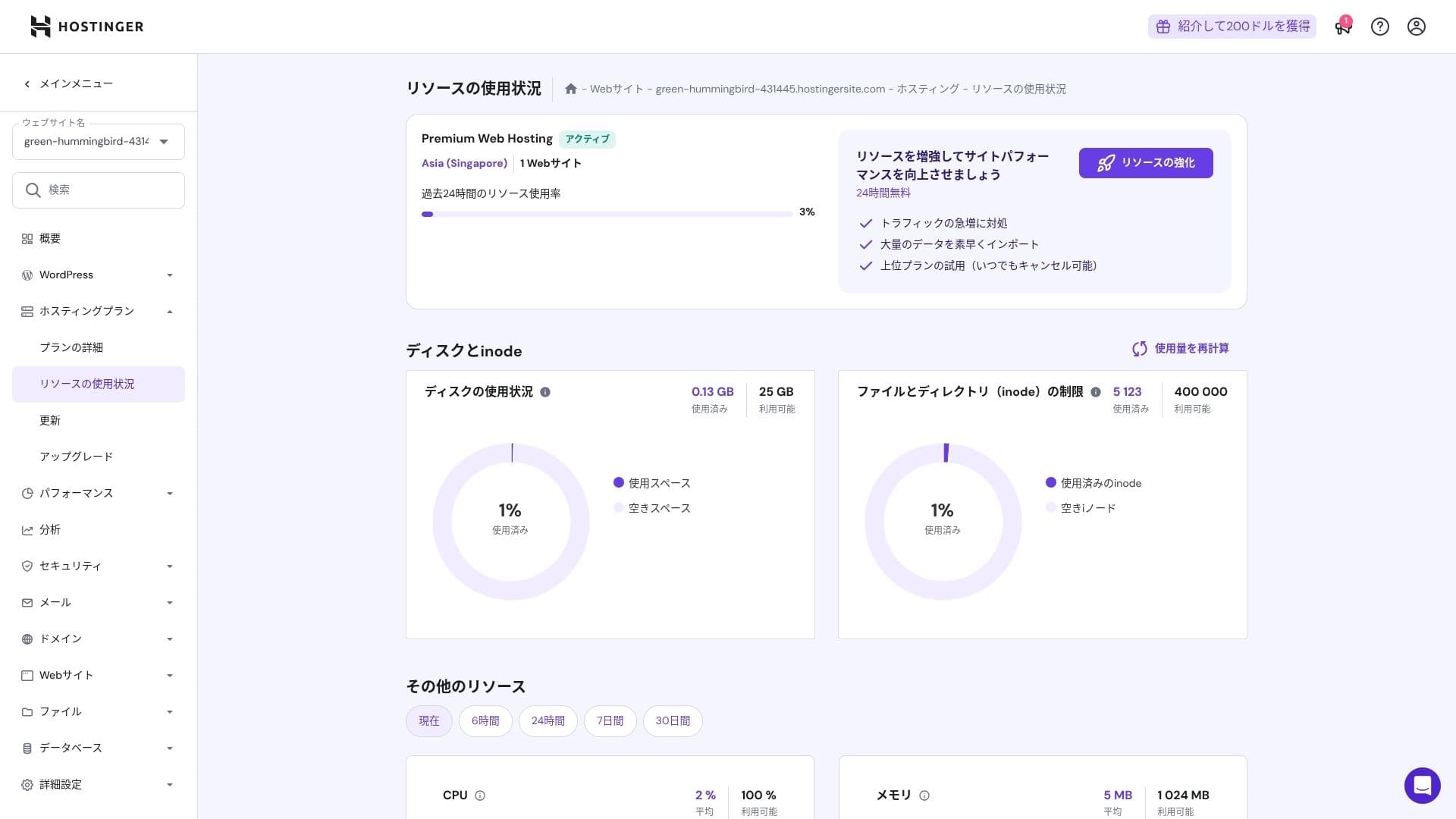
The storage allocations are 25 GB for Premium, 50 GB for Business, and 100 GB for Cloud Startup. If you run media-heavy sites, I recommend Cloud or above, but for blogs and small to midsize business sites, Premium is sufficient.
In fact, simply installing WordPress uses only about 130 MB.
Hikaru Ono
This site itself uses only about 2 GB of storage.
Data transfer
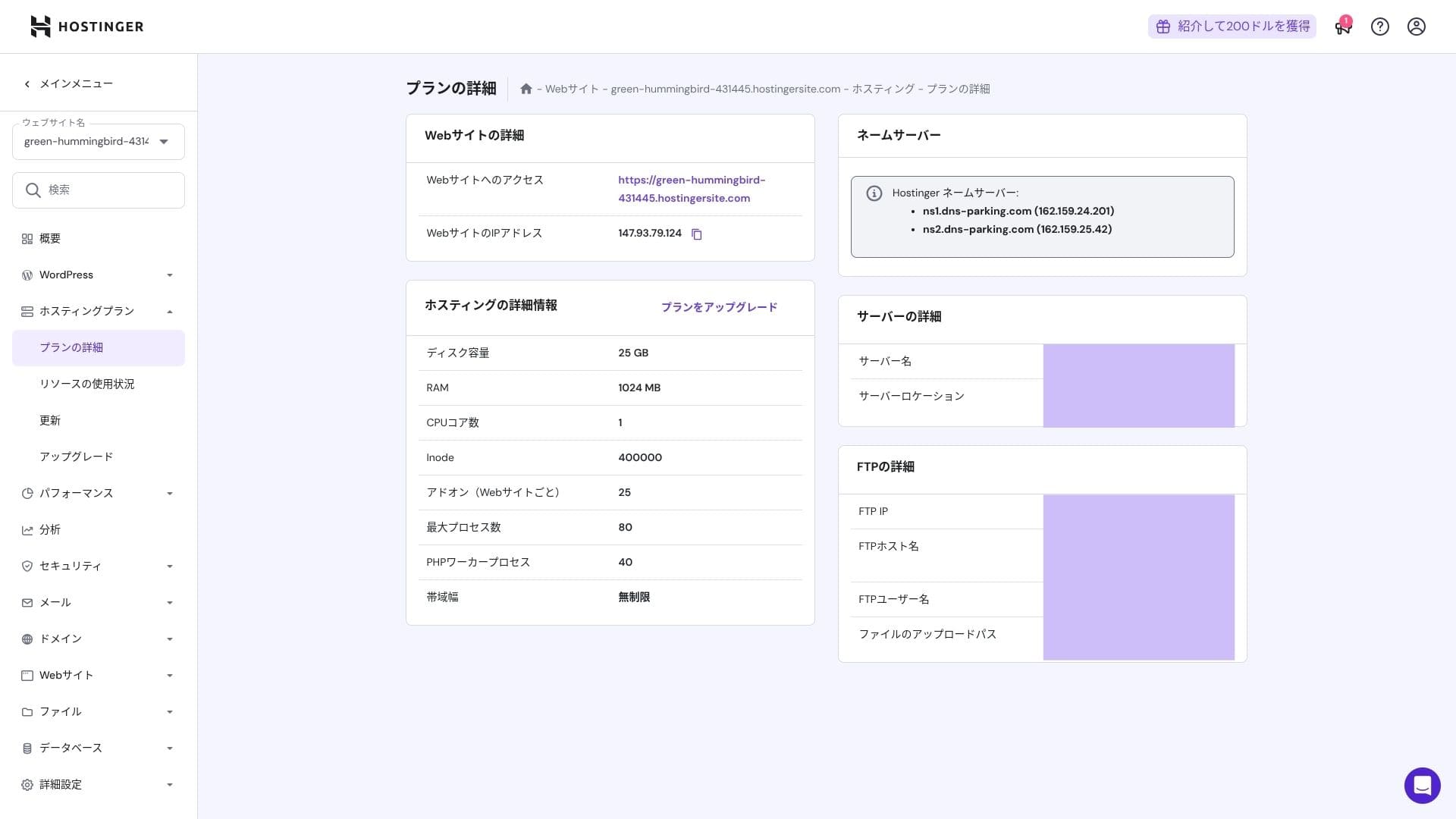
All plans from Premium upward include unmetered bandwidth. However, because inode limits and CPU usage still create practical caps, if you expect more than 100,000 page views per month, moving to Cloud is the safer choice.
For blogs and small to midsize business sites, Premium is enough.
★ What are traffic and data transfer? Managing and optimizing web traffic
ਸਰਵਰ ਸਥਿਰਤਾ ਅਤੇ ਅਪਟਾਈਮ
Hostinger provides a 99.9% uptime guarantee on all plans. Because its uptime is high, you can use it confidently even for corporate and business websites.
★ A must-read for beginners: Understand rental server uptime and SLAs
ਕੀਮਤ ਅਤੇ ਲਾਗਤ ਸਮੀਖਿਆ
ਸ਼ੁਰੂਆਤੀ ਫੀਸਾਂ ਅਤੇ ਮਾਸਿਕ ਲਾਗਤ
There are no initial fees on any plan. Monthly prices vary greatly depending on the contract term. At the initial signup, the Premium plan costs 299 yen per month, but after renewal it rises to 1,269 yen.
- Hostinger
- Kinsta
- XServer Business
- wpx
- Lolipop!
- Star Rental Server
- Rakko Server
- XServer
- ConoHa
- Colorful Box
- Shin Rental Server
- Little Server
- CORESERVER
- DreamHost
- Bluehost
- Sakura
- Namecheap
- Shin Free
- XREA
- Value Server
- KAGOYA
- SiteGround
- Hostgator
- IONOS
- Onamae.com
- ABLENET
- mixhost
- GoDaddy
- iCLUSTA+
- MuuMuu Server
- WADAX
- WebARENA
- heteml
- CPI Rental Server

































ਡੋਮੇਨ ਕੀਮਤਾਂ
Premium and above include one free year for a custom domain such as .com. You can also bring in an existing domain.
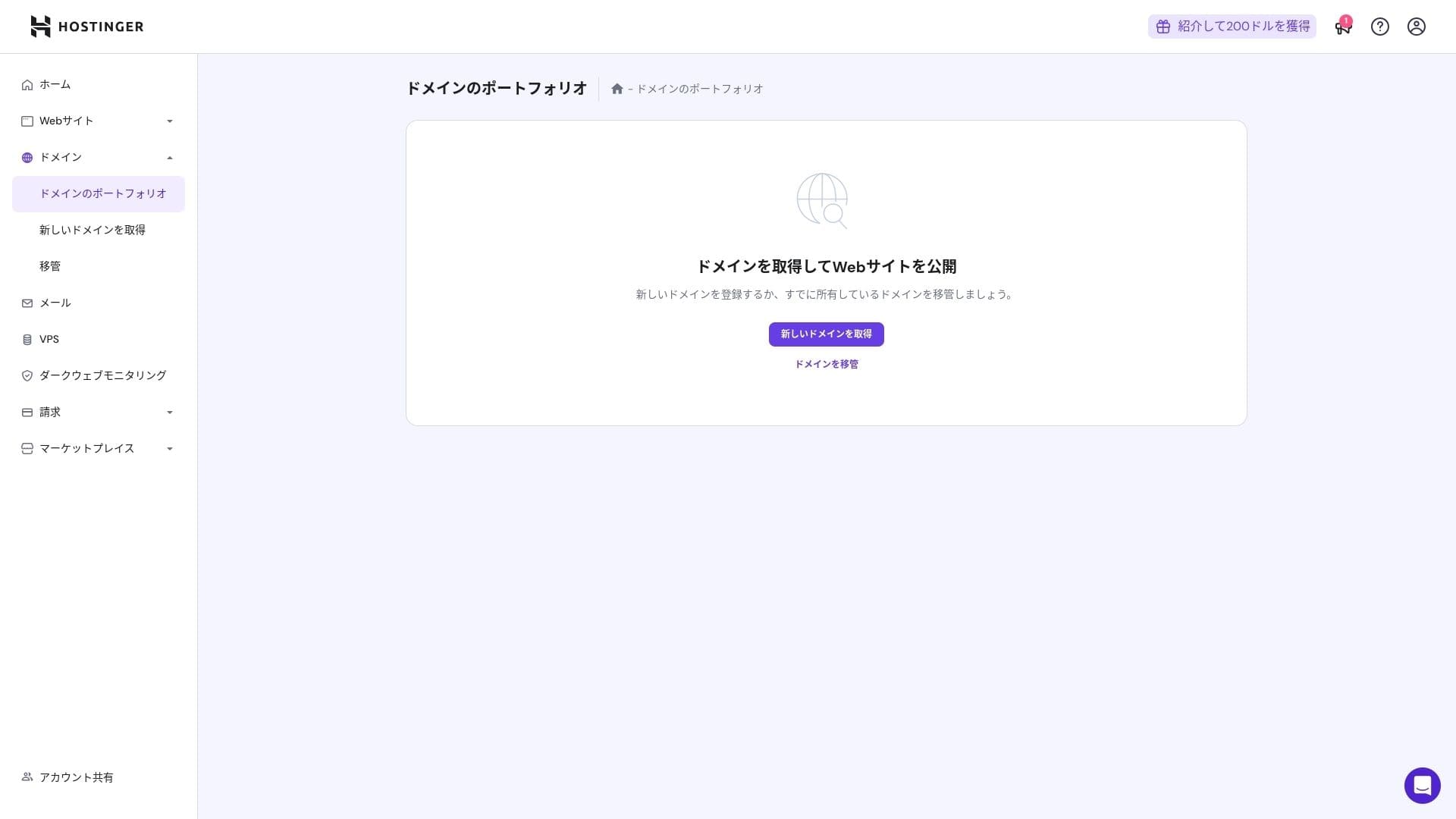
Annual domain fees are a few thousand yen. Because websites and blogs are meant to be used for the long term, if you want to keep domain costs as low as possible, getting your domain from another company is also a good option.
- Onamae.com
- Xserver Domain
- MuuMuu Domain
- Value Domain
- Shin Domain
- Star Domain
- Colorful Domain
- Rakko Domain








Hikaru Ono
Japanese hosting companies such as ConoHa WING and XServer keep your domain free forever while your server contract remains active, so in this area Hostinger loses to some competitors.
SSL ਸਰਟੀਫਿਕੇਟ ਦੀ ਕੀਮਤ
A Let's Encrypt-based DV SSL certificate is included with unlimited issuance and automatic renewal. There is no additional cost.
ਭੁਗਤਾਨ ਦੇ ਤਰੀਕੇ
It offers a wide range of payment methods. Major credit cards such as Visa and MasterCard are supported, along with PayPal and other options. In practice, it is also helpful that corporate cards and overseas payments are less likely to be rejected.
- Hostinger
- Kinsta
- XServer Business
- wpx
- Lolipop!
- Star Rental Server
- Rakko Server
- XServer
- ConoHa
- Colorful Box
- Shin Rental Server
- Little Server
- CORESERVER
- DreamHost
- Bluehost
- Sakura
- Namecheap
- Shin Free
- XREA
- Value Server
- KAGOYA
- SiteGround
- Hostgator
- IONOS
- Onamae.com
- ABLENET
- mixhost
- GoDaddy
- iCLUSTA+
- MuuMuu Server
- WADAX
- WebARENA
- heteml
- CPI Rental Server


































ਵਰਤਣ ਦੀ ਸੌਖਿਆਈ ਅਤੇ ਸਹਾਇਤਾ ਸਮੀਖਿਆ
ਕੰਟਰੋਲ ਪੈਨਲ ਵਰਤਣ ਵਿੱਚ ਕਿੰਨਾ ਆਸਾਨ ਹੈ
Hostinger's in-house control panel, hPanel, is very easy to use because its categories are neatly organized. If you dislike the clutter of cPanel, you will probably find it much easier to work with.
- ਹੋਮ
- ਬਿਲਿੰਗ
- WordPress
- ਡੋਮੇਨ
- ਬੈਕਅੱਪ
- ਫ਼ਾਈਲ ਮੈਨੇਜਰ
- FTP
- ਰੀਡਾਇਰੈਕਟਸ
- ਗਲਤੀ ਪੰਨੇ
- Cron
- ਕਾਰਗੁਜ਼ਾਰੀ
- ਮਾਰਕੀਟਪਲੇਸ
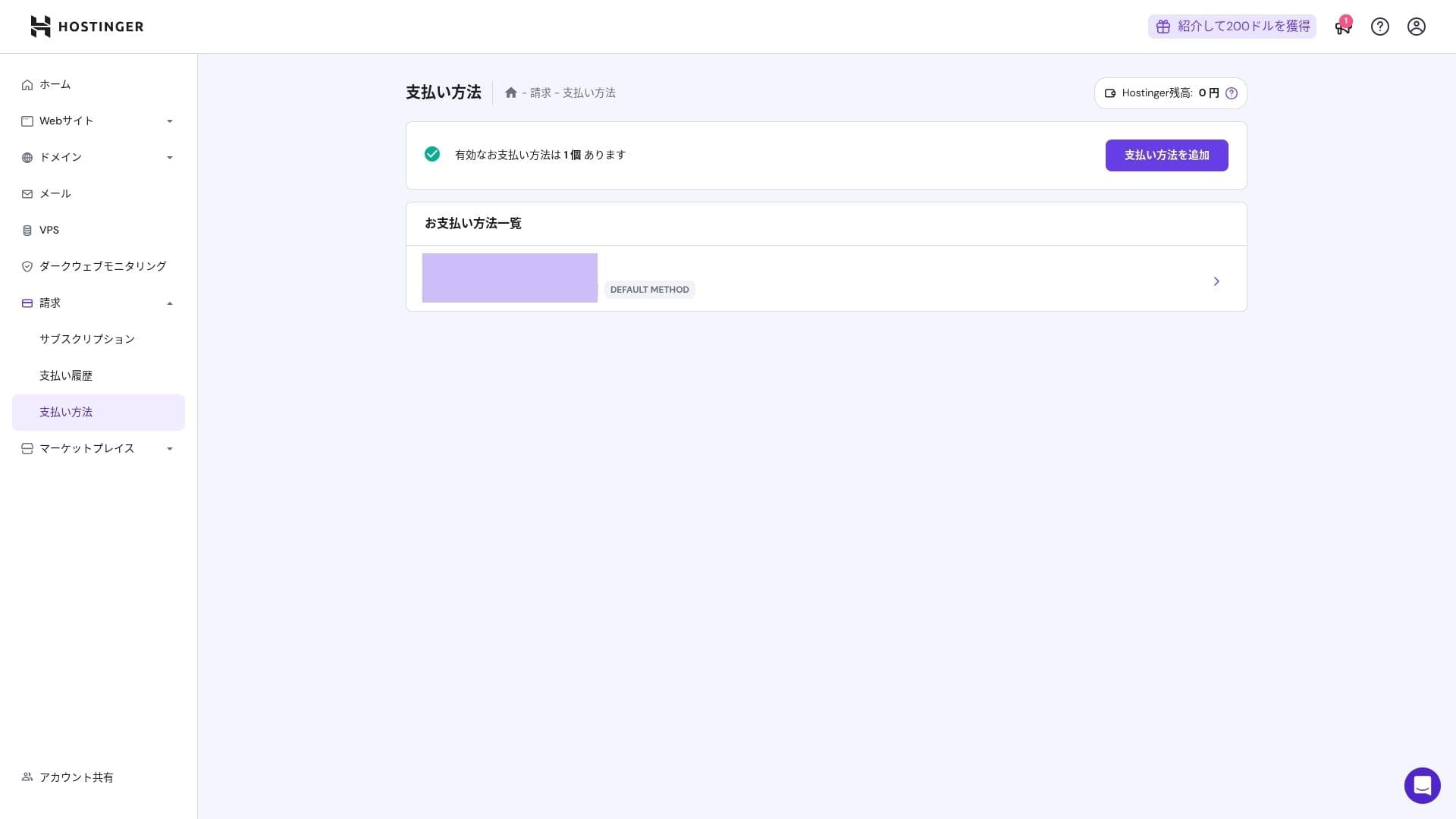
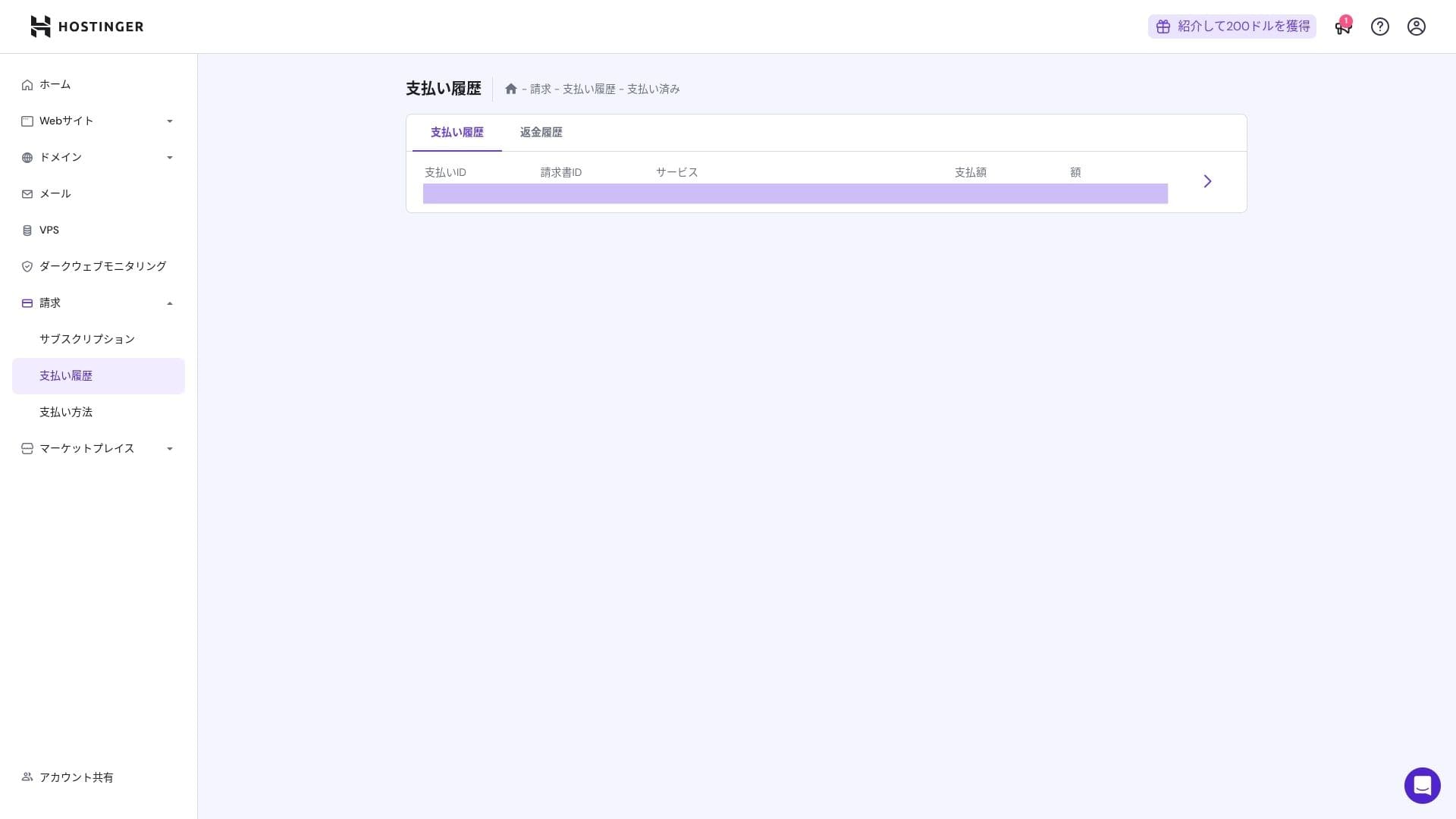
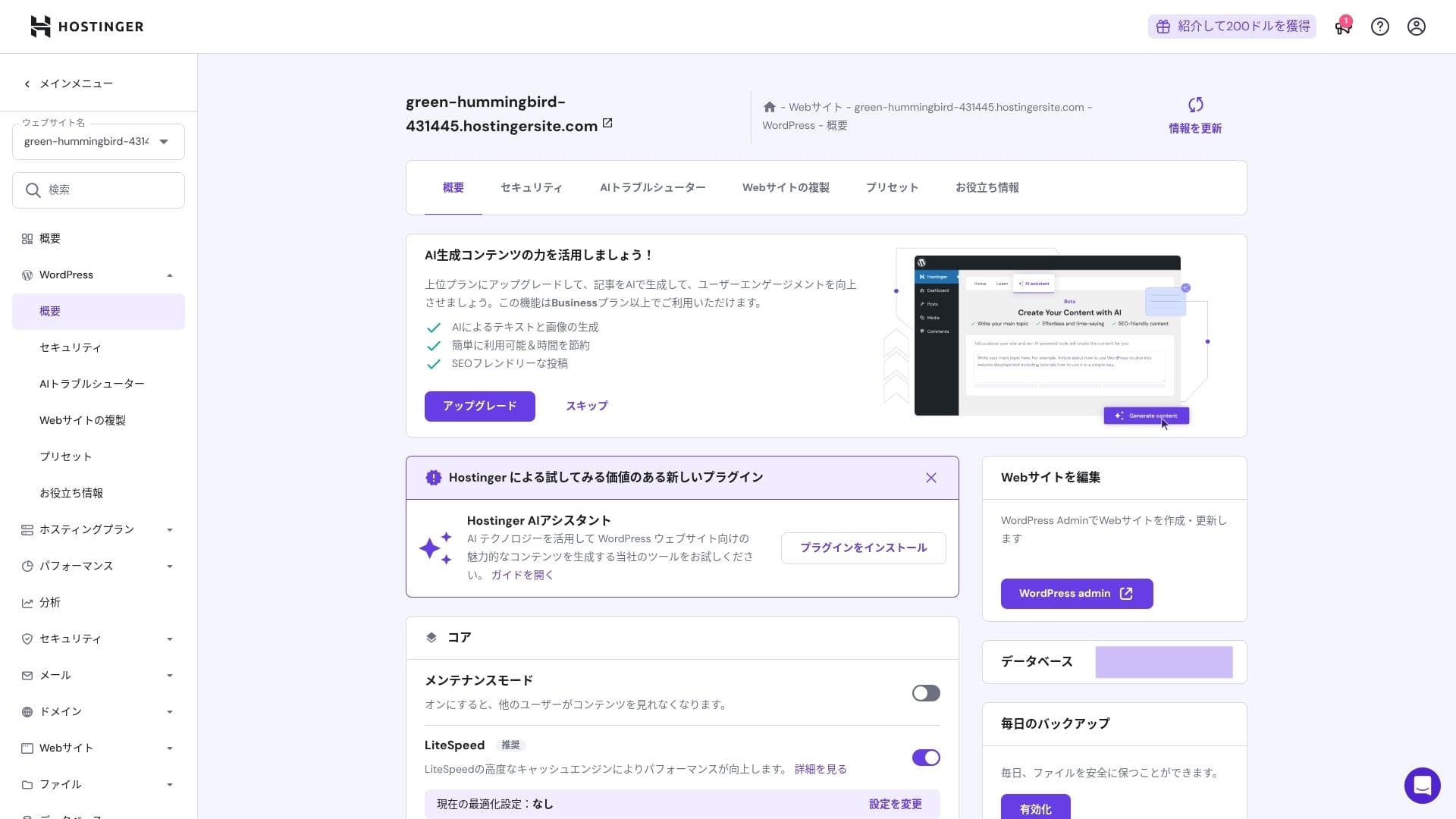
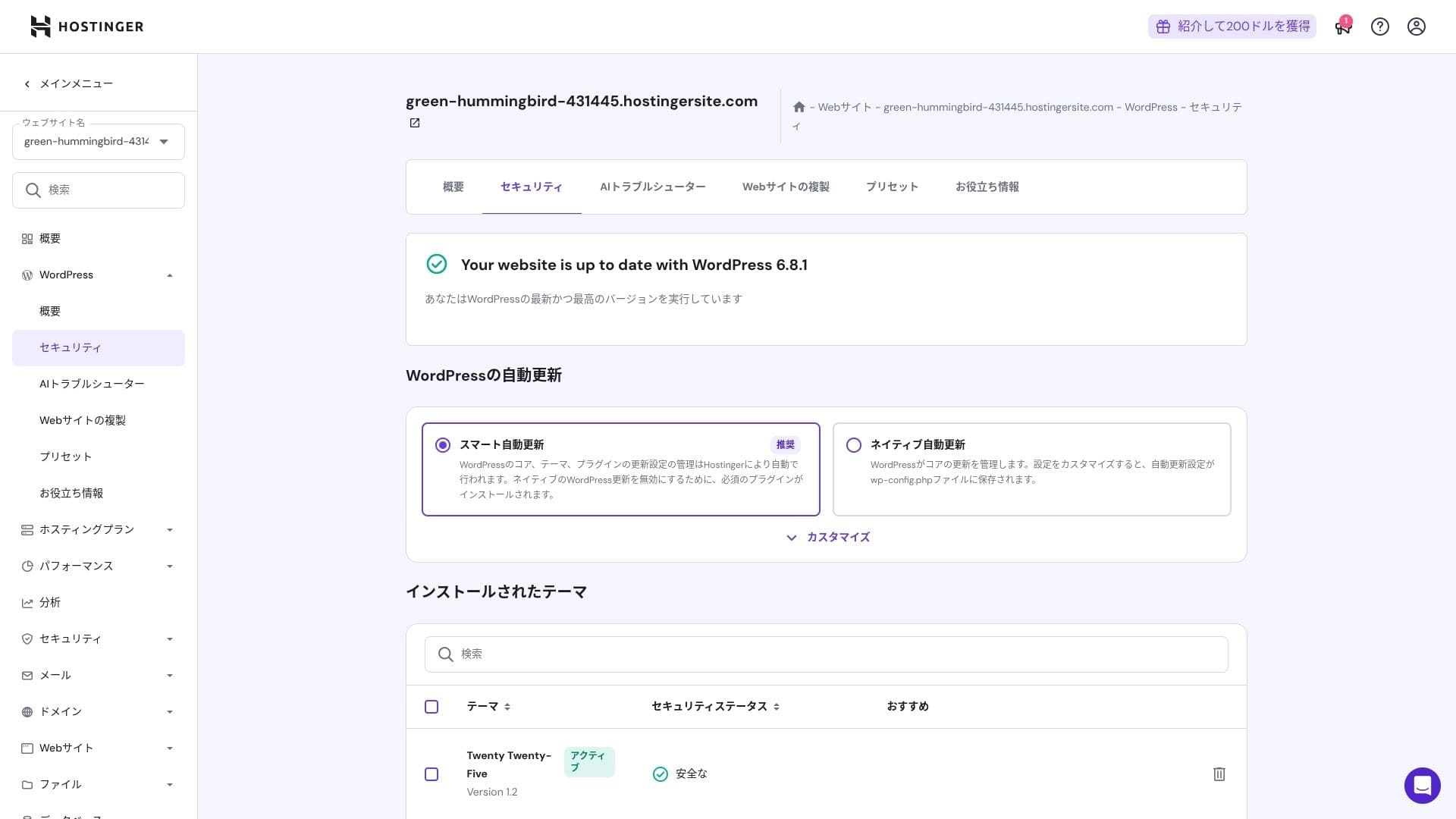
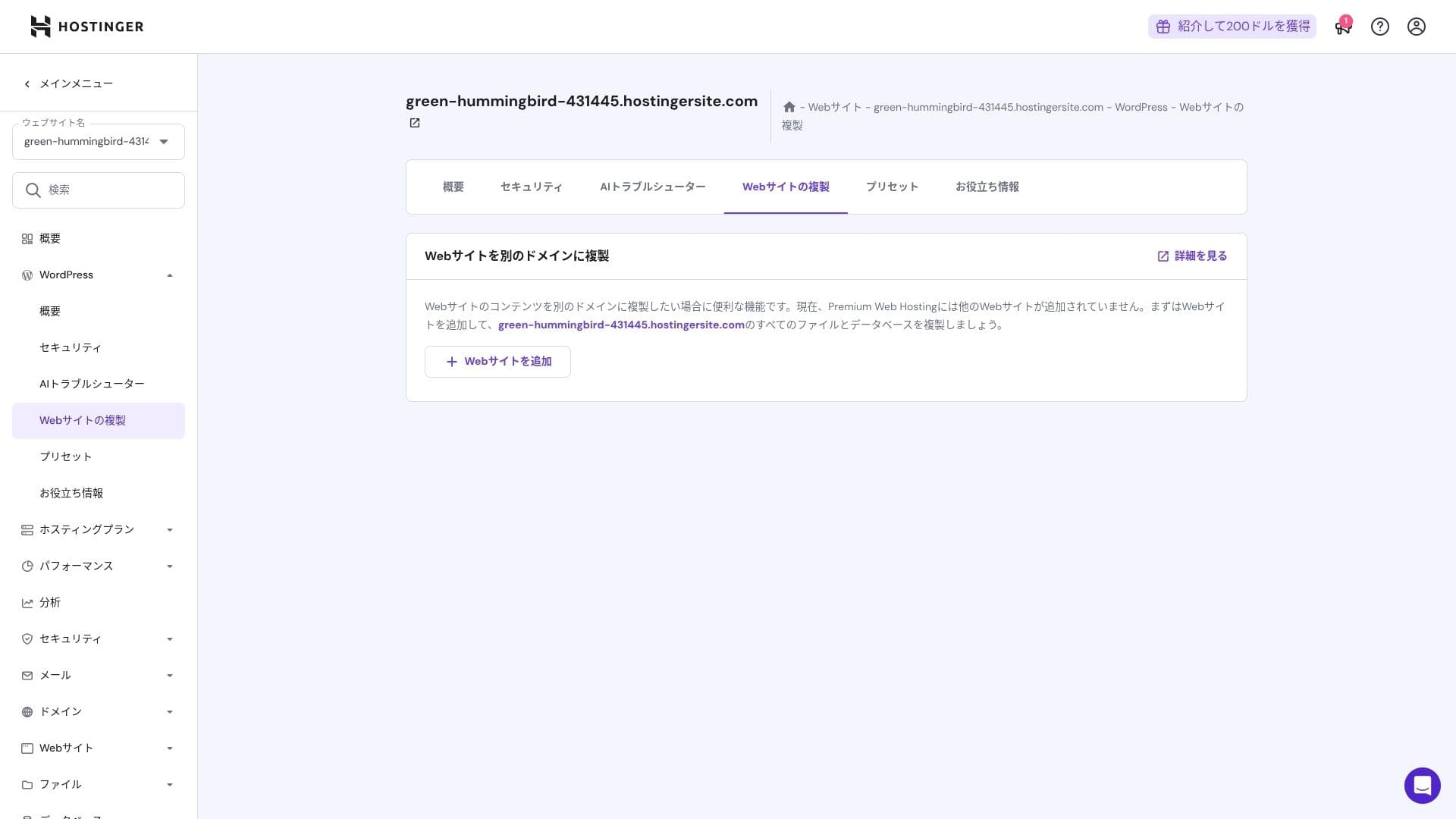
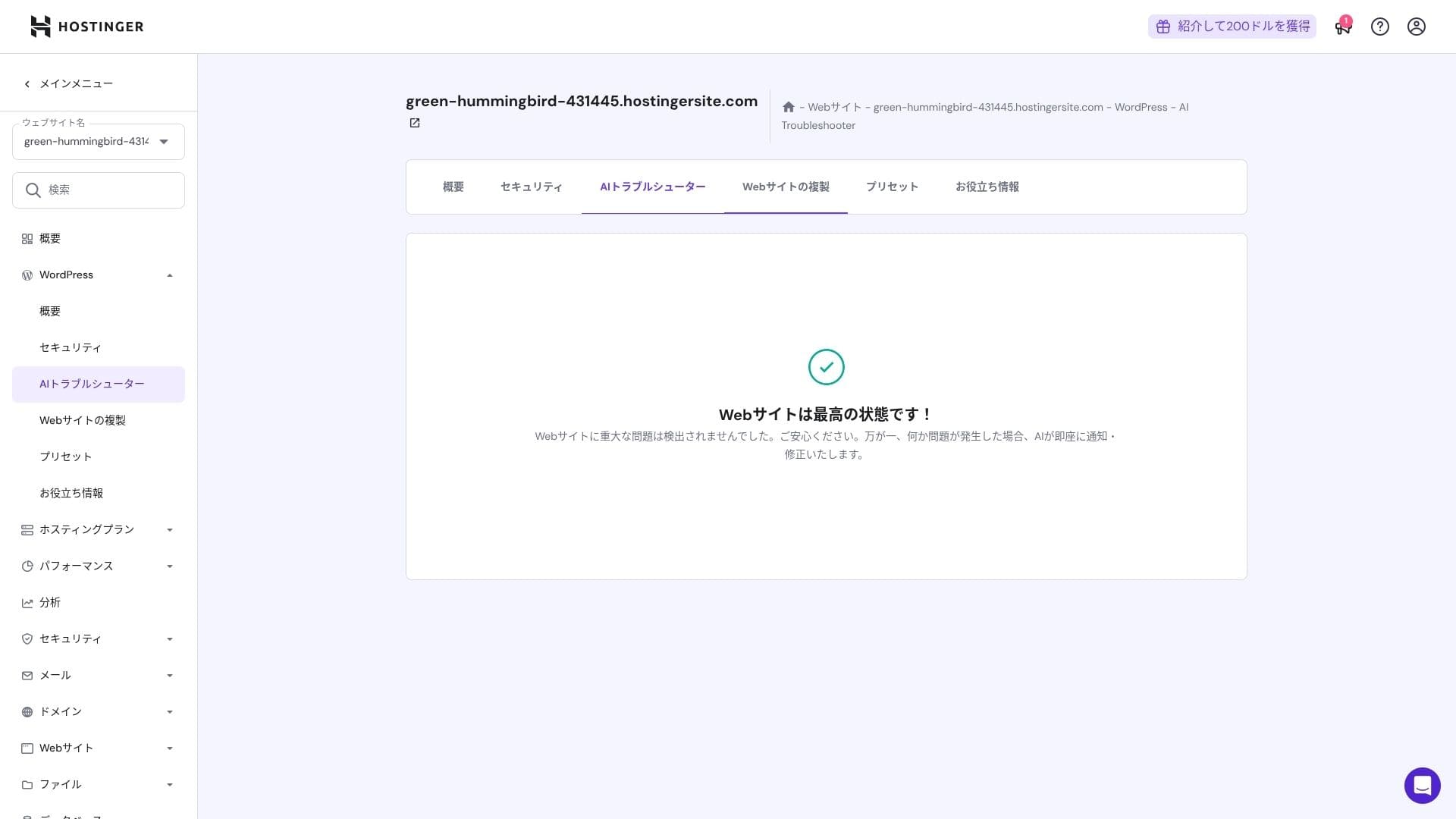
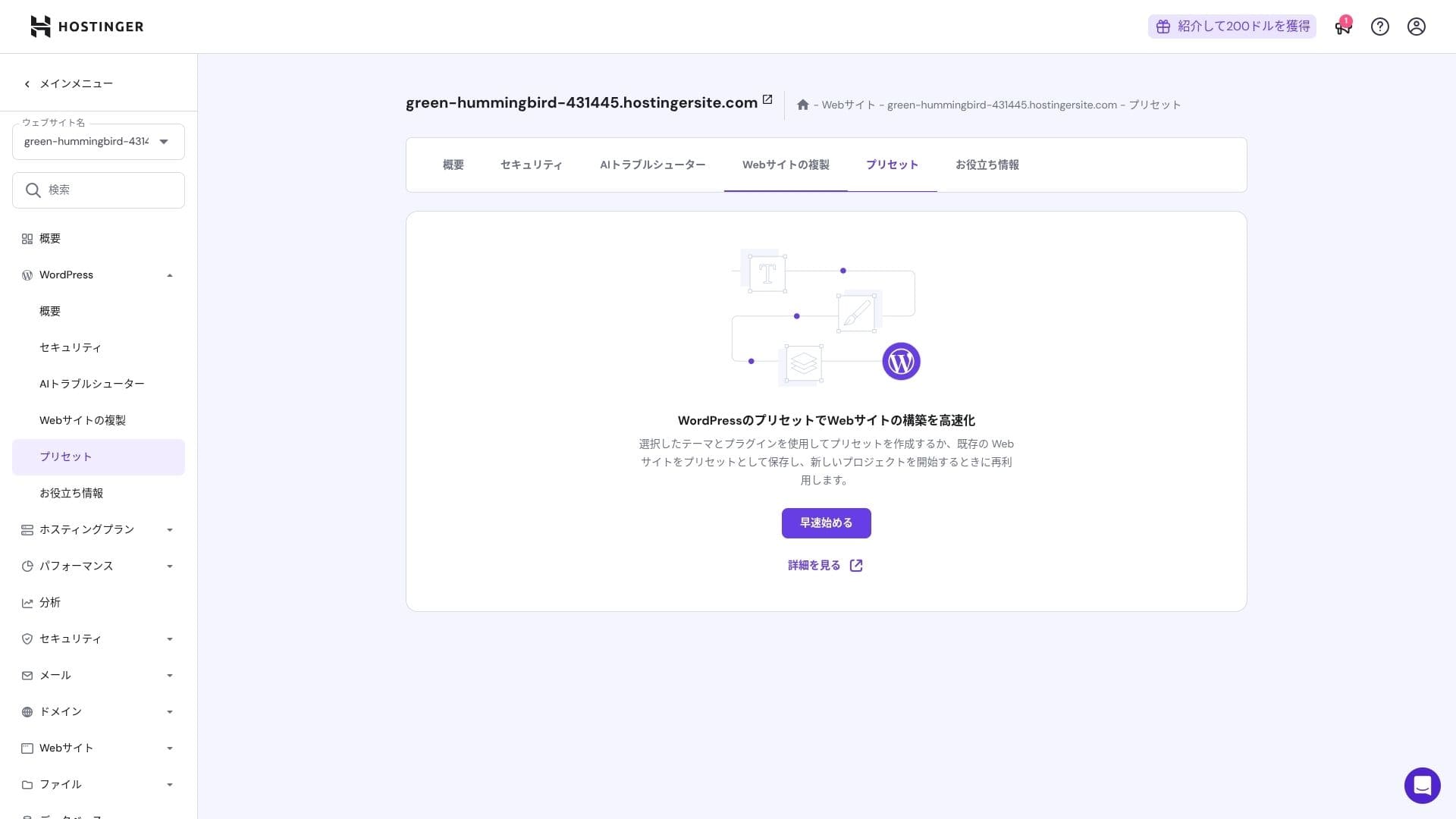
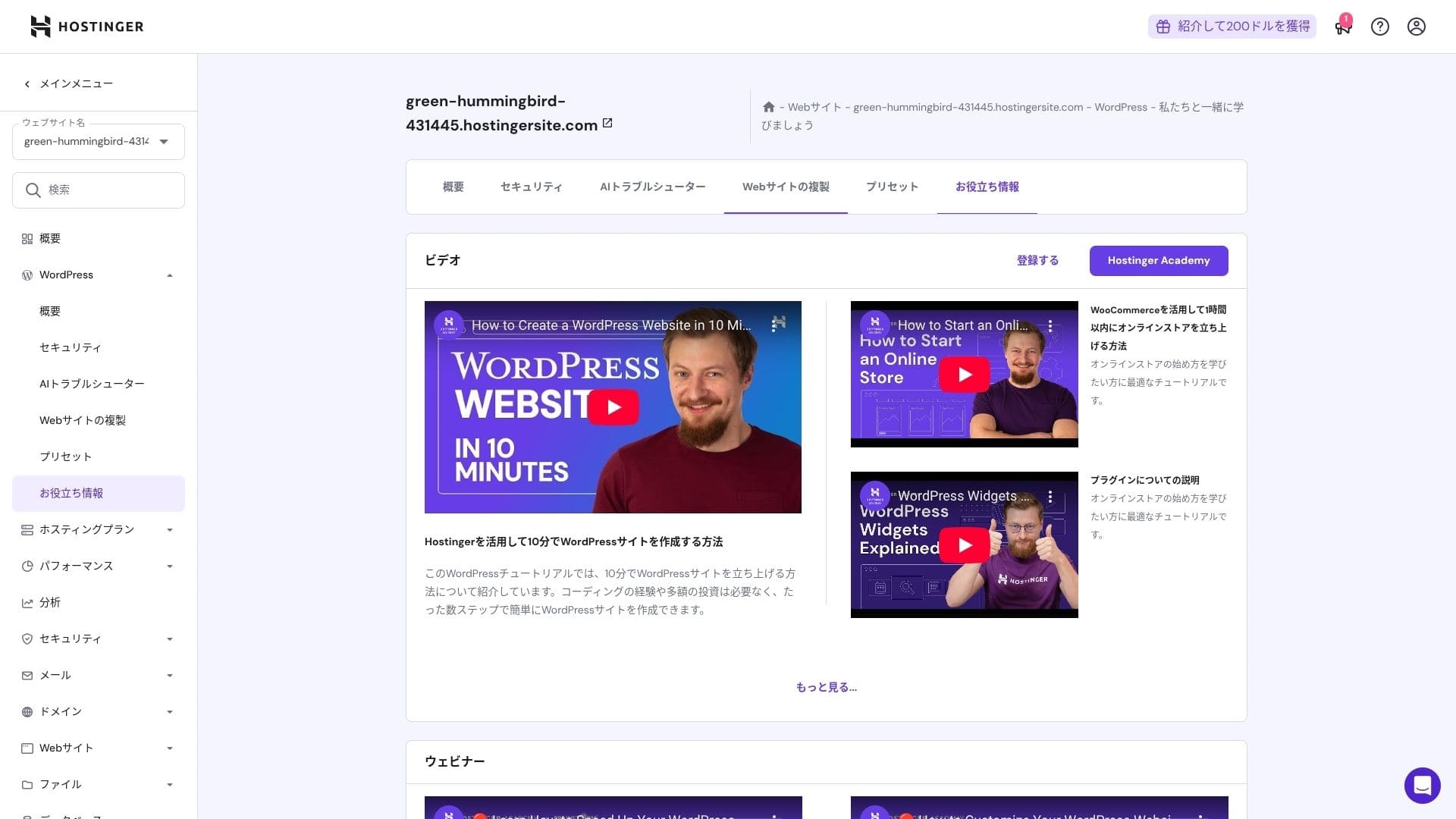
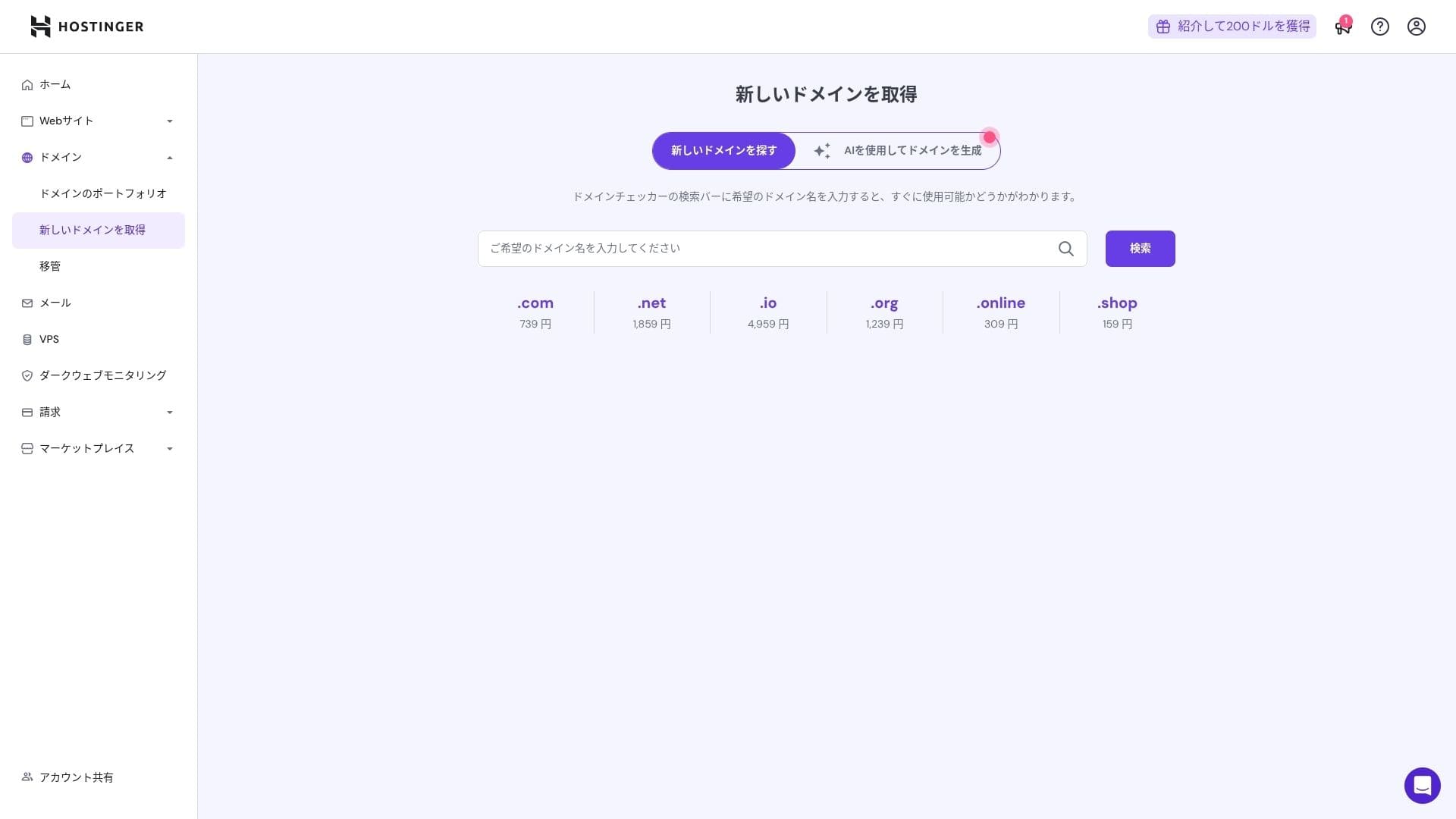
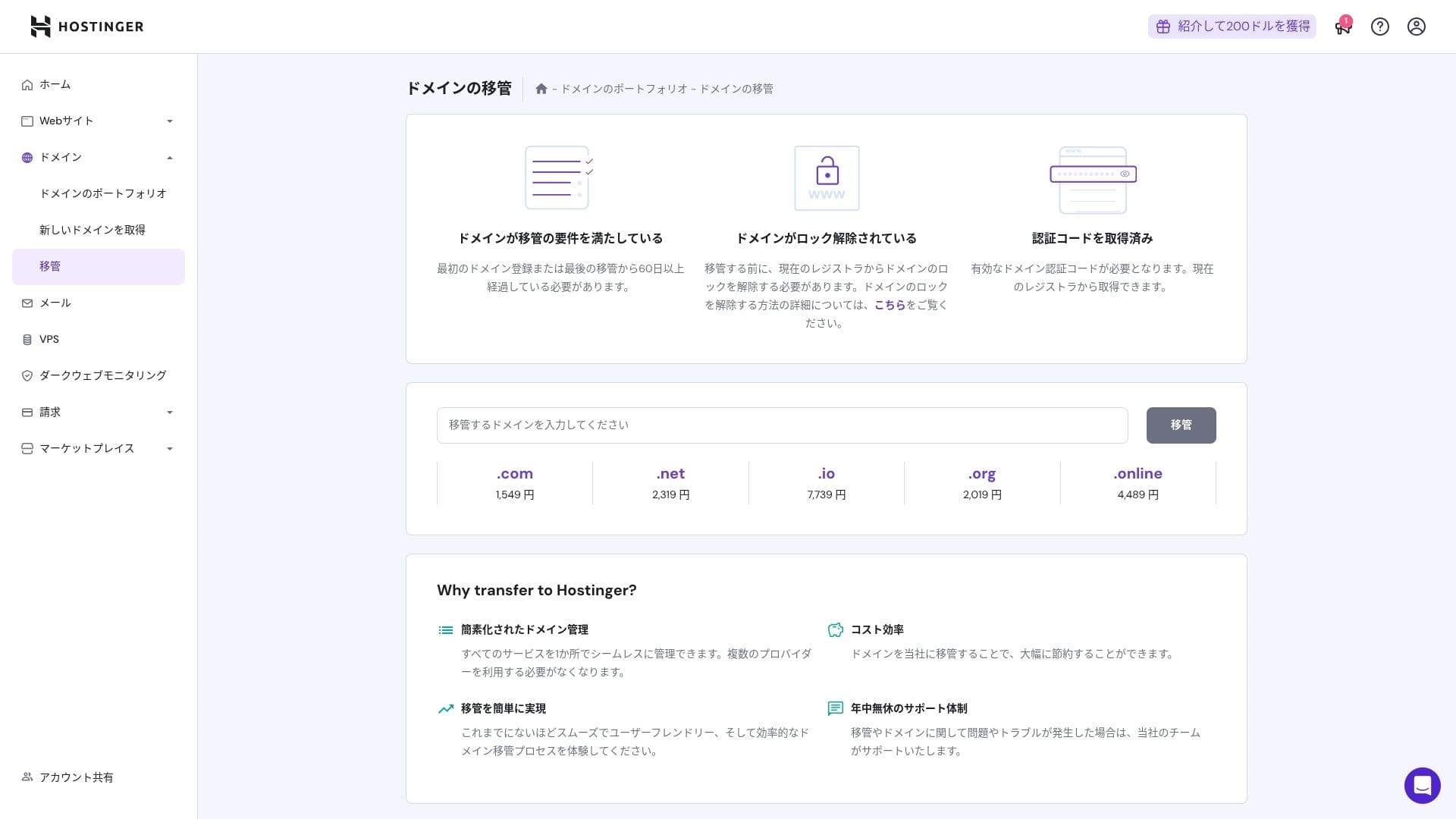
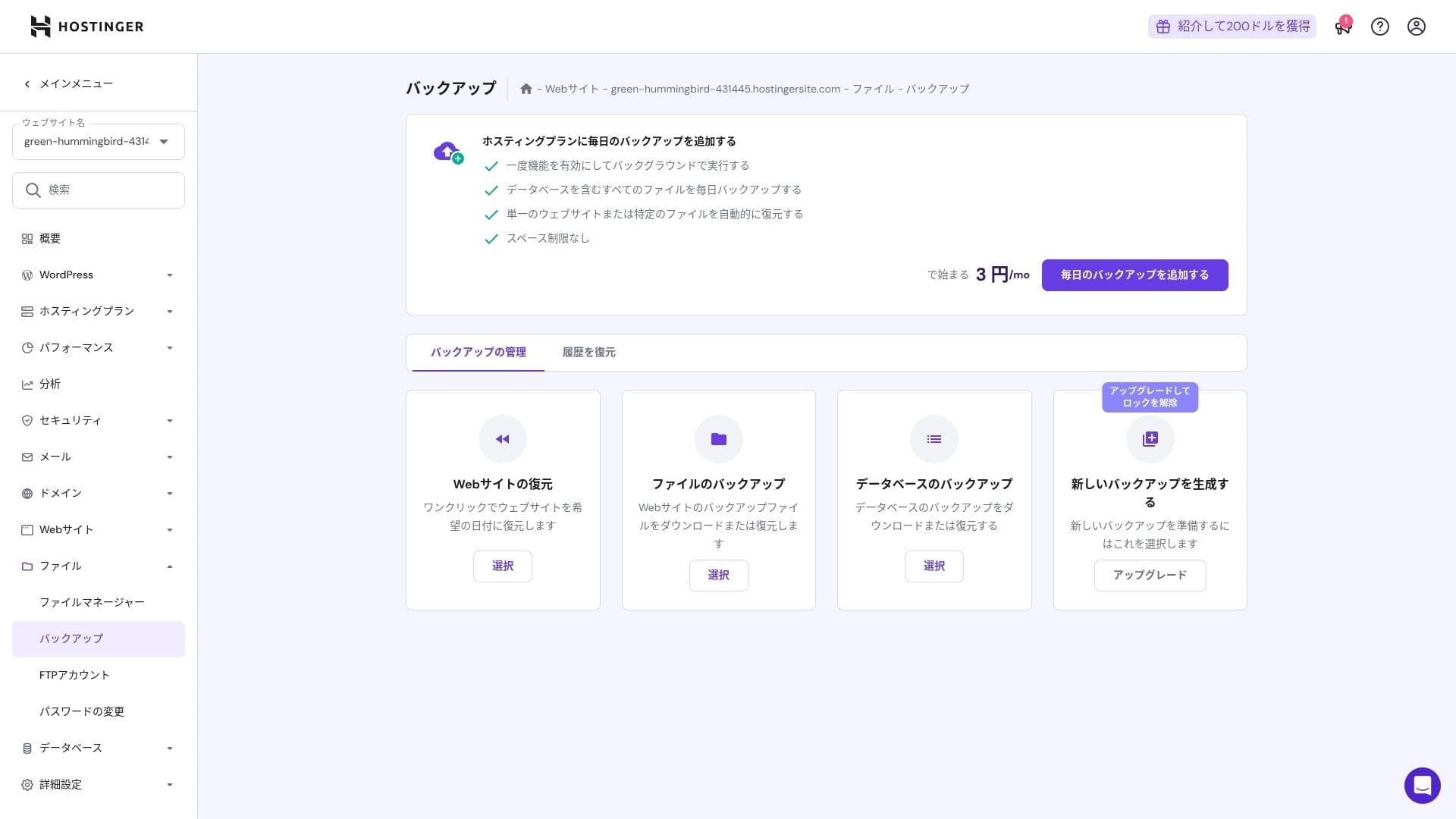
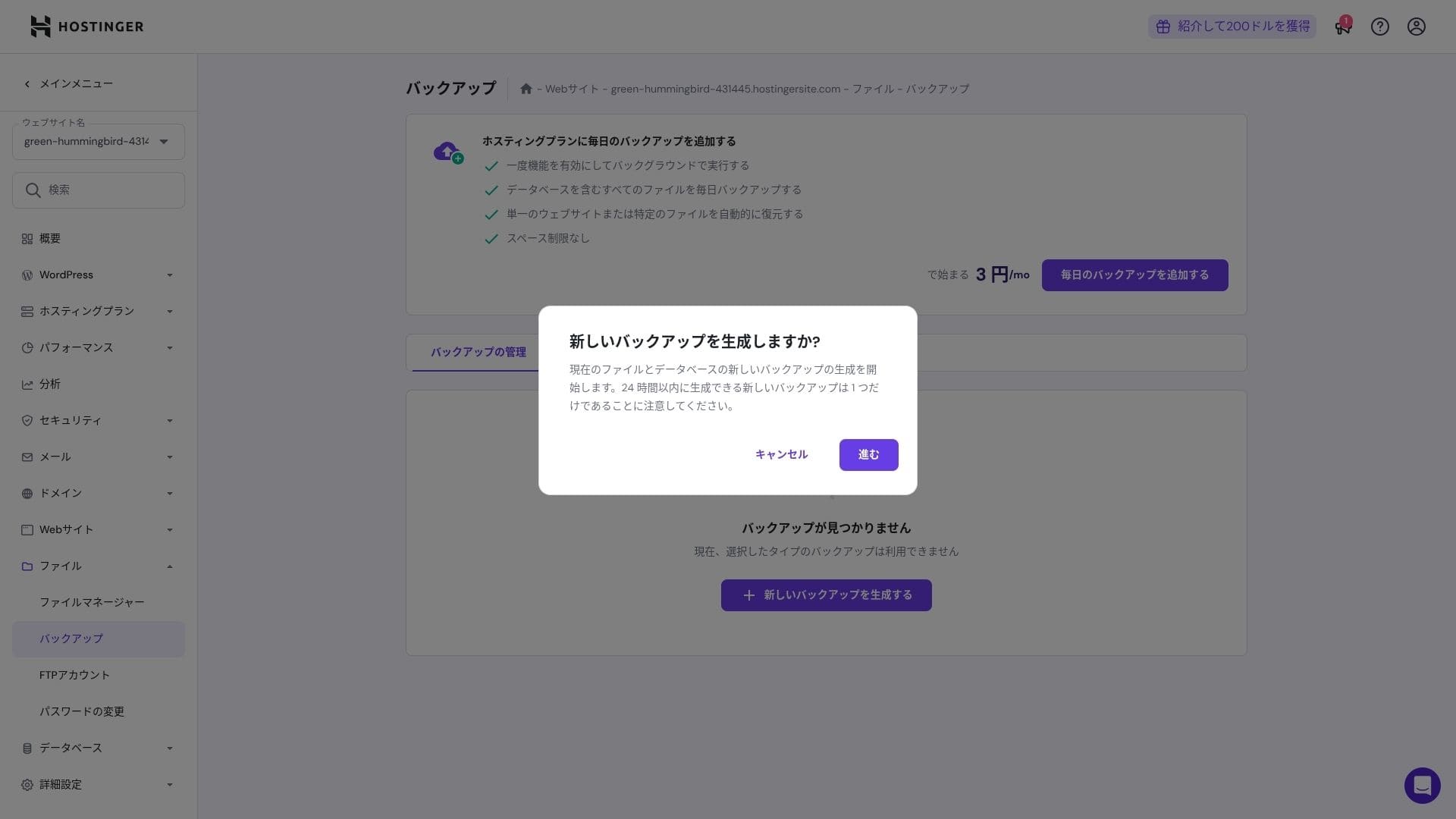
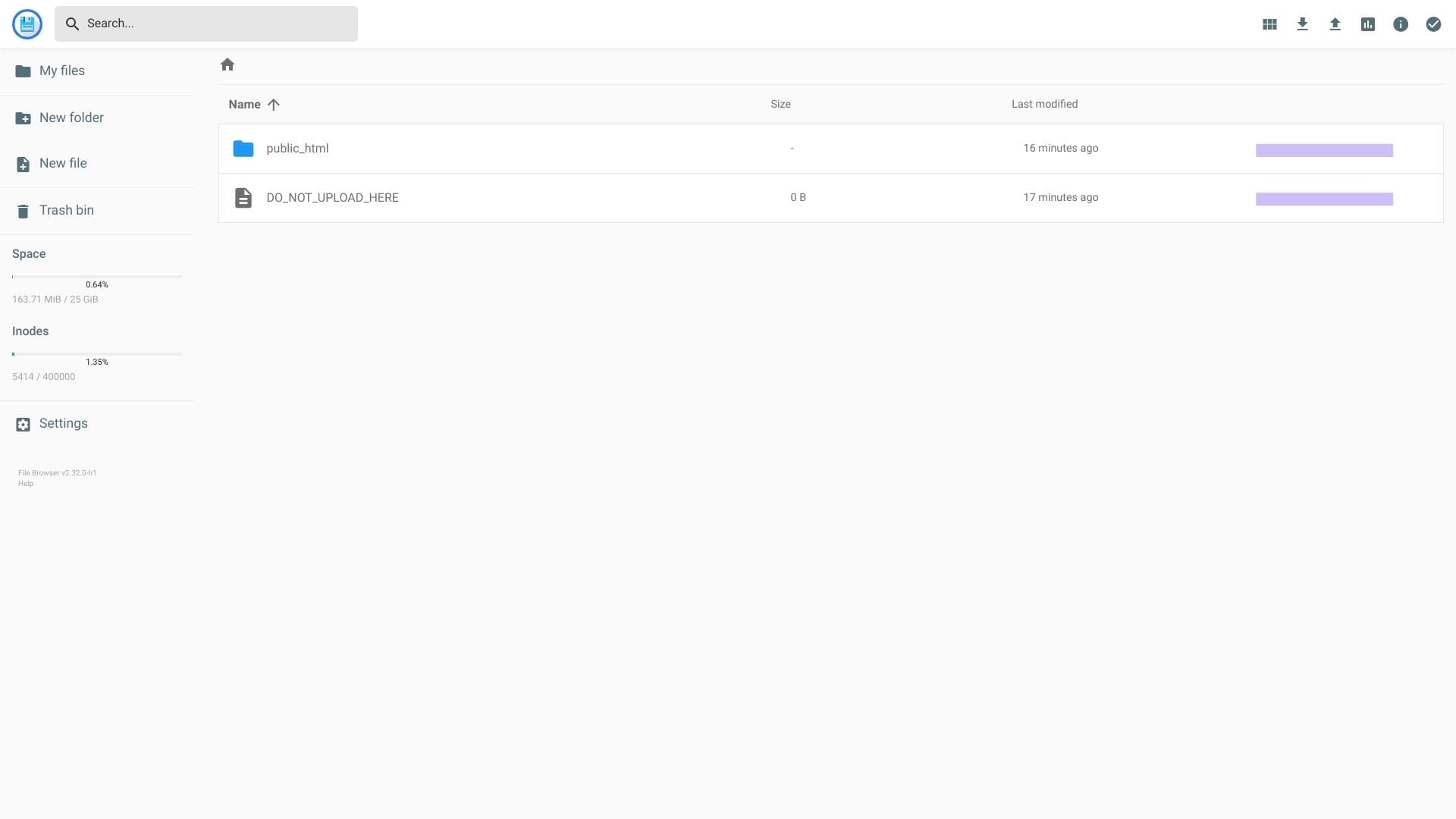
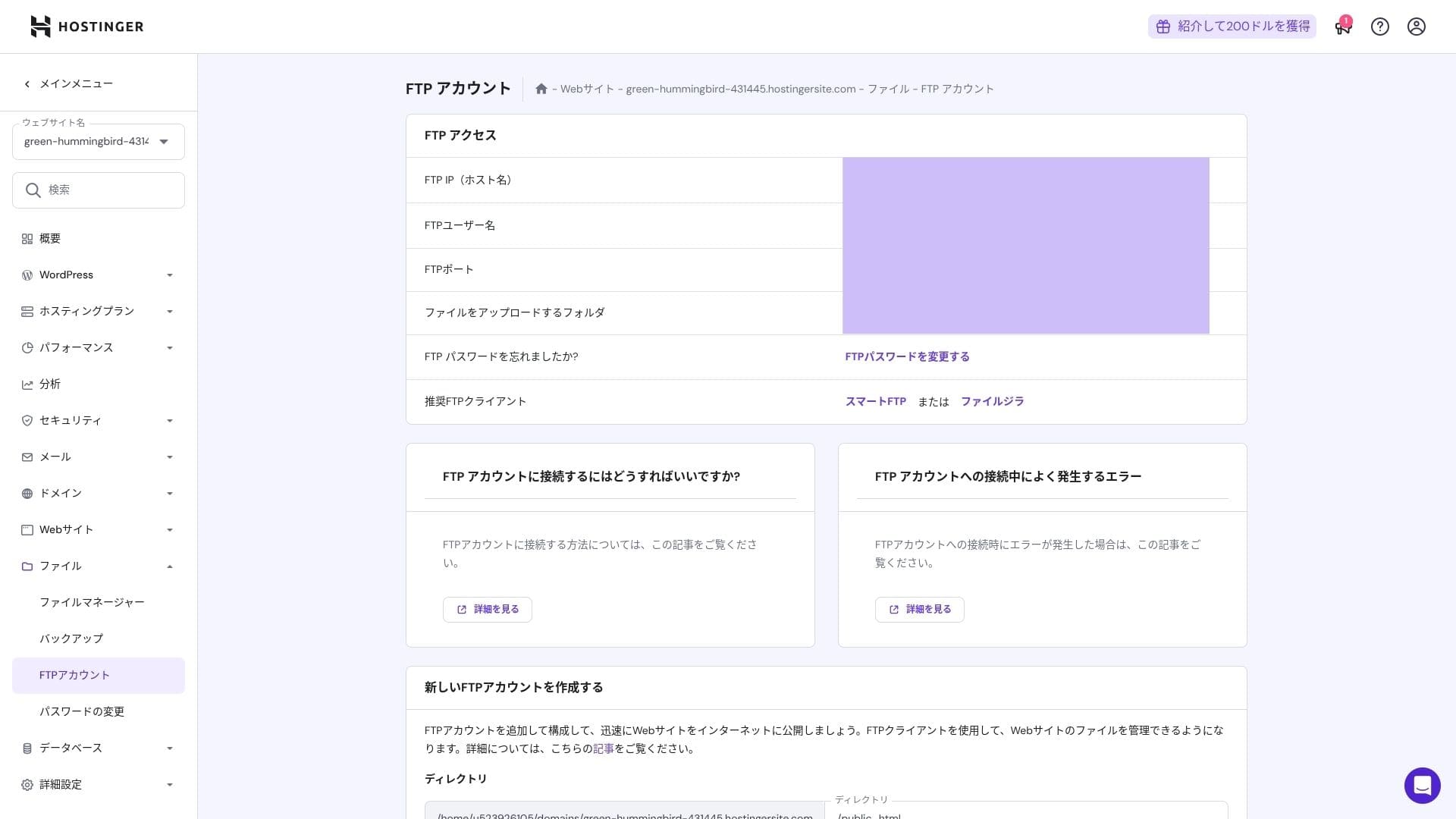
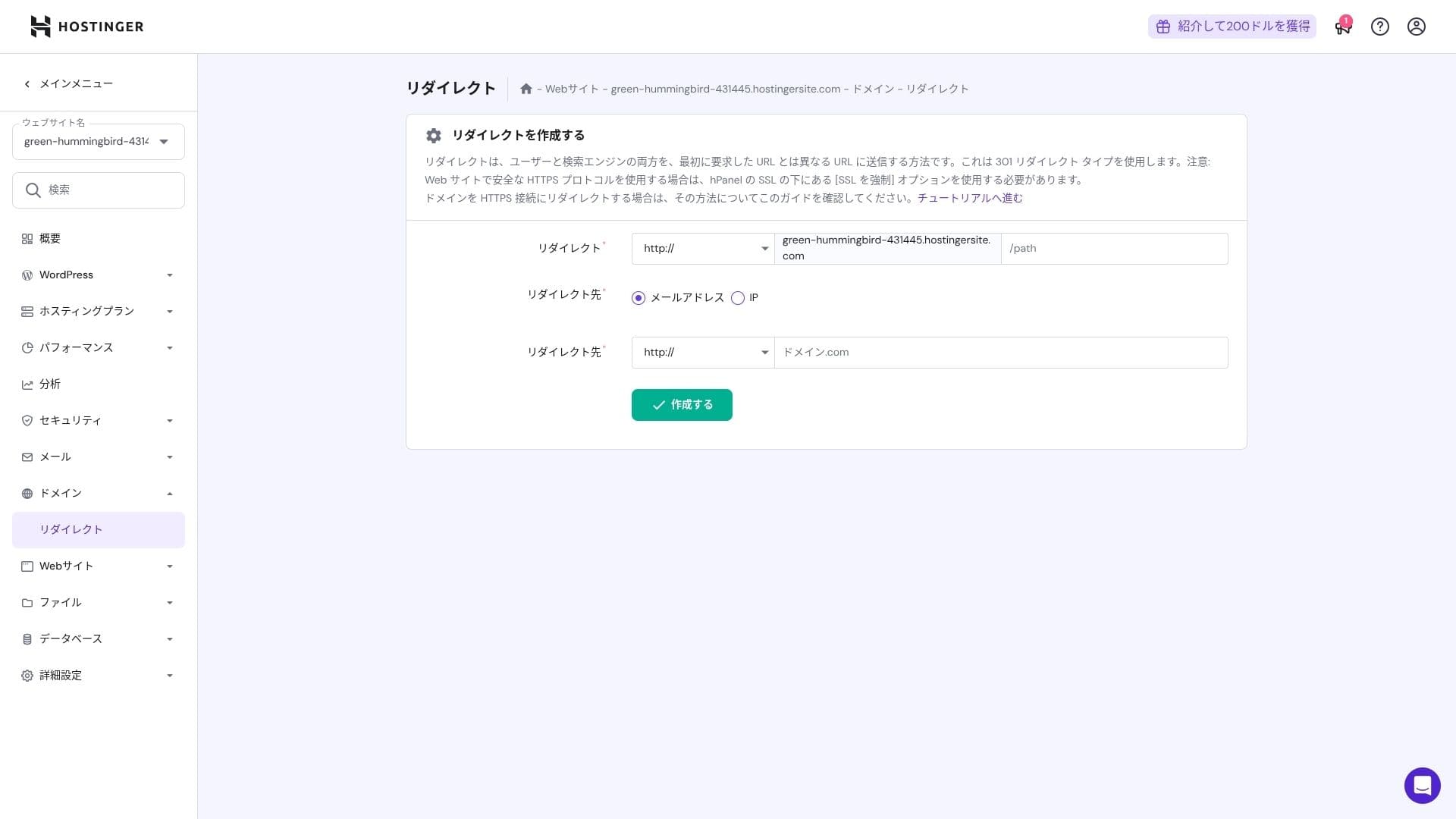
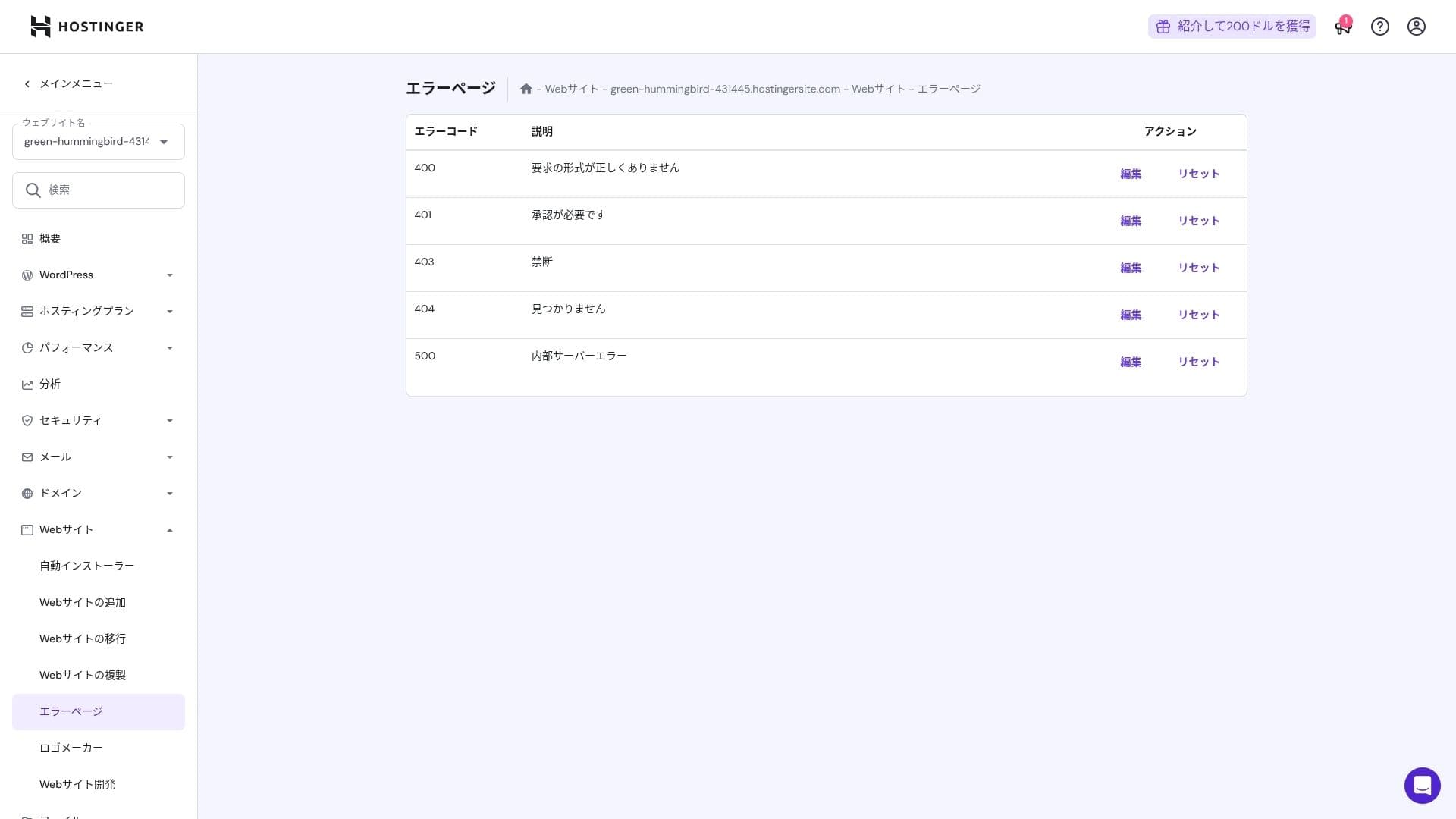
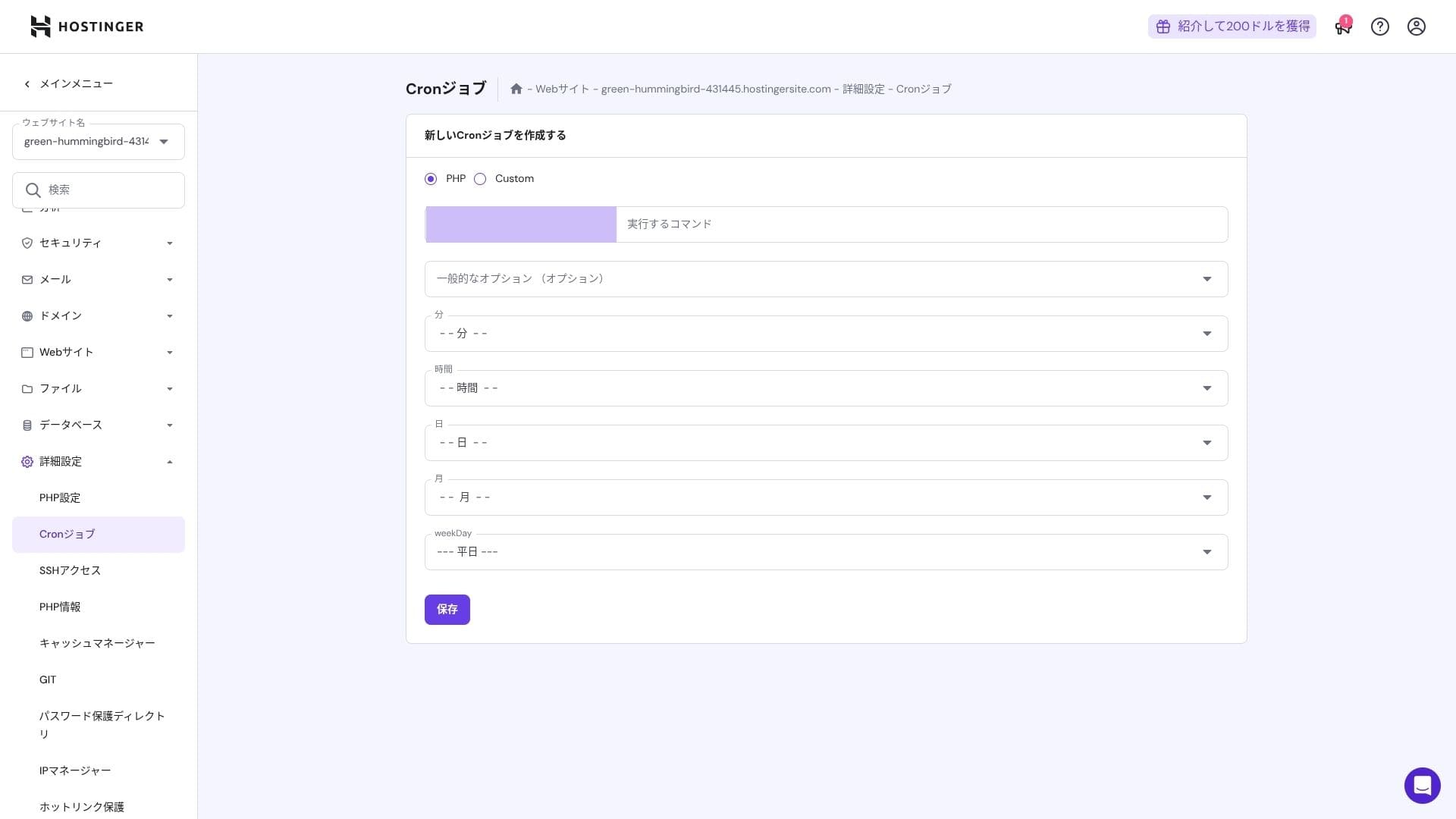
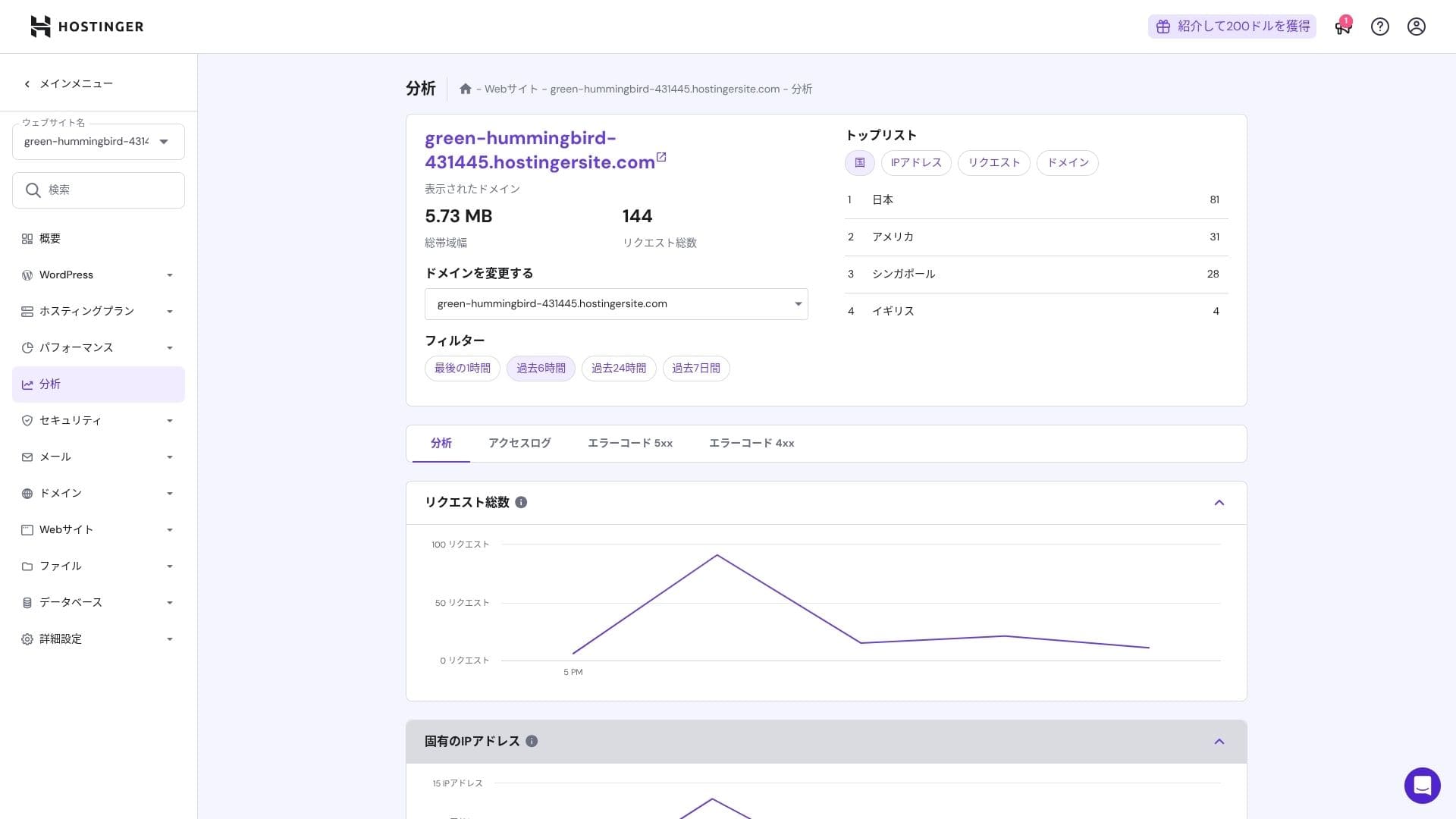
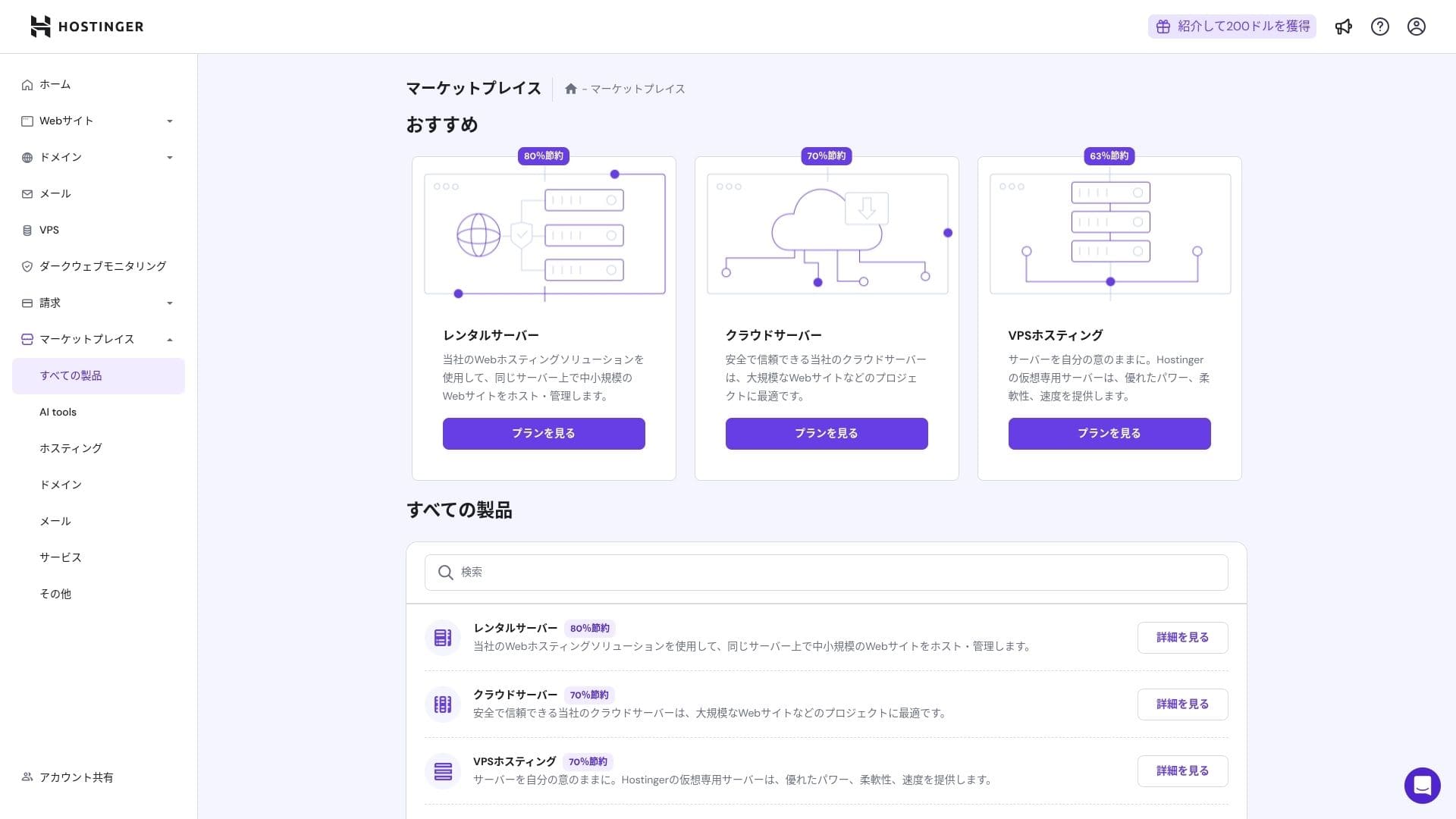
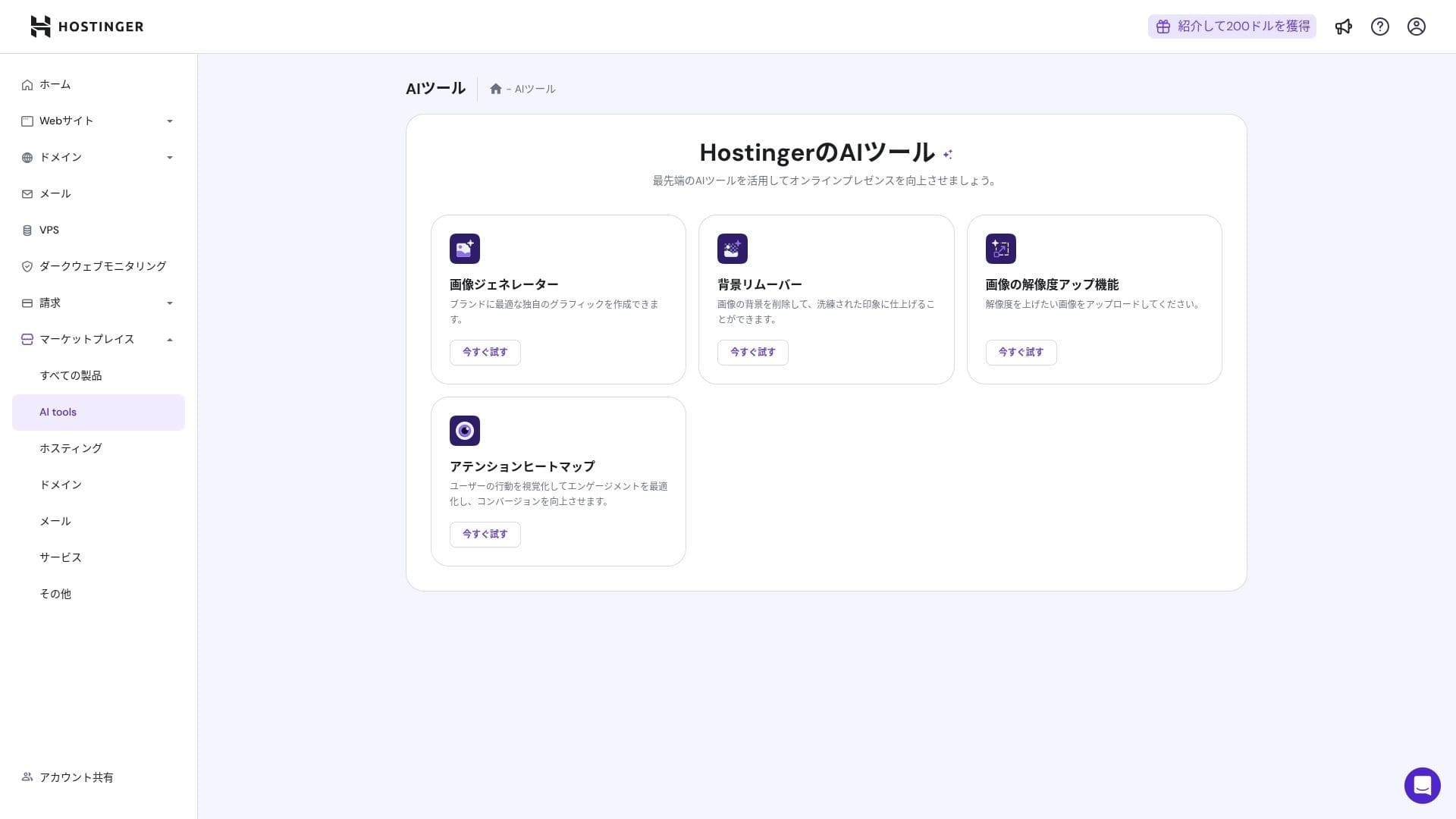
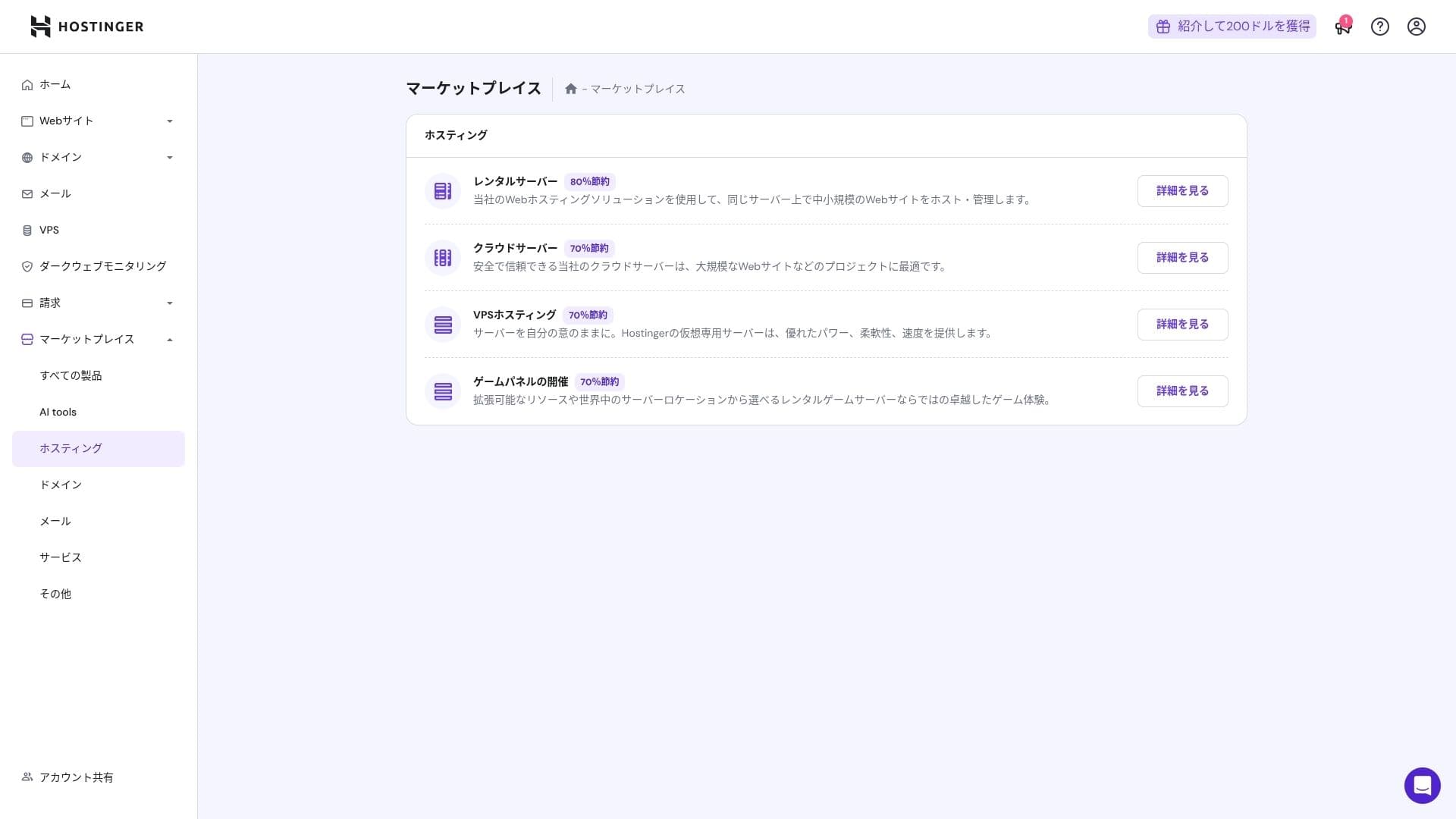
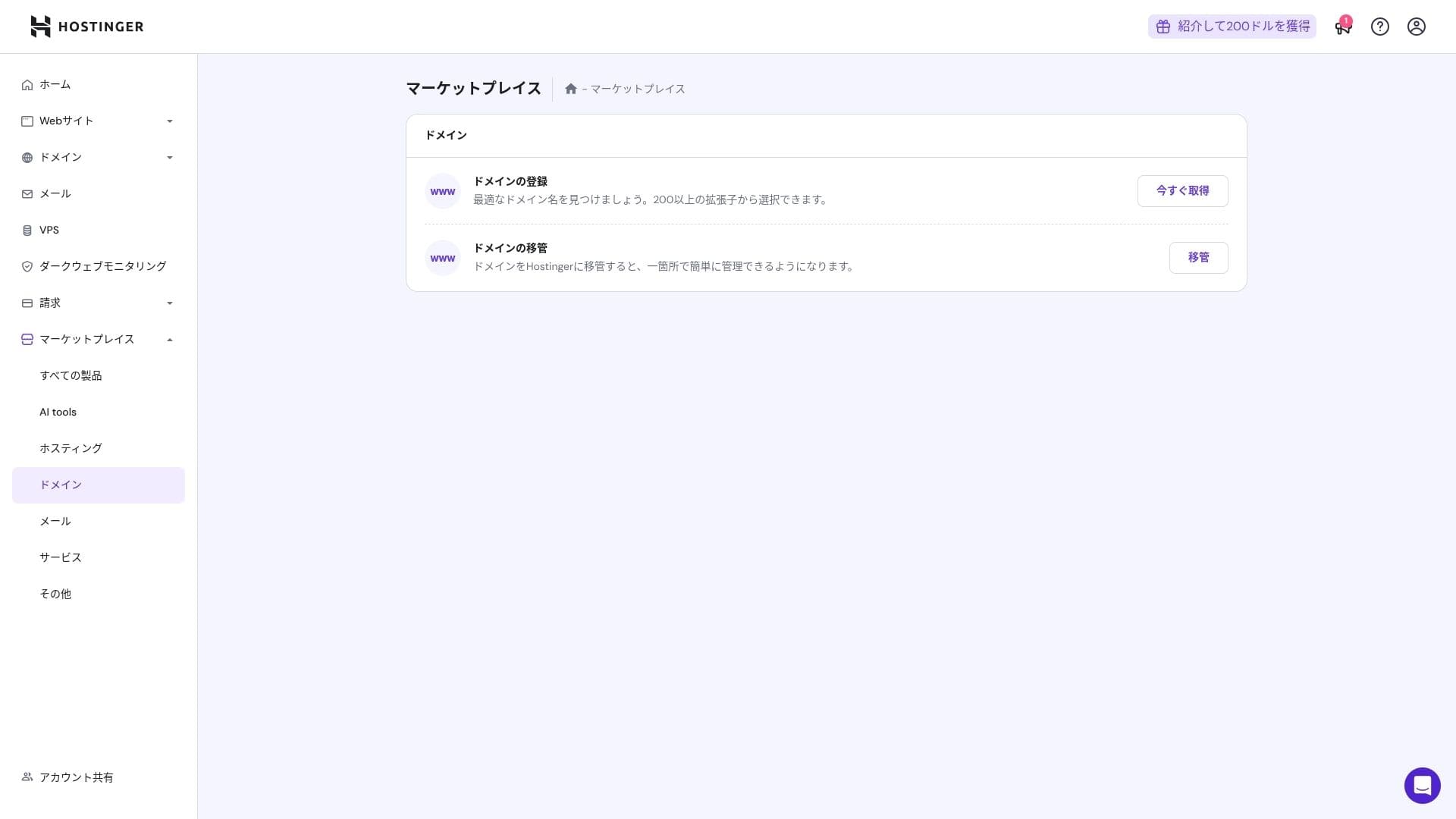
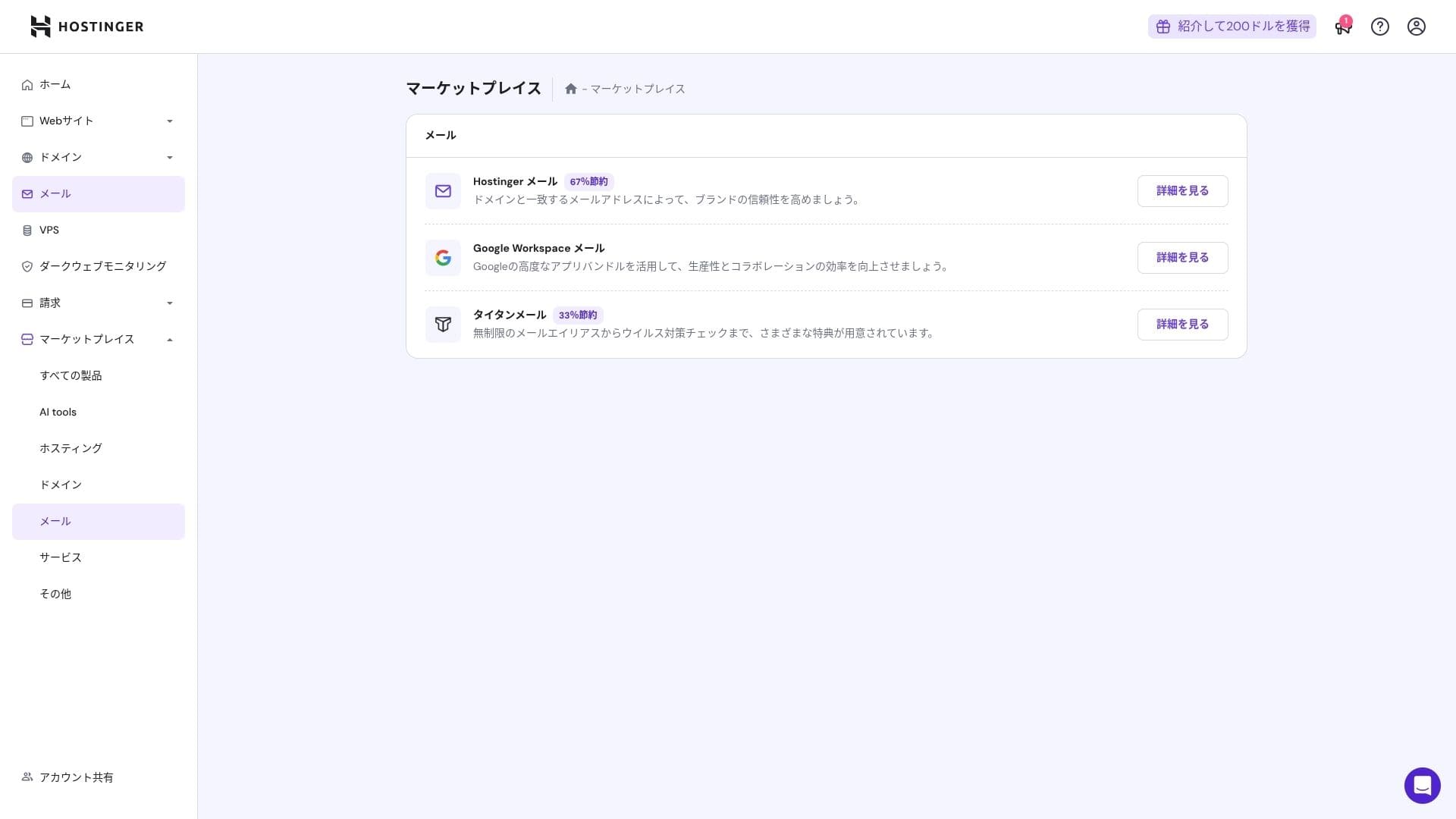
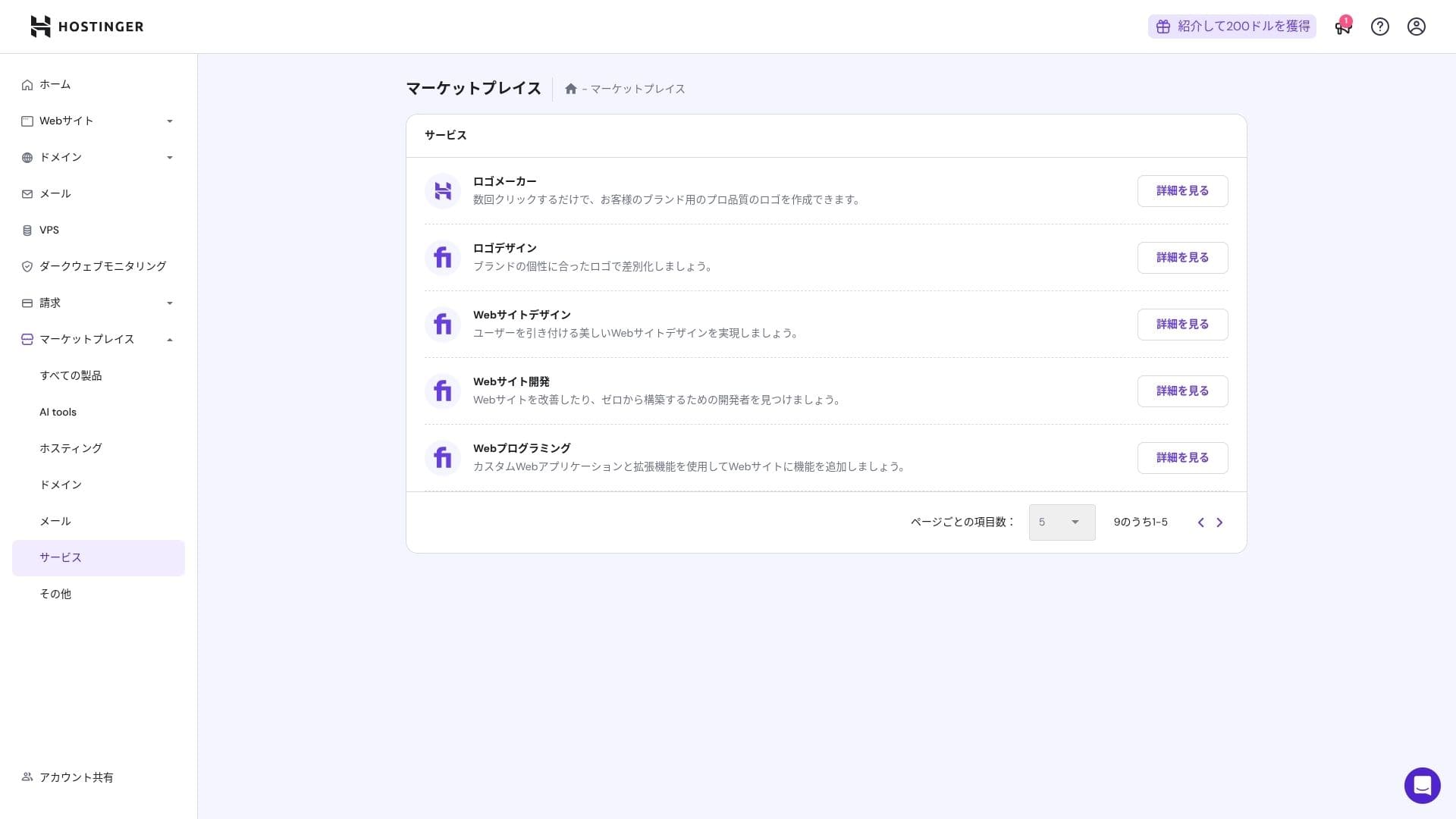
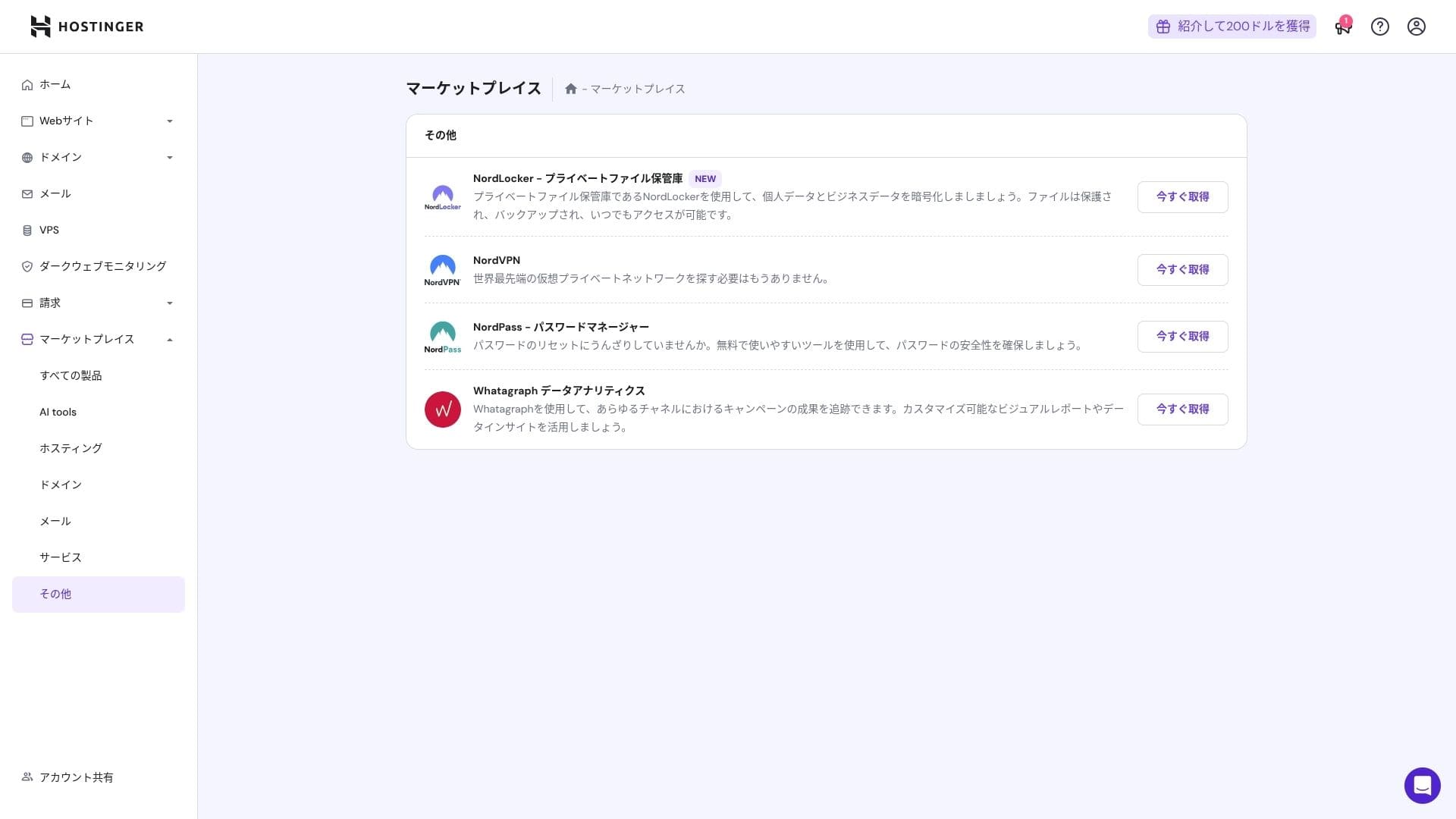
That said, people who are already comfortable with cPanel may find it less intuitive.
ਸਹਾਇਤਾ system
ਲਾਈਵ ਚੈਟ, ਜੋ ਸਾਲ ਦੇ 365 ਦਿਨ 24 ਘੰਟੇ ਉਪਲਬਧ ਹੈ, ਦਾ ਔਸਤ ਜਵਾਬ ਸਮਾਂ ਇੱਕ ਤੋਂ ਤਿੰਨ ਮਿੰਟ ਹੈ। ਹਾਲਾਂਕਿ ਜਵਾਬ ਆਟੋ-ਅਨੁਵਾਦਿਤ ਹਨ, ਸਟਾਫ਼ ਫਿਰ ਵੀ ਐਸੇ ਜਵਾਬ ਦਿੰਦਾ ਹੈ ਜੋ ਤਕਨੀਕੀ ਪ੍ਰਸ਼ਨਾਂ ਨੂੰ ਕਵਰ ਕਰਨ ਲਈ ਕਾਫ਼ੀ ਗਹਿਰੇ ਹੁੰਦੇ ਹਨ।
ਮੈਨੂਅਲ ਅਤੇ FAQ ਕਿੰਨੇ ਪੂਰੇ ਹਨ
ਜਾਪਾਨੀ ਗਿਆਨ ਆਧਾਰ ਵਿੱਚ ਹਾਲੇ ਵੀ ਕੁਝ ਮਸ਼ੀਨੀ ਅਨੁਵਾਦ ਵਾਲੇ ਹਿੱਸੇ ਹਨ, ਪਰ ਜੇ ਤੁਸੀਂ ਇਸਨੂੰ YouTube ਚੈਨਲ "Hostinger Academy" ਦੀਆਂ ਵਿਆਖਿਆਵਾਂ ਨਾਲ ਇਕੱਠੇ ਵਰਤਦੇ ਹੋ, ਤਾਂ ਇੱਕ ਵਿਅਕਤੀ ਆਪਣੇ ਆਪ ਕਾਫ਼ੀ ਚੰਗੀ ਤਰ੍ਹਾਂ ਕੰਮ ਸੰਭਾਲ ਸਕਦਾ ਹੈ।
ਈਮੇਲ ਫੀਚਰਾਂ ਦੀ ਸਮੀਖਿਆ
Premium ਤੋਂ ਉੱਪਰ, ਆਪਣੇ ਡੋਮੇਨ ਵਾਲੀ ਈਮੇਲ ਇੱਕ ਸਾਲ ਲਈ ਮੁਫ਼ਤ ਹੈ। ਹਾਲਾਂਕਿ, ਸਟੋਰੇਜ ਸਿਰਫ਼ 1 GB ਹੈ। ਤੁਸੀਂ Business Starter ਨੂੰ 69 ਯੈਨ ਪ੍ਰਤੀ ਮਹੀਨਾ (ਹਰ ਖਾਤੇ ਲਈ 10 GB) ਲਈ ਵੀ ਵਰਤ ਸਕਦੇ ਹੋ।
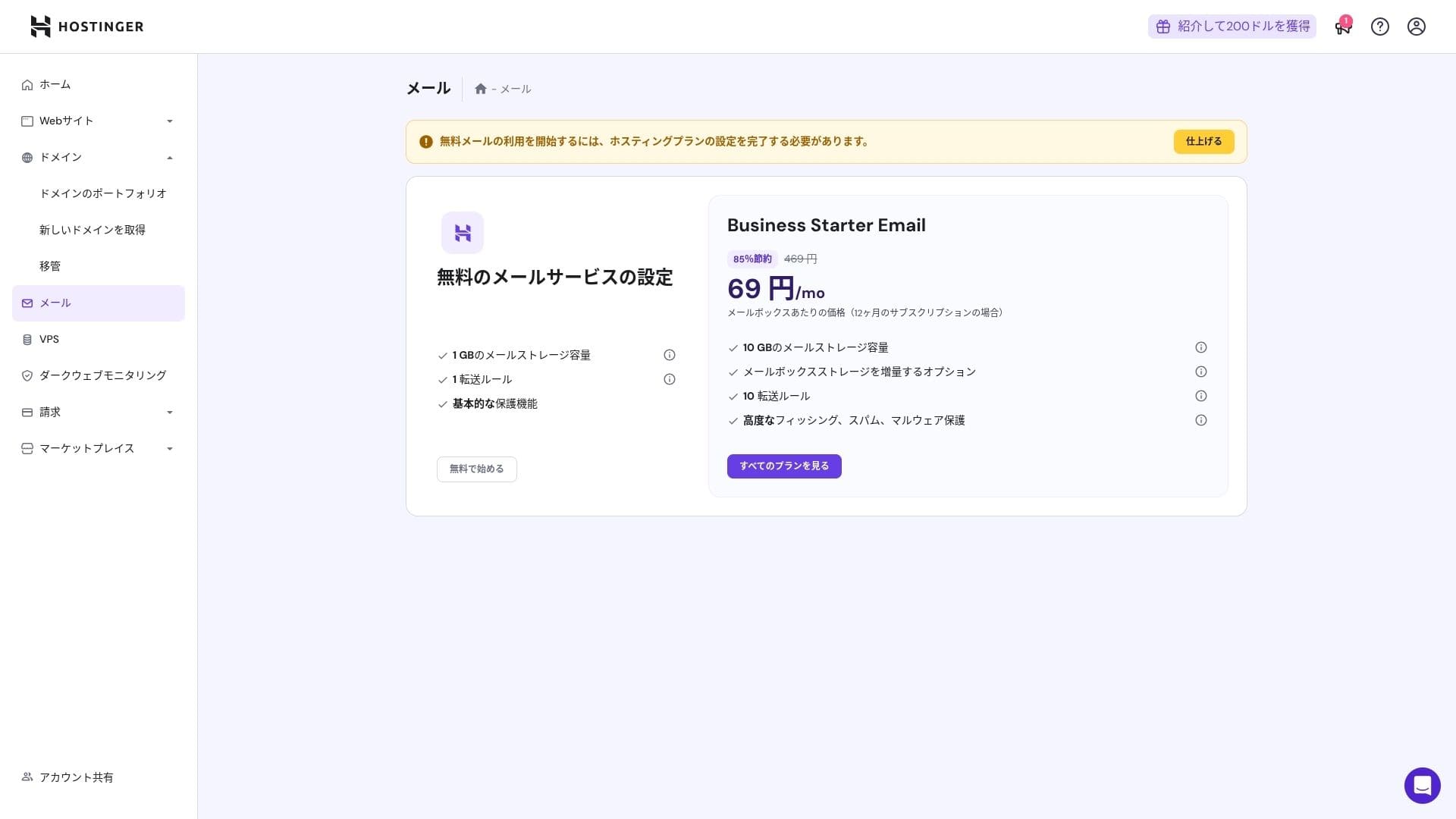
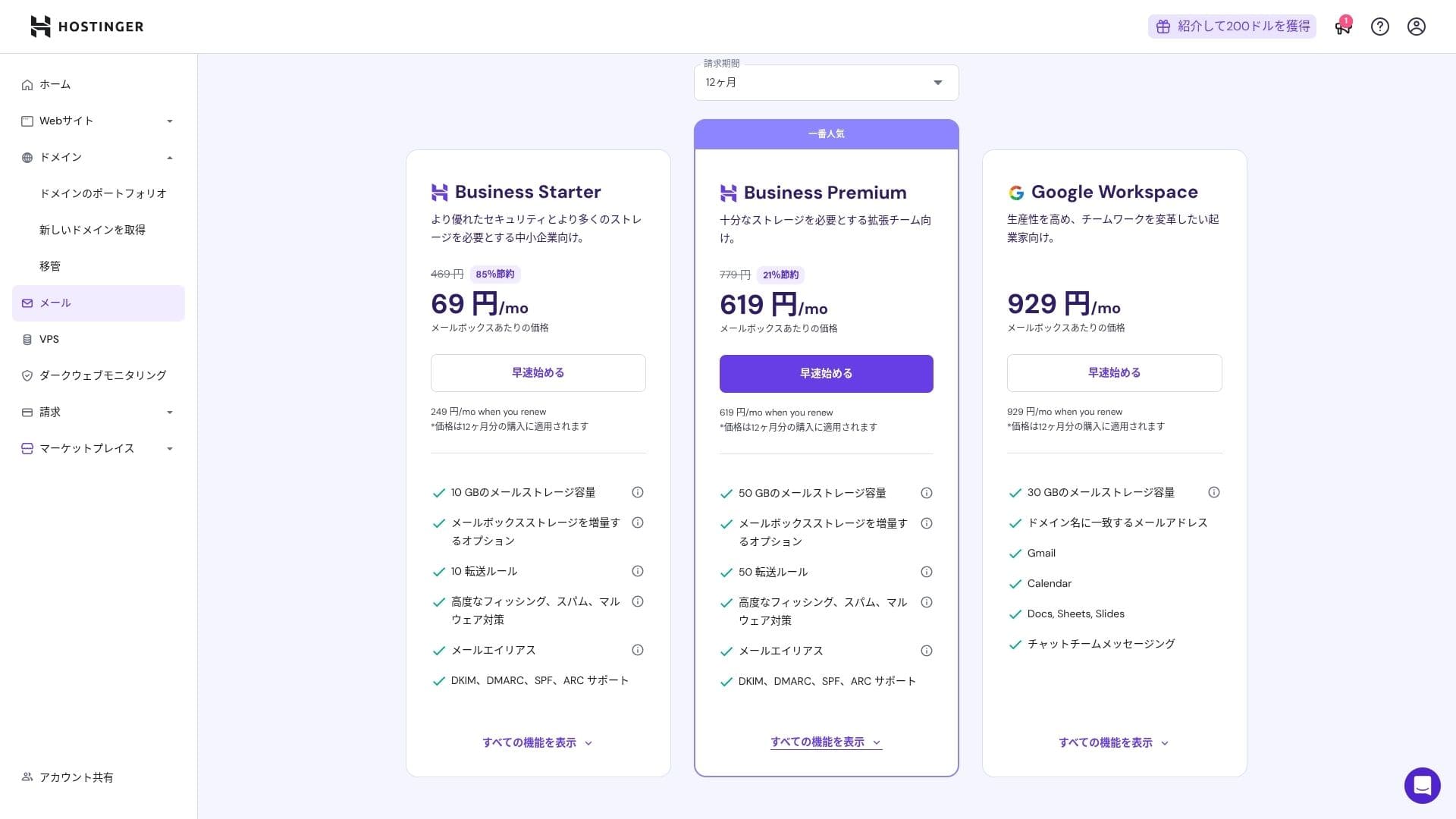
ਕਿਉਂਕਿ ਇਸ ਵਿੱਚ ਵਾਇਰਸ ਅਤੇ ਸਪੈਮ ਸੁਰੱਖਿਆ ਸ਼ਾਮਲ ਹੈ, ਇਸਨੂੰ ਕਾਰਪੋਰੇਸ਼ਨਾਂ ਅਤੇ ਕਾਰੋਬਾਰਾਂ ਵੱਲੋਂ ਵੀ ਭਰੋਸੇ ਨਾਲ ਵਰਤਿਆ ਜਾ ਸਕਦਾ ਹੈ।
ਸੁਰੱਖਿਆ and backup review
ਸੁਰੱਖਿਆ measures
ਇਹ ਮਿਆਰੀ ਤੌਰ ਤੇ WAF, DDoS ਫਿਲਟਰ, ਮਾਲਵੇਅਰ ਸਕੈਨਰ ਅਤੇ WHOIS ਪ੍ਰਾਈਵੇਸੀ ਨਾਲ ਆਉਂਦਾ ਹੈ। ਮੁਫ਼ਤ SSL ਦੇ ਨਾਲ ਮਿਲ ਕੇ, ਇਹ ਬੁਨਿਆਦੀ ਸੁਰੱਖਿਆ ਪਰਤ ਨੂੰ ਕਵਰ ਕਰਦਾ ਹੈ।
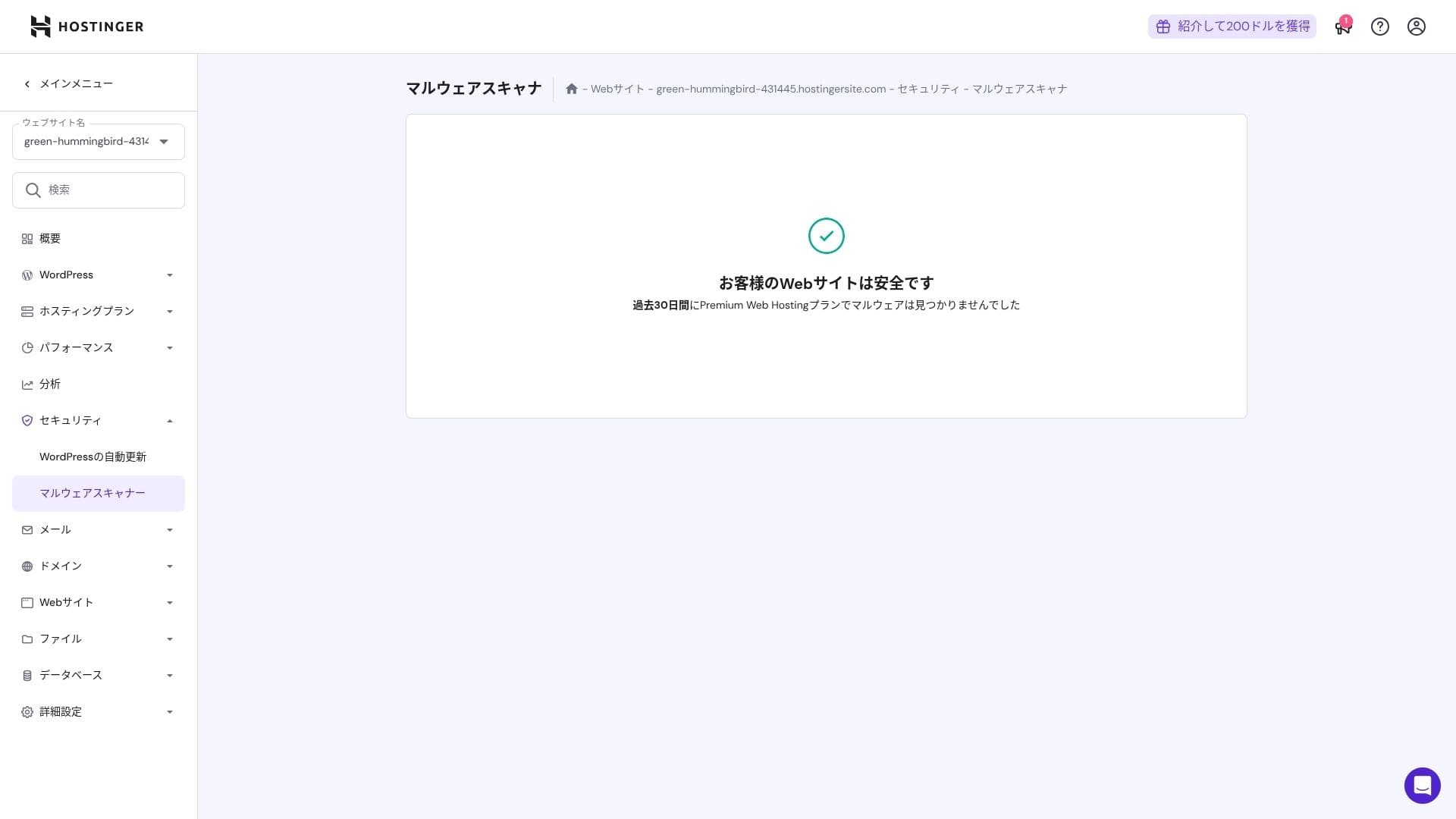
ਆਟੋਮੈਟਿਕ ਬੈਕਅੱਪ ਫੀਚਰ
Premium ਵਿੱਚ ਹਫ਼ਤਾਵਾਰੀ ਬੈਕਅੱਪ ਸ਼ਾਮਲ ਹਨ। Business ਅਤੇ ਉੱਚੇ ਪਲਾਨ ਰੋਜ਼ਾਨਾ ਬੈਕਅੱਪ ਅਤੇ ਜ਼ਰੂਰਤ ਮੁਤਾਬਕ ਰਿਕਵਰੀ ਨੂੰ ਸਮਰਥਨ ਦਿੰਦੇ ਹਨ। ਤੁਸੀਂ ਐਡਮਿਨ ਪੈਨਲ ਤੋਂ ਇੱਕ ਕਲਿੱਕ ਨਾਲ ਰੀਸਟੋਰ ਕਰ ਸਕਦੇ ਹੋ।
★ ਤੁਹਾਡੇ ਡਾਟੇ ਨੂੰ ਰੀਕਵਰ ਕਰਨ ਲਈ ਪੰਜ ਸ਼ਕਤੀਸ਼ਾਲੀ WordPress ਬੈਕਅੱਪ ਪਲੱਗਇਨ
ਸੰਖੇਪ
- NVMe + LiteSpeed + CDN ਨਾਲ ਤੇਜ਼ ਕਾਰਗੁਜ਼ਾਰੀ
- ਮੁਫ਼ਤ ਡੋਮੇਨ, SSL, migration, and AI tools keep setup costs low
- hPanel is intuitive, and 24/7 ਚੈਟ support is fast
- ਛੂਟ ਵਾਲੀ ਕੀਮਤ 48-ਮਹੀਨੇ ਦੇ ਕਰਾਰ ਤੇ ਅਧਾਰਿਤ ਹੈ। ਨਵੀਨੀਕਰਨ ਕੀਮਤ ਧਿਆਨ ਨਾਲ ਚੈੱਕ ਕਰੋ
- ਮੀਡੀਆ-ਭਾਰੀ ਜਾਂ ਉੱਚ-CPU ਲੋਡ ਵਾਲੀਆਂ ਸਾਈਟਾਂ ਲਈ Cloud ਜਾਂ ਉਸ ਤੋਂ ਉੱਪਰ ਦੀ ਸਿਫ਼ਾਰਸ਼ ਹੈ
- ਜਾਪਾਨੀ ਦਸਤਾਵੇਜ਼ਾਂ ਵਿੱਚ ਹਾਲੇ ਵੀ ਕੁਝ ਮਸ਼ੀਨੀ ਅਨੁਵਾਦ ਵਾਲੇ ਹਿੱਸੇ ਹਨ ਜੋ ਪੜ੍ਹਨ ਵਿੱਚ ਔਖੇ ਹਨ
ਕੁੱਲ ਮਿਲਾ ਕੇ, ਮੈਂ ਇਸਨੂੰ ਬਲੌਗਰਾਂ, ਛੋਟੇ ਅਤੇ ਦਰਮਿਆਨੇ ਕਾਰੋਬਾਰਾਂ, ਅਤੇ ਪ੍ਰੋਡਕਸ਼ਨ ਕੰਪਨੀਆਂ ਲਈ ਸਭ ਤੋਂ ਵਧੀਆ ਮੰਨਦਾ ਹਾਂ ਜੋ ਲਾਗਤ ਨੂੰ ਨਿਯੰਤਰਣ ਵਿੱਚ ਰੱਖਦੇ ਹੋਏ ਮਜ਼ਬੂਤ ਗਤੀ ਅਤੇ ਵਿਸ਼ੇਸ਼ਤਾਵਾਂ ਚਾਹੁੰਦੀਆਂ ਹਨ। ਜੇ ਤੁਸੀਂ ਨਵੀਨੀਕਰਨ ਕੀਮਤ ਨੂੰ ਧਿਆਨ ਵਿੱਚ ਰੱਖਦਿਆਂ Premium ਤੋਂ Business ਤੋਂ Cloud ਤੱਕ ਧੀਰੇ-ਧੀਰੇ ਅੱਪਗ੍ਰੇਡ ਕਰਨ ਦੀ ਯੋਜਨਾ ਬਣਾਉਂਦੇ ਹੋ, ਤਾਂ ਇਹ ਐਸੀ ਸੇਵਾ ਹੈ ਜਿਸਦਾ ਤੁਹਾਨੂੰ ਲੰਬੇ ਸਮੇਂ ਵਿੱਚ ਪਛਤਾਵਾ ਨਹੀਂ ਹੋਵੇਗਾ.