For tiden stengt for nye søknader, bortsett fra migreringer
PR
Servers
Shin Free Server-anmeldelse og ulemper [2025 nyeste]: Start WordPress med en gratis server
Publisert: 2025.04.18
Oppdatert: 2025.04.18
Vurdering: 3.0
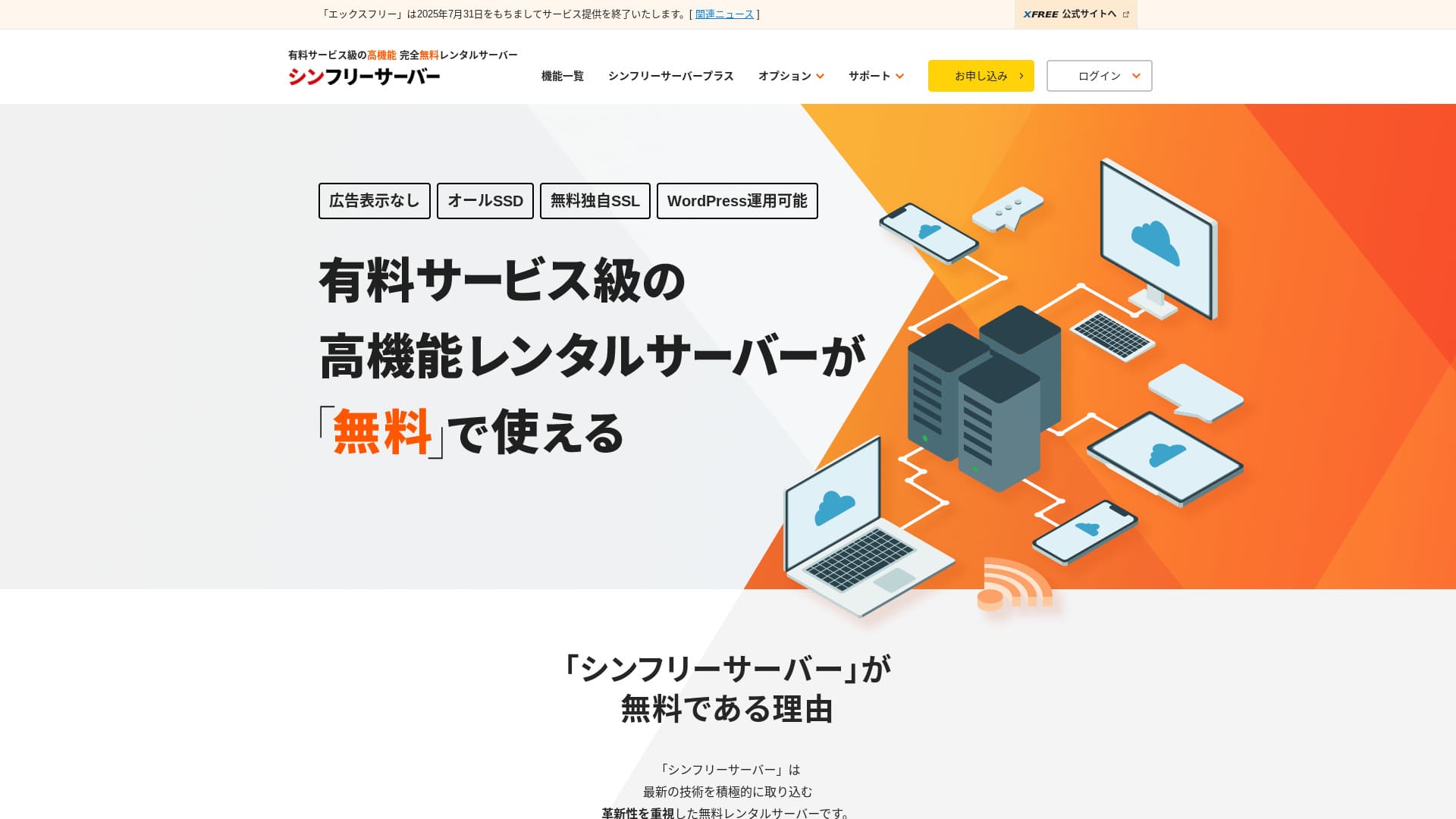
Shin Free Server er en gratis server fra ShinCloud Co., Ltd. I motsetning til mange gratisservere viser den ikke annonser.

Shin Free Server anbefales for folk som leter etter en gratis server fordi:
- Ingen annonser selv om det er en gratis server
- Du kan opprette fem WordPress-nettsteder
- En sikker WAF er tilgjengelig
Derfor. Du vil sannsynligvis bli fornøyd.
En konkurrerende server er Star Rental Server. Den tilbyr sterkere planer etter at du skalerer opp enn Shin Free Server. Vurder det også.
| Servertype | Delt server |
| Visningshastighet (TTFB) | Ikke målt |
| Anbefalt plan og avtaleperiode | — |
| Prøveperiode / pengene-tilbake-garanti | — |
| Månedspris (12-måneders avtale) | Gratis |
| Oppstartsgebyr | Gratis |
| Gratis domene | Ingen |
| Support | Ingen |
| Oppetid | Ikke oppgitt |
| Lagring | 10GB |
| Antall databaser | 5 |
| Sikkerhetstiltak | WAF |
| SSL | Gratis egendefinert SSL |
| Sikkerhetskopiering / gjenoppretting | 14 dagers automatisk sikkerhetskopiering gratis, gratis gjenoppretting |
| Antall e-postkontoer | Ingen |
| Sikkerhetstiltak for e-post | Ingen |
| Forhåndsinstallasjon av WordPress | Ingen |
| Server- / nettstedmigreringstjeneste | Ingen |
| CDN | Ingen |

Hikaru Ono
Shin Free Server kan for øyeblikket bare brukes ved migrering fra en annen server.
Hvis du leter etter en gratis server, Star Rental Server anbefales.
Shin Free Server sammenlignet med andre servere
- Totalvurdering★★★☆☆
- ServerhastighetIkke målt
- Prisnivå★★★★★
- Stabilitet★★★☆☆
- Enkel oppstart av WordPress★★★★☆
- Operasjoner som domenebehandling og SSL-oppsett★★★☆☆

Slik velger du blant 21 anbefalte WordPress-hostingtjenester for privatpersoner
Slik velger du blant 21 anbefalte WordPress-hostingtjenester for privatpersoner
serverfield.org
- 4. november 2025 markedsundersøkelsesdata,sortert etter hastighet sorted
- Månedspriser er førsteårskostnaden for den billigste planen som kan kjøre WordPress
- Hastighet er Time to First Byte målt på demosider under samme forhold
“Shin Free Server” er en gratis utleieserver fra ShinCloud Co., Ltd. Selv om den er gratis, viser den ikke operatørens annonser. Den er ikke på nivå med betalte servere når det gjelder funksjoner eller support, men den er fortsatt behagelig å bruke.
Brukeranmeldelser av Shin Free Server og fire nøkkelfunksjoner

Ingen annonser
Selv om annonser er vanlig på gratis servere, viser ikke Shin Free Server dem.
Det betyr at annonser ikke ødelegger inntrykket av et bedriftsnettsted, og de reduserer heller ikke dine egne annonseinntekter.
Du kan opprette fem WordPress-nettsteder
Shin Free Server kan opprette opptil fem databaser, så du kan opprette fem WordPress-nettsteder.
Merk: Hva er en database? Hvorfor WordPress er avhengig av den for administrasjon og drift
I tillegg til et bedriftsnettsted kan du opprette en blogg eller nettsteder innen flere sjangre.
Gratis SSL er tilgjengelig
Shin Free Server støtter gratis SSL.SSL er nå et standard sikkerhetstiltak. Hvis det ikke er konfigurert, kan folk oppfatte nettstedet ditt som mistenkelig, så det er uunnværlig når du bygger et nettsted.
Merk: Hva er SSL og TLS? Hvordan de beskytter informasjon gjennom kryptering og hvilke fordeler de gir
En sikker WAF er tilgjengelig
Shin Free Server kan bruke en WAF. Dette er avansert sikkerhet.Den er så avansert at enkelte betalte servere bare tilbyr den som et betalt tillegg.
Dette tilbys også gratis.
Selvfølgelig kan du sette opp en WAF ved å installere sikkerhetsplugins for WordPress, også på servere som ikke tilbyr WAF. Likevel er prosessen tungvint, og det føles tryggere når serveren håndterer det for deg.
Merk: Hva er WordPress-plugins? Typer og viktige forholdsregler
Ulempene med Shin Free Server, ærlig talt

Shin Free Server har mange fordeler, men dessverre også ulemper.
Ingen support
Først og fremst tilbyr Shin Free Server ingen support.Uansett hvor vanskelig problemet er, må du løse det selv.
XREA, en annen gratis server, har chat-support. Sammenlignet med det er dette skuffende.
Ingen sikkerhetskopifunksjon
Det finnes heller ingen sikkerhetskopifunksjon.Du må bygge ditt eget sikkerhetskopisystem, for eksempel ved å bruke WordPress-plugins.
Hvis du hopper over sikkerhetskopier fordi de er plagsomme, og deretter sletter data ved en feil eller får data manipulert, vil all innsatsen du har lagt ned så langt være bortkastet.
Hvis du likevel velger Shin Free Server, må du sørge for å installere en WordPress-plugin for sikkerhetskopiering.
Merk: 5 kraftige WordPress-plugins for sikkerhetskopiering som hjelper deg med å gjenopprette data
Oppetid ikke oppgitt
Shin Free Server oppgir ikke oppetiden sin.Det betyr at serverens stabilitet er ukjent, og brukerne kan ikke få et presist bilde av den.
Serverstabilitet påvirker direkte om nettstedet ditt forblir pålitelig tilgjengelig. Hvis gjentatte problemer gjør nettstedet utilgjengelig igjen og igjen, mister det hensikten. For et bedriftsnettsted kan det skade omdømmet ditt og til og med føre til tapte møter eller forretningsmuligheter.
Merk: En nybegynnerguide til å forstå oppetid for hosting og SLA-er
Sammenligning av Shin Free Server med to lignende servere
Vi sammenlignet innenlandske gratisservere som ligner på Shin Free Server. Hver av dem har sine styrker, så sammenlign dem nøye.
XREA
XREA er en gratis server som inkluderer 15 generasjoner med automatisk sikkerhetskopiering.Den tilbyr også chat-support. Selv om du ikke har erfaring med WordPress eller nettsteder, kan du starte nettstedsdrift med trygghet.
Den mangler imidlertid kostbare sikkerhetstiltak som WAF, og den viser annonser.
Sammenlignet med Shin Free Server er det vanskelig å si at den ene er klart bedre enn den andre.

XREA-anmeldelse [2025 nyeste]: Fordeler og ulemper ved å bruke WordPress på gratisplanen, pluss sammenligninger med andre gratisservere
XREA-anmeldelse [2025 nyeste]: Fordeler og ulemper ved å bruke WordPress på gratisplanen, pluss sammenligninger med andre gratisservere
serverfield.org
Star Server Free
Star Server Free er også en velkjent gratis server i Japan.Shin Free Server tilbyr mer lagring enn Star Server Free, og gir derfor bedre verdi.
| Sammenligningspunkt | Shin Free Server | Star Server Free |
|---|---|---|
| Hovedfunksjon | Gratis | Gratis |
| Prøveperiode / pengene-tilbake-garanti | Ingen | Ingen |
| Oppetid | Ikke oppgitt | Ikke oppgitt |
| Lagring | 10GB | 2GB |
| Serverkostnad første år | 0 yen | 0 yen |

Star Rental Server-anmeldelse [lansert 19. desember 2024]: Fordeler og ulemper ved en server med høy verdi som du kan bruke fra gratisplaner
Star Rental Server-anmeldelse [lansert 19. desember 2024]: Fordeler og ulemper ved en server med høy verdi som du kan bruke fra gratisplaner
serverfield.org
Start et nettsted med Shin Free Server i 7 trinn
Per desember 2024 tar Shin Free Server ikke imot søknader, bortsett fra servermigreringer.
La oss starte et nettsted med Shin Free Server!
- STEP.1Besøk det offisielle nettstedet
Rull ned på startsiden og klikk “Opprett en gratis serverkonto” omtrent midt på siden.
- STEP.2Registrer en Shin Account
Klikk “Start nå! Ny registrering,” og skriv deretter inn medlemsinformasjon som navn og adresse. Hvis alt er riktig, krysser du av for at du godtar vilkårene for bruk og håndteringen av personopplysninger. Klikk deretter “Neste.”
Etter at du har fullført e-postverifisering og kontrollert søknadsdetaljene, klikker du “Registrer med disse opplysningene og gå videre til serversøknad.”
Kontroller server-ID-en, kryss av for vilkårene for bruk og håndteringen av personopplysninger, og klikk deretter “Kontroller søknadsdetaljer.”
Gå gjennom søknadsdetaljene på nytt og klikk “Søk” for å registrere Shin Account. Du får en bekreftelses-e-post.
Når du har valgt domenet, krysser du av for “Installer WordPress samtidig.”
Klikk “Neste.”
- STEP.3Skaff et domene med Shin Domain
Logg inn på Shin Account og klikk “Skaff et domene.”
Skaff domenet du ønsker. Jeg anbefaler kjente domener som “.com” og “.net.” Fornyelsesavgiftene deres er også rimelige, på under 2000 yen.
Merk: Hva er et domene? Rollen som adresse på internett og hvordan du skaffer ett
Skriv inn domenet du ønsker i “Skriv inn domenenavnet du vil skaffe,” søk etter det, kryss av for domenet du vil ha, og klikk “Gå videre til anskaffelse.”
Velg betalingsinformasjon og klikk “Kontroller søknadsdetaljer.” Skriv deretter inn kredittkortinformasjon og lignende.
Gå gjennom søknadsdetaljene, godta Shin Domain-vilkårene for bruk og håndteringen av personopplysninger, og klikk “Søk.” Du får en e-post med søknadsdetaljene. Når den kommer, er du ferdig.
- STEP.4Registrer domenet
Logg inn på serverpanelet for Shin Cloud for Free.
Velg “Domeneinnstillinger,” klikk “Legg til domene,” skriv inn domenet du skaffet, og klikk “Legg til.”
- STEP.5Installer WordPress
I serverpanelet for Shin Cloud for Free går du til “WordPress” > “Enkel WordPress-installasjon” og klikker “Ny installasjon.”
Konfigurer WordPress.
- Måldomene:Domenet du registrerte tidligere
- Nettsteds-URL:Samme som måldomenet
- Bloggnavn:Hva som helst er greit. Du kan enkelt endre det senere
- Brukernavn:Hva som helst er greit, men det er tungvint å endre senere
- Passord:Hva som helst er greit, men gjør det så komplekst som mulig
- E-postadresse:E-postadressen du bruker til daglig
- Automatisk sletting av hurtigbuffer:ON anbefales
- Database:Sett den til å genereres automatisk
- Tema:Cocoon anbefales. Dette nettstedet bruker også Cocoon.
- Temaalternativ:Merk av for “Installer undertema”
Når du har fylt ut alt, klikker du “Installer.”
Brukernavnet og passordet brukes når du logger inn på WordPress. Sørg for å skrive dem ned.
Når installasjonen er fullført, klikker du “Logg inn.”
- STEP.6SSL-innstillinger
Åpne “SSL-innstillinger” fra “Domene” i serverpanelet.
Åpne domenet du konfigurerte for WordPress, og sett glidebryteren for SSL-innstillingsstatus til “ON.” Det gjenspeiles etter omtrent en time.
- STEP.7Installer plugins
Gå tilbake til WordPress-administrasjonen, åpne “Plugins,” og gå deretter til “Legg til ny” for å installere pluginene du trenger.
Søk etter pluginene du vil ha, klikk “Installer nå,” og deretter “Aktiver.” Følg deretter instruksjonene for hver plugin.
Sørg for å installere sikkerhets- og sikkerhetskopieringsplugins.
- Slik velger du 5 WordPress-plugins som styrker sikkerheten
- 5 kraftige WordPress-plugins for sikkerhetskopiering som hjelper deg med å gjenopprette data
Når du har installert pluginene, er oppsettet av WordPress-nettstedet ditt fullført.
Oppsummering
“Shin Free Server” er en gratis utleieserver fra ShinCloud Co., Ltd. Selv om den er gratis, viser den ikke operatørens annonser. Den er ikke på nivå med betalte servere når det gjelder funksjoner eller support, men den er fortsatt behagelig å bruke.
For tiden stengt for nye søknader, bortsett fra migreringer
Shin Free Server er en gratis server uten annonser. Den er praktisk å bruke. Den kan brukes på mange måter, fra bedriftsnettsteder til hobbyblogger.Men fordi det ikke finnes support, bør du lese manualen nøye og løse problemer selv når du støter på trøbbel.
Full sammenligning av 32 WordPress-hostingtjenester: anbefalinger for privatpersoner, bedrifter og bruk i utlandet

Når du vil starte WordPress og søker etter “anbefalt WordPress-hosting,” dukker det opp alle slags artikler, fra personlige og bedrifts- eller småbedriftsalternativer til utenlandske servere og billige servere. Ærlig talt,
- hvilken side bør jeg lese?
- Jeg vil velge en server på en enkel og lettforståelig måte!
- Fortell meg hvordan jeg starter WordPress med en gang.
Føler du det slik noen ganger? Derforvelger denne artikkelen nøye ut anbefalinger fra 32 hostingtjenester for privatpersoner, bedrifter og innenlands og utenlands brukog presenterer dem. Forklaringen er skrevet av SEO-ansvarlig i et apputviklingsselskap som bruker utleieservere hver dag.