
Diskaun sehingga 55% untuk pembelian pertama, ditambah diskaun tambahan 25% dan jaminan wang dikembalikan 30 hari
PR
Server
Ulasan mixhost [Terkini 2025]: Panduan menyeluruh untuk hosting pantas dengan capaian global dan keselamatan kukuh
Diterbitkan: 2025.07.13
Dikemas kini: 2025.07.13
Penarafan: 4.0
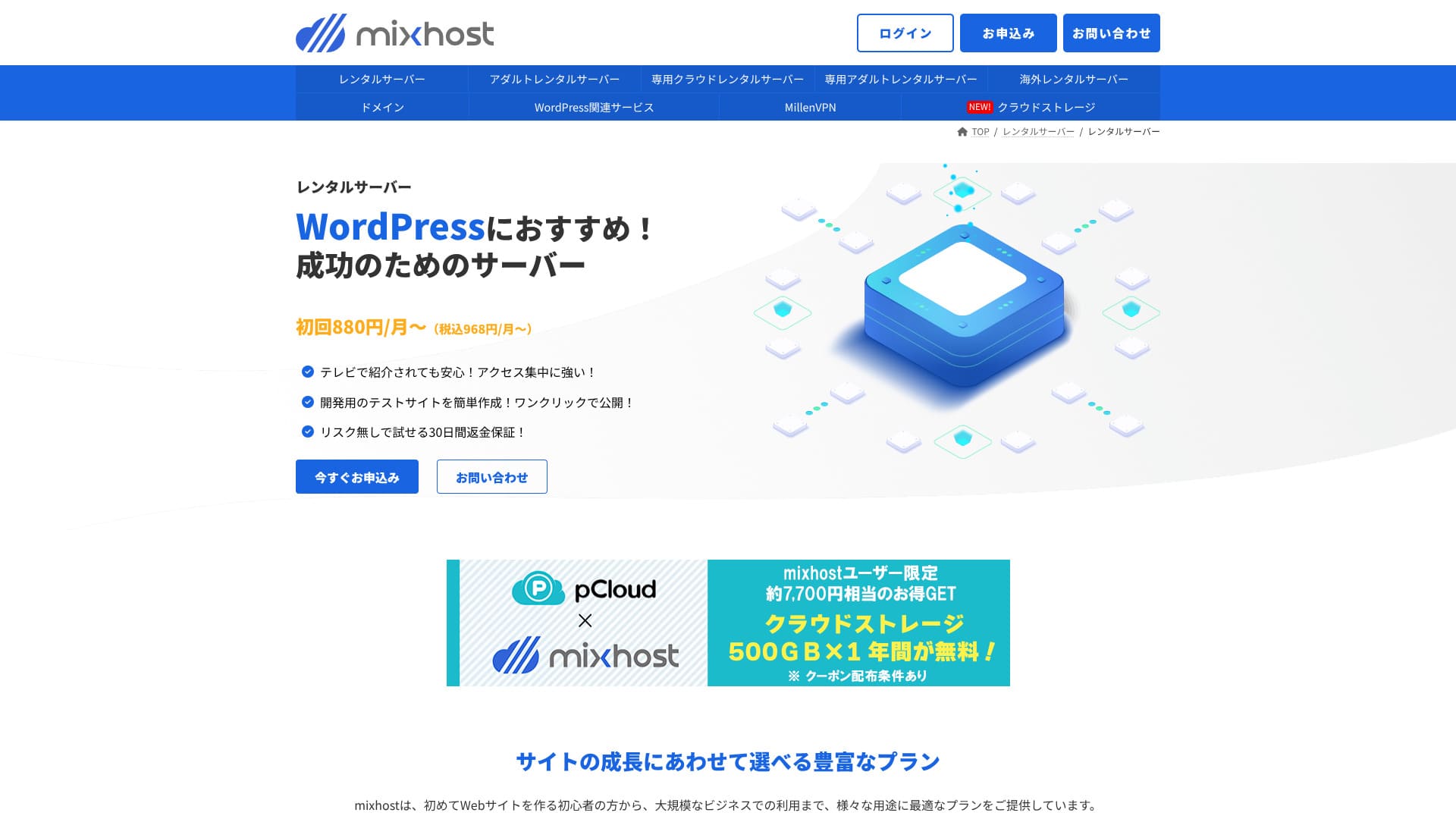
mixhost dikendalikan oleh AzPocket Inc. Ia ialah perkhidmatan hosting kos rendah dengan sistem sokongan yang mantap. Ia juga kuat dalam bidang seperti pelayan luar negara, VPN, dan storan awan, dan ia menawarkan pelbagai perkhidmatan berkaitan pelayan.

Inilah sebabnya saya mengesyorkan mixhost kepada pengguna WordPress sedia ada dan kepada mereka yang mahu membina laman untuk audiens luar negara.
- infrastruktur sandarannya sangat stabil
- ia menawarkan pelbagai pilihan sokongan
- ia juga mengendalikan pelayan luar negara
Itulah sebabnya saya mengesyorkannya. Saya fikir kebanyakan pengguna akan berpuas hati, dan anda boleh mencubanya dengan yakin kerana ia disertakan dengan jaminan wang dikembalikan 30 hari.
Satu pelayan pesaing ialah ColorfulBox. Pelannya lebih fleksibel dan boleh dimulakan mengikut jam, jadi dalam beberapa kes ia lebih menarik daripada
★ Ulasan ColorfulBox [Terkini 2025]: Mulakan WordPress pada pelayan dengan nilai cemerlang
| Jenis pelayan | Hosting kongsi |
| Kelajuan (TTFB) | 150 ms |
| Pelan dan tempoh yang disyorkan | RK1 / 12 bulan |
| Percubaan percuma / jaminan wang dikembalikan | Percubaan percuma 30 hari |
| Harga bulanan (pelan 12 bulan) | 594 yen |
| Yuran persediaan awal | Percuma |
| Domain percuma | 1 domain percuma untuk tahun pertama |
| Sokongan | |
| Masa operasi | Tidak didedahkan |
| Storan | 100 GB |
| Bilangan pangkalan data | Unlimited |
| Langkah keselamatan | WAF / DDoS protection / malware detection and cleanup |
| SSL | SSL tersuai percuma |
| Sandaran / pemulihan | Pelan Standard dan ke atas menyertakan sandaran automatik selama 14 hari |
| Bilangan akaun e-mel | Unlimited |
| Keselamatan e-mel | — |
| WordPress preinstall | Yes |
| Perkhidmatan pemindahan pelayan / laman web | 10,890 yen |
| CDN | None |
| Pusat data | San Jose, Pantai Barat, Amerika Syarikat |

Hikaru Ono
mixhost memudahkan saya memulakan WordPress sebaik sahaja saya mendaftar untuk pelayan. Ia juga menawarkan pelbagai pilihan berkaitan prestasi dan keselamatan, jadi ia sesuai untuk orang yang mahu mengendalikan laman dengan mengambil kira pertumbuhan masa depan.
Jika anda sedang memikirkan untuk menjual laman web, pastikan anda menggunakan
perbandingan pesaing mixhost
- Overall rating★★★★☆
- Kelajuan pelayan ★★★★☆
- Pricing ★★★★☆
- Stability ★★★★★
- Kemudahan mula menggunakan WordPress* ★★★★★
- Operasi seperti pengurusan domain dan tetapan SSL* ★★★☆☆
* Penarafan ini mencerminkan pengalaman langsung saya.

Cara membandingkan 10 perkhidmatan hosting luar negara yang disyorkan dan memilih satu
Cara membandingkan 10 perkhidmatan hosting luar negara yang disyorkan dan memilih satu
serverfield.org
- Data berdasarkan kajian pasaran setakat November 4, 2025, disusun mengikut urutan kelajuan
- Harga bulanan ialah kos tahun pertama bagi pelan termurah yang menyokong WordPress
- Kelajuan ialah Time to First Byte yang diukur pada laman demo dalam keadaan yang sama
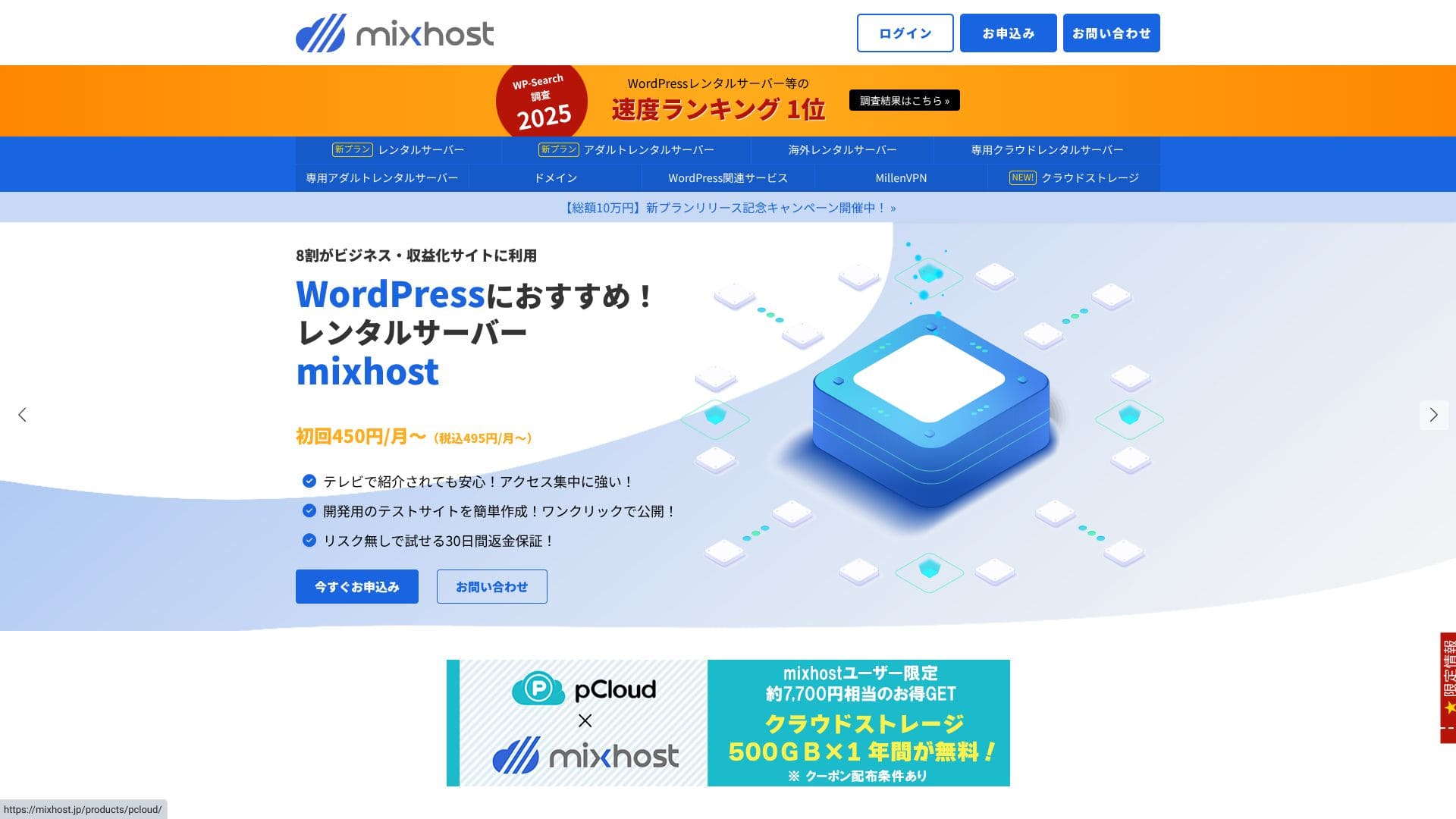
“mixhost” ialah pelayan berkelajuan tinggi berasaskan awan daripada AzPocket Inc. Ia juga menawarkan pelayan yang dipasang di luar negara, jadi ia sangat menarik untuk individu yang menerbitkan kandungan secara antarabangsa. WordPress telah diprapasang apabila anda mendaftar, menjadikannya mudah untuk bermula.
Ulasan berkaitan WordPress
Pemasangan WordPress yang mudah
mixhost menawarkan "WordPress Quick Start," aliran persediaan yang sangat pantas yang boleh menyiapkan laman dalam masa seawal 90 saat selepas pendaftaran anda selesai. Ia mengurus kontrak pelayan, pemasangan WordPress, dan persediaan SSL sekaligus. Ia menghapuskan bahagian yang biasanya membuat pemula tersangkut dan membolehkan anda mula menulis artikel dengan segera.
Anda tidak perlu mencipta pangkalan data secara manual atau mengedit fail konfigurasi, dan maklumat log masuk untuk log masuk pertama ke skrin pentadbir anda dikeluarkan secara automatik.
Hikaru Ono
Rakko Server
Mari lancarkan laman web dengan mixhost!
- STEP.1Lawati laman rasmi mixhost
Klik "Mohon Sekarang."
- STEP.2Daftar untuk pelayan dan dapatkan domain
Pilih pelan. Saya mengesyorkan pelan Light. Anda boleh menaik taraf kepada pelan yang lebih tinggi bila-bila masa anda memerlukannya.
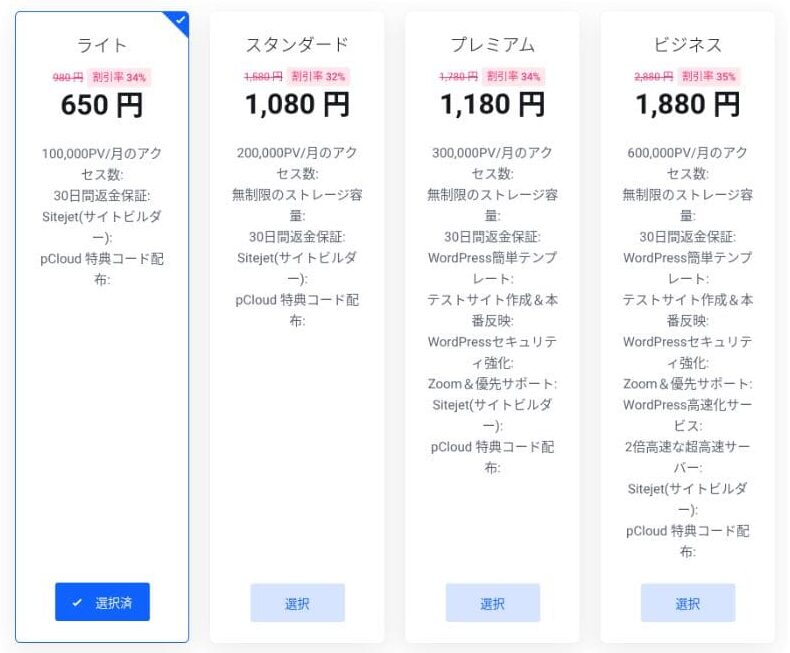
Saya mengesyorkan tempoh bil 12 bulan.
Ini ialah langkah persediaan domain utama. Tentukan nama domain anda, masukkan sebarang rentetan yang anda suka ke dalam "Masukkan domain yang anda mahu," cari domain tersebut, dan jika ia tersedia, klik "Tambah ke troli."
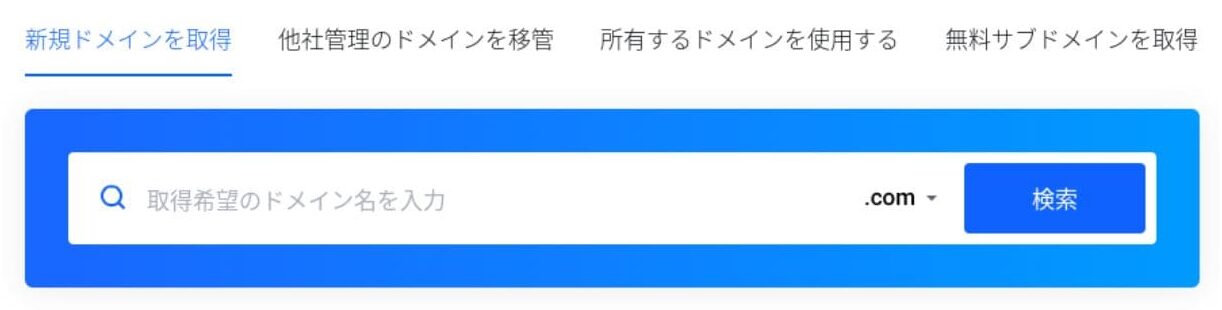
mixhostjuga membolehkan anda memasang WordPress pada subdomain. Anda boleh memilih "Dapatkan subdomain percuma" jika anda mahu menggunakan subdomain sebaliknya.
★ Apakah itu domain? Peranannya sebagai alamat di internet dan cara mendapatkannya
Terdapat juga perkhidmatan privasi Whois sebagai tambahan domain. Jika anda tidak mahu nama, alamat, dan butiran pendaftar lain anda didedahkan kepada umum, klik "Tambah ke troli."
Untuk "WordPress Quick Start," pastikan anda memilih "Gunakannya."Menggunakannya menjadikan permulaan laman WordPress jauh lebih mudah. Jika anda mahu membina laman dengan lebih mudah lagi, pilih "Easy WordPress Template." Tema WordPress juga akan dipasang.
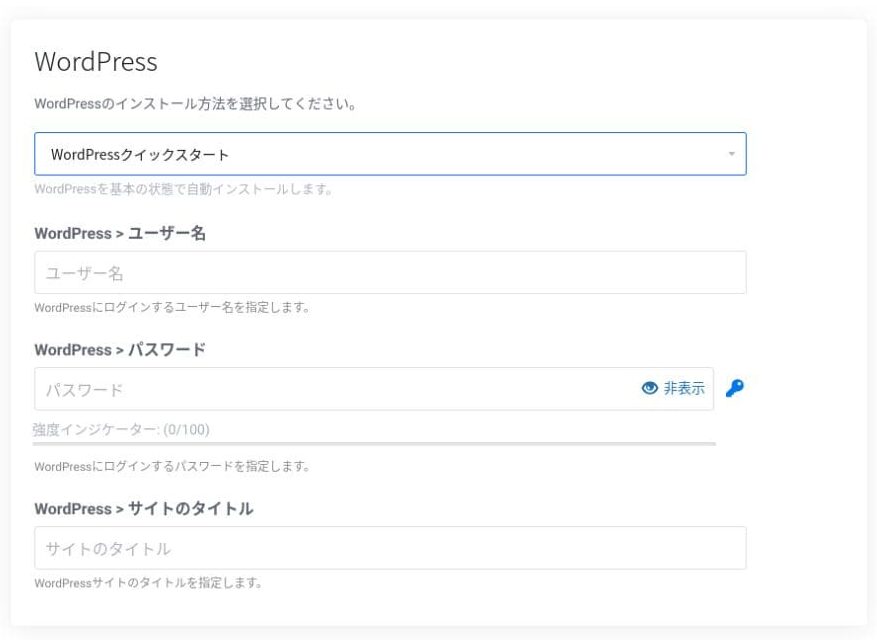
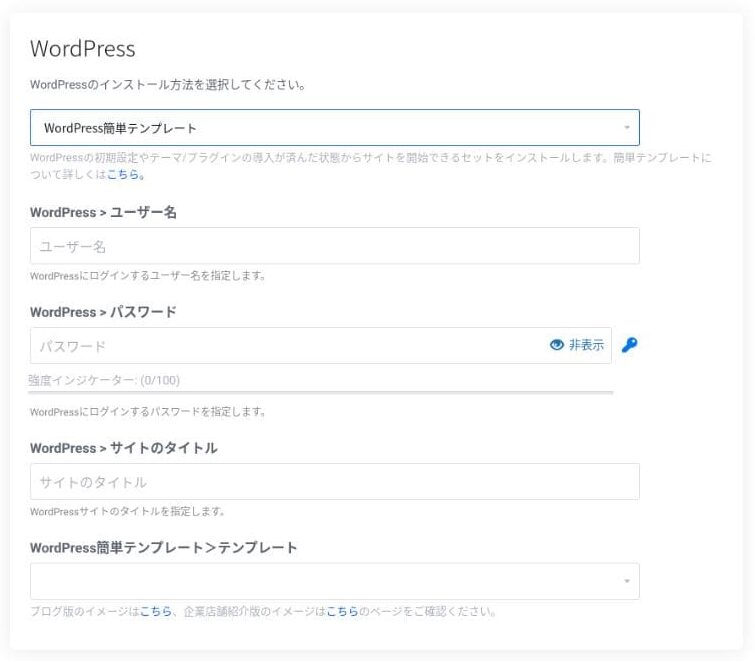
Masukkan maklumat yang diperlukan untuk WordPress.
- Tajuk laman: apa-apa sahaja boleh
- Nama pengguna: apa-apa sahaja boleh
- Kata laluan: jadikannya sekuat mungkin
Anda boleh menukar nama laman kemudian, jadi jika anda belum membuat keputusan, masukkan sesuatu yang sementara.
Nama pengguna WordPress dan kata laluan WordPress anda adalah penting.Catatkannya. Anda akan memerlukannya untuk log masuk ke laman WordPress yang anda cipta.
Masukkan maklumat ahli dan kaedah pembayaran anda.
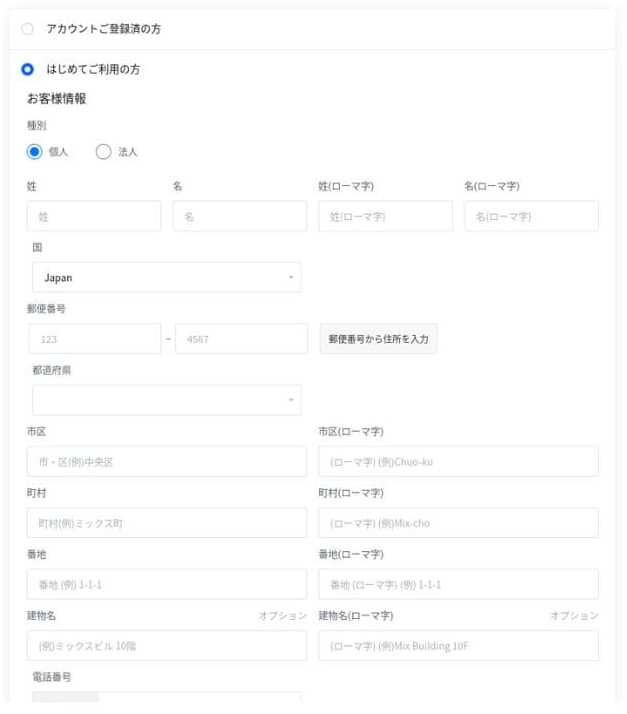
Jika semuanya kelihatan betul, semak terma perkhidmatan dan klik "Mohon."
Pemasangan WordPress bermula pada masa yang sama dengan permohonan anda. Setelah pemasangan selesai, anda akan menerima e-mel pemberitahuan.
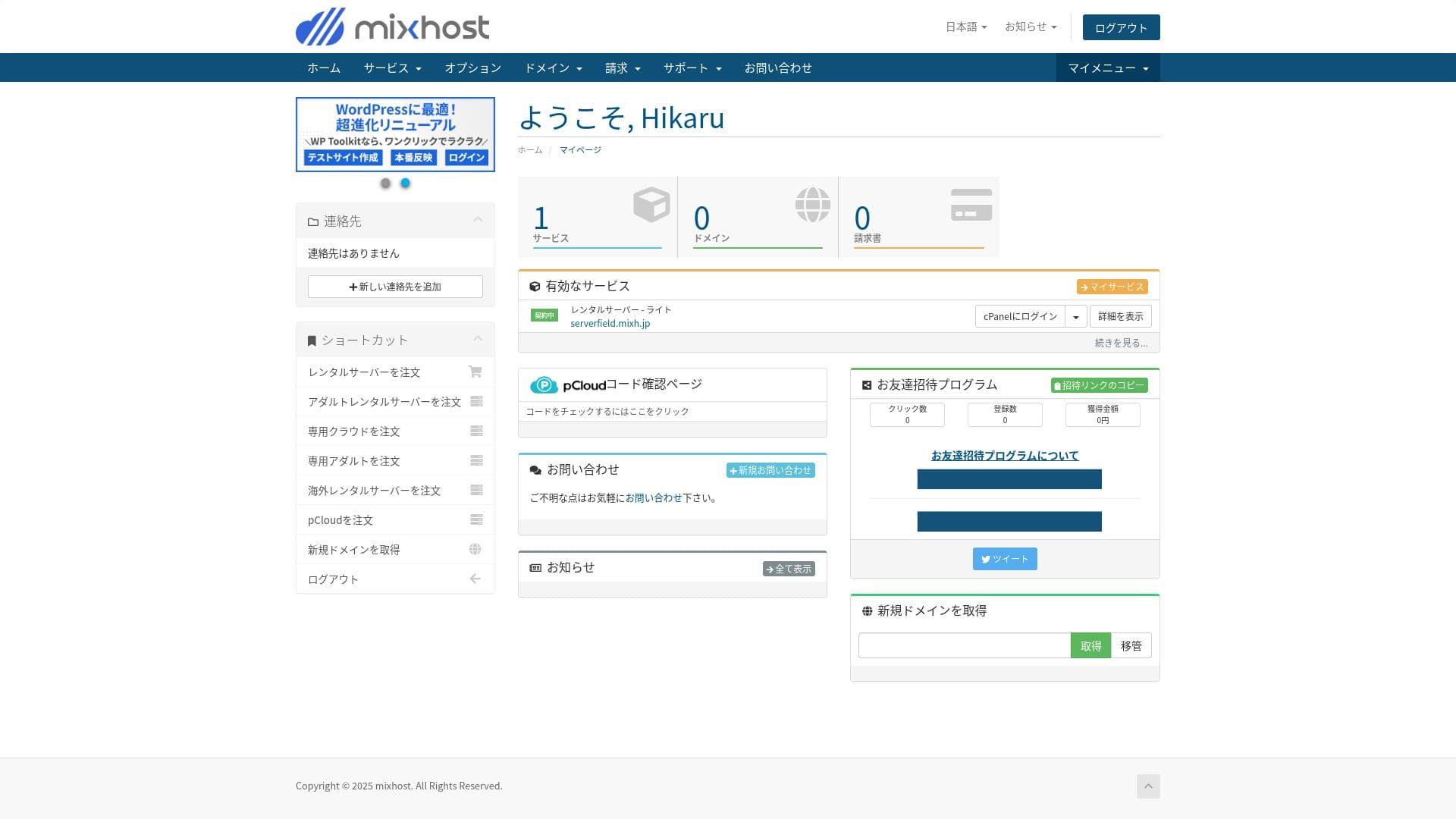
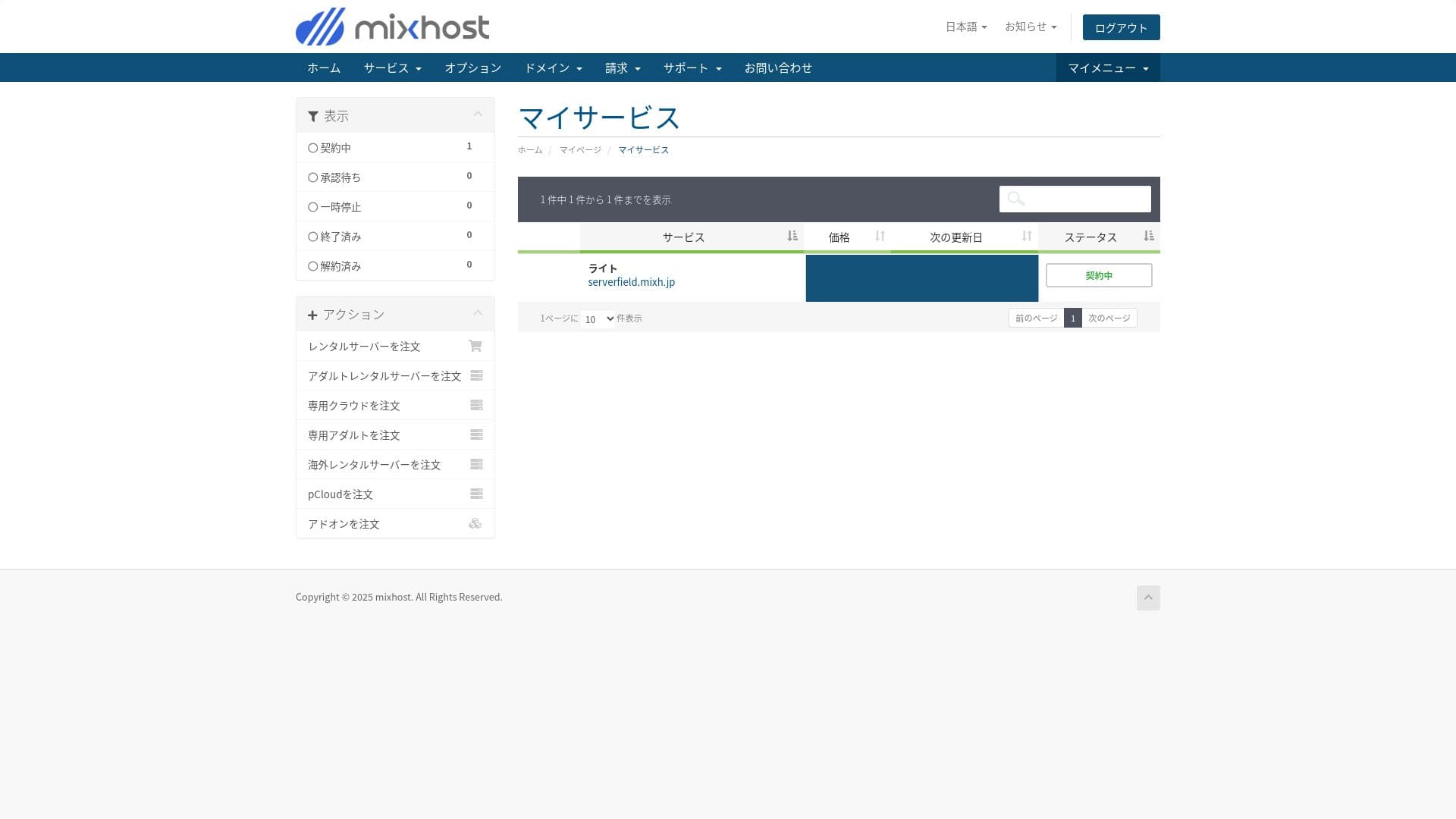
Apabila anda log masuk ke papan pemuka akaun anda, anda akan melihat skrin berikut.
- STEP.3Tetapan awal WordPress
Selepas pendaftaran selesai, akses "https://your-acquired-domain/wp-admin/". Ini akan membawa anda ke skrin pentadbir WordPress.
Log masuk ke WordPress menggunakan nama pengguna dan kata laluan yang anda tetapkan semasa pendaftaran pelayan. Jika anda melihat mesej yang mengatakan "Your connection is not private," tunggu sebentar. DNS belum selesai disebarkan lagi, jadi cuba semula setiap beberapa jam.
★ Apakah DNS dan pelayan nama? Cara domain dan pelayan disambungkan
Selepas log masuk ke WordPress, tetapkan pautan kekal anda. Pergi ke "Tetapan" kemudian "Pautan Kekal" dalam skrin pentadbir WordPress. Pilih "Nama hantaran" kemudian klik "Simpan Perubahan."
Menggunakan "Nama hantaran" membolehkan anda memasukkan sebarang rentetan yang anda mahu dalam URL apabila anda menerbitkan artikel. Saya mengesyorkan menggunakan rentetan pendek yang memberi pembaca gambaran jelas tentang kandungan artikel. Jika terlalu panjang, sesetengah pembaca mungkin bimbang laman itu kelihatan tidak boleh dipercayai.
- STEP.4Pasang pemalam
Kembali ke skrin pentadbir WordPress, buka "Pemalam," kemudian "Tambah Baharu," dan pasang pemalam yang anda perlukan.
Apabila anda menemui pemalam yang anda mahu melalui carian, klik "Pasang Sekarang" dan kemudian "Aktifkan." Selepas itu, ikut arahan untuk setiap pemalam.
Pastikan anda memasang pemalam untuk keselamatan dan sandaran.
- Lima pemalam keselamatan WordPress yang boleh mengukuhkan laman anda dan cara memilihnya
- Lima pemalam sandaran WordPress yang berkuasa untuk memulihkan data anda
Setelah pemalam tersedia, laman WordPress anda sedia digunakan!
Menjalankan berbilang laman
Pada pelan Standard dan ke atas, storan, pangkalan data, dan akaun e-mel adalah tanpa had. Daripada “WordPress Manager” dalam cPanel, anda boleh mengurus berbilang laman di satu tempat dan log masuk ke setiap skrin pentadbir dengan satu klik.
Hikaru Ono
Malah pelan Light membolehkan anda menjalankan berbilang laman kerana bilangan domain dan pangkalan data adalah tanpa had.
Menjalankan beberapa laman web
Pelan yang lebih tinggi (RK2 dan ke atas) membolehkan anda menambah domain tanpa had, jadi anda boleh mengurus beberapa laman WordPress di bawah satu kontrak. Dengan ciri Addon Domains cPanel, anda juga boleh mengeluarkan alamat e-mel dan sijil SSL untuk setiap laman yang ditambah dengan satu klik.
mixhost ialah pelayan yang pantas. TTFB-nya (Time to First Byte, dalam erti kata lain, kelajuan halaman mula memaparkan kandungan utamanya) ialah 150 ms.
Oleh sebab ia lebih pantas daripada kelajuan pelayan yang disyorkan Google, anda boleh menggunakannya dengan yakin.
Pelan RK1 termurah hanya menyokong satu domain dan satu pangkalan data, jadi anda hanya boleh menjalankan satu laman WordPress di atasnya.Improve Server Response Time
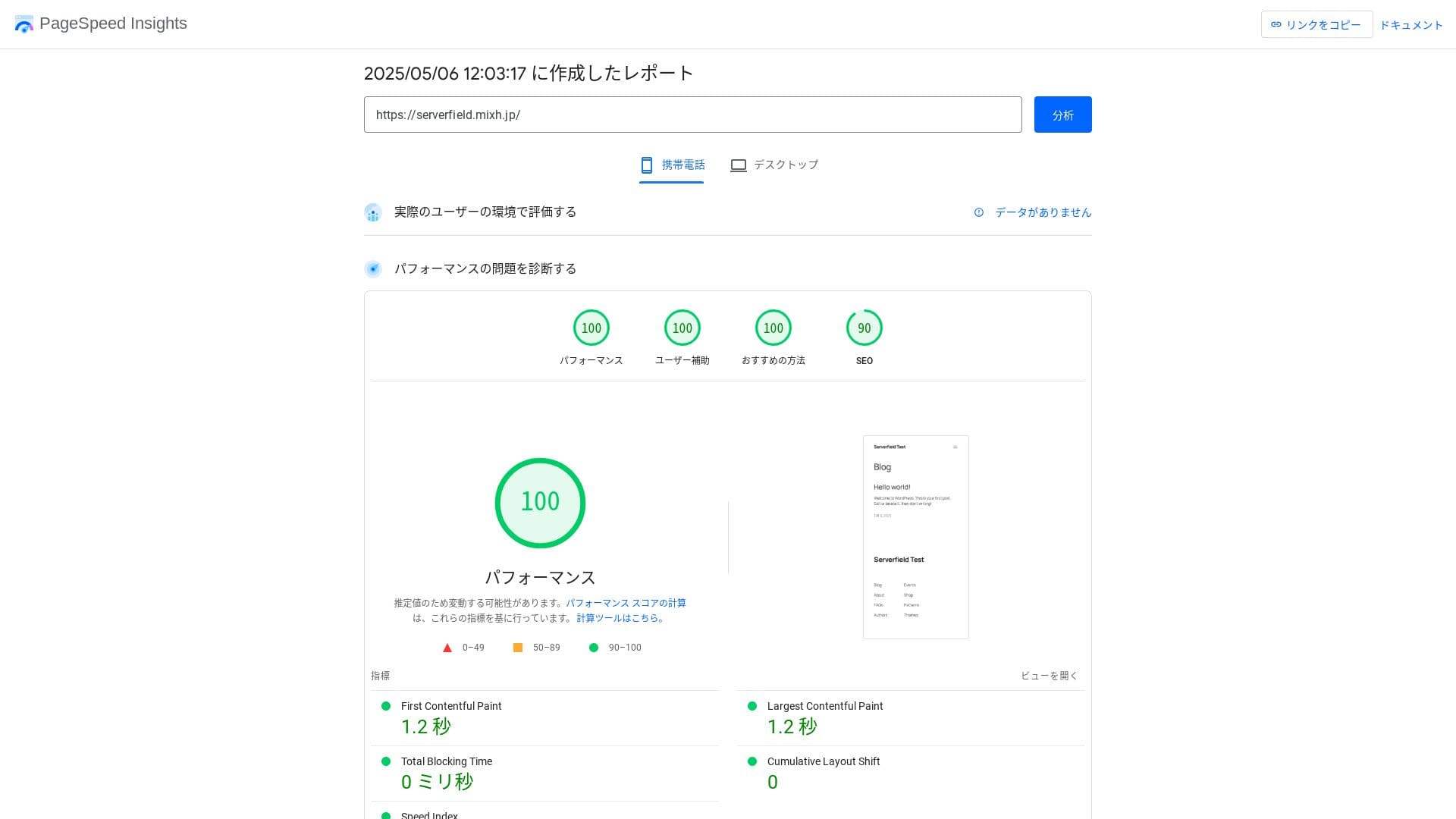
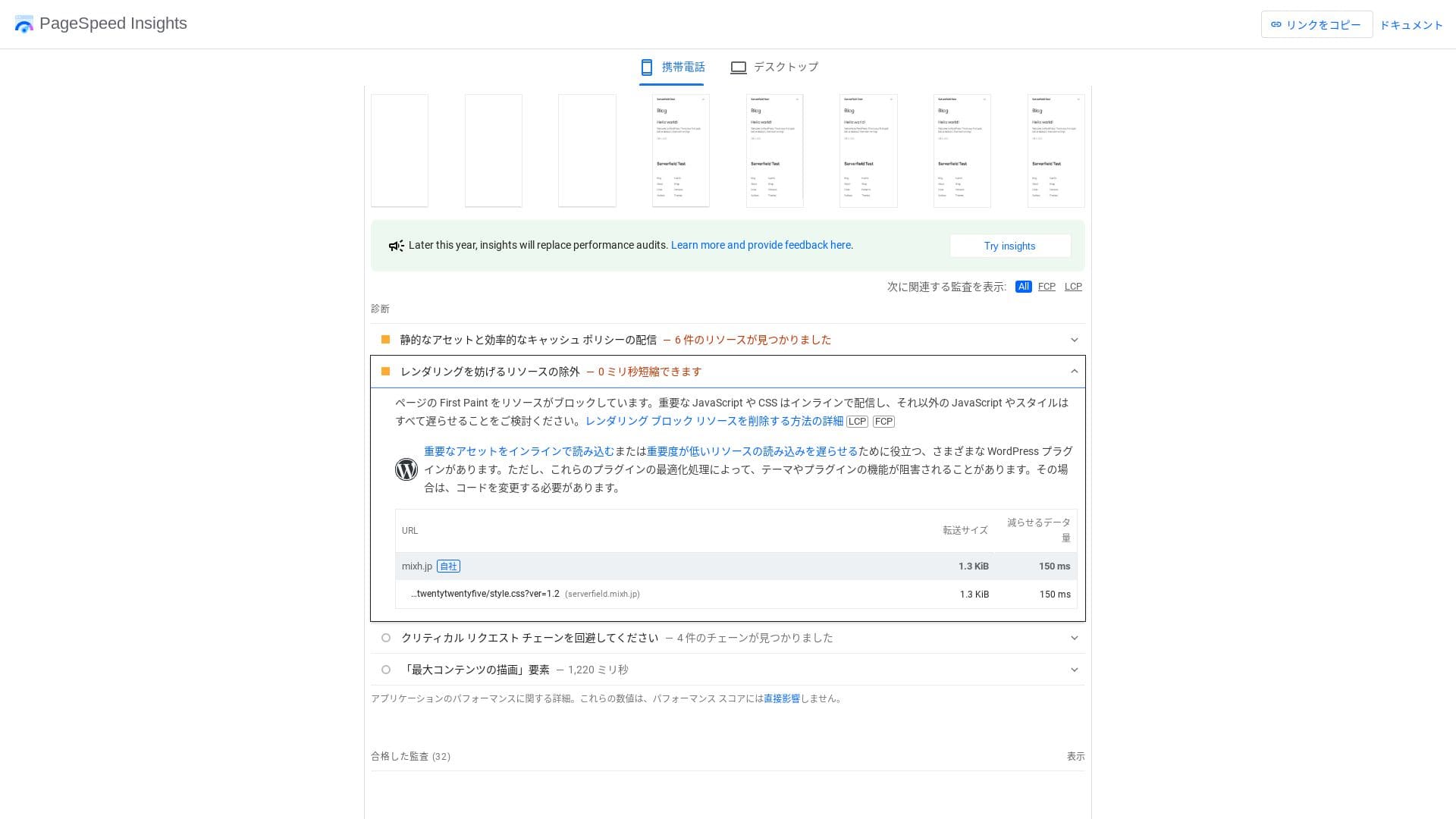
Ia pantas walaupun dibandingkan dengan pelayan pesaing.
LiteSpeed Web Server
mixhost menggunakan gabungan LiteSpeed Web Server, NVMe SSD, dan HTTP/3. Syarikat itu menyatakan bahawa ini boleh menjadi sehingga 84 kali lebih pantas daripada persekitaran Apache. Dengan bekerjasama dengan pemalam WordPress “LiteSpeed Cache,” ia boleh mengekalkan masa respons yang stabil walaupun semasa lonjakan trafik.
Walaupun dibandingkan dengan pelayan lain, ia boleh dinilai sebagai perkhidmatan yang laju.
Kapasiti storan
Pelayan web LiteSpeed
Hikaru Ono
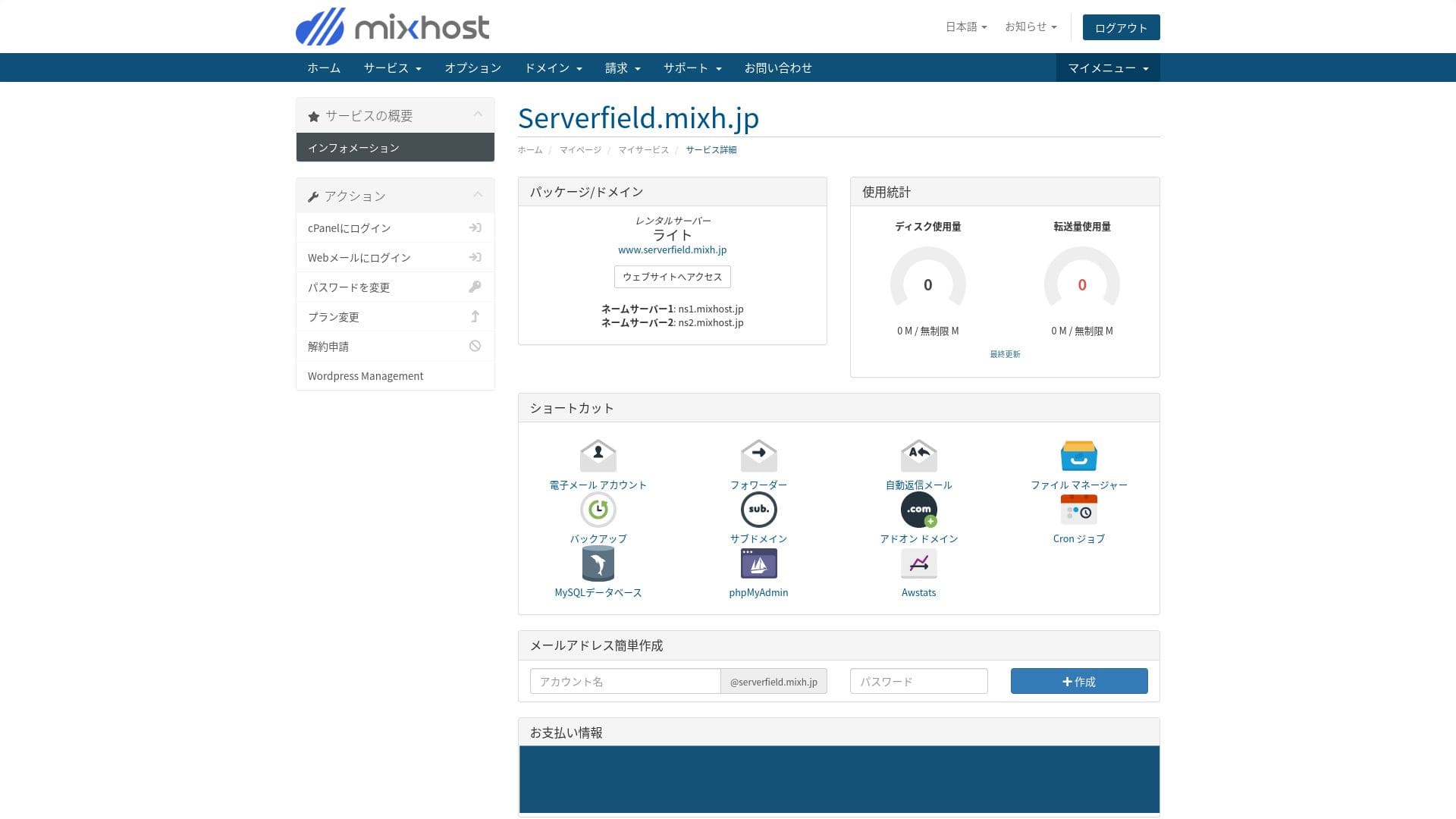
mixhost membolehkan anda menaik taraf pelan anda. Sebagai panduan umum, jika anda menggunakan sekitar 80% storan anda, sudah tiba masanya untuk menaik taraf.
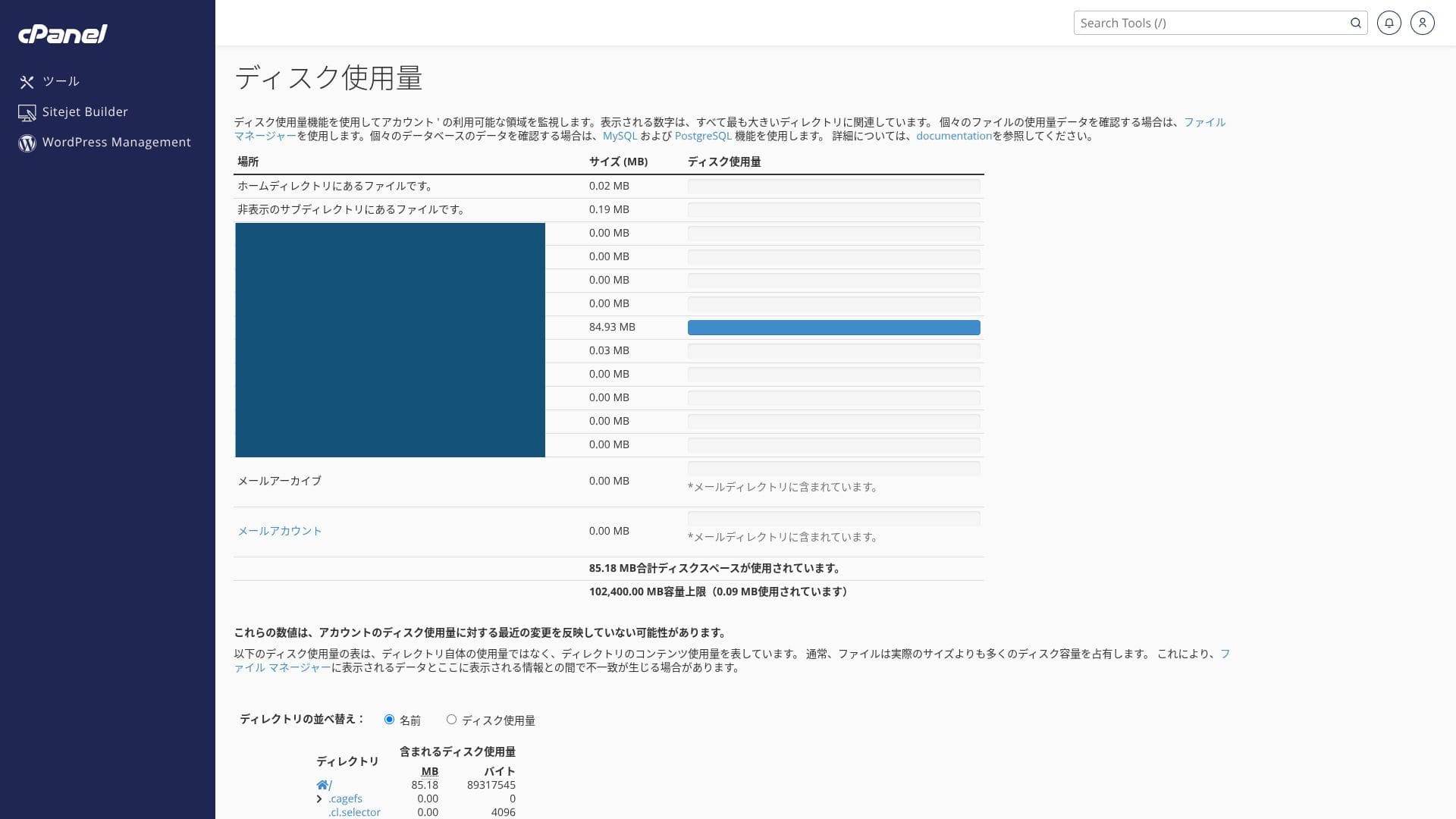
Apabila digabungkan dengan pemalam LiteSpeed Cache, cache halaman disampaikan secara automatik, yang sangat memendekkan masa muatan yang dirasai. Ia boleh membantu meningkatkan skor Google PageSpeed Insights dan menyumbang kepada penilaian carian serta pengalaman pengguna yang lebih baik.
HTTP/3 (QUIC)
HTTP/3 menyambung semula dengan cepat pada rangkaian mudah alih, jadi ia boleh meningkatkan kelajuan paparan. Penyemak imbas lama tidak menyokongnya dan secara automatik beralih ke HTTP/2.
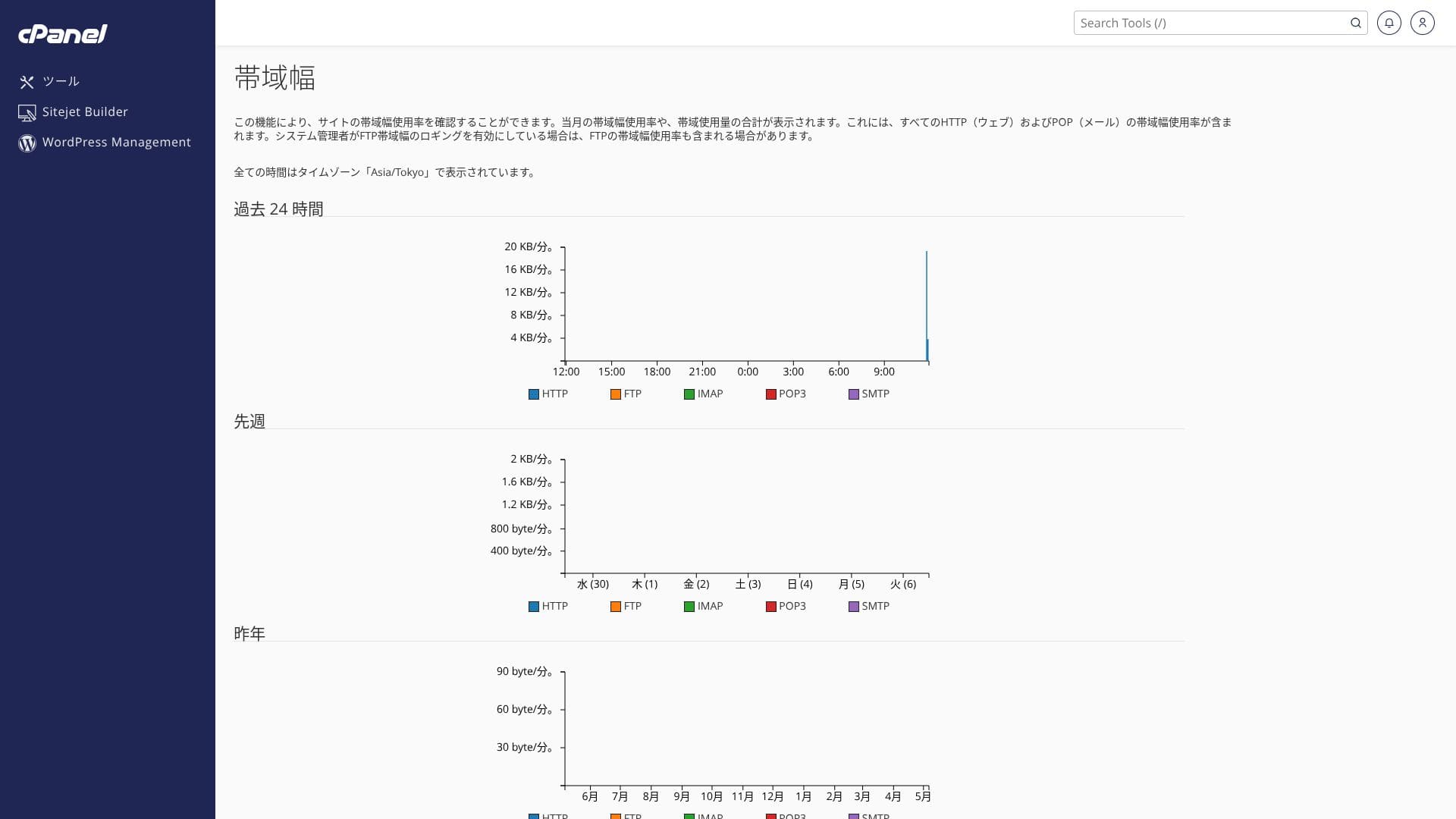
mixhost menyokong pemindahan data yang sangat besar. Pemindahan data ialah jumlah keseluruhan data yang boleh dihantar dan diterima oleh pelayan secara luaran, dan penggunaan meningkat apabila paparan halaman bertambah. Pelan Light membenarkan 50 GB sebulan, Standard 100 GB sebulan, Premium 200 GB sebulan, dan Business 800 GB sebulan, jadi ruangnya sangat mencukupi.
Ruang cakera
Hikaru Ono
Sejujurnya, setiap syarikat hosting domestik, termasuk mixhost, menyediakan kapasiti pemindahan yang lebih daripada mencukupi, jadi anda tidak perlu terlalu risau tentangnya.
★ Apakah trafik dan pemindahan data? Mengurus dan mengoptimumkan trafik web
Lebar jalur
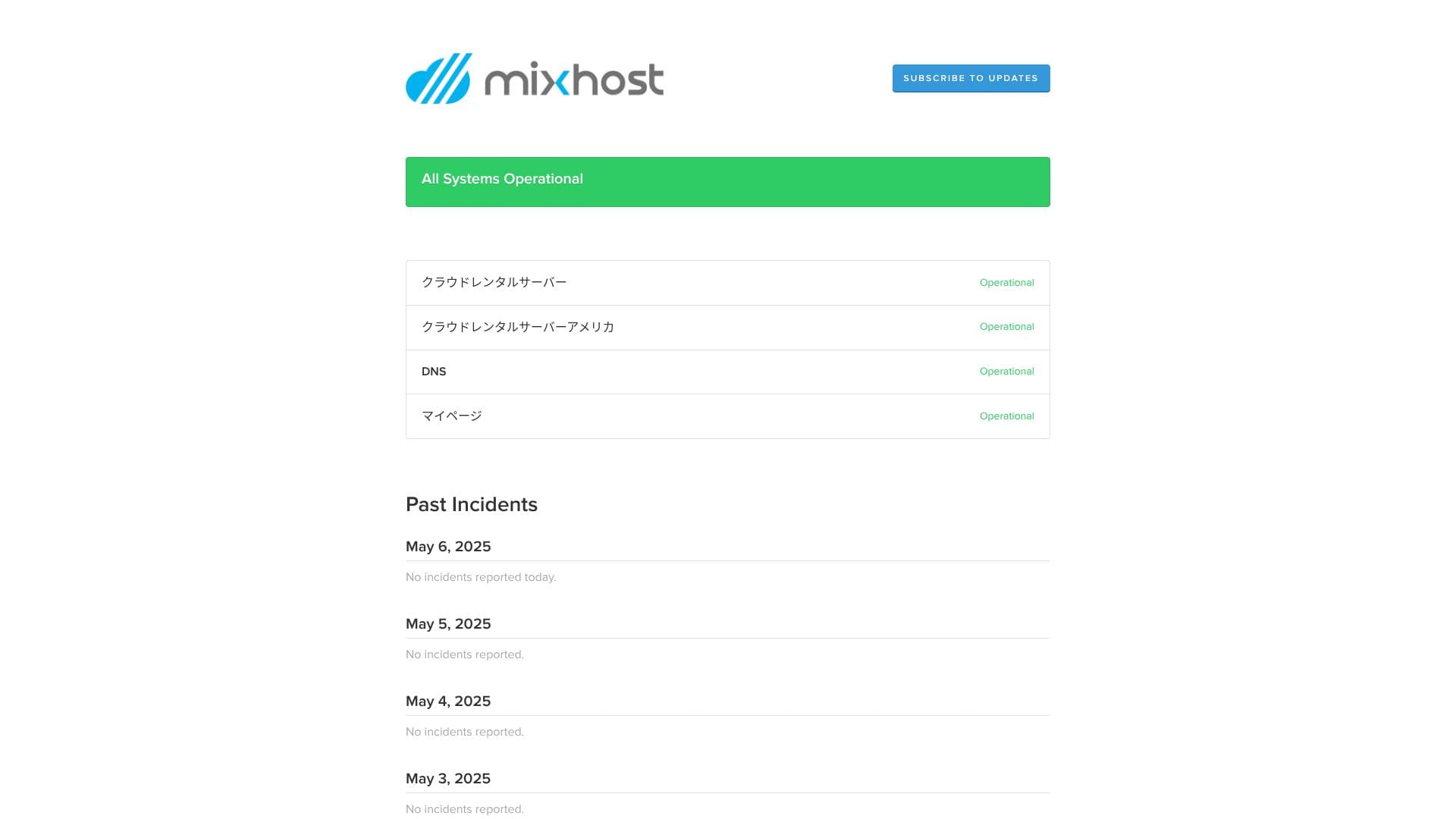
mixhost menjamin masa aktif 99.99%. Jika ia jatuh di bawah 99.99%, pengguna menerima bayaran balik.
Pada
Ia mendedahkan maklumat gangguan pelayan dan penyelenggaraan secara terbuka, yang merupakan tanda kejujuran yang baik.
★ Apakah trafik dan lebar jalur? Mengurus dan mengoptimumkan trafik web
Kestabilan pelayan dan masa operasi
Yuran permulaan dan harga bulanan
mixhost tidak mengenakan yuran permulaan pada mana-mana pelan. Harga bulanan menjadi lebih murah apabila tempoh kontrak semakin panjang. Pada pelan Light yang berpatutan, kontrak awal 12 bulan berharga 594 yen sebulan termasuk cukai. Untuk kontrak 36 bulan, harganya turun kepada 495 yen sebulan termasuk cukai, yang merupakan nilai yang sangat baik.
Harga pendaftaran adalah rendah, tetapi ingat bahawa harga akan kembali kepada kadar standard semasa pembaharuan. Pada pelan Light, kadar pembaharuan 12 bulan ialah 968 yen sebulan termasuk cukai.
- mixhost
- Kinsta
- XServer Business
- wpx
- Lolipop!
- Star Rental Server
- Rakko Server
- XServer
- ConoHa
- Colorful Box
- Shin Rental Server
- Little Server
- CORESERVER
- DreamHost
- Bluehost
- Sakura
- Namecheap
- Shin Free
- XREA
- Value Server
- HOSTINGER
- KAGOYA
- SiteGround
- Hostgator
- IONOS
- Onamae.com
- ABLENET
- GoDaddy
- iCLUSTA+
- MuuMuu Server
- WADAX
- WebARENA
- heteml
- CPI Rental Server


































Yuran awal dan harga bulanan
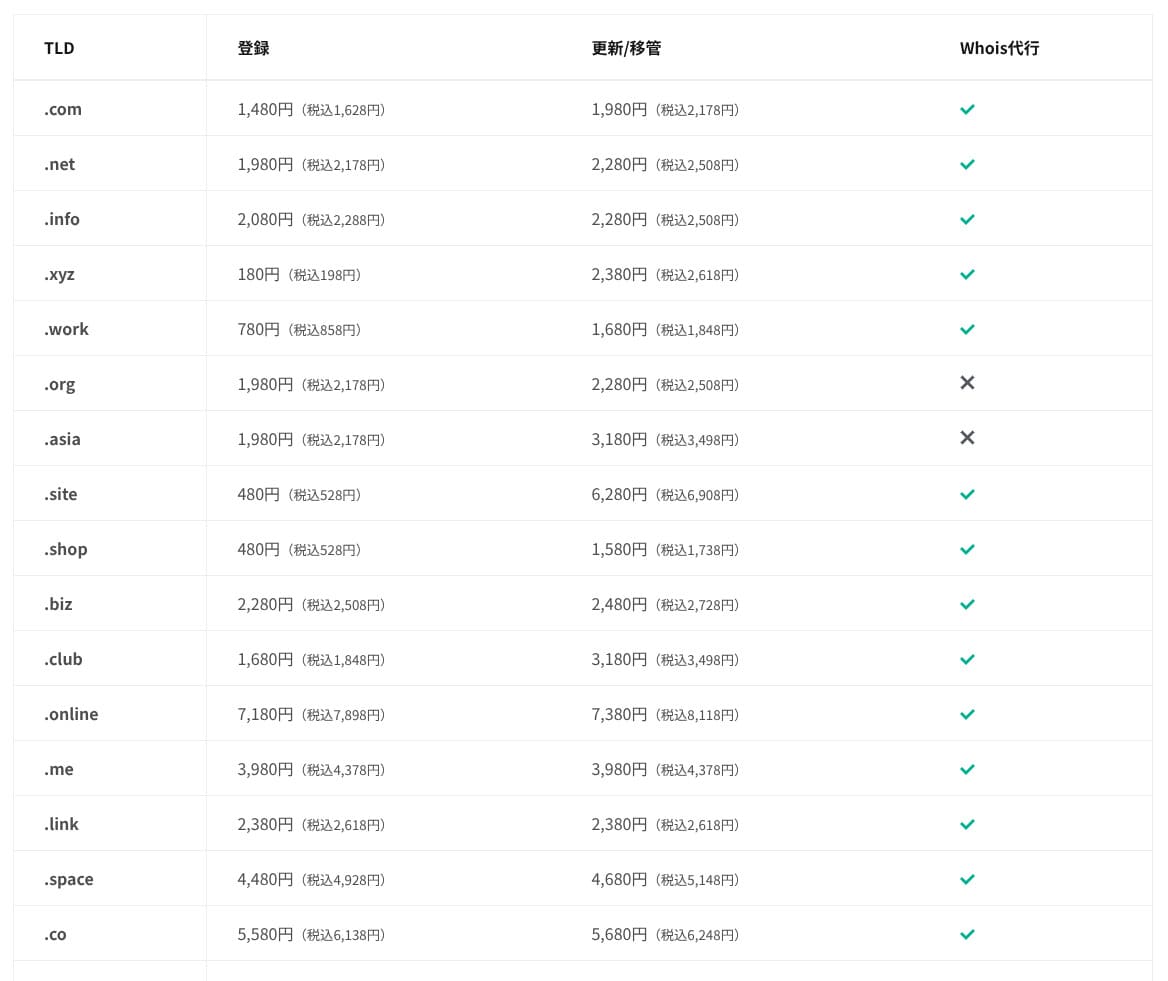
Pada pelan Standard dan ke atas, satu domain daripada 11 jenis seperti .com dan .net adalah percuma untuk tahun pertama. Kos pembaharuan berterusan sedikit lebih tinggi daripada kadar yang ditawarkan oleh pendaftar domain biasa.
Hikaru Ono
Apabila anda menandatangani kontrak jangka panjang dengan XServer atau ConoHa WING, anda boleh terus menggunakan dua domain secara percuma selagi kontrak pelayan masih aktif. Dalam aspek ini, mixhost berada pada kedudukan yang kurang menguntungkan berbanding perkhidmatan tersebut.
- mixhost
- Onamae.com
- XServer Domain
- MuuMuu Domain
- Value Domain
- Shin Domain
- Star Domain
- Colorful Domain
- Rakko Domain








Harga domain
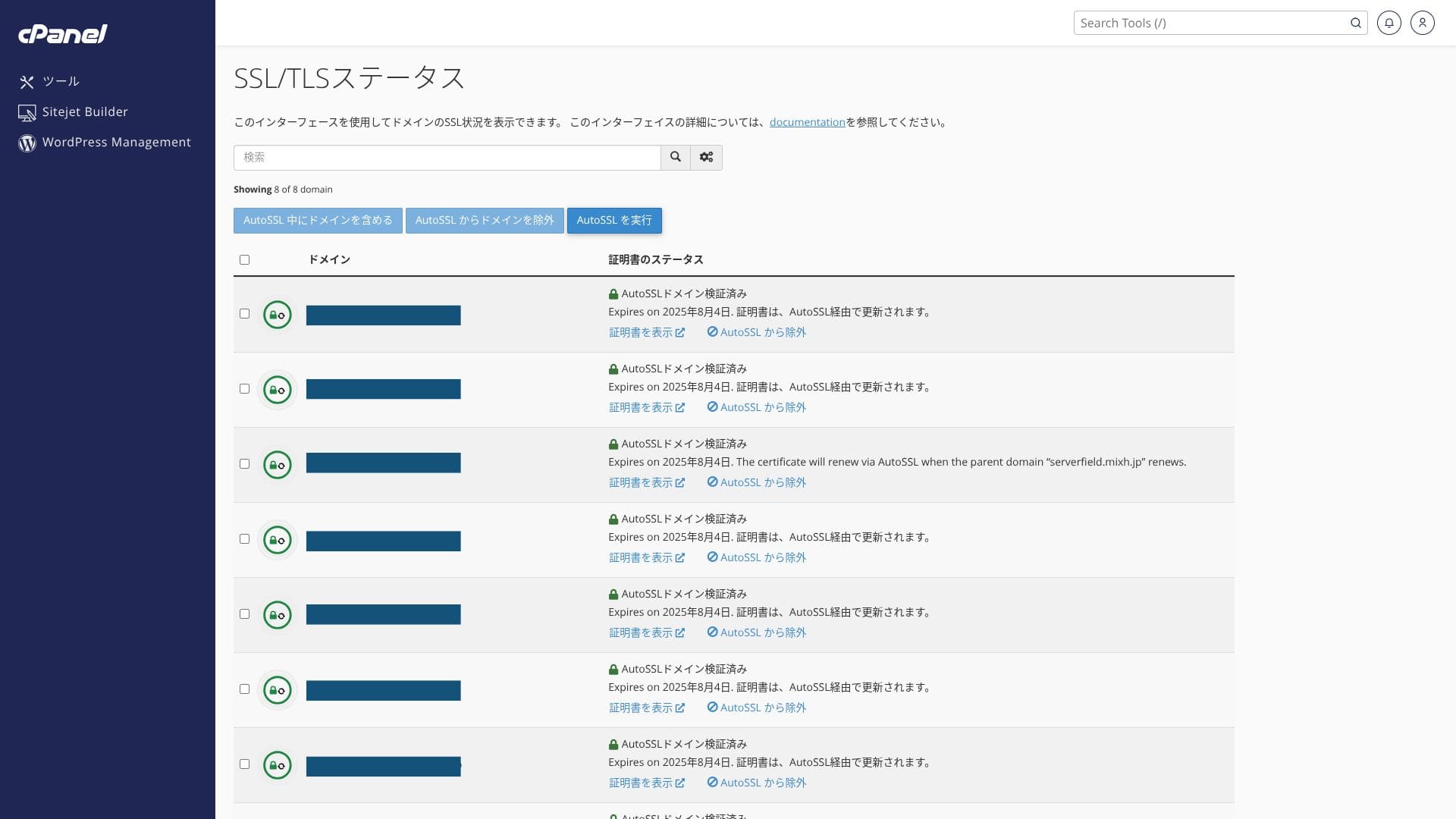
Ia menyertakan SSL tersuai percuma melalui Let’s Encrypt sebagai standard. Oleh sebab sijil diperbaharui secara automatik dalam tempoh 24 jam oleh fungsi “AutoSSL” dalam cPanel, tiada kos tambahan.
Laman WordPress yang dipasang semasa pendaftaran sudah mempunyai SSL/TLS yang dikonfigurasikan dari awal. Pemegang akaun tidak perlu menyediakan SSL semasa pendaftaran. Anda hanya perlu mengkonfigurasikan SSL kemudian apabila menambah domain selepas kontrak awal.
Dengan kontrak 12 bulan atau lebih, anda boleh mendapatkan atau memperbaharui satu domain tersuai secara percuma.
Kos sijil SSL
mixhost menyokong Let's Encrypt, sijil SSL percuma yang juga diperbaharui secara automatik. Anda boleh memohon SSL untuk semua domain tanpa kos tambahan, memperoleh manfaat SEO daripada HTTPS dan keselamatan yang lebih kukuh. Ini meliputi bukan sahaja domain tersuai tetapi juga subdomain awal.
- mixhost
- Kinsta
- XServer Business
- wpx
- Lolipop!
- Star Rental Server
- Rakko Server
- XServer
- ConoHa
- Colorful Box
- Shin Rental Server
- Little Server
- CORESERVER
- DreamHost
- Bluehost
- Sakura
- Namecheap
- Shin Free
- XREA
- Value Server
- HOSTINGER
- KAGOYA
- SiteGround
- Hostgator
- IONOS
- Onamae.com
- ABLENET
- GoDaddy
- iCLUSTA+
- MuuMuu Server
- WADAX
- WebARENA
- heteml
- CPI Rental Server


































Jika anda mahu membayar dengan PayPal, ambil perhatian bahawa kontrak 36 bulan tidak boleh diperbaharui secara automatik kerana batasan sistem.
Nota penting apabila memesan tempoh kontrak lebih daripada satu tahun dengan PayPal
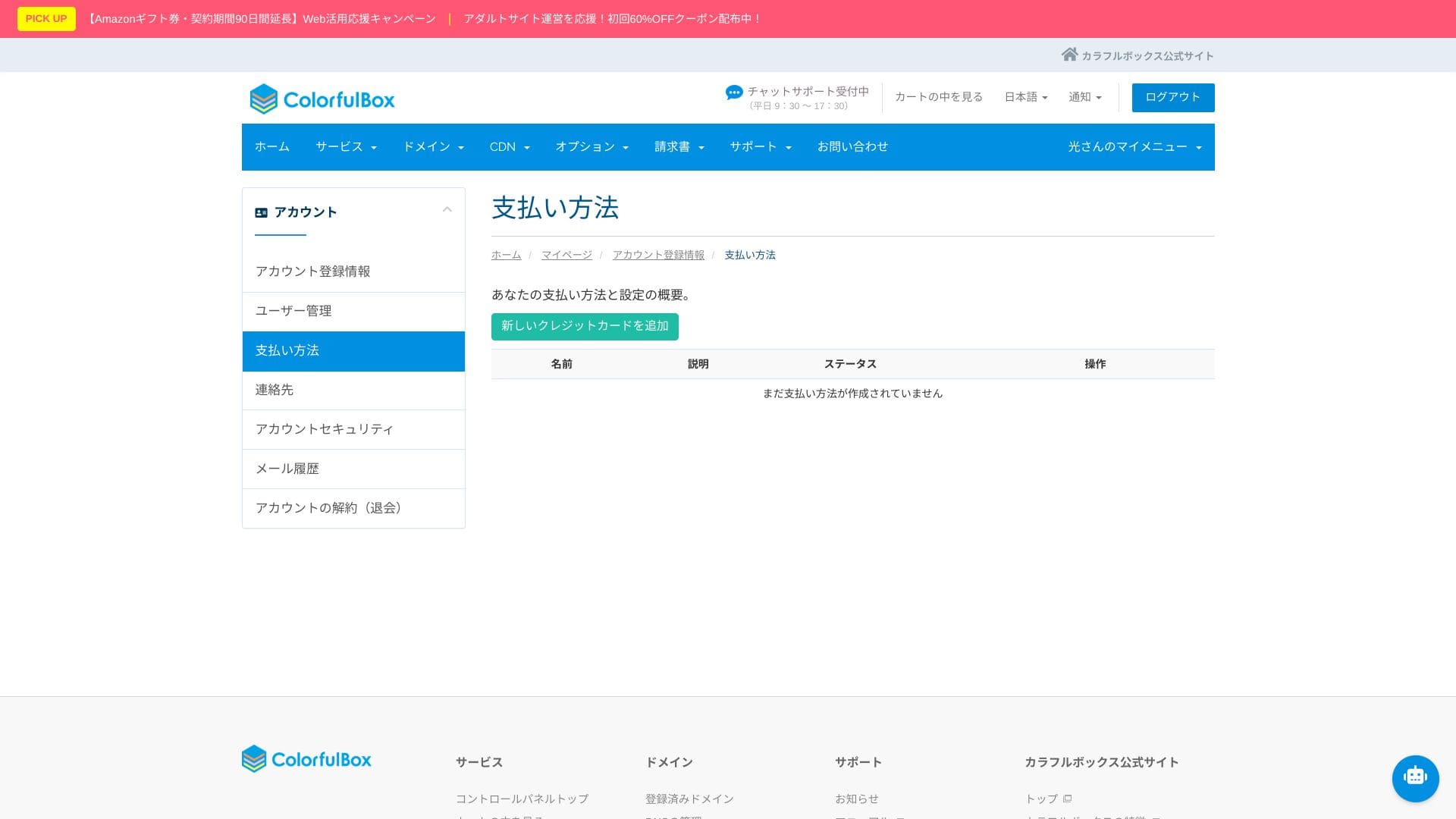
Kaedah pembayaran
Kemudahan penggunaan panel kawalan
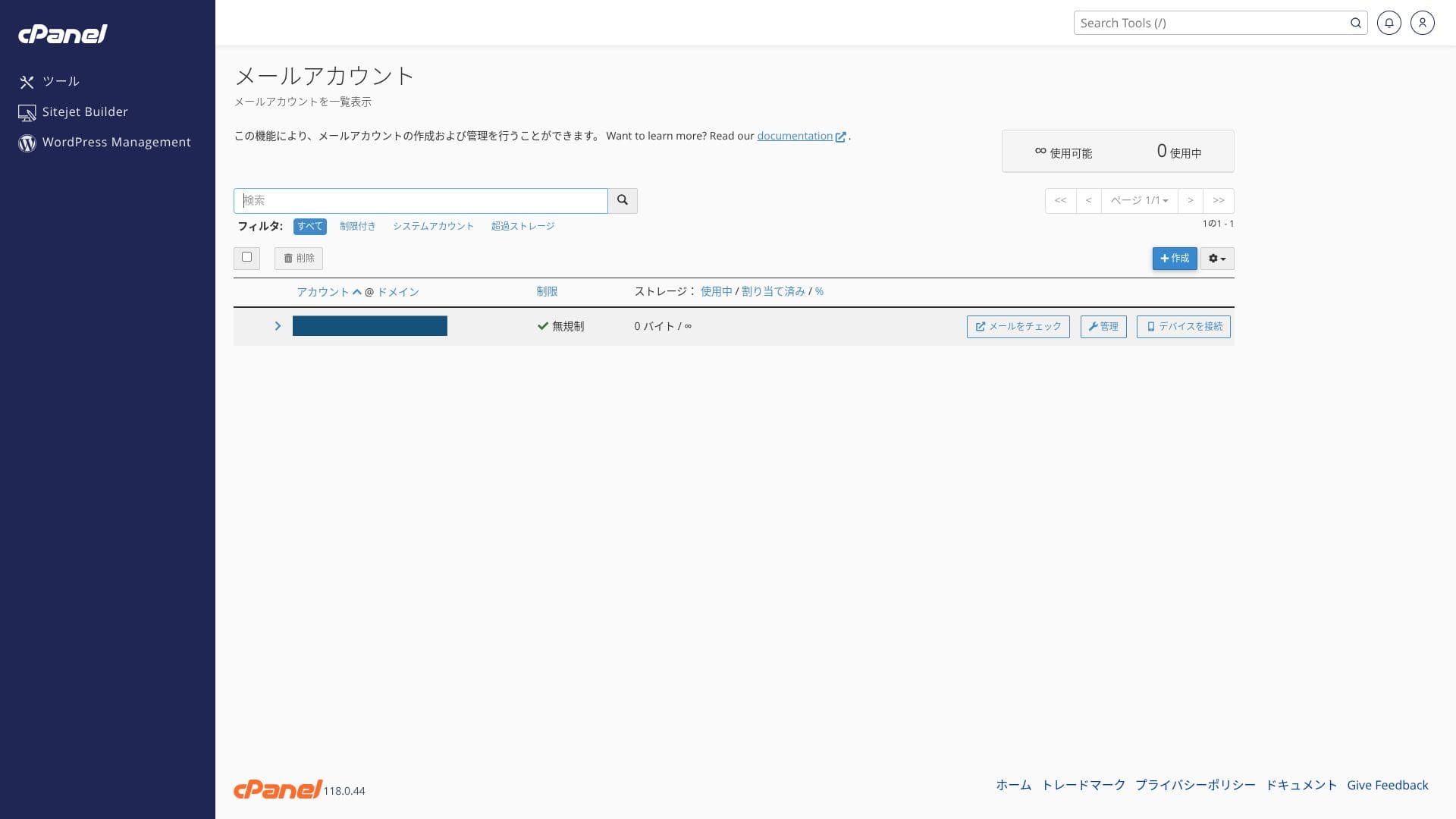
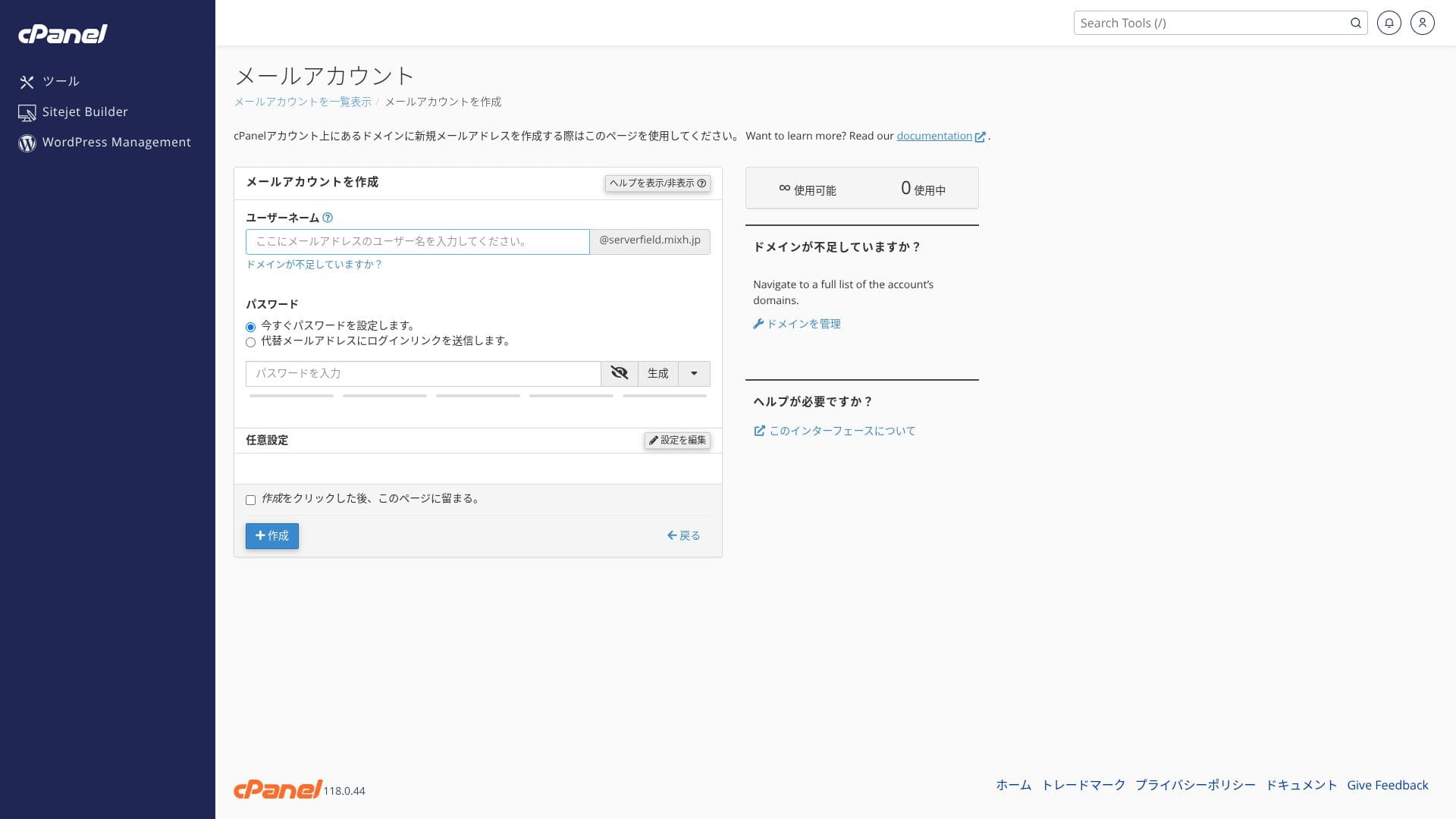
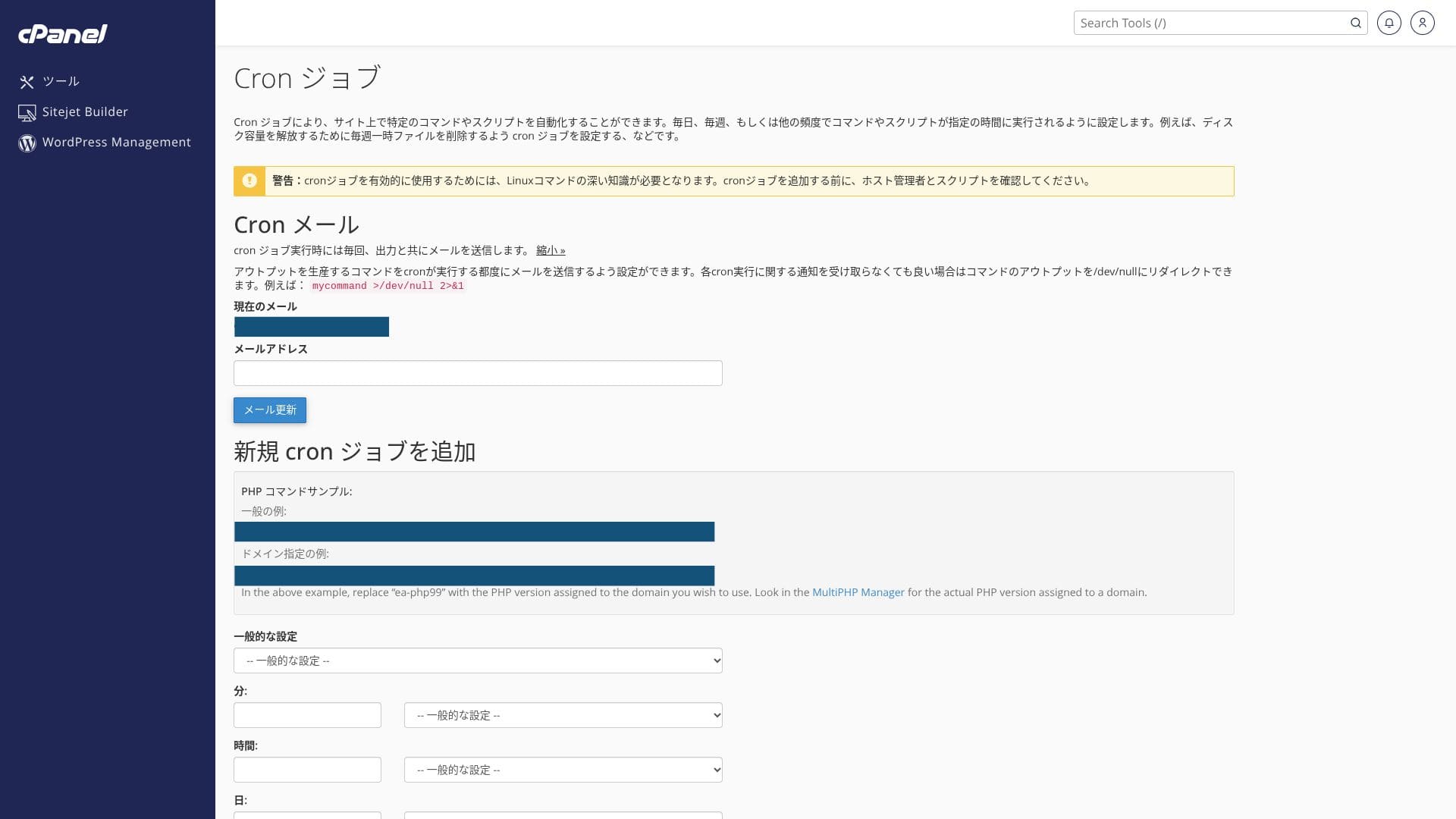
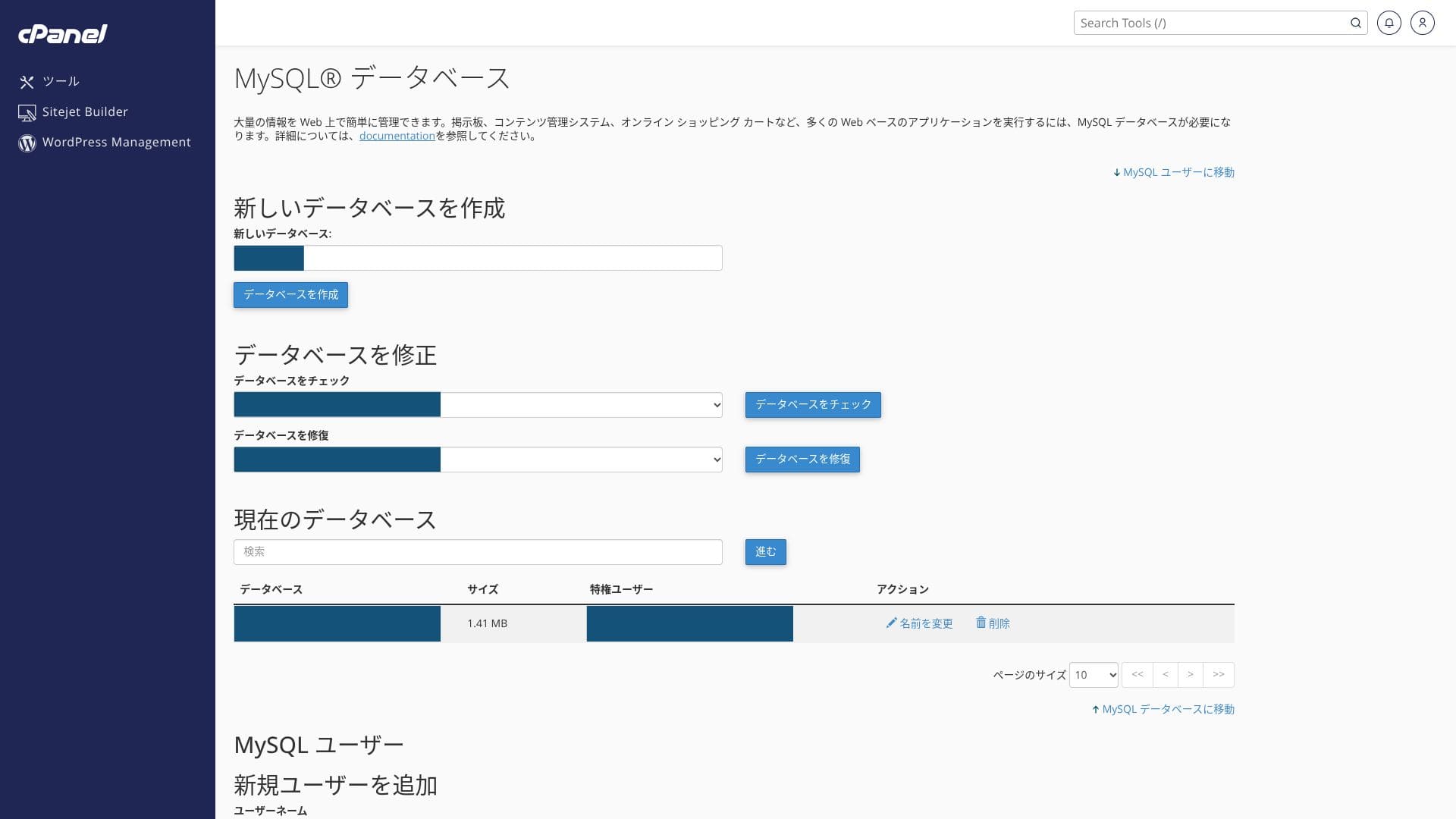
Ia menggunakan cPanel standard industri bersama-sama panel kawalan milik mixhost. Anda boleh mengurus tetapan e-mel, pengeluaran SSL, dan pemasangan aplikasi melalui GUI.
- Home
- Perkhidmatan Saya
- WordPress
- Domains
- Backups
- Bandwidth
- Akaun E-mel
- Cron
- DB
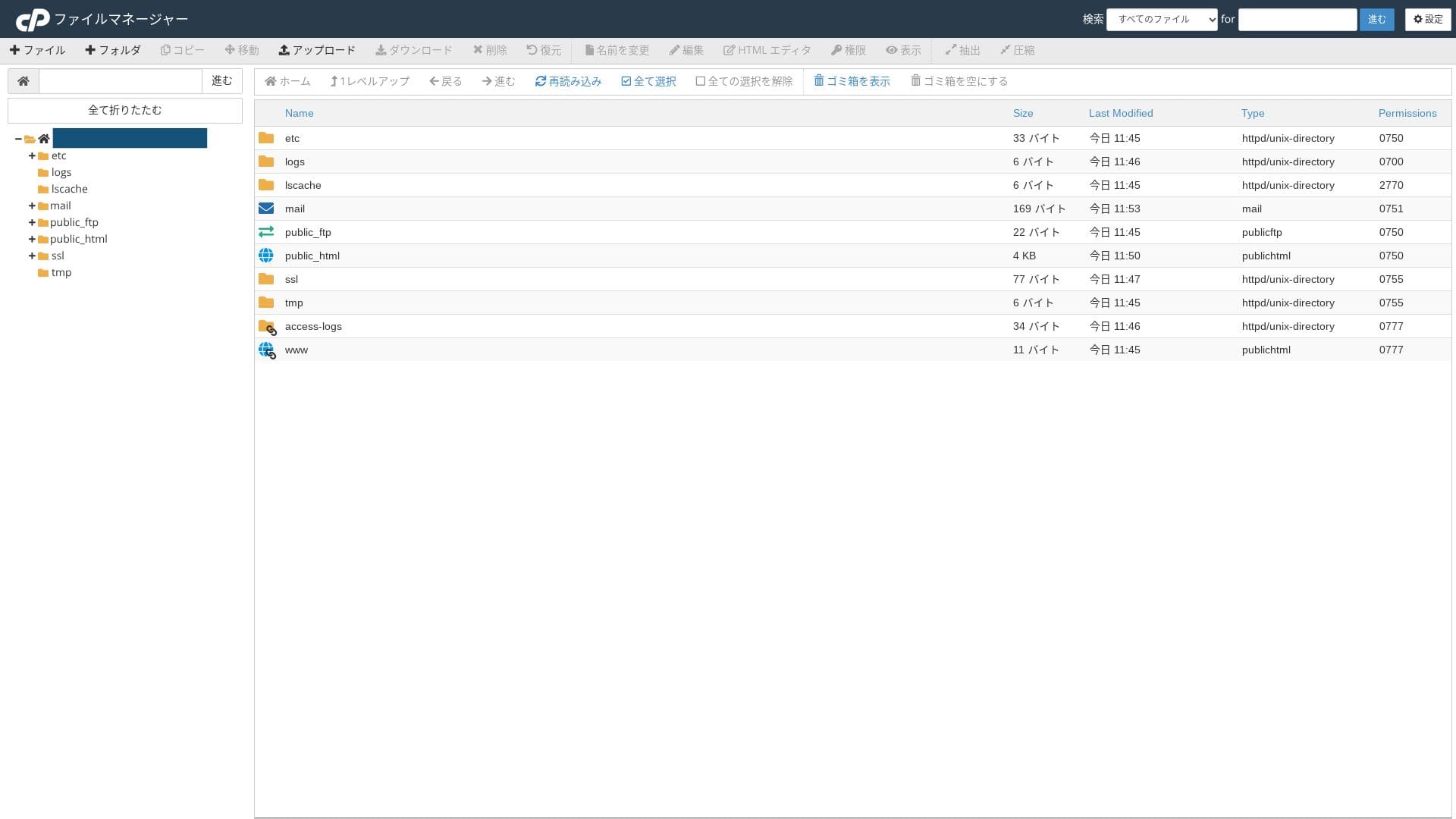
- File Manager
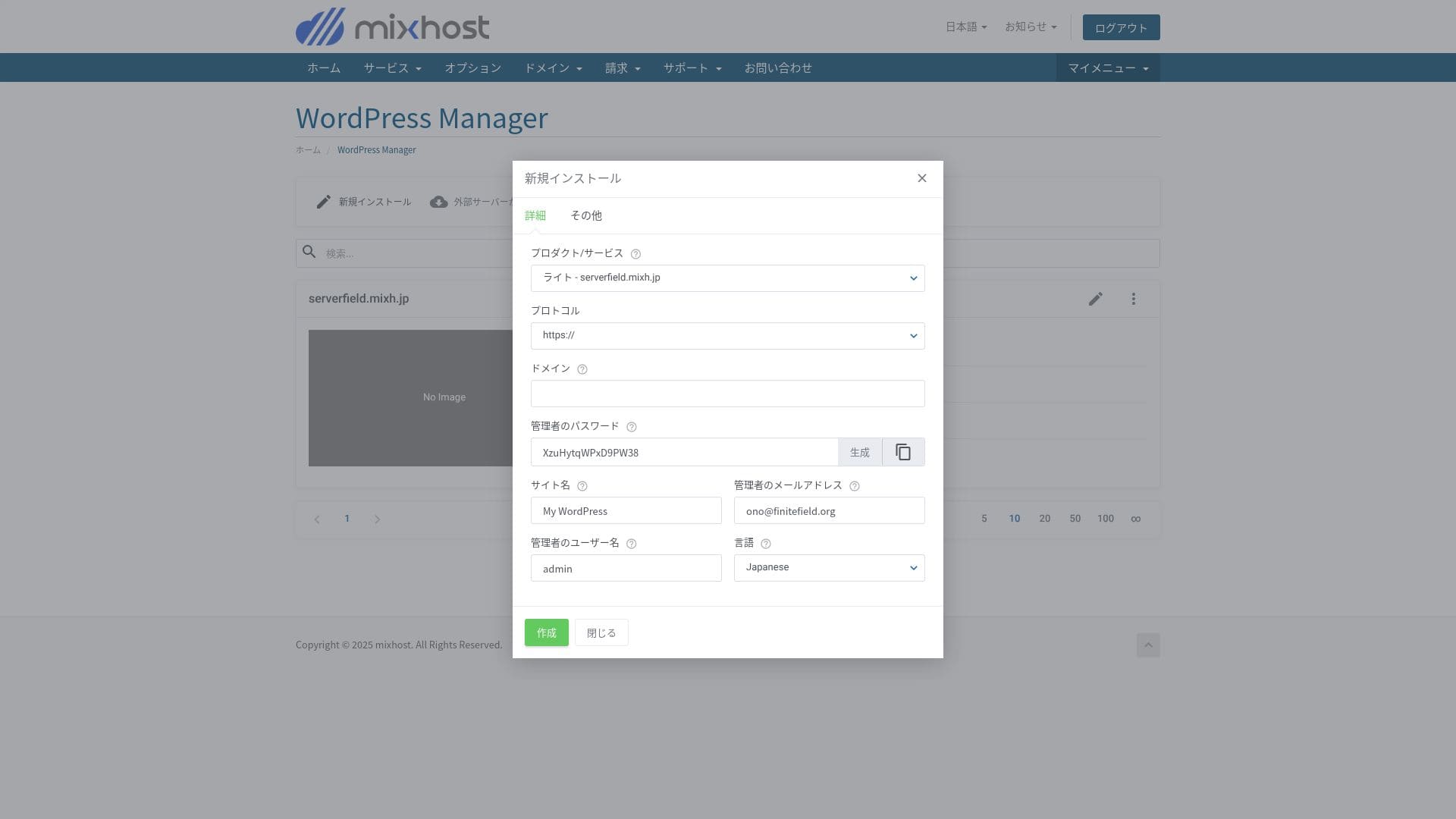
Anda boleh memasang WordPress daripada "WordPress Manager" dalam panel kawalan mixhost.
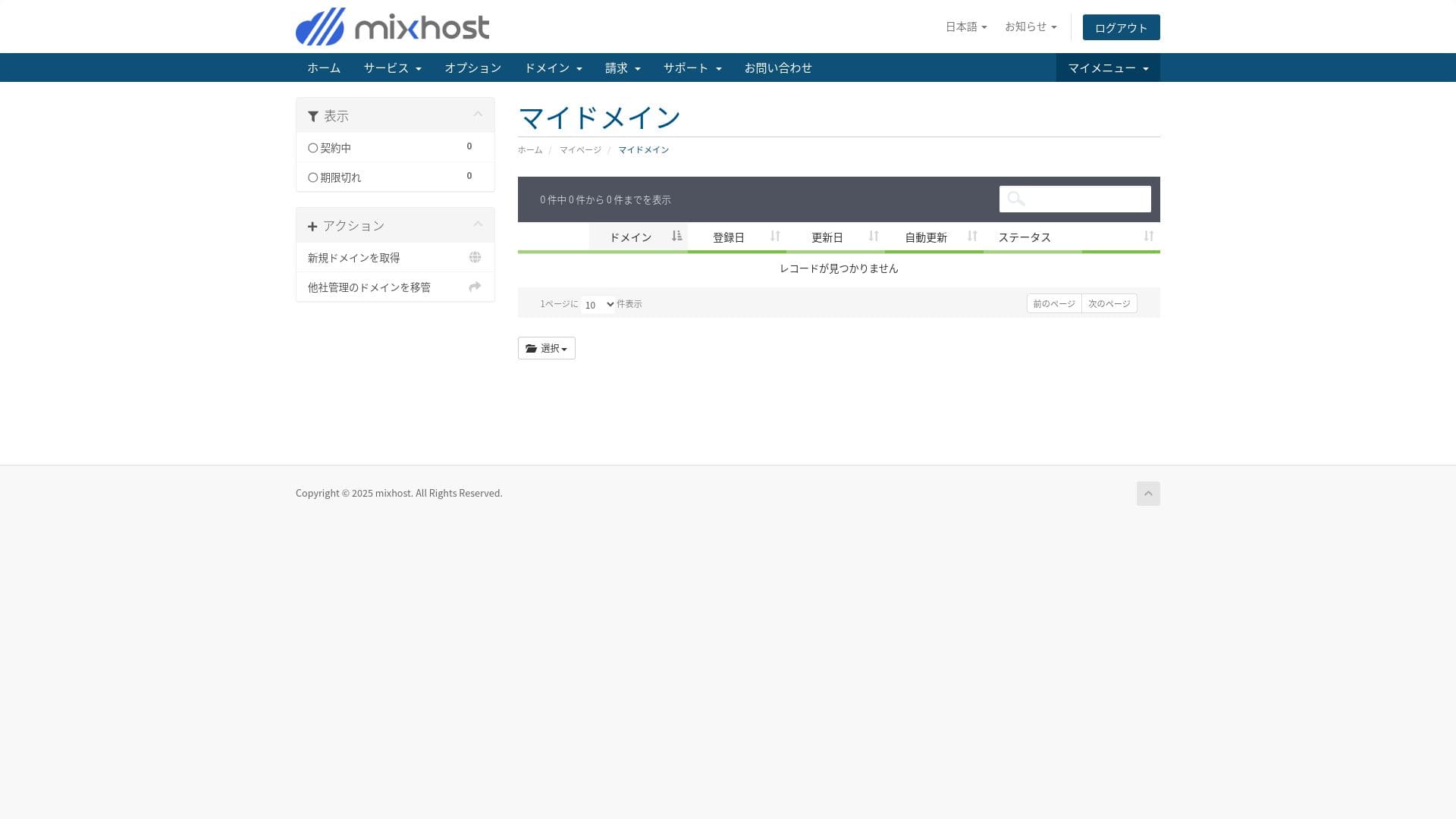
Pelan Light tidak menyertakan sandaran, jadi tiada tangkapan skrin di sini. Gunakan plugin sandaran WordPress sebaliknya.
Lima plugin sandaran WordPress yang berkuasa untuk memulihkan data anda
Hikaru Ono
Anda boleh memuat turun invois dari “Usage Details” dalam My Page anda. Itu menjadikannya pelayan yang juga boleh digunakan dengan selesa oleh syarikat yang mempunyai keperluan perakaunan yang ketat.
Penilaian kemudahan penggunaan dan sokongan
Kemudahan penggunaan panel kawalan
Perkhidmatan terurus
Kebanyakan antara mukanya dalam bahasa Inggeris. Sesetengah tetapan terperinci tidak dilokalkan ke bahasa Jepun, jadi anda mungkin berasa sedikit keliru pada awalnya.
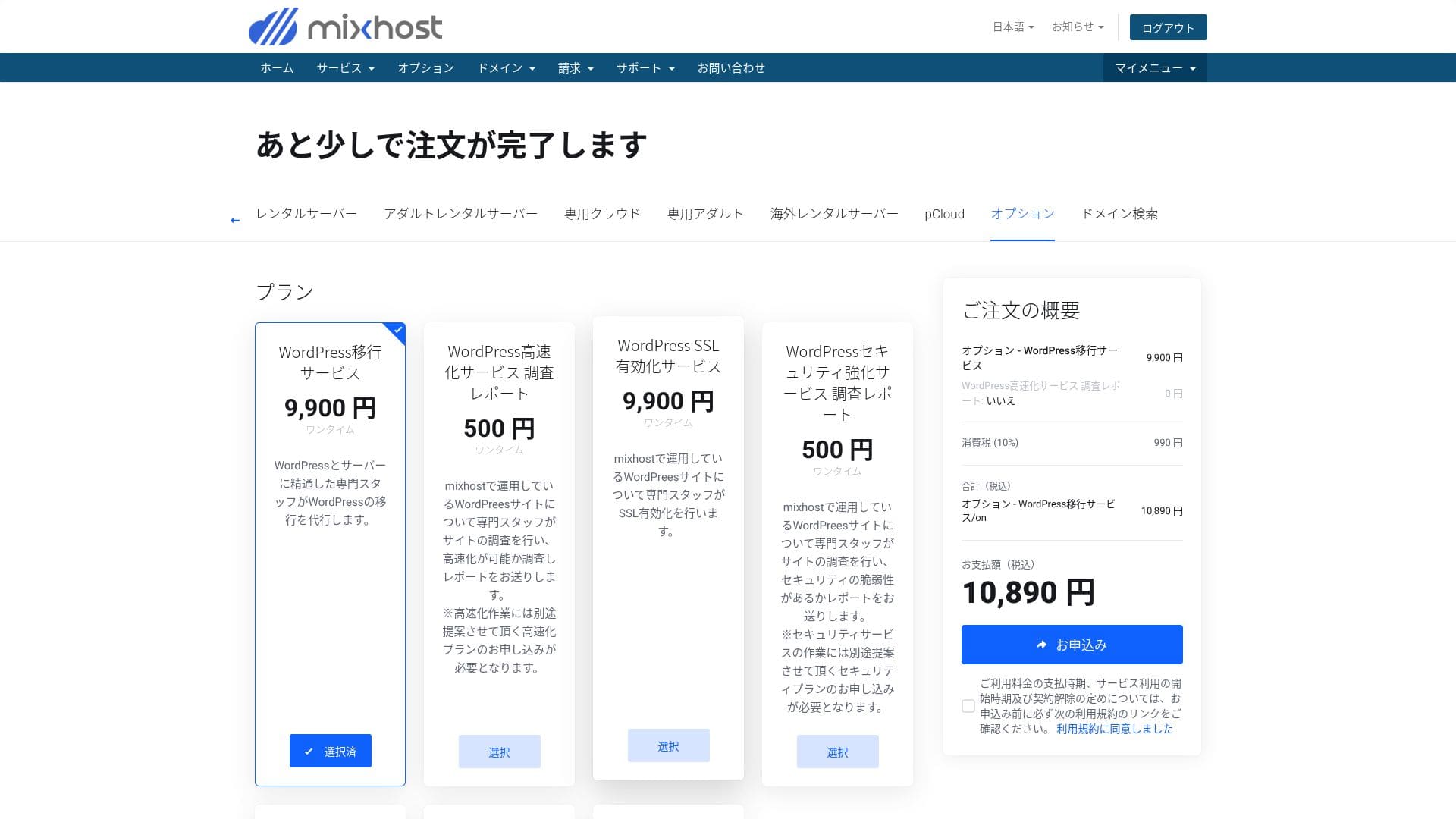
- Perkhidmatan migrasi WordPress: 10,890 yen bagi setiap laman
- Siasatan kelajuan: 550 yen bagi setiap permintaan, pelan penalaan kelajuan: daripada 9,900 yen sebulan
- Siasatan keselamatan: 550 yen bagi setiap permintaan, pelan spot: 21,890 yen sebulan, pelan penyelenggaraan: 10,890 yen sebulan
- Perkhidmatan pengaktifan SSL: 10,890 yen bagi setiap laman
Hikaru Ono
Anda boleh memigrasikan WordPress sendiri menggunakan alatan. Tetapi jika anda bimbang mengenainya atau tidak mempunyai masa, gunakan perkhidmatan terurus secara aktif.
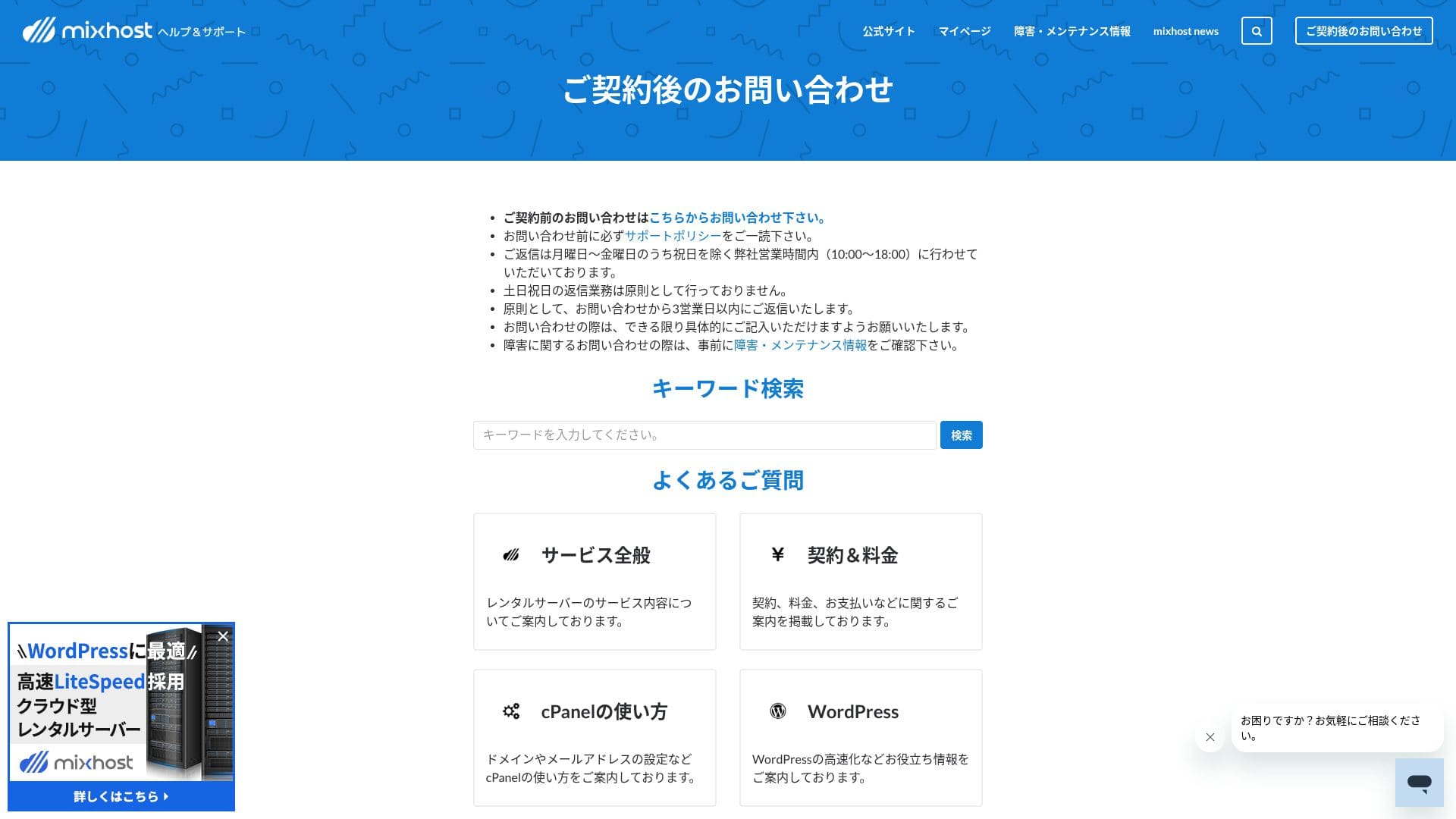
Tiada sokongan telefon atau sembang masa nyata. Jika anda memerlukan respons segera, anda perlu beroperasi dengan mengambil kira kelewatan masa itu.
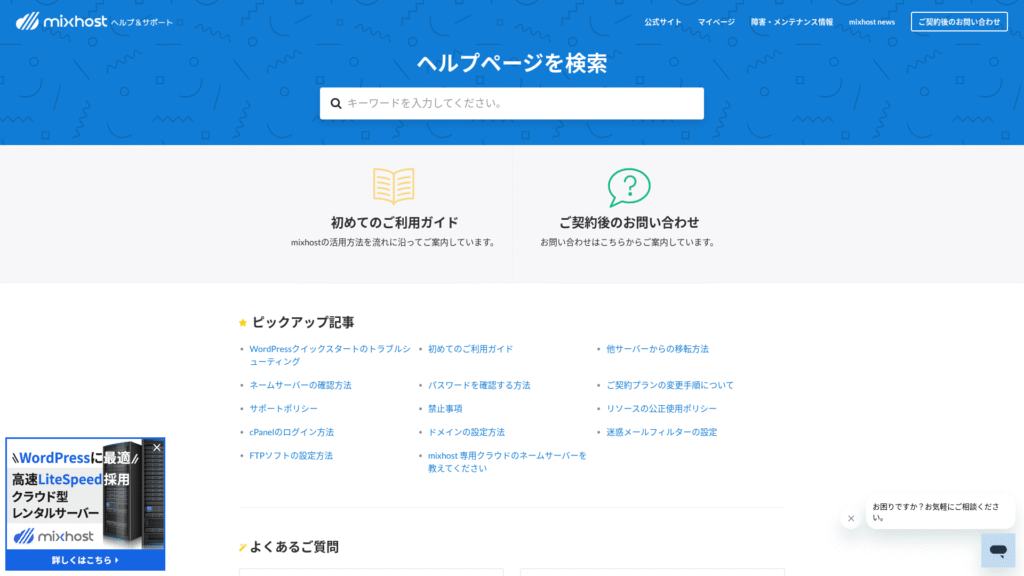
Sejauh mana lengkapnya manual dan FAQ
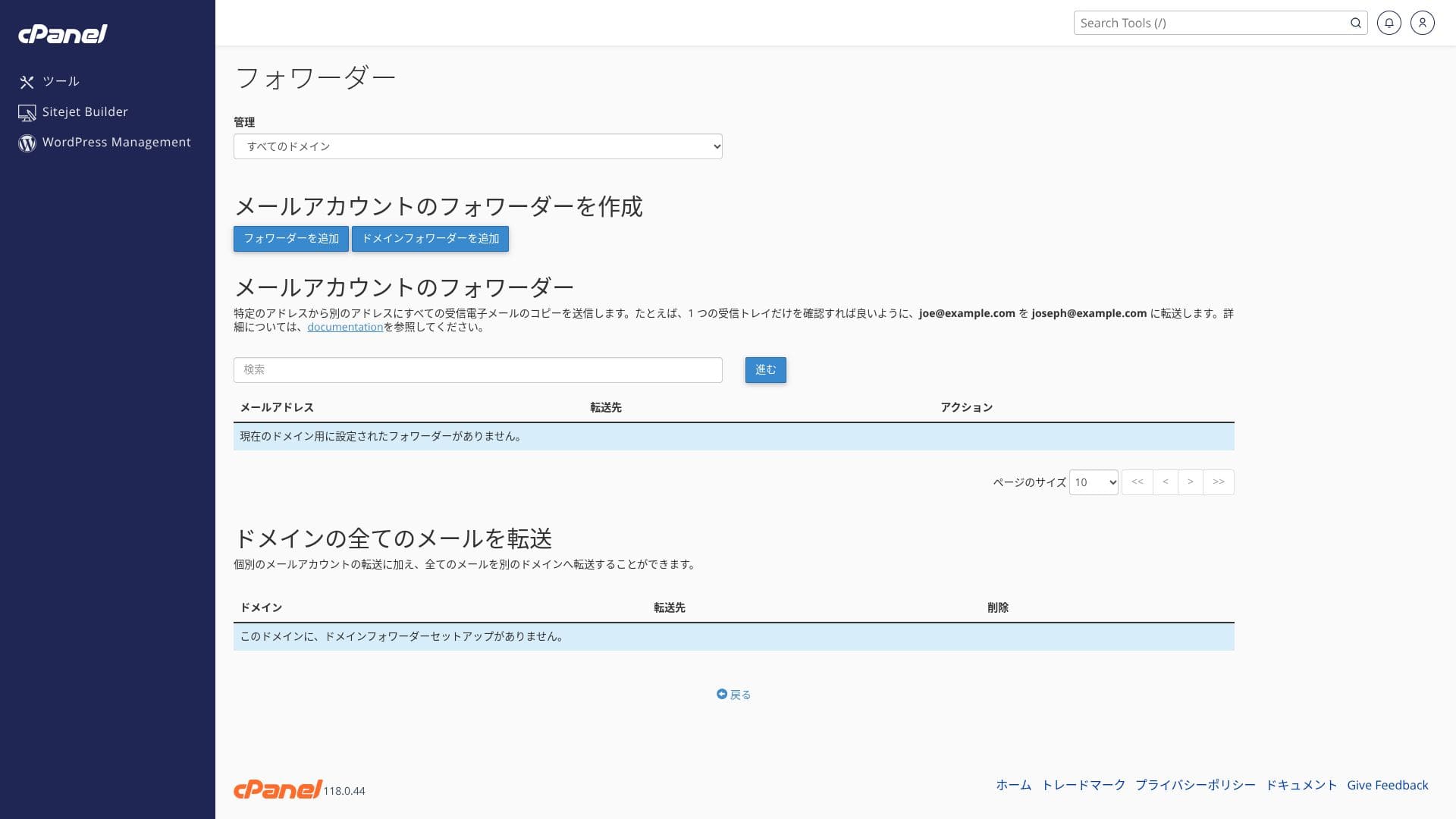
Ulasan ciri e-mel
mixhost mempunyai had e-mel keluar yang rendah. Ini bermakna ia berfungsi dengan baik untuk e-mel perniagaan harian dan mengendalikan pertanyaan, tetapi lebih selamat menggunakan perkhidmatan berasingan untuk penghantaran surat berita.
| Item | Semua pelan | Notes |
|---|---|---|
| Bilangan akaun e-mel | Unlimited | Tersedia pada domain tersuai dan subdomain |
| Protokol penerimaan | IMAP / POP3 (SSL/TLS) | Boleh dikonfigurasikan dalam Outlook, aplikasi Gmail, dan lain-lain |
| Protokol penghantaran | SMTP (587 / 465, SSL disokong) | Menyokong STARTTLS dan SMTPS |
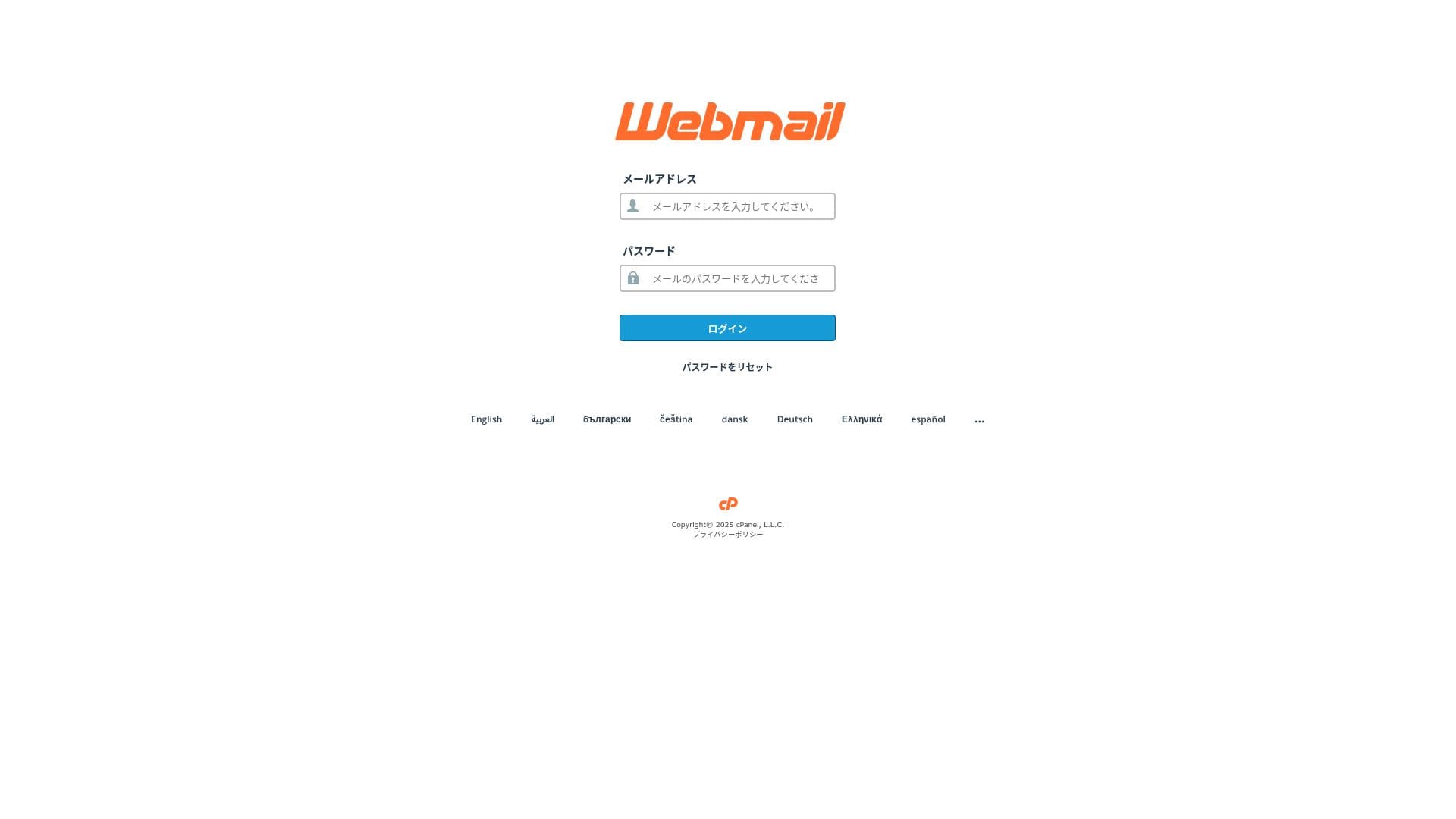
| Webmail | Roundcube | Klien e-mel berasaskan pelayar disertakan |
| Penapisan spam | SpamAssassin | Ambang boleh dilaraskan dalam cPanel |
| Penapisan virus | ClamAV | Tersedia hanya pada Standard dan ke atas |
| Plan | Sejam | Setiap 24 jam |
|---|---|---|
| Light | 50 emails | 100 emails |
| Standard dan ke atas | 100 emails | 1,000 emails |
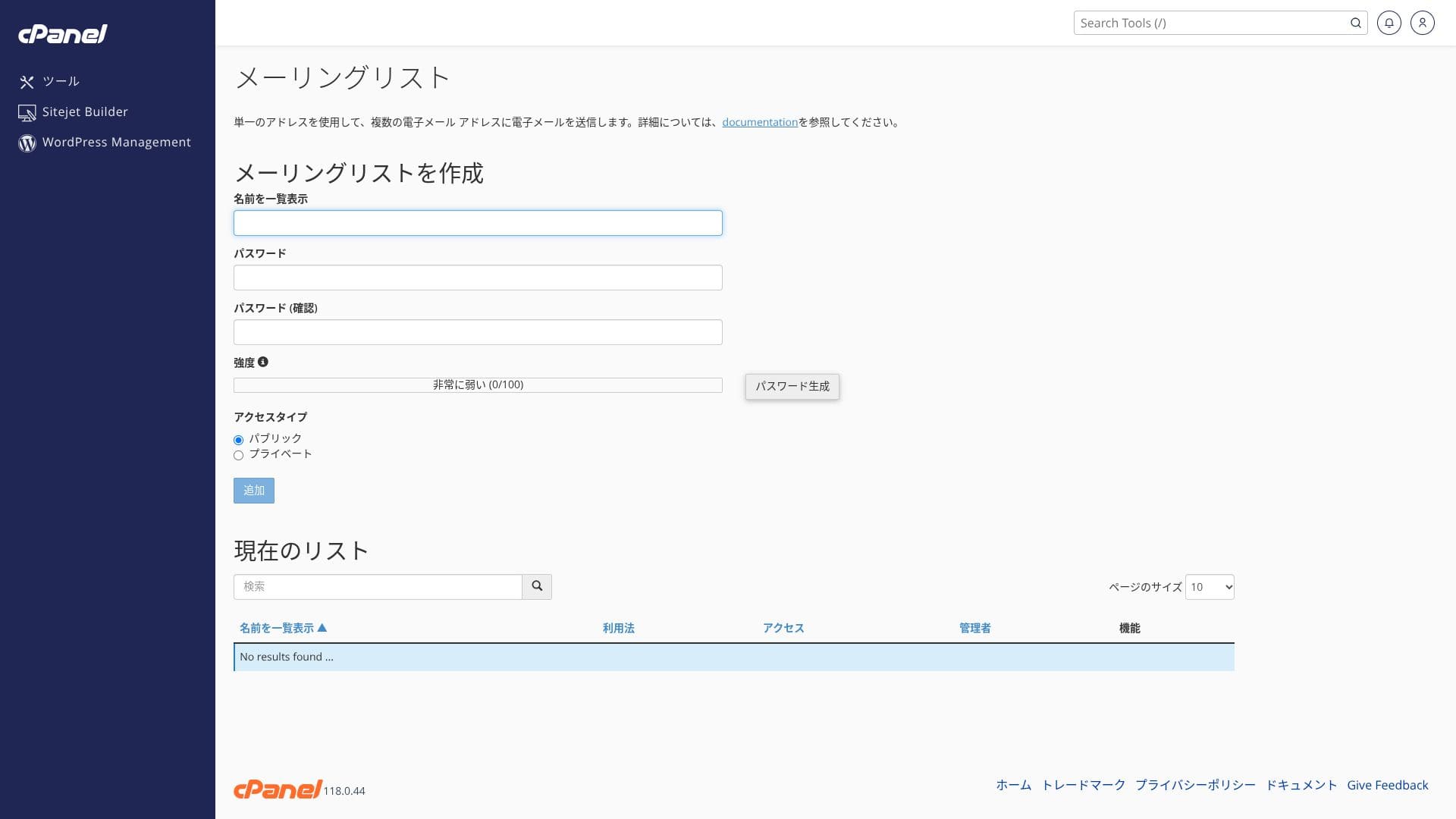
Kerana terdapat ciri sandaran automatik 30 hari, walaupun anda memadam sesuatu secara tidak sengaja atau menghadapi masalah, anda boleh memulihkan peti mel individu dari pelayar dengan satu klik.
- SMTP dan IMAP yang disulitkan dengan SSL tersuai percuma mengurangkan risiko intipan walaupun pada rangkaian luar.
- cPanel menyediakan wizard persediaan untuk rekod SPF, DKIM, dan DMARC, yang memudahkan langkah anti-penyamaran.
- Pelayan itu sendiri berjalan dengan WAF berkuasa AI dan perlindungan DDoS, manakala perkhidmatan e-mel berjalan pada infrastruktur awan berlebihan yang sama, jadi failover berlaku secara automatik semasa masalah. Perkhidmatan ini juga membawa jaminan masa aktif 99.99%.
Hikaru Ono
Oleh sebab kos persediaan adalah sifar dan SSL serta langkah anti-spam disertakan sebagai standard, saya fikir syarikat kecil dan sederhana tanpa pakar IT pun boleh mengendalikannya dengan selesa.
Langkah keselamatan
Imunify360 ialah suite keselamatan menyeluruh yang menggabungkan pengimbasan perisian hasad, IPS/IDS, dan WAF. Ia secara automatik mengesan dan menyekat serangan brute-force serta percubaan SQL injection yang biasa pada WordPress, jadi anda boleh beroperasi dengan selamat walaupun tanpa pengetahuan pakar. Ciri tambahan seperti sekatan IP untuk kawasan pentadbir juga tersedia, memberikan tahap perlindungan yang cukup untuk laman korporat.
mixhost dilengkapi secara standard dengan perlindungan DDoS dan SSL percuma. Premium dan ke atas juga menyertakan WAF berkuasa AI dan penyingkiran malware automatik. WAF (Web Application Firewall) ialah mekanisme pertahanan yang menyekat serangan khusus kepada aplikasi web, seperti SQL injection, secara masa nyata.
Hikaru Ono
Oleh sebab pelan Light tidak sekuat pelan yang lebih tinggi dari segi keselamatan, pastikan anda memasang plugin keselamatan WordPress.
Lima plugin keselamatan WordPress yang boleh memperkukuh laman anda dan cara memilihnya
Namun, jika laman itu pernah diubah secara tidak wajar, anda masih perlu melakukan kerja pemulihan sendiri. Jangan bergantung sepenuhnya pada pelayan; pastikan perisian anda dikemas kini secara berkala dan urus pemalam anda dengan berhati-hati.
Ciri sandaran automatik
Hikaru Ono
Jika anda memilih pelan Light, yang tidak termasuk sandaran, pastikan anda memasang pemalam sandaran WordPress.
Lima pemalam sandaran WordPress yang berkuasa untuk memulihkan data anda
Ciri-ciri lain
pCloud
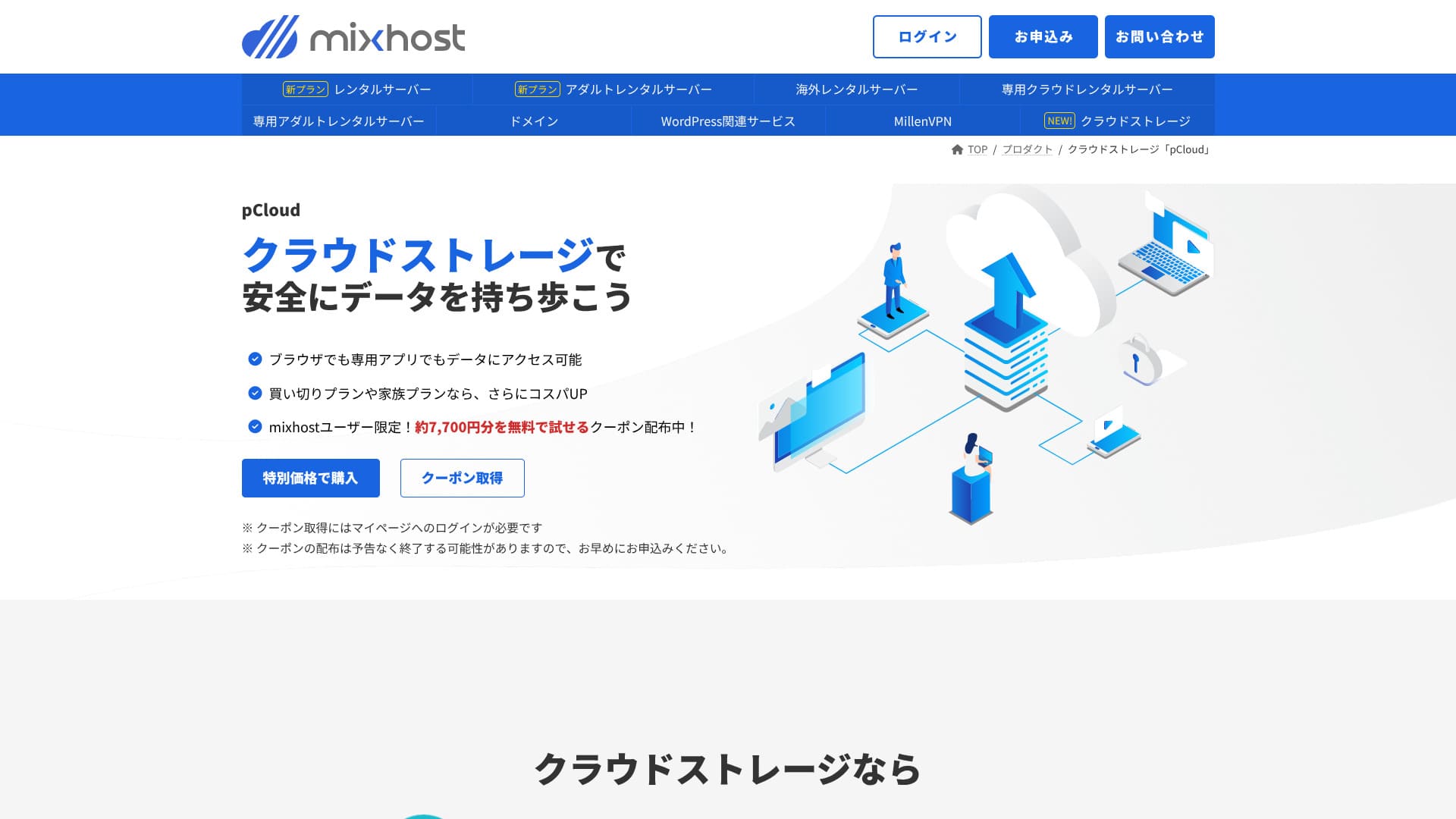
pCloud ialah perkhidmatan storan awan yang digunakan oleh 21 juta orang.
mixhost pengguna boleh mendapatkan kupon yang membolehkan mereka mencuba 500 GB selama satu tahun secara percuma, bernilai kira-kira 7,700 yen. Ia memudahkan perkongsian fail besar dan kerjasama pasukan.
Sitejet
Kekuatan terbesar
Hikaru Ono
Ia membolehkan anda membina laman web dengan lebih mudah daripada WordPress.
Gunakan Sitejet
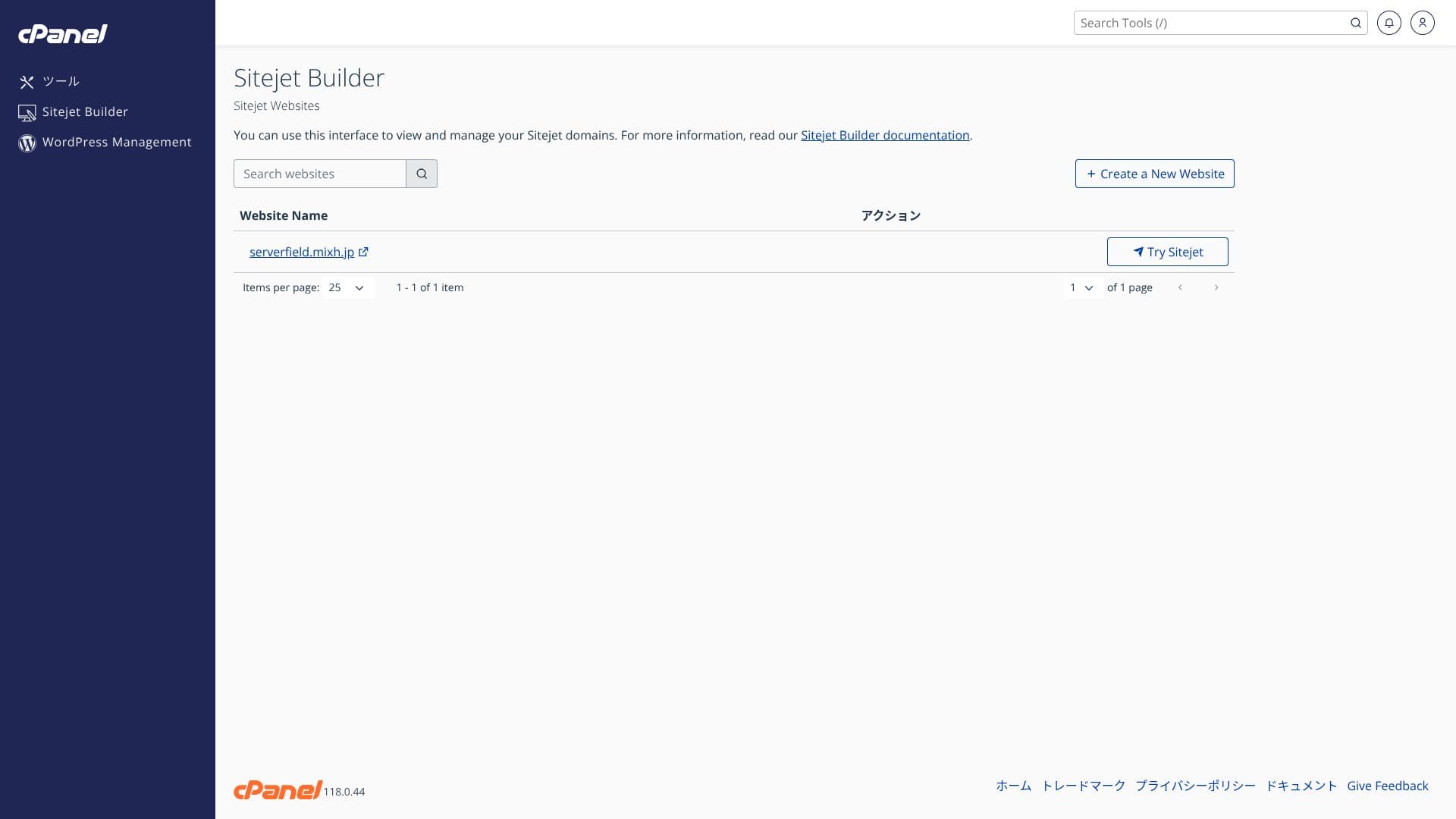
- STEP.1Log masuk ke "cPanel" daripada panel kawalan
- STEP.2Klik "Klik untuk bermula" dalam Sitejet

- STEP.3Klik "Cuba Sitejet" dalam Sitejet Builder
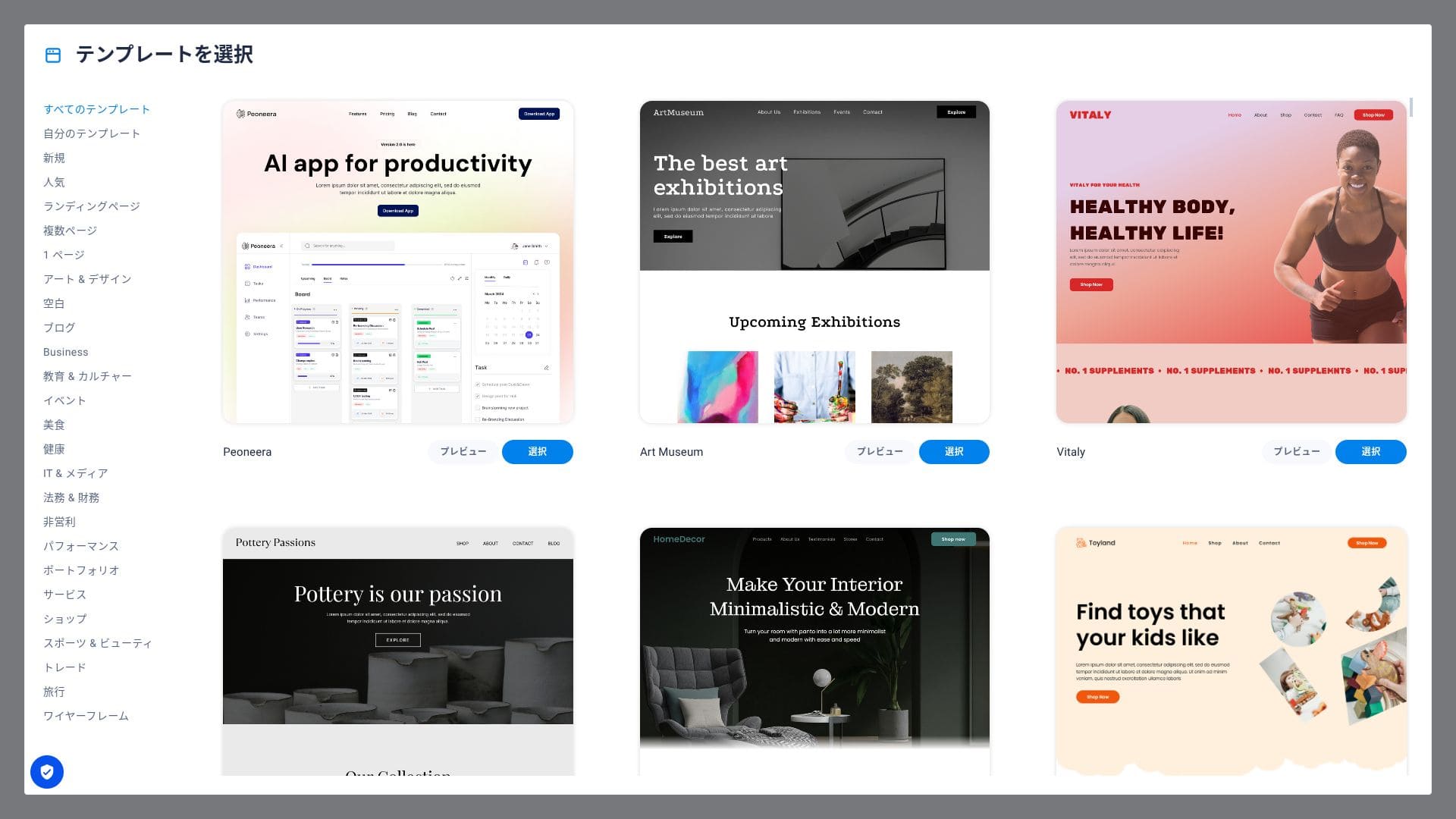
- STEP.4Pilih templat yang ingin anda gunakan
Pada Rakko Market, apabila jualan selesai, penjual membayar 20% daripada harga jualan sebagai yuran.
Pilihan hosting luar negara yang membolehkan anda memilih lokasi San Jose, Pantai Barat AS memberikan anda persediaan kependaman rendah yang sesuai untuk laman e-dagang global dan media berbahasa Inggeris. Harganya kira-kira 330 yen lebih tinggi daripada pelan Standard domestik.
Hikaru Ono
Sangat sedikit syarikat hosting Jepun mengendalikan lokasi pelayan di luar negara. Oleh sebab anda masih boleh menerima sokongan dalam bahasa Jepun, saya mengesyorkannya kepada orang yang mencari pelayan luar negara.
Rakko Keyword ialah salah satu alat penyelidikan kata kunci terbaik di Jepun. Ia memudahkan anda menentukan hala tuju artikel anda. Sebagai faedah untuk kontrak satu tahun atau lebih, anda boleh mencuba pelan Light alat penyelidikan kata kunci “Rakko Keyword” yang berharga 990 yen sebulan selama satu bulan.
“mixhost” ialah pelayan awan berkelajuan tinggi daripada AzPocket Inc. Ia juga menawarkan pelayan yang dipasang di luar negara, menjadikannya sangat menarik untuk individu yang menerbitkan kandungan kepada khalayak antarabangsa. WordPress diprapasang apabila anda mendaftar untuk pelayan, jadi sangat mudah untuk bermula.
Diskaun sehingga 55% untuk pembelian pertama, ditambah diskaun tambahan 25% dan jaminan wang dikembalikan 30 hari
mixhost sesuai untuk pengguna yang mahukan nilai yang kukuh, kelajuan tinggi, dan sokongan yang prihatin pada masa yang sama.
- Blogger individu dan pemasar afiliasi: Quick Start dan LiteSpeed Cache membantu anda membina laman yang pantas dan mesra SEO sejak saat ia disiarkan.
- Perniagaan kecil dan sederhana serta pengendali e-dagang: SSL tersuai percuma dan sandaran automatik memberikan ketenangan fikiran dari segi keselamatan, manakala e-mel tanpa had membantu memusatkan perkongsian maklumat dalaman.
- Syarikat produksi dan pembangun: Anda boleh mengurus berbilang laman di satu tempat dan menggunakan aliran kerja mesra pementasan yang memudahkan ujian dan penerbitan.
Daripada pendaftaran domain hingga konfigurasi name server dan penerbitan SSL secara automatik, prosesnya berjalan lancar, dan privasi WHOIS juga disediakan secara percuma.
Bandingkan 10 perkhidmatan hosting luar negara

Apabila memilih hosting luar negara, ramai orang tidak pasti penyedia mana yang patut dipilih kerana halangan bahasa dan perbezaan budaya.
Artikel ini membandingkan secara menyeluruh 10 syarikat hosting luar negara yang dipilih dengan teliti dari seluruh dunia dan menerangkan ciri setiap perkhidmatan, pelan harga, dan kebolehgunaan dalam situasi sebenar.
Ia merangkumi pelbagai keperluan, daripada perkara keputusan yang membantu pemula memilih dengan selamat hingga ciri lanjutan yang dicari oleh pengguna teknikal.