तुम्ही Xserver, Shin Rental Server किंवा Star Rental Server साठी नोंदणी केली, तर ते आणखी स्वस्त होते
PR
WordPress
कंपनी साइट्स आणि अॅफिलिएट साइट्ससाठी, प्रतिष्ठित XWRITE WordPress थीम निवडा
प्रकाशित: 2025.02.04
अद्यतनित: 2026.03.12
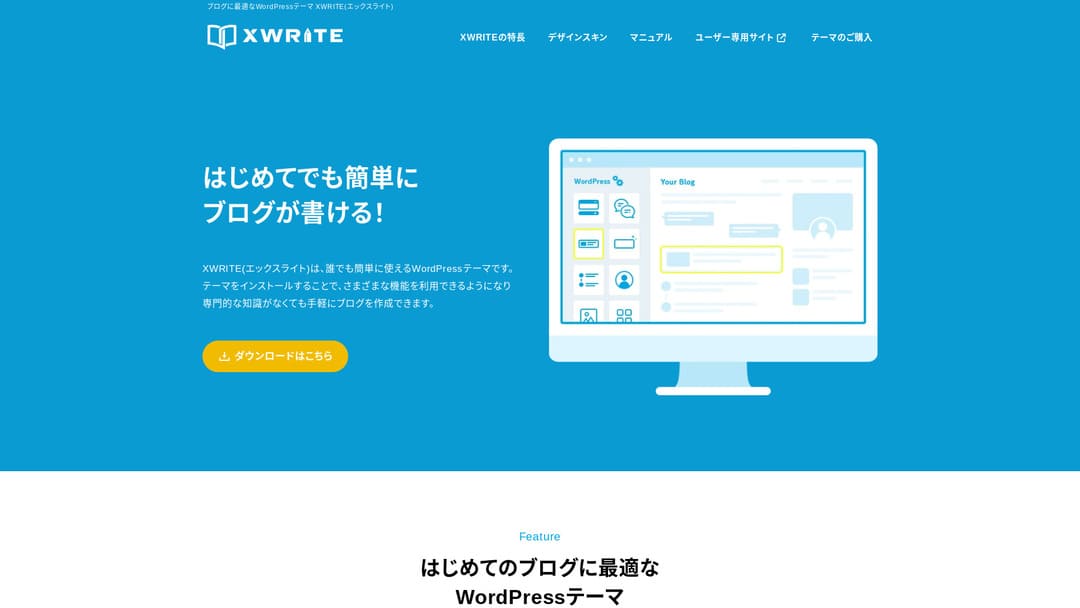
तुमची साइट कंपनी वेबसाइट किंवा अॅफिलिएट साइट असेल, तर हा पर्याय नक्की विचारात घ्यावा.
XWRITEXWRITE ही Xserver Inc. ने विकसित केलेली ब्लॉग-केंद्रित WordPress थीम आहे. होय, ती ब्लॉगसाठी आहे. पण खरं सांगायचं तर, ब्लॉग-केंद्रित WordPress थीम्सचे क्षेत्र खूप गर्दीचे आहे, आणि XWRITE व्यतिरिक्त Cocoon आणि SWELL सारख्या अनेक उत्कृष्ट थीम्स आहेत. (बहुधा म्हणूनच Xserver या दोन थीम्ससोबतही भागीदारी करते.)
SWELL आकर्षक दिसते, आणि Cocoon मोफत आहे.
तरीही, XWRITE मध्ये Cocoon आणि SWELL कडे नसलेली मूळ वैशिष्ट्ये आहेत, आणि ती वैशिष्ट्ये तुम्ही तुमच्या होमपेज किंवा साइटवर उपयोगात आणू शकत असाल, तर माझ्या मते XWRITE हा अधिक चांगला पर्याय आहे.
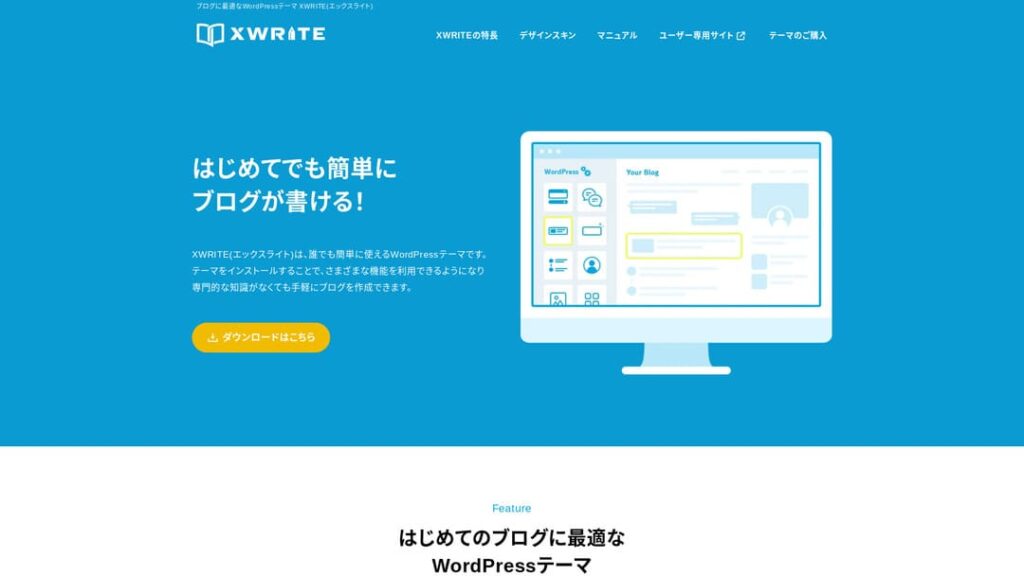
“XWRITE” ही Xserver Inc. द्वारे दिली जाणारी WordPress थीम आहे. ती साधी, जलद, सोपी आणि कुणालाही वापरता येण्यासारखी आहे अशी तिची प्रतिमा आहे. ती विशेषतः कंपनी वेबसाइट्स आणि अॅफिलिएट साइट्ससाठी शिफारस केली जाते.

कंपनी होमपेजेस आणि अॅफिलिएट साइट्ससाठी, या दोन प्रकारांमध्ये XWRITE खरोखरच चमकतो. उरलेल्या सर्व गोष्टींसाठी, सरळ सांगायचे तर, तुम्हाला आवडणाऱ्या डिझाइनच्या आधारे निवडा. पण कंपनी होमपेज किंवा अॅफिलिएट साइट असेल तर, किमान एकदा तरी XWRITE नीट पाहा.
व्यक्ती, कंपन्या आणि परदेशी वापरासाठी 32 WordPress होस्टिंग सेवांची संपूर्ण तुलना

जेव्हा तुम्ही “WordPress सुरू करायचे आहे” असा विचार करून “WordPress शिफारसी” शोधता, तेव्हा वैयक्तिक होस्टिंग, कंपन्या आणि लहान व्यवसायांसाठीचे पर्याय, परदेशी होस्टिंग आणि कमी किमतीचे सर्व्हर याबद्दलचे अनेक प्रकारचे लेख समोर येतात. खरं तर,
- कोणत्या साइटवर विश्वास ठेवावा?
- तुम्हाला कदाचित साधे आणि समजण्यास सोपे उत्तर हवे असेल.
- तुम्हाला WordPress लगेच सुरू करायचे असू शकते.
म्हणूनच हा लेख व्यक्ती, कंपन्या, देशांतर्गत वापर आणि परदेशी वापरासाठी 32 होस्टिंग प्रदात्यांमधून निवडलेल्या शिफारसी काळजीपूर्वक सादर करतो. हे स्पष्टीकरण दररोज होस्टिंग वापरणाऱ्या अॅप विकास कंपनीतील SEO प्रमुख देतात.
कंपनी होमपेजेससाठी मी XWRITE ची शिफारस का करतो
Xserver ने तयार केलेली दुकानासारखी डेमो साइट आणि कॉर्पोरेट साइट पाहा. त्या पाहिल्यावर “अरे, म्हणजे अशी साइट मी तयार करू शकतो” असे वाटते.

DEMO CORPORATION
DEMO CORPORATION
demo.xwrite.jp

DEMO Cafe & Lounge
DEMO Cafe & Lounge
demo.xwrite.jp
Google Maps ब्लॉकमुळे Google Maps सहज शैलीबद्ध करता येतात
कंपनी होमपेजेस आणि दुकानांच्या वेबसाइट्सवर सहसा कार्यालय किंवा दुकानाचे ठिकाण Google Maps द्वारे दाखवले जाते.
XWRITE मध्ये Google Maps ब्लॉक वापरून Google Maps कसे दिसेल हे अगदी सहज सानुकूलित करता येते.
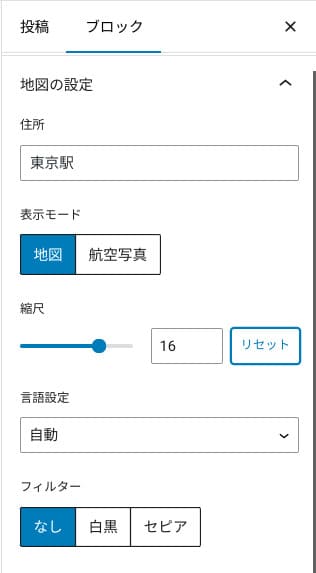
ते नकाशा किंवा आकाशातून घेतलेल्या छायाचित्राच्या दृश्यात बदलता येते, किंवा मोनोक्रोम किंवा सेपिया रूपात दाखवता येते. Cocoon आणि SWELL मध्ये हे वैशिष्ट्य नाही. डिझायनर किंवा प्रोग्रामर नसल्यास अशा गोष्टी CSS ने बदलणे खरंच कठीण आहे.
पण XWRITE मध्ये विशेषज्ञ ज्ञान नसले तरी ते अडचण ठरत नाही. कुणीही आपल्या कंपनी किंवा दुकानाच्या होमपेजच्या वातावरणाशी जुळेल असे Google Maps सहज सानुकूलित करू शकते.
Google Map कसा तयार करावा
Google Map कसा तयार करावा
xwrite.jp
Section ब्लॉकमुळे रिकामी जागाही सुंदर दिसते
कंपनी होमपेजेस आणि दुकानांच्या वेबसाइट्ससाठी डिझाइन महत्त्वाचे असते. “हे दुकान स्टायलिश दिसते” किंवा “हे काम ते काळजीपूर्वक आणि व्यवस्थित हाताळतील असे वाटते” अशा शब्दांत सहज सांगता न येणारे वातावरण ते पोहोचवते.
त्या वातावरणावर आश्चर्यकारकपणे प्रभाव टाकणारी गोष्ट म्हणजे रिकामी जागा. व्यवस्थित मांडलेली, आरामदायी रिकामी जागा सौंदर्य आणि अभिजातता निर्माण करू शकते, कधी कधी उत्साहपूर्ण ऊर्जेची जाणीवही देते.
XWRITE चा Section ब्लॉक वापरल्यास, त्या वातावरणाला आकार देणारी रिकामी जागाही तुम्ही इच्छित तशी सुंदरपणे डिझाइन करू शकता.
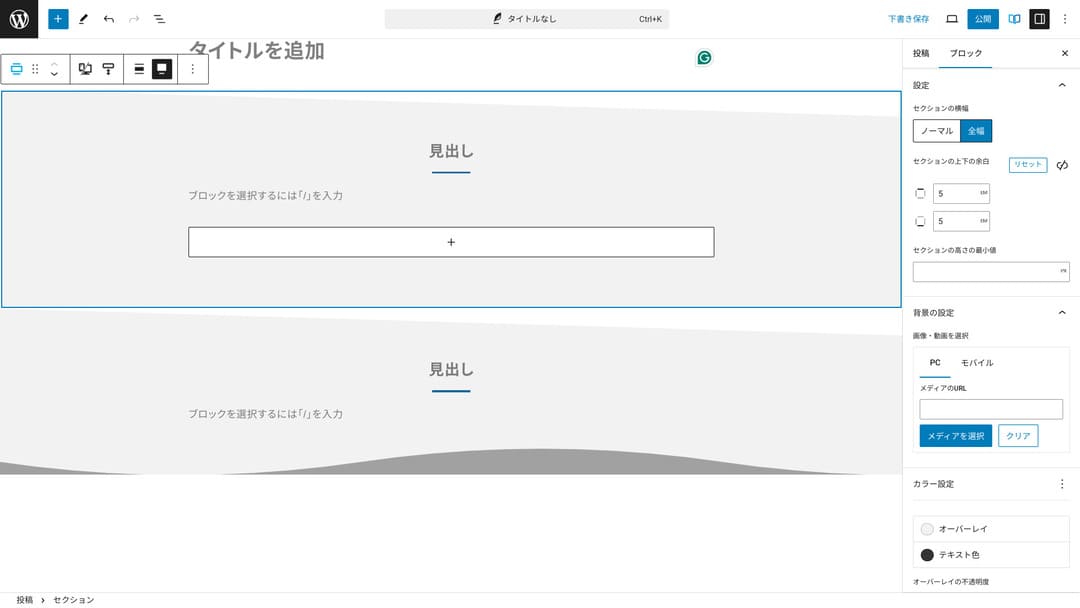
तिरपी कापल्यासारखी रिकामी जागा तयार करता येते किंवा लाटेसारखे आकार जोडता येतात. रिकाम्या जागेसह डिझाइन इतक्या तपशीलापर्यंत पोहोचले की कंपनी किंवा दुकानाची प्रतिमा मोठ्या प्रमाणात सुधारू शकते.
Section कसा तयार करावा
Section कसा तयार करावा
xwrite.jp
अॅफिलिएट साइट्ससाठी मी XWRITE ची शिफारस का करतो
Xserver ने तयार केलेली अॅफिलिएट-शैलीतील डेमो साइट पाहा. त्यावर “blog” असे लिहिले असले तरी तिथे दिसणारी सामग्रीची रचना प्रत्यक्षात अॅफिलिएट साइटसारखीच आहे.

STUDY DEMO BLOG
STUDY DEMO BLOG
demo.xwrite.jp
Product Review ब्लॉक फायदे-तोटे एका नजरेत स्पष्ट करतो
XWRITE चा Product Review ब्लॉक वापरल्यास, उत्पादनाचे फायदे आणि तोटे सुंदरपणे मांडता येतात. त्यात काय चांगले आहे आणि काय नाही हे लोकांना लगेच दिसते. रेटिंग आणि स्पष्टीकरणही वाचायला सोपे असते.
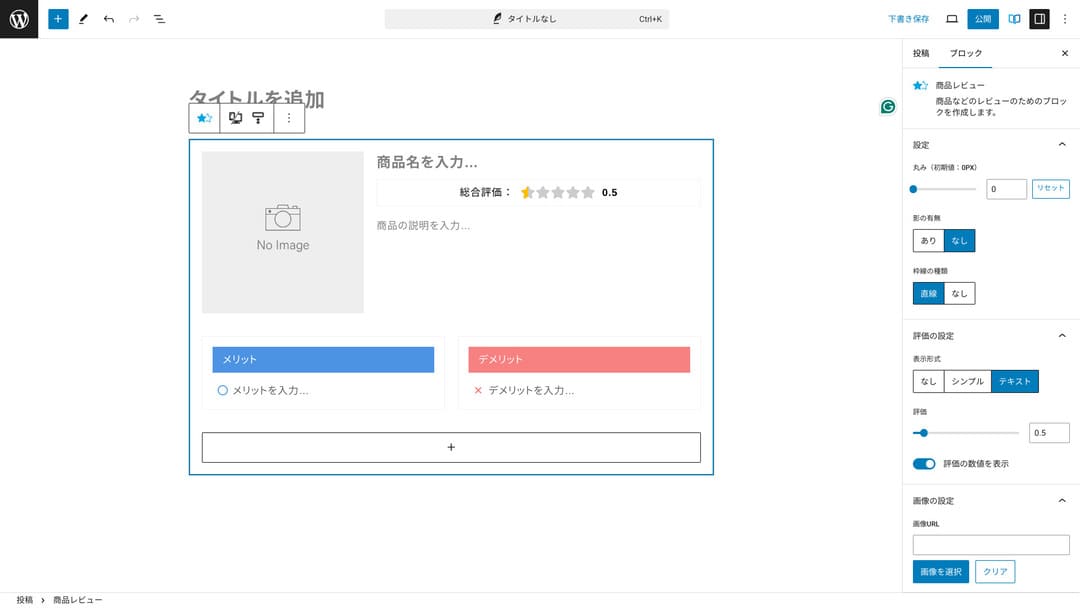
हा ब्लॉक वापरल्यास, तुम्ही सादर करत असलेल्या उत्पादनाची वैशिष्ट्ये साइटवरील पाहुण्यांना लगेच समजू शकतात. ती पटकन समजली की खरेदी करायची की नाही हे ठरवणे त्यांच्यासाठी सोपे होते. दुसऱ्या शब्दांत, विक्री करणे सोपे होते.
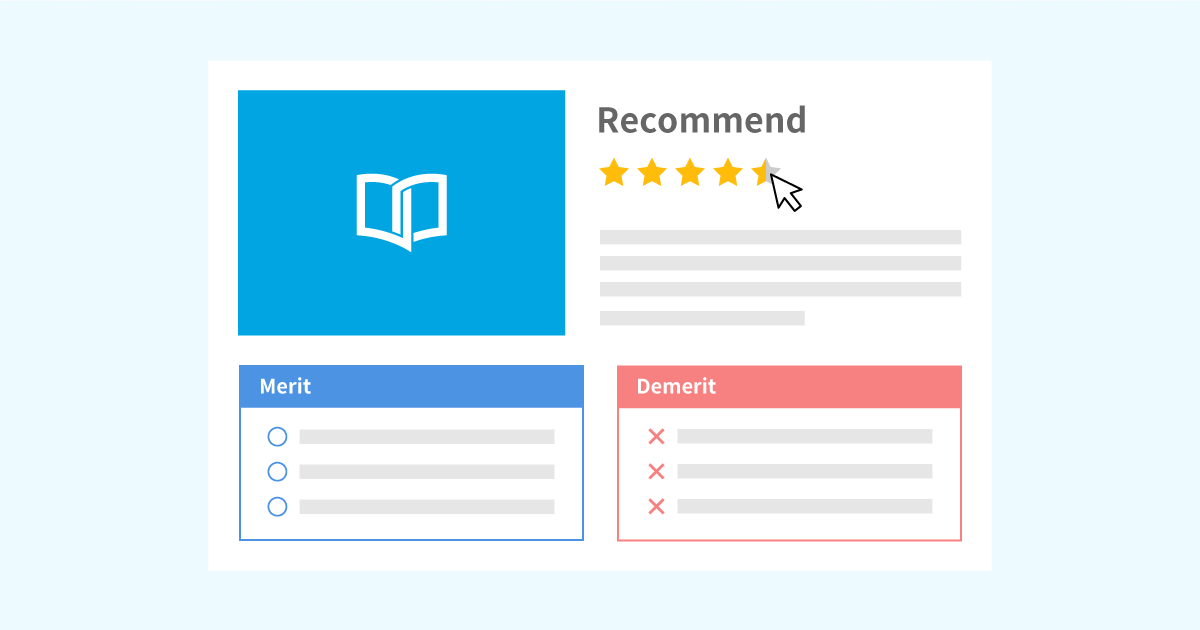
उत्पादन स्पष्टीकरण आणि रेटिंगसाठी Product Review ब्लॉकचा नमुना
उत्पादन स्पष्टीकरण आणि रेटिंगसाठी Product Review ब्लॉकचा नमुना
xwrite.jp
Step ब्लॉक प्रक्रिया आणि प्रवाह स्पष्टपणे सांगतो
XWRITE चा Step ब्लॉक प्रक्रिया आणि प्रवाह समजायला सोपे करतो. “हे केल्यानंतर ते कागदपत्र तयार करा आणि पुढे येथे क्लिक करा” अशा स्पष्टीकरणांचा अर्थ अधिक स्पष्ट होतो.
उत्पादन कसे खरेदी करावे किंवा करार प्रक्रियेतील पायऱ्यांचा क्रम दाखवण्यासाठी Step ब्लॉक वापरता येतो.
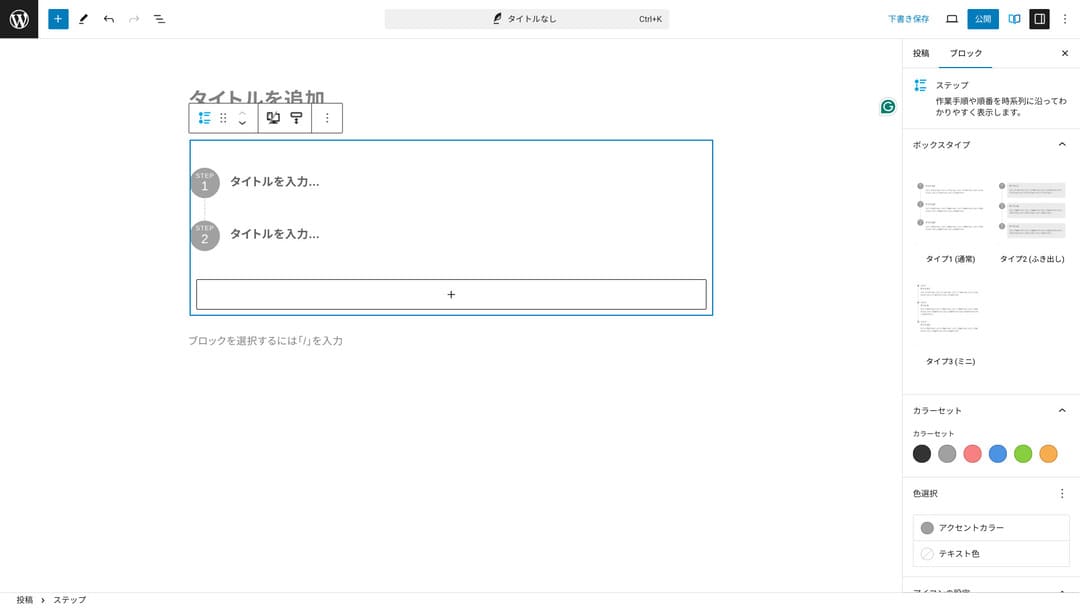
प्रक्रिया शीर्षके आणि साध्या मुख्य मजकुरातूनही समजावता येतात, पण तसे केल्यास मांडणी तितकी नीट बसत नाही आणि अनावश्यक रिकामी जागा तयार होण्याची शक्यता असते.
तसेच, प्रक्रिया समजावण्यासाठी शीर्षके वापरल्यास पानाची अनुक्रमणिका खूप तपशीलवार होऊन वापरकर्ता अनुभव बिघडू शकतो. Step ब्लॉक गोष्टी साध्या ठेवतो.
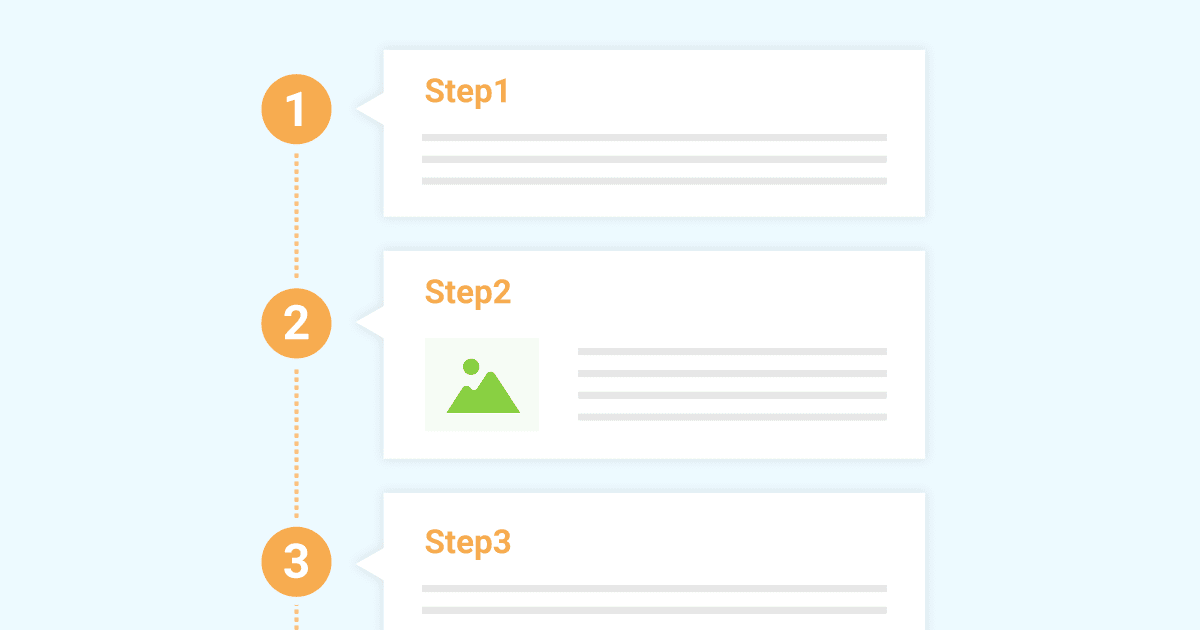
कामाच्या प्रक्रिया सादर करण्यासाठी Step ब्लॉकचा नमुना
कामाच्या प्रक्रिया सादर करण्यासाठी Step ब्लॉकचा नमुना
xwrite.jp
Button ब्लॉक CTR सुधारण्यास मदत करू शकतो
XWRITE चा Button ब्लॉक वापरल्यास CTR, म्हणजे क्लिक-थ्रू दर, सुधारण्याची शक्यता असते. बटणांवर अनेक प्रकारची सजावट लागू करता येते, त्यामुळे “अर्ज कुठून करायचा?” असा प्रश्न वापरकर्त्यांना पडत नाही.
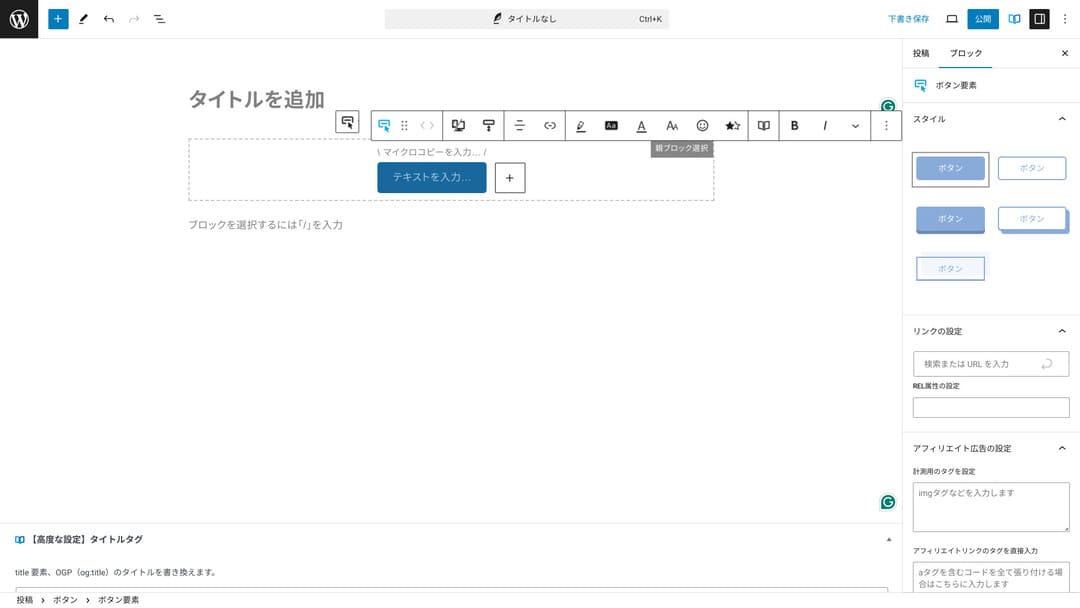
रंग आणि डिझाइन बदलता येत असल्यामुळे ते साइटच्या वातावरणाशीही जुळवता येते.
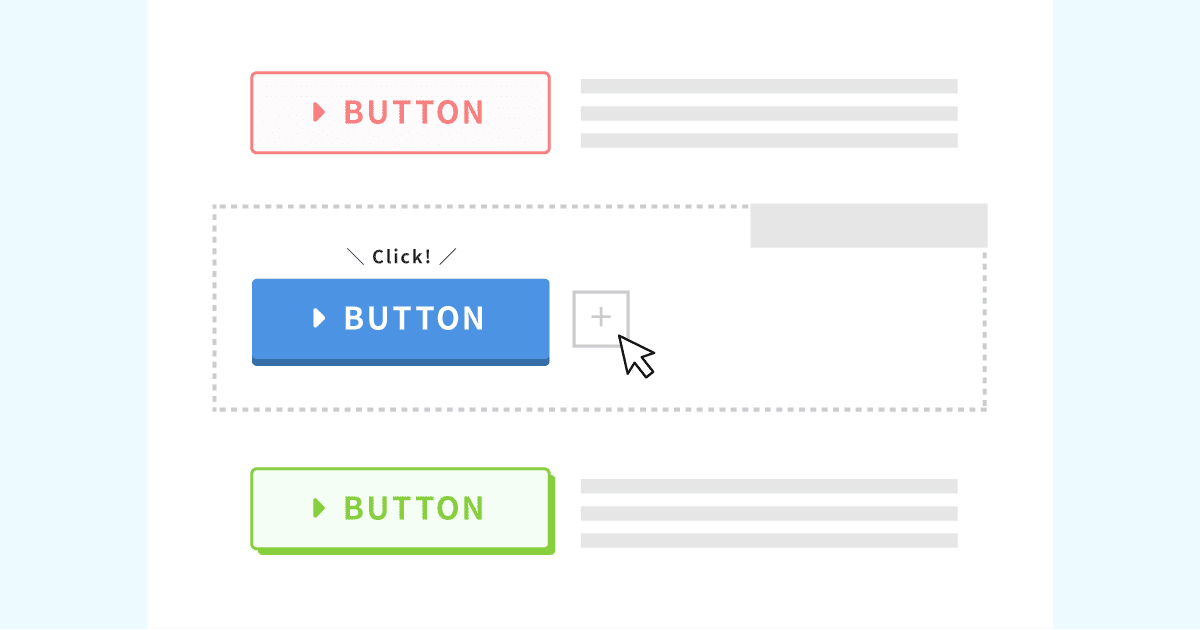
मूळ बटण डिझाइन्सची यादी
मूळ बटण डिझाइन्सची यादी
xwrite.jp
XWRITE ची किंमत: सदस्यता आणि एकदाच खरेदी
XWRITE मध्ये सदस्यता योजना किंवा एकदाच खरेदी यापैकी एक निवडता येते.
- सदस्यता (मासिक): दरमहा 990 येन
- सदस्यता (वार्षिक): दरवर्षी 9,900 येन
- एकदाच खरेदी योजना: 19,800 येन
Xserver आणि Shin Rental Server चे वापरकर्ते एकदाच खरेदी योजना 15,840 येनमध्ये खरेदी करू शकतात. त्यामुळे नेहमीपेक्षा सुमारे 4,000 येन स्वस्त पडते, म्हणून XWRITE आणि नवीन सर्व्हर करार दोन्हीचा विचार करत असाल तर सर्व्हरसाठी नोंदणी करतानाच अर्ज करण्याची मी शिफारस करतो.
Xserver आणि Shin Rental Server हे दोन्ही उत्कृष्ट सर्व्हर आहेत. खालील लेखांमध्ये मी त्यांचे सविस्तर स्पष्टीकरण दिले आहे.

Xserver ची प्रतिष्ठा आणि समीक्षा [2025 ताजे]: वेग, किंमत, फायदे आणि तोटे यांचे सखोल स्पष्टीकरण
Xserver ची प्रतिष्ठा आणि समीक्षा [2025 ताजे]: वेग, किंमत, फायदे आणि तोटे यांचे सखोल स्पष्टीकरण
serverfield.org
Shin Rental Server समीक्षा [2025 ताजे]: प्रत्यक्ष वापरावरून वेग आणि किंमतीचे सखोल स्पष्टीकरण
Shin Rental Server समीक्षा [2025 ताजे]: प्रत्यक्ष वापरावरून वेग आणि किंमतीचे सखोल स्पष्टीकरण
serverfield.org
प्रामाणिकपणे सांगायचे तर, इतर WordPress थीम्सच्या तुलनेत ती स्वस्त नाही
पूर्ण प्रामाणिकपणे सांगायचे तर, इतर WordPress थीम्सच्या तुलनेत किंमत कमी नाही. ती जवळपास तितकीच किंवा थोडी अधिक आहे.
| XWRITE | One-time purchase plan: 19,800 yen |
| Cocoon | Free |
| SWELL | 17,600 yen |
| SANGO | 14,800 yen |
| JIN:R | 19,800 yen |
म्हणून पुन्हा सांगायचे तर, Xserver किंवा Shin Rental Server च्या सर्व्हर करारासोबत 15,840 येन किमतीत अर्ज करणे हा सर्वोत्तम पर्याय आहे.
तथापि, तुमचा सर्व्हर करार आधीच असेल तर सदस्यता योजना निवडा. तुम्ही सध्या वापरत असलेली थीम निवडण्यामागे एखादे मोठे कारण असण्याची शक्यता आहे, आणि थीम बदलताना डिझाइनमधील फरक साइट PVs, म्हणजे पाहिलेल्या पानांची संख्या, आणि CTR, म्हणजे क्लिक-थ्रू दर, यावर परिणाम करू शकतो.
सदस्यता योजनेत, XWRITE वर बदलल्यानंतर तुम्हाला असे आढळले की…
- डिझाइन तुमच्या आवडीपेक्षा खूप वेगळे आहे
- मागील थीमच्या प्रभावामुळे लेआउट बिघडते आणि दुरुस्ती कठीण होते
…तरीही कमी खर्चात तुम्ही तुमच्या मूळ थीमकडे परत जाऊ शकता.
या साइटनेही सदस्यता योजनेतून नोंदणी करून XWRITE आणण्याचा विचार केला होता, पण वरच्या दुसऱ्या कारणामुळे यावेळी मी तो विचार सोडला. दुरुस्तींसाठी लागणारा वेळ मला राखून ठेवता येत नाही.
XWRITE साठी अर्ज कसा करावा
XWRITE साठी अर्ज कसा करावा
- STEP.1वापरकर्ता साइटमध्ये लॉग इन करा
- STEP.2परवाना पानावरून थीम खरेदी करा
कृपया वापरकर्ता साइटवरील “License Authentication” मधून थीम खरेदी करा.
- STEP.3थीम डाउनलोड करा
थीम डाउनलोड करा.
डाउनलोड केलेली ZIP फाइल घ्या आणि WordPress मधील Appearance → Themes → Upload New Theme मार्गे ती इन्स्टॉल करा, नंतर सक्रिय करा.
- STEP.4परवाना प्रमाणित करा
XWRITE Settings → Activation मधून परवाना प्रमाणित करा. (अधिकृत सूचना)
XWRITE मध्ये चाइल्ड थीम आहे
XWRITE मध्ये सुरुवातीला चाइल्ड थीम नव्हती, पण 22 जानेवारी 2025 रोजी अपडेट झाल्यानंतर चाइल्ड थीम उपलब्ध झाल्या. शक्य असल्यास चाइल्ड थीम तयार करा. WordPress थीमसाठी चाइल्ड थीम तयार केल्यास दुसऱ्या थीमवर बदलताना मोठा डिझाइन बिघाड टाळता येतो.
WordPress चाइल्ड थीम तयार करण्याची सर्वसाधारण प्रक्रिया
- STEP.1चाइल्ड थीमसाठी फोल्डर तयार करा
प्रथम WordPress इन्स्टॉलेशन फोल्डरमध्ये जा आणि चाइल्ड थीमसाठी फोल्डर
wp-content/themes/.- त्यात प्रवेश करण्यासाठी FTP वापरा किंवा WordPress प्रशासक स्क्रीन > Appearance > Theme Editor.
- Create a new folder inside
wp-content/themes/मध्ये नवीन फोल्डर तयार करा आणि त्यालाtheme-childसारखे नाव द्या. फोल्डरचे नाव तुमच्या इच्छेनुसार असू शकते, पण समजायला सोपे नाव वापरणे चांगले.
- STEP.2चाइल्ड थीम स्टाइल शीट (style.css) तयार करा
यानंतर त्या फोल्डरमध्ये style.css फाइल तयार करा. ही फाइल चाइल्ड थीमची शैली माहिती व्यवस्थापित करते.
- Set the contents of theme-child/style.css ची सामग्री खाली दाखवल्याप्रमाणे सेट करा.
CSS कोड कॉपी करा/* Theme Name: Theme Child Template: Theme Version: 1.0*/@import url("../Theme/style.css");/* Write customization CSS here */Theme Name: चाइल्ड थीमचे नाव (तुम्ही ते मोकळेपणे बदलू शकता)Template: पालक थीमच्या डिरेक्टरीचे नाव- पालक थीमची CSS फाइल
@import.
- STEP.3चाइल्ड थीमची functions.php तयार करा
यानंतर पालक थीमच्या शैली योग्यरीत्या लोड करण्यासाठी functions.php फाइल तयार करा.
- Create a theme-child/functions.php फाइल तयार करा आणि खालील सामग्री जोडा.
PHP कोड कॉपी करा<?php// Load the parent theme style sheetfunction theme_child_enqueue_styles() { wp_enqueue_style('parent-style', get_template_directory_uri() . '/style.css');}add_action('wp_enqueue_scripts', 'theme_child_enqueue_styles'); - STEP.4चाइल्ड थीम सक्रिय करा
WordPress प्रशासक स्क्रीनवर परत जा आणि Appearance > Themes येथे जा. तिथे “Theme Child” नावाची थीम दिसेल, ती सक्रिय करा.
- STEP.5सानुकूलन सुरू करा
चाइल्ड थीम सक्रिय झाल्यानंतर style.css, functions.php तसेच गरज असल्यास
header.phpआणिfooter.phpसारख्या इतर टेम्पलेट फाइल्स सानुकूलित करा. पालक थीमच्या फाइल्स थेट संपादित करण्याऐवजी चाइल्ड थीममध्ये त्या override करून सानुकूलन करा.
XWRITE बद्दल वारंवार विचारले जाणारे प्रश्न
XWRITE ची किंमत किती आहे?
- सदस्यता (मासिक): दरमहा 990 येन
- सदस्यता (वार्षिक): दरवर्षी 9,900 येन
- एकदाच खरेदी योजना: 19,800 येन
Xserver आणि Shin Rental Server वापरकर्त्यांसाठी XWRITE ची एकदाच खरेदी योजना 15,840 येन होते.
सदस्यता नूतनीकरण केले नाही तर काय होते?
सदस्यता नूतनीकरण केले नाही तरी थीम वापरता येत नाही असे होत नाही. मात्र, तुम्हाला थीम अपडेट करता येणार नाही. फोरममध्ये प्रश्न विचारण्याची सुविधाही उपलब्ध राहणार नाही.
सदस्यता निवडल्यास ती दर महिन्याला नूतनीकरण करा. पैसे वाचवायचे असतील तर एकदाच खरेदी योजना शिफारस केली जाते.
सारांश
XWRITE ही ब्लॉगसाठीची थीम आहे. तुम्ही ब्लॉग लिहिणार असाल, तर ही नक्कीच शिफारस करण्यासारखी थीम आहे. त्याच वेळी, कंपनी होमपेजेस आणि अॅफिलिएट साइट्ससाठीही मी तिची शिफारस करतो.
सदस्यता योजना निवडल्यास, तुम्ही 990 येनमध्ये एक महिना ती वापरून पाहू शकता. सुरुवात सदस्यतेने करण्याची मी शिफारस करतो. वापराची भावना आणि डिझाइन समाधानकारक वाटल्यास नंतर एकदाच खरेदी योजनेकडे जा.
“XWRITE” ही Xserver Inc. द्वारे दिली जाणारी WordPress थीम आहे. ती साधी, जलद, सोपी आणि कुणालाही वापरता येण्यासारखी आहे अशी तिची प्रतिमा आहे. ती विशेषतः कंपनी वेबसाइट्स आणि अॅफिलिएट साइट्ससाठी शिफारस केली जाते.
तुम्ही Xserver, Shin Rental Server किंवा Star Rental Server साठी नोंदणी केली, तर ते आणखी स्वस्त होते
त्याच वेळी सर्व्हरही शोधत असाल, तर मी Xserver ची शिफारस करतो.
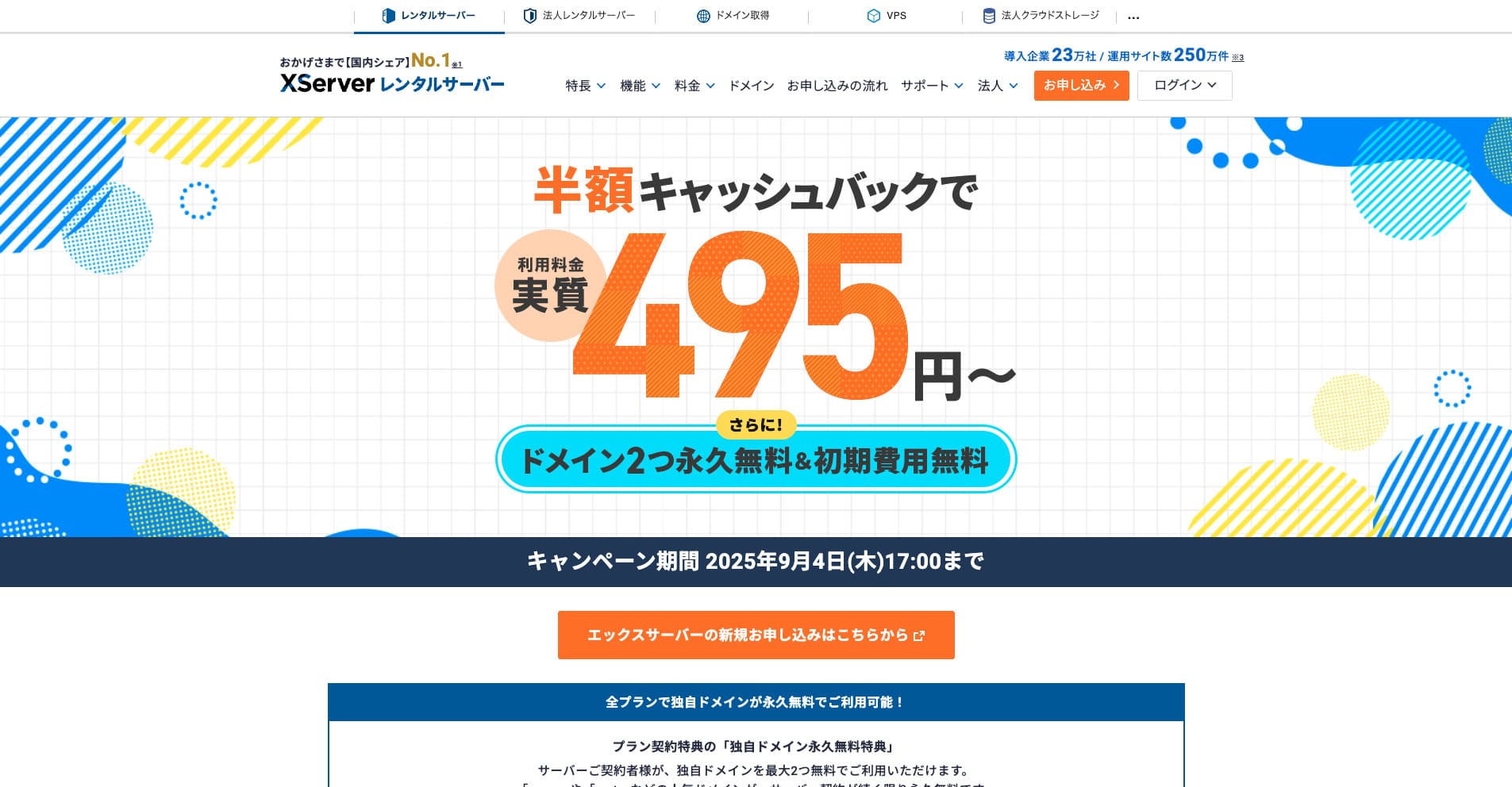
“Xserver” हा देशांतर्गत बाजारहिस्स्यात क्रमांक 1 असलेला, दीर्घकाळापासून चालत आलेला उच्च-गती भाड्याने उपलब्ध सर्व्हर आहे. तो व्यक्ती आणि कंपन्या दोघांमध्येही लोकप्रिय आहे. खरं सांगायचं तर, त्यात विशेष तोटे नाहीत, आणि स्थिरता, वैशिष्ट्ये व समर्थन सर्वच उत्कृष्ट आहेत. कॅशबॅक सह तो प्रत्यक्ष 495 येनपासून वापरता येतो.
34 सप्टेंबर 2025 पर्यंत अर्ध्या किमतीचा कॅशबॅक आणि 10 दिवसांची मोफत चाचणी उपलब्ध आहे
