
Up to 50% off server fees until August 31, 2025, plus up to a 10,000-yen Amazon gift card and a 30-day free trial
PR
सर्व्हर
ColorfulBox पुनरावलोकन [2025 नवीनतम]: किफायतशीर WordPress होस्टिंगवर साइट सुरू करा
प्रकाशित: 2025.05.02
अद्यतनित: 2025.05.02
रेटिंग: 4.0
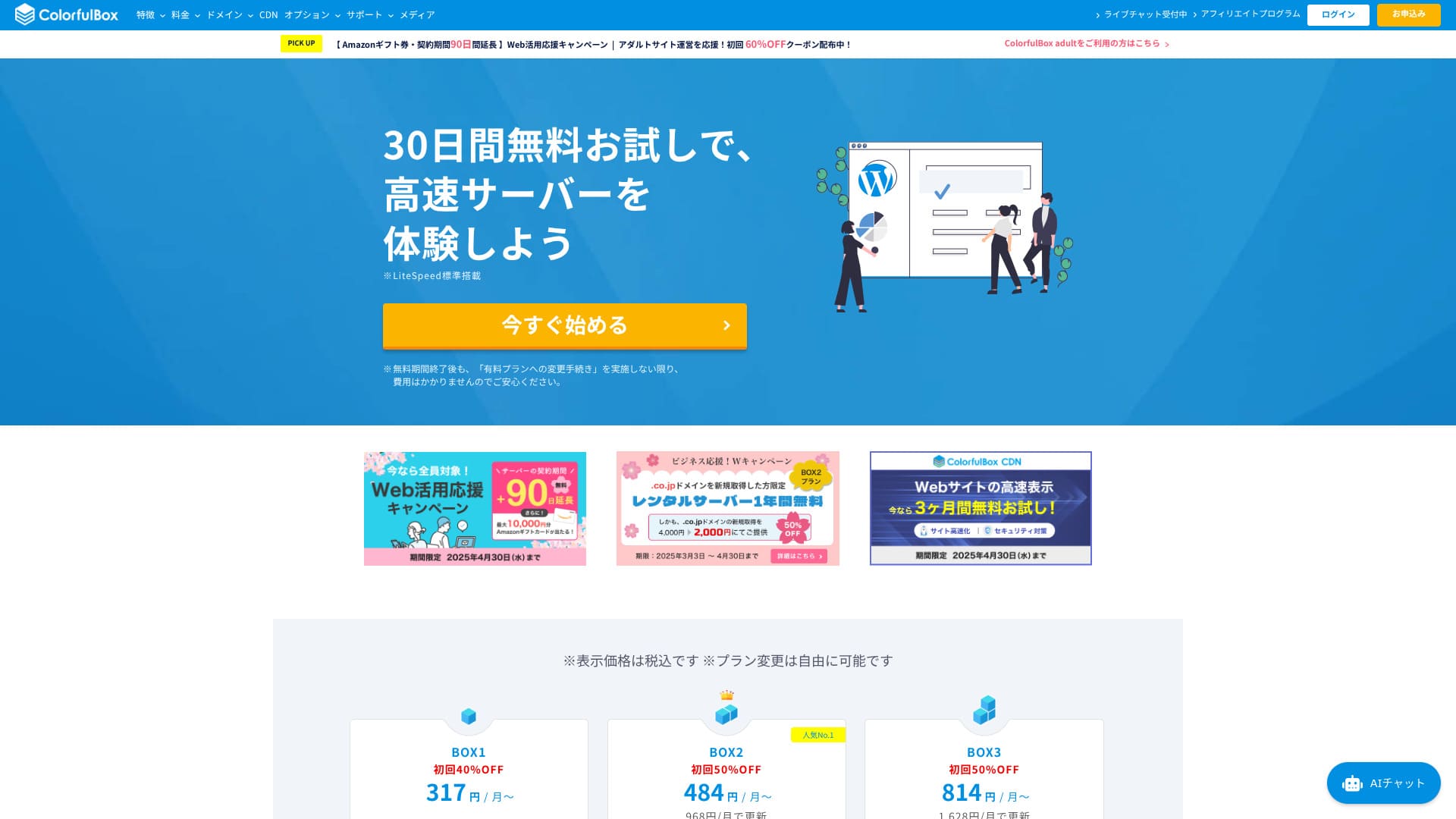
2018 मध्ये सुरू झालेला ColorfulBox हा विविध साइट्स चालवू पाहणाऱ्या वापरकर्त्यांसाठी लक्षवेधी होस्टिंग पर्याय आहे.

Reasons to recommend ColorfulBox to first-time WordPress users and people who care about support quality:
- 14 days of automatic backups stored by region
- Advanced Imunify360 security for peace of mind
- Phone support on every plan
That is why it is a strong choice. You can try it free for 30 days.
A competing option is Shin Rental Server. It offers more flexible pricing that can be started on an hourly basis than ColorfulBox. It is worth considering alongside it.
★ Shin Rental Server Review [2025 Latest]: Real speed, pricing, pros, and cons
| Server type | Shared hosting |
| Biggest strength | A wide range of plans |
| Speed (TTFB) | 190ms |
| Recommended plan and term | BOX1 / 12 months |
| Trial / money-back guarantee | 30-day money-back guarantee |
| Monthly fee (12-month term) | 638 yen |
| Setup fee | Free |
| Free domain | None |
| Support | Business hours: weekdays 09:30-12:00, 13:00-17:30 Phone (24-hour reception), callback (BOX7 and above), chat, LINE, and email |
| Uptime | Not disclosed |
| Storage | 200GB |
| Databases | Unlimited |
| Security | WAF, IPS, IDS, virus scanning, SiteLock (paid) |
| SSL | Free SSL, dedicated SSL, shared SSL |
| Backup / restore | 14 days of region-based automatic backups included; restores are free |
| Email accounts | Unlimited |
| Email security | Email encryption, POP/POP3S / SMTP/SMTPS, IMAP/IMAPS, virus checks, spam filters, and custom filters |
| WordPress preinstalled | Yes |
| Server / website migration service | Free |
| CDN | 440 yen and up |

Hikaru Ono
ColorfulBox lets you start WordPress at the same time you sign up for the server. It is simple. Because it is one of the few Japanese hosting services that accepts phone inquiries 24 hours a day, it is a good fit for people who worry about whether they can solve everything on their own.
It has everything from affordable plans to large-capacity plans, so it is easy to keep using for a long time.
ColorfulBox compared with other providers
- Overall rating★★★★☆
- Server speed ★★★★☆
- Pricing ★★★★☆
- Stability ★★★★☆
- Ease of starting WordPress* ★★★★★
- Domain management and SSL-related tasks* ★★★★☆
* These scores reflect my actual hands-on experience.

21 Recommended WordPress Hosting Services for Individuals and How to Choose
21 Recommended WordPress Hosting Services for Individuals and How to Choose
serverfield.org
- ही तुलना 2025 च्या 4 नोव्हेंबरपर्यंतच्या बाजार संशोधनावर आधारित आहे.4 नोव्हेंबर 2025, arranged वेगाच्या क्रमाने
- WordPress चालवू शकणाऱ्या सर्वात स्वस्त प्लॅनचा पहिल्या वर्षाचा खर्च म्हणजे मासिक शुल्क
- Speed म्हणजे समान अटींवर डेमो साइट्सवर मोजलेला Time to First Byte
“ColorfulBox” is a hosting service with excellent region-specific automatic backups, making it easy to use with confidence. It has eight plans, so you can use the right level of performance without wasting money. It is also one of the few hosts that provides support 24 hours a day.
WordPress-related reviews
WordPress ची सोपी स्थापना
ColorfulBox मध्ये cPanel आणि Softaculous वापरले जाते, त्यामुळे WordPress ची स्थापना खूप सोपी होते.
थीम आणि प्लगिन्सचे bulk import देखील wizard मधून पूर्ण करता येते.
Hikaru Ono
When I actually signed up, the application was finished in about five minutes. The WordPress site I installed was also viewable on the web roughly 30 minutes later.
Start a website with ColorfulBox
- STEP.1Visit the official site ColorfulBox
Click “Get started now.”
- STEP.2Sign up for the server and get a domain
Choose a region. If you do not have a specific preference, I recommend “Rental Server [East Japan].”
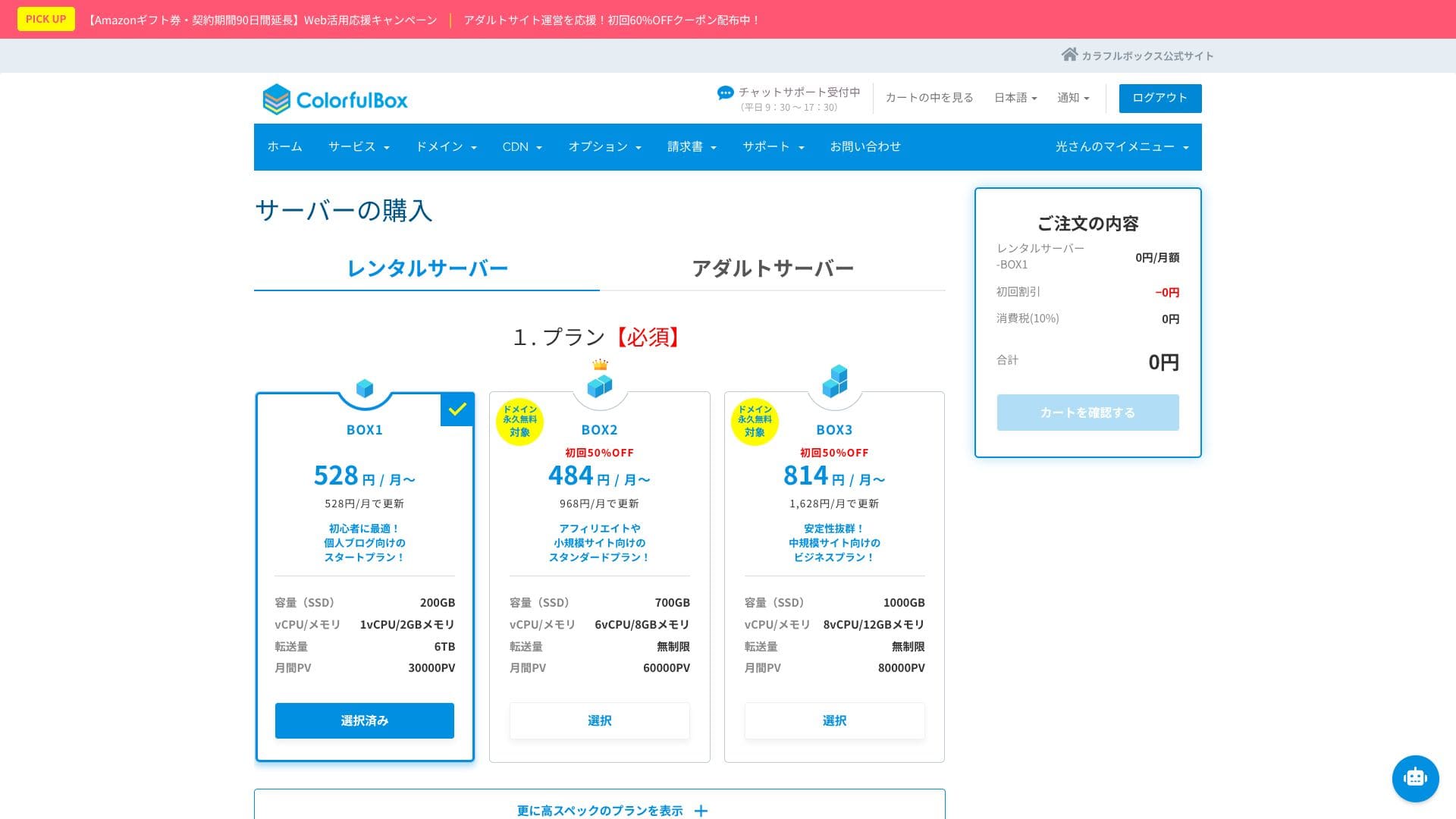
Choose your plan in the server selection section. BOX1 is the recommended choice, and you can upgrade to BOX2 at any time.
 Hikaru Ono
Considering both term length and value, I recommend a 12-month contract.
Decide on a domain name. Enter the text you want in “Use a newly registered domain.” Search for the domain, and if it is available, click “Next.”
★ What is a domain? Its role as an address on the internet and how to get one
In the optional settings under “WordPress quick setup,” be sure to choose “Automatic WordPress installation.”Using this makes it dramatically easier to start a WordPress website.
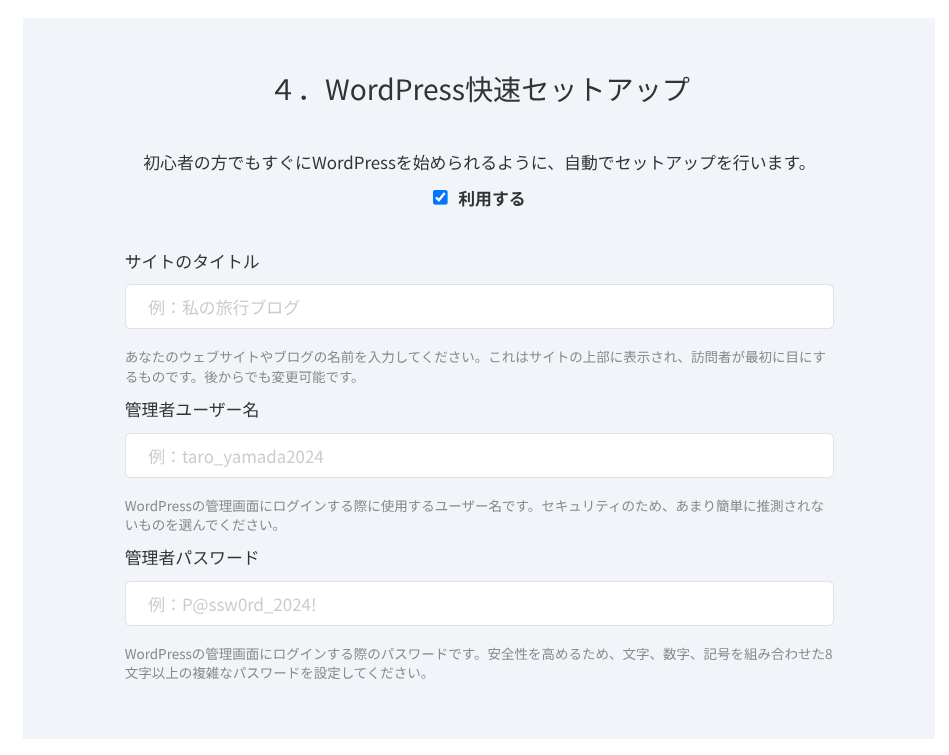
Enter the information required for WordPress.
- Site title: anything is fine
- Admin username: anything is fine
- Admin password: make it as strong as possible
The site name can be changed later. If you have not decided, enter a temporary one.
The WordPress username and WordPress password are important.Write them down. You will need them to log in to the website you create with WordPress.
Once you have entered everything, click “Next.”
In the domain settings and configuration section, you can choose “Whois privacy proxy.” This determines whether the domain registrant’s name and address are shown. If you are a corporation, it is generally better to publish them. If you are an individual, think through the choice. If you enable the checkbox, ColorfulBox information will be shown instead. Once you decide, go to “Next.”
Enter your user information, such as name and address, along with your payment information. If there are no issues with what you entered, click “Confirm order.”
Once the temporary registration email arrives, your server signup and domain acquisition are complete.
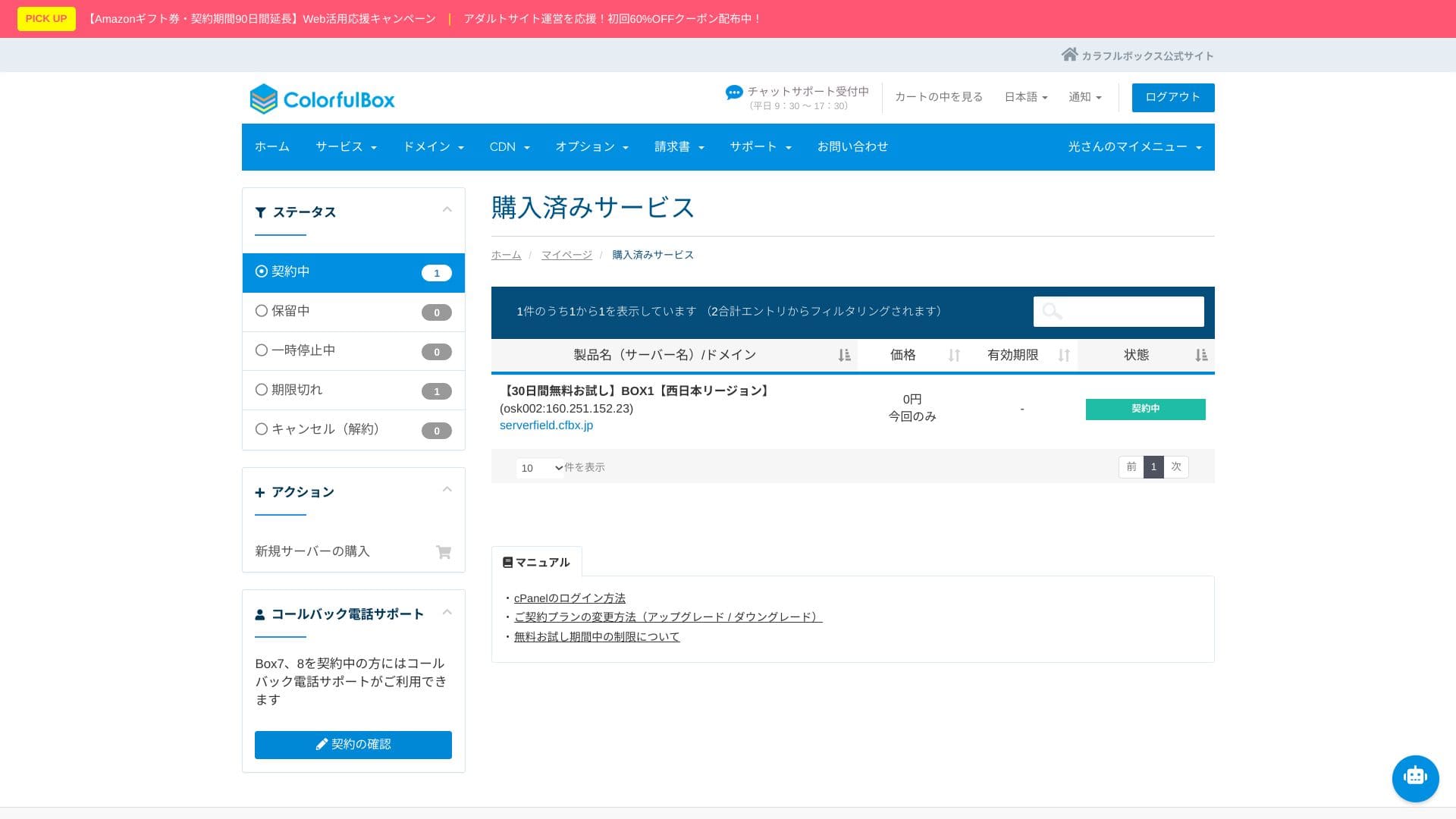
- STEP.3Initial WordPress setup
After the signup is complete, access “https://your-domain-name/wp-admin/”. That will take you to the WordPress admin screen.
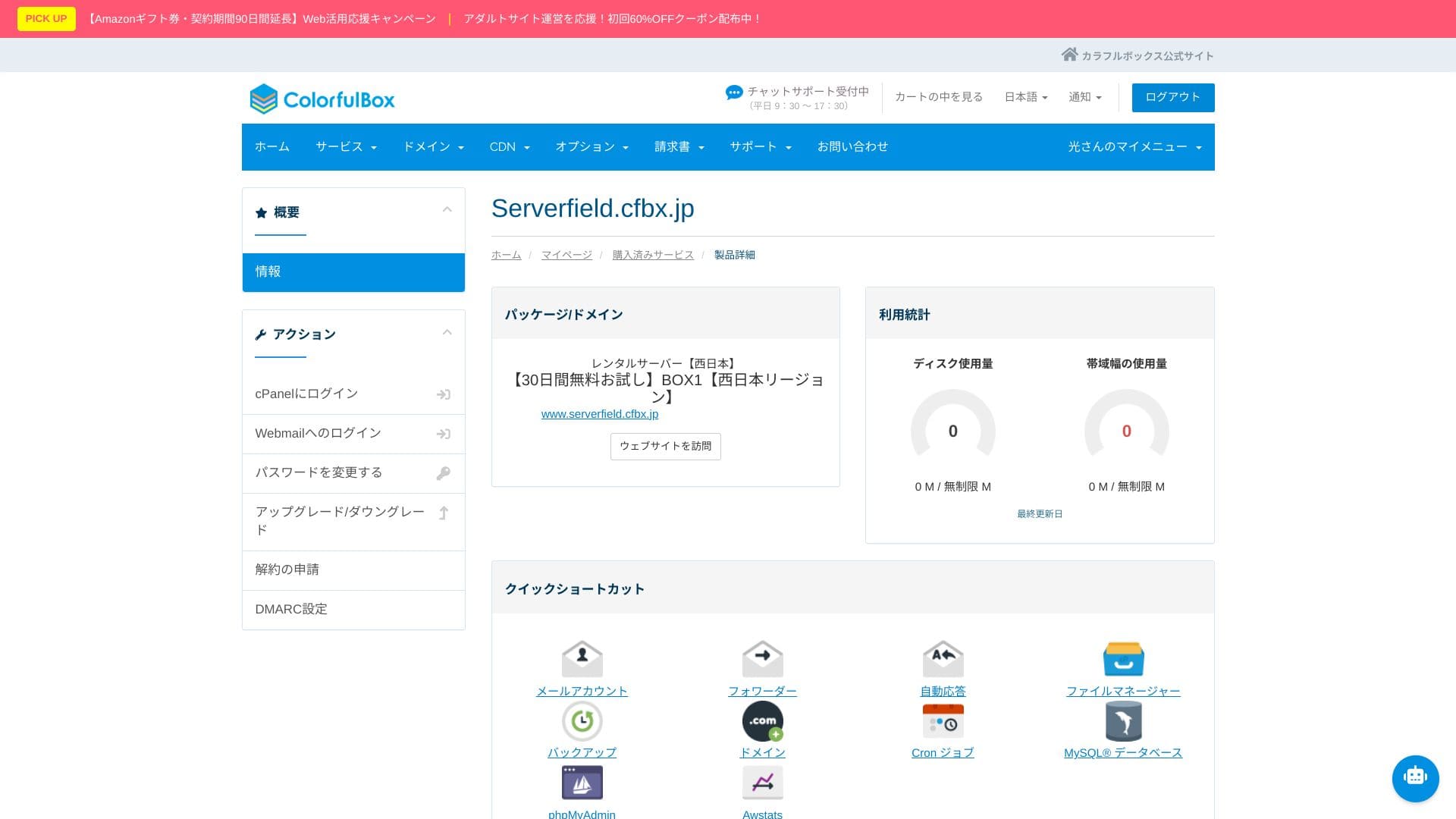
Log in to WordPress using the username and password you created during signup. If you see “Your connection is not private,” wait for a while. DNS has not finished propagating yet, so try accessing it again every few hours.
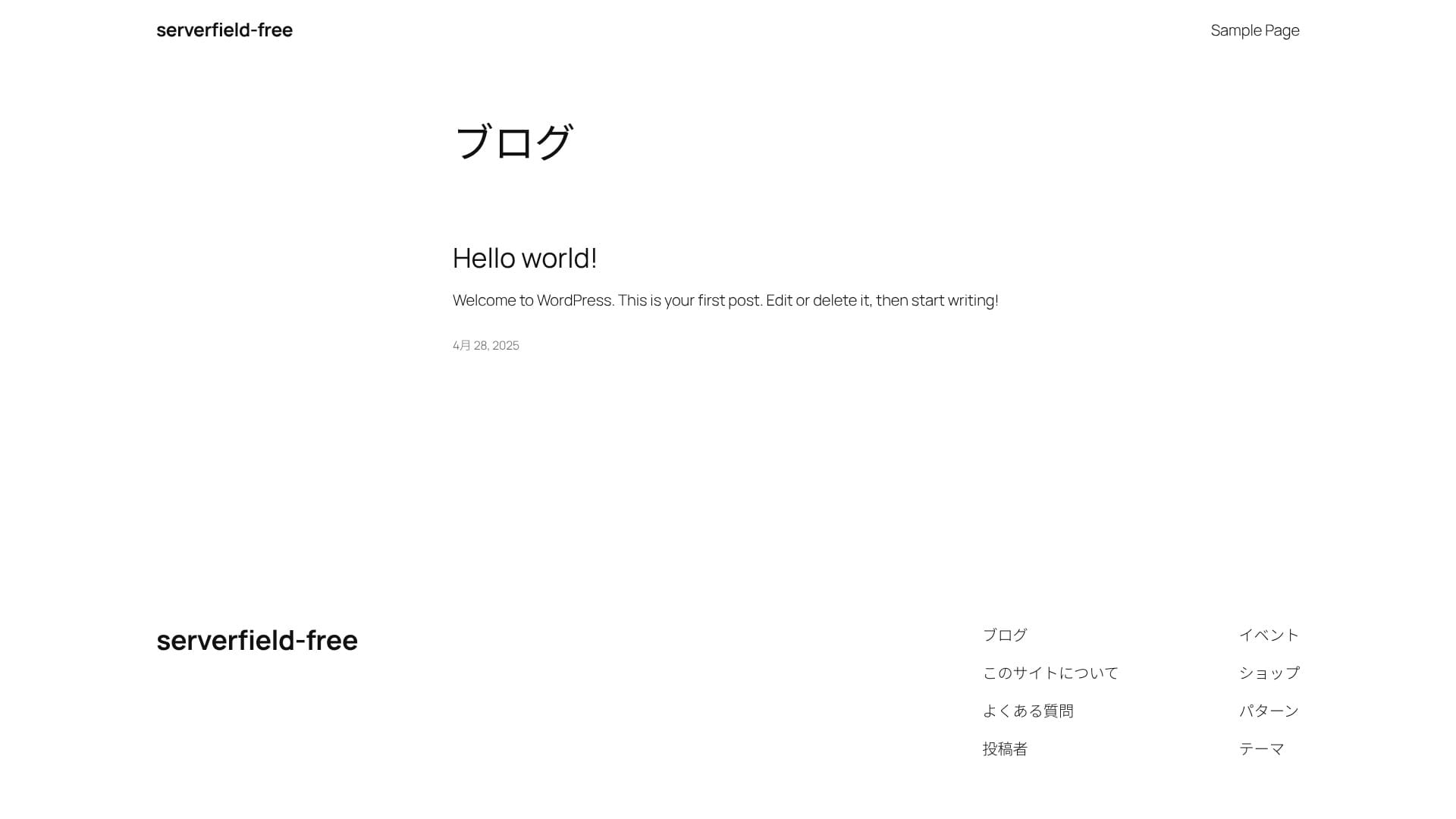
If you can see the following screen, the WordPress installation is complete.
★ What are DNS and nameservers? Connecting a domain and a server
After logging in to WordPress, configure your permalink settings. In the admin screen, go to “Settings” and then “Permalinks.” Choose “Post name,” then click “Save Changes.”
When you use “Post name,” you can enter your own string in the URL when publishing an article. A short string that hints at the article’s content is recommended because it is easier for readers to understand. If it is too long, some people may feel uneasy and think the site looks suspicious.
- STEP.4Install plugins
Go back to the WordPress admin screen, open “Plugins,” then “Add New,” and install the plugins you need.
Once you find the plugin you want through search, click “Install Now,” then “Activate.” After that, follow the instructions for each plugin.
Be sure to install security and backup plugins.
- Five WordPress security plugins and how to choose one
- Five powerful WordPress backup plugins for recovering your data
Once the plugins are installed, your WordPress website is ready to go!
अनेक साइट्स चालवणे (अनेक डोमेन्स)
ColorfulBox एका करारात अनेक डोमेन्स, सबडोमेन्स, आणि साइट्स चालवण्याची मुभा देते. त्यामुळे तुम्ही परीक्षण साइट्स आणि लँडिंग पेजेस सहज वाढवू शकता.
एका करारात अनेक टेस्ट साइट्स आणि लँडिंग पेजेस तयार करता येतात, म्हणून व्यवस्थापन सोपे राहते. MySQL सुद्धा अमर्याद आहे, त्यामुळे डेटाबेस वेगवेगळे विभागून चालवणे शक्य होते.
Install multiple WordPress sites
- STEP.1Log in to the control panel
- STEP.2Select “Server” from “Purchased services”
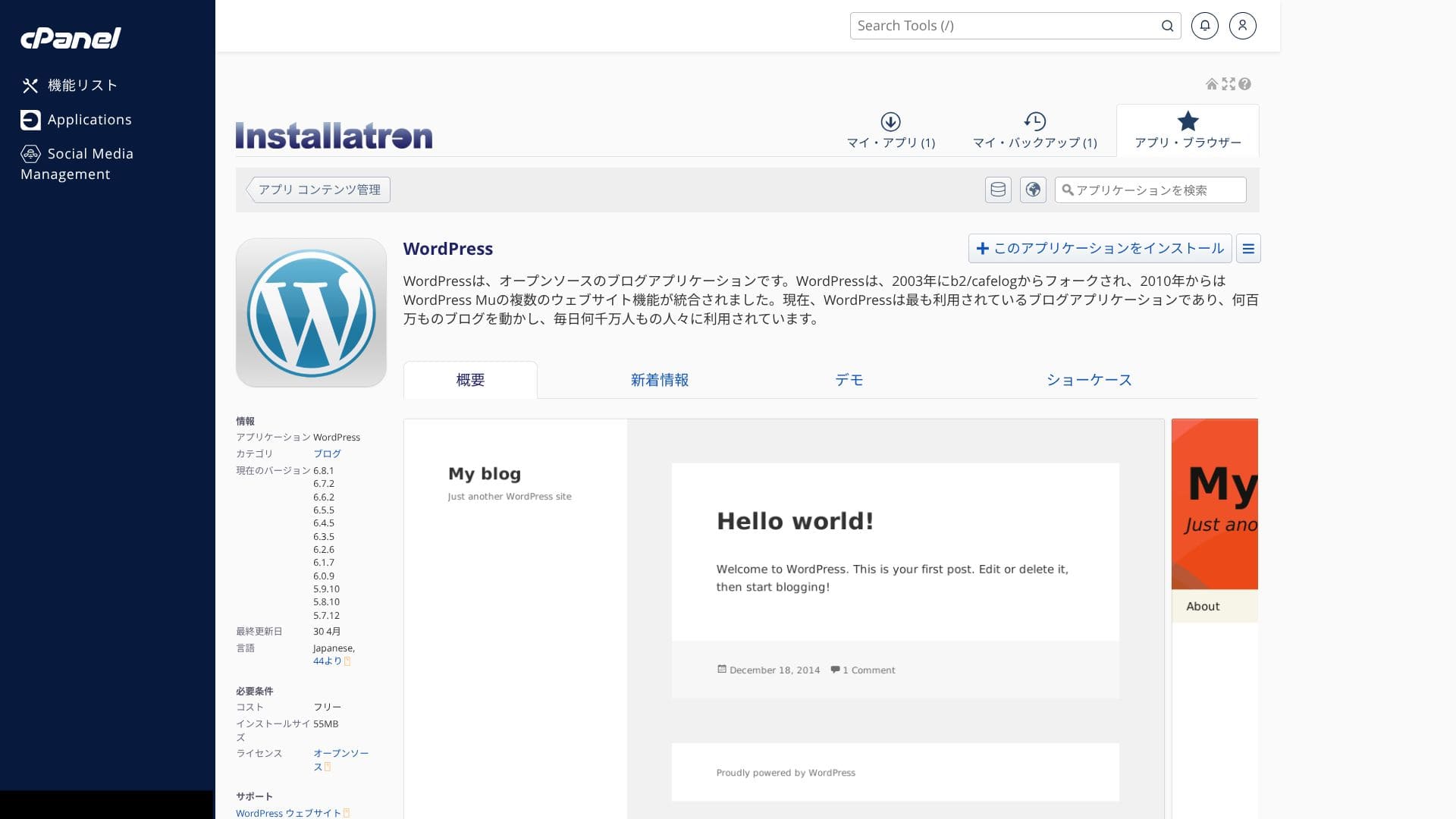
Choose “Server” from “Purchased services.” Then click “Log in to cPanel” from the menu on the left side of the control panel.
- STEP.3Click “WordPress” under “Applications”
When you log in to cPanel, you will see various features. Scroll down and click “WordPress” under “Applications.”
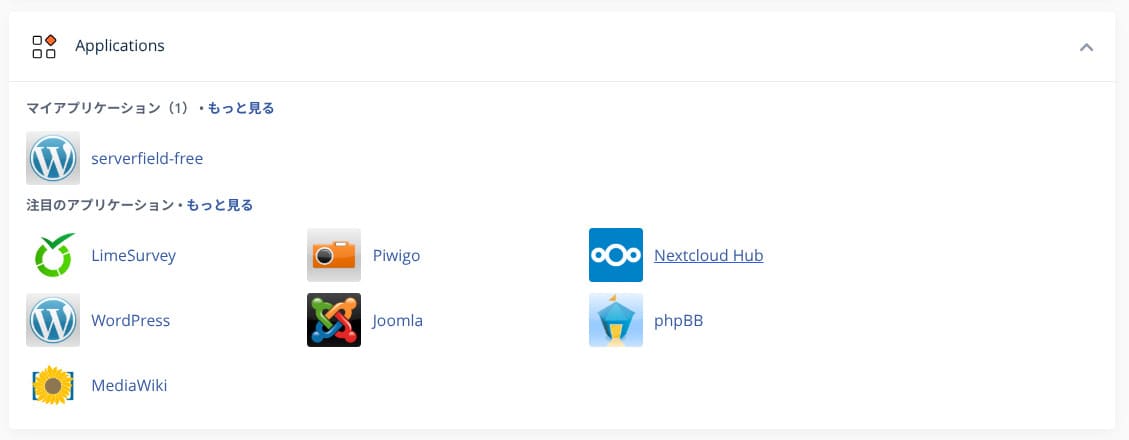
- STEP.4Click “+ Install this application”
Click “+ Install this application.”
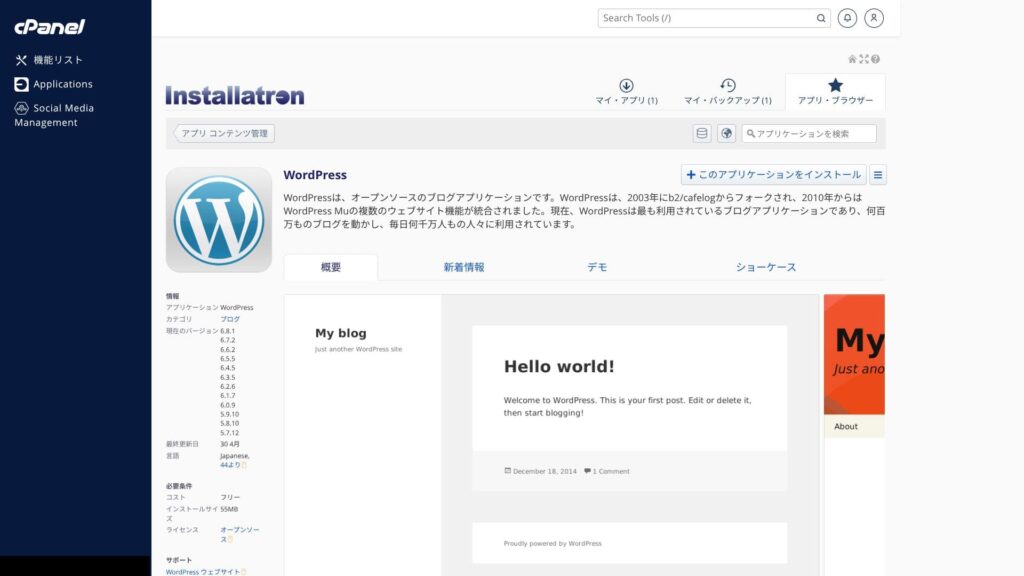
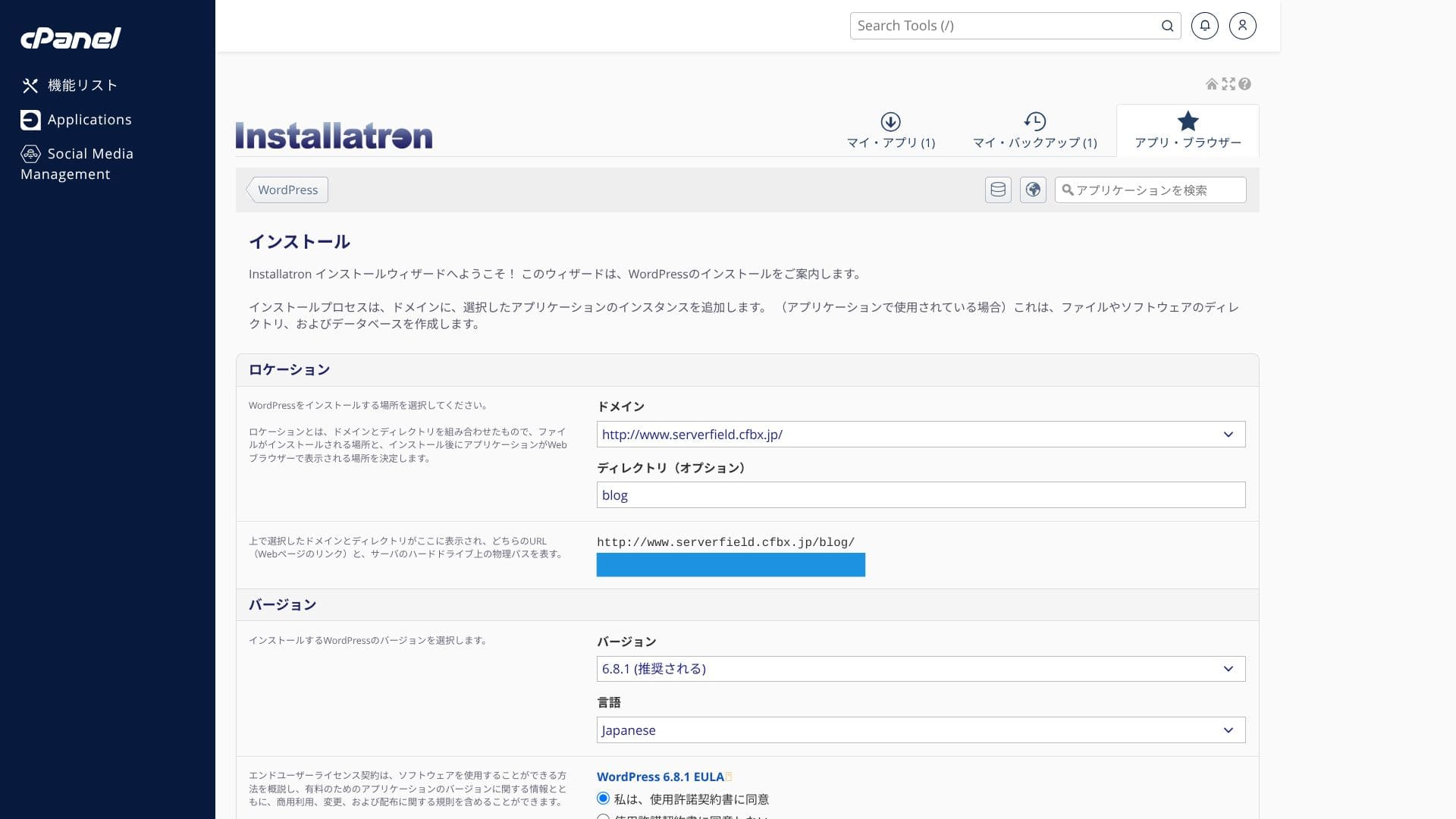
Select the domain where you want to install WordPress. Then set the site title, password, and the other required items, and click “+ Install” to complete the installation.
एक गोष्ट लक्षात ठेवण्यासारखी म्हणजे vCPU आणि memory हे संपूर्ण प्लॅनमध्ये सामायिक असतात. जर एकच साइट सर्व्हरवर मोठा भार टाकत असेल, तर त्याच सर्व्हरवरील इतर साइट्सही मंदावू शकतात. तुम्ही मोठा ट्रॅफिक आणू शकणाऱ्या अनेक साइट्स चालवण्याचा विचार करत असाल, तर अतिरिक्त सर्व्हर भाड्याने घेण्याचा विचार करणे योग्य ठरेल.
WordPress साइटचे स्थलांतर
ColorfulBoxसोपे WordPress स्थलांतर साधन पुरवते. साइट URL आणि तुमची WordPress प्रशासक माहिती भरून आणि “+ Start migration” क्लिक करून तुम्ही डेटा स्थलांतरित करू शकता.
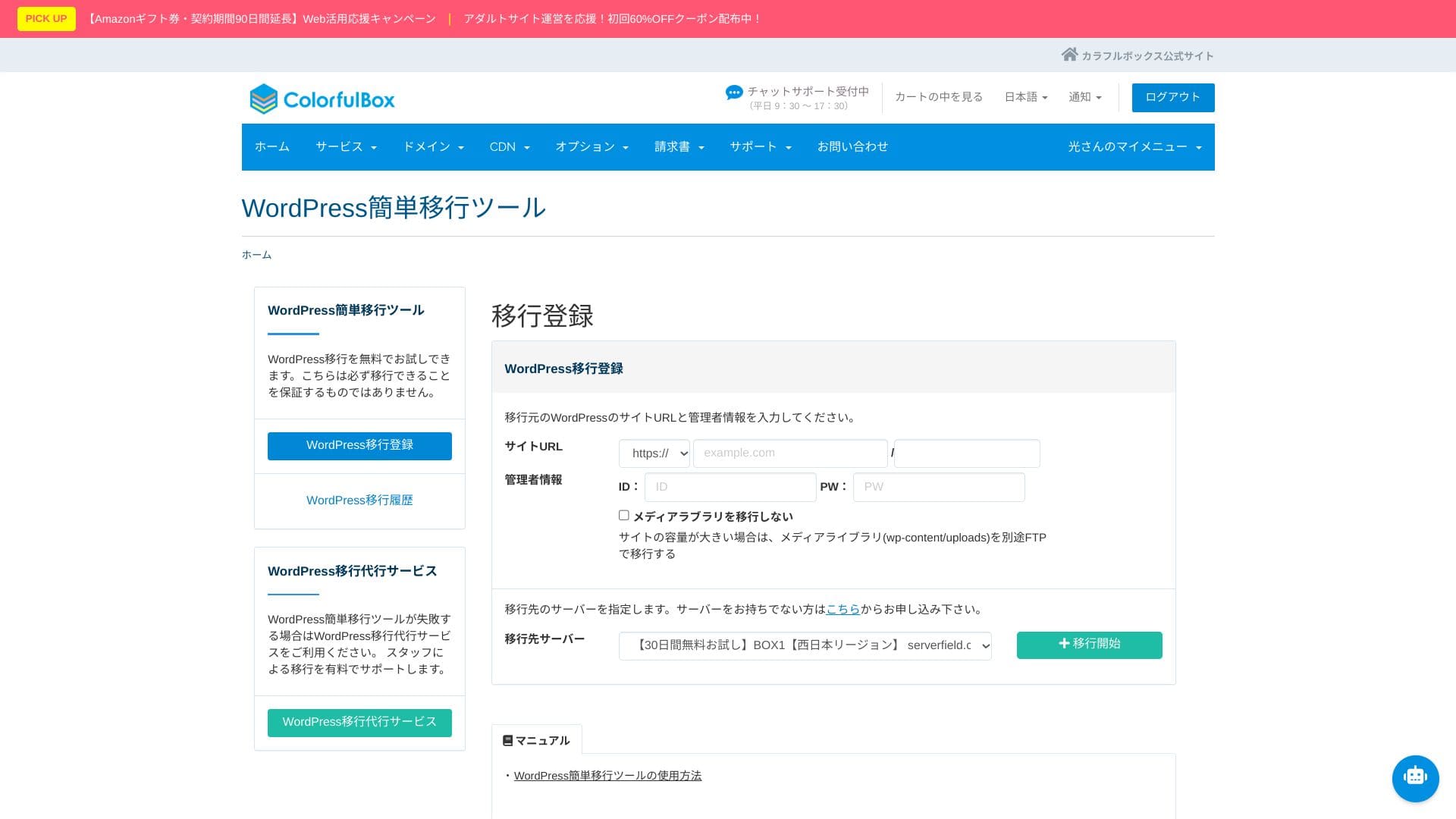
Hikaru Ono
However, after the site migration, nameserver and DNS settings are still required. If that feels difficult, use the paid “Anshin Start” option or the “WP migration service.”
कार्यक्षमता आणि तपशीलांचा आढावा
आमची मोजमापे: वेगाचा आढावा आणि त्यामागची तांत्रिक कारणे
ColorfulBox ची PageSpeed Insights वापरून चाचणी करण्यात आली.
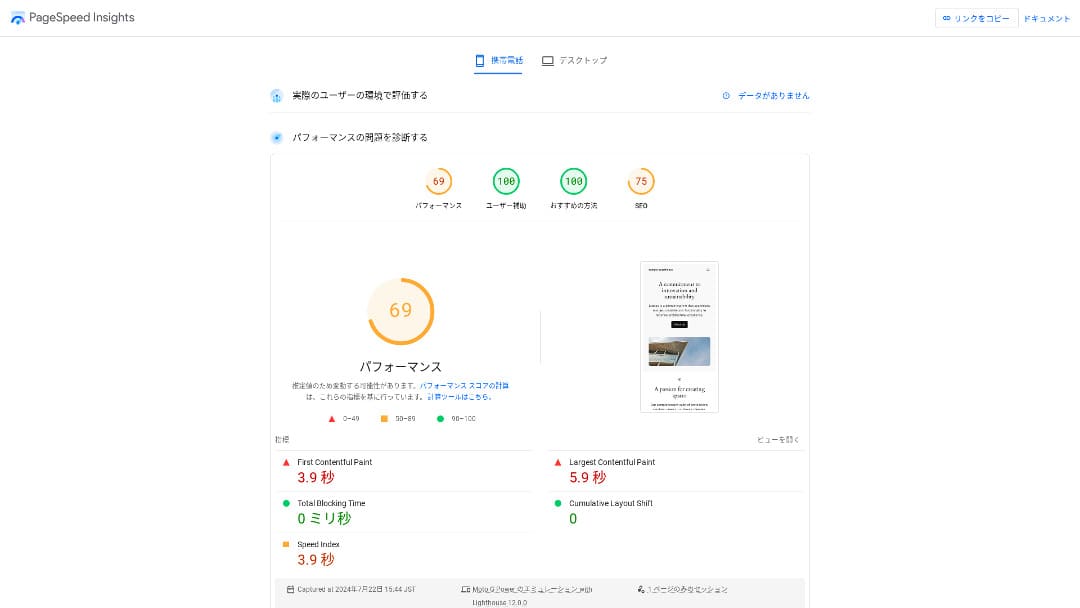
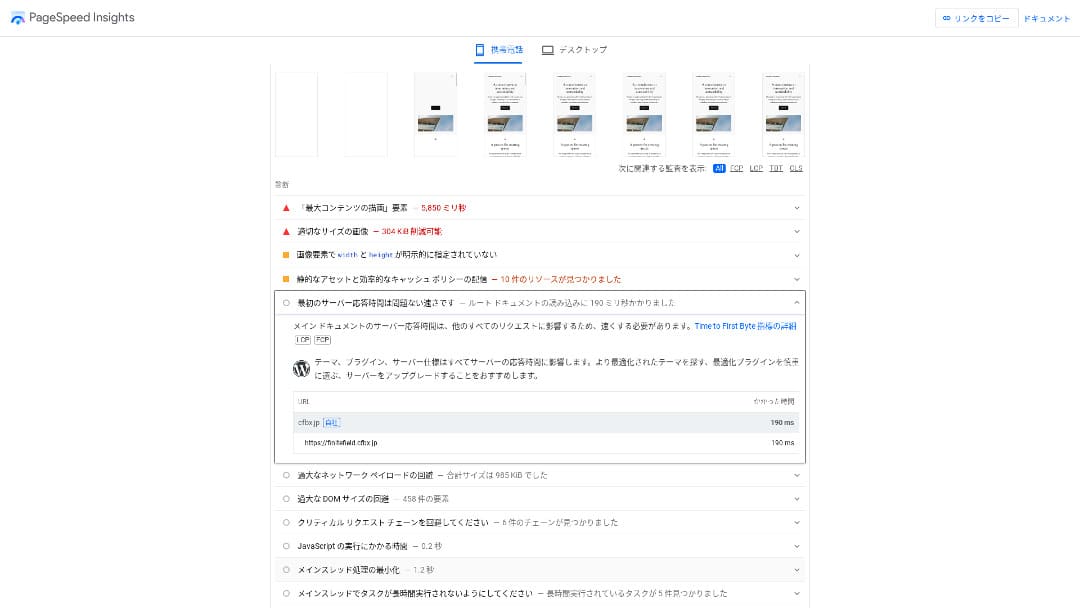
मुख्य वेग निर्देशक TTFB 190ms होता. Google च्या 200ms किंवा त्याखालील शिफारशीपेक्षा हा आकडा चांगला असल्यामुळे, हा वेगवान सर्व्हर म्हणून मूल्यांकन करता येतो.
तुम्ही सर्व्हरच्या प्रतिसादाचा वेळ 200ms पेक्षा कमी ठेवला पाहिजे.सर्व्हर प्रतिसाद वेळ सुधारा
Hikaru Ono
That said, there are servers that are faster than ColorfulBox.
LiteSpeed Web Server आणि शुद्ध SSD संचयन
मानक म्हणून LiteSpeed Web Server आणि pure SSD storage उपलब्ध आहे. HTTP/3 (QUIC) देखील समर्थित आहे, ज्यामुळे TLS handshake कमी होते आणि mobile network वरही जलद display मिळतो. WordPress cache plugin “LiteSpeed Cache” सुद्धा वापरता येतो.
LiteSpeed प्रक्रिया वेग वाढवतो, तर pure SSD वाचन-लेखन वेग वाढवते. त्यामुळे पृष्ठे जवळजवळ त्वरित लोड होतात आणि traffic spikes आले तरी सर्व्हर स्थिर राहतो.
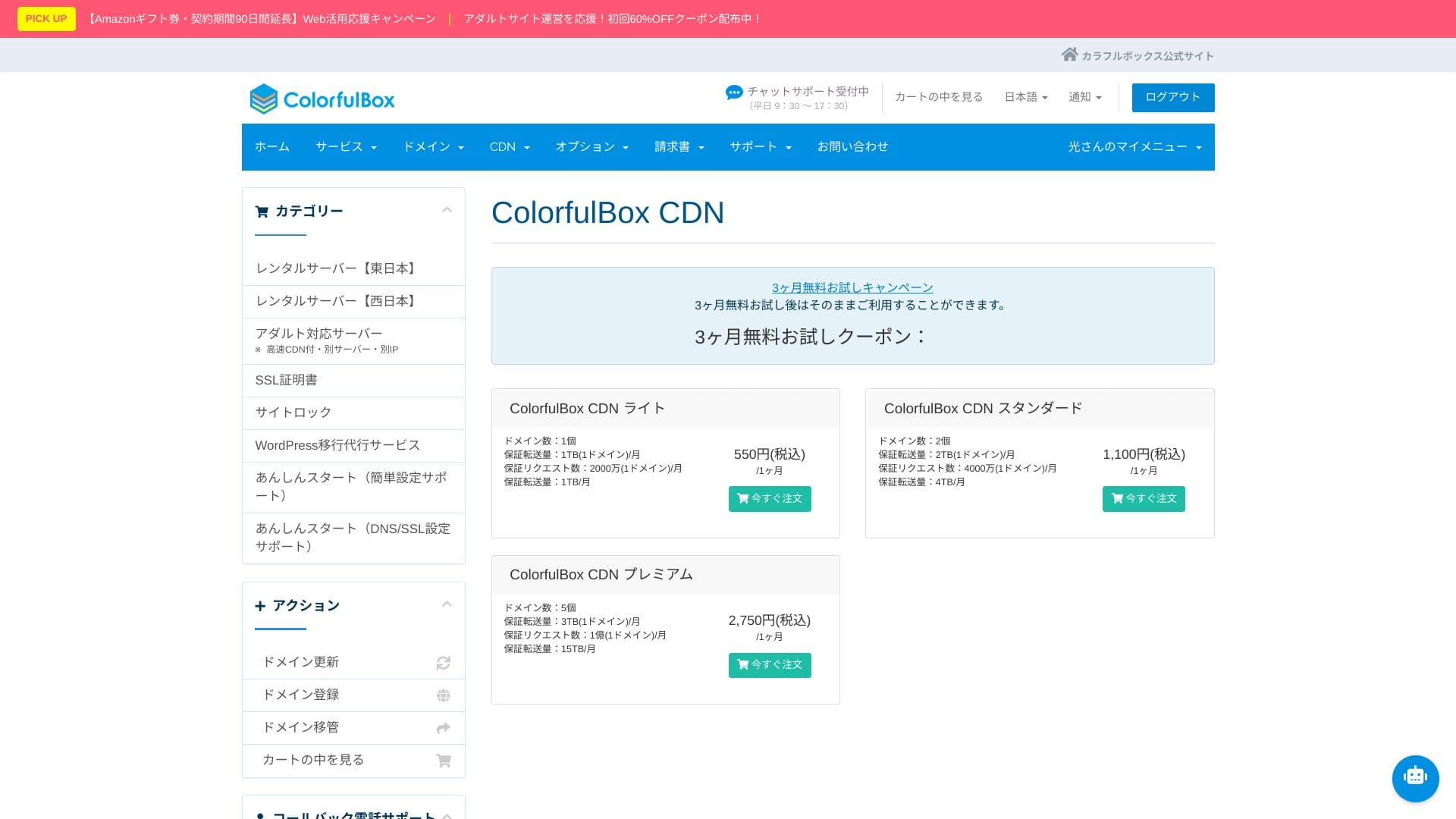
ColorfulBox CDN
उच्च-स्तरीय QUIC.cloud CDN फिचर्स वापरायचे असल्यास, pay-as-you-go पद्धतीने स्वतंत्र CDN credits घ्यावे लागतात.
साधारण CDN फक्त images आणि CSS सारख्या स्थिर फाइल्स साठवतो, पण QUIC.cloud LiteSpeed Cache सोबत काम करून WordPress साइटचे संपूर्ण HTML कॅश करू शकतो. कार्टमधील घटक किंवा लॉगिन माहितीप्रमाणे वापरकर्त्यानुसार बदलणारे विभागही हाताळता येतात.
उच्च-स्तरीय QUIC.cloud CDN वापरल्यास speed, resilience, आणि SEO benefits एकाच पॅकेजमध्ये मिळतात. आंतरराष्ट्रीय ट्रॅफिक जितका जास्त असेल, किंवा ई-कॉमर्स व मेंबरशिप साइटसारखी गतिशील पाने जितकी जास्त असतील, तितका त्याचा फायदा मोठा होतो.
Hikaru Ono
Once traffic starts increasing, it makes sense to consider a CDN.
★ CDN म्हणजे काय? वितरित सर्व्हरद्वारे वेग आणि कार्यक्षमता वाढवा
साठवण क्षमता
ColorfulBox विविध योजनांमध्ये भरपूर स्टोरेज देते.
RAID10 संरचना वापरून, लेखन वेग आणि redundancy यांचा समतोल साधला जातो.
Hikaru Ono
If your site has a small number of pages, BOX1 has more than enough capacity. A basic WordPress installation uses less than 1% of it.
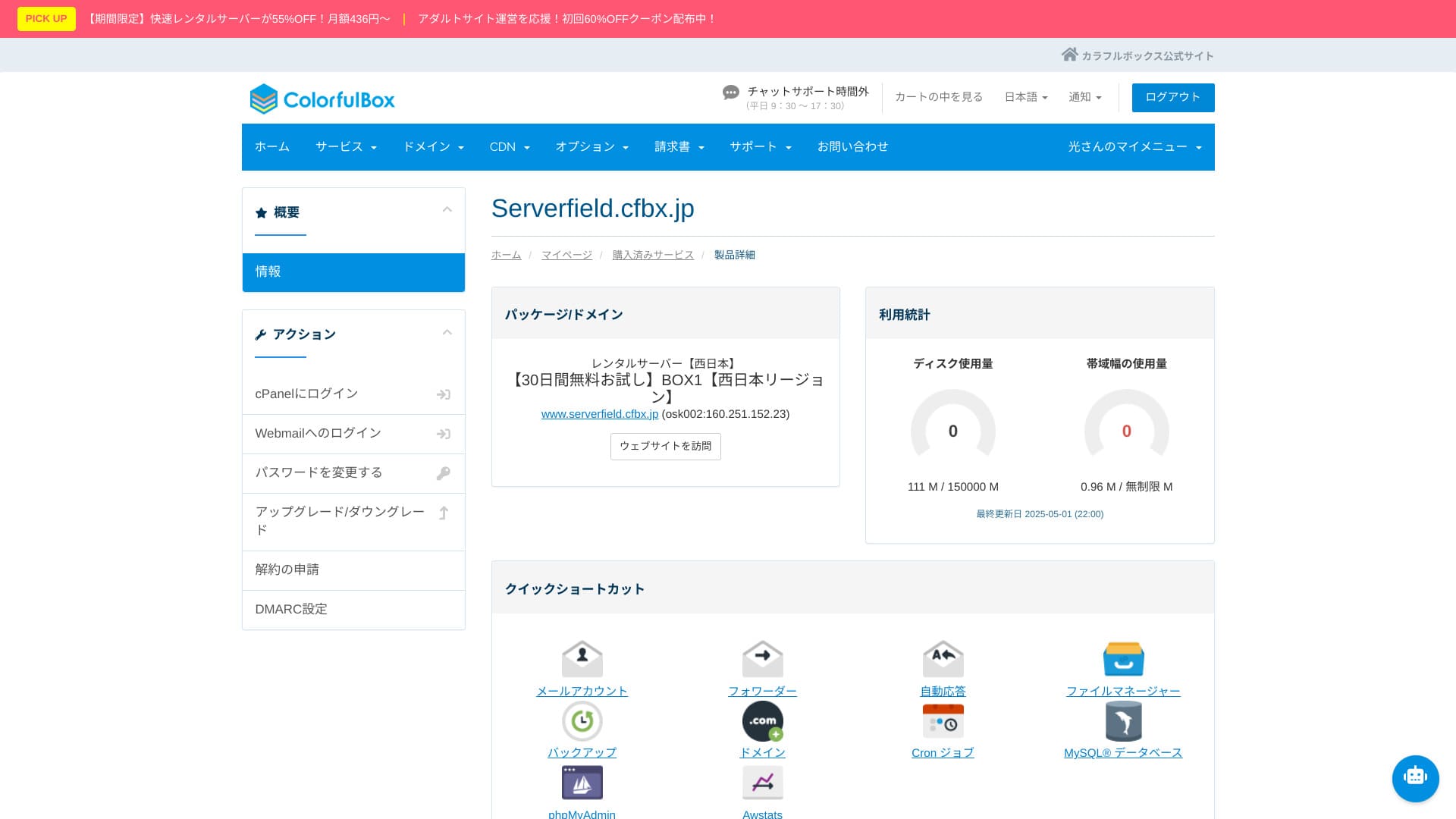
प्रति फाइल डीफॉल्ट अपलोड मर्यादा 1GB आहे. त्यामुळे मोठ्या व्हिडिओ फाइल्स थेट होस्ट करणे आदर्श नाही.
डेटा ट्रान्सफर प्रमाण
BOX1 मध्ये महिन्याला 6TB समाविष्ट आहे, तर BOX2 आणि पुढील प्लॅन्स प्रत्यक्षात अमर्याद आहेत. अधिकृत मार्गदर्शनानुसार, याचा अर्थ सुमारे 30,000 ते 200,000 page views इतका होतो. ट्रॅफिक वाढल्यावर शुल्क अचानक वाढेल अशी चिंता करण्याची गरज नाही.
दीर्घ काळ bandwidth व्यापल्यास resource limits आपोआप लागू होऊ शकतात हे लक्षात ठेवा. अचानक मोठा इव्हेंट अपेक्षित असल्यास, CDN सोबत वापरणे शिफारसीय आहे.
★ ट्रॅफिक आणि डेटा ट्रान्सफर म्हणजे काय? वेब ट्रॅफिकचे व्यवस्थापन आणि ऑप्टिमायझेशन
सर्व्हर स्थिरता (uptime)
ColorfulBox अधिकृतरीत्या uptime guarantee प्रकाशित करत नाही.
काही सेवा uptime निश्चित लक्ष्य गाठले नाही तर मासिक शुल्कात सवलत देतात. ColorfulBox साठी अशी धोरण मला सापडली नाही, त्यामुळे downtime झाल्यास किंमतीच्या बाजूने भरपाईची अपेक्षा ठेवणे कठीण होते.
कॉर्पोरेट वेबसाइट किंवा ऑनलाइन स्टोअर चालवत असल्यास, सेवेची स्थिरता कशी आहे हे विचारले जाऊ शकते. अधिकृत आकडे नसतील तर उत्तर देणे कठीण होते आणि अतिरिक्त स्पष्टीकरण किंवा पुरावे लागतात.
Hikaru Ono
Not publishing it does not automatically mean it is bad. Still, it does leave you feeling uneasy.
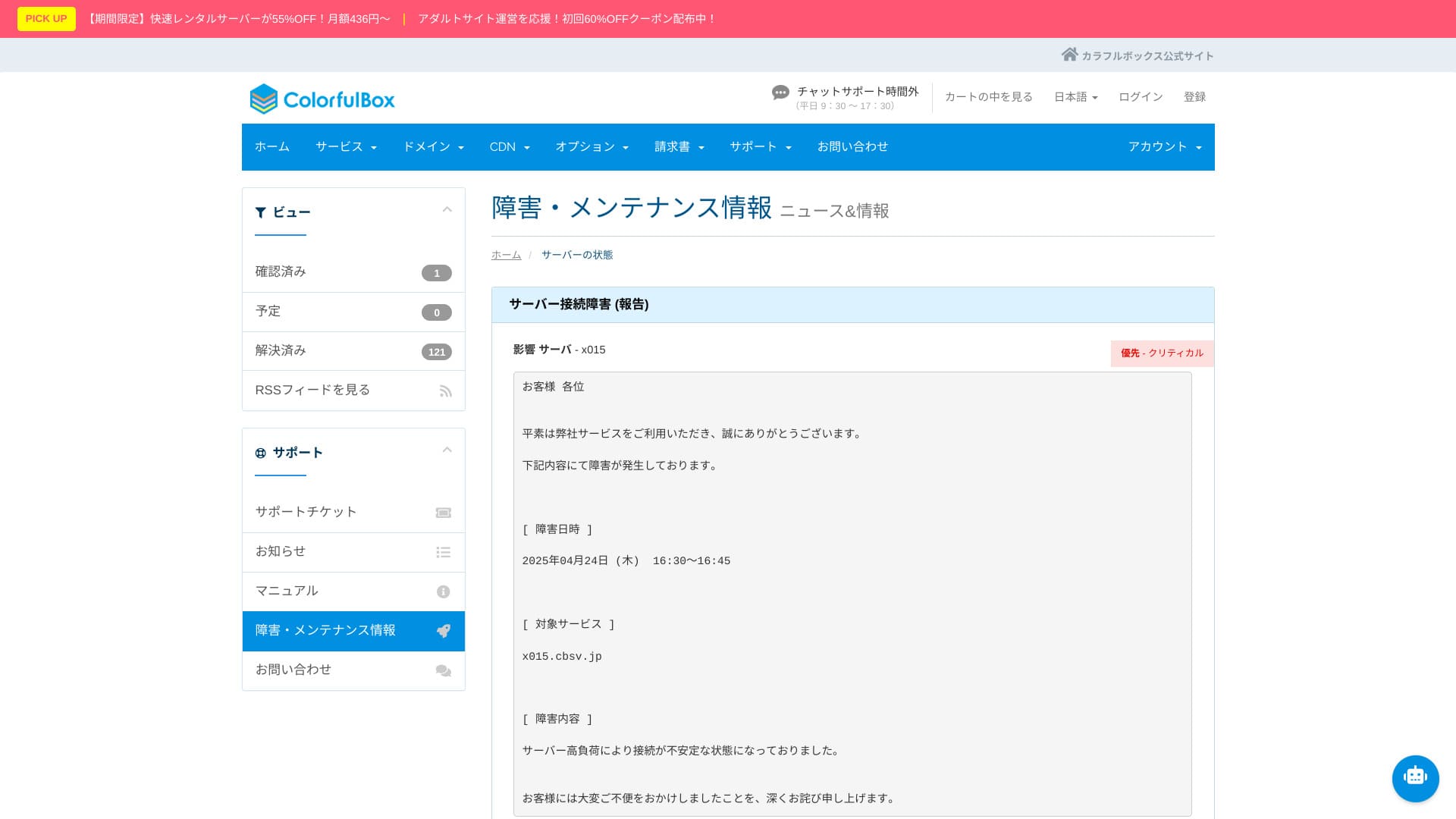
सर्व्हर outage आणि maintenance माहिती अधिकृत वेबसाइटवर प्रकाशित केली जाते आणि कोणालाही तपासता येते. ती पारदर्शकता खूप आश्वासक आहे.
किंमत आणि खर्चाचा आढावा
प्रारंभिक खर्च आणि मासिक शुल्क
ColorfulBox मध्ये टप्प्यांनुसार बदलणारे pricing model आहे, त्यामुळे वापरानुसार योजना निवडणे सोपे जाते.
तसेच, 12 महिने किंवा अधिक करार केल्यास, server contract सक्रिय असेपर्यंत एक डोमेन कायम मोफत वापरता येते.
Hikaru Ono
I do not recommend a one-month contract because it incurs an initial fee and there is already a 30-day free trial available.
Below are screenshots of monthly pricing screens from ColorfulBox and the other hosting providers that were compared.
ColorfulBox

Kinsta

XServer Business

wpX Speed

Lolipop!

Star Rental Server

Rakkoserver

XServer

ConoHa WING
Shin Rental Server

Little Server

CORESERVER

DreamHost

Bluehost

Sakura

Namecheap

Shin Free

XREA

Value Server

Hostinger

KAGOYA

SiteGround

HostGator

IONOS

Onamae.com

ABLENET

mixhost

GoDaddy

iCLUSTA+

MuuMuu Server

WADAX

WebARENA

heteml

CPI Rental Server

डोमेनची किंमत
.com साठी वर्षाला 1,680 येन आणि .net साठी 1,890 येन अशा बाजारभावाने डोमेन नोंदणी आणि नूतनीकरण करता येते. 12 महिने किंवा अधिक server contract घेतल्यास, एक कायम मोफत डोमेनही मिळू शकतो.
ColorfulBox मधून डोमेनचे name server संपादन सोपे आहे आणि नियंत्रण पॅनेलमधून थेट बदल करता येतात.
Below are screenshots showing domain pricing screens from major registrars.
Colorful Domain

Onamae.com

Xserver Domain

MuuMuu Domain

Value Domain

Shin Domain

Star Domain

★ डोमेन म्हणजे काय? इंटरनेटवरील पत्ता म्हणून त्याची भूमिका आणि तो कसा मिळवावा
SSL
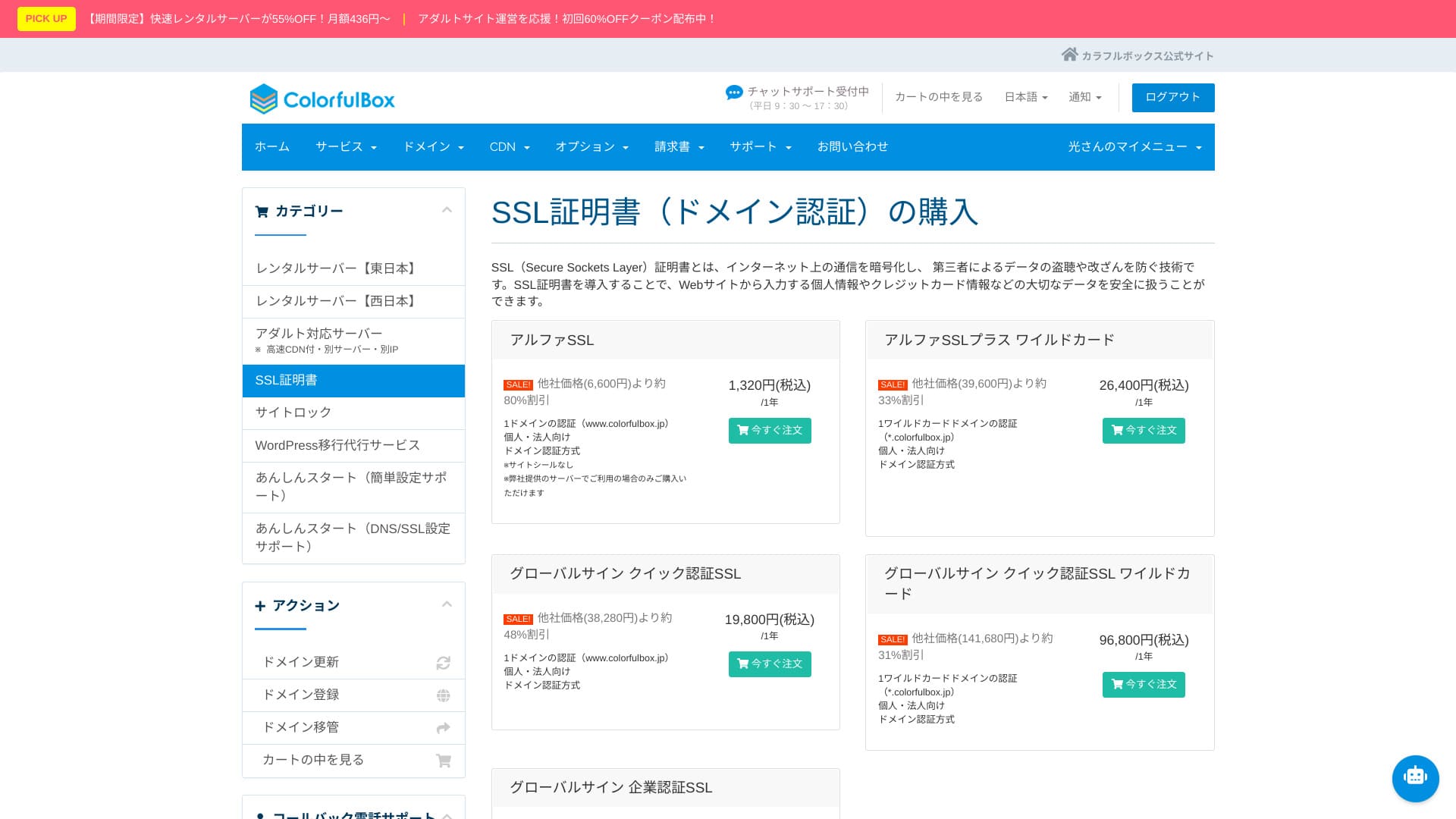
तुम्ही मोफत Let’s Encrypt SSL वापरू शकता.
Hikaru Ono
Setting up free SSL is a little tricky. Please check the official guide below. (Subdomains are configured automatically.)
Paid commercial SSL certificates देखील त्याच पॅनेलमधून खरेदी, नूतनीकरण आणि व्यवस्थापित करता येतात.
पेमेंट पद्धती
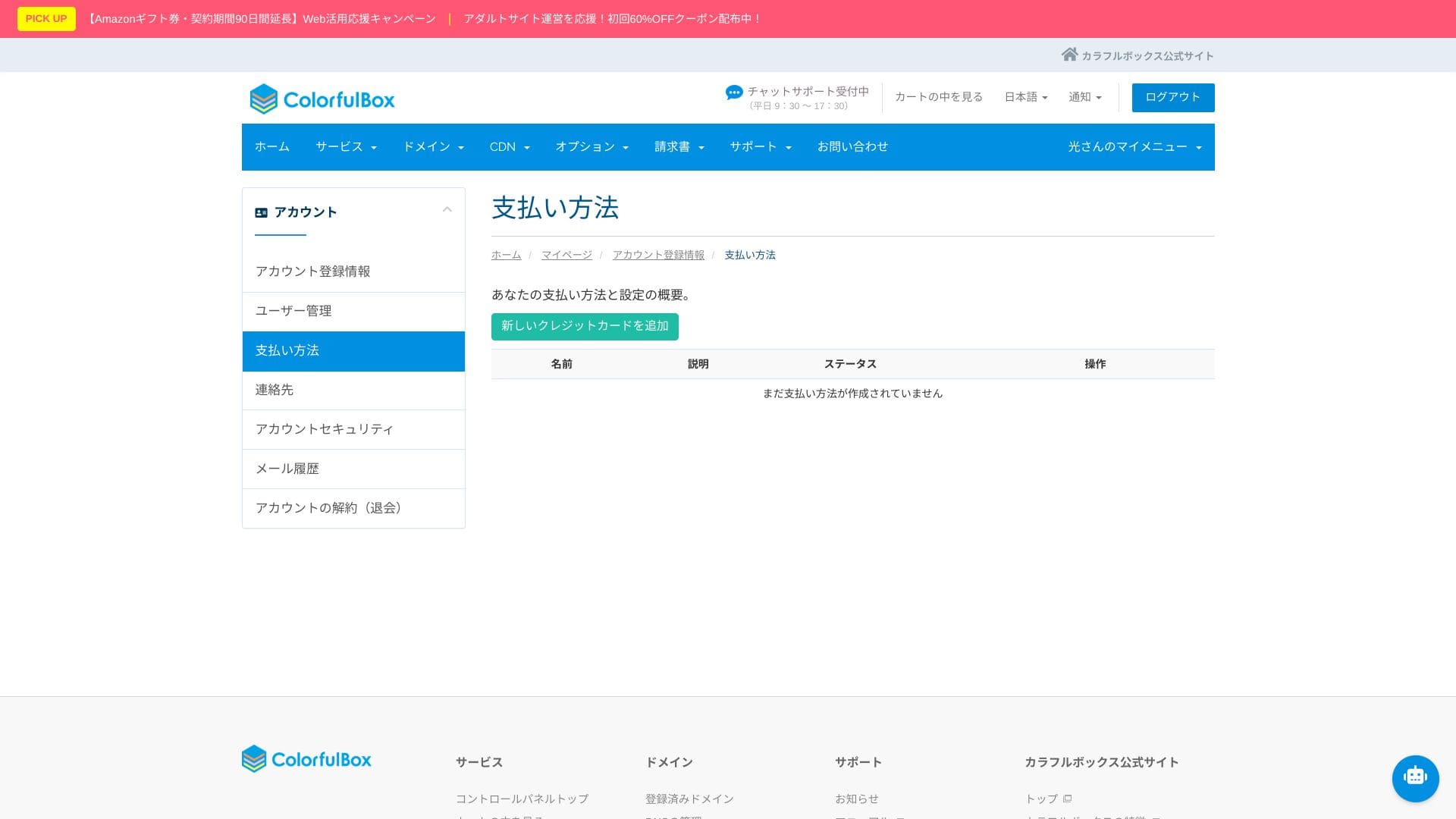
VISA, MasterCard, JCB, American Express, Diners Club, आणि Discover या credit cards, bank transfer, आणि PayPal द्वारे online payment समर्थित आहे.
अनेक payment options असल्यामुळे, credit card न वापरणारे लोकही सर्व्हर वापरू शकतात.
Hikaru Ono
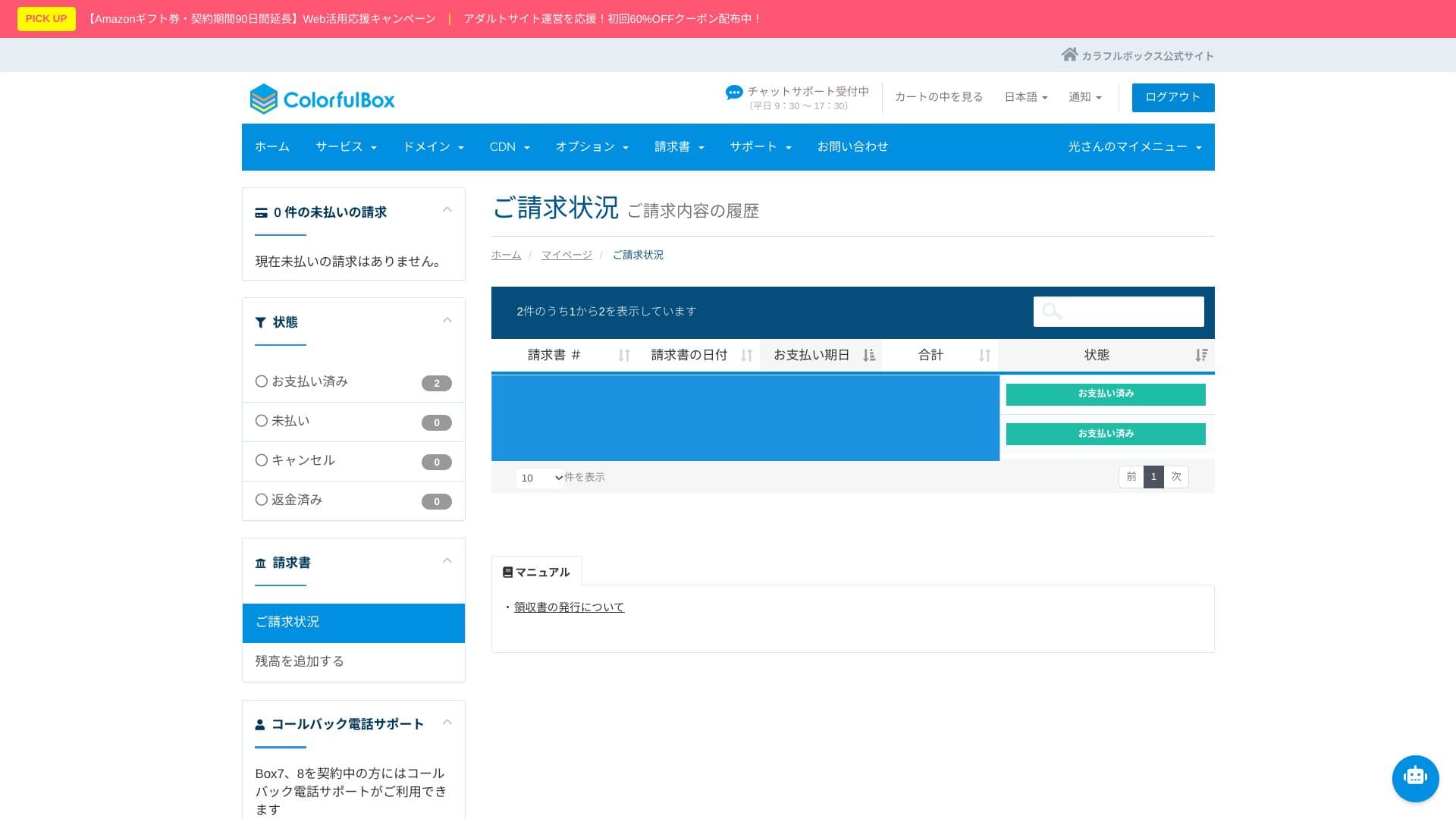
Invoices can also be issued, which makes it easy to use for companies.
These screenshots show the payment-method screens for ColorfulBox and other providers.
ColorfulBox

Kinsta

XServer Business

wpX Speed

Lolipop!

Star Rental Server

Rakkoserver

XServer

ConoHa WING

Shin Rental Server

Little Server

CORESERVER

DreamHost
Bluehost

Sakura

Namecheap

Shin Free

XREA

Value Server

Hostinger

KAGOYA

SiteGround

HostGator

IONOS

Onamae.com

ABLENET

mixhost

GoDaddy

iCLUSTA+

MuuMuu Server

WADAX

WebARENA

heteml

CPI Rental Server

तुमची सध्याची payment method control panel मधून तपासू शकता.
वापरण्याची सोय आणि सपोर्टचा आढावा
कंट्रोल पॅनेल आणि cPanel वापरण्याचा अनुभव
जगातील market share मध्ये क्रमांक एक असलेल्या cPanel चे Japanese-localized version उपलब्ध आहे. File manager, Git, आणि PHP version switching यांसारखी developer tools पूर्णपणे GUI मधून हाताळता येतात.
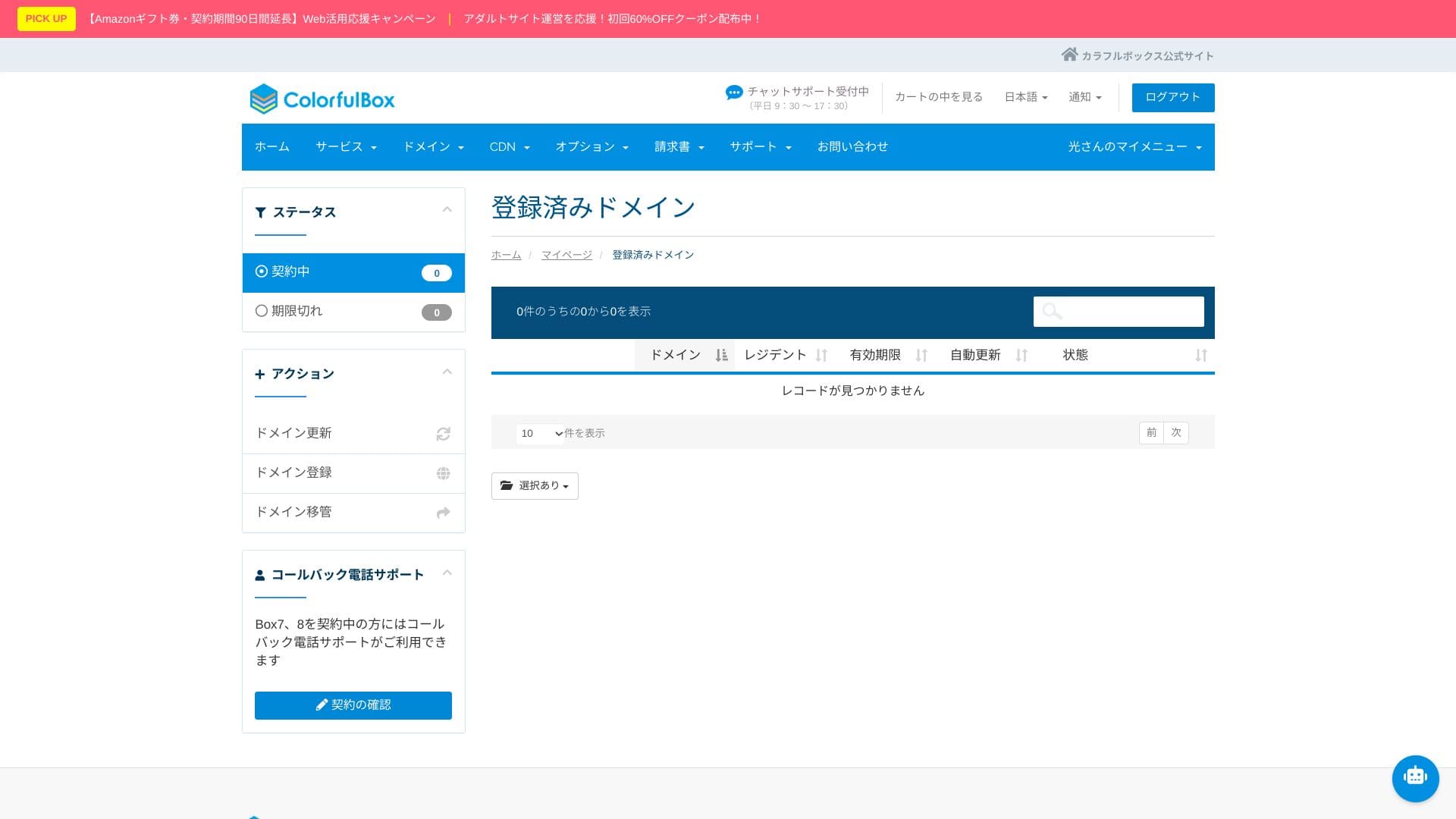
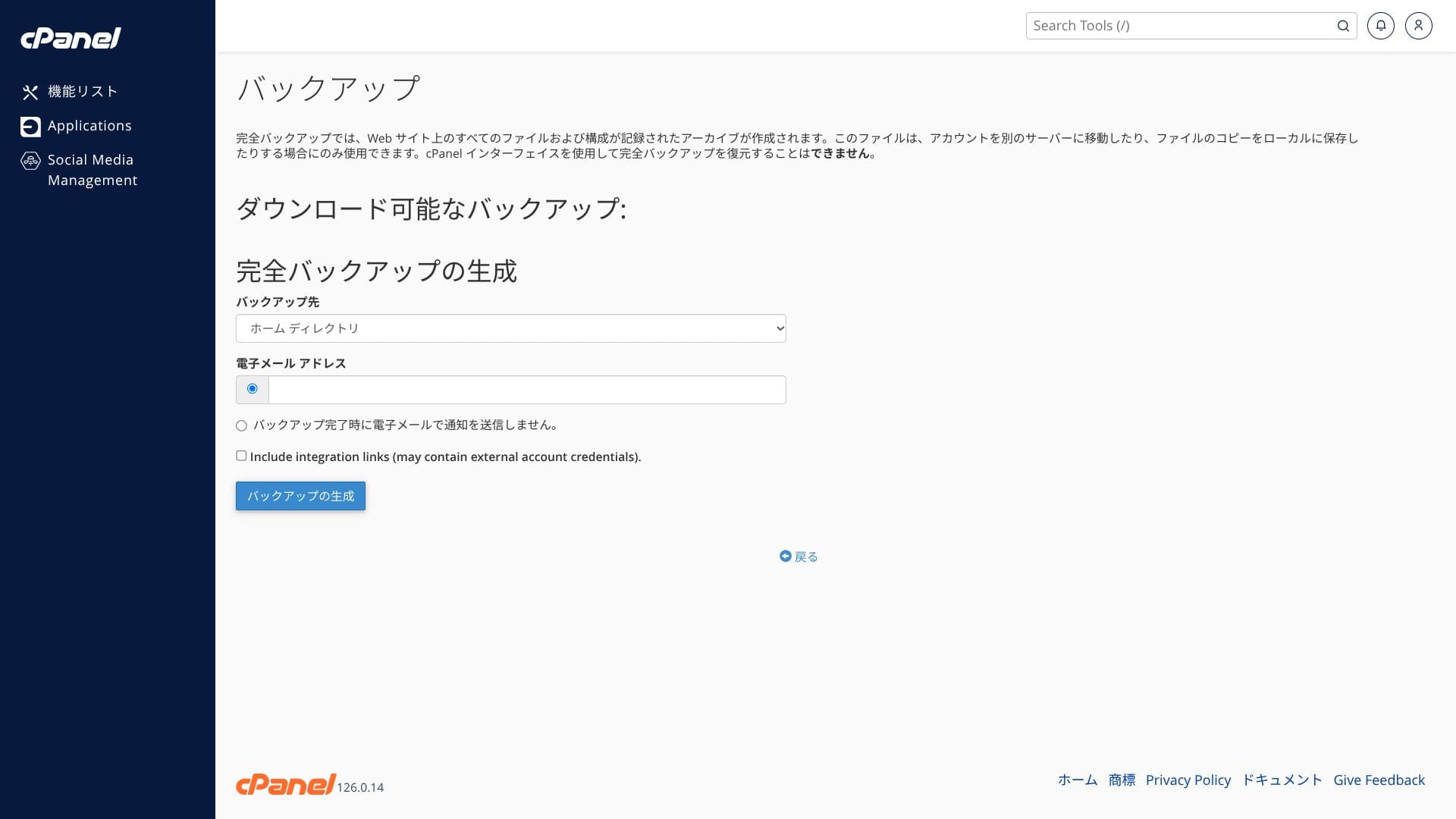
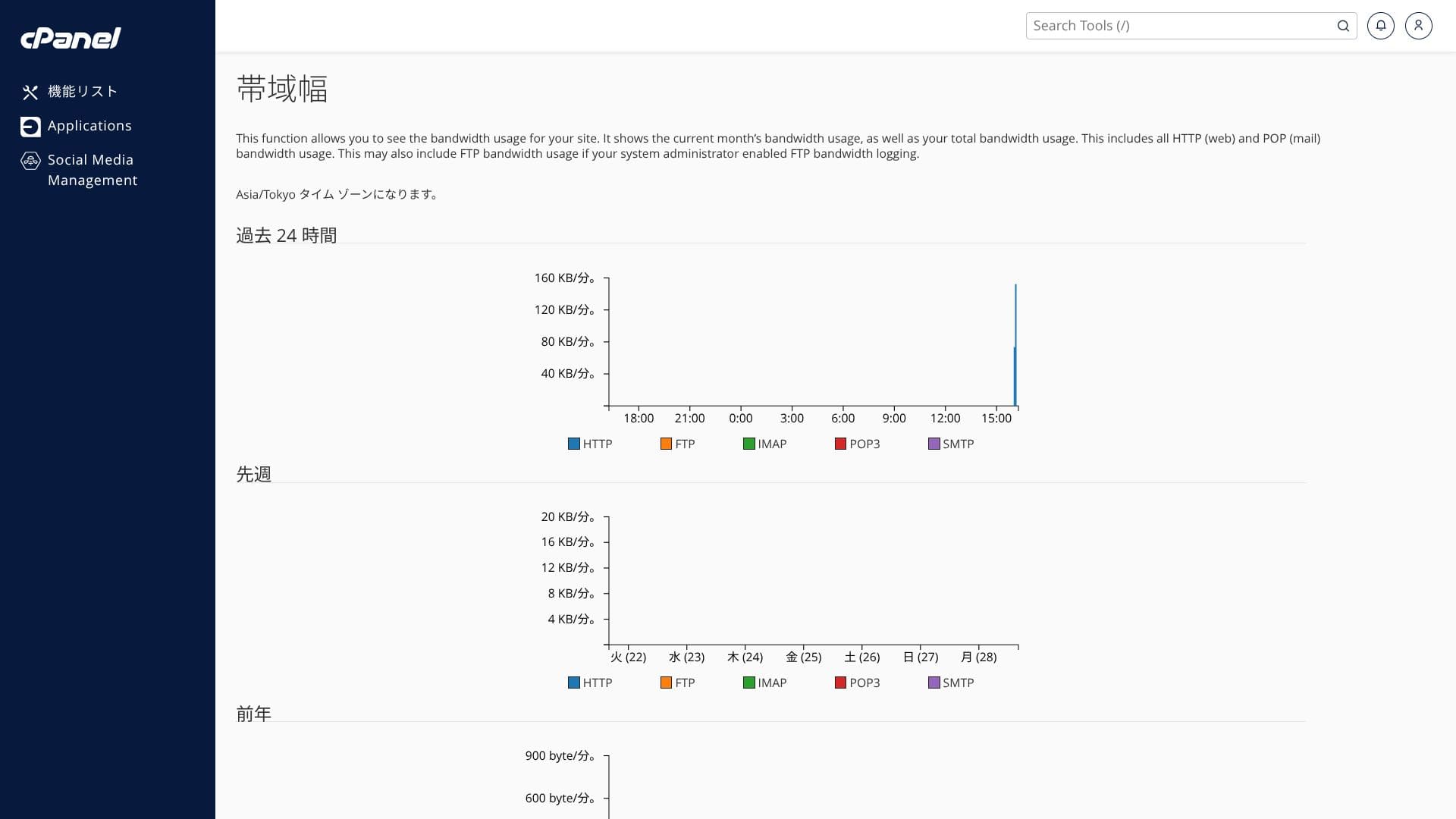
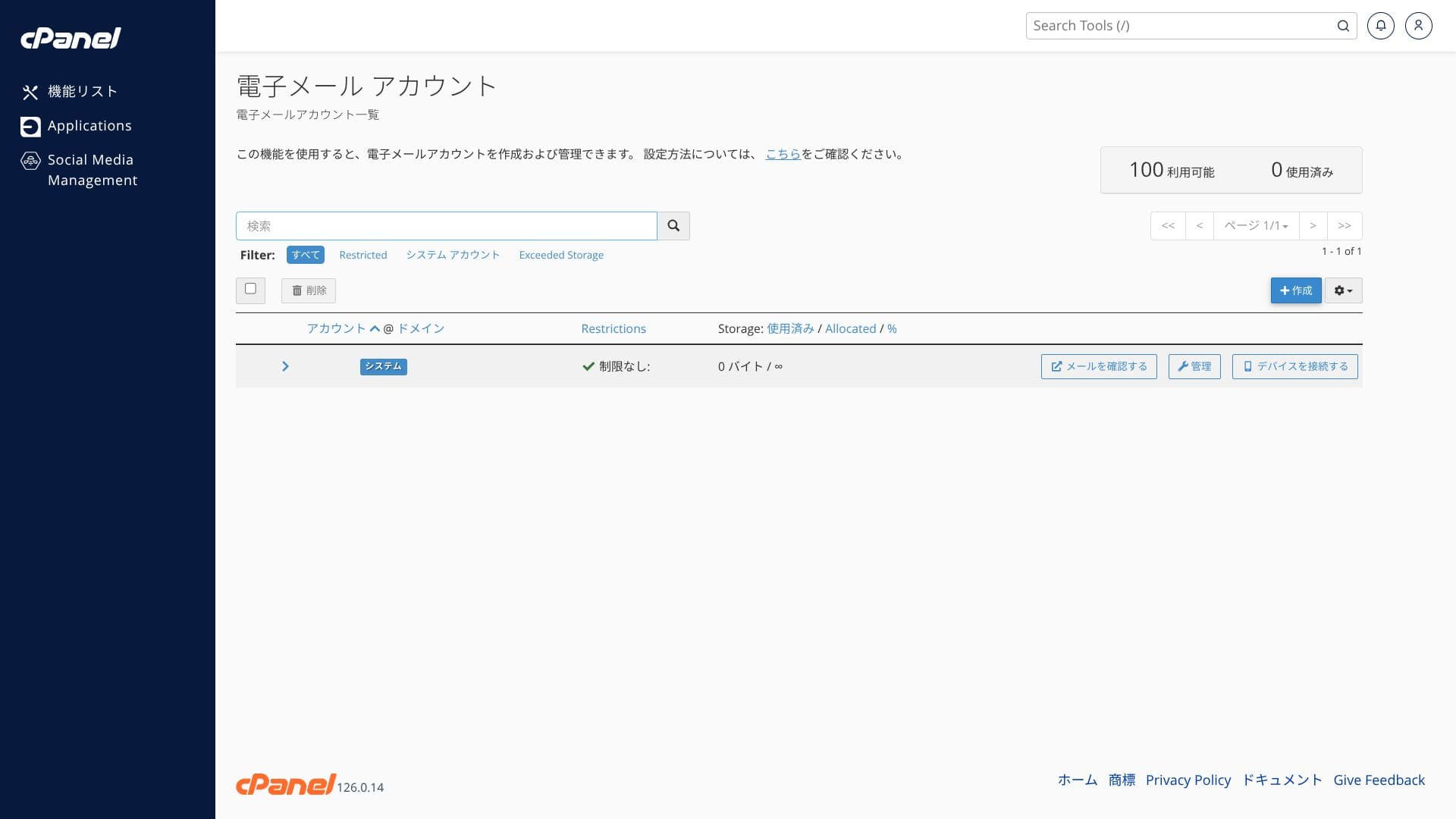
The screenshots below show how the ColorfulBox control panel and cPanel are organized. In cPanel you can install WordPress, migrate it, or delete it.
Top page
Billing
WordPress
Domain
Backup
Bandwidth
Email accounts
Cron
Databases
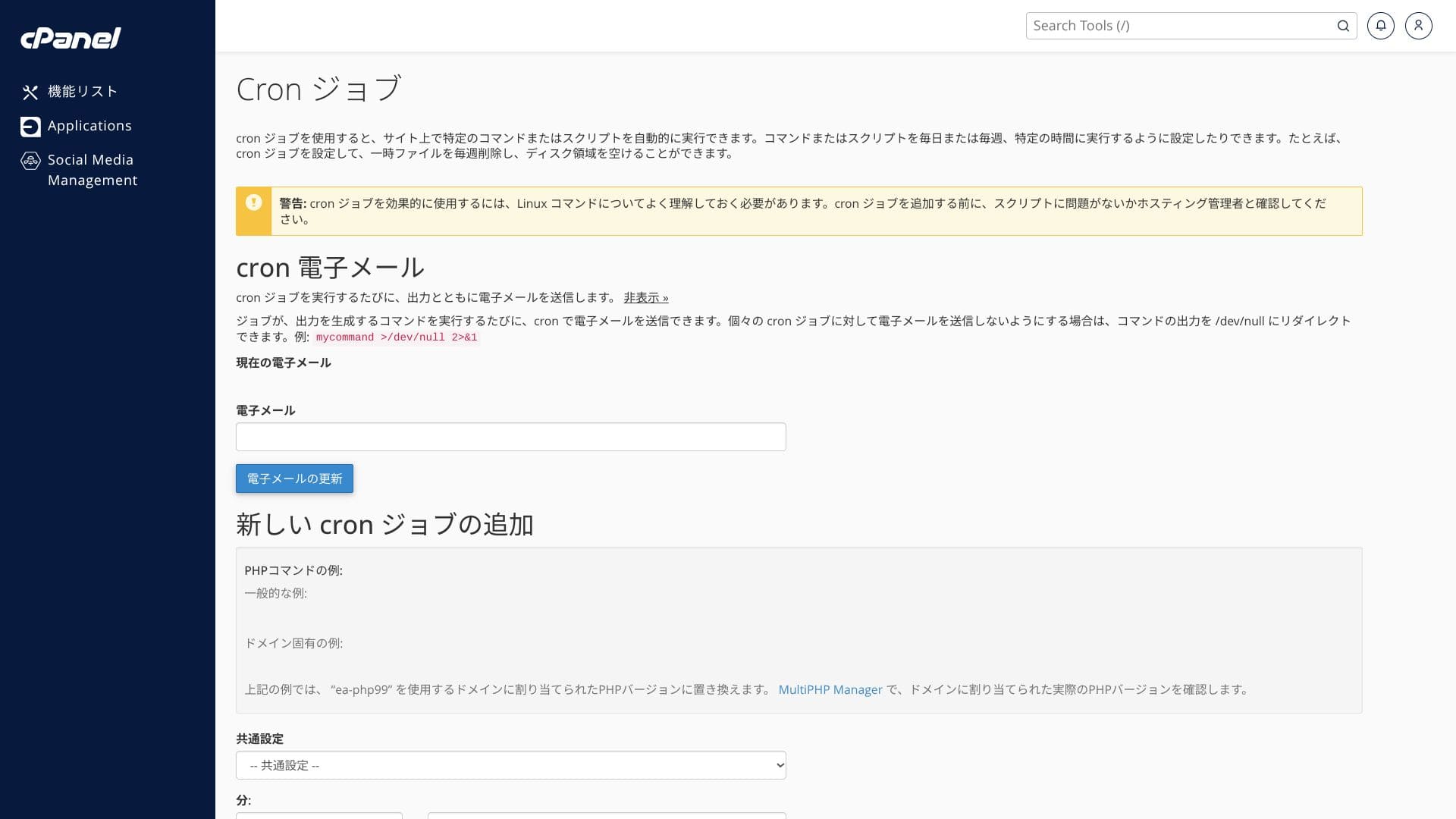
File Manager
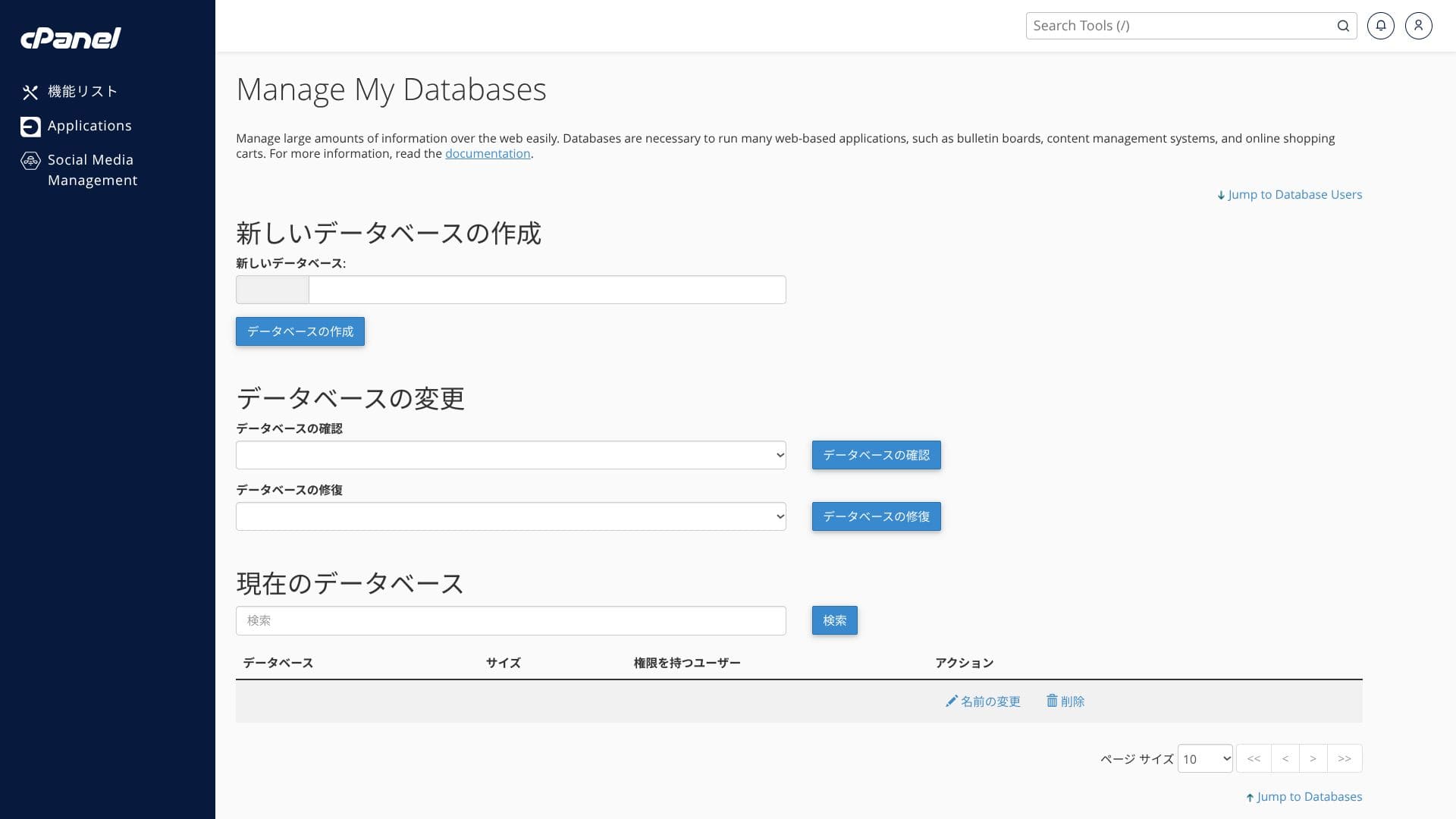
पहिल्यांदा पाहताना menu items ची संख्या जास्त वाटू शकते. अधिकृत manual सोबत वापरल्यास, ते अधिक सहज हाताळता येते.
Hikaru Ono
ColorfulBoxlets you add and update functions from both its own control panel and the cPanel admin screen, which felt a little confusing to me.
सपोर्ट प्रणाली
ColorfulBox चा support system मजबूत आहे.
- Inquiry form: 24 तास उपलब्ध
- LINE आणि live chat: weekdays 9:30-12:00 / 13:00-17:30
- Phone: 24 तास उपलब्ध. BOX7 आणि वरच्या प्लॅन्ससाठी callback उपलब्ध
अनेक होस्टिंग सेवा फक्त weekdays संध्याकाळी 6 वाजेपर्यंत support देतात, त्यामुळे रात्री आणि सुट्टीच्या दिवशी घटना स्वतः सोडवावी लागते. त्या दृष्टीने, हे स्पर्धक सेवांपेक्षा खरोखरच मोठे फायदे आहे.
Hikaru Ono
That said, phone support is often not suited to deep technical questions, so it is best used for contract and pricing inquiries.
व्यवस्थापित सेटअप सेवा
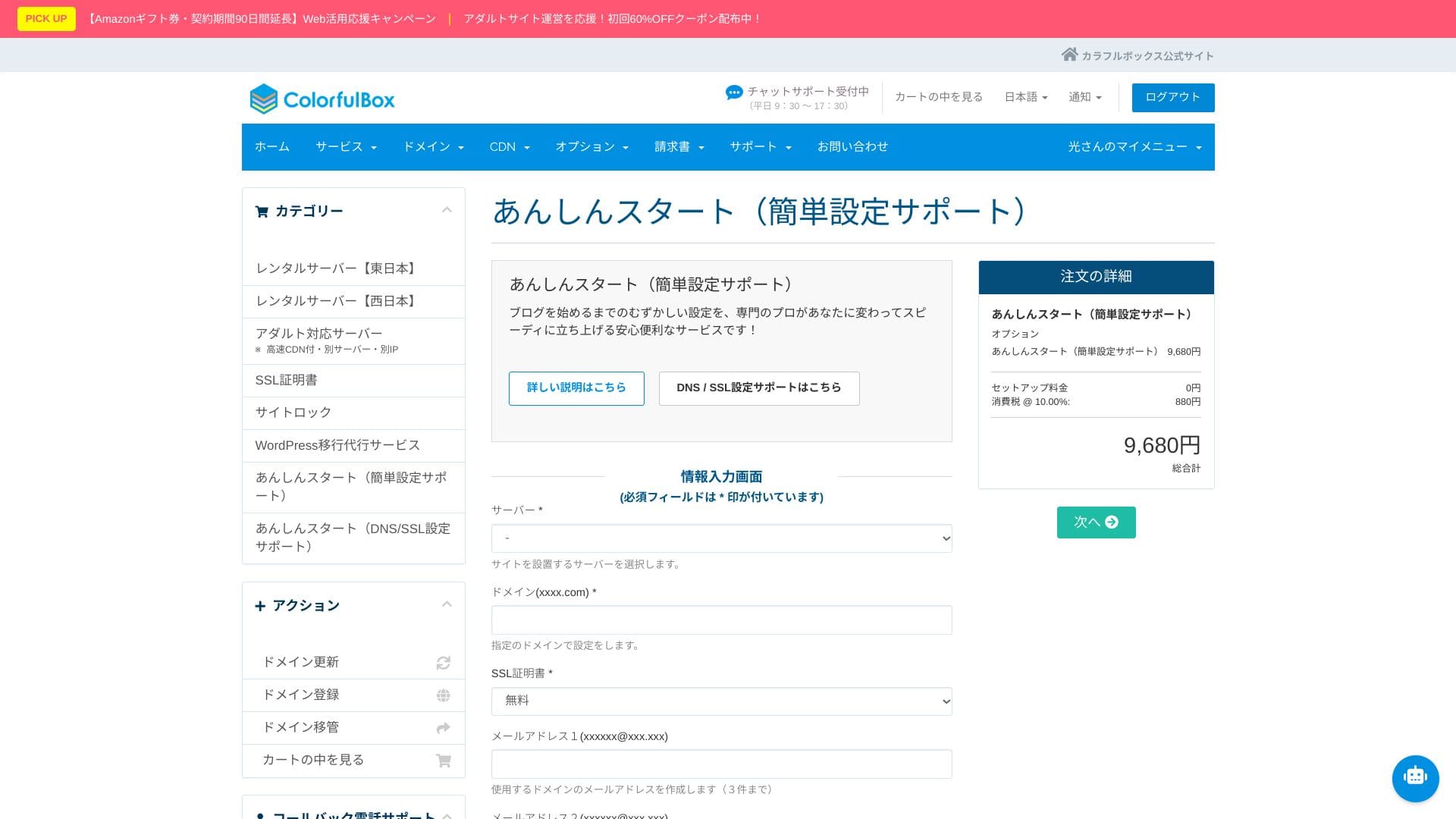
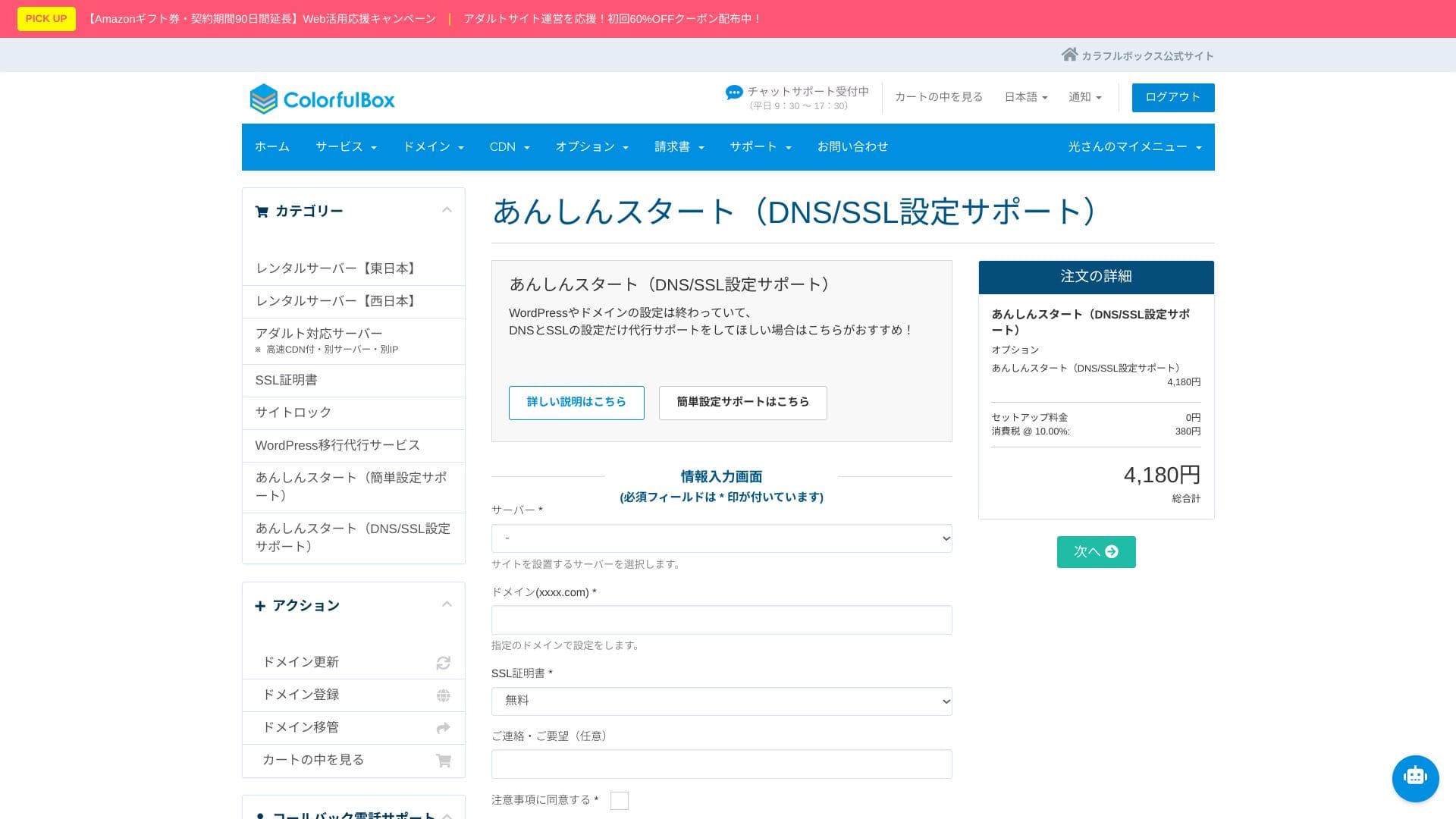
“Anshin Start” प्रारंभिक सेटअप सेवा
“Anshin Start” सह तुम्ही संपूर्ण प्रारंभिक setup सोपवू शकता.
Server signup नंतर WordPress installation, DNS, आणि SSL स्वतः शोधून कॉन्फिगर करणे कठीण आणि वेळखाऊ ठरू शकते.
- Simple setup support pack (9,680 येन)
- DNS/SSL support pack (4,180 येन)
निवडण्यासाठी दोन courses आहेत. Staff 1 ते 3 business days मध्ये setup पूर्ण करू शकतात, ज्यामुळे तुम्ही ब्लॉग launch पर्यंत वेगाने पोहोचू शकता.
Corporate use साठीही, तीन email addresses पर्यंत तयार करणारा पहिला plan निवडल्यास, content production वर लक्ष केंद्रित करत साइट जलद सुरू करता येते.
Hikaru Ono
With “Anshin Start,” you request the setup after purchasing the server.
WordPress स्थलांतर सेवा
WordPress स्थलांतर सेवेद्वारे साइटचे स्थलांतर तज्ञांकडे सोपवा
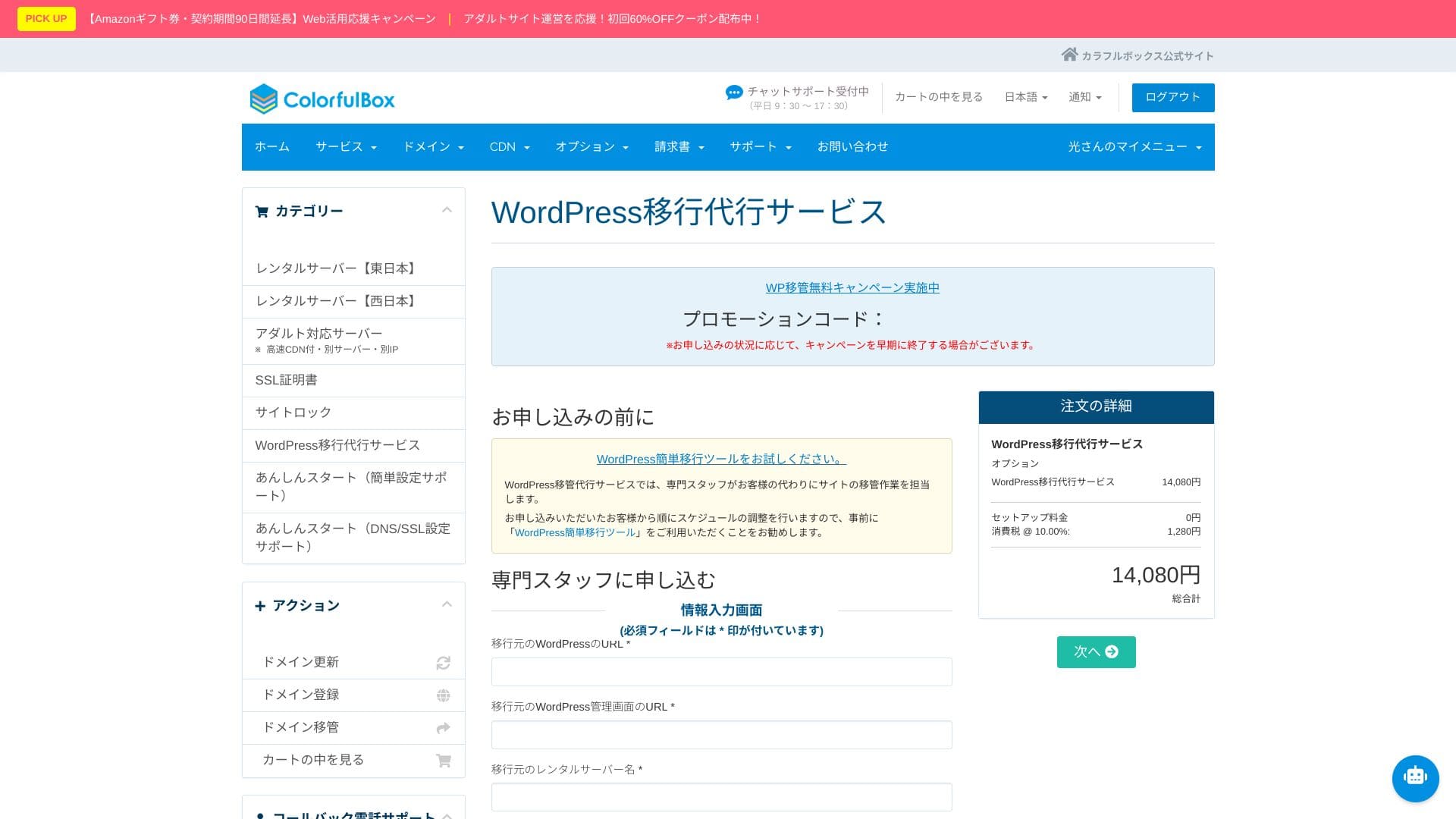
दुसऱ्या सर्व्हरवरून ColorfulBox कडे स्थलांतर करायचे असल्यास, WordPress migration service वापरणे उपयुक्त ठरते.
Hikaru Ono
If you would rather focus on updating articles than spend time on the move itself, use the migration service and move to the new environment as quickly and safely as possible.
मॅन्युअल / FAQ
अधिकृत help center मध्ये 400 हून अधिक Japanese articles आहेत. ते चित्रांसह समजायला सोपे आहेत आणि शोधक्षमता चांगली आहे.
सुरक्षा आणि बॅकअपचा आढावा
Imunify360
ColorfulBox मध्ये Imunify360 समाविष्ट आहे.
यामुळे हॅक होण्याची शक्यता मोठ्या प्रमाणात कमी होते. अशा प्रकारची हानी टाळता आली तर तुम्ही content creation आणि व्यवसायावर लक्ष केंद्रित करू शकता. साहजिकच, search ranking वर होणारा नकारात्मक परिणामही कमी होतो आणि ग्राहकांचा विश्वास वाढतो.
प्रदेशानुसार स्वयंचलित बॅकअप
बॅकअप सिस्टीमही उत्कृष्ट आहे. ती पूर्व आणि पश्चिम क्षेत्रांमध्ये दररोज आपोआप बॅकअप घेते आणि 14 generations साठवते.
बॅकअप्स regions मध्ये साठवले जातात. म्हणजेच पूर्व जपानमध्ये outage आला तरी, तुम्ही पश्चिम जपानमधील बॅकअपमधून restore करू शकता. सर्व्हर आणि त्याचा बॅकअप दोन्ही एकाच वेळी प्रभावित होऊन होणारी worst-case स्थिती टाळण्यास हे मदत करते.
Hikaru Ono
Considering every possible disaster scenario, it is reassuring to know that data can be stored on servers separated physically between Tokyo and Osaka.
अशा प्रकारची disaster-risk distribution client-facing स्पष्टीकरणे आणि सार्वजनिक क्षेत्रातील projects मध्येही मोठ्या प्रमाणावर उपयुक्त ठरते. शिवाय, दोन्ही regions जपानमध्येच असल्यामुळे डेटा देशाबाहेर जात नाही, त्यामुळे compliance आणि सुरक्षेच्या दृष्टीनेही ते आश्वासक ठरते.
सारांश
ColorfulBox हा मोठा domestic user base असलेला Japanese hosting service आहे. मुख्य मुद्दे खालीलप्रमाणे आहेत.
- योग्य ठरेल, जर:
- खर्च नियंत्रित ठेवत अनेक WordPress साइट्स चालवू इच्छिणारे लोक
- बॅकअप आणि सुरक्षेची चिंता बाहेर सोपवू इच्छिणारे लोक
- LiteSpeed वातावरण आणि HTTP/3 वापरून पाहू इच्छिणारे लोक
- हे टाळणे उत्तम, जर:
- मोठ्या व्हिडिओ वितरण किंवा लाईव्ह स्ट्रीमिंगसारख्या कारणांमुळे दीर्घकाळ बँडविड्थ व्यापणाऱ्या साइट्स
हे मुद्दे लक्षात घेऊन, ते तुमच्या साइटच्या आकाराशी आणि संचालन पद्धतीशी जुळते का ते तपासा.
“ColorfulBox” is a hosting service with excellent region-specific automatic backups, making it easy to use with confidence. It has eight plans, so you can use the right level of performance without wasting money. It is also one of the few hosts that provides support 24 hours a day.
Up to 50% off server fees until August 31, 2025, plus up to a 10,000-yen Amazon gift card and a 30-day free trial