
Up to 50% off server fees until August 31, 2025, plus up to a 10,000-yen Amazon gift card and a 30-day free trial
PR
Serveri
ColorfulBox apskats [2025. gada jaunākais]: sāciet WordPress uz izdevīga hostinga servera
Publicēts: 2025.05.02
Atjaunināts: 2025.05.02
Vērtējums: 4.0
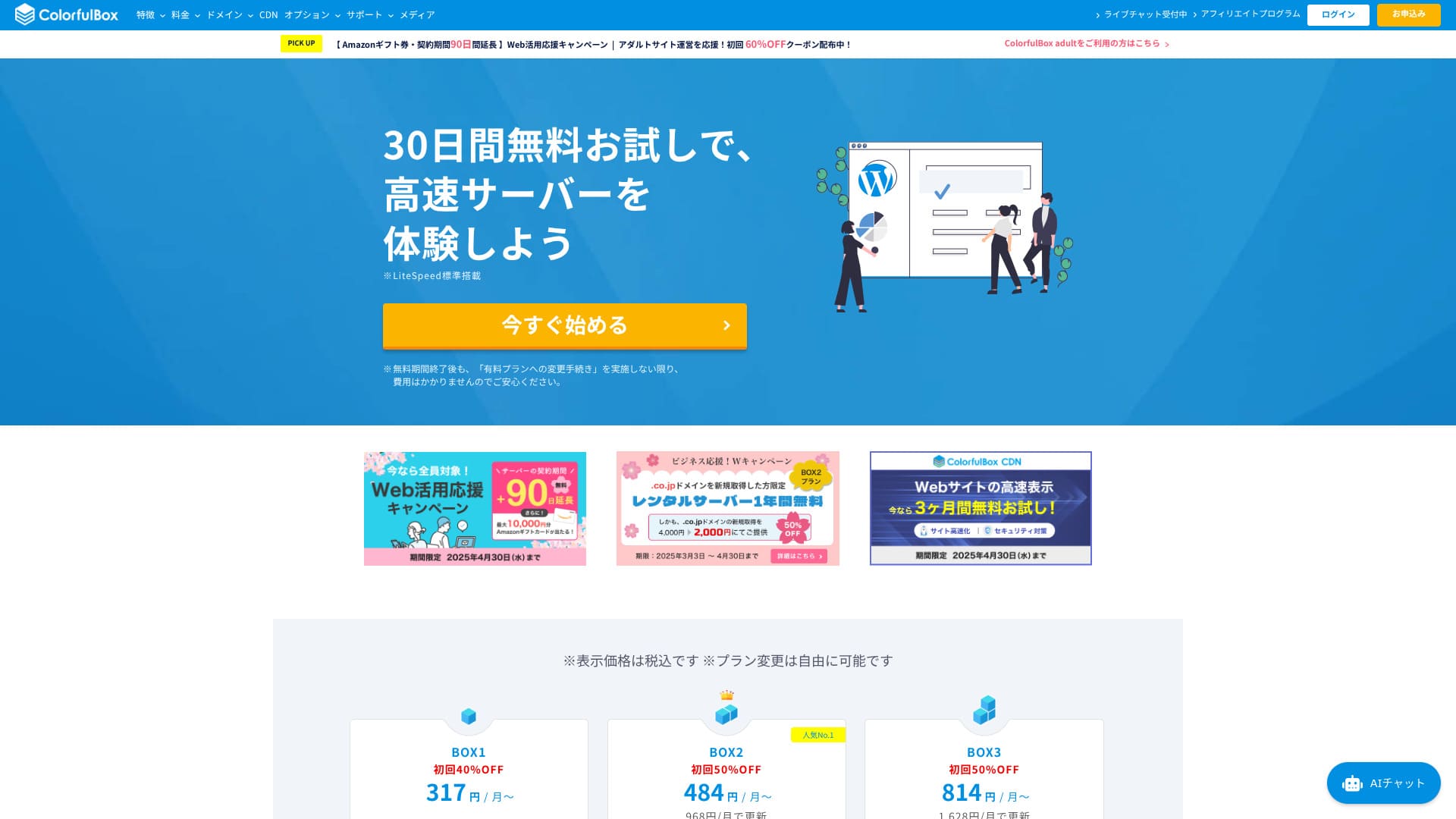
Launched in 2018, ColorfulBox is a relatively new Japanese hosting service. It keeps costs low while offering strong features such as region-specific automatic backups and Imunify360 security.

Reasons to recommend ColorfulBox to first-time WordPress users and people who care about support quality:
- 14 dienu automātiskās rezerves kopijas, kas glabājas pa reģioniem
- Uzlabota Imunify360 drošība sirdsmieram
- Tālruņa atbalsts visos plānos
That is why it is a strong choice. You can try it free for 30 days.
A competing option is Shin Rental Server. It offers more flexible pricing that can be started on an hourly basis than ColorfulBox. It is worth considering alongside it.
★ Shin Rental Server Review [2025 Latest]: Real speed, pricing, pros, and cons
| Servera tips | Koplietojams hostings |
| Lielākā priekšrocība | A wide range of plans |
| Ātrums (TTFB) | 190ms |
| Ieteicamais plāns un termiņš | BOX1 / 12 months |
| Trial / money-back guarantee | 30-day money-back guarantee |
| Mēneša maksa (12-month term) | 638 yen |
| Iestatīšanas maksa | Free |
| Bezmaksas domēns | Nav |
| Atbalsts | Darba laiks: darba dienās 09:30-12:00, 13:00-17:30 Tālrunis (pieņemšana 24 stundas diennaktī), callback (BOX7 and above), chat, LINE, and email |
| Darbspējas laiks | Nav atklāts |
| Servera krātuve | 200GB |
| Datubāzes | Unlimited |
| Drošība | WAF, IPS, IDS, virus scanning, SiteLock (paid) |
| SSL | Free SSL, dedicated SSL, shared SSL |
| Backup / restore | 14 days of region-based automatic backups included; restores are free |
| E-pasta konti | Unlimited |
| E-pasta drošība | Email encryption, POP/POP3S / SMTP/SMTPS, IMAP/IMAPS, virus checks, spam filters, and custom filters |
| WordPress iepriekšinstalēts | Jā |
| Servera / vietnes migrācijas pakalpojums | Free |
| CDN | 440 yen and up |

Hikaru Ono
ColorfulBox lets you start WordPress at the same time you sign up for the server. It is simple. Because it is one of the few Japanese hosting services that accepts phone inquiries 24 hours a day, it is a good fit for people who worry about whether they can solve everything on their own.
It has everything from affordable plans to large-capacity plans, so it is easy to keep using for a long time.
ColorfulBox compared with other providers
- Overall rating★★★★☆
- Servera ātrums ★★★★☆
- Pricing ★★★★☆
- Stability ★★★★☆
- Ease of starting WordPress* ★★★★★
- Domēna pārvaldība un ar SSL saistītie uzdevumi* ★★★★☆
* These scores reflect my actual hands-on experience.

21 Recommended WordPress Hosting Services for Individuals and How to Choose
21 Recommended WordPress Hosting Services for Individuals and How to Choose
serverfield.org
- Data based on market research as of Nēvember 4, 2025, arranged in order of speed
- Mēneša maksas are the first-year cost of the cheapest plan that can run WordPress
- Ātrums is the Time to First Byte measured on demo sites under the same conditions
“ColorfulBox” is a hosting service with excellent region-specific automatic backups, making it easy to use with confidence. Tam ir astoņi plāni, so you can use the right level of performance without wasting money. It is also one of the few hosts that provides support 24 hours a day.
Ar WordPress saistīti apskati
Vienkārša WordPress instalēšana
ColorfulBox uses cPanel and Installatron, allowing you to install WordPress in just a few clicks. From domain settings to enabling free SSL, everything proceeds in a wizard-style flow, so even first-time users can finish without getting lost. HTTPS is also enabled during installation, so there is no need to set the certificate manually.
Tēmu un spraudņu masveida importu var pabeigt arī vednī.
Hikaru Ono
Kad es faktiski reģistrējos, pieteikšanās tika pabeigta apmēram piecās minūtēs. Man instalētā WordPress vietne tīmeklī bija pieejama arī apmēram 30 minūtes vēlāk.
Izveidojiet vietni ar ColorfulBox
- STEP.1Visit the official site ColorfulBox
Nēklikšķiniet uz “Sākt tagad.”
- STEP.2Reģistrējieties serverim un iegūstiet domēnu
Choose a region. If you do not have a specific preference, I recommend “Rental Serveris [East Japan].”
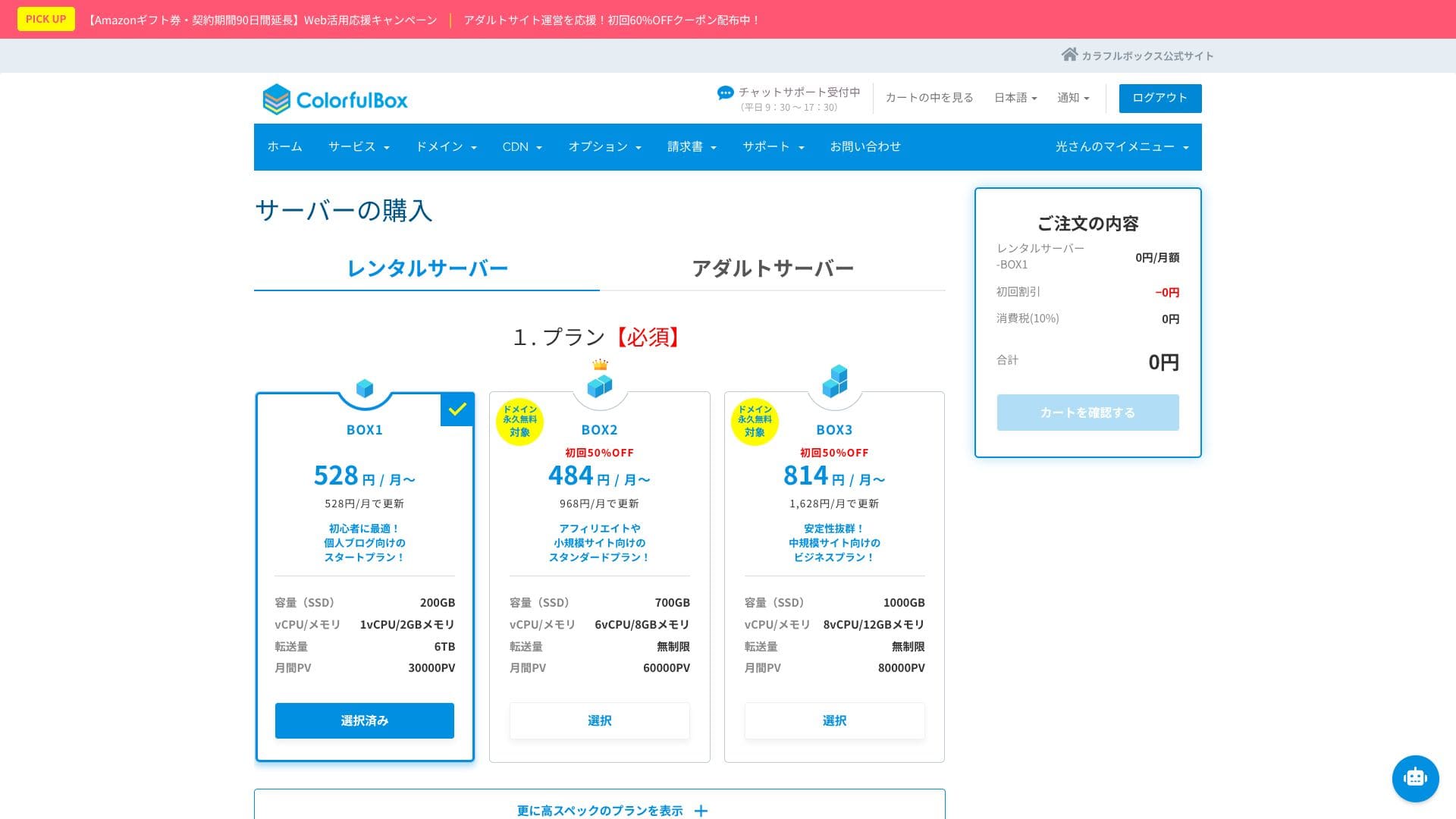
Servera izvēles sadaļā izvēlieties plānu. Ieteicamā izvēle ir BOX1, un jebkurā laikā varat pāriet uz BOX2.
 Hikaru Ono
Considering both term length and value, I recommend a 12-month contract.
Decide on a domain name. Enter the text you want in “Use a newly registered domain.” Search for the domain, and if it is available, click “Next.”
★ What is a domain? Its role as an address on the internet and how to get one
In the optional settings under “WordPress quick setup,” be sure to choose “Automatic WordPress installation.”Using this makes it dramatically easier to start a WordPress website.
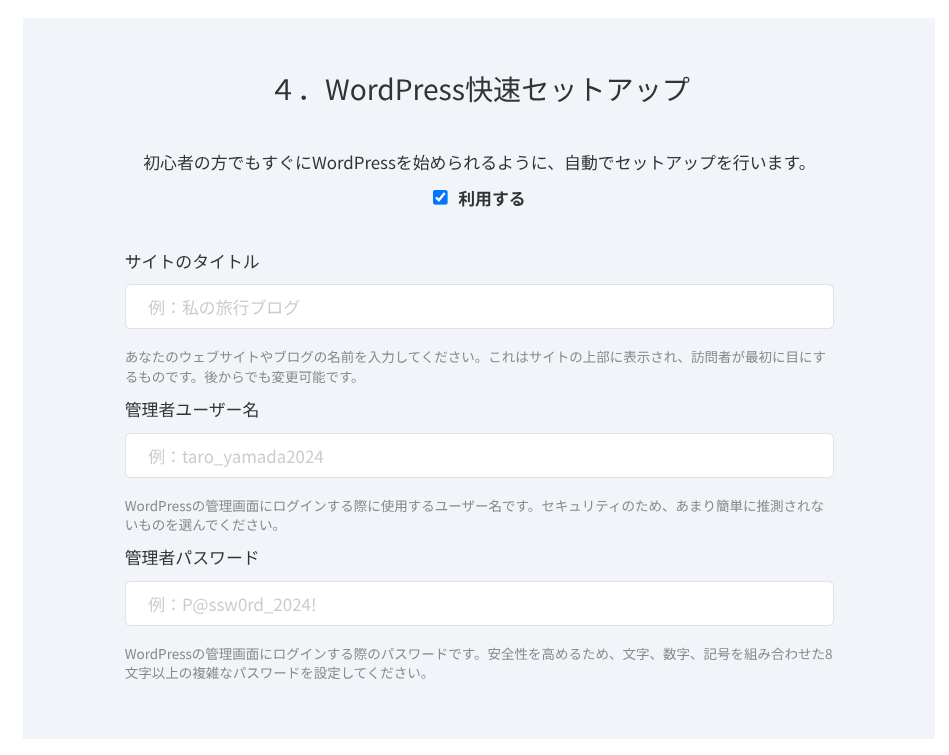
Enter the information required for WordPress.
- Site title: anything is fine
- Admin username: anything is fine
- Admin password: make it as strong as possible
The site name can be changed later. If you have not decided, enter a temporary one.
The WordPress username and WordPress password are important.Write them down. You will need them to log in to the website you create with WordPress.
Once you have entered everything, click “Next.”
In the domain settings and configuration section, you can choose “Whois privacy proxy.” This determines whether the domain registrant’s name and address are shown. If you are a corporation, it is generally better to publish them. If you are an individual, think through the choice. If you enable the checkbox, ColorfulBox information will be shown instead. Once you decide, go to “Next.”
Enter your user information, such as name and address, along with your payment information. If there are no issues with what you entered, click “Confirm order.”
Once the temporary registration email arrives, your server signup and domain acquisition are complete.
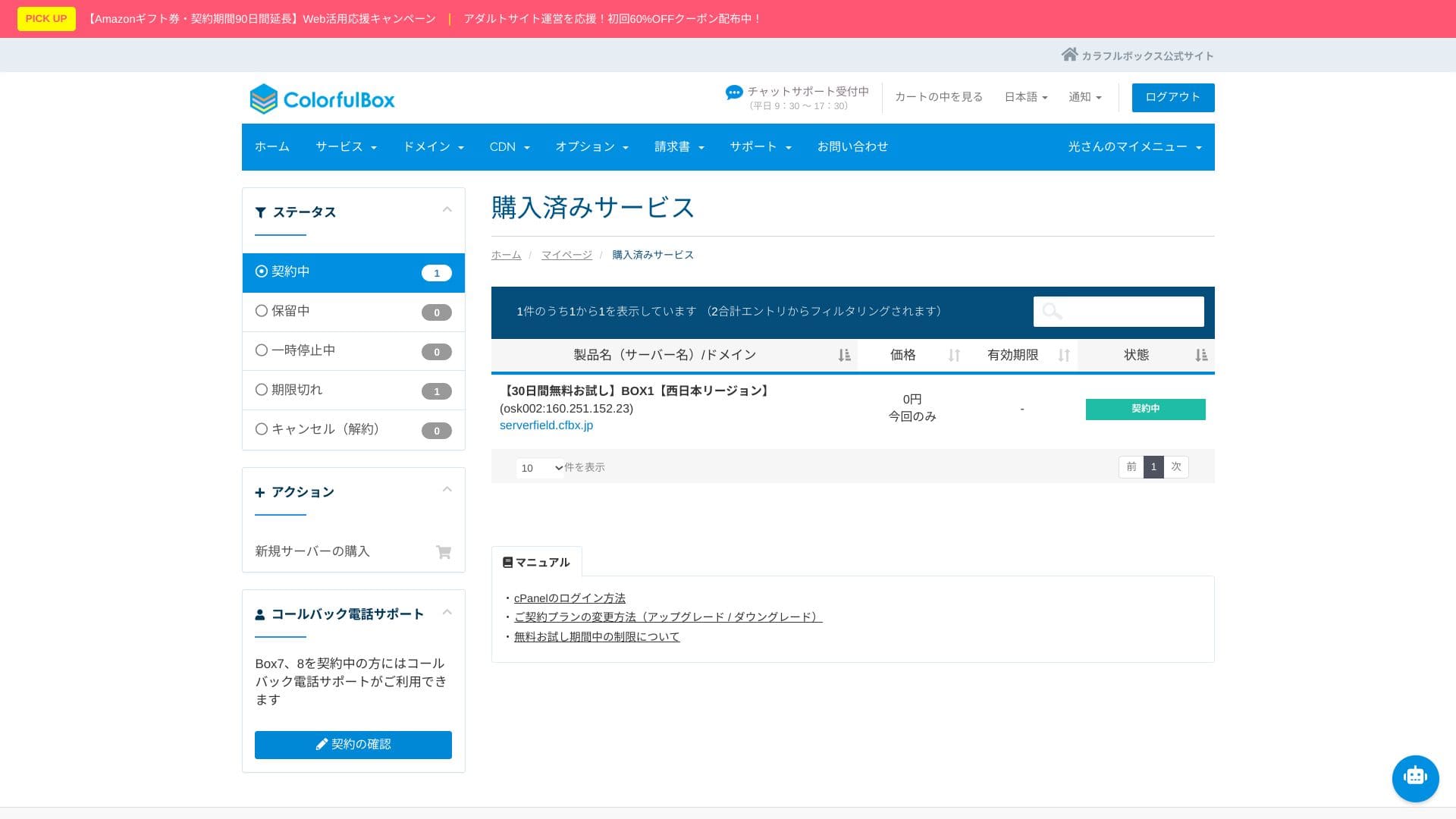
- STEP.3Sākotnējā WordPress iestatīšana
Pēc reģistrēšanās atveriet “https://your-domain-name/wp-admin/”. Tas jūs aizvedīs uz WordPress administrācijas ekrānu.
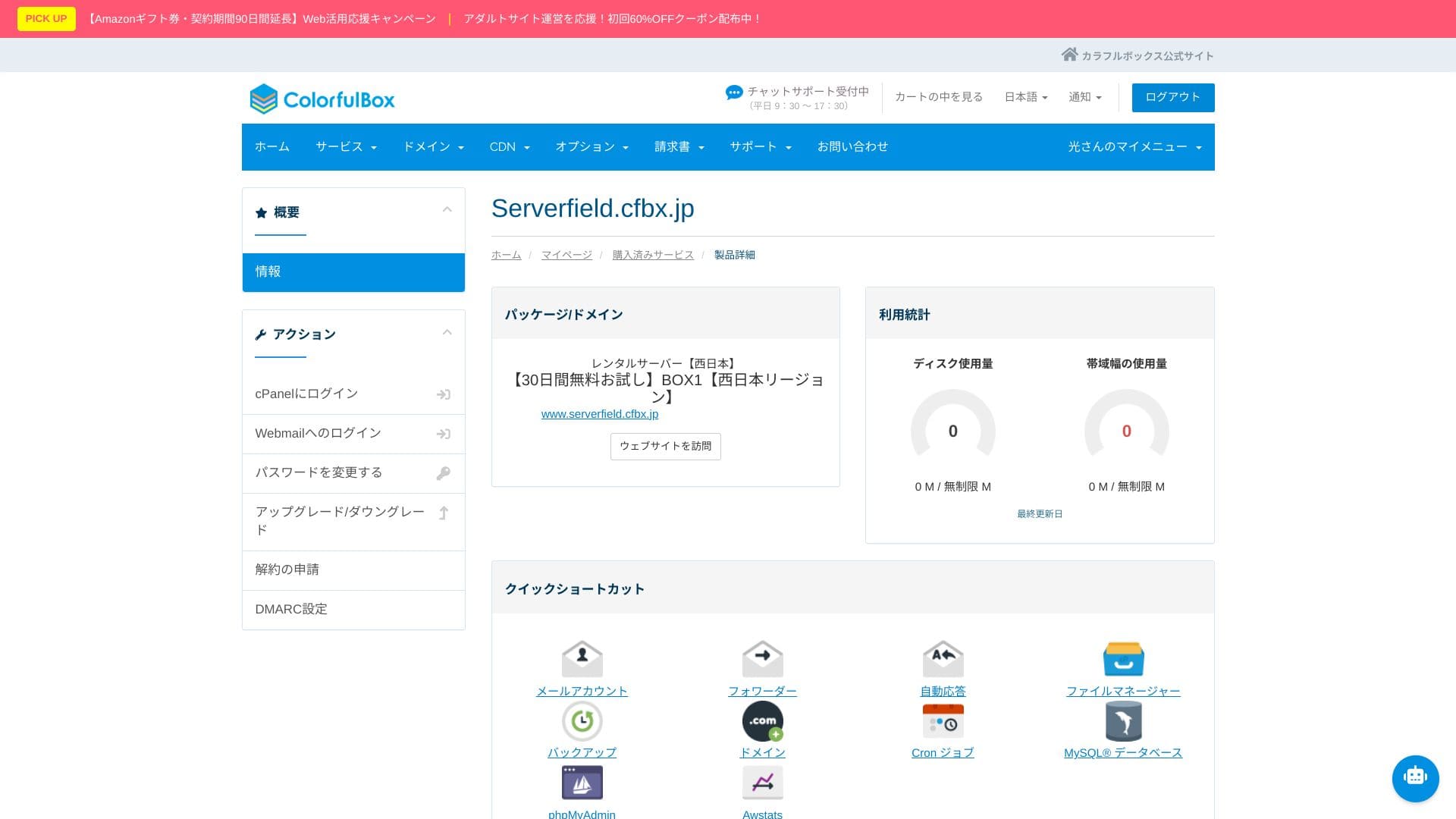
Log in to WordPress using the username and password you created during signup. If you see “Your connection is not private,” wait for a while. DNS has not finished propagating yet, so try accessing it again every few hours.
If you can see the following screen, the WordPress installation is complete.
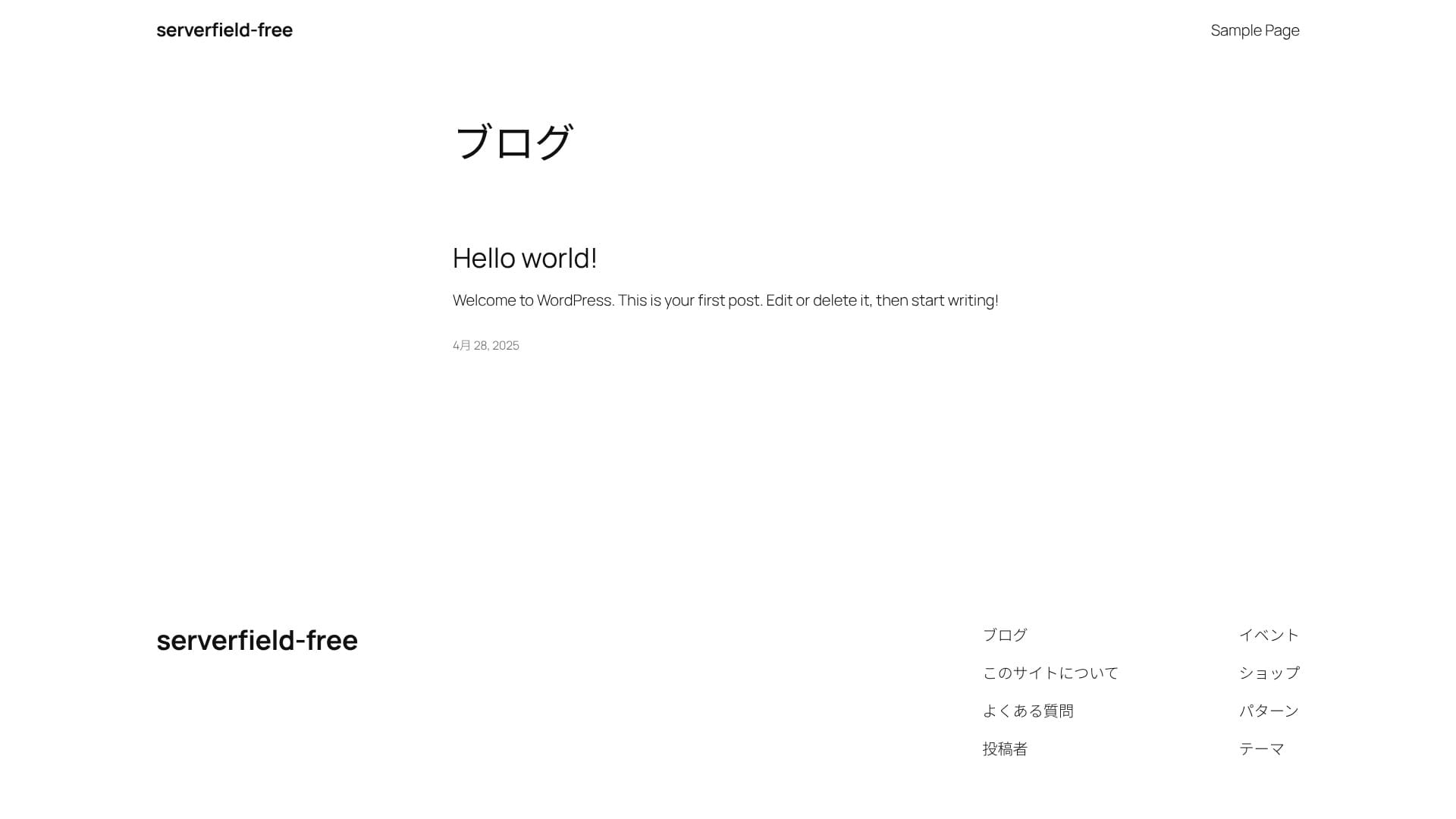
★ What are DNS and nameservers? Connecting a domain and a server
After logging in to WordPress, configure your permalink settings. In the admin screen, go to “Settings” and then “Permalinks.” Choose “Post name,” then click “Save Changes.”
When you use “Post name,” you can enter your own string in the URL when publishing an article. A short string that hints at the article’s content is recommended because it is easier for readers to understand. If it is too long, some people may feel uneasy and think the site looks suspicious.
- STEP.4Instalējiet spraudņus
Go back to the WordPress admin screen, open “Plugins,” then “Add New,” and install the plugins you need.
Once you find the plugin you want through search, click “Install Nēw,” then “Activate.” After that, follow the instructions for each plugin.
Be sure to install security and backup plugins.
- Five WordPress security plugins and how to choose one
- Five powerful WordPress backup plugins for recovering your data
Once the plugins are installed, your WordPress website is ready to go!
Vairāku vietņu uzturēšana (vairāki domēni)
ColorfulBox offers unlimited multiple domains, databases, and email accounts on every plan. Pat lētākais BOX1 var tikt izmantots, lai izveidotu vairākas WordPress vietnes, un tā ir būtiska priekšrocība. You can run several hobby blogs, and for corporate or business use, you can create websites with different domains for each brand.
Tā kā vienā līgumā varat izveidot tik daudz testvietņu un galveno lapu, cik vēlaties, pārvaldība paliek vienkārša. Arī MySQL ir neierobežots, tāpēc datubāzes var atdalīt un pārvaldīt atsevišķi.
Install multiple WordPress sites
- STEP.1Log in to the control panel
- STEP.2Select “Serveris” from “Purchased services”
Choose “Serveris” from “Purchased services.” Then click “Log in to cPanel” from the menu on the left side of the control panel.
- STEP.3Click “WordPress” under “Applications”
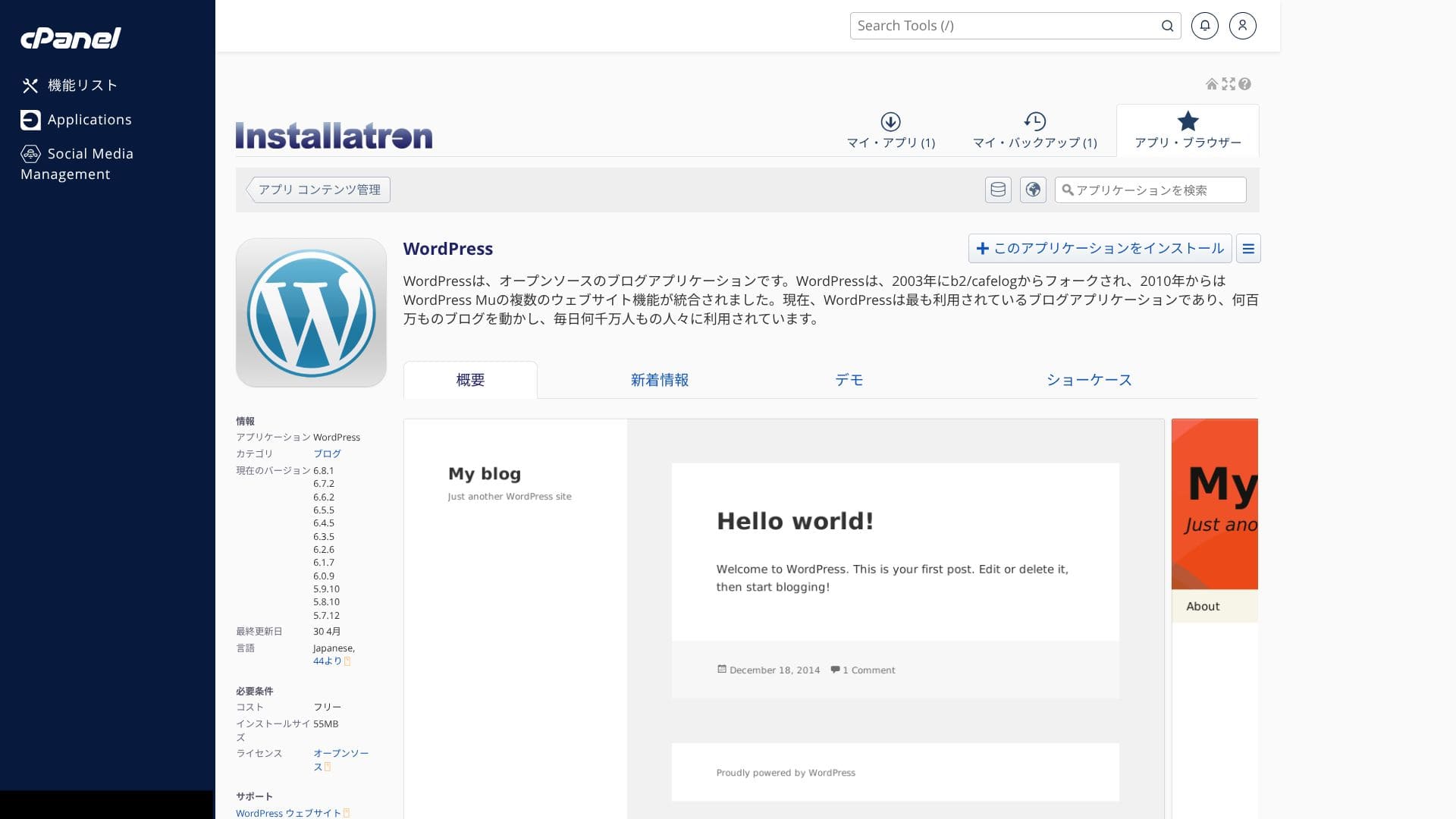
When you log in to cPanel, you will see various features. Scroll down and click “WordPress” under “Applications.”
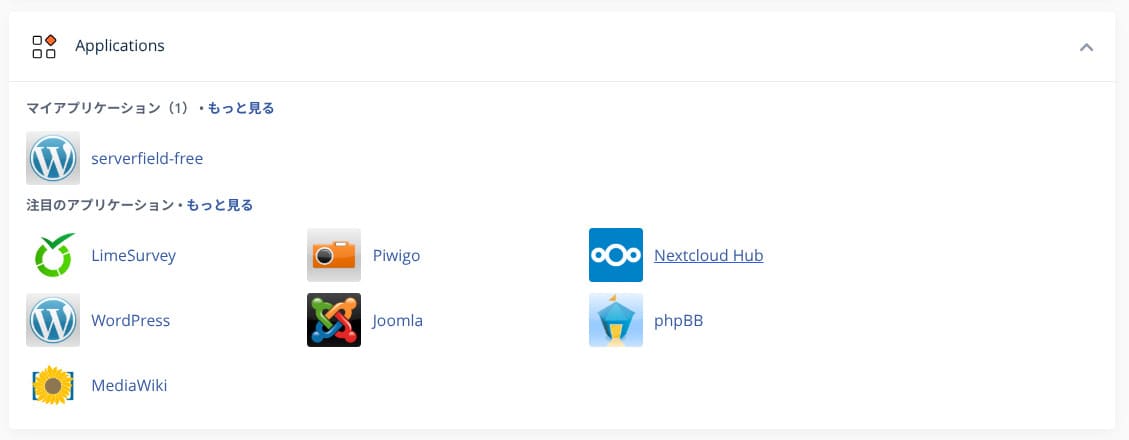
- STEP.4Click “+ Install this application”
Click “+ Install this application.”
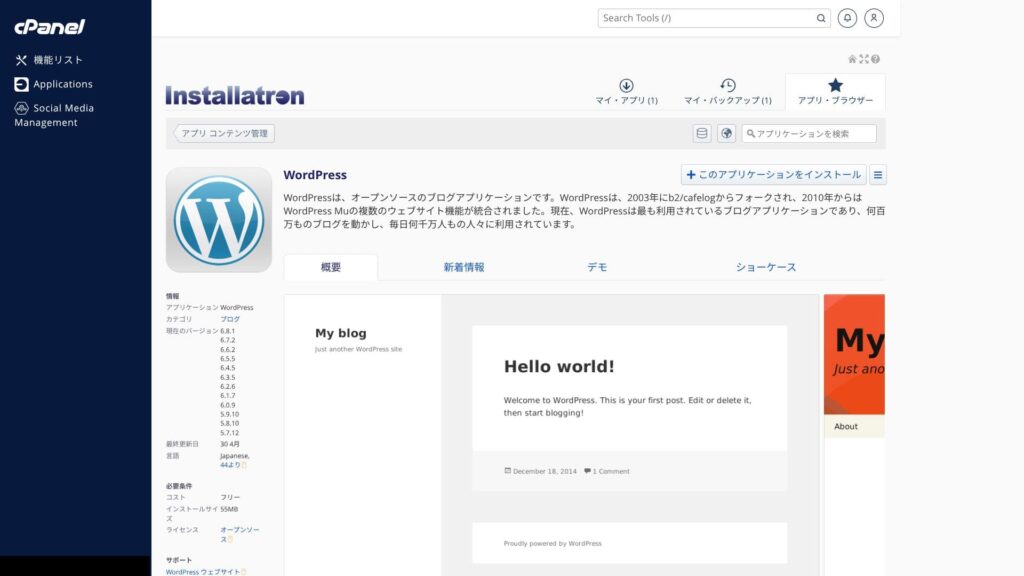
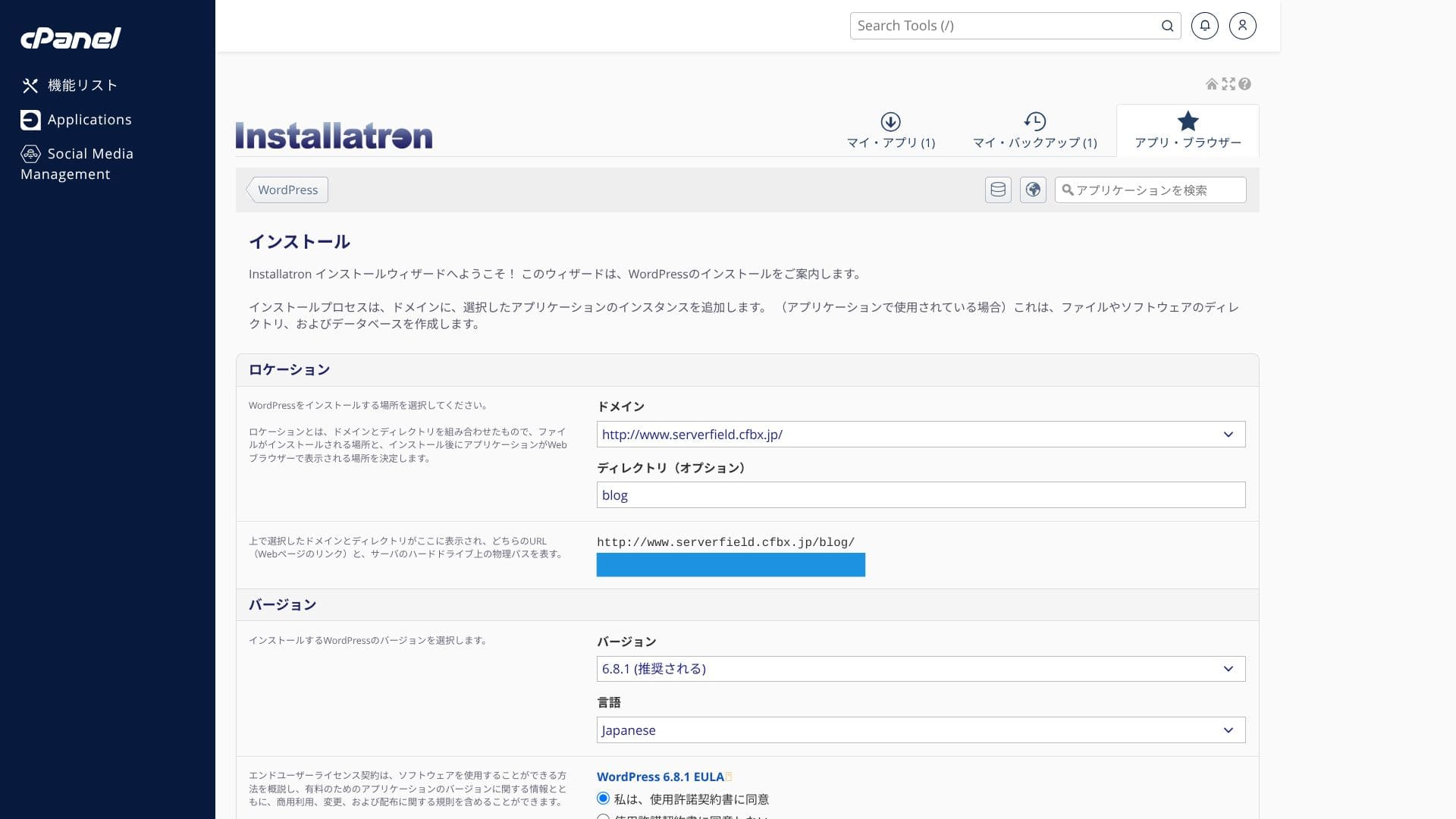
Select the domain where you want to install WordPress. Then set the site title, password, and the other required items, and click “+ Install” to complete the installation.
Svarīgi ņemt vērā, ka vCPU un atmiņa tiek koplietoti visā plānā. Ja pat viena vietne uzliek smagu slodzi serverim, pārējās vietnes tajā pašā serverī var arī palēnināties. Ja plānojat darbināt vairākas vietnes, kas varētu piesaistīt ievērojamu datplūsmu, ir vērts apsvērt papildu servera īri.
WordPress vietnes migrēšana
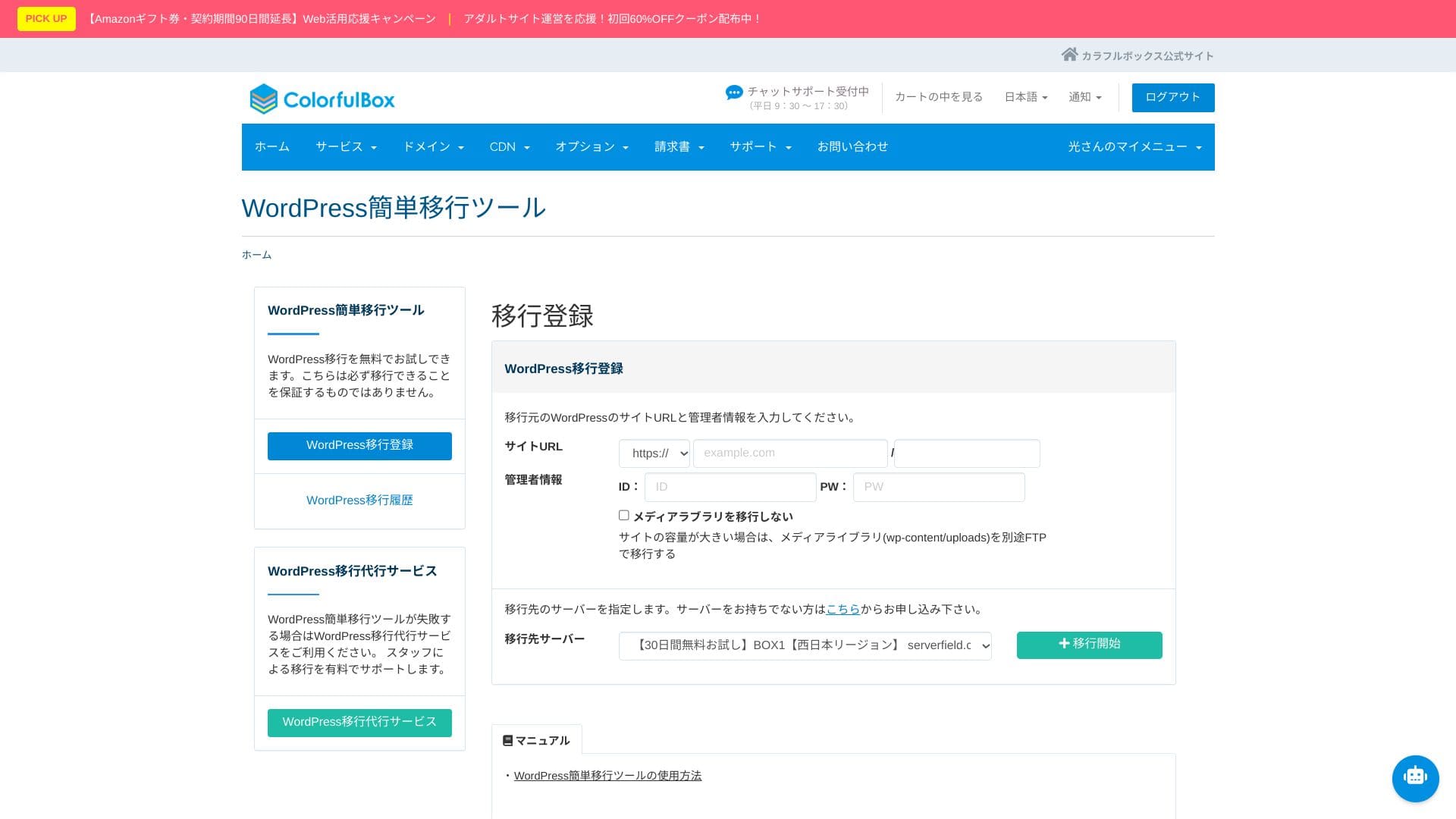
ColorfulBoxprovides a simple WordPress migration tool. Datus var migrēt, vienkārši ievadot vietnes URL un WordPress administratora akreditācijas datus, pēc tam noklikšķinot uz “+ Sākt migrāciju”.
Hikaru Ono
However, after the site migration, nameserver and DNS settings are still required. If that feels difficult, use the paid “Anshin Start” option or the “WP migration service.”
Veiktspējas un specifikāciju apskats
Mūsu mērījumi: ātruma apskats un tā tehniskie iemesli
ColorfulBox was measured with PageĀtrums Insights, a tool provided by Google. It is one of the best-known tools for measuring speed, user experience, and related metrics.
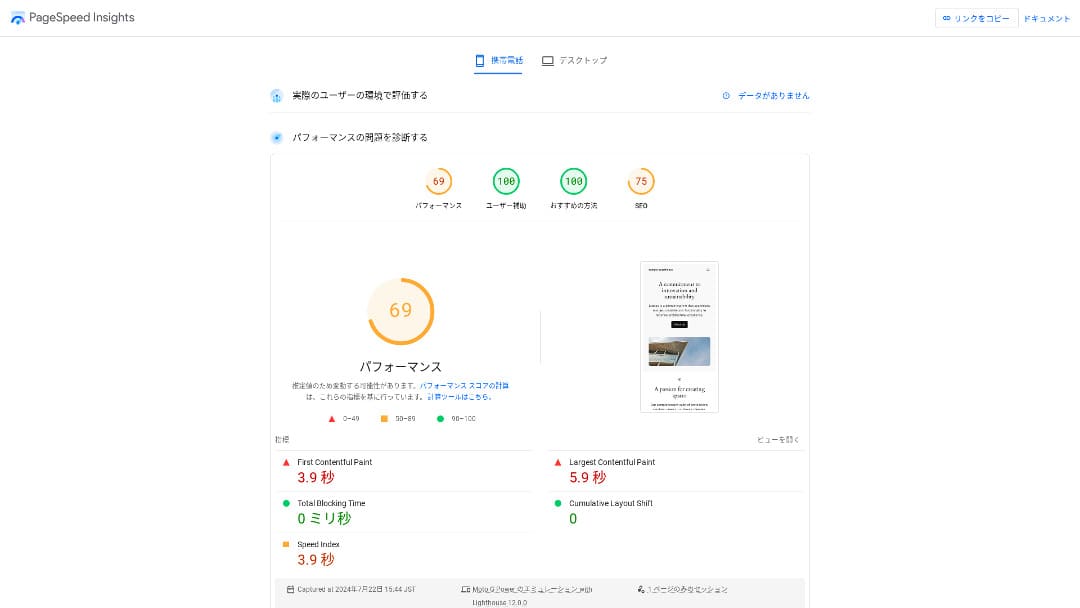
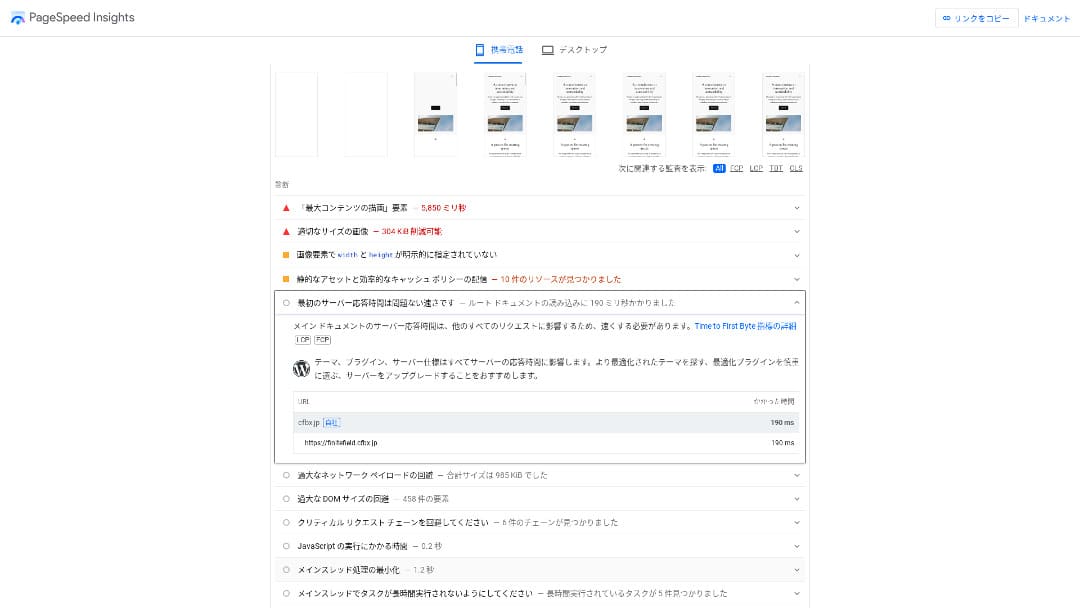
Tā TTFB (Time to First Byte) (laiks līdz pirmajam baitam), kas ir svarīgs ātruma rādītājs, bija 190 ms. Because this meets Google's recommendation of 200ms or less, it can be evaluated as a fast server.
You should reduce your server response time under 200ms. (You should reduce your server response time to under 200ms.)Improve Serveris Response Time
Hikaru Ono
That said, there are servers that are faster than ColorfulBox.
LiteĀtrums Web Server un tīra SSD krātuve
It uses LiteĀtrums Web Server un tīra SSD krātuve as standard. It also supports HTTP/3 (QUIC), which shortens the TLS handshake and delivers fast display even on mobile networks. The WordPress cache plugin “LiteĀtrums Cache” is available for free. Compression of static files and browser cache settings can also be handled with a single click.
LiteĀtrums boosts processing speed, while pure SSD boosts read and write speed, creating a double advantage: pages finish loading almost instantly, and the server stays stable even during traffic spikes.
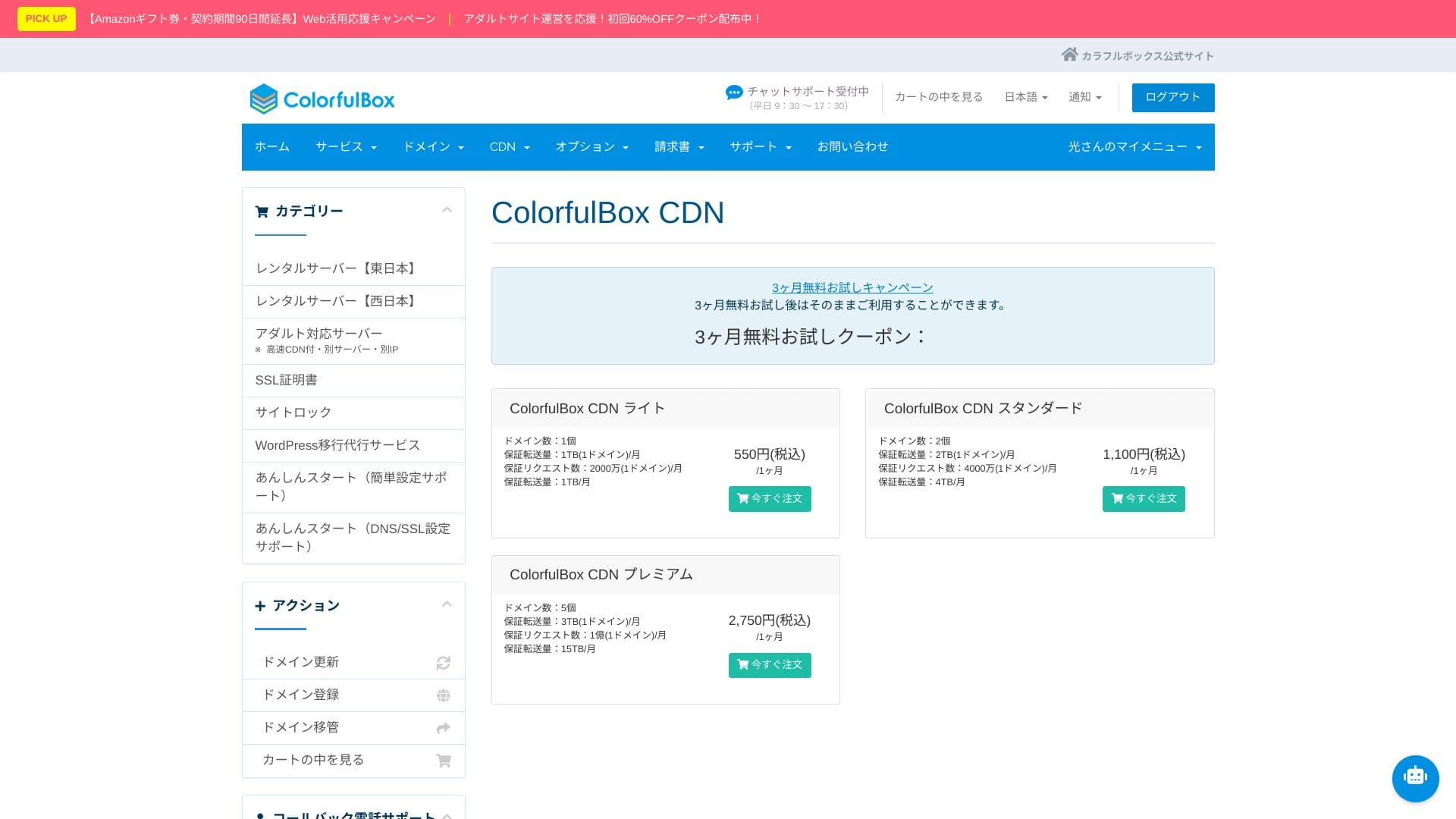
ColorfulBox CDN
Ja vēlaties izmantot QUIC.cloud CDN augstākā līmeņa funkcijas, atsevišķi ir nepieciešami CDN kredīti pēc lietošanas principa.
A typical CDN stores only static files such as images and CSS, but QUIC.cloud can work with LiteĀtrums Cache to cache the full HTML of a WordPress site. Even sections that vary by user, such as cart contents or login information, are split with ESI technology, so overseas users can also experience almost no wait time from the first visit.
Izmantojot QUIC.cloud CDN augstāko līmeni, jūs iegūstat ātrumu, noturību un SEO priekšrocības vienā paketē. The more international traffic your site receives, or the more dynamic pages it has, such as on e-commerce or membership sites, the stronger the return on investment tends to be.
Hikaru Ono
Once traffic starts increasing, it makes sense to consider a CDN.
★ What is a CDN? Improve speed and performance with distributed servers
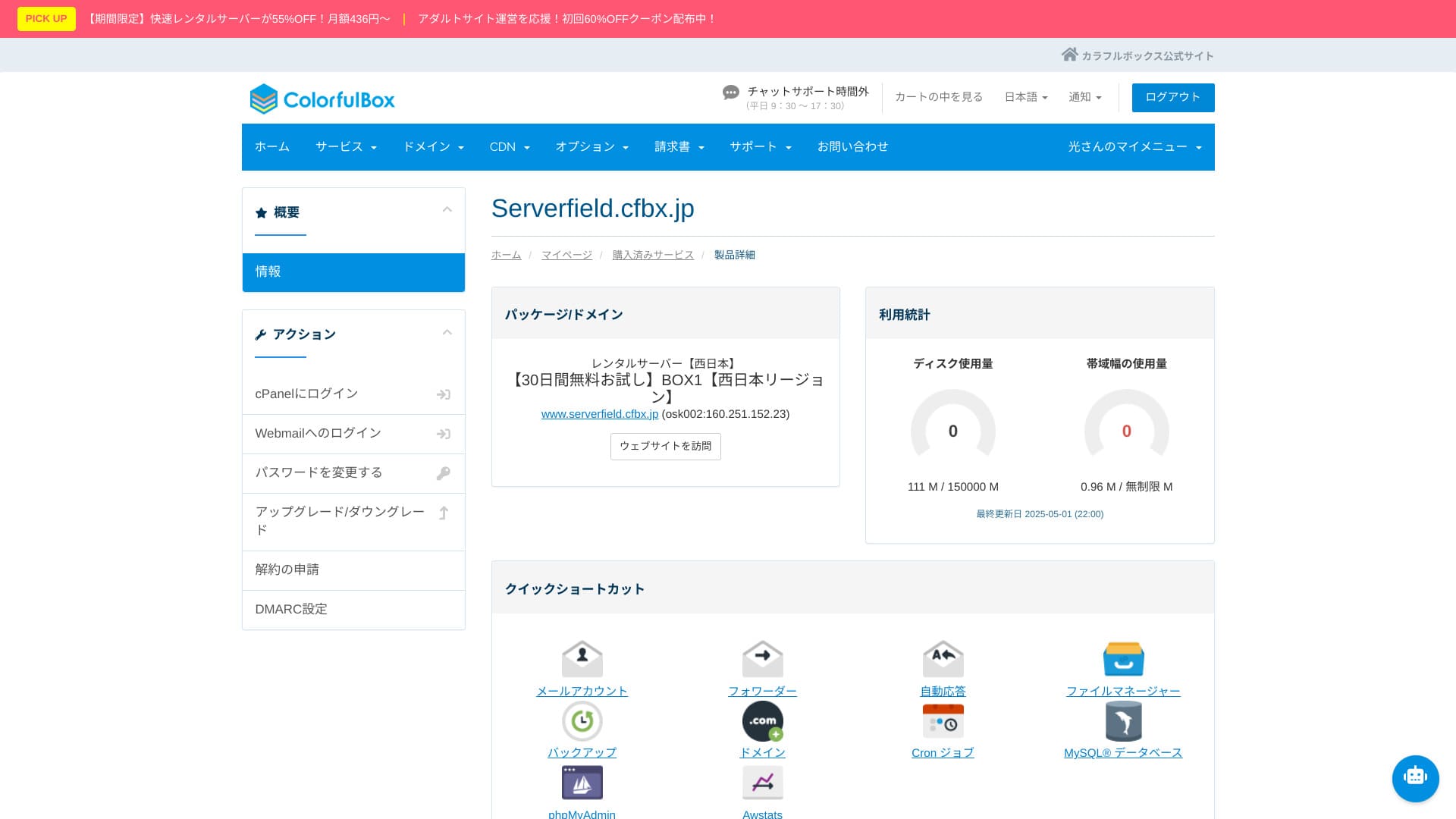
Servera krātuve capacity
ColorfulBoxprovides generous SSD capacity ranging from 200GB on BOX1 to 1.6TB on BOX8. That gives peace of mind even for sites that use many photos and videos, and you do not need to panic about running out of space and upgrading in a rush.
Tas izmanto RAID10 konfigurāciju, līdzsvarojot rakstīšanas ātrumu un redundanci.
Hikaru Ono
Ja jūsu vietnei ir maz lapu, BOX1 ietilpība ir vairāk nekā pietiekama. A basic WordPress installation uses less than 1% of it.
Nēklusējuma augšupielādes limits vienam failam ir 1 GB. Tas nozīmē, ka tas nav ideāli piemērots lielu video failu tiešai mitināšanai.
Pārsūtīšanas apjoms
BOX1 ietver 6 TB mēnesī, savukārt BOX2 un augstāki plāni ir praktiski neierobežoti. Official guidance suggests this corresponds to roughly 30,000 to 200,000 page views. You do not need to worry about charges suddenly jumping when traffic increases, and combining it with a CDN gives you even more room to grow.
Keep in mind that if you occupy bandwidth for a long period, resource limits may be applied automatically. If you expect a sudden large-volume event, using a CDN together is recommended.
★ What are traffic and data transfer? Managing and optimizing web traffic
Serveris stability (uptime)
ColorfulBox does not publish its uptime figure. Other providers state numbers such as “99.99% uptime,” but ColorfulBox does not publish one, which makes comparisons harder.
Some services that guarantee uptime offer a discount on the monthly fee if they fail to meet their target. I could not find such a policy for ColorfulBox, so if downtime occurs, it is harder to expect compensation on the pricing side.
If you operate a corporate website or online store, people may ask how stable the service is. Without official figures, it becomes harder to answer, and additional explanation or proof may be needed.
Hikaru Ono
Nēt publishing it does not automatically mean it is bad. Still, it does leave you feeling uneasy.
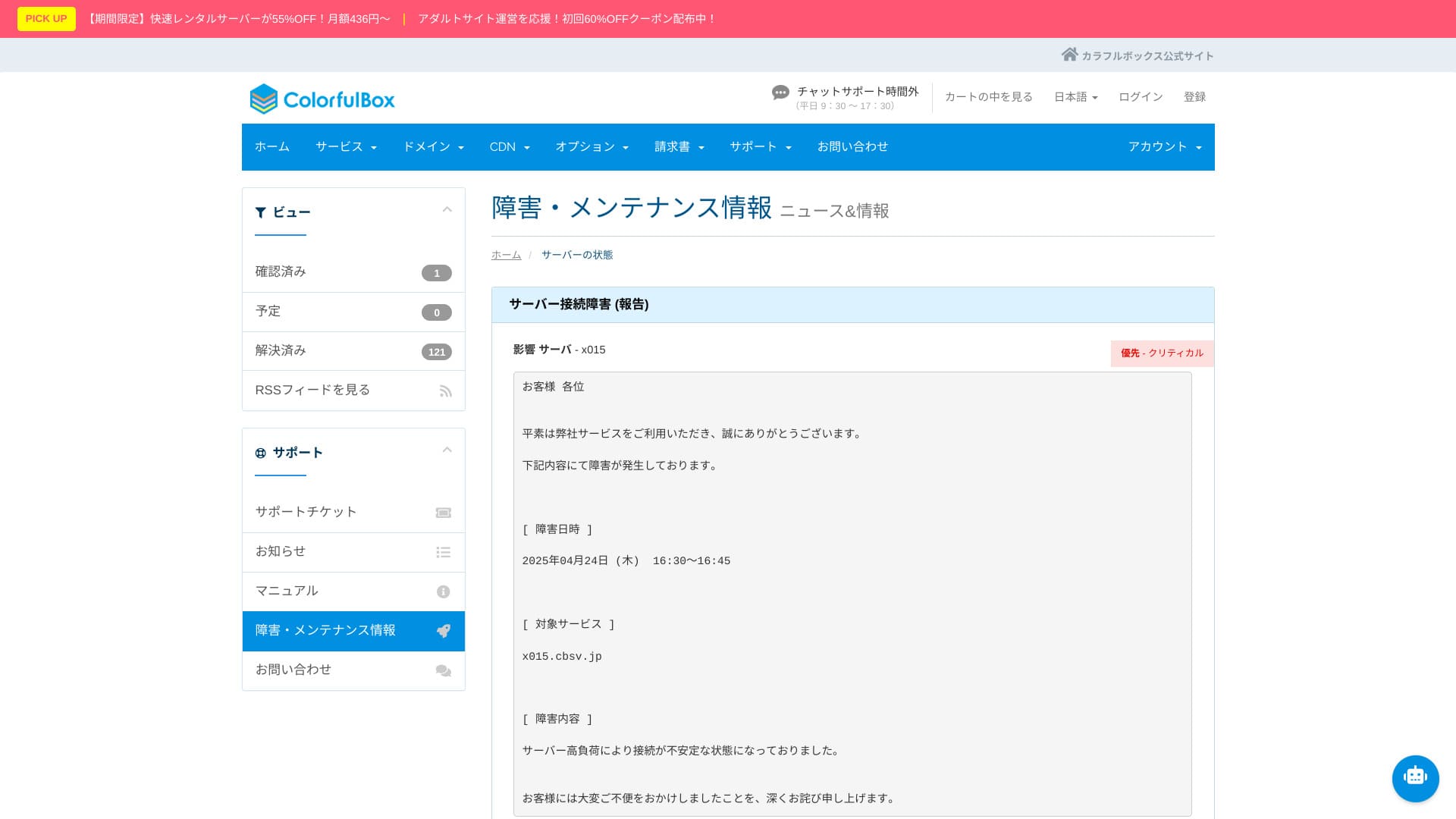
Serveris outage and maintenance information is published on the official website and can be checked by anyone. That level of transparency is reassuring.
Cenu un izmaksu apskats
Sākotnējās izmaksas un mēneša maksa
ColorfulBox uses a pricing structure where the value changes a lot depending on the contract term. If possible, 36 months gives the best pricing, but in practical terms I think 12 months is the best balance. Use the first 12 months to evaluate the server environment and your site situation, and if everything is fine, move to a longer contract for better value.
In addition, when you sign up for 12 months or more, you can use one domain for free permanently while the server contract remains active.
Hikaru Ono
I do not recommend a one-month contract because it incurs an initial fee and there is already a 30-day free trial available.
Below are screenshots of monthly pricing screens from ColorfulBox and the other hosting providers that were compared.
ColorfulBox

Kinsta

XServer Business

wpX Ātrums

Lolipop!

Star Rental Server

Rakkoserver

XServeris

ConoHa WING
Shin Rental Server

Little Server

CORESERVER

DreamHost

Bluehost

Sakura

Namecheap

Shin Free

XREA

Value Server

Hostinger

KAGOYA

SiteGround

HostGator

IONOS

Onamae.com

ABLENET

mixhost

GoDaddy

iCLUSTA+

MuuMuu Server

WADAX

WebARENA

heteml

CPI Rental Server

Domēns pricing
You can register and renew domains at standard market prices, such as 1,680 yen per year for .com and 1,890 yen per year for .net. When you use a server contract of 12 months or longer, you can also get one permanent free domain.
ColorfulBox lets you edit DNS records freely, so you can easily point your own domain to another server or to external services such as Gmail. Whois privacy proxy is also free, so you do not need to expose the registrant’s name and address online, which also helps against spam. It uses an established major Japanese registrar, and the availability of Japanese support and yen-based pricing also makes ongoing operation easier.
Below are screenshots showing domain pricing screens from major registrars.
Colorful Domēns

Onamae.com

Xserver Domēns

MuuMuu Domēns

Value Domēns

Shin Domēns

Star Domēns

★ What is a domain? Its role as an address on the internet and how to get one
SSL
You can use free Let’s Encrypt SSL.
Hikaru Ono
Setting up free SSL is a little tricky. Please check the official guide below. (Subdomains are configured automatically.)
Paid commercial SSL certificates can also be purchased, renewed, and managed from the same panel.
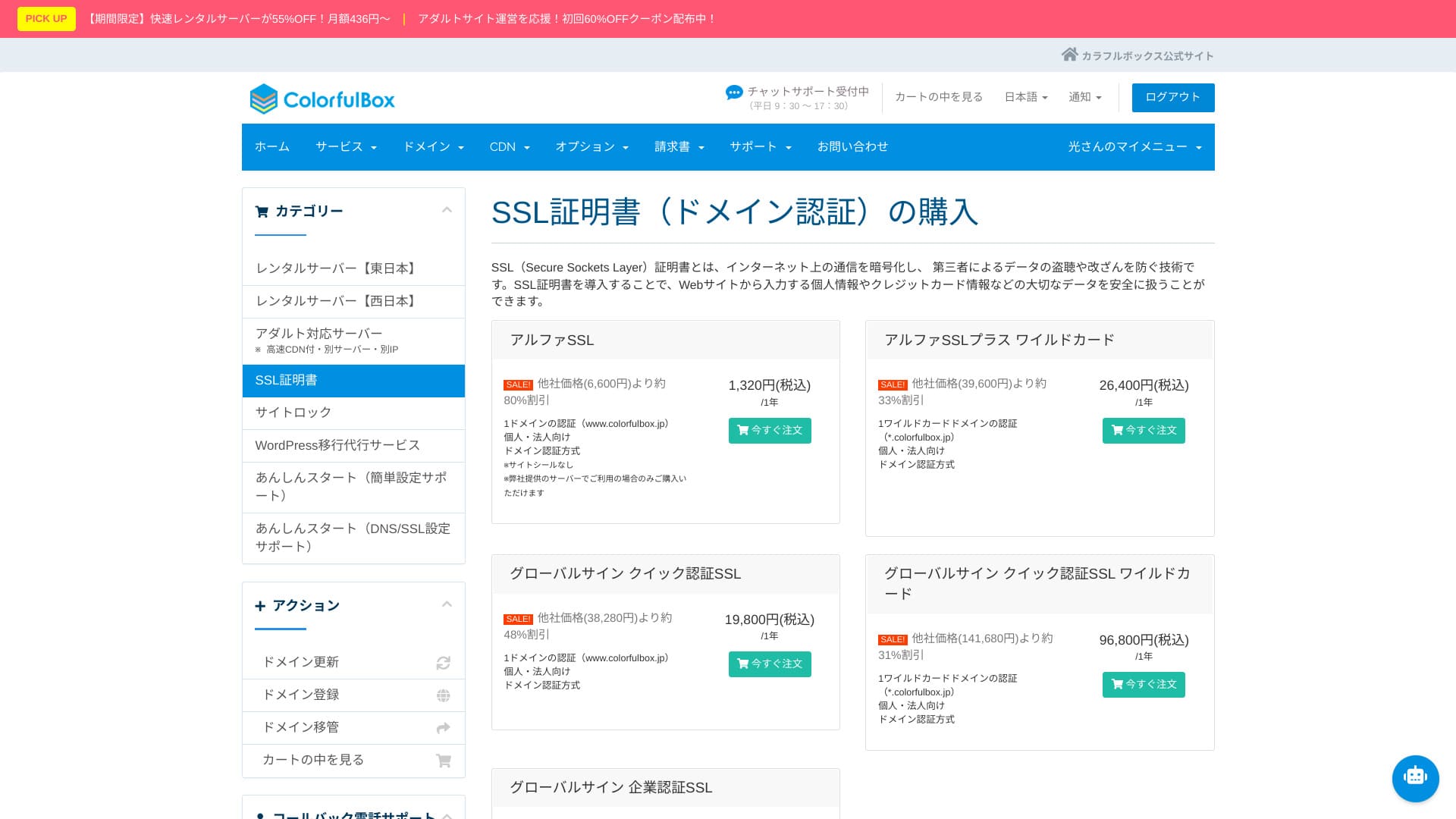
Maksājumu metodes
It supports credit cards (VISA, MasterCard, JCB, American Express, Diners Club, and Discover), bank transfers, and online payments through PayPal.
Tā kā ir daudz maksājumu iespēju, serveri var izmantot arī cilvēki, kuri nelieto kredītkarti.
Hikaru Ono
Var izrakstīt arī rēķinus, kas padara to ērtu uzņēmumiem.
These screenshots show the payment-method screens for ColorfulBox and other providers.
ColorfulBox

Kinsta

XServer Business

wpX Ātrums

Lolipop!

Star Rental Server

Rakkoserver

XServeris

ConoHa WING

Shin Rental Server

Little Server

CORESERVER

DreamHost
Bluehost

Sakura

Namecheap

Shin Free

XREA

Value Server

Hostinger

KAGOYA

SiteGround

HostGator

IONOS

Onamae.com

ABLENET

mixhost

GoDaddy

iCLUSTA+

MuuMuu Server

WADAX

WebARENA

heteml

CPI Rental Server

You can check your current payment method from the control panel.
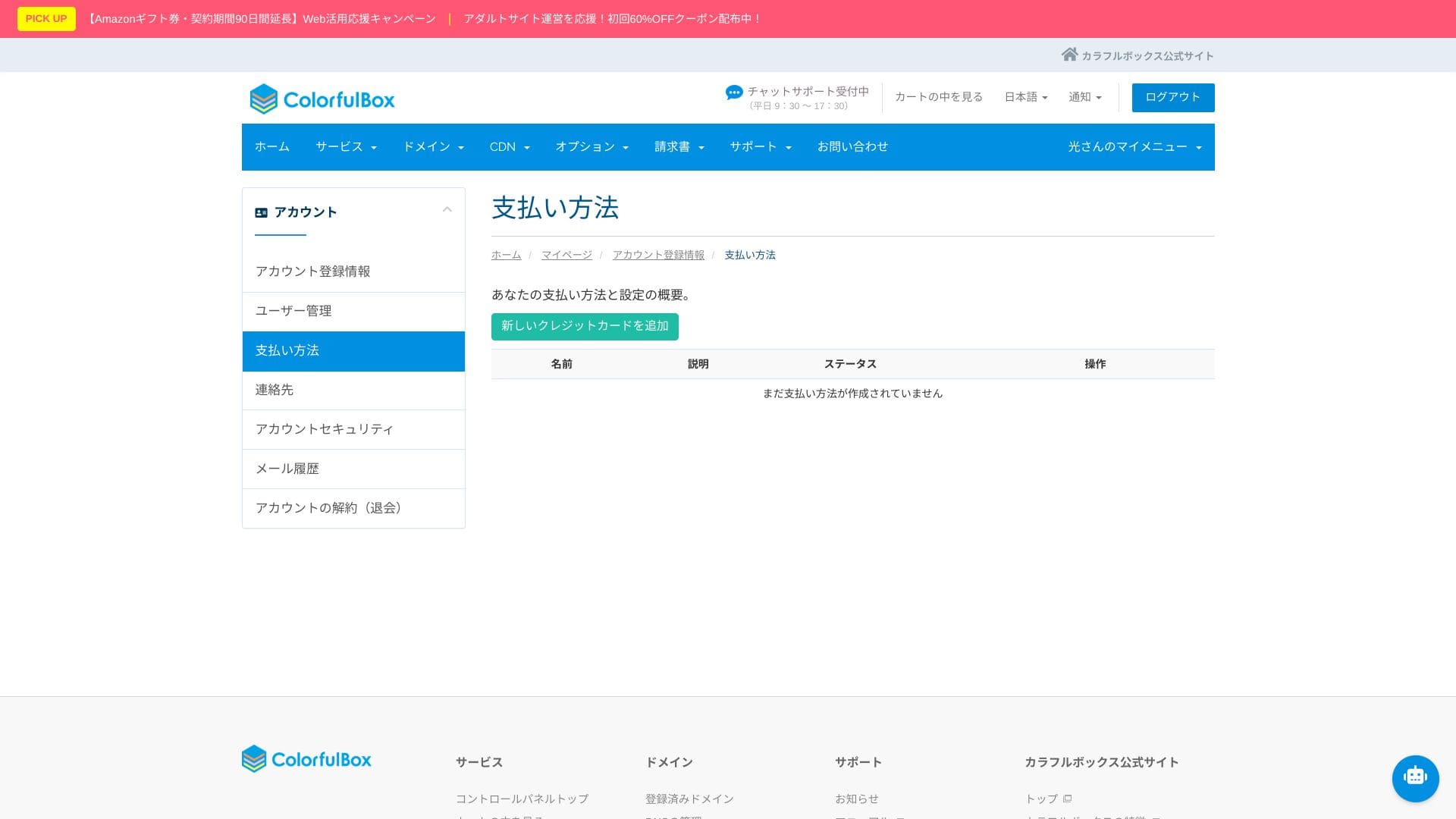
Lietošanas ērtums un atbalsts review
Kā jūtas vadības panelis un cPanel
Tas piedāvā japānizētu cPanel versiju, kas pēc tirgus daļas ir pasaulē pirmais vadības panelis. Developer tools such as the file manager, Git, and PHP version switching can also be handled entirely through the GUI.
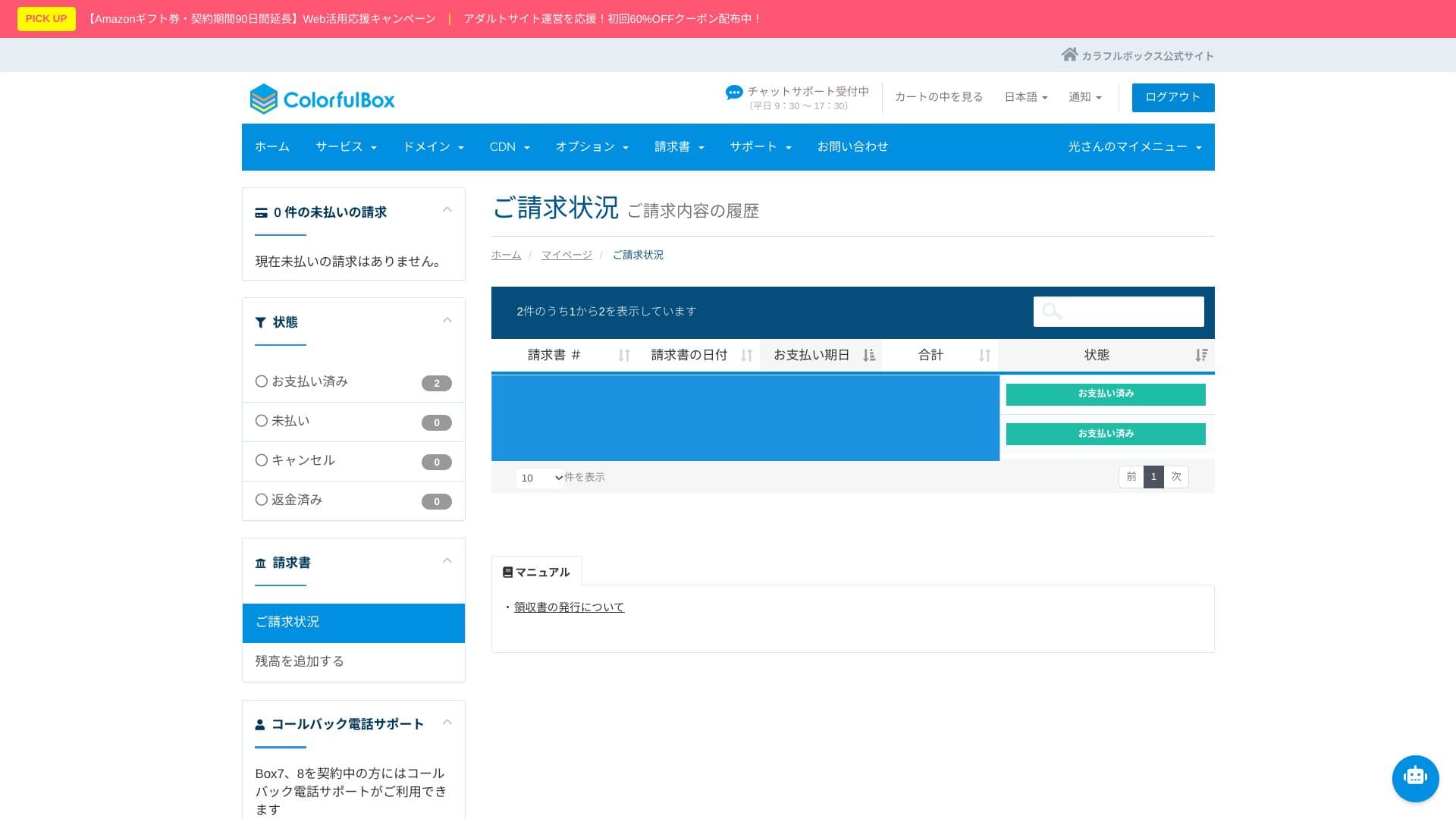
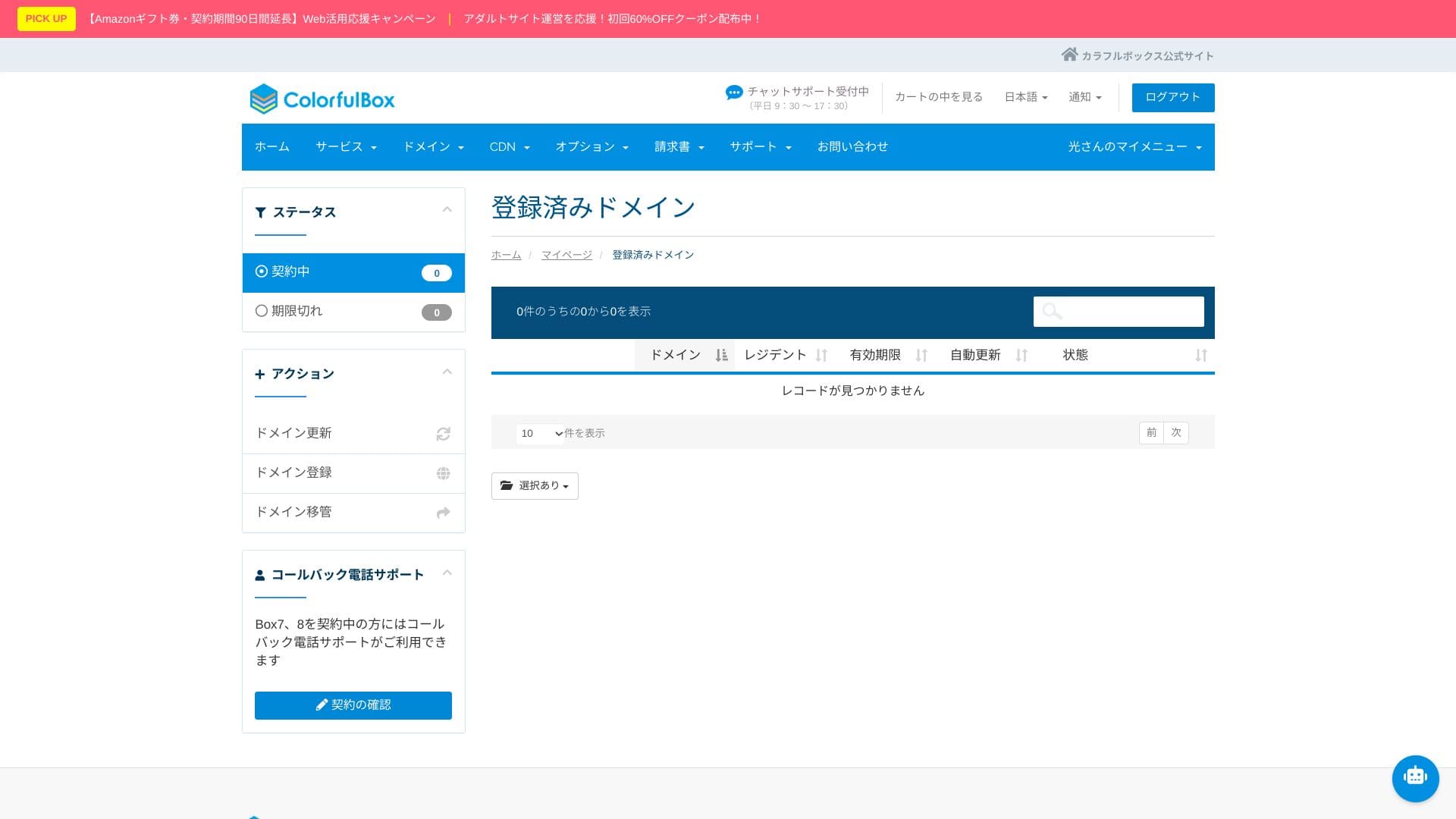
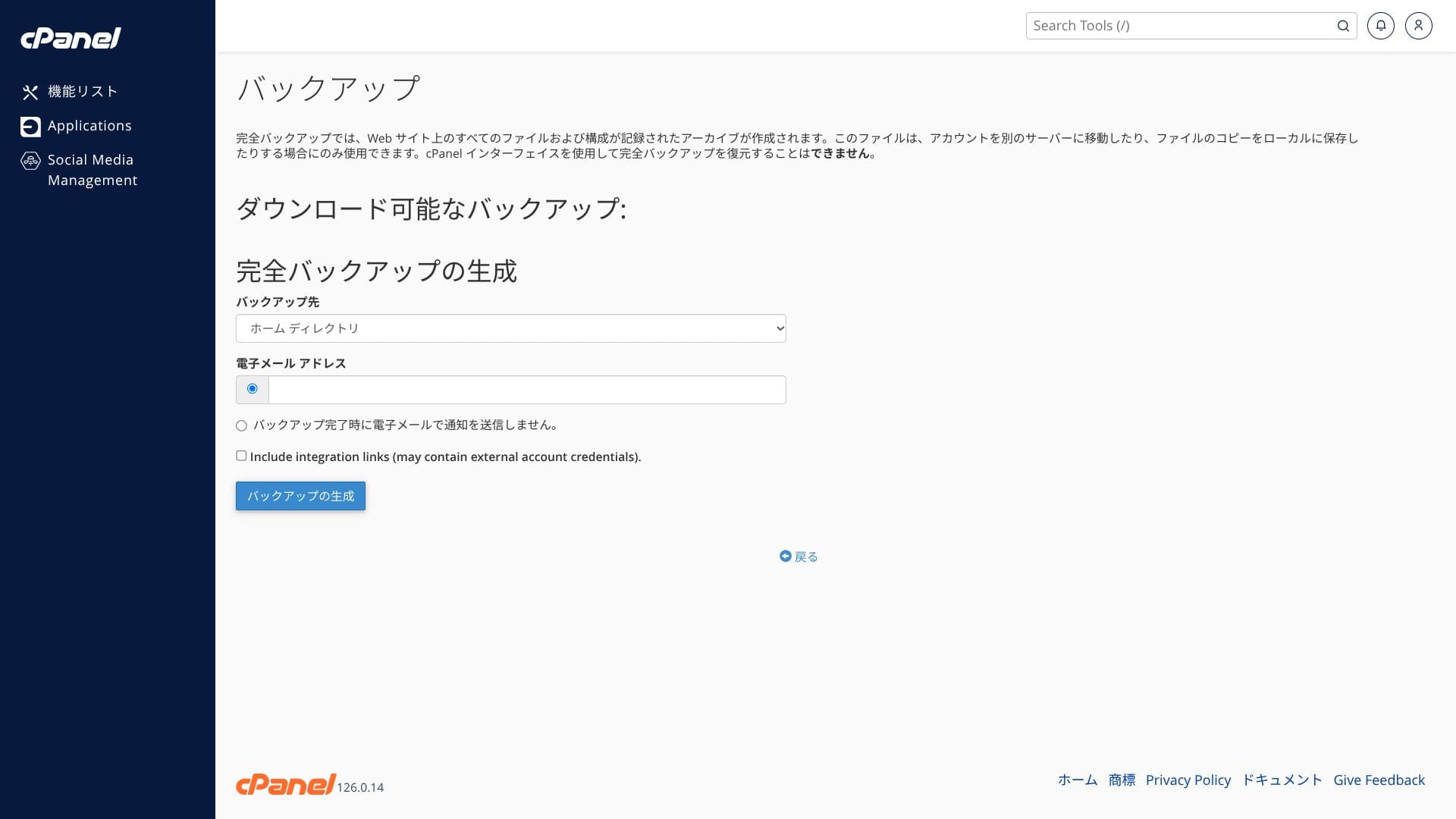
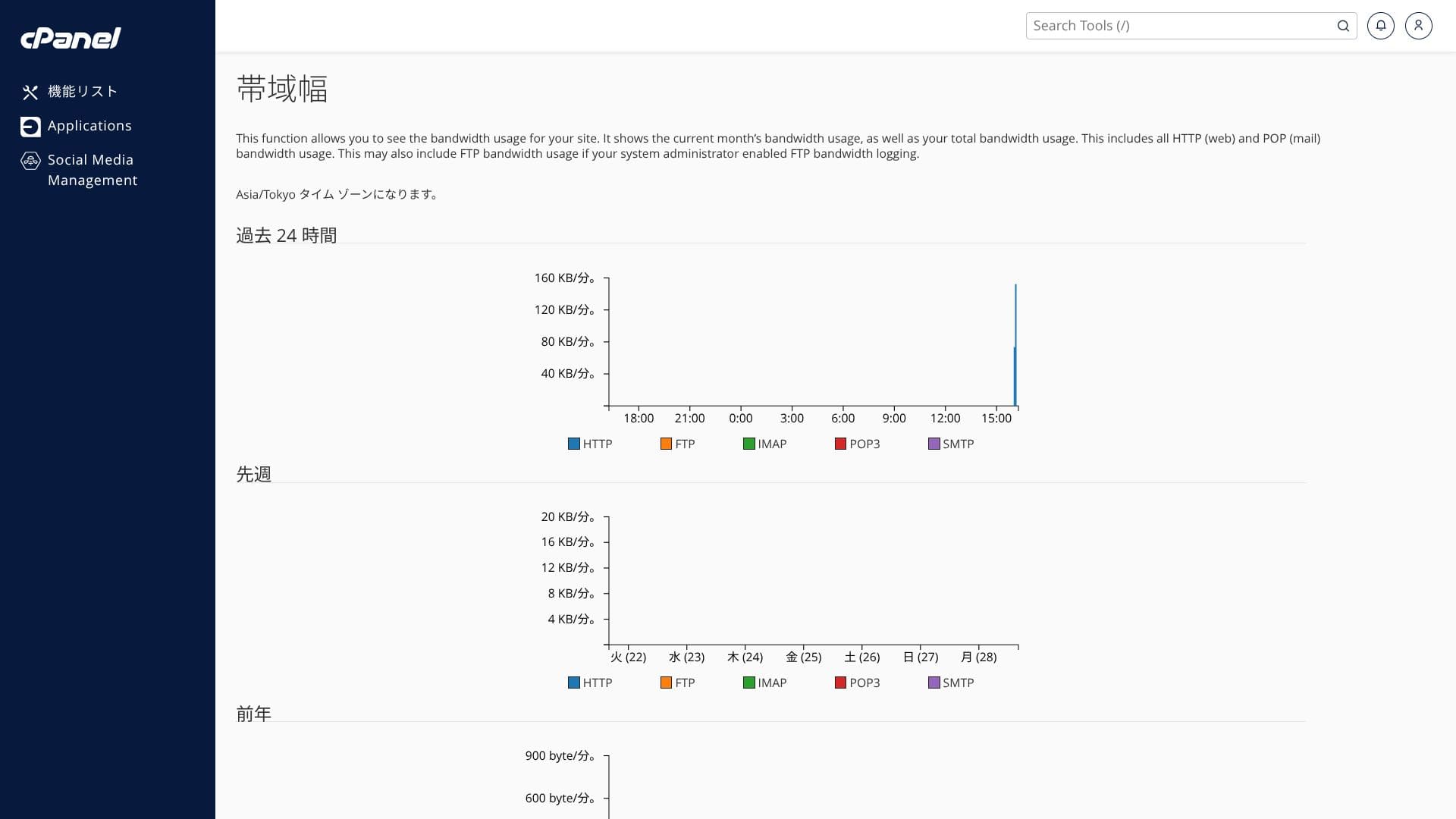
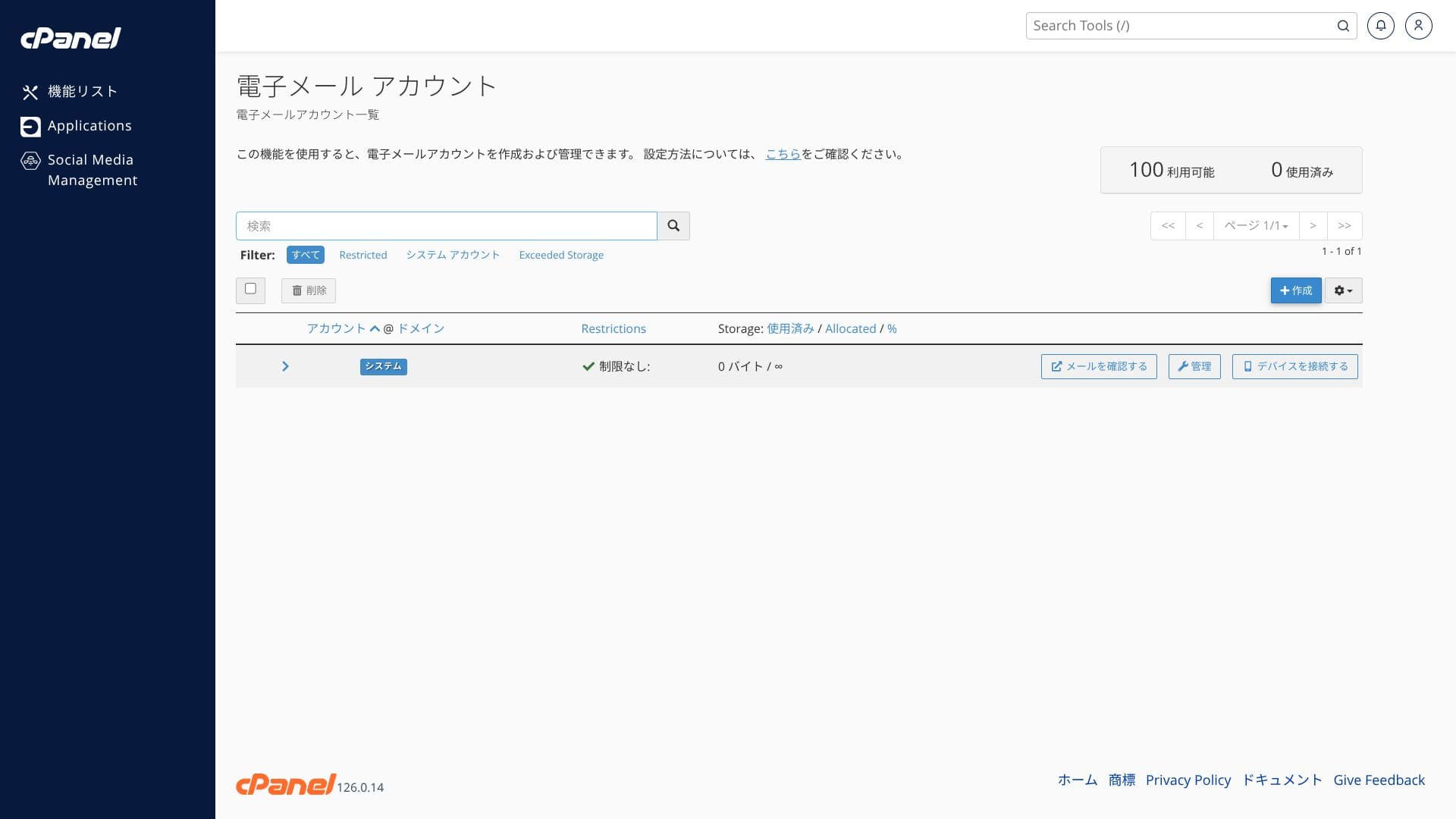
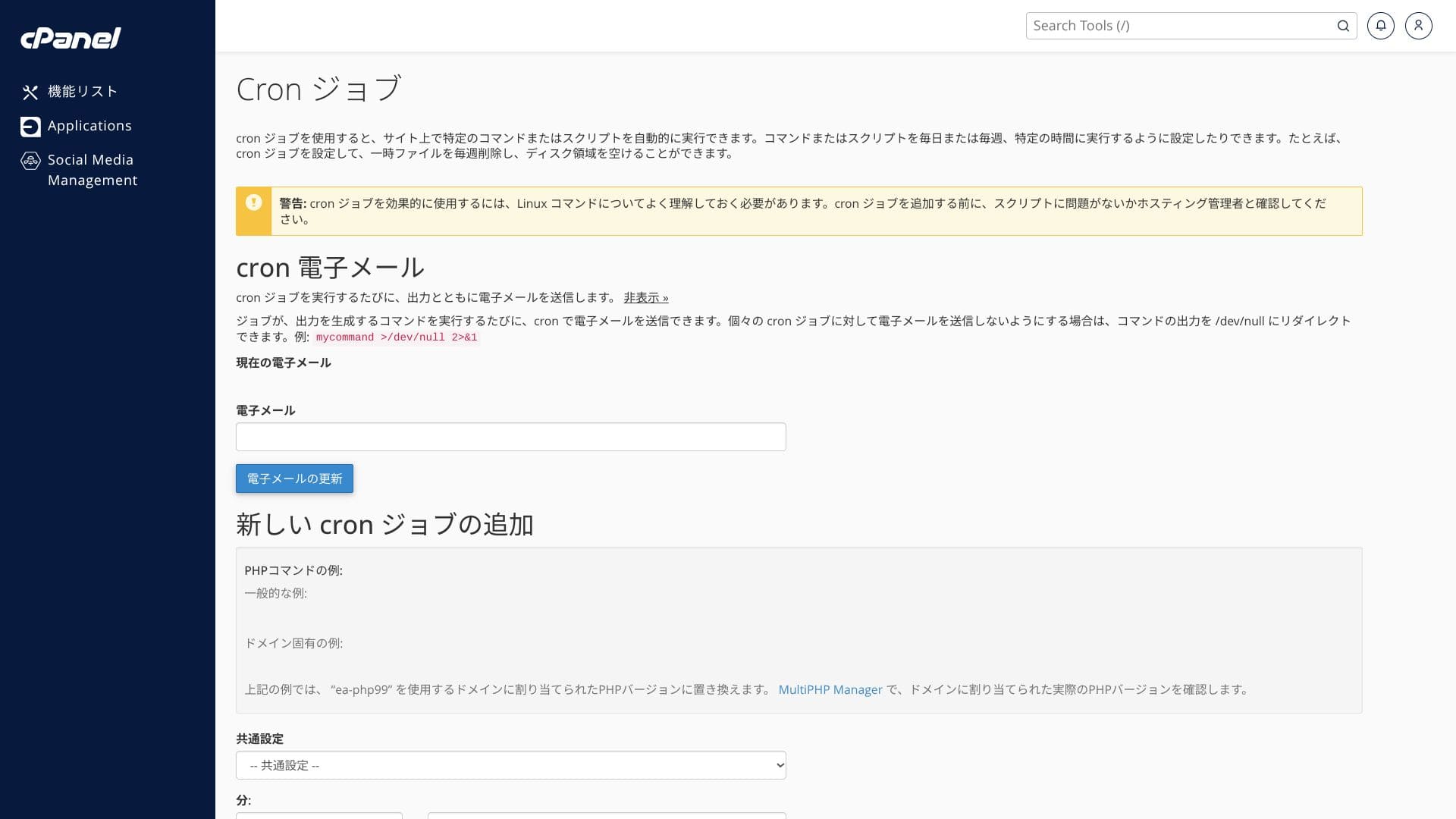
Zemāk redzamie ekrānuzņēmumi parāda, kā ir organizēts ColorfulBox vadības panelis un cPanel. In cPanel you can install WordPress, migrate it, or delete it.
Top page
Billing
WordPress
Domēns
Backup
Bandwidth
E-pasta konti
Cron
Datubāzes
File Manager
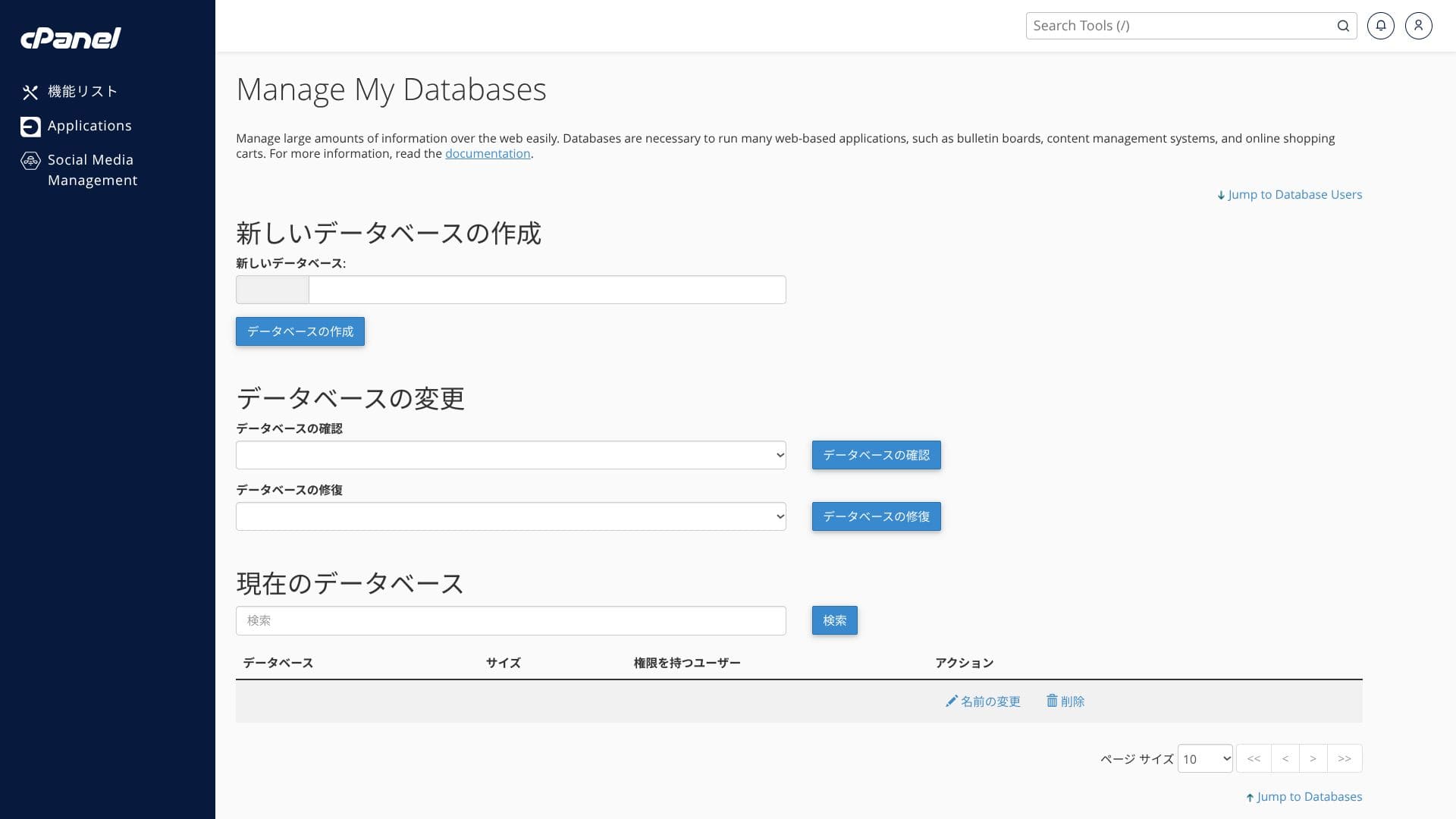
Nē pirmā acu uzmetiena izvēlnes vienumu skaits var šķist milzīgs. Oficiālās rokasgrāmatas izmantošana līdzās tam palīdzēs vieglāk orientēties.
Hikaru Ono
ColorfulBoxlets you add and update functions from both its own control panel and the cPanel admin screen, which felt a little confusing to me.
Atbalsts system
ColorfulBox has an excellent support system. Tālruņa jautājumi tiek pieņemti 24 stundas diennaktī.
- Pieteikuma forma: pieejama 24 stundas diennaktī
- LINE un tiešraides čats: darba dienās 9:30-12:00 / 13:00-17:30
- Phone: available 24 hours a day. Callbacks are available on BOX7 and above
Daudzi hostinga pakalpojumi atbalstu sniedz tikai līdz darba dienu plkst. 18:00, atstājot jūs pašus risināt problēmas vakaros un svētku dienās. In that respect, this is a real advantage over competing services.
Hikaru Ono
That said, phone support is often not suited to deep technical questions, so it is best used for contract and pricing inquiries.
Pārvaldītās iestatīšanas pakalpojumi
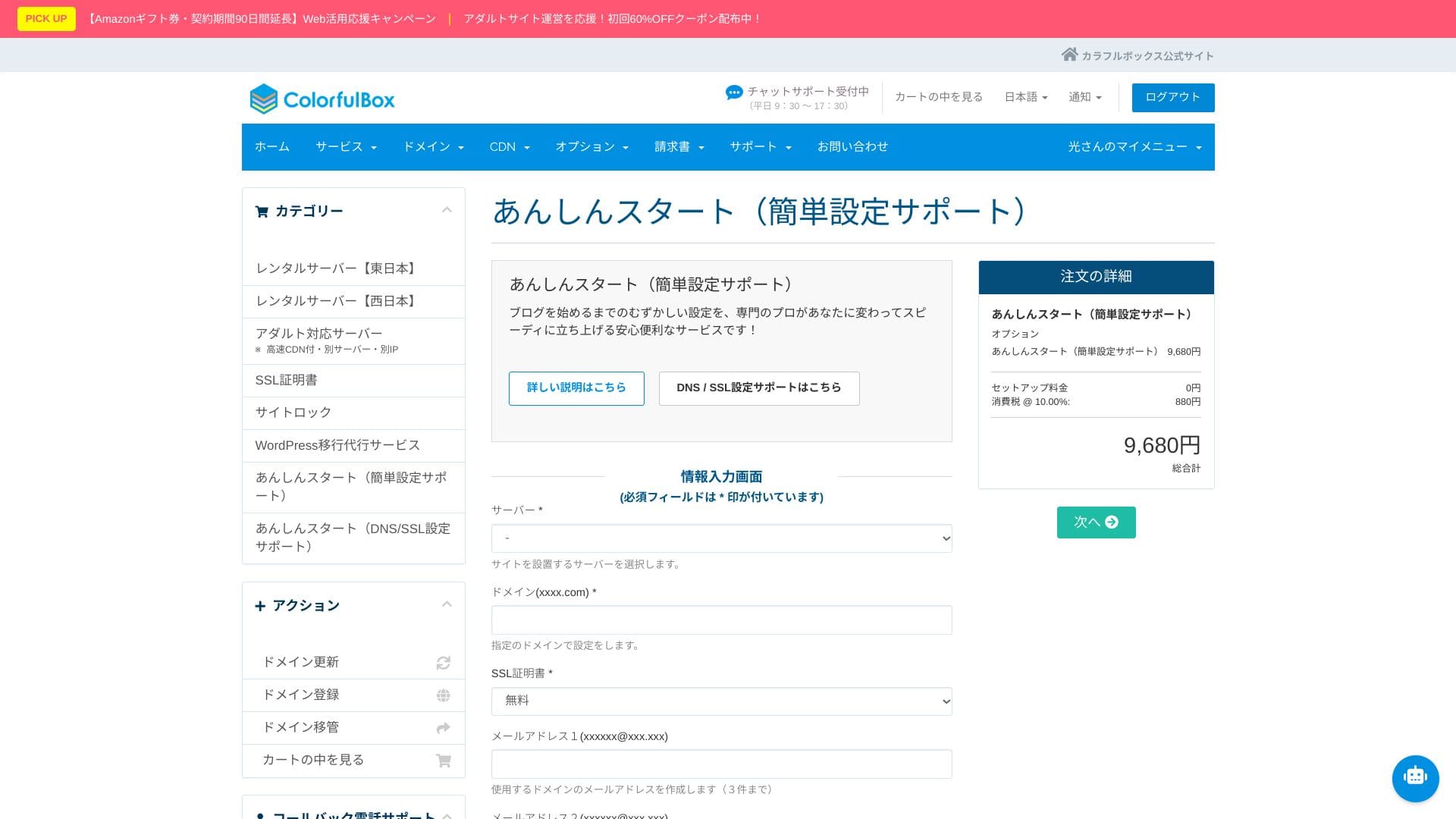
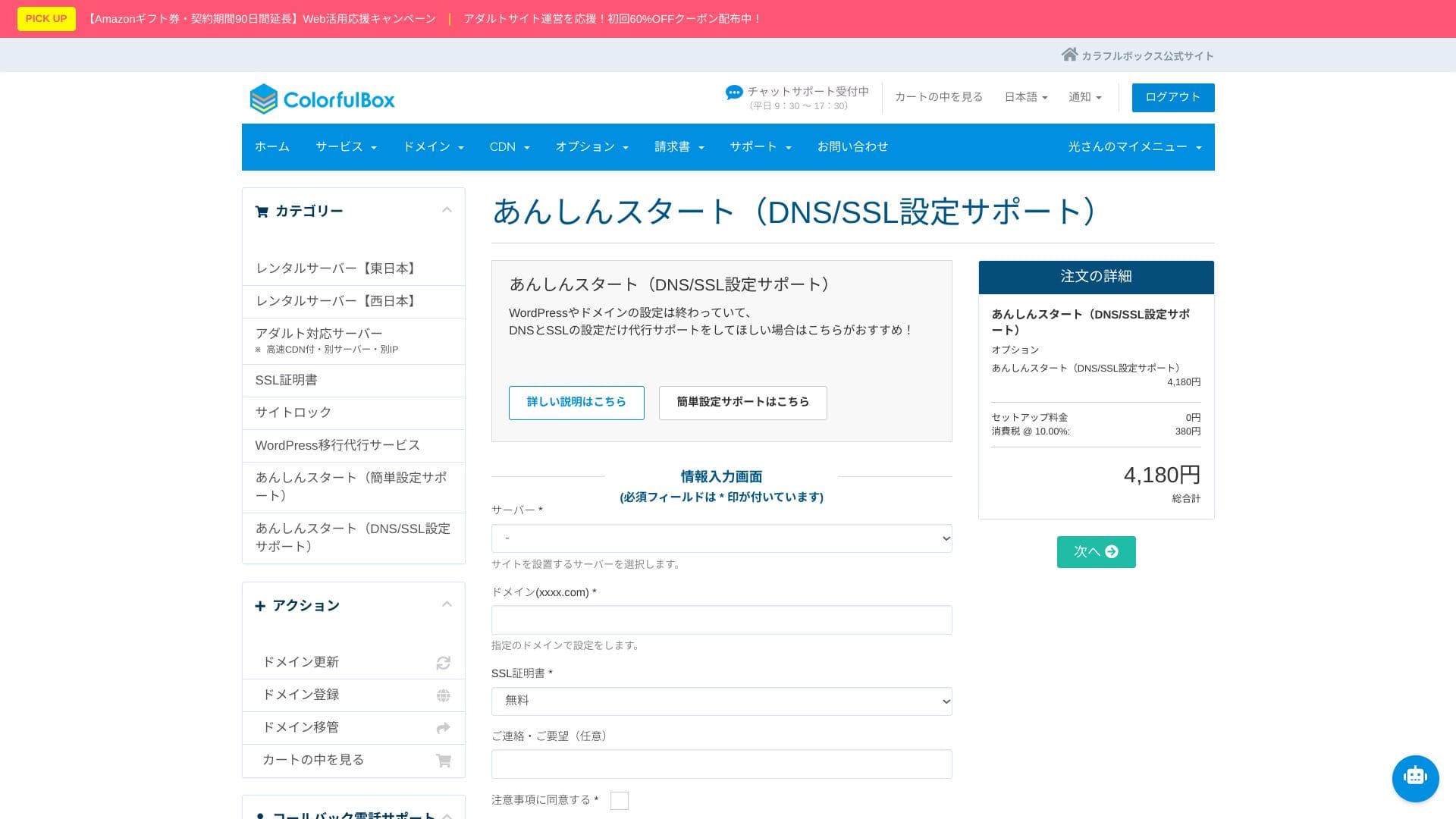
“Anshin Start” sākotnējās iestatīšanas pakalpojums
Ar “Anshin Start” varat uzticēt visu sākotnējās iestatīšanas procesu.
Pēc servera reģistrācijas pašam pētīt un konfigurēt WordPress instalāciju, DNS un SSL var būt grūti un laikietilpīgi.
- Simple setup support pack (9,680 yen)
- DNS/SSL support pack (4,180 yen)
Var izvēlēties divus pakalpojumu variantus. Staff can complete the setup in as little as one to three business days, helping you move quickly all the way to launching your blog.
Even for corporate use, if you choose the first plan, which also includes creation of up to three email addresses, you can start operating the site quickly while staying focused on content production.
Hikaru Ono
With “Anshin Start,” you request the setup after purchasing the server.
WordPress migrācijas pakalpojums
Leave your site move to professionals with the WordPress migrācijas pakalpojums
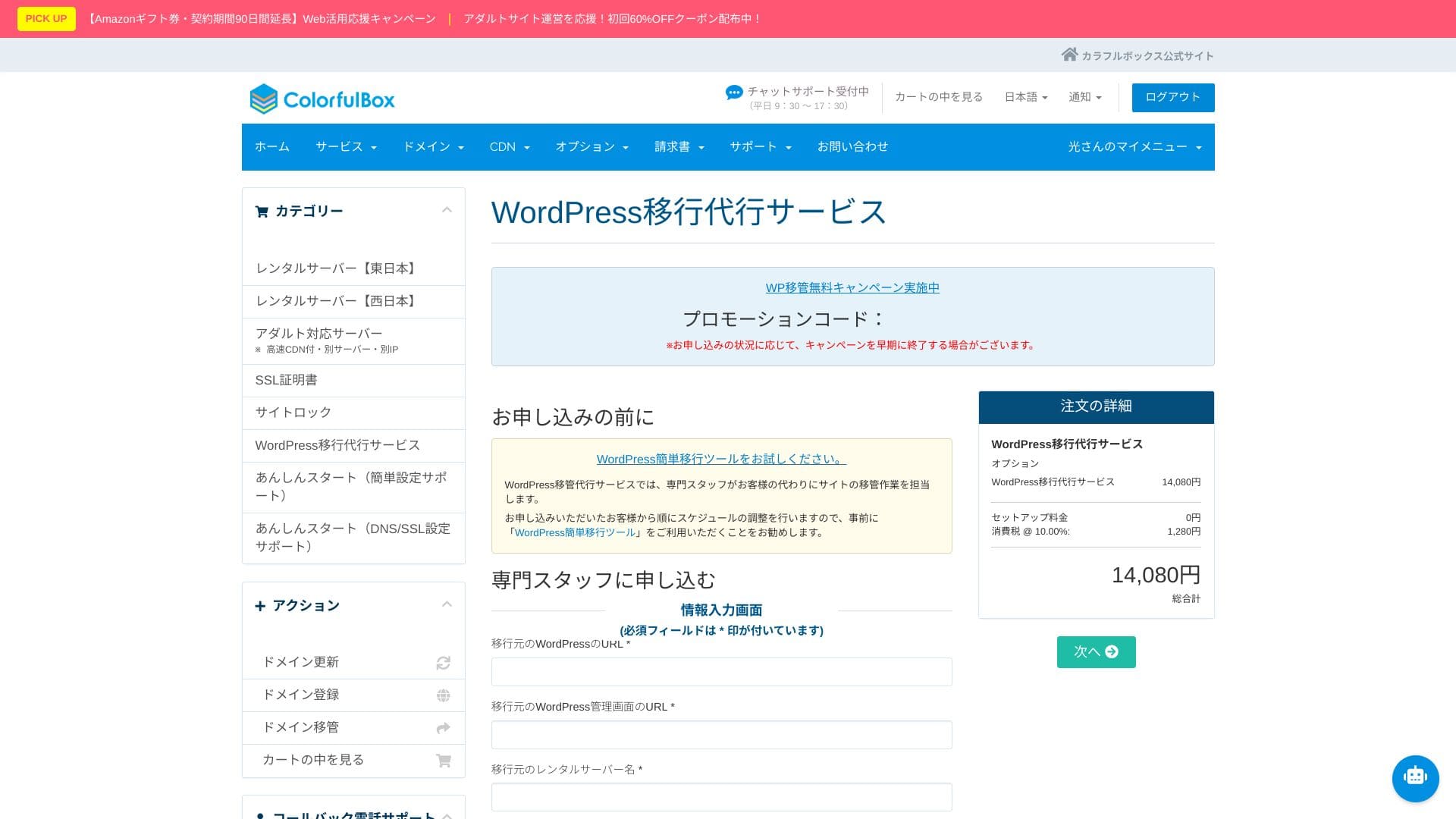
If you want to move from another server to ColorfulBox but are worried about data loss or layout issues, the WordPress migrācijas pakalpojums is a strong option. Specialist staff handle everything together, from taking backups to migrating the database and checking operation. It is completed in as little as five business days from application, keeping downtime concerns to a minimum.
Hikaru Ono
If you would rather focus on updating articles than spend time on the move itself, use the migration service and move to the new environment as quickly and safely as possible.
Rokasgrāmata / BUJ
Oficiālajā palīdzības centrā ir vairāk nekā 400 japāņu valodas rakstu. Tie ir viegli uztverami ar ilustrācijām, un tos ir viegli sameklēt.
Drošība & backup review
Imunify360
ColorfulBoxincludes Imunify360 (WAF/IPS/IDS) as standard and protects communication with free SSL, SSH, and FTP over TLS. It is an all-in-one setup covering everything from attack detection to automatic isolation.
This greatly reduces the chance of being hacked. If you can avoid that kind of damage, you can focus on content creation and business instead. Naturally, it also helps prevent negative effects on search rankings and strengthens trust in both your site and your company.
Reģionam specifiskas automātiskās rezerves kopijas
Arī rezerves kopiju sistēma ir lieliska. Tā automātiski veido ikdienas rezerves kopijas austrumu un rietumu reģionos, saglabājot 14 paaudzes.
Rezerves kopijas tiek glabātas dažādos reģionos. That means that even if an outage happens in eastern Japan, you can restore from the backup on the western Japan side. This helps avoid the worst-case scenario in which both the server and its backups go down in the same location.
Hikaru Ono
Considering every possible disaster scenario, it is reassuring to know that data can be stored on servers separated physically between Tokyo and Osaka.
This kind of disaster-risk distribution should also be highly valued in client-facing explanations and public-sector projects. In addition, because the regions are both inside Japan, the data does not leave the country, which helps avoid concerns about cross-border personal-data risks.
Kopsavilkums
ColorfulBox is a Japanese hosting service that can support a wide range of use cases, from personal blogs to small-business websites, with strengths including fast LiteĀtrums, large SSD capacity, remote backups, and Imunify360.
- Labi piemērots:
- Cilvēkiem, kuri vēlas darbināt vairākas WordPress vietnes, vienlaikus kontrolējot izmaksas
- People who want to outsource backup and security worries
- People who want to try a LiteĀtrums environment and HTTP/3
- Best to avoid if:
- Sites that occupy bandwidth for long periods, such as large video delivery or live streaming
Ņemot to vērā, pārbaudiet, vai tas atbilst jūsu vietnes izmēram un darbības iestatījumam.
“ColorfulBox” is a hosting service with excellent region-specific automatic backups, making it easy to use with confidence. Tam ir astoņi plāni, so you can use the right level of performance without wasting money. It is also one of the few hosts that provides support 24 hours a day.
Up to 50% off server fees until August 31, 2025, plus up to a 10,000-yen Amazon gift card and a 30-day free trial