10 dienų Nemokamas tyrimas
PR
Darbai
CPI hostingo apžvalga: ar 100 % veikimo garantija verslui tikrai tokia stabili? Išsamiai apie kainas ir funkcijas
Paskelbta: 2025.04.18
Atnaujinta: 2025.04.18
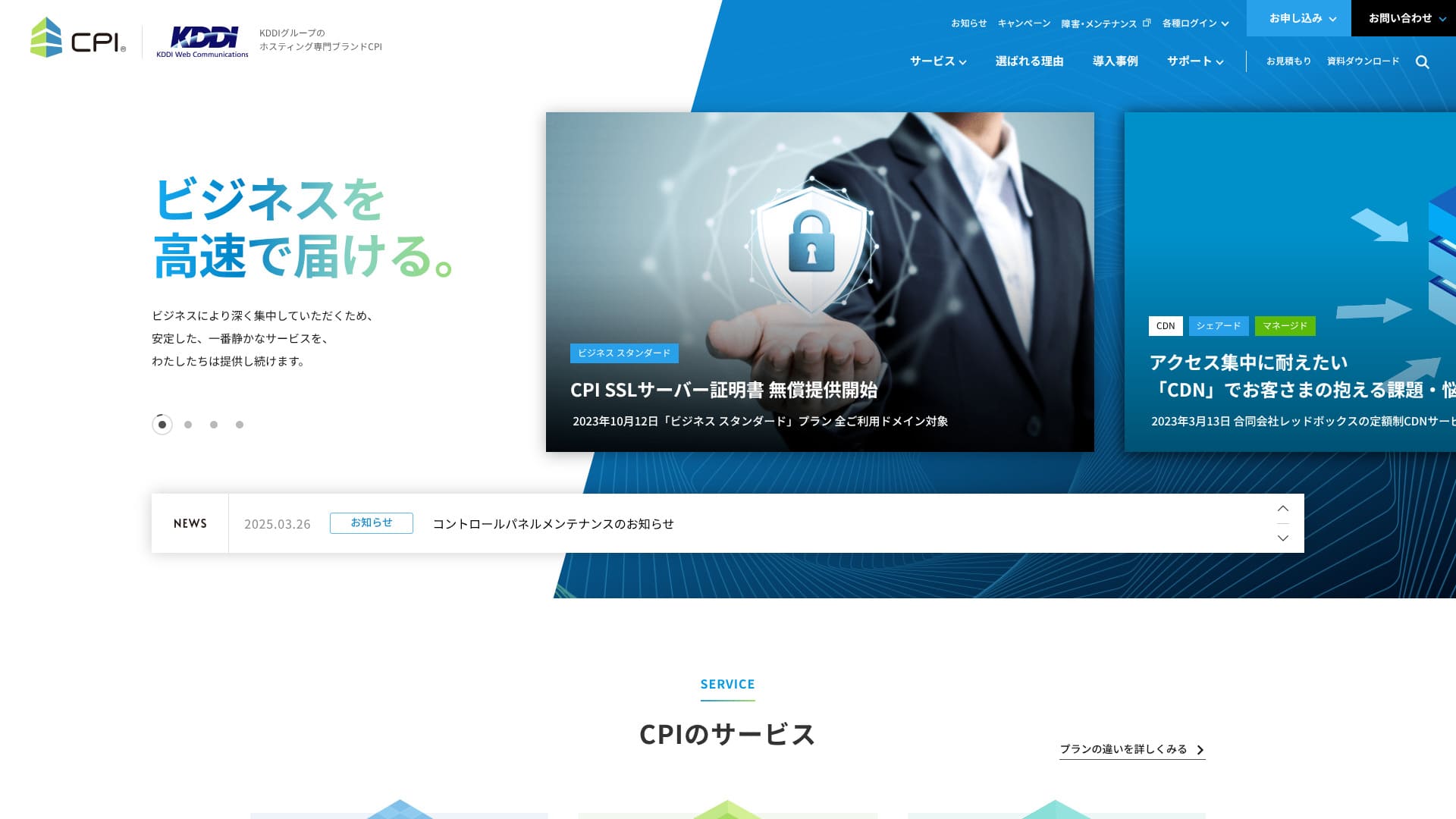
Itin stabilus pasirinkimas, kuris tyliai ir patikimai palaiko verslo svetainę.
CPI is an ultra-stable server operated by the KDDI Group, with a 100% uptime guarantee. It can be used by individuals, but because it offers a full set of business-oriented features and services, 95% of its users are corporate customers.
Nors tai labai gera paslauga, ji turi ir silpnų vietų. Šioje apžvalgoje paaiškiname CPI savybes, kainodarą ir kaip pradėti WordPress projektą.CPI and how to get started with WordPress.
32 WordPress nuomojamų serverių palyginimas

Jei norite pradėti WordPress ir nežinote, kokį serverį rinktis, ši susijusi apžvalga padeda greitai susiorientuoti.
- Kuris šaltinis patikimas?
- Noriu išsirinkti paprastai.
- Noriu pradėti WordPress iš karto.
Straipsnyje atrinkti 32 variantai asmeniniam, verslo ir tarptautiniam naudojimui.Therefore, this article carefully selects and introduces recommendations from 32 rental server companies for individuals, corporations, domestic and overseas.It's explained by an SEO specialist from an app development company that uses rental servers every day.
CPI reputacija: stabilus serveris verslui

| Serverio tipas | Bendras hostingas / valdoma dedikuota aplinka / dedikuotas serveris su root prieiga |
| Rekomenduojamas planas | Business Standard, 12 mėn. |
| Bandomasis laikotarpis | 10 dienų |
| Mėnesio kaina | 4 840 JPY (12 mėn.) |
| Disko vieta | 500 GB |
| Uptime | 100 % garantija |
| Atsarginės kopijos | 30 kartų |
| Palaikymas | El. paštas darbo dienomis, 24/7 opcija 24 / 7 parama papildomai 990 jenų per mėnesį |
| Lietuviškai: Uptime Guarantee | Garantuojama 100 % |
| Serverio talpa | Lietuviškai: Web 300GB / Email 200GB |
| Duomenų bazių skaičius | 5 |
| Saugumo priemonės | Lietuviškai: WAF / Web Tampering Notification (Paid) |
| SSL | Lietuviškai: Free CPI SSL Server Certificate |
| Atsarginė kopija / atkūrimas | Lietuviškai: 30-generation backups / Free restoration |
| El. pašto dėžučių skaičius | Neribotas |
| E. pašto saugumo priemonės | Lietuviškai: Virus Check / Spam Email Check / Spam Email Subject Display / Spam Email Automatic Sorting / STARTTLS / Email Sending Prevention Active! gate |
| Serverio / svetainės migracijos paslauga | Lietuviškai: Partial migration assistance available at no extra cost Lietuviškai: / Full Service 283,800 Yen |
| Lietuviškai: One-click WordPress installation | ◯ |
| CDN | Apmokėtas |
Penkios CPI savybės

CPI oficialiai garantuoja 100 % uptime. Dėl šios priežasties verslo svetainėms nereikia tiek nerimauti dėl netikėto neveikimo.
CPIguarantees 100% uptime. Because the server is extremely stable,Lietuviškai: you can avoid issues where your site becomes unavailable.Lietuviškai: Especially when business websites or service sites display instability, it can negatively impact business.
★ Ką būtina žinoti apie uptime ir SLA serveriuoseLietuviškai: there's no need to worry like that.
Jei CPI aplinkoje sutriktų web ar el. pašto paslaugos, kompensacija skaičiuojama pagal faktinį uptime lygį. Tai ypač svarbu įmonėms, kurios iš serverio tikisi ne tik greičio, bet ir formalios atsakomybės.Must-know! Understand server uptime and SLA.
Atskiri web ir el. pašto serveriai mažina rizikąCPIshould you experience issues with your web services or email services while using it, you will receive a refund based on the uptime percentage.
CPI taiko rizikos išskaidymo modelį, atskirdama web serverius nuo el. pašto serverių. Taip vienos dalies problema neparalyžiuoja kitos.
CPIis introducing a risk-dispersed system by separating web servers and mail servers. This ensures that problems on one server do not affect the other service.that problems on one server do not affect the other service.
Verslui el. paštas dažnai yra pagrindinis ryšio su klientais kanalas, todėl ši izoliacija realiai padeda saugoti patikimumą.
30 kartų atsarginės kopijosCPI
CPI saugo net 30 kartų atsargines kopijas. Jei atsiranda problema, galima grįžti į ankstesnę būseną ir greičiau atkurti darbą.
CPIoffers 30 generations of backups. With backups, even if a problem occurs, you can restore the backup data and return to the state before the problem.trouble, you can restore the backup data and return to the state before the trouble.
WAF įtrauktas į kainą
CPI turi naujausias saugumo priemones, įskaitant WAF, ir tai įtraukta į bazinę kainą. WAF padeda apsisaugoti nuo atakų, išnaudojančių web programų pažeidžiamumus.
CPIfeatures the latest security features, including a WAF. It can be used for free. A WAF is a security measure that prevents attacks targeting the vulnerabilities of web applications.
Galimas 24 / 7 palaikymas kaip papildoma opcijaCPIis standardly equipped and a great deal.
CPI gali būti sustiprintas 24 val. per parą, 365 dienas per metus veikiančiu palaikymu kaip papildoma paslauga. Standartiškai el. pašto palaikymas teikiamas darbo dienomis nuo 10:00 iki 18:00.
CPIcan be enhanced with 24-hour, 365-day support as an option.CPItypically provides email support between 10 AM and 6 PM, Monday to Friday.
Jei įmonėje nėra žmogaus, gerai išmanančio serverius, tokia opcija leidžia greičiau išspręsti incidentus.CPI Lietuviškai: may be provided by phone.&thatCPILietuviškai: may be provided by phone.
CPI trūkumas: aukštesnė kainaLietuviškai: This option allows you to have CPI resolve your issues, even if there isn't anyone in-house who is knowledgeable about it.
CPI yra labai funkcionali verslo paslauga, todėl jos kaina taip pat aukštesnė. Vertinant vien tik biudžetą, tai pagrindinis šio serverio minusas.

CPILietuviškai: is designed for business usedue to its highly functional and feature-rich services, the pricing is somewhat higherIt was compared to other corporate servers based on the following conditions.
- Lietuviškai: Initial administrative fees
- Lietuviškai: Server contract for 12 months
- Lietuviškai: Domain cost for 1 year
- The cheapest WordPress-compatible plan
XServer Business
XServer Business kainuoja panašiai kaip CPI ir turi daugiau bendro hostingo planų variantų. Tai leidžia tiksliau priderinti planą prie augančio projekto.
Tačiau CPI lenkia atsarginių kopijų gausa ir tuo, kad daug funkcijų nuo pradžių orientuotos į verslo tęstinumą. Jei jums svarbiau kasdienis saugumas ir ramybė, CPI vis dar atrodo stipriau.
Xserver Business siūlo neribotą perdavimą. Didesnis lankytojų skaičius nesukelia papildomų mokesčių ar automatinio ribojimo.CPIand can be used for corporate servers at approximately the same price.CPILietuviškai: has only one shared server plan, butXserver BusinessLietuviškai: has three types.Therefore, it is attractive that you can adjust the plan in accordance with the growth of your business or operation site.Lietuviškai: is attractive.
However, CPI is superior in automatic backups and test environment setup.For everyday functionality and peace of mind,CPILietuviškai: is a better choice.
Vis dėlto Sakura nesiūlo tokio paties lygio papildomų palaikymo planų. Jei jums svarbu turėti galimybę kreiptis dėl skubios pagalbos, CPI suteikia daugiau ramybės.
Sakura Rental Server Business siūlo neribotą perdavimą. Didesnis lankytojų skaičius nesukelia papildomų mokesčių ar automatinio ribojimo.Lietuviškai: more affordable than CPILietuviškai: a business server.
★ Sakura Rental Server apžvalga: ar lėtas ir nestabilus įvaizdis jau pasenęs?Lietuviškai: does not offer special support plans or anything like that.CPIprovides options with 24/7 support.The feeling of reassurance that you can contact for urgent support with CPI is superior.

Sakura Rental Server Review: Is it really slow or unreliable? Pricing, strengths, and drawbacks for personal and business use
Sakura Rental Server Review: Is it really slow or unreliable? Pricing, strengths, and drawbacks for personal and business use
serverfield.org
Santrauka
Get Started with a Homepage using CPI!
- ŽINGSNIS.1Visit the CPI official website
On the official website's top page, click "Apply Now."
- ŽINGSNIS.2Lietuviškai: Contract Application
First, the contract period. A 12-month contract with a lump-sum payment is recommended. There are no initial fees. Check the box for "Agree to the CPI Service Terms and Conditions and Other Terms and Conditions" and "Privacy Policy."
Domain Selection. If you're using a new domain, enter the string you want and search. If you can acquire it, proceed to "Select Options."
★ What is a Domain? The Role and Acquisition Method as an Address on the Internet
SSL Server Certificate. We recommend using free CPI SSL. SSL is the most basic internet security, so be sure to apply for one of them.
★ What is SSL and TLS? The Mechanism and Benefits of Encrypting Information
Apply for the necessary services from the following options.
- Lietuviškai: Website Defacement Notification
- Lietuviškai: External Backup Service
- Lietuviškai: Email Misdelivery Prevention (Active! gate)
- Lietuviškai: Webmail (Active! mail)
- Lietuviškai: Cloud-based Groupware (iQube+)
- Lietuviškai: 24/7 365-day TEL & Email Support
Lietuviškai: Click "Proceed to Plan Contract Information."
Enter the plan contract details, such as company name and contact email address.
Review all contents and apply.
Lietuviškai: You will immediately receive an order confirmation email after application. Then, an invoice will arrive.
CPI will set up the server, so please wait a while. Login IDs and passwords for the control panel will arrive by email.
- ŽINGSNIS.3Lietuviškai: WordPress Installation
From the "Web" and "Public Website" in the control panel, go to "Easy Installation" and then "WordPress."
Specify the installation directory. Check the box for "Agree to the following terms" and click "Install."
Four URLs will be displayed, so select one and click it.
Click "Let's Get Started!" and perform the following WordPress settings.
- Lietuviškai: Database Name: As is
- Lietuviškai: Username: Anything is OK
- Lietuviškai: Password: Anything is OK. Can be easily changed later
- Lietuviškai: Database Host Name: As is
- Lietuviškai: Table Prefix: As is
Click "Submit" and perform "Install Execution."
Lietuviškai: Further, register WordPress management information.
- Lietuviškai: Site Title: Anything is OK. Can be easily changed later
- Lietuviškai: Username: Anything is OK.
- Lietuviškai: Password: Anything is OK. Make it as complex as possible
- Lietuviškai: Email Address: Your usual email address. Company email is recommended for businesses
- Lietuviškai: Allow Search Engines: Don't check if you want to keep it private
Once you have entered the management details, click "Install WordPress." Be sure to note down the username and password, because you will use them when logging in.
When "Success!" appears, click "Login" and sign in with your username and password.
- ŽINGSNIS.4Lietuviškai: WordPress Initial Settings
Lietuviškai: Log in to WordPress.
※ If a warning message appears saying "This site cannot be accessed," the DNS settings have not been reflected yet. In that case, you simply need to wait, so try logging in again every hour.
★ Lietuviškai: What is DNS / a name server?
Set the permalink. From "Settings" in the WordPress admin, go to "Permalinks." Choose "Post name," then click "Save Changes."
When you use "Post name," you can choose any string you like for each article URL. A short string that helps readers imagine the article content is recommended. If it is too long, some readers may feel uneasy and think, "Could this be a risky site?"
- ŽINGSNIS.5Įskiepių diegimas
Return to the WordPress admin screen, go to "Plugins" and then "Add New," and install the plugins you need.
Once you find the plugin you want by searching, click "Install Now" and then "Activate." After that, proceed according to the instructions for each plugin.
Būtinai įdiekite saugumo ir atsarginių kopijų papildinius.
- 5 recommended WordPress security plugins and how to choose them
- Lietuviškai: 5 best WordPress backup plugins to retrieve your data
Once the plugins are installed, your WordPress website is ready to go!
Jei jums reikia serverio verslui su 100 % uptime garantija ir rimta apsauga, CPI yra vienas patikimiausių variantų. Jei svarbiausia mažesnės išlaidos, verta lyginti su kitais verslo serveriais.
CPI is a stable server for business use with a 100% uptime guarantee. Although the pricing is somewhat high, it gives you the backup features, security features, and business-ready capabilities that corporate sites need.
Išbandykite.
32 WordPress serverių palyginimas
When you think, "I want to start WordPress," and search for "Recommended WordPress," you'll find a lot of different articles, from personal use to corporate/small and medium-sized enterprises, overseas servers, and cheap servers. To be honest,
- Kurį straipsnį turėčiau skaityti?
- Noriu aiškaus pasirinkimo.
- Parodykite, kaip pradėti WordPress jau dabar.
Straipsnyje apibendrinami 32 variantai skirtingiems poreikiams.Carefully select recommendations from 32 rental server companies for individuals, corporations, and domestic/overseas useand introduce them. An SEO specialist from an app development company that uses rental servers every day will explain.