
Up to 50% off server fees until August 31, 2025, plus up to a 10,000-yen Amazon gift card and a 30-day free trial
PR
Darbai
ColorfulBox apžvalga [2025]: kaip pradėti WordPress geros vertės talpinimo paslaugoje
Paskelbta: 2025.05.02
Atnaujinta: 2025.05.02
Įvertinimas: 4.0
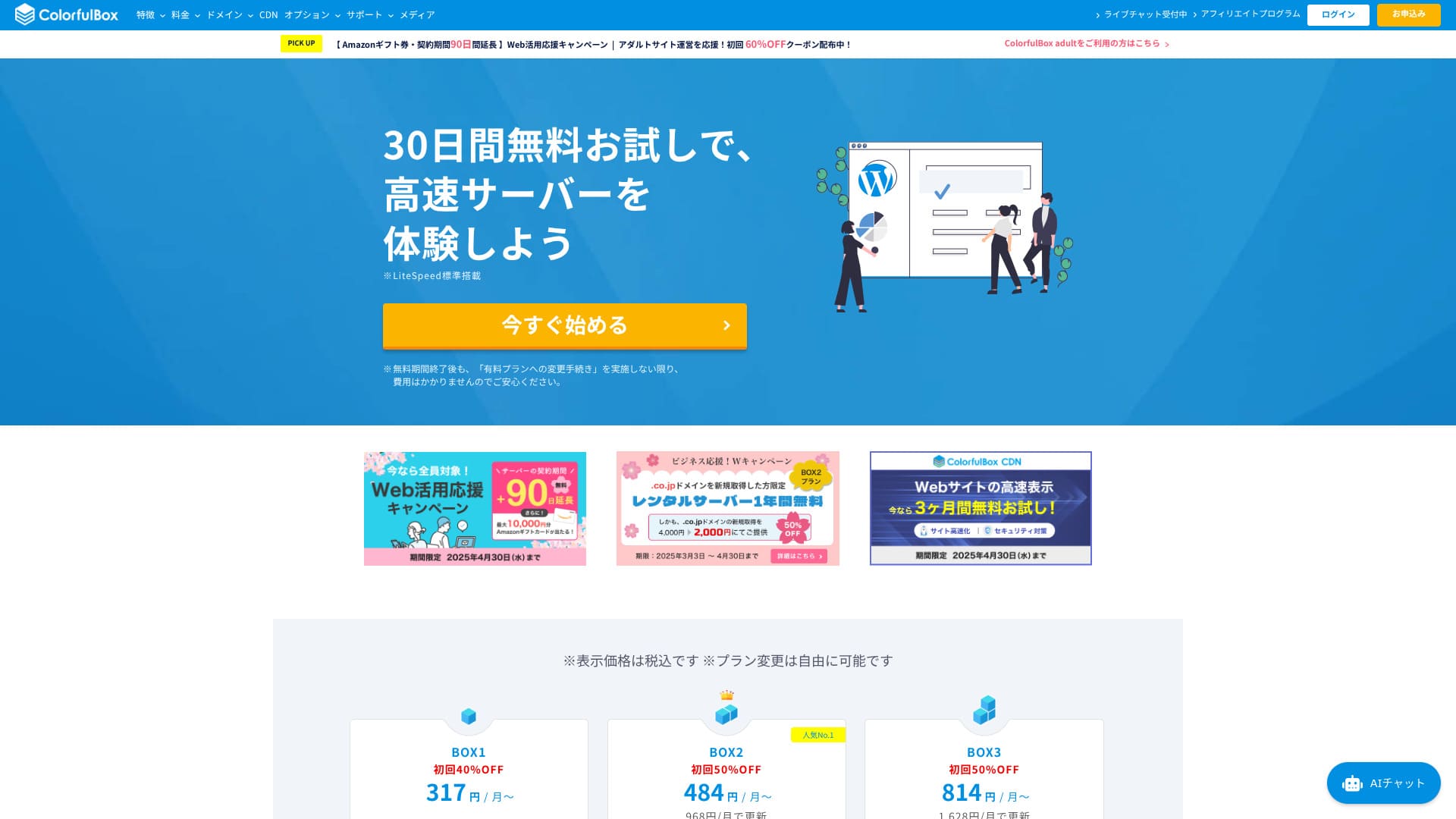
2018 m. pradėtas teikti ColorfulBox yra palyginti nauja Japonijos talpinimo paslauga. Ji išlaiko konkurencingą kainą ir kartu siūlo stiprias funkcijas, tokias kaip regioninės automatinės atsarginės kopijos ir Imunify360 apsauga.

Reasons to recommend ColorfulBox to first-time WordPress users and people who care about support quality:
- 14 days of automatic backups stored by region
- Advanced Imunify360 security for peace of mind
- Phone support on every plan
That is why it is a strong choice. You can try it free for 30 days.
A competing option is Shin Rental Server. It offers more flexible pricing that can be started on an hourly basis than ColorfulBox. It is worth considering alongside it.
★ Shin Rental Server Review [2025 Latest]: Real speed, pricing, pros, and cons
| Serverio tipas | Bendrasis talpinimas |
| Didžiausias privalumas | Platus planų pasirinkimas |
| Greitis (TTFB) | 190 ms |
| Rekomenduojamas planas | BOX1 / 12 mėn. |
| Bandomasis laikotarpis | 30 dienų pinigų grąžinimo garantija |
| Mėnesio kaina | 638 jenos |
| Palaikymas | Telefonas (24 val.), pokalbiai, LINE ir el. paštas |
| Talpa | 200 GB |
| Duomenų bazės | Neribota Phone (24-hour reception), callback (BOX7 and above), chat, LINE, and email |
| Atsarginės kopijos | 14 dienų regioninių atsarginių kopijų, atkūrimas nemokamas |
| Storage | 200GB |
| Databases | Unlimited |
| Security | WAF, IPS, IDS, virus scanning, SiteLock (paid) |
| SSL | Free SSL, dedicated SSL, shared SSL |
| Backup / restore | 14 days of region-based automatic backups included; restores are free |
| Email accounts | Unlimited |
| Email security | Email encryption, POP/POP3S / SMTP/SMTPS, IMAP/IMAPS, virus checks, spam filters, and custom filters |
| WordPress preinstalled | Yes |
| Server / website migration service | Free |
| CDN | 440 yen and up |

Hikaru Ono
ColorfulBox leidžia pradėti WordPress tuo pačiu metu, kai užsisakote serverį. Tai paprasta, o 24 val. per parą priimami telefoniniai užklausų skambučiai suteikia daugiau ramybės pradedantiesiems.
Nuo nebrangių planų iki didelės talpos variantų ši paslauga patogi ilgalaikiam naudojimui.
ColorfulBox compared with other providers
- Overall rating★★★★☆
- Server speed ★★★★☆
- Pricing ★★★★☆
- Stability ★★★★☆
- Ease of starting WordPress* ★★★★★
- Domain management and SSL-related tasks* ★★★★☆
* These scores reflect my actual hands-on experience.

21 Recommended WordPress Hosting Services for Individuals and How to Choose
21 Recommended WordPress Hosting Services for Individuals and How to Choose
serverfield.org
- Duomenys paremti 2025-11-04 rinkos tyrimu ir surikiuoti pagal greitį.November 4, 2025, arranged in order of speed
- Mėnesio kainos rodo pirmųjų metų išlaidas pigiausiam planui, galinčiam veikti su WordPress.
- Greitis matuojamas pagal Time to First Byte vienodomis sąlygomis.
“ColorfulBox” is a hosting service with excellent region-specific automatic backups, making it easy to use with confidence. It has eight plans, so you can use the right level of performance without wasting money. It is also one of the few hosts that provides support 24 hours a day.
WordPress apžvalga
Paprastas WordPress diegimas
ColorfulBox naudoja cPanel ir Installatron, todėl WordPress galima įdiegti vos keliais paspaudimais. Nuo domeno nustatymų iki nemokamo SSL aktyvavimo viskas vyksta vedlio principu, todėl ir pirmą kartą naudojant nesunku susiorientuoti.
Temų ir įskiepių importą taip pat galima atlikti tame pačiame vedlyje.
Hikaru Ono
Man realiai registracija užtruko apie penkias minutes, o įdiegta WordPress svetainė internete pasirodė maždaug po trisdešimties minučių.
Start a website with ColorfulBox
- STEP.1Visit the official site ColorfulBox
Click “Get started now.”
- STEP.2Sign up for the server and get a domain
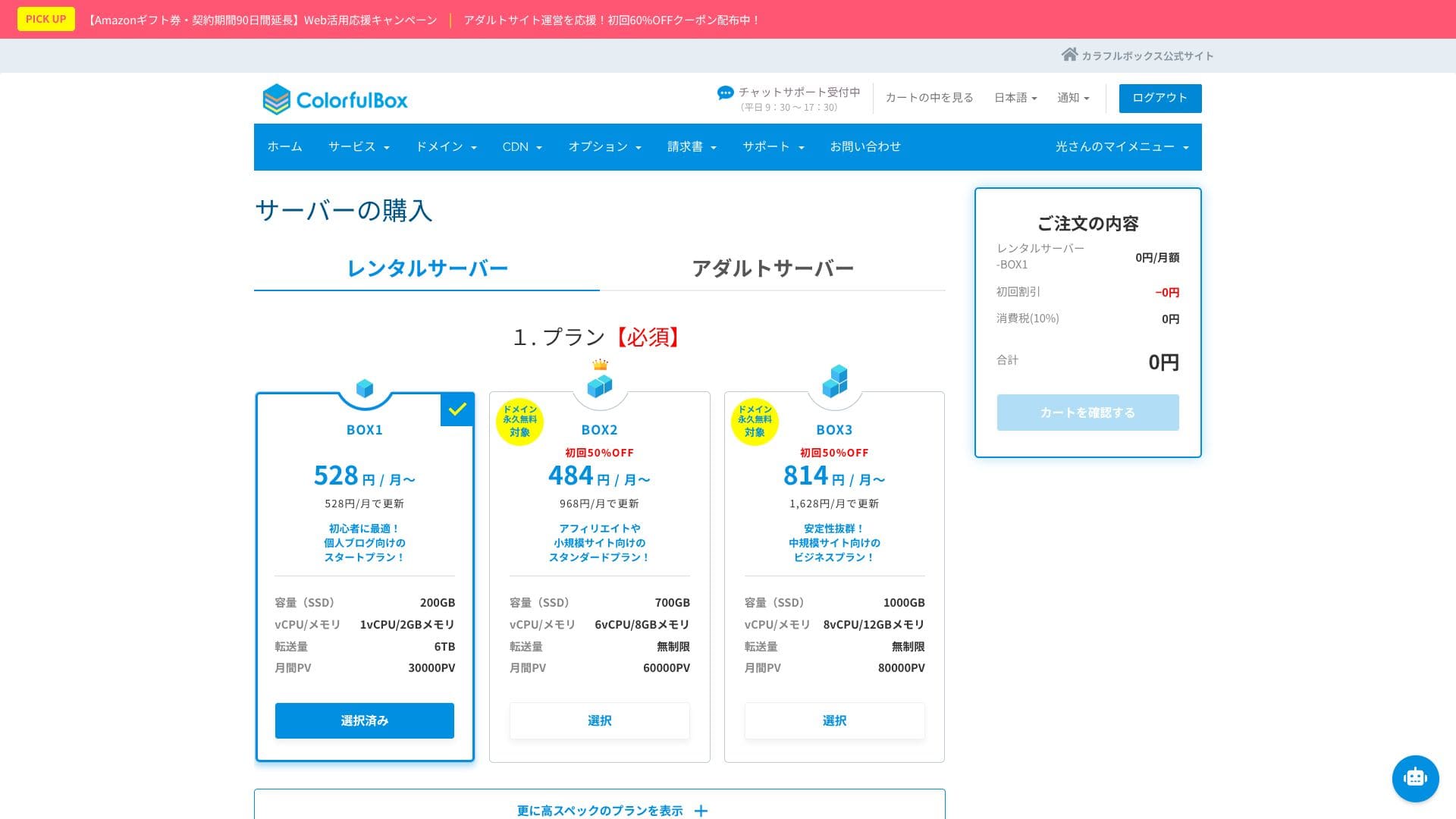
Choose a region. If you do not have a specific preference, I recommend “Rental Server [East Japan].”
Choose your plan in the server selection section. BOX1 is the recommended choice, and you can upgrade to BOX2 at any time.
 Hikaru Ono
Considering both term length and value, I recommend a 12-month contract.
Decide on a domain name. Enter the text you want in “Use a newly registered domain.” Search for the domain, and if it is available, click “Next.”
★ What is a domain? Its role as an address on the internet and how to get one
In the optional settings under “WordPress quick setup,” be sure to choose “Automatic WordPress installation.”Using this makes it dramatically easier to start a WordPress website.
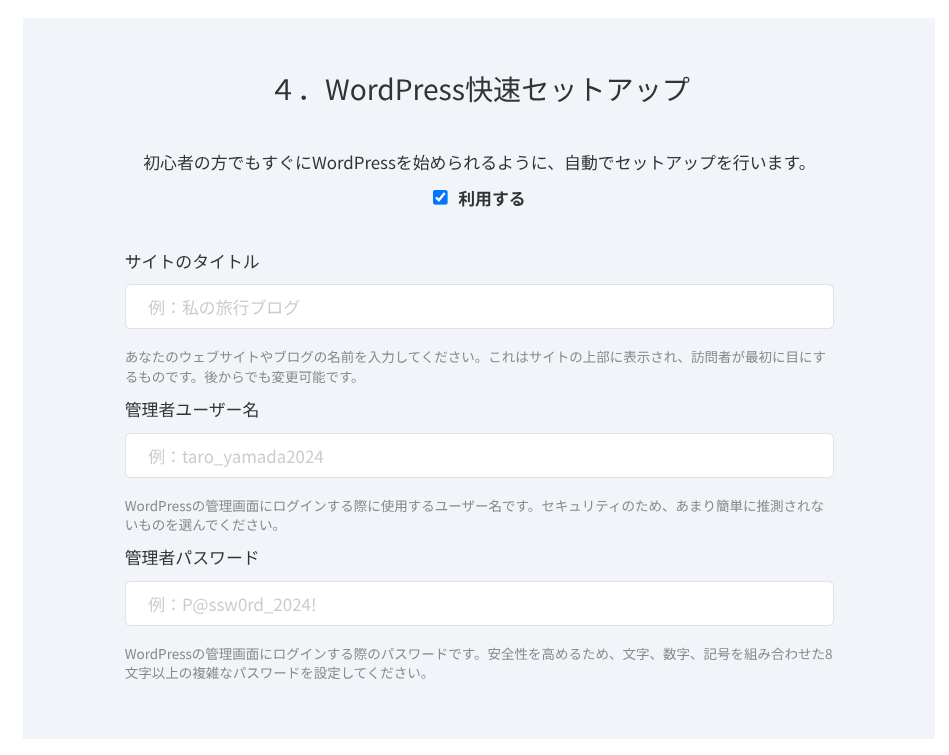
Enter the information required for WordPress.
- Site title: anything is fine
- Admin username: anything is fine
- Admin password: make it as strong as possible
The site name can be changed later. If you have not decided, enter a temporary one.
The WordPress username and WordPress password are important.Write them down. You will need them to log in to the website you create with WordPress.
Once you have entered everything, click “Next.”
In the domain settings and configuration section, you can choose “Whois privacy proxy.” This determines whether the domain registrant’s name and address are shown. If you are a corporation, it is generally better to publish them. If you are an individual, think through the choice. If you enable the checkbox, ColorfulBox information will be shown instead. Once you decide, go to “Next.”
Enter your user information, such as name and address, along with your payment information. If there are no issues with what you entered, click “Confirm order.”
Once the temporary registration email arrives, your server signup and domain acquisition are complete.
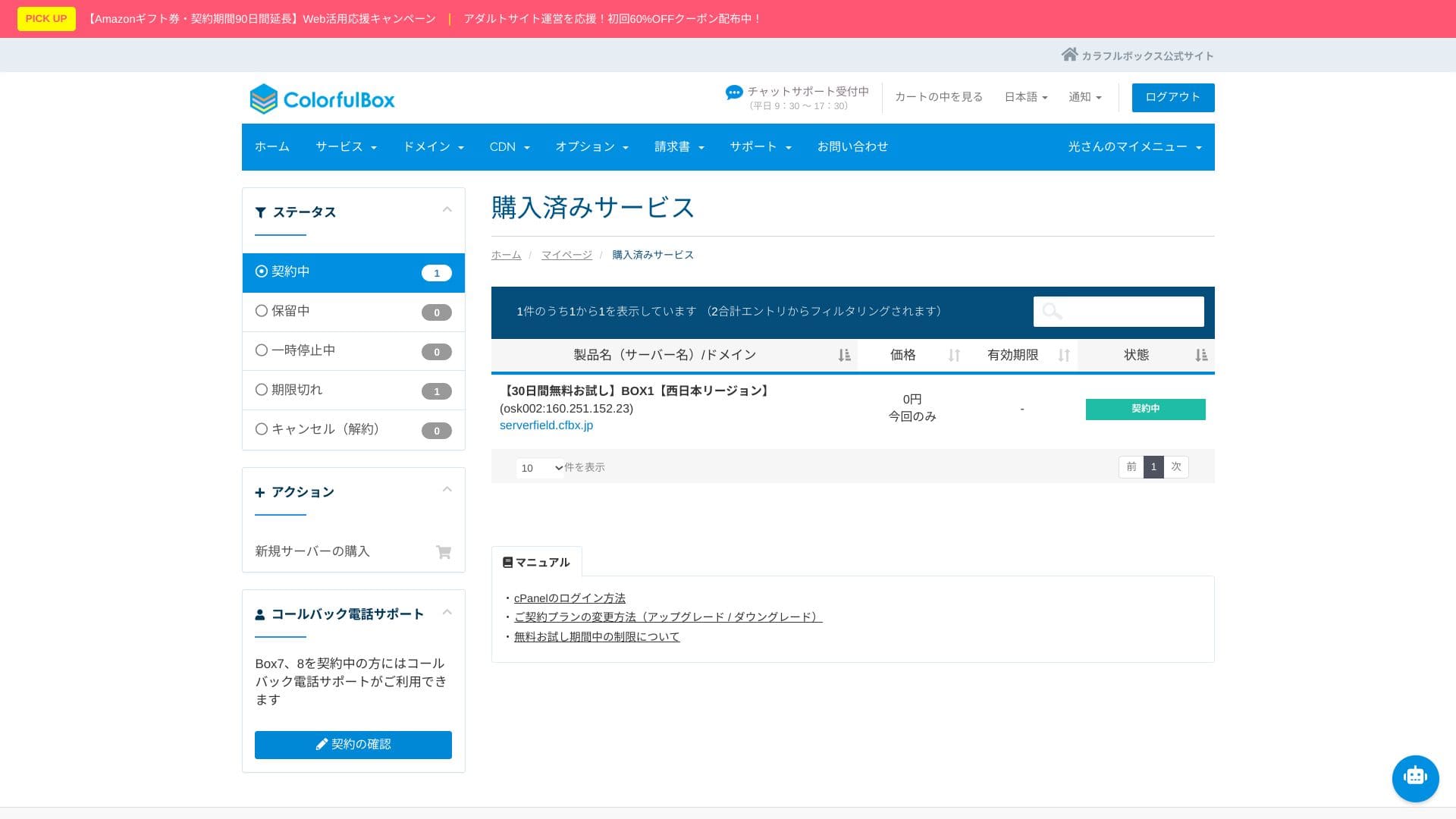
- STEP.3Initial WordPress setup
After the signup is complete, access “https://your-domain-name/wp-admin/”. That will take you to the WordPress admin screen.
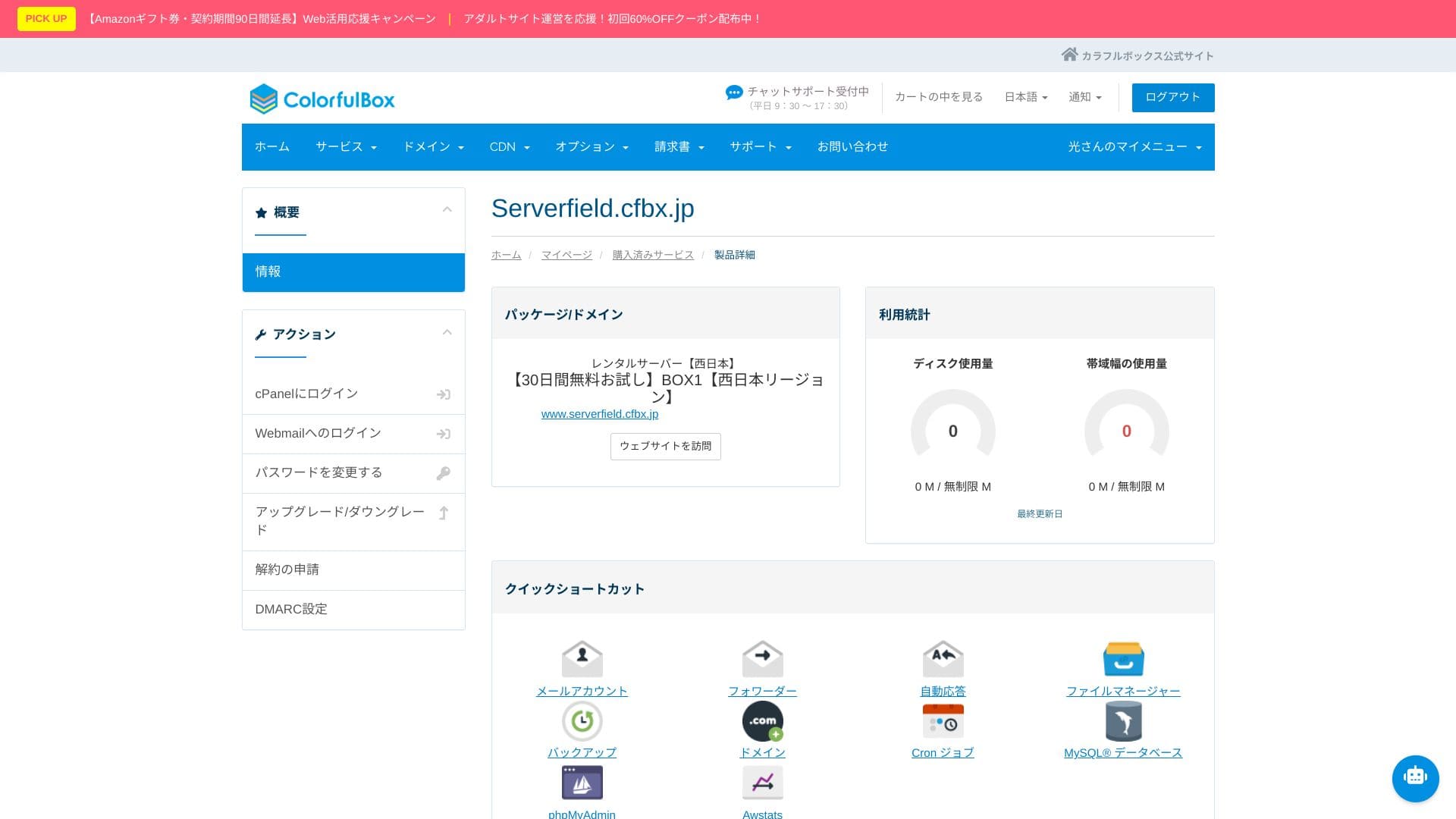
Log in to WordPress using the username and password you created during signup. If you see “Your connection is not private,” wait for a while. DNS has not finished propagating yet, so try accessing it again every few hours.
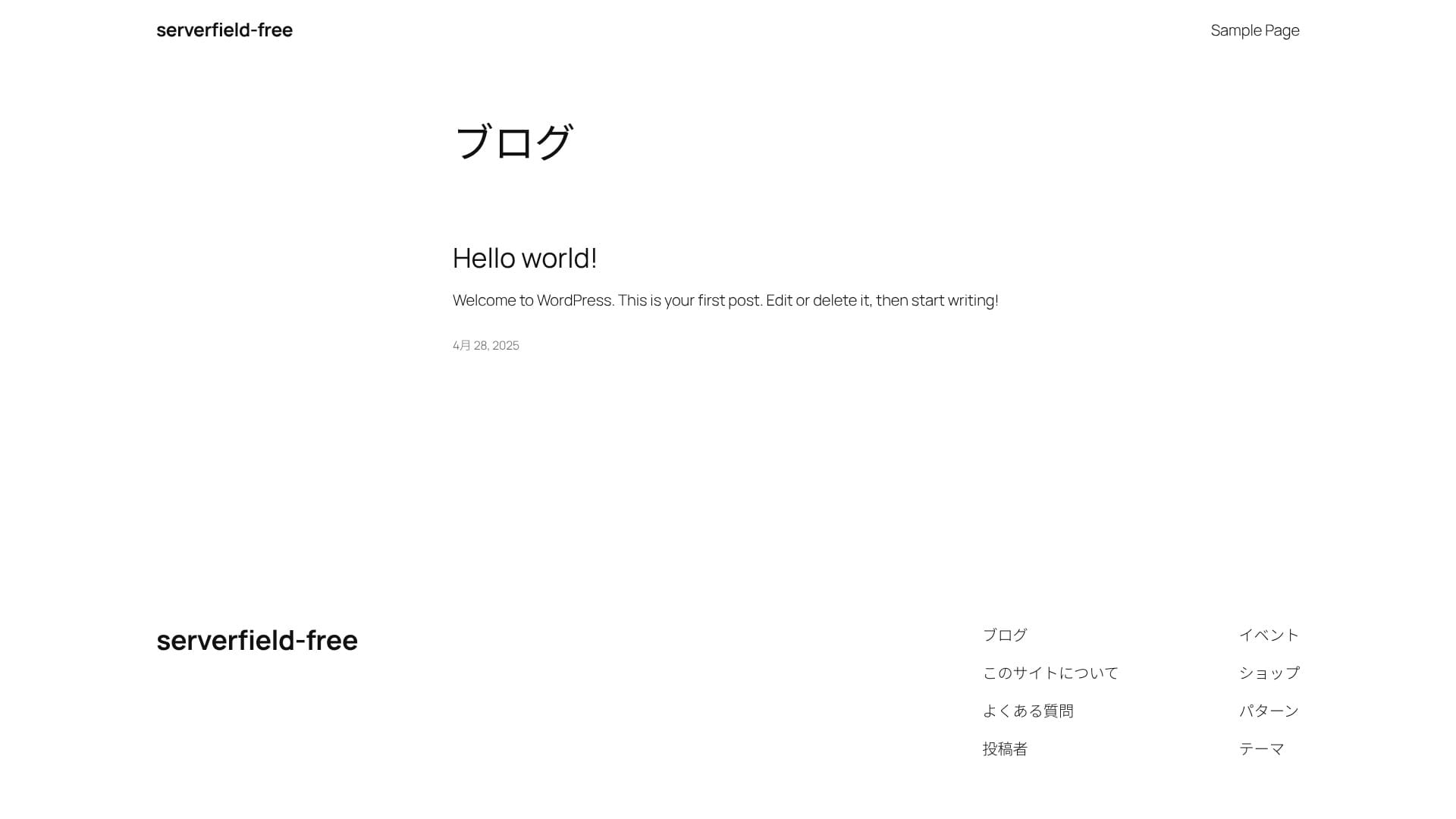
If you can see the following screen, the WordPress installation is complete.
★ What are DNS and nameservers? Connecting a domain and a server
After logging in to WordPress, configure your permalink settings. In the admin screen, go to “Settings” and then “Permalinks.” Choose “Post name,” then click “Save Changes.”
When you use “Post name,” you can enter your own string in the URL when publishing an article. A short string that hints at the article’s content is recommended because it is easier for readers to understand. If it is too long, some people may feel uneasy and think the site looks suspicious.
- STEP.4Install plugins
Go back to the WordPress admin screen, open “Plugins,” then “Add New,” and install the plugins you need.
Once you find the plugin you want through search, click “Install Now,” then “Activate.” After that, follow the instructions for each plugin.
Be sure to install security and backup plugins.
- Five WordPress security plugins and how to choose one
- Five powerful WordPress backup plugins for recovering your data
Once the plugins are installed, your WordPress website is ready to go!
Kelių svetainių paleidimas (keli domenai)
ColorfulBox visuose planuose siūlo neribotą papildomų domenų, duomenų bazių ir el. pašto dėžučių skaičių. Net pigiausias BOX1 planas leidžia paleisti kelias WordPress svetaines.
Kadangi vienos sutarties viduje galima kurti ir bandymų svetaines, ir nukreipimo puslapius, administravimas lieka paprastas. Neribotas MySQL kiekis taip pat leidžia atskirti skirtingų projektų duomenų bazes.
Install multiple WordPress sites
- STEP.1Log in to the control panel
- STEP.2Select “Server” from “Purchased services”
Choose “Server” from “Purchased services.” Then click “Log in to cPanel” from the menu on the left side of the control panel.
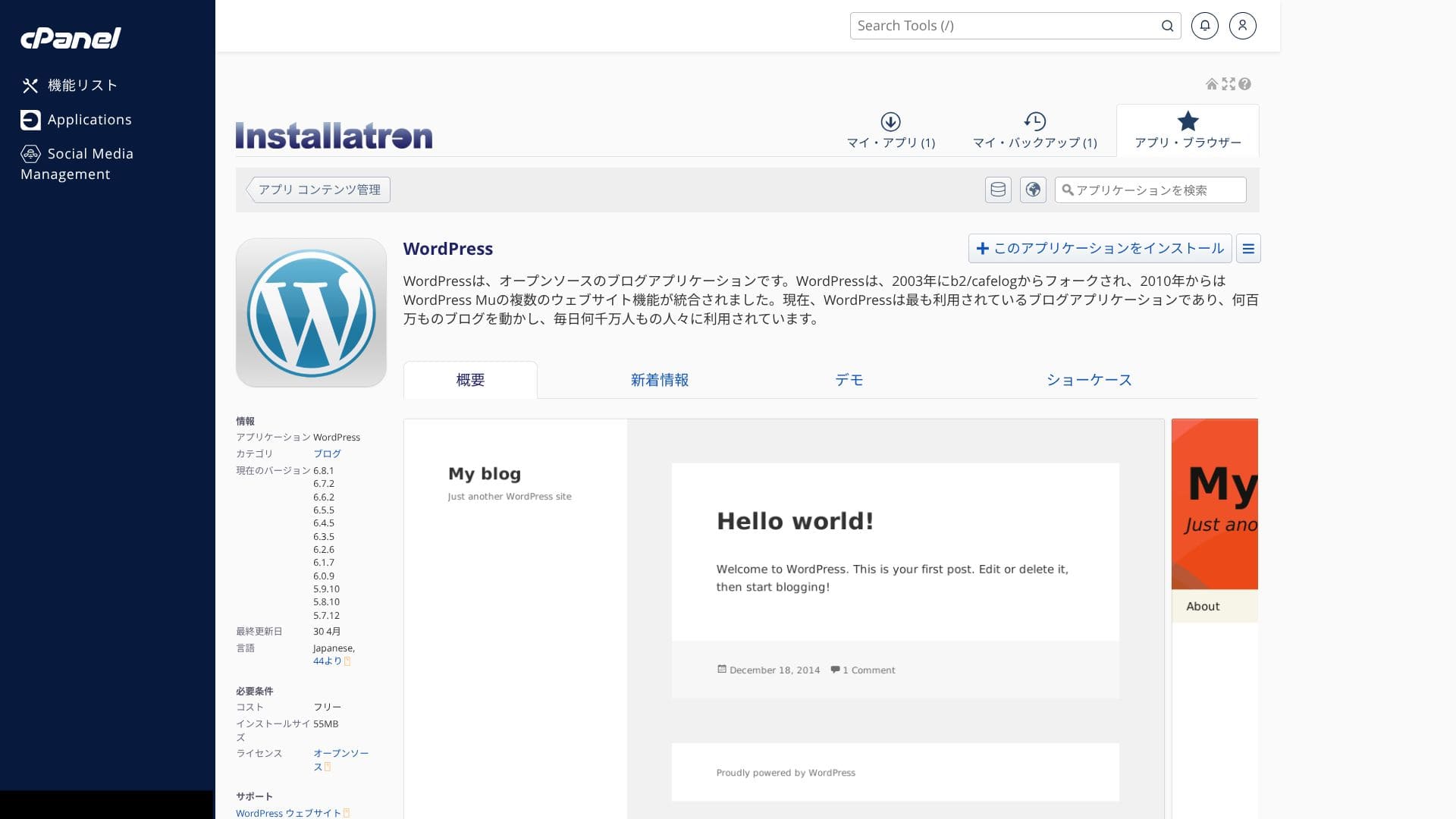
- STEP.3Click “WordPress” under “Applications”
When you log in to cPanel, you will see various features. Scroll down and click “WordPress” under “Applications.”
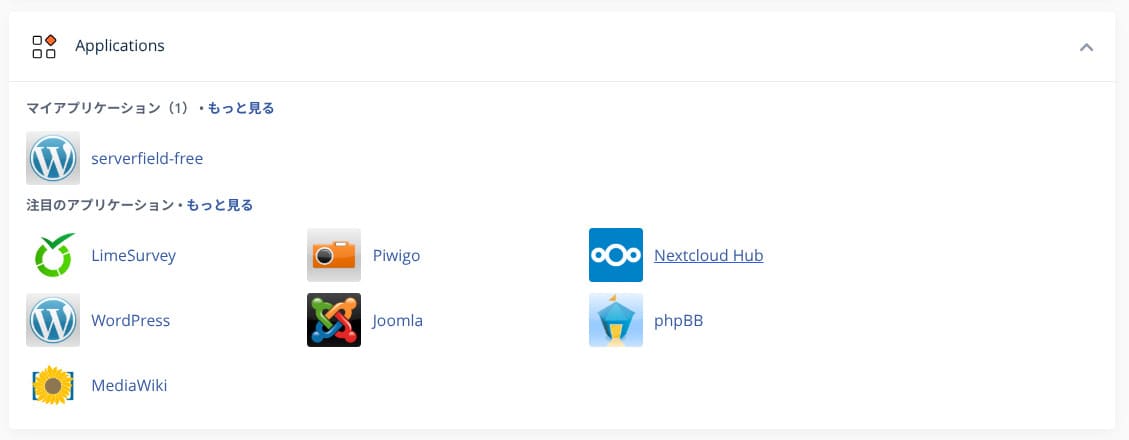
- STEP.4Click “+ Install this application”
Click “+ Install this application.”
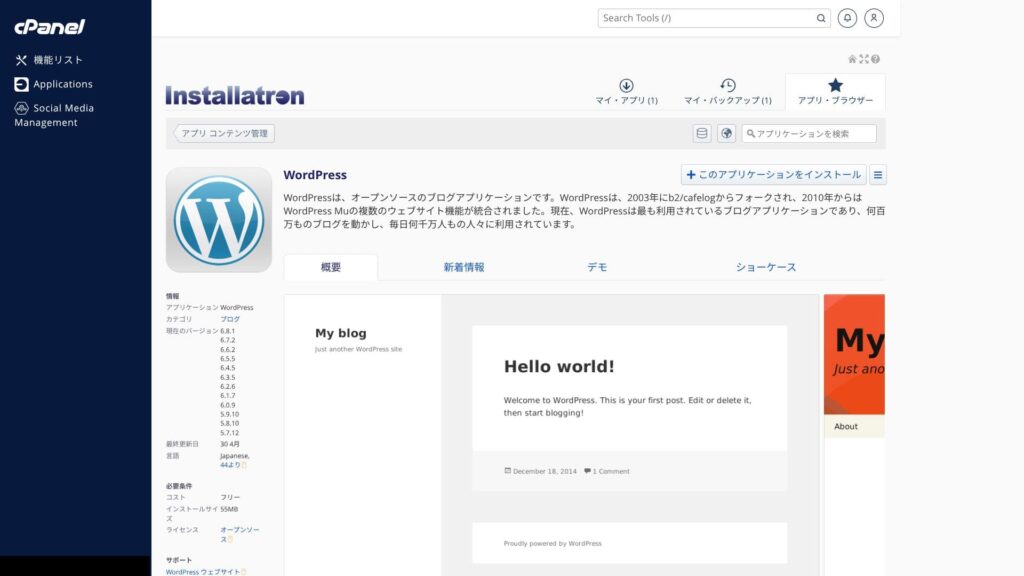
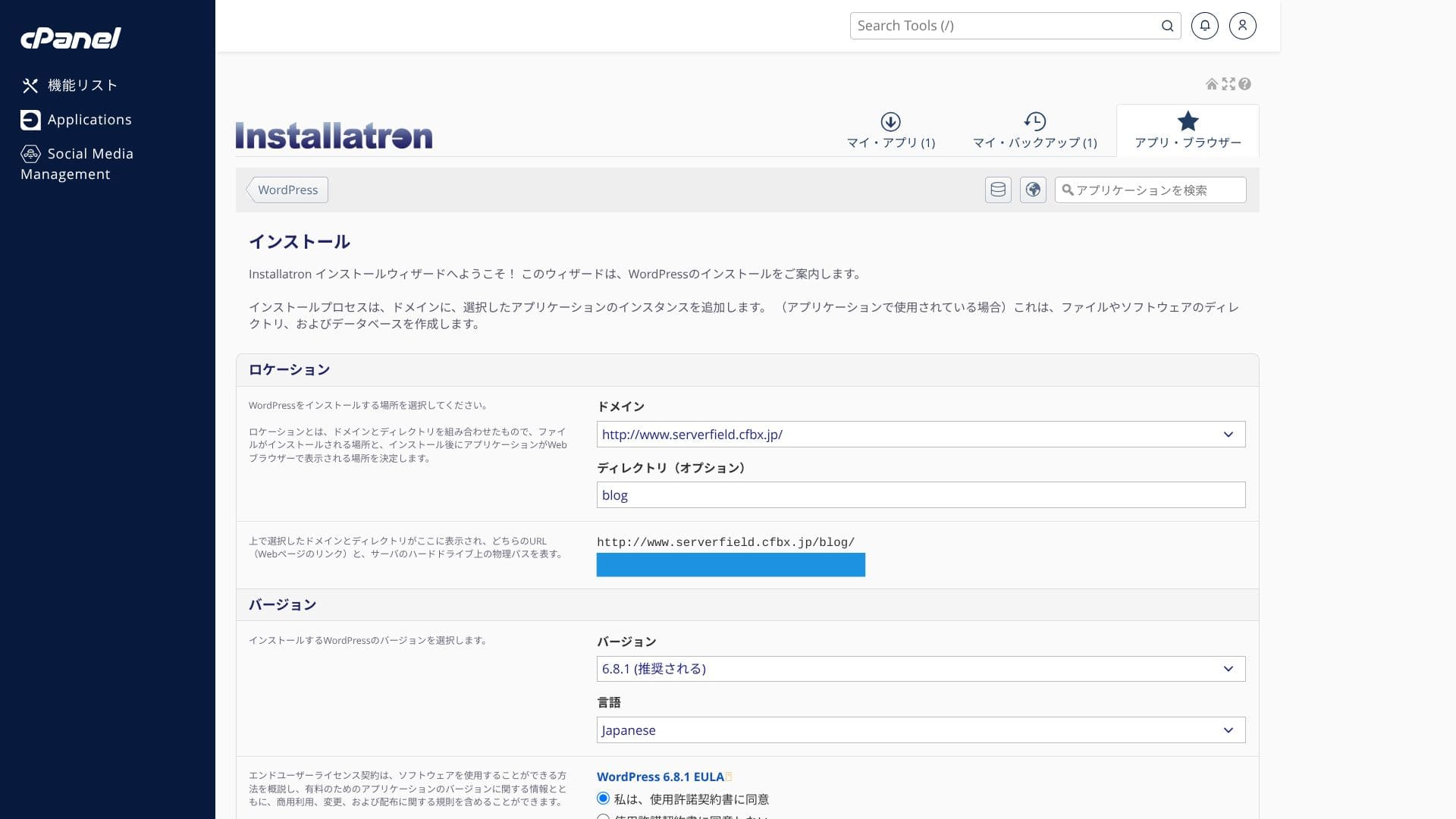
Select the domain where you want to install WordPress. Then set the site title, password, and the other required items, and click “+ Install” to complete the installation.
Svarbu prisiminti, kad vCPU ir atmintis dalijami visam planui. Jei viena svetainė sukelia didelę apkrovą, tai gali sulėtinti ir kitas tame pačiame plane esančias svetaines.
WordPress svetainės perkėlimas
ColorfulBoxprovides a simple WordPress migration tool. You can migrate your data just by entering the site URL and your WordPress admin credentials and then clicking “+ Start migration.”
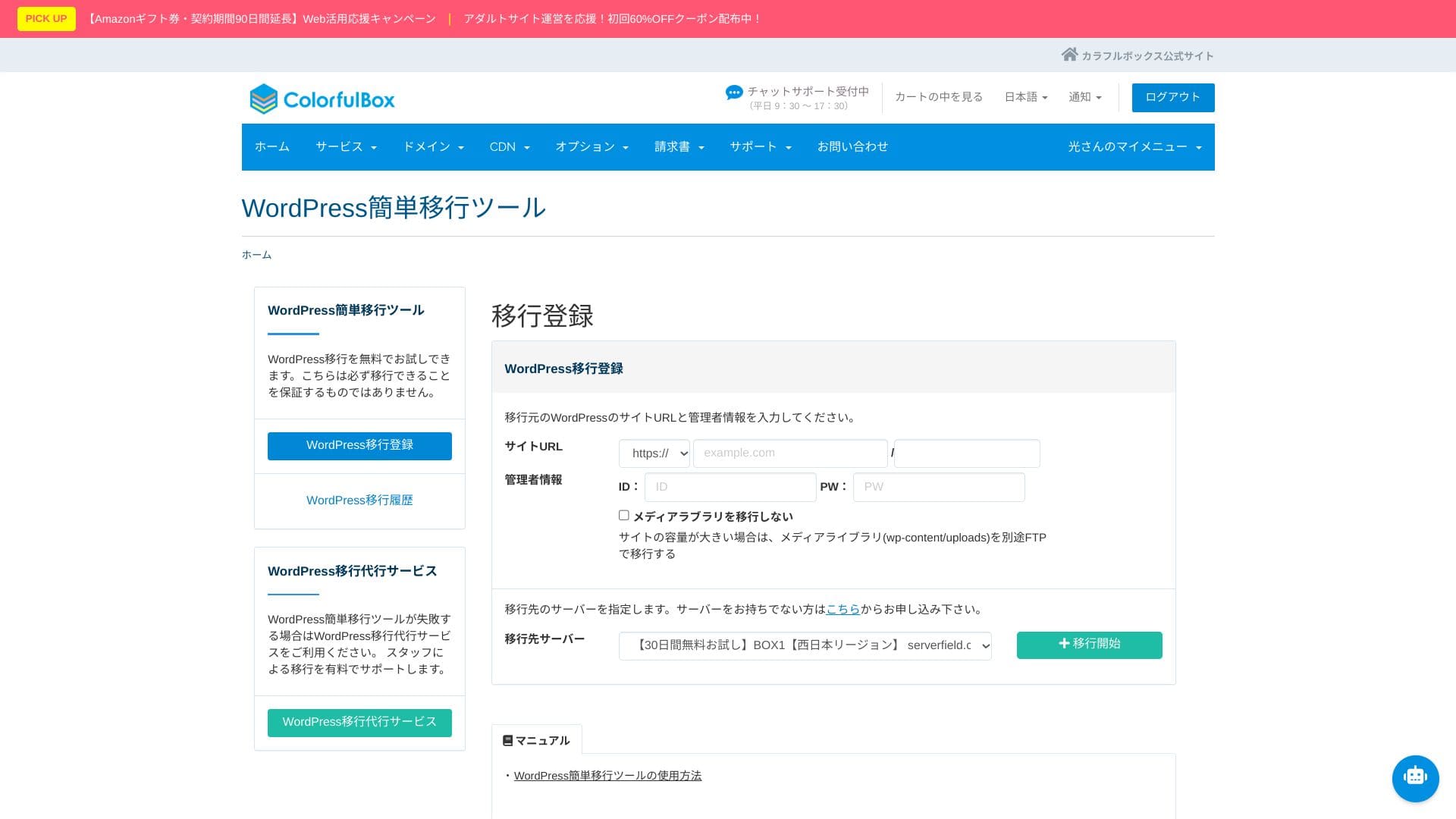
Hikaru Ono
Vis dėlto po perkėlimo vis tiek reikia sutvarkyti vardų serverių ir DNS nustatymus. Jei tai atrodo sudėtinga, verta rinktis mokamą „Anshin Start“ paslaugą.WP migration service.”
Našumo ir specifikacijų apžvalga
Mūsų matavimai: greičio vertinimas ir techninės priežastys
ColorfulBox was measured with PageSpeed Insights, a tool provided by Google. It is one of the best-known tools for measuring speed, user experience, and related metrics.
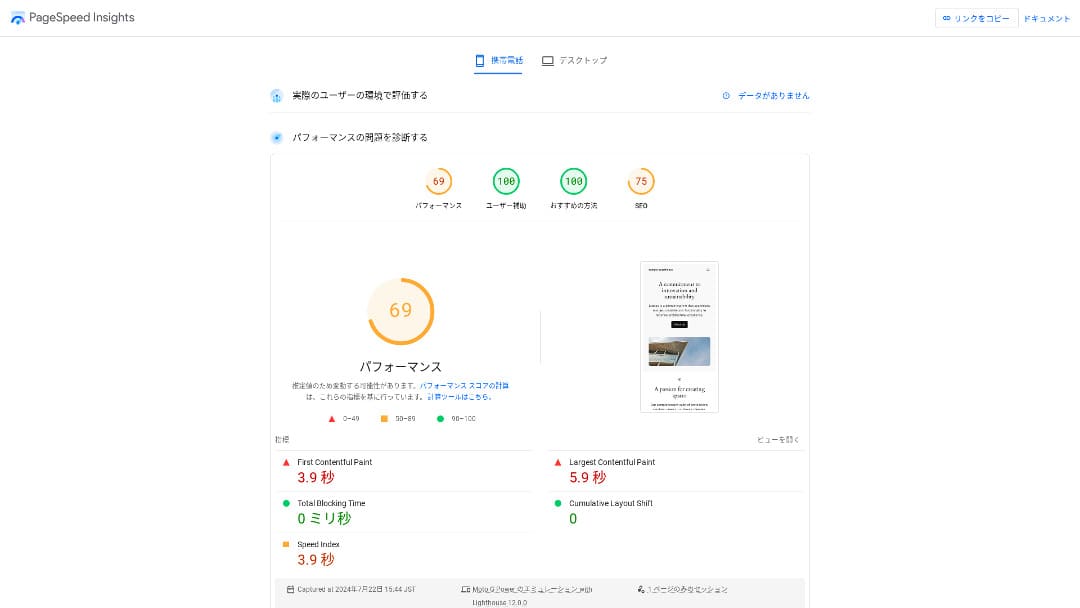
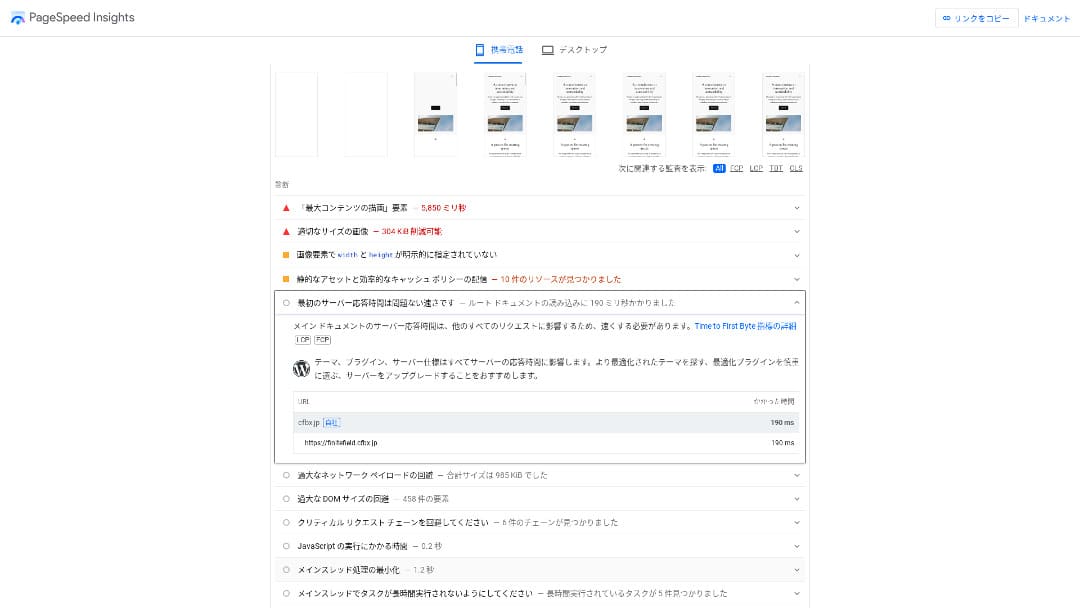
TTFB (Time to First Byte), vienas pagrindinių greičio rodiklių, buvo 190 ms. Kadangi tai atitinka Google rekomendaciją neviršyti 200 ms, ColorfulBox galima vertinti kaip pakankamai spartų.
You should reduce your server response time under 200ms. (You should reduce your server response time to under 200ms.)Improve Server Response Time
Hikaru Ono
Vis dėlto rinkoje yra ir dar greitesnių serverių, todėl jei svarbiausias prioritetas yra vien maksimalus greitis, verta palyginti ir kitus variantus.
LiteSpeed Web Server ir grynas SSD saugojimas
Pagal numatytuosius nustatymus naudojamas LiteSpeed Web Server ir grynas SSD saugojimas. Taip pat palaikomas HTTP/3 (QUIC), kuris sutrumpina TLS rankos paspaudimą ir padeda greičiau pateikti turinį.
LiteSpeed pagreitina apdorojimą, o SSD didina skaitymo ir rašymo spartą. Dėl to puslapiai įsikrauna sklandžiau ir ypač gerai veikia WordPress svetainėse.
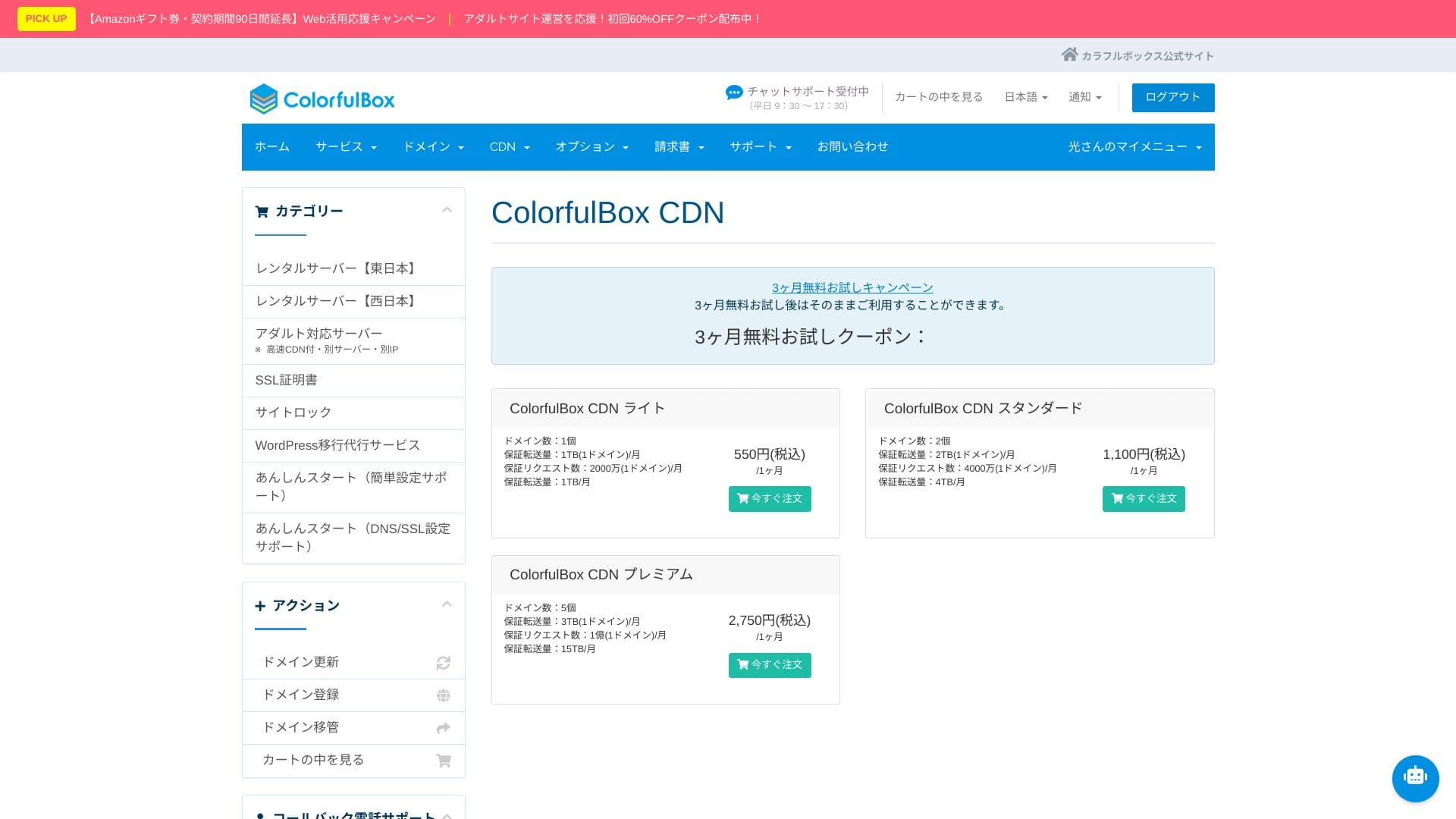
ColorfulBox CDN
Jei norite naudoti aukštesnio lygio QUIC.cloud CDN funkcijas, reikia papildomų kreditų pagal naudojimą.
Skirtingai nei įprasti CDN, kurie dažniausiai talpina tik statinius failus, QUIC.cloud su LiteSpeed Cache gali talpinti ir visą WordPress HTML.
Naudojant aukštesnį QUIC.cloud lygį galima vienu metu pagerinti greitį, atsparumą ir SEO. Kuo daugiau tarptautinio srauto, tuo didesnė tokio CDN nauda.
Hikaru Ono
Kai srautas ima augti, jau verta rimtai pagalvoti apie CDN įjungimą.
★ Kas yra CDN? Kaip paskirstyti turinį per daugelį serverių
Saugoma vieta
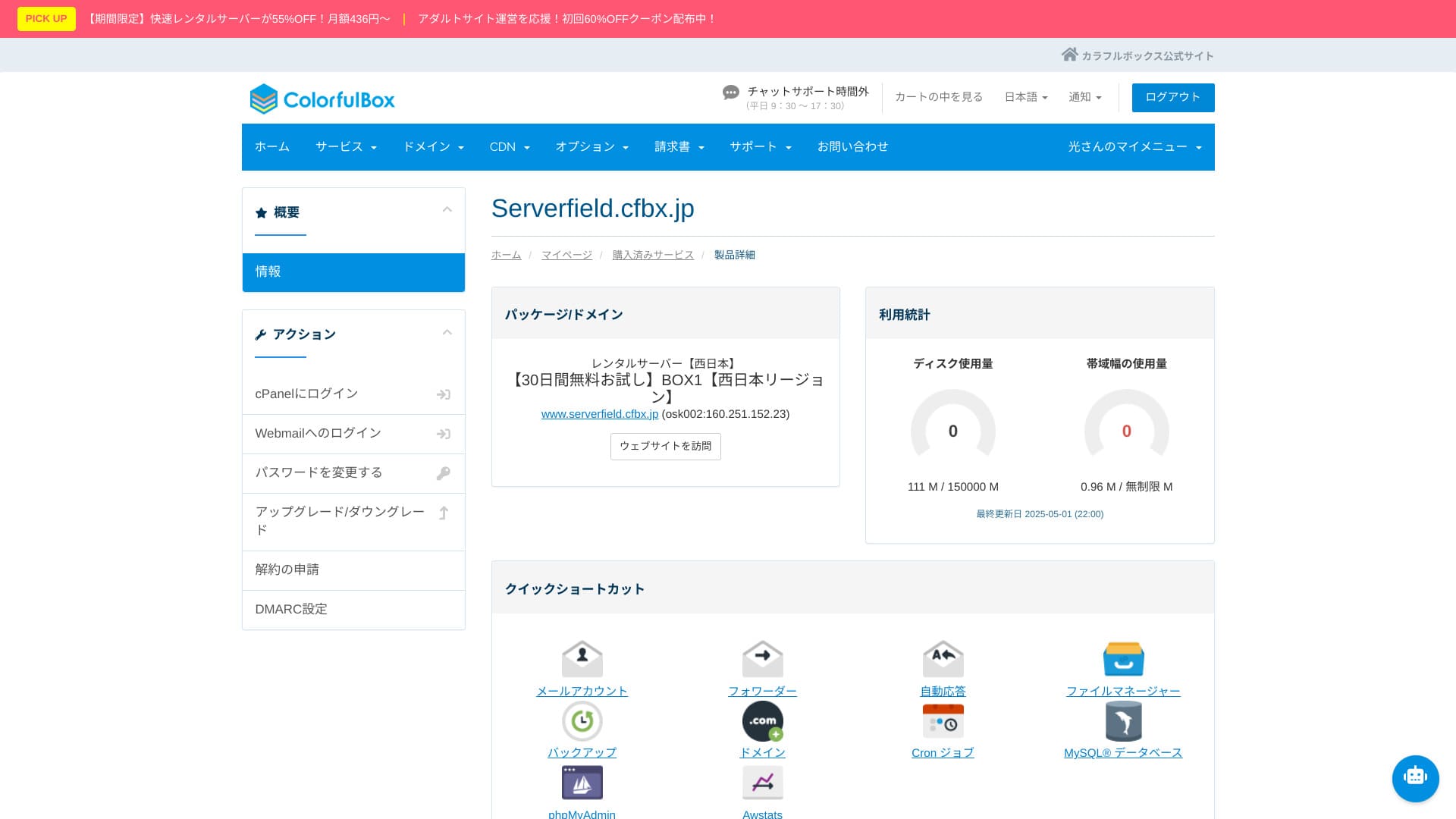
ColorfulBoxprovides generous SSD capacity ranging from 200GB on BOX1 to 1.6TB on BOX8. That gives peace of mind even for sites that use many photos and videos, and you do not need to panic about running out of space and upgrading in a rush.
Naudojama RAID10 konfigūracija, kuri suderina įrašymo spartą ir duomenų dubliavimą.
Hikaru Ono
Jei jūsų svetainė nedidelė, BOX1 talpos dažniausiai visiškai pakanka. Paprastas WordPress diegimas užima tik nedidelę šio plano dalį.
Numatytoji vieno failo įkėlimo riba yra 1 GB, todėl ši paslauga nėra pats geriausias pasirinkimas labai dideliems vaizdo failams talpinti tiesiogiai.
Perdavimo apimtis
BOX1 plane įskaičiuota 6 TB per mėnesį, o nuo BOX2 plano duomenų perdavimas praktiškai tampa neribotas. Oficialios gairės rodo, kad to pakanka ir gana aktyvioms svetainėms.
Vis dėlto, jei ilgą laiką užimate daug pralaidumo, automatiškai gali būti taikomi resursų ribojimai. Jei laukiate staigaus didelio srauto, verta ruoštis iš anksto.
★ Kas yra srautas ir duomenų perdavimas?
Serverio stabilumas (uptime)
ColorfulBox does not publish its uptime figure. Other providers state numbers such as “99.99% uptime,” but ColorfulBox does not publish one, which makes comparisons harder.
Kai kurios paslaugos, garantuojančios uptime, suteikia kompensaciją, jei tikslas nepasiekiamas. ColorfulBox atveju tokios politikos rasti nepavyko.
Jei valdote įmonės svetainę ar el. parduotuvę, oficialaus stabilumo skaičiaus nebuvimas apsunkina paslaugos pristatymą suinteresuotoms pusėms.
Hikaru Ono
Tai, kad uptime nenurodytas, nereiškia, jog paslauga prasta, bet tam tikras neapibrėžtumas išlieka.
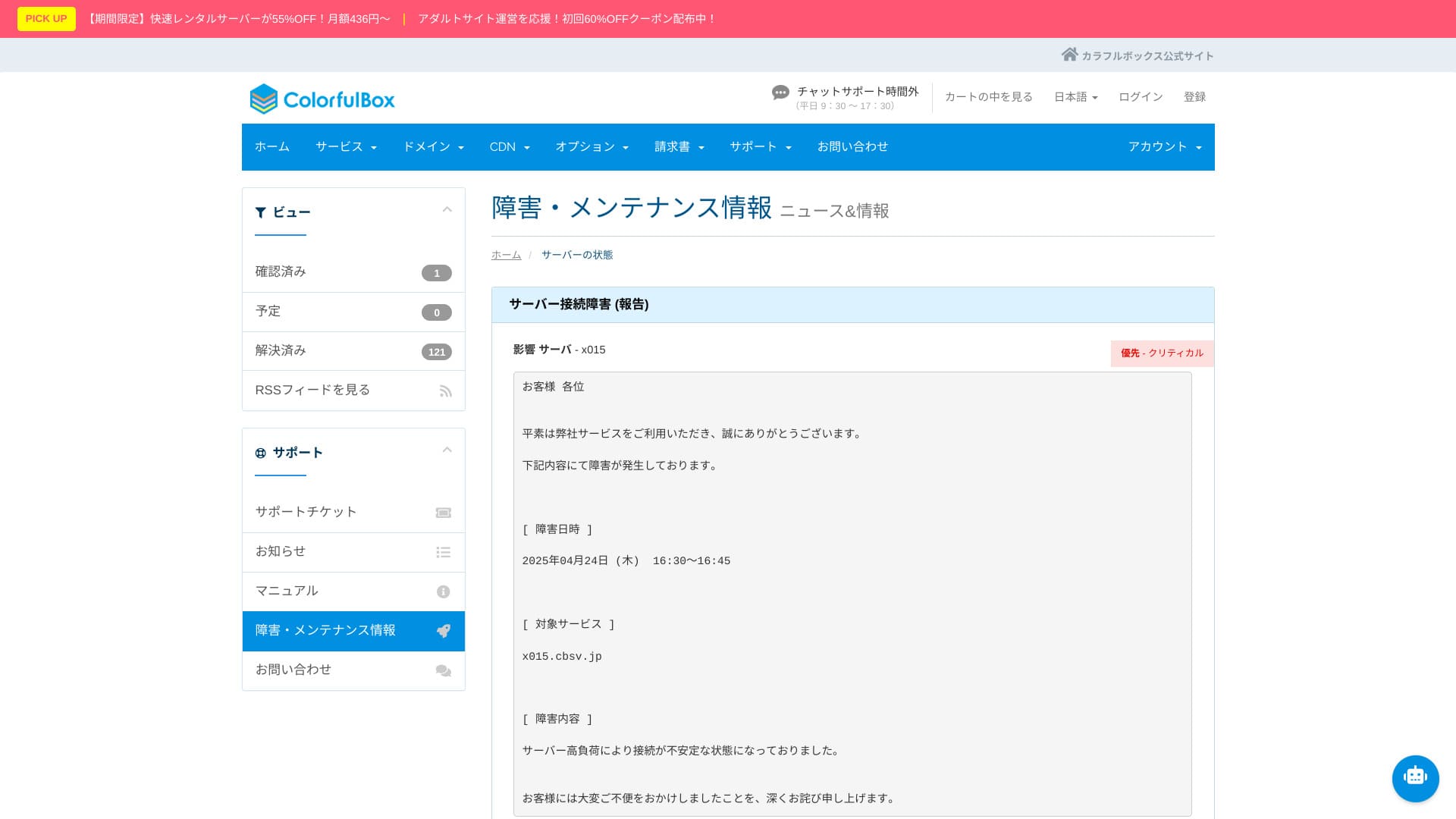
Serverio sutrikimų ir priežiūros informacija viešai skelbiama oficialioje svetainėje, todėl skaidrumo visiškai netrūksta.
Pradinės išlaidos ir mėnesio mokestis
ColorfulBox kainodara stipriai priklauso nuo sutarties trukmės. Paprastai geriausią kainos ir vertės santykį suteikia 36 mėnesių planas.
ColorfulBox uses a pricing structure where the value changes a lot depending on the contract term. If possible, 36 months gives the best pricing, but in practical terms I think 12 months is the best balance. Use the first 12 months to evaluate the server environment and your site situation, and if everything is fine, move to a longer contract for better value.
In addition, when you sign up for 12 months or more, you can use one domain for free permanently while the server contract remains active.
Hikaru Ono
I do not recommend a one-month contract because it incurs an initial fee and there is already a 30-day free trial available.
Below are screenshots of monthly pricing screens from ColorfulBox and the other hosting providers that were compared.
ColorfulBox

Kinsta

XServer Business

wpX Speed

Lolipop!

Star Rental Server

Rakkoserver

XServer

ConoHa WING
Shin Rental Server

Little Server

CORESERVER

DreamHost

Bluehost

Sakura

Namecheap

Shin Free

XREA

Value Server

Hostinger

KAGOYA

SiteGround

HostGator

IONOS

Onamae.com

ABLENET

mixhost

GoDaddy

iCLUSTA+

MuuMuu Server

WADAX

WebARENA

heteml

CPI Rental Server

Domenus galima registruoti ir pratęsti už įprastą rinkos kainą, pavyzdžiui, .com ar .net zonose. Ilgesnės serverio sutartys dalį domenų išlaidų sumažina.
ColorfulBox leidžia laisvai redaguoti DNS įrašus, todėl nuosavą domeną lengva nukreipti į kitą serverį ar išorines paslaugas, tokias kaip Gmail.
ColorfulBox lets you edit DNS records freely, so you can easily point your own domain to another server or to external services such as Gmail. Whois privacy proxy is also free, so you do not need to expose the registrant’s name and address online, which also helps against spam. It uses an established major Japanese registrar, and the availability of Japanese support and yen-based pricing also makes ongoing operation easier.
Below are screenshots showing domain pricing screens from major registrars.
Colorful Domain

Onamae.com

Xserver Domain

MuuMuu Domain

Value Domain

Shin Domain

Star Domain

SSLWhat is a domain? Its role as an address on the internet and how to get one
Galima naudoti nemokamą Let’s Encrypt SSL.
You can use free Let’s Encrypt SSL.
Hikaru Ono
Setting up free SSL is a little tricky. Please check the official guide below. (Subdomains are configured automatically.)
Mokėjimo būdai
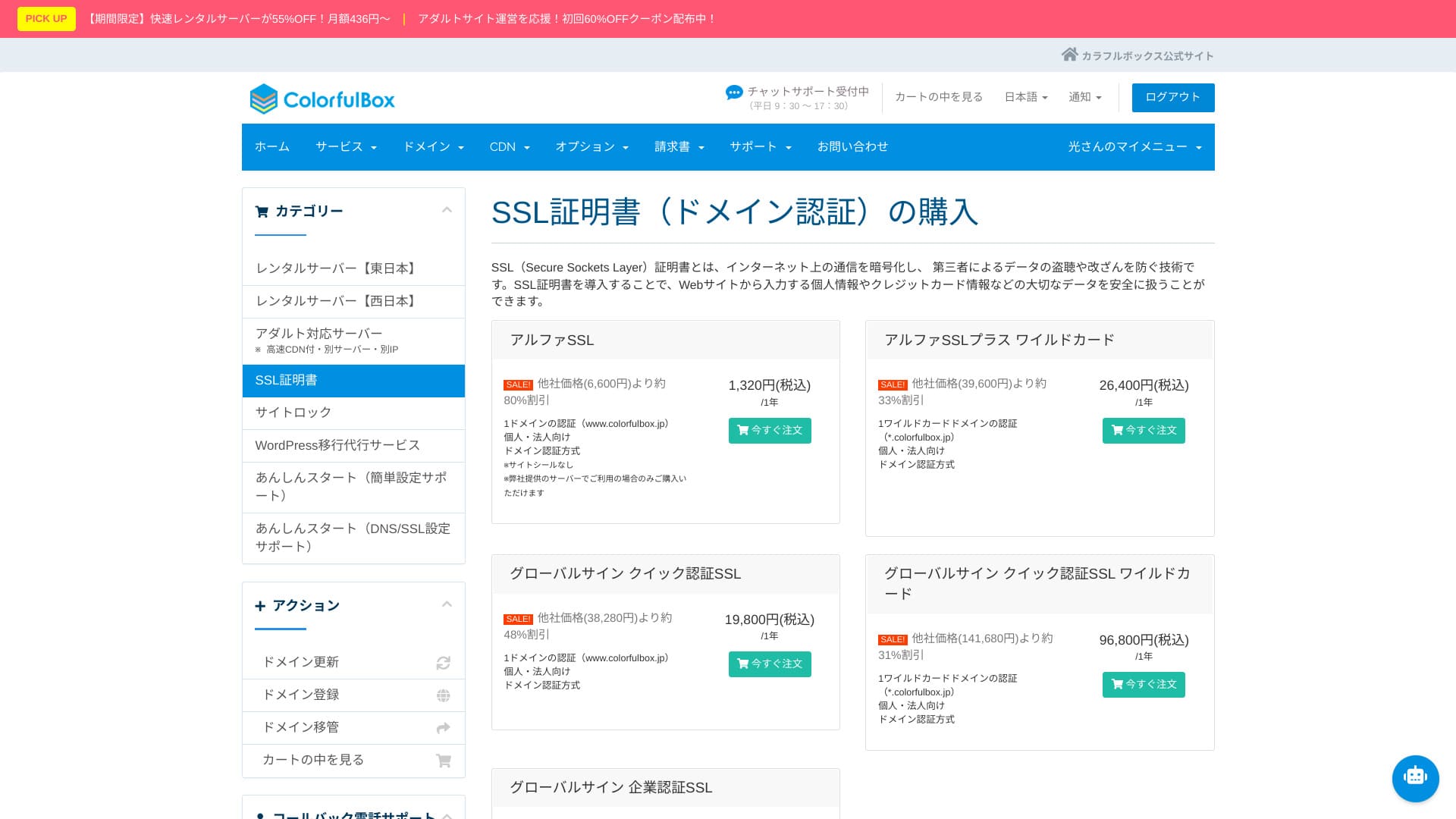
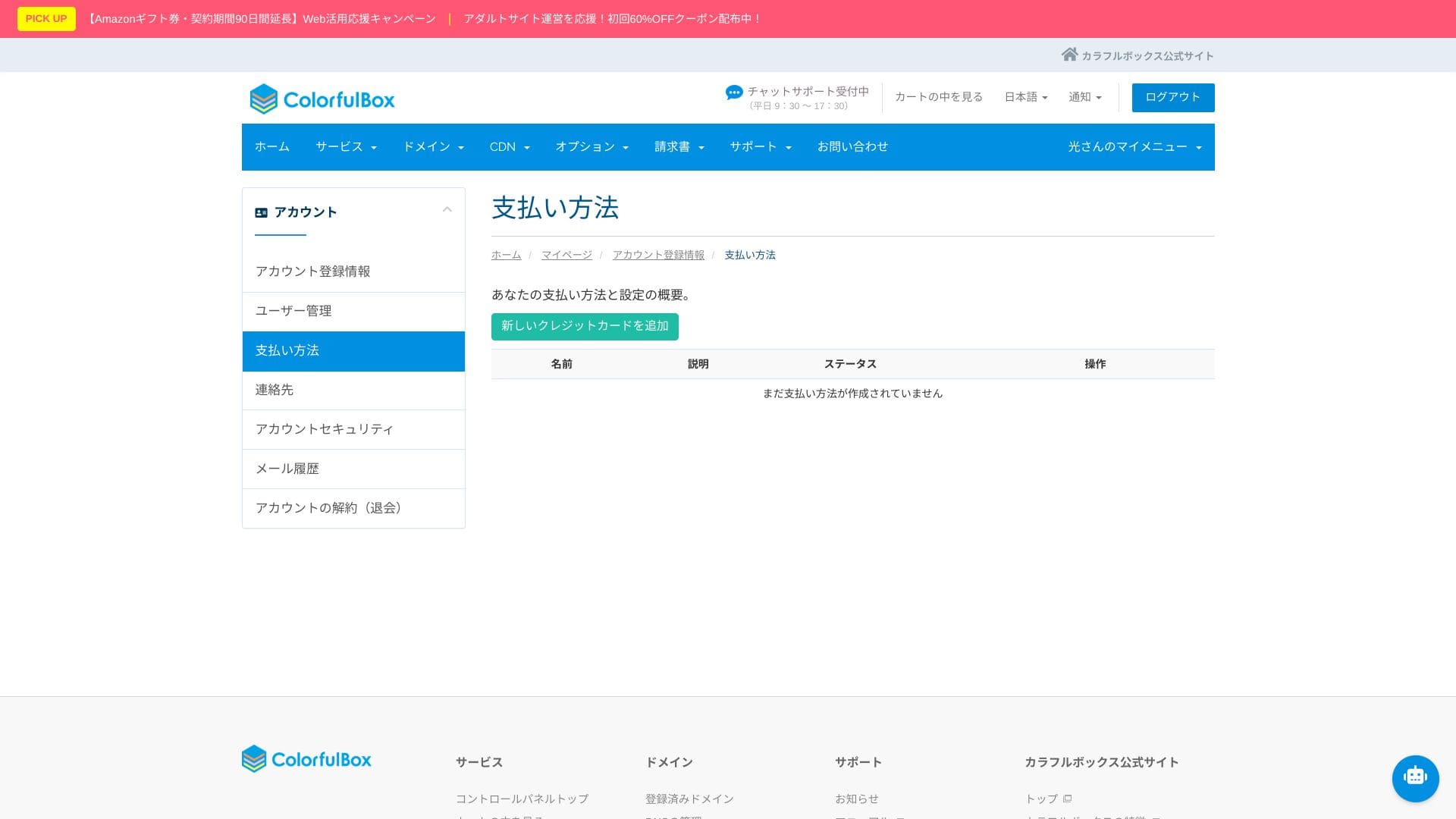
Dėl plataus mokėjimo būdų pasirinkimo paslauga patogi ir tiems, kurie nenaudoja kredito kortelių.
It supports credit cards (VISA, MasterCard, JCB, American Express, Diners Club, and Discover), bank transfers, and online payments through PayPal.
Mokėjimo ekranai rodo, kad pasirinkimų pakanka tiek asmeniniams, tiek verslo naudojimo scenarijams.
Hikaru Ono
Invoices can also be issued, which makes it easy to use for companies.
These screenshots show the payment-method screens for ColorfulBox and other providers.
ColorfulBox

Kinsta

XServer Business

wpX Speed

Lolipop!

Star Rental Server

Rakkoserver

XServer

ConoHa WING

Shin Rental Server

Little Server

CORESERVER

DreamHost
Bluehost

Sakura

Namecheap

Shin Free

XREA

Value Server

Hostinger

KAGOYA

SiteGround

HostGator

IONOS

Onamae.com

ABLENET

mixhost

GoDaddy

iCLUSTA+

MuuMuu Server

WADAX

WebARENA

heteml

CPI Rental Server

Kaip naudoti valdymo skydelį ir cPanel
Skydelio ekranuose aiškiai matyti, kur įdiegti WordPress, kaip pradėti migraciją ir kur keisti pagrindinius serverio parametrus.
Iš pirmo žvilgsnio meniu gali pasirodyti gausus, todėl pravartu naudotis oficialiu vadovu ir judėti žingsnis po žingsnio.
It offers a Japanese-localized version of cPanel, the world's No.1 control panel by market share. Developer tools such as the file manager, Git, and PHP version switching can also be handled entirely through the GUI.
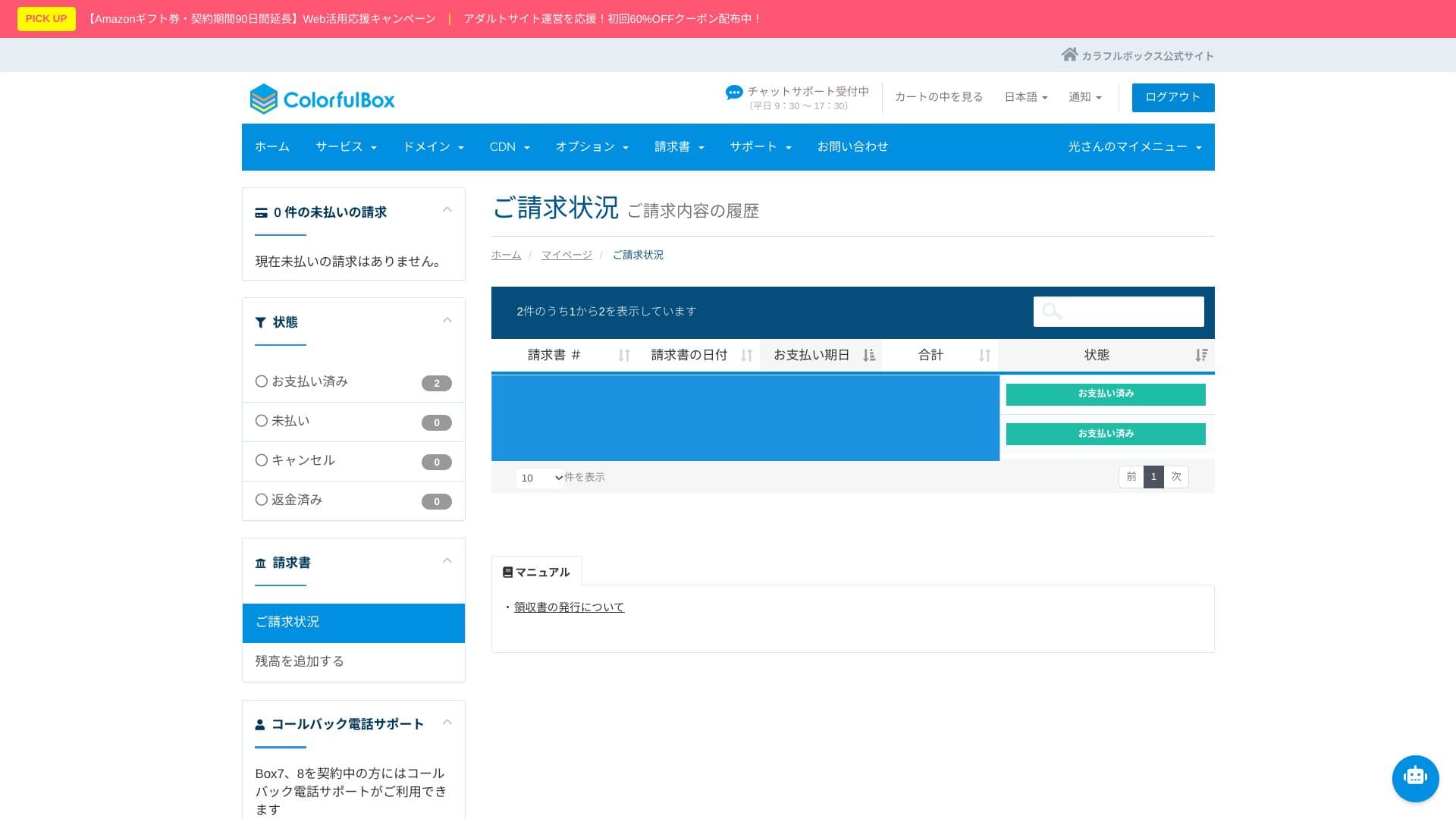
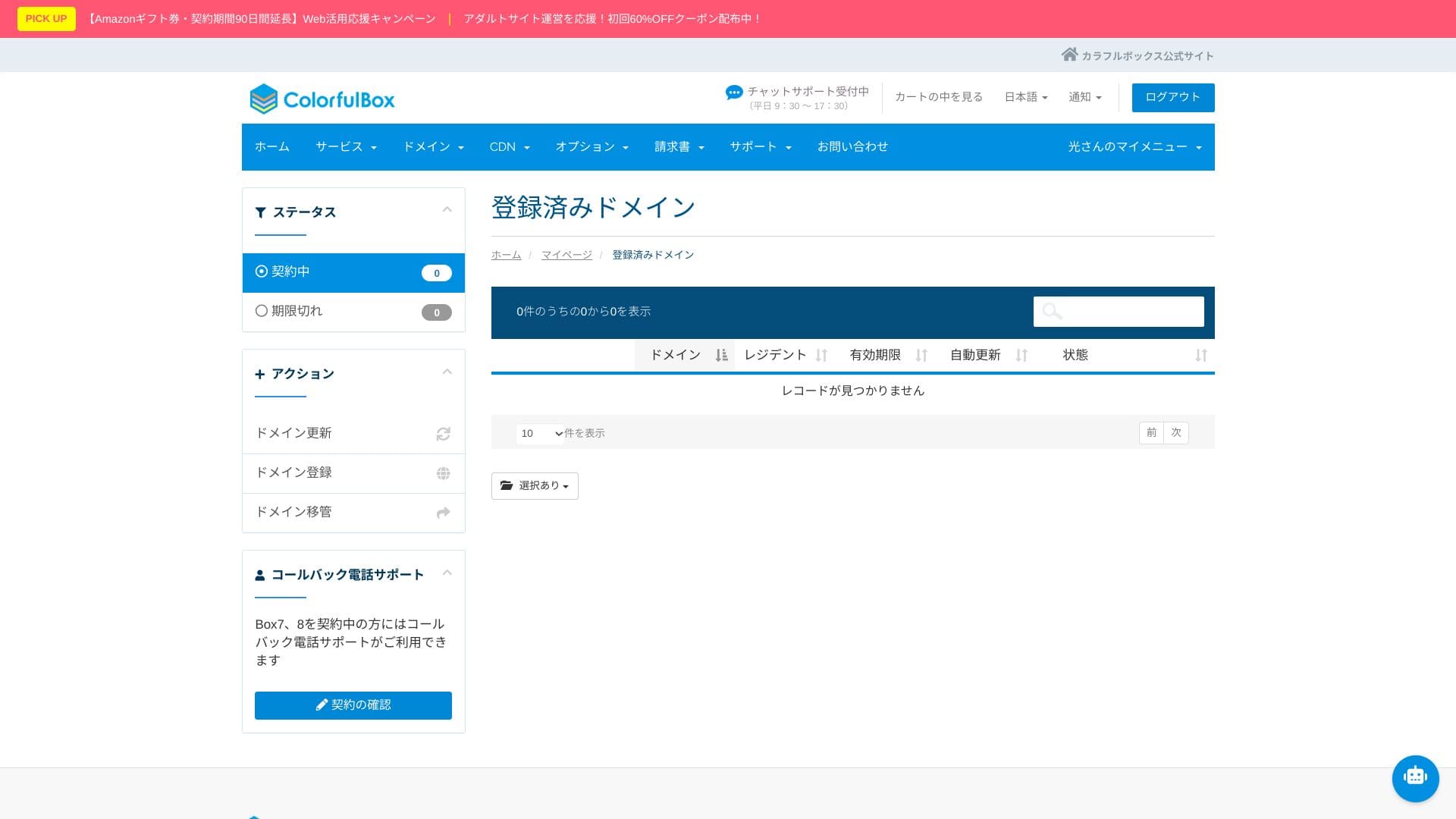
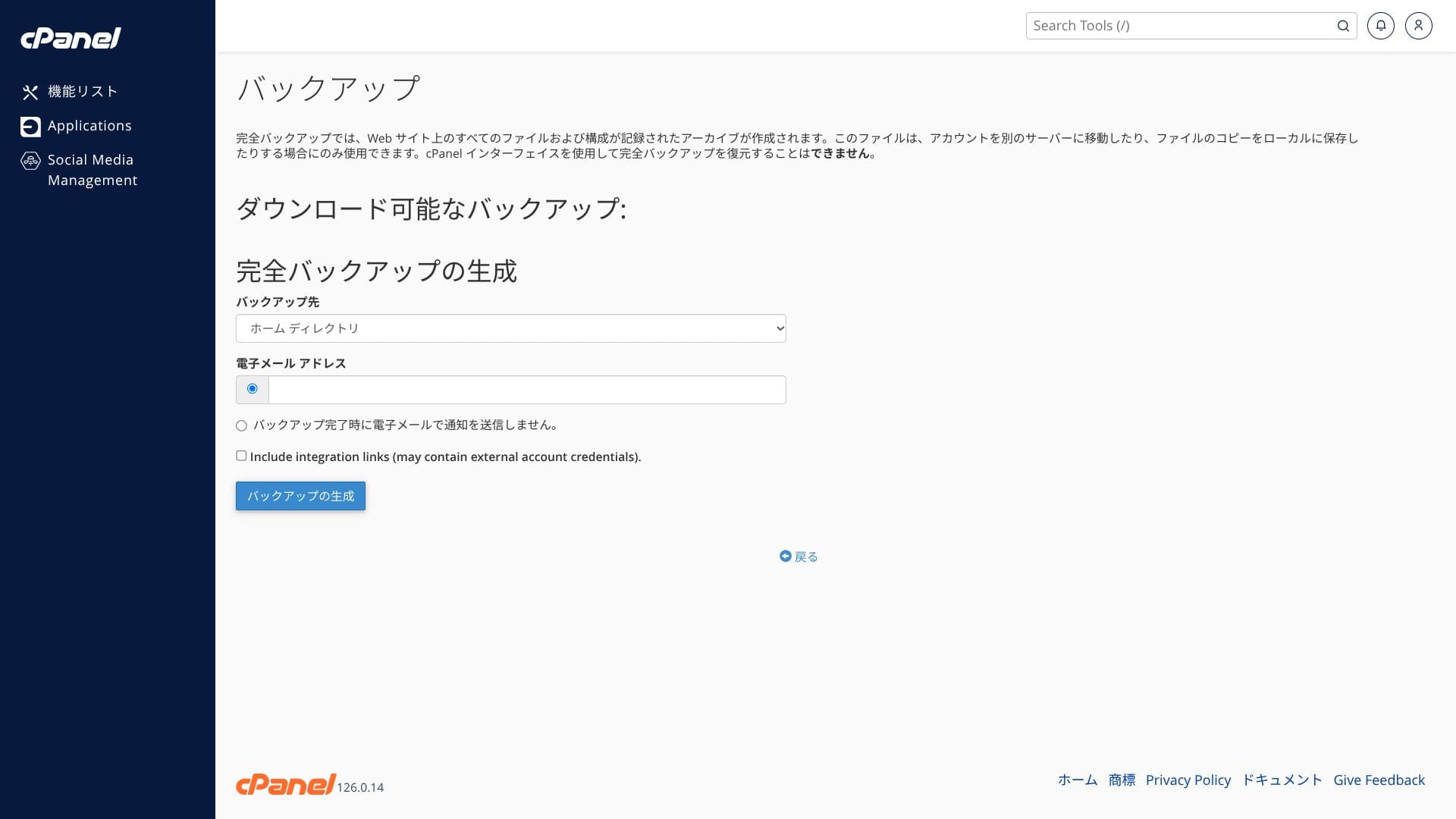
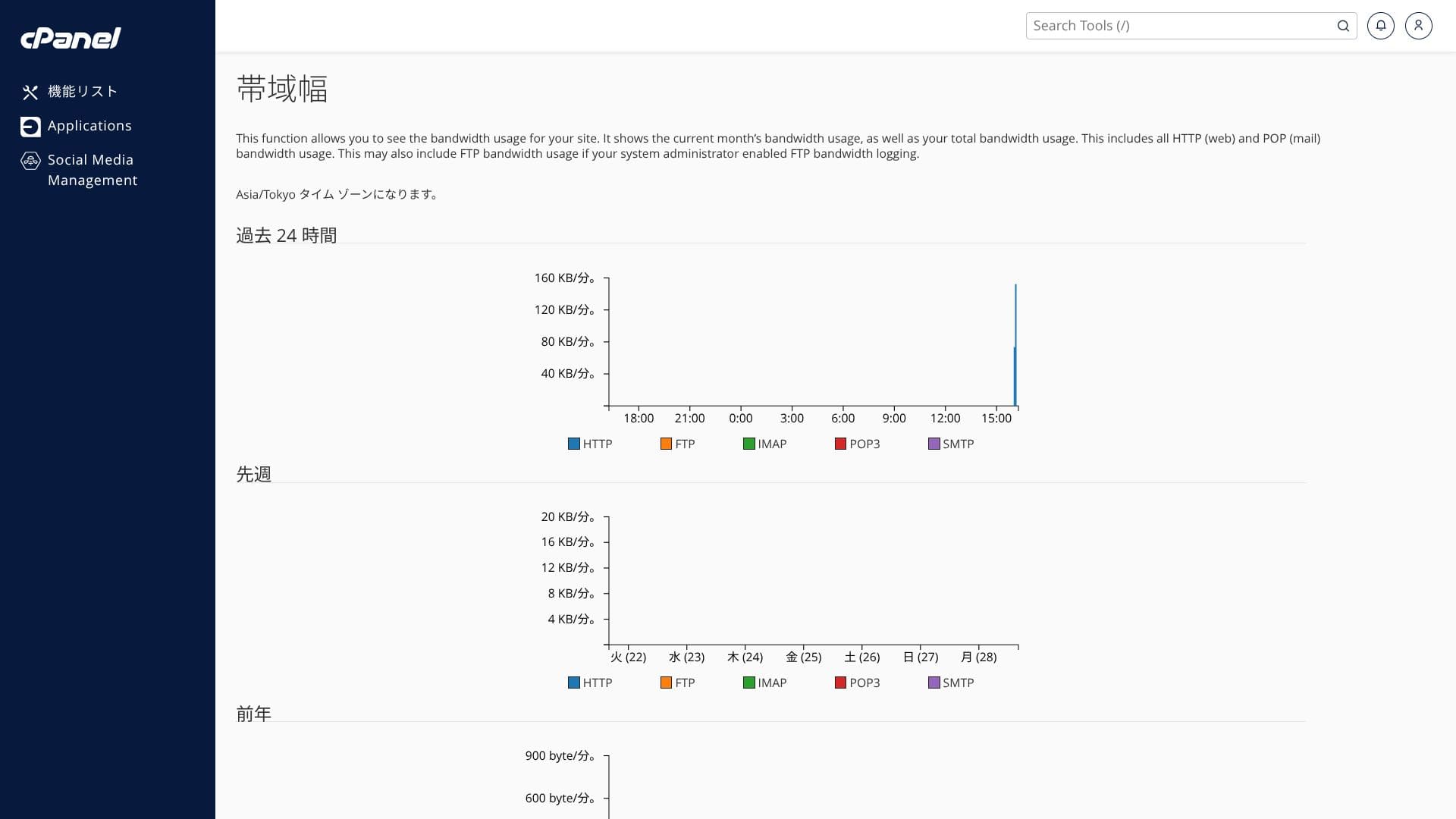
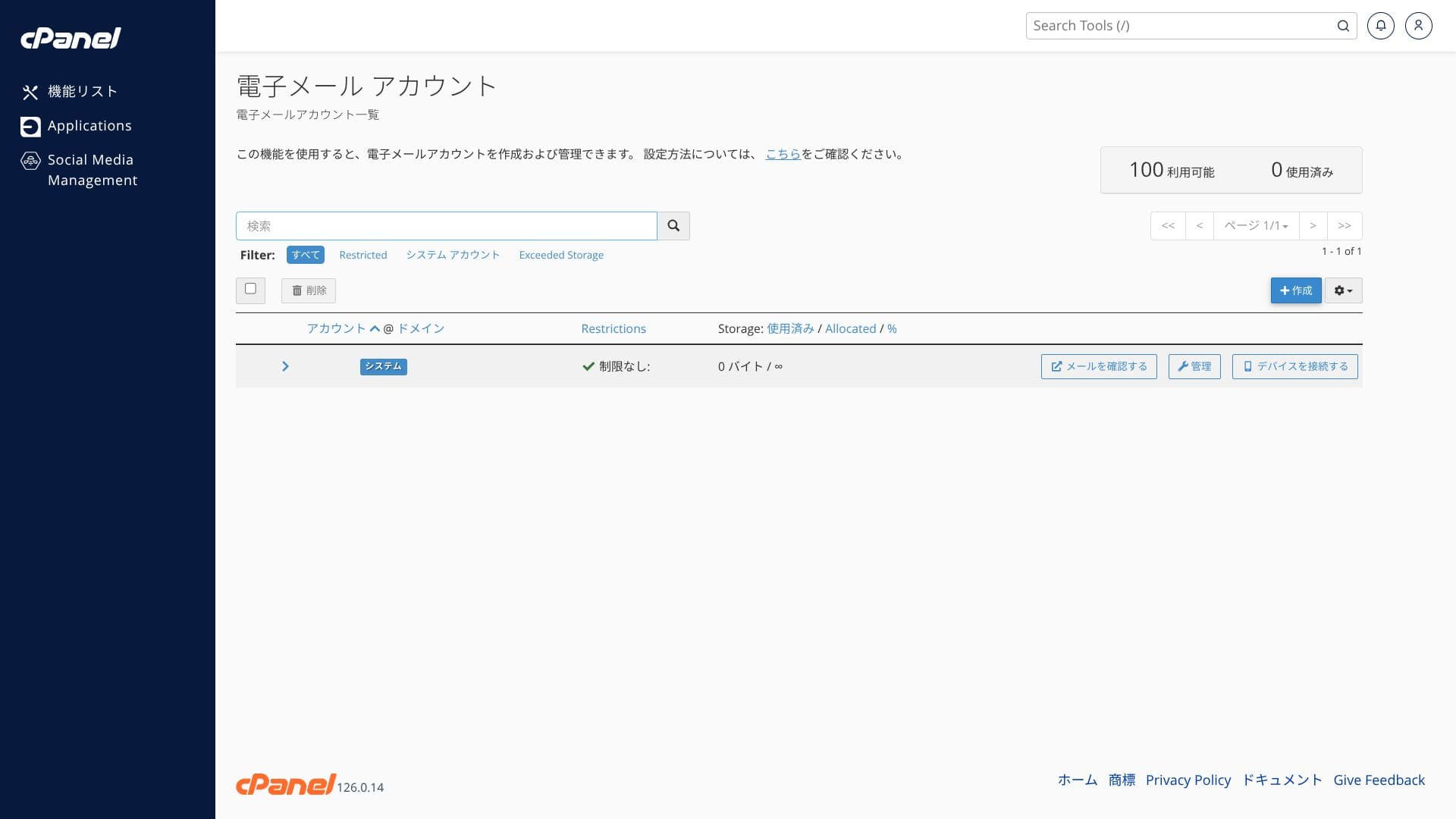
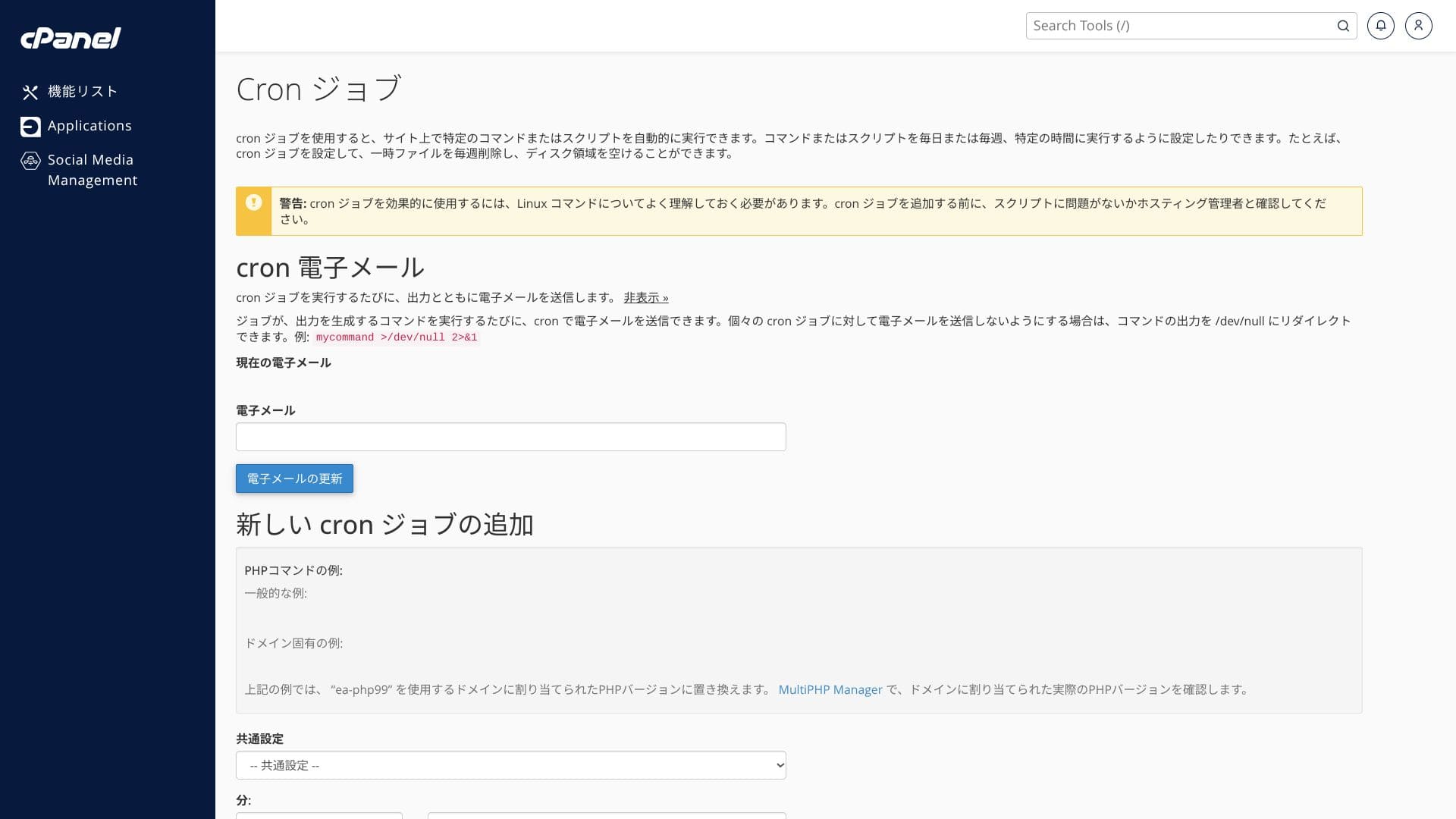
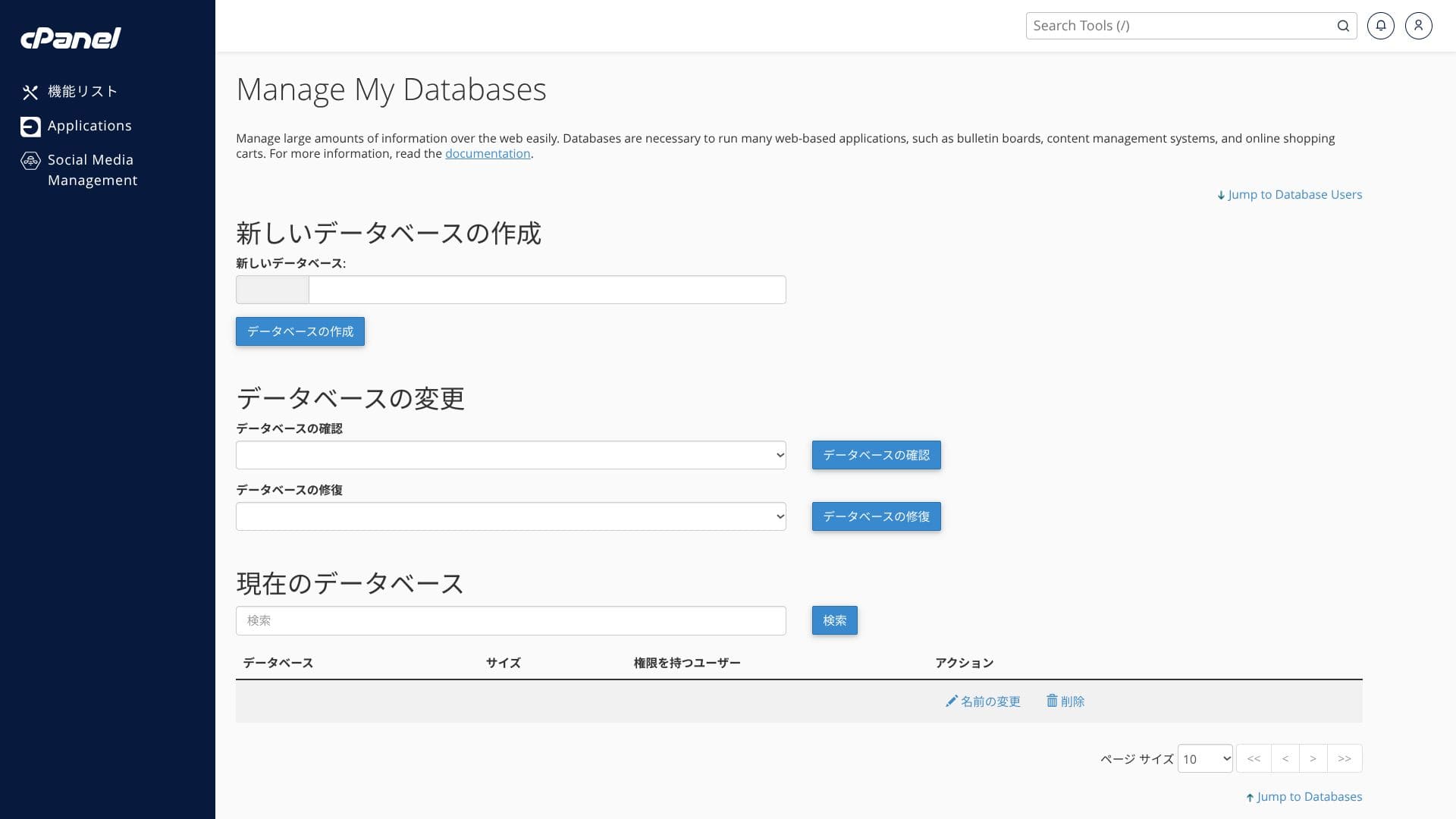
The screenshots below show how the ColorfulBox control panel and cPanel are organized. In cPanel you can install WordPress, migrate it, or delete it.
Top page
Billing
WordPress
Domain
Backup
Bandwidth
Email accounts
Cron
Databases
File Manager
ColorfulBox pagalbos sistema yra stipri. Telefoninės užklausos priimamos 24 valandas per parą.
Hikaru Ono
ColorfulBoxlets you add and update functions from both its own control panel and the cPanel admin screen, which felt a little confusing to me.
Daugelis talpinimo paslaugų palaikymą teikia tik iki 18 valandos darbo dienomis, todėl ColorfulBox čia turi aiškų pranašumą.
Vis dėlto telefonu dažniausiai patogiau spręsti sutarties ar kainodaros klausimus nei giliai technines problemas. has an excellent support system. Phone inquiries are accepted 24 hours a day.
- Inquiry form: available 24 hours a day
- LINE and live chat: weekdays 9:30-12:00 / 13:00-17:30
- Phone: available 24 hours a day. Callbacks are available on BOX7 and above
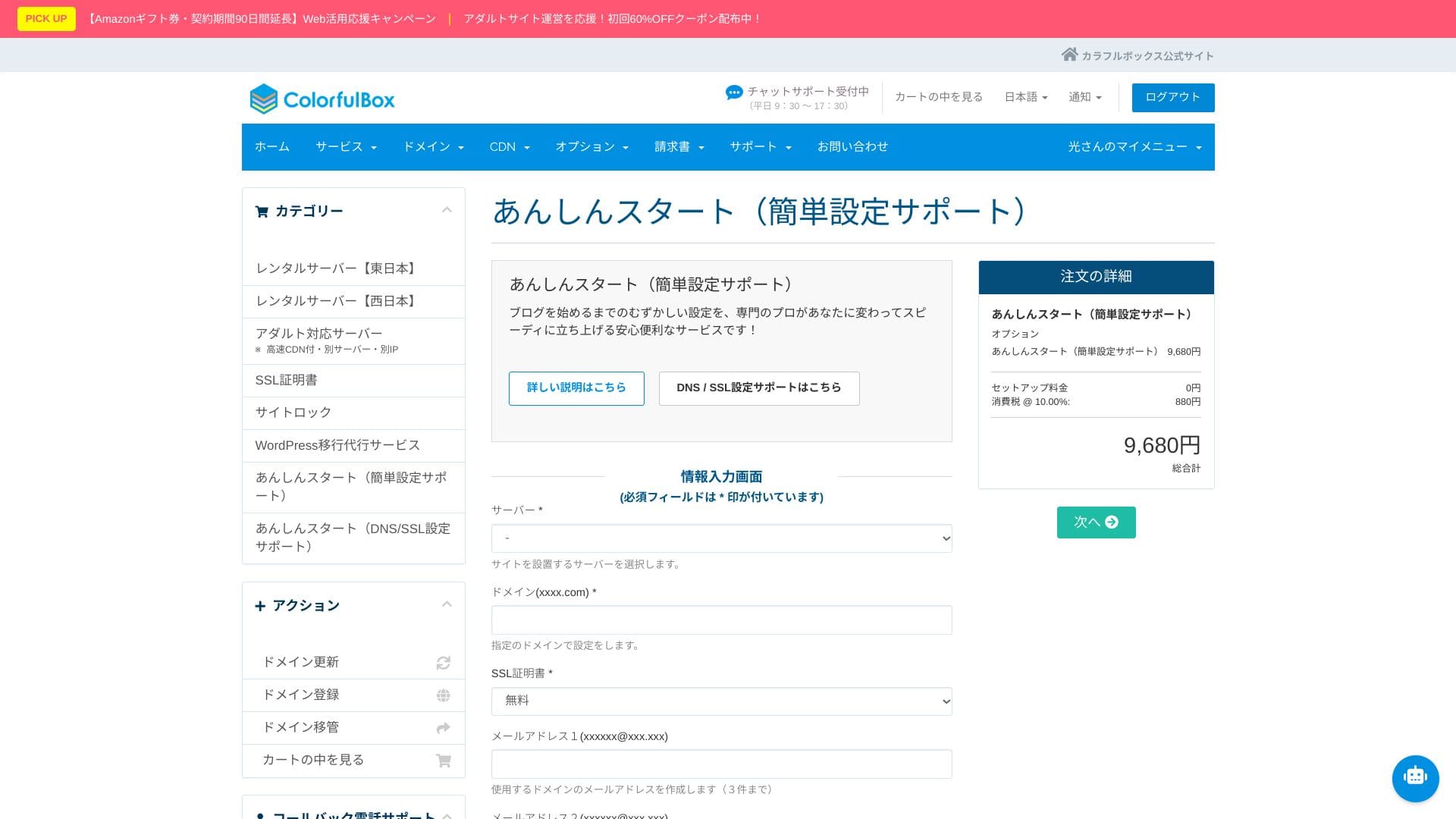
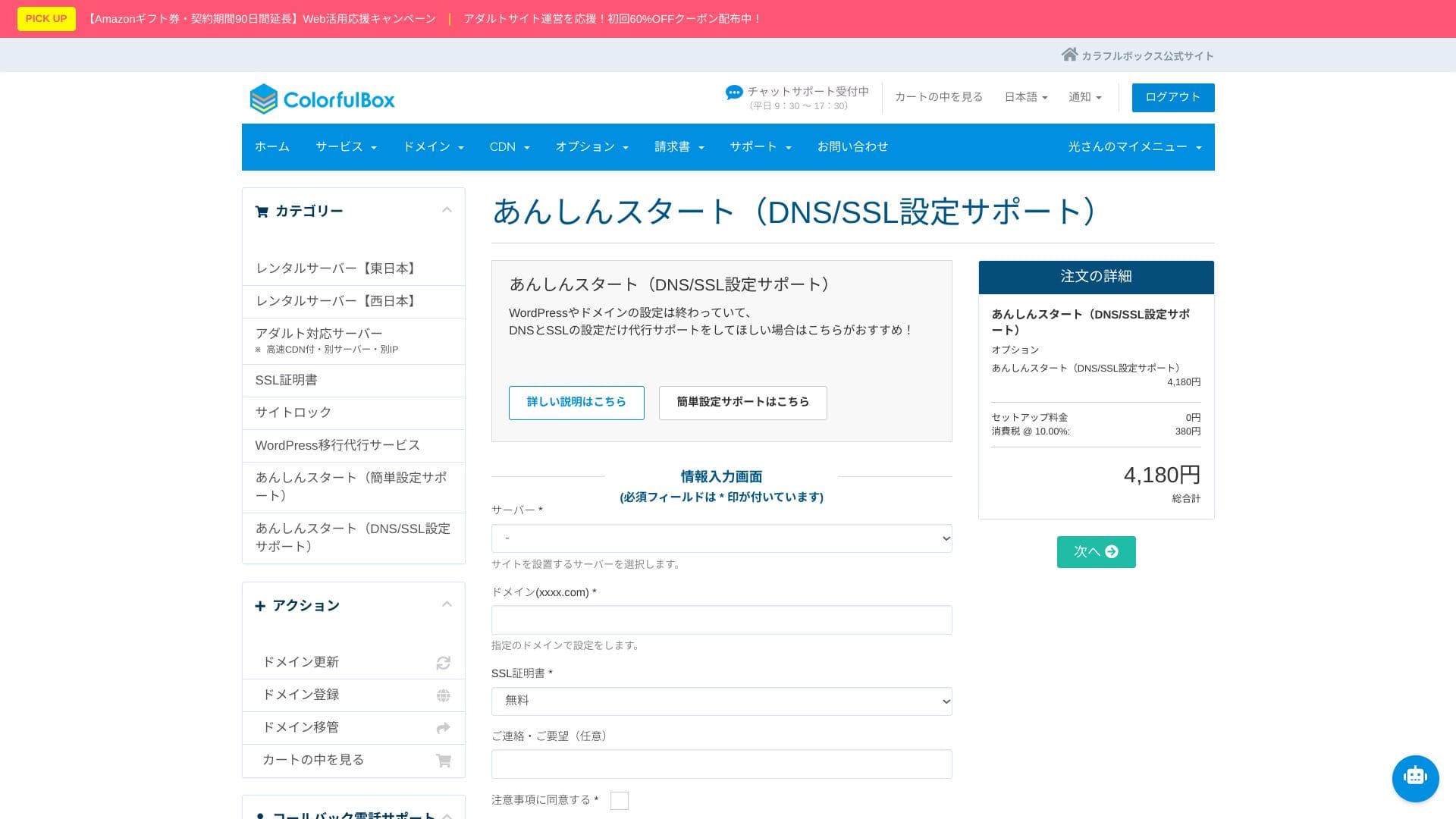
„Anshin Start“ pradinio nustatymo paslauga
Hikaru Ono
That said, phone support is often not suited to deep technical questions, so it is best used for contract and pricing inquiries.
Savarankiškai aiškintis WordPress diegimą, DNS ir SSL nustatymus gali būti sudėtinga ir užimti daug laiko.
Yra du planai: paprasto paleidimo paketas ir DNS / SSL palaikymo paketas.
Abiem atvejais nustatymas dažnai užbaigiamas per vieną–tris darbo dienas, todėl svetainę galima greitai paleisti.
Net įmonių atveju pirmasis paketas, kuriame galima sukurti iki trijų el. pašto adresų, yra praktiškas startinis variantas.
- Simple setup support pack (9,680 yen)
- DNS/SSL support pack (4,180 yen)
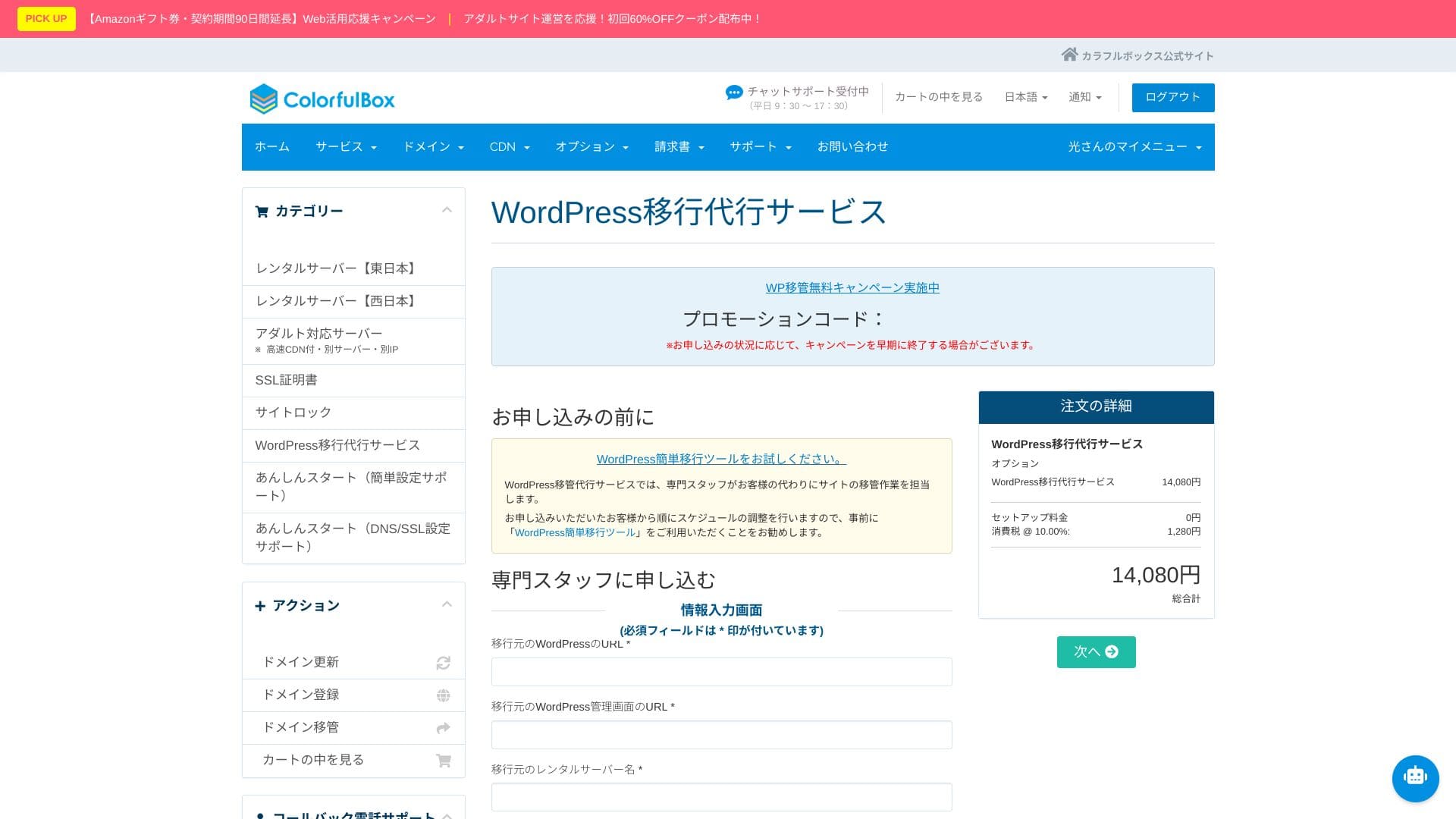
WordPress perkėlimo paslauga
Patikėkite svetainės perkėlimą specialistams
Hikaru Ono
With “Anshin Start,” you request the setup after purchasing the server.
Oficialiame pagalbos centre yra daugiau nei 400 straipsnių japonų kalba. Jie aiškiai iliustruoti, lengvai ieškomi ir pakankami daugumai kasdienių klausimų.
Saugumo ir atsarginių kopijų apžvalga
Imunify360ColorfulBox but are worried about data loss or layout issues, the WordPress migration service is a strong option. Specialist staff handle everything together, from taking backups to migrating the database and checking operation. It is completed in as little as five business days from application, keeping downtime concerns to a minimum.
Hikaru Ono
If you would rather focus on updating articles than spend time on the move itself, use the migration service and move to the new environment as quickly and safely as possible.
Regioninės automatinės atsarginės kopijos
Atsarginių kopijų sistema taip pat stipri: kasdien kuriamos atsarginės kopijos rytų ir vakarų regionuose, o saugomos 14 kartų.
Kopijos laikomos skirtinguose regionuose, todėl viename regione įvykus sutrikimui galima atkurti duomenis iš kito regiono atsarginės kopijos.
Imunify360
ColorfulBoxincludes Imunify360 (WAF/IPS/IDS) as standard and protects communication with free SSL, SSH, and FTP over TLS. It is an all-in-one setup covering everything from attack detection to automatic isolation.
Santrauka
ColorfulBox yra Japonijos talpinimo paslauga, tinkanti įvairiems scenarijams – nuo asmeninių tinklaraščių iki smulkaus verslo svetainių. Ji išsiskiria atsarginėmis kopijomis, apsauga ir patogiu WordPress paleidimu.
The backup system is excellent as well. It automatically takes daily backups across eastern and western regions, retaining 14 generations.
Įvertinkite, ar ši paslauga atitinka jūsų svetainės dydį, veikimo modelį ir tai, kiek pagalbos norite turėti pradžioje.
Hikaru Ono
Considering every possible disaster scenario, it is reassuring to know that data can be stored on servers separated physically between Tokyo and Osaka.
This kind of disaster-risk distribution should also be highly valued in client-facing explanations and public-sector projects. In addition, because the regions are both inside Japan, the data does not leave the country, which helps avoid concerns about cross-border personal-data risks.
Summary
ColorfulBox is a Japanese hosting service that can support a wide range of use cases, from personal blogs to small-business websites, with strengths including fast LiteSpeed, large SSD capacity, remote backups, and Imunify360.
- Good fit for:
- People who want to run multiple WordPress sites while keeping costs under control
- People who want to outsource backup and security worries
- People who want to try a LiteSpeed environment and HTTP/3
- Best to avoid if:
- Sites that occupy bandwidth for long periods, such as large video delivery or live streaming
With those points in mind, check whether it matches your site size and operating setup.
“ColorfulBox” is a hosting service with excellent region-specific automatic backups, making it easy to use with confidence. It has eight plans, so you can use the right level of performance without wasting money. It is also one of the few hosts that provides support 24 hours a day.
Up to 50% off server fees until August 31, 2025, plus up to a 10,000-yen Amazon gift card and a 30-day free trial