
14-day акысыз сыноо
PR
Серверлер
wpX Speed сереби: ылдамдык тесттери, артыкчылыктары жана кемчиликтери, жана башка хостингдер менен салыштыруулар
Жарыяланды: 2025.04.18
Жаңыртылды: 2025.04.18
Баалоо: 4.0
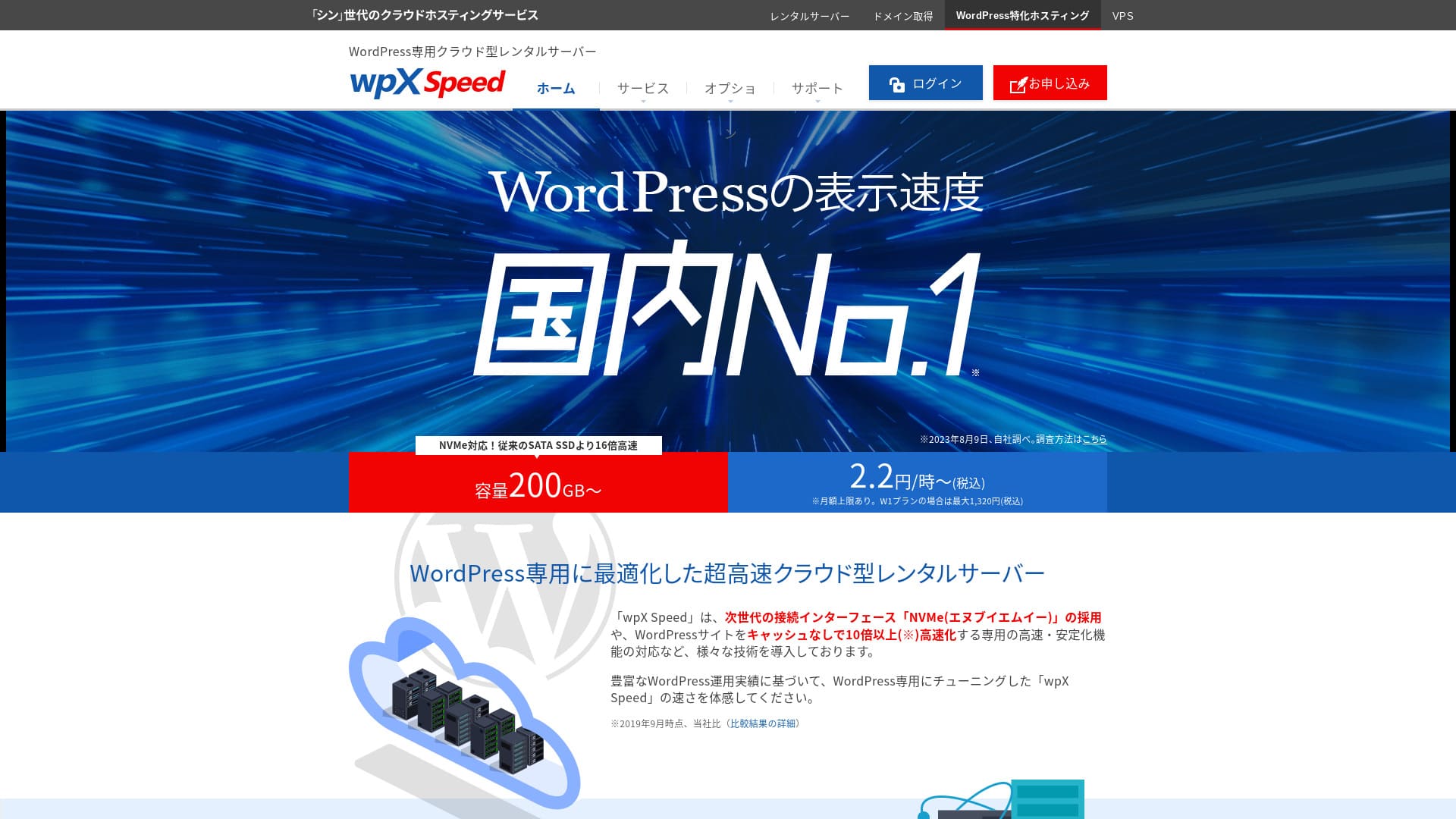
wpX Speedis an ultra-fast cloud сервер operated by ShinCloud Co., Ltd. and built to handle sudden viral трафик. Even if трафик spikes sharply, the auto-scaling feature prevents the сайт from going down.

I recommend wpX Speed to жеке колдонуучулар, компаниялар, and sole proprietors using WordPress for the first time because:
- it is the second-fastest сервер in our measurements
- it can withstand viral трафик thanks to auto scaling and reserved resources
- it has a reassuring pay-only-for-эмне-you-use баа коюу system
That is эмне үчүн. I believe you will be satisfied. You can try it free for 14 days.
A competing сервер is ConoHa WING. It can also be started on an hourly basis, and its lower баа коюу is stronger than wpX Speed in that respect. Consider it as well.
★ ConoHa WING Review: Эмне үчүн 750,000 Users Choose It, Tested Through Speed, Pros, and Cons
| Сервер type | Shared сервер |
| Display ылдамдык (TTFB) | 40ms |
| Recommended план and billing term | W1, 12 months |
| Trial / акчаны кайтарып берүү кепилдиги | 14 days |
| Monthly fee (12-month план) | 2.2 yen per hour*, up to 1,320 yen* |
| Initial setup fee | Free |
| Free домен | None |
| Support | Phone and email (weekdays 10:00-18:00) |
| Uptime | Not disclosed |
| Сервер storage | 200GB* |
| Number of databases | Unlimited |
| Коопсуздук measures | WAF, access restrictions from overseas IP addresses, login attempt limits, mass comment and trackback restrictions, restrictions on comments and trackbacks from overseas IP addresses |
| SSL | Free custom SSL, custom SSL |
| Backup / калыбына келтирүү | 7 days of automatic камдык көчүрмөлөр free of charge, калыбына келтирүү free of charge |
| Number of email accounts | Unlimited |
| Email коопсуздук features | SMTP-AUTH, IMAP |
| Сервер / веб-сайт migration service | None |
| WordPress pre-installation | None |
| CDN | None |

Hikaru Ono
wpX Speed was a сервер that let me move smoothly from the application process all the way to installing WordPress. Because it offers a fast сервер environment, I recommend it for компаниялар and business use.
Because you can scale up across eight пландар, it is a service you can keep using for the long term.
wpX Speed Compared with Other Серверлер
- Overall баалоо★★★★☆
- Сервер ылдамдык ★★★★★
- Pricing ★★★☆☆
- Stability ★★★★☆
- Ease of getting started with WordPress* ★★★★☆
- Operations such as домен management and SSL setup* ★★★★★
* Based on my actual experience using it.

Жеке колдонуучулар үчүн сунушталган 21 WordPress хостинг кызматы: салыштыруу жана тандоо жолу
Жеке колдонуучулар үчүн сунушталган 21 WordPress хостинг кызматы: салыштыруу жана тандоо жолу
serverfield.org
- November 4, 2025 market reиздөө data, arranged by ылдамдык
- Monthly fees are the first-year cost of the cheapest план that can run WordPress
- Speed is the Time to First Byte value from demo сайттар measured under the same conditions
6 Key Features Behind wpX Speed's Reputation

No. 2 in Display Speed in Our Independent Testing
In our independent testing on this сайт, wpX Speed tied with XСервер Business for second place in display ылдамдык.
Google recommends keeping сервер response time (TTFB) under 200ms. wpX Speed measured 40ms. It can be evaluated as an ultra-fast сервер.
Сервер response times need to be kept under 200 milliseconds.
https://developers.google.com/server/speed/docs/insights/Server?hl=ja
If сервер ылдамдык is fast, беттер load quickly and visitors are not kept waiting. It also makes it easier to perform strongly in SEO and to connect visitors to product sales.
★ Is It Really Fast? We Compared 11 Хостинг кызматтары in a Speed Ranking
Auto-Scale Feature That Automatically Boosts Performance
wpX Speed is strong against sudden трафик spikes thanks to its auto-scaling feature. If the план currently in use cannot process a sudden increase in трафик, the план is automatically upgraded and processing is increased by adding more CPU and cores.
Because it can respond flexibly, even a 503 error caused by a sudden surge in трафик is not something to fear.
★ What Is a 503 Error? Web Congestion, Кантип Avoid It, and Emergency Responses
Of course, automatic план upgrades can put pressure on your budget. The auto-scaling feature can be turned on or off, and you can freely decide the conditions and budget for план changes, so it can be used within a reasonable range.
Reserved Resources That Deliver Consistent Stability
wpX Speed keeps resources reserved, so your сайт display remains stable.
In general, when you run a сайт on shared хостинг, a surge in трафик to another сайт on the same сервер can make your own сайт harder to access. That happens because the resources available to your own сайт, such as CPU and cores, are reduced.
But because wpX Speed keeps resources reserved, it is not affected by other сайттар. In other words, reserved resources eliminate a major weakness of shared хостинг.
Ысырапсыз сааттык баа коюу
wpX Speed uses hourly баа коюу. You pay only for эмне you use. There is no waste.
- W1 план: 2.2 yen/hour (monthly cap: 1,320 yen)
- W2 план: 4.4 yen/hour (monthly cap: 2,640 yen)
- W3 план: 8.8 yen/hour (monthly cap: 5,280 yen)
Even though the баа коюу is hourly, a monthly cap is also set, so your monthly burden does not change whether the month has many days or few.
Because the баа коюу is hourly, you can try it easily and inexpensively even without a formal сыноо period.
WAF коопсуздук функциясын колдонсоңуз болот
wpX Speed can use a WAF. A WAF is a modern коопсуздук measure. Together with firewalls and other protection, it helps stop attacks that older коопсуздук measures could not prevent.
On low-cost хостинг кызматтары, a WAF is often a paid option. But with wpX Speed, you can enable it free of charge.
7 күндүк камдык көчүрмө менен тынчтык
wpX Speed comes with a seven-day камдык көчүрмө feature.
Backups are extremely important. Even if you have коопсуздук measures such as a WAF, data can still be tampered with in an attack, and you can also accidentally delete data yourself. If you have камдык көчүрмө data, you can калыбына келтирүү the сайт to the exact state it was in before the trouble occurred.
On some хостинг кызматтары, камдык көчүрмөлөр are a paid option. But with wpX Speed, they are free. It is a good deal.
wpX Speedтин алсыз электрондук почта мүмкүнчүлүктөрү кемчилик болуп саналат

wpX Speed has weak email functionality.
It cannot use DKIM authentication. DKIM authentication is a technology that verifies whether an email was sent by a legitimate sender and has not been tampered with.
If your компания wants to use email for business, I recommend considering a separate email service.
wpX Speedти окшош эки сервер менен салыштыруу
ConoHa WING
ConoHa WING is also a сервер that can use hourly баа коюу. It starts at 2.2 yen per hour. Unlike wpX Speed, it also offers discounts through long-term contracts called WING Packs. You can start more cheaply than with wpX Speed.
However, if you choose its business план with auto-scaling and reserved resources, the баа rises to 3.1 yen per hour (monthly cap: 1,815 yen).
If you want a business-oriented сервер, wpX Speed is the more affordable recommendation.

ConoHa WING Review: Эмне үчүн 750,000 Users Choose It, Tested Through Speed, Pros, and Cons
ConoHa WING Review: Эмне үчүн 750,000 Users Choose It, Tested Through Speed, Pros, and Cons
serverfield.org
XСервер
Xserver is also a fast сервер that uses NVMe SSD, just like wpX Speed. It is run by the same компания. XСервер is cheaper to use. Like wpX Speed, it also has reserved resources, so it is not affected by other сайттар.
However, it does not have an auto-scaling feature like wpX Speed. For that reason, wpX Speed is better at handling sudden трафик spikes. If you regularly run events or campaigns and have a high chance of sudden трафик surges, I recommend wpX Speed.

XСервер Review [2025 Latest]: Thoroughly Explained Speed, Pricing, Pros, and Cons
XСервер Review [2025 Latest]: Thoroughly Explained Speed, Pricing, Pros, and Cons
serverfield.org
wpX Speed менен сайтыңызды 7 кадамда баштаңыз
Let's start a веб-сайт with wpX Speed!
- STEP.1Access the official wpX Speed веб-сайт
On the official сайт’s top бет, click “Apply” at the very bottom. If you do not have a Shin Account ID, click “New Application.”
- STEP.2Enter customer information
This is the contract information. For the сервер ID, enter any string you like.
I recommend the W1 план. If трафик increases and the specs become insufficient, upgrade the план.
Next, enter your registration details such as your email address and name.
Next is the payment method. I recommend paying by credit card. It lets you start building your веб-сайт right away.
Finally, сереп the Terms of Use and the handling of personal information. Check the box to agree to the “Terms of Use” and the “Handling of Personal Information,” then click “Proceed to confirm your application details.”
If everything looks fine after you сереп the application details, complete identity verification.
Once you receive the email confirming that сервер setup is complete, your сервер application is finished.
- STEP.3Apply for a домен and add the домен
Log in to the admin screen.
Under “Contract Management,” click “Additional Applications” in the “Contract-related” section. Read the Terms of Use and the handling of personal information, then click “Agree.”
Click “Apply to obtain a new домен” and enter the домен you want. If it is available, a button to apply for that домен will appear, so click it.
Click “Confirm application details” and proceed to домен payment. Once payment is complete, домен acquisition is finished.
From “Сервер Management” in the admin screen, go to “Домен Management” and then “Add Домен Settings.” Enter the домен you obtained a moment ago, click “Add Домен (Confirm),” and then click “Add Домен (Finalize).”
This completes adding the домен.
- STEP.4Install WordPress
Log in to the control panel. Under “Сервер Management,” go to “WordPress-related” and then “New Installation.” Configure the following items.
- Сайт address: Select the домен you added earlier
- WordPress ID: Anything is fine.
- Blog title: Anything is fine. You can easily change it later.
- Email address: Use an email address you normally use. If you are a компания, a компания email address is recommended.
- Custom SSL: Check “Use custom SSL.” Check “Enable редирект settings to https://”.
After entering everything, click “Next.” Review the details again, and then click “Confirm (Install WordPress).”
- STEP.5Initial WordPress settings
Log in to WordPress.
If you see a warning saying “This сайт can’t be reached,” the DNS settings have not propagated yet. In that case, all you can do is wait, so try logging in again every hour.
★ What Are DNS and Name Серверлер?
Let’s configure the permalink settings. From the WordPress admin screen, go to “Settings” and then “Permalinks.” Select “Post name.” After selecting it, click “Save Changes.”
When you choose “Post name,” you can enter any string you like in the URL when publishing an макала. It is best to use a short string that helps readers imagine the макала content. If it is too long, some people may feel uneasy and think the сайт looks suspicious.
- STEP.6Install plugins
Go back to the WordPress admin screen, open “Plugins,” and go to “Add New” to install the plugins you need.
Once you find the plugin you want by издөөing, click “Install Now” and then “Activate.” After that, follow the instructions for each plugin.
Be sure to install коопсуздук and камдык көчүрмө plugins.
- 5 WordPress Коопсуздук Plugins That Strengthen Protection and Кантип Choose Them
- 5 Powerful WordPress Backup Plugins That Help You Recover Your Data
Once the plugins are installed, your WordPress веб-сайт is fully ready!
Жыйынтык
wpX Speed excels at stability thanks to its auto-scaling feature and reserved resources. Because its hourly баа коюу makes it easy to start, if it interests you, I recommend simply trying it for 14 days first.
A Complete Comparison of 32 WordPress хостинг Providers: Recommendations for Individuals, Businesses, and International Сайтs

When you decide to start WordPress and издөө for "best WordPress хостинг," you find all kinds of макалалар, from personal and business options to overseas and low-cost серверлер. Honestly,
- Which сайт should I trust?
- I want to choose a сервер in a simple, easy-to-understand way.
- Please show me кантип start WordPress right away.
Don't you feel that way? In this макала, I carefully selected recommendations from 32 хостинг providers for жеке колдонуучулар, businesses, and domestic and international use. The exпланation comes from the SEO specialist at an app development компания that uses хостинг серверлер every day.