10 күндүк акысыз сыноо
PR
VPS
130 Мбит/с-тан жогору ылдамдык: ABLENET VPSте Outline VPN түзүү
Жарыяланды: 2025.06.26
Жаңыртылды: 2025.06.26
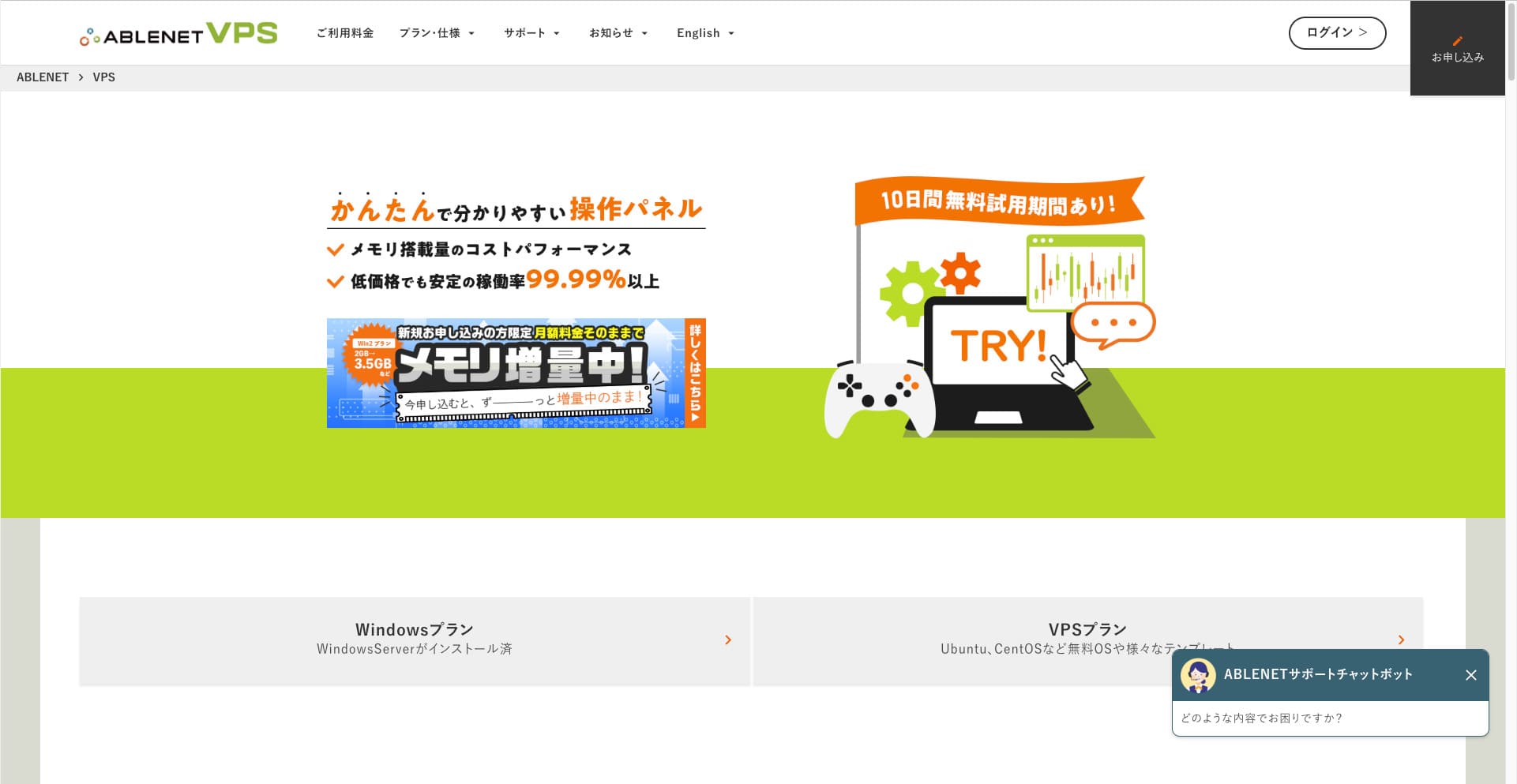
VPN аркылуу интернетти колдонгусу келген адамдар барган сайын көбөйүүдө.
Using a VPN (Virtual Private Network) improves коопсуздук and also lets you access Japan-only services and content from overseas.
That said, you naturally worry about the speed and safety of a VPN туташуу.
The best way to get a safe and ылдам VPN туташуу is to build your own VPN environment. To do that, you need a сервер environment for the VPN. This time, I built a VPN environment using ABLENET VPS жана Outline VPN колдонуп түздүм.
Эмне үчүн мен ABLENET VPSти сунуштайм
Мен ABLENET VPS is its туруктуулук.
- Иштөө тарыхы: It is one of Japan's top long-established сервер companies, with more than 25 years in operation. Its VPS service has also been available since 2011.
- Иштөө убактысы: 99.99%дан жогору иштөө убактысы так жана өлчөнө турган ишеним берет.
- Трафик чектөөсү: Ошондой эле чексиз маалымат өткөрүүнү сунуштайт, ошондуктан VPN катары колдонууга эң ылайыктуу.
In Japan, Xсервер and Sakura Internet also offer VPS services, but ABLENET is no less reliable. Unlimited data transfer may be standard at many сервер companies now, but ABLENET was one of the pioneers.

Hikaru Ono
This information appeared on the расмий сайт in the past, but it seems there was even a power user on ABLENET who used 25TB in a single month. You could truly say that маалымат өткөрүү чындап эле чексиз болгон.
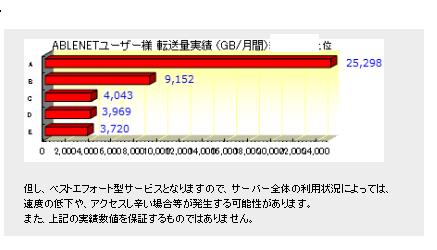
Ошондуктан тасма жана видео контент көрүү же программалоо иштерин аткаруу сыяктуу көп трафик талап кылынарын күтсөңүз, мен VPNди ABLENET VPSте түзүүнү.
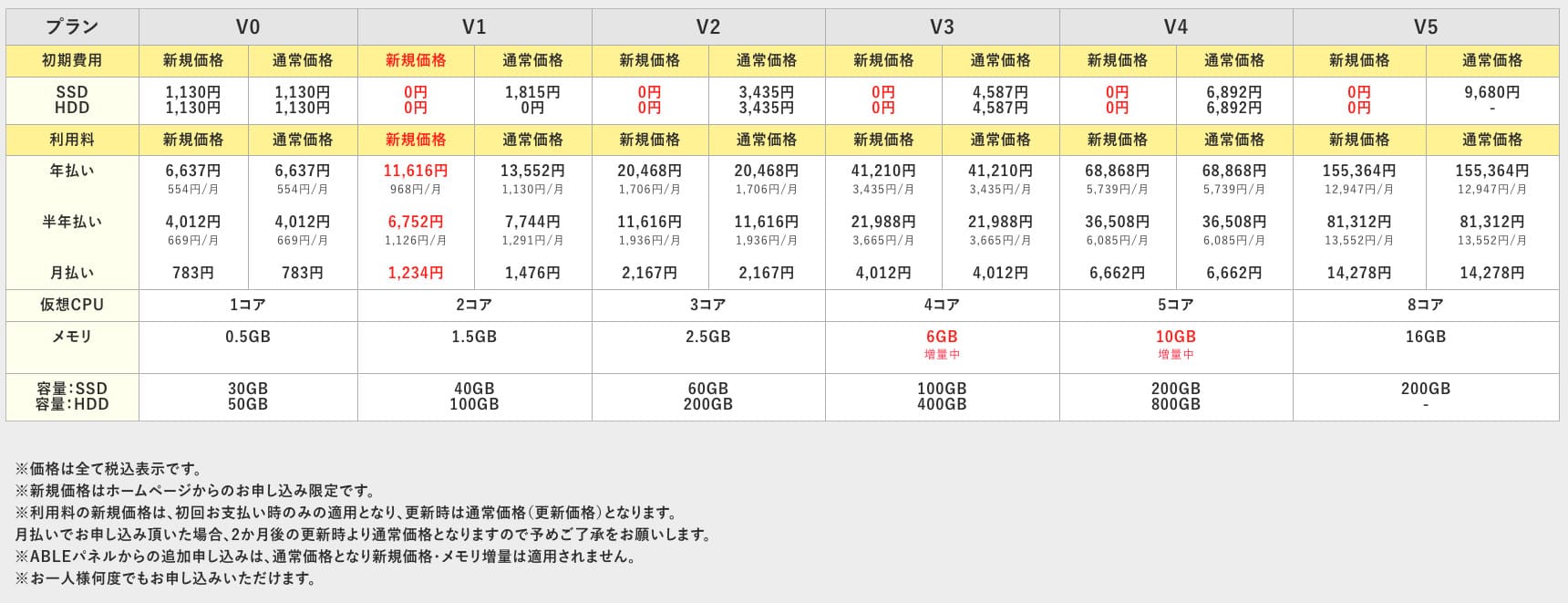
ABLENET VPS is a туруктуу VPS with 99.99% uptime, even though it is affordably бааd. It offers a wide range of планs, from the accessible V0 план with 0.5GB of memory to the high-spec V5 план with 16GB of memory, so you can find the right option for your needs.

Outline VPN деген эмне? Жаңы баштагандар да түшүнө турган жөнөкөй VPN орнотуу
VPN (Virtual Private Network) — түзүүs an encrypted tunnel across the internet and prevents eavesdropping and tampering by third parties. By routing your traffic through a VPN сервер, it can also hide your real IP address and improve anonymity.
Outline VPN is designed to make this kind of VPN туташуу extremely simple.
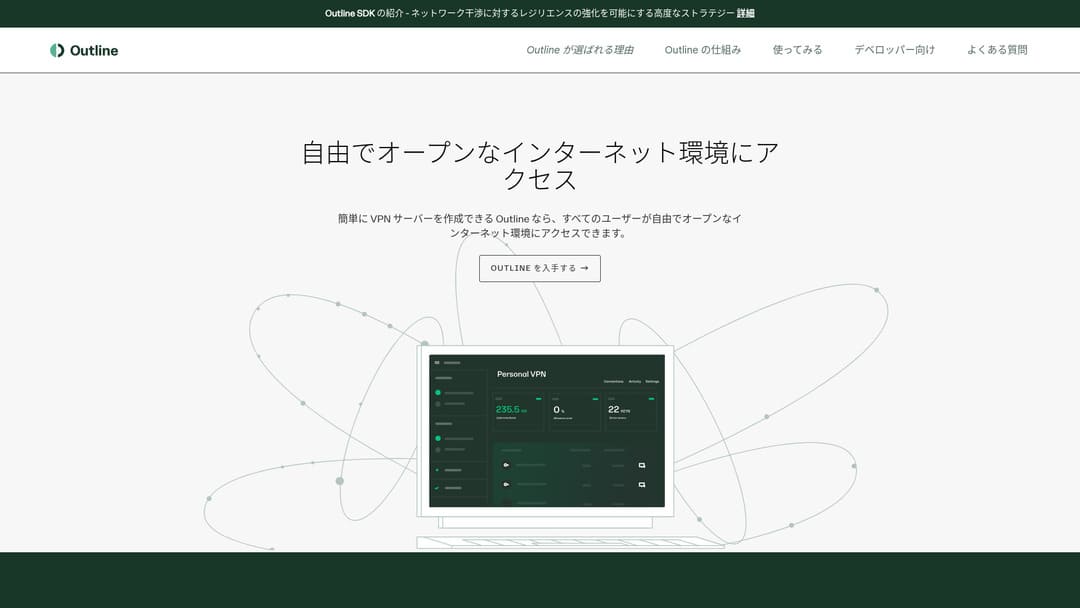
"Outline" is a акысыз and easy application from Jigsaw, a company under Google, that lets you connect through a VPN. Even if you have never set up a VPN before, you can get started in just a few clicks.
Расмий сайттан жүктөө
Hikaru Ono
Бул жолу каалаган адам VPNди оңой түзө алышы үчүн Outline VPN колдонуп жатам.
Build Outline VPN on ABLENET VPS in 6 Easy Кадамs
Эми Outline VPN on ABLENET VPS түзүүнүн иш жүзүндөгү процессин кеңири түшүндүрөм.
Кадам 1: Баштоо with ABLENET VPS
Эгер сиз азырынча ABLENET VPS үчүн каттала элек болсоңуз, адегенде ошону бүтүрүңүз.
Баштоо with ABLENET VPS
- STEP.1Тандоо a план on ABLENET VPS
Ачыңыз: ABLENET VPS жана "Apply" баскычын басыңыз.
You can тандоо either a Windows план or a VPS план. For this VPN setup, use the VPS план. I recommend the V1 план with no initial fee and ылдам SSD storage.
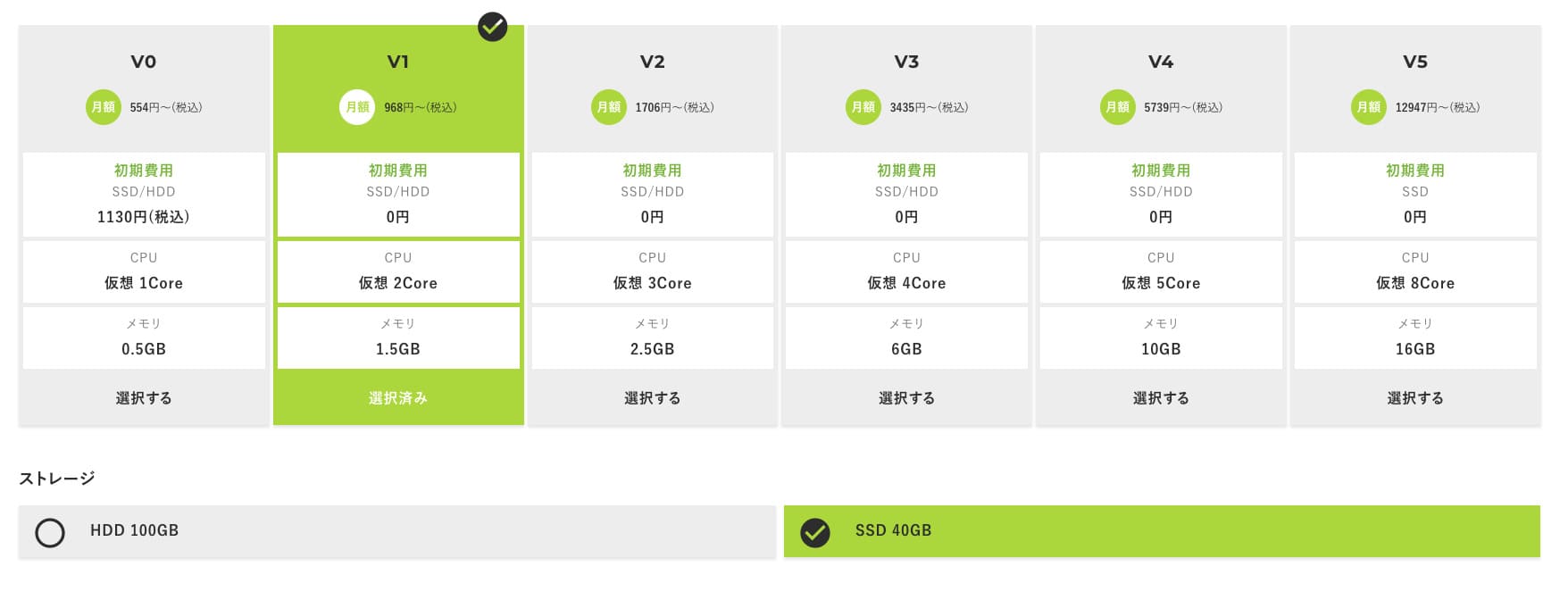
Start with the V1 план, and if it feels underspecified later, upgrade to V2 or V3. After your service begins, you can request a spec upgrade from the ABLE panel.
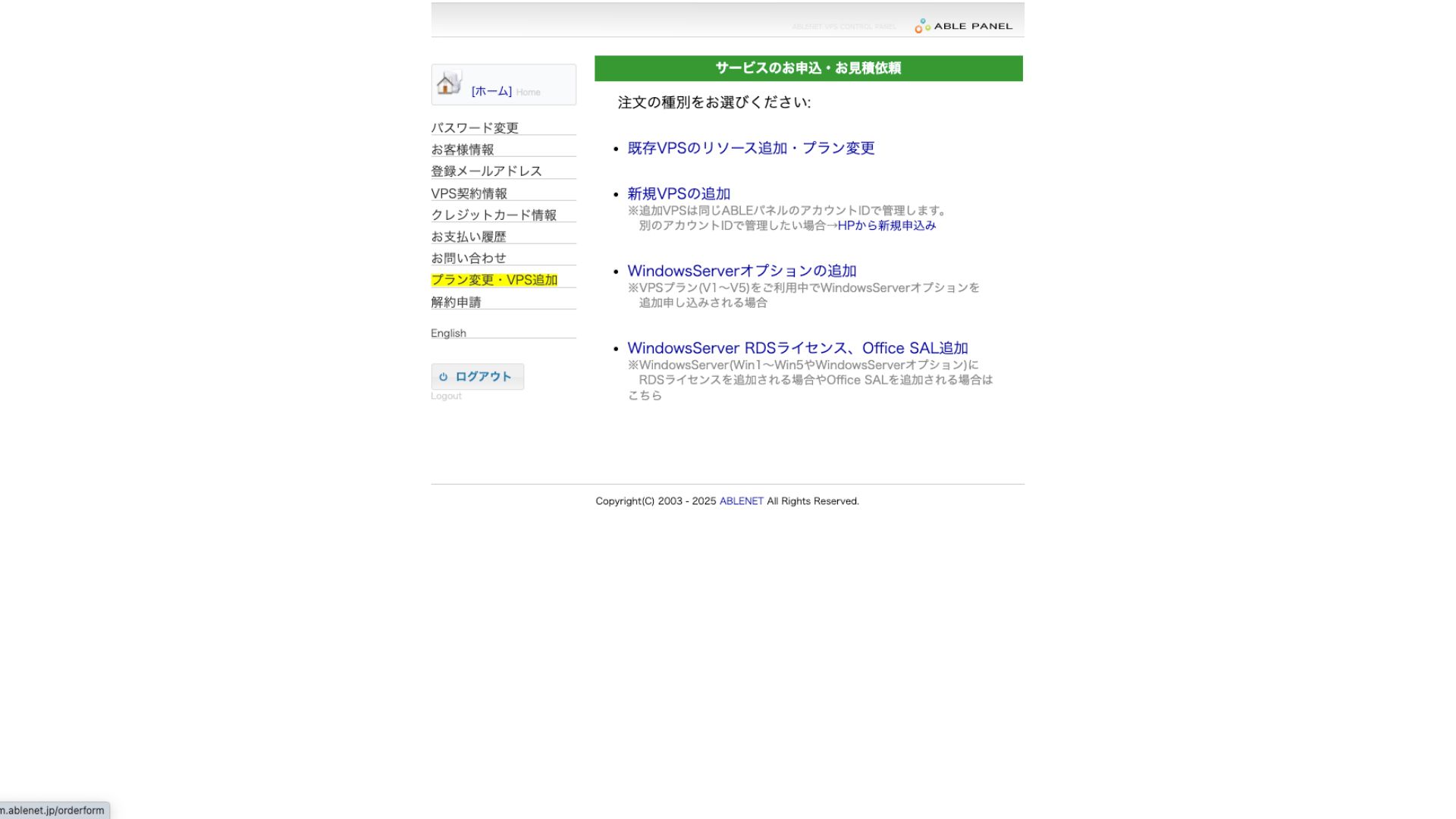
For the payment method, using the credit-card сыноо period is fine.

Колдонуу шарттарын текшерип, белгилөө кутучасын белгилеңиз.
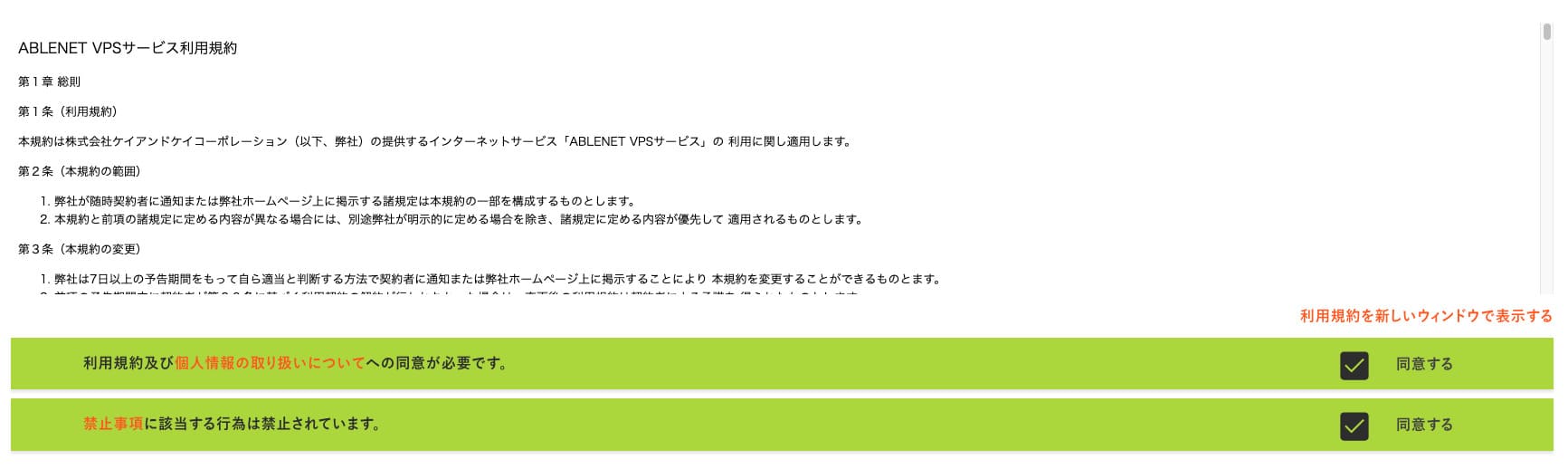
Click "Proceed to тандоо the келишим term."
- STEP.2Тандоо the келишим term
An annual келишим is the better deal for the сервер term. Since we are using the VPS план this time, no options are needed.
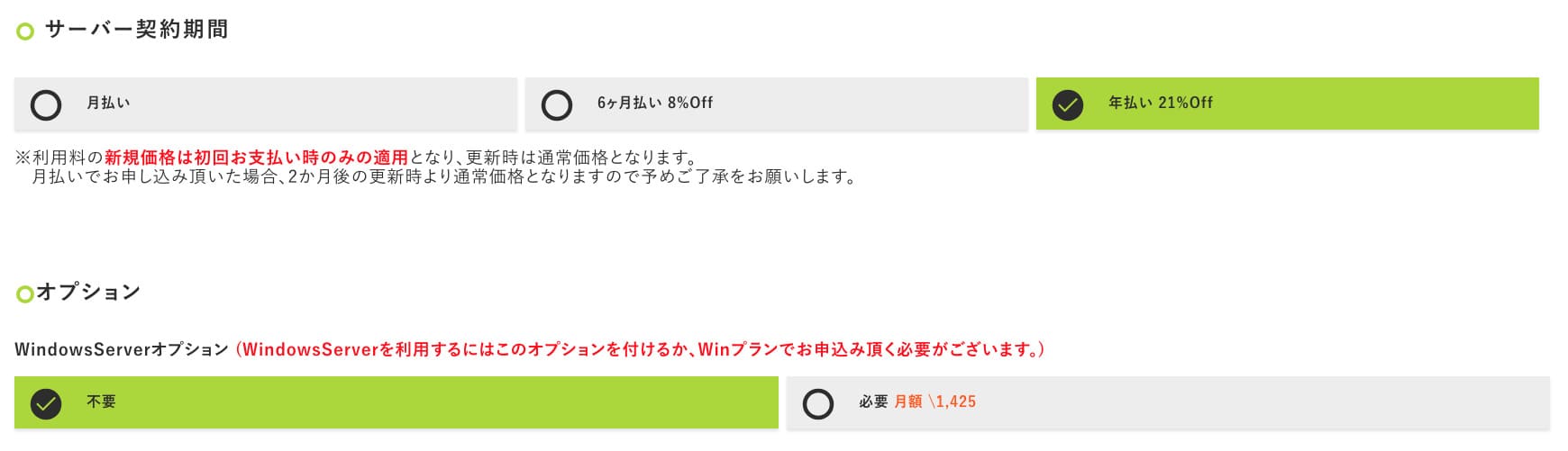
Толтургандан кийин "Proceed to the estimate screen" баскычын басыңыз. Сметаны текшериңиз, баары туура болсо, "Proceed to enter applicant information" баскычын басыңыз.
- STEP.3Арыз берүүчүнүн маалыматын киргизүү
Атыңызды, дарегиңизди жана арыз берүүчүнүн башка маалыматтарын киргизиңиз. Буйрутманы текшерүү экранына өтүп, арызды жөнөтүңүз.
- STEP.4Төлөм маалыматын киргизүү
Эгер кредит картасы менен төлөсөңүз, карта ээсинин маалыматын жана башка керектүү маалыматтарды киргизиңиз. Баары туура болсо, жөнөтүү үчүн "Confirm order" баскычын басыңыз.
Once you receive the электрондук почта with your VPS information, the application is complete.
Кадам 2: Орнотуу Outline Менеджер - Simple Setup
Next, орнотуу Outline Менеджер on your computer so you can configure and manage the VPN сервер.
Орнотуу Outline Менеджер
- STEP.1Visit the расмий Outline сайт
Ачыңыз: Outline.
- STEP.2Жүктөө Outline Менеджер
From the "Get Outline Менеджер" section, жүктөө the version of Outline Менеджер that matches your computer's ОЖ (Windows, macОЖ, or Linux).
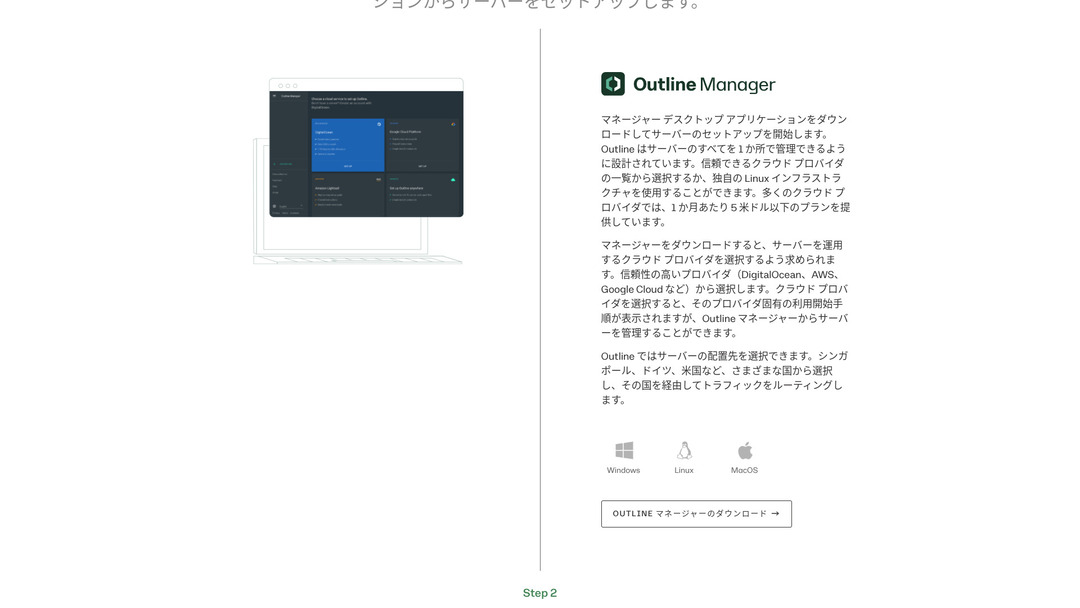
- STEP.3Орнотуу
Run the жүктөөed file and follow the on-screen instructions to орнотуу Outline Менеджер.
Кадам 3: Build an Outline Server on Your VPS with Outline Менеджер
Use Outline Менеджер to орнотуу an Outline сервер on ABLENET VPS.
Build an Outline Server on Your VPS with Outline Менеджер
- STEP.1Launch Outline Менеджер
After орнотууation is complete, launch Outline Менеджер.
- STEP.2Click "Set up сервер"
When you launch it for the first time, the сервер setup screen appears. Click "Set up сервер."
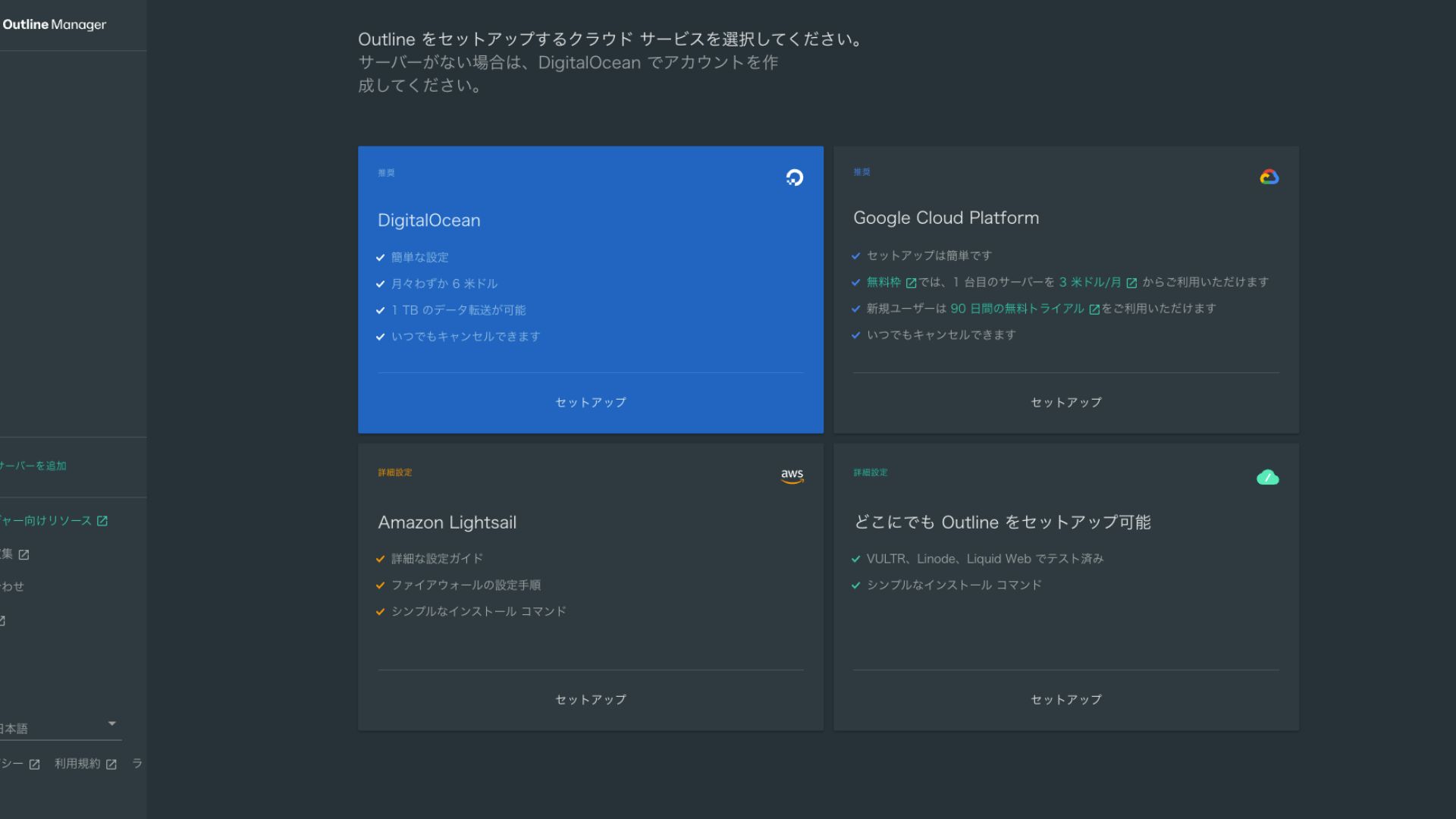
- STEP.3Тандоо "Set up Outline anywhere"
You will see the cloud provider тандооion screen. Тандоо "Set up Outline anywhere."
- STEP.4Enter the орнотууation command
The screen displays the command used to орнотуу the Outline сервер on your VPS. Enter this command manually.
Hikaru OnoАны көчүрүп чаптай албайсыз, ошондуктан ката кетирбөөгө этият болуңуз.
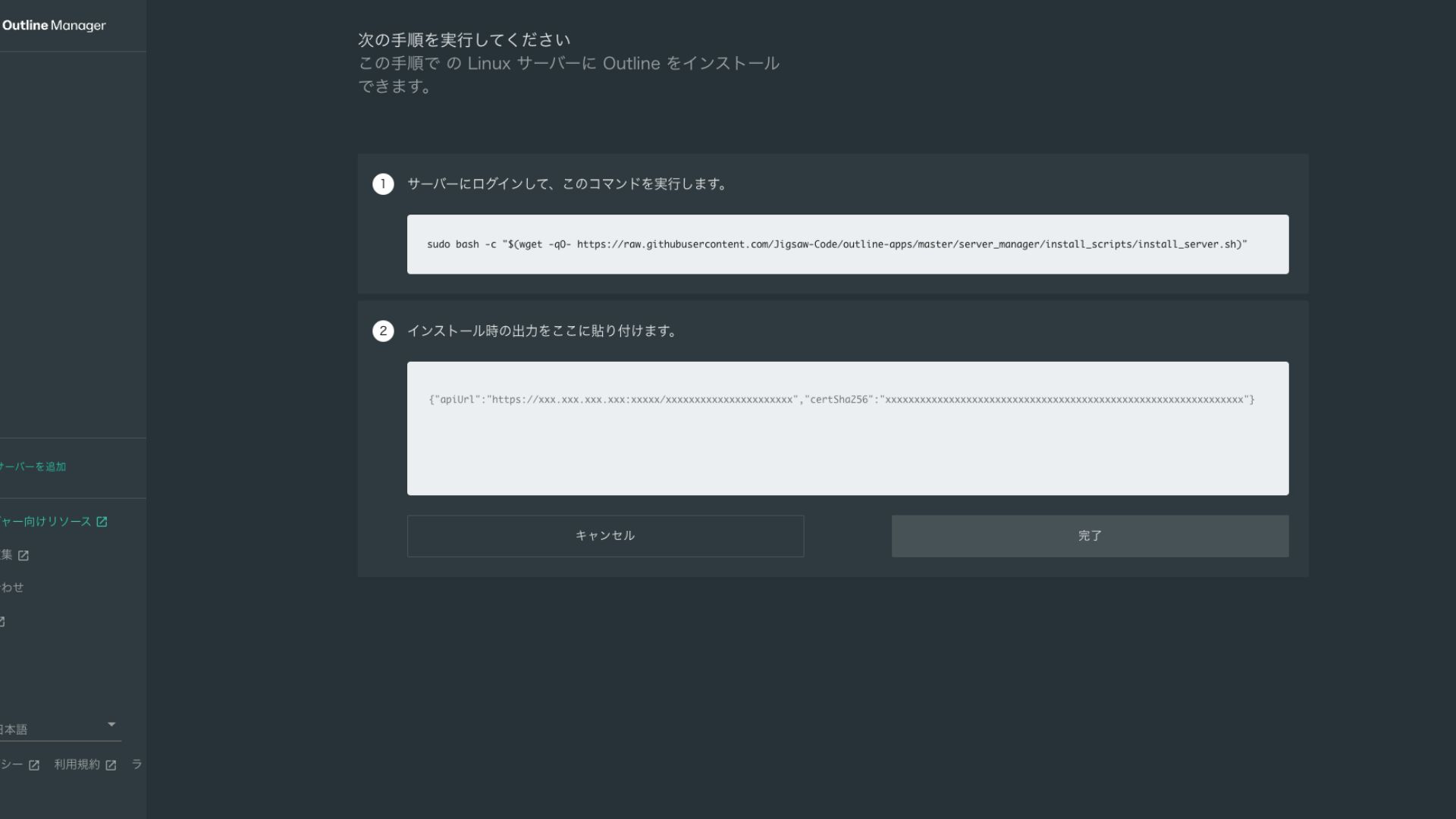
- STEP.5Команданы иштетүү
- Орнотууation can take several minutes. Watch the messages shown on screen carefully and wait until it finishes.
- Процесстин жүрүшүндө бир нече суроо берилиши мүмкүн, бирок көпчүлүк учурда демейки тандоону кабыл алуу үчүн Enter бассаңыз жетиштүү.
- STEP.6Enter the information in Outline Менеджер
After the орнотууation is complete, Outline Менеджер shows a screen where you enter the "Server details."
- Admin API URL: The API URL generated during орнотууation on the VPS is shown here. Usually it is reflected automatically in Outline Менеджер, but if it is not, copy and paste the API URL shown in the SSH terminal.
- Сервер жайгашкан жер (милдеттүү эмес): You can enter the сервер location (for example, Tokyo, Japan). This is for management only and does not affect the туташуу.
- STEP.7Click "Done with сервер"
After entering all the information, click "Done with сервер."
Кадам 4: Түзүү an Кирүү ачкычы and Allow VPN Туташууions
Once the Outline сервер has been built, түзүү an кирүү ачкычы for the actual VPN туташуу.
Түзүү an Кирүү ачкычы and Allow VPN Туташууions
- STEP.1Check the Outline Менеджер screen
One default кирүү ачкычы is displayed on the Outline Менеджер screen. Here, it is labeled Key 0.
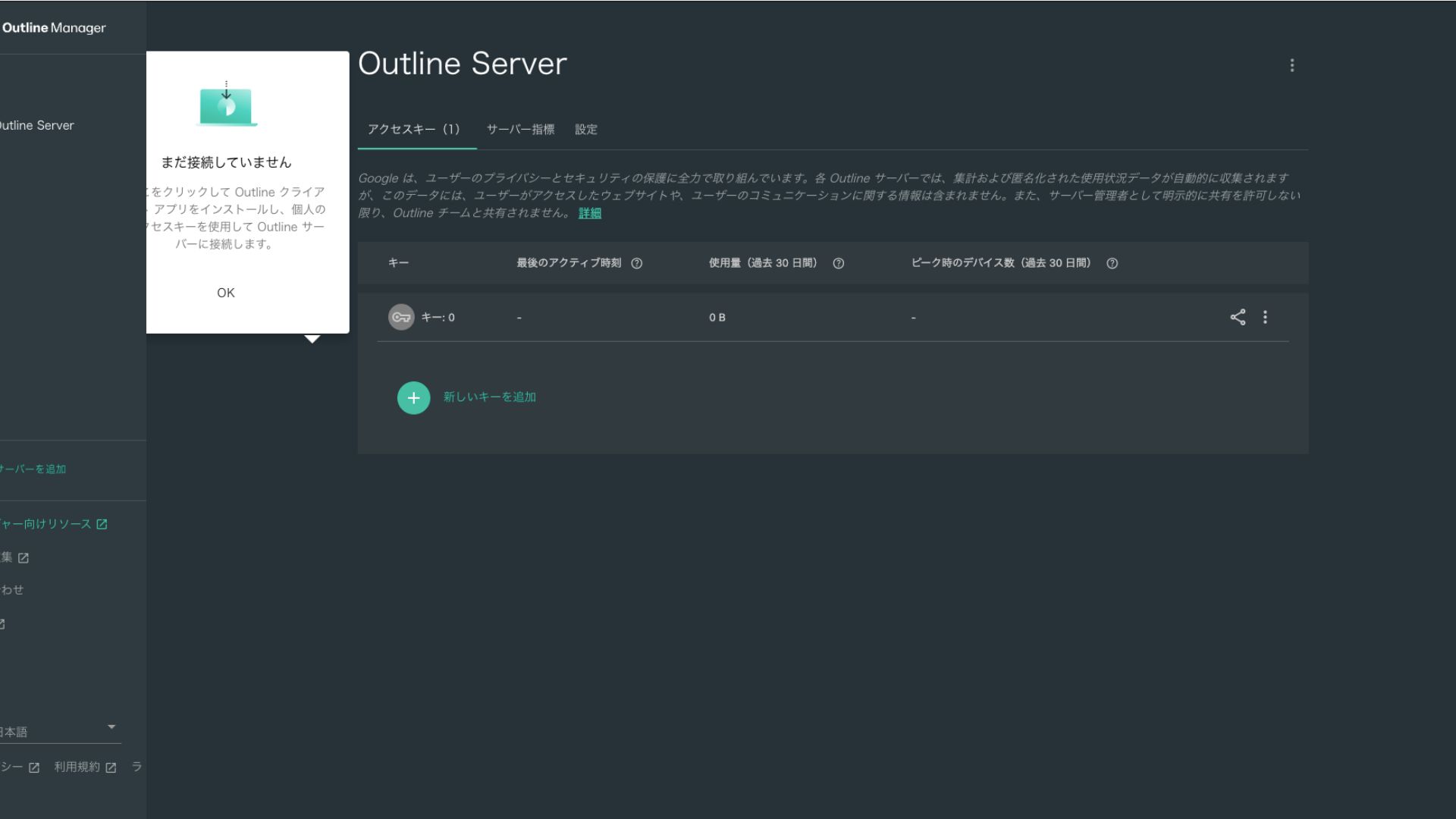
- STEP.2Share the кирүү ачкычы
The кирүү ачкычы you түзүүd is required when connecting with the Outline клиент. When you тандоо the кирүү ачкычы, a button labeled "Чакыруу бөлүшүү" appears.
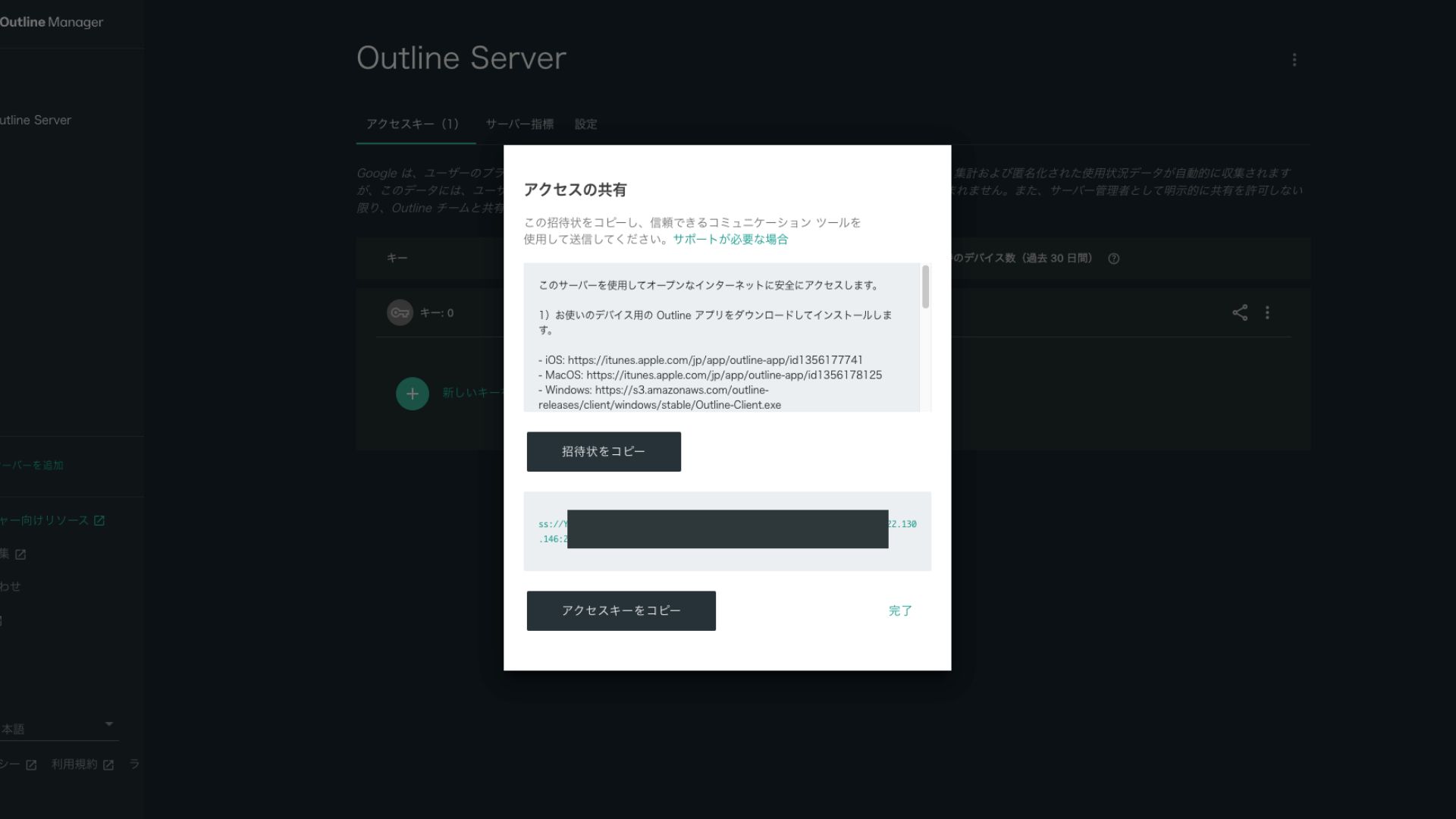
Clicking it copies the кирүү ачкычы URL. Share this URL with the device you want to connect through the VPN.
Кадам 5: Орнотуу the Outline Клиент and Туташуу to the VPN
Орнотуу the Outline клиент on the device you want to use for the VPN туташуу (PC, smartphone, tablet, and so on). This time, I орнотууed it on an Android smartphone.
Туташуу to Outline VPN Using the Issued Кирүү ачкычы
- STEP.1Launch the Outline клиент
Launch the Outline клиент you орнотууed.
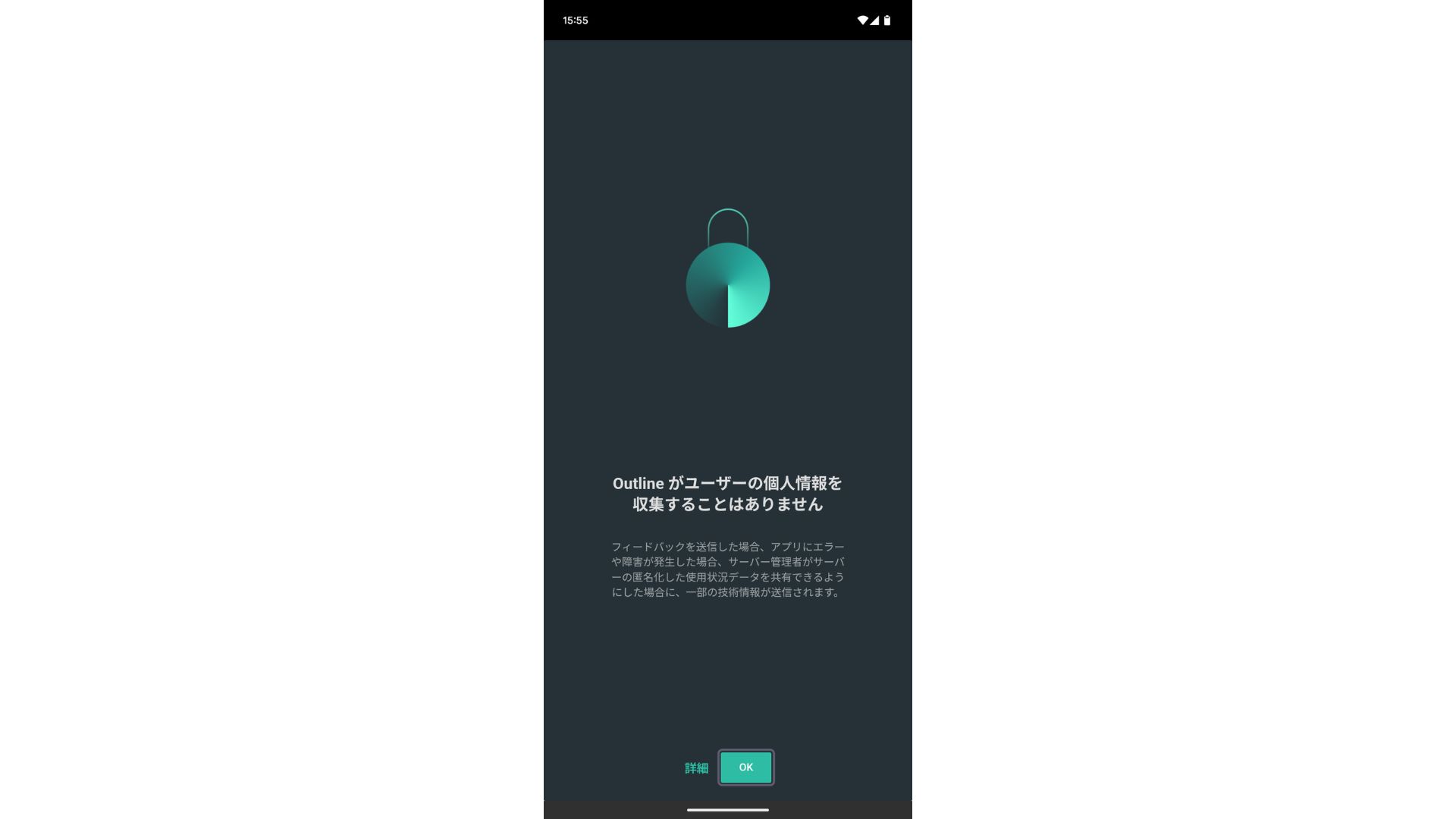
- STEP.2Add the кирүү ачкычы
- PCде: Click "Add сервер" or a similar button, paste the кирүү ачкычы URL you copied in Кадам 4, and click "Add сервер."
- Смартфондо же планшетте: When you open the app, you may be asked to enter an кирүү ачкычы. Copy and paste the кирүү ачкычы URL shared in Кадам 4. If a QR code is shown, you can scan that as well.
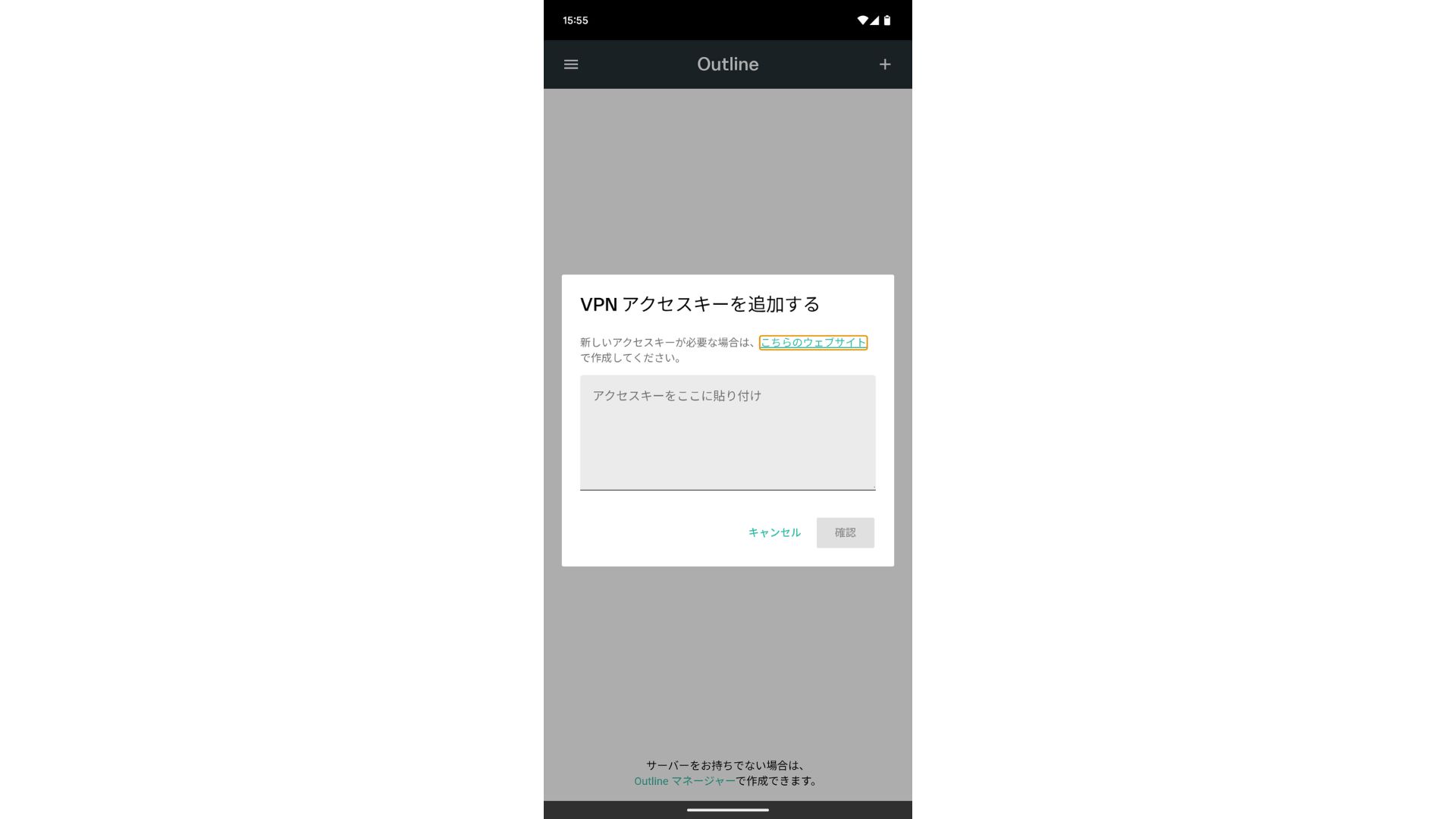
After adding the кирүү ачкычы, press Confirm.
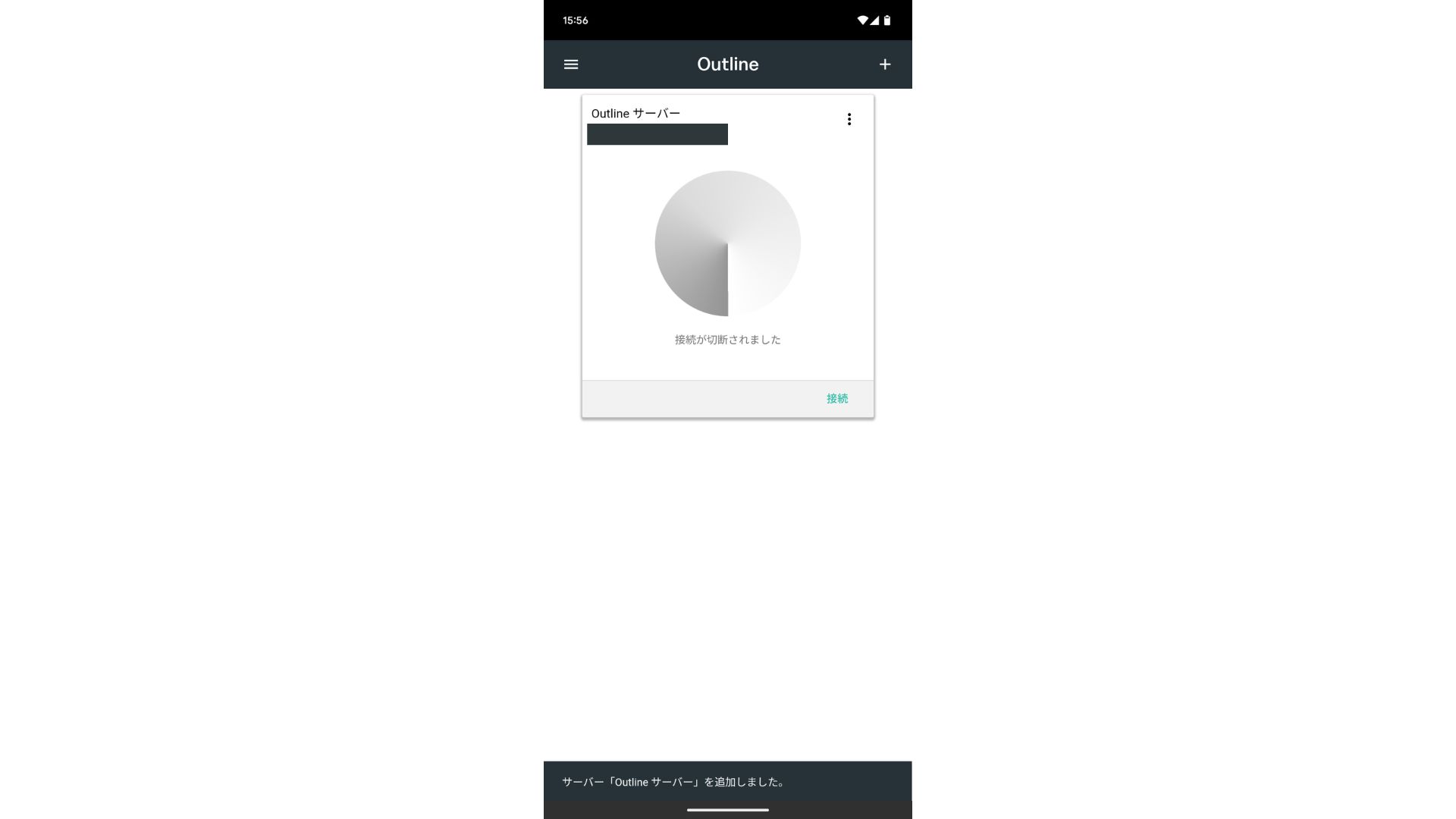
- STEP.3Туташуу
Once the сервер has been added, press "Туташуу."
Tap "OK" on the туташуу request.
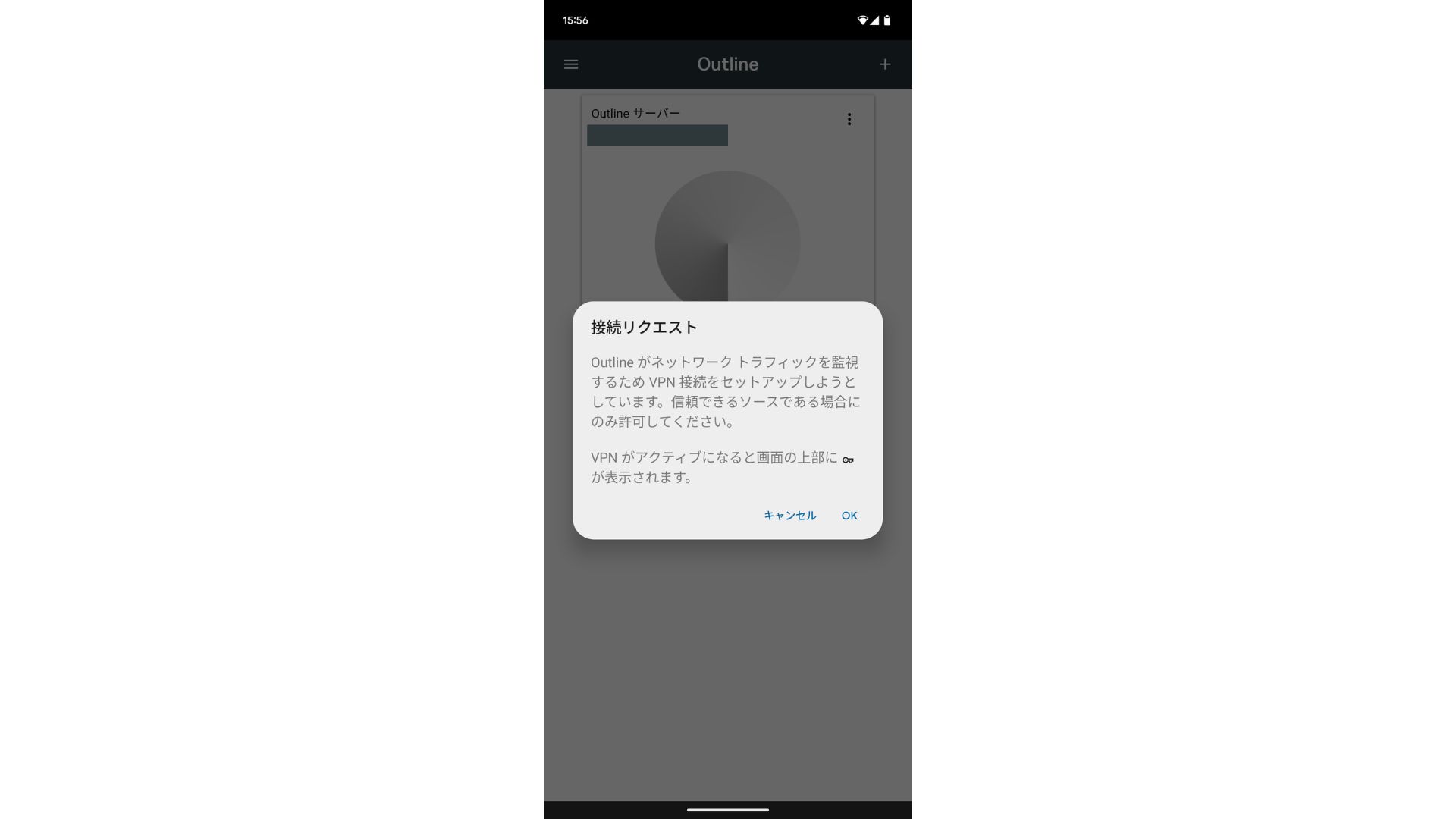
The туташуу is now complete.
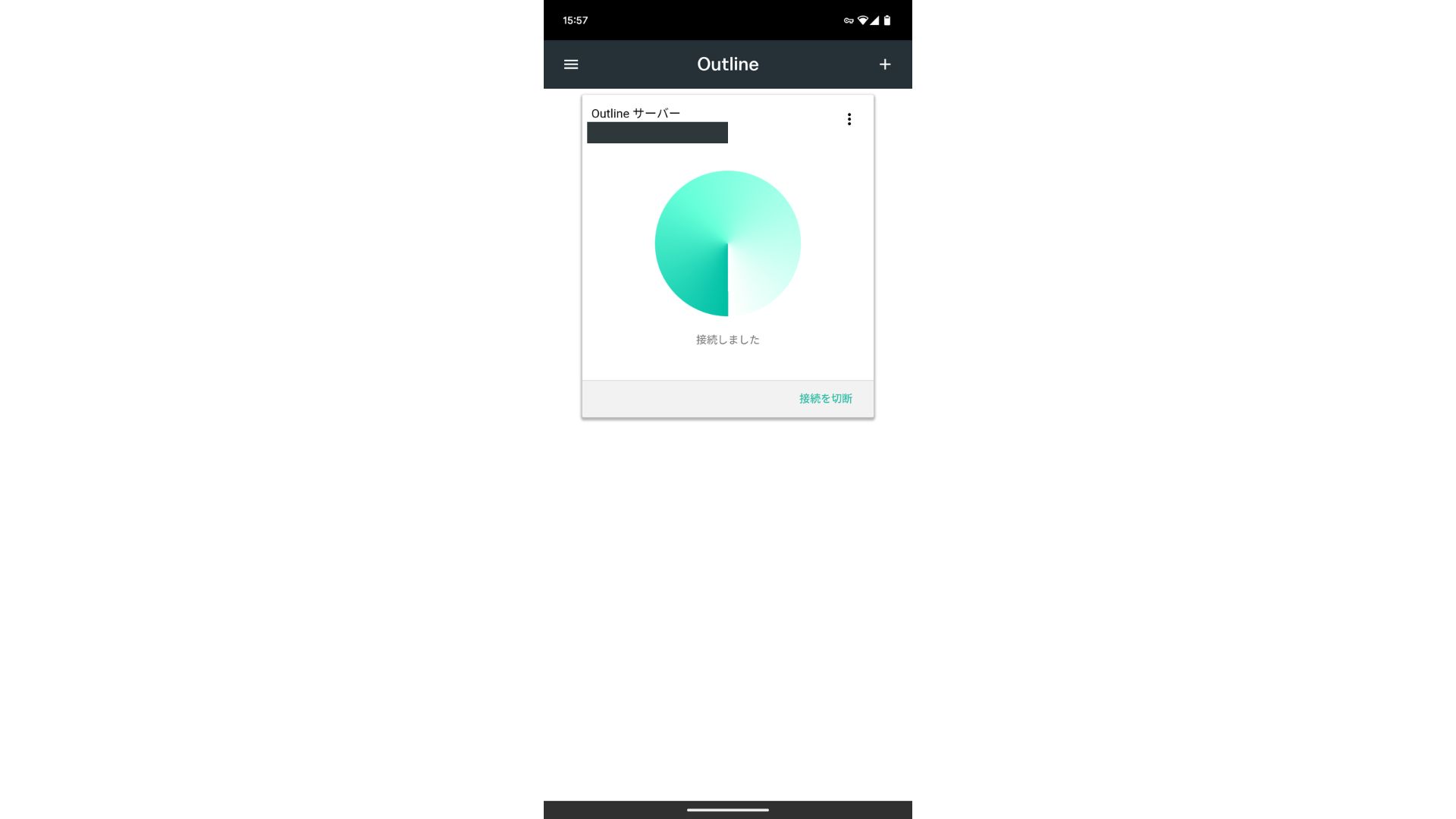
After the сервер is added, a Туташуу button appears. Clicking this button starts the VPN туташуу.
With that, your VPN туташуу using Outline VPN and ABLENET VPS is complete. Your internet traffic is encrypted, making it more secure, and it will route through the location of the сервер you тандооed.
ABLENET VPS and Outline VPN Are Ылдам and Ыңгайлуу
People often say internet speeds are slower over a VPN, so you may be wondering how ылдам ABLENET VPS is. When I measured it, it hit 130Mbps, which showed that it provides ыңгайлуу performance without frustration.
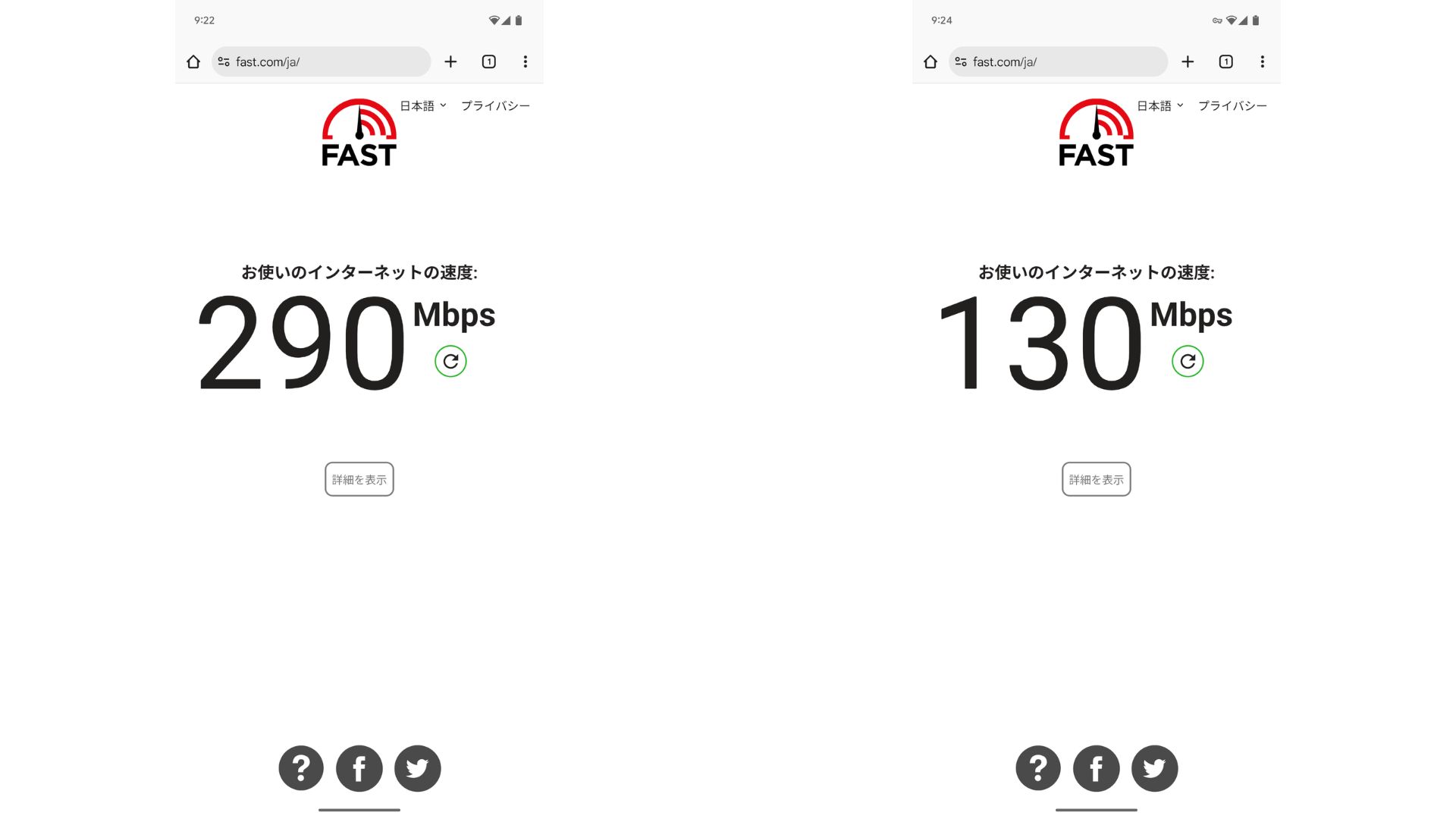
VPN жок учурга салыштырганда ылдамдыктын болжол менен жарымы сакталат. Мындай деңгээлдеги өндүрүмдүүлүккө жетишинин себеби — ABLENET VPS 200Mbps бөлүшүлгөн линиясын колдонот. Since 100Mbps is more common in general, it is ылдам.

Hikaru Ono
ABLENET VPSтин аркасында абдан жогорку ылдамдыкта байланыш түзө алдым.
ABLENET VPS Specs and Баалар
| Сервер түрү | VPS |
| Туташуу ылдамдыгы | Бөлүшүлгөн 200Mbps |
| IPv4 | 1 address |
| IPv6 | 65,536 addresses |
| Трафик чектөөсү | Unlimited |
| Сунушталган план жана келишим мөөнөтү | V1 annual план |
| Виртуалдык CPU | 2 cores |
| Эстутум | 1.5GB |
| Сактагыч | 40GB SSD or 100GB HDD |
| Сыноо / акчаны кайтаруу кепилдиги | 10 күндүк акысыз сыноо |
| Айлык баа (12 айлык келишим) | 968 yen |
| Баштапкы башкаруу акысы | Акысыз |
| Колдоо | Электрондук почта |
| Иштөө убактысы | 99.99% же андан жогору |
| ОЖ | Ubuntu Server 22.04 LTS / Ubuntu Server 20.04 LTS / AlmaLinux 9.5 / AlmaLinux 8.10 / Rocky Linux 9.5 / Rocky Linux 8.10 / Oracle Linux 9.5 / Oracle Linux 8.10 / CentOS Stream8 / CentOS Stream9 / Minecraft Server(ubuntu/java/Integrated)/Rust Server(ubuntu)/Palworld Server(ubuntu)/ARK Server(ubuntu)/7days Server(ubuntu)/Valheim Server(ubuntu)/Ubuntu Desktop 22.04 with MT4/5/Ubuntu Desktop 22.04 with AutoGPT/ CentOS 7.9 and more |
Жыйынтык
VPN түзүүнү жеңилдеткен Outline VPN менен VPNди мурда эч качан колдонбогон адамдар да кыска убакытта баштай алышат.
Бирок VPNдер жайыраак болуп калышы мүмкүн болгондуктан, мен ылдам туташуу берген ABLENET VPS, which provides a ылдам туташуу. With annual billing, it costs less than 1,000 yen per month, so it also offers excellent cost performance. Above all, its unlimited data transfer and туруктуулук with over 99.99% uptime let you enjoy a stress-акысыз internet environment.
ABLENET VPS is a туруктуу VPS with 99.99% uptime, even though it is affordably бааd. It offers a wide range of планs, from the accessible V0 план with 0.5GB of memory to the high-spec V5 план with 16GB of memory, so you can find the right option for your needs.
10 күндүк акысыз сыноо