렌탈 서버 용량: 실수 없이 고르는 방법과 원활한 사이트 운영에 중요한 이유
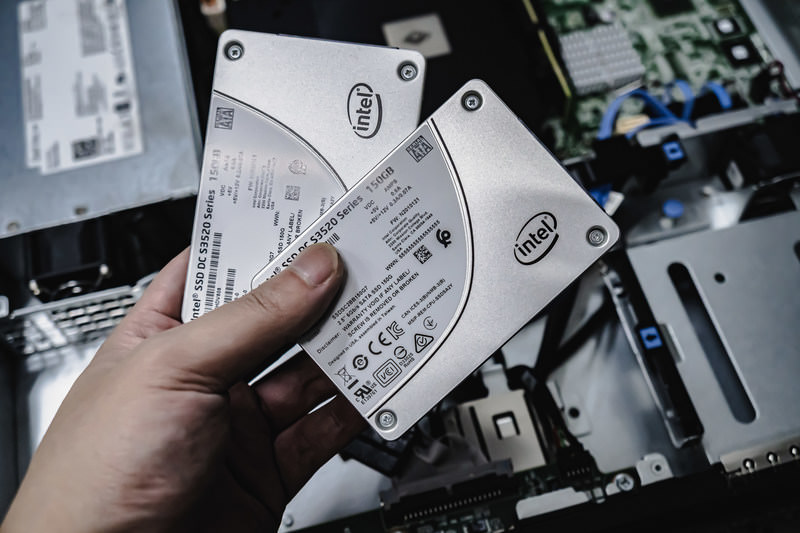
서버를 빌릴 때 CPU나 메모리 같은 여러 사양을 비교하다가 “용량”이라는 항목에서 멈추게 되지는 않나요? 렌탈 서버를 처음 다룬다면, 어느 정도 용량이 필요한지조차 감이 오지 않고, 애초에 어떤 종류의 용량인지도 잘 모를 수 있습니다.
이 글에서는 렌탈 서버 용량을 깊이 있게 살펴봅니다. WordPress 블로그를 시작할 때 주의할 점까지 함께 정리해, 가장 적절한 플랜을 고를 수 있도록 돕겠습니다. 이 글을 읽고 나면 렌탈 서버 용량을 이해하고 자신 있게 플랜을 선택할 수 있을 것입니다.
렌탈 서버 용량이란 정확히 무엇이며, 무엇을 저장하는가?

간단히 말해 렌탈 서버 용량은 웹사이트 데이터를 저장할 수 있는 공간의 크기를 뜻합니다. 구체적으로는 다음과 같은 데이터를 저장합니다.
- 웹사이트 파일: HTML, CSS, JavaScript, 이미지, 동영상처럼 사이트 표시에 필요한 모든 파일
- 데이터베이스: 블로그 글, 사용자 정보, 상품 정보처럼 동적인 콘텐츠를 저장
- 이메일 데이터: 이메일 계정을 사용하는 경우 송수신 메일과 첨부파일
- 로그 파일: 서버 접속 로그, 오류 로그 등 각종 기록
- 백업 데이터: 웹사이트 데이터의 백업본
이 모든 데이터는 서버 용량을 소비합니다. 용량이 부족해지면 새 콘텐츠를 추가할 수 없게 되고, 사이트가 느려지며, 최악의 경우 사이트가 다운될 수도 있습니다.
적절한 서버 용량을 고르는 3단계

그렇다면 적절한 용량은 어떻게 골라야 할까요? 다음 세 단계를 차례대로 생각해 보세요.
STEP 1: 웹사이트 종류를 생각하기 (WordPress 기준)
필요한 용량은 웹사이트 종류에 따라 크게 달라집니다. WordPress 블로그를 시작한다면 다음 포인트를 고려하세요.
- 블로그 규모: 개인이 운영하는 소규모 블로그인지, 여러 명이 운영하는 큰 블로그인지
- 콘텐츠 유형: 텍스트 중심인지, 이미지와 동영상을 많이 쓰는지
- 플러그인 수: 플러그인이 많을수록 용량을 더 소비함
- 테마 용량: 사용하는 테마에 따라 용량에 부담이 생길 수 있음
대략적인 기준으로는,
- 소규모 블로그 (텍스트 중심, 이미지 적음): 5GB~10GB
- 중간 규모 블로그 (이미지 많음, 플러그인 여러 개): 10GB~20GB
- 대규모 블로그 (동영상 포함, 플러그인 다수): 20GB~50GB 이상
정도를 기준으로 생각해 두면 좋습니다.
★ WordPress 플러그인을 익혀 사이트를 더 강하게 만드는 초보자용 완전 가이드
STEP 2: 앞으로의 성장 규모를 예상하기
웹사이트는 만들고 끝나는 것이 아닙니다. 콘텐츠가 늘고 트래픽이 증가하면 필요한 용량도 함께 커집니다.
최소 1년 뒤 모습을 가정하고 여유를 둔 용량을 선택하세요. 나중에 용량을 늘릴 수는 있지만, 플랜 변경의 번거로움까지 생각하면 처음부터 약간 넉넉한 플랜을 고르는 편이 더 원활합니다.
WordPress의 경우 시간이 지나면서 글 수, 이미지, 동영상 수가 늘어날 것을 전제로 생각해 두는 것이 중요합니다.
STEP 3: 구체적인 수치로 계산하기
위 두 단계를 바탕으로 구체적인 숫자로 계산해 보세요. 예를 들어 다음과 같이 가늠할 수 있습니다.
- 페이지 하나의 텍스트: 약 1KB
- 이미지 하나: 약 1MB (고해상도 이미지는 더 커질 수 있음)
- 동영상 1분: 약 100MB (품질과 형식에 따라 크게 달라짐)
WordPress에서는 테마와 플러그인 용량도 고려해야 합니다. 이들만으로도 수십 MB에서 수백 MB에 이를 수 있습니다.
★ 앱 개발 회사가 설명하는 WordPress 테마 선택의 함정과 성공으로 가는 길
무제한 용량 플랜의 장점과 주의점 (WordPress 기준)
WordPress 블로그를 시작할 때 무제한 용량 플랜은 매우 매력적으로 보일 수 있습니다. 하지만 앞서 설명한 것처럼 주의할 점도 있습니다.
- 데이터베이스 용량을 확인할 것: WordPress는 글, 설정 등 여러 데이터를 데이터베이스에 저장하므로, 용량이 무제한이어도 데이터베이스 크기 제한에 걸릴 수 있습니다.
- 백업 저장 공간: 용량이 무제한이라고 해서 백업도 무제한으로 보관할 수 있는 것은 아닙니다. 백업 저장 한도와 보관 기간을 반드시 확인하세요.
★ What Is a Database? An Essential Management System for WordPress
서버 용량 부족이 일으키는 심각한 문제: 구체적 영향과 대책

1. 콘텐츠를 더 이상 추가할 수 없다
용량이 꽉 차면 새로운 콘텐츠를 더 이상 추가할 수 없습니다. 이는 웹사이트 성장을 가로막는 심각한 문제입니다.
- 이미지와 동영상을 업로드할 수 없음: 이미지와 동영상은 웹사이트를 매력적으로 만드는 중요한 요소지만, 용량이 부족하면 더 이상 업로드할 수 없습니다. WordPress에서는 미디어 라이브러리에 파일을 올릴 때 오류가 발생하고 새 이미지나 동영상을 추가하지 못하게 됩니다.
- 글과 페이지를 새로 만들거나 수정할 수 없음: 텍스트 콘텐츠도 저장 공간을 사용합니다. 용량이 부족하면 새 글이나 페이지를 만들 수 없고, 기존 글조차 업데이트하지 못할 수 있습니다.
- 상품을 등록할 수 없음 (전자상거래 사이트의 경우): 전자상거래 사이트에서 상품 정보와 이미지는 사업의 핵심입니다. 용량 부족은 새 상품 추가나 기존 상품 수정 자체를 막아 비즈니스에 직접적인 타격을 줄 수 있습니다.
대책: 더 큰 플랜으로 변경하고, 불필요한 파일을 삭제하며, 이미지 최적화(압축 등)를 진행합니다.
2. 웹사이트 표시 속도 저하: 사용자 경험 악화
용량 부족은 웹사이트 표시 속도 저하로도 이어질 수 있습니다. 표시 속도가 느려지면 사용자 경험이 나빠지고 SEO에도 부정적인 영향을 줍니다.
- 서버 부하 증가: 용량이 빠듯해지면 서버 부하가 커지고 처리 속도가 떨어집니다. 그 결과 페이지 로딩 시간이 길어져 사용자를 기다리게 만드는 상황이 생깁니다.
- 트래픽 급증 시 성능 저하: 이미 용량이 부족한 상태에서 트래픽까지 몰리면 서버가 과부하되어 사이트가 매우 느려지거나, 최악의 경우 다운될 수 있습니다.
- SEO에 부정적 영향: Google 같은 검색엔진은 페이지 로딩 속도를 순위 요소로 고려합니다. 사이트가 느리면 검색 순위가 떨어져 방문자 감소로 이어질 수 있습니다.
대책: 캐시 플러그인, 이미지 최적화, CDN 같은 대책을 사용해 표시 속도를 개선합니다. 트래픽 규모에 맞는 서버 플랜으로 바꾸는 것도 고려해야 합니다.
★ How Fast Is It? Comparing 15 Rental Servers in a Speed Ranking
3. 메일 송수신 중단: 업무 커뮤니케이션이 막힌다
이메일 데이터 역시 서버 용량을 사용합니다. 용량이 부족해지면 메일 송수신이 불가능해져 업무 커뮤니케이션에 지장이 생길 수 있습니다.
- 메일 수신 불가: 받은편지함이 용량 한도에 도달하면 새 메일을 받을 수 없습니다. 중요한 연락을 놓치거나 고객 문의에 응답하지 못할 수 있습니다.
- 메일 발신 불가: 보낸 편지와 임시 저장 메일도 용량을 차지합니다. 용량이 부족해지면 메일 발신이 안 되어 비즈니스 기회를 잃는 상황으로 이어질 수 있습니다.
대책: 불필요한 메일을 삭제하고, 메일 데이터를 로컬에 저장하며, 외부 메일 서비스 사용도 검토합니다.
4. 웹사이트 다운: 비즈니스가 멈춘다
용량 부족이 심해지면 최악의 경우 웹사이트가 다운되어 접근 자체가 불가능해질 수 있습니다. 이는 사실상 비즈니스 정지와 같은 상태를 뜻하며 큰 손실로 이어질 수 있습니다.
- 서버 과부하: 이미 용량이 부족한 상태에서 트래픽까지 집중되면 서버에 과도한 부하가 걸려 시스템 장애가 날 수 있습니다.
- 복구에 시간이 걸릴 수 있음: 서버가 다운되면 복구 작업에 시간이 걸리고, 그동안 사이트에 장시간 접속하지 못할 수 있습니다.
대책: 서버 자원 모니터링, 접속 로그 분석, 적절한 서버 플랜 선택 등 안정 운영을 위한 조치를 철저히 해야 합니다. 정기적인 백업도 매우 중요합니다.
용량 부족은 웹사이트 운영에 심각한 영향을 줍니다. 이런 문제를 피하려면 적절한 용량의 서버 플랜을 선택하고, 사이트의 용량 사용량을 정기적으로 점검하는 것이 중요합니다. 또한 실제로 용량이 부족해졌을 때 어떻게 대응할지도 미리 생각해 두어야 합니다.
★ What Is a 503 Error? Web Traffic Jams, How to Avoid Them, and Emergency Responses
용량별 추천 렌탈 서버
30GB: Little Server
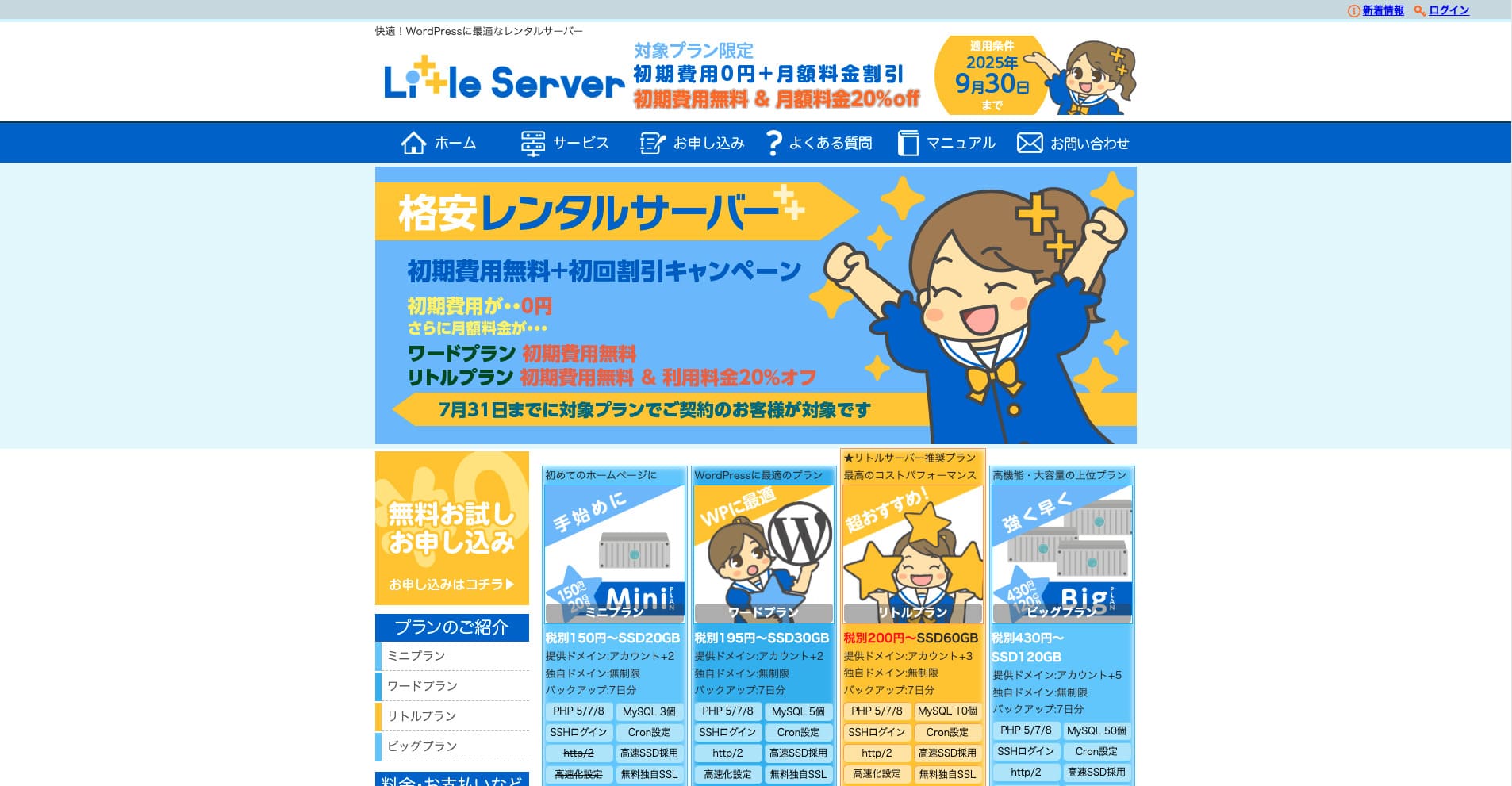
“Little Server”는 저가형 렌탈 서버입니다. 무료 서버를 제외하면 개인용으로는 최저가 수준에 속합니다. 그럼에도 NVMe SSD를 사용해 속도 향상까지 신경 쓰고 있습니다.
2025년 9월 30일까지 초기 비용 없음, Little Plan 서버 요금 20% 할인, 20일 무료 체험
| Server type | Shared server |
| Display speed (TTFB) | 200ms |
| Recommended plan and contract term | Mini, 12 months |
| Trial / refund guarantee | 20-day free trial |
| Monthly fee (12-month contract) | 165 yen |
| Initial administrative fee | 920 yen |
| Free domain | None |
| Support | Email (business hours not disclosed) |
| Uptime | Not disclosed |
| Server capacity | 20GB |
| Number of databases | 3 |
| Security measures | IMP |
| SSL | Free SSL, dedicated SSL (Little Plan and above) |
| Backup / restore | 7일 자동 백업 무료, 복원 무료 |
| Number of email accounts | Unlimited |
| Email security measures | Spam filter |
| Server / website migration service | None |
| WordPress pre-installation | 지원 |
| CDN | None |
*Mini 플랜 기준
가격을 최대한 낮추면서도 최소한의 용량을 확보하고 싶다면 Little Server를 추천합니다. 최저가 플랜이어도 30GB를 사용할 수 있습니다. 상위 플랜으로 올려도 월 요금이 수백 엔 수준이므로, 용량 부족이 걱정되면 미리 업그레이드하는 편이 좋습니다.
★ Little Server Reviews and How to Start WordPress on an Affordable Hosting Service
300GB: ConoHa WING

“ConoHa WING”은 GMO Internet Group이 제공하는 고속 서버로, 사용자 수가 빠르게 늘고 있으며 우리 회사도 실제로 사용 중인 서비스입니다. 서버를 신청하면 WordPress가 사전 설치되기 때문에 누구나 쉽게 시작할 수 있습니다. 비용과 성능의 균형이 좋아 우리도 쓰고 있습니다.
2025년 8월 5일까지 서버 요금 최대 53% 할인, 도메인 2개 영구 무료, 첫 달 무료
| Server type | Shared server |
| Display speed (TTFB) | 160ms |
| Recommended plan and contract term | Basic, 12 months |
| Trial / refund guarantee | First month free |
| Monthly fee (12-month contract) | 971 yen |
| Initial administrative fee | Free |
| Free domains | 2개 영구 무료 |
| Support | Phone, email, and chat (weekdays 10:00-18:00) |
| Uptime | 99.99% guaranteed |
| Server capacity | 300GB |
| Number of databases | Unlimited |
| Security measures | WAF / directory access restrictions / IP access restrictions / vulnerability diagnosis (Net de Diagnosis) / spam comment and trackback restrictions / overseas comment and trackback restrictions / overseas access restrictions |
| SSL | Free SSL / Alpha SSL / Quick Authentication SSL / Company Authentication SSL / EV SSSL |
| Backup / restore | 14 days of automatic backups / restore free of charge |
| Number of email accounts | Unlimited |
| Email security measures | Virus checking / spam filters |
| Server / website migration service | WordPress migration service from 7,678 yen 무료 이전 도구 제공 |
| WordPress pre-installation | Yes |
| CDN | None |
개인이라도 넉넉한 용량을 확보하고 싶다면 ConoHa WING을 선택하세요. 가장 저렴한 플랜부터 300GB를 제공하므로 WordPress 운영에는 전혀 부족함이 없습니다.
★ Build a Homepage in 10 Minutes! ConoHa WING Reviews and How to Start WordPress
600GB: Sakura Rental Server

“Sakura Rental Server”는 Sakura Internet Inc.의 공유 서버입니다. 관리형 서버도 함께 제공하고 있습니다. 성능, 서비스, 가격의 균형이 좋아 어떤 기업에도 추천하기 쉬우며, 플랜에 따라 일정량의 무료 CDN 사용량도 포함되어 있어 쾌적한 통신 환경을 기대할 수 있습니다.
14일 무료 체험
| Server type | Shared server |
| Display speed (TTFB) | 440ms |
| Recommended plan and contract term | Standard, 12 months |
| Trial / refund guarantee | 14-day free trial |
| Monthly fee (12-month contract) | 550 yen |
| Initial administrative fee | Free |
| Free domain | None |
| Support | Business hours: 10:00-18:00 Phone callback reservations, chat, and email (reply the same day or the next business day) |
| Uptime | 99.99% |
| Server capacity | 300GB |
| Number of databases | Unlimited |
| Security measures | Website defacement notifications (paid), WAF, overseas IP address filters, prevention of unauthorized relaying, encryption, |
| SSL | Free shared SSL, dedicated SSL |
| Backup / restore | 백업 8세대 무료, 복원 무료 |
| Number of email accounts | Unlimited |
| Email security measures | POP3, IMAP4, virus checking, simple spam filter, advanced spam filter |
| WordPress pre-installation | None |
| Server / website migration service | None |
| CDN | 월 100GB 무료 |
기업이라면 서버 용량이 더 넉넉한 편이 안심됩니다. Sakura Rental Server는 Standard 플랜 300GB, Business 플랜 600GB로 넉넉한 용량을 제공합니다.
무제한 용량: mixhost
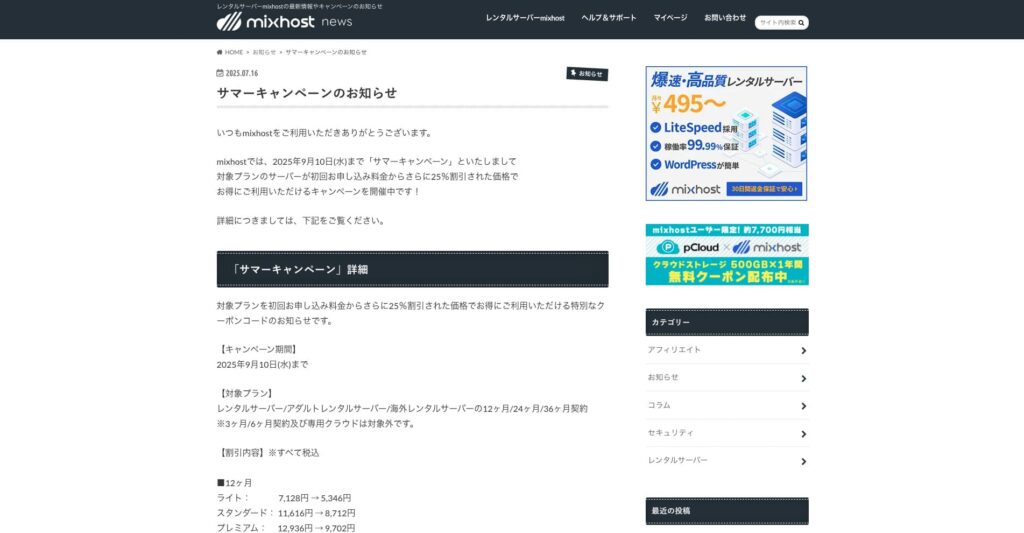
“ mixhost”는 오사카에 본사를 둔 Az Pocket Co., Ltd.의 고속 렌탈 서버입니다. 미국 서부 산호세에 있는 서버에서 콘텐츠를 전달할 수 있습니다. 해외 서버이지만 회사는 일본에 있으므로 일본어 지원도 완전하게 받을 수 있습니다.
2025년 9월 10일까지 최초 계약 25% 할인, 500GB 클라우드 스토리지 1년 무료, 30일 환불 보장
| Server type | Shared server / dedicated cloud server |
| Display speed (TTFB) | 150ms |
| Recommended plan and contract term | Shared server Light, 12 months |
| Trial / refund guarantee | 30-day money-back guarantee |
| Monthly fee (12-month contract) | 594 yen |
| Initial administrative fee | Free |
| Free domain | One free forever |
| Support | |
| Uptime | 99.99% guaranteed |
| Server capacity | 100GB |
| Number of databases | Unlimited |
| Security measures | WAF / DDo attack protection / malware detection and removal |
| SSL | Free dedicated SSL |
| Backup / restore | Automatic backups for 14 days on the Standard plan and above |
| Number of email accounts | Unlimited |
| Email security measures | — |
| WordPress pre-installation | 지원 |
| Server / website migration service | 10,890 yen |
| CDN | None |
| Data center | San Jose, U.S. West Coast |
무제한 용량 서버를 쓰고 싶다면 mixhost를 선택하세요. 용량뿐 아니라 데이터 전송량도 무제한이라 확장성이 뛰어납니다.
★ mixhost Reviews and How to Start WordPress with Peace of Mind Thanks to Elevent Nines Backup
정리: 적절한 용량을 골라 WordPress 블로그를 원활하게 운영하자

렌탈 서버 용량은 웹사이트의 안정성과 성장에 큰 영향을 줍니다. 이 글에서 소개한 단계를 참고해 WordPress 블로그에 가장 잘 맞는 용량을 고르고, 원활한 블로그 운영을 실현해 보세요.
필요하다면 서버 관리자에게 상담을 요청하는 것도 좋은 방법입니다. 무제한 용량 플랜을 고를 때도 장점과 주의점을 충분히 이해한 뒤 결정하는 것이 중요합니다.