30 күндік ақшаны қайтару кепілдігі
PR
Серверлер
GoDaddy шолуы: артықшылықтары, кемшіліктері, WordPress баптауы және келісімшартты тоқтату процесінің егжей-тегжейлі түсіндірмесі
Жарияланды: 2025.07.13
Жаңартылды: 2025.07.13
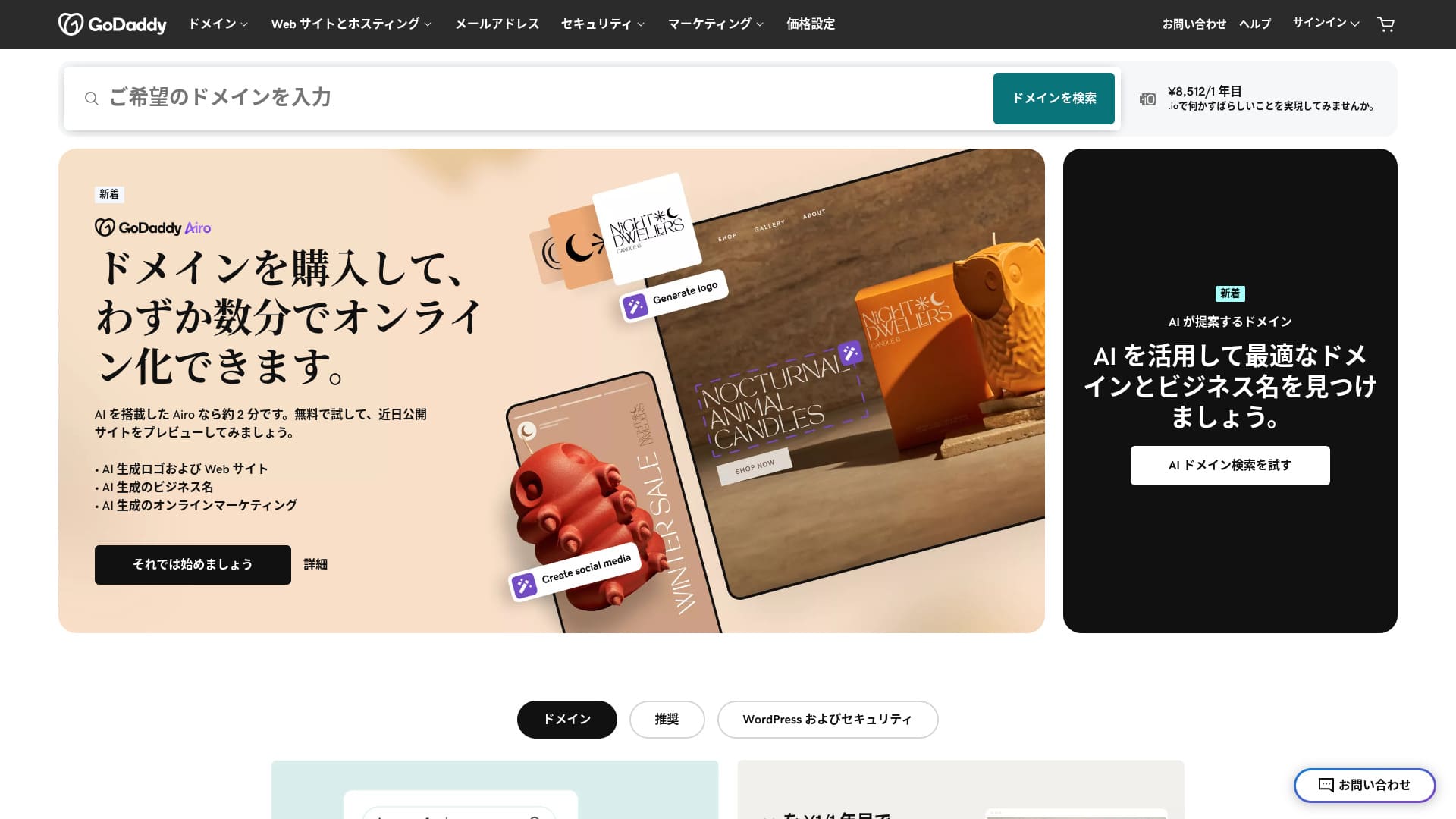
Әлемдегі ең ірі домен тіркеушілерінің бірі ұсынатын сервер.
GoDaddy — әлемдегі ең кең таралған домендерді басқару компаниясы. Сіз бұл атауды кем дегенде бір рет естіген боларсыз. Шетелдік сервер үшін әдеттен тыс, ол жапон тіліндегі веб-сайтты да ұсынады. Сонымен қатар жапон тілінде қолдау алуға болады.
Бұл мақалада мен GoDaddy-дің мүмкіндіктері мен беделінен бастап, WordPress-ті қалай іске қосу керек және келісімшартты қалай тоқтату керек екендігіне дейін егжей-тегжейлі түсіндіремін.
10 шетелдік серверді салыстыру

Шетелдік жалға берілетін серверлерге қатысты тілдік кедергілер мен мәдени ерекшеліктерге байланысты көптеген адамдар қай серверді таңдау керектігін білмей жатады.
Бұл мақалада мен бүкіл әлемнен мұқият таңдалған 10 шетелдік жалға берілетін серверді толығымен салыстырамын және әрқайсысының мүмкіндіктерін, баға жоспарларын және actual user experience in detail.
Мен жаңа бастаушылар сенімді түрде пайдалана алатын таңдау критерийлерінен бастап, инженерлер іздейтін қосымша мүмкіндіктерге дейінгі кең ауқымды қажеттіліктерді қамтитын ақпаратты ұсынамын.
GoDaddy шолуы: жапон тілінде чат арқылы қолдау көрсететін сервер
«GoDaddy» — бас кеңсесі Скоттсдейлде (Аризона штаты) орналасқан, әлемдегі ең ірі хостинг компанияларының бірі. Оның артықшылықтарының бірі — жапон тіліндегі беттердің қолжетімді болуына байланысты пайдаланудың оңайлығы. Тіпті ең төменгі бағадағы жоспары да веб-сайттардың қауіпсіздігін арттыратын WAF жүйесімен бірге келеді.
| Сервер түрі | Ортақ сервер |
| Көрсетілу жылдамдығы (TTFB) | Not measured |
| Recommended plan and contract term | Basic, 1 year |
| Сынақ мерзімі / ақшаны қайтару кепілдігі | 30 күндік ақшаны қайтару кепілдігі |
| Monthly fee (12-month contract) | 899 yen |
| Initial administrative fee | Тегін |
| Тегін домен | None |
| Қолдау қызметі | 24/7 чат, телефон (жұмыс күндері 10:00-17:00) |
| Uptime | 99.9% |
| Сервер жады | 10 GB |
| Дерекқорлар саны | 1 |
| SSL | Тегін SSL |
| Backup | Апталық резервтік көшіру |
| Электрондық пошта тіркелгілерінің саны | None |
| Поштаның қауіпсіздік шаралары | None |
| Серверді / веб-сайтты көшіру қызметі | None |
| WordPress-ті алдын ала орнату | Yes |
| CDN | Тегін |
| Data centers | Kirkland, Washington, USA / Beeston, UK / Iași, Romania / Tempe, Arizona, USA / Belgrade, Serbia |
GoDaddy-дің бес ерекшелігі

Сервер NVMe сақтау орнының арқасында жылдам жұмыс істейді
GoDaddy NVMe сақтау орнын пайдаланады. Бұл стандартты SATA SSD-ге қарағанда жылдамырақ.
Егер сервер жылдам болса, сайт жылдам көрсетіледі. Егер сайт жылдам көрсетілсе, keлушілер оны еш қиындықсыз шола алады. Жылдамдық әсіресе корпоративтік веб-сайттар, электрондық коммерция сайттары және серіктестік сайттары үшін өте маңызды.
GoDaddy-дің жылдам серверінің арқасында өзіңізді еркін сезіне аласыз.
Тегін SSL
GoDaddy comes with тегін SSL. SSL — веб-сайттардың стандартты қауіпсіздік форматы. Сайт SSL-ді пайдаланған кезде, оның мекенжайы https-тен басталады.
Браузерлер де оны қауіпсіз сайт ретінде көрсетеді. Егер сайт SSL-ді пайдаланбаса, «Қауіпсіз емес» сияқты хабарламалар пайда болуы мүмкін, бұл сіздің келушілер санының күткендей өспеуінің бір себебіне айналады.
GoDaddy көмегімен сіз SSL-ді тегін қоса аласыз және келушілерді тартуды арттыра аласыз.
★ What are SSL and TLS? How encryption protects data and why it matters
WordPress-ті алдын ала орнату мүмкіндігі
GoDaddy-де WordPress-ті алдын ала орнату мүмкіндігі бар. Тіркелген кезде WordPress алдын ала орнатылып қояды. Бұл келісімшарт жасалғаннан кейін WordPress-ті орнату әурешілігінен өтудің қажеті жоқ дегенді білдіреді.
Серверлерді немесе WordPress-ті пайдалану тәжірибесі жоқ адамдар да WordPress-ті сенімді түрде бастай алады.
WAF арқылы жоғары қауіпсіздік
GoDaddy comes standard with a highly secure WAF. Бұл бұлттық желіаралық қалқан (firewall) веб-сайттарды DDoS шабуылдары сияқты қауіптерден қорғайды.
WAF отандық серверлерде де ұсынылады. Алайда, ол әдетте бағасы біршама жоғары серверлерде ғана қамтамасыз етіледі.
Апталық резервтік көшіру жүйесі
GoDaddy provides апталық резервтік көшіру жүйесін. Деректердің бұзылуы, жойылуы немесе өзгертілуі сияқты күтпеген қиындықтар туындаса да, егер резервтік көшірме деректері болса, сайтты қалпына келтіруге болады.
Апталық резервтік көшіру жүйесі әдетте жеткілікті, бірақ мүмкіндігінше күнделікті резервтік көшірмелерді алғыңыз келсе, WordPress плагиндерін пайдаланыңыз.
★ Деректеріңізді қалпына келтіруге көмектесетін бес қуатты WordPress резервтік көшіру плагині
GoDaddy-дің кемшілігі — ең арзан жоспар тек бір веб-сайтты жасауға мүмкіндік береді

Кемшілігі — ең арзан жоспар тек бір веб-сайтты жасауға мүмкіндік береді. Егер сіз компанияның веб-сайтына қоса жеке сайт жасағыңыз келсе, жоспарыңызды жаңартуыңыз керек.
GoDaddy-дің ең арзан жоспары айына 1199 иена тұрады. Бұл жеке тұлғаларға арналған отандық сервердің біршама қымбат жоспарымен бірдей. Ол отандық серверлерде тіпті ең төменгі бағадағы жоспар да әдетте бірнеше сайт жасауға мүмкіндік береді. Кейбір серверлер тіпті сайттарды шектеусіз қосуға мүмкіндік береді.
Сондықтан, шынын айтқанда, бұл баға бойынша тек бір веб-сайтпен шектелу бағаның жоғары екенін білдіреді және бұл кемшілік болып табылады.
GoDaddy-ді екі бәсекелес сервермен салыстыру
Мен GoDaddy-ді екі бәсекелес шетелдік сервермен салыстырдым.
IONOS
IONOS — Германияда орналасқан хостинг компаниясы. Оның бүкіл Еуропада серверлері бар болғандықтан, бұл Еуропада тұратын адамдарға арналған веб-сайттарды жасау үшін ұсынылатын сервер болып табылады.
It is less expensive than GoDaddy. Оның жұмыс тұрақтылығы да 99.98% деңгейінде өте тұрақты. Егер сіз бағаға басымдық бергіңіз келсе, IONOS сөзсіз жақсы таңдау болып табылады.
Дегенмен, IONOS тіркелгенге дейінгі қолдау көрсету тұрғысынан өте жақсы емес. Келісімшартқа дейін ол тек телефон арқылы қолдауды ұсынады. Көптеген адамдар үшін шетелдік сервердің қолдау тобына қоңырау шалу мүмкін емес. Керісінше, GoDaddy келісімшартқа дейін чат арқылы қолдау қызметін пайдалануға мүмкіндік береді. Қолдау көрсету тұрғысынан GoDaddy ыңғайлырақ.
| Item | GoDaddy | IONOS |
|---|---|---|
| Biggest strength | Домен пайдаланушыларының саны бойынша №1 | Good value |
| Сынақ мерзімі / ақшаны қайтару кепілдігі | 30 күндік ақшаны қайтару кепілдігі | 30 күндік ақшаны қайтару кепілдігі |
| Uptime | 99.9% | 99.98% |
| Storage | 10 GB | 50 GB |
| Бірінші жылғы сервер құны | 14,388 yen | 1,798 yen |

IONOS шолуы: Еуропаға арналған, WordPress-пен де жұмыс істейтін қолжетімді және тұрақты сервер
IONOS шолуы: Еуропаға арналған, WordPress-пен де жұмыс істейтін қолжетімді және тұрақты сервер
serverfield.org
HOSTINGER
HOSTINGER — үлкен жады бар қолжетімді хостинг. Егер сіз шетелдік серверді GoDaddy-ге қарағанда арзанырақ пайдаланғыңыз келсе, бұл қарастыруға тұрарлық үміткер.
Дегенмен, HOSTINGER тек ағылшын тілінде қолдау көрсетеді. GoDaddy көмегімен сіз жапон тілінде чат арқылы қолдау ала аласыз. Мен чатта сұрақ қойған кезде, жауап бірден келді. Ыңғайлы қолдау қызметін қаласаңыз, GoDaddy-ді ұсынамын.
| Comparison | GoDaddy | HOSTINGER |
|---|---|---|
| Biggest strength | Домен пайдаланушыларының саны бойынша №1 | Good value |
| Сынақ мерзімі / ақшаны қайтару кепілдігі | 30 күндік ақшаны қайтару кепілдігі | 30 күндік ақшаны қайтару кепілдігі |
| Uptime | 99.9% | 99.9% |
| Storage | 10 GB | 100 GB |
| Бірінші жылғы сервер құны | 14,388 yen | 4,405 yen |

Hostinger шолуы [2025 жылғы басылым]: WordPress ресми түрде ұсынған, артықшылықтары, кемшіліктері және басқа компаниялармен салыстырулары бар
Hostinger шолуы [2025 жылғы басылым]: WordPress ресми түрде ұсынған, артықшылықтары, кемшіліктері және басқа компаниялармен салыстырулары бар
serverfield.org
Дәл қазір GoDaddy-де WordPress веб-сайтын бастаудың жеті қадамы
How to start WordPress with GoDaddy
- STEP.1Sign in to GoDaddy
Go to the official GoDaddy веб-сайтына өтіп, тіркелгіңізге кіріңіз.
- STEP.2Go to My Products
Кіргеннен кейін, бақылау панеліндегі жоғарғы мәзірден «My Products» (Менің өнімдерім) таңдаңыз. Сіз басқаратын домендер мен хостинг жоспарлары сонда көрсетіледі.
- STEP.3WordPress хостингін таңдаңыз
«Web Hosting» (Веб-хостинг) бөліміне өтіп, басқарылатын WordPress жоспарыңыздың жанындағы «Manage» (Басқару) түймесін басыңыз.
- STEP.4Install WordPress
Хостингті басқару экраны пайда болады. Осы жерден «Set Up» (Баптау) түймесін басыңыз.
«Select a Domain» (Доменді таңдау) бөлімінде WordPress-ті орнатқыңыз келетін доменді таңдаңыз. Егер сіз GoDaddy арқылы домен алған болсаңыз, оны тізімнен таңдауға болады.
- STEP.5Configure WordPress
«Site Settings» (Сайт баптаулары) бөлімінде сайт атауын және WordPress әкімшісінің ақпаратын енгізіңіз.
Әкімшінің пайдаланушы атын, құпия сөзін және электрондық пошта мекенжайын орнатыңыз. Бұл деректер WordPress әкімші экранына кіру үшін пайдаланылады.
- STEP.6Автоматты орнату аяқталды
Барлық ақпаратты енгізгеннен кейін «Install» (Орнату) түймесін басыңыз. GoDaddy автоматты түрде WordPress-ті орнатады және баптауды аяқтайды.
- STEP.7Access the WordPress dashboard
Орнату аяқталғаннан кейін WordPress бақылау панеліне кіруге болады. Әкімшілік URL мекенжайы «yourdomain.com/wp-admin» болады және сол жерден WordPress-ті конфигурациялауға және теңшеуге болады.
Тақырыбыңыз бен плагиндеріңізді реттеңіз, сайтты жариялаңыз, сонда бәрі дайын болады.
How to cancel GoDaddy
Timeline title
- STEP.1Log in to GoDaddy
Go to GoDaddy және тіркелгіңізге кіріңіз.
- STEP.2Go to My Products
Click “My Products” at the top of the dashboard and go to the page where all purchased services are listed.
- STEP.3Select the service you want to cancel
Домен, хостинг жоспары немесе электрондық пошта қызметі сияқты тоқтатқыңыз келетін қызметтің жанындағы «Manage» (Басқару) түймесін басыңыз.
- STEP.4Turn off automatic renewal
After you move to the service management screen, first turn off automatic renewal. This prevents the next charge from being processed.
Go to the “Renewal Options” or “Billing Information” section and set “Auto-Renew” to “Off.”
- STEP.5Delete the service
After turning off automatic renewal, look for the “Cancel” or “Delete” option. Selecting it completely cancels the service.
Растау хабарламасы пайда болады, мәліметтерді қарап шығып, «Confirm» (Растау) түймесін басыңыз.
- STEP.6Егер GoDaddy тіркелгіңізді толығымен жойғыңыз келсе
Егер GoDaddy тіркелгіңізді мүлдем өшіргіңіз келсе, қолдау көрсету тобына хабарласуыңыз керек. Телефон немесе чат арқылы қолдау қызметіне хабарласу және тіркелгіні өшіру процесін жалғастыру үшін GoDaddy ресми қолдау бетін пайдаланыңыз.
GoDaddy-ден қызметті тоқтату туралы электрондық поштаны алғаныңызға көз жеткізіңіз.
GoDaddy туралы жиі қойылатын сұрақтар
What kind of company is GoDaddy?
GoDaddy — әлемдегі ең ірі домен басқару компаниясы. Доменді басқарумен қатар, ол хостинг пен веб-сайт конструкторын ұсынады.
How do you sign up for GoDaddy?
Ресми GoDaddy веб-сайтына өтіп, «Create Account» (Тіркелгі жасау) бөлімінен тіркеліңіз.
Қорытынды
GoDaddy — жапон тілінде чат арқылы қолдау алуға болатын сервер. Ол жаһандық деңгейде танымал домен басқару компаниясы болғандықтан, сенімділік сезімін ұялатады. Алайда, ол ерекше арзан емес, сондықтан таңдамас бұрын мұқият салыстырыңыз.
GoDaddy 30 күндік ақшаны қайтару кепілдігімен келетіндіктен, оны әзірше бір рет байқап көруді ұсынамын.
«GoDaddy» — бас кеңсесі Скоттсдейлде (Аризона штаты) орналасқан, әлемдегі ең ірі хостинг компанияларының бірі. Ол жапон тіліндегі беттерді және жапон тілінде чат арқылы қолдау көрсетуді қолдайтындықтан, оның артықшылықтарының бірі — шетелдік сервер ретінде де оңай енгізуге болатындығында.