97 күндік ақшаны қайтару кепілдігі
PR
Серверлер
DreamHost шолуы: WordPress-ті тиімді бағамен бастағысы келетіндерге және 97 күндік ақшаны қайтару кепілдігін алғысы келетіндерге ұсынылады
Жарияланды: 2025.07.13
Жаңартылды: 2025.07.13
Рейтинг: 3.0
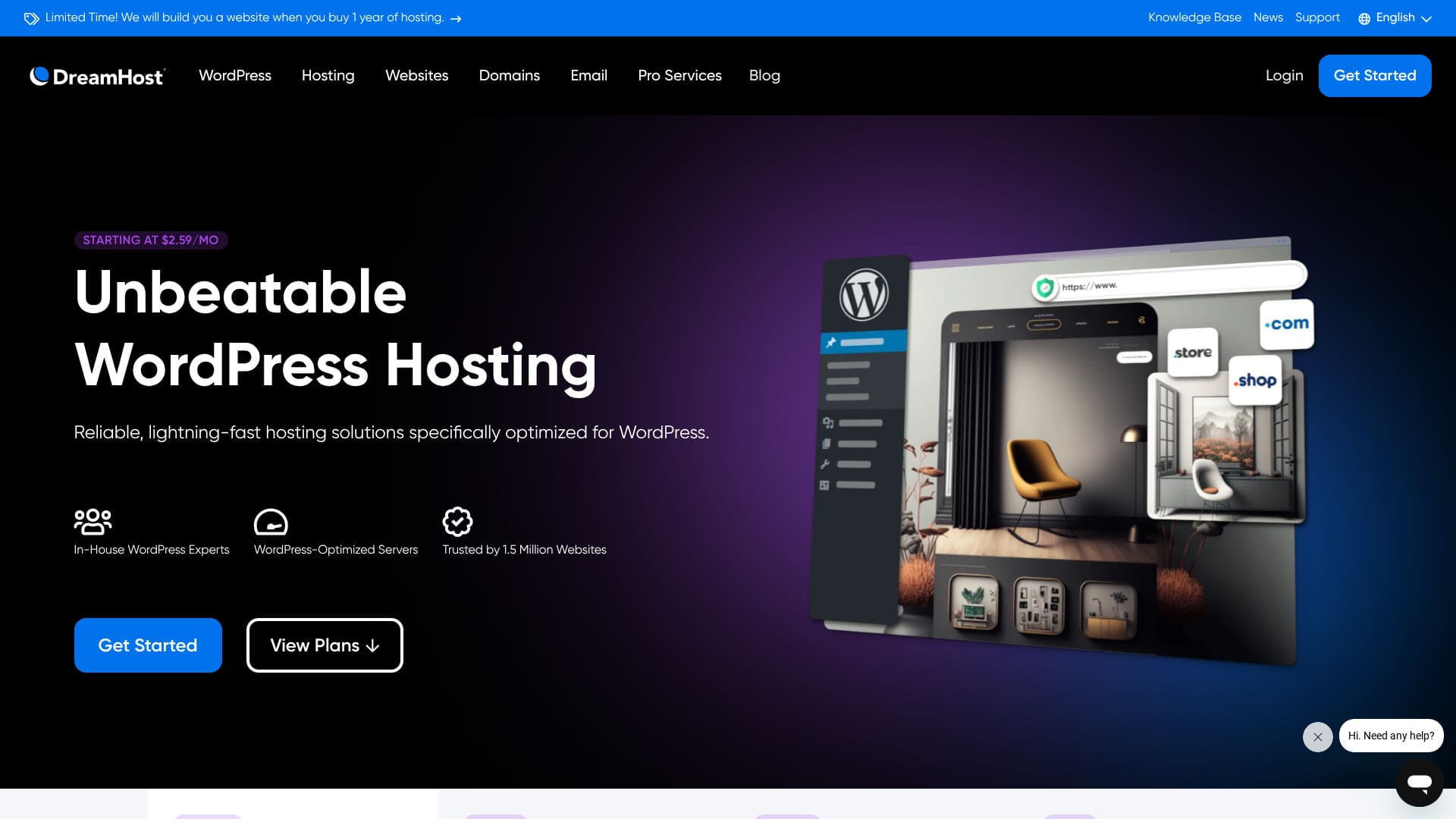
DreamHost — Лос-Анджелесте орналасқан, домендерді тіркеу және хостинг қызметтерін ұсынатын жаһандық компания. Ол өз серверлерінің сапасына сенімді, сондықтан өте ұзақ 97 күндік ақшаны қайтару кепілдігін.

I recommend DreamHost to шетелдік хостинг іздеп жүрген адамдарға for three reasons:
- WordPress ресми түрде ұсынған серверді пайдаланудың сенімділігі
- Қолдау қызметін жылына 365 күн, тәулігіне 24 сағат алуға болады
- 100% жұмыс тұрақтылығы
Осы себептерге байланысты сіз оған қанағаттанасыз деп ойлаймын. Ол 97 күндік ақшаны қайтару кепілдігімен келеді, сондықтан оны еш алаңсыз байқап көре аласыз.

Hikaru Ono
DreamHost — салыстырмалы түрде қолжетімді шетелдік хостинг. Мен оның басқару панелін пайдалануда ешқандай қиындық көрмедім; оны қолдану өте оңай болды.
100% жұмыс тұрақтылығымен ерекшеленетіндіктен, бұл — ұзақ уақыт бойы пайдалануға болатын хостинг.
| Сервер түрі | Ортақ хостинг |
| Сервердің жауап беру жылдамдығы (TTFB) | 400ms |
| Recommended plan and term | WordPress Starter, 1 year |
| Сынақ мерзімі / ақшаны қайтару кепілдігі | 97 күндік ақшаны қайтару кепілдігі |
| Monthly fee (12-month plan) | $2.95 (432 yen) |
| Бастапқы баптау жарнасы | Тегін |
| Тегін домен | 1 домен 3 айға тегін |
| Қолдау қызметі | 24/7 чат, электрондық пошта және телефон арқылы кері қоңырау шалу |
| Uptime | 100% |
| Storage | 50GB |
| Дерекқорлар саны | 6 |
| SSL | Тегін SSL |
| Backups | Included |
| Электрондық пошта тіркелгілері | None |
| Поштаның қауіпсіздік шаралары | None |
| Серверді / веб-сайтты көшіру қызметі | None |
| WordPress-ті алдын ала орнату | None |
| CDN | None |
| Data center locations | Ashburn, Virginia, USA; Hillsboro, Oregon, USA |
DreamHost басқа хостингтермен салыстырғанда
- Overallrating★★★☆☆
- Сервер жылдамдығы ★★☆☆☆
- Pricing ★★★★☆
- Stability ★★★★★
- Ease of starting WordPress* ★★★☆☆
- Доменді басқару және SSL баптау сияқты әрекеттер* ★★★★☆
* Based on how it felt when I used it myself.

Ұсынылатын 10 шетелдік хостинг компаниясын қалай салыстыруға және таңдауға болады
Ұсынылатын 10 шетелдік хостинг компаниясын қалай салыстыруға және таңдауға болады
serverfield.org
Based on market research data as of November 4, 2025, sorted by жылдамдық
Ай сайынғы төлем — WordPress-ті іске қоса алатын ең төменгі бағадағы жоспардың бірінші жылдағы құны.
Жылдамдық — бірдей жағдайларда демо-сайттарда өлшенген бірінші байтқа дейінгі уақыт (TTFB) мәні.
«DreamHost» — Лос-Анджелес қаласында (АҚШ) орналасқан хостинг компаниясы. Оның ең тартымды тұсы — өте ұзақ 97 күндік ақшаны қайтару кепілдігі. Бұл шетелдік хостинг болғандықтан, оны ұзақ уақыт бойы сынап көру мүмкіндігі сенімділік ұялатады. Сондай-ақ оның бағасы басқа шетелдік хостингтер арасында айтарлықтай тиімді.
DreamHost шолуы: кемшіліктері аз, тиімді және тұрақты хостинг
DreamHost is one of the hosts officially recommended by WordPress.
DreamHost 10 жылдан астам уақыт бойы WordPress-ті және оның қауымдастығын қолдап келеді. Оның хостинг платформасы WordPress үшін оңтайландырылған, ал оның командасы WordPress қауымдастығына белсенді үлес қосады.
Бұл — қолайлы бағамен пайдалануға болатын сапалы хостинг. Егер сіз хостинг базалары орналасқан АҚШ-та тұратын адамдарға арналған веб-сайт жасағыңыз келсе, бұл өте тиімді нұсқа болып табылады.
DreamHost-тың алты ерекшелігі

Ол стандартты деңгейдегі сервер жылдамдығын қамтамасыз етеді
Осы сайттың жеке сынақтарына сәйкес, DreamHost стандартты деңгейдегі сервер жылдамдығын көрсетті.
Жапонияның өте жылдам хостингтерімен салыстырғанда ол ерекшеленбейді. Сонымен қатар, DreamHost-тың 400 мс сервердің жауап беру уақыты (TTFB) мүлдем жаман көрсеткіш емес.
★ Ол жылдам ба? Мен 15 хостинг компаниясының жылдамдық рейтингтерін салыстырдым
Ол 24/7 қолдау қызметімен қамтамасыз етілген
DreamHost тәулік бойы 24/7 қолдау қызметімен бірге келеді. Кез келген уақытта қолдау сұрай алатыныңызды білу көңілге сенім береді.
Шетелдік хостингтерде қолдау көрсету кейде жергілікті жұмыс уақытымен шектелуі мүмкін, бұл уақыт айырмашылығына байланысты Жапониядағы пайдаланушылардың көмек алуын қиындатады. Тәулік бойы 24/7 қолдау көрсету арқылы бұл мәселе шешіледі. Тіпті жергілікті уақыт бойынша түн ортасы болса да, олармен байланысуға болады.
That feels reassuring, doesn't it?
Ол 100% жұмыс тұрақтылығы кепілдігімен келеді
DreamHost 100% жұмыс тұрақтылығына кепілдік береді. Ол бұндай уәдені серверлерінің өте тұрақты жұмыс істейтіндігiне байланысты ғана бере алады.
Егер сервер тұрақты болса, веб-сайтыңыздың және электрондық поштаңыздың жұмысы да тұрақты болады. Компания оны корпоративтік сайт үшін пайдаланса да, немесе жеке тұлға оны серіктестік маркетинг үшін пайдаланса да, бұл бизнес мүмкіндіктерді жіберіп алмауға көмектеседі.
★ Жаңа бастаушыларға арналған хостингтің жұмыс тұрақтылығы мен SLA туралы нұсқаулық
Оны 1,5 миллионнан астам веб-сайт пайдаланады
DreamHost-ты қазірдің өзінде 1,5 миллионнан астам веб-сайт пайдаланады. Бұл нәтиже DreamHost-тың сапалы хостинг қызметін ұсынатынының дәлелі болып табылады. Егер сапасы нашар болса, мұншалықты көп адам оны пайдалануды жалғастырмас еді.
Мұншалықты көп пайдаланушының қолдауына ие болу үлкен сенімділік сезімін ұялатады.
WordPress-ті бір шертумен орнатуға болады
DreamHost сізге WordPress-ті бір шертумен орнатуға мүмкіндік береді. WordPress-ті орнату оңай болғандықтан, кез келген адам WordPress арқылы веб-сайтты оңай бастай алады.
Дегенмен, Жапонияның кейбір ірі хостингтері WordPress-ті бастаудың DreamHost-қа қарағанда әлдеқайда оңай жолын ұсынады. Олар серверге тіркелген кезде WordPress-ті алдын ала орнататын жүйені қамтамасыз етеді. Мен мұндай хостингтерді төмендегі мақалада жинақтадым.
★ Әзірлеуші компанияның 28 WordPress хостинг қызметін салыстыруы, сонымен қатар ең жақсы үш ұсыныс
Ол 97 күндік ақшаны қайтару кепілдігімен келеді
DreamHost 97 күндік ақшаны қайтару кепілдігімен келеді. Бұл кепілдіктің үш айдан астам уақытқа созылатынын білдіреді. Бұл олардың ұсынатын қызметтеріне өте сенімді екенін көрсетеді.
From the user's side, being able to try it for that long is a real advantage. It feels reassuring to take your time and judge how it works for you.
DreamHost-тың кемшілігі — Shared Starter жоспары тек бір WordPress сайтын орналастыра алады

DreamHost-тың Shared Starter жоспары тек бір WordPress сайтын орналастыра алады. Егер сіз бірнеше сайтты іске қосқыңыз келсе, басқа сервер немесе жоғарырақ деңгейлі жоспар қажет болады.
Ұқсас бағамен бірнеше сайтты қолдай алатын хостингтердің бар болуына байланысты, бұл салыстырмалы түрде кемшілік болып табылады.
DreamHost-ты екі бәсекелес хостпен салыстыру
Мен DreamHost-ты екі бәсекелес шетелдік хостингпен салыстырдым.
Kinsta
Жиі жоғары деңгейлі хостинг ретінде сипатталатын Kinsta, шынында да, өте қымбат. Ай сайынғы төлем 5000 иенаға жуықтайды. DreamHost әлдеқайда қолжетімді болғандықтан оны таңдау оңайырақ.
Дегенмен, Kinsta сонымен қатар WordPress-тің көрсетілу жылдамдығы мен жалпы қолайлылығы бойынша ең жақсы нұсқалардың бірі ретінде белгілі. Егер сіз ыңғайлылықты барынша арттырғыңыз келсе, бұл қарастыруға тұрарлық нұсқалардың бірі.

Kinsta шолуы: Google ұсынған өте жылдам сервердің артықшылықтары мен кемшілектeрі, сонымен қатар WordPress баптау нұсқаулығы
Kinsta шолуы: Google ұсынған өте жылдам сервердің артықшылықтары мен кемшілектeрі, сонымен қатар WordPress баптау нұсқаулығы
serverfield.org
Bluehost
Bluehost — жасанды интеллект WordPress сайтын құруға көмектесетін хостинг. DreamHost сияқты, ол да сапалы хостинг пен қолдау қызметін, соның ішінде 24/7 қолдауын және 100% жұмыс тұрақтылығын ұсынады.
DreamHost көбірек сақтау орнын ұсынатындықтан, көптеген суреттерді пайдаланатын портфолио сайтын жасағыңыз келсе, бұл ең жақсы ұсыныс болып табылады.
| Item | DreamHost | Bluehost |
|---|---|---|
| Biggest strength | Өте ұзақ ақшаны қайтару кепілдігі | Ерекше тұрақтылық |
| Сынақ мерзімі / ақшаны қайтару кепілдігі | 97 күндік ақшаны қайтару кепілдігі | 30 күндік ақшаны қайтару кепілдігі |
| Uptime | 100% | 100% |
| Storage | 50GB | 10GB |
| Бірінші жылғы хостинг құны | 5,303 yen | 5,303 yen |

Bluehost шолуы [2024 жылғы басылым]: WordPress ресми түрде ұсынған, артықшылықтары мен кемшіліктері және орнату нұсқаулығы бар
Bluehost шолуы [2024 жылғы басылым]: WordPress ресми түрде ұсынған, артықшылықтары мен кемшіліктері және орнату нұсқаулығы бар
serverfield.org
Дәл қазір DreamHost-та WordPress веб-сайтын бастаудың алты қадамы
DreamHost арқылы веб-сайтты бастайық!
- STEP.1DreamHost тіркелгіңізді жасаңыз
DreamHost веб-сайтына өтіп, «Get Started» (Бастау) түймесін басыңыз.
Choose the Shared Starter plan and click “Sign Up Now.”
Тіркелгі мәліметтерін енгізіңіз, төлем ақпаратын көрсетіңіз және тіркелгіні жасаңыз.
- STEP.2Жеке доменді алыңыз
Log in to the DreamHost dashboard.
Click “Domains” in the menu on the left and choose “Register a Domain.”
Қалаған домен атауын іздеп, қолжетімді болса, сатып алу процесінен өтіңіз.
- STEP.3Install WordPress
Go back to the DreamHost dashboard and choose “WordPress” from the menu on the left.
Click “One-Click Installs” and choose WordPress.
Оны орнатқыңыз келетін доменді таңдап, «Install it for me now!» (Маған қазір орнат!) түймесін басыңыз және әдетте бірнеше минут алатын орнату процесінің аяқталуын күтіңіз.
- STEP.4Set up WordPress
Орнату аяқталғаннан кейін берілген сілтемені басып, WordPress баптау бетін ашыңыз.
Choose a language and click “Continue.”
Сайт атауын, пайдаланушы атын, құпия сөзді және электрондық пошта мекенжайын енгізіп, «Install WordPress» (WordPress-ті орнату) түймесін басыңыз.
Орнату аяқталғаннан кейін кіру бетіне өтіп, әкімшілік панельге кіріңіз.
- STEP.5Choose and customize a WordPress theme
After logging in to the WordPress admin area, choose “Appearance” → “Themes” from the menu on the left.
Егер жаңа тақырып қосқыңыз келсе, «Add New Theme» (Жаңа тақырып қосу) түймесін басып, тақырыпты іздеп, оны орнатыңыз.
Орнатылған тақырыпты белсендіріңіз.
Customize the theme from “Appearance” → “Customize.”
- STEP.6Install plugins
From the menu on the left, choose “Plugins” → “Add New.”
Қажетті плагиндерді іздеңіз, оларды орнатыңыз және белсендіріңіз.
Қорытынды
«DreamHost» — Лос-Анджелес қаласында (АҚШ) орналасқан хостинг компаниясы. Оның ең тартымды тұсы — өте ұзақ 97 күндік ақшаны қайтару кепілдігі. Бұл шетелдік хостинг болғандықтан, оны ұзақ уақыт бойы сынап көру мүмкіндігі сенімділік ұялатады. Сондай-ақ оның бағасы басқа шетелдік хостингтер арасында айтарлықтай тиімді.
97 күндік ақшаны қайтару кепілдігі
DreamHost — 24/7 қолдау қызметі мен 100% жұмыс тұрақтылығы кепілдігінің арқасында сенімді түрде пайдалануға болатын хостинг.
Бұл қолжетімді және 97 күндік ақшаны қайтару кепілдігімен келеді. Алдымен оны байқап көріңіз.