Harganya menjadi lebih murah jika Anda mendaftar Xserver, Shin Rental Server, atau Star Rental Server
PR
WordPress
Untuk Situs Perusahaan dan Situs Afiliasi, Pilih Tema WordPress XWRITE yang Terkenal
Diterbitkan: 2025.02.04
Diperbarui: 2026.03.12
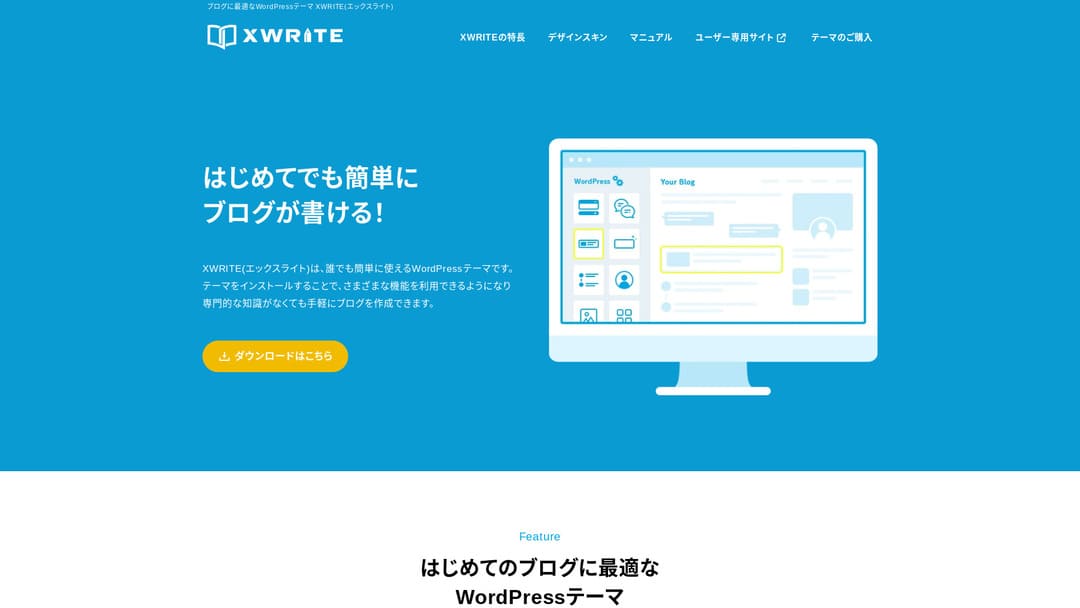
Jika situs Anda adalah situs perusahaan atau situs afiliasi, tema ini layak dipertimbangkan.
XWRITEXWRITE adalah tema WordPress berfokus blog yang dikembangkan oleh Xserver Inc. Ya, tema ini memang untuk blog. Namun sejujurnya, ranah tema WordPress untuk blog sudah sangat padat, dan ada banyak tema bagus selain XWRITE, seperti Cocoon dan SWELL. (Mungkin karena itu Xserver juga bermitra dengan kedua tema tersebut.)
SWELL terlihat bergaya, dan Cocoon gratis.
Meski begitu, XWRITE memiliki fitur orisinal yang tidak dimiliki Cocoon dan SWELL. Jika fitur-fitur itu dapat Anda manfaatkan di beranda atau situs Anda, saya rasa XWRITE adalah pilihan yang lebih baik.
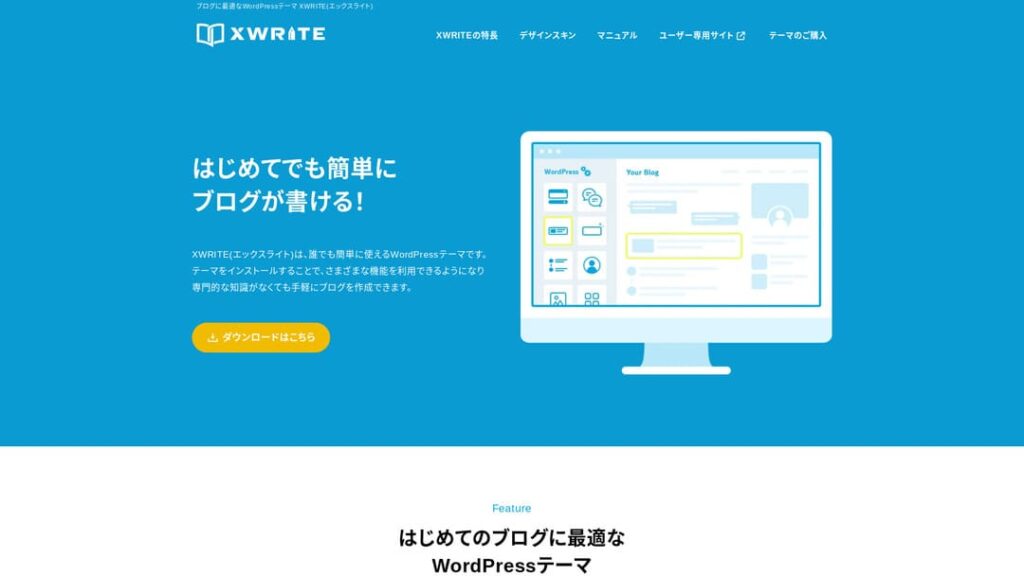
“XWRITE” adalah tema WordPress yang disediakan oleh Xserver Inc. Tema ini dikenal sederhana, cepat, mudah, dan dapat digunakan oleh siapa saja. Tema ini sangat direkomendasikan untuk situs web perusahaan dan situs afiliasi.

Untuk beranda perusahaan dan situs afiliasi, dua kategori inilah tempat XWRITE benar-benar menonjol. Untuk kebutuhan lain, terus terang, pilih saja berdasarkan desain yang Anda sukai. Namun jika itu beranda perusahaan atau situs afiliasi, setidaknya lihat XWRITE dengan serius.
Perbandingan Lengkap 32 Layanan Hosting WordPress untuk Individu, Perusahaan, dan Penggunaan Luar Negeri

Saat Anda berpikir, “Saya ingin memulai WordPress,” lalu mencari “rekomendasi WordPress,” Anda akan menemukan berbagai artikel yang membahas hosting pribadi, opsi untuk perusahaan dan usaha kecil, hosting luar negeri, serta server berbiaya rendah. Sejujurnya,
- situs mana yang sebaiknya Anda percaya?
- Anda mungkin hanya menginginkan jawaban yang sederhana dan mudah dipahami.
- Anda mungkin ingin segera mulai menggunakan WordPress.
Karena itu, artikel ini memilih dengan cermat rekomendasi dari 32 penyedia hosting untuk individu, perusahaan, penggunaan domestik, dan penggunaan luar negeri. Penjelasannya disusun oleh penanggung jawab SEO di perusahaan pengembangan aplikasi yang menggunakan hosting setiap hari.
Mengapa saya merekomendasikan XWRITE untuk beranda perusahaan
Lihat situs demo bergaya toko dan situs korporat yang dibuat oleh Xserver. Keduanya membuat Anda berpikir, “Oh, jadi situs seperti inilah yang bisa saya buat.”

DEMO CORPORATION
DEMO CORPORATION
demo.xwrite.jp

DEMO Cafe & Lounge
DEMO Cafe & Lounge
demo.xwrite.jp
Blok Google Maps memudahkan Anda menata tampilan Google Maps
Beranda perusahaan dan situs toko biasanya menampilkan lokasi kantor atau toko dengan Google Maps.
Dengan XWRITE, Anda dapat menggunakan blok Google Maps untuk menyesuaikan tampilan Google Maps dengan sangat mudah.
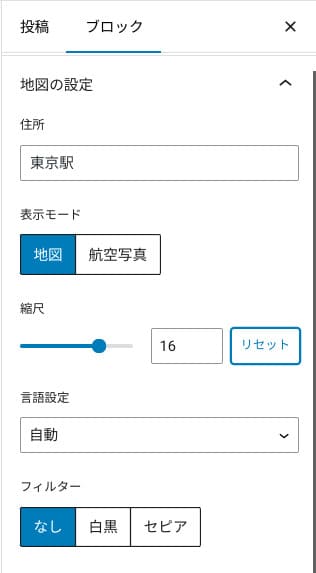
Anda dapat menggantinya ke tampilan peta atau foto udara, atau mengubahnya menjadi monokrom maupun sepia. Cocoon dan SWELL tidak memiliki fitur ini. Mengubah hal-hal seperti itu dengan CSS sejujurnya sulit kecuali Anda seorang desainer atau programmer.
Namun dengan XWRITE, hal itu bukan masalah meskipun tanpa pengetahuan khusus. Siapa pun dapat dengan mudah menyesuaikan Google Maps agar cocok dengan suasana beranda perusahaan atau toko mereka.
Cara membuat Google Map
Cara membuat Google Map
xwrite.jp
Blok Section membuat ruang kosong pun terlihat indah
Desain penting untuk beranda perusahaan dan situs toko. Desain menyampaikan suasana yang sulit diungkapkan dengan kata-kata, seperti “Toko ini terlihat bergaya” atau “Mereka tampaknya akan menangani pekerjaan dengan teliti dan benar.”
Salah satu hal yang memengaruhi suasana itu, cukup mengejutkan, adalah ruang kosong. Ruang kosong yang tertata dan nyaman dapat menciptakan keindahan dan elegansi, bahkan kesan energi yang hidup.
Jika menggunakan blok Section XWRITE, Anda dapat mendesain ruang kosong yang membentuk suasana itu dengan indah, tepat seperti yang Anda inginkan.
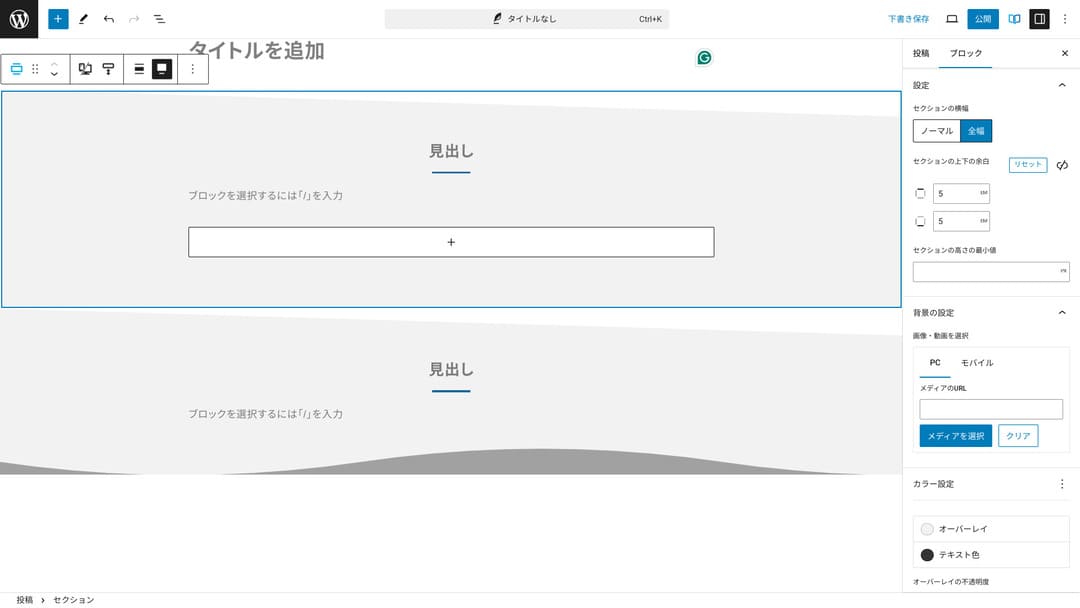
Anda dapat membuat ruang kosong dengan potongan diagonal atau menambahkan bentuk seperti gelombang. Ketika desain mencapai tingkat detail seperti itu, termasuk ruang kosongnya, citra perusahaan atau toko dapat meningkat secara signifikan.
Cara membuat Section
Cara membuat Section
xwrite.jp
Mengapa saya merekomendasikan XWRITE untuk situs afiliasi
Lihat situs demo bergaya afiliasi yang dibuat oleh Xserver. Di sana tertulis “blog”, tetapi desain konten yang terlihat sebenarnya sangat mirip situs afiliasi.

STUDY DEMO BLOG
STUDY DEMO BLOG
demo.xwrite.jp
Blok Product Review membuat kelebihan dan kekurangan langsung jelas
Jika menggunakan blok Product Review XWRITE, Anda dapat menyajikan kelebihan dan kekurangan produk dengan indah. Orang dapat langsung melihat apa yang bagus dan apa yang kurang. Rating dan penjelasannya juga mudah dibaca.
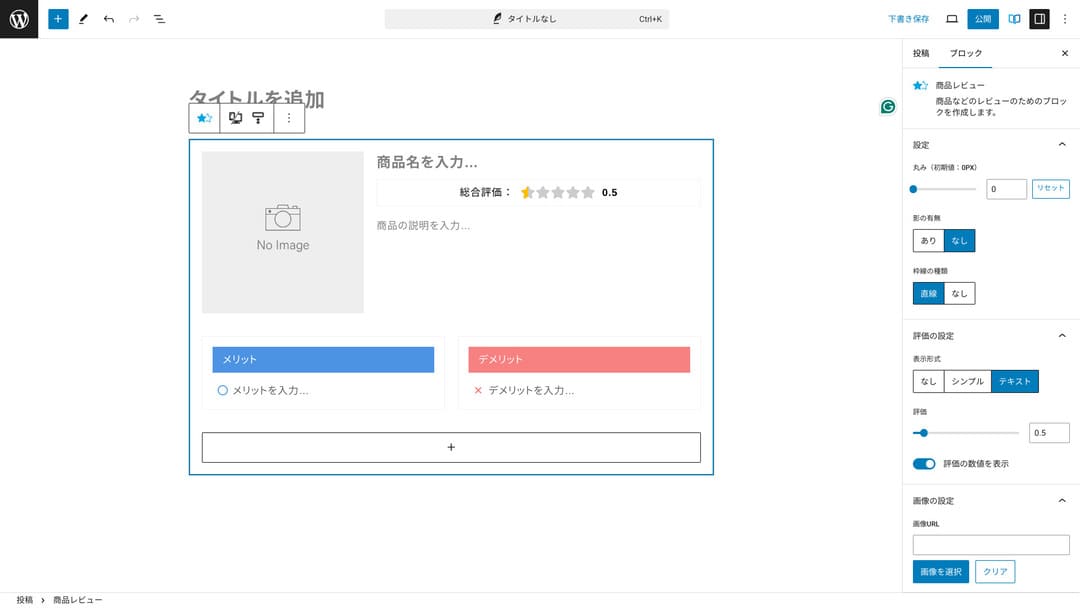
Dengan menggunakan ini, pengunjung situs dapat langsung memahami karakteristik produk yang Anda perkenalkan. Jika mereka dapat memahaminya dengan cepat, mereka lebih mudah memutuskan apakah akan membeli atau tidak. Dengan kata lain, produk lebih mudah terjual.
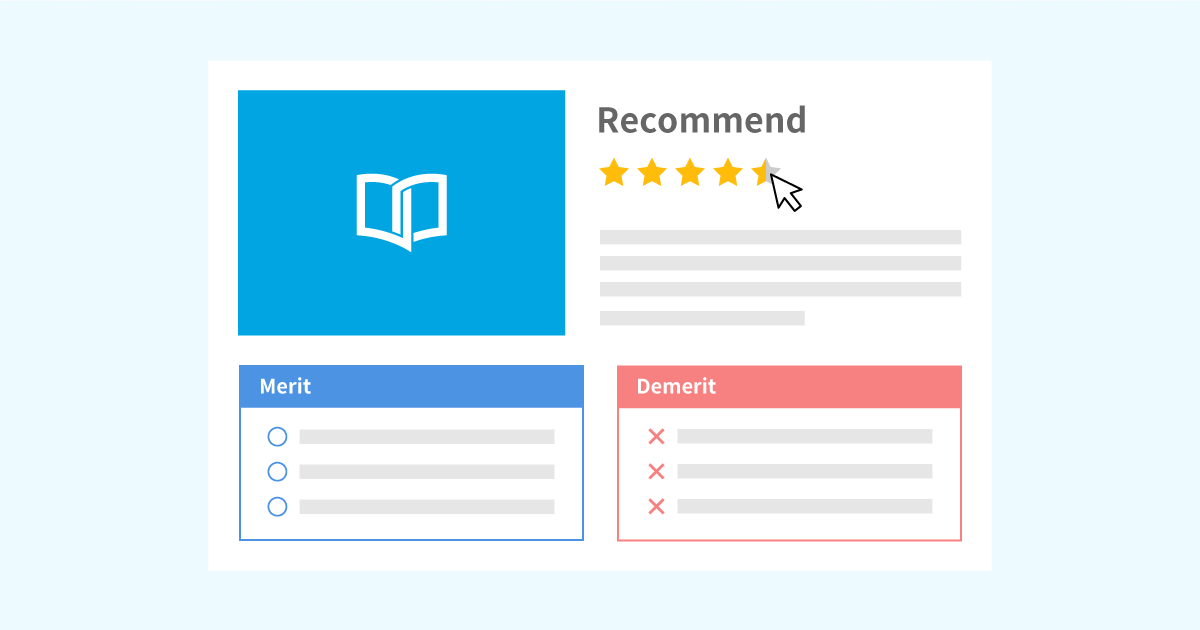
Contoh blok Product Review untuk penjelasan produk dan rating
Contoh blok Product Review untuk penjelasan produk dan rating
xwrite.jp
Blok Step menyampaikan prosedur dan alur dengan jelas
Blok Step XWRITE membuat prosedur dan alur mudah dipahami. Penjelasan seperti “setelah melakukan ini, siapkan dokumen itu lalu klik di sini” menjadi jauh lebih jelas.
Anda dapat menggunakan blok Step untuk menunjukkan cara membeli produk atau urutan langkah dalam proses kontrak.
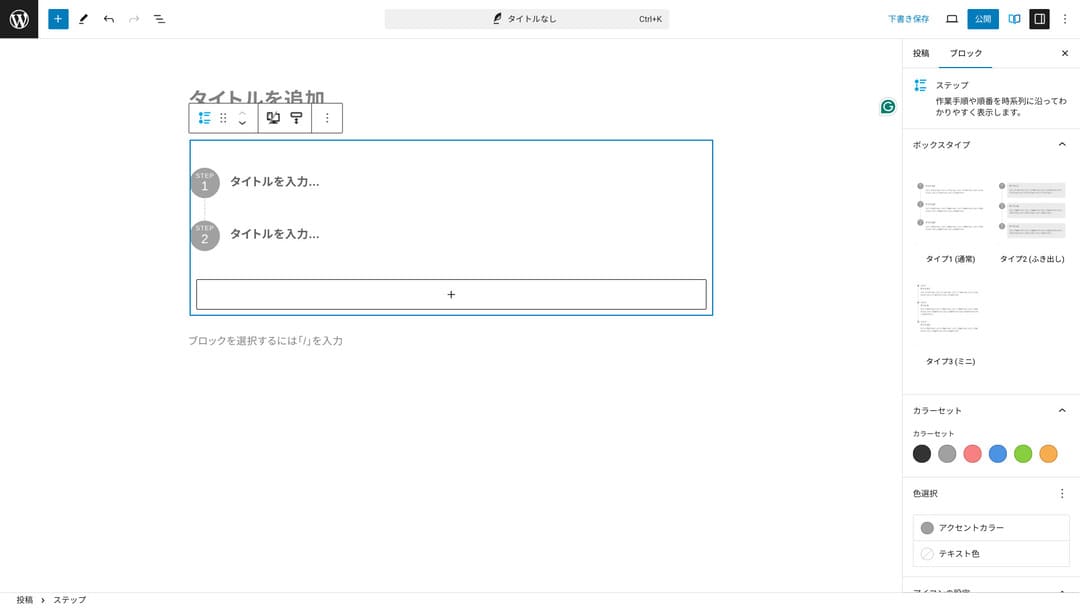
Anda juga bisa menjelaskan prosedur dengan heading dan teks biasa, tetapi hasilnya tidak serapi itu dan cenderung menciptakan ruang kosong yang tidak perlu.
Selain itu, jika menggunakan heading untuk menjelaskan prosedur, daftar isi halaman bisa menjadi terlalu rinci dan merusak pengalaman pengguna. Blok Step menjaga semuanya tetap sederhana.
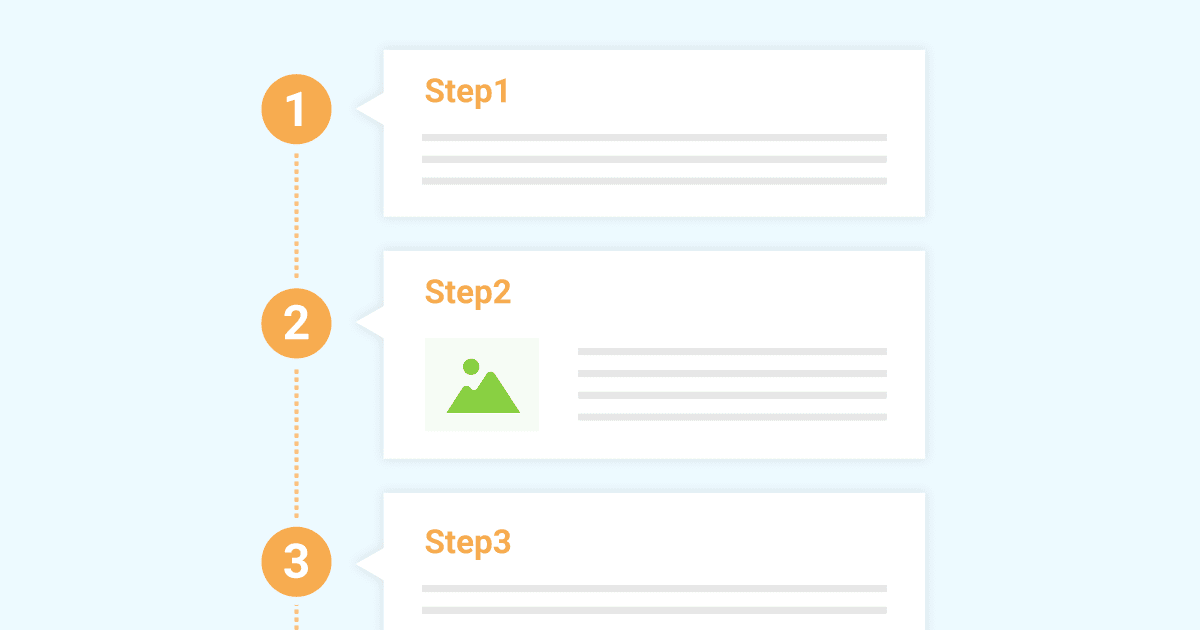
Contoh blok Step untuk memperkenalkan prosedur kerja
Contoh blok Step untuk memperkenalkan prosedur kerja
xwrite.jp
Blok Button dapat meningkatkan CTR
Jika menggunakan blok Button XWRITE, Anda mungkin dapat meningkatkan CTR, atau click-through rate. Anda dapat menerapkan berbagai macam dekorasi pada tombol, sehingga tombol tidak membuat pengguna bertanya-tanya, “Di mana saya harus mendaftar?”
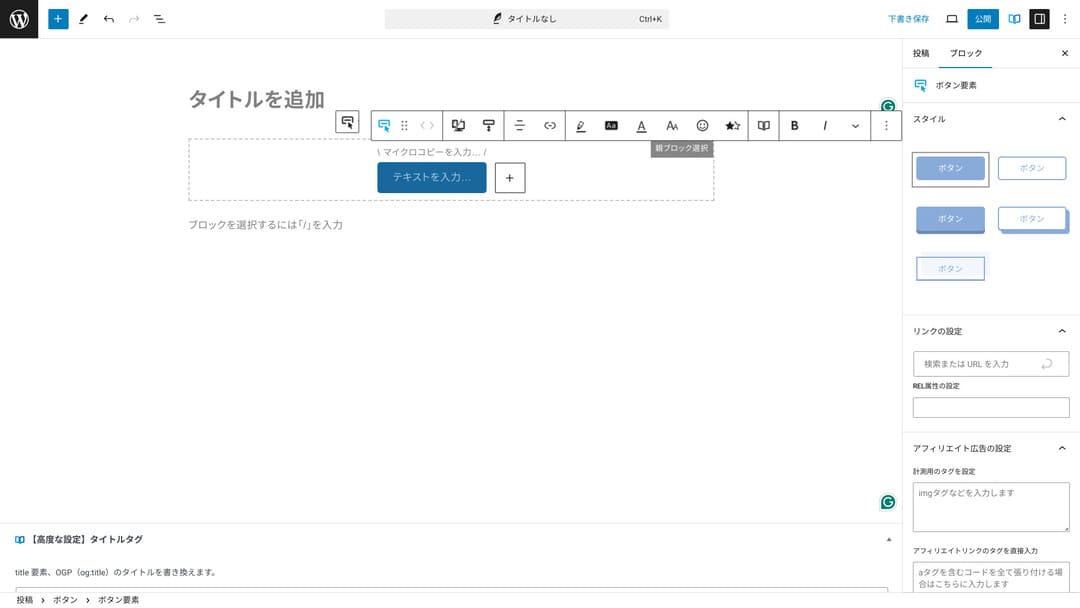
Karena warna dan desainnya dapat diubah, tampilannya juga bisa disesuaikan dengan suasana situs.
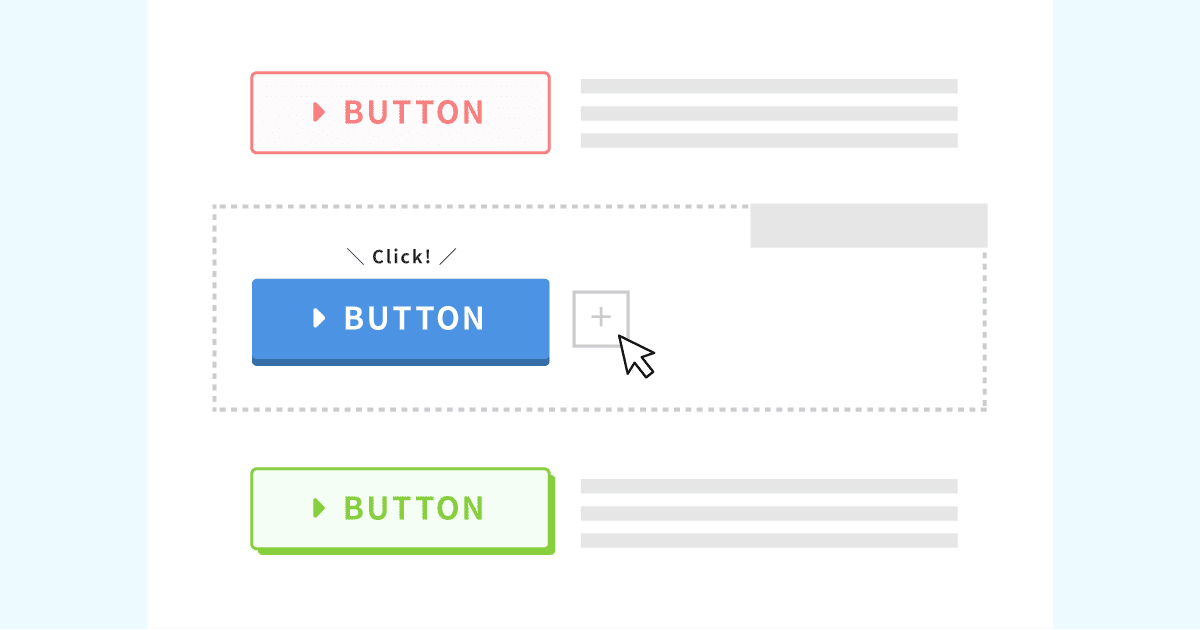
Daftar desain tombol orisinal
Daftar desain tombol orisinal
xwrite.jp
Harga XWRITE: berlangganan dan pembelian sekali bayar
Dengan XWRITE, Anda dapat memilih paket berlangganan atau pembelian sekali bayar.
- Berlangganan (bulanan): 990 yen per bulan
- Berlangganan (tahunan): 9.900 yen per tahun
- Paket pembelian sekali bayar: 19.800 yen
Pengguna Xserver dan Shin Rental Server dapat membeli paket pembelian sekali bayar seharga 15.840 yen. Karena ini sekitar 4.000 yen lebih murah daripada harga normal, saya menyarankan Anda mendaftar saat membuat kontrak server jika sedang mempertimbangkan XWRITE sekaligus kontrak server baru.
Xserver dan Shin Rental Server sama-sama server yang sangat baik. Saya menjelaskannya secara rinci dalam artikel berikut.

Reputasi dan ulasan Xserver [terbaru 2025]: penjelasan menyeluruh tentang kecepatan, harga, kelebihan, dan kekurangan
Reputasi dan ulasan Xserver [terbaru 2025]: penjelasan menyeluruh tentang kecepatan, harga, kelebihan, dan kekurangan
serverfield.org
Ulasan Shin Rental Server [terbaru 2025]: penjelasan menyeluruh tentang kecepatan dan harga berdasarkan penggunaan nyata
Ulasan Shin Rental Server [terbaru 2025]: penjelasan menyeluruh tentang kecepatan dan harga berdasarkan penggunaan nyata
serverfield.org
Sejujurnya, harganya tidak murah dibandingkan tema WordPress lain
Sejujurnya, dibandingkan dengan tema WordPress lain, harganya tidak rendah. Harganya kurang lebih sama atau sedikit lebih tinggi.
| XWRITE | One-time purchase plan: 19,800 yen |
| Cocoon | Free |
| SWELL | 17,600 yen |
| SANGO | 14,800 yen |
| JIN:R | 19,800 yen |
Jadi, untuk mengulanginya, pilihan terbaik adalah mendaftar dengan harga 15.840 yen melalui kontrak server dengan Xserver atau Shin Rental Server.
Namun, jika Anda sudah memiliki kontrak server, pilih paket berlangganan. Anda mungkin punya alasan besar saat memilih tema yang digunakan sekarang, dan ketika mengganti tema, perbedaan desain dapat memengaruhi PV situs, yaitu jumlah halaman yang dilihat, serta CTR, yaitu click-through rate.
Dengan paket berlangganan, jika Anda beralih ke XWRITE lalu ternyata...
- desainnya sangat berbeda dari selera Anda
- pengaruh tema sebelumnya membuat tata letak berantakan dan perbaikannya menjadi sulit
...Anda masih dapat kembali ke tema semula dengan biaya minimal.
Situs ini juga sempat mempertimbangkan untuk mendaftar melalui paket berlangganan dan memperkenalkan XWRITE, tetapi kali ini saya membatalkannya karena alasan kedua di atas. Saya tidak bisa menyediakan waktu yang dibutuhkan untuk perbaikan.
Cara mendaftar XWRITE
Cara mendaftar XWRITE
- STEP.1Masuk ke situs pengguna
- STEP.2Beli tema dari halaman lisensi
Silakan beli tema dari “License Authentication” di situs pengguna.
- STEP.3Unduh tema
Unduh tema.
Ambil file ZIP yang telah diunduh, lalu instal melalui WordPress Appearance → Temas → Upload New Tema, kemudian aktifkan.
- STEP.4Autentikasi lisensi
Autentikasi lisensi melalui XWRITE Settings → Activation. (petunjuk resmi)
XWRITE memiliki child theme
Awalnya XWRITE tidak memiliki child theme, tetapi setelah diperbarui pada 22 Januari 2025, child theme menjadi tersedia. Jika memungkinkan, buatlah child theme. Saat Anda membuat child theme untuk tema WordPress, Anda dapat mencegah kerusakan desain besar ketika beralih ke tema lain.
Prosedur umum untuk membuat child theme WordPress
- STEP.1Buat folder untuk child theme
Pertama, akses folder instalasi WordPress dan buat folder untuk child theme di dalam
wp-content/themes/.- Akses dengan FTP atau gunakan layar admin WordPress > Appearance > Tema Editor.
- Buat folder baru di dalam
wp-content/themes/dan beri nama sepertitheme-child. Nama folder terserah Anda, tetapi sebaiknya gunakan nama yang mudah dipahami.
- STEP.2Buat stylesheet child theme (style.css)
Berikutnya, buat file style.css di folder tersebut. File ini mengelola informasi gaya untuk child theme.
- Atur isi theme-child/style.css seperti di bawah ini.
Salin kode CSS/* Tema Name: Tema Child Template: Tema Version: 1.0*/@import url("../Tema/style.css");/* Write customization CSS here */Tema Name: nama child theme (dapat Anda ubah dengan bebas)Template: nama direktori tema induk- File CSS tema induk dimuat dengan
@import.
- STEP.3Buat functions.php untuk child theme
Berikutnya, buat file functions.php untuk memuat style tema induk dengan benar.
- Buat file theme-child/functions.php dan tambahkan konten berikut.
Salin kode PHP<?php// Load the parent theme style sheetfunction theme_child_enqueue_styles() { wp_enqueue_style('parent-style', get_template_directory_uri() . '/style.css');}add_action('wp_enqueue_scripts', 'theme_child_enqueue_styles'); - STEP.4Aktifkan child theme
Kembali ke layar admin WordPress dan buka Tampilan > Tema. Tema bernama “Tema Child” akan ditampilkan di sana, jadi aktifkan tema tersebut.
- STEP.5Mulai kustomisasi
Setelah child theme diaktifkan, sesuaikan style.css, functions.php, dan jika perlu, file template lain seperti
header.phpdanfooter.php. Alih-alih mengedit file tema induk secara langsung, lakukan kustomisasi dengan menimpanya di child theme.
Pertanyaan umum tentang XWRITE
Berapa biaya XWRITE?
- Berlangganan (bulanan): 990 yen per bulan
- Berlangganan (tahunan): 9.900 yen per tahun
- Paket pembelian sekali bayar: 19.800 yen
Untuk pengguna Xserver dan Shin Rental Server, paket pembelian sekali bayar XWRITE menjadi 15.840 yen.
Apa yang terjadi jika saya tidak memperpanjang langganan?
Meskipun Anda tidak memperpanjang langganan, tema tidak menjadi tidak bisa digunakan. Namun, Anda tidak lagi dapat memperbarui tema. Anda juga kehilangan kemampuan untuk mengajukan pertanyaan di forum.
Jika memilih langganan, perpanjang setiap bulan. Jika ingin menghemat uang, paket pembelian sekali bayar lebih direkomendasikan.
Ringkasan
XWRITE adalah tema untuk blog. Jika Anda akan menulis blog, ini tentu tema yang bisa saya rekomendasikan. Pada saat yang sama, saya juga merekomendasikannya untuk beranda perusahaan dan situs afiliasi.
Jika memilih paket berlangganan, Anda dapat mencobanya selama satu bulan seharga 990 yen. Saya menyarankan untuk mulai dari langganan. Jika Anda puas dengan rasa penggunaan dan desainnya, barulah pindah ke paket pembelian sekali bayar.
“XWRITE” adalah tema WordPress yang disediakan oleh Xserver Inc. Tema ini dikenal sederhana, cepat, mudah, dan dapat digunakan oleh siapa saja. Tema ini sangat direkomendasikan untuk situs web perusahaan dan situs afiliasi.
Harganya menjadi lebih murah jika Anda mendaftar Xserver, Shin Rental Server, atau Star Rental Server
Jika Anda juga sedang mencari server, saya merekomendasikan Xserver.
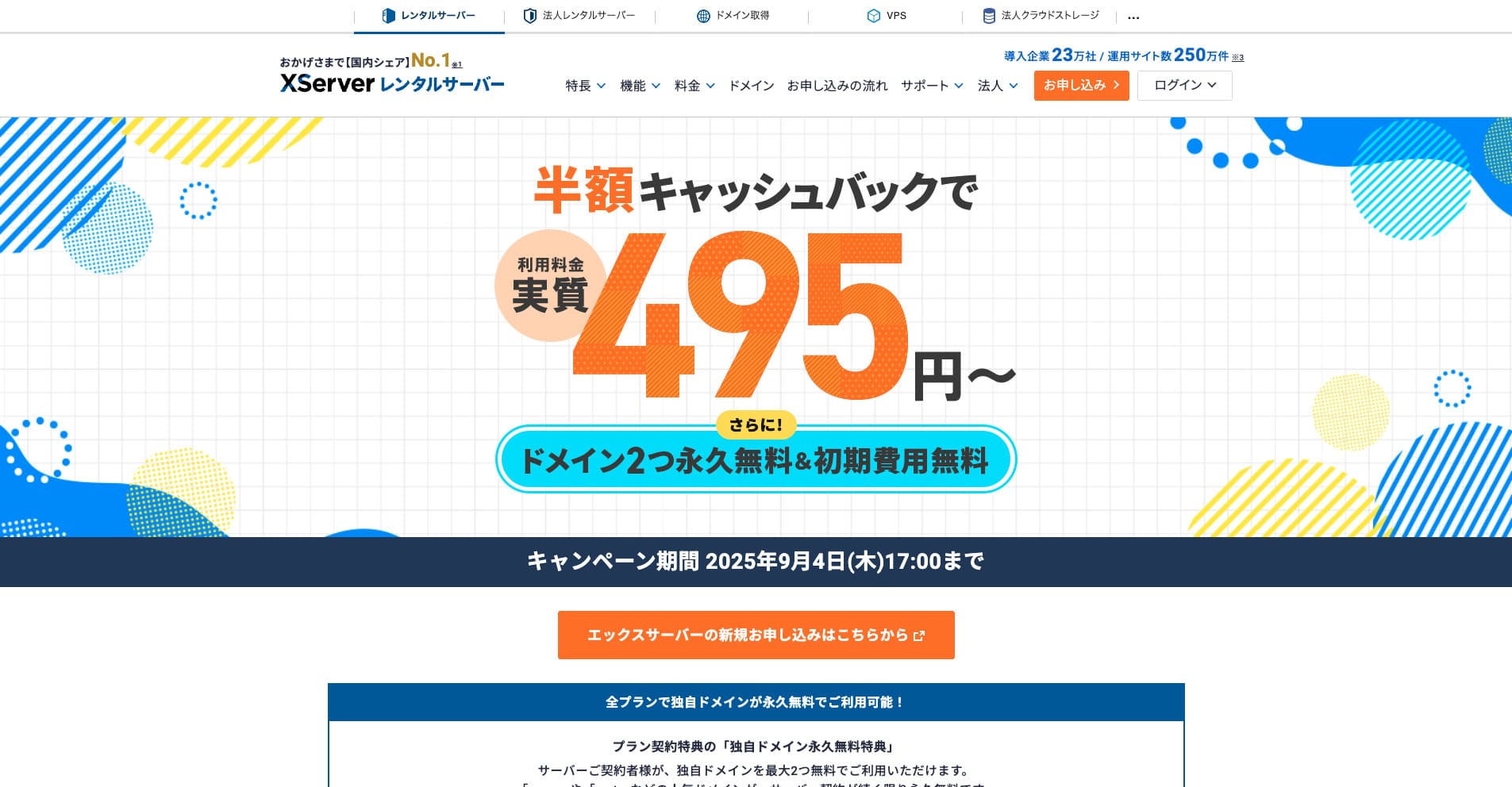
“Xserver” adalah rental server berkecepatan tinggi yang sudah lama berdiri dengan pangsa pasar domestik No. 1. Server ini populer di kalangan individu maupun perusahaan. Sejujurnya, hampir tidak ada kekurangan nyata, dan stabilitas, fitur, serta dukungannya semuanya sangat baik. Dengan cashback, Anda dapat menggunakannya mulai dari efektif 495 yen.
Hingga 34 September 2025, tersedia cashback setengah harga dan uji coba gratis 10 hari
